5 Proven Mobile App Optimization Strategies to Boost Engagement



Optimizing a mobile app isn’t just about fixing crashes or improving load times. The real challenge is shaping an experience that keeps users engaged and drives continuous growth.
As a product manager, I know that even small friction points cause users to drop off. An unclear onboarding flow, slow screen transitions, or a buried key feature can mean the difference between retention and churn. Users expect instant value. If they don’t get it, they leave.
So how do you ensure your app is intuitive, engaging, and built for long-term success? It starts with understanding user behavior, improving performance, and delivering a seamless experience. My team has helped countless product teams enhance their mobile UX without compromising performance.
In this blog, I’ll break down five mobile app optimization strategies that will help you. These strategies will help reduce churn, improve engagement, and maximize retention.
What is mobile app optimization?
Mobile app optimization is the process of improving an app’s performance, usability, and engagement to keep users active and reduce churn. It ensures faster load times, intuitive navigation, and a smooth user experience.
For example, if users abandon your app after the first session, optimization could involve refining the onboarding flow, fixing slow load times, or improving feature visibility to keep them engaged.
Mobile app optimization checklist
Optimizing a mobile app requires more than just feature updates. It ensures a smooth, engaging experience across performance, UX, and accessibility. Small inefficiencies, whether a slow startup time, unclear navigation, or poor caching, can lead to user drop-off.
Use my checklist to identify bottlenecks, improve app performance, and refine the user experience by focusing on relevant keywords that improve discoverability and engagement.
| Category ⚙️ | Checkpoint ✅ | Check ❓ | Action 🧑🏻🔧 |
|---|---|---|---|
| Code & Performance | Startup Time Optimization | Is the app’s initial load time under 2-3 seconds? | Profile startup. Defer non-essential initialization. Use lazy loading and code splitting. Optimize the launch screen. |
| Memory Leak Detection & Resolution | Are there any memory leaks present (use profiling tools)? | Identify and fix leak causes (retained objects, unreleased resources). Implement proper object lifecycle management. | |
| Network Request Efficiency | Are the number and size of network requests minimized? Are requests batched/aggregated? | Analyze network traffic. Implement efficient data fetching. Use appropriate data formats. Avoid redundant requests. | |
| Background Process Management | Are background tasks optimized for minimal battery and data usage? | Use platform APIs for background tasks (WorkManager, Background Tasks). Schedule tasks intelligently. Avoid unnecessary wake-ups. | |
| Caching Strategy Implementation | Is there a robust caching strategy for frequently accessed data? | Implement HTTP and local data caching. Use appropriate cache expiration policies. Consider multi-layered caching. | |
| UI/UX Optimization | Navigation Clarity & Intuitiveness | Can users easily find what they need? Is the navigation logical and consistent? | Conduct user testing. Use clear labels, icons, and visual cues. Follow platform conventions. |
| Responsive Layout & Adaptability | Does the app adapt to different screen sizes, orientations, and devices? | Use responsive design principles. Test thoroughly on various devices and emulators/simulators. | |
| Onboarding Simplicity & Effectiveness | Is onboarding concise, engaging, and focused on the core value? | Minimize steps. Use clear visuals and text. Allow skipping. Track completion rates. | |
| Interactive Element Responsiveness | Do interactive elements respond immediately to input with visual feedback? | Avoid UI delays. Provide clear visual feedback (highlighting, animations) on interaction. | |
| Accessibility Compliance | Is the app accessible to users with disabilities (screen readers, voice control)? | Follow accessibility guidelines (WCAG). Use semantic HTML, provide text alternatives for images, ensure sufficient contrast, and test with assistive technologies. |
The next step is to go deeper into the key strategies that impact engagement, retention, and user satisfaction.
Top 5 strategies for mobile app optimization
53% of users abandon an app if it takes more than three seconds to load. A poor experience leads to churn, no matter how great the product is.
So here are my five key strategies to optimize mobile apps for better engagement and retention.
1. Analyze user behavior data to optimize screens
Well, to optimize mobile apps for higher user engagement and retention, I start by understanding the user journey and navigation of the app’s product. User behavior tracking helps me improve app quality.
I focus on four key areas:
- Screen engagement: Identifying which screens mobile users spend the most time on and which ones they ignore.
- Drop-off points: Understanding where users desert workflows before completing key actions.
- Feature interaction: Tracking whether users interact with key features or struggle to find them.
- Navigation flow: Detecting friction in how most users navigate the app to improve usability.
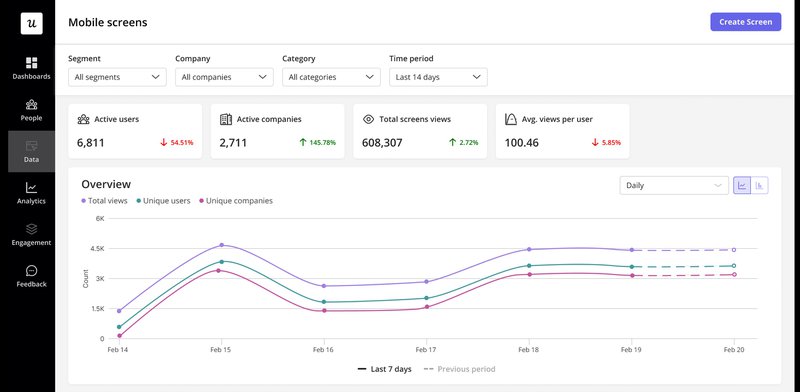
Once I have a clear picture, I use mobile app analytics, along with tools like Google Analytics, to connect valuable insights with action.
- Screen View Tracking helps pinpoint which screens drive engagement and where users drop off.
- Custom Event Tracking records key in-app events, such as button clicks and form submissions.
- Drop-off Analysis helps mobile app teams refine workflows and remove blockers.
These insights allow me to encourage users, improve retention, and make data-driven optimizations without relying on gut instinct.
2. Monitor mobile app performance to address UX issues
Nothing kills user engagement faster than a slow or unresponsive app. I’ve seen apps lose users not because of a poor product but because of performance issues that frustrate mobile users before they even get to the core experience.
I always track three key performance metrics that directly impact user retention and engagement.
- App load time: If the app doesn’t load quickly, users abandon it. A one-second delay can reduce conversions and increase churn.
- ANR (Application Not Responding) rates: When an app freezes or becomes unresponsive, users are forced to close it, leading to drop-offs.
- Crash reports: A crashing app erodes trust. Tracking crash frequency helps identify performance bottlenecks before they impact user retention.
To get a deeper look at app performance and responsiveness, you can use tools like Kobiton, which helps diagnose slow load times, app crashes, and network issues in real-time.
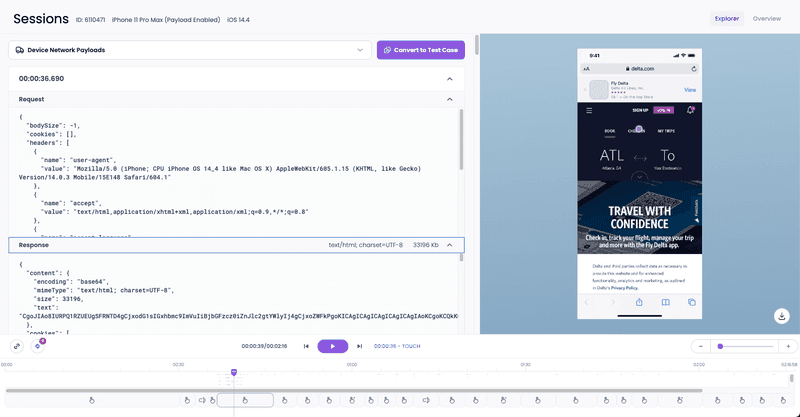
A fast, responsive app keeps users engaged and reduces churn. Performance monitoring is a crucial part of app development, helping teams improve code execution speed, enhance app quality, and maintain a seamless user experience at every touchpoint.
3. Improve mobile onboarding with slideouts and carousels
A strong onboarding experience helps users see value faster, increasing retention and reducing drop-offs. When onboarding is confusing or generic, users struggle to navigate the app, leading to frustration and churn.
To make onboarding more effective, my team looks into:
- Designing interactive slideouts and carousels that introduce key features without overwhelming users.
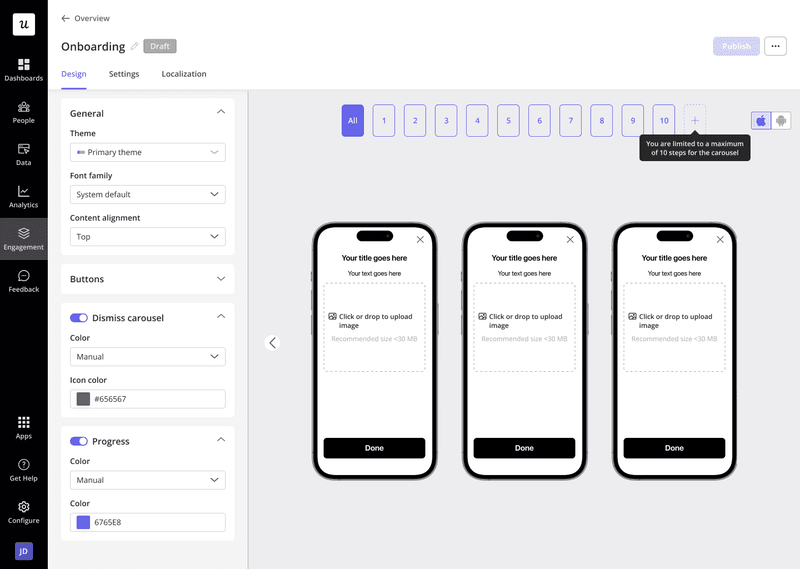
- Personalizing onboarding flows based on user segments so each user gets relevant guidance.
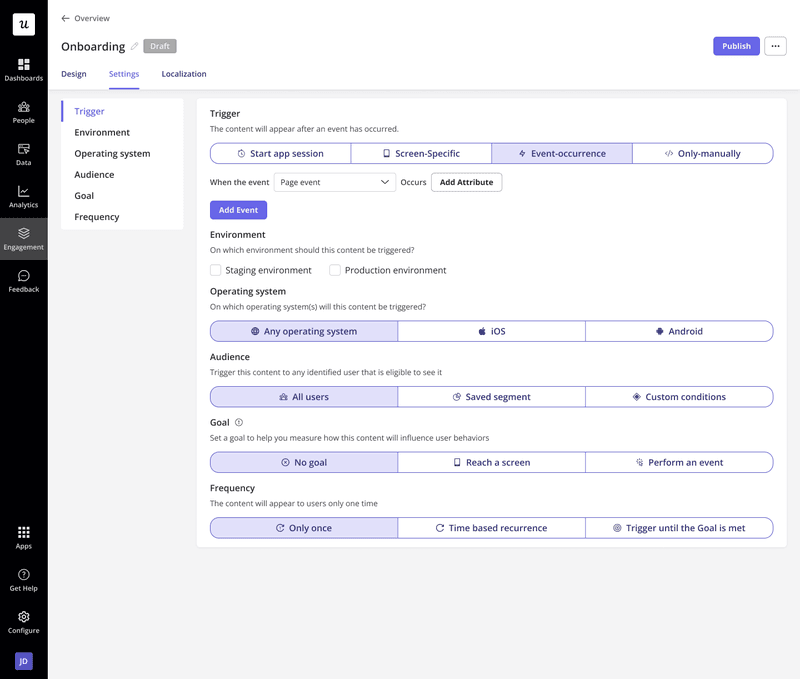
- Tracking performance to understand where users drop off and which elements drive activation.
4. Conduct regular usability tests
Analytics can tell you where users are dropping, but they don’t always tell you why. Product usability testing helps uncover friction points that data alone can’t explain, whether it’s a confusing workflow, unclear navigation, or a feature users struggle to find.
I use usability tests to:
- Identify pain points and areas for improvement that might otherwise go unnoticed.
- Validate new features before a full rollout.
- Get direct user feedback on mobile app usability.
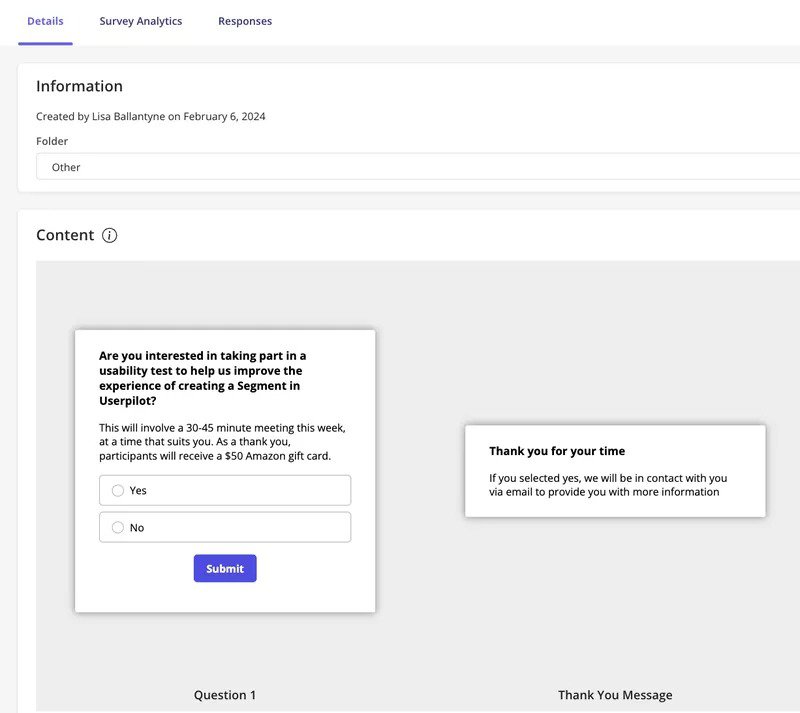
With in-app surveys, I can recruit participants for usability tests without the manual hassle. Instead of sourcing users externally, I can target specific user segments directly inside the app and invite them to participate. This makes it easier to get real, actionable feedback from the right users without interrupting their experience.
I’ve seen firsthand how usability testing leads to real product improvements. Our UX researcher, Lisa, ran a usability test to understand why users were dropping off during onboarding.
By targeting specific user segments and gathering real-time feedback, she uncovered a critical usability issue blocking activation. After refining the onboarding flow, feature engagement and user retention improved significantly.
5. Personalize user experience based on mobile app analytics
Users engage more when an app feels tailored to their needs. Rather than treating every user the same, teams can enhance onboarding with personalized in-app guidance, ensuring each user gets relevant information at the right time.
I use mobile app analytics to track:
- User interaction with in-app messages to see which prompts drive engagement.
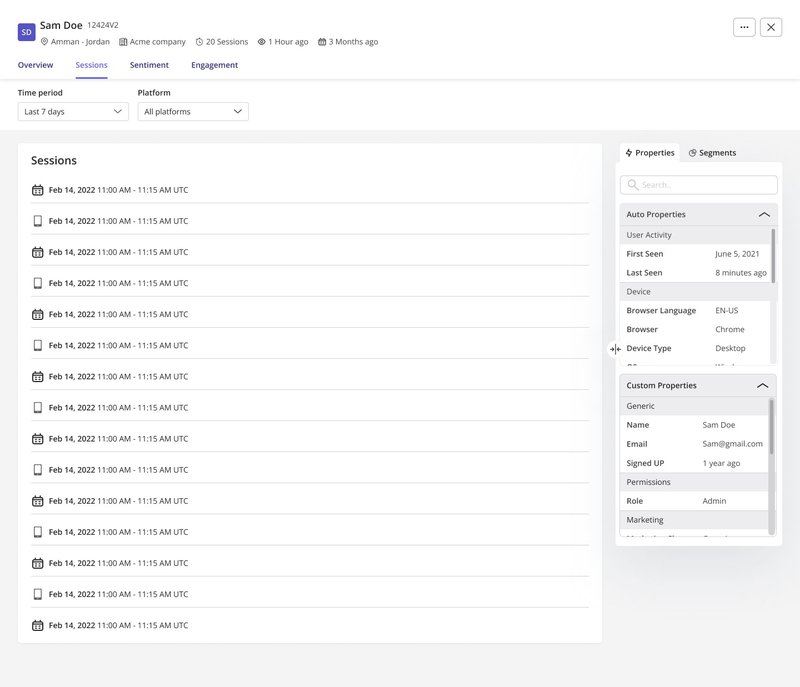
- Mobile screen views to identify the most-visited pages and underused features.
- In-app mobile events to understand behavior patterns and optimize workflows.
With the right data, I can trigger contextual in-app messages, push notifications, and in-app purchase prompts based on real user behavior. If a user frequently visits the pricing page but hasn’t upgraded, a well-timed push notification can encourage them to convert.
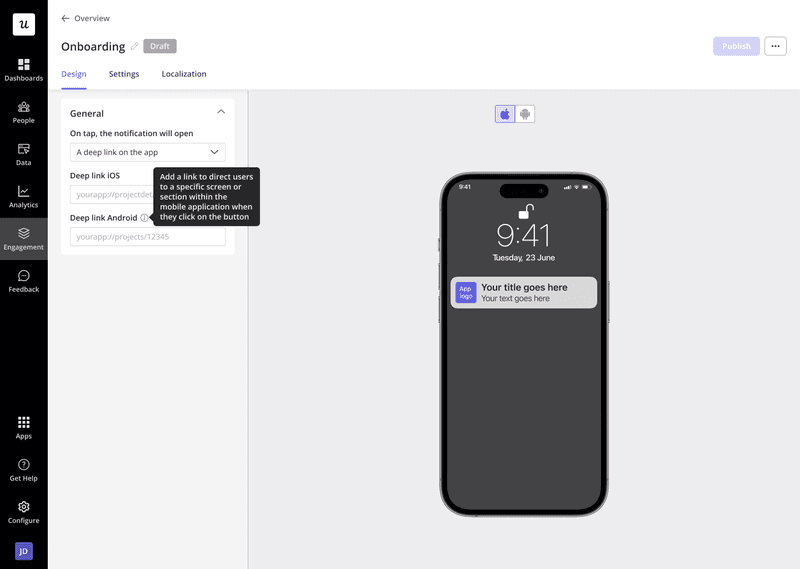
Push notifications allow teams to re-engage users even when they aren’t actively in the app. Unlike in-app notifications, which appear while a user is inside the app, push notifications work externally, drawing users back into the experience.
Both push and in-app notifications have their place in mobile engagement strategies:
- Push notifications help bring users back after inactivity or remind them of an action.
- In-app notifications are best for guiding users while they are actively navigating the app.
Looking for a mobile app optimization tool?
I optimize mobile apps by focusing on performance, onboarding, user engagement, and retention—and I need tools that make this process seamless.
Want to optimize your app without adding dev overhead? From app icons to in-app experiences, Userpilot helps refine every aspect of user engagement. Book a demo today and see how it works.
FAQ
What is application optimization?
Application optimization is the process of improving an app’s performance, usability, and engagement to enhance user experience and retention. It includes reducing load times, refining onboarding, and personalizing interactions to keep users active.
Why is mobile app optimization important?
Optimizing a mobile app helps increase user retention, reduce churn, and improve performance. A slow or confusing app leads to drop-offs, while a well-optimized one boosts engagement, conversions, and app store rankings.
What is an example of mobile optimization?
A great example is reducing app load times by optimizing images and code execution speed. Another is personalizing onboarding flows to guide users based on their behavior, ensuring they quickly find value in the app.
About the author