Great Product Launch Email Examples + Best Practices to Copy

I can easily find a couple of hundred product launch email examples sitting untouched in my inbox. They’re forgettable, and I wouldn’t notice if they all got deleted right now.
But, every once in a while, there’s a launch email that compels you to open and read it.
What is it that makes those emails different? And what best practices can you steal from them to replicate their success? To do just that, I’ll walk you through 25 real-life examples of product launch emails, share what works and what doesn’t in product launch campaigns.
What are the key elements of a product launch email template?
As you begin reading product launch emails, you’ll notice that the most effective ones have all the elements I’ll be talking about.
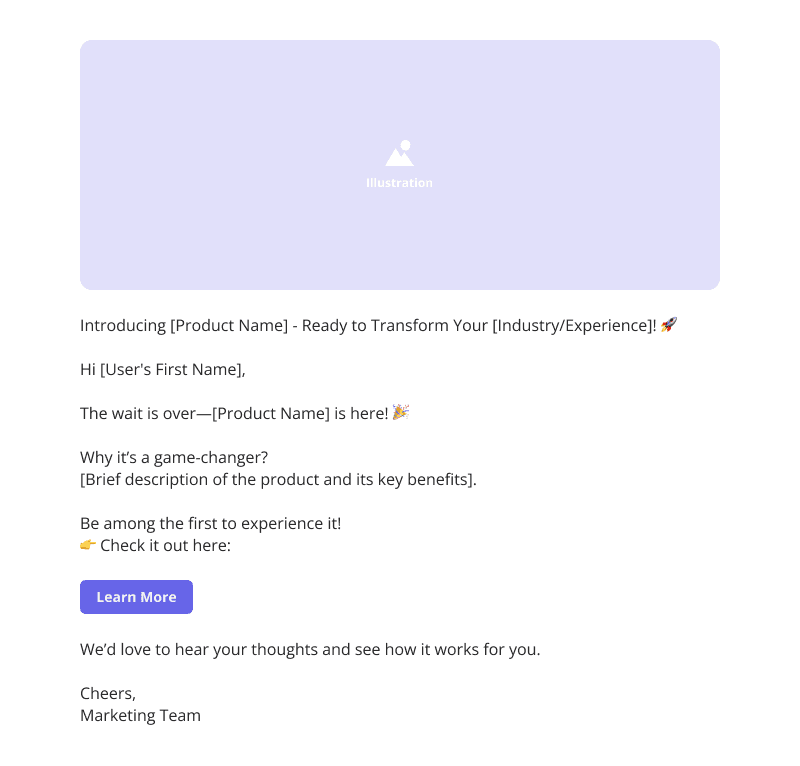
- Catchy subject line: The first thing people see is the subject line, which usually defines whether they want to open your email or not. Get it right, and you’ll have a moment of their attention. Miss the mark, and your email gets ignored like the many launch emails sitting in my inbox.
- Short greeting: A greeting sets the tone for everything that follows. You want to address readers by name and briefly establish context.
- Clear value proposition: This is where you focus on the specific problem and the outcome users will experience by using your newly launched product.
- Attractive product visuals: Screenshots, GIFs, or short videos help readers understand your product launch announcement without reading through dense text.
- Links to educational resources: These provide clear paths for readers who want to learn more, either through demos, detailed blog posts, tutorial videos, or help documentation.
- Strong call to action: Tell people exactly what to do next with specific, action-oriented language.
- Sign-off: Your closing gives you one final opportunity to reinforce value or address hesitation. A strategic P.S. can capture readers who skimmed the main content. A quick “P.S. This feature is included in your current plan, no upgrade needed” can make all the difference in whether the feature gets adopted or buried.
Types of product launch emails
While I shared a general template, product launch emails can have a different anatomy, based on their purpose. Here are the most common types and how I use them in my work:
- Beta test launch email: Perfect when you want to build excitement while getting valuable feedback. Focus on making users feel special and highlight how their input will shape the final product.
- Product teaser email: Builds anticipation without giving everything away. Use these sparingly to generate buzz. Too many teasers can actually hurt you because people lose interest by the time you actually launch.
- New feature announcement emails: Keep existing product users in the loop about feature announcements and updates. The trick is showing how new capabilities fit into what they’re already doing instead of presenting them as completely separate features.
- Redesign or rebranding announcement email: Gets users ready for changes they’ll notice whether you tell them or not. Address any confusion upfront and focus on the improvements that actually matter to their daily experience.
- Limited-time offer email: Creates immediate action through urgency, especially for pre-order campaigns. Give specific deadlines and make it crystal clear why this deal is better than waiting.
25 Product launch email examples to inspire you
Here are 25 impactful product launch emails that made me stop scrolling and actually pay attention. Each one does something specific that you can apply to your own campaigns.
Product launch email example #1: Browserbase introducing a new platform
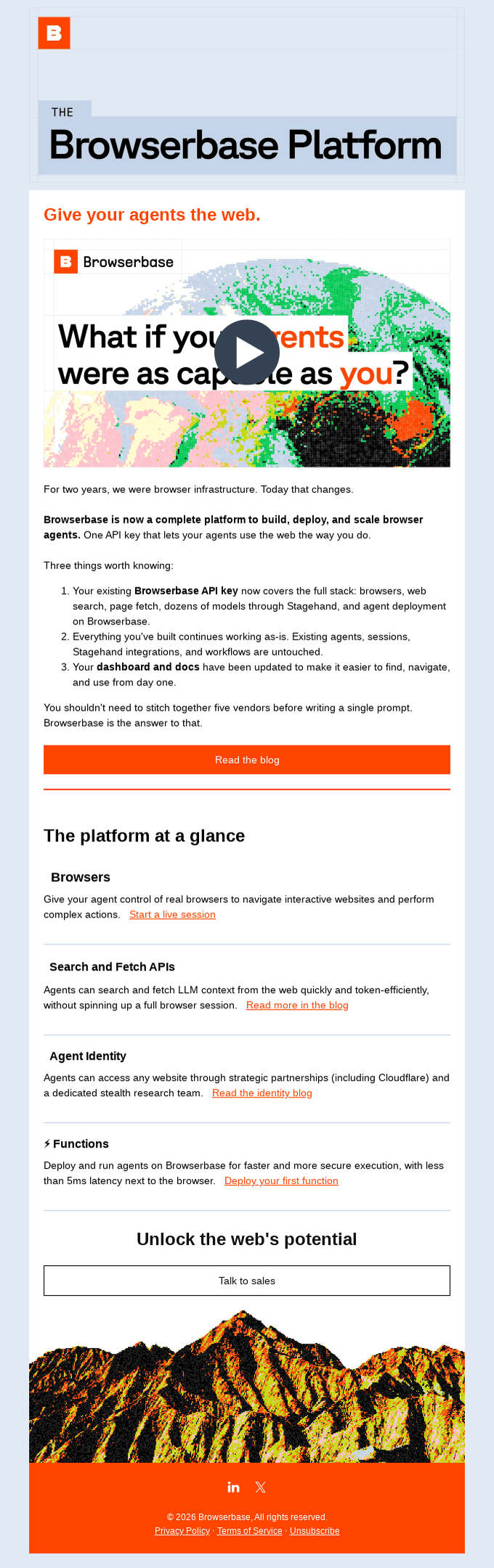
Browserbase introduces its platform with a structured email that explains what changed, why it matters, and what you can do next. Instead of overloading you with information, it breaks the launch into clear sections and guides you through it step by step.
What I like about it:
- Clear positioning from the start: I immediately understand what’s new. The headline and opening line explain the shift from infrastructure to a full platform.
- Simple update breakdown: The “three things worth knowing” section makes the update easy to digest. I don’t have to piece things together on my own.
- Focused feature sections: Each capability is grouped under clear headings like browsers, APIs, and functions. This makes the product easier to explore.
- Strong narrative flow: The email moves from announcement → explanation → feature breakdown → action. I always know where I am and what to do next.
Product launch email example #2: SocialBee’s special launch offer
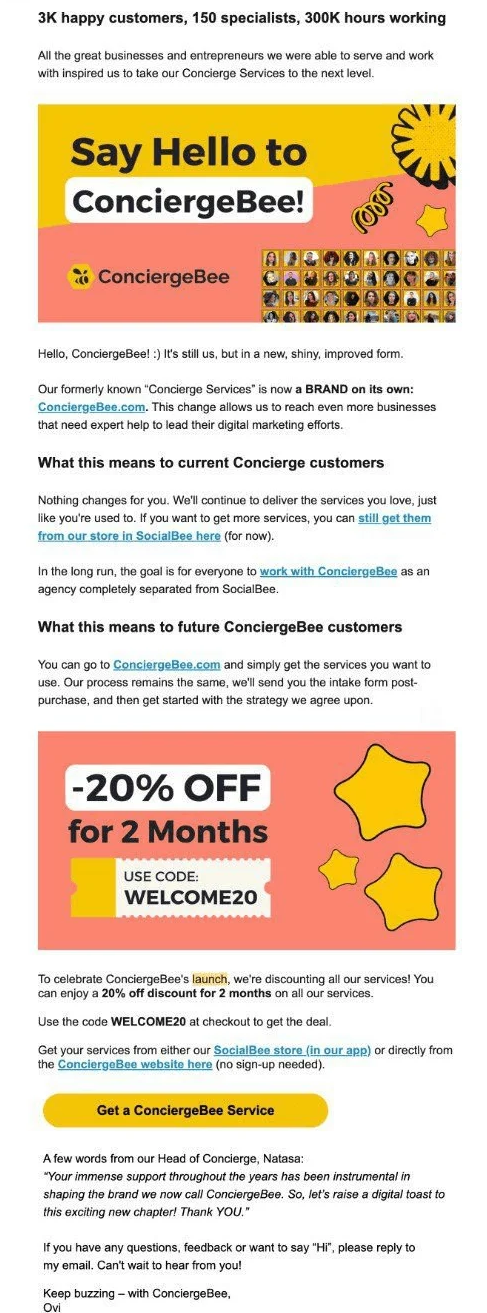
SocialBee, an AI-powered social media management platform, introduced ConciergeBee, its social media management services. Since the launch was technically a service separation for existing customers, the email also conveys what changed and how it would impact them.
What I like about it:
- Empathetic, straightforward approach: The email gets straight to the point, talking about the launch, while explaining how it will affect existing customers.
- Broken into digestible chunks: They’ve unpacked the product update through questions that their users would have, helping make the email skimmable.
- The discount code: It’s a nice touch they’ve added to the email. The discount code becomes a subtle push to encourage people to give their new service a try.
- Sign off: The sign off from Natasa shows that there’s a real human on the other side of the email, and if they have questions, they can reply to the same email.
Product launch email example #3: Vero promoting its Product Hunt launch
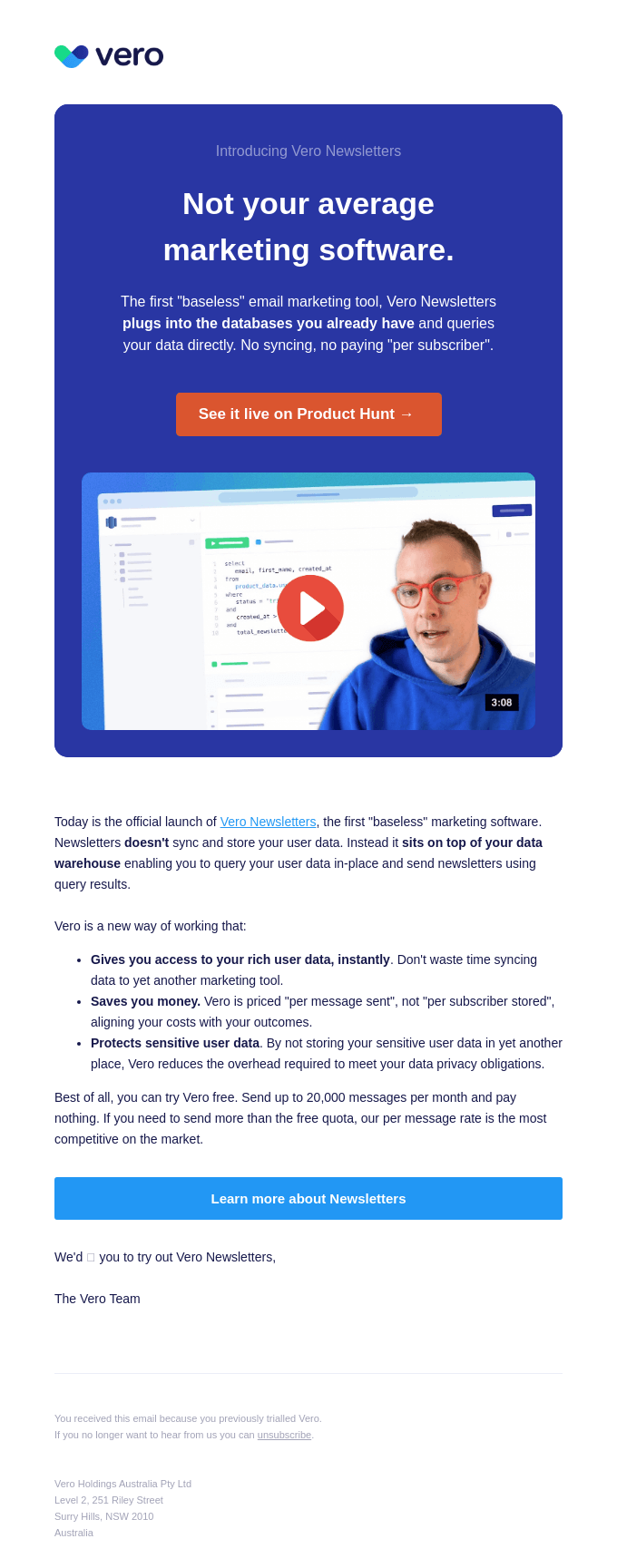
Vero uses its product launch email to drive attention to its Product Hunt listing while clearly explaining what makes the product different. The email builds context first and then directs users to explore the launch.
What I like about it:
- Strong positioning upfront: “Not your average marketing software” sets the tone and quickly communicates differentiation.
- Focused value explanation: The email explains how the product works in simple terms, making it easy to understand without extra effort.
- Well-paced flow: The email introduces the product, explains its value, and then leads into the CTA naturally.
Product launch email example #4: Graphy early access email
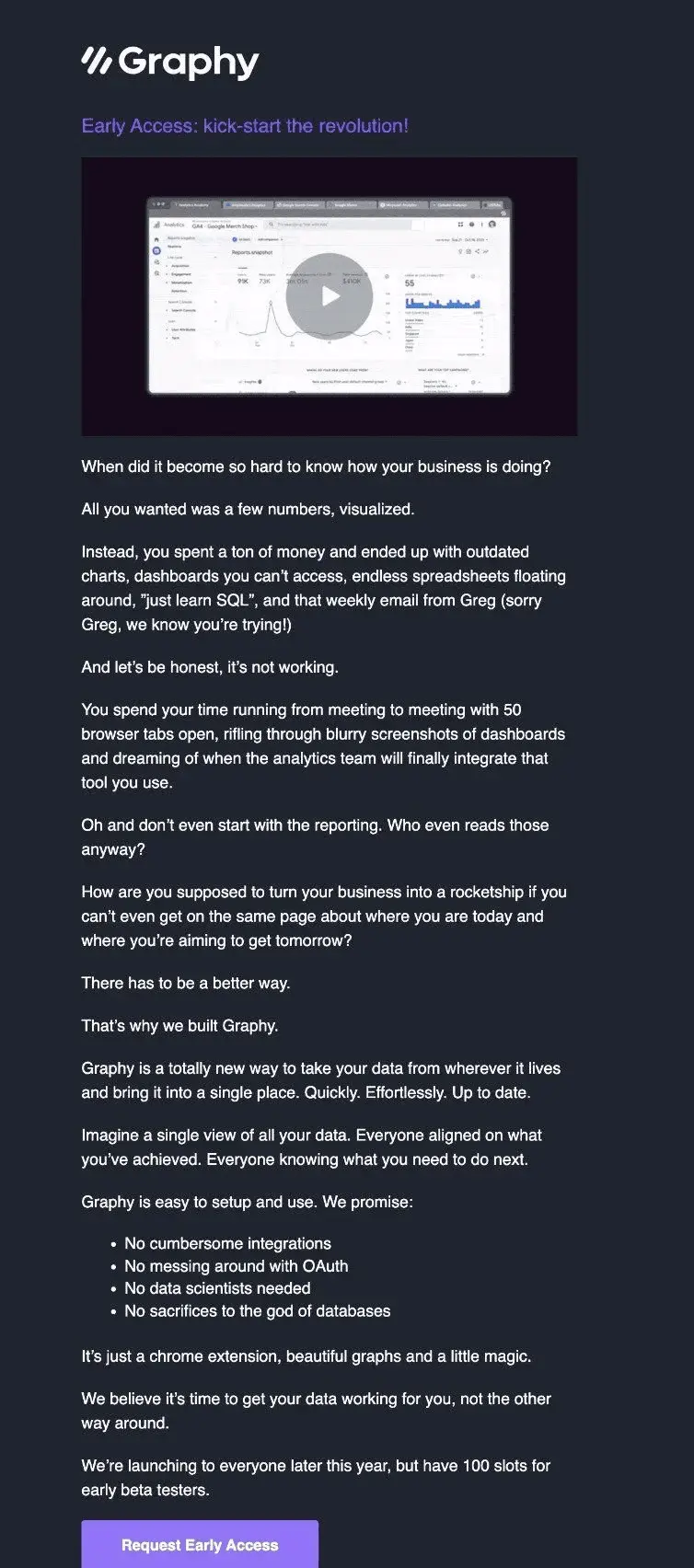
Graphy started the launch email with a question about a real business problem before they ever talked about the product.
What I like about it:
- Narrative angle: I always enjoy emails with a good narrative theme. Graphy hit the mark with this simple email where, at the end, you can picture yourself as a winner.
- Problem validation: The first line, “When did it become so hard…,” highlights a problem and captures attention almost instantly.
- Clear value proposition: The bullet list near the end of the email sets the stage for what their offering entails, essentially saying, “You don’t need to learn something complex to use Graphy.”
- Exclusivity value: The “100 slots for early testers” makes people part of an exclusive circle while also inducing a bit of FOMO.
I might be nitpicking here, but the email could’ve been shorter while conveying the message.
Product launch email example #5: CoachCompare celebrating a launch with a contest
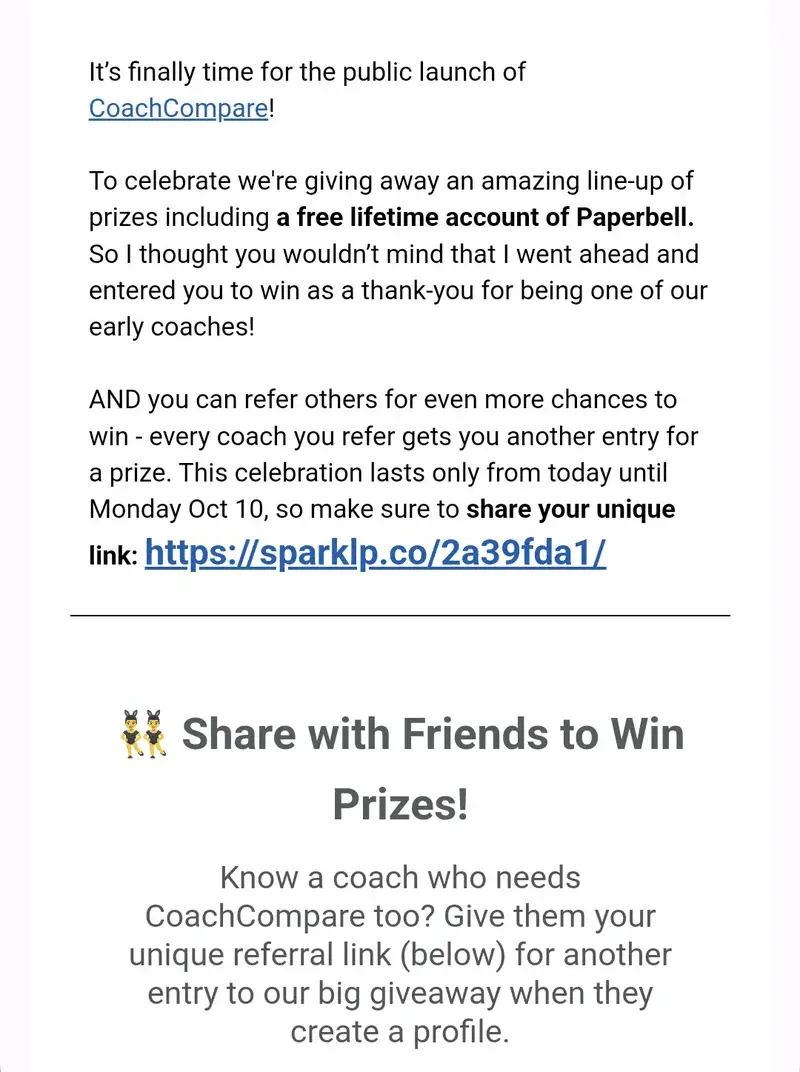
CoachCompare turned their product launch into a contest for free lifetime access to their product. Instead of just announcing features, they created an event that encourages participation through sharing the product!
What I like about it:
- Interactive element: Transforms a standard announcement into an engaging activity with a valuable reward, a “free lifetime account,” for Paperbell, the product they’re launching.
- Social amplification: Encourages sharing through user networks, helping expand the reach of the product.
- Subtle automatic enrollment: This is a double-edged sword, but CoachCompare nailed it with the statement, “I thought you wouldn’t mind that I entered you to win.”
- Single CTA, share the link: All they wanted was for people to share the link and spread the word about the product, and they did it quite well.
Product launch email example #6: Apollo inviting users to join a beta launch
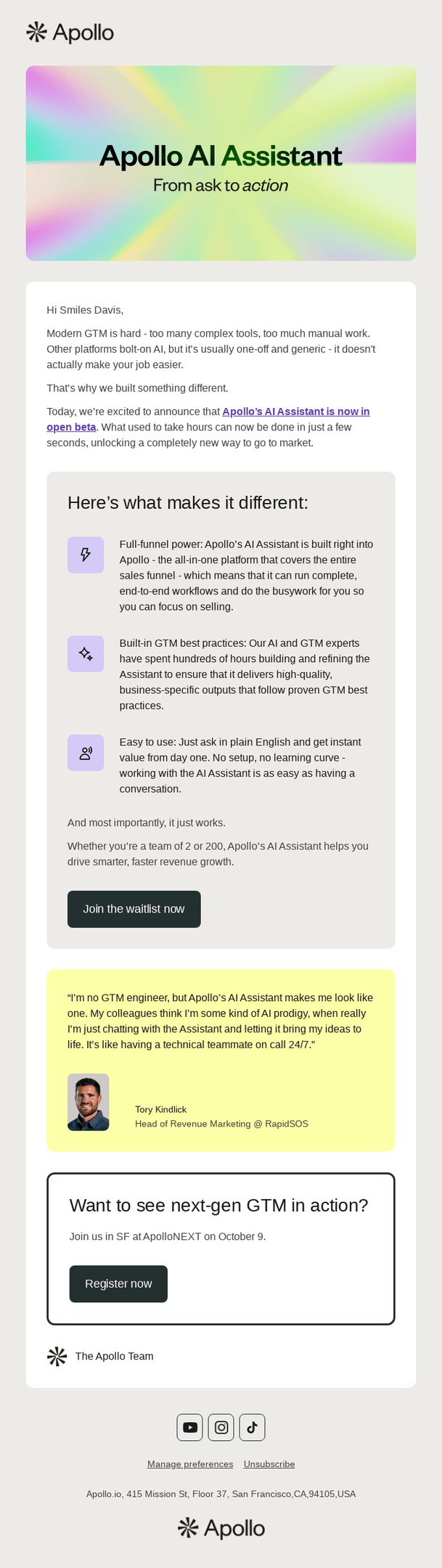
Apollo introduces its AI Assistant through a beta invite email. Instead of overexplaining, it highlights key differentiators and drives users to join the waitlist.
What I like about it:
- Clear beta positioning: The “open beta” mention sets expectations early and signals that this is an early-access opportunity.
- Social proof adds credibility: The testimonial makes the product feel more real and reduces hesitation.
- Multiple ways to engage: The event CTA gives another way to explore the product, even without joining the beta.
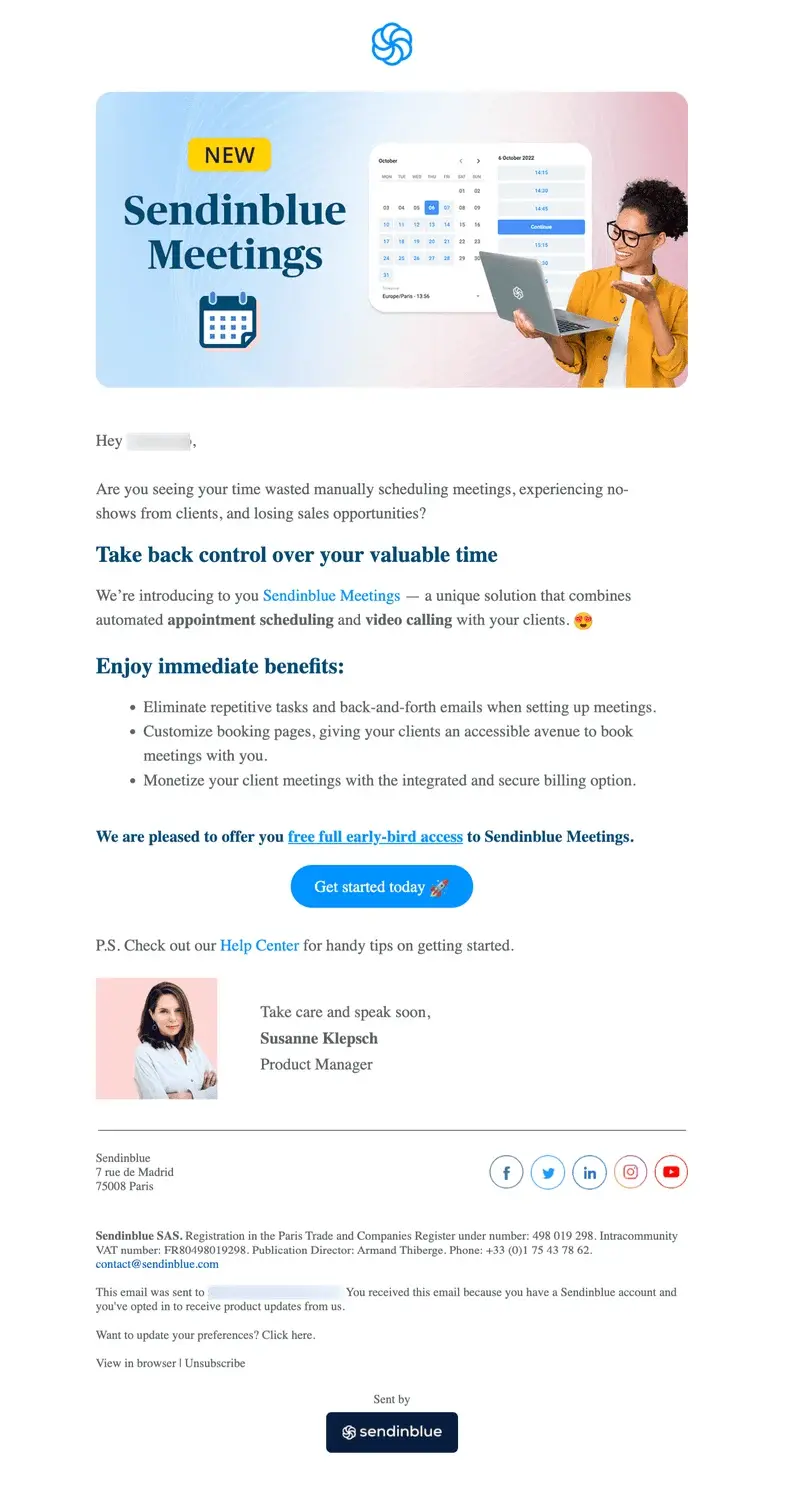
Product launch email example #7: Sendinblue’s humanized email
Sendinblue launched its new Meetings feature with an email that feels human. Rather than jumping into features, they started with a relatable question about time management struggles that most professionals face daily.
What I like about it:
- Problem-first approach: Opens with a genuine pain point about wasted time and no-shows that resonates immediately with busy professionals.
- Personal signature with photo: Susanne’s photo and personal sign-off make this feel like a message from a real person rather than a corporate announcement.
- Early-bird positioning: Creates a bit of urgency with “free full early-bird access” while avoiding pushy sales language.
- Practical benefits focus: Each bullet point addresses specific workflow improvements rather than just listing technical features.
I am not a fan of the header image, though. The stock photo might work for their brand. But to me, the header kills the vibe that the content sets.
Product launch email example #8: Tome incorporates social proof
Tome lets users tell the story instead of making claims themselves. They sprinkled testimonials and real user feedback, showing actual screenshots of how people are using their storytelling platform.

What I like about it:
- Teaser strategy with substance: Creates anticipation without being vague, clearly positioning Tome as a storytelling tool that gives work “the edge it deserves.”
- Strong social proof integration: Multiple user testimonials with real names, titles, and specific use cases show the product already has traction and happy users.
- Diverse user testimonials: Feature feedback from different roles (high school teacher, product manager, CEO) showing broad appeal across industries.
I think they missed an opportunity to take readers to some piece of content, maybe encourage them to share some interesting assets about the launch, or take some action. Without action, this well-designed email would get read and tossed in the back for “later” that never comes.
Product launch email example #9: SEOwind’s visually appealing email
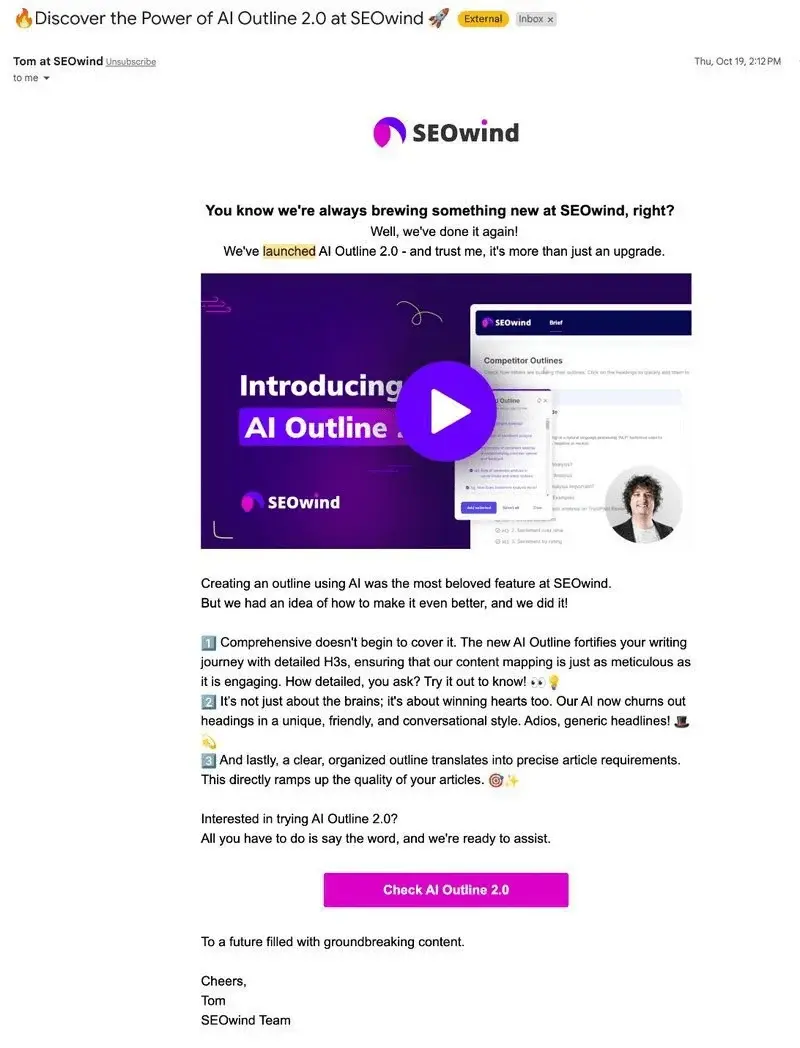
SEOwind launched their AI Outline 2.0 feature with a perfect launch video right at the top of their email.
What I like about it:
- Video entry: The embedded video preview makes it easy for users to understand the product improvements without reading dense feature descriptions.
- Emoji-enhanced benefits: Emojis (🧠, 👋, ✨) break up the feature list and add visual interest without going overboard.
- Conversational feature explanations: Instead of technical jargon, they explain benefits like “Our AI now churns out headings in a unique, friendly, and conversational style” in relatable terms.
- Simple activation process: “All you have to do is say the word” removes friction and makes trying the feature feel effortless.
Product launch email example #10: Narrato’s pre-order email
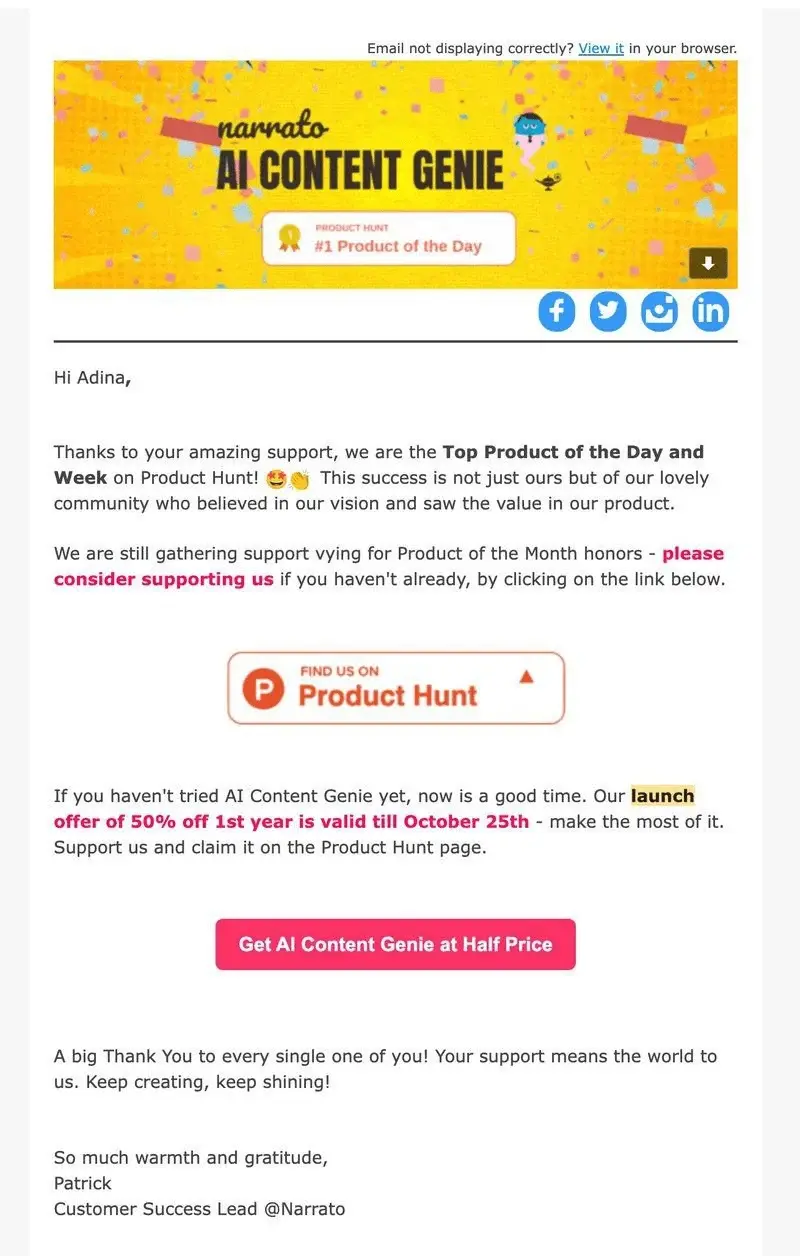
Narrato turned their Product Hunt success into a community celebration with a pre-order discount email that feels genuine and appreciative.
What I like about it:
- Community-first messaging: Opens with genuine appreciation for user support rather than immediately pushing the product, making readers feel valued.
- Time-sensitive offer: The 50% discount with a specific October 25th deadline creates urgency without feeling pushy.
Product launch email example #11: Airtable inviting users to a live demo
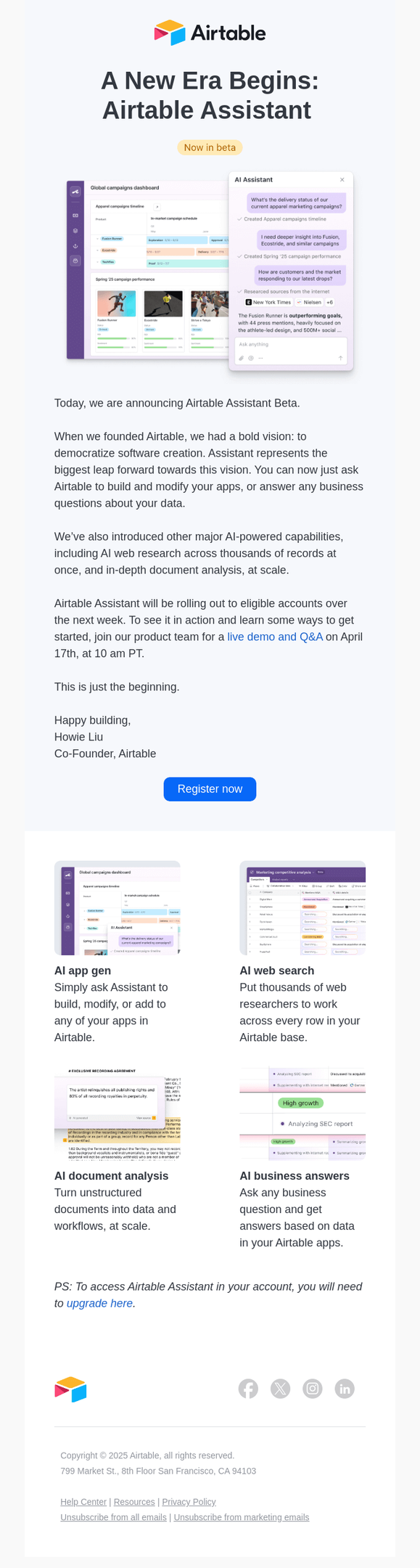
Airtable introduces its AI Assistant through a launch email that combines product education with a live demo invitation. The email explains the product first and then encourages users to see it in action.
What I like about it:
- Clear launch announcement: The email immediately introduces the beta, making it clear that something new is available.
- Live demo as the main CTA: The demo invitation gives users a concrete next step to explore the product in action.
- Strong product explanation: The assistant’s value is easy to understand with a clear feature breakdown.
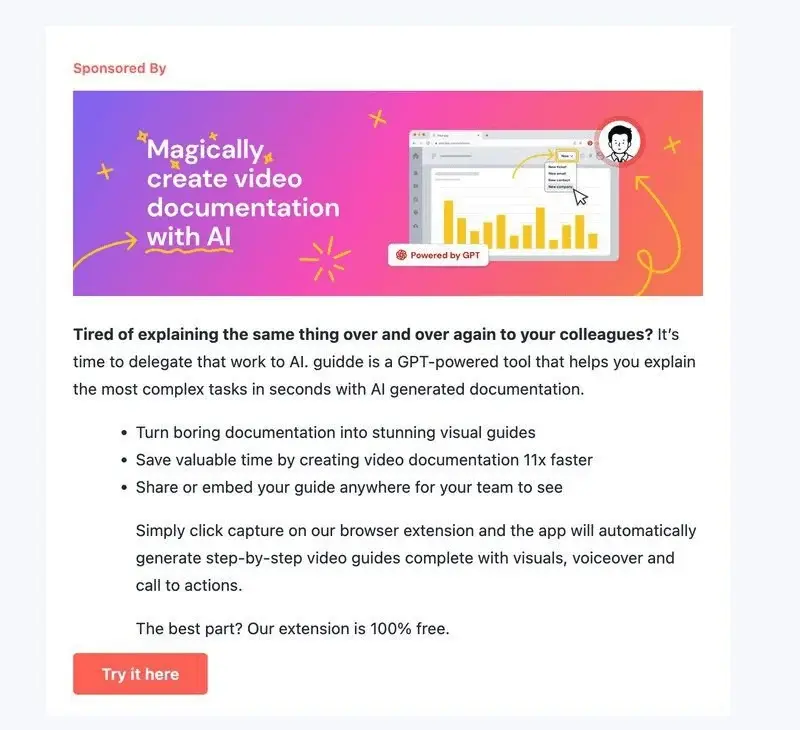
Product launch email example #12: Guidde AI sponsored inclusion inside Product Hunt newsletter
Guidde AI launched their video documentation tool through a sponsored placement in Product Hunt’s newsletter.
What I like about it:
- Smart audience targeting: Placed the announcement directly in front of Product Hunt readers who actively seek early-stage products and features.
- Relatable problem opening: “Tired of explaining the same thing over and over again” immediately connects with anyone who’s created training materials or documentation.
- Free barrier removal: Highlighting that the browser extension is “100% free” eliminates one of the biggest objections for trying a new documentation tool.
I’m not sure if the banner is shared by Product Hunt or Guided (leaning on the latter), but it is quite generic.
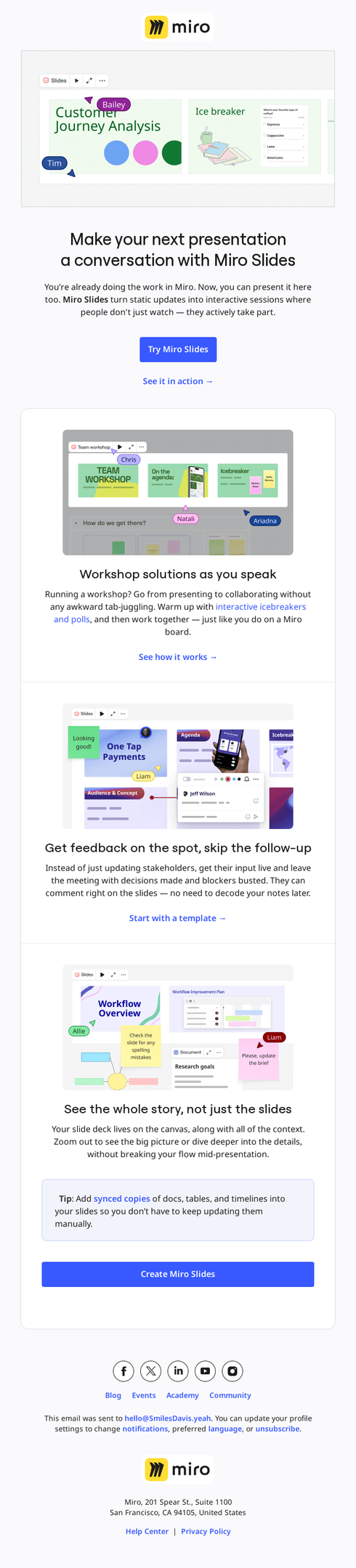
Product launch email example #13: Miro introducing an interactive presentation feature
Miro introduces its Slides feature with an email that focuses on the new product’s value for product teams. Instead of simply listing features, it shows practical use cases.
What I like about it:
- Clear use case-driven messaging: The email focuses on outcomes like running workshops, collecting feedback, and presenting ideas. I can immediately see where this would fit in my workflow.
- Multiple CTAs for different intents: Options like “Try,” “See it in action,” and “Create” give users flexibility based on where they are in their journey.
- Visual product demonstration: Screenshots show how the feature works in context, reducing the need for long explanations.
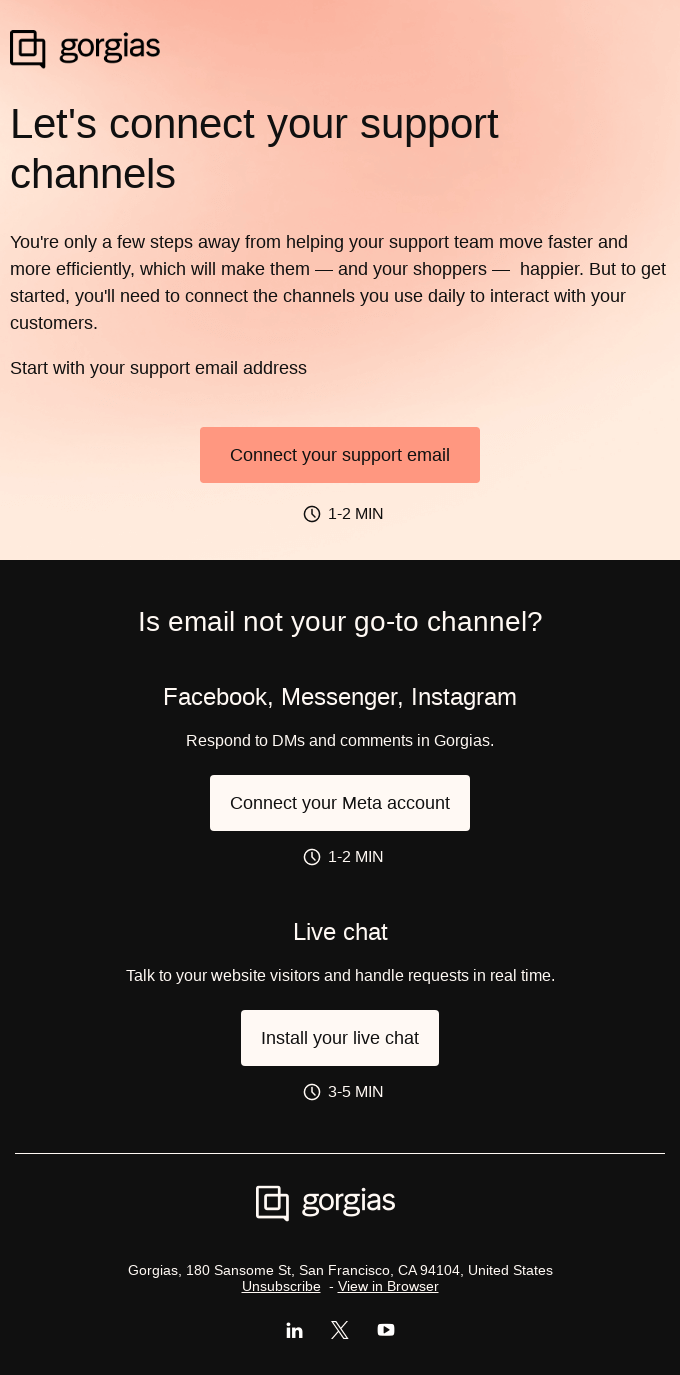
Product launch email example #14: Gorgias guiding users to activate key features
Gorgias introduces its support channels setup through an email that focuses on helping users take the next steps quickly. It bests on maximum actionability.
What I like about it:
- Action-driven structure: Each section focuses on one task, like connecting email, social channels, or live chat, making it easy to follow.
- Time-based expectations: Estimated setup times (like 1–2 minutes) make each step feel quick and achievable.
- Progress-oriented messaging: The email feels like part of a guided setup flow rather than a one-time announcement.
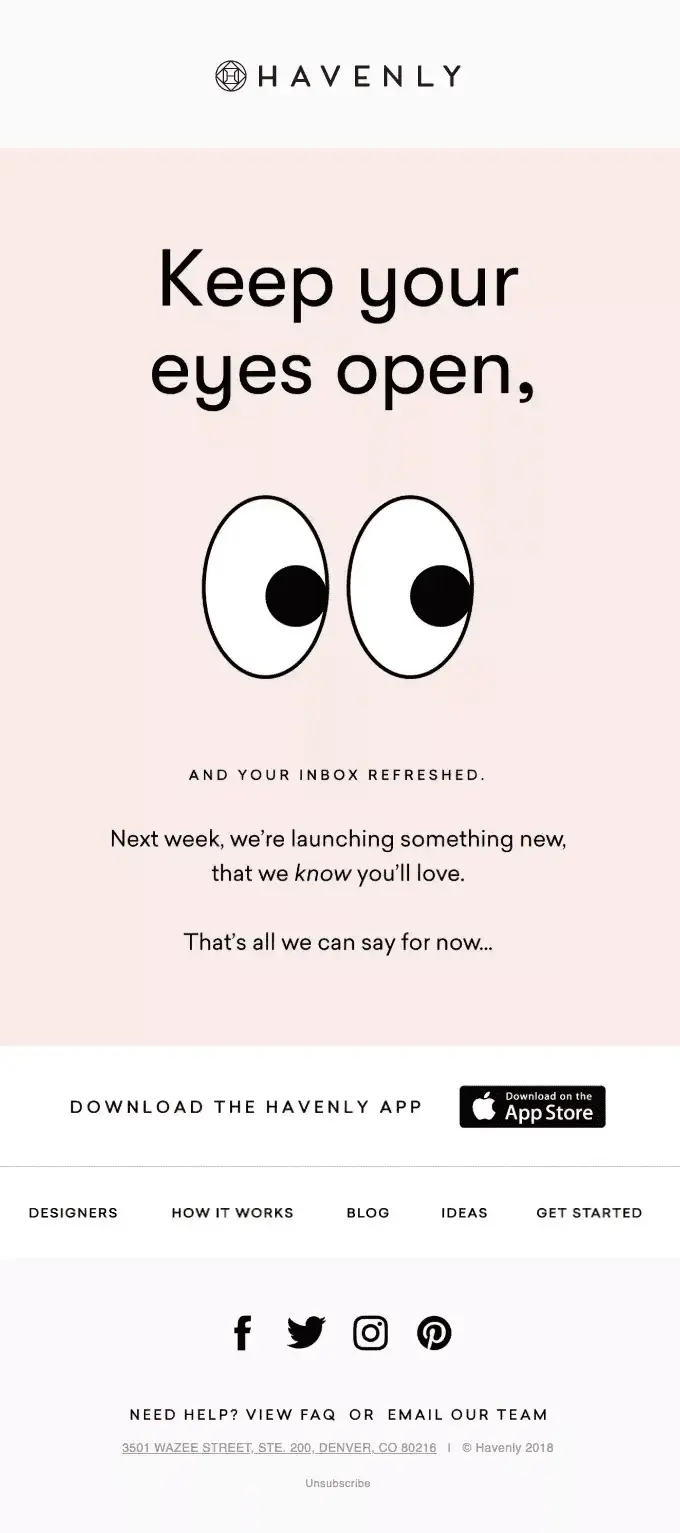
Product launch email example #15: Havenly builds anticipation without giving too much away
Havenly created anticipation for an upcoming launch with a minimalist teaser email that relies on visuals rather than detailed product information.
What I like about it:
- Pattern break visuals: We’re used to seeing emails with a set structure but this one from Heavenly broke the structure, making it instantly memorable.
- Curiosity building: They haven’t shared any information about the product or feature names.
Product launch email example #16: Loom’s redesign announcement
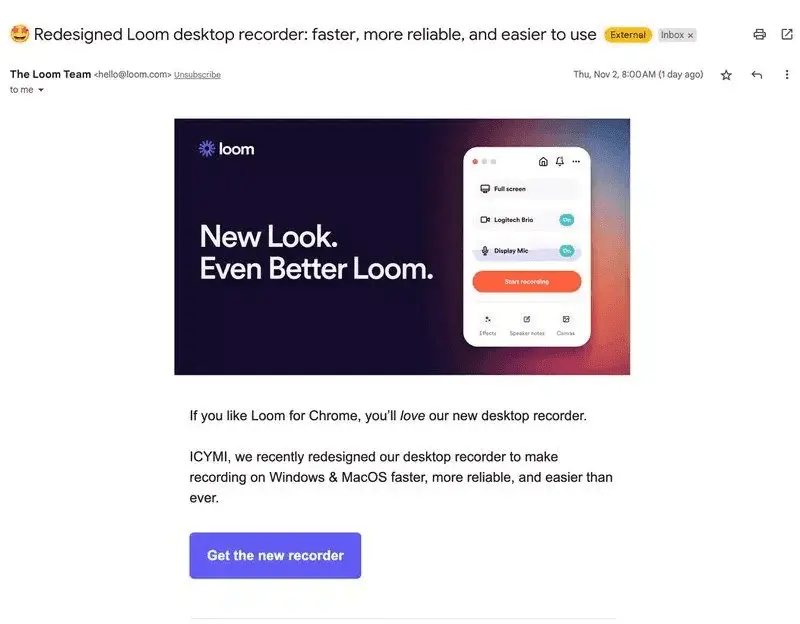
Loom announced their redesigned desktop recorder with a super short email talking about practical improvements.
What I like about it:
- Interface preview: Unlike the generic email header visuals we saw before, Loom made the most of the visual space.
- Short, focused messaging: The email is just 2 sentences and still conveys the meaning quite well.
Product launch email example #17: Wordtune uses big CTAs above the fold
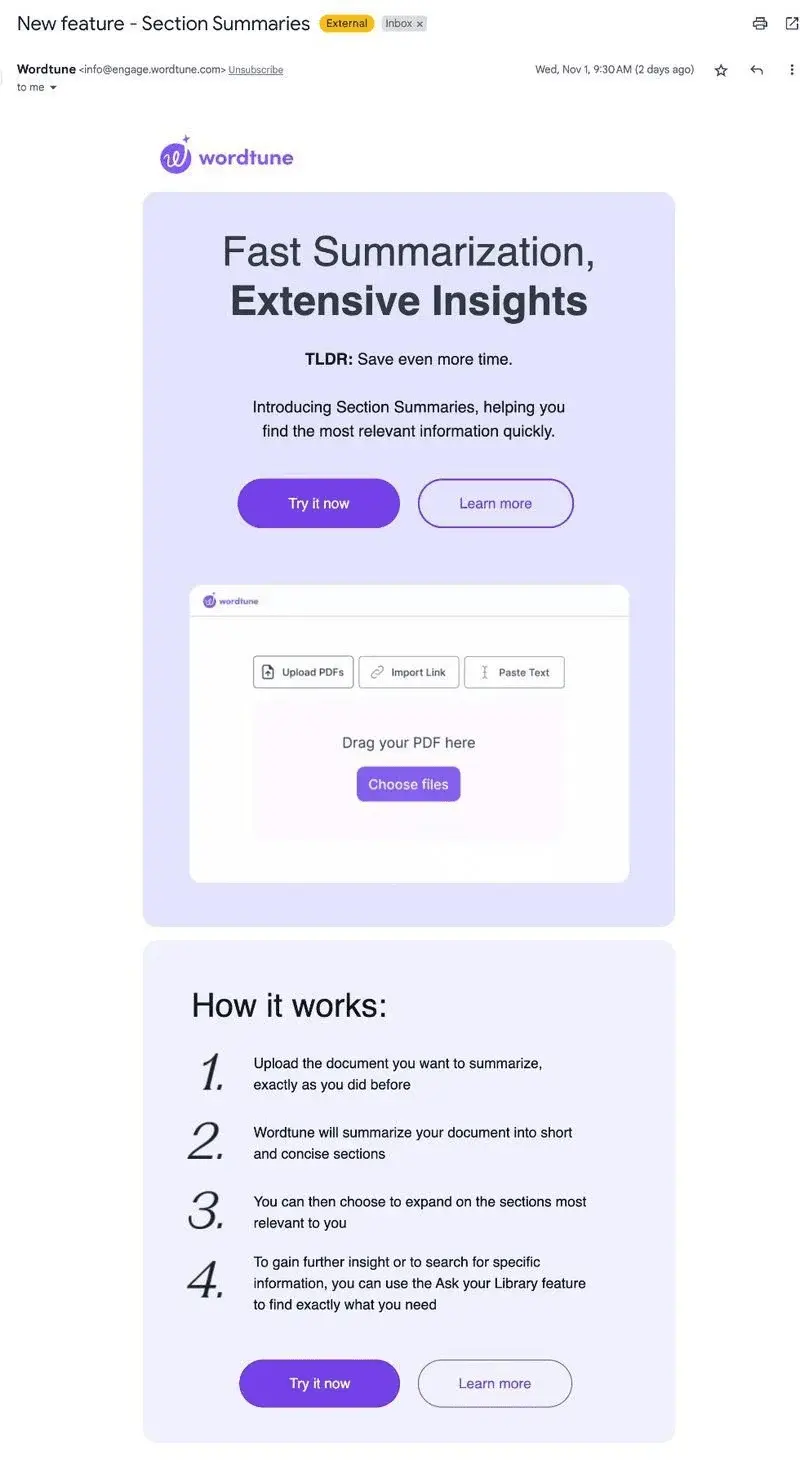
Wordtune launched the Section Summaries feature with an email that prioritizes action over explanation.
What I like about it:
- TLDR positioning: The simple “Save even more time” acts as a clear value statement, perfectly summing up the outcome of the update.
- Step-by-step section: The steps tell the readers exactly how the feature works, removing any confusion about the process.
Product launch email example #18: Descript goes for detail
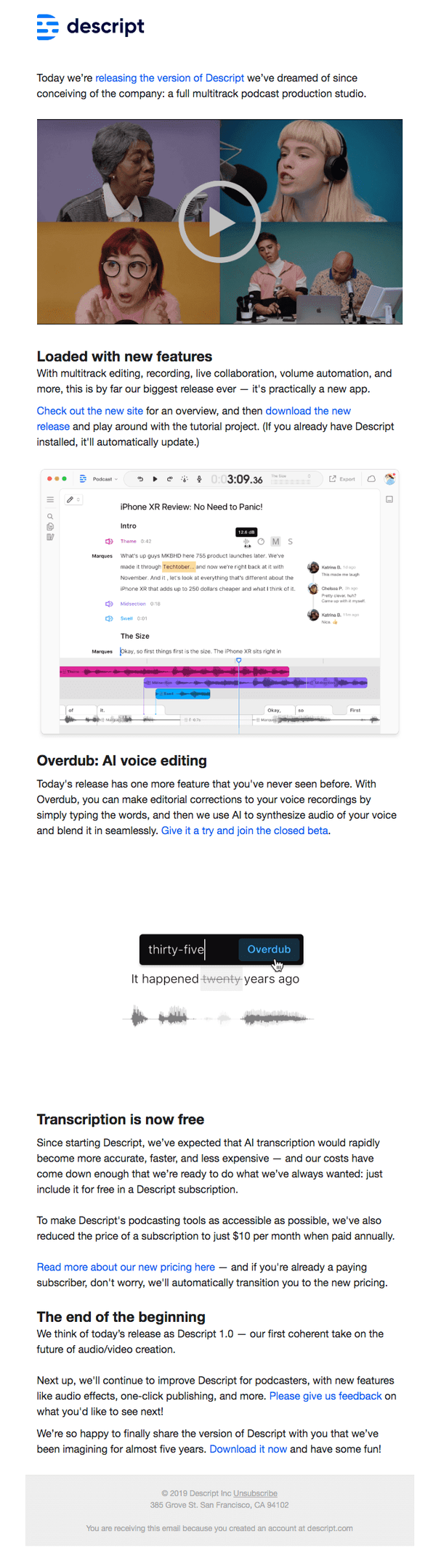
Descript announced some of the biggest features with a detailed email that covers them all in a fun, visual way with videos, screenshots, and GIFs showcasing the feature in practice.
What I like about it:
- Interactive and visual-focused: Opens with an embedded video that shows the new features in action, making complex functionality easier to understand.
- Skimmable information: Breaks the lengthy content into clear sections with feature names as headers, making it easy to read.
Product launch email example #19: Figma announces Figma Plugins
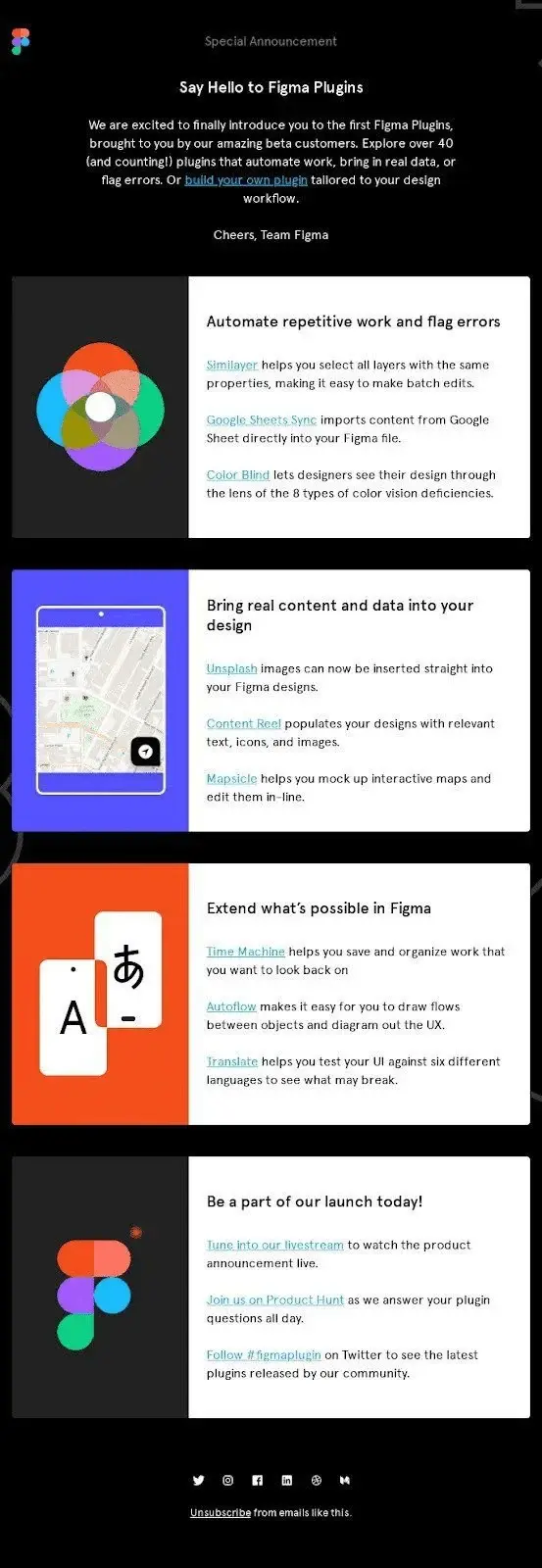
Figma announced their new plugin marketplace in a product launch email that showcases the breadth of possibilities while maintaining their signature clean design.
What I like about it:
- Smart content organization: They’ve grouped plugins into clear, actionable sections like “Automate repetitive work” and “Bring real content into your design” making it easy to find relevant tools.
- Community acknowledgement: Credits their “amazing beta customers” for bringing these plugins to life, reinforcing their collaborative development approach.
I think more companies need to start categorizing links (on all channels) based on their use case rather than just logical categories.
Product launch email example #20: Ahrefs exploits the power of video
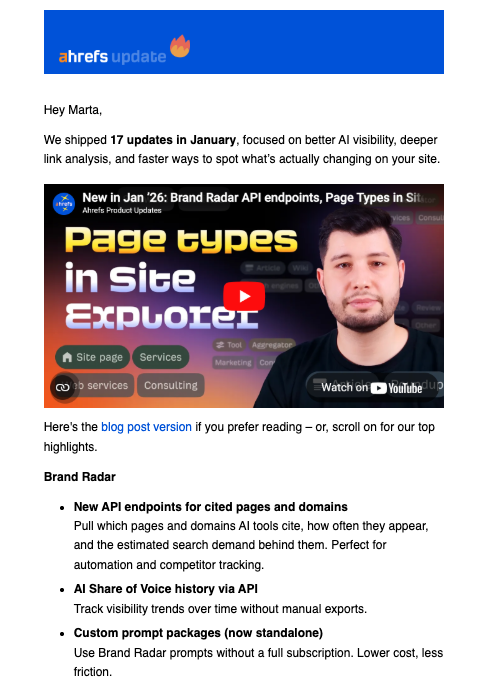
Ahrefs delivers their monthly product updates through video rather than lengthy text descriptions.
What I like about it:
- Video-first approach: Ahrefs explains multiple feature updates with their 3-minute video format, helping make complex feature updates easy to understand.
- Content format options: But if you prefer to read, they give you a link to the product updates blog as well as a short summary you can skim through.
Product launch email example #21: Willo’s exclusive update
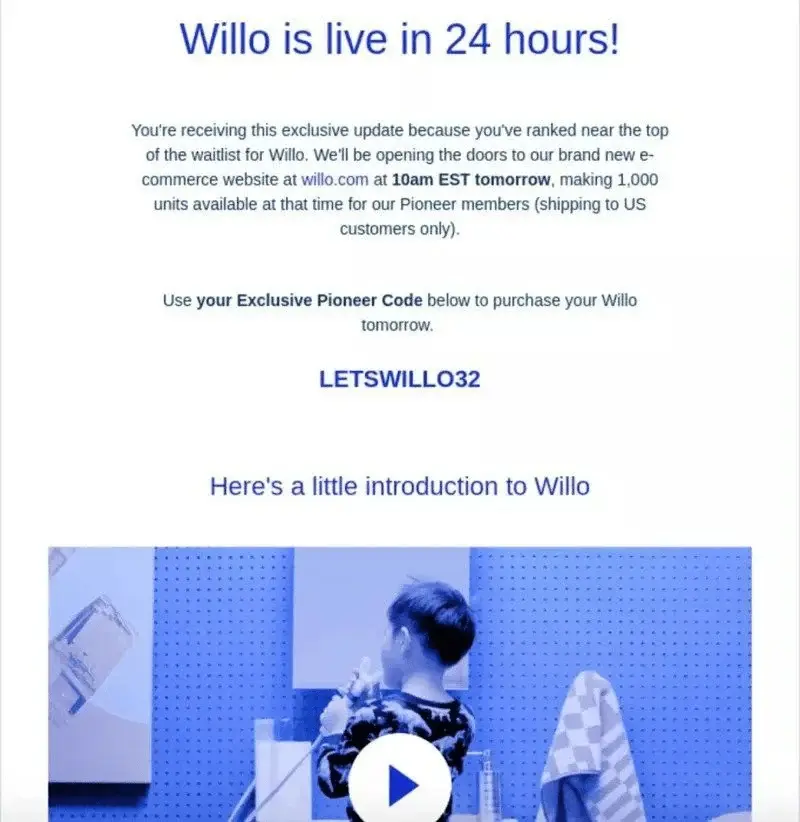
Willo’s pre-order email created urgency around their e-commerce launch by positioning their product launch as an exclusive opportunity for waitlist members.
What I like about it:
- Short email: I like that the email is short and gets to the point quickly.
- Exclusivity positioning: Makes recipients feel special by explaining they’re “ranked near the top of the waitlist” and getting early access before the general public.
- Specific scarcity details: Provides exact timing (10am EST tomorrow), limited quantities (1,000 units), and geographic restrictions to create genuine urgency.
Product launch email example #22: Spreadsheet.com interactive email
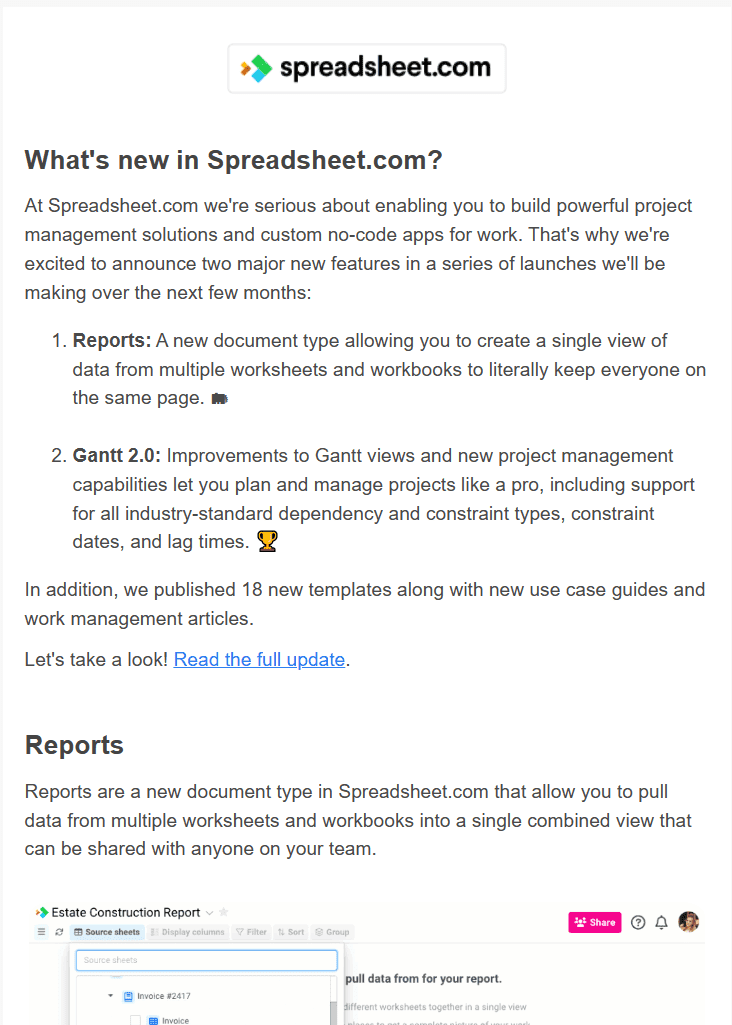
Spreadsheet.com launched two major features with a simple, interactive email that balances overview and detail using clear visuals.
What I like about it:
- Visual proof of concept: Includes screenshots of the features explaining what the feature looks like and how it functions.
- Roadmap transparency: Spreadsheet clearly mentions that this is part of” a series of launches over the next few months,” setting expectations for continued improvements.
It’s a little too text-heavy for my preferences. But the format likely works for their audience who looks at thousands of rows of data across spreadsheets as their day job.
Product launch email example #23: Mailchimp’s beta launch email
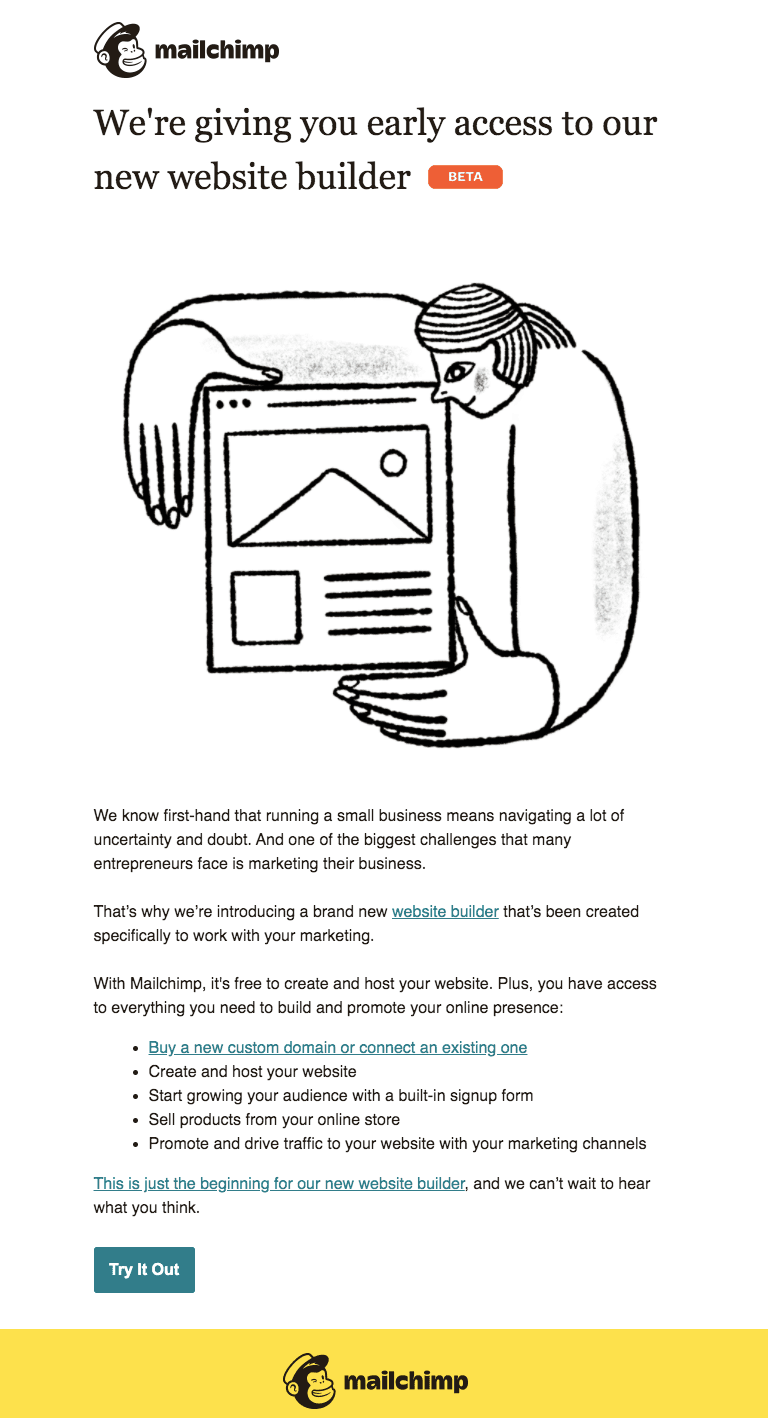
Mailchimp invites select small business users to test their website builder while positioning it as a solution for creating a website.
What I like about it:
- Problem-first opening: It starts with stating the challenge of “navigating uncertainty and doubt” in small business email marketing.
- Clear solution positioning: Mailchimp then lists out everything from domain purchasing to e-commerce in one integrated package.
- CTA to try the website builder now: It encourages people to give the website builder a try immediately.
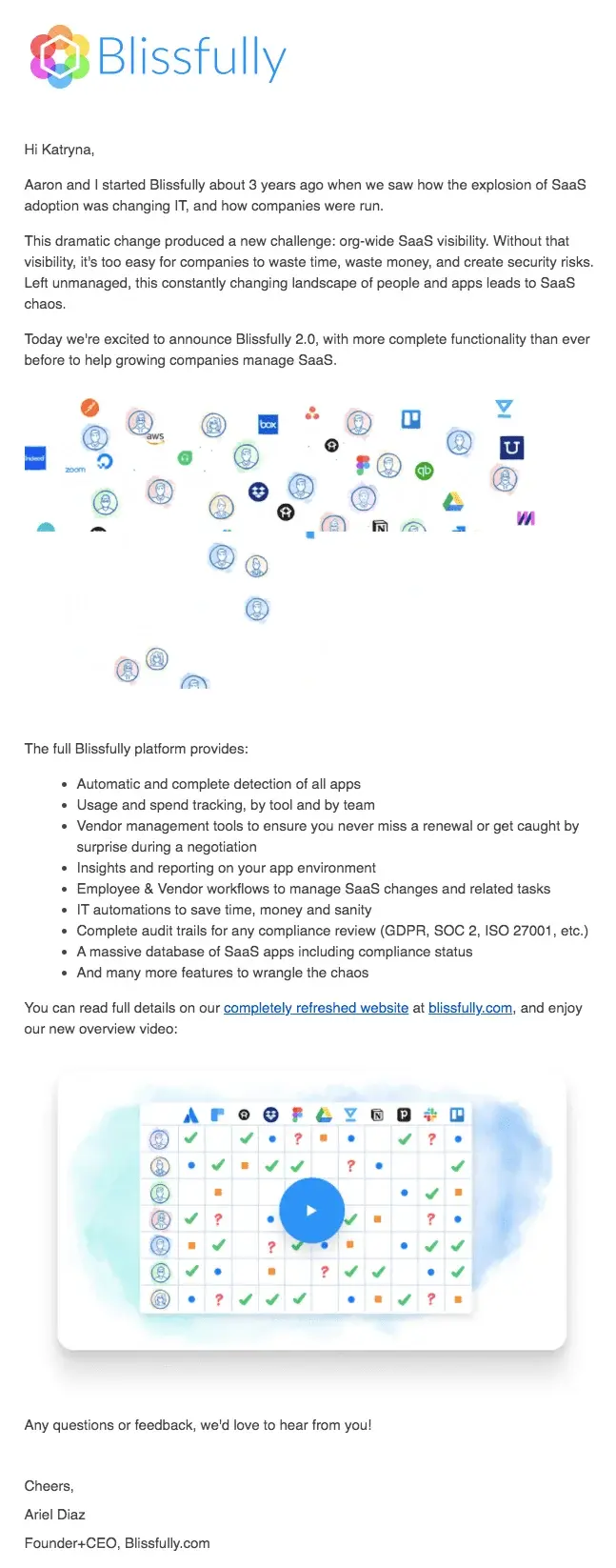
Product launch email example #24: Blissfully’s redesign announcement
Blissfully announced their upgraded SaaS management platform by telling their founding story and showing the complete scope of their app integrations through a graphic.
What I like about it:
- Founder story opening: Aaron and the team explain why they started Blissfully three years ago, connecting the product evolution to real business problems they witnessed.
- Visual integration showcase: The app ecosystem graphic immediately shows the breadth of tools they support without requiring users to read through a long list.
- Overview video placement: For readers who jump right to the end, the video placement can make them want to just click through and check it out once.
I like the email overall, but I’d definitely do fewer bullet points. The current list could overwhelm readers and make them ignore it or hit the back button.
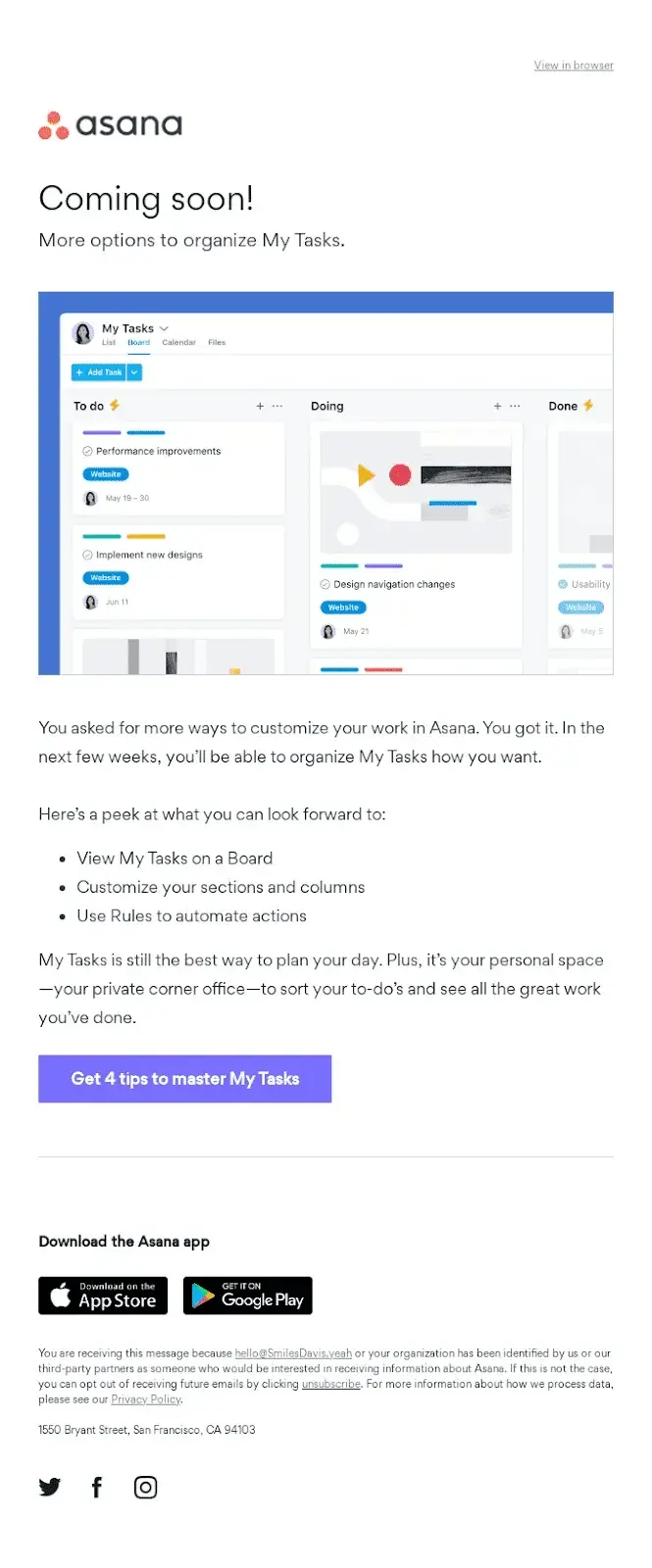
Product launch email example #25: Asana’s pre-launch email
Asana builds anticipation for upcoming My Tasks improvements by showing users exactly what’s coming and acknowledging that these updates respond directly to user feedback.
What I like about it:
- Acknowledges user requests: The opener is perfect for a feature that was launched based on user requests.
- Shows a visual preview: The board interface screenshot lets users see exactly what the new My Tasks organization will look like.
- Educational CTA: There’s a “4 tips to master My Tasks” CTA, which provides immediate value while building excitement for the upcoming feature.
My best practices for running a product launch email campaign
After reading countless product launch emails (and finally getting my inbox cleaned up) and analyzing data from our internal launch email trends, I’ve noticed five approaches that help create a compelling product launch email that consistently outperforms generic announcements.
1. Plan a strategic product launch email sequence
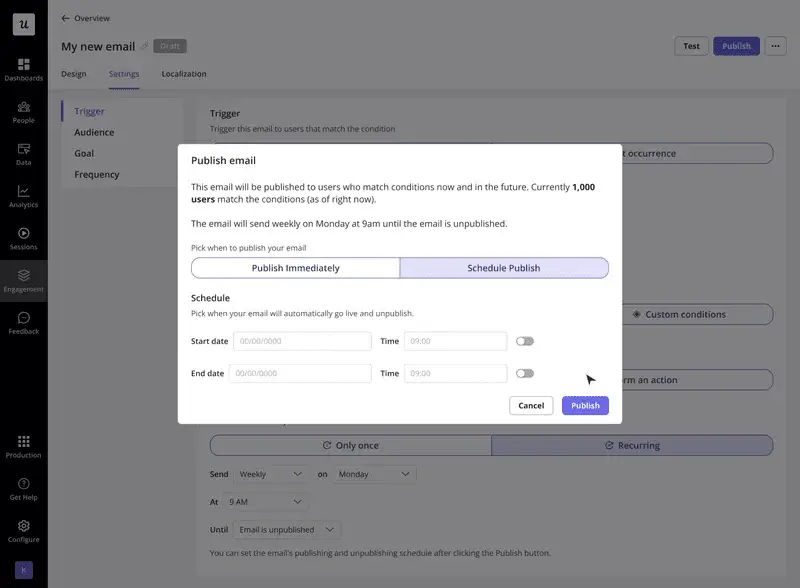
But here’s the thing: one email is easy to dismiss, forget, and lose in the noise. I’d suggest sending at least four emails to build momentum and give people several chances to engage.
Here’s a product launch email sequence that works well for us:
- Two weeks before launch: Send out a teaser email that hints something exciting is coming without giving everything away. Talk about the problem it’ll solve rather than the solution itself.
- One week before launch: Build on the previous email’s curiosity with specifics about what’s changing and when (the official launch date). This is where you might include early-bird pricing or exclusive access.
- Launch day: On the launch day, make the big reveal and add clear prompts to try the feature out or upgrade.
- 1-2 weeks post-launch: Gentle reminders targeted at users who haven’t engaged yet, often featuring case studies or success stories from early adopters.
2. Personalize product launch emails using segmentation and behavioral targeting
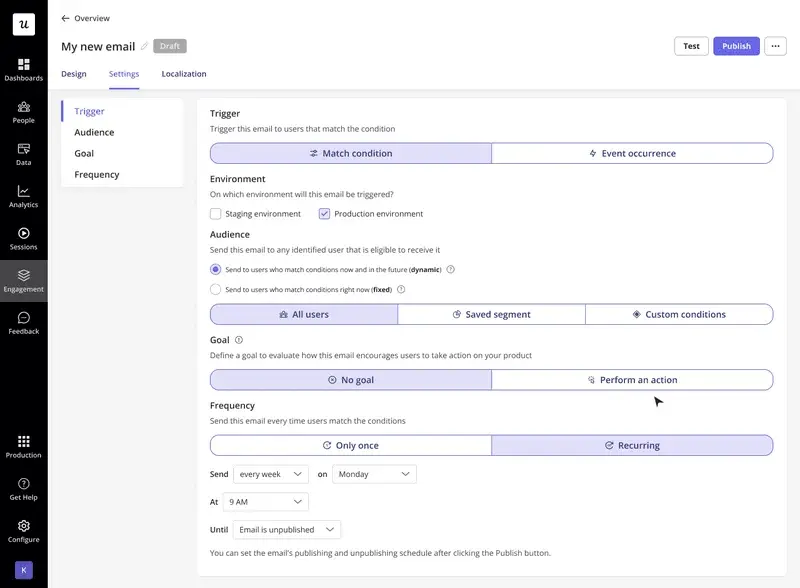
The most successful launch campaigns I’ve seen segment customers into groups. And personalization goes way beyond slapping someone’s first name in the subject line (though that doesn’t hurt). We want our email to be hyper-relevant to their specific use case and needs.
Think about your user base for a moment.
Your enterprise customers care about different things from your startup users. Mobile-first companies have different priorities from web-focused teams.
Here’s how personalization may look in practice for these segments:
- Enterprise customers get emails focused on security and scalability.
- Startup users hear about quick implementation and cost-effectiveness.
3. Craft a compelling subject line
Your email subject line decides if people open your product launch announcement.
Short, specific, benefit-focused email subject lines generally outperform feature-focused or overly formal ones. Also, since mobile clients truncate long subject lines, try to stay within 30-50 characters.
While it may be tempting to use words like FREE and URGENT or use excessive punctuation to grab your target audience’s attention, spam monitors strictly block your email if the subject line contains any of these words. I’d suggest completely avoiding any experiments including these words in the subject line.
To get the best results, test different formats to find what resonates with your target audience:
- Question format: “Ready for faster analytics?”
- Benefit-focused: “Cut report time in half with new dashboards.”
- Curiosity-driven: “Shh… big surprise coming! Don’t miss it!”
- Direct announcement: “Introducing automated user segmentation.”
- Social proof angle: “Join 10,000+ teams using our new collaboration tools.”
4. Lead with value, not just features
Users don’t care about technical specifications. They care about outcomes.
So, always start with the key selling points of why the update matters to them personally.
How does it solve their problem, improve their experience, or save them time? The technical details can come later (if at all).
For example, if you’re launching a new analytics dashboard:
✅ “Spot trends instantly with a clearer, more customizable dashboard so you can act faster with confidence.”
❌ “We redesigned the analytics dashboard with new filters and visual components.”
The first version tells me what I’ll be able to do. The second version tells me what you did.
Guess which one makes me want to click?
5. Track the performance of your product launch campaigns and iterate
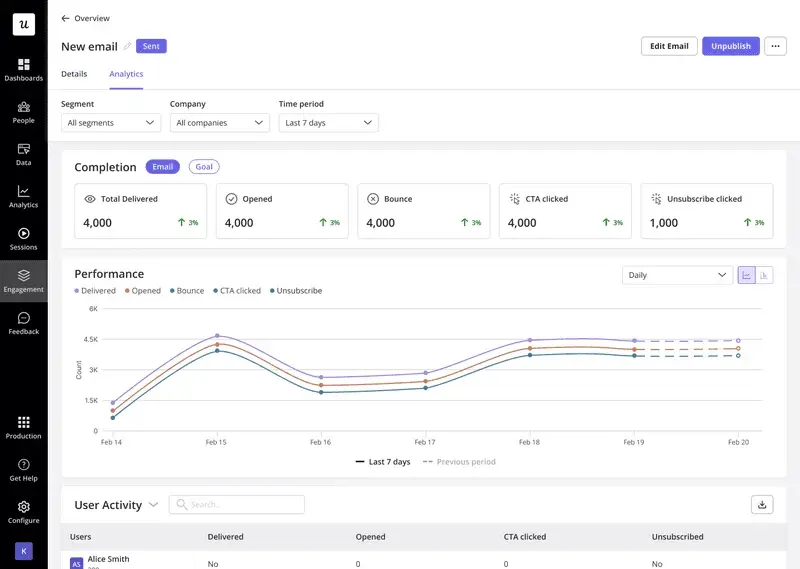
You can’t improve what you don’t measure. So watch these numbers closely for every email campaign:
- Open rates by segment: Which audiences are most interested?
- Click-through rates by CTA: What actions resonate most?
- Unsubscribe rates: Are you overwhelming people?
- Time to conversion: How long from email to action?
The data you collect from each launch becomes super helpful for improving future campaigns.
Maybe you discover that your highest-performing emails go out on Tuesday mornings, not the “optimal” Wednesday timing everyone talks about.
Or perhaps your technical audience responds better to detailed feature explanations while your business users prefer benefit-focused messaging.
FAQ
What is a product launch email?
A product launch email announces new features, products, or updates to your current and potential customers. These marketing emails inform subscribers about changes, explain benefits, and encourage customers to adopt new features or make a purchase.
How to write a product launch email for a new product?
- Write a compelling subject line that focuses on benefits.
- Start with a brief, engaging introduction addressing user pain points.
- Explain the value proposition clearly without technical jargon.
- Include visuals demonstrating the product in action.
- Add clear calls-to-action guiding users to their next step.
- Provide links to additional resources like demos or documentation.
- End with a strong closing, reinforcing the main benefit.
How long should a product launch email be?
Product launch emails should be long enough to communicate value but also short enough to maintain attention. Aim for 150-300 words. And if you want to share more details, use links to other pages.
Why are product launch emails important?
Product launch emails help you introduce new features or products in a way that drives awareness, adoption, and engagement from day one.
- Drive immediate attention: They bring new launches directly to your users instead of relying on them to discover updates on their own.
- Increase feature adoption: They show users what’s new and how it helps, which encourages them to try it.
- Guide users to take action: Clear CTAs like “try it,” “join the beta,” or “see it in action” make the next step obvious.
- Re-engage existing users: Launch emails give inactive or less engaged users a reason to come back and explore the product again.
- Control the narrative: They let you explain the value, use cases, and positioning in a way that aligns with your product strategy.
About the author