Amplitude Login: 4 Options to Access Your Account Safely


Amplitude login methods include: direct email, Google, org URLs, and Single Sign-On (SSO).
For the right accounts, all of these options can make the login process safe and allow users to focus on product analytics (rather than troubleshooting).
So here’s an overview of Amplitude’s multiple login options, along with the steps needed to set up SSO.
What is Amplitude?
Amplitude is a digital analytics platform that helps you understand what users are doing inside your product. It captures behavioral data, stitches together user journeys, and turns event data into clean, navigable dashboards.
For dedicated growth teams in larger companies, Amplitude is great for guiding product decisions, reducing churn, and driving feature adoption.
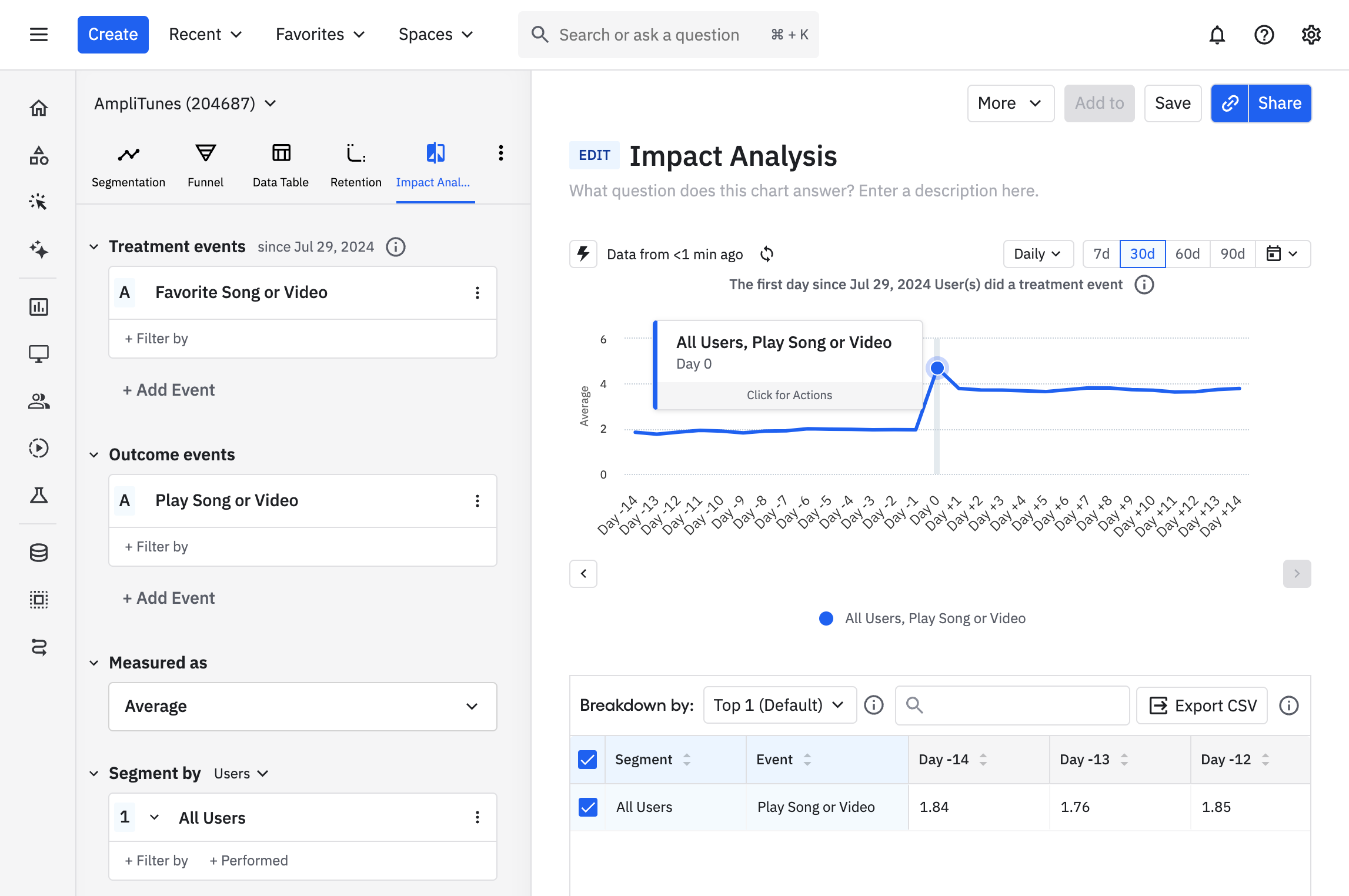
Amplitude options for logging in
When you visit Amplitude’s login page, you’ll notice four different ways to access your account:
- Org URL
- Single sign-on
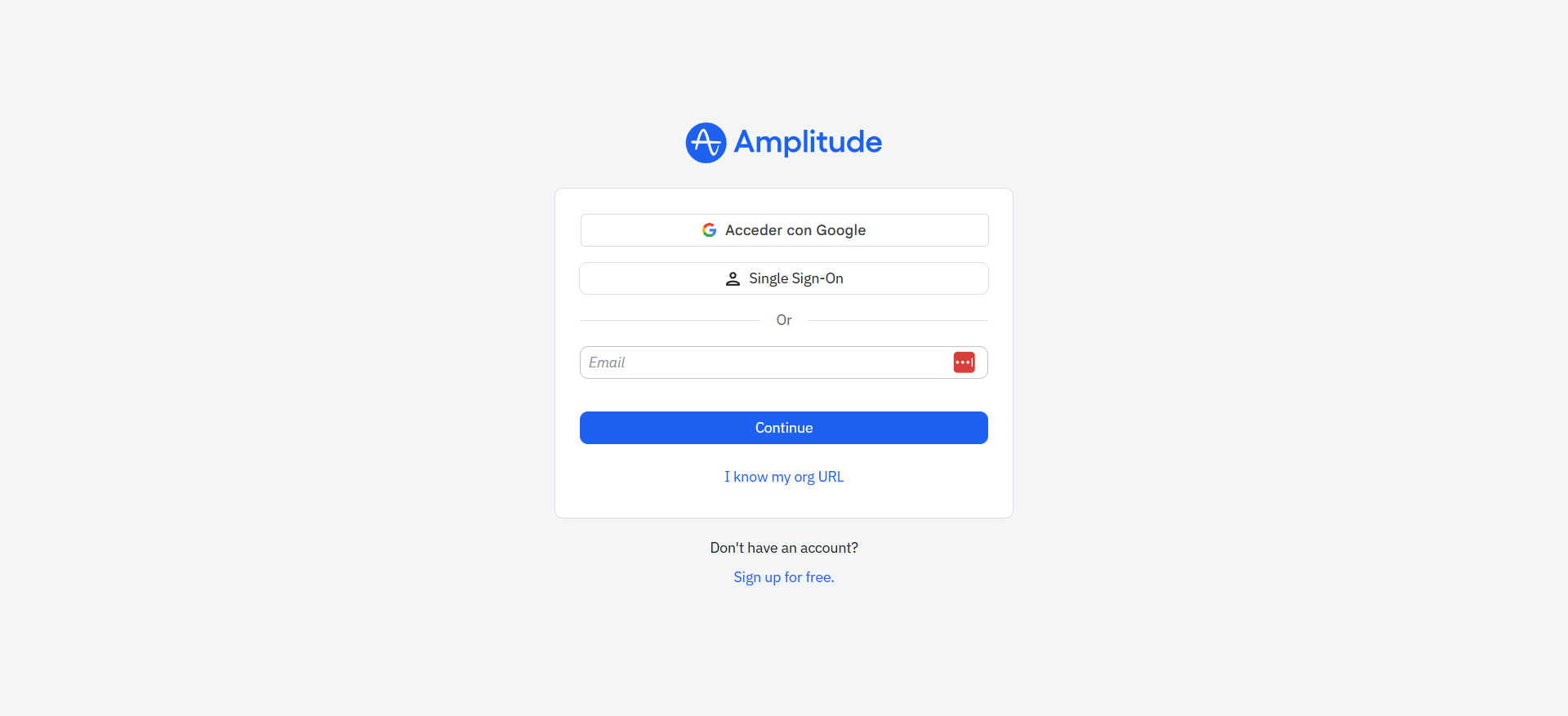
Let’s explore these options and see how they work in Amplitude:
1. Email and password
For most individual users or small teams, the default method will be setting up a unique password upon invitation. After that, you just need to go to Amplitude’s login screen and enter your work email and password to get in.
However, Amplitude lets you choose between the US and the EU data centers in the signup screen. If your organization set it up in the EU, logging into the standard US portal will result in an “invalid credentials” error (even if your password is correct). This means you must ensure you are on the correct login URL for your organization’s region.
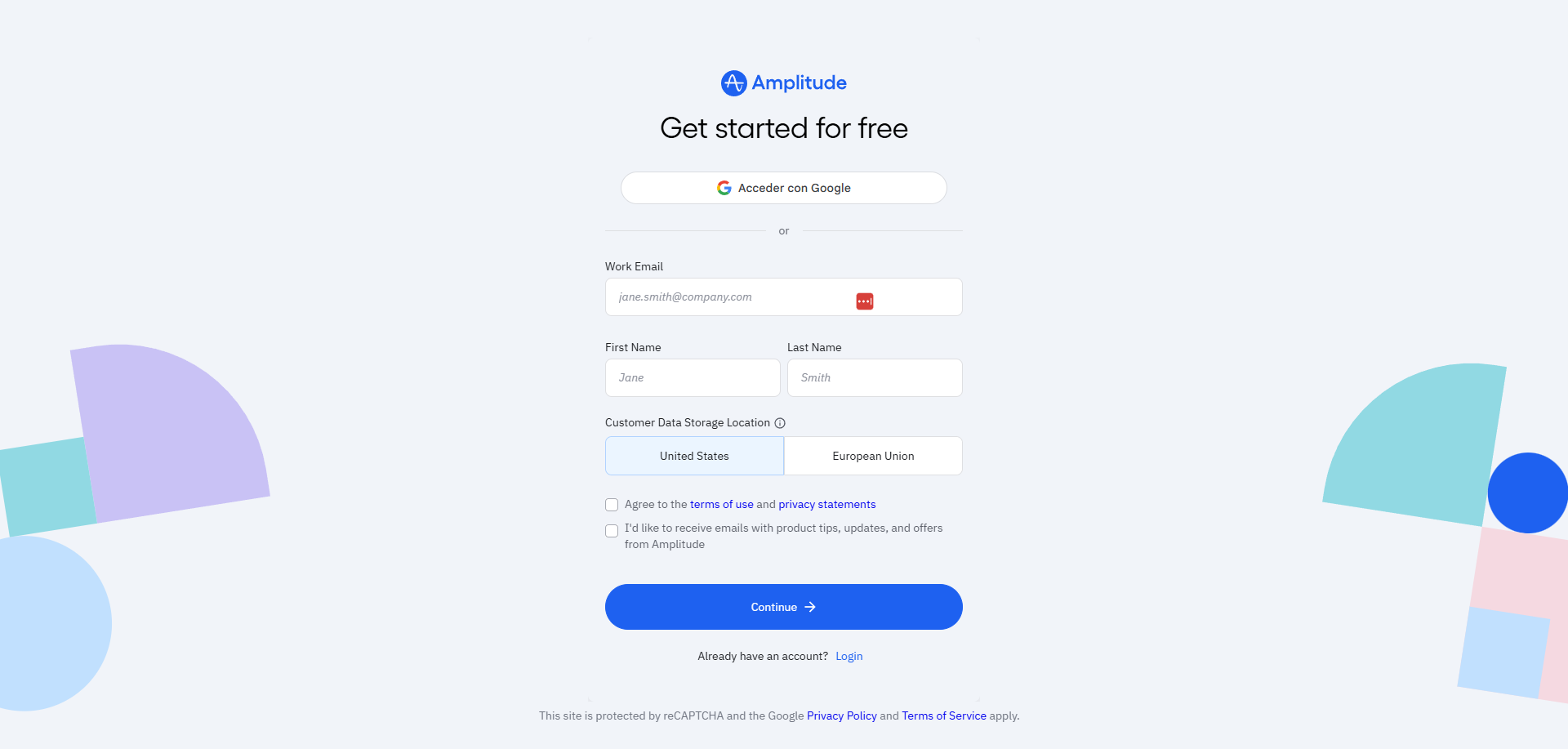
2. Google sign-in
For teams using Google Workspace, Amplitude offers the “Log in with Google” button to log in with one click. You can do this as long as your Gmail address matches your Amplitude email; you can also sign up with your Google account right away.
Note: If your company enforces Multi-Factor Authentication (MFA) on your Google accounts, it will extend to Amplitude automatically. This means you can indirectly set up MFA as an extra security layer.
3. Organization URL
Additionally, Amplitude lets you access your account via an “Org URL”. You can find this URL in your account’s settings page (in the General page) and use it afterwards as a sign-in method.

Plus, you can enforce users to log in with the Org URL. Just make sure to never lose it, or you’ll be locked out.
4. Single Sign-On (SSO)
The most secure option for Enterprises is to set up SSO in Amplitude. It can integrate with any IdP that supports SAML 2.0, including Okta, OneLogin, Auth0, and even other services.
Setting it up only requires generating data in one system and pasting it into the other. Plus, although the configuration process will depend on your IdP, the general steps include:
- Add the Amplitude app: Many IdPs (including Okta, Microsoft, and Google) already have a pre-built installation. If yours doesn’t, you’ll have to create a new app based on SAML.
- Download your IdP’s metadata: In the SSO settings, look for your identity provider metadata and download it. It must be an XML file.
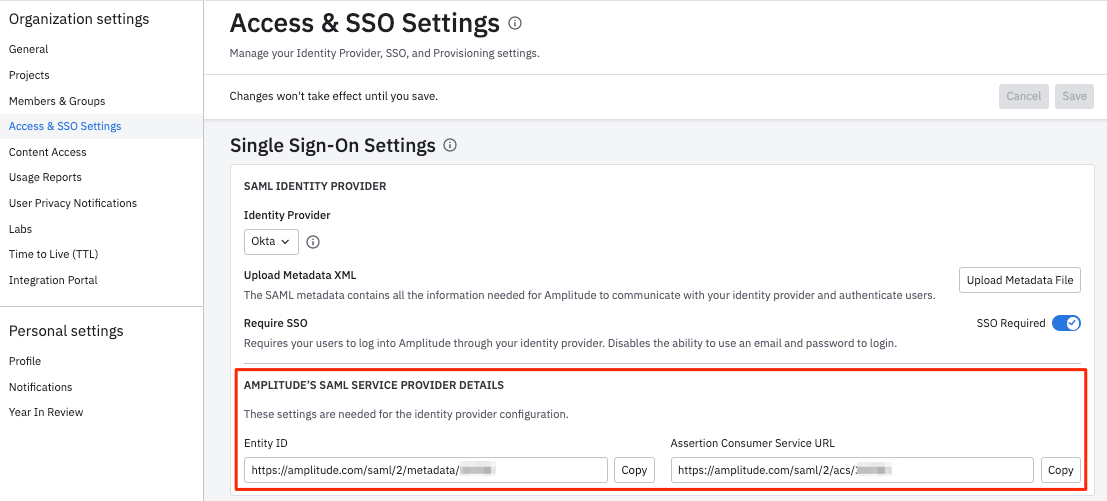
- Upload metadata to Amplitude: Go to Access and SSO Settings in Amplitude to enable SSO. Select your IdP and look for the “Upload Metadata” button to submit your XML file.
- Transfer the Entity ID and ACS URL: Once the metadata is uploaded to Amplitude, the system will generate the “Service Provider” details (i.e., the Entity ID, ACS URL, etc). Copy those values and paste them into their corresponding fields in your IdP. This will complete the integration (I recommend testing it before enforcing it on the whole company).
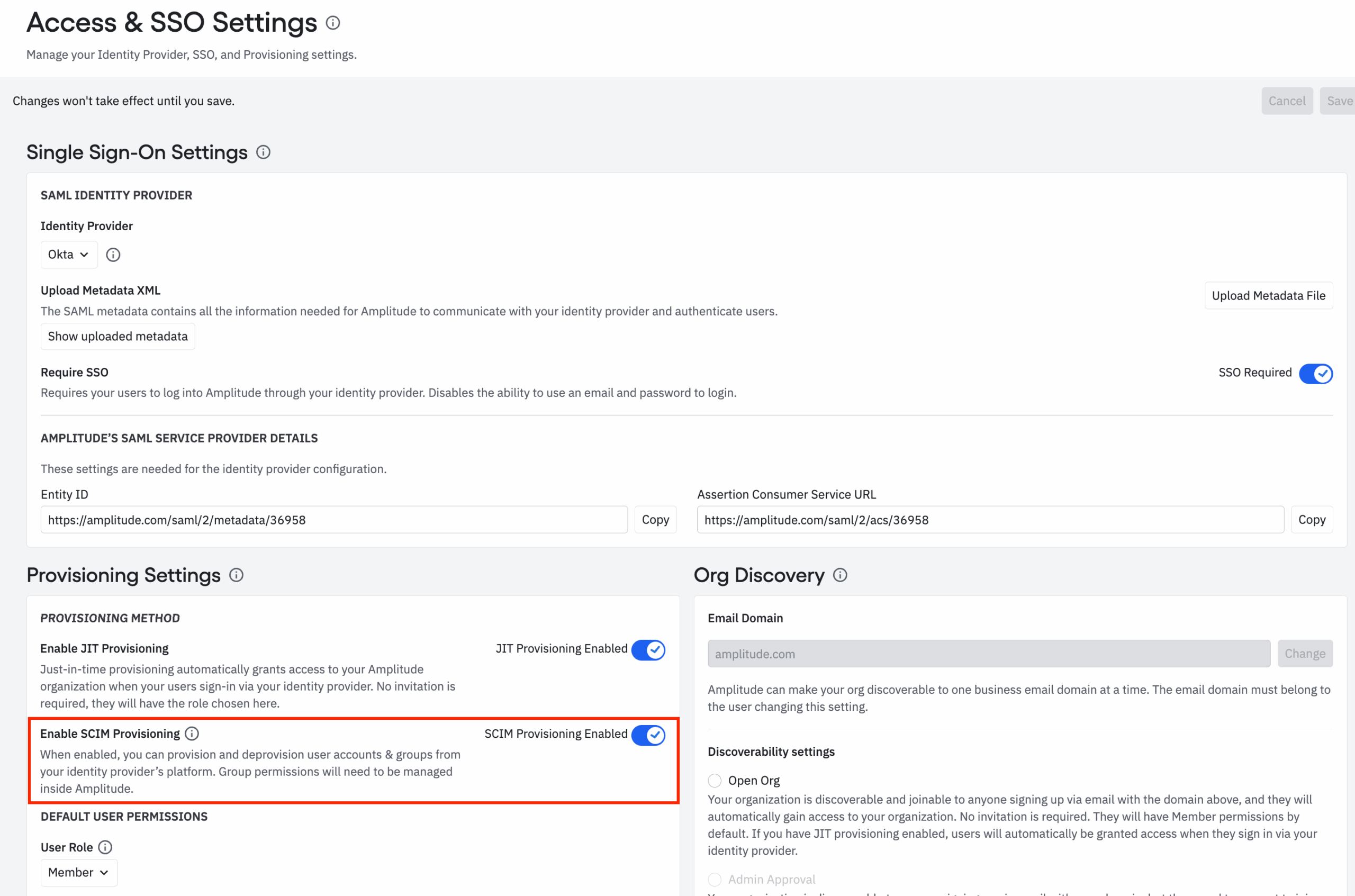
- Enable SCIM: To automate provisioning (create accounts for new users with the right permissions instantly), enable SCIM in the provisioning settings in Amplitude to generate the SCIM key. Then, copy and paste the key back to your IdP’s provisioning settings. Once the connection is verified, you can start mapping user groups to assign their corresponding permissions.
Take action on product analytics with Userpilot!
Amplitude login options fit multiple needs. While the safest option for enterprises will always be SSO, many individual accounts are still fine with the good-old password.
What matters is to focus on using Amplitude to find customer behavior insights.
On the other hand, if your team needs analytics that lead to new onboarding flows, in-app messaging, and feedback loops, then Userpilot is the best alternative.
Do you want to analyze user interactions and build in-app guides without touching code? Book a demo with Userpilot to see how you can take action faster!

Skip the Complex Amplitude Login Setup and Access Actionable Insights Faster with Userpilot

Userpilot strives to provide accurate information to help businesses determine the best solution for their particular needs. Due to the dynamic nature of the industry, the features offered by Userpilot and others often change over time. The statements made in this article are accurate to the best of Userpilot’s knowledge as of its publication/most recent update on December 2, 2025.
About the author