Smartlook pricing starts at $55/month. But session caps, data retention limits, and overage charges push most teams to $300-500/month.
In this guide, I’ll break down:
- What Smartlook really costs across different pricing plans.
- What’s included (and what’s not) in each pricing structure.
- The hidden mechanics behind session recording costs.
- The best alternative for session replays plus engagement tools.
Let’s get into it.
Try Userpilot Now
See Why 1,000+ Teams Choose Userpilot

What is Smartlook?
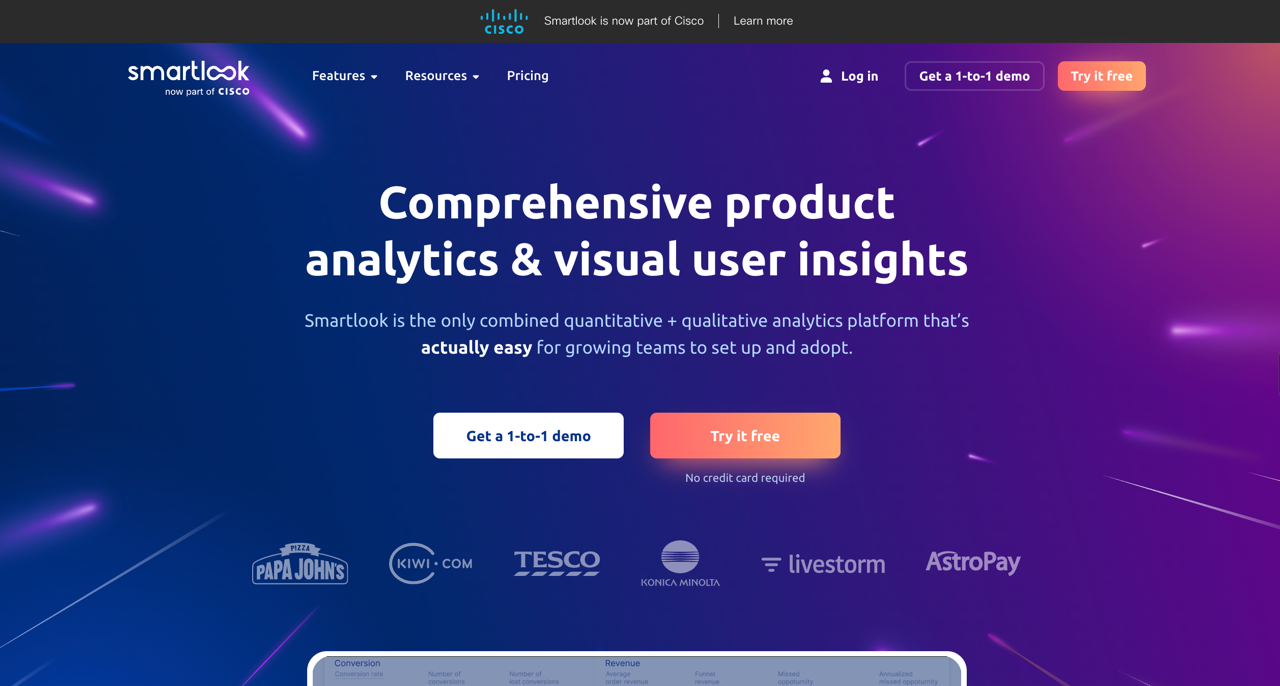
Smartlook is a qualitative analytics platform that shows how visitors interact with your web page and mobile app. Unlike traditional web analytics tools like Google Analytics, which focus on quantitative data like traffic and conversions, Smartlook focuses on qualitative data.
It provides detailed session recordings showing user actions on your site or mobile app. Click maps and scroll maps reveal where users click, scroll, or rage-click. The goal is to understand how users interact with your product.
The platform works across iOS, Android, and web apps. You can track session replays, analyze heatmaps, and map the entire user journey to identify pain points.
What is Smartlook used for?
Product teams and UX designers use Smartlook as one of their analytics tools primarily for debugging and conversion rate optimization (CRO). It is effective for:
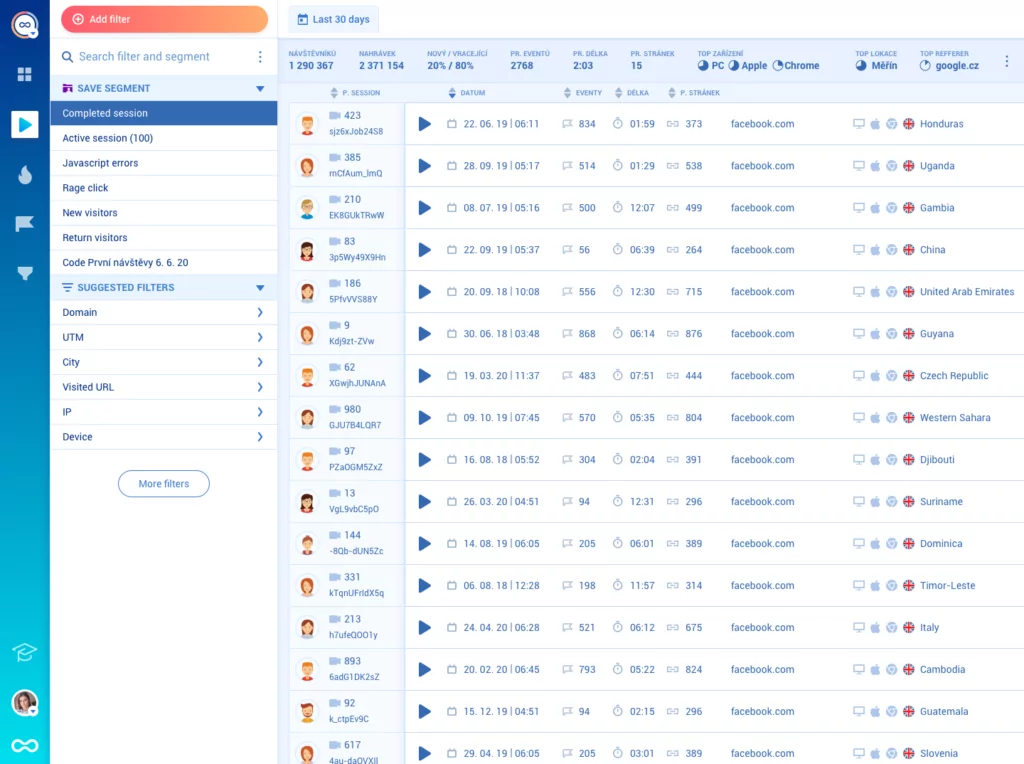
- Session recording: Watch individual user sessions to troubleshoot bugs or understand UX friction. Filter session recordings by specific user actions or behaviors to see exactly where users drop off.
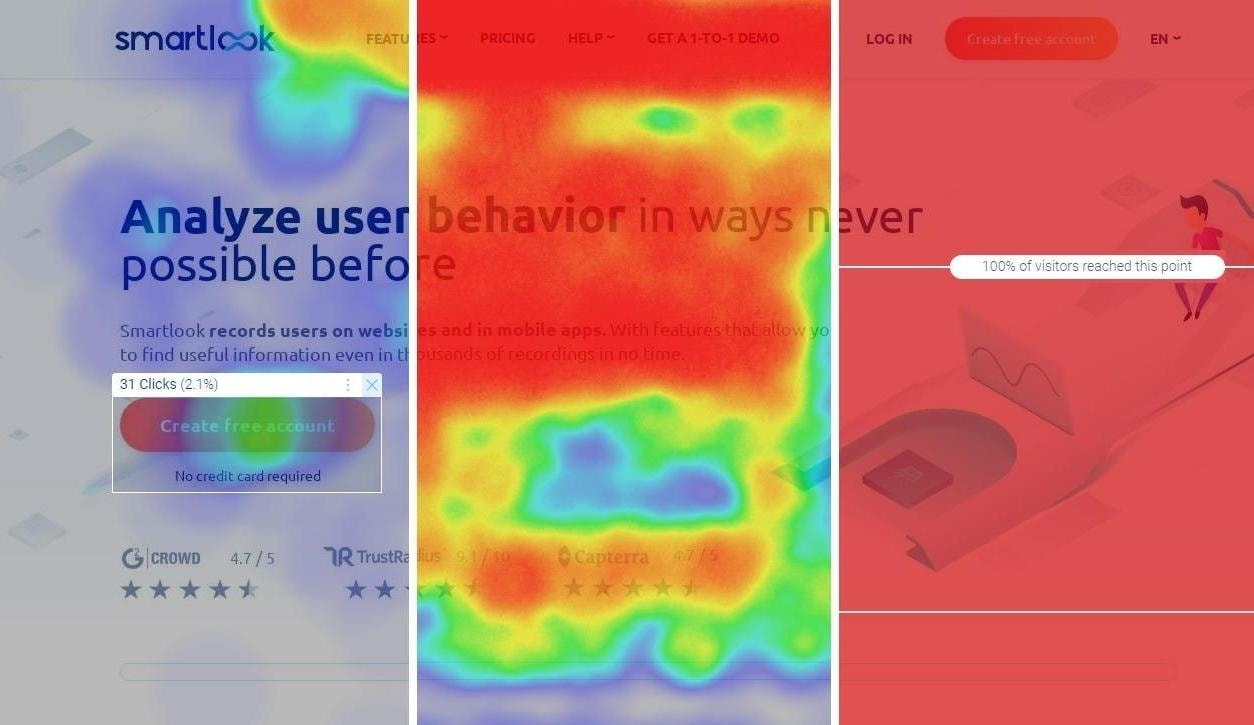
- Heatmaps: You can visualize aggregate visitor behavior on specific pages to see which elements get attention and which get ignored.
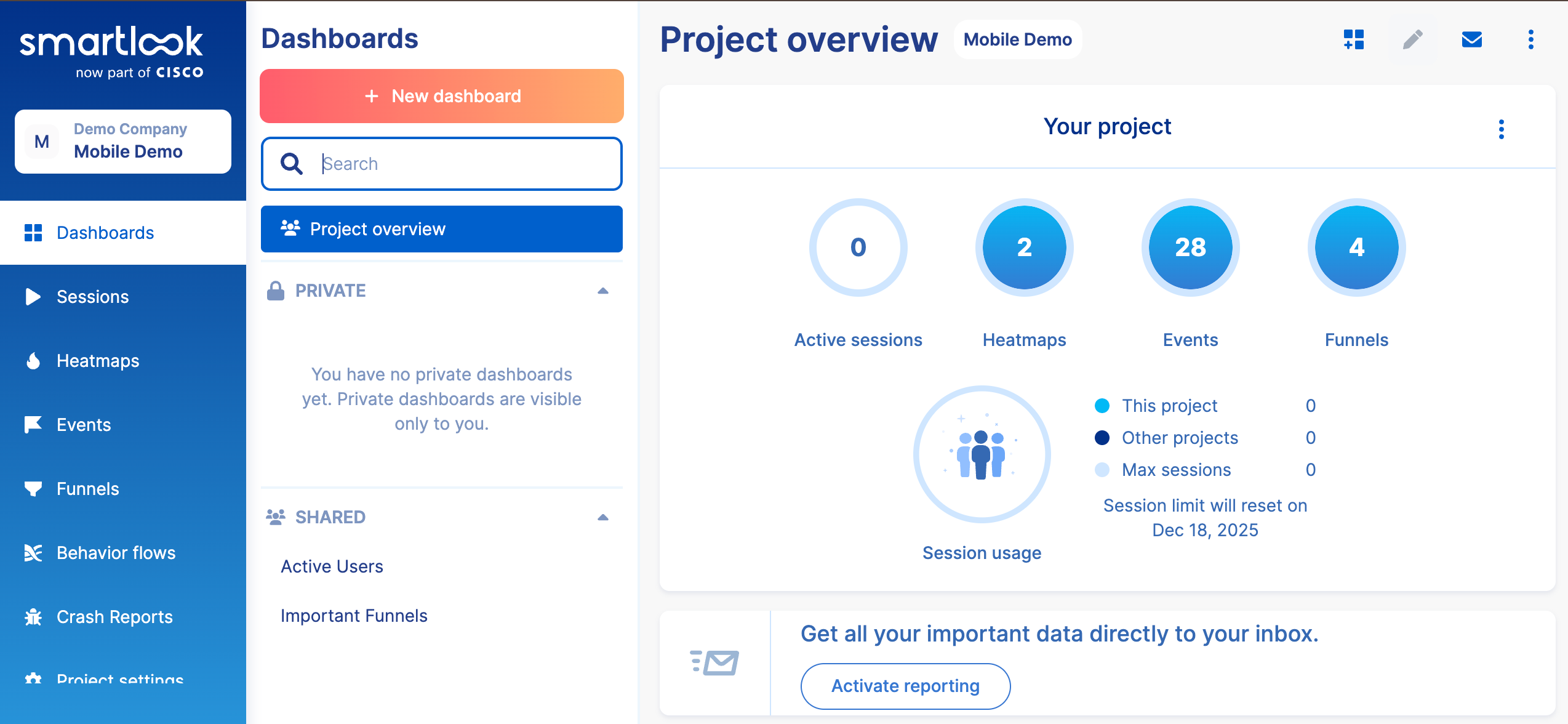
- Mobile app analytics: Smartlook offers strong mobile analytics support for native mobile apps (iOS and Android) and web apps. Track user interactions across platforms and understand customer behavior on mobile devices.
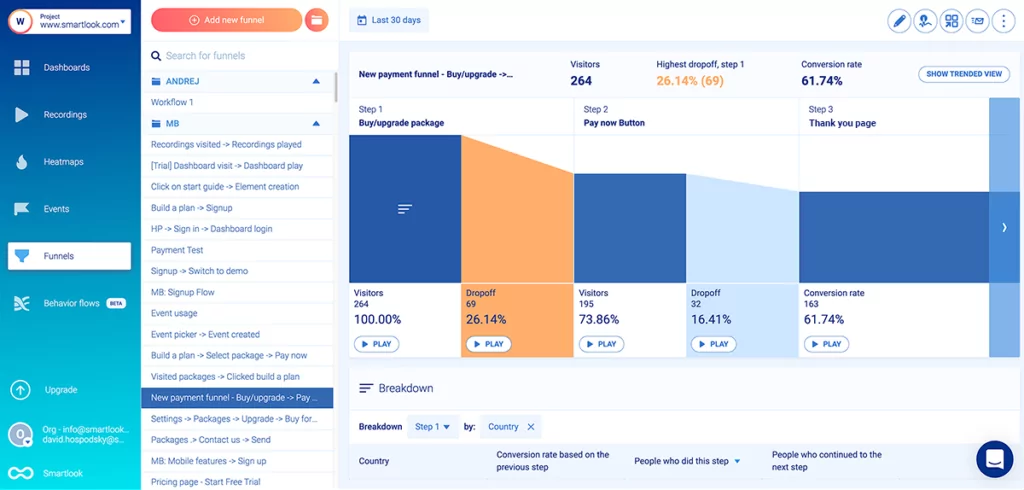
- Funnel analysis: Map out the steps users take and see where they abandon the process. Create custom events to track specific user actions in your checkout flow or key conversion funnels for better funnel optimization and conversion rate optimization.
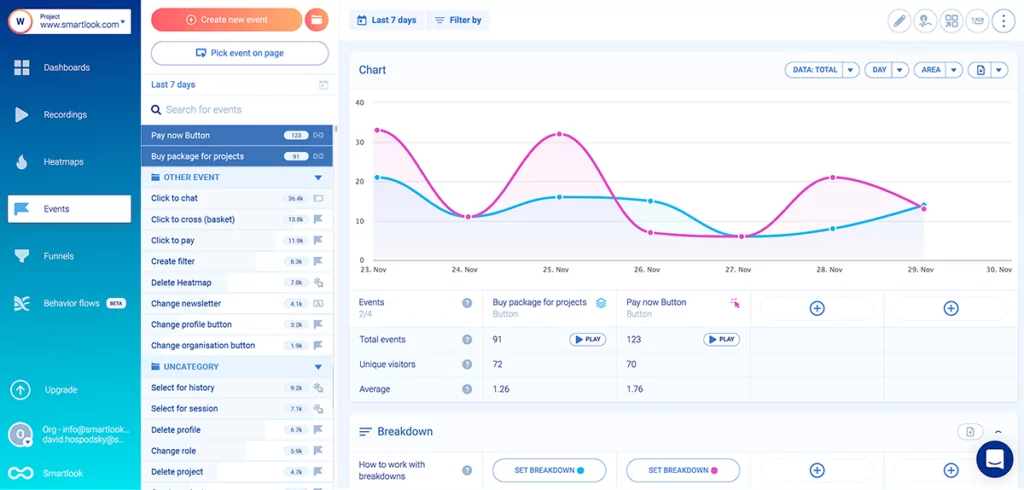
- Error tracking and crash analytics: Smartlook captures console errors, JavaScript errors, and network errors alongside session recordings. Crash analytics shows when and why your app fails.

Escape the Hidden Costs of Smartlook Pricing by Choosing Userpilot for a More Powerful and Transparent Growth Suite

How much does Smartlook cost?
The ‘starting at $55’ tag is attractive. However, Smartlook’s pricing structure uses a sliding scale based on monthly sessions. One user can trigger multiple user sessions per day, which means billable sessions often exceed your user count by 3-4x.
Smartlook pricing plans scale based on usage, but the pricing structure gets harder to forecast as you grow. Let’s look at the three tiers:
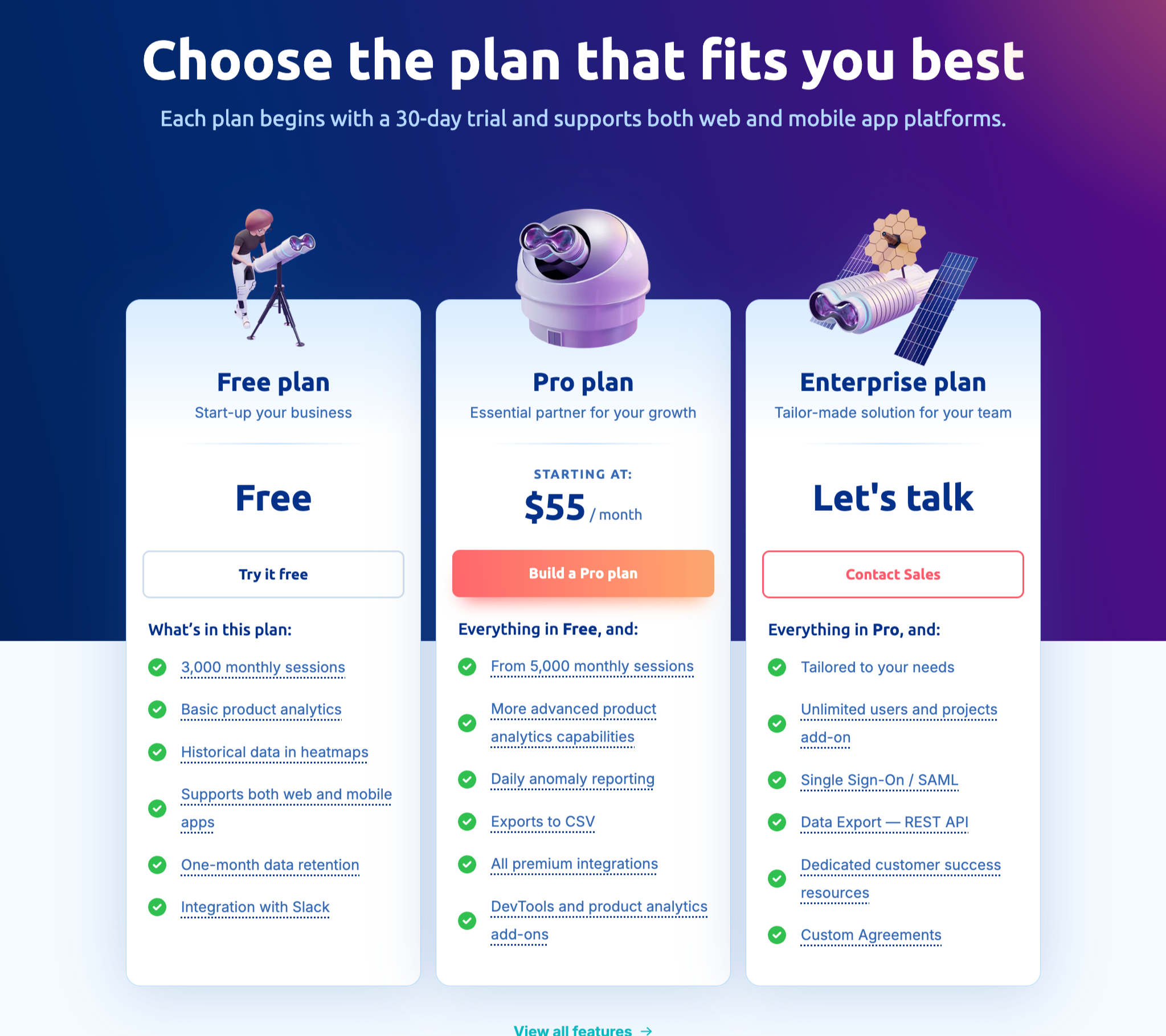
Free plan
The free plan gives you 3,000 user sessions per month with 1 month of data retention. For a SaaS product with any traction, that gets eaten up fast. If you have 100 daily active users logging in once a day, you’ll burn through 3,000 sessions in 30 days.
What’s included:
- 3,000 user sessions per month.
- 10 custom events and 2 conversion funnels (basic analytics).
- 10 click maps and scroll maps with historical data.
- Cross-platform recording (web, iOS, Android, web apps).
- Basic integrations (Slack, Salesforce, Zapier, Google Optimize, Google Tag Manager).
- Sensitive data anonymization for GDPR compliance.
- Basic error tracking (console errors, JavaScript errors).
What’s missing:
- Data retention beyond 1 month (can’t track user behavior over time or spot long-term trends).
- Low recording quality only (makes pixel-perfect user interface analysis harder).
- No crash analytics or advanced error tracking.
The free plan works for early validation, but you’ll outgrow it when you hit consistent daily traffic or need to monitor user behavior at scale.
Pro plan
The Pro plan starts at $55/month for 5,000 sessions with 90 days of data retention. This is the entry-level paid tier in Smartlook’s pricing plans, but session limits scale quickly.
What’s included:
- 5,000 user sessions per month (expandable via add-ons).
- Always-on recording (catches bugs you weren’t actively looking for).
- 90 days of data retention (add-on for longer periods).
- 20 custom events and 5 conversion funnels (add-ons required for more).
- 30 click maps and scroll maps with better precision (add-on for more).
- Session vault to save critical visitor recordings.
- Mid/high recording quality and frame rate configuration.
- Daily anomaly reporting.
- Track user interactions across the entire user journey.
- Enhanced error tracking with network errors and crash analytics.
- Custom JavaScript code injection for advanced tracking.
- Pop-up window tracking for conversion rate optimization tools.
- Additional integrations (Intercom, Zendesk, Mixpanel, JIRA, Sentry).
- Up to 5 projects and 10 team members.
- Live chat support.
What’s missing:
- Most feature expansions beyond basic features require add-ons (more events, funnels, heatmaps cost extra).
- 20 custom events is low for complex SaaS products tracking multiple user actions.
- REST API access (locked to Enterprise).
While this paid plan suits early-stage teams, growing SaaS companies with more complex business needs will quickly outgrow the session and event limits. If you’re tracking user engagement across multiple products, 20 custom events means choosing between monitoring ‘Dashboard Views,’ ‘Feature Clicks,’ ‘Form Submissions,’ and 17 other critical user actions.
Enterprise plan
The Enterprise plan supports up to 50,000 user sessions per month (expandable) and unlocks key features for scaling teams. Custom pricing is negotiated based on your session volume and required add-ons.
What’s included:
- 50,000+ sessions per month (expandable).
- Everything in Pro plan.
- 40 custom events and 10 conversion funnels (expandable via add-ons).
- 50 click maps and scroll maps (expandable via add-ons).
- REST API access (add-on) for exporting data to your warehouse.
- Sampling controls (add-on) to manage session volume.
- Up to 10 projects (add-on) with session limit controls per project.
- 20 team members (expandable via add-ons).
- Single Sign-On (SSO) (add-on).
- Dedicated customer success manager.
- Custom contracts and paperwork (add-on).
- Advanced user behavior analytics across web apps and mobile analytics.
- Complete error tracking including console errors, JavaScript errors, network errors.
- Comprehensive crash analytics.
What’s still limited:
- Core features like custom events, conversion funnels, projects, and team seats require add-ons.
- SSO and API access aren’t standard in premium plans (you’ll pay extra).
- Session limits per project help control costs but add complexity.
This tier is positioned as a comprehensive suite for scaling teams, but the add-on pricing model means the final cost often exceeds the base Enterprise plan quote.
Is Smartlook worth the price?
Smartlook works for specific use cases. Here’s when it delivers value and when it falls short.
Pros of Smartlook
- Strong mobile support: Smartlook handles mobile app analytics well for native mobile apps (iOS/Android), with solid SDK coverage for both platforms.
- Combined qualitative & quantitative data: Event tracking sits alongside session recordings. Click a button in your analytics funnel and jump to recordings of users who dropped off, connecting the ‘what’ to the ‘why’ for actionable insights.
- Automatic event tracking: Smartlook indexes every user interaction, so you can define events retroactively and track interactions without manual instrumentation.
Cons of Smartlook
- It is passive: Smartlook shows you the problem but doesn’t help you fix it. You watch a user struggle, then file a ticket with engineering and wait for a code deployment. It is a time-consuming process that delays fixes.
- Low limits on funnels: The Pro plan caps you at 5 conversion funnels and 20 custom events. Tracking user engagement across features quickly hits these limits.
- Data retention costs: One month of data retention on the free plan is insufficient for B2B SaaS. You need at least 90 days to track user behavior over time and understand retention trends.
A better alternative to Smartlook: Userpilot
Smartlook shows you where users struggle. But Userpilot helps you fix it.
Userpilot is a product growth platform that combines session replays, analytics, and an engagement layer. Instead of watching a user get stuck and filing a ticket, you can build an in-app flow to guide them through without writing any code.
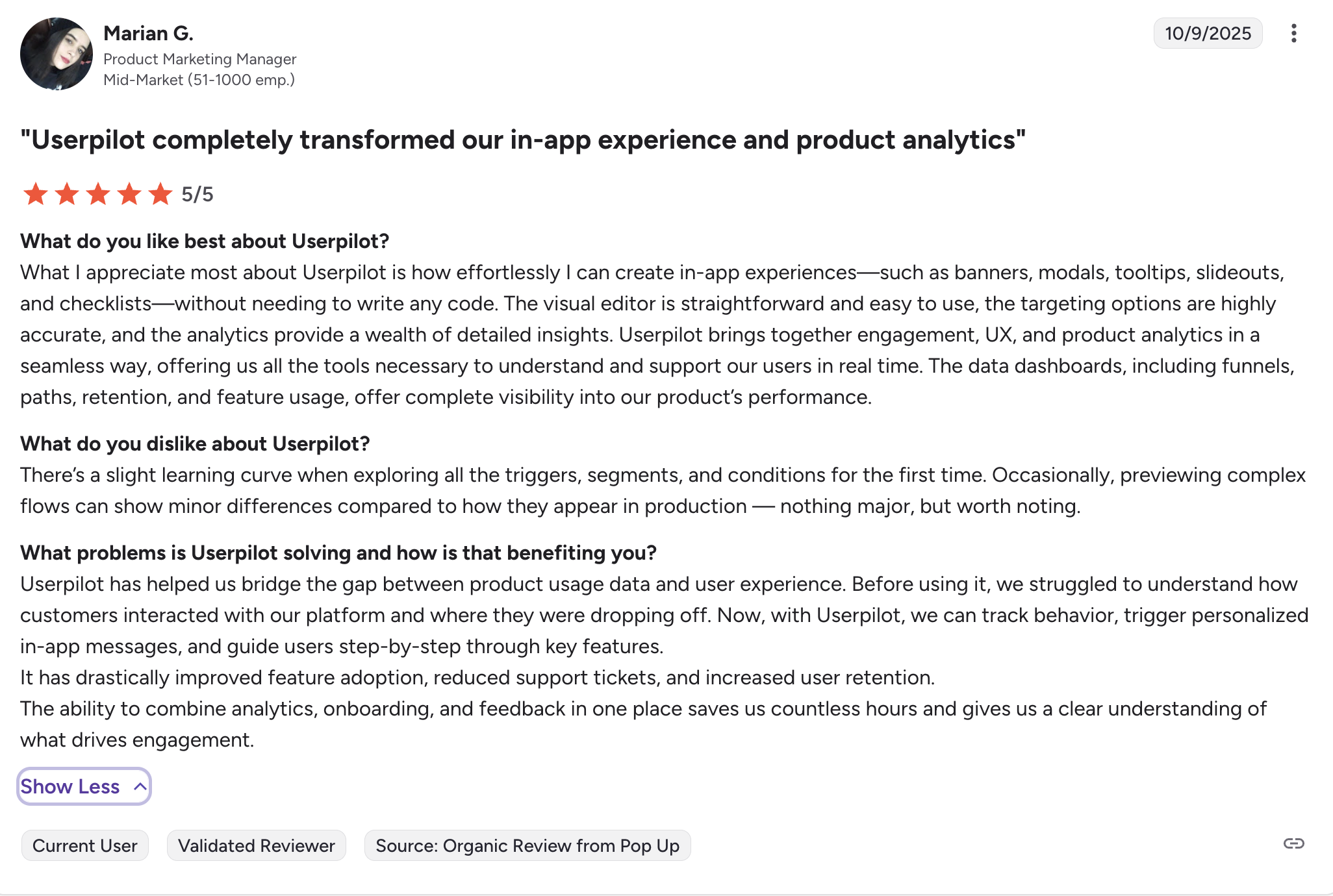
You don’t have to take my word for it, but the G2 reviews show why we are the best product growth platform.
1. Actionable analytics
Like Smartlook, Userpilot offers robust analytics. You can track feature adoption, visualize funnels, and segment users based on user behavior to get valuable insights. But Userpilot connects this data directly to action. If a segment of users drops off at step 3 of your onboarding, you can instantly trigger a tooltip or a modal for that specific segment to guide them through it.
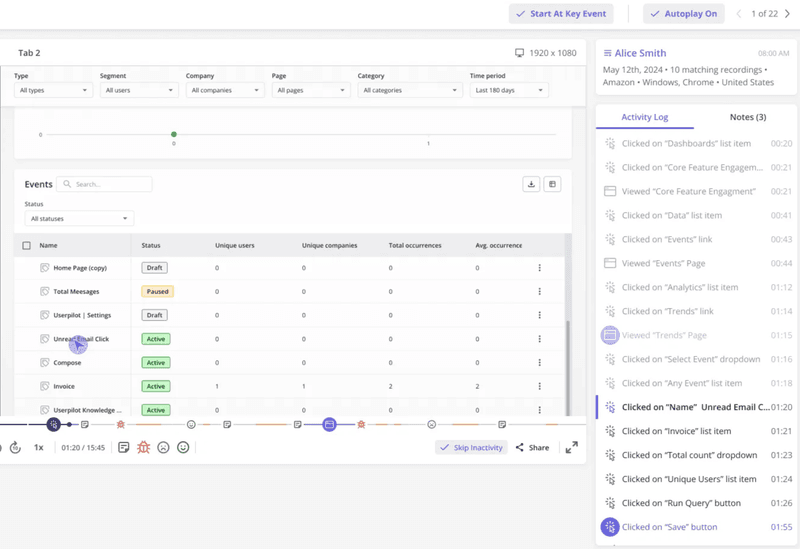
2. Built-in session replay
You do not need a separate tool for recordings. Userpilot has session replay built right into the platform. You can filter replays by user segment or specific events (like “rage clicks”) and watch the journey.
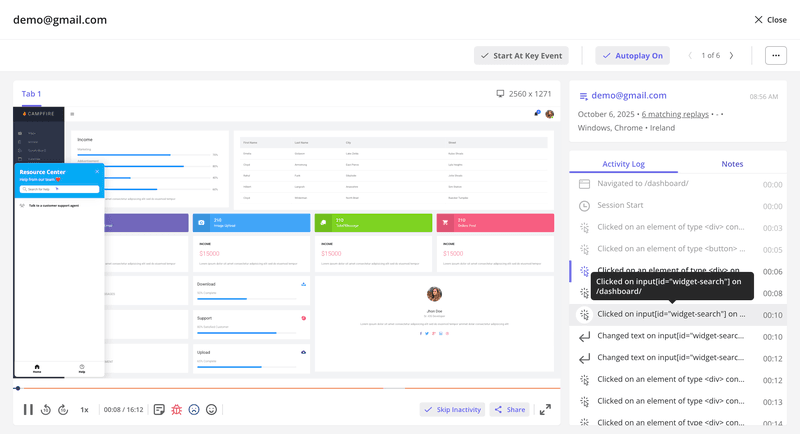
3. Feature tagging without code
Userpilot allows you to tag features directly in your UI to start tracking engagement. You don’t need to ask developers to instrument every button or add a code snippet for every interaction. This makes it incredibly fast to get product usage analytics up and running.
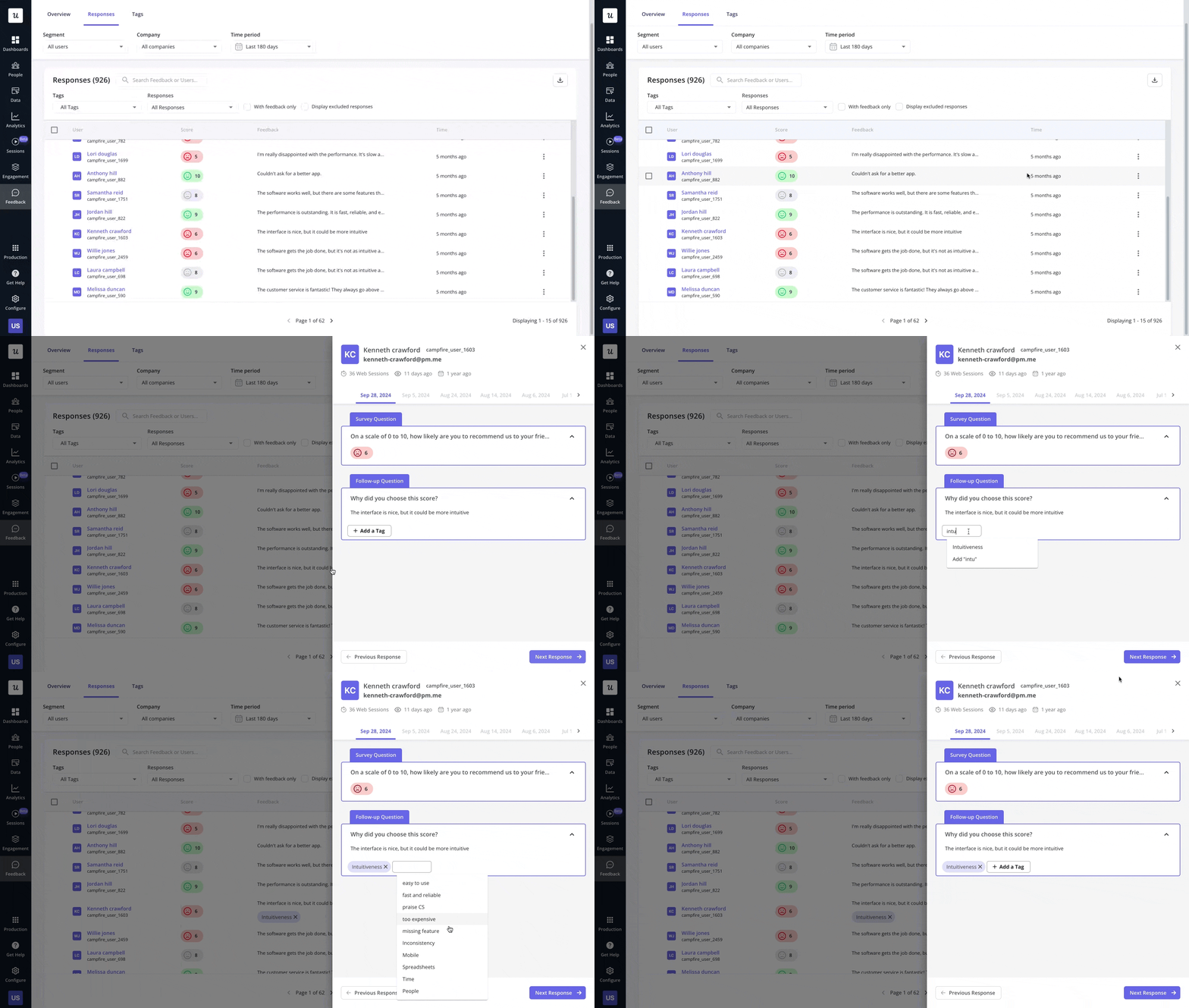
4. Real-time user feedback
Sometimes you can’t tell why a user is struggling just by watching. You need to ask them. Userpilot lets you trigger in-app surveys and NPS polls based on behavior. If a user rage-clicks a feature, you can trigger a microsurvey asking, “What did you expect to happen?” That insight is worth gold.
5. Engagement layer
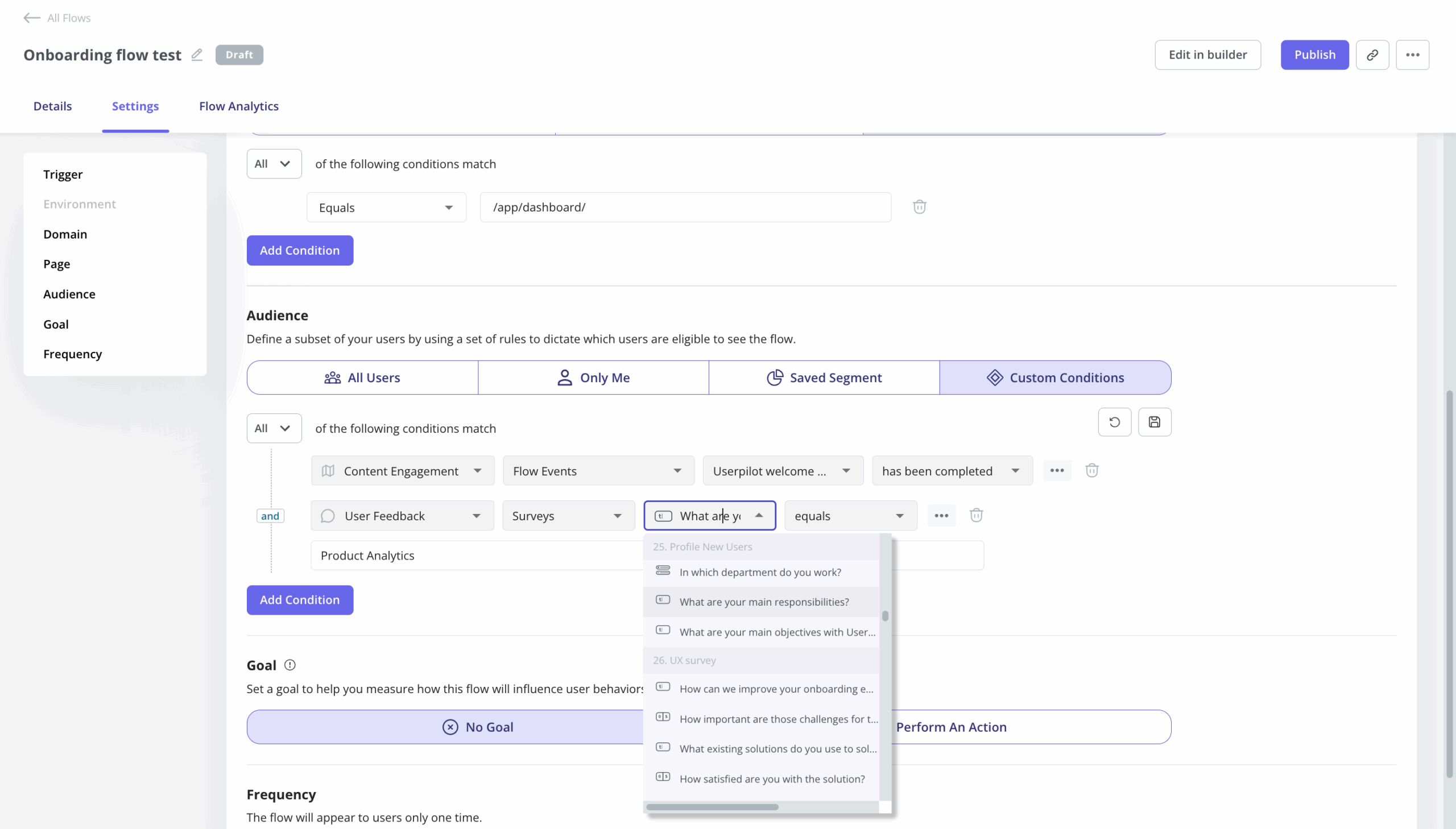
This is the key difference. Smartlook stops at the report. Userpilot lets you build flows, checklists, and resource centers. You can actively improve user onboarding and feature discovery to drive user engagement. If your analytics show that users who use Feature X have higher retention, you can build a checklist to drive users to Feature X.
How much does Userpilot cost?
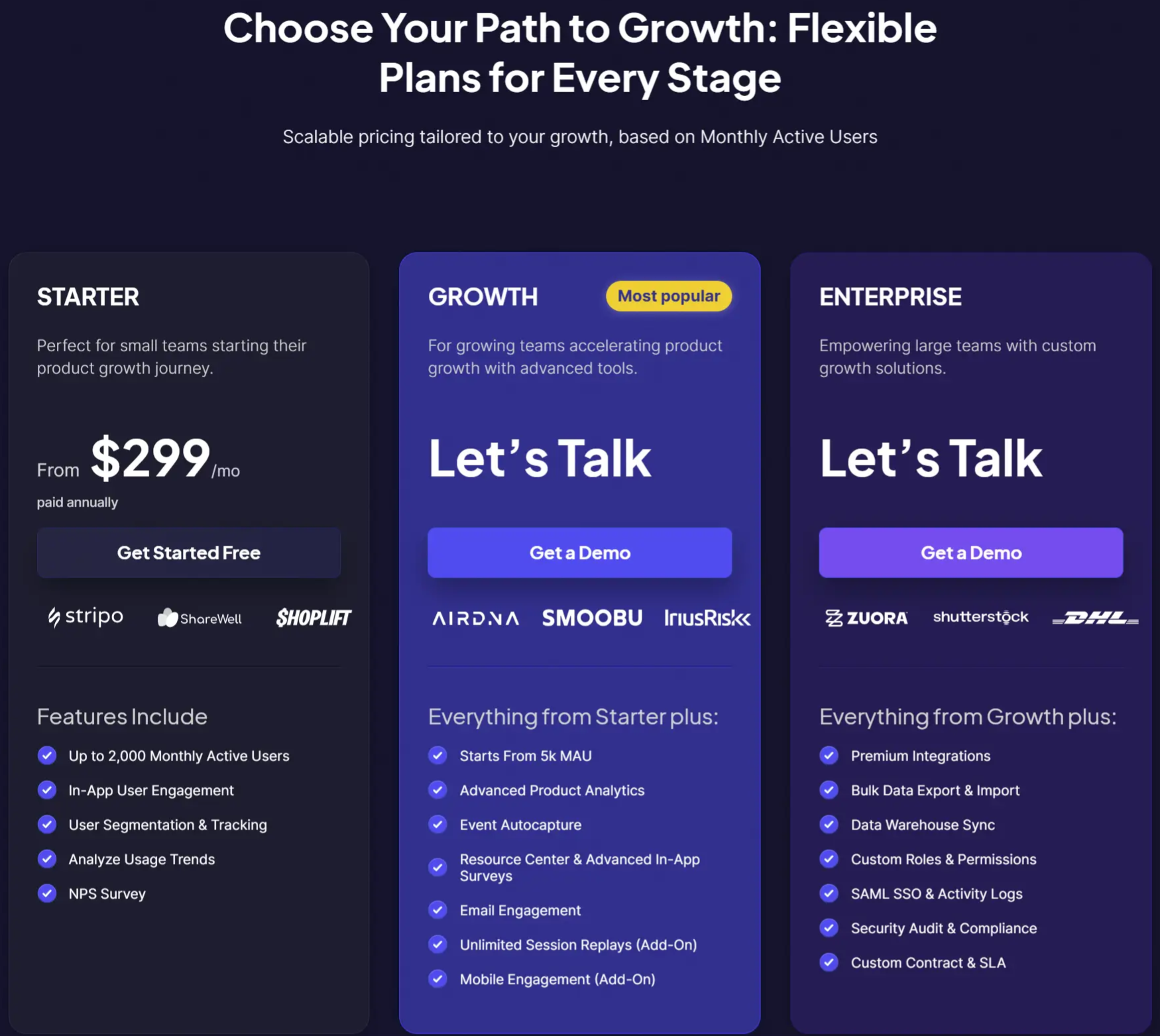
Userpilot pricing is transparent and scales with your active user base. It starts at $299/month, but this includes a suite of tools that replaces multiple subscriptions (analytics, session replay, onboarding software, survey tools).
When you compare the total cost of ownership, Userpilot often comes out ahead because it consolidates your stack. Instead of paying for Smartlook (Analytics) + Pendo (Onboarding) + Typeform (Surveys), you get it all in one platform.
Specifically, the Growth Plan gives you:
- Unlimited feature tagging.
- Advanced user segmentation.
- In-app flows and onboarding checklists.
- NPS and Microsurveys.
- Custom event tracking.
For larger teams, this business plan adds SOC 2 Type II compliance, SSO, unlimited seats, and dedicated success management.
Should you choose Smartlook?
If you’re a solo developer building a mobile app and just need crash reporting, Smartlook’s free version or starter plan works. But in any Smartlook comparison with broader platforms, it falls short on turning insights into outcomes.
If you’re a SaaS product manager or designer who needs to improve activation, retention, and feature adoption, session recordings alone aren’t enough. You need to act on what you see. Userpilot gives you the visibility of Smartlook, combined with the tools to fix the user experience in real time.
Want to see how this works in practice? Book a demo or start your free trial to see how Userpilot turns session replays into faster fixes.
Userpilot strives to provide accurate information to help businesses determine the best solution for their particular needs. Due to the dynamic nature of the industry, the features offered by Userpilot and others often change over time. The statements made in this article are accurate to the best of Userpilot’s knowledge as of its publication/most recent update on December 19, 2025.
Get Better Value than the Complex Smartlook Pricing Tiers by Consolidating Your Entire Product Stack into Userpilot
About the author