How to Increase Feature Engagement in SaaS: A Stage-by-Stage 2026 Playbook


The standard response to weak feature engagement is more campaigns, more onboarding flows, and more changelog posts. Sadly, most of that effort lands at the wrong stage, applying habit-building tactics to discovery problems or sending re-engagement emails to users who never reached their activation point. Feature engagement measures how actively and meaningfully people use a specific capability over time. It’s measured across frequency, depth, breadth, and consistency, but each of those dimensions breaks in a different place.
Diagnosing which stage is stalling feature adoption used to mean manually assembling reports, watching session replays, and cross-referencing segments before you could even ship a single fix. Thankfully, AI now runs that same diagnosis automatically on a continuous basis. This guide will show you the stages where feature engagement stalls, how to track engagement, and strategies that increase feature engagement for SaaS products.

The four stages where feature engagement actually stalls
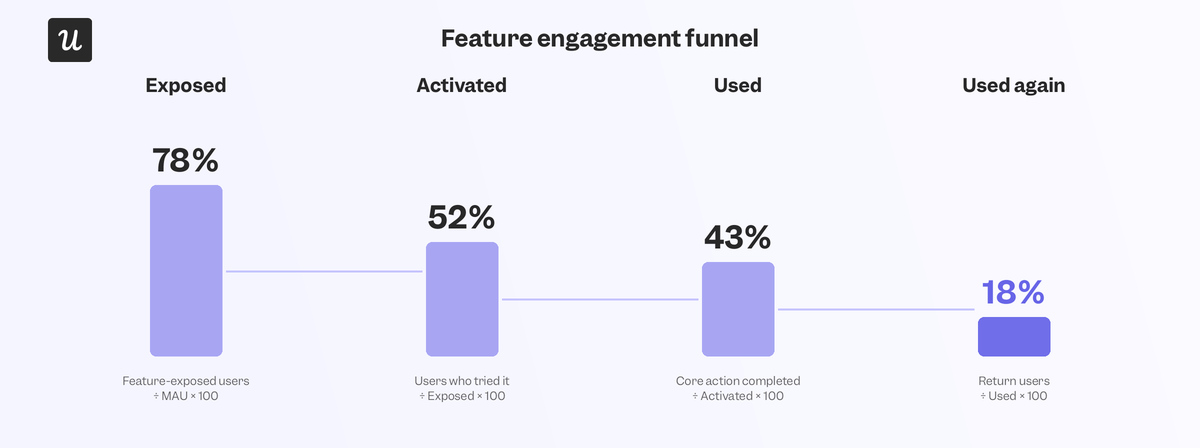
Every feature moves through the same four stages of exposed, activated, used, and used again.
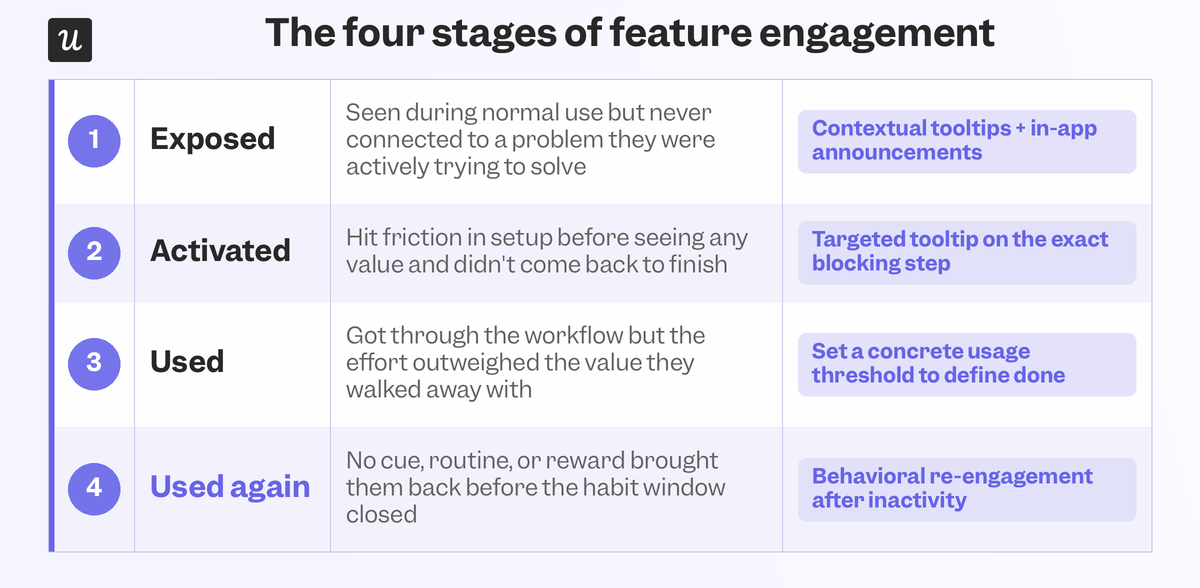
Identifying which stage is broken tells you which fix to run. This is paramount because running the right fix on the wrong stage (or vice versa) is how teams burn an entire quarter on a re-engagement campaign that was doomed from the start.
1. Exposed
Exposure is the most overlooked stage because shipping a feature feels like the finish line when it’s really only the beginning. Features get buried in secondary menus, announced once in a changelog post, and then are never surfaced anywhere a user is actually looking. Contextual tooltips and in-app announcements are far more effective at driving user engagement because the message shows up while someone is looking at the exact screen where the feature would be helpful.
2. Activated
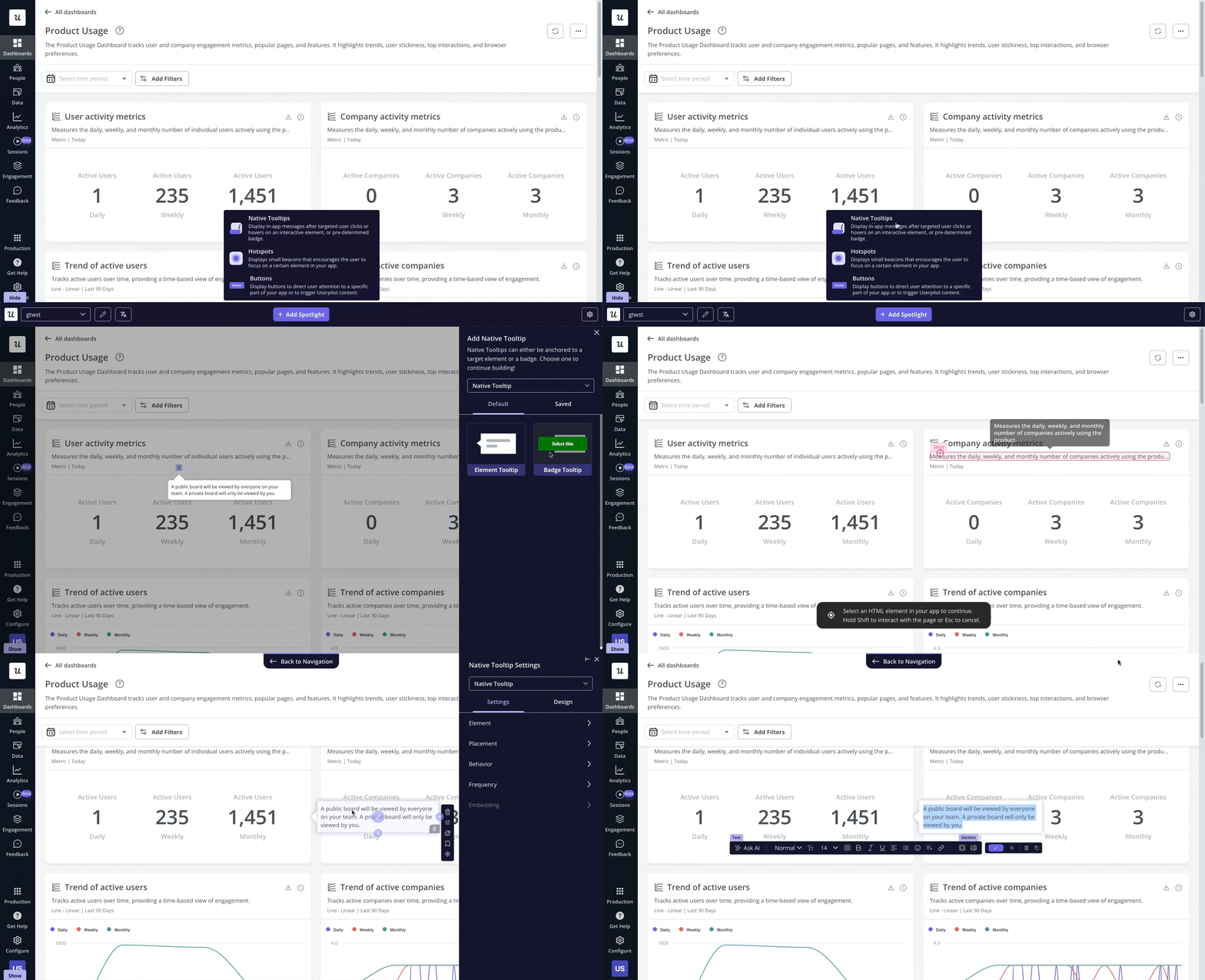
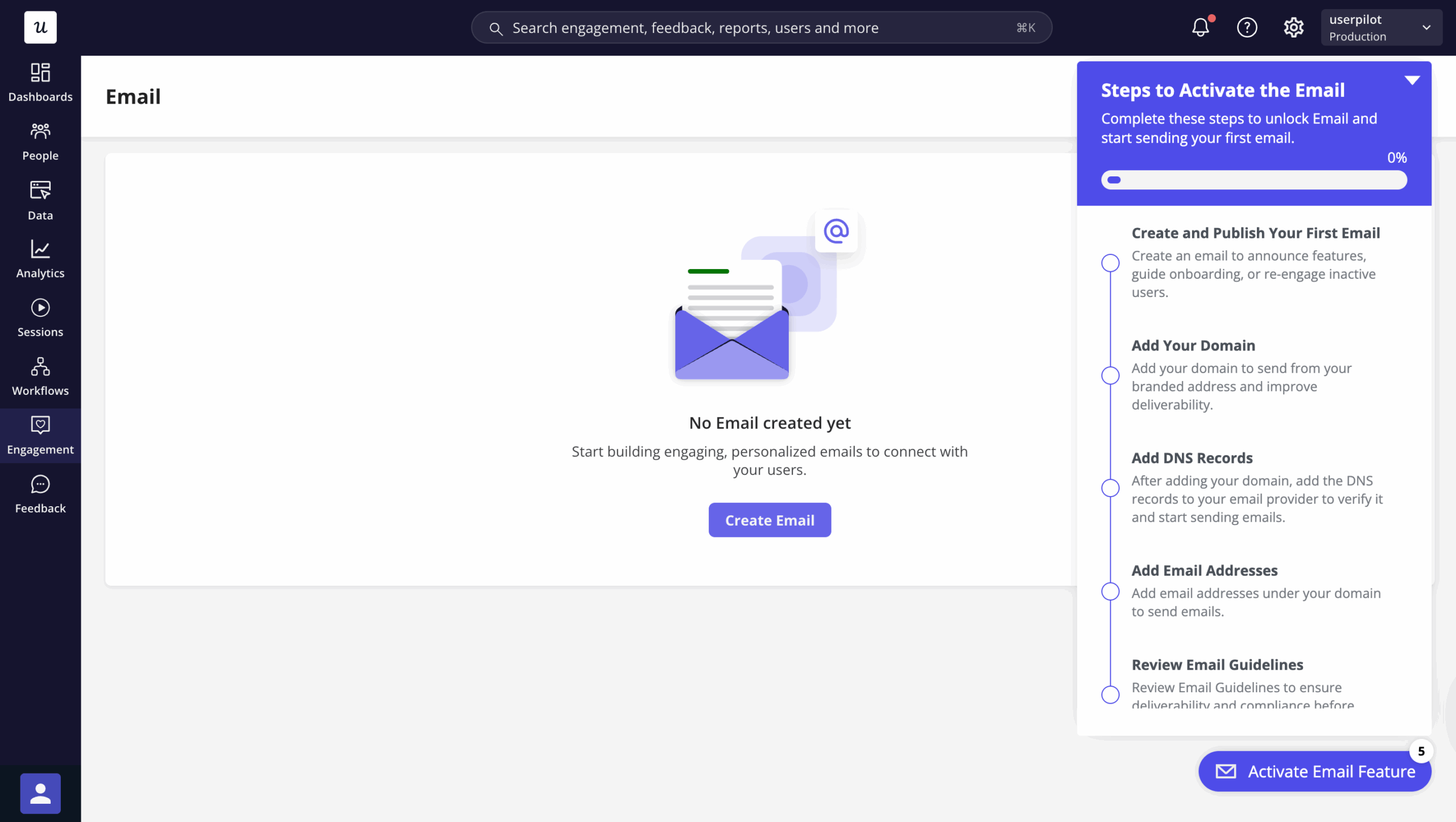
Low activation despite solid exposure means the friction lives in setup, not awareness. I saw this firsthand when Userpilot’s email feature launched and the funnel showed a sharp drop at the domain verification step. Instead of filing an engineering ticket and waiting, I built a targeting tooltip the same afternoon that highlighted exactly which step to take next, and the drop-off rates closed within days.
3. Used
“Used” means completing the actual job, not merely opening the feature. This is the distinction between feature discovery, engagement, and finally adoption.
Stewart Butterfield, CEO of Slack, spoke about their concrete threshold to measure user activation:
“Based on experience of which companies stuck with us and which didn’t, we decided that any team that has exchanged 2,000 messages in its history has tried Slack — really tried it. For a team around 50 people that means about 10 hours’ worth of messages. For a typical team of 10 people, that’s maybe a week’s worth of messages. But it hit us that, regardless of any other factor, after 2,000 messages, 93% of those customers are still using Slack today.”
4. Used again
A single use proves the feature can work. Repeat use is what shows up in renewals and expansion. Using behavioral re-engagement triggers after 14 days of inactivity, milestone notifications tied to feature-specific value, and folding features into a workflow someone already visits can all help drive recurring usage instead of one-off pilot tests. Gamification is another way to incentivize repeated feature use by rewarding customers with streaks, badges, and leaderboard rankings.
How to track feature engagement correctly
Four dimensions matter when tracking feature engagement: frequency (how often), depth (actions per session), breadth (how many sub-capabilities get touched), and consistency (whether usage holds steady week over week). Map those dimensions to funnel metrics instead of tracking a blended adoption number. Track exposure rate (users who saw the feature over total active users), activation rate (users who completed the core action over exposed users), used-again rate (repeat users over first-time users), and feature-level retention (used this period and last period).
Make sure to segment your engagement data to see which features resonate with different audiences. The same feature can show 40% activation in your ideal-customer segment but only 8% activation in accounts that never should have bought that plan in the first place. Reporting the blended number hides the drop-off rates that you can only see by evaluating stages separately. That said, reviewing this data across every shipped feature by hand isn’t scalable for most teams with average headcounts.
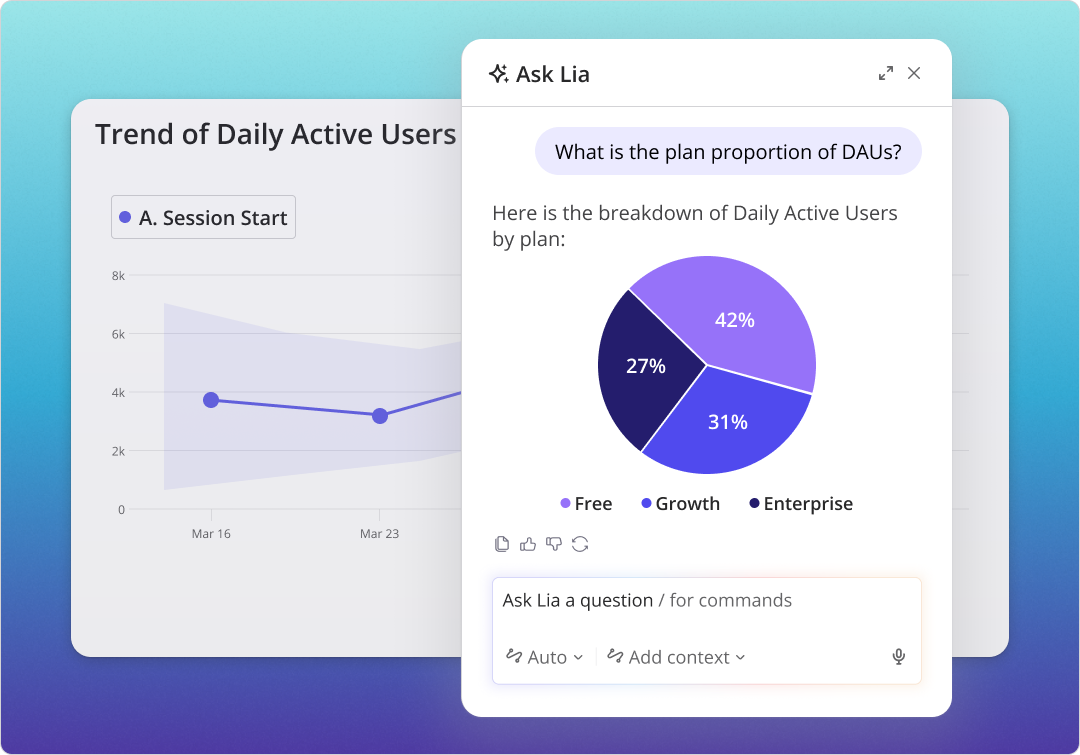
Userpilot’s AI agent, Lia, now runs that diagnostic automatically by mapping behavior against the four gates above, flagging where a given feature is actually stalling, and returning a list of fixes.
Strategies that increase feature engagement at each stage
Once you’ve diagnosed which stage users are stalling at, the next step is to deploy fixes for that specific stage. A broad onboarding overhaul won’t be enough to address the targeted problems that are hindering specific feature adoption.
Outperform emails with contextual in-app guidance
The adoption gap between in-app guidance and email exists because in-app guidance shows up inside the feature while emails sit in an inbox that users might only check a few times a week. Trigger the tooltip on the first feature entry (not on every session) and cap any interactive walkthrough at 3-5 steps to avoid overwhelming users. Userpilot’s user engagement capabilities let you target in-app messages by segment and lifecycle stage to ensure the guidance customers see is always relevant to their use case.
Onboard users by role segments (not signup date)
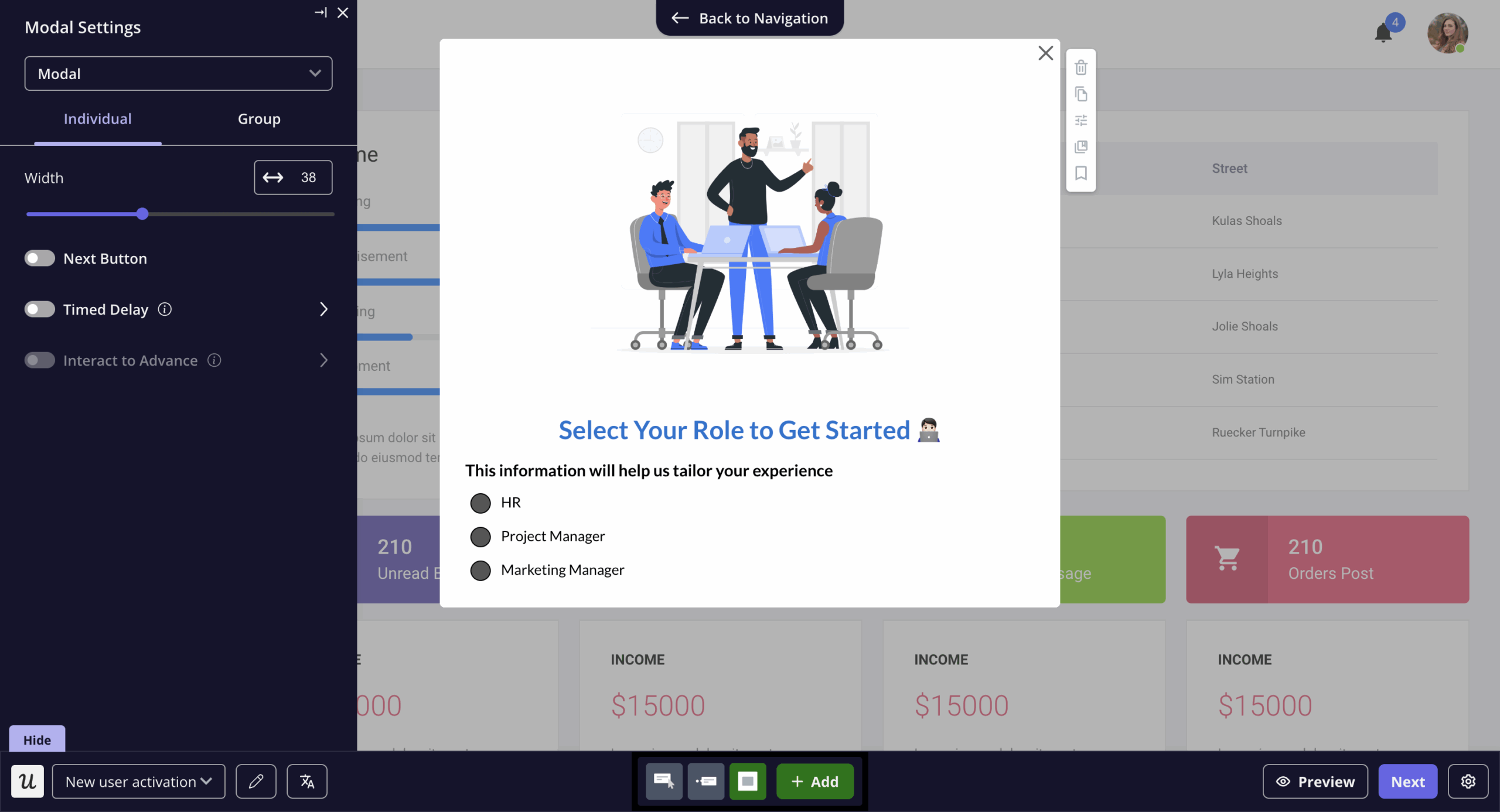
Using the same onboarding flow for every user who signs up means the wrong features will be surfaced to the wrong people at the wrong time. In reality, you should be routing new users by role so that marketers, designers, and engineers all land in different flows built specifically for whichever task they need to complete first. Personalizing onboarding by use case gets users to a relevant feature far faster than a boilerplate product tour ever can.
Find funnel friction points with session replays
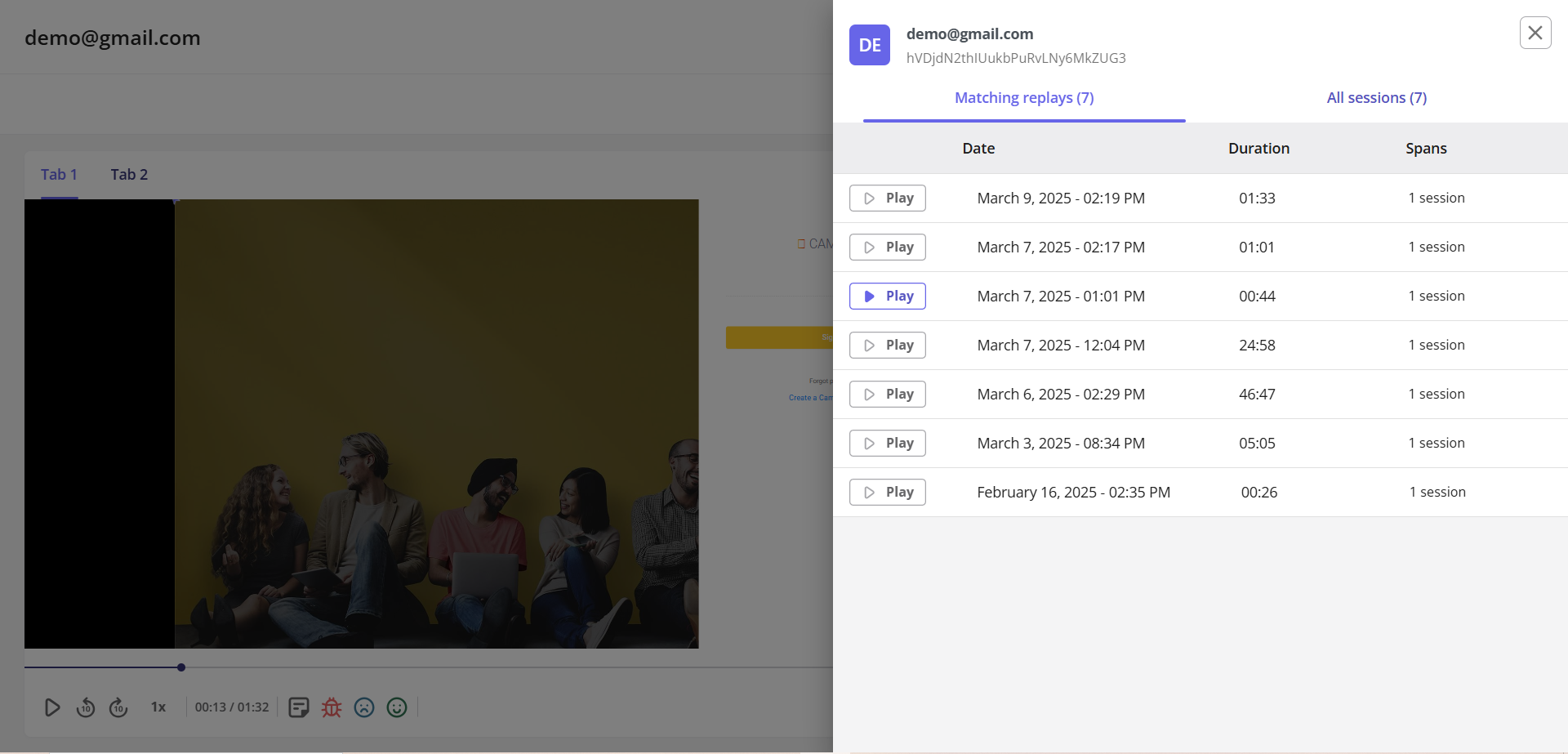
Funnel analytics show you where users drop off, but it doesn’t tell you why. A feature might show up with a low activation rate in a dashboard, but a session replay could reveal that users are navigating right past the button that expands it without ever noticing it. That type of problem requires a completely different fix from friction-related issues that occur when using the feature itself.
Trigger milestone nudges after activation
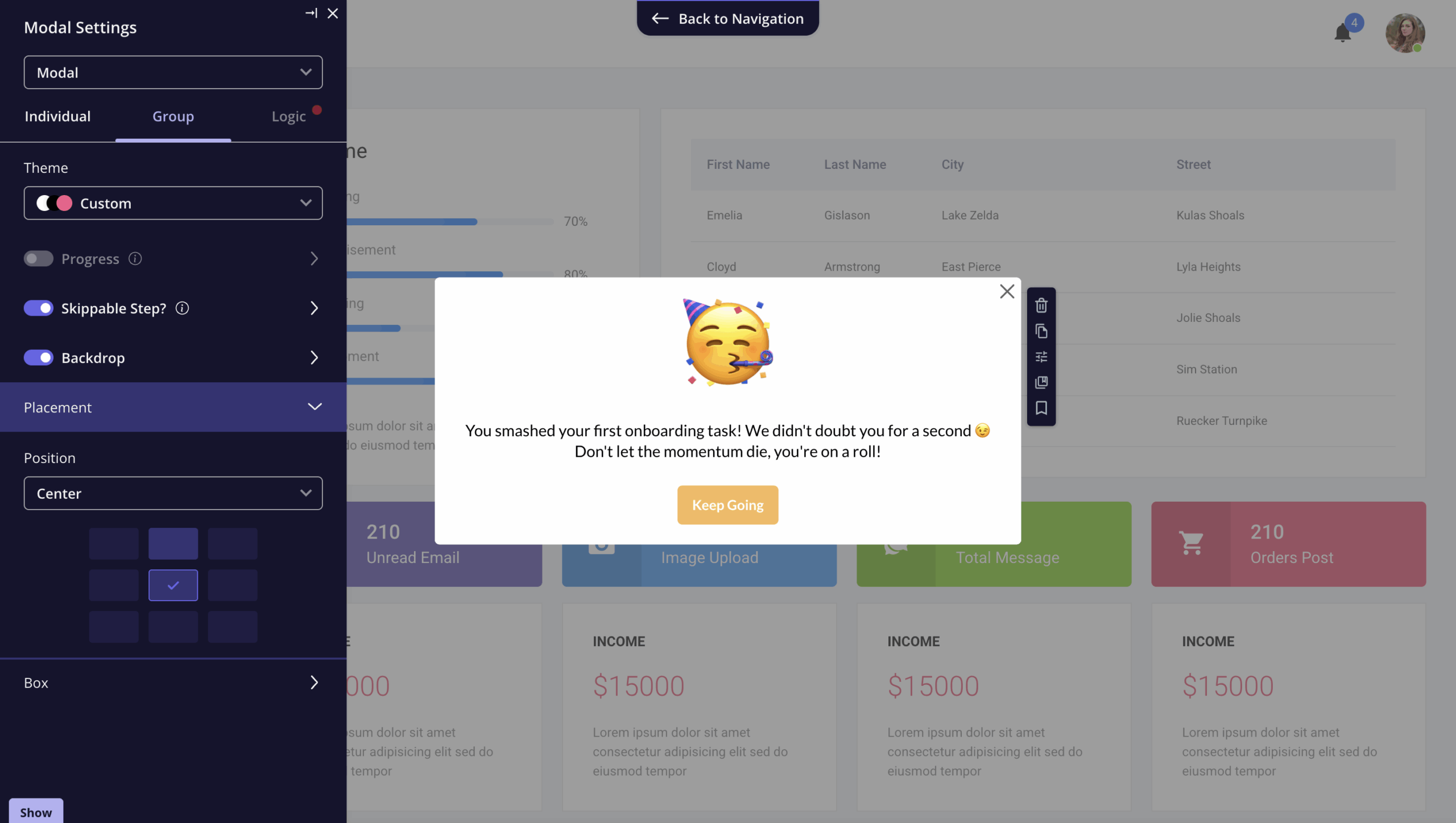
Gamification only earns its keep once someone has already reached value once. Mapping rewards and quests to real product behavior will be far more effective than bolting on random streaks or badges to a workflow that users are already getting stuck on. For most SaaS products, that means adding milestones to specific usage thresholds (e.g., “you’ve automated 50 tasks since turning this on”) and triggering re-engagement nudges after X days of inactivity.
Turn diagnoses into fixes without engineering sprints
Knowing that a feature stalls at activation means nothing if the fix has to wait until the next sprint or quarter, waiting in line behind three other roadmap items. That’s the gap Userpilot features like in-app analytics, session replays, and no-code engagement tools close. This lets SaaS teams see exactly where users drop off, build the walkthrough in minutes, and measure whether it moved the needle all within the same platform.
Get a demo to see how Userpilot can boost feature engagement across every stage of your product!
FAQ
What is feature engagement?
Feature engagement measures how active users interact with a product’s functionalities, reflecting genuine adoption and satisfaction. By evaluating feature usage based on frequency, depth, and relevance of use, product teams can optimize user experiences.
What are the 4 P’s of engagement?
Product, People, Processes, and Performance form the 4 P’s of engagement. Each element enhances user satisfaction, drives consistent usage, nurtures brand loyalty, and fosters meaningful, long-term product relationships.
How to measure engagement in a product?
Use KPIs like monthly active users, session duration, and feature usage frequency. Combine quantitative analytics with qualitative feedback to identify pain points, gauge value delivery, and refine product strategies.
What is the role of product engagement?
Product engagement is a critical indicator of user satisfaction, retention, and feature adoption. Higher user engagement signifies deeper connections with features, fueling improvements, brand loyalty, and increased revenue opportunities for product-driven businesses.
About the author