Userflow pricing is one of the cheapest in the DAP market for small businesses and startups.
But this doesn’t mean it’s the most cost-effective. It might be cheaper, but it won’t necessarily lead to lower costs if you still have to plug a product analytics platform, a session replay tool, and pay extra for integrations.
So I’ll go over what Userflow offers for its prices, and compare it with an all-in-one product growth platform
TL;DR: Userflow isn’t the most cost-effective because you’d still need tools for product analytics or session replays.
What is Userflow?
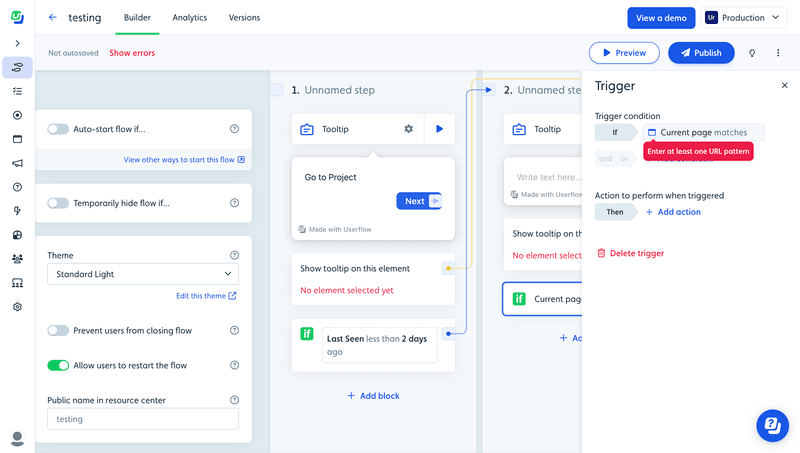
Userflow is a lightweight user engagement tool for building product tours in web apps.
It lets you set up logic-based triggers, integrate with multiple tools, guide users, and support multi-language messaging.
Plus, you can personalize flows based on user behavior and attributes to deliver better customer experiences.
Key features of Userflow:
- No-code flow builder: You can customize your onboarding guides and product tours via their Chrome extension, without coding.
- In-app experiences: Includes tooltips, banners, and announcements with the flow builder. As well as hotspots, icons, or buttons via the Launcher feature.
- Personalization: It can segment your users based on attributes and in-app behavior. Which can be used to trigger flows with personalized messages.
- Onboarding checklists: Can create checklists to onboard users and achieve activation faster.
Breaking down Userflow pricing tiers
Userflow presents a pricing structure based on Monthly Active Users (MAUs) and specific feature sets.
Currently, their public pricing falls into three main buckets:
- Startup plan: Advertised at $240/month (billed annually).
- Pro plan: Advertised at $680/month (billed annually).
- Enterprise plan: Custom quoting for advanced security and scale.
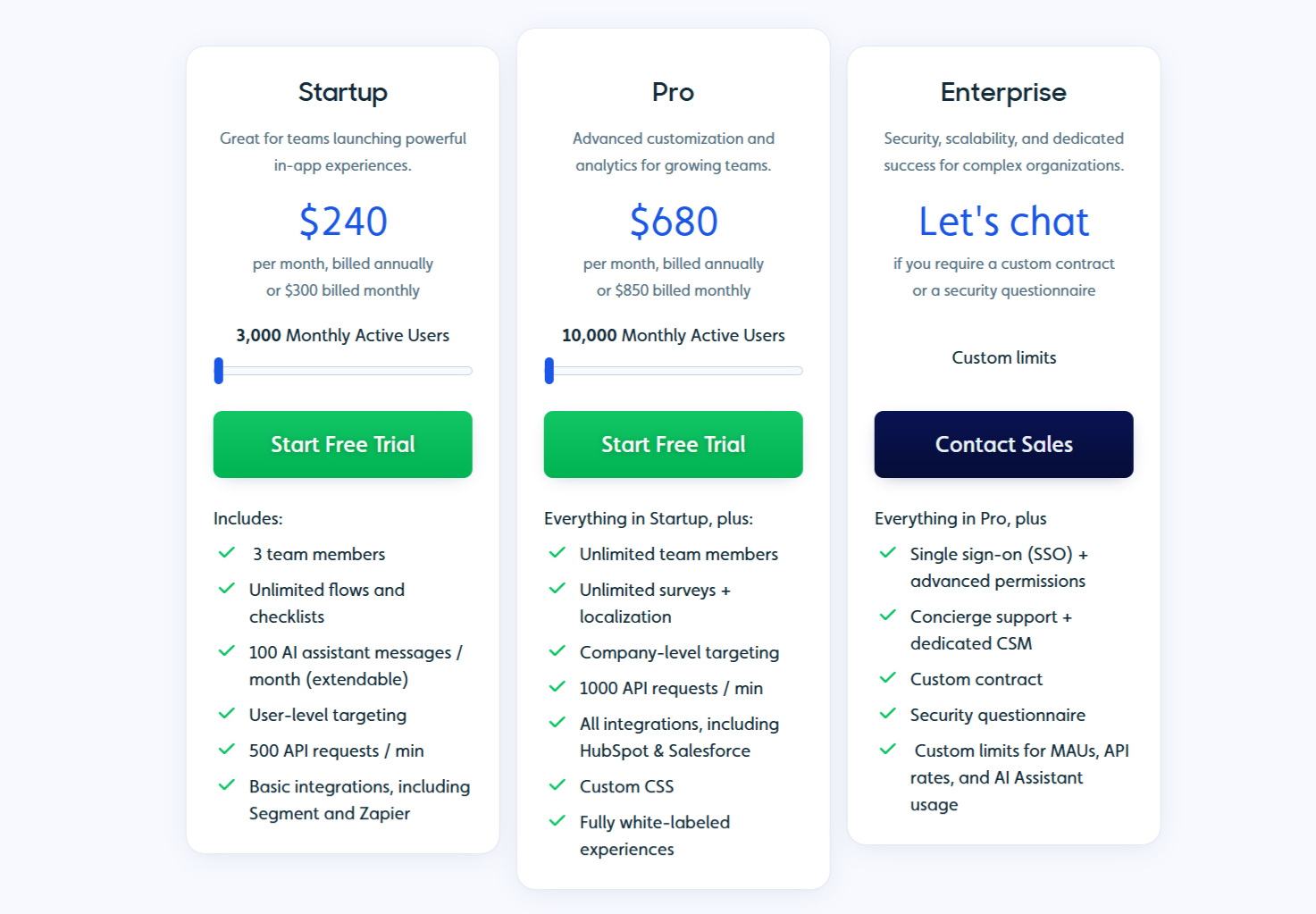
Additionally, you have to pay for additional bundles as your user base grows. This includes $80/month for 5,000 MAUs, $80/month for 500 AI responses, and $20/month for extra seats (all with annual billing).
Let’s explore each tier:
The startup plan – unlimited flows
Cost: $240/month (billed annually) or $300/month (billed monthly).
The Startup plan starts at $240 per month for 3,000 MAUs, 100 AI assistant messages, and 3 seats. You get access to the flow builder (with unlimited themes), checklists, simple flow analytics, and basic integrations.
Compared to other entry-level plans, it also provides limited in-app surveys (2 questions max), a resource center (with custom themes locked behind higher plans), and an AI assistant for self-service support.
Out of all essential features, this plan misses localization, CRM integrations (Salesforce and Hubspot), company-level targeting, CSS customization, and data exports. Yet, it’s still one of the tools with the lowest cost of entry for small businesses or early-stage startups.
Choose this plan if:
- You have fewer than 3,000 MAUs.
- You only need English content.
- The tech stack includes Mixpanel or Amplitude for product analytics.
- You have a small team (fewer than 3 people accessing the tool).
- Your product is B2C or simply doesn’t need to target users based on company profiles.
The pro plan – unlimited team members
Cost: $680/month (billed annually) or $850/month (billed monthly).
Growing SaaS companies will find the Pro plan more suitable for their needs. It jumps to $680/month for 10,000 MAUs, unlimited team members, and 2 extra environments (for staging and testing).
This plan adds almost all the missing Userflow features. Including:
- Unlimited surveys.
- Content localization.
- Custom resource center.
- Event analytics to track in-app behaviors and user attributes.
- Data exports to a data warehouse (or to the Google Cloud Platform).
- Alerting for anomalies.
- Company-level targeting for account expansion.
- Custom CSS to design on-brand guided tours for customer onboarding.
- Integration with Salesforce and HubSpot.
For a mid-level plan, the pricing is still competitive for in-app engagement and user feedback. Yet, it lacks the depth that product teams in PLG companies could need. For instance, you can’t segment users based on qualitative feedback responses (other than NPS), it only supports web apps (no mobile or email messaging), it lacks session replays, and more.
Choose Pro if:
- You need to localize product tours in multiple languages.
- There’s a need to collect customer feedback.
- You need to integrate a product adoption tool with your data warehouse and CRM.
- Your product is simple enough that you don’t need deeper insights into how users interact with your product.
The enterprise plan – unlimited products
Cost: Custom contract (starts significantly higher).
Userflow’s enterprise tier has custom pricing based on MAU volume and security requirements. It removes feature caps and introduces common enterprise services. Includes Single Sign-On (SSO), security audits, security questionnaires, concierge support, and a dedicated CSM.
However, Userflow is not an enterprise-grade product, and this plan only adds basic compliance/security features you can find anywhere else. It only seems to be useful for those large companies that don’t need advanced integrations or PLG-focused strategies for their products.
Userflow is cheaper, but not better for PLG companies
Beyond direct financial costs, locking yourself into the Userflow ecosystem creates functional gaps that eventually force you to buy and maintain separate tools (increasing technical debt).
For product teams in PLG companies, these are the main gaps you’ll notice harder:
Lack of mobile engagement
Userflow provides an excellent experience for web applications. However, modern SaaS users do not live exclusively in the browser. If you have or plan to implement a mobile version, Userflow cannot onboard those new users. Meaning you’ll need a completely different vendor for your mobile onboarding.
The result:
- Data silos due to web and mobile onboarding data living on different platforms.
- You cannot orchestrate a journey that starts on the web (e.g., account setup) and finishes on mobile (e.g., verification).
- You pay two vendors to solve one problem.
Additionally, platforms like Userpilot support mobile content natively, allowing you to manage iOS, Android, and Web flows from a single dashboard. This lets you create a unified user experience across devices and orchestrate a cohesive customer lifecycle strategy.
Less visibility and strategic action
Userflow lacks deep product usage analytics capabilities. While you can integrate it with Amplitude or Mixpanel (for an extra cost, mind you), you cannot easily implement insight-driven strategies without coding.
If we look at Userpilot, it has deep product analytics built into the platform. You can view trends, funnels, and retention cohorts without leaving the dashboard. It lets you customize dashboards with the metrics you need, create advanced segments based on in-app behaviors (not just clicks), and combine it with user engagement to offer a truly personalized experience.
No session replays
Unlike tools like Userpilot, Userflow does not offer session replays. So, unless you add a tool like LogRocket or Fullstory to your stack, there’s no way to see why other users are not completing their onboarding process.
Userpilot has session replay integrated. When you see a user fail an onboarding step, you can watch the recording of their session. You might see them rage-clicking a broken button or getting confused by a form field. It provides insights that quantitative data could never provide.
Pros and cons of Userflow
To be fair, Userflow is a capable tool for specific scenarios. Here is an honest breakdown of where it shines and where it falls short.
Pros:
- Cheaper and transparent pricing: The entry price ($240/mo) for 3,000 MAUs is competitive. It allows smaller companies and startups to get started with product adoption without having to code.
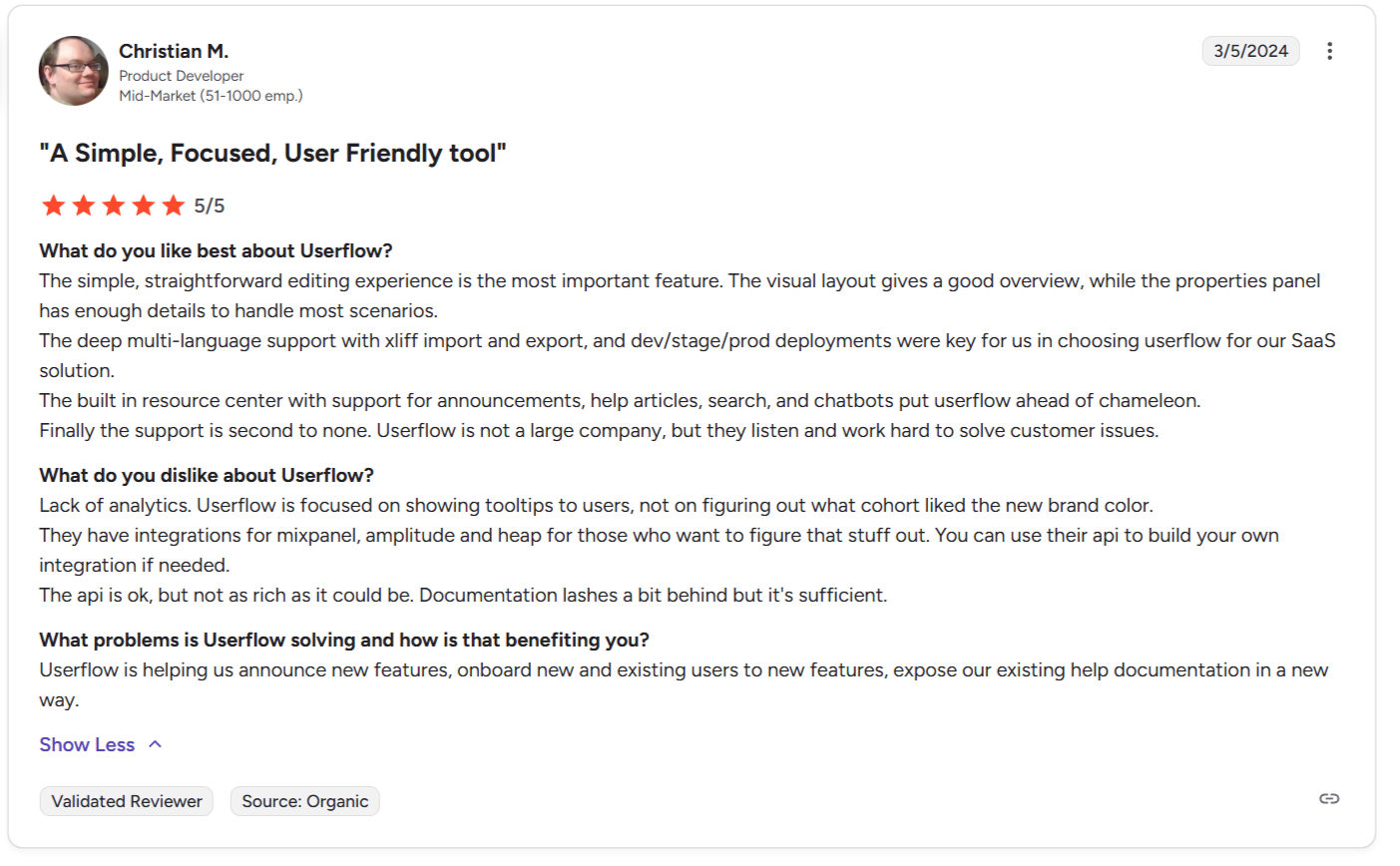
- Speed and ease of use: The fact that it’s “lightweight” makes it feel faster when building flows. It also doesn’t require coding skills at all.
- Native-like UI patterns: The end-user patterns (modals, tooltips) look on-brand and require minimal CSS tweaking.
Cons:
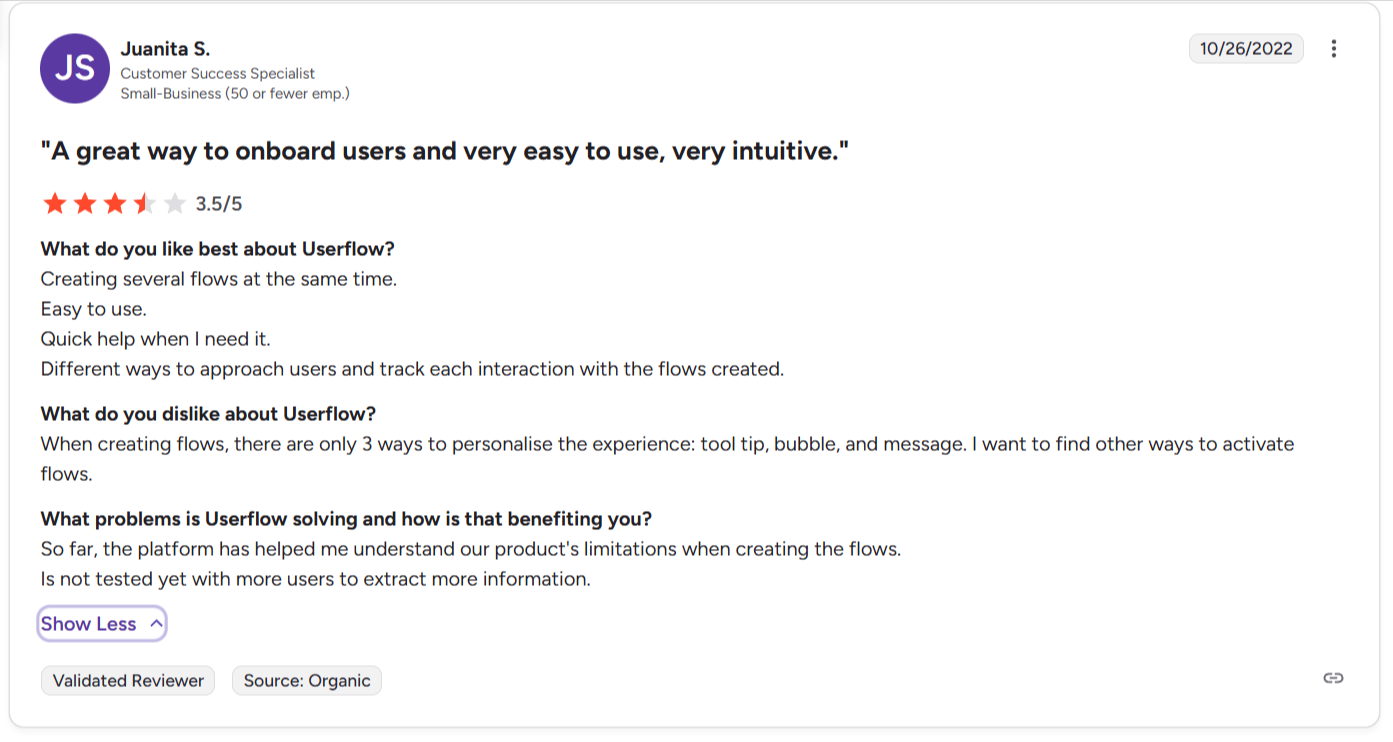
- Analytics gap: You cannot perform deep product analysis (funnels, paths, retention) natively.
- No mobile: Strictly limited to web apps.
- Integration costs: You rely on 3rd party integrations for things that should be native, like advanced analytics or detailed feedback management.
Why Userpilot is a better alternative for user onboarding
Although it’s not the cheapest, Userpilot offers a better price-to-value ratio for scaling SaaS companies.
Compared to Userflow, Userpilot offers more value to product teams in different dimensions:
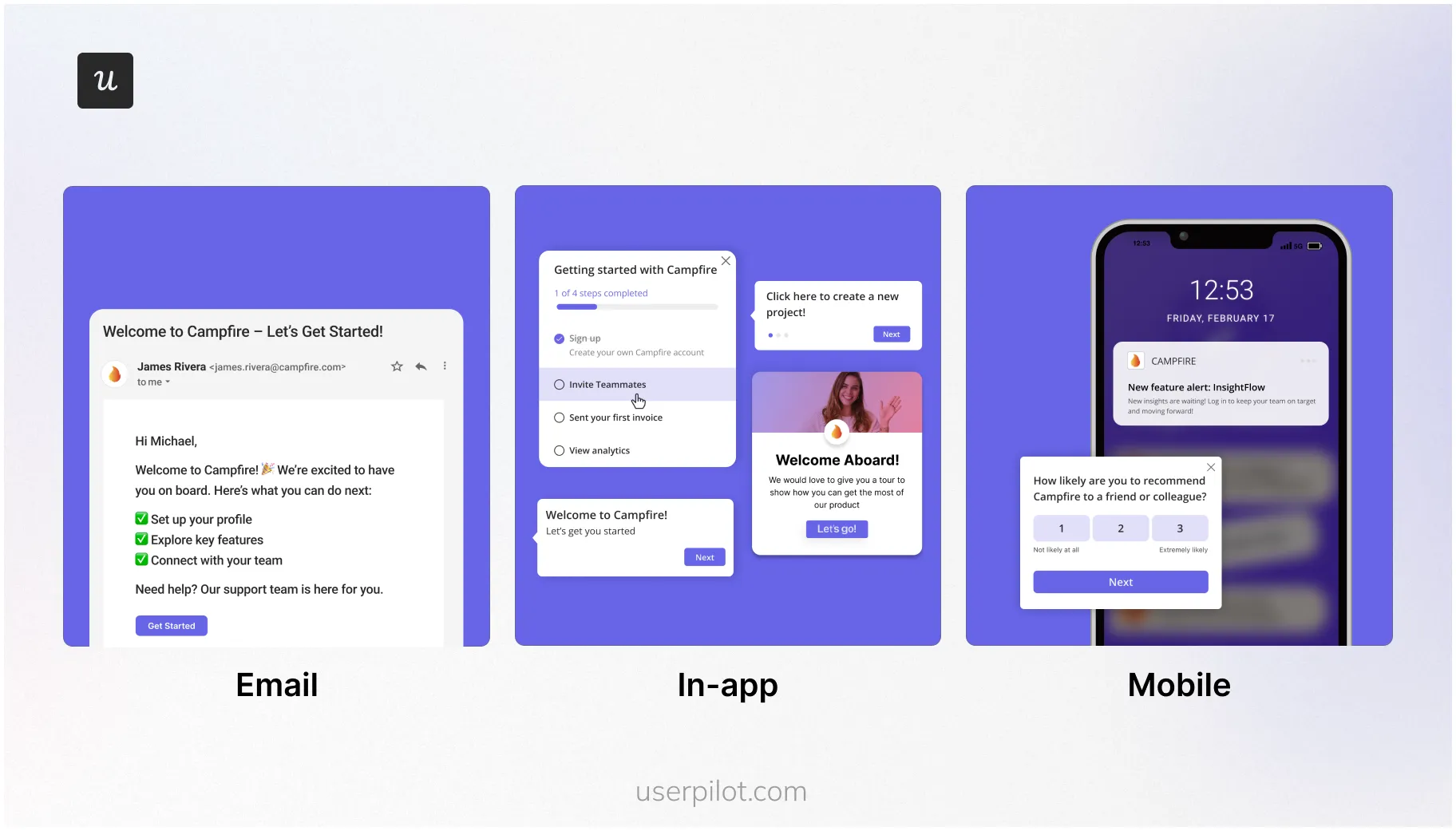
- Omnichannel support: Userpilot supports both web, mobile app, and email. You can manage mobile content (carousels, push notifications) from the same dashboard as your web onboarding. This unified view is essential for understanding the complete customer journey.
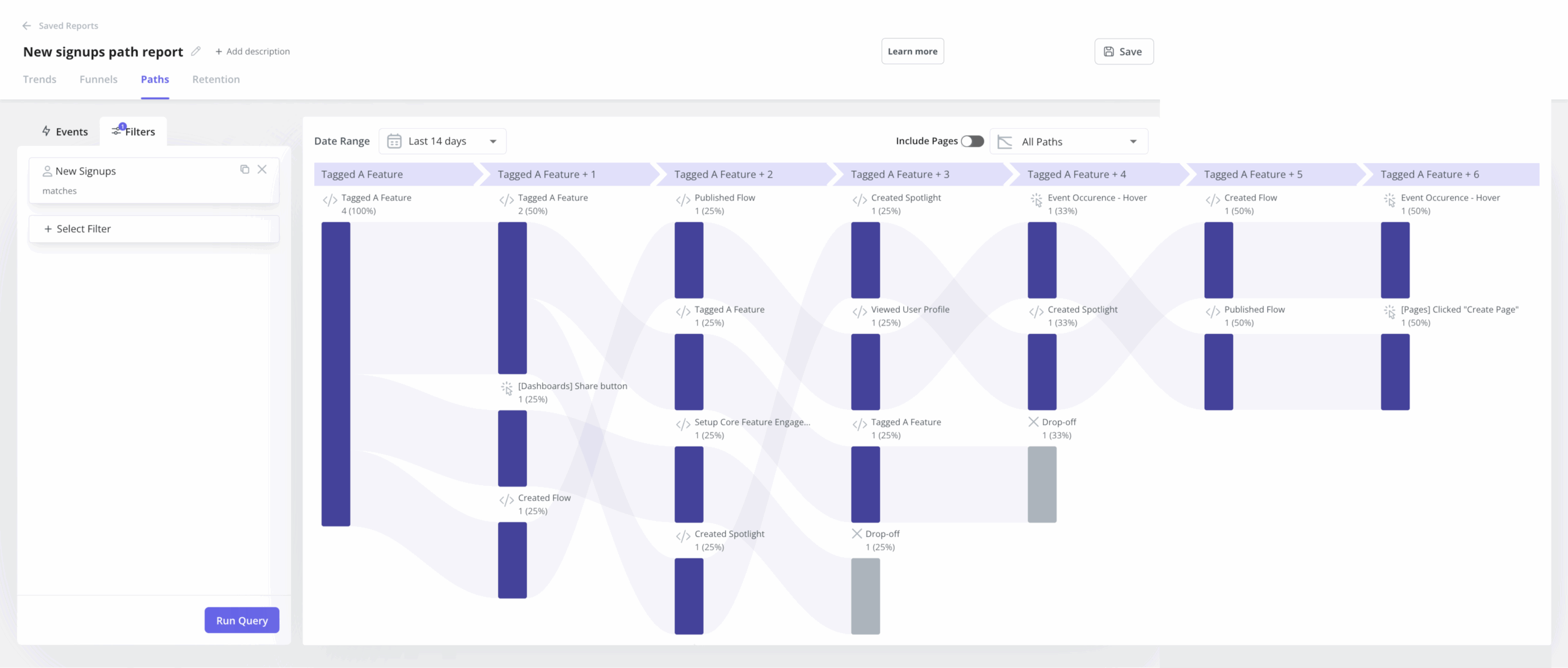
- Native analytics: You don’t need a separate subscription for product analytics because we offer trends, funnels, and path analysis natively. This allows you to correlate flow engagement directly with feature adoption without complex data piping.
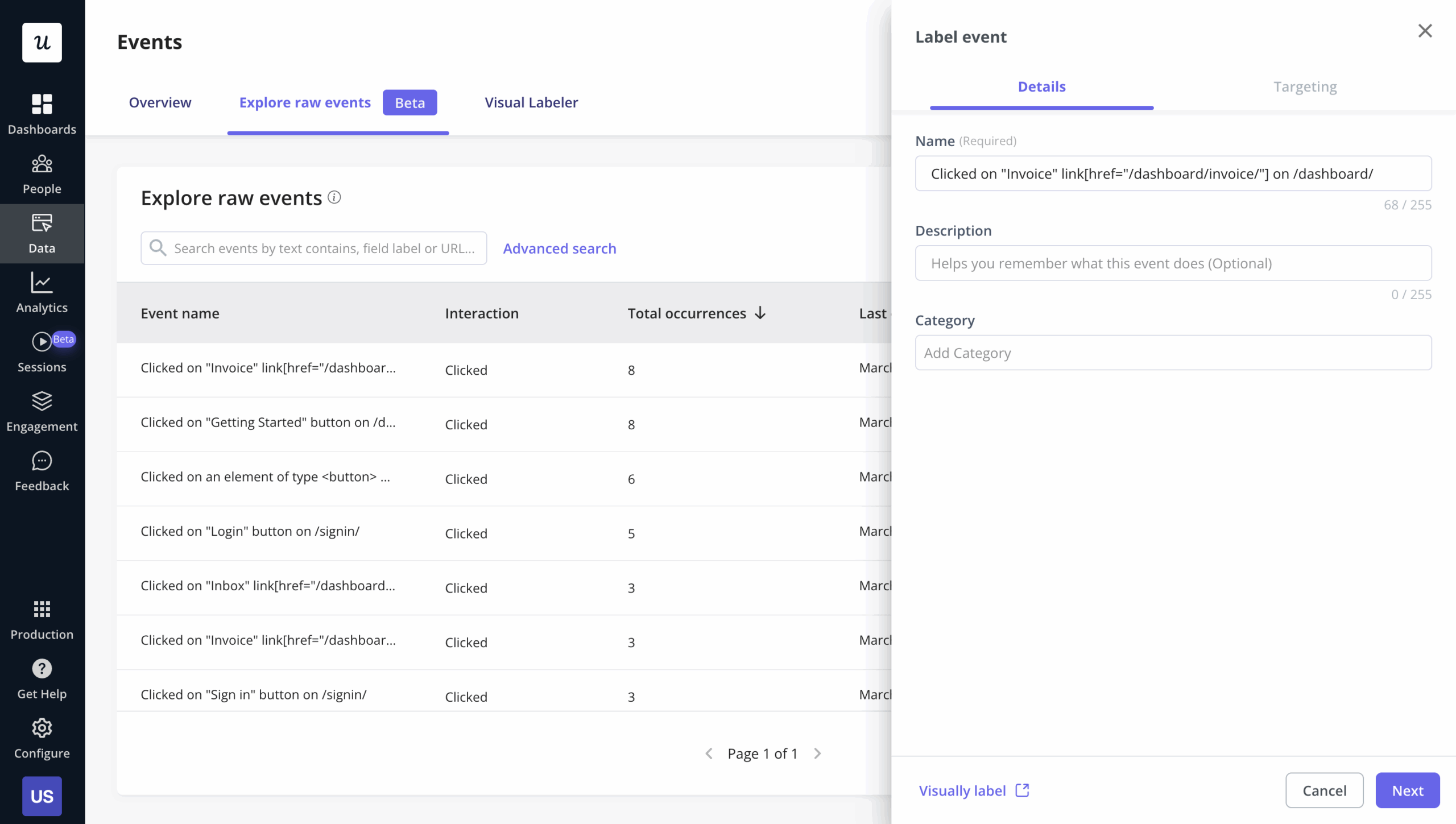
- Autocaptured events: With autocapture, you don’t have to instrument events manually right after setting it up. It will start tracking event data automatically upon setup and all you need to do is label them before creating a report.
-
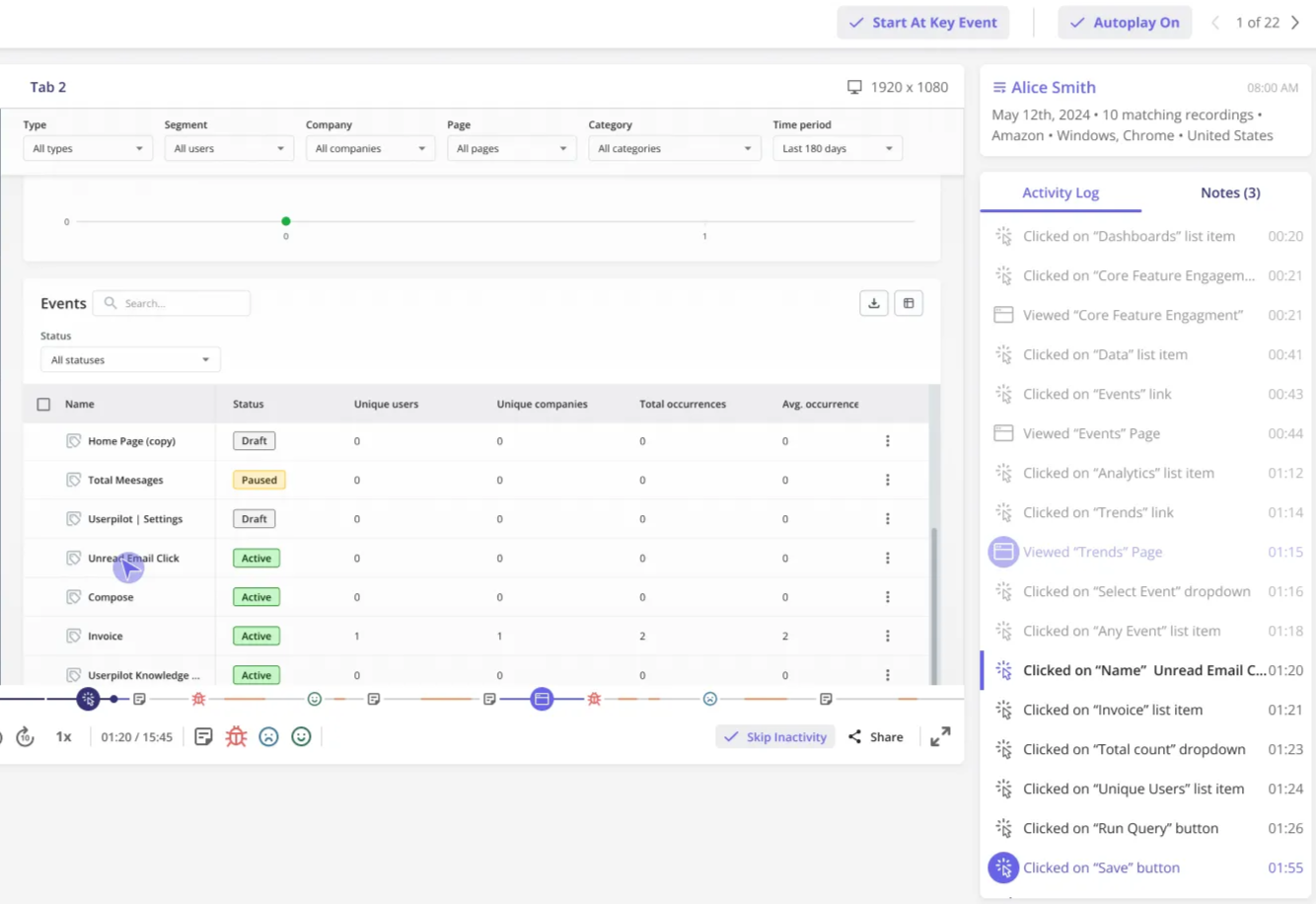
Unlimited session replays: Besides allowing you to record and watch user sessions directly from a funnel report, Userpilot replays are not billed by usage (unlike other tools).
-
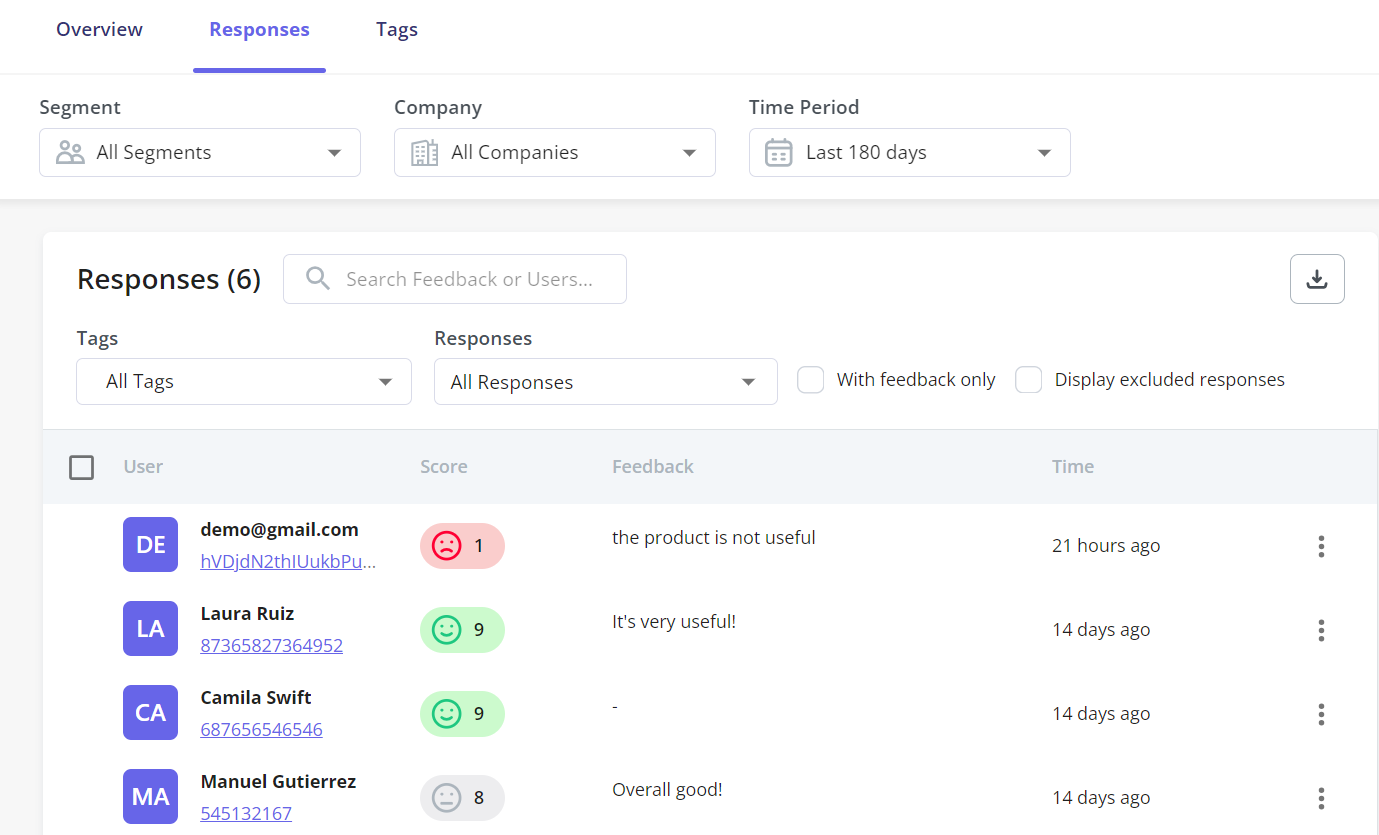
NPS response tagging: Besides tracking NPS scores over time, Userpilot lets you filter users based on recurrent keywords mentioned across NPS responses. This lets you understand common themes across detractors or promoters, and segment them.
-
Product AI agent: Userpilot’s upcoming AI assistant (Lia) will automatically analyze user behavior, flag recurrent themes in survey responses, and even craft personalized in-app campaigns (unlike Userflow’s AI assistant, which only serves to search on your knowledge base). The AI can also parse survey responses and generate insights or appropriate next steps. Join the beta here for early access.

Choose Userpilot for no-code customer onboarding!
Userflow is a polished tool suitable for small, web-only startups with healthy budgets and low headcount. The UI is excellent, and the builder is smooth, making it a great choice for small teams.
However, for a SaaS company in the scaling phase, it eventually becomes a bottleneck. The lack of mobile support and actionable analytics will hinder your growth.
On the other hand, Userpilot helps you drive product adoption across many platforms (web, mobile, and email) and provides no-code analytics to improve the customer experience.
So if you want to see how Userpilot can elevate your onboarding experience, book a demo to tell us about your needs (no credit card required).
About the author