The Product Fruits Login: How It Works and Where It Falls Short


Logging into Product Fruits is usually framed as a simple starting point, a quick step before you build tours, tooltips, or checklists.
In practice, that login is where the real evaluation begins. It determines how quickly you can access the platform, how securely your team can use it, what you see once you are inside, and whether the tool helps you understand user behavior or simply manage in-app content.
In this guide, I’ll walk you through the Product Fruits login experience, from access and troubleshooting to dashboards, stability, and analytics, and then examine where those choices can start to limit teams as products grow.
Direct access and troubleshooting common errors
Let’s not waste time. If you require immediate account access to fix a live issue, you can access the platform directly at: my.productfruits.com.
There is no “magic” button on the main website, but the subdomain is standard. However, simply having the URL isn’t always enough. I frequently see users encounter “white screens of death,” infinite loading loops, or the editor simply failing to materialize over their application. If you experience issues loading the Product Fruits login page or the editor doesn’t appear over your application, don’t reset your password immediately. I recommend running through this technical checklist first:
The pre-login troubleshooting checklist
- Disable Ad blockers and privacy extensions: Product Fruits relies on JavaScript to overlay content on your app. Aggressive extensions (Ghostery, uBlock Origin, Privacy Badger) often categorize these scripts as “trackers” and block them. If the login page loads but the dashboard is blank, this is usually the culprit. Action: Pause your blockers specifically for your app’s domain and the Product Fruits domain, then refresh the page.
- Clear browser cache and local storage: If the loading screen hangs, it’s often due to a cached version of the dashboard conflicting with a new deployment. SaaS platforms update frequently, and your browser may be holding onto an outdated JavaScript bundle. Action: Open Chrome DevTools (F12), go to the Application tab, click Clear Storage (ensure “Local and session storage” is checked), and refresh.
- Verify Content Security Policy (CSP): This is the most common hidden issue for enterprise apps. Strict network security blocks connections for white-labeled or embedded versions. If the editor won’t load over your app after you log in, your server is likely blocking the request. Action: Ask your engineering team to whitelist the correct domains. Ensure `wss://` (WebSockets) are also allowed, as real-time editors require them for live changes.
- Check for 3rd party cookie blocking: If you use Chrome in Incognito mode, third-party cookies are blocked by default. This often breaks SaaS tools that function as overlays because the editor (running on their domain) is trying to verify your session while you look at your own app. Action: Click the “eye” icon in the address bar and allow third-party cookies for the site.
- Browser compatibility checks: While most product managers use Chrome, I have seen significant rendering issues with Safari and legacy Edge browsers when accessing complex SaaS dashboards. The Product Fruits login page is generally stable, but the internal visual editor relies on Chromium-specific rendering engines.Action: If you are debugging on a non-standard browser, switch to the latest version of Chrome or Firefox to rule out browser engine incompatibilities.
Security and single sign-on
I treat security as a non-negotiable feature. When I look at a tool like Product Fruits, my first question isn’t “Does it allow contextual tooltips?” It’s “How do I secure access for my organization?”
Product Fruits offers Single Sign-On (SSO), but they gate it. According to their pricing and documentation, SSO with providers like Okta, OneLogin, or Azure AD is restricted to their Enterprise plan:
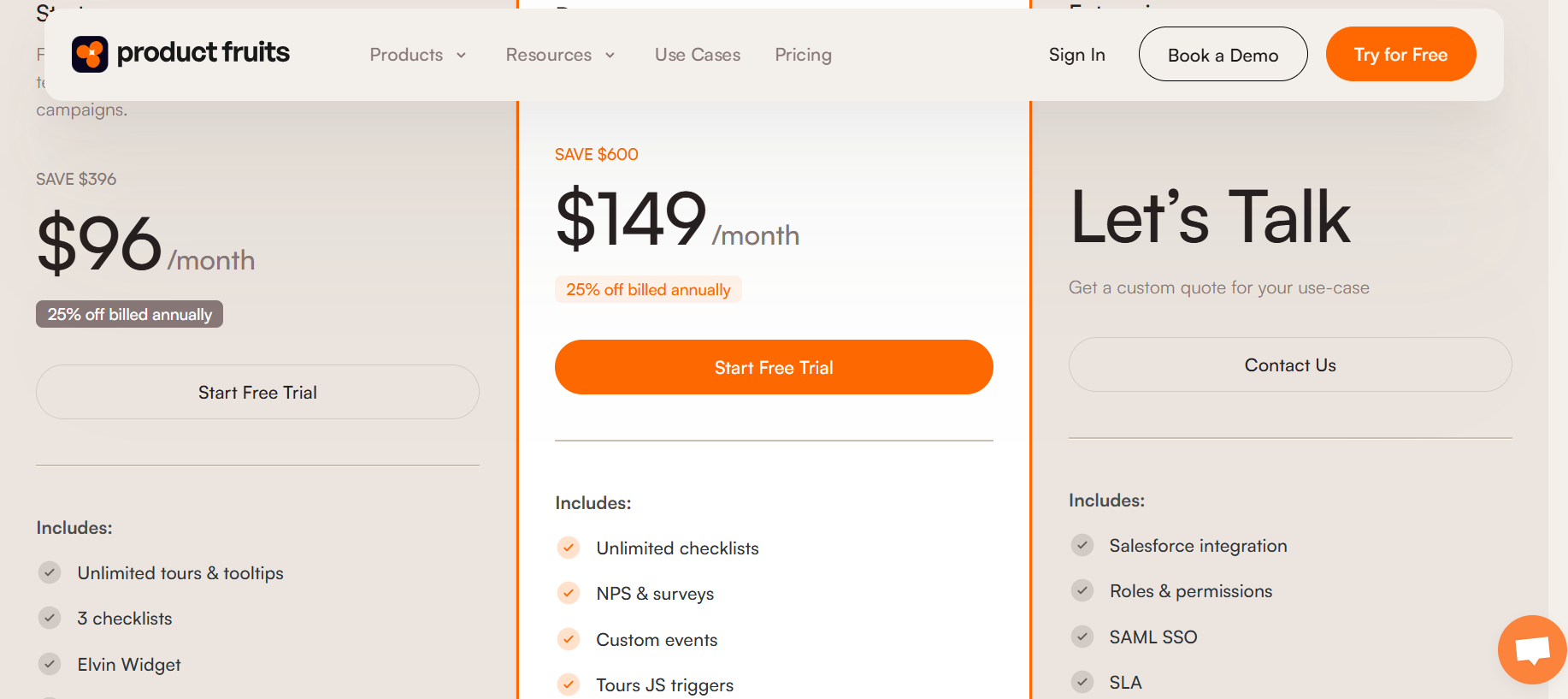
This is a common friction point. If you’re on a Starter or Pro plan, your teammates will have to manage individual credentials. This creates two problems:
- Security risk: When an employee leaves your company, your IT department revokes their main access (Okta, Google Workspace, Slack). However, if that employee possesses a separate, manual login for your platforms, they retain access to sensitive user data, including PII (Personally Identifiable Information) and retention metrics, until someone remembers to manually remove them. Currently, 1 in 8 employee SaaS accounts are dormant, creating significant liabilities if access is not automatically revoked.
- Friction: The absence of SSO means your team has to remember yet another password. If your team can’t log in easily, they won’t build flows. Furthermore, managing user provisioning manually is a waste of time. Advanced platforms use SCIM (System for Cross-domain Identity Management) to automate this. If you are managing a growing product team, you should look for tools that support automated user provisioning via SCIM so you never have to manually add or remove a user again.
What happens after you log in?
Once you pass the security gate and complete the Product Fruits login process, the dashboard philosophy becomes apparent. Product Fruits centers on a “Life Ring Button” in-app help center and a visual content map, which together house features like Elvin Copilot, the platform’s AI assistant for surfacing help content and guidance inside the product.
While functional for basic setups, users consistently report a clunky UI with significant click-depth to reach analytics or edit hints.
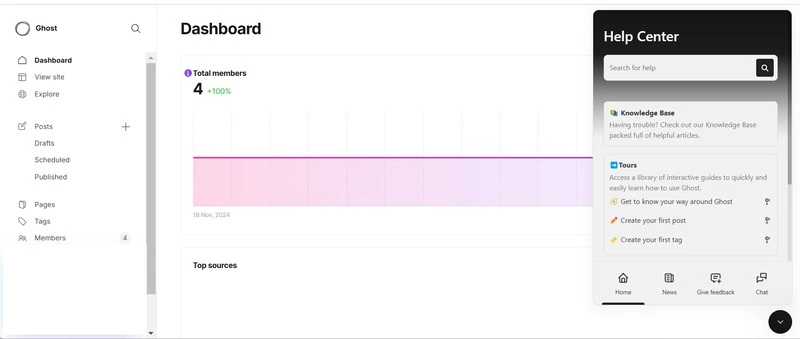
Some PMs will argue that this is enough, that they only need a lightweight builder and a place to store in-app content. That argument falls apart the moment you care about outcomes. When I log into a product adoption platform, I’m not there to admire a list of widgets I’ve already built. I’m there to understand what’s happening right now. Visibility matters, especially when most organizations are juggling hundreds of SaaS tools at once, and insight is already fragmented across systems. Any friction in finding answers drains momentum fast.
The “Monday morning” test
Picture a Monday morning. You’ve just shipped a new feature and log in to check the health of the launch. What do you want to see instantly?
Do you want to see a list of items labeled “Tour A,” “Tooltip B,” and “Banner C,” with no context attached, forcing you to click into each one just to learn how many users saw it or finished it? That’s effectively what a CMS-style dashboard gives you. You’re managing content in isolation, acting more like a librarian sorting widgets than a product leader shaping behavior.
Or would you rather open the dashboard and immediately see what actually matters? A clear view of which users and accounts are active, which features are being adopted, where engagement is dropping, and which user segments are at risk. In that model, you don’t hunt for insights. They’re already surfaced. You’re managing growth, not artifacts.
For me, there are two questions I need answered the moment I log in, especially when users appear stuck: Who is active right now, and which accounts are showing signs they may cancel? If the analytics dashboard makes me dig through menus and individual assets to answer those questions, then I’m not looking at a growth platform. I’m looking at a content manager with analytics bolted on.
Why logging in turns into maintenance
If you find yourself logging into Product Fruits after every engineering deployment just to repair broken product tours or tooltips, you’re not dealing with a workflow issue. You’re dealing with selector instability, and it changes the role the tool plays in your day-to-day work.
Most modern SaaS applications are built on frameworks like React, Angular, or Vue. These frameworks generate dynamic CSS selectors at runtime, which means element identifiers are not guaranteed to remain stable across releases. When your engineering team ships an update, those auto-generated selectors can change even if the UI looks identical. Any user onboarding flow tied directly to them simply stops working. The result is predictable: you log in, open the editor, reselect the element, and republish. This cycle repeats every sprint, and the time you spend adds up quickly.
To avoid turning login sessions into recurring cleanup work, a product adoption tool must provide a minimum level of structural resilience:
- Hierarchical selection: The platform shouldn’t rely on a single element ID. It needs to evaluate the surrounding context, including parent containers, visible text, and stable attributes, to anchor experiences reliably across releases.
- Manual refinement: When auto-selection fails, you should be able to directly edit and fine-tune selectors instead of rebuilding flows from scratch.
- Dynamic state management: The tool must properly handle single-page applications where pages do not reload, but application state and URLs change continuously. Without this, experiences trigger inconsistently and require constant validation after login.
- Exclusion lists: A dedicated exclusion list is essential for ignoring volatile, auto-generated selectors and forcing the platform to rely on durable attributes such as data-testid.
When these safeguards are missing, logging in becomes reactive. You’re there to fix what broke, not to understand user behavior or guide adoption. Over time, that shifts the tool’s value from growth enablement to operational overhead.
Analytics: what you can measure after login
Logging in is the easy part. The hard part is opening the dashboard and getting answers you can trust, with enough accuracy to actually change what you do next.
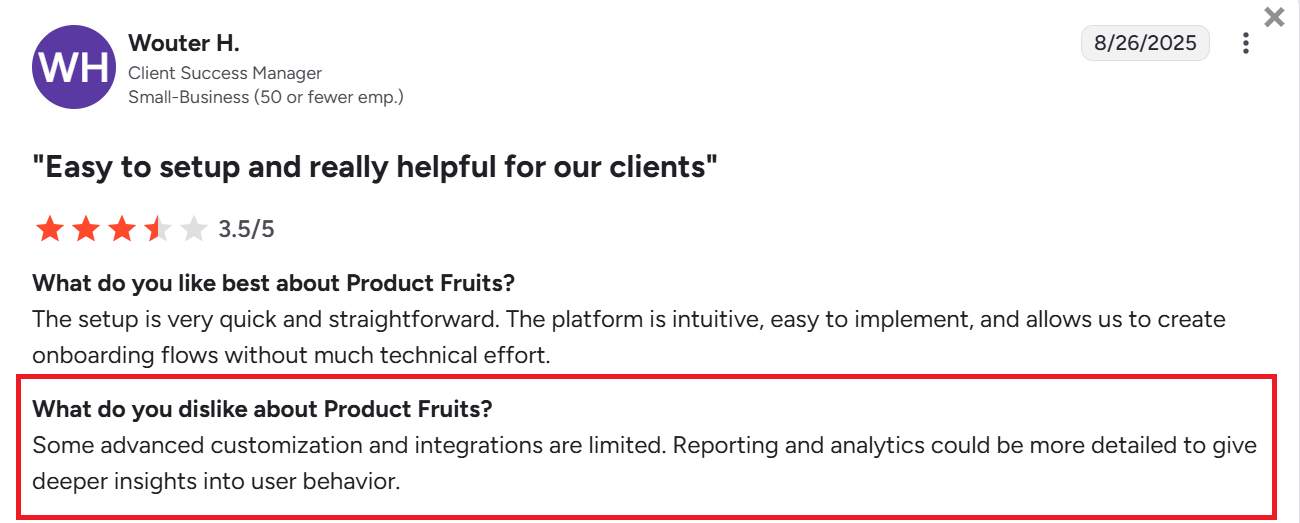
Most lightweight adoption tools report surface activity, and Product Fruits’ built-in analytics largely follow that same pattern: they do a decent job showing performance for individual in-app assets, but they stop short of the deeper product questions that drive customer retention and revenue decisions.
Inside Product Fruits, analytics are organized around the things you build. You can review tour performance over time, see hint visits and unique visits, and check announcement views. For onboarding checklists, you can also see a funnel-style view that shows where users continue or drop off within the checklist itself, which is useful for tightening a single onboarding checklist.
The limitation is what happens when you want to move beyond content analytics and understand user behavior. A view count or completion rate tells you that something was seen, or that a user finished a flow, but it still doesn’t answer the questions that matter when you are trying to prove impact:
- Did users who completed the onboarding checklist actually adopt the feature three days later, or did they churn quietly after the guided moment ended?
- Where are users dropping in the broader activation funnel, across real product events, not just inside a single checklist?
- Do users who saw this flow retain better than users who did not, and does that lift differ by segment or account type?
Product Fruits appears to anticipate that gap. Their own materials position integrations as the way to sync Product Fruits events into analytics systems. Their pricing page also highlights integrations with tools like Google Analytics, Heap, and Mixpanel, which reinforces the idea that deeper analysis typically lives outside the Product Fruits dashboard.
So if you are logging in to validate whether a flow was viewed or completed, Product Fruits can cover that. If you are logging in to answer retention, cohort, and funnel questions that tie onboarding to outcomes, you’ll likely end up stitching together reporting across other tools.
Consider switching to Userpilot
If your login sessions are increasingly about stitching insights rather than acting on them, it may be time to rethink the tool behind them. Userpilot is an all-in-one product growth platform designed to help teams drive adoption across web and mobile apps while measuring impact from the same place.
Instead of separating building, tracking, and analysis across multiple systems, Userpilot brings them into a single workflow that connects in-app experiences directly to product outcomes.
- Unified analytics tied to real behavior: You can go beyond views and completions by tracking what users actually do after engaging with an experience. You can analyze funnels, cohorts, and retention without exporting data to another tool, which removes the guesswork that often follows basic completion metrics.
- Account- and user-level visibility: Rather than reporting only at the asset level, see engagement, adoption, and churn risk at both the user and account level. This makes it easier to spot churn signals, segment high-value users, and prioritize follow-ups, something that is difficult to do when analytics are limited to individual tours or tooltips.
- Built for modern product stacks: You can work reliably with single-page applications and frequent releases, reducing the maintenance work that pulls teams back into the editor after every deployment. Login sessions stay focused on insight and iteration, not repairs.
- In-app experiences with purpose: Like with Product Fruits, you’ll get all the essentials for building user onboarding flows, checklists, and task-based guidance, but directly connected to measurable outcomes. You’re not just publishing content and hoping it works. You can see, with clarity, whether it actually moves users toward adoption.
- Resource center for ongoing education: Extend the onboarding experience beyond first-time flows. Without writing code, you can build a resource center that surfaces knowledge sources such as FAQs, tutorial videos, internal docs, knowledge base articles, and contextual product annotations at the right location inside the product. By giving customers answers in context, your team can reduce support tickets while improving self-service adoption and overall product understanding.
- In-app surveys tied to behavior: Instead of sending users out to external survey tools, ask targeted questions based on actions, feature usage, or lifecycle stage, and use AI-powered tools to analyze responses in real time.
Don’t take my word for it. Here’s what one of our customers says:

Userpilot strives to provide accurate information to help businesses determine the best solution for their particular needs. Due to the dynamic nature of the industry, the features offered by Userpilot and others often change over time. The statements made in this article are accurate to the best of Userpilot’s knowledge as of its publication/most recent update on December 28, 2025.
About the author