Usetiful Pricing Reviewed: Pros, Cons, and Alternatives


Usetiful pricing is one of the cheapest in the user onboarding market for small businesses and startups.
But this doesn’t mean it’s the most cost-effective. It might be cheaper, but it won’t necessarily lead to lower costs if you still have to plug a product analytics platform and pay extra for integrations.
So I’ll go over what Usetiful offers for its prices, and compare it with an all-in-one product growth platform.
Overview of key Usetiful functionalities
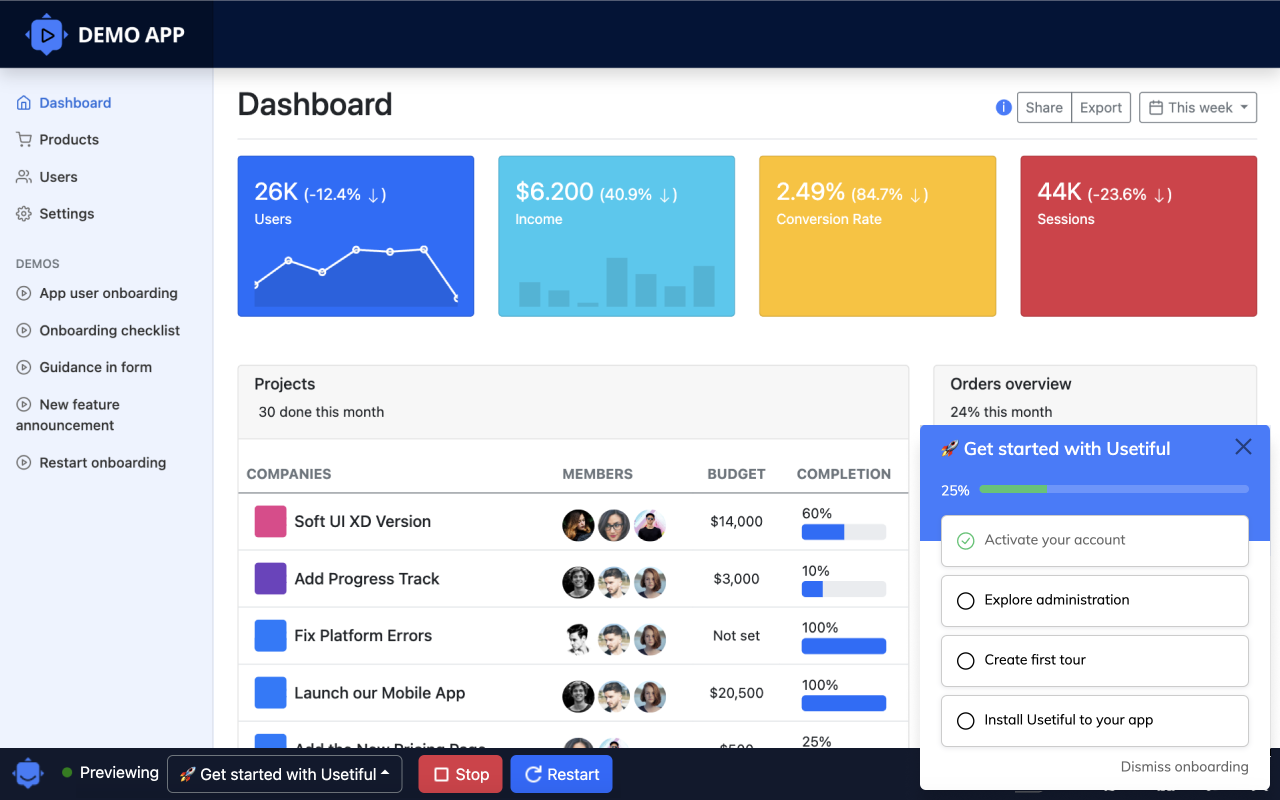
Usetiful is a no-code digital adoption platform that enables product teams to onboard users, drive new feature adoption, and improve the user experience.
- Interactive demos: Create clickable product demos that prospects can explore on their own to see your software in action.
- Checklists: Break down complex processes into digestible steps users can easily follow and track progress with.
- Product tours: Lead users through important workflows with interactive, step-by-step tours that explain features in context and encourage hands-on learning.
- Banners: Display in-app announcements to promote new features or notify users about maintenance and downtime without relying on email.
- Knowledge base: Embed searchable help articles, videos, and documentation directly into an in-app help widget so users can quickly find answers without breaking their flow.
- Surveys: Collect targeted feedback at key moments in the user journey to understand customer satisfaction, uncover friction, and guide user adoption efforts.
- Usage analytics: Track how your onboarding flows perform and where users drop off so you can improve engagement.
Exploring Usetiful pricing: How much does it really cost?
Usetiful offers two main billing methods: the standard MAU-based and assists-based, a custom usage-based structure developed by Usetiful. Both give access to largely the same features, just in different ways to measure usage.
Every time a user interacts with a Usetiful element (such as a product tour or tooltip), it is counted as an assist. Usetiful explains this as a form of value-based pricing where you are only charged when your user is actively helped.
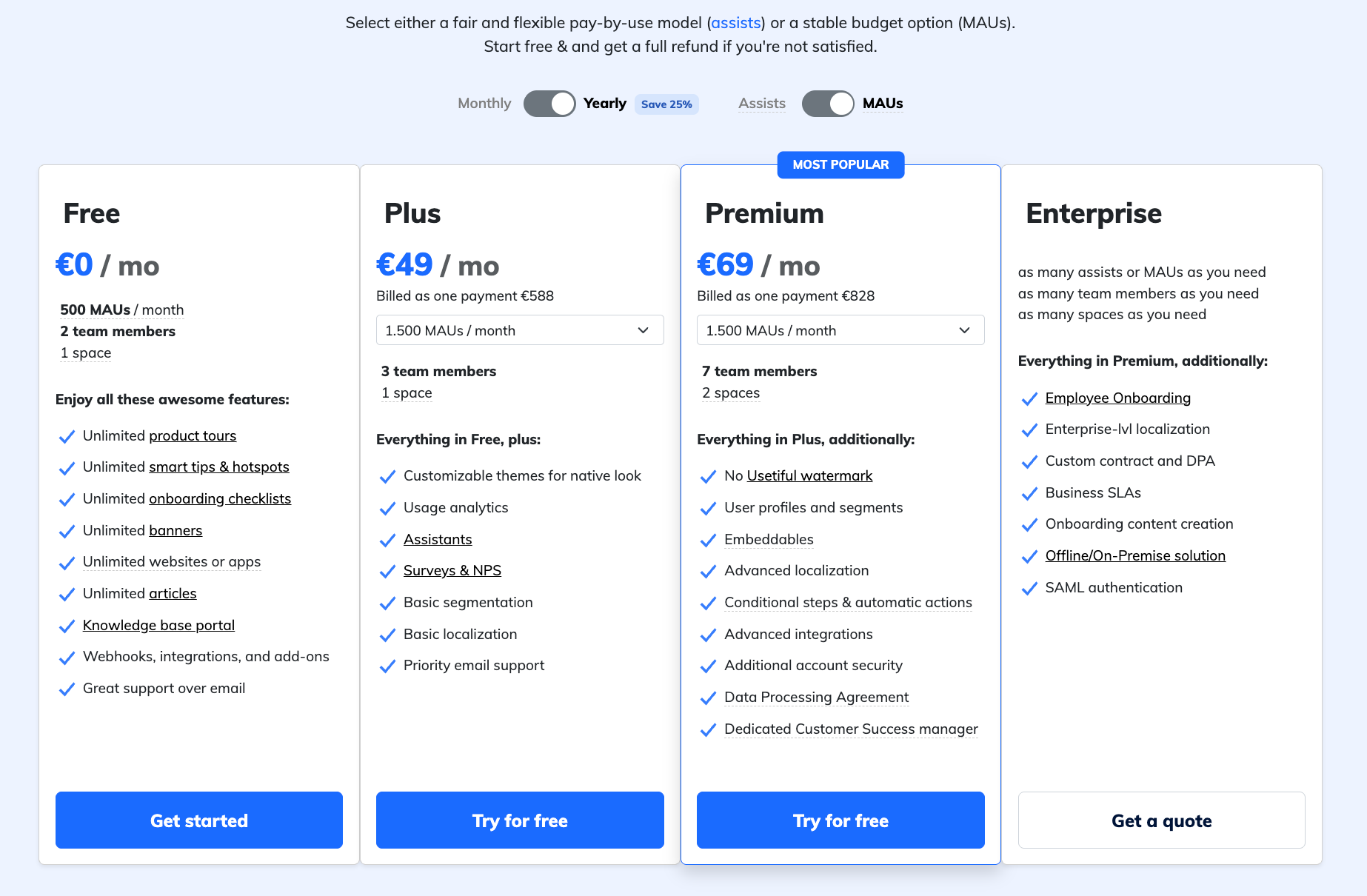
- Usetiful Free: The Free plan is meant for small teams that want to explore Usetiful without operational commitment. It’s quite generous and gives unlimited access to all UI patterns. Its main limitation is scale and visibility: you can guide users, but you can’t understand or optimize their behavior.
- Plus – starting at €49 / month for up to 1500 MAUs: The Plus plan enables teams to understand how users interact with onboarding UX and collect structured feedback to improve experiences. The limitation is that it still operates largely in isolation, without deep customization or system-level integrations.
- Premium – starting at €69 / month for up to 1500 MAUs: The Premium plan is built for scaling SaaS teams that treat onboarding and adoption as core product functions. It supports tailored experiences and fits well into broader data ecosystems. The main constraint is that it’s optimized for product teams, not for enterprise environments.
- Enterprise – custom quote: The Enterprise plan is intended for large organizations where adoption tooling must align with security, compliance, and infrastructure standards. It removes most limits around scale and supports centralized control across teams.
Feature-by-feature breakdown of Usetiful pricing plans
To help you understand your options better, below I’ve made a table with the exact features Usetiful offers at each level and how the higher tiers expand functionality.
| Category | Feature | Free | Plus | Premium | Enterprise |
|---|---|---|---|---|---|
| Usage & Limits | Assists per month | 2,000 | 5,000 | 10k–50k | Based on your needs |
| MAUs per month | 500 | 2,000 | 1.5k-35k | Unlimited | |
| Team members | 2 | 3 | 7 | Unlimited | |
| Spaces | 1 | 1 | 2 | Unlimited | |
| In-App Flows | Product tours, tooltips,checklists, banners | Unlimited | Unlimited | Unlimited | Unlimited |
| Onboarding to 3rd party apps | ❌ | ❌ | ✅ | ✅ | |
| Mobile apps support (Beta) | ❌ | ❌ | ✅ | ✅ | |
| Custom branding | ❌ | ❌ | ✅ | ✅ | |
| Surveys and forms | ✅ | ✅ | ✅ | ✅ | |
| Knowledge Base | Widget | ✅ | ✅ | ✅ | ✅ |
| AI assistant | ❌ | ✅ | ✅ | ✅ | |
| Targeting | Event-based triggering and content scheduling | ✅ | ✅ | ✅ | ✅ |
| Localization | ❌ | ✅ | ✅ | ✅ | |
| Analytics & Insights | Usage analytics | ❌ | ✅ | ✅ | ✅ |
| Feedback analytics | ❌ | ✅ | ✅ | ✅ | |
| User profiles | ❌ | ❌ | ✅ | ✅ | |
| Integrations | WordPress, Webhooks, Zapier | ❌ | ❌ | ✅ | ✅ |
| HubSpot, Customer Data Platforms | ❌ | ❌ | ✅ | ✅ | |
| Google Analytics | ❌ | ✅ | ✅ | ✅ | |
| Security & Compliance | Compliance with GDPR, ISO 27001, HIPAA | ✅ | ✅ | ✅ | ✅ |
| SAML / SSO authentication | ❌ | ❌ | ❌ | ✅ | |
| Offline / On-Premise solution | ❌ | ❌ | ❌ | ✅ |
Weighing Usetiful pros and cons: Is it worth the investment?
I reviewed Usetiful’s official documentation and analyzed third-party reviews from G2 to form a balanced, hands-on opinion. Below is a detailed breakdown of where Usetiful shines and where it may fall short, depending on your growth model.
Pros of Usetiful
✅ Versatile in-app flows: Works on both internal and customer-facing apps.
✅ No-code setup: Product and growth teams can build flows without engineering help.
✅ Affordable pricing: Generally cheaper than other DAPs, with a usable free tier.
✅ Intuitive UI: There is no major learning curve; it’s easy to start building tours and guides without a big learning investment.
✅ Strong customer support: Users often praise the support team as responsive and effective.

Cons of Usetiful
❌ Flow customization constraints: Power users may miss complex branching logic, deep personalization, or advanced targeting. Styling is also limited; you can’t adjust size, font type, or font size on guides. There are also a few out-of-the-box templates for getting started.
❌ Smaller ecosystem: Fewer native integrations and community resources than larger platforms.
❌ Analytics are fairly basic: You only get guide engagement tracking, and there are no tools for user analytics like cohorts, funnels, and session replays.
❌ No support for mobile apps: You can’t launch guides for users on Android or iOS devices.
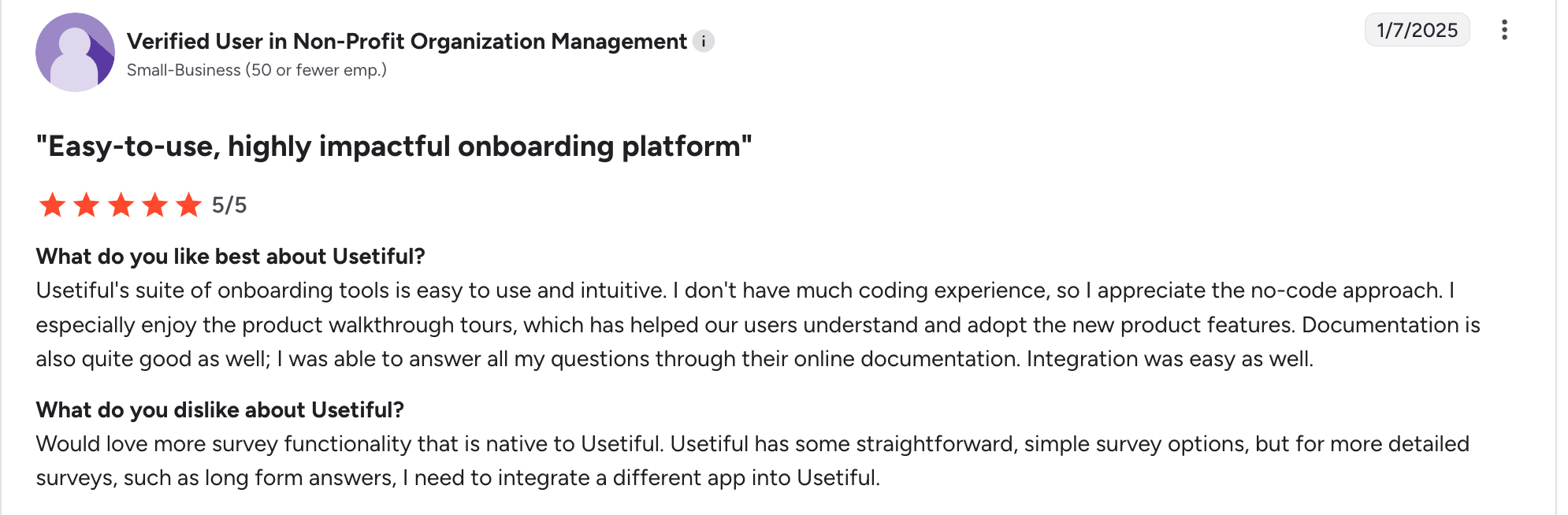
❌ Limited survey functionality: These are just simple forms; there is no branching logic and other customization options.
Why Userpilot is a better alternative for PLG teams
Although it’s not the cheapest (starts at $299/month), Userpilot offers a better ROI for scaling SaaS companies.
Compared to Usetiful, Userpilot offers more value to product teams in different dimensions. Here are some key features:
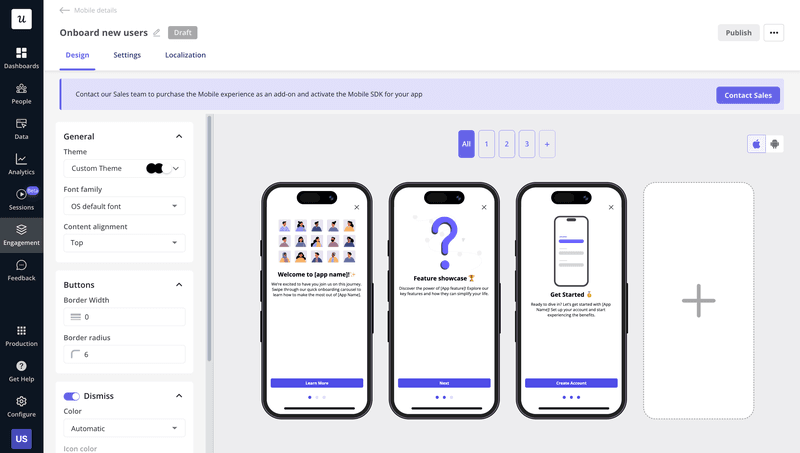
- Mobile engagement: Userpilot lets you deploy mobile carousels, slideouts, and push notifications to onboard users, announce product updates, and drive feature adoption, reaching users both inside the app and beyond it with timely, behavior-based messages.
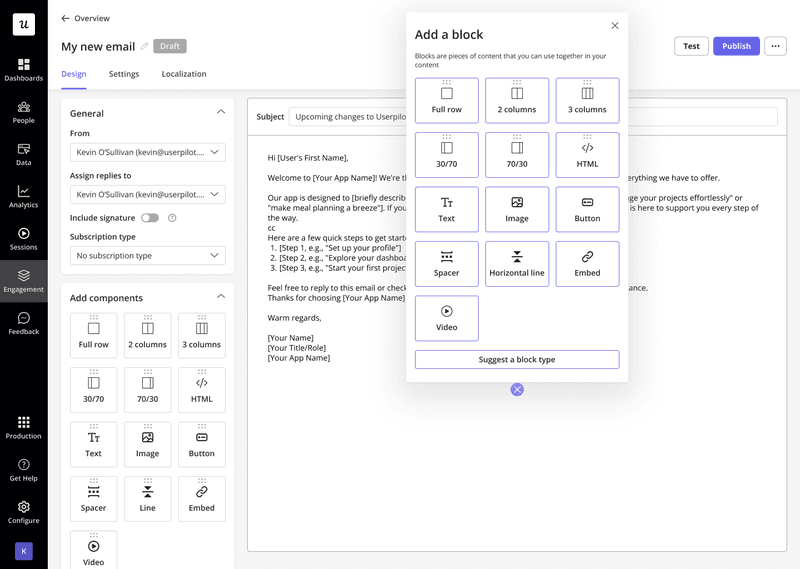
- Email campaigns: Userpilot offers integrated email marketing capabilities that empower you to re-engage dormant accounts and fight user churn using context from product usage. You can create highly customized campaigns with audience segmentation and dynamic content, while benefiting from strong deliverability, scheduling controls, and performance tracking to ensure messages reliably reach inboxes.
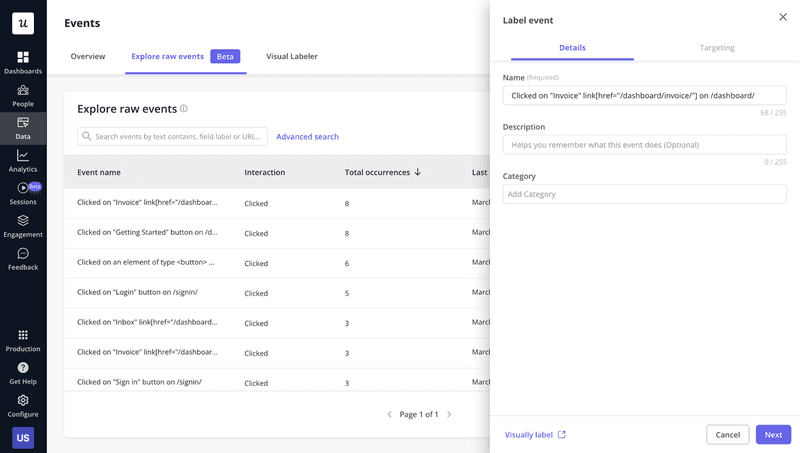
- Autocaptured events: With autocapture, you don’t have to instrument events manually right after setting it up. It will start tracking event data automatically upon setup, and all you need to do is label them before creating a report.
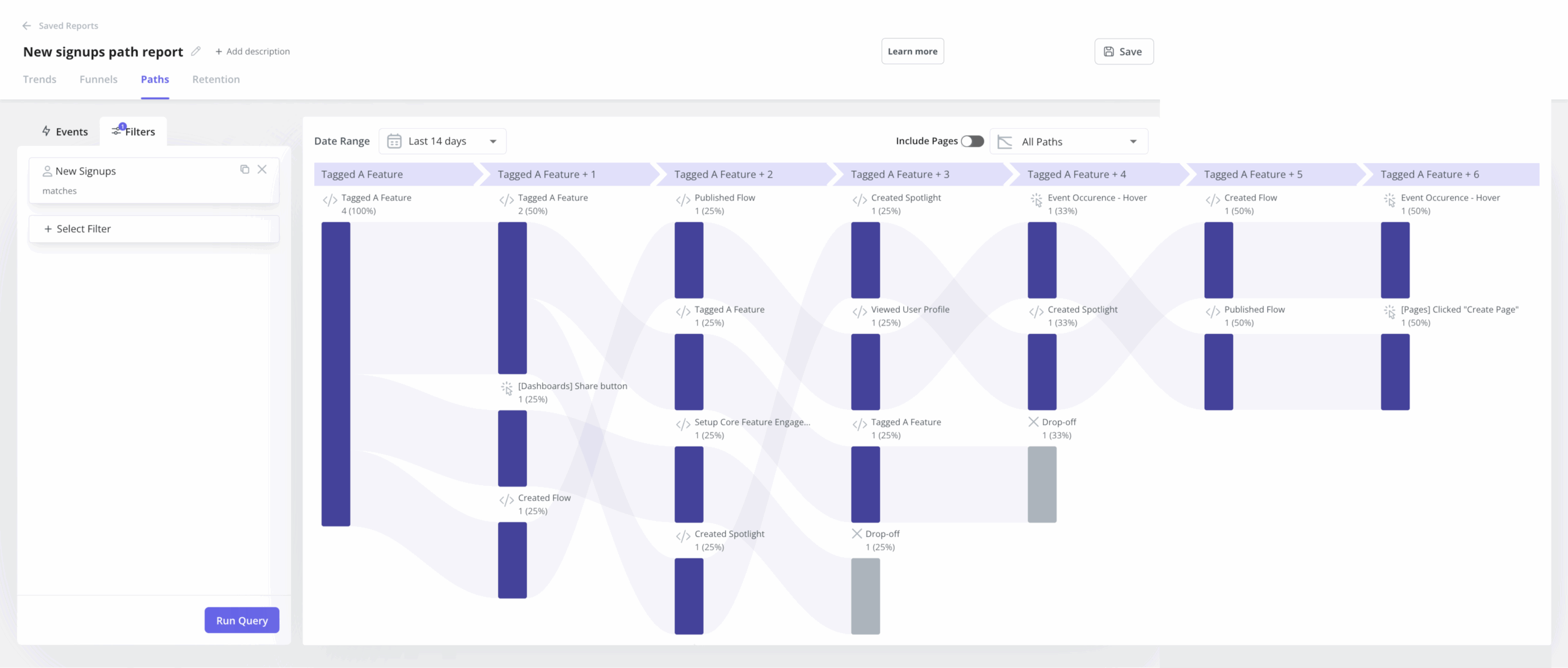
- Native analytics: Userpilot offers robust analytics capabilities right out of the box. You can create funnel reports to identify drop-offs, visualize user journeys to spot unexpected navigation paths, and build custom dashboards to monitor core KPIs at a glance, like user activation and user retention rates.
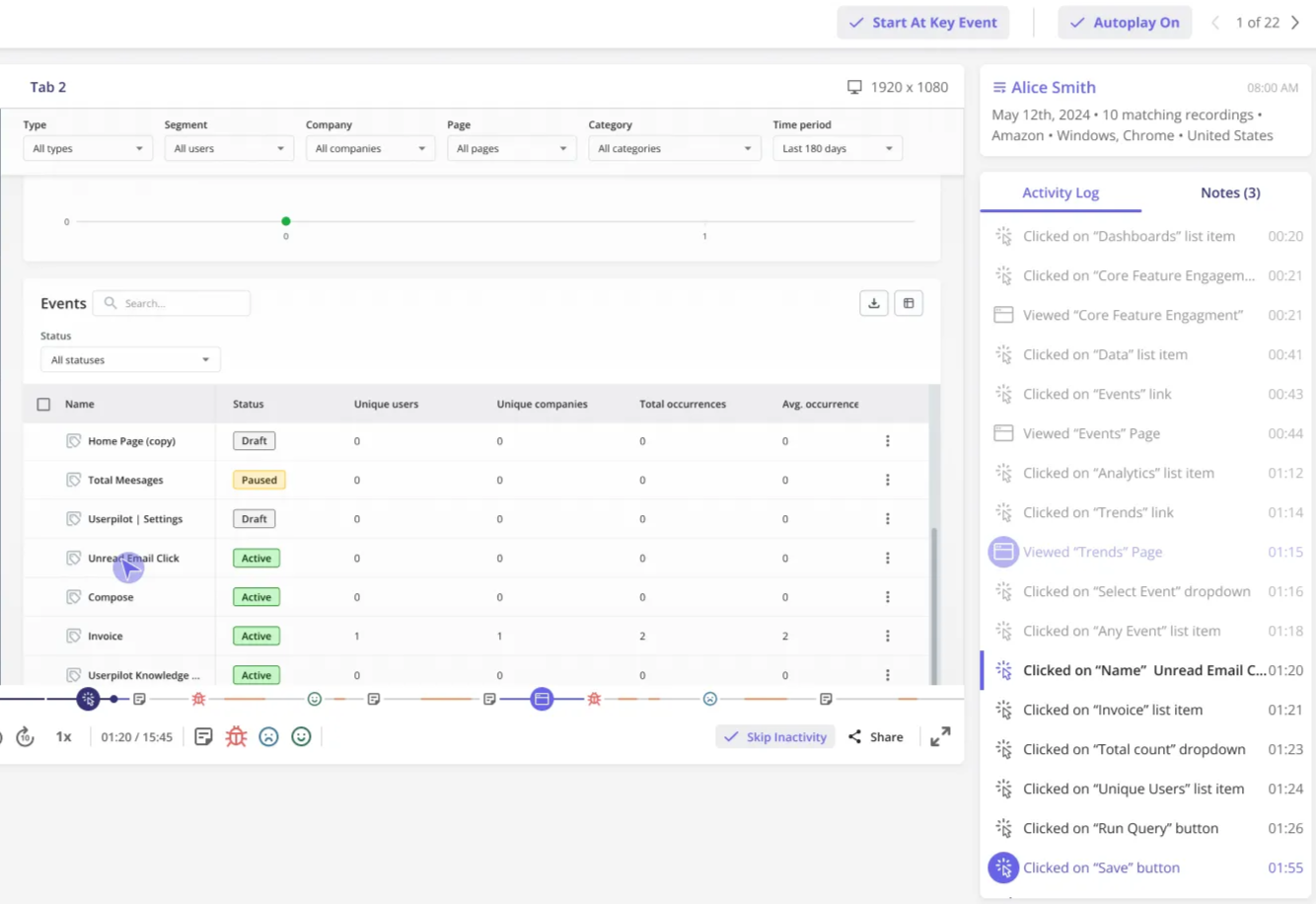
- Unlimited session replays: Besides allowing you to record and watch user sessions directly from a funnel report, Userpilot replays are not billed by usage (unlike other tools).
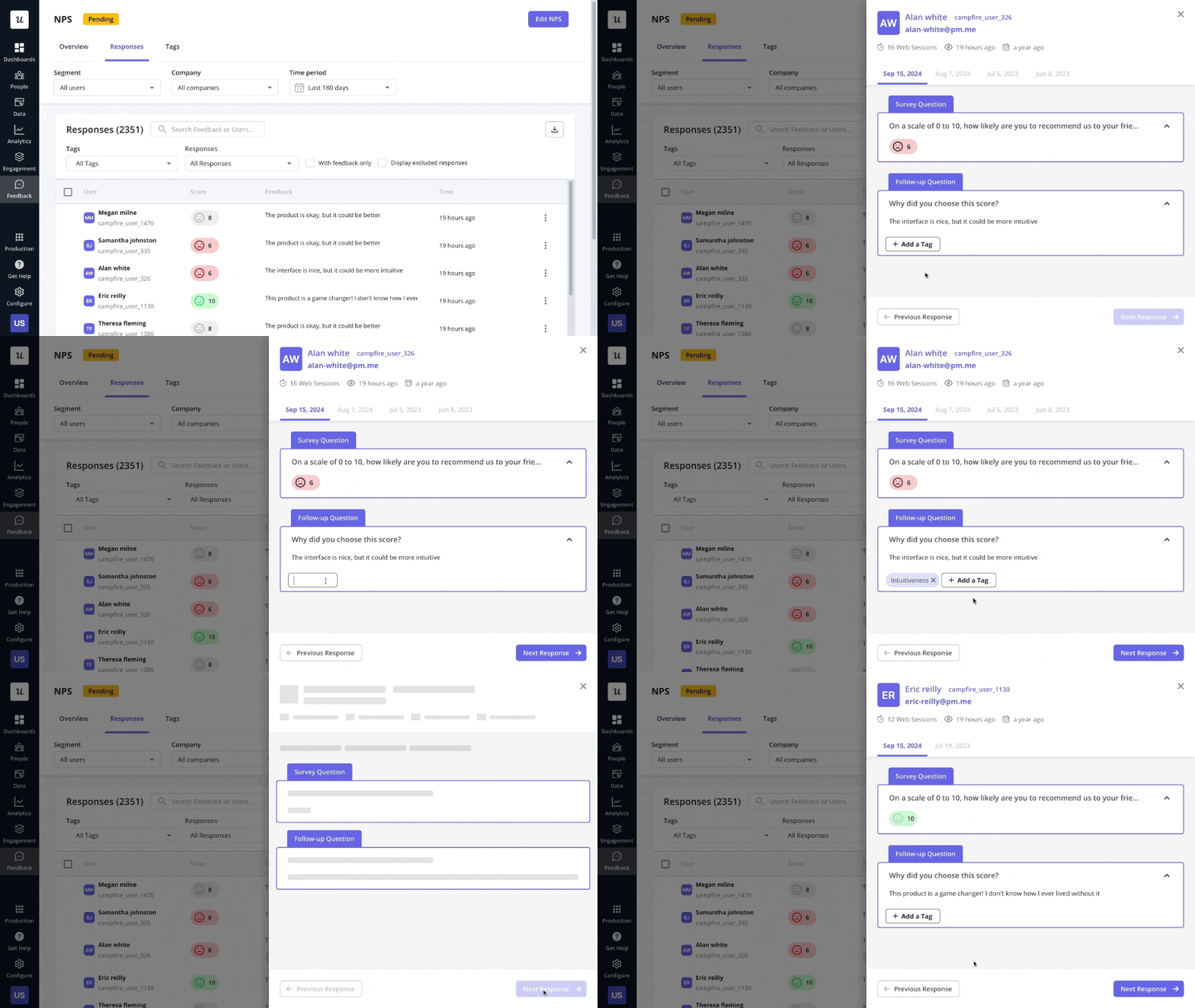
- NPS response tagging: Besides tracking NPS scores over time, Userpilot lets you filter users based on recurrent keywords mentioned across NPS responses. This lets you understand common themes across detractors or promoters, and segment them.
Choose Userpilot for no-code customer onboarding!
Usetiful is a polished tool suitable for small, web-only startups. The UI is excellent, and the builder is smooth, making it a great choice for non-technical teams.
However, for a SaaS company in the scaling phase, it eventually becomes a bottleneck. The lack of mobile support and actionable analytics will hinder your growth.
On the other hand, Userpilot helps you drive product adoption across many platforms (web, mobile, and email) and provides no-code analytics to improve the customer experience.
So if you want to see how Userpilot can elevate your onboarding experience, book a demo to tell us about your needs.
Userpilot strives to provide accurate information to help businesses determine the best solution for their particular needs. Due to the dynamic nature of the industry, the features offered by Userpilot and others often change over time. The statements made in this article are accurate to the best of Userpilot’s knowledge as of its publication/most recent update on December 28, 2025.
About the author