Try Userpilot Now
See Why 1,000+ Teams Choose Userpilot

What is Apty?
Apty is a digital adoption platform that empowers organizations to accelerate digital transformation and the efficient use of enterprise software and processes.
It’s built for IT, HR, Ops, and enablement teams rolling out tools like Salesforce, SAP, or Workday.
How much does Apty cost?
Apty’s cost is custom quote–based and depends on things like how many apps you cover, how many users you have, workflow complexity, and integration needs. For a single application, plans can start around ~$9,500 per year. Per Vendr, average annual costs are around $45,000.
What is your primary goal for seeking Apty features?
Which analytics capabilities are most important to you?
Who will be building and managing the in-app experiences?
Result: See how Userpilot compares for your needs
While Apty features are designed for internal employee training, Userpilot offers a more robust solution for driving growth, retention, and product adoption with advanced analytics and logic.
See why product teams choose Userpilot over Apty.
Key Apty features for driving software adoption
In the sections below, I’ll walk you through Apty functionalities and explain use cases.
Smart in-app guidance
Apty helps users learn and complete tasks directly inside an application, exactly when they need help. Instead of relying on manuals or training sessions, guidance appears in context, reducing errors and speeding up adoption. It includes three core elements:
- Contextual tooltips: Small, targeted hints that appear next to fields or buttons to explain what to do, highlight requirements, or prevent mistakes at the moment of action.
- Task lists: Step-by-step, in-app checklists that guide users through complete workflows (such as onboarding or complex processes) while tracking progress.
- In-app announcements: Modals are used to communicate updates, new features, or important changes without disrupting the user’s work.
Together, these features provide just-in-time, role-based guidance that improves employee productivity, ensures consistent process execution, and reduces the need for external training or support.
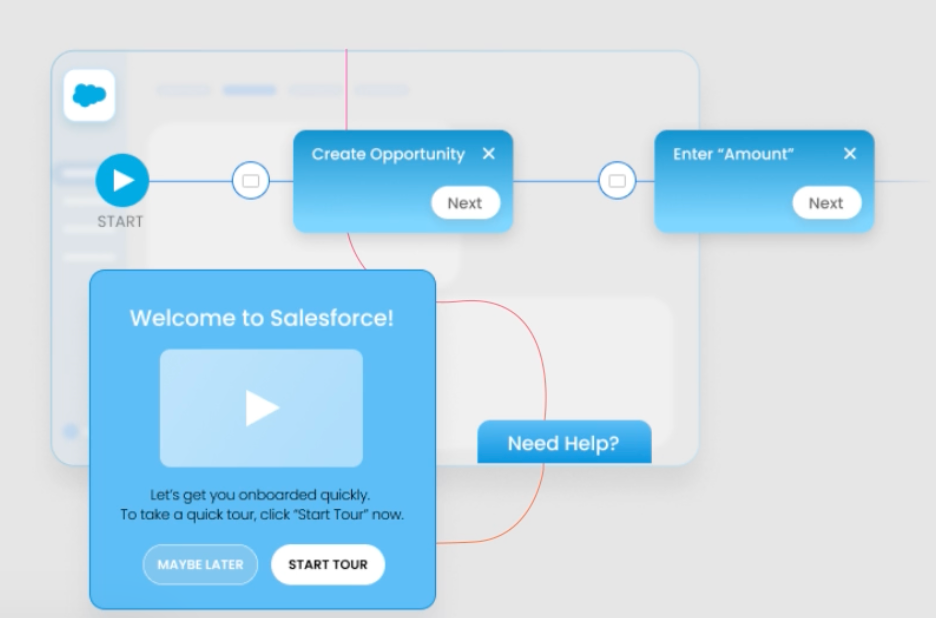
Workflow automation
Workflow automation eliminates repetitive, manual steps by guiding users through standardized processes and triggering actions automatically.
This feature enables teams to automate multi-step processes, such as approvals, data entry sequences, or compliance checks, without requiring custom development.
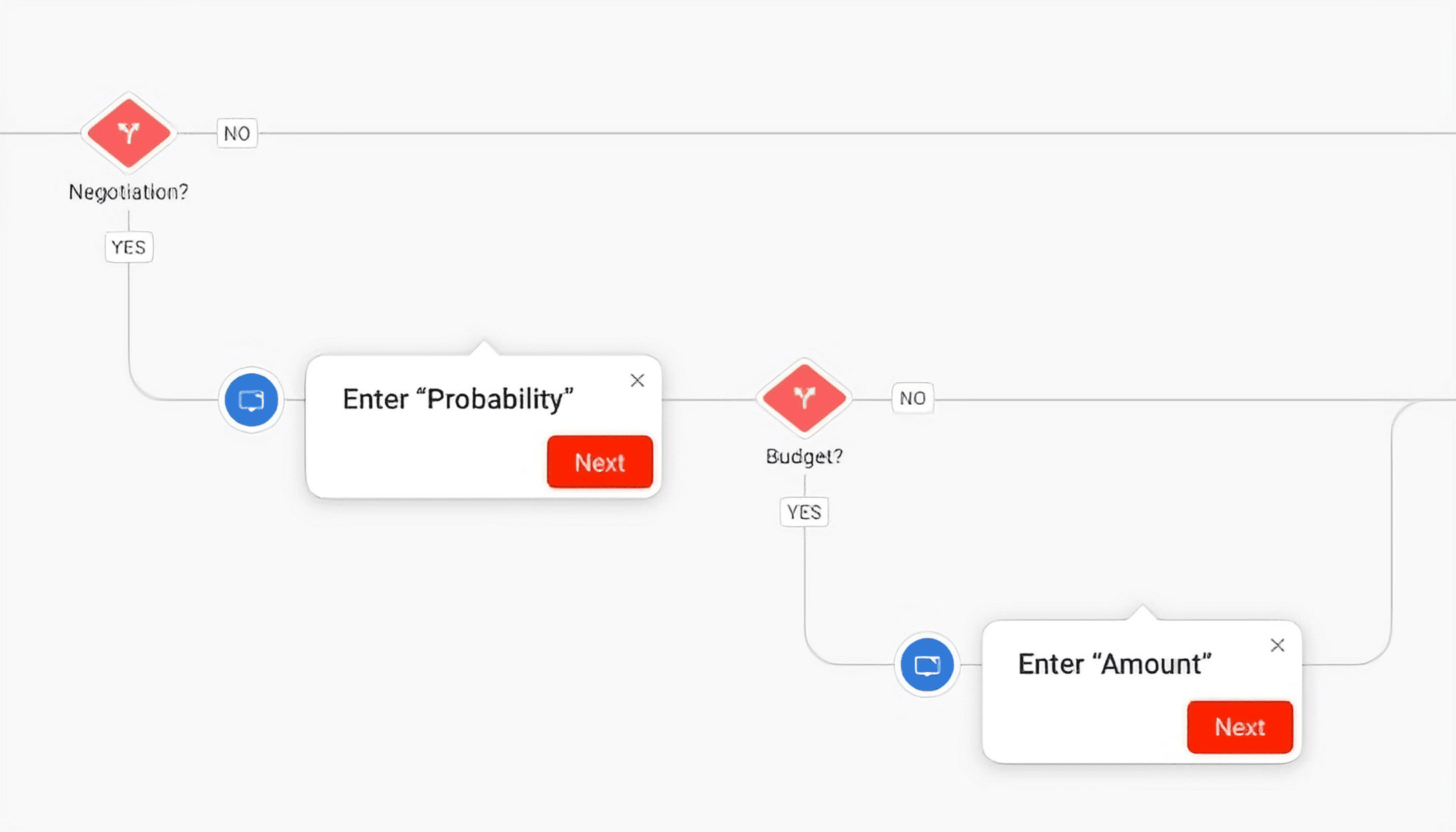
Users are prompted with the next best action, required fields, or conditional steps based on their role or previous inputs. Automation reduces friction while preserving flexibility, allowing workflows to adapt as business rules change.
Data validation
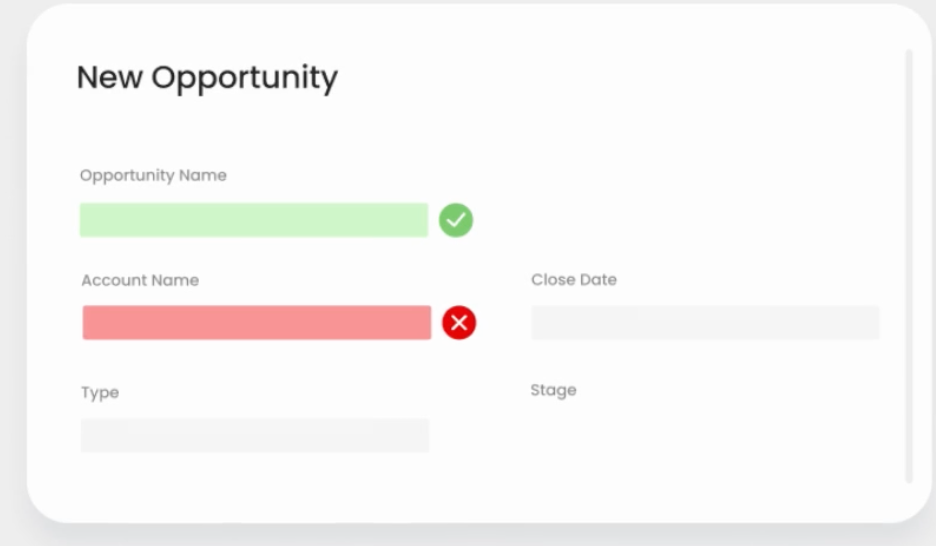
Data validation solves this problem at the source by ensuring information is accurate, complete, and compliant before it ever enters the system.
As users fill out forms or update records, validation rules run in real time. Required fields can’t be skipped, incorrect formats are flagged immediately, and logical inconsistencies are caught before submission.
This proactive approach dramatically improves data quality. Clean data means more reliable reports, better forecasting, smoother integrations, and fewer downstream fixes.
Content analytics
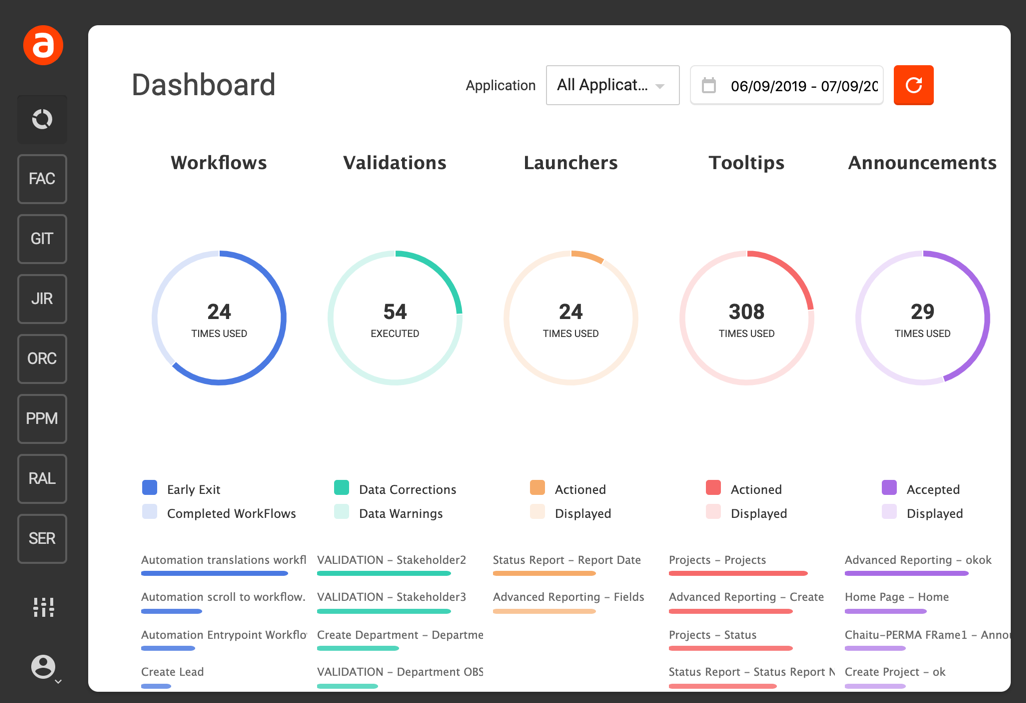
Content analytics provides visibility into how users interact with support resources.
This feature tracks what users view, where they drop off, how long they engage, and which guidance drives successful task completion. These insights reveal what’s working, what’s being ignored, and where users struggle most.
With real data in hand, teams can continuously optimize guidance instead of relying on assumptions. Learning and enablement teams can also use analytics to prove ROI by linking engagement metrics to productivity outcomes.
Centralized knowledge base
When embedded via a digital adoption platform, knowledge base articles, how-tos, FAQs, troubleshooting guides, and best-practice tutorials appear in context so users can resolve questions without interrupting their workflow.
The impact is immediate: support tickets decline, training costs shrink, and users become more self-sufficient. Instead of pulling apart the “where did we document this?” puzzle, teams rely on a unified source of truth that everyone can trust and reference easily, whether they’re an intern on day one or a seasoned pro navigating a new feature.
Software usage analytics
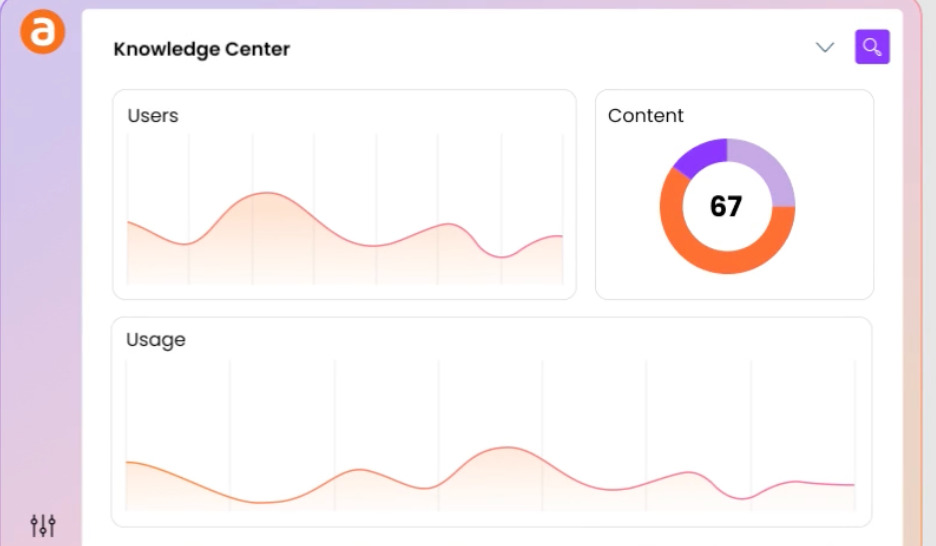
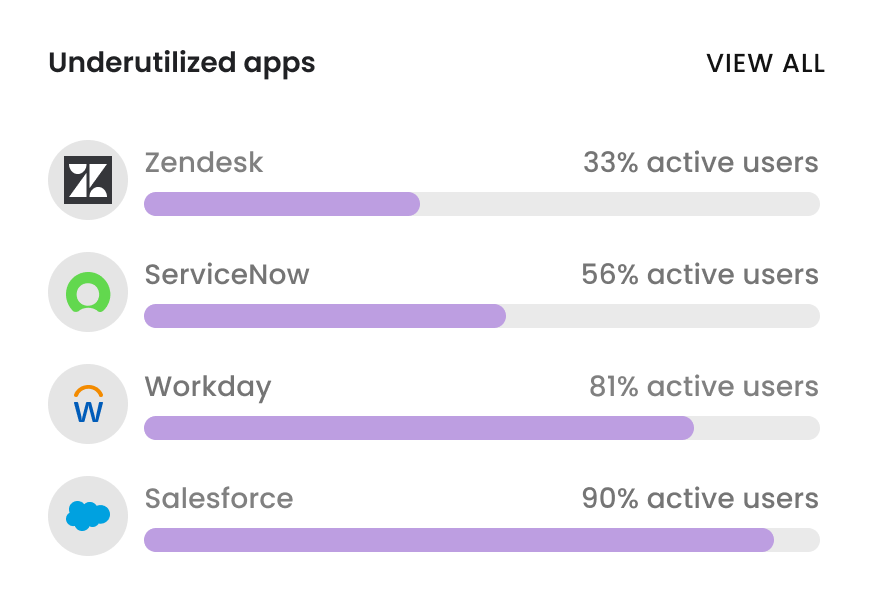
This tool provided deep insight into how applications are actually being used across the organization by tracking metrics such as login frequency, feature adoption, time spent in workflows, and inactive users.
With this data, organizations can identify underutilized tools, high-friction areas, and opportunities to improve engagement. Usage analytics also help pinpoint where additional guidance is needed most.
By understanding what users actually use, organizations reduce waste and maximize ROI. Leaders can make informed decisions about software investments, license optimization, and process improvements.
What do real users say about Apty features?
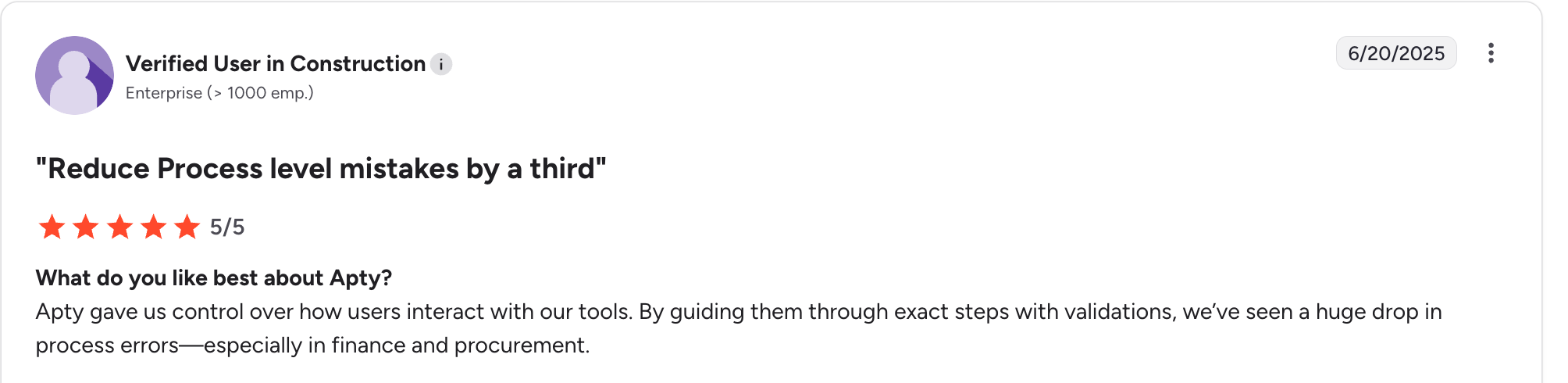
Apty is a robust enterprise platform well-regarded by many teams, while disliked by others. Here are some reviews I found giving honest feedback on where Apty is strong and where not.
What users like
✅ Versatile use cases: Customers frequently note that Apty works well for both internal employee enablement and external user adoption.
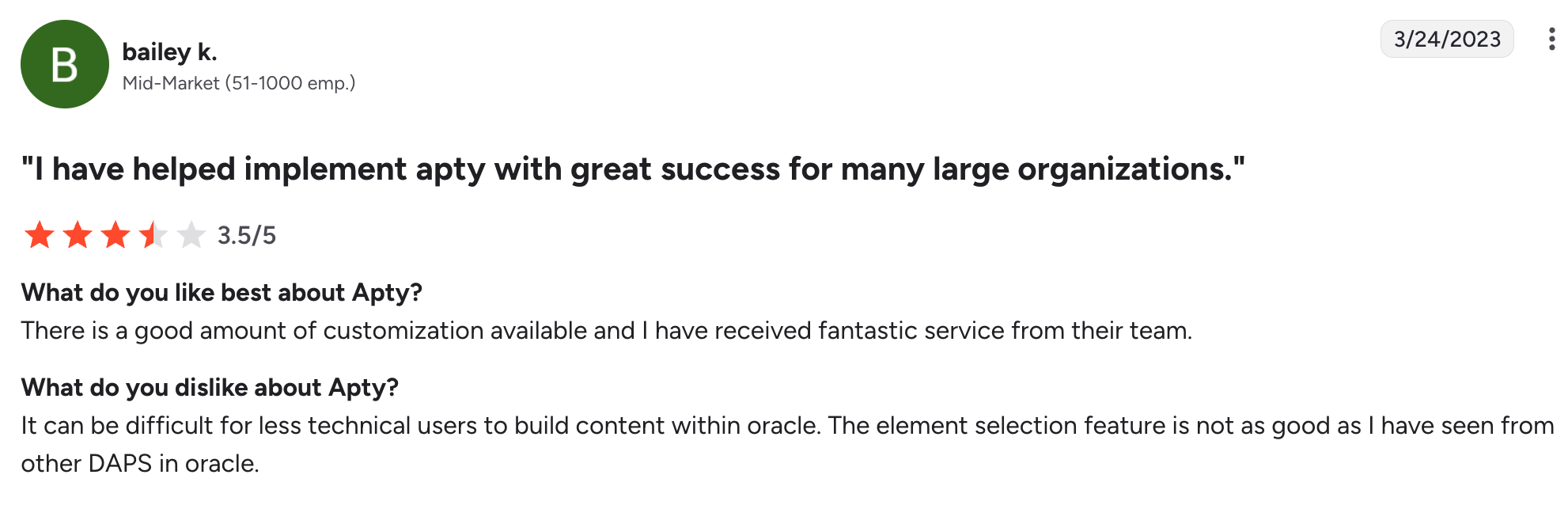
✅ Strong customization and segmentation: Many users highlight Apty’s flexibility when it comes to tailoring workflows, in-app guidance, and experiences for different user roles or segments. This level of customization is often cited as a key strength, especially for organizations with complex processes and diverse user groups.
✅ Responsive customer support: Several reviews specifically call out Apty’s support team as responsive and helpful, particularly during implementation and ongoing rollout. Users appreciate having access to hands-on assistance when configuring workflows or troubleshooting issues.
What users dislike
❌ Lack of product analytics: Apty’s analytics are often described as surface-level, focusing mainly on guide engagement. Users report the absence of user behavior insights, such as funnel analysis or cohort reports. Without these, it’s hard to tie onboarding experiences to outcomes like retention or conversion, or to identify which features drive value. Session replays are also missing, forcing teams to rely on additional tools.
❌ Limited onboarding capabilities: Users frequently note that Apty lacks several standard UI patterns used in modern onboarding, such as hotspots, banners, and slide-outs, which limits how contextual in-app guidance can be. Apty also doesn’t support A/B testing, making it difficult to run onboarding experiments and optimize flows.
❌ Steep and opaque pricing: Reviewers often call out Apty’s traditional enterprise pricing model. Access typically requires multiple sales calls, custom quotes, and multi-year contracts that can reach mid- to high-five figures.
❌ Complex setup and clunky admin experience: Although Apty positions itself as a no-code platform, many users report a steep learning curve. The admin interface is frequently described as unintuitive and cumbersome. As a result, non-technical teams often end up depending on engineers for tasks that should be self-serve.
Apty features: When to buy vs when to walk away
| Buy Apty if | Walk away from Apty if |
|---|---|
| You’re a large enterprise with stable processes and long rollout cycles with IT resources for setup/maintenance. | You’re a fast-moving SaaS or product-led team that needs agility and minimal operational overhead. |
| You want strict, compliance-driven guidance where users must follow prescribed steps, so basic walkthroughs, tooltips, and checklists are enough for you. | Having modern UI patterns like hotspots, banners, and slideouts for creating highly contextual onboarding experiences is important to you. |
| High-level visibility into app usage and adoption trends is all you need in regards to analytics. | You need PLG growth-focused analytics tools like funnels, cohorts, retention, paths reports, and session replays. |
Userpilot: A more flexible alternative for PLG teams
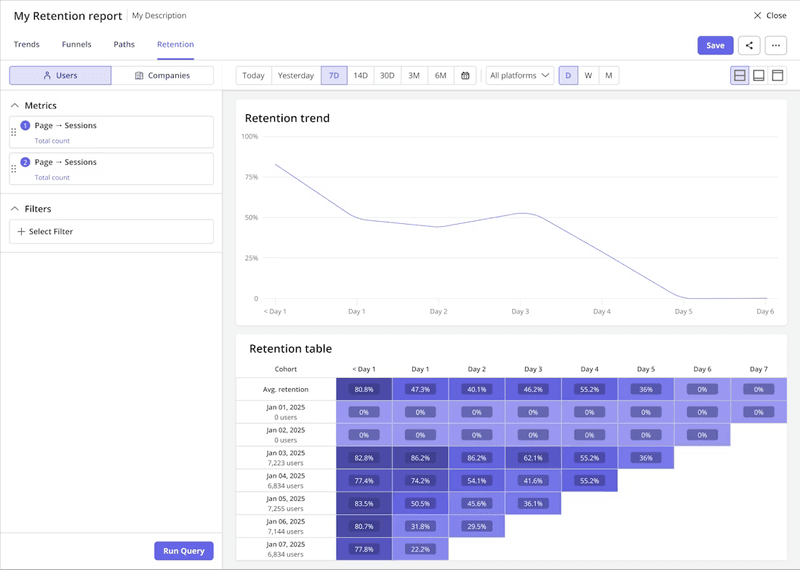
Unlike Apty, Userpilot goes far beyond basic guide engagement metrics by offering robust, native product analytics built for product-led growth teams. Instead of just tracking whether a tooltip was seen or a flow was completed, Userpilot helps you understand how users actually interact with your product, what drives activation, and where they get stuck.
You can automatically capture events, visualize them with different reports like paths, funnels, or cohort tables, and watch session replays from within these reports to understand the context behind numbers.
When the data points to friction or opportunity, you can roll out in-app experiences that address it without writing a single line of code.
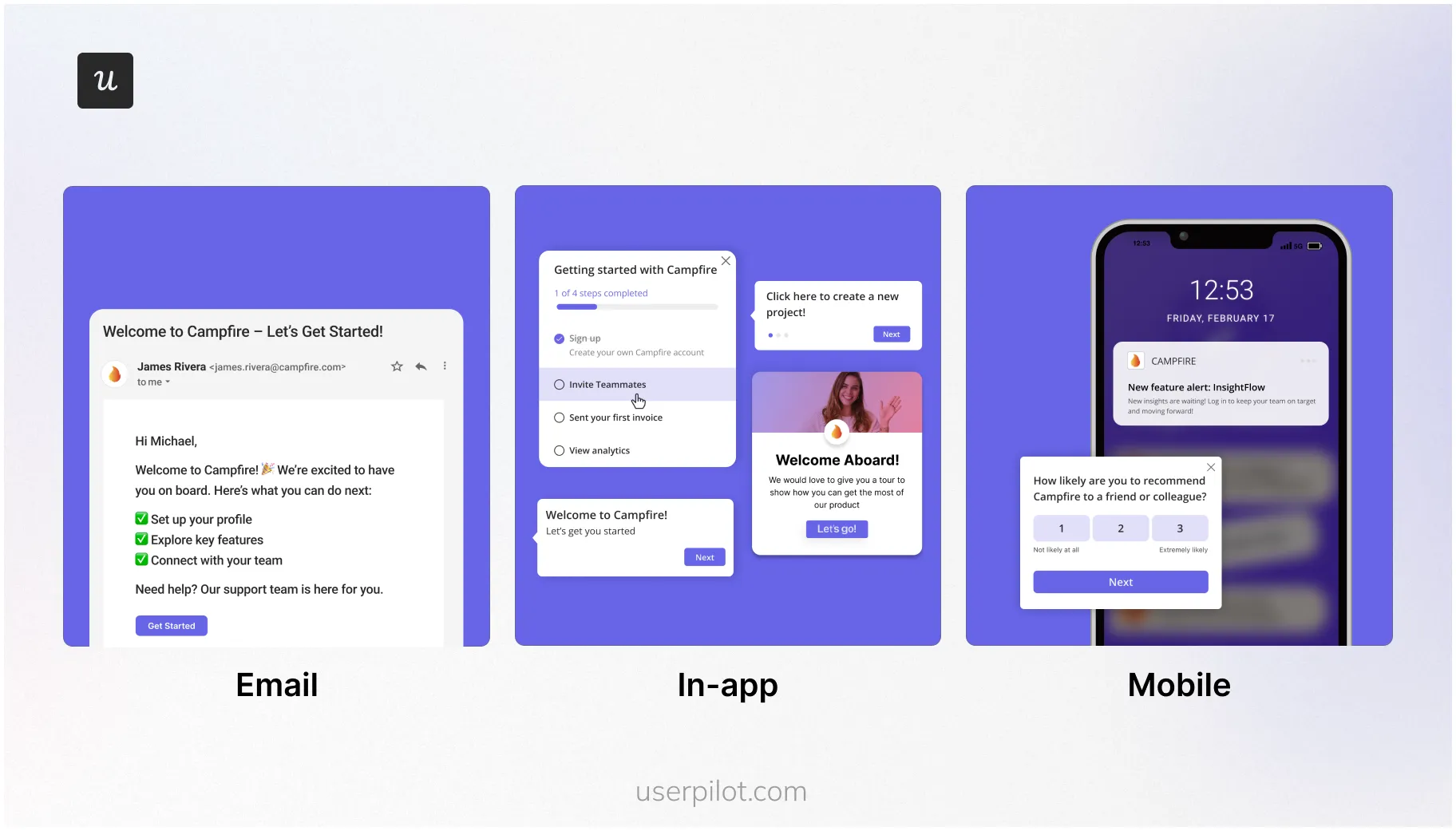
For instance, if Userpilot analytics reveal that trial users who skip a key feature rarely convert to paid, you can automatically trigger an in-app flow to guide them toward it.
Afterward, you might reinforce the same message with a follow-up email or push notification to bring them back to the app. This seamless coordination between in-product and external channels keeps users connected wherever they are, driving continuous engagement.
Userpilot features vs Apty features for digital adoption
| Features | Userpilot | Apty |
|---|---|---|
| Primary use case | Product growth and user retention | Employee training and digital transformation |
| Target user | Mid-to-large PLG companies | Enterprises |
| Technical level | ✅ Quick to set up | ⚠️ You’ll need engineering help |
| Guidance and engagement | ✅ Rich UI patterns for in-app flows ✅ Web and mobile apps ✅ Resource center ✅ Automatic localization ✅ Lifecycle user engagement tools like push notifications and emails |
⚠️ Limited UI patterns etc. ⚠️ No mobile apps ✅ Resource center ✅ Automatic localization ❌ No lifecycle user engagement tools |
| Internal onboarding | ❌ No support for third-party apps or desktop apps ❌Cross-platform workflow automation ❌ License optimization |
✅ Supports third-party apps or desktop apps ❌ Cross-platform workflow automation ✅ License optimization |
| Product analytics | ✅ Custom dashboards ✅ Flow analytics ✅ Funnels, paths, and cohorts ✅ Autocaptured events ✅ A/B testing |
❌ Custom dashboards ✅ Flow analytics ❌ Funnels, paths, and cohorts ❌ Autocaptured events ❌ A/B testing |
| User feedback | ✅ Custom in-app surveys | ⚠️ Can only create basic polls |
| Session replays | ✅ Yes | ❌ No |
Choose what truly serves your growth!
From my experience, Apty’s pricing feels like it’s built to slow you down. You pay per application, plus extra for analytics and other basics. The more you grow, the harder it is to predict what you’ll spend. That makes experimenting risky, and risky usually means slower growth.
With Userpilot, I don’t have to think twice. Pricing is clear. The editor is truly no-code. Analytics are included, and user engagement features are top-notch.
If you want the same freedom, book a free demo, and I’ll show you exactly how Userpilot can help you grow faster without the pricing headaches.
Userpilot strives to provide accurate information to help businesses determine the best solution for their particular needs. Due to the dynamic nature of the industry, the features offered by Userpilot and others often change over time. The statements made in this article are accurate to the best of Userpilot’s knowledge as of its publication/most recent update on December 28, 2025.

Beat Basic Apty Features with Advanced Userpilot Insights

About the author