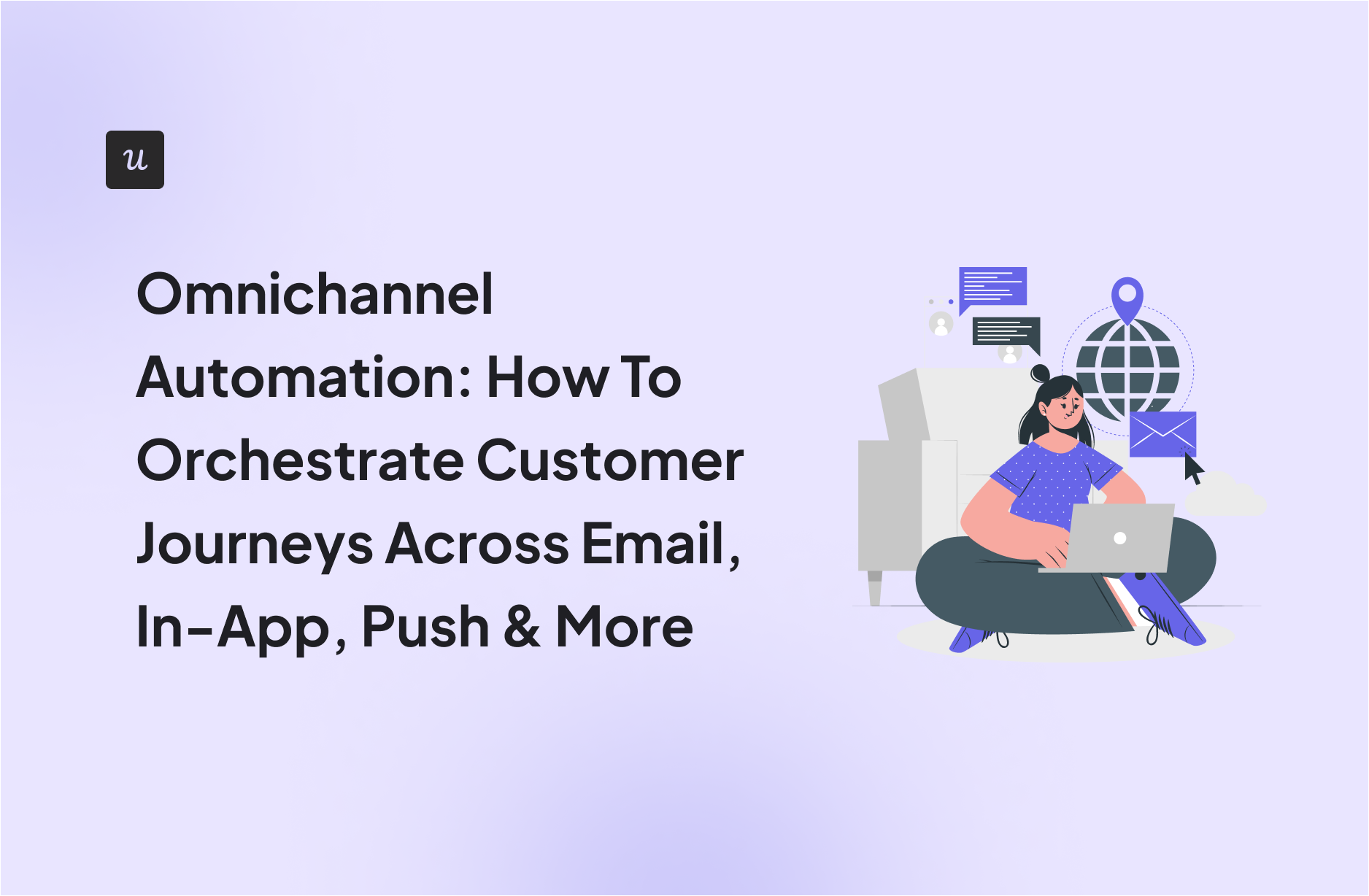
Omnichannel Automation: How To Orchestrate Customer Journeys Across Email, In-App, Push & More

Most SaaS teams don’t lack channels. They lack coordination. Email, in-app messages, push notifications, and CRM alerts often run in parallel, triggered by different tools with limited context. The result is fragmented messaging that feels noisy instead of helpful.
In a product-led growth model, this breaks the experience. Every message should respond to what users just did in the product, not a fixed campaign schedule. Omnichannel automation solves this by unifying data and orchestrating messaging across channels, so each touchpoint reinforces the same customer journey.
This guide explains what omnichannel automation really is, how it differs from multichannel marketing, and how product-led teams can use it to deliver timely, contextual experiences across email, in-app, push, and more.
Try Userpilot Now
See Why 1,000+ Teams Choose Userpilot
What is omnichannel automation?
Omnichannel automation means every marketing channel pulls from the same customer data and responds to user behavior in real time. When a user completes onboarding in your app, your email tool knows immediately. When they hit a usage limit, your in-app messaging and push notifications coordinate the upgrade prompt instead of both firing simultaneously.
Here’s a concrete example from Userpilot: When users install our Chrome extension but don’t create their first flow within 24 hours, we trigger an email with setup guidance. If they return to the app before reading the email, we suppress it and show an in-app checklist instead. Each customer touchpoint knows what the others have done.
The alternative is siloed marketing campaigns. Here, your email tool doesn’t know the user just spent 20 minutes exploring the feature you’re about to “introduce” via a pop-up. Omnichannel automation eliminates it by centralizing data across your entire customer journey.
Omnichannel vs multichannel automation: What’s the difference?
People often use these terms interchangeably, but there’s a key distinction.
In a multichannel setup, you might have an email team, a product team, and a mobile team. They all send messages, but their tools don’t talk to each other. A user might receive a “Welcome” email prompting them to try Feature A, even though they just spent an hour using Feature A inside the app. The marketing channels exist, but they operate in silos without shared context.
Omnichannel marketing automation removes those silos. All channels share the same unified customer profile. The message a user sees on mobile apps depends on what they did on the web minutes ago, based on their actual user behavior rather than a static schedule. Instead of each channel acting independently, they respond to a single customer data platform that tracks the entire customer journey.
Here is a simple breakdown:
| Feature | Multichannel approach (siloed) | Omnichannel automation approach (unified) |
|---|---|---|
| Data source | Email, product, and support tools operate independently. | All tools read from the same user profile, often via a CDP. |
| Trigger logic | Time-based, such as “send on day three.” | Behavior-based, such as “send one hour after feature usage.” |
| User context | Blind. Marketing does not knowthat a user has an open support ticket. | Aware. Campaigns pause or change when a critical issue is active. |
| Goal | Maximize reach per channel. | Optimize the end-to-end user journey and lifetime value. |

Unify Your Customer Experience with Userpilot Omnichannel Automation

Why product-led growth (PLG) demands omnichannel marketing
I’m a marketer passionate about Product-Led Growth (PLG). In a product-led growth model, the product experience drives acquisition, retention, and expansion. If that engine sputters because your communication channels are disjointed, you lose momentum. If you’re betting your business on PLG, this approach is essential.
- Trust and customer experience consistency: Users don’t see “channels.” They don’t distinguish between a marketing email and an in-app message. They see your brand. When your omnichannel approach remembers who they are and what they’ve already done across platforms, it builds trust and delivers a consistent customer experience.
- Customer retention via context: Churn often happens because users feel nagged or neglected. By removing irrelevant noise, such as asking users to complete setup steps they’ve already finished, you keep them focused on value. Contextual engagement proves you understand their goals, which directly supports retention.
- Operational efficiency: Manual data handling kills growth. If a CSM exports a CSV from product analytics and uploads it into a marketing automation platform just to send a renewal reminder, time and resources are being wasted. Omnichannel infrastructure replaces manual workflows with real-time data integration, reducing effort and human error.
What you need to run omnichannel automation
Omnichannel automation only works when your tools are fully connected, not operating in silos.
To move from basic multichannel campaigns to a truly unified customer experience, you need four core foundations: a central data hub that acts as a single source of truth, granular event tracking to capture meaningful user behavior, identity resolution to recognize the same user across devices and platforms, and two-way data integrations so updates flow seamlessly between systems.
Together, these pillars ensure your messaging is timely, consistent, and based on what customers actually do across every touchpoint.
Omnichannel automation vs customer journey orchestration: How they relate
These two concepts work together but serve different purposes in your omnichannel marketing strategy.
Omnichannel marketing automation is the mechanism. It’s the “if this, then that” logic that triggers messages across multiple channels based on behavior and customer interactions.
Customer journey orchestration is your marketing strategy. It’s the map you design before building any automation. Orchestration defines where a user is today, where they need to go next, and what conditions should move them forward to meet customer expectations at each stage.
Automation executes that plan. Without a clear journey to orchestrate, your automation strategy becomes reactive and fragmented. Effective omnichannel automation depends on understanding the entire customer journey first, then using your omnichannel approach to deliver the right customer experience at each touchpoint.
Common omnichannel automation use cases
I’ve seen omnichannel marketing campaigns work well in specific scenarios. Here’s where you should start to engage customers across various channels.
1. Seamless onboarding
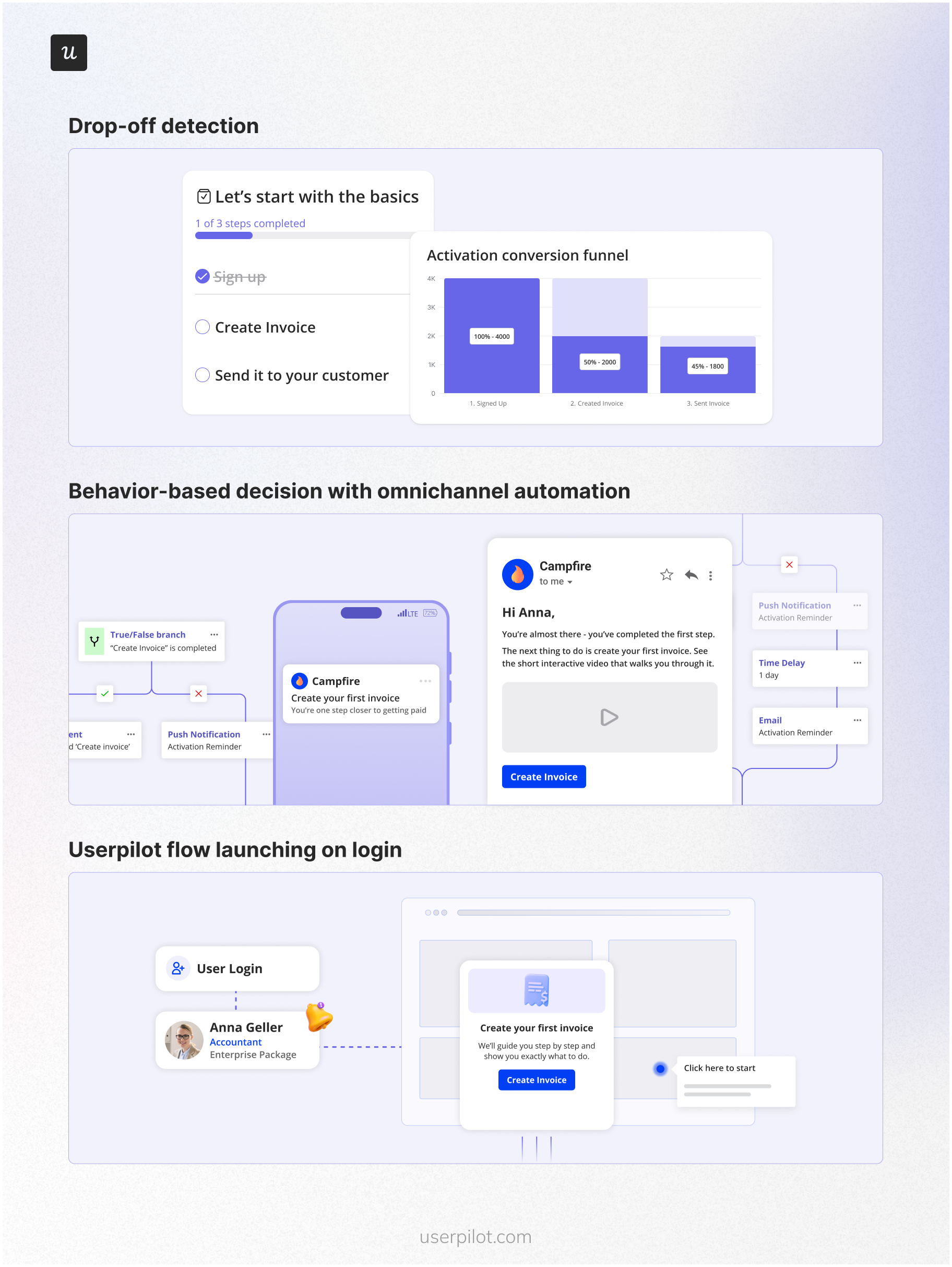
The drop-off rate during onboarding is often high. A new user signs up on the web. They complete step one but leave before step two. With omnichannel automation, you detect this drop-off. One hour later, you send a push notification to their mobile device reminding them to finish. If they don’t engage, you send an email the next morning with a short interactive walkthrough video. When they finally log back in, you trigger a specific flow that resumes exactly where they left off.
2. Churn prevention
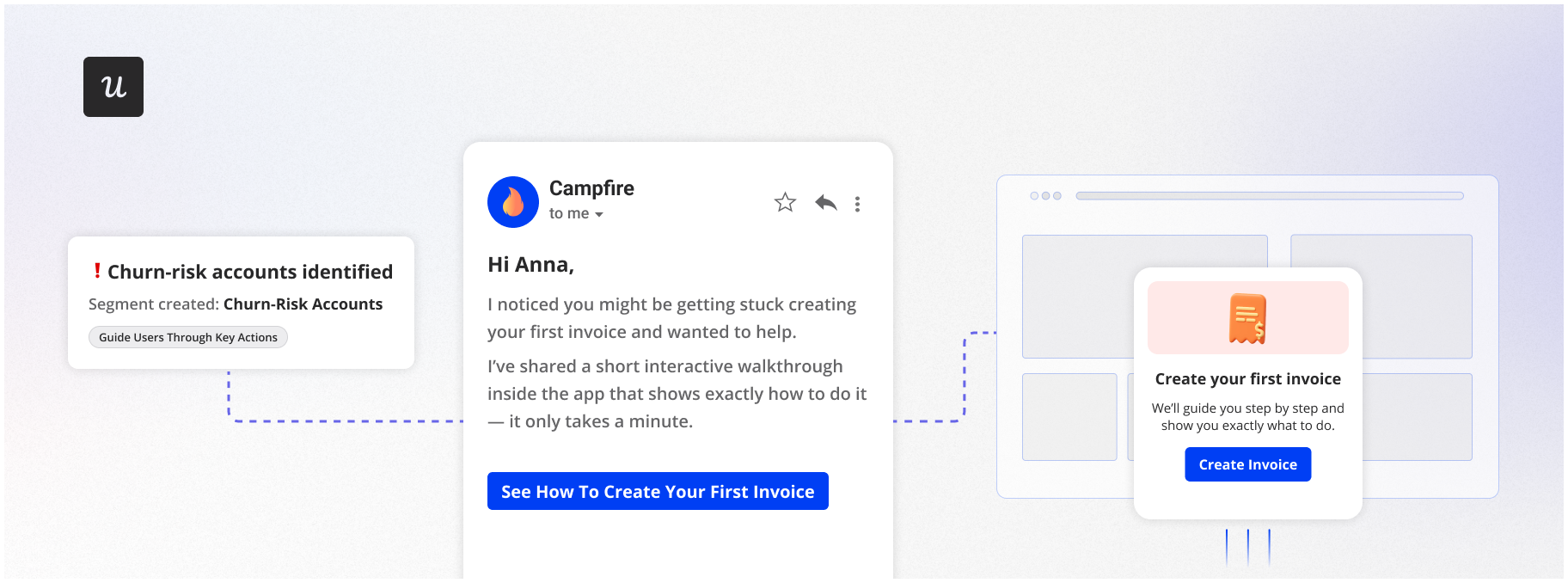
You can spot users about to leave before they cancel. Maybe their usage drops, or they give a low NPS score. Omnichannel marketing automation lets you trigger a rescue campaign based on customer feedback and behavior patterns. You might send a personalized email from a customer success manager while simultaneously showing a native tooltip highlighting a feature they’ve ignored that solves their pain point. This coordinated effort across communication channels is far more effective than a generic “We miss you” email.
3. Upsell and expansion
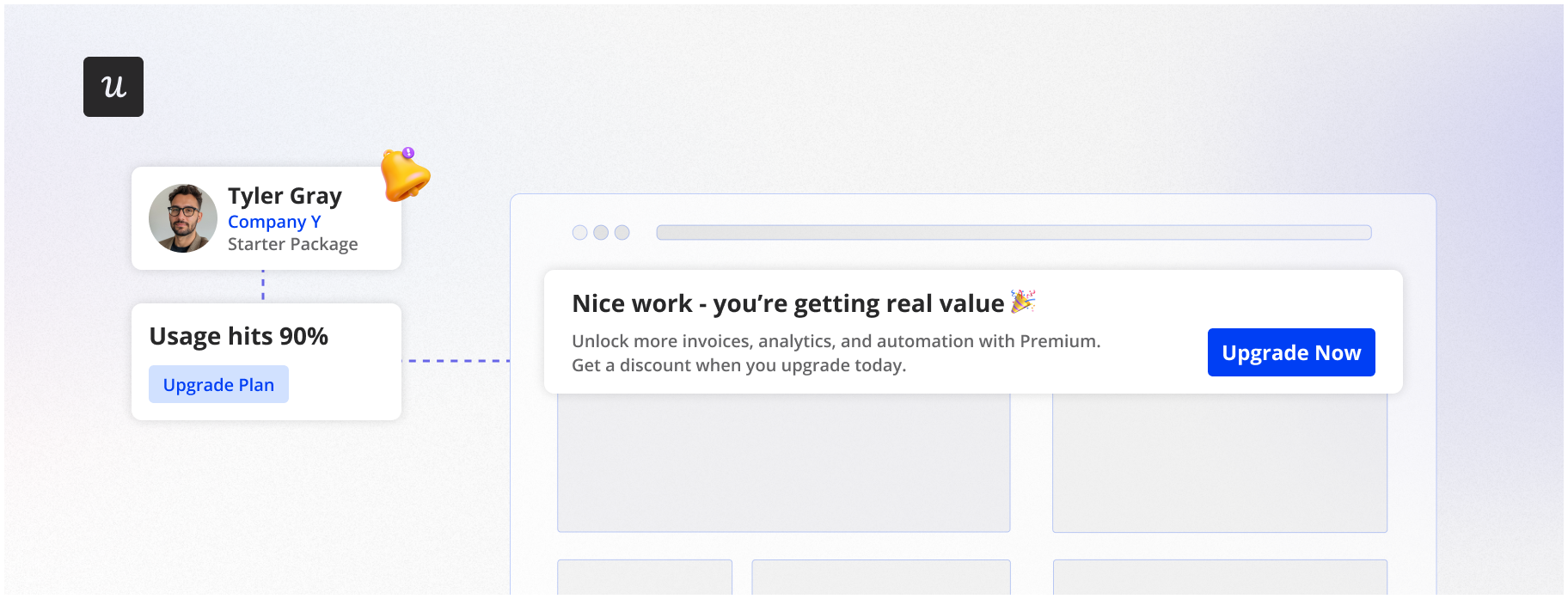
Wait until free users hit a usage limit or achieve a value moment before asking them to upgrade. Once they hit that limit, automate an in-app banner offering a discount on the premium plan. At the same time, update their status in your CRM to alert the sales team that this account is ready for a conversation.
How to build omnichannel automations step by step
Building an omnichannel marketing automation engine requires a methodical approach. Here’s how to implement this system effectively.
Step 1: Unify your data
Establish a consistent, unique user ID. This is the foundation that ties everything together. Ensure that your product analytics, CRM, and marketing automation tools all identify [email protected] using the same ID. This step lets you integrate data across your entire tech stack and track customer behavior consistently across multiple channels.
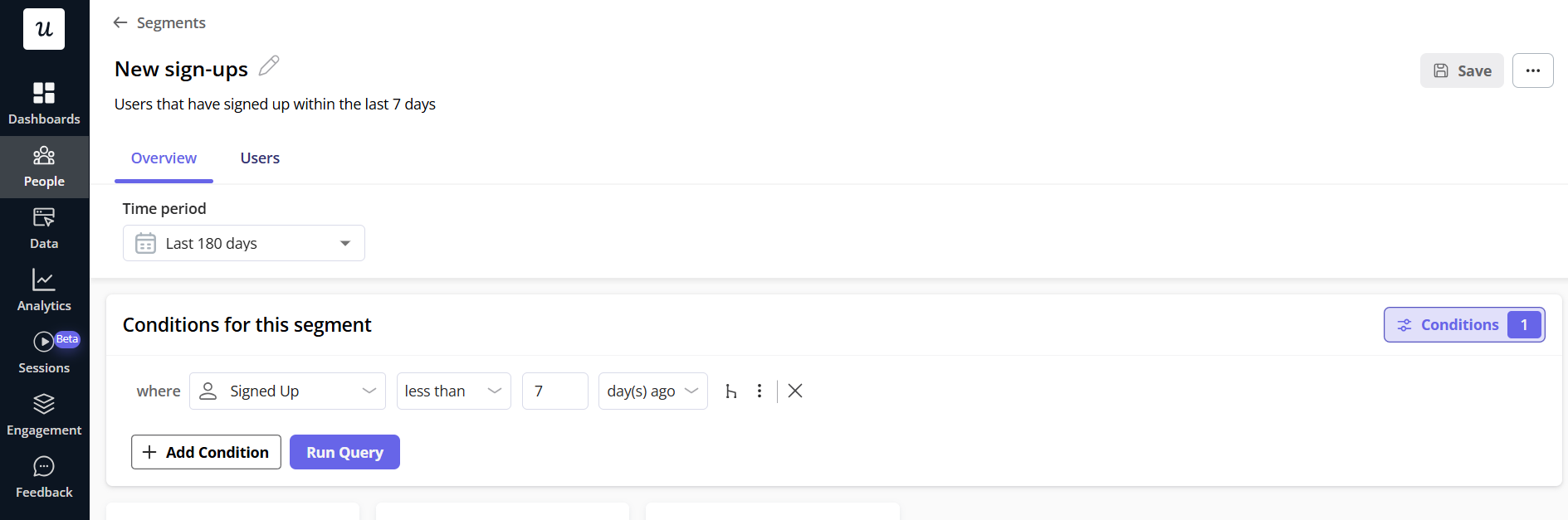
Step 2: Define your segments
Move beyond demographics. In an omnichannel marketing strategy, behavior matters more than static attributes. Create detailed customer segment definitions in your growth platform based on customers’ past behaviors and current actions.
Step 3: Map content to the right channel
Each channel serves a specific purpose in your omnichannel campaigns. Match your message type to the right medium:
- In-app: Use for immediate, contextual instruction while the user is active.
- Email: Use for re-engagement to bring inactive users back.
- Mobile: Use for timely nudges, quick updates, or status alerts.
- Social media: Use for broader awareness and community engagement that supports your marketing efforts.
This cross-channel approach ensures each touchpoint serves its optimal purpose.
Step 4: Set the triggers
Define the logic. This is where you configure the “if/then” rules based on customer behavior and key metrics. Be careful with timing. Just because an event happens doesn’t mean the message should be sent instantly. Sometimes a delay, such as waiting two days, creates a more natural cadence that better meets customer expectations.
Step 5: Test in staging
Never launch complex automation directly in production. Use a staging environment to confirm that triggers fire correctly and measure campaign performance. A misfired loop can spam users with dozens of messages in a short window, damaging user trust immediately.
Best practices for omnichannel automation
I’ve learned these the hard way, implementing omnichannel marketing automation, so you don’t have to.
Context is king
Just because you can reach customers on every channel doesn’t mean you should. If a user is actively working inside your app, don’t interrupt them with a push notification about the feature they’re already using. Use engagement data and analyze engagement signals to choose the right moment and medium.
Keep data fresh
Automation based on outdated customer data is embarrassing. If a user upgrades their plan, your system needs to reflect that change immediately through real-time data sync. Without it, you risk sending targeted communications to someone who’s already paid.
Maintain consistent messaging
Your tone should feel consistent whether customers interact via email, in-app, social media platforms, or other communication channels. If your email copy is formal but your in-app guidance is packed with emojis, the experience feels disjointed. A coherent omnichannel experience depends on consistent voice and branding.
How to measure omnichannel automation performance
Measurement drives improvement. Here are the key metrics I track to evaluate campaign performance:
Activation rate
Are new users reaching their “Aha!” moment faster? Activation is a primary signal that your onboarding automation is guiding users toward value. Use analytics tools to track this across different segments.
Retention rate
Are users sticking around longer? When omnichannel automation works, churn trends downward over time. Retention reports help you spot whether coordinated messaging is reducing drop-off or simply shifting it.
Feature adoption
If you automate a campaign to drive usage of a specific feature, look at adoption rates. Did the segment you targeted actually start using it, or did engagement stay flat? Analyze data across channels to understand which touchpoints drove the behavior change.
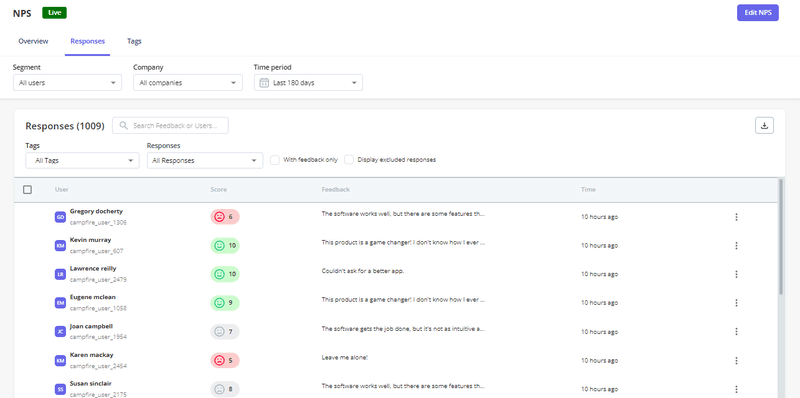
NPS and sentiment
Are users happier? Customer sentiment often reflects how connected the experience feels. Consistent, well-timed interactions across channels tend to show up in NPS scores and user feedback, helping you understand customer behaviour patterns.
Common mistakes to avoid
These are easy traps to fall into when setting this up, especially early on.
The “blast” approach
Sending the same message across every channel at the same time creates notification fatigue. This approach ignores context and how customers interact with your brand. A proper automation strategy requires coordinated timing, not simultaneous firing.
Ignoring mobile
B2B users are on their phones too. If you ignore mobile onboarding and engagement, you miss a significant part of the experience. Messages need to feel native to the device, whether users reach customers through online and offline channels or purely digital touchpoints.
Set it and forget it
Automation requires ongoing maintenance. User behavior changes, and your product evolves. Flows and segments need regular review. A quarterly audit of automated messages helps catch outdated logic before it hurts the customer experience.
How we run omnichannel automation with Userpilot
Userpilot is an omnichannel marketing automation platform itself, which makes it easier to create and track omnichannel campaigns.
At Userpilot, we implement omnichannel marketing automation using the same principles we recommend to customers. When a new user signs up, we track their activity closely. If they install our Chrome extension but don’t create their first flow within 24 hours, we trigger an automated email sequence to help them get unstuck.
Inside the product, we use segments to differentiate between marketers and developers. Developers see technical checklists related to API installation. Marketers see guided flows focused on designing UI patterns. This is how we deliver personalized experiences based on role and customer behaviour.
We also sync this behavioral data to our CRM. If a user views our pricing page three times in a week, tracked as a page event, the sales team receives a notification to reach out. This creates a closed loop between product usage, lifecycle messaging, and sales outreach.
To see how omnichannel automation works end to end, book a demo with Userpilot and explore how product behavior, messaging, and data sync come together in one system.
Boost Your User Retention using Userpilot Omnichannel Automation
About the author