Re-engaging Inactive Users in SaaS: Why It’s a Product Problem, Not a Marketing Problem


Churn happens. But a churned user isn’t a lost user — the question is whether you’re bringing them back to something worth returning to, or just back to the same experience that lost them the first time.
Reactivating inactive users is treated as a distribution problem in most SaaS companies: someone fell out of the habit, so the job is to reach them at the right time with the right message. That framing skips the more important question: why did they stop caring in the first place?
According to Salesso’s 2025 SaaS churn research, 70% of new SaaS users churn within their first three months, and the primary driver isn’t pricing or competition; it’s a failed onboarding. That number doesn’t live where we usually look for it, in the churn report or the cancellation flow. It lives in the activation funnel, where the habit never formed, and no re-engagement email can manufacture it after the fact.
This article does four things: reframes why your existing customers actually go quiet, explains why the standard playbook underperforms, walks through what moves the needle and the mechanism behind it, and makes the case for the proactive approach that makes win-back campaigns a smaller, more targeted tool over time.

Six things worth knowing before you run your next re-engagement campaign
- Your inactive users aren’t failing you: Most inactivity is an activation failure, not a loyalty failure. That distinction changes everything about how you respond to it.
- Not all silence sounds the same: Three types of inactive users require three completely different interventions. Treating them as one audience is where most campaigns go wrong before the first email is sent.
- Why the playbook underperforms: FOMO triggers and discount offers can work, but only for users who already have real product engagement. Applied broadly, they mostly miss the users who most need a different kind of help.
- The teams that rarely need win-back campaigns: Proactive account health monitoring catches drift before it becomes absence. The best teams run fewer win-back campaigns, not better ones.
- How to lose a user well: Exit data is some of the most honest product feedback you’ll collect, and using a churn survey to collect the data will help you improve product experience even if they don’t return.
Most inactivity is an activation failure, not a loyalty failure
There’s a version of this problem that hides in plain sight when your dashboard still shows healthy login counts. A user logs in, clicks around the home screen, opens a feature they’ve never touched, and closes the tab. The session counted but nothing meaningful happened. Three weeks later, that user is gone from the active cohort entirely, and the question of why is sitting in an activation funnel nobody checked.
Inactivity is rarely about competing products or a bad support experience. Our benchmark report puts average one-month SaaS customer retention at 46.9%, which means more than half of new users don’t make it past their first month. When you look at what’s driving that number, the answer almost always comes back to the same place: the product didn’t create a moment they felt they needed to come back for.
Abrar Abutouq, our PM at Userpilot, frames this as the moment users “get it,” when the product clicks into something they’d miss if it were gone. If they don’t reach that moment early enough, no amount of clever email copy will manufacture the habit the product was supposed to build. The re-engagement problem, in most cases, is an activation problem wearing a different label.
Three types of inactive users
Most teams group lapsed customers and never-activated users together as a single inactive audience, and that’s the first mistake. Before you re-engage inactive customers, you need to know which type of inactive user you’re looking at and how far along their customer journey they got, because each one is telling you something different about what broke and what the right response is. Behavioral segmentation by activation status, not just recency, is what makes that distinction possible.
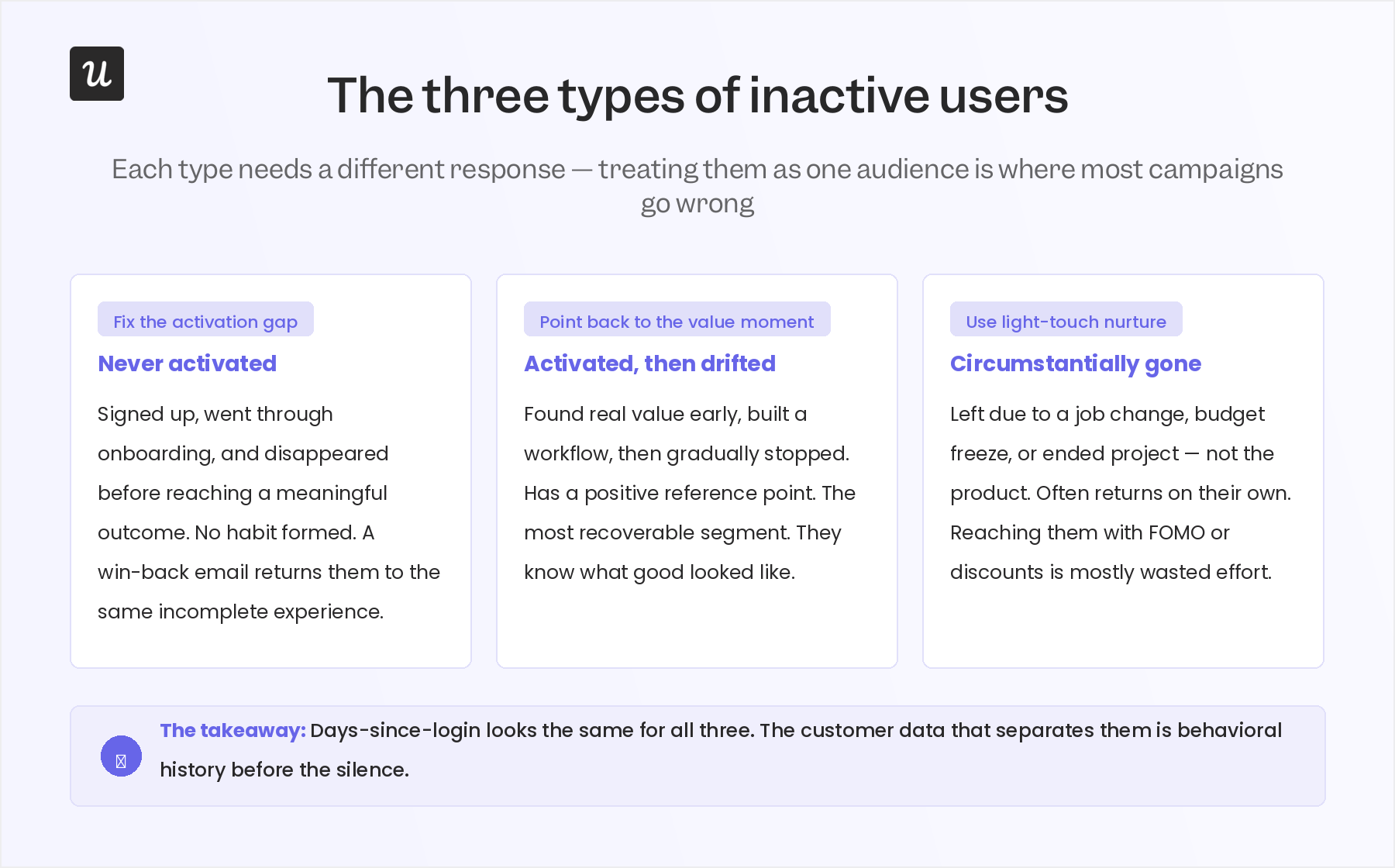
The first type never activated at all. These users signed up, went through some sort of onboarding, and disappeared before reaching the action your product was built to help them with. They didn’t churn because they disliked what they found. They churned because the product value was not concrete or fast enough to get to. A win-back email asking them to come back is asking them to return to the same incomplete experience that lost them the first time.
The second type activated and then drifted. These users reached a real value moment early on, built some kind of workflow around your product, and then gradually stopped. Maybe their use case changed. Maybe the team member who championed the product left the company. Maybe the product evolved in a direction that no longer fits their needs. Whatever the cause, they have a positive reference point, and that’s what makes them the most recoverable segment. They know what good looks like. You just need to help them find it again.
The third type left behind a dormant account for reasons that have nothing to do with your product: a job change, a budget freeze, a company restructure, or a project that wrapped up. They might have been your most engaged users before they disappeared, and reaching them with a discount or a FOMO trigger is mostly wasted effort. These users often return on their own when their circumstances shift, and treating them identically to never-activated users burns campaign budget on an audience that mostly just needs time.
The days-since-login number looks the same for all three types. The customer data that matters is behavioral history before the silence, and that’s what most re-engagement strategies skip over entirely.
Why the re-engagement playbook underperforms
The standard re-engagement playbook has a few reliable moves: a “we miss you” email, a FOMO trigger around account deletion or expiring progress, a discount offer, and a feature highlight showing what’s new since they left. These tactics became defaults because they’ve worked often enough to justify the template. The problem isn’t the tactics themselves but the logic that applies them to everyone without distinguishing who’s actually recoverable and why.
Take personalized incentives. Offering a price reduction to a user who went inactive because they never completed activation teaches them a specific lesson about your product: it needs to be cheaper to be worth figuring out. That’s the opposite of what you want a returning user to believe, and it sets a precedent that cuts into lifetime value for the small percentage who do convert. The users for whom a discount actually makes sense are the ones who activated, got real value, and then churned because the pricing didn’t fit a changed budget. Most discount campaigns massively overshoot that narrow segment.
FOMO triggers have a parallel problem. A user who invested genuine time in your product, who built something inside it, will feel real loss at the idea of that progress disappearing. A user who signed up, did half the onboarding checklist, and never came back doesn’t have enough invested for urgency to land. Ortto’s post-trial re-engagement playbook makes this point plainly: because there are so many possible reasons a user leaves, applying pressure or incentives before understanding which reason applies mostly produces noise, not conversions.
The segmentation that actually changes campaign performance isn’t demographic, and it isn’t time-based; it is activation status. A user who hit a meaningful outcome and then drifted is a fundamentally different re-engagement opportunity than one who never got past step two of the setup flow. Personalizing at the subject-line level is table stakes. The real personalization is knowing which product moment to point each segment back to, and that requires knowing each segment’s history before the silence.
Winning them back means winning them back to something specific
Here’s what changes when you approach re-engagement as a product problem rather than a distribution problem: you stop trying to get users to “log in” and start trying to get them back to a specific action they almost completed. That shift sounds small. In practice, it rewrites the campaign from the brief outward.
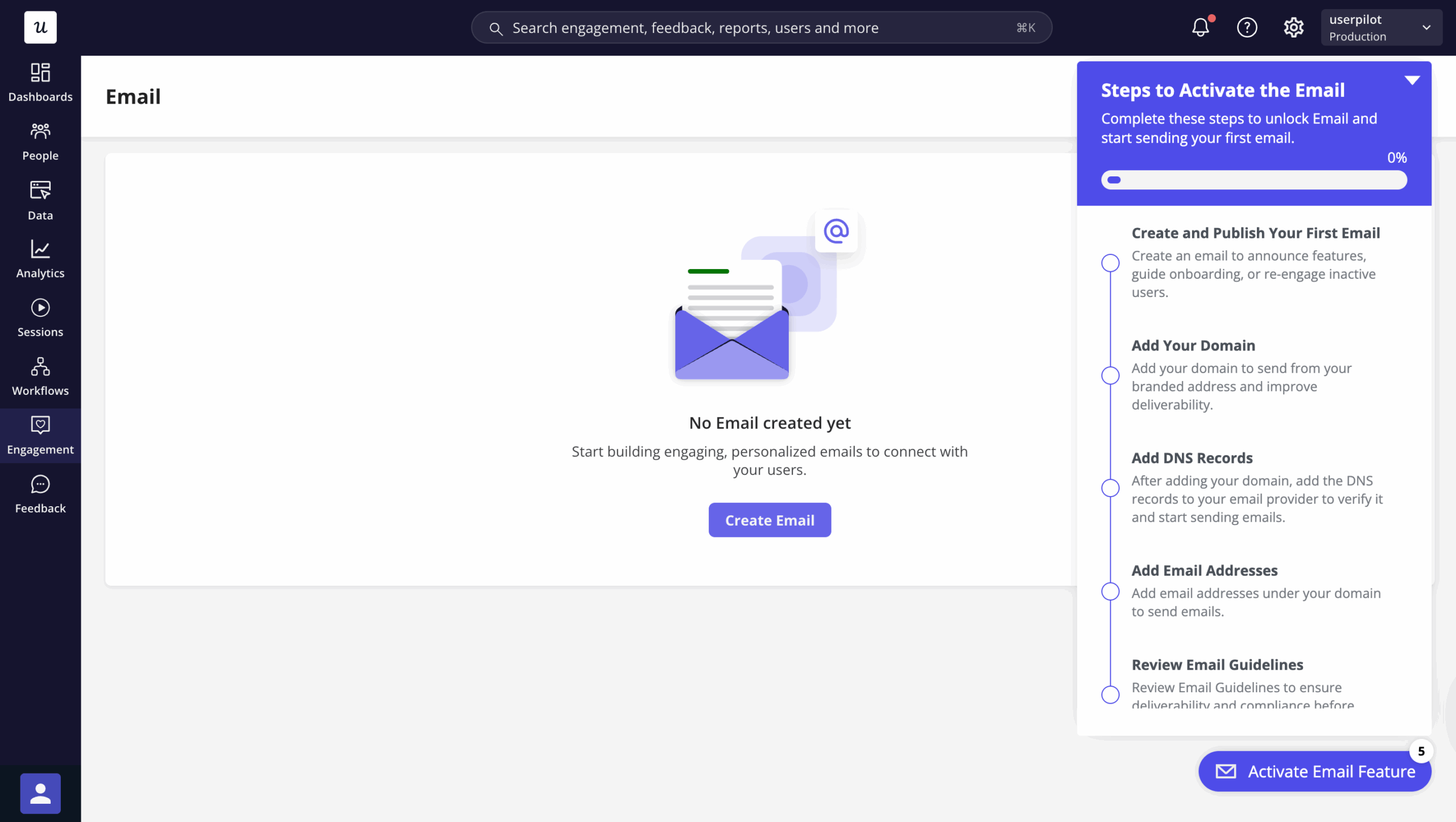
Abrar Abutouq ran into this directly when Userpilot launched its email feature. The activation funnel showed a sharp drop-off at domain verification, and the instinct for most teams in that situation is to write a knowledge base article or flag it for support.
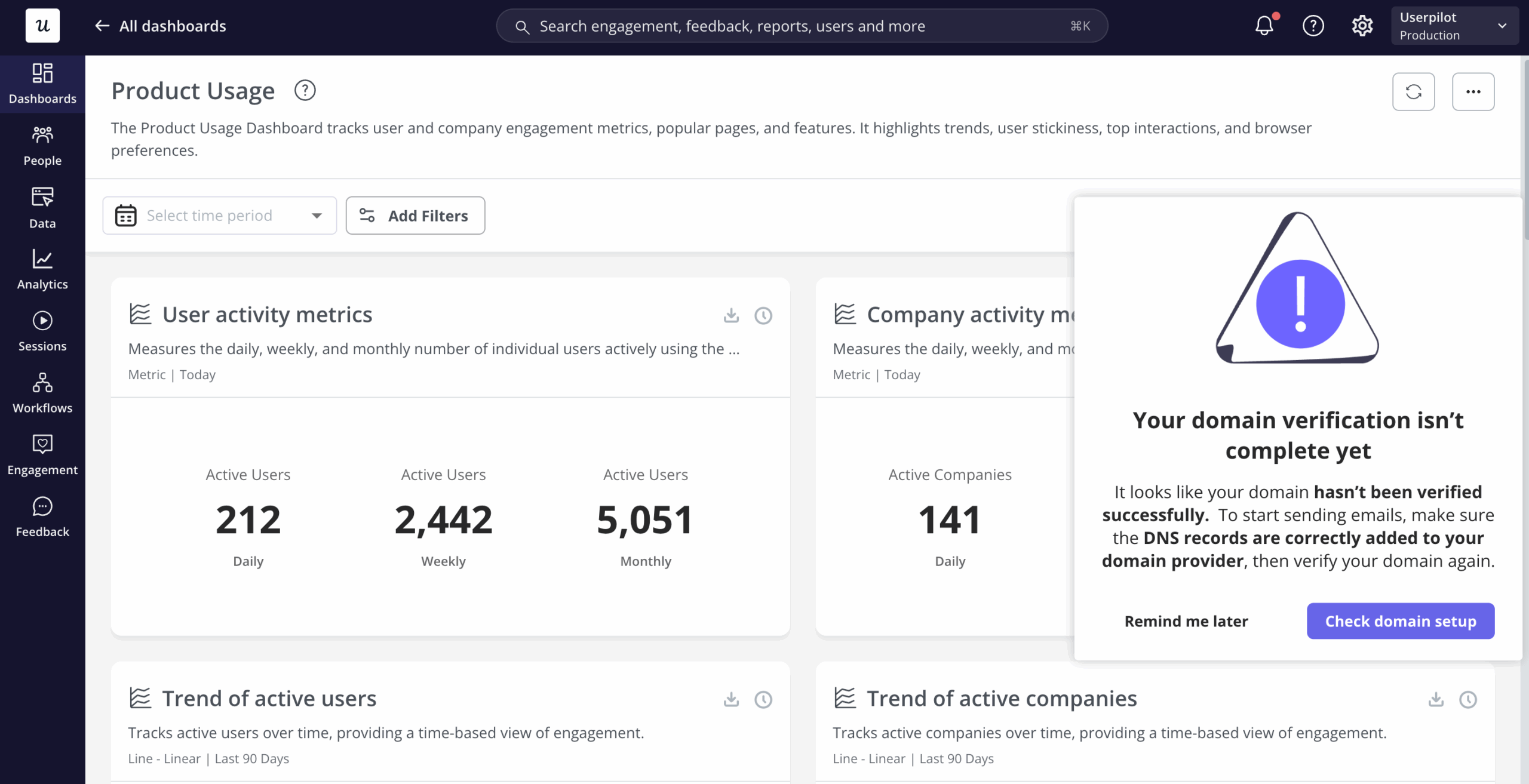
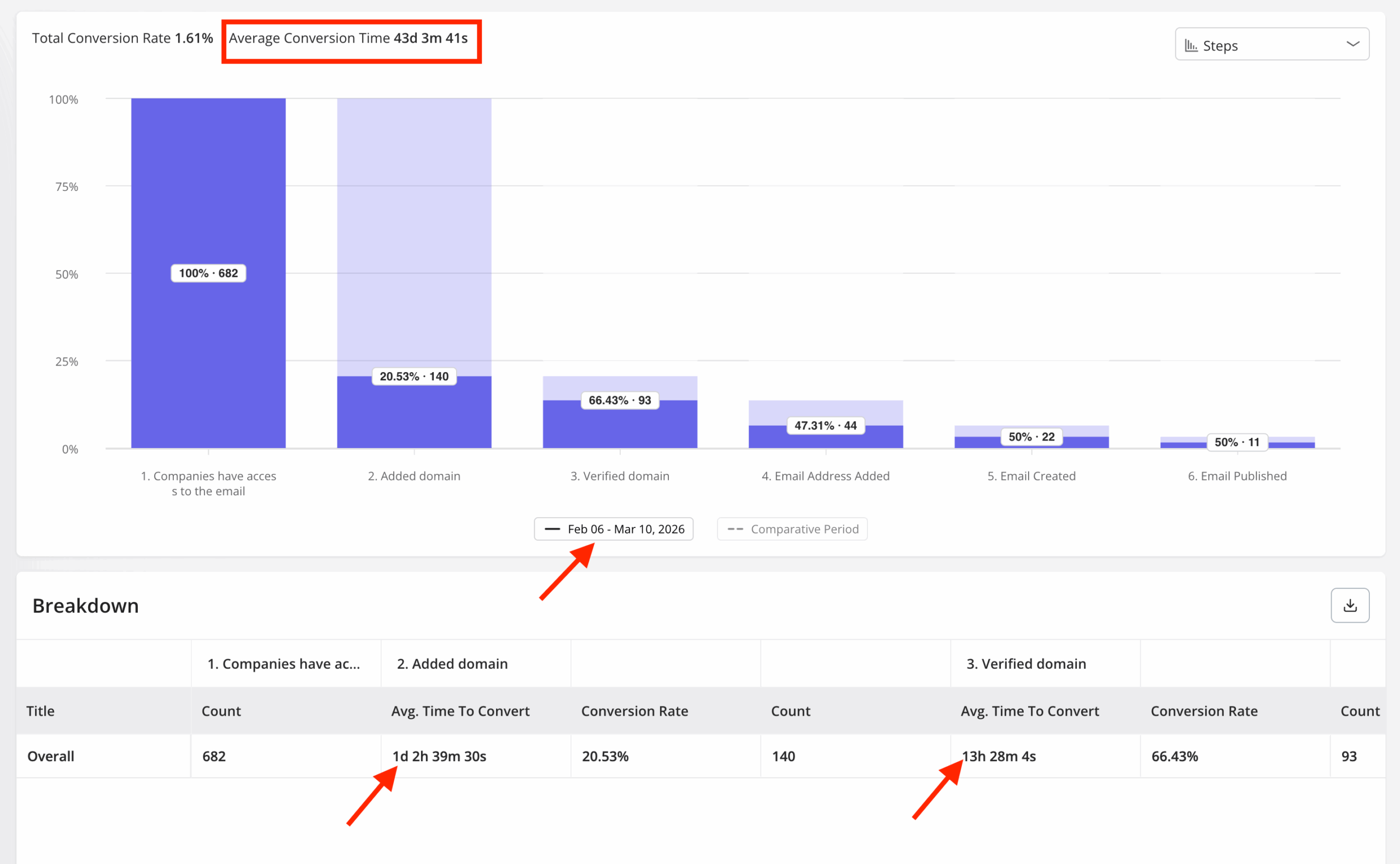 Instead, Abrar used Userpilot to build a targeting modal that appeared right at the domain verification step, showing users exactly what they needed to do next. In her words: “Within a few hours, I just created a targeting modal and showed it to users and highlighted the correct steps for them to make it clear what to do next. That helped a lot in reducing friction and supporting users in real time without involving our dev team.” Drop-off at that step closed within days, without a single re-engagement email in the sequence.
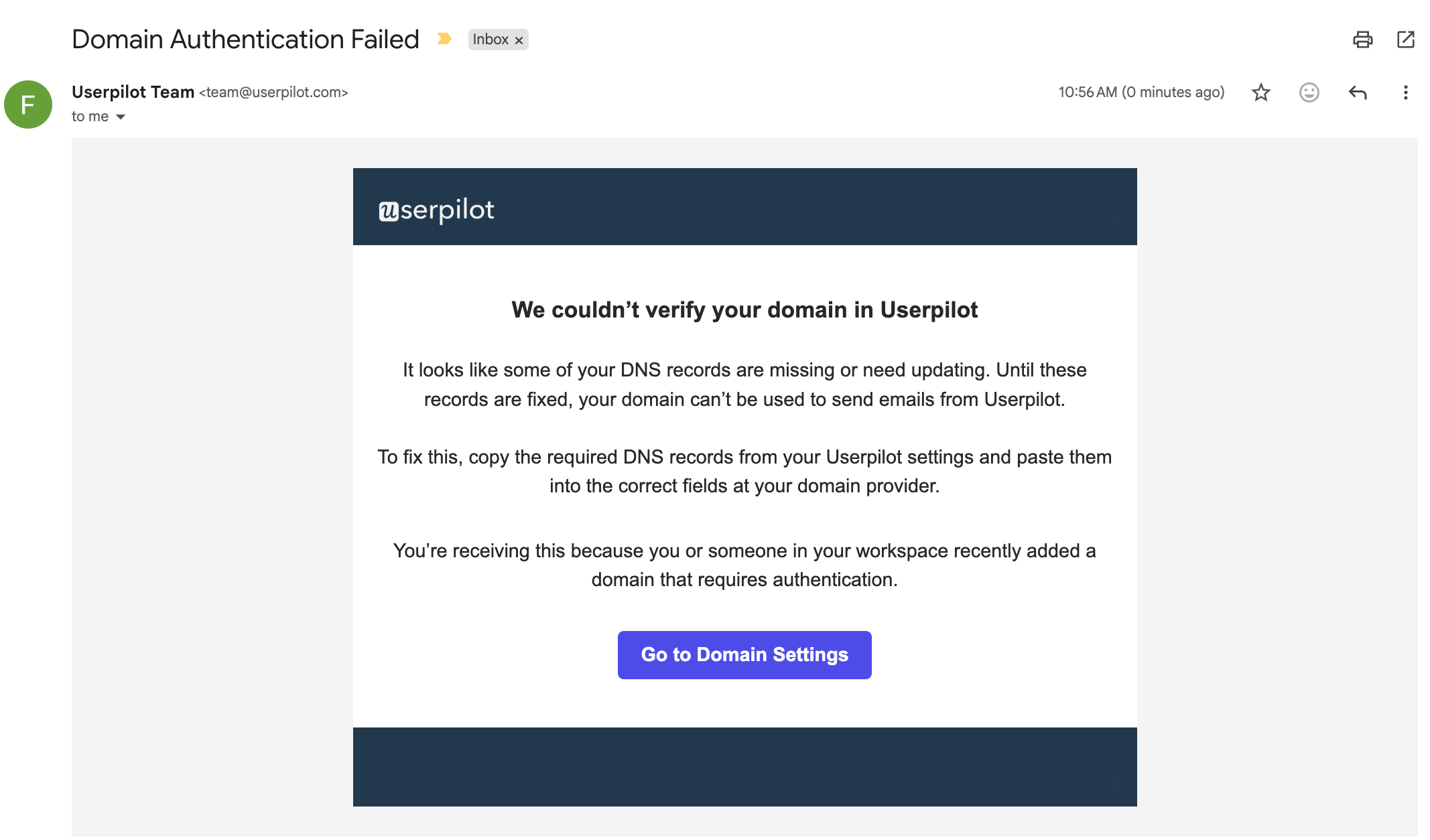
That same logic applies to win-back email campaigns. The ones that actually convert reference a specific incomplete action, not a generic prompt to “check out what’s new.” When your analytics show a user made it through 70% of the setup flow before going quiet, the re-engagement email should pick up at the step they stalled on. Reactivation campaigns using personalized subject lines raise open rates from the 18% baseline to roughly 31%, and the specificity of what the email is asking the user to do matters just as much as the subject line itself.
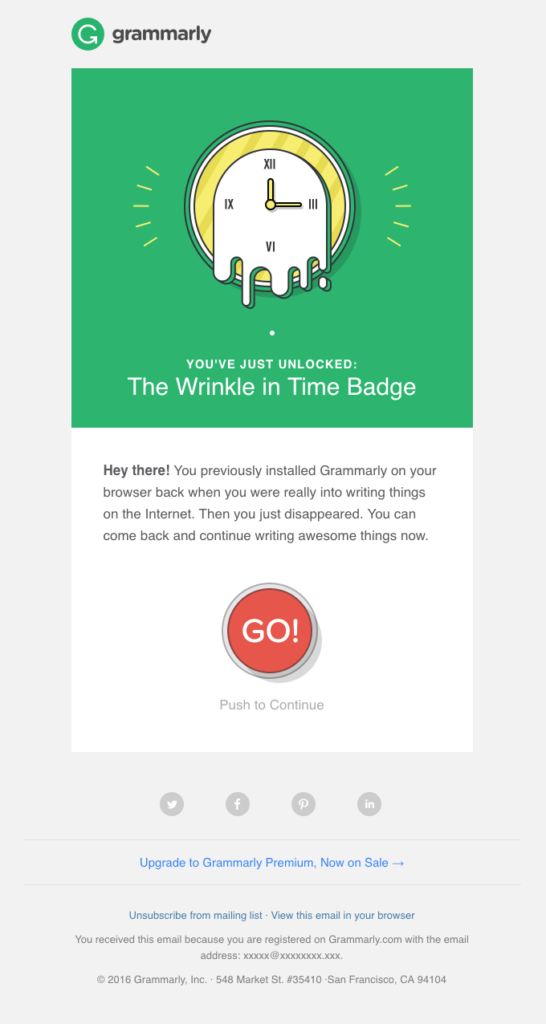
Feature highlight emails work well for the activated-and-drifted segment, but only when the feature matches what that user’s behavior actually signals. Someone who used your analytics dashboards heavily but never set up automated reporting should receive an email about automated reporting, not a broadcast of every new feature shipped in the last quarter. The tighter the feature-to-behavior mapping, the more the email reads as useful rather than promotional, and the more likely the user is to act on it.
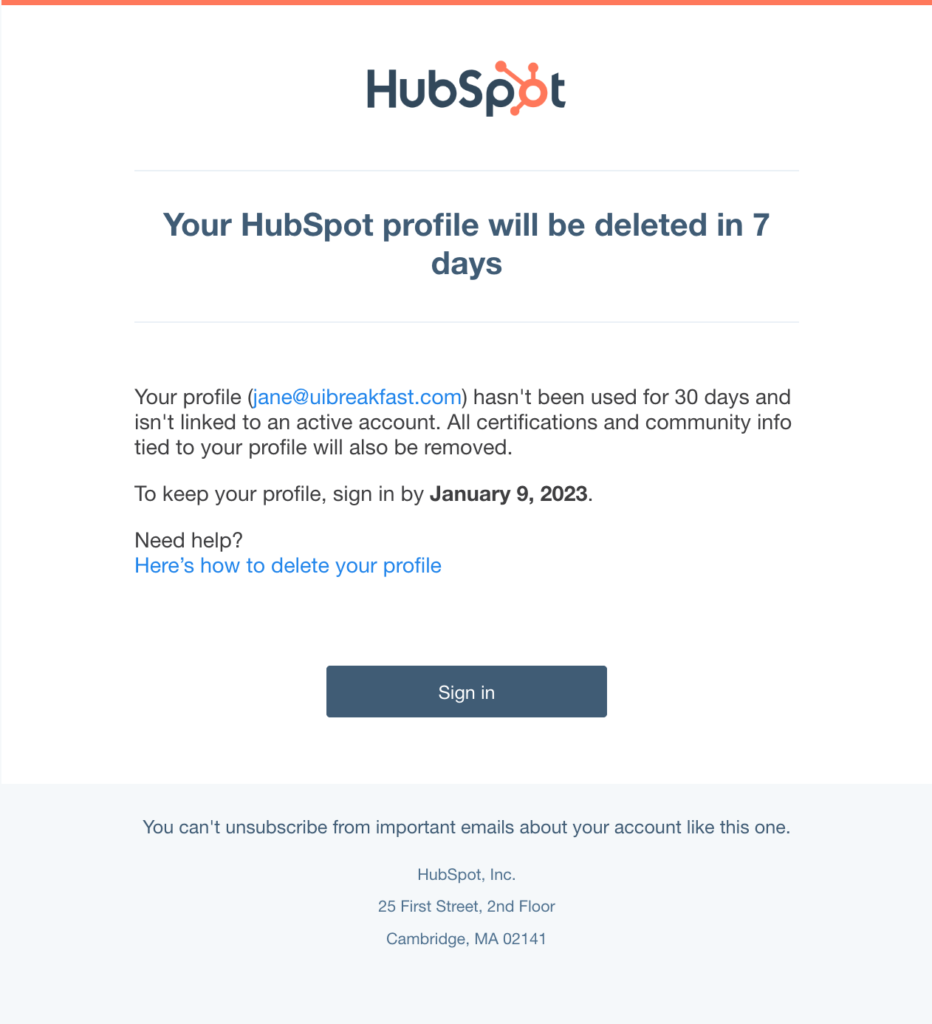
FOMO works best for the activated-and-drifted segment specifically because those users have something real to lose. HubSpot’s approach of deactivating free accounts after 210 days of inactivity, paired with a clear reactivation prompt sent beforehand, succeeds because the users it targets have built a history in the product. The threat of losing that progress is credible in a way that it can never be for a user who never activated.
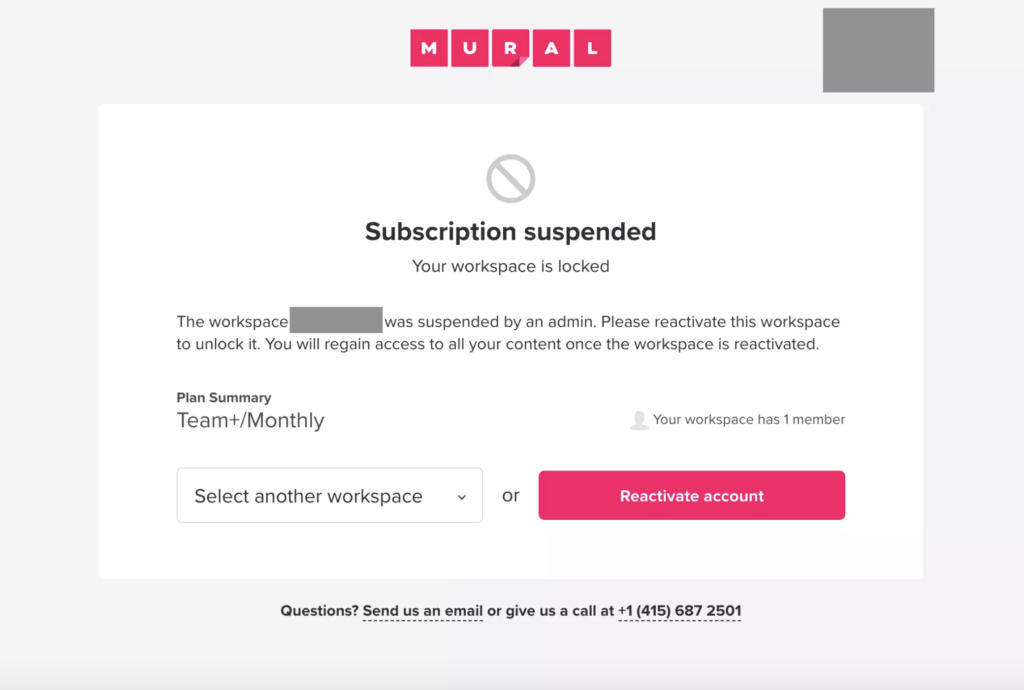
Making reactivation frictionless at the product level matters as much as anything in the email. When an inactive user follows a re-engagement link, whatever they land on should put them one click from the exact action you’re asking them to complete, rather than on a dashboard that requires them to reconstruct where they were six months ago. Mural handles this well: their reactivation flow brings returning users directly back to their last active canvas, not to a generic home screen that asks them to start over.
For users who return on their own, in-app re-engagement across multiple channels is one of the highest-leverage moves available. In-app notifications, onboarding checklists, and contextual tooltips can all guide them back to the activation moment without relying on an email that might never get opened. The returning user who opens your app after a three-month gap is already motivated to try again, so the job is to make the next step obvious before that motivation fades and the tab closes.
The teams that rarely need win-back campaigns
The honest version of the re-engagement conversation is that a well-run win-back campaign is still a recovery play. You’re already behind. The user has drifted, the habit has broken, and you’re asking them to restart something they’ve mentally moved past. That’s recoverable in some percentage of cases, but it’s hard, and the recovery rate will always be lower than intervention before the drift solidified.
James Mitchinson, our Head of Customer Success at Userpilot, describes what he calls the maturity journey in account health monitoring. Early-stage CS organizations find risk when customers come to them: complaints, support escalations, and cancellation requests. As teams get more sophisticated, they build health scores and signal systems that surface risk before it’s voiced. James describes one pattern his team watches for carefully: “lots of activity, but the outcomes aren’t materializing.” High login counts alongside zero progress on key product milestones are one of the most reliable early churn signals, and it’s invisible on a simple login-frequency report.
James also points out that the absence of noise can be misleading in both directions. When a customer who was actively submitting support tickets suddenly goes quiet, most CS teams register that as a positive sign. James reads it differently: “an even bigger indicator of churn risk is actually if a customer is engaged in submitting tickets, and then all of a sudden that stops.” Users who stop complaining aren’t always satisfied. Sometimes they’ve just stopped trying to make the product work.
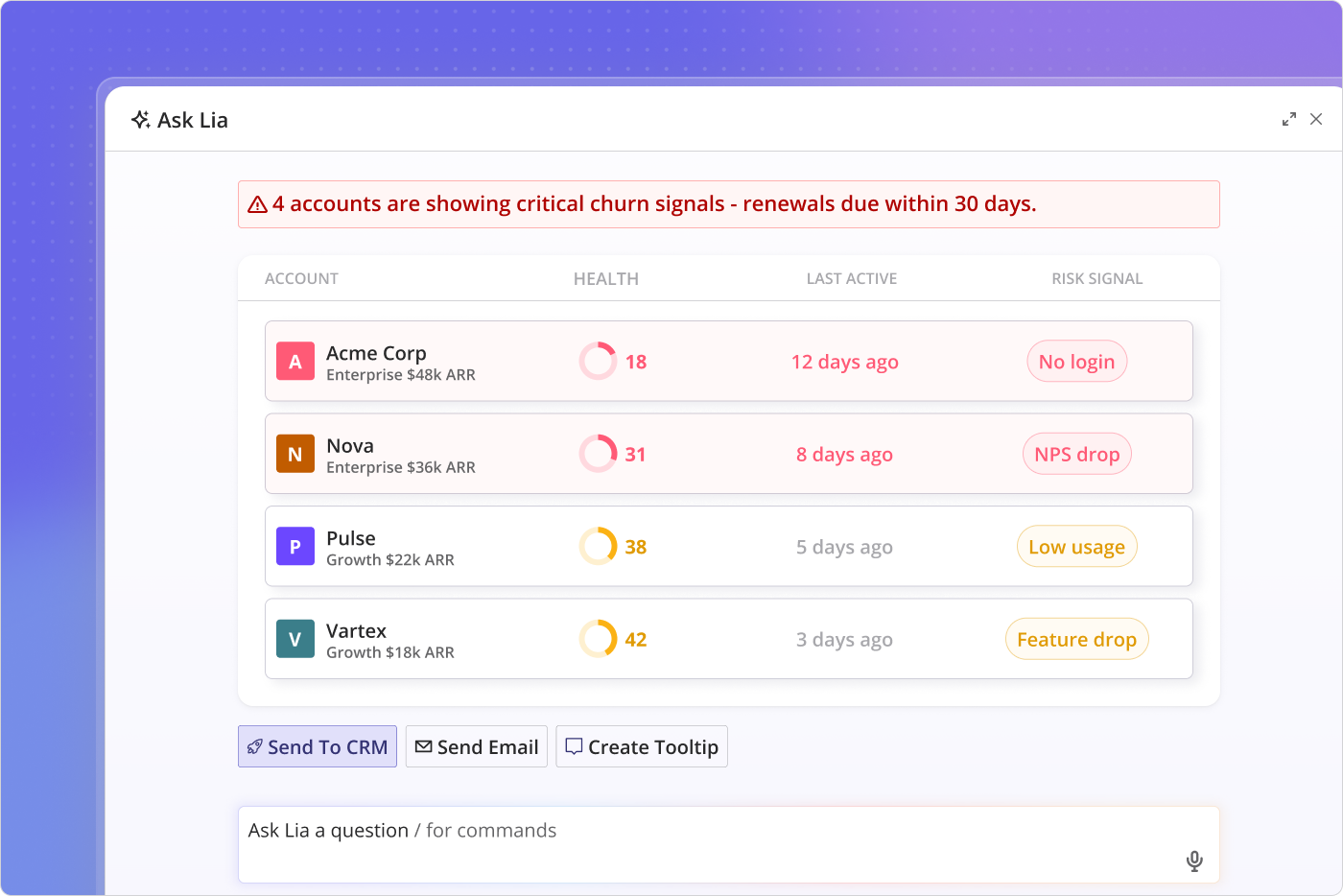
This is where Lia, Userpilot’s AI agent, makes proactive monitoring scalable for teams that can’t manually review a hundred-plus-account book daily. Lia monitors product usage data continuously, surfaces at-risk accounts based on behavioral patterns rather than simple inactivity thresholds, and can automate personalized outreach to flagged accounts before the CS team needs to step in. James put the timing problem plainly: “If a customer is coming to you and saying that they don’t wanna continue with the product anymore, it’s already too late. It’s incredibly difficult to turn that story around.” The window for meaningful intervention is while the customer still wants to be successful with the product, not after they’ve concluded that it can’t get them there.
The practical result is that re-engagement campaigns become a narrower, more targeted tool when proactive monitoring is running well. Instead of sending a win-back email to everyone who hasn’t logged in for 30 days, you’re running a focused campaign against a segment already filtered by activation history, behavioral health signals, and days-since-meaningful-action. The campaign volume shrinks. The conversion rate climbs. And the team spends less time trying to recover users who were lost weeks before the campaign launched.
How to lose a user well
Some users aren’t coming back. They found a product that fits better, their company changed direction, or the purchase decision didn’t pan out, and they don’t want to revisit it. Running increasingly intensive re-engagement sequences at this segment doesn’t save the accounts; it mostly damages your email reputation and produces a sample of campaign data that doesn’t reflect the actual recoverable audience.
The most useful thing you can do when a user is clearly leaving is ask why, and structure the question in a way that gets an honest signal rather than confirming what you already believe. Exit surveys that actually work are short, specific, and leave room for the answer you’re not expecting. A multiple-choice list of “pricing / missing features / found a better alternative” will mostly surface whatever the path-of-least-resistance answer is. An open question like “what would have needed to be different for this to be worth your time?” gets you the uncomfortable answers: the ones about activation, about the gap between what the product promised in onboarding and what it delivered in practice, about the specific step where things stopped making sense.
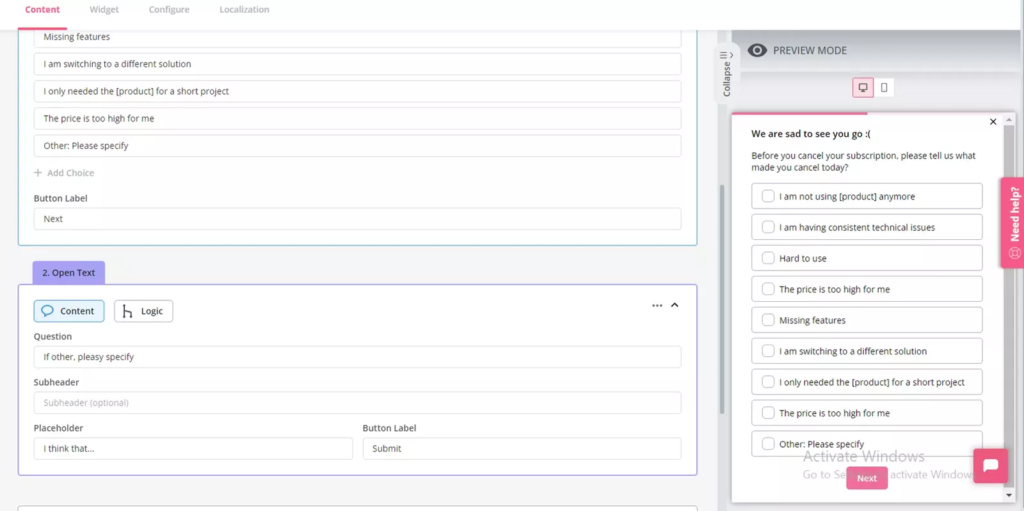
Closing the loop on that data is where most teams drop the ball. Exit responses get collected, tagged in a CRM field, and filed somewhere the product team doesn’t look. But the re-engagement problem is, at its root, an activation problem, and exit data is almost always the clearest evidence of exactly where activation is failing. Teams that improve their re-engagement numbers over time aren’t usually the ones running better campaigns. They’re the ones using churn feedback to fix the product gaps that create dormant customers before the re-engagement window even opens.
Re-engagement starts before the user goes quiet
The campaign I described at the start of this piece wasn’t a bad campaign. It was a well-executed answer to the wrong question. And the reason I keep coming back to that distinction is that getting better at sending email re-engagement campaigns is a reasonable goal if your primary aim is to recover lost revenue, but it’s a smaller goal than building the customer loyalty and product experience that keeps users from going quiet in the first place.
If your re-engagement campaigns are primarily plugging a leak, the leak is worth examining. The better version of this problem is one where your win-back list is small because most users who started to drift received a contextual nudge before they ever stopped logging in, appearing inside the product at the exact moment they needed it. Want to see how Userpilot’s segmentation, in-app engagement tools, and Lia can help you get there? Get a demo and see it in action.
About the author