Fullstory Pricing Plans: What You’d Actually Pay for Session Recordings


The Fullstory pricing model is based on fully customized quotes. Their pricing page doesn’t even show how much they charge per session.
So to make your budgeting easier, I’ve set out to check third-party data to estimate costs.
What is Fullstory?
Fullstory markets itself as a “digital experience intelligence platform”. It focuses on showing the “why” behind user actions by combining behavioral analytics with full session recordings.
Best for: Product and UX teams whose primary focus is diagnosing friction, analyzing user behavior, and continually enhancing the overall user experience.
Main features:
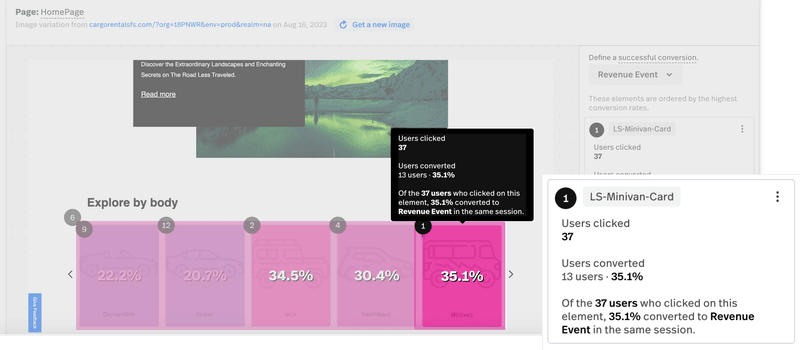
- Visual tools: Fullstory provides heatmaps and session replays, which you can filter by user segments or timeframe.
- Tagless autocapture: Fullstory captures all user interactions (clicks, form inputs, page visits, etc.) without manual event tagging. For example, if you forgot to track “PDF Download clicks”, FullStory likely has recorded them as generic clicks, and you can label those clicks on the “Download PDF” button retroactively.
- Frustration and friction signals: Fullstory automatically detects “frustration signals” like “rage clicks”, “dead clicks”, “error clicks”, excessive scrolling, and back-and-forth navigation.
- User behavior analytics: Fullstory can produce journey maps that illustrate drop-offs, sequences, and branching of user flows through your product. You can also improve funnels, optimize conversion rates, and discover trends over time.
- StoryAI: An AI agent that can summarize user sessions, spot friction, and even build predictive models.
How much does Fullstory cost?
Fullstory prices are customized to your needs, so you can’t check its pricing page to see how much you’ll pay when considering the tool.
However, third-party data does give us an idea. Based on almost 400 reported purchases on Vendr, the annual cost ranges between $9,961 and $105,630 (with a median price of $27,500). While Pricelevel data shows a median cost of $12,000 a year (based on 7 entries, however).
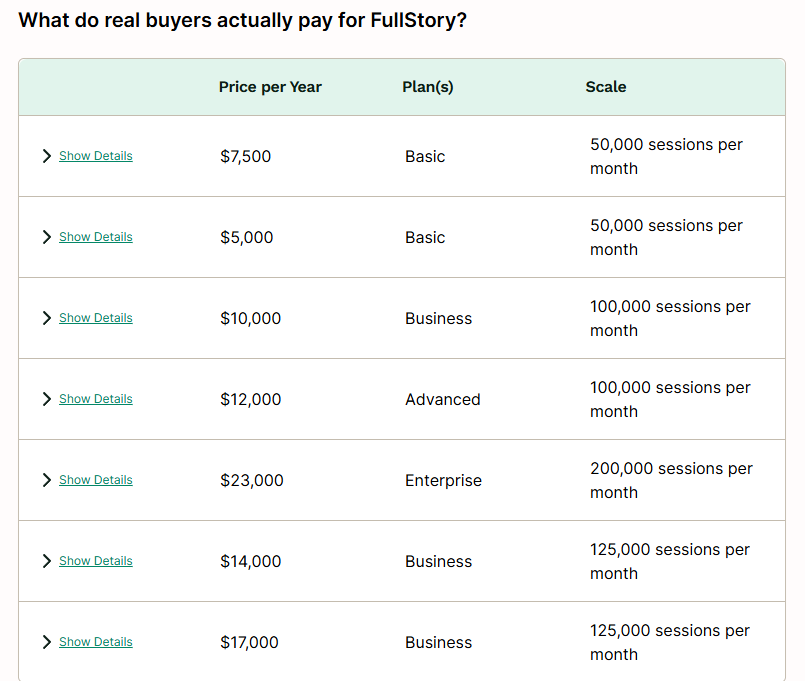
Exploring Fullstory pricing plans
Even though Fullstory offers custom pricing, there are plans that serve different needs, including:
- Free plan
- Business plan
- Advanced plan
- Enterprise plan
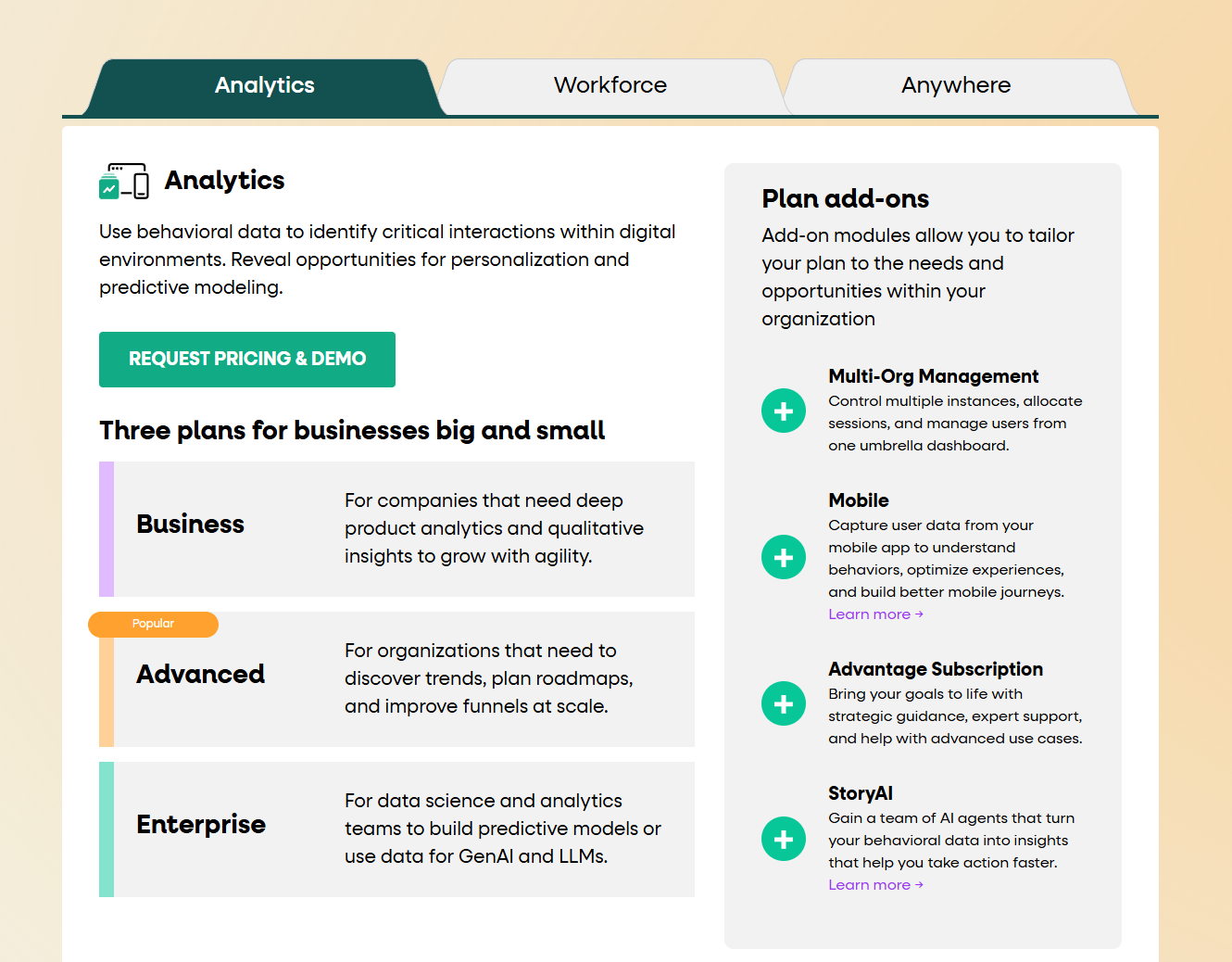
Let’s see what these plans offer.
Free plan
Best for: Startups or small businesses that need to visualize some user sessions.
Fullstory’s free tier offers 30,000 sessions/month and 10 seats. If you’re a small team validating a product, it allows you to debug usability issues without spending money.
This plan includes:
- Session replays for up to 30k sessions a month.
- Basic analytics.
- Integrations with Google Analytics, Slack, Intercom, etc (no webhooks).
- Debugging tools.
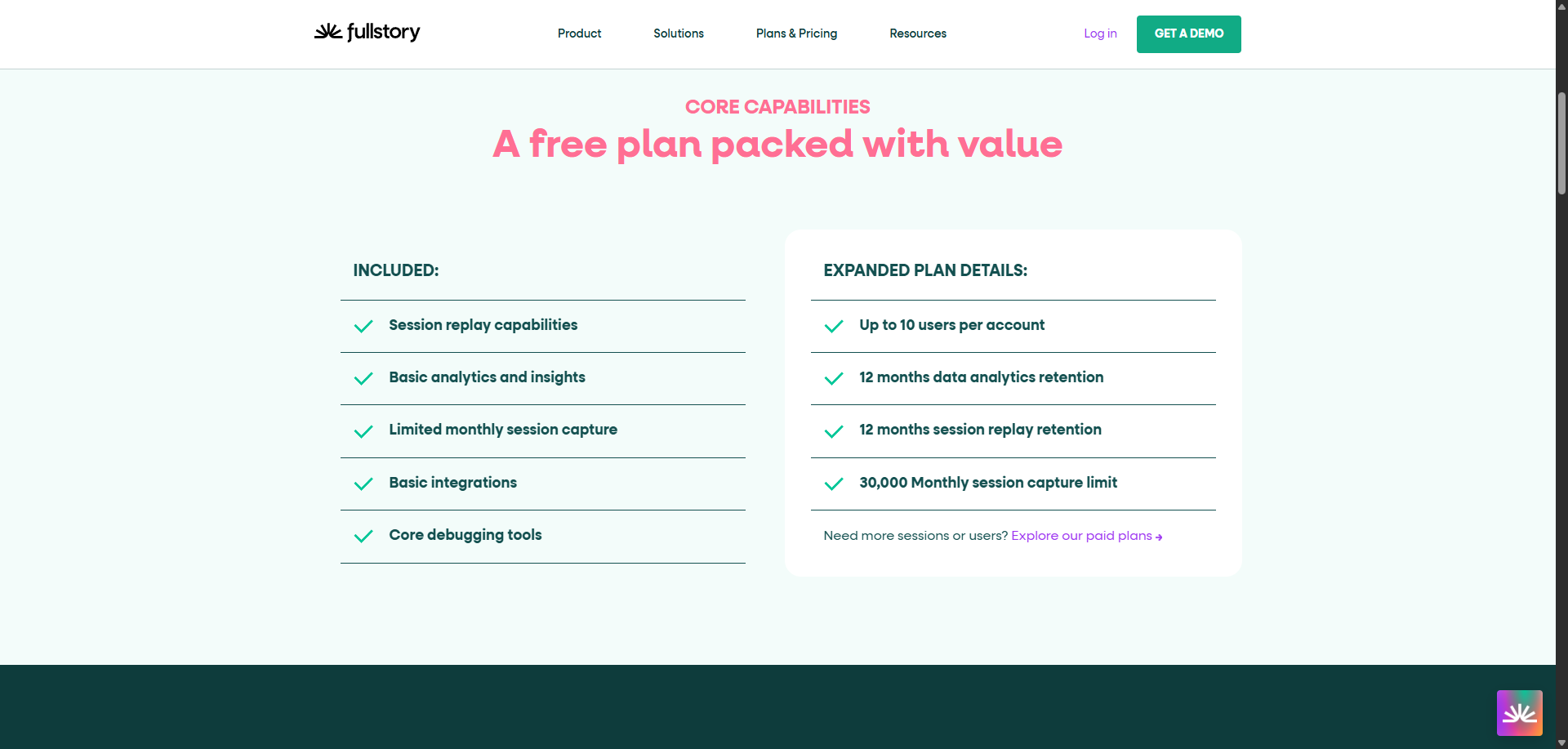
If your product requires low usage (e.g., monthly invoicing), you can get away with using only the free tier. You’d get top-notch session replays for free to complement other product analytics tools in your stack.
But, if you’re looking for a more complete solution (or your product is meant to be used daily), then you’ll need to upgrade to a paid plan and increase the sessions cap.
Business plan
Best for: Scale-ups or established businesses that need session replays.
This tier is mostly for qualitative insights. It provides live session replays but gates core analytics features like retention analysis and segment comparison. This tier is essentially a high-end DVR for user sessions without the deeper analytical context.
It unlocks more critical analysis features like:
- Visual heatmaps for tracking clicks, scroll maps, and click maps to see user interactions.
- Console logs and network activity inspection for engineering teams to reproduce bugs.
- Limited product analytics features like funnel analysis, user trends, segment health, sentiment signals, and event sequences.
The drawback of this plan is that it lacks quantitative analysis. Most of the advanced analytics tools are gated behind the advanced plan.
Note: There’s a “Startup program” that offers discounts of around $1,000/year for early-stage teams. But, beware that the price can jump aggressively on renewal. So if you accept the startup scholarship, ensure you have a clause that prevents arbitrary increases.
Advanced plan
Best for: Scaling companies or enterprises looking for product analysis.
This tier transforms the tool from a debugger into a product analytics suite. It’s more suited for analytics teams that need to visualize user journeys, analyze retention rates, plan roadmaps, and export to data warehouses.
It unlocks:
- Advanced analytics features like user journeys, retention analysis, and conversion rates analytics.
- Data exports to sync Fullstory data with other databases.
- Alerts for user segments and metrics.
- Visual conversion maps on your session insights and AI summaries.
My only gripe is that this plan gives you access to deeper product analytics at a much higher price than many of its competitors. It turns FullStory into a luxury good rather than a growth essential.
Enterprise plan
Best for: Enterprises with high volumes of traffic in their apps or that need strict compliance requirements.
This tier focuses on Enterprise services like SSO (Single Sign-On), advanced permissions, PCI/CCPA compliance, and dedicated success management. If your IT team mandates strict security protocols or if you operate in regulated industries (HealthTech, FinTech), you’ll need this tier regardless of traffic.
Other than that, the enterprise plan doesn’t unlock any other feature beyond extending session caps, seats, or data retention periods.
How Fullstory calculates your bill
At a minimum, Fullstory will charge about $10,000 per year for a limited plan. But the final cost will depend on how you negotiate terms with the sales team.
To make you less vulnerable to price jumps, it’s important to consider the factors involved in the quote calculation.
These are the most impactful factors in Fullstory pricing:
- Session volume: This is the biggest cost driver. For Fullstory, a “session” is a single user’s visit to your site or app. If a user logs in five times a day, Fullstory counts five sessions. If you have 1,000 daily active users logging in once per day, that’s already 30,000 sessions a month. Make sure to put a hard limit on the session volumes in your plan.
- Seat count: Although all plans will offer a minimum of 10 seats, some specific contract structures may include more seats based on the size of your company, increasing the final price as a consequence.
- Data retention: Although all data is stored for 12 months by default, Fullstory might charge extra to keep session data accessible for longer periods. Consider if you’ll really need to watch sessions older than a year to avoid an unnecessary extension.
- Add-ons: Additional features are only accessible as add-ons, adding more to the final price. These include tracking mobile apps, AI agents, multi-org management, and advantage subscription. Make sure your quote doesn’t include an add-on that your team won’t use.
Fullstory pros and cons
Fullstory is a market leader for a reason. Its session replays are pixel-perfect, and the analytics tools are perfectly designed to improve customer experience.
But as I’ve explained, this product isn’t for everyone. So let’s weigh its pros and cons.
Pros:
- Retroactive indexing: One of Fullstory’s strongest selling points is that it captures everything without prior tagging. If you realize today that you need to track a button click from last month, the data is likely already there.
- High-fidelity replay: Their session reconstruction is arguably the best in the industry. It captures DOM mutations with pixel-perfect accuracy and with granular privacy controls to hide sensitive data.
- Developer tools: Engineers can see console logs and network errors alongside the replay, making it a powerful tool for squashing technical bugs.

Cons:
- Session limits: Because you pay per session, a highly engaging app becomes a financial liability. If your product is sticky, you pay more without necessarily acquiring new customers.
- Lack of actionability: Fullstory is a passive tool. It shows you user friction, but provides no native tools (like tooltips, modals, or checklists) to fix it. You must rely on engineering to deploy code changes.
- Gated product analytics: Their most powerful and differentiating analytics features are pushed to expensive tiers and treated like secondary features. They’re only accessible if you have an enterprise-level budget
- Overwhelming usability: Even though Fullstory has a user-friendly interface, there’s a learning curve when figuring out how to search, filter, and make sense of the mountain of sessions.
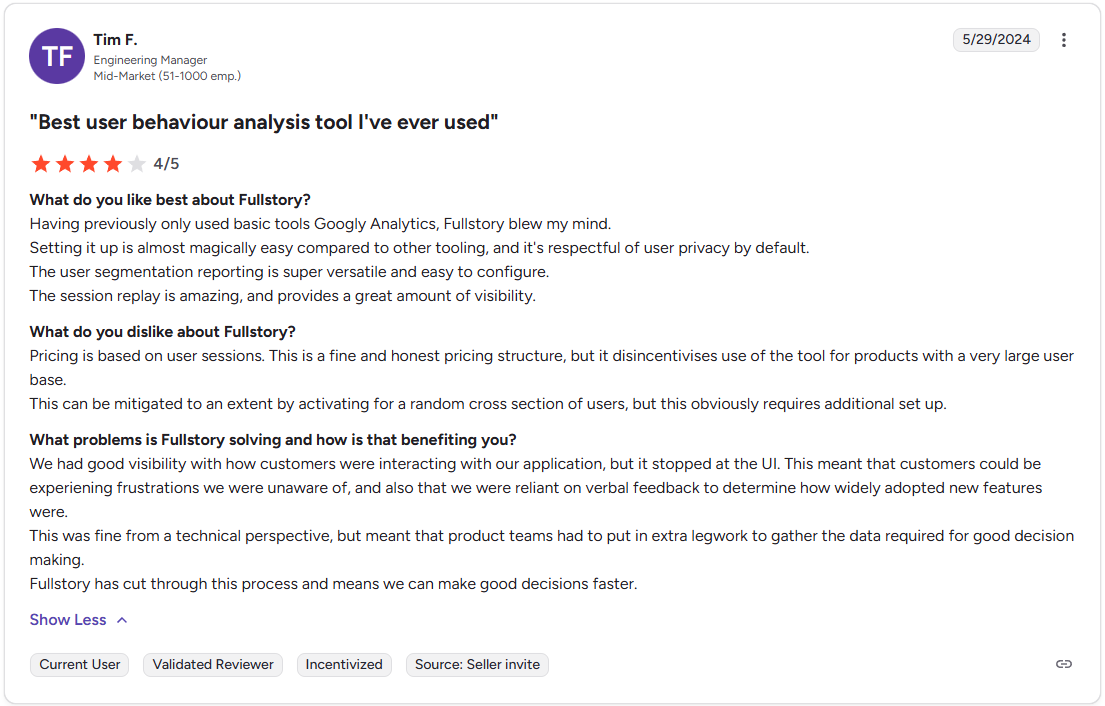
Why Userpilot is more actionable and cost-effective
If your goal is to increase product adoption, product growth platforms like Userpilot offer a more scalable solution by bundling analytics with engagement tools. This allows you to close the loop between getting powerful insights and acting on them.
Here’s how it differs from Fullstory’s current offerings:
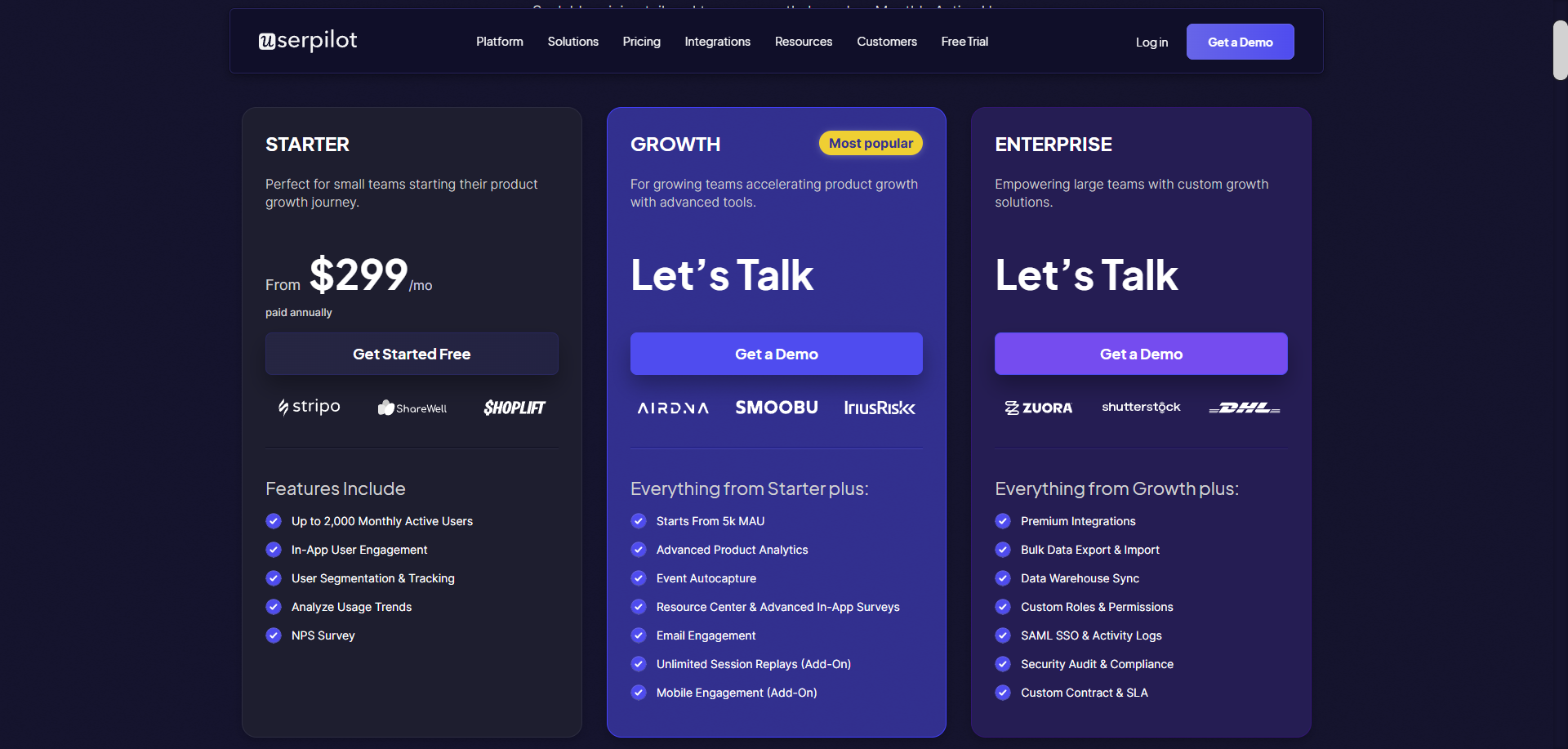
- Predictable MAU-based pricing: Userpilot prices are based on monthly active users (MAUs). If you build a sticky product and users log in 100 times a month, you aren’t penalized. Costs remain predictable as engagement scales, aligning the tool’s cost with the value you derive from it.
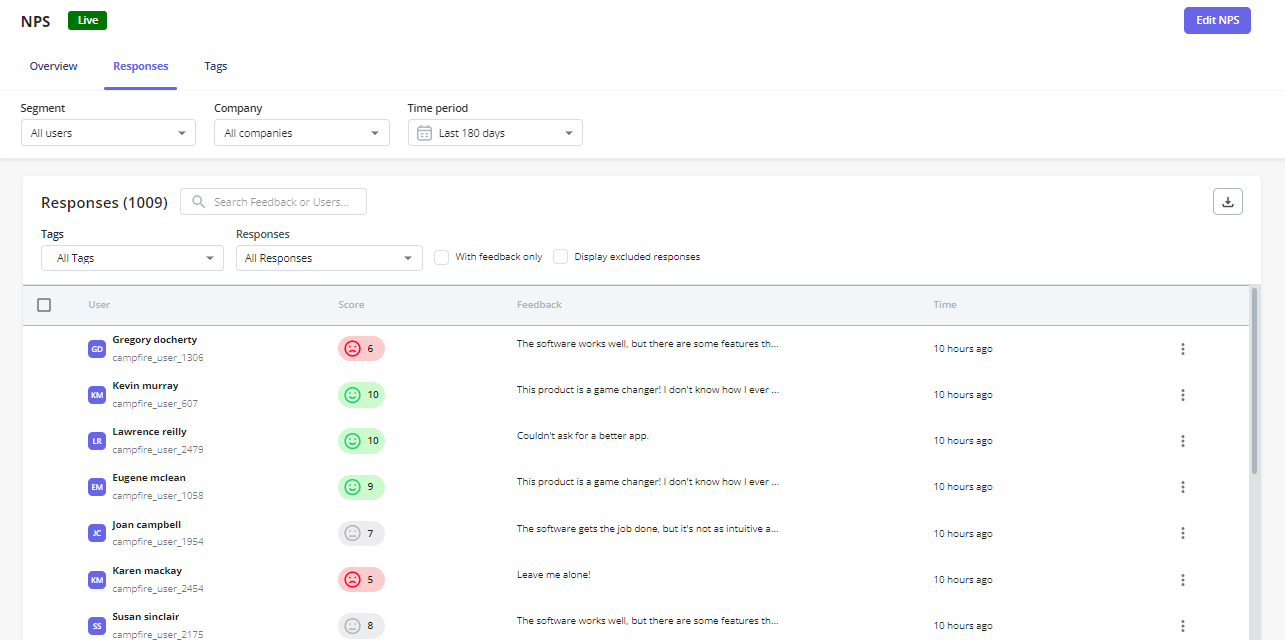
- In-app user feedback: Userpilot allows you to trigger microsurveys (like CSAT or NPS survey) at the exact moment of value or friction. This qualitative data, combined with session replays, provides a complete picture that silent observation cannot match. Furthermore, you can track NPS responses directly within the platform to gauge long-term sentiment.
- No-code autocapture: Instead of drowning in data, Userpilot tracks all events automatically. You just need to use the visual labeler to tag the events you’ll analyze (no data science degree required).

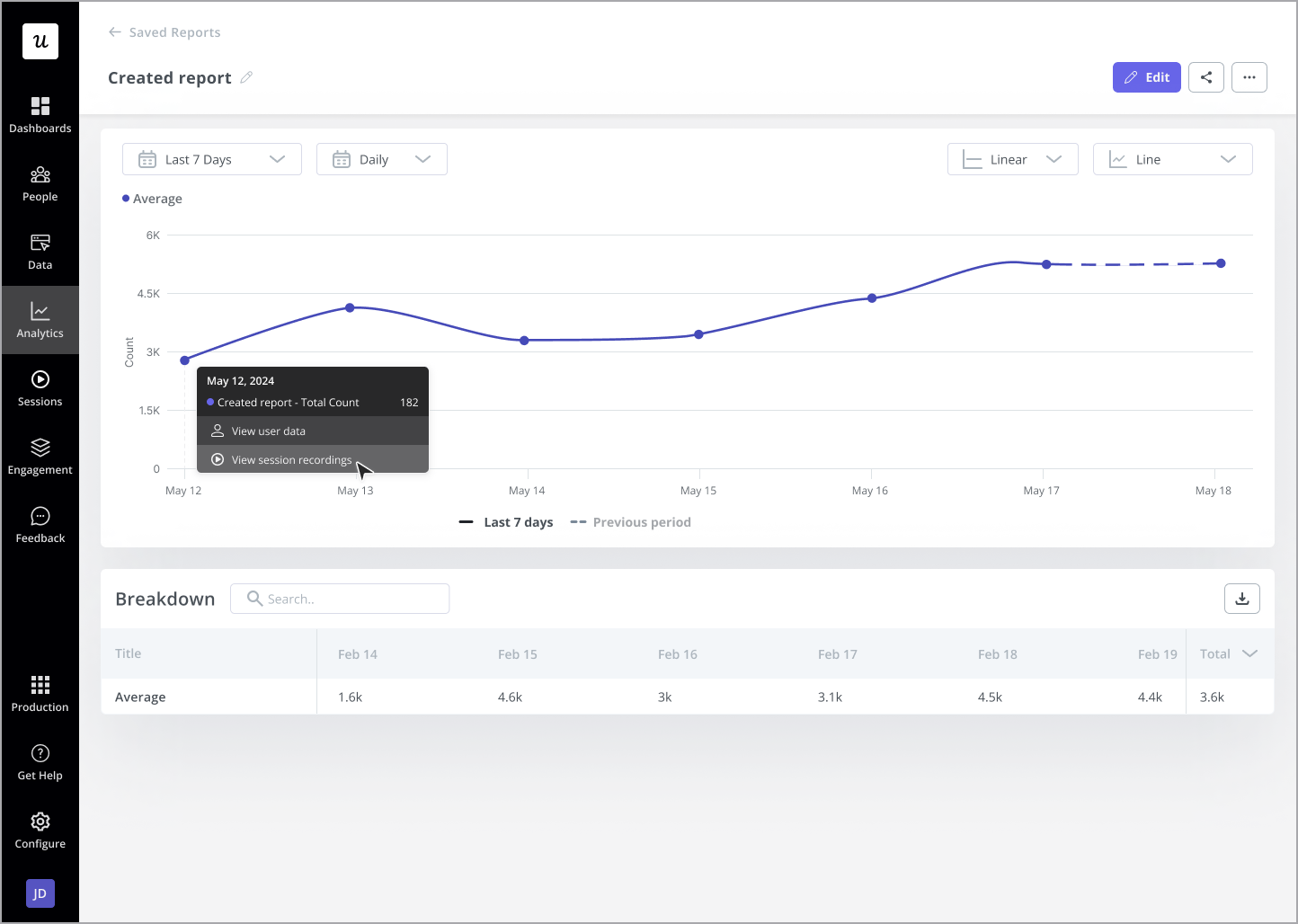
- Unlimited and easier session replays: Session replays are unlimited and easier to access. You can filter replays to include he users who interacted with a specific feature, access replays directly from a funnel reports, etc. This makes your session analysis more efficient.
- User engagement tools: When you see users failing to complete a task, you can trigger interactive walkthroughs, checklists, or spotlights to help with feature adoption. If a user visits the “Integrations” page but doesn’t click anything, you can trigger a message offering help documentation or a guide.

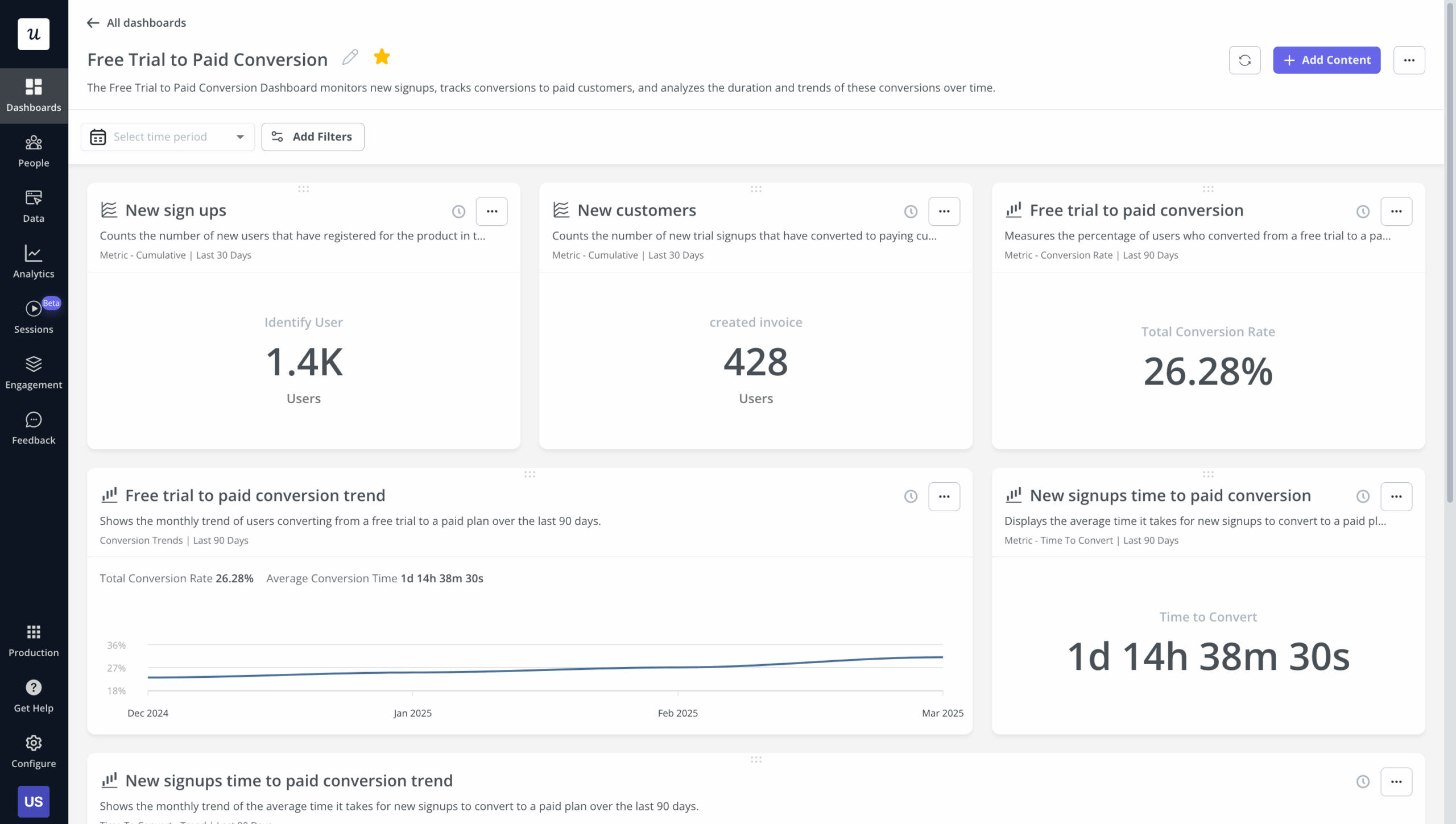
- Consolidated dashboarding: You can view your custom dashboards to see high-level trends, then click through directly into the session replays to understand user behavior behind those trends.
- Product AI agent: Upcoming AI assistant (Lia) will automatically analyze user behavior, flag recurrent themes in survey responses, and even craft personalized in-app campaigns (unlike “StoryAI”, which only serves to summarize replays and reports). The AI can also parse survey responses and generate insights or appropriate next steps. Join the beta here for early access.

Try Userpilot to focus on product growth, not just sessions
Fullstory remains a premium instrument for deep observation. If you have a dedicated research team whose sole job is to watch users, or an engineering team hunting elusive bugs, it is a powerful tool. The pros of its high-fidelity capture are undeniable for technical use cases.
However, for SaaS companies focused on product growth, the session-based pricing and lack of direct actionability will hinder growth potential. In a PLG world, spending weeks watching users struggle before you can deploy a simple walkthrough is a luxury most early-stage businesses cannot afford.
About the author