Product Management Best Practices I Use at Userpilot


When I transitioned into product management from QA here at Userpilot, I knew the product deeply. What I didn’t know was how we made decisions about it. Turns out, like a lot of early-stage SaaS companies, we were a feature factory: decisions driven by what competitors were shipping, sales requests, and secondhand feedback from the customer success team. Conversations with users happened only occasionally.
Every best-practice guide I found told me to conduct discovery, talk to users, and prioritize by impact. None of them told me what that looked like when you’re covering a broad product scope, engineering is already three sprints behind, and CS is your fastest path to user signal because it’s there and it’s immediate.
So I wanted to write a guide built from what’s happened with me at Userpilot, in the PM community, and in the current moment, where AI has changed what it costs to execute each of these practices well.

1. Your product vision is only as useful as the decisions it makes obvious
I think people talk about product vision like it’s some mystical thing where a PM “sees the future.” In practice, most good product vision is much less dramatic than that.
Usually, it’s just having a strong enough opinion about where the market and customer behavior are heading that the team can make better decisions consistently.
That’s why I think a vision is only useful if it changes prioritization. If your roadmap discussions look the same with or without the vision, then the vision is probably just branding language.
For example, saying “we want to build the best onboarding platform” is not very useful. But saying “we believe onboarding is shifting from static flows to adaptive AI-guided experiences” immediately changes what the team builds and what success looks like.
The tricky part now is that these assumptions expire faster. AI is speeding up product cycles so much that visions drift out of date more quickly than they used to. A direction that felt differentiated two years ago can become table stakes surprisingly fast.
2. Align your team around outcomes
I think one of the biggest traps in product management is confusing delivery with progress. A lot of teams operate in feature mode for so long that the product roadmap itself becomes the goal.
The conversation turns into “did we ship it?” instead of “did this change anything meaningful for the business or the user?” That’s why I think product goals matter so much.
You should identify the business outcome first, then work backward into the roadmap. If the company cares about retention, the team should know which user behaviors actually correlate with retention. If the goal is expansion revenue, then the roadmap should prioritize the workflows tied to expansion, not whatever feature request is getting the most internal attention that week.
That also makes prioritization easier because not all work contributes equally. I like Shreyas Doshi’s LNO framework for this. It’s a simple way to classify work into leverage, neutral, and overhead. Some initiatives meaningfully move outcomes. Some are incremental improvements. Some are operational maintenance that still needs to happen, but should not dominate the roadmap.
The difficult part now is that AI makes it very easy to produce more analysis, more alerts, and more recommendations. So, without a clear outcome, your team may end up reacting to every signal instead of understanding which signals make sense.
3. Differentiate, or you’re building a parity product
Product differentiation is one of those practices that sounds obvious until you’re six months into a roadmap that’s just matching what your competitors shipped last quarter. That’s a feature factory in its most recognizable form: building because the market built, not because your users needed it.
Differentiation is also about the combination of differentiators, including:
- Your pricing structure.
- Your support model.
- Your user onboarding experience.
- How fast you ship fixes.
- How well you understand your customers’ needs.
Product managers who confuse competitive parity with differentiation spend most of their time building things their competitors already have. The strongest differentiators are the ones competitors can see but can’t copy quickly, because they’re baked into how you operate rather than what you’ve built. A strong customer fit is one of the clearest signals that differentiation is working. If your best customers can’t describe what makes you different from alternatives in one sentence, you haven’t differentiated clearly enough.
What makes this worse now is that building has become dramatically easier. AI tools reduced the cost of shipping software so much that competitors can replicate surface-level features surprisingly fast. A feature used to buy you time. Now it might buy you a few months at best.
That’s why I think differentiation is moving away from “what features do we have?” toward “why do customers prefer using this product over the alternatives?” Sometimes that is product functionality, but a lot of the time it’s operational. Faster onboarding. Better defaults. Better support. Better understanding of the workflow. Better distribution. Clearer positioning.
4. Make continuous discovery a weekly habit, not a quarterly event
The product manager’s job doesn’t end at a product launch. That’s when it starts, because you now have more usage data and customers to learn from. The problem is that most teams treat discovery as a phase rather than an ongoing practice, which means they’re operating on assumptions that are already months old by the time they revisit them.
Teresa Torres, author of Continuous Discovery Habits and founder of Product Talk, whose continuous discovery framework has become the standard reference for this practice, argues that weekly customer touchpoints are the keystone habit for product teams. Not monthly, not quarterly. Weekly. Your goal is a live, up-to-date understanding of what users are trying to do and where the product gets in the way.
Tools like opportunity solution trees help here by keeping the problem space explicit and connected to the company’s actual goals. They also make it easier to surface valuable insights across different user groups without letting the loudest customers skew the picture. Without that structure, product discovery tends to drift toward confirming what the team already believes.
5. Go to users directly, skip the internal proxies
One of the most common patterns I see in early-stage PM teams is relying on the sales team and the CS team as the primary channels for user insights. It’s understandable: those teams talk to customers all day, they have CRM data, and they have call recordings. The problem is that their feedback is already filtered through their own goals.
The PM community has a phrase for this: NIHITO, which stands for “Nothing Important Happens In The Office.” The point is that pattern recognition, conversations, and direct observation with actual users consistently outperform dashboards and secondhand reports for building a deep understanding of what’s really going on. You can be data-informed without being data-dependent.
Customer interviews are great for understanding user needs across different user types, identifying pain points that slow down feature adoption, and occasionally discovering that it’s time to change direction. This kind of direct customer research gives you something analytics never can: a deep understanding of customer needs that no dashboard can surface on its own.
The key is being clear about the purpose of each interview before you run it. “Let’s talk to some users” produces a much weaker signal than “we need to understand why users in segment X aren’t activating feature Y.” Customer interviews can also reveal when it’s time to take a new direction entirely, something you’ll rarely discover from usage data alone.
6. Track what users do, not just what they say they do
Users often can’t accurately describe their own behavior. They’ll tell you they use a feature regularly when the data shows monthly. They’ll say a workflow is easy when the session replay shows them clicking the wrong button three times. That gap is normal. It reflects how we perceive our own habits, but overlooks how we behave.
That’s why product usage analytics have to be paired with user feedback. Data tells you what’s happening. Feedback tells you why. You need both to make a good decision.
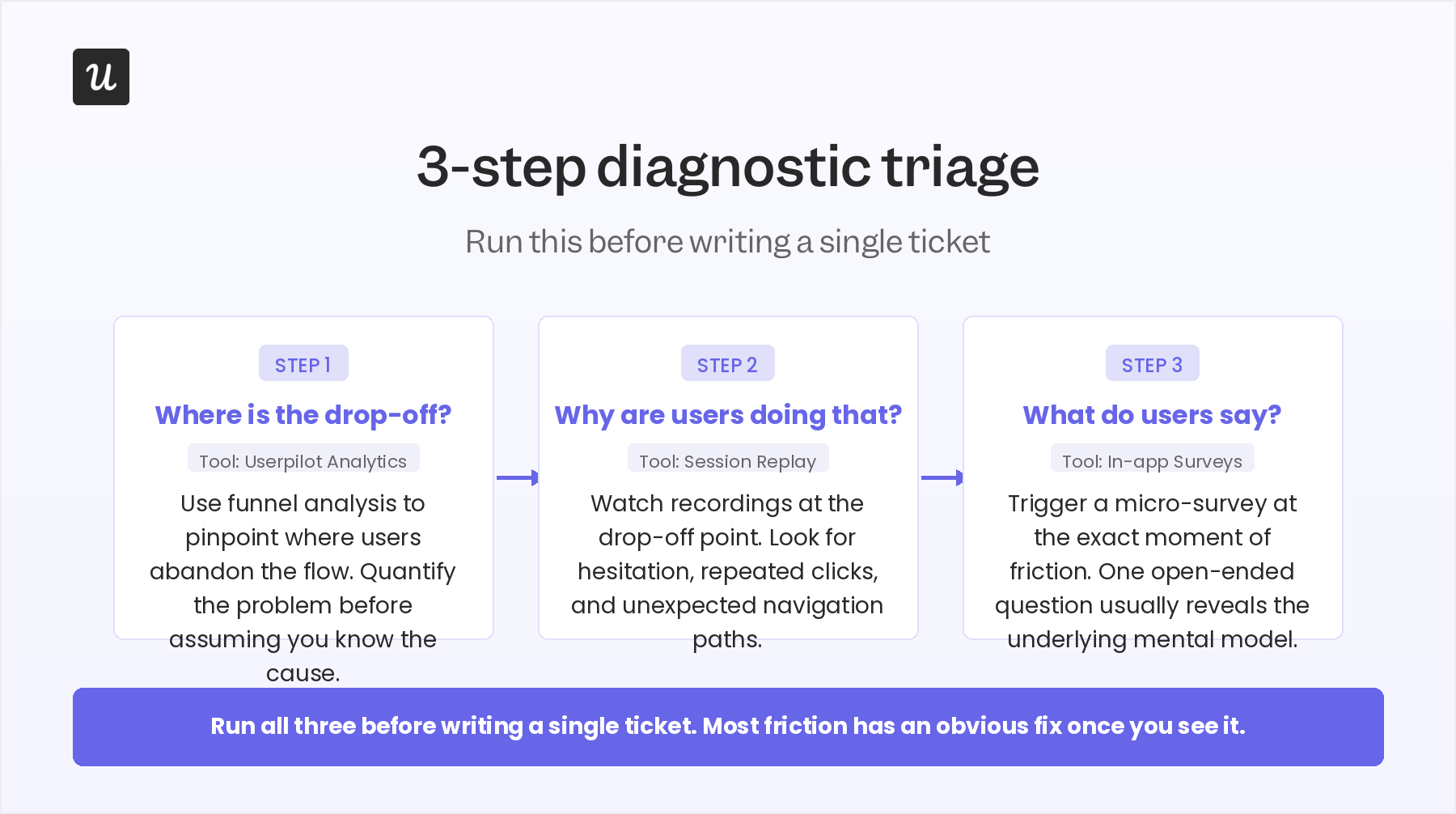
I have a process I use every time we release a feature. First, I check the dashboard and reports to identify where the drop-off is occurring: which step users get stuck on.
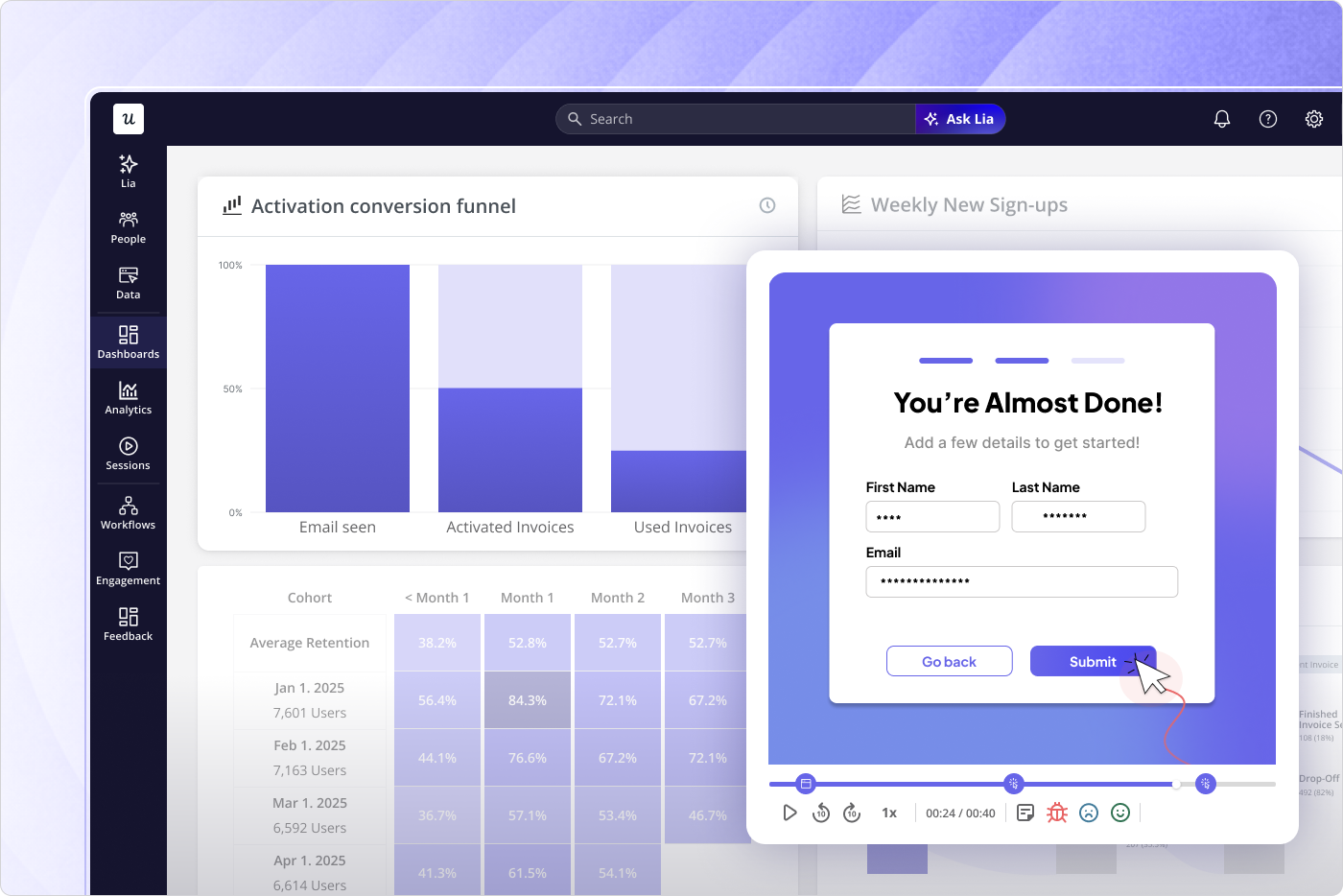
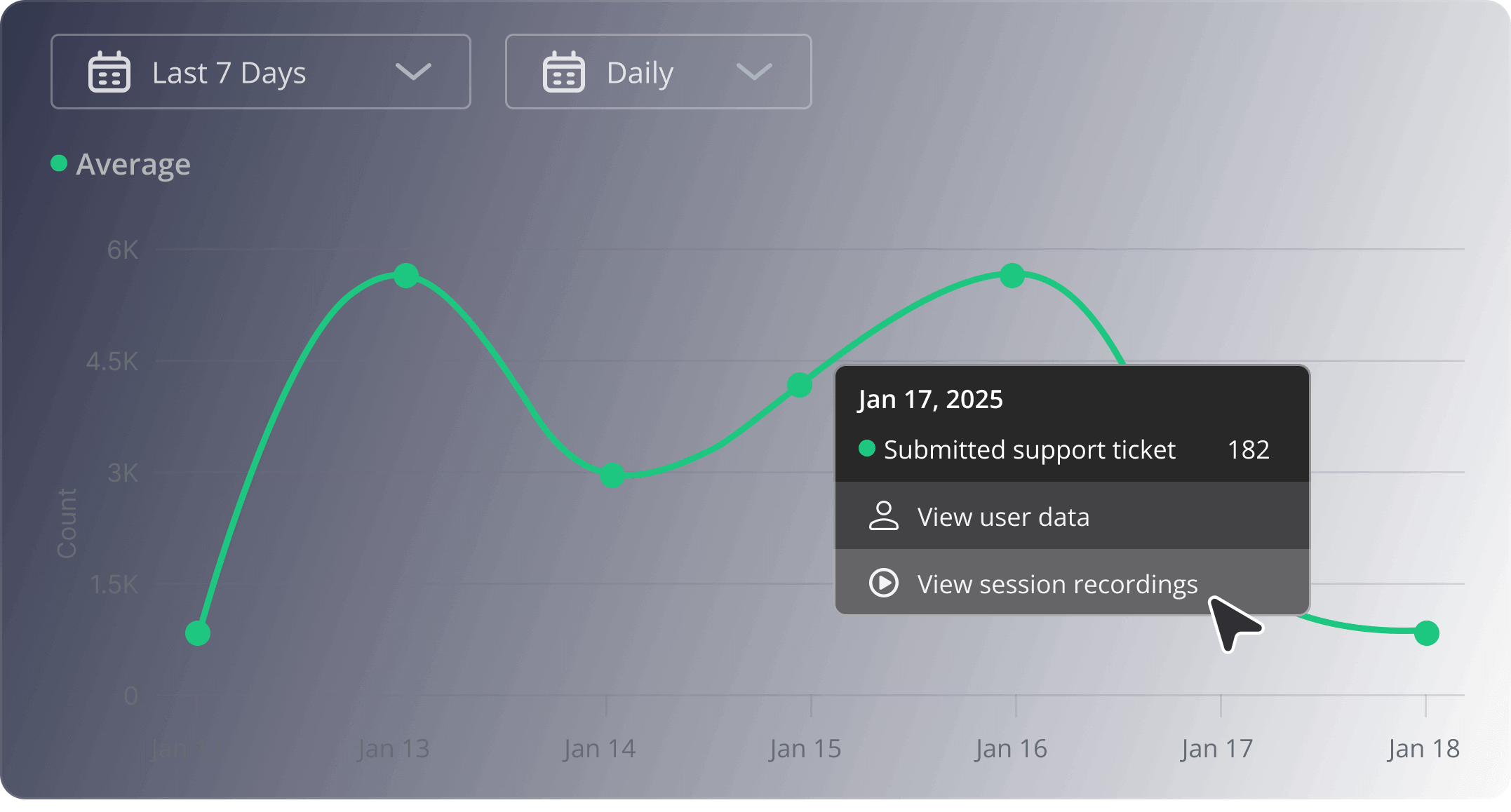
Then I watch session replays for that specific point in the flow. The replay usually reveals whether it’s a comprehension problem (users don’t understand what the feature is for), a UX problem (they understand, but the interface is confusing), or a setup problem (the feature requires configuration that creates a barrier). Then, if I still can’t figure out the root cause, I run a targeted survey.
For example, we released an email feature and saw a big drop-off in the first two steps. The fix had a direct impact on activation within hours. Users had access to the feature but weren’t activating their domain, which was the critical step to unlock it. I watched the sessions, confirmed the problem, and within a few hours built an onboarding checklist in Userpilot that walked users through the setup step by step. No dev ticket, no sprint planning. The drop-off improved without a single line of code.
John Cutler, author of the TBM newsletter and one of the most rigorous thinkers on product team behavior, makes a related point in TBM 293: mature product teams synthesize research together rather than funneling it through a single product manager. The analytical work shouldn’t be confined to one person’s brain. The development team should also have access to the data.
7. Product-market fit is a state, not an event
Achieving product-market fit once doesn’t mean you keep it. New competitors enter, user expectations shift, and the market moves.
A product can have a strong fit with one customer segment and a weak fit with another. You can have high adoption but poor user retention. You can have a product people like, but not enough to change their habits or pay enough for it sustainably.
PMF also isn’t just about existing users: there needs to be a potential customer base large enough to justify the direction you’re building in. A product that had strong PMF in 2022 might be losing ground in 2026 to alternatives that have caught up on the features that mattered or shifted the competitive frame entirely.
The PMF survey is the simplest tool for checking where you stand. It’s essentially a proxy for customer satisfaction at the strategic level: if users would be “very disappointed” to lose your product, you’re meeting a real need. Ask users how disappointed they would be if they could no longer use the product. If fewer than 40% say “very disappointed,” there’s work to do. The qualitative follow-up (“why?” and “what would make you more disappointed?”) is where the actionable insight actually lives.
Running this regularly also gives you a trend. A declining score is a much more urgent signal than a stable score at 38%. The trend tells you whether the problem is getting worse, which the point-in-time number can’t.
8. Don’t rely on your UI to drive adoption. It won’t.
No matter how well-designed your interface is, some users will get stuck. They won’t find the feature they need. They won’t understand why a workflow requires a step that isn’t obvious. They’ll assume something is broken when it’s working as designed, but not in a way that makes intuitive sense to them.
In-app guidance is how you close that gap and remove friction before it becomes a support ticket or a churn event. Tooltips, modals, hotspots, and checklists create a layer of contextual help that sits on top of your product and guides customers toward the moments where they realize value. The keyword is contextual: triggered for specific user segments at different stages of the user journey. A customer discovering a product feature for the first time needs different guidance than one who’s used the product for six months.
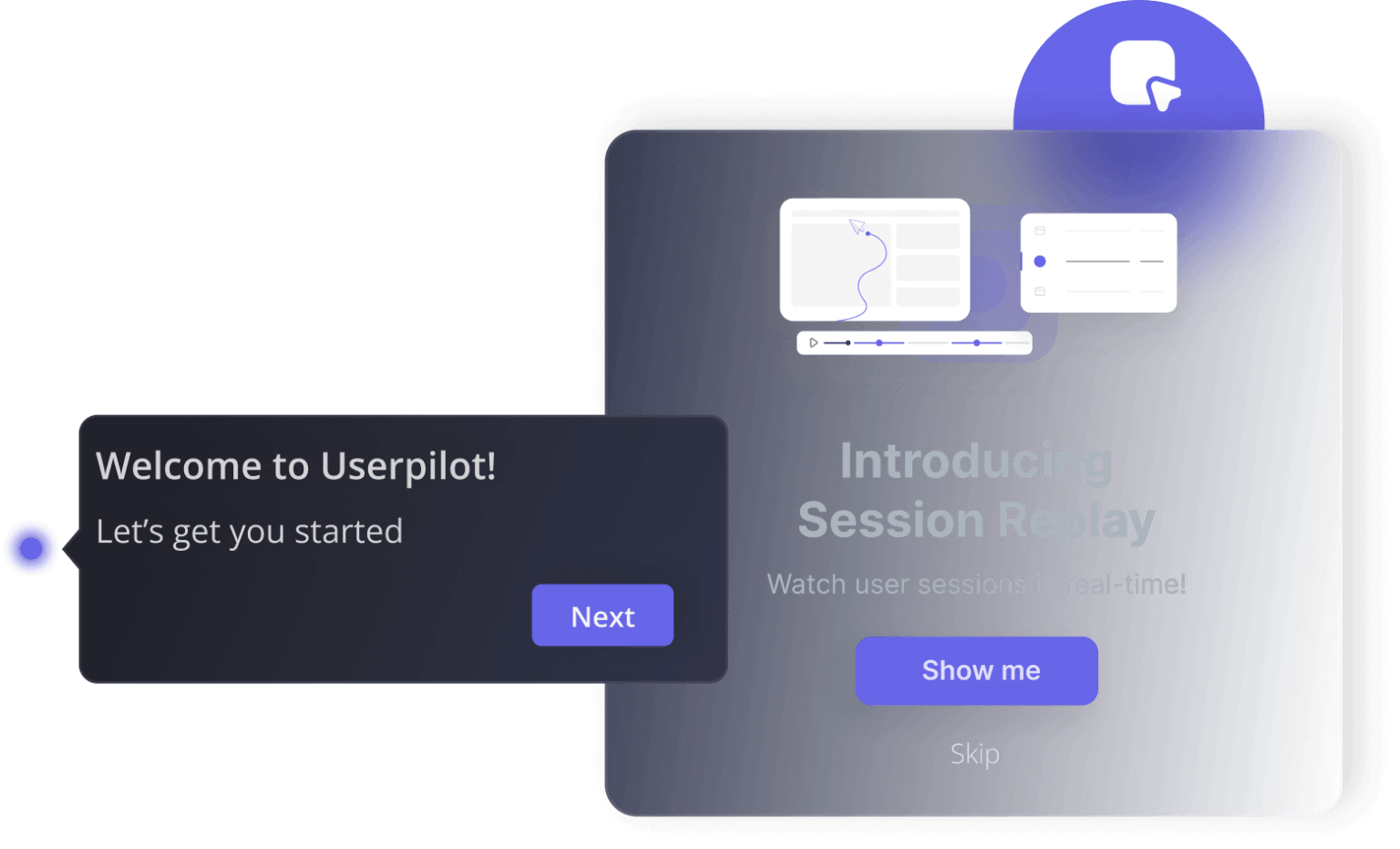
I had a clear example of this with our mobile feature. When we launched mobile support, adoption was low. I checked the data, watched sessions, and ran a one-question in-app survey: “Does your company currently support a mobile application?” The answer reframed everything. It wasn’t that 10% of our customers were using mobile. It was that 25% of customers who had a mobile app were using our mobile feature. The rest didn’t have one, so they would never have adopted it regardless of the guidance we added.
For the segment that had a mobile app but hadn’t tried the feature, I added a targeted in-app message that pointed them to it, paired with a checklist that walked through the setup steps, and adoption improved.
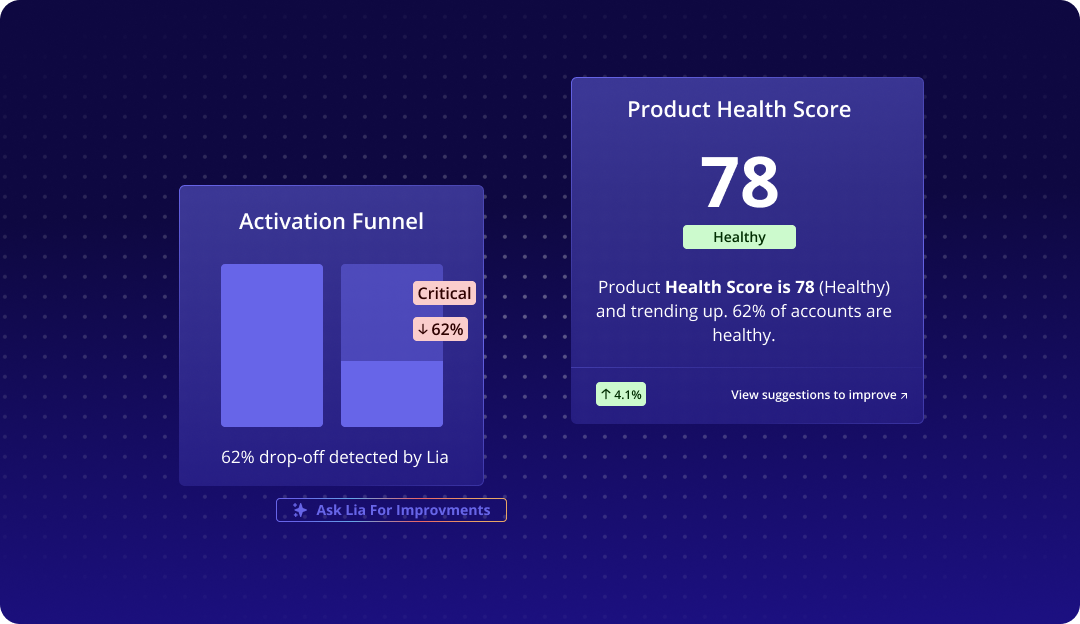
Userpilot’s AI agent Lia takes this further. Rather than manually designing every guidance flow, Lia can monitor adoption patterns, surface recommendations on where users are getting stuck, and, in some cases, build the in-app experience to address them. It doesn’t change the PM’s judgment about which friction points matter most, but it significantly reduces the time between identifying a problem and taking action.
9. Kill features without guilt
This is the practice most teams know they should do, and almost none do consistently. Successful products almost always carry this hidden tax: features accumulate, the product grows more complex, and the engineering team spends an increasing share of its time maintaining functionality that a small percentage of users actually use. The UI gets cluttered, and onboarding takes longer because new users have to navigate more options.
Sunsetting features is the right call when the user needs the feature that was solving no longer exists, when a better solution has been built that makes the old one redundant, or when engagement is so low that the maintenance cost is no longer justified. None of those conditions requires perfect certainty, but a judgment call made with available data. Product delivery that includes sunsetting is leaner and faster than product delivery that never kills anything.
The process may look something like this: communicating the deprecation to users who use the feature, managing the transition timeline, and handling internal pushback from whoever originally championed the feature.
Build better product management systems!
I still think the strongest product team structures are usually the ones closest to the customer, not the ones with the most AI-generated output or the busiest roadmap.
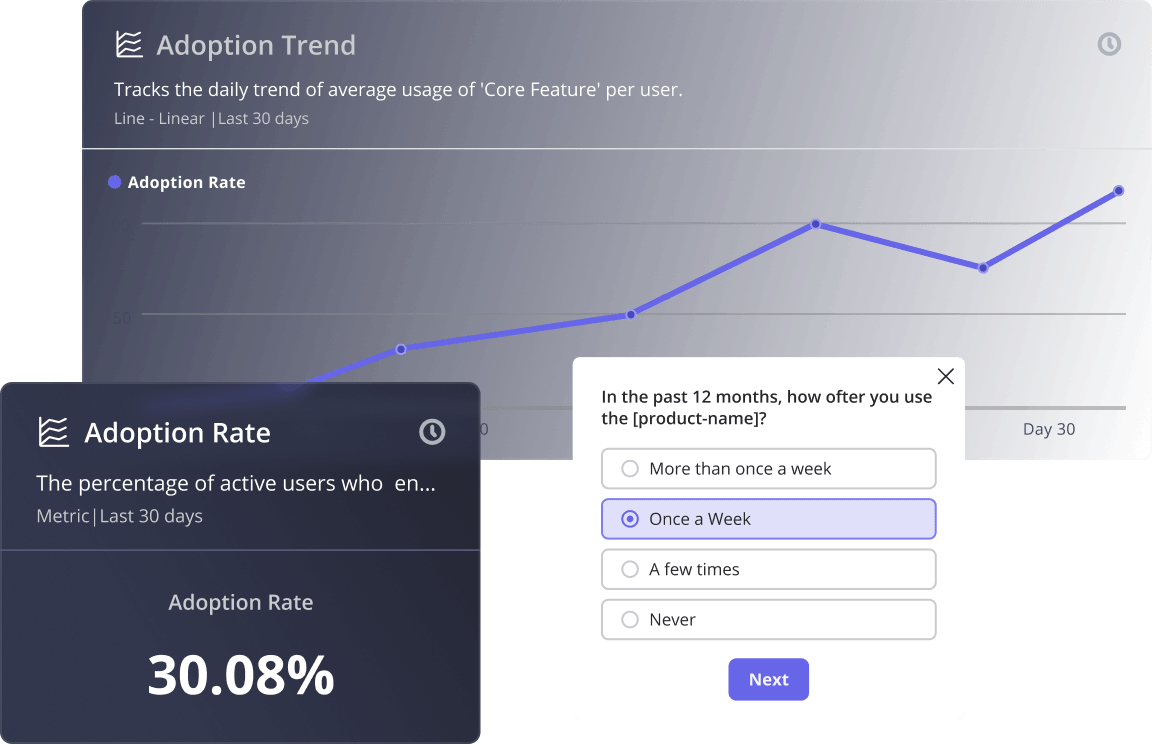
And honestly, that’s also the reason we built a lot of this into Userpilot itself. Most PMs do not need another dashboard. They need a faster way to understand where users are getting stuck, what behaviors actually correlate with retention, and which signals deserve attention before the team wastes months building in the wrong direction.
If you want to see what that workflow looks like in practice, book a demo!
About the author