Are In-App Surveys Still Effective in 2026? A Complete Guide


I’ll be honest, I’ve been putting off writing this article for a while.
Not because in-app surveys are a boring topic. But because every time I searched for a guide on them, I kept finding the same thing: a list of survey types, a few best practices, and a tool recommendation at the end. Generic, safe, and not particularly useful if you’re trying to decide whether to run surveys in your product or figure out why the ones you’re already running aren’t working.
So instead of writing another one of those, I did something different. I went around and asked the people at Userpilot who live with this problem every day — Lisa from our product team and James from customer success.
What came out of those conversations helped me write this guide. With their input woven in, I’m hoping it ends up being a more honest and practical one than what you’ve already seen out there.
What are in-app surveys?
If you already know this, feel free to skip ahead. But for anyone who doesn’t, here’s the short version.
In-app surveys are customer feedback forms that appear directly inside your product or mobile apps while users are actively using it. With in-app surveys, you can target the right users based on what they’ve done, where they are in the customer journey, or even their previous survey responses.
They serve multiple purposes, like helping you gather feedback, measure user sentiment, understand new feature adoption, etc.
Do in-app surveys work?
The short answer is yes, but with conditions.
First, the numbers. According to Refiner’s 2025 In-App Survey Response Rate Report, which analyzed 1,382 surveys generating over 50 million views, in-app surveys on web apps average a 27.52% response rate. On mobile, that climbs to 36.14%.
Compare that to other feedback methods, like email: Delighted’s own benchmark, based on surveys sent through their platform, puts email survey response rates at around 15%. That’s less than half for a channel that most teams still default to first.
That aligns with Lisa’s experience, too.
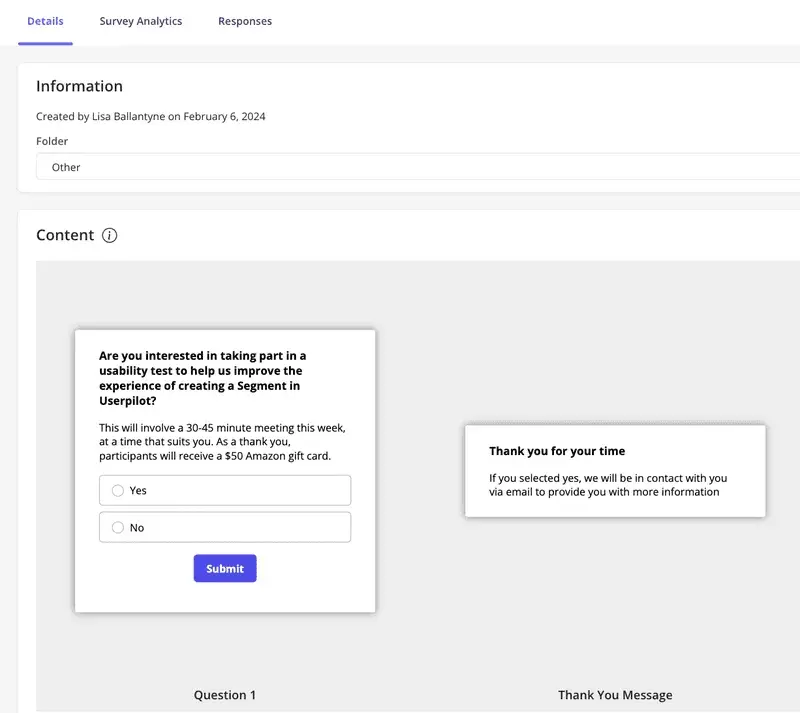
When she first joined from Microsoft, she tried recruiting participants for a usability test on our customer segmentation feature the traditional way, cold emails with a $100 incentive. She got almost nothing back. B2B users have cluttered inboxes and no particular reason to stop what they’re doing to help a researcher they’ve never met.
So she switched to running the same recruitment ask as an in-app survey, triggered to engaged users inside Userpilot. In a few days, she had 19 participants when she’d been hoping for 5. Four times the expected result, without changing the ask, only the channel and the timing. [You can read the full story here.]
And if anything, they’re becoming more important, not less, as AI agents start handling more of what users used to do themselves in 2026.
Here’s the problem: when a user interacts directly with your product, you have signals. Clicks, drop-offs, reprompts. But those signals don’t tell you how users feel and why it’s not working for them.
If a user reprompts an AI agent multiple times, you know the first few outputs aren’t good enough. Yet you don’t know exactly what isn’t good enough, and without that, you can’t improve the agent.
In-app surveys are the only way to collect feedback and measure customer satisfaction. A short survey triggered immediately after users retry the same prompts two or three times captures valuable insights that behavioral data never will.
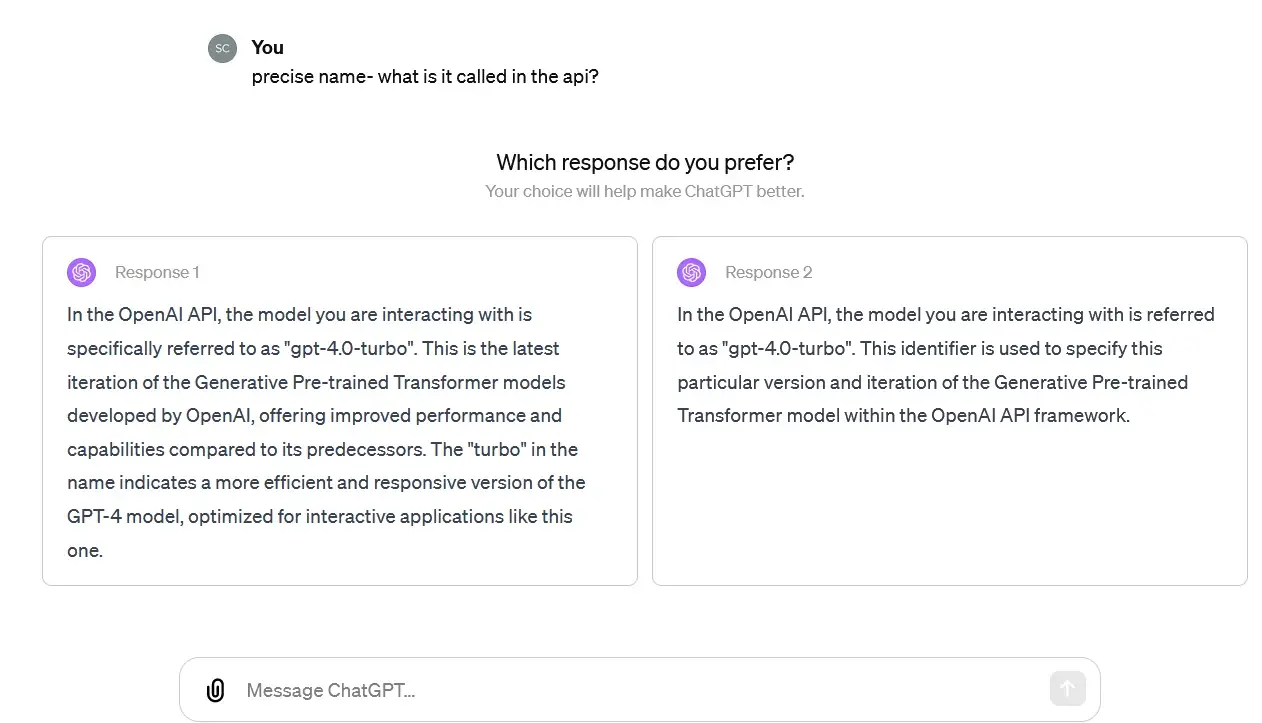
Think of LLMs like ChatGPT, and why it always has these mini surveys once in a while when you interact with it.
That said, it gets more complicated when you consider that the person using your software might not be a person at all anymore.
Third-party agents accessing your product through an MCP server, completing tasks on behalf of someone who never touches your interface. The traditional way to collect user feedback doesn’t quite fit that world.
We’re already thinking about this at Userpilot. The direction we’re headed at Userpilot, with Lia and the work we’re doing on MCP infrastructure, is toward a model where you don’t have to ask for the analysis. It finds you.
That’s a bit further out. For now, the fundamentals still apply, and they’re worth getting right.
Do in-app surveys ever fail, then?
That’s the whole argument for the importance of having in-app surveys, but it’s also where I want to push back a little, because the channel alone doesn’t do the work.
In-app surveys fail to collect customer feedback when:
- The timing is wrong. I still think about the first time I used Miro. I’d opened a board, moved a few things around, and hadn’t even figured out how half the features worked. Then an NPS survey appeared: how likely are you to recommend Miro to a friend or colleague? I had no idea. I’d used the product for maybe twenty minutes. I dismissed it, and I didn’t feel great about being asked. I don’t know if Miro has changed this since. I hope they have, but it’s a perfect example of a survey that’s working against itself. NPS only means something when users have enough experience with your product to actually have an opinion about it.
- The length doesn’t respect the user’s time. Nobody opens your app to fill out a form. The moment a survey starts to feel like homework, it’s over. More on this in the next section.
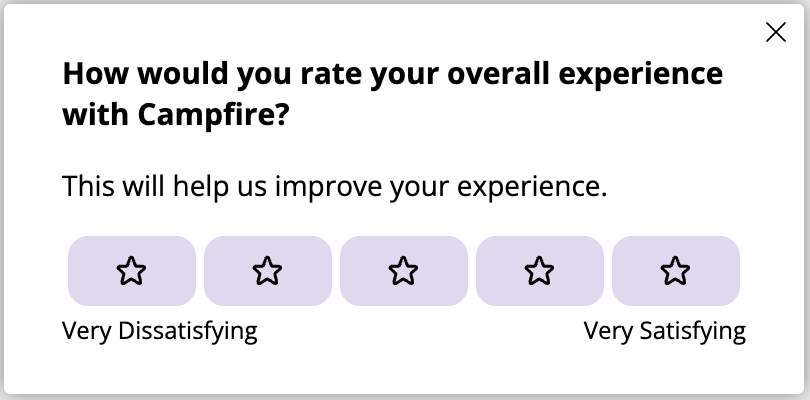
- The questions aren’t designed to collect usable data. This is the one that bothers me most, because it’s invisible. You can have great timing, a short survey, and still walk away with data that doesn’t help you make a single product decision. “How would you rate your experience?” sounds like a feedback question. It isn’t. It’s a satisfaction check that tells you a number but not a reason. So you always need a follow-up question like “What stopped you from completing this step?” to walk away with an answer you can act on.
What are the common types of in-app surveys?
When I asked Lisa and James what surveys Userpilot actually runs internally, the list was more focused than I expected.
NPS to measure customer loyalty on a scheduled cadence. Product feedback and feature requests accessible through the resource center. A pre-renewal survey. A post-implementation survey. And ad hoc surveys for general feedback or recruiting users for research interviews.
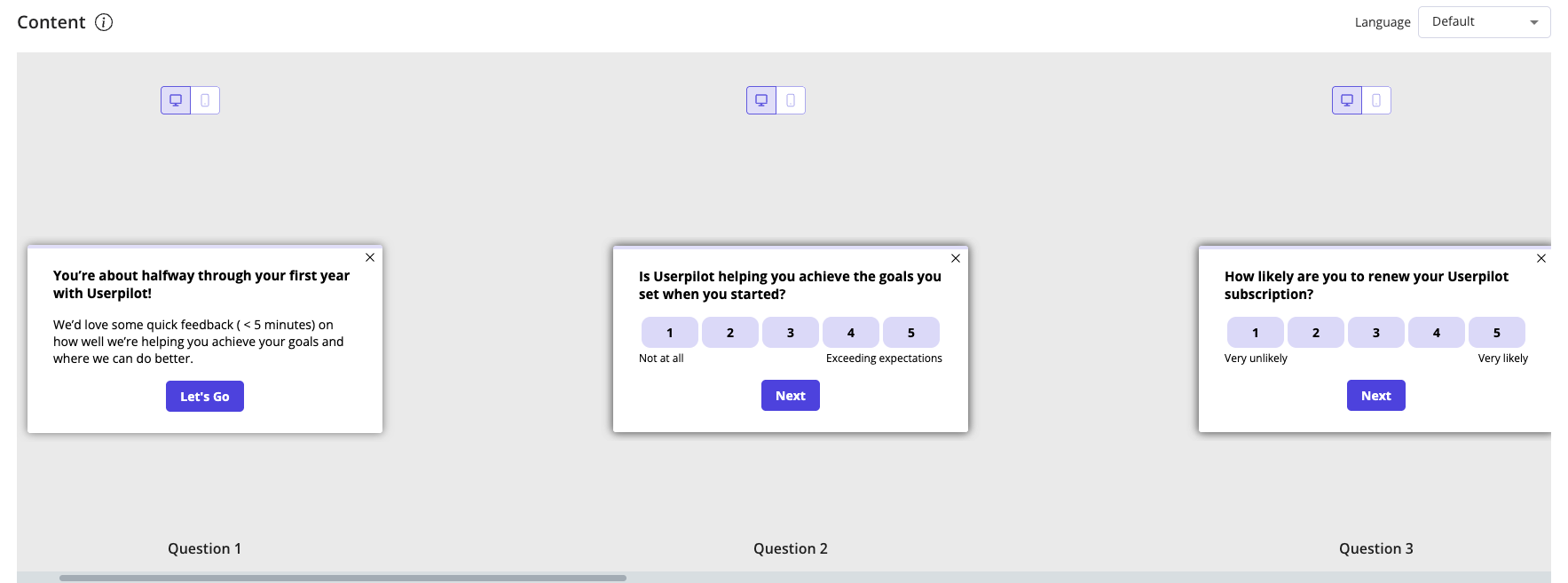
That’s it. No sprawling survey program. No survey for every feature release. Just a handful of well-defined moments where asking makes sense.
I thought that was worth mentioning upfront, because the list below can make it feel like you need to run all of these at once. You don’t. Pick the ones that match a decision you’re trying to make.
| Survey type | What it asks | When it works |
|---|---|---|
| Net Promoter Score (NPS) | How likely are you to recommend this product? | After users have experienced real value |
| Customer satisfaction survey aka CSAT (we use this and CES for pre-renewal and post-implementation surveys) | How satisfied were you with this specific experience? | Right after a task, feature use, or onboarding |
| Customer Effort Score (CES survey) | How easy was it to complete this? | After onboarding or a complex workflow |
| Feature/ Product feedback | Did this feature help you do what you needed? | After first feature use or a few uses depending on your product complexity (i.e. how long does it typically take a customer to use your product without friction, reach their first meaningful outcome, and build a habit around it?) |
| Product Market Fit (PMF) | How would you feel if you could no longer use this product? | Power users and long-term customers only |
| Churn/Cancellation survey | What was the main reason you decided to leave? | Before cancellation is complete |
| Welcome survey | Who are you and what are you trying to do? | First session, for routing users to the right experience |
In Userpilot, you can get very specific about this. Rather than sending NPS to everyone after a fixed number of days, you can set it to fire only for users who have been active for a certain period, completed a core action a specific number of times, and are currently on a particular page.
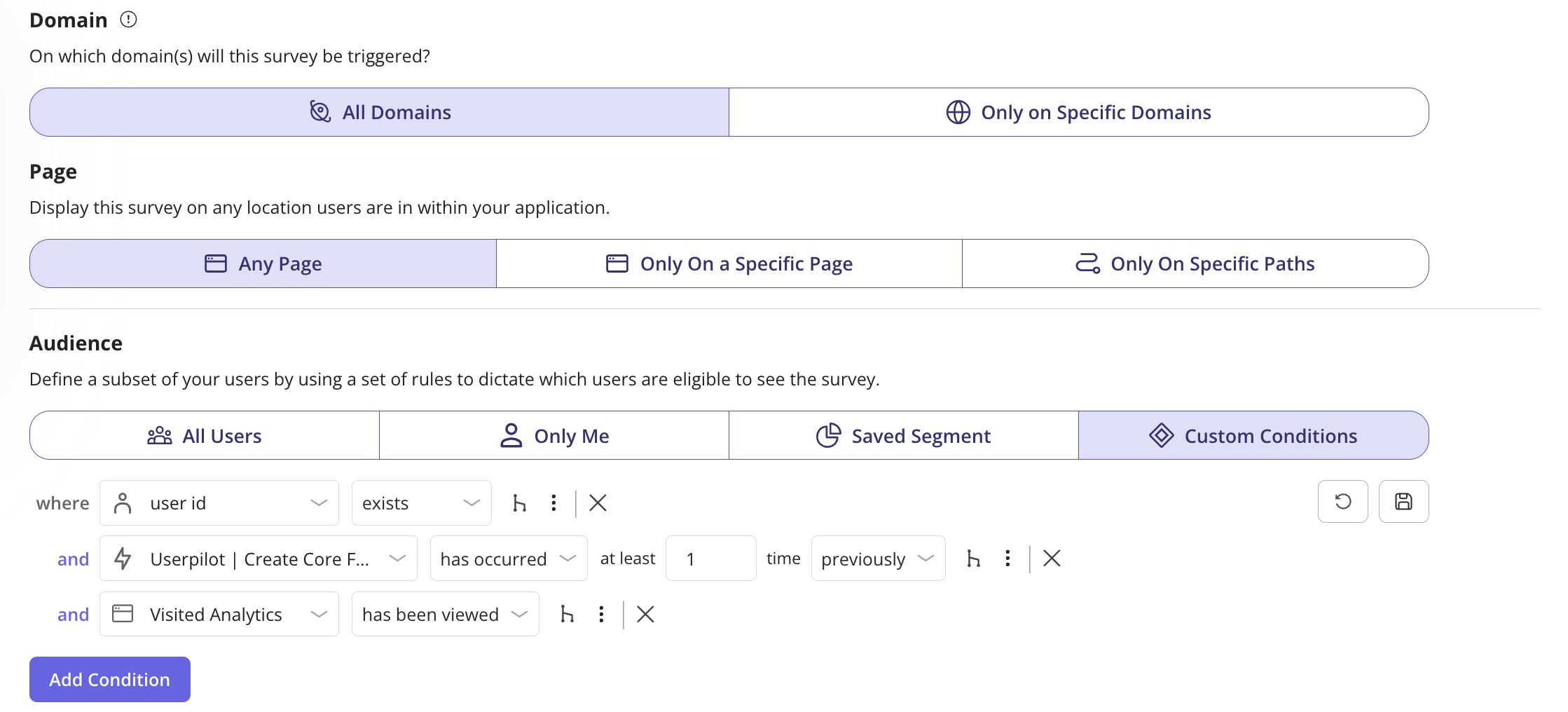
Lisa also flagged something I hadn’t thought about before she brought it up. Not every survey needs to be proactively triggered. Sometimes you want users to share feedback when it occurs to them.
She does this by embedding a persistent feedback button directly in the product UI (there’s one sitting in our report builder that’s been there throughout the Analytics 2.0 rollout.) When a user clicks it, Userpilot triggers the survey.
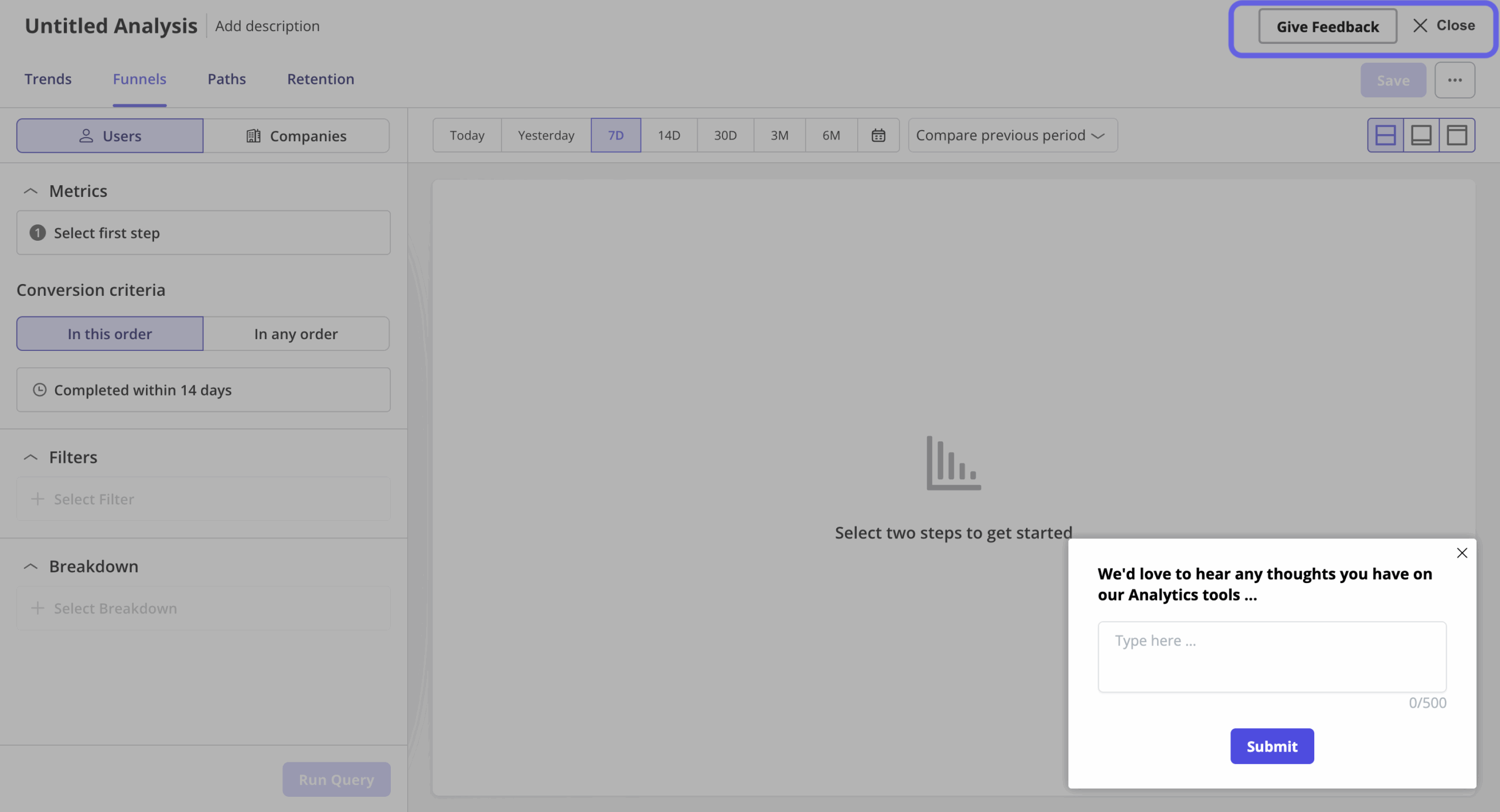
And this might surprise you as much as it did me. I only found out through this conversation, but apparently, these passive surveys get about four to five times better response rates than the other targeted feedback surveys we run.
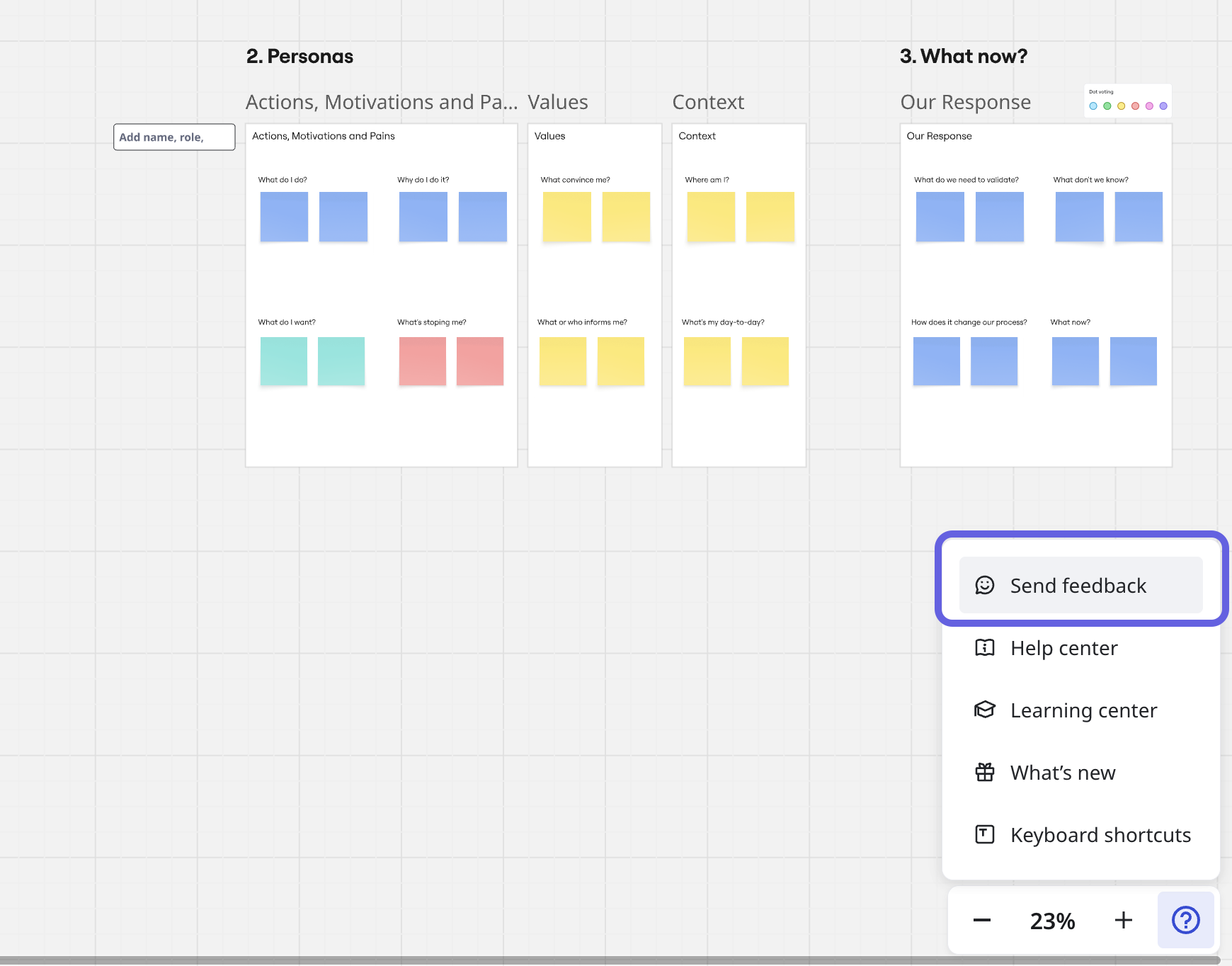
I also noticed, thinking back on my own experience, that a lot of popular SaaS tools have been doing this quietly for a while. Miro has it. Figma has it. I’d seen that valuable feedback button sitting somewhere in the interface plenty of times.
How many questions should an in-app survey have?
Let’s be honest. Nobody likes filling out surveys. And open-ended questions? Even worse. You see that empty text box and immediately feel the weight of having to come up with something coherent, on the spot.
The general consensus from people who create in-app surveys at Userpilot is to keep it in the three to four question range, with at least one rating question and one open-ended.
For multiple-choice questions, the design of the answer options also matters. Think through the most likely responses your users would give and always include an “other” option. Without it, users who don’t fit your buckets will just drop off.
If you need an open-ended question, put it last and make it optional where you can. And make it specific, i.e., “what almost stopped you from completing this step?” will get you something actionable.
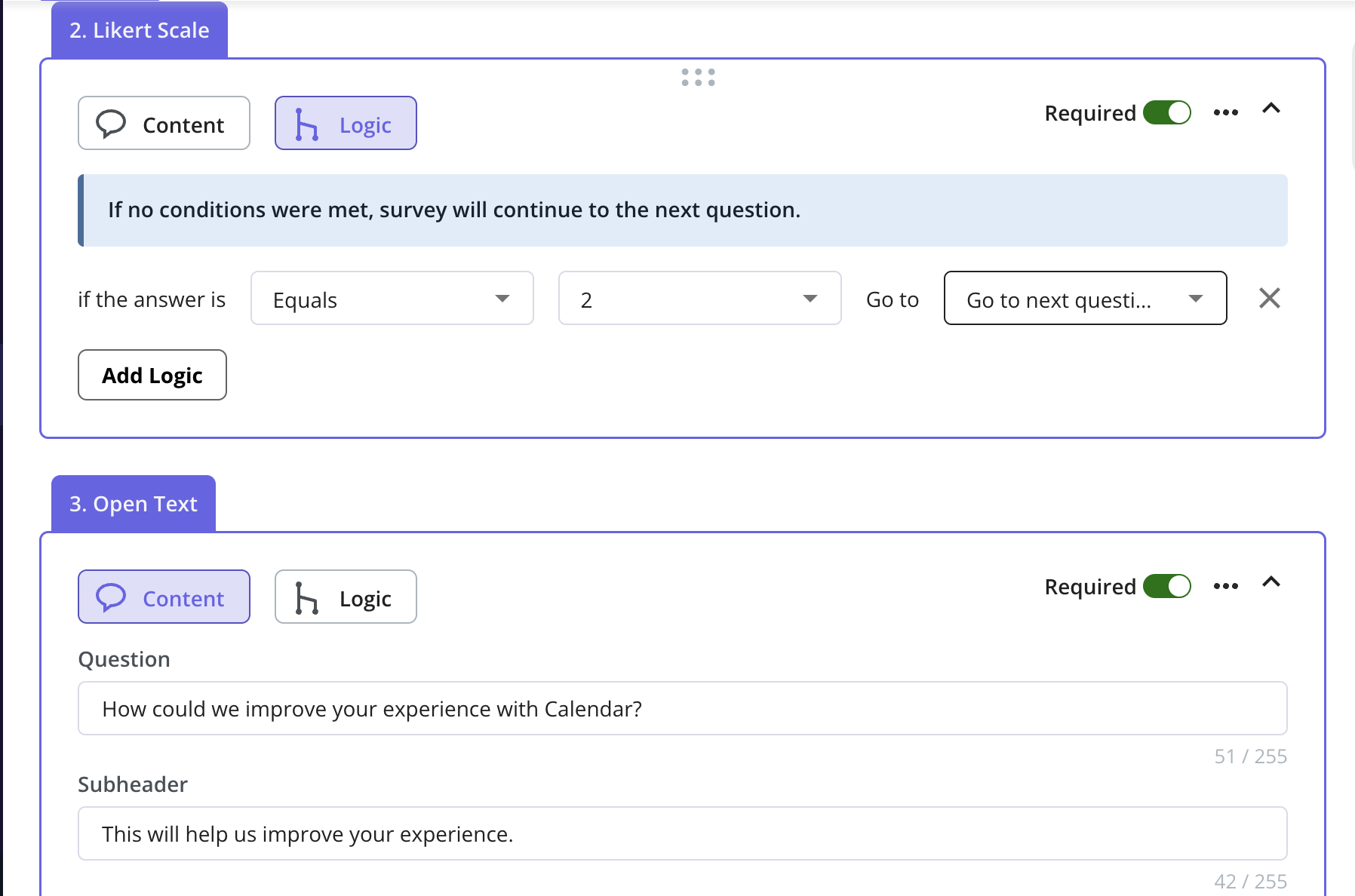
This is also where question branching earns its place. If someone rates their experience a 1, the follow-up should be different from what you’d ask someone who gave a 5.
Our team uses this all the time when building in-app surveys in Userpilot. It’s as simple as you define the logic at the question level, so each answer routes the user to a different next question.
How should you launch in-app surveys?
Timing is the answer.
The worst surveys I’ve seen, and honestly, ones I’ve been on the receiving end of, fire at completely the wrong moment. Mid-task, right after login, on a fixed 30-day schedule, regardless of what the user has actually done. James put it well: adapt the trigger to the user behavior and engagement level, not your calendar.
For feature feedback, trigger it right after the action for real-time feedback. For NPS, look at your internal data first: when do your users typically reach their first real outcome? That’s when you ask, not on day 30 by default.
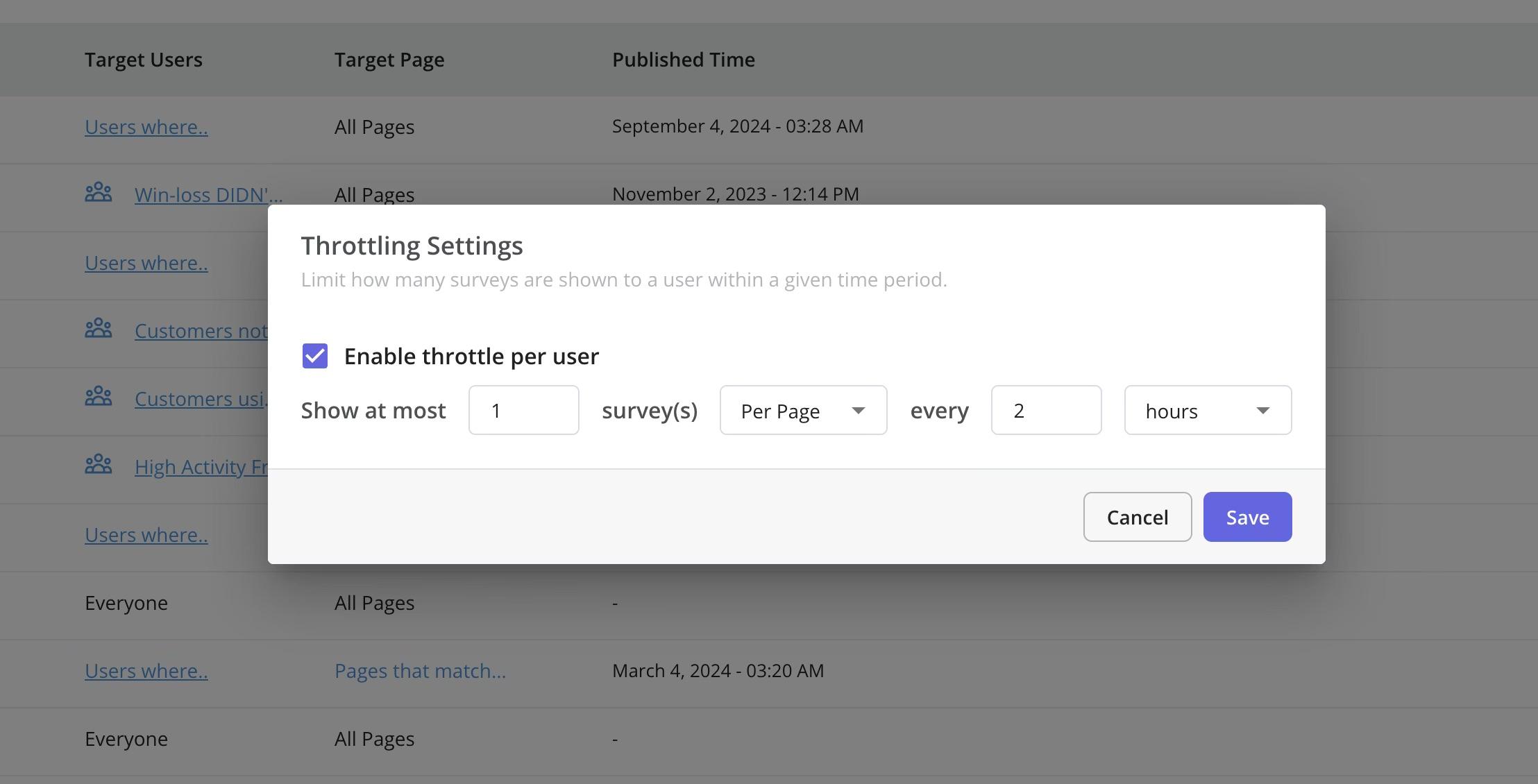
If your dismiss rate is telling you something’s off, it usually is. Our standard practice is to wait at least 30 days before re-showing a dismissed survey, and 90 days if they’ve already responded. You can configure both in Userpilot, along with throttling so users don’t get hit with multiple surveys at once.
And as Lisa reminded me, triggered surveys are only half the picture. The passive ones, where users come to you on their own terms, consistently outperform everything else we send.
What happens after sending the surveys?
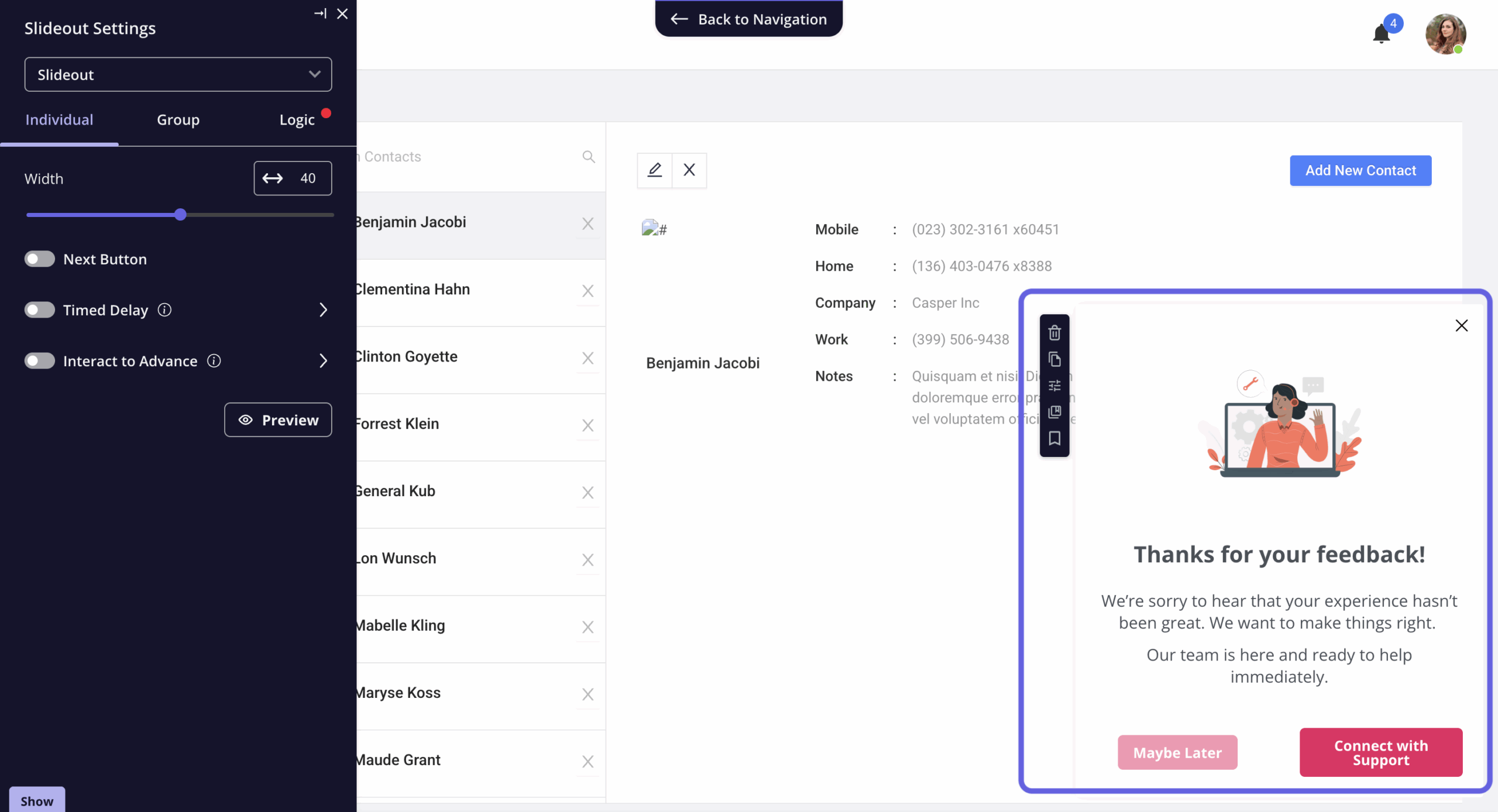
You read the responses, act on them, and close the feedback loop. That’s the whole point. Think of triggering a session invitation with your customer success representative for customers reporting on product complexity or if they are not be able to get their jobs done.
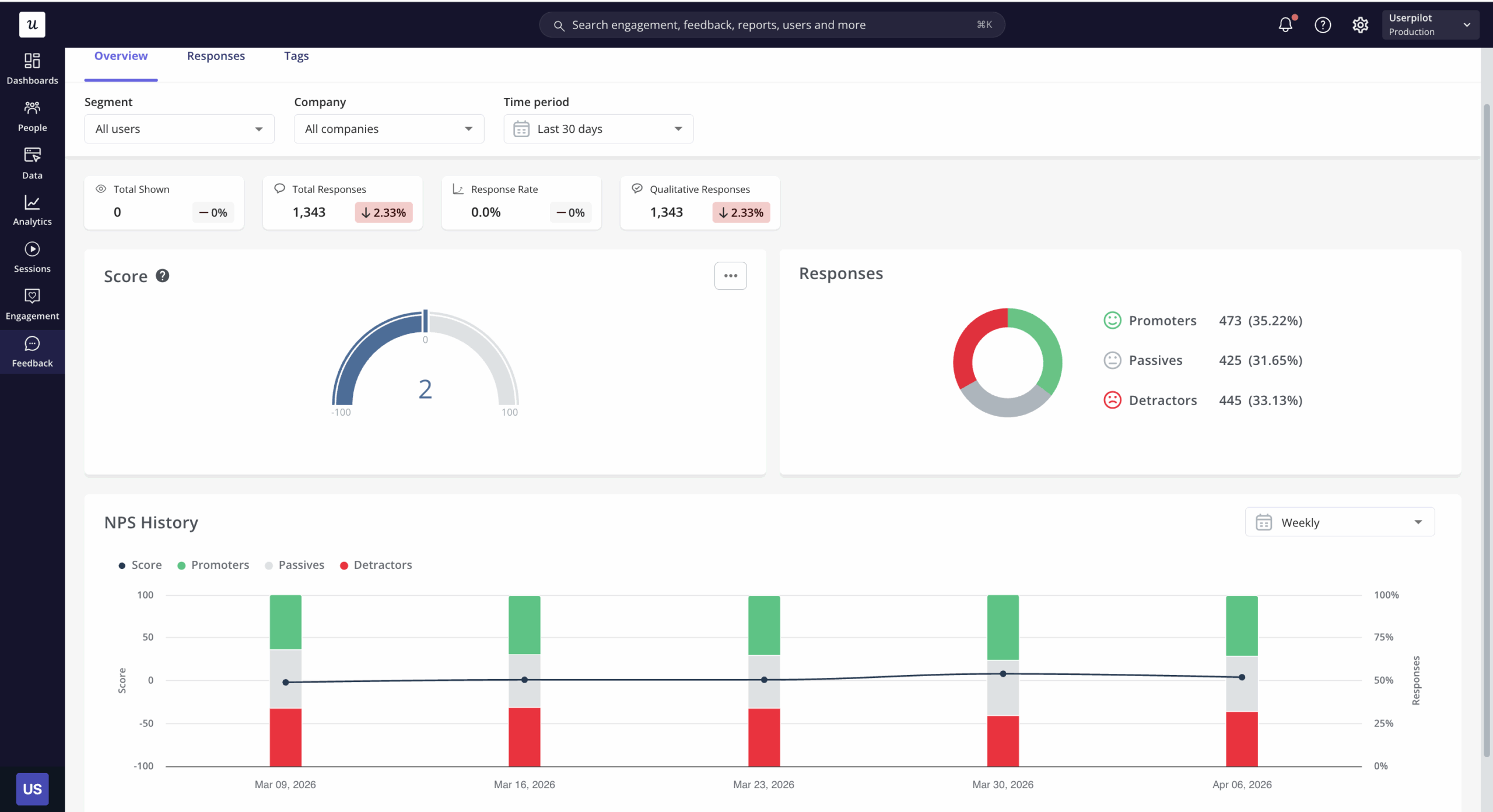
But first, how about the survey analysis side of things? In Userpilot, the quantitative side is fairly straightforward.
For example, multiple choice answers show up as proportions you can read at a glance, or NPS responses come with a built-in trend chart.
The part that takes more effort is the open-ended responses. What we typically do is export the CSV and run survey data through AI to surface recurring themes.
This is becoming standard practice. According to User Interviews’ 2025 State of User Research report, 80% of researchers now use AI to support some aspect of their workflow.
Qualtrics’ 2025 Market Research Trends report, which surveyed over 3,000 researchers across 14 countries, puts that at 89% for market researchers specifically. For open-ended analysis, it’s easy to see why the time savings are real, and the data accuracy on routine classification tasks is now close to human-level.
What doesn’t get talked about nearly as much is the hallucination problem. AI summarising qualitative feedback can misrepresent what a respondent said, and it does it confidently enough that you won’t always catch it on a quick read.
Earlier this year, in a research published on Springer, there were 12 distinct hallucination types listed in qualitative analysis alone, including fabricated quotes and false respondent attribution. And I’ve only seen Qualtrics among the vendors to address this publicly, building explicit guardrails into their AI features for this reason.
So if you’re using AI to summarise open-ended responses, it’s worth at least spot-checking the output against the raw data before you take it to a stakeholder meeting.
We’re thinking about this carefully at Userpilot, too. We’re building Lia, our upcoming AI agent, with survey analysis as part of the roadmap. The first version launches in Q2, starting with the analytics side, i.e., spotting anomalies in data, reading charts, and surfacing quick insights.
If you want to take a look, join our beta!

Ready to build effective in-app surveys? Try Userpilot.
In my opinion, surveys work best when they’re not standing alone. At Userpilot, they sit alongside everything else, like onboarding flows, analytics, in-app messaging, session replays, etc., and that’s what makes the feedback useful.
A user who scores low on your post-implementation survey doesn’t just become a data point. That response can trigger a different experience the next time they log in. Think of a check-in flow, a tooltip, a conversation with customer success.
And the other way around: the actions users take inside your product can be what fires the survey in the first place, so you’re asking at the moment that makes sense.
So if you’re looking for something beyond just an in-app survey tool, book a demo!
About the author