
If you’re searching for a Pendo demo, you’re likely evaluating whether a Digital Adoption Platform (DAP) is worth the investment. You might even doubt if Pendo is the right choice.
Is it?
Pendo is a broad platform, but it isn’t a universal fit. Its value depends on how well it fits your product management team setup and workflows.
So let’s get clear: What does a Pendo demo cover? Which teams benefit most from Pendo? And when does it make sense to book a demo or skip the product entirely?
What is Pendo?
Pendo is a product experience and analytics platform that helps teams understand user behavior and guide users in-app. It’s commonly used by mid-to-large SaaS companies with dedicated product, data, or digital adoption teams.

What Pendo is known for:
- Product analytics and event tracking.
- In-app guides, tooltips, and walkthroughs.
- Feature adoption and usage reporting.
- Roadmapping and feedback collection.
Where Pendo can fall short:
Pendo holds a commendable 4.4-star rating on G2 (1,500+ reviews). However, recent feedback highlights a steep learning curve, navigation frictions, and pricing as recurring pain points.
This one in particular echoes the pattern I’ve seen across multiple product team evaluations:
…It is very complex and requires a learning curve. For example, if we want to view a particular client’s page vs. this page for all clients, it is very difficult to know how to set the rules. I have to get a rep or a colleague to help me.
In other words, teams that focus on fast iteration, lightweight experimentation, or fully no-code workflows may find Pendo less flexible for day-to-day product growth needs.
How does the Pendo demo experience work?
Through multiple paths, from recorded demos to self-guided tours and third-party experiential content. And you can access them all before or alongside a sales demo.
Below is what to expect from each demo type and who they’re for. I recommend thinking of them as steps in an evaluation ladder, not equal alternatives.
1. Demo webinars and recorded demos
They are the best starting points if you want a structured, end-to-end overview before talking to sales. Found in Pendo’s resource hub or occasional demo webinar pages, these longer, presenter-led sessions walk you through the platform end to end.
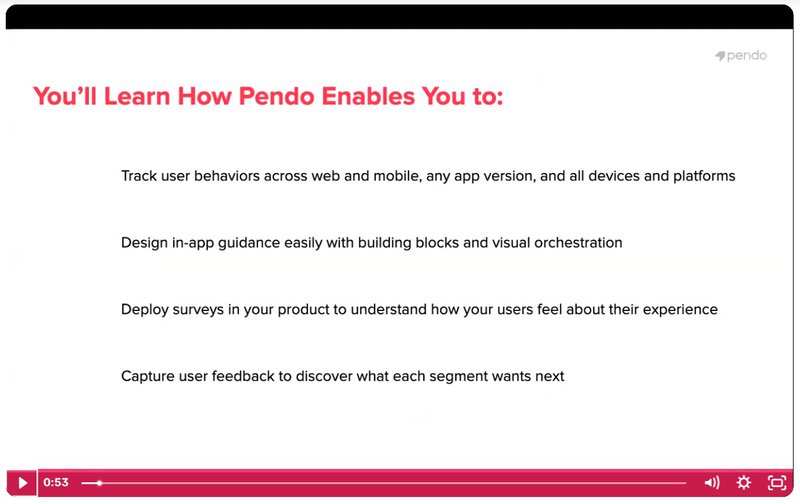
They typically walk you through a realistic use case from start to finish. You’ll see how Pendo is set up, how data flows in, how Guides are created and targeted, and how teams interpret the resulting analytics. The focus is on understanding Pendo’s overall workflow and decision-making model, with live Q&A to clarify trade-offs and common setup questions.
Limitations
- These demos are high-level, meaning they show generic examples and pre-set data. You won’t see your own product or edge cases reflected until you move to a personalized demo.
2. Interactive product tours and micro-demos (self-guided)
These are short (2–5 minute), self-guided interactive tours on Pendo’s micro-demos page. And they are ideal for Product managers or analysts who want a low-commitment preview of a feature before engaging sales.
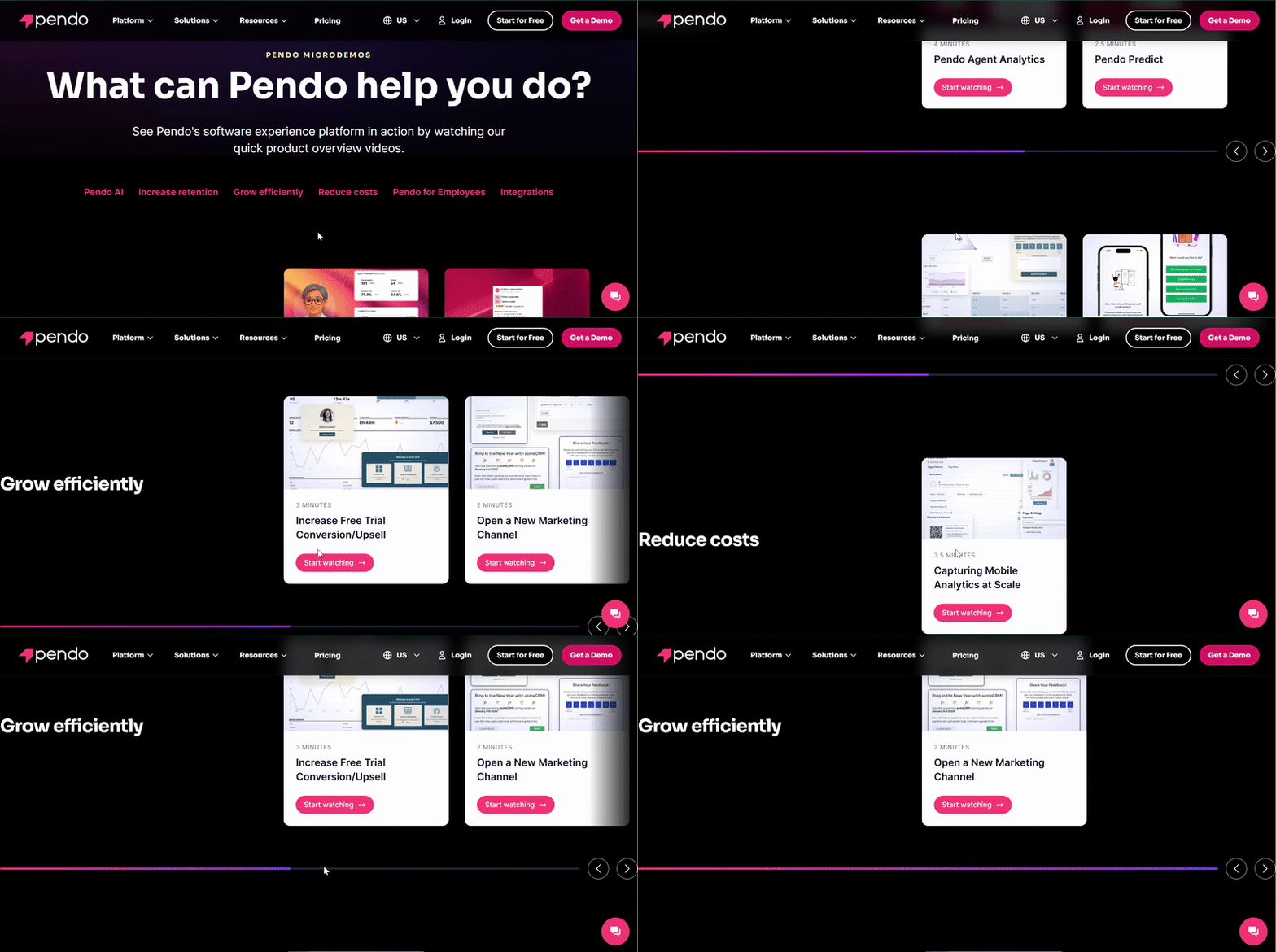
You can use them to explore specific features (such as Pendo Orchestrate and Session Replay) without booking a call and to get a quick feel of the product. But the scope is narrow. You’d only see tours for use cases like AI insights (Agent mode), Predict, analytics basics, cross-channel journeys, and in-app guidance.
Limitations
- Because these tours are pre-configured, they show idealized flows. So, you won’t see real-world setup, integrations, or edge cases until a deeper, customized demo.
💡 Are micro-demos like free trials?
No. Pendo offers a separate “Pendo Free,” a free-forever plan of its core platform. Unlike micro-demos, this gives you real product access with limited analytics and in-app guides to work with your own data.
3. Supademo walkthroughs (third-party)
These are short interactive walkthroughs of Pendo created by third-party professionals on Supademo. They are ideal for PMs, analysts, or buyers who want a quick, neutral overview of how Pendo feels in practice.
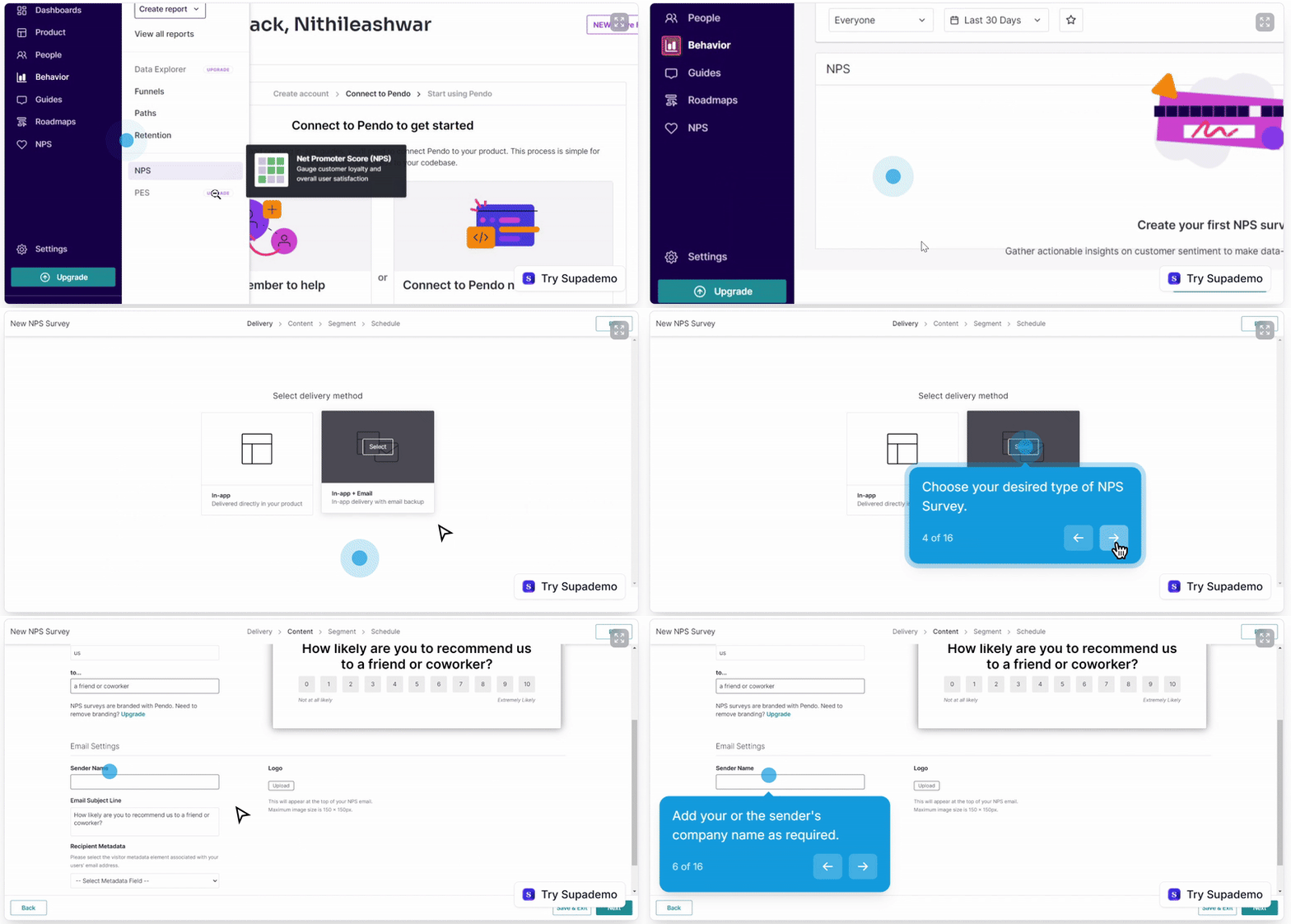
These demos simulate common Pendo workflows in a click-through format. As such, you don’t need signups or sales conversations.
Limitations
- These demos aren’t maintained by Pendo. So, they may lag behind the latest features, configurations, or UI changes. They might also not reflect your data, use cases, or implementation complexity.
4. Sales-led Pendo demo (request a demo)
If you’re evaluating Pendo for enterprise or cross-functional use, the sales-led demo is for you. It is a custom, live demo run by a Pendo representative. Booked through Pendo’s official demo request form, you share your company details to start.

Then, someone from Pendo schedules a time to walk your team through the product.
Limitations
- A sales-led demo is time-boxed and guided by an agenda, so you see only what the presenter has prepared to show. In buying processes, this often means critical edge cases surface later, after internal alignment has already started.
💡Sales-led demo example: Pendo Adopt
Pendo Adopt is a paid digital adoption solution designed for internal employee tools, not end users. To evaluate it, teams must book a sales-led demo where Pendo walks through usage tracking, friction detection, and in-app guidance across internal software. There’s no self-serve or sandbox access without engaging sales.
Final verdict: Should you request a Pendo demo?
The answer depends on where you are in your evaluation and what your team needs. But for a definite “yes” or “no,” I recommend using this lens:
- A “when” and “when not to” guide
- A practical checklist of questions to ask
I added both below.
When does a Pendo demo make sense?
A Pendo demo is most valuable when you want to understand how the platform works in an enterprise product context. But picking the right demo is crucial.
A “scenario to demo type” guide
| Demo type | Scenario (when to use) |
|---|---|
| Sales-led Pendo demo (request a demo) | You’re evaluating Pendo as a company-wide platform |
| You need stakeholder or exec buy-in with a structured narrative | |
| Your product has complex data, multiple personas, or large user volumes | |
| Pendo Adopt sales-led demo (DAP-focused) | You’re evaluating Pendo for internal software adoption (employees, not customers) |
| IT, Ops, or Enablement teams are involved, and you’re comparing Digital Adoption Platforms | |
| Demo webinars & recorded demos | You prefer a guided overview without a live sales conversation |
| You want to see core workflows explained step by step | |
| You’re educating yourself or teammates before a deeper evaluation | |
| Interactive demos & micro-demos (self-guided) | You want a quick, low-commitment preview of specific features |
| You’re comparing Pendo at a feature level (e.g., AI insights, analytics basics) | |
| Supademo (third-party walkthroughs) | You want a neutral, fast overview without vendor involvement |
| You’re doing competitive research or content evaluation | |
| You need a visual explanation without setup or signup |
TL; DR:
- Early research? Use self-guided tours or Supademo.
- Learning how it works? Use recorded demos or webinars.
- Serious evaluation or buying decision? Use sales-led demo.
- Internal adoption use case? Use the Pendo Adopt demo.
A practical checklist for evaluating a Pendo demo
| Focus | What to do/ask |
|---|---|
| Before the demo: set the tone | Let the presenter know you’d like to see the product live and applied to realistic scenarios. |
| 1. Customization depth | Can guides, tooltips, and checklists look native to your product? Can branding (spacing, fonts, shadows, borders) be adjusted quickly and without engineering help? |
| 2. Triggering and targeting logic | Can experiences be triggered based on real user behavior, not just page views? For example, you can say, “Show this message only after a user updates their settings or skips onboarding.” |
| 3. Analytics and experimentation | Does the platform support native A/B testing and control groups? |
| 4. Data integrity and integrations | How does the tool identify users and sync data with your stack? Can you sync segments into tools like HubSpot or Salesforce? What are the passing user properties (role, plan, account size)? Will this work live or does it require exports/connectors? |
| 5. Setup and ongoing ownership | How much ongoing technical work is required after launch? What can product or ops teams manage on their own? |
| 6. Pricing clarity | Does pricing scale as usage grows? What drives price increases (users, events, features)? Which capabilities are locked behind higher tiers? What typically causes teams to upgrade? |
How to use this checklist:
You don’t need to ask everything at once. Pick the areas that matter most to your team and use them to guide the demo. And remember that the goal is to leave knowing whether the platform fits your product, workflows, and budget.
When is a Pendo demo not the right next step?
A Pendo demo isn’t ideal when your problem isn’t visibility, but execution. Let me explain.
- If you already know where users drop off, adding more analytics won’t fix outcomes.
- Worse, waiting through setup, alignment, and sales-led demos will stall progress.
- And the same rule applies if you want to test in-app guidance immediately.
For these cases, you need to move from demo-heavy evaluation to product-led execution. That’s usually when users start looking beyond Pendo to Userpilot.
Unlike Pendo, Userpilot helps you turn insights into live in-app experiences without long implementation cycles or heavy engineering support. And teams making the switch from Pendo are seeing results:
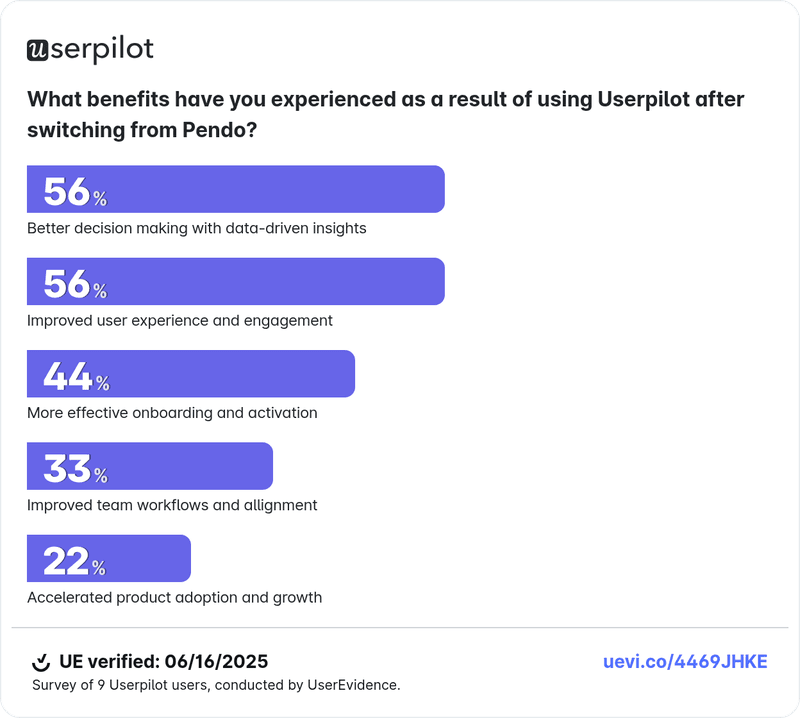
Shelterluv, for example, now uses Userpilot to simplify onboarding and increase new user activation in weeks, not quarters.
Cuvama also followed a similar path. They use targeted flows to guide users to key actions faster after switching to Userpilot.

If speed, iteration, and outcomes matter more than another demo, Userpilot is the more practical next step.
Userpilot strives to provide accurate information to help businesses determine the best solution for their particular needs. Due to the dynamic nature of the industry, the features offered by Userpilot and others often change over time. The statements made in this article are accurate to the best of Userpilot’s knowledge as of its publication/most recent update on January 22, 2026.
FAQ
How does Pendo pricing work?
Pendo pricing is usage-based and typically tied to monthly active users and selected modules. Costs scale as your product grows, and many features are bundled into higher-tier plans, which can make forecasting spend difficult upfront.
What is Pendo good for?
Pendo is best known for product analytics, user feedback, and enterprise-scale reporting. Product teams use it to understand feature adoption, collect qualitative insights, and align product decisions with usage data across large user bases.
Does Pendo have session replay?
Yes, but it’s primarily analytics-driven.
Userpilot’s session replays, on the other hand, are more tightly connected to in-app actions. And with that, you’ll spot friction immediately and launch guidance or fixes without switching tools.
About the author