50+ Best User Onboarding Tools for SaaS [Updated for 2026 & Categorized]


Let’s face it: without the right user onboarding tools, you can’t deliver a great onboarding experience for your new users. And without a great onboarding experience, your users won’t activate and will churn. That’s why we’ve compiled a list of the 50 best free and paid user onboarding tools to help you smash your user activation, product growth, and revenue goals.
And not just that: for your convenience, we grouped the tools into 9 categories by the different goals you can achieve with them, signup flow tools, in-app onboarding software, email onboarding tools, user analytics, user feedback tools, customer support, and success tools, etc., and then proposed a sample tool stack.
What are the best user onboarding tools for SaaS in 2026?
- There are several different categories of user onboarding tools for different purposes, like in-app onboarding, signup flow, emails, in-app chat, etc.
- The best user onboarding tools in each category.
- In-app onboarding tools: Userpilot, Appcues, Userflow, Pendo, Intercom.
- Signup flow tools: Auth0, Kinde.
- “DIY” user onboarding solutions: INTRO.js, Shepherd.js.
- Email-onboarding tools: Mailchimp, ActiveCampaign, GetResponse, Mailer Lite.
- In-app chat tools: Intercom, Zendesk, Livechat, Sendbird.
- Video onboarding tools: Synthesia, Supademo, Walnut, Loom.
- Webinar tools: Sequel.io, Demio, Zoom, E-Webinar.
- Onboarding engagement analytics tools: Userpilot, Amplitude, Posthog.
- Feedback tools: Typeform.
- Customer support tools: Zendesk, Helpscout, Freshdesk.
- To streamline your user onboarding processes and save costs, look for tools that integrate natively with each other.
- Here are a few customer onboarding tools that integrate natively with each other:
Examples of the complete SaaS user onboarding tool stack:
- The “complete” user onboarding tool stack for growth SaaS companies: OAuth (signup) + Userpilot (in-app onboarding + analytics, NPS, session replay) + Intercom (email onboarding, in-app chat) + Wistia (video onboarding) + Sequel (webinars) + Typeform (feedback) + Mixpanel/Amplitude/Heap (user behavior analytics) + Zendesk (Knowledge Base).
- The “MVP” user onboarding tool stack for startups on a budget: Auth0 (signup – freemium) + Intro.js (in-app, free) + MailChimp (email, freemium) + Loom (video, freemium) + Ewebinar (webinars) + Typeform (surveys, freemium) + Mixpanel (analytics, freemium) + Helpdesk (Knowledge Base) + LogRocket (session recording).
1. In-app user onboarding tools
Probably the first tool you should think of when building your onboarding tools tech stack is your in-app onboarding tool. Such tools allow you to build in-app product tours to guide your new users through your product, thus significantly improving the chances they will activate. In this article, we’ll cover both no-code user onboarding tools and DIY “budget” solutions that require coding.
Let’s start with the no-code tools first:
- Userpilot
- Appcues
- Userflow
- Pendo
- Intercom’s product tours
Userpilot: the “all in one” user onboarding tool for web and mobile
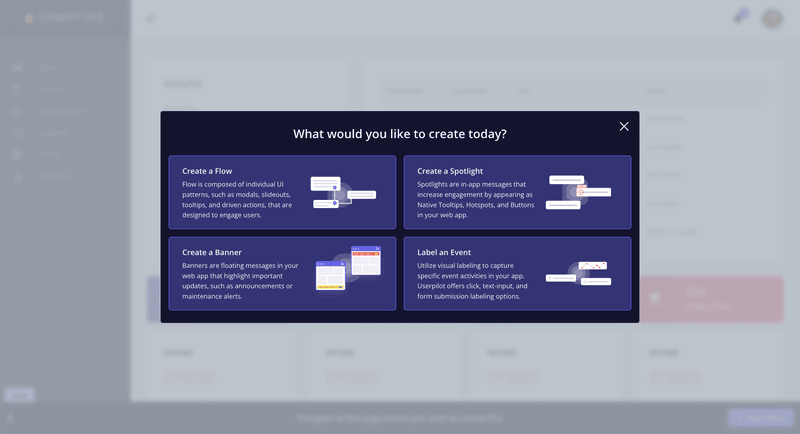
Userpilot is a no-code platform that provides an all-in-one solution to product and customer success teams. It features built-in in-app engagement tools that enable you to create personalized onboarding experiences, access robust product analytics, and collect user feedback through in-app surveys.
Key features of Userpilot:
- Chrome Extension for in-app onboarding flows: Offers a visual WYSIWYG editor. It enables you to create interactive in-app experiences such as banners, spotlights, tooltips, and modals.
- In-app experiences: Userpilot supports an extensive range of UI patterns including interactive checklists, tooltips, modals, and a resource center.
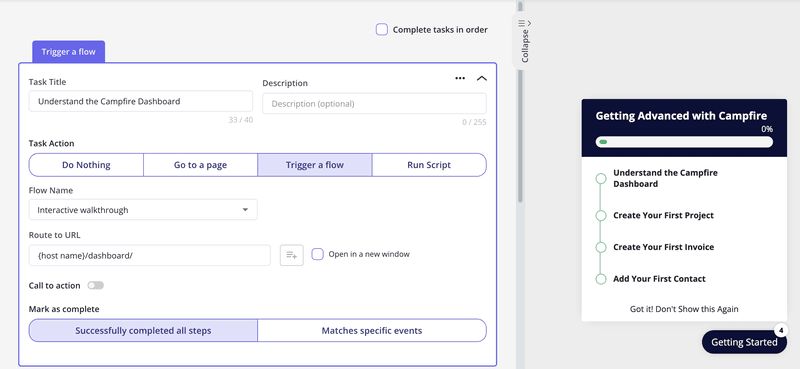
- Personalization: Flows have a targeting tab where you can set them up to show based on the user’s in-app behaviors, attributes, paths, survey responses, and more.
An example is how Smoobu used Userpilot to create an onboarding walkthrough for their top five most-used features.
“Userpilot allows us the flexibility to move fast, experiment, and really understand what users need.” – Dasha Frantz, Product Designer at Smoobu
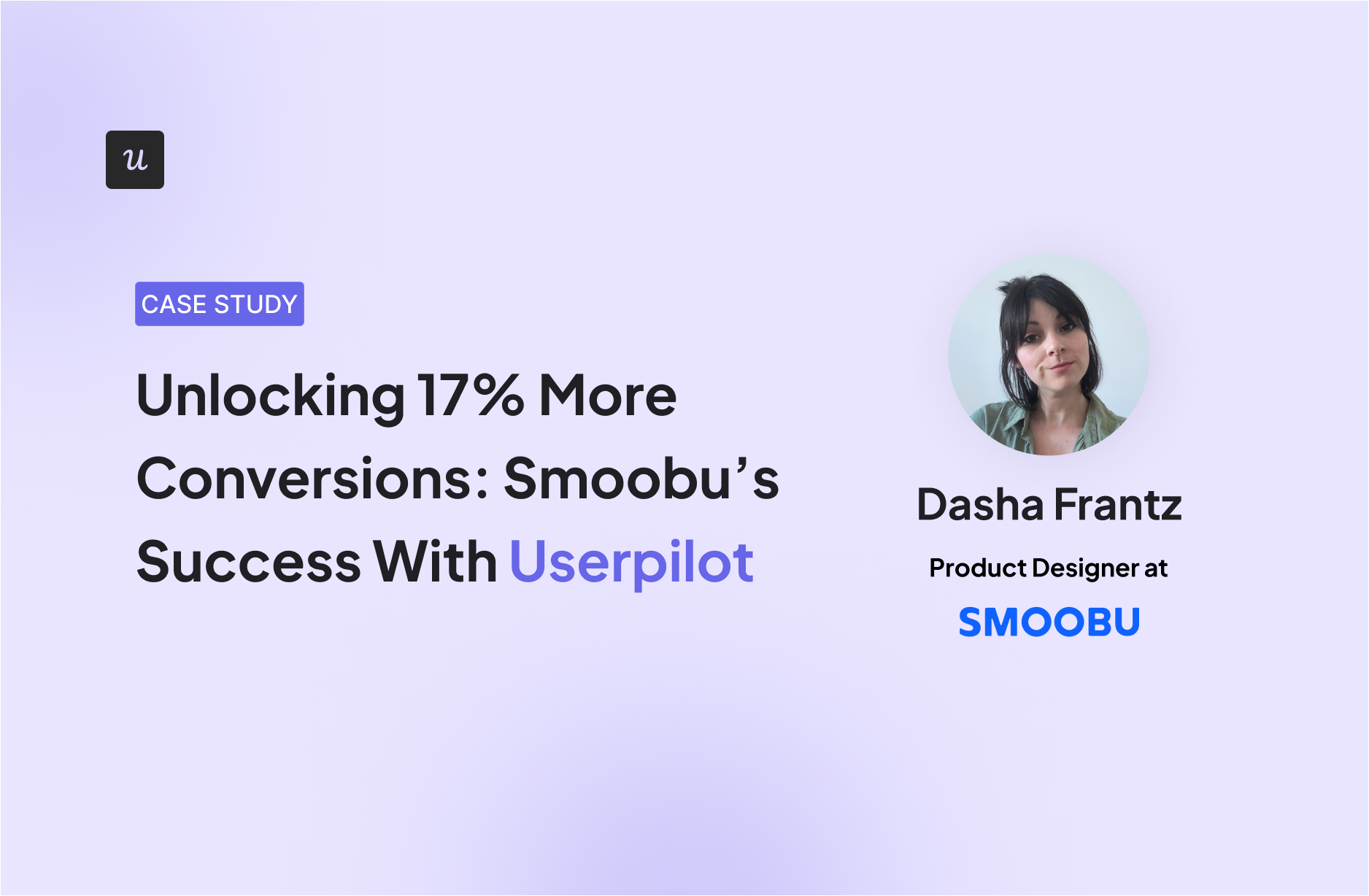
Unlocking 17% More Conversions: Smoobu’s Success With Userpilot
Smoobu boosted conversions by 17% with Userpilot’s in-app guidance and A/B testing features.
userpilot.com
- Flow analytics: Track clicks, form submissions, and other key user actions in real-time to segment users and identify bottlenecks.
- Retroactive analytics: The platform automatically gathers data on how users engage with each in-app element without any manual setup.
- Mobile support: Design onboarding experiences for mobile apps via slideouts, carousels, and push notifications.
- Emails: Consolidate your whole onboarding process in one place, triggering emails based on in-app activity without workarounds.
Userpilot pricing
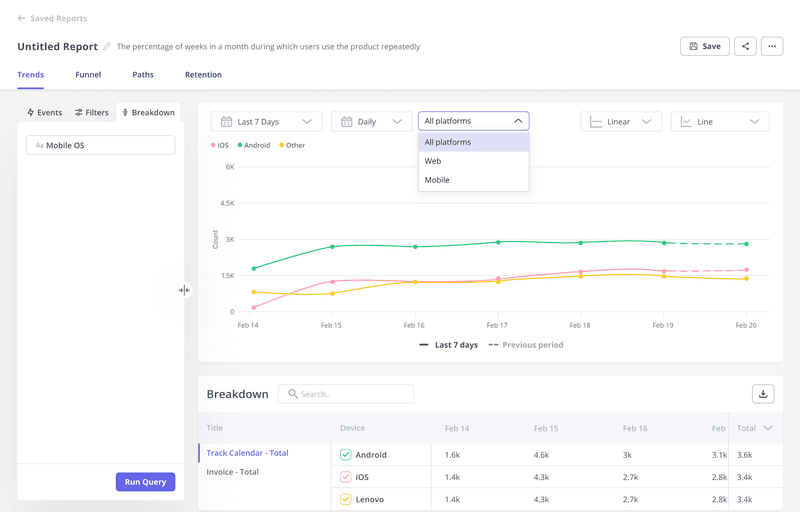
Userpilot’s transparent pricing ranges from $299/month on the entry-level end to an Enterprise tier for larger companies.
- Starter: $299/month (billed annually) for up to 2,000 MAUs. Includes in-app engagement, segmentation, trend analysis, NPS surveys, and essential product analytics.
- Growth: Custom pricing with advanced analytics, event autocapture, resource centers, in-app surveys, email engagement, and session replay.
- Enterprise: All Growth features plus bulk data handling, premium integrations, SOC 2 Type 2 compliance, custom roles, and enterprise-level support.
Appcues
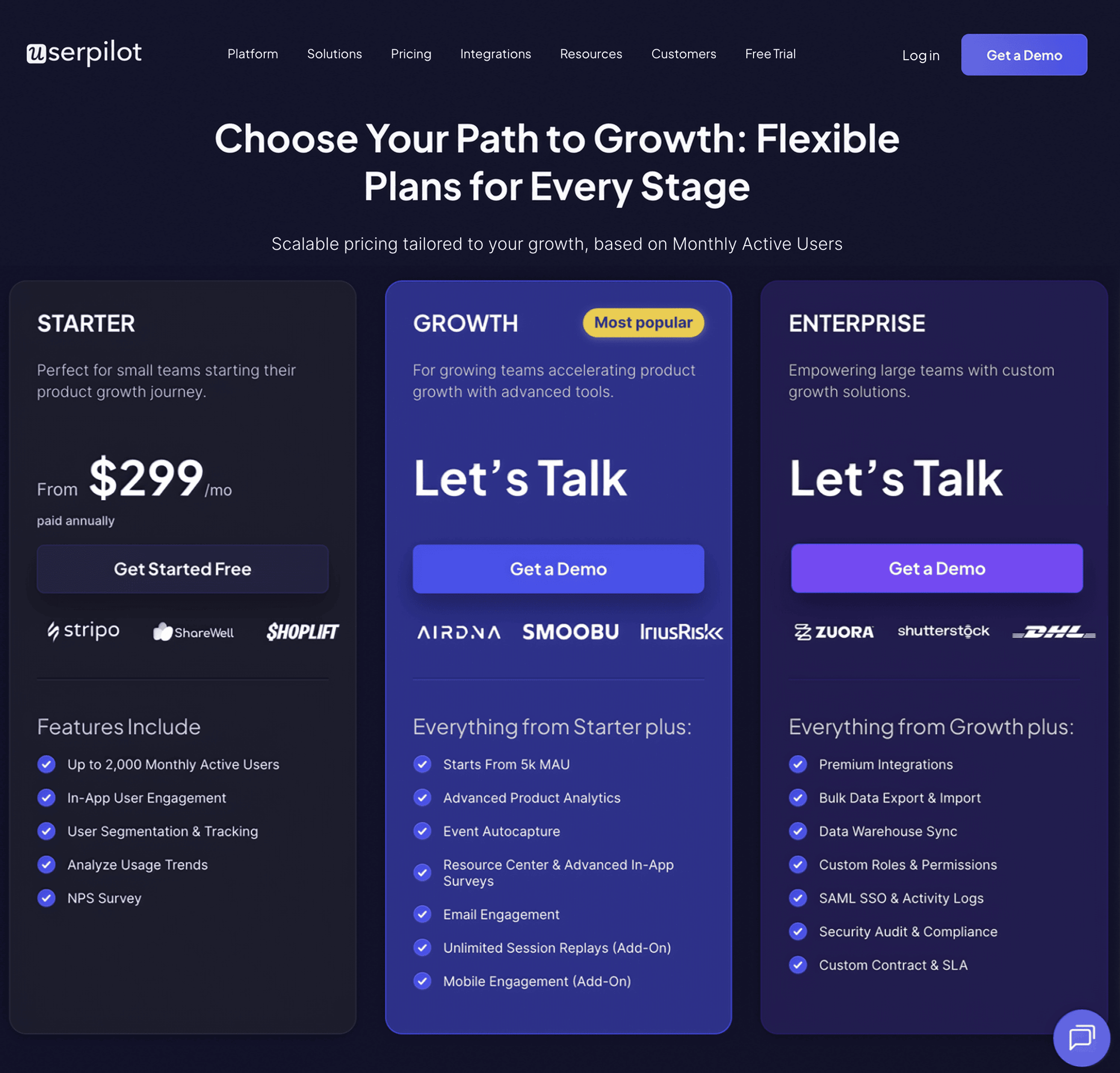
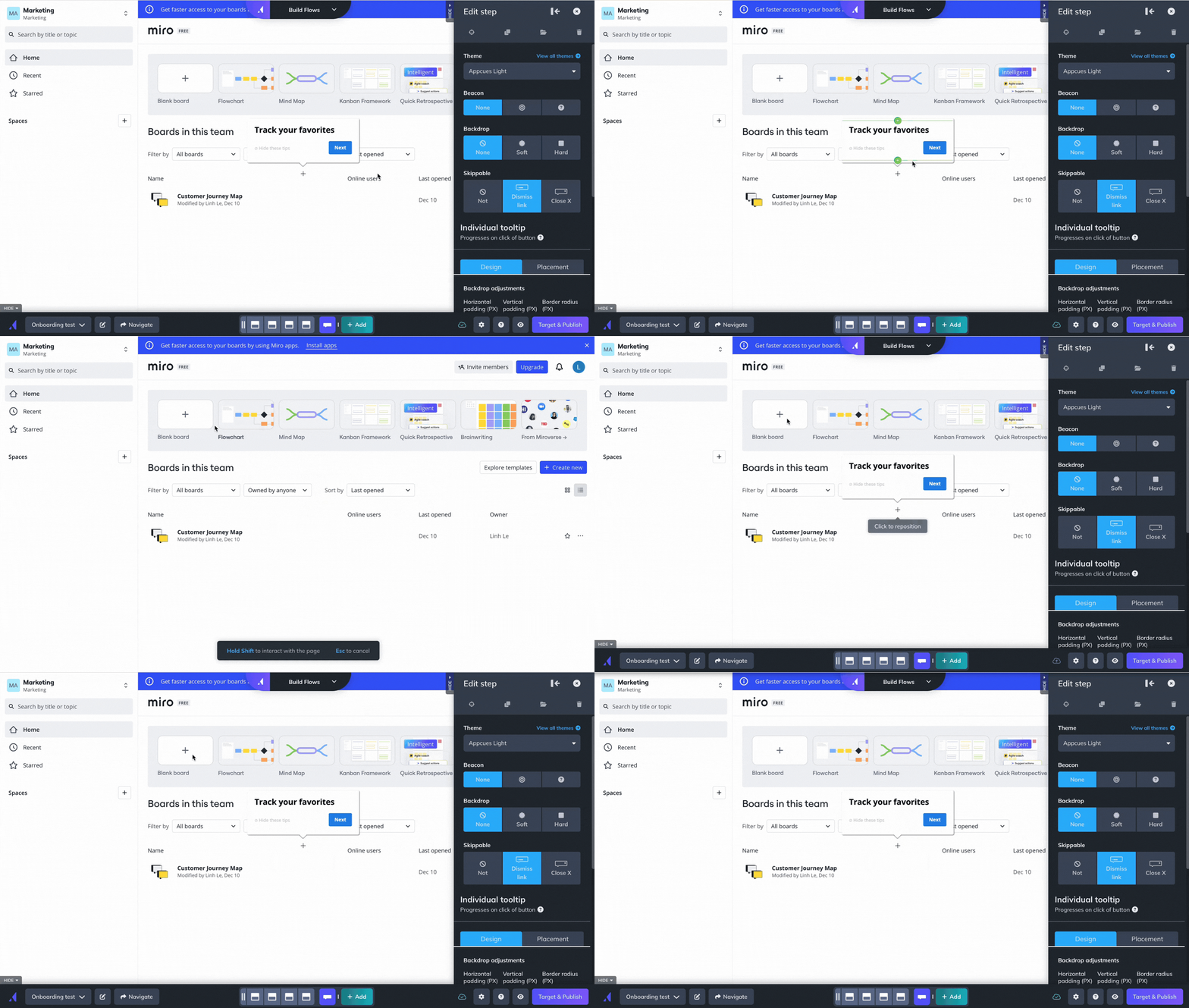
Appcues is a no-code platform designed to help non-technical teams create in-app onboarding tours, surveys, and announcements to guide users through their product journey. While it provides a user-friendly interface, its features are limited compared to other solutions with the same pricing.
Key features of Appcues:
- Easy-to-use UI for building in-app flows: Customize onboarding flows such as product tours, tooltips, and banners in real-time.
- Chrome Extension for in-product building: Build in-app experiences directly on top of your product.
- Onboarding checklists and action prompts: Create onboarding checklists that guide users through complex tasks.
- User segmentation and event-based triggers: Deliver personalized onboarding experiences based on segmented behaviors or actions.
- Event Explorer for tracking UI engagement: Set up custom events and tag elements like buttons or forms.
- Mobile onboarding: Design an onboarding experience for mobile apps, including slideouts and push notifications.
Appcues usability is pretty good, but its features are limited. Product analytics only cover flow and NPS performance, you can’t trigger flows based on server-side events, and localization is manual.
“We switched to Userpilot from Appcues. Apart from being easier to use, Userpilot offers much better product analytics & tracking and a much wider number of features.” – Charlotte V., Mid-Market Wine and Spirits Company
Appcues pricing
Appcues’ pricing starts at $300/month for the Start plan. Features like resource centers, NPS surveys, and more segments require the Growth plan at $750/month. The Enterprise plan is custom-priced.
Userflow
If you need a solid solution just for building product tours, Userflow is one of the best no-code, lightweight tools for user engagement in web apps.
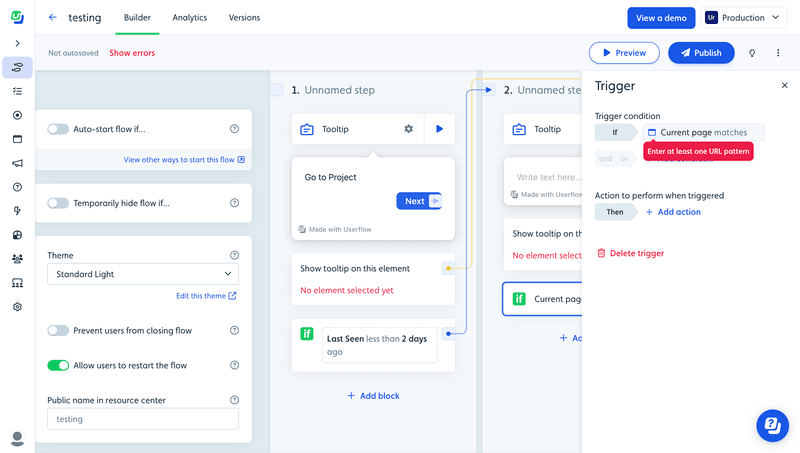
It lets you set up logic-based triggers, integrate with multiple tools, segment users, and supports multi-language messaging.
Key features of Userflow:
- No-code flow builder: Create and customize onboarding guides and product tours via their Chrome extension.
- In-app experiences: Includes tooltips, banners, announcements, hotspots, icons, and buttons.
- Personalization: Segment users based on attributes and in-app behavior to trigger personalized flows.
- Onboarding checklists: Create checklists for new users to achieve activation faster.
Userflow Pricing
At $240/month, Userflow offers most features for up to 3,000 MAUs. The Pro plan at $680/month adds more seats, up to 10,000 MAUs, CRM integration, and localization.
Pendo

Pendo is a comprehensive digital adoption platform (DAP) that combines user onboarding features with advanced product analytics, feedback collection, and product adoption tools. It’s primarily targeted at larger enterprises.
Key features of Pendo:
- Advanced product analytics: Includes Paths, Funnels, and Cohorts.
- In-app guides and product tours: Build interactive onboarding flows such as tooltips and walkthroughs.
- Feedback and feature prioritization: Users can submit requests directly in-app via Pendo Listen.
- Cross-platform support: Supports both web and mobile applications.
Pendo Pricing
Pendo’s pricing is available only on request. Vendr data indicates the median contract is around $48,213/year. Its free plan supports up to 500 monthly active users.
Intercom product tours
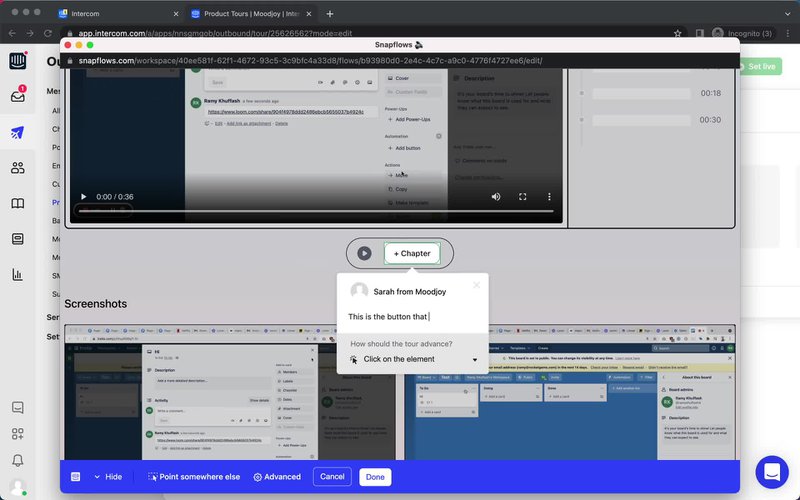
Intercom also offers Product Tours, an add-on for basic onboarding experiences. It’s ideal for simpler, linear onboarding flows but may be limited for more complex use cases.
Key features of Intercom Product Tours:
- Basic, linear product tours: Guide users through your app with a series of non-interactive information panels.
- Seamless integration with Intercom’s messaging: Combine onboarding with customer support, live chat, and other engagement strategies.
- Frameless video support: Embed videos in your product tours for additional visual guidance.
Drawbacks of using Intercom for onboarding:
- Linear tours only — no real interactivity.
- Restricted range of user experiences.
- Styling requires coding.
- Pricing increases sharply with user growth, with no transparent pricing on their website.
Intercom’s product tours pricing
Product tours are part of the Proactive Support Plus add-on. The base fee is $99/month, with additional charges after 500 messages.
FAQ
What is user onboarding software?
The best user onboarding software helps guide new users through a product, improving feature adoption and reducing churn by offering in-app experiences, tutorials, and support.
What is an onboarding tool?
An onboarding tool is a solution that provides step-by-step guidance, tutorials, or checklists to help users get familiar with a product or service.
What is the user onboarding method?
The user onboarding method refers to the process of introducing new users to a product through guided tours, checklists, and interactive tutorials. This ensures users reach milestones that make them achieve success.
What is a user onboarding checklist?
A user onboarding checklist is a list of tasks or steps that users need to complete to fully set up and understand how to use a product, ensuring a smooth onboarding experience.
About the author