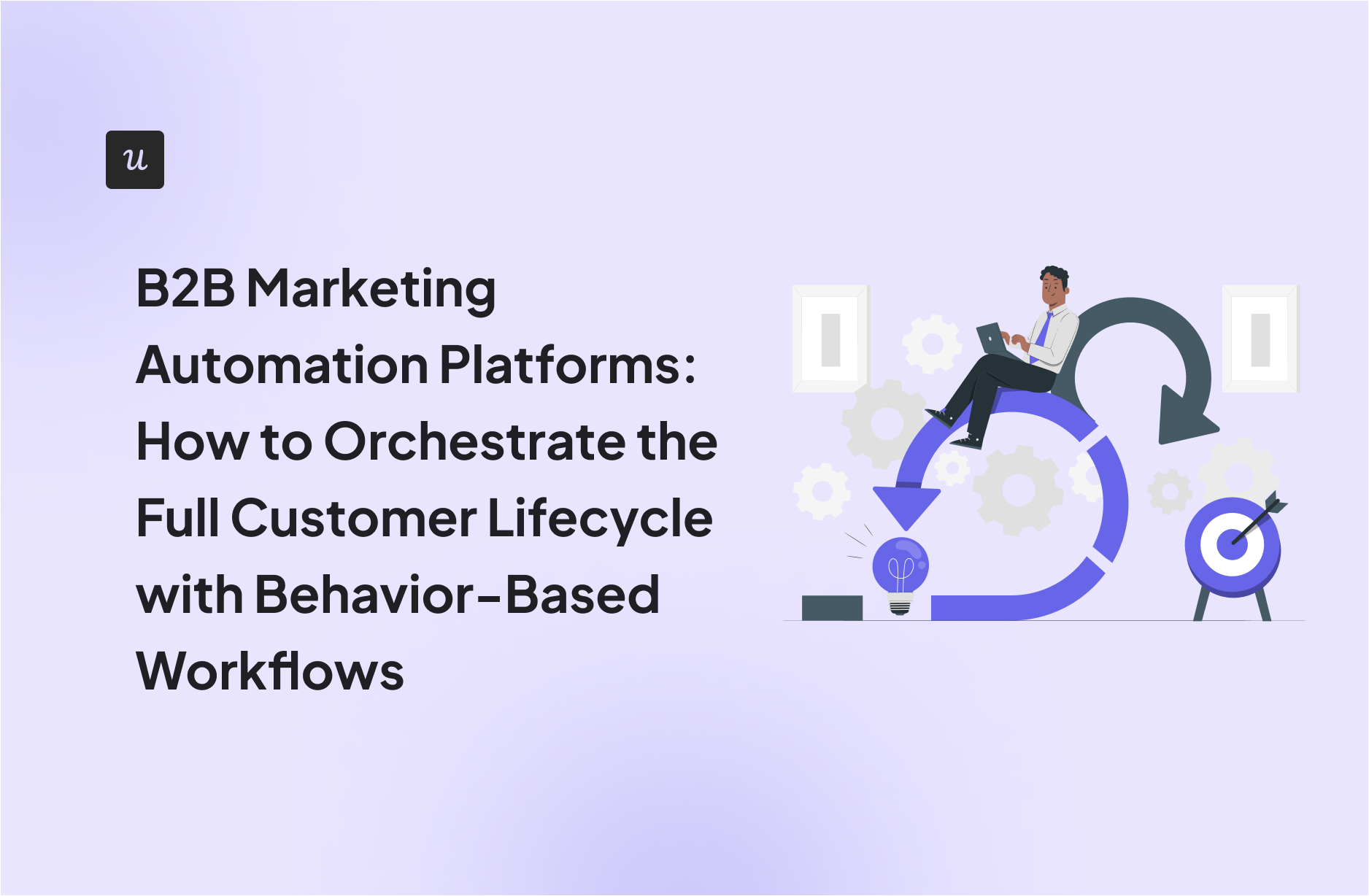
B2B Marketing Automation Platforms: How to Orchestrate the Full Customer Lifecycle with Behavior-Based Workflows

Traditional B2B marketing automation platforms go blind the moment a user logs into your product. HubSpot can tell you that a lead downloaded three whitepapers. Marketo knows they attended your webinar. But neither platform knows that your new customer just rage-clicked the “Export” button five times because they can’t figure out how to generate a report.
So you hand off that frustrated user to a Customer Success team managing 50 accounts. They get a static onboarding checklist. Maybe a kickoff call next Tuesday. Meanwhile, your competitor’s product is guiding users to value in real time with contextual tooltips and behavior-triggered nudges.
The lifecycle doesn’t end at contract signature. The most critical engagement happens after signup, inside your product. To prevent churn and drive expansion, your B2B marketing automation needs to orchestrate the full customer journey based on real product behavior.
Try Userpilot Now
See Why 1,000+ Teams Choose Userpilot
What is a B2B marketing automation platform?
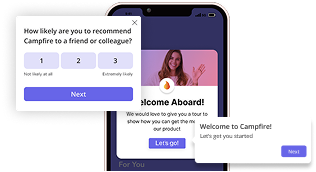
A modern B2B marketing automation platform unifies data from your CRM, your website, and your product usage to trigger timely messages across multiple channels.
For marketing teams in SLG companies, these marketing automation tools are the bridge between “Signed Contract” and “Customer for Life.” They let you move away from generic mass communication toward hyper-personalized experiences based on what the user is actually doing (or failing to do). Marketing and sales teams can coordinate around real user behavior instead of time-based email sequences.
Why marketing teams in SLG companies rely on marketing automation
High-touch sales models are expensive. You can’t scale by throwing more humans at the problem.
In SLG companies, a single Account Executive might manage 30-50 accounts simultaneously. A Customer Success Manager might juggle 50-100 accounts depending on contract value. Every manual touchpoint costs time and money. Every “checking in” email. Every “how’s it going?” Slack message.
Marketing automation platforms let SLG teams replicate the intuition of your best sales rep and apply it automatically to thousands of users. Instead of CSMs manually tracking whether users completed onboarding, the system handles it. Instead of AEs manually flagging high-intent accounts, lead scoring does it automatically.
Your humans can then focus on high-value conversations like closing deals, handling escalations, and strategic account planning. Automation handles repetitive marketing tasks that keep the pipeline flowing and customers activated.

Build Better Journeys Alongside B2B Marketing Automation Platforms with Userpilot

What “customer lifecycle orchestration” actually means
Modern SaaS marketing automation software bridges your CRM systems and product analytics using a “Listen-Decide-Act” framework:
- Listen (data ingestion): Ingest real-time customer data on specific user behaviors. Not just page views, but granular event tracking like “Feature X Used,” “Invite Sent,” or “API Key Generated.”
- Decide (logic layer): Apply Boolean logic to specific criteria. For example: “User is on the Pro Plan AND has logged in 5+ times AND has NOT created a report.”
- Act (triggered response): Trigger instant, contextual responses. An in-app message. A JavaScript function to open a helper bot. A webhook to Slack notifying sales teams.
If your automation triggers on time (e.g., “Day 3 Email”), you’re spamming. If it triggers on behavior (e.g., “User failed setup step 2”), you’re helping. Behavioral triggers in marketing campaigns consistently outperform time-based sequences.
Stage 1: Capture and qualify demand (Web → Meeting)
The lifecycle begins before the login. Stop treating website visitors as generic traffic statistics. Use marketing automation to score intent and route leads before they ever sign a contract.
Score behavioral intent
Look beyond “Contact Us” form fills as your only signal. Behavioral segmentation allows you to track specific high-value actions that indicate readiness to buy. Most prospects consume multiple pieces of content before speaking to sales. Track this consumption history to improve lead generation.
For example: If a visitor from a target industry (identified via IP enrichment) visits your “API Documentation” page and then your “Pricing” page twice in one week, they’re in a buying window. Don’t wait. Trigger a personalized chatbot greeting: “Hi there, noticed you’re looking at our API specs. Need to speak to a sales engineer?” or notify an SDR via Slack immediately.
Route content by interest
Once a visitor converts to a lead, ditch the generic “Welcome to our Newsletter” sequence. Use contextual email marketing based on their navigation history to create targeted email campaigns:
- Viewed Developer Docs? Route to a “Technical/Developer” nurture track featuring SDKs and integration guides.
- Viewed Enterprise Security? Route to a “Compliance” nurture track featuring SOC2 reports and case studies from Fortune 500 clients.
- Viewed Marketing Use Cases? Route to an “ROI/Growth” track featuring marketing templates.
Stage 2: Convert and onboard (Post-Sale → First Value)
The “Empty State” (a blank dashboard with no data after first login) is a massive friction point where excitement turns into confusion. Don’t wait for a scheduled training session next Tuesday. Automate the “hello” to drive immediate time to value (TTV).
Deploy a welcome flow
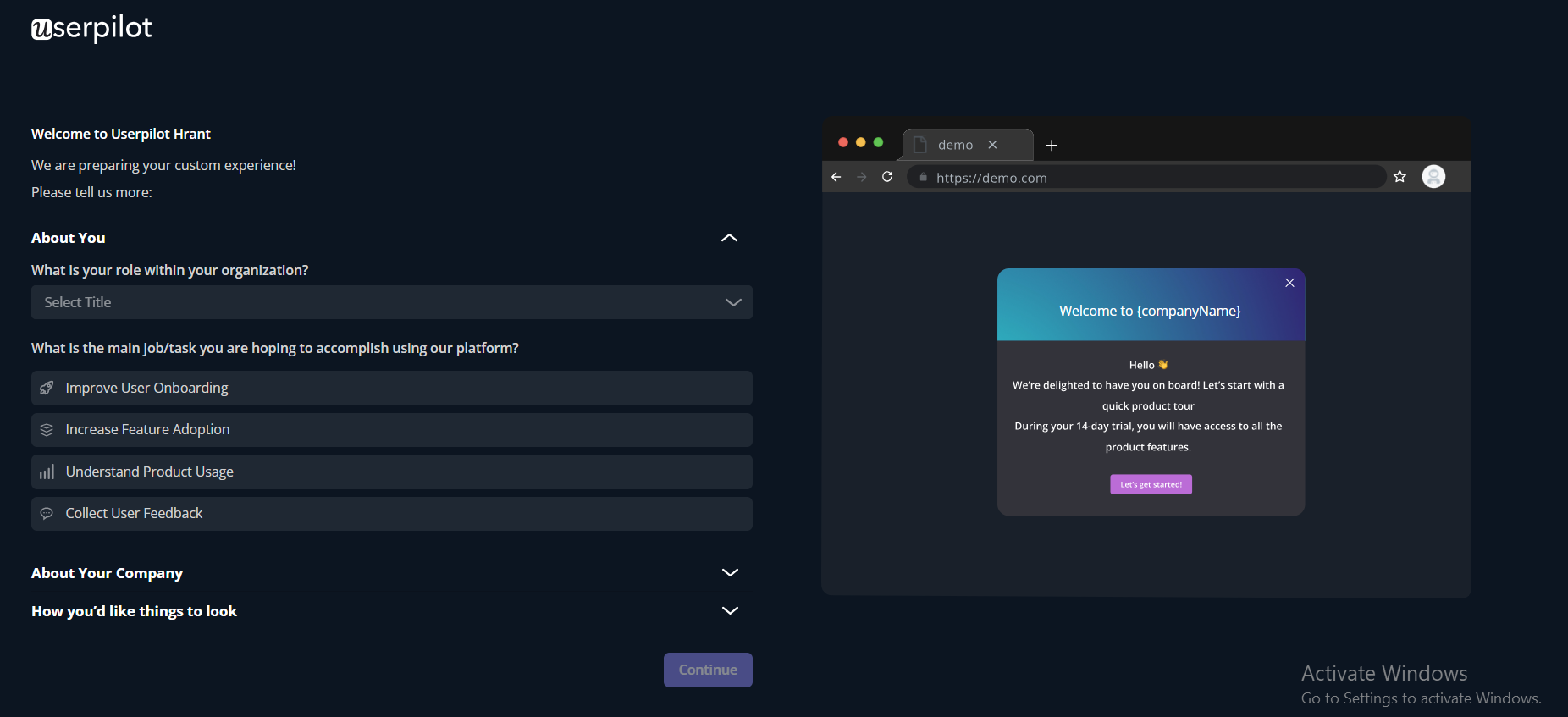
Top-performing SaaS welcome screens act as data-collection instruments. Use a microsurvey immediately upon first login to ask two critical questions:
- What is your role? (e.g., Admin, Editor, Viewer)
- What is your main “Job to be Done”? (e.g., Send a Campaign, Analyze Data, Manage Users)
This customer onboarding data lets you personalize the experience from day one.
Assign dynamic checklists
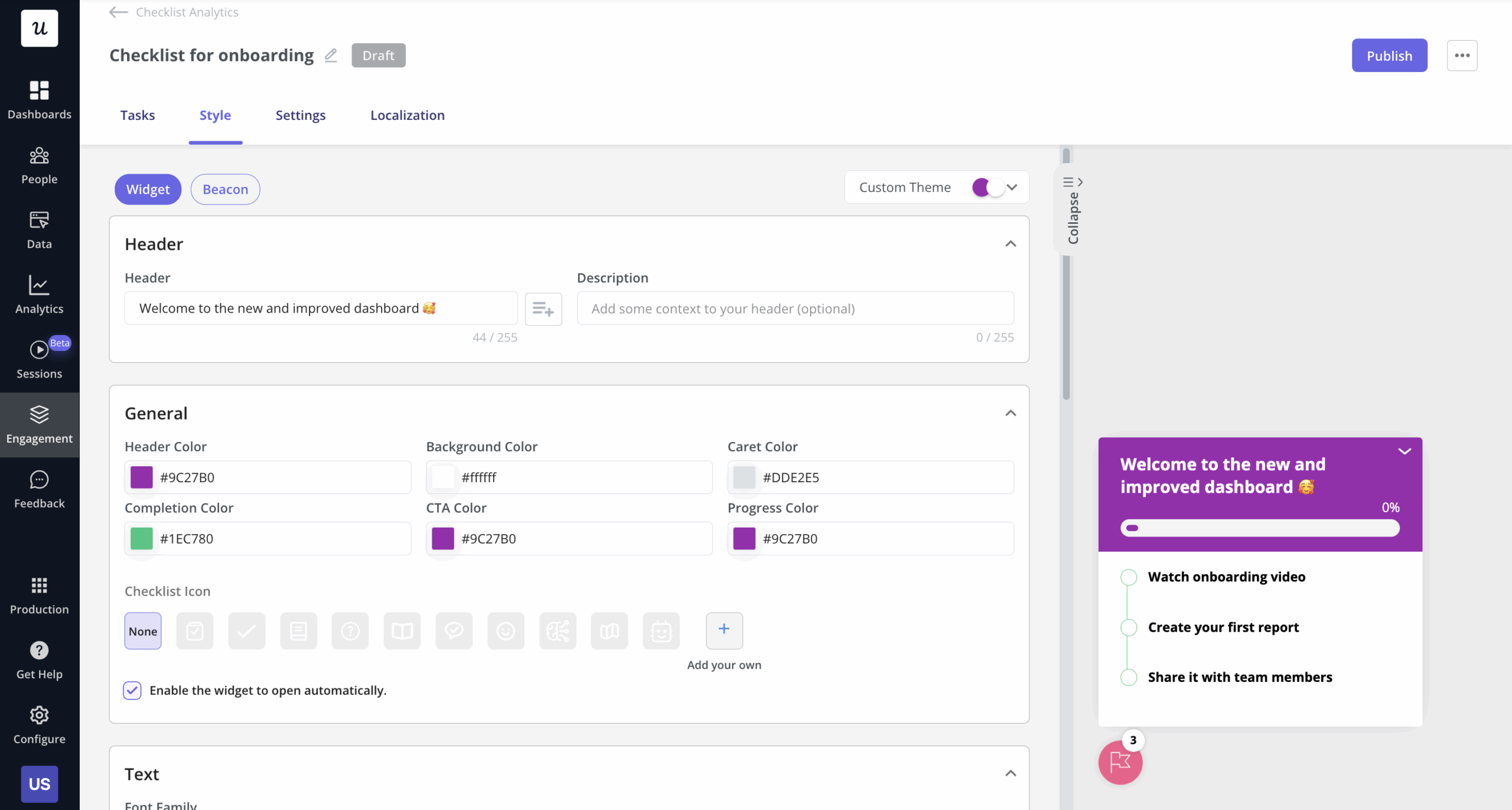
Based on the welcome screen data, dynamically assign a personalized user onboarding checklist. Generic checklists force users to care about features they don’t need, which leads to abandonment.
Set a “stuck” trigger
Build a safety net for users who fall off the happy path using automated workflows. If a user starts the setup wizard but drops off at step 3, trigger an automated rescue:
- Trigger: User completed Step 2 AND User Session Ended AND Step 3 is incomplete.
- Action 1 (Wait): Wait 1 hour.
- Action 2 (Email): Send a “Need help?” email with a specific video guide for Step 3.
- Action 3 (In-App): When they return, use in-app guidance tooltips to highlight exactly where they left off.
Stage 3: Drive adoption (Feature Discovery → Habit)
Adoption builds through small habits over time. Stop blasting generic “New Feature” emails to your entire database. Use secondary onboarding to introduce deeper features only when the user is ready for them.
Launch contextual announcements
If you launch an “Advanced Analytics” module, don’t show it to a user who hasn’t even set up their basic profile. Instead, create a segment of users who have viewed the basic “Reports” tab at least twice in the last month.
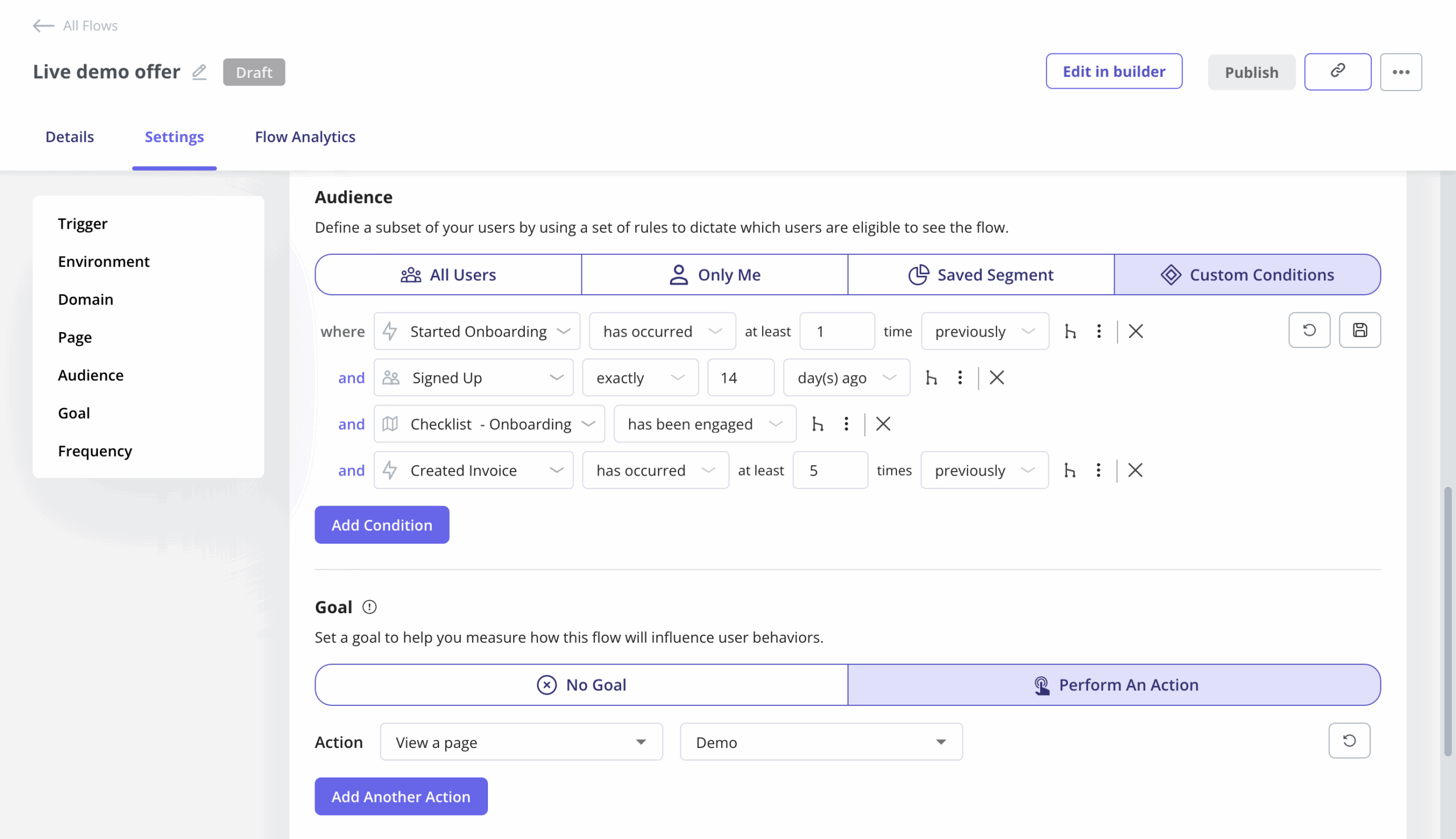
Trigger a slideout announcement inside the product only for this interested segment. The feature solves a problem they’re currently experiencing, so conversion rates jump.
Close the omni-channel loop
Coordinate your product and email marketing channels to avoid message fatigue. Sending an email about a feature someone is already using is annoying.
- Scenario A: User sees in-app slideout regarding Feature X and clicks “Try It” → System action: Tag user as engaged_feature_x and suppress the email marketing campaign.
- Scenario B: User ignores in-app slideout → System action: Wait 2 days, then send an email case study regarding Feature X to re-engage them from a different angle.
Stage 4: Retain and expand (Risk Signals → Renewal/Upsell)
Shift from acquisition mode to value realization mode. Your goal is to prove customers are winning so that renewal becomes a non-event and customer retention stays high.
Automate success celebrations
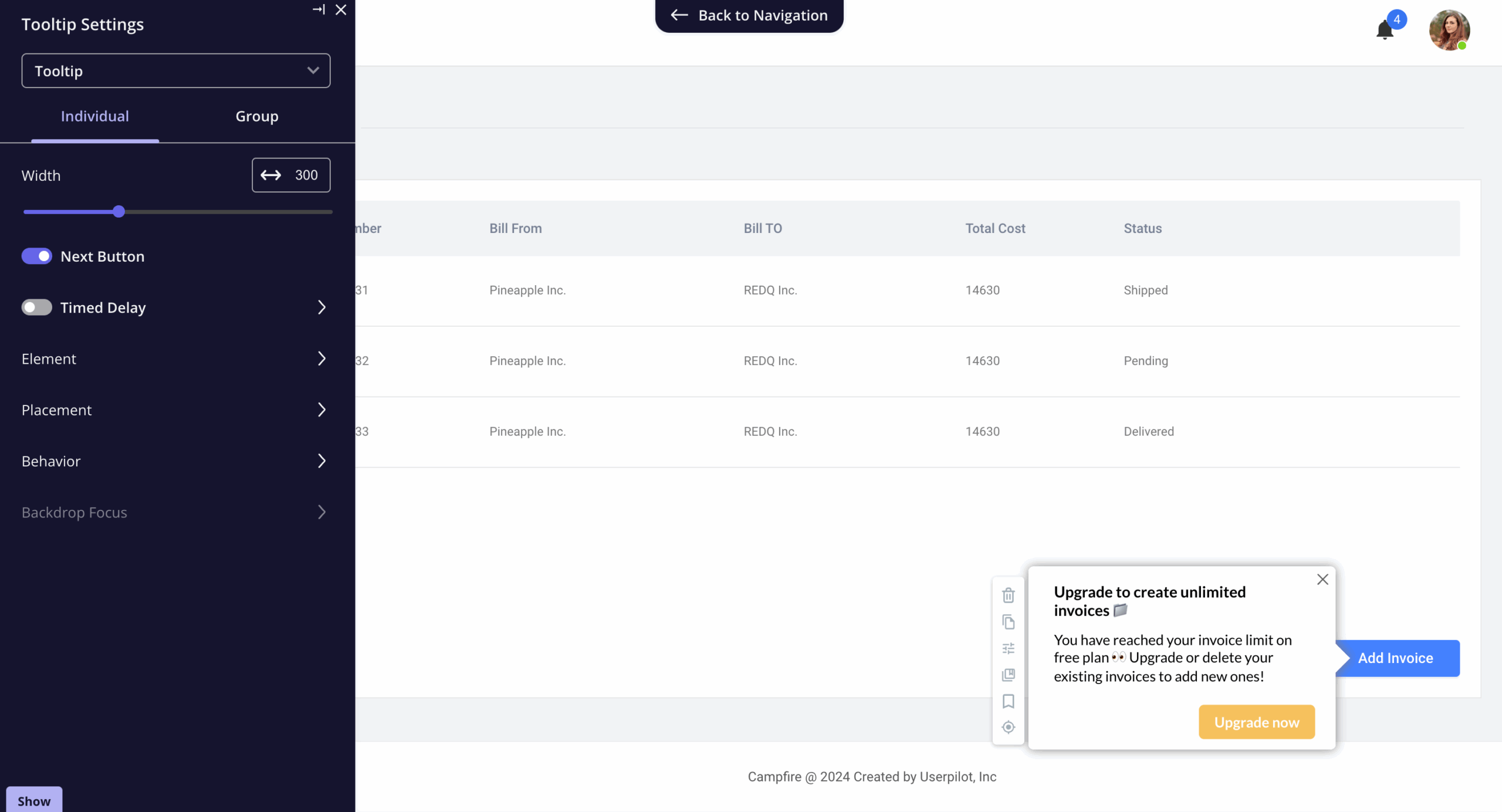
Reinforce customer perceived value by tracking value metrics. Don’t just track logins—track “wins.” When a user completes their 100th task or saves 10 hours of work (based on your product’s calculation), trigger a “High Five” modal in-app. Simultaneously, send an automated email to the account owner: “Your team completed 100 tasks this month. Keep up the momentum.” This gives the champion internal ammo to justify the renewal.
Trigger upsells based on sentiment
Use NPS metrics to time your ask. Asking for an upsell when a user is frustrated is a recipe for churn. Create an account expansion workflow triggered by positive engagement data:
- Trigger: User submits NPS 9 or 10 (Promoter).
- Condition: Is the account usage > 80% of their current plan limits?
- Action (Yes): Trigger a specialized upsell message offering an enterprise demo or a “one-click upgrade” discount.
- Action (No): Trigger a request for a G2 review or a referral.
Stage 5: Win-back (Churned Accounts → Reactivation)
A behavior-based marketing automation platform detects when churned users return. This signals a reactivation opportunity most marketing efforts miss.
Resurrect “zombie” accounts
Monitor for resurrected users. A “zombie” account has been dormant for 60+ days. If a user from a churned domain logs back in, this is a critical signal for sales teams and customer success.
Reactivation workflow:
- Trigger: User logs in AND Last Login Date > 60 days ago.
- Action 1 (Sales Alert): Instantly flag this to sales teams via Slack as a “High Priority Reactivation.”
- Action 2 (In-App Context): Trigger a “Welcome Back” modal. Don’t show the standard onboarding. Show a “What’s New” summary highlighting only the major features released since they last logged in.
- Action 3 (Email): Send a personalized note from the Head of Product: “Saw you popped back in. We’ve changed a lot. Here’s a 2-minute video of what’s different.”
Core features to look for in B2B marketing automation platforms
When evaluating marketing automation software, look beyond basic email capabilities. Here are the essential automation features you need:
1. Bi-directional data sync
The platform needs seamless integration with your tech stack. It should pull user attributes (Plan Type, Renewal Date) from your customer relationship management system and push behavioral data (Feature Usage, NPS Score) back to the CRM.
This two-way data integration ensures your marketing processes and sales alignment stay synchronized. Look for native CRM integration with platforms like Salesforce, HubSpot, and Pipedrive, plus support for third-party integrations via API.
2. Advanced event tracking (no-code preferred)
Track custom events (clicks, hovers, form fills, text inputs) without asking engineering to write code for every tag. The best automation platforms offer visual taggers with a user-friendly interface that lets marketing teams define events on the fly. This no-code approach to data management accelerates your ability to build and iterate on marketing campaigns.
3. Omni-channel triggering
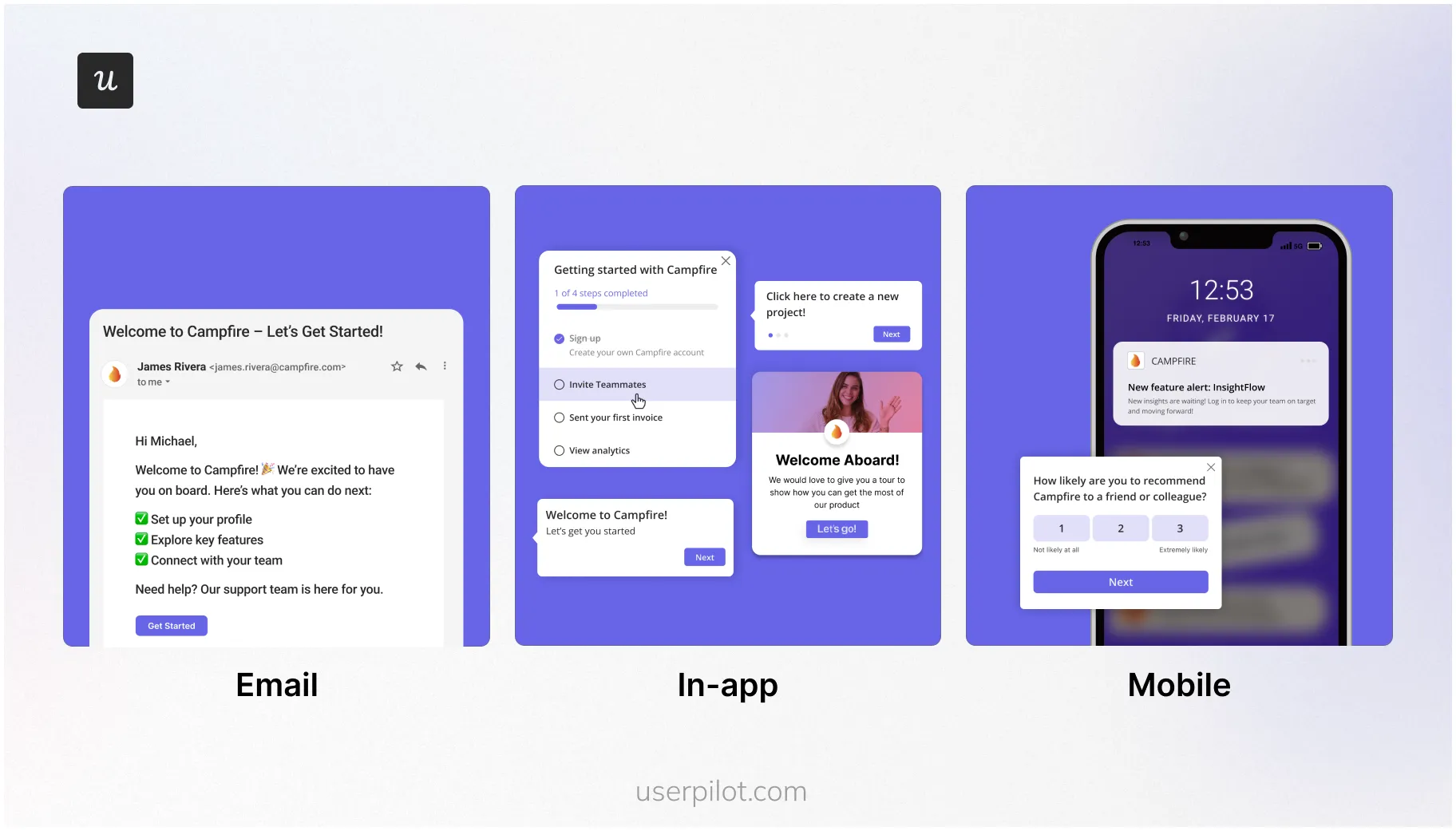
The platform should trigger actions across multiple channels. If a user takes an action in the app, can it trigger a webhook? Send an email? Fire a JavaScript snippet? Look for a workflow builder that goes beyond pop-ups to orchestrate webhooks, emails, and cross-channel engagement.
4. Granular segmentation logic
Basic segmentation (e.g., “All Paid Users”) is insufficient. You need nested logic: “Users who are Admins AND signed up > 30 days ago AND have NOT used Feature Y AND are in the Healthcare industry.” Advanced features like behavioral filters, account-based marketing segments, and usage thresholds let you target high-value accounts with precision.
How to evaluate B2B marketing automation platforms
When you’re in the demo phase with a vendor, ask these specific questions:
Integration and data management:
- “Does this marketing automation software integrate with our existing systems (CRM, product analytics, data warehouse)?”
- “How real-time is the data? If a user upgrades their plan, how many seconds until the automation platform knows about it?” (Anything over a few minutes is a friction risk)
- “Can I connect this to social media platforms, ad platforms, and email marketing tools for true omni-channel orchestration?”
Workflow capabilities:
- “Can I trigger a flow based on a combination of user attributes (who they are) and user events (what they did)?”
- “Does this require a developer to maintain, or can my product marketing manager build and iterate on automated workflows independently?”
- “Can we A/B test the marketing content of the workflows to optimize conversion rates?”
Pricing and scalability:
- “How do your paid plans scale? Do you charge per contact, per feature, or per send?”
- “What automation features are locked behind higher tiers?”
Where Userpilot fits in the lifecycle
To orchestrate the full lifecycle, you need two types of tools working together: an automated marketing platform and a Product Adoption Platform.
Use marketing automation to get users in the door
Tools like HubSpot, Marketo, and Pardot handle pre-signup demand generation and lead management:
- Capture leads: Use landing page forms, social media marketing, and content downloads to build your database of targeted leads.
- Lead nurturing: Warm up cold traffic with educational content until prospects move through your sales funnel and are ready to try your software.
- MQL to SQL conversion: Score leads based on website and email interactions to help sales and marketing teams prioritize outreach and streamline sales processes.
- Re-engagement: Send “We miss you” emails to users who haven’t logged in for 30 days.
These tools get users to your product. But they go blind once someone logs in.
Use Userpilot to deliver value inside the product
Once a user signs up, email becomes secondary. Your primary channel is now the product itself. Userpilot handles the post-signup experience to deliver personalized experiences:
- Onboarding: Interactive walkthroughs that guide users to their first “aha moment” based on their role and goals.
- Feature adoption: Tooltips and hotspots appear where users work, guiding them to new features contextually.
- In-app messaging: Announce updates, maintenance, or events via banners and modals for higher visibility.
- Product analytics with engagement tracking: Track feature usage, monitor user engagement patterns, and identify drop-off points to refine the experience.
Connect the loop
When these systems talk to each other via bi-directional data sync, sales and marketing teams can coordinate around real user behavior:
- Marketing automation triggers product flows: If a user’s CRM status changes to “At Risk,” trigger a Userpilot NPS survey inside the app.
- Product usage triggers marketing emails: If Userpilot detects a user hit a usage limit or engaged with a premium feature, it sends that event to your marketing automation platform, which triggers an upgrade email sequence.
This results in every message (whether in-app or email) is relevant to what the user is actually doing, eliminating repetitive tasks and creating truly contextual engagement.
Stop treating users as static leads in a linear funnel
B2B marketing automation orchestrates the full customer lifecycle with behavior-based workflows. You prevent revenue leakage, scale customer success efforts, and create responsive product experiences that feel personal at scale.
Start treating users as humans on a dynamic journey. Marketing automation platforms like HubSpot and Marketo get users in the door through lead nurturing and email campaigns. Userpilot delivers value inside the product with contextual onboarding, feature adoption flows, and behavioral analytics. Together, they close the loop from first visit to long-term retention.
Ready to build these flows without code? Get a demo of Userpilot to see how automated marketing platforms and product adoption tools work together to orchestrate your entire customer journey.
Boost B2B Marketing Automation Platforms with Userpilot to Drive Instant Growth
FAQ
Do I need both a marketing automation platform and a product adoption tool?
Yes. Marketing automation platforms (like HubSpot, Marketo, Pardot) excel at pre-signup activities: capturing leads through landing pages, nurturing prospects via email marketing campaigns, and coordinating sales and marketing teams around MQL-to-SQL conversion. But they go blind once a user logs into your product.
Product adoption tools (like Userpilot) handle post-signup engagement: contextual onboarding, feature adoption flows, in-app messaging, and behavioral analytics. Together, they orchestrate the complete customer journey from first visit to long-term retention.
Can marketing automation software integrate with my existing tech stack?
Modern marketing automation platforms support seamless integration with CRM systems (Salesforce, HubSpot CRM, Pipedrive), email marketing tools, social media platforms, ad platforms like Google Ads, and product analytics tools. Look for platforms that offer native integrations plus third-party apps via API for custom data processing needs.
The best automated marketing platforms also support bi-directional data sync, letting you trigger workflows based on both CRM data (plan type, renewal date) and product usage data (feature adoption, engagement tracking).
What's the difference between time-based and behavior-based automation?
Time-based automation triggers messages on a schedule (“Send email 3 days after signup”). Behavior-based automation triggers messages based on what users actually do (“Send email when user views pricing page 3 times but doesn’t upgrade”).
Behavior-based workflows consistently outperform time-based sequences because they’re contextual. You’re helping users solve a problem they’re experiencing right now, not interrupting them with generic messages.
How do I measure ROI of marketing automation?
Track these metrics across your marketing processes:
- Lead generation efficiency: Cost per lead and MQL-to-SQL conversion rates.
- Sales funnel velocity: Time from first touch to closed deal.
- Customer retention: Churn rate, expansion revenue, NPS scores.
- Team productivity: Hours saved on repetitive tasks like lead management, email campaign creation, and manual outreach.
Most B2B companies see ROI within 3-6 months through improved conversion rates and reduced manual work for sales and marketing teams.
Can I build automation workflows without a developer?
Yes. Modern automation platforms offer workflow builders with user-friendly interfaces that let marketers and product managers create flows independently. Look for platforms with:
- Visual workflow builders (drag-and-drop logic).
- No-code event tracking (click to tag elements).
- Pre-built templates for common use cases.
- A/B testing capabilities built in.
This eliminates the bottleneck of waiting for engineering resources to build and iterate on marketing campaigns.
What's the difference between marketing automation and email marketing tools?
Email marketing tools (Mailchimp, Constant Contact) focus solely on creating and sending email campaigns. Marketing automation platforms do that plus:
- Multi-channel orchestration (email, in-app, SMS, push).
- Lead scoring and lead management across the sales funnel.
- CRM integration and sales processes automation.
- Behavioral triggering based on product usage and customer data.
- Advanced segmentation for account-based marketing.
Think of email marketing tools as one channel. Marketing automation platforms orchestrate your entire go-to-market strategy.
About the author