How To Build a Product Launch Plan For SaaS In 2026?


A product launch plan helps teams coordinate every stage of a SaaS release, from early preparation to post-launch follow-up. Companies that use a structured go-to-market (GTM) framework see 10% higher success rates and 3x greater revenue growth, yet only one-third of product marketers consistently follow a defined process.
In this guide, I’ll walk you through the pre-launch, launch, and post-launch phases of a SaaS product launch plan and share a copyable checklist for your next release.

What a product launch plan covers in 2026
A product launch plan is the document that lays out how you take a new feature or product to market, who owns each step, and how you will measure whether it worked. It helps a launch become a sequence of deliberate decisions that can support a sustainable plan for promotion and user adoption.
Every launch plan moves through three phases:
- Pre-launch is when you conduct research, positioning, goal-setting, and campaign design that determine the outcome.
- The launch phase is the coordinated go-live across your channels.
- Post-launch is when you measure, gather user feedback, and turn a single launch into a repeatable go-to-market motion.
Before the steps, it helps to know which kind of launch you are running, because the scope changes the approach to the plan.
| Launch type | What it is | When it fits |
|---|---|---|
| Soft launch | Release to a limited audience first, sometimes called a dark launch, to gather feedback before wider availability. | When the release is risky, and you want a real-world signal before going public. |
| Minimal launch | Ship a limited set of features to reduce risk and cost while still learning from users. | When you need to validate the core before committing to the full build. |
| Full-scale launch | Release the whole product to the general market with all features live. | When the product is mature, ready, and the reach is worth the exposure. |
Below, I will walk you through a framework for a full-scale launch across all three launch phases.
The pre-launch phase: Steps 1 to 7
In this phase, you need to lay all the groundwork to ensure your launch succeeds. This is where you ensure it’s well-targeted, relevant, and goal-oriented.
1. Conduct market research and competitive analysis
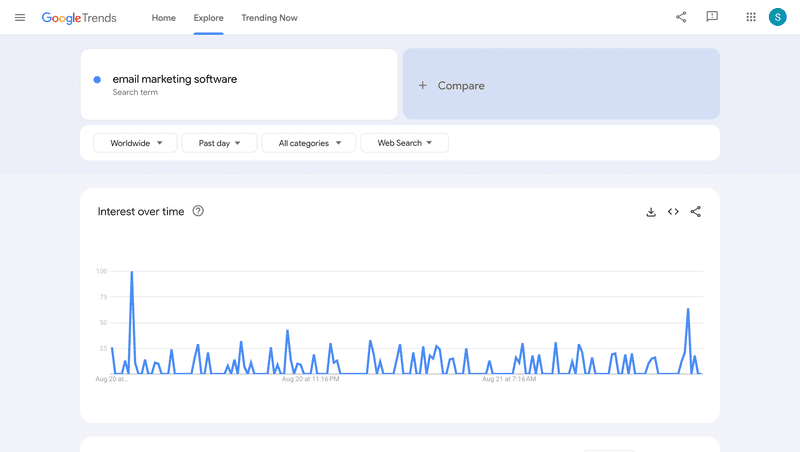
The better you understand the market, the better your odds at launch. Market research shows you where competitors fall short and where you can credibly differentiate.
Pull from competitor reviews, category trends, and direct conversations with buyers. Identify the market gap your product can fill. A feature checklist is only part of the picture.
2. Dig into your target user personas
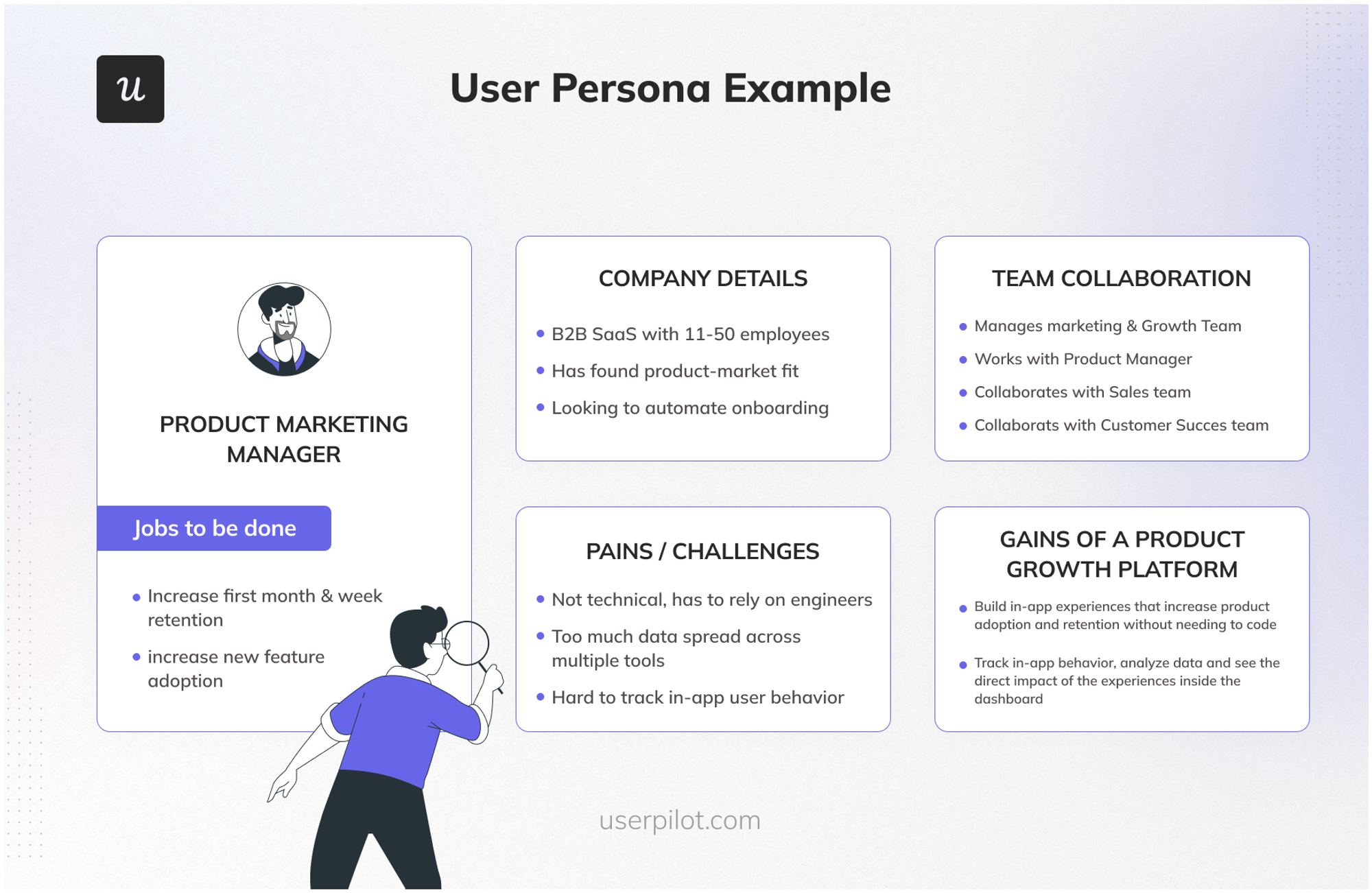
Once you understand the market, narrow in on the specific person you are building for. A user persona captures their goals, their pains, and how your product maps to an outcome they care about.
Build personas from data. Surveys, interviews, and observed behavior beat the version of the customer that lives in a slide deck.
3. Define your value proposition and messaging
Your research now turns into positioning: a value proposition and the messages that carry it. Good positioning ties a specific pain to a specific outcome your product delivers.
Here is the practical technique I lean on most. Write your one-liner, then define who it is not for. Paul Sullivan, founder of the GTM agency AriseGTM, recommends the same exercise in his product launch playbook because it forces you to make clear positioning choices early on.
An outcome-led line, such as “resolve 40% of routine IT tickets autonomously,” beats “AI-powered IT automation platform” every time, because it names the result and the villain. Once the line holds, expand it into a short framework: a headline, two or three supporting benefits, and the proof points behind them.
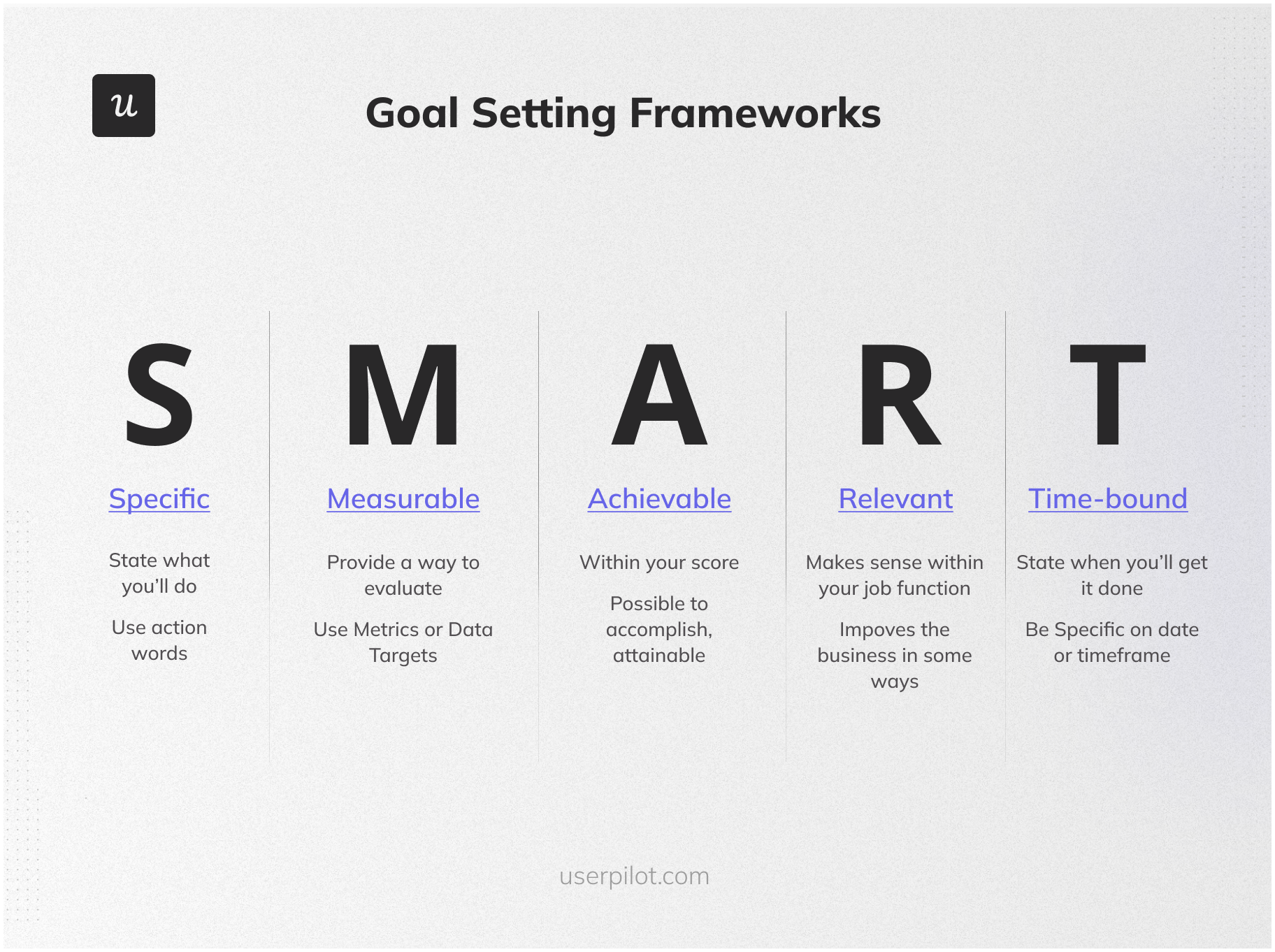
4. Define your four launch KPIs
Many launch-related KPIs are quite random and disconnected, driven by what we think are best practices. After many trials and errors, I came to use four. They need to be considered in order: each one diagnoses a different failure point, and a healthy number downstream means nothing if the number above it is broken.
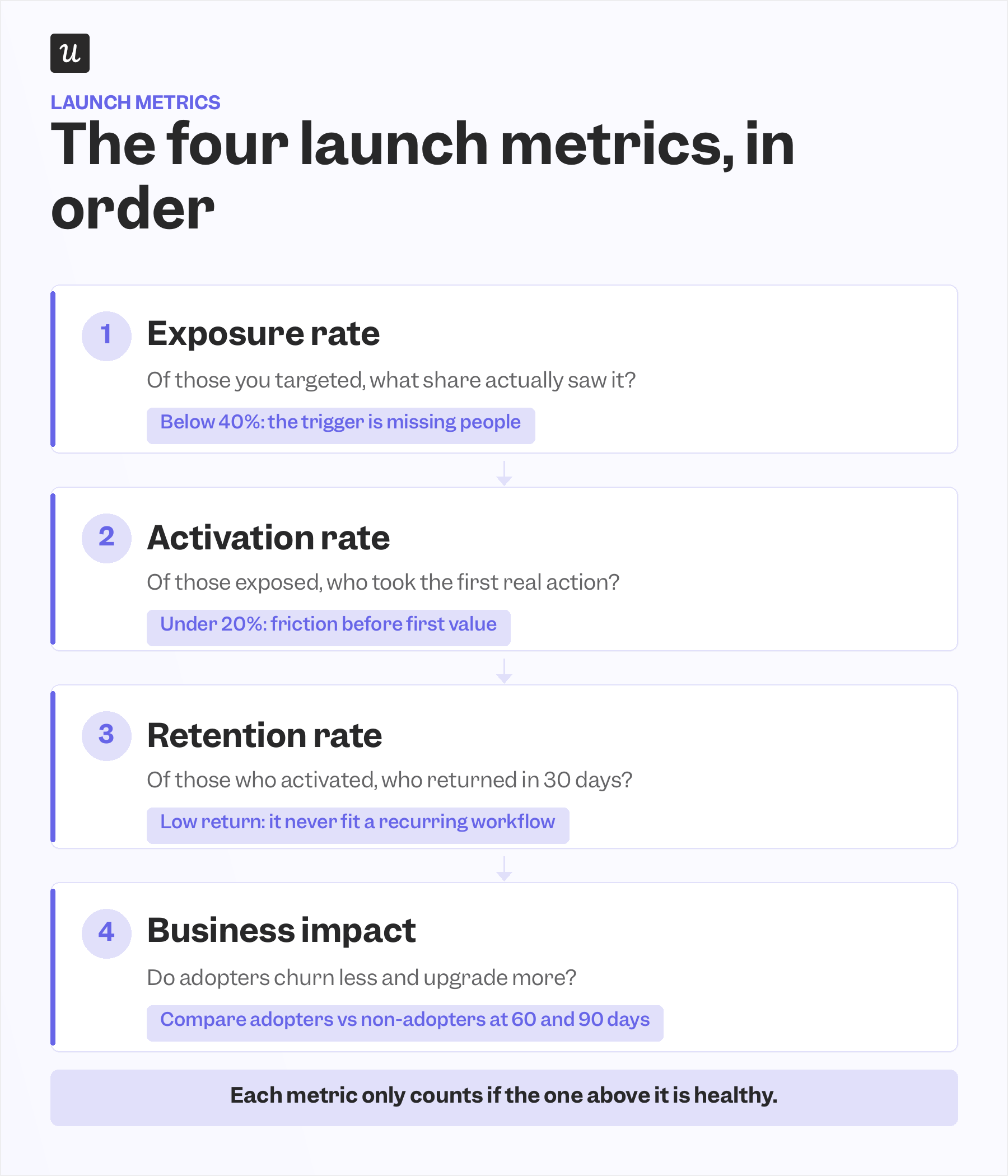
Exposure rate comes first and gets skipped the most. Of the users you targeted, what share actually saw the feature? Below 40%, the trigger isn’t reaching the right people, and no amount of design polish later on will fix that.
Activation rate is next. Of the users who were exposed, what share took the first meaningful action? What does the feature exist to do? Anything under 20% points to friction between exposure and first value, whether the path is too long, the UI confuses people, or the moment is wrong.
Retention rate is the metric most teams forget to define before launch. Of the users who were activated, what share returned within 30 days? High activation paired with low retention is the sneaky failure mode, because the feature worked once but never fit into a recurring workflow.
Business impact is the only metric that connects a launch to growth. Do adopters churn less, upgrade more, and engage more deeply than comparable non-adopters? Run the comparison at 60 and 90 days, and if product adoption is climbing while business impact stays flat, you optimized the wrong feature.
This sequence is also why retention belongs in the launch plan from day one. Amplitude’s 2025 Product Benchmark Report, which analyzed more than 2,600 companies, found that over 98% of new SaaS users churn within two weeks if they have not experienced product value in that window.
For me, as a product marketer, this is the part of the job I care about most, because the KPI chain is the only honest way to prove a launch worked.
5. Design your launch campaign
A campaign has two halves that teams usually plan in isolation: external promotion that drives attention, and in-app announcement strategy that turns attention into adoption. Design them together, because the second one is where most launches leak.
External promotion has shifted in 2026:
- LinkedIn is now the highest-return B2B SaaS channel by a clear margin, delivering a 121% return on ad spend against 67% for Google Search and 51% for Meta, according to Dreamdata’s 2026 LinkedIn Ads B2B Benchmarks Report, built on more than 66 million sessions and 3.5 million customer journeys.
- Reddit works when you target the specific subreddits your ideal customer already reads.
- Generative Engine Optimization, or GEO, is the emerging channel: optimizing your launch content so it gets cited inside ChatGPT, Claude, and Perplexity, where a growing share of buyers now start their research.
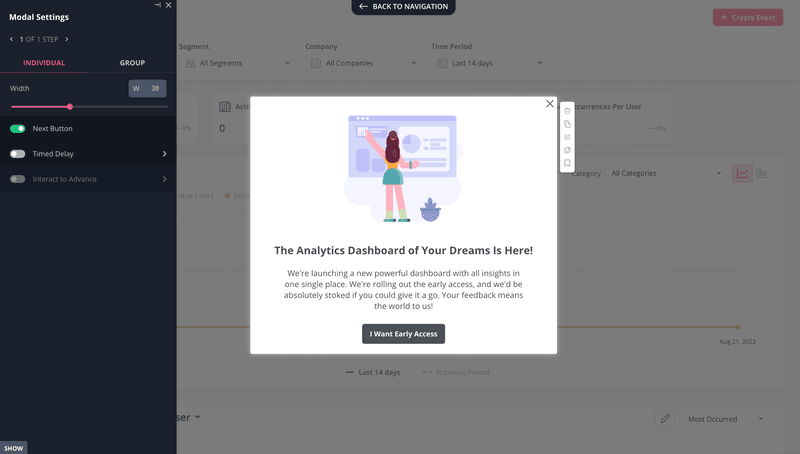
The in-app announcement strategy is determined by two questions. How complex is the first use of the feature, and is it a brand new area of the product or an enhancement to something users already do? Those two questions produce a 2×2 with four formats, and choosing the wrong one is how good features get ignored.
- Simple first use in a new area: Use a feature spotlight. A highlighted callout introduces the area, explains what it does in one sentence, and offers a single action. Trigger it once on the first relevant visit and let the feature carry the rest.
- Simple first use, enhancement: Use a contextual tooltip fired at the exact interaction point. Do not trigger it on page load. Wait until the user is performing an action related to the change.
- Complex first use, enhancement: Pair a spotlight with a progressive tooltip sequence. The spotlight resets expectations, and the tooltips walk the user through the updated flow one step at a time. Each firing at the relevant interaction point. Cap it at two or three prompts so it does not feel like a forced tutorial.
- Complex first use, new area: This is the highest-investment format and the most over-applied. For genuinely complex setups, an interactive walkthrough inside the real product UI works best, letting the feature teach itself through doing. For multi-session setups, a checklist of up to 5 items beats a long walkthrough, and if the setup truly needs more than 5 steps, two shorter checklists at different stages will outperform one long one.
The reason the contextual tooltip works comes down to timing, and our own product team has the receipts. When Userpilot’s email feature shipped, the funnel showed a sharp drop at domain verification, and Abrar Abutouq, one of our product managers, fixed it without an engineering ticket:
“Within a few hours, I just created a targeting tooltip and showed it to users and highlighted the correct steps for them to make it clear what to do next. That helped a lot on reducing friction and supporting users in real time without involving our dev team.”
That is the whole argument for in-app over broad communication. A broad new product announcement gets closed and forgotten, while a nudge fired during the relevant action gets read, so build your in-app engagement as part of the launch.
6. Run beta testing for major releases
Beta testing catches the things internal QA cannot. It surfaces edge-case bugs, integration issues with the messy reality of users’ existing setups, and onboarding friction that only shows up when someone who did not build the product tries to use it.
Not every release needs one. A beta is for major launches, while small fixes can be tested on the go without the overhead, so reserve the effort for releases where a public failure would actually cost you.
Structure it as a soft launch to roughly 50 key customers about a week before the public launch. That window typically runs just three days, but consistently catches bugs that internal testing misses, so build in a buffer week to fix what it surfaces before going public.
James Doman-Pipe, a B2B GTM specialist and PMA Top 100 product marketing influencer, documents exactly this pattern in his product launch timeline template, citing a Slack release in which a three-day soft launch to 50 customers caught three admin console bugs before the public release date.
Beta testers are worth more than their numbers suggest. They tend to be engaged power users who produce sharper, more specific feedback than the general user base, which makes the signal you get unusually high quality.
7. Decide on the launch date, timeline, and budget
The final pre-launch step is logistics, and logistics trips more launches than strategy does. You need to resolve dependencies, sequence the work, and confirm there are no blockers hiding in the tech stack.
Work backward from a fixed launch date to the longest lead-time item, usually sales enablement, then map every dependency in between. Done well, this is what keeps launch week calm instead of chaotic.
The launch phase: Steps 8 to 9
The foundations are laid. Now the launch becomes real, and the two things that matter are coordination across channels and showing up in person.
8. Launch on multiple platforms
Do not rely on a single platform. IndieHackers, Reddit, LinkedIn, and Product Hunt each reach a different pocket of early adopters, and a coordinated push across them compounds.
Product Hunt rewards timing and presence. Plan about 30 days ahead, pick a Tuesday-to-Thursday slot, ship at 12:01 AM Pacific for a full day of visibility, and treat the first six hours as the window that sets your ranking, per Smol Launch’s 2026 Product Hunt guide.
One channel shift is worth calling out. For early SaaS launches, founder-led LinkedIn posts now outperform paid ads. It’s because an authentic point of view from a real person travels further than a promoted banner ever will.
9. Run founder-led launch activities
For an early-stage SaaS launch, the founder is the strongest go-to-market asset, and launch week is when that advantage compounds. This step is missing from most launch plans, and leaving it out quietly costs deals.
Three habits make it work. The founder personally runs demos for the top 50 ICP-matched prospects during launch week, replies to every Product Hunt comment within 15 to 30 minutes on launch day, and keeps the outreach going through the first 30 days rather than treating launch day as the finish line.
Speed is the reason this matters so much. The same AriseGTM playbook makes the point that speed of response in the first 48 hours is one of the strongest predictors of early conversion. So a fast, human reply often does more for a deal than a flawless demo would have.
The post-launch phase: Steps 10 to 13
A launch does not end at go-live. The post-launch phase is where you find out what happened and turn it into the next launch.
10. Evaluate marketing and in-app performance
Evaluation has two layers, and most teams only run the first. Start by comparing your paid and organic external channels against the pre-launch goals you set, and cut or rework anything that missed its target instead of pouring more budget into a flawed channel.
The second layer is in-app content performance: exposure, activation, and retention broken down by experience. This is where launch teams iterate fastest, because A/B testing in-app experiences gives you an immediate feedback loop rather than a quarterly post-mortem. Userpilot measures in-app content directly, which is half of the launch that external analytics tools cannot see.
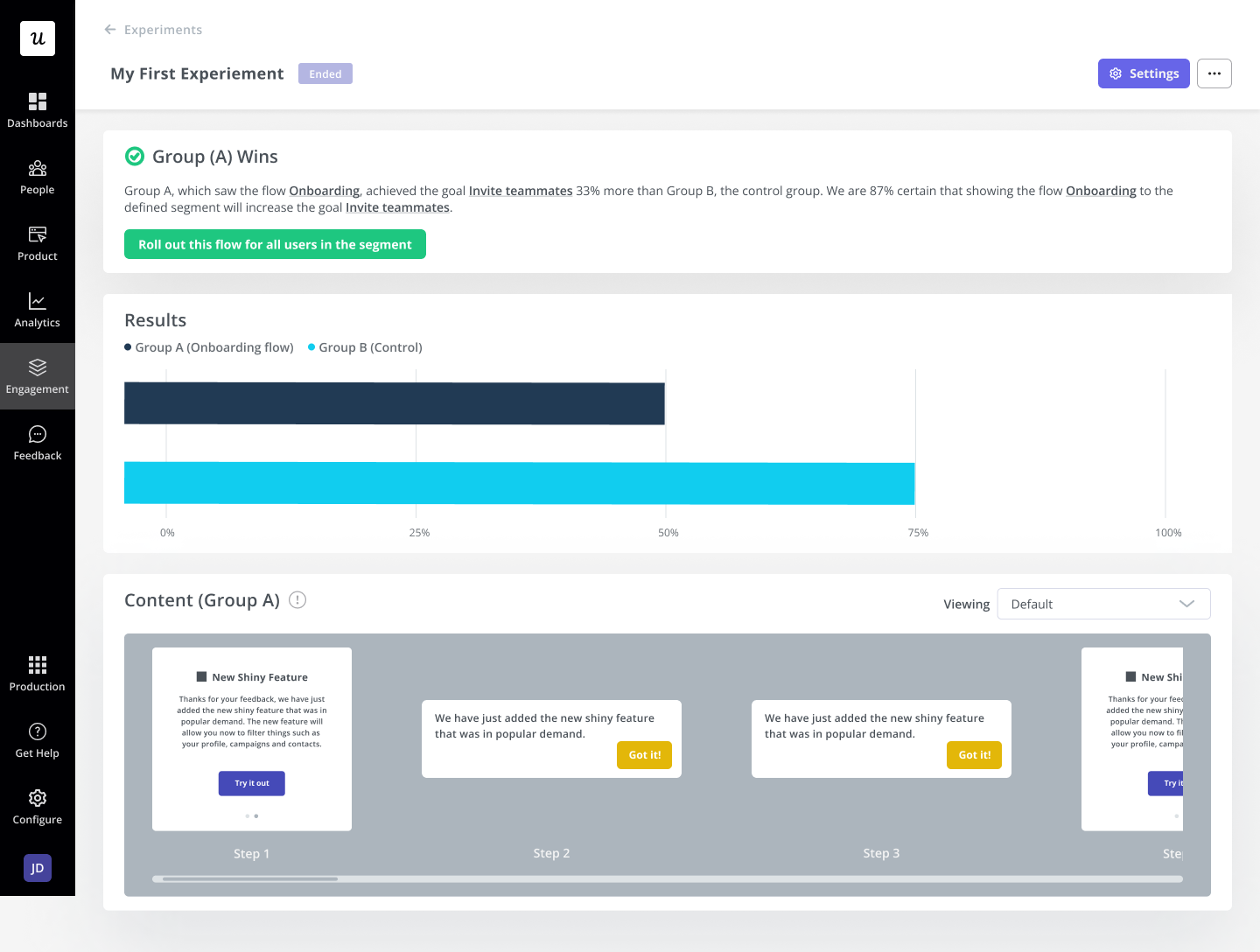
I have watched this settle an argument in a single chart. People told me a pop-up feature was annoying and that no one read it, so in the next release, I ran an A/B test: half the users saw a tooltip about the new feature, and half did not. This is one of the practical A/B testing examples you can use to evaluate in-app experiences.
Adoption in the group that saw it climbed 200% over the control. After that, I could come back with data instead of one vocal opinion, which is the entire point of measuring in-app.
11. Collect customer feedback
Gathering direct feedback and feeding it back into the product roadmap is still one of the best ways to improve a product after launch. What has changed is the volume and how teams handle it.
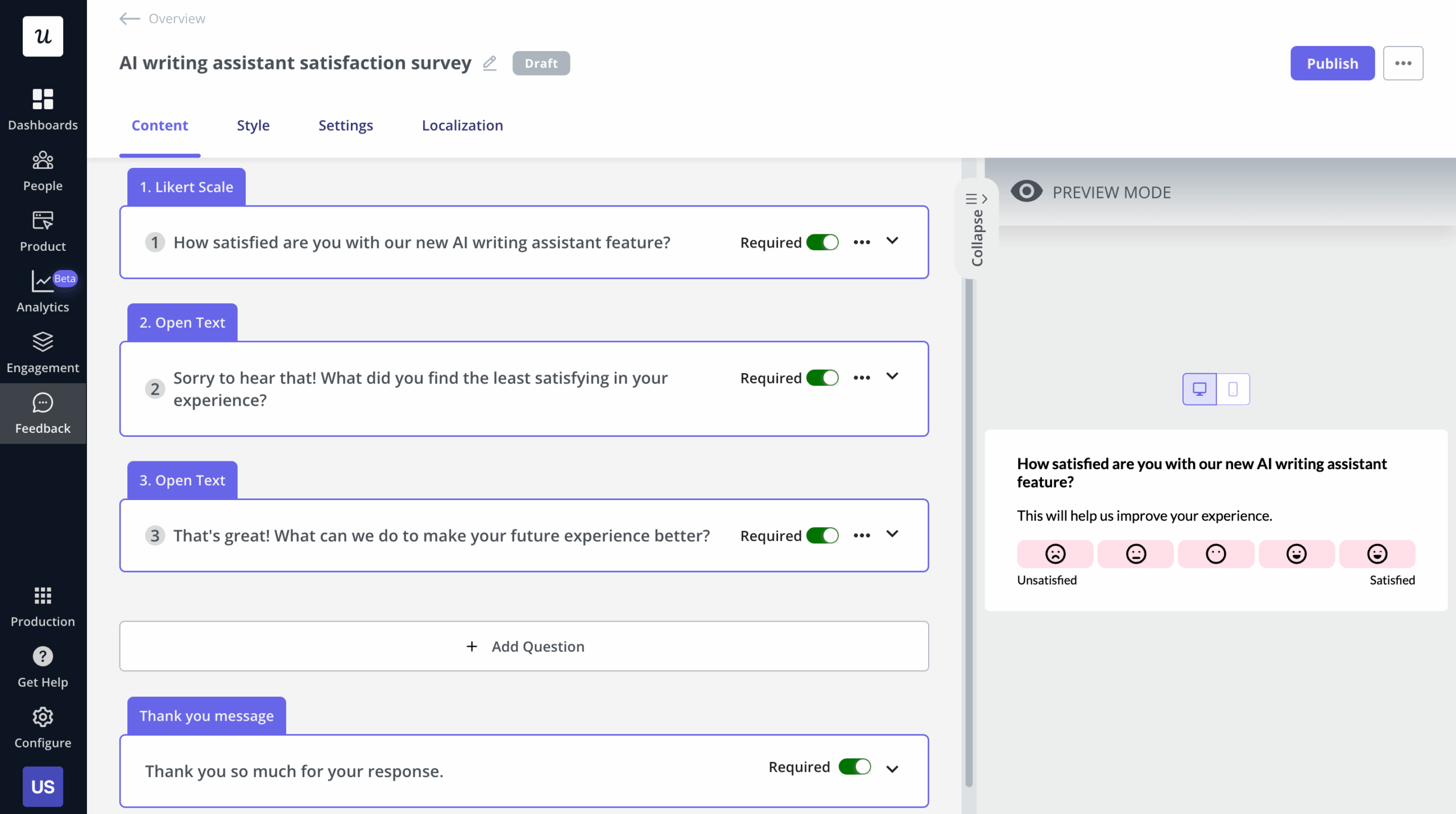
AI-powered survey analytics is now standard. Teams use AI to group open-ended NPS and CES responses into common themes instead of reviewing each response manually. Userpilot’s AI features support this workflow. Lia and AI summarization help surface the patterns that matter most from large volumes of survey feedback.
Our CEO, Yazan Sehwail, frames why this matters now, as shipping velocity rises:
“As producing and building features become a lot cheaper, instead of every quarter you’re releasing one or two features, now you’re releasing seven, eight, nine. It becomes even harder for product teams to manually have to track each one and understand usage for each one.”
12. Analyze in-app customer behavior
Behavioral data tells you what feedback cannot. Look at how often a feature is used, where users drop off in the journey, and which steps generate the most friction, because those patterns point you straight to what to fix next.
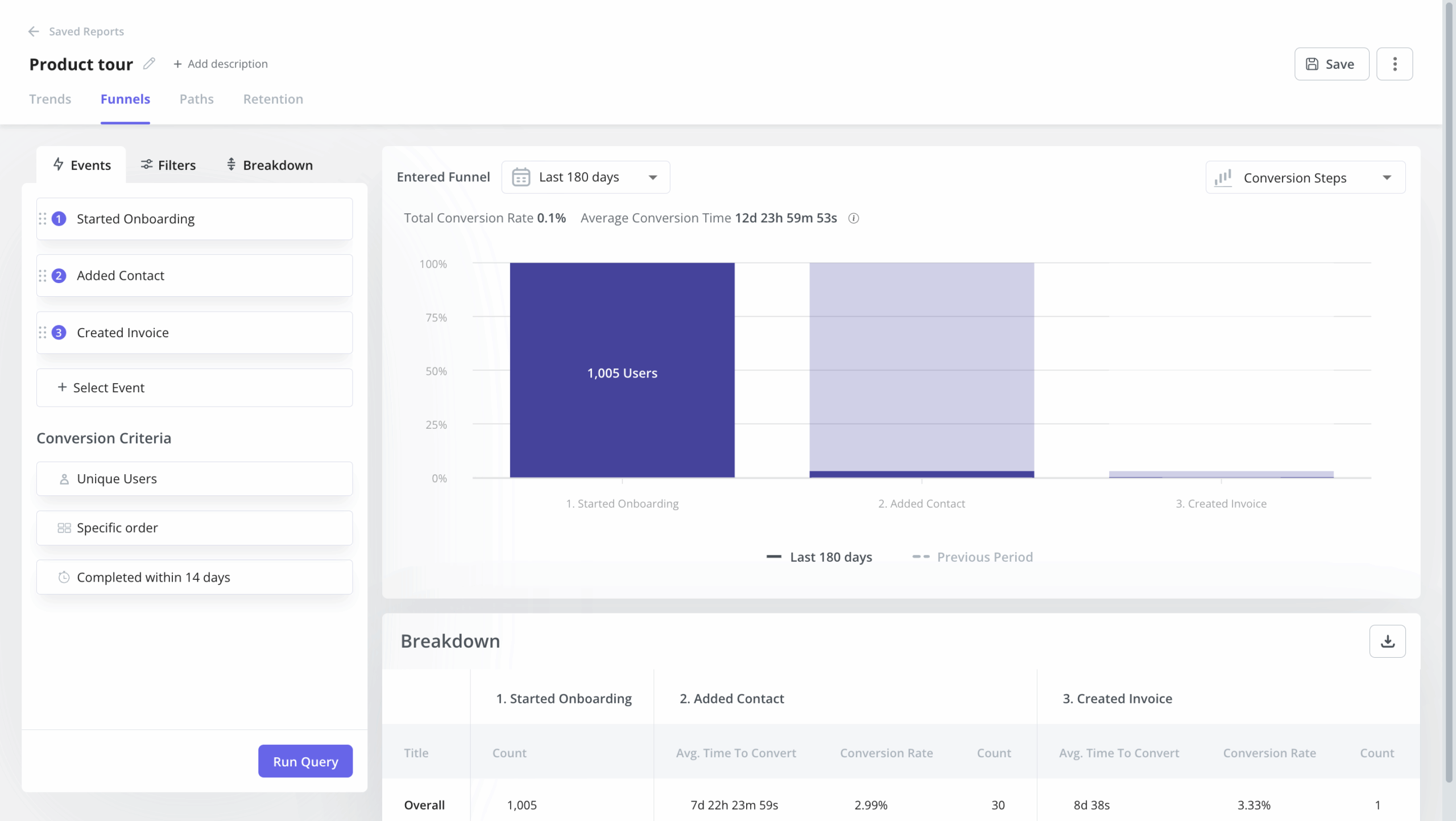
Funnel analysis is the workhorse here, surfacing friction and drop-off points, as well as total conversion and time to convert. Lia, Userpilot’s AI agent, now surfaces these behavioral patterns automatically. Teams can identify trends without spending time manually building reports.
13. Build a retention marketing strategy
Acquiring customers during a launch is worthless if you cannot keep them. In SaaS, the cost of acquisition far exceeds the cost of retention, and most companies make their money from the users they hold onto.
Bake customer retention strategy into the earliest draft of the launch plan rather than shoehorning it in at the end. If you defined the retention metric back in step 4, you already have the foundation; this step is where you act on it.
Product launch checklist
Here is the full plan as a copyable product launch checklist. Drop it into your planning tool and work it top to bottom.
- Conduct customer research and competitive analysis.
- Define your one-liner and your “who this is not for” statement.
- Develop a positioning statement and messaging framework.
- Define your four launch KPIs: exposure rate, activation rate, retention rate, and business impact.
- Pitch your positioning to stakeholders for buy-in.
- Design your launch campaign, both external promotion and in-app announcement strategy.
- Choose the right in-app format based on first-use complexity and whether the feature is a new area or an enhancement.
- Set up distribution channels (website, LinkedIn, Reddit, Product Hunt, GEO).
- Plan beta testing for major releases, and skip it for small fixes.
- Train sales, marketing, and customer support on the product and key messaging.
- Plan founder-led outreach to the top 50 ICP-matched prospects for launch week.
- Execute the launch, coordinated across all channels.
- Evaluate launch performance against goals, across external channels and in-app content.
- Iterate based on feedback and behavior data.
The plan is the easy part to write and the hard part to run with discipline.
If you want the in-app half of it, the announcements, the four metrics, the A/B tests, and the AI analysis, running in one place, book a Userpilot demo and see it against your own launch.
About the author