What Are SaaS Products? 26 Examples + How to Choose (2026)


The way teams evaluate SaaS products in 2026 has shifted, and a side-by-side feature list no longer tells you much. The questions that matter are how the pricing works, what AI capabilities the tool has, and how fast a tool gets people to value through good user onboarding. Those separate the tools worth buying from the ones that only demo well.
Features on their own stopped being the differentiator a while ago. Almost every serious product now ships automation, AI, and integrations as standard, and Gartner expects 40% of enterprise apps to run task-specific AI agents by the end of 2026. AI is something buyers assume now, and not a line item you can charge a premium for.
So this guide keeps it practical. I’ll explain what SaaS products are, share 26 companies worth following in 2026, and help you figure out which ones deserve a place in your stack.

Why the SaaS model still wins for most teams
The SaaS model earns its place through economics and speed. It’s also how most companies now meet rising customer expectations, and 72% of businesses name improving customer experience their top priority. Here are the benefits that keep teams choosing it.
- Cost-effectiveness: A SaaS product removes upfront spending on hardware, licenses, and ongoing maintenance, which cuts IT costs. Most vendors price on a scalable model that adjusts with usage, so budgets track actual need.
- Scalability: SaaS tools flex up and down easily, letting you add or remove users as demand changes. That helps high-growth companies support more people without heavy upfront investment.
- Maintenance-free: The provider handles updates, bug fixes, and security patches, so your team doesn’t. That frees time for core work.
- Accessibility: Anything with an internet connection can reach a SaaS application, so distributed teams work from anywhere without local installs.
- Easy integration: SaaS applications are built to integrate with other systems, reducing compatibility headaches and making it less disruptive to adopt new tools.
- Inclusive product design: Many providers prioritize it, so their tools remain usable for a wide range of people.
Where the SaaS model gets harder in the AI era
SaaS carries real trade-offs, and a few of them got sharper once AI moved into the product. Here are the drawbacks worth weighing before you commit to a vendor.
- Dependence on the provider: Downtime, bugs, or performance issues on the vendor’s side hit your access directly. Frequent problems disrupt day-to-day operations that you no longer control.
- Data security concerns: Storing customer data in the cloud means a third party holds sensitive information, which raises privacy and security questions. It’s worth confirming your provider meets strong standards like SOC 2 Type 2 compliance. On top of that, AI features now route user data to third-party LLMs such as OpenAI, Anthropic, and Google, a compounding exposure that didn’t exist in the 2022 SaaS model.
- AI data governance: As AI gets embedded across SaaS platforms, you need to know how customer data is processed, which AI providers handle prompts, what retention policies apply, and whether enterprise controls meet your compliance requirements. These questions have become a core part of evaluating vendors, especially for teams in regulated industries, and they’re now one of the biggest purchasing considerations in enterprise SaaS.
- Vendor lock-in: Moving from one SaaS product to another can be complex, restrictive, and costly. That makes it hard to switch even when your needs change or the service disappoints.
- Limited customization: SaaS tools offer some configuration, but they rarely match on-premises software for deep customization. That can hold you back if you run unusual processes or complex products.
The main types of SaaS products (now including vertical SaaS)
SaaS covers a wide range of cloud-based applications, each supporting a different business function. Here are the main types and where each one earns its keep.
- Product growth tools: Improve engagement, collect user feedback, and provide analytics to drive product decisions. Examples: Mixpanel, Appcues, Whatfix, Userpilot.
- Customer Relationship Management (CRM): Manage and analyze customer data across the lifecycle to improve service, retention, and sales. Examples: HubSpot, Salesforce.
- Marketing automation tools: Automate email campaigns, social scheduling, and lifecycle messaging so marketing teams scale without extra headcount. Examples: Mailchimp, ActiveCampaign, Omnisend, Brevo.
- Feedback collection tools: Gather user insights through surveys, forms, and in-app prompts to understand customer needs. Examples: Typeform, Survicate.
- Customer service software: Run support through ticketing, live chat, and self-service to improve response time and quality. Examples: Zendesk, Intercom.
- Design software: Create visuals, prototypes, and interfaces with shared, collaborative canvases. Examples: Canva, Figma.
- AI app-building tools: Build applications with AI and far less manual code, which speeds up prototyping. Examples: Lovable, Replit.
- Project management tools: Plan, organize, and track work and resources across teams. Examples: Asana, Airtable.
- Collaboration and communication tools: Keep teams connected through messaging, video, and shared workspaces. Examples: Slack, Loom.
- Financial management software: Track expenses, manage budgets, and support reporting and compliance. Examples: QuickBooks, Xero.
- Human resources software: Handle hiring, onboarding, payroll, and employee records. Examples: BambooHR, RUN Powered by ADP.
- Vertical SaaS: Software built for one industry rather than every business, with compliance and workflows baked in from the start. Examples: Toast for restaurants, Procore for construction, Veeva for life sciences. This is one of the biggest shifts of 2026, and it’s why so much new SaaS is going narrow instead of horizontal.
How to choose a SaaS product for your stack
Most guides on this topic hand you a list and stop there. The harder question is which tools belong together in your stack, so before the 26 examples, here’s the framework I use when a team asks me to help them decide.
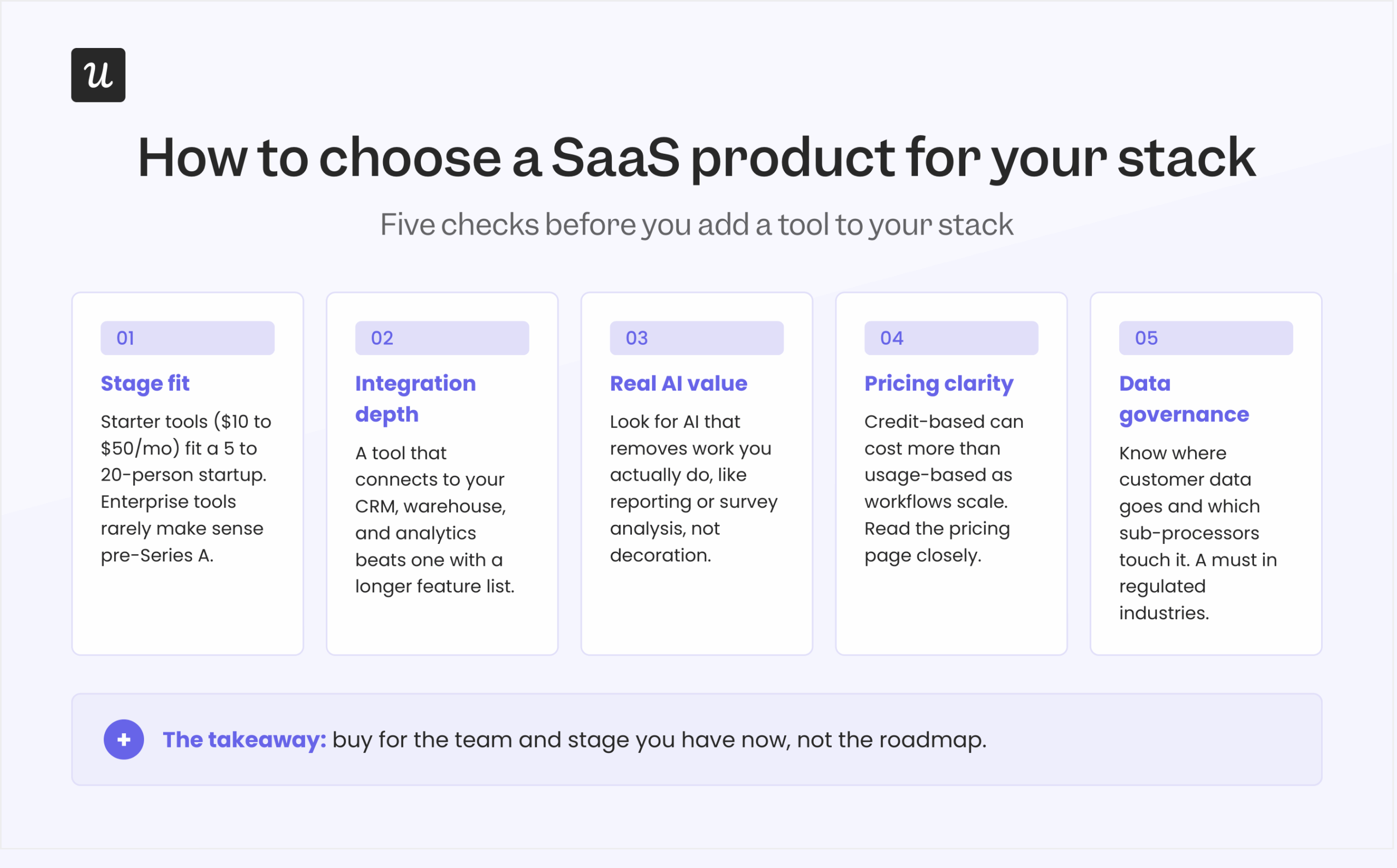
- Fit for your stage: Starter-plan tools at $10 to $50 a month suit a 5- to 20-person startup, while enterprise tools starting north of $800 a month rarely make sense before a Series A. Buy for the team you have, and not the one on the roadmap.
- Integration depth: A tool that connects cleanly to your CRM, data warehouse, and existing analytics is worth more than one with a longer feature list. Data that moves between systems beats features that sit in a silo.
- AI capabilities that run in your product context: AI bullet points are not AI value. Look for AI that removes work you do, like report generation, survey analysis, or workflow automation.
- Pricing model transparency: Credit-based pricing can cost more than usage-based pricing once your team scales workflows quickly, so read the pricing page closely. If you can’t predict next quarter’s bill from it, treat that as a warning.
- Data governance: Ask where your customer data goes and which sub-processors touch it, especially now that AI features forward prompts to outside models. For B2B teams in regulated industries, this one is non-negotiable.
26 SaaS products and companies to follow in 2026
Here are 26 SaaS vendors that stand out for their design, their category influence, and how they’re using AI. Many are mature products that keep evolving, and I’ve added a line on why each one is worth watching.
1. Mixpanel
| Tool type | Product analytics tool |
| Value proposition | Analyze user behavior, measure conversions, and improve retention with event-based analytics |
| Best for | Product, growth, and analytics teams in B2B and B2C SaaS that need deeper visibility into how users engage |
| Notable customers | Uber, Expedia, DocuSign |
| Starting price | Free plan available; paid plans use event-based pricing |
| G2 score | 4.5/5 |
Mixpanel is an event-based product analytics platform for B2B and B2C teams that want to see exactly how users move through their product.
Why it matters: The reference product for event-based analytics, and the model most B2B analytics tools now copy.
Key features
- User analytics: Detailed views into how people interact with your application.
- Reports: Customizable reports that visualize data and track trends over time.
- Analytics dashboard: The Mixpanel analytics dashboard presents data in a digestible format.
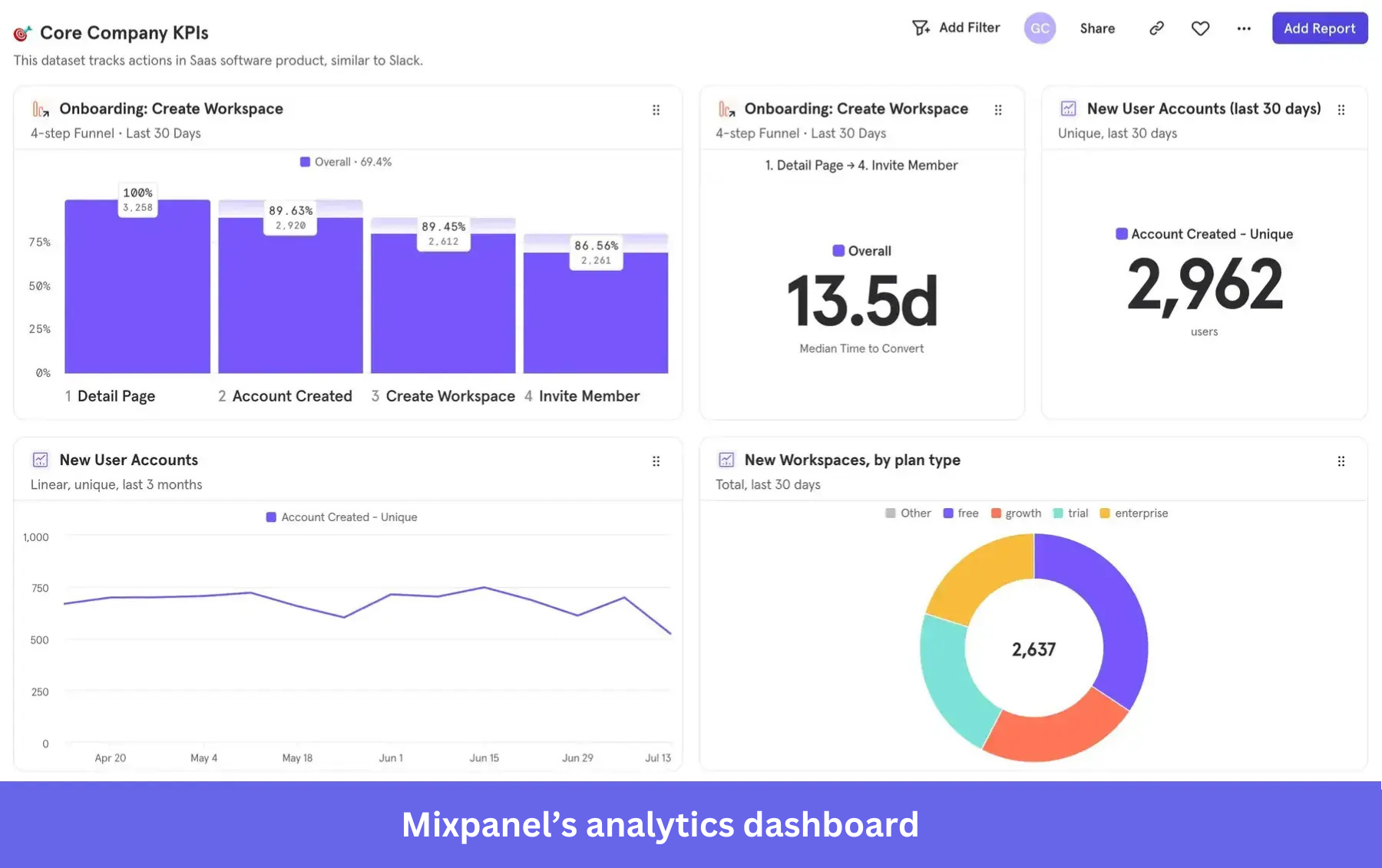
AI feature: Mixpanel’s Spark lets you ask questions in natural language and generate insights, funnels, retention, and flows reports from the dashboard, so teams can explore data without building every report by hand.
2. Appcues
| Tool type | Product adoption tool |
| Value proposition | Improve onboarding, feature adoption, and engagement with no-code in-app experiences |
| Best for | Product and growth teams that want to improve onboarding without engineering support |
| Notable customers | Fiverr, HubSpot, Adobe |
| Starting price | Custom pricing |
| G2 score | 4.6/5 |
Appcues helps product teams build onboarding flows, in-app messages, and feature prompts without writing code.
Why it matters: The tool that proved onboarding could be built by product teams instead of engineers, which is a big reason the whole adoption category exists.
Key features
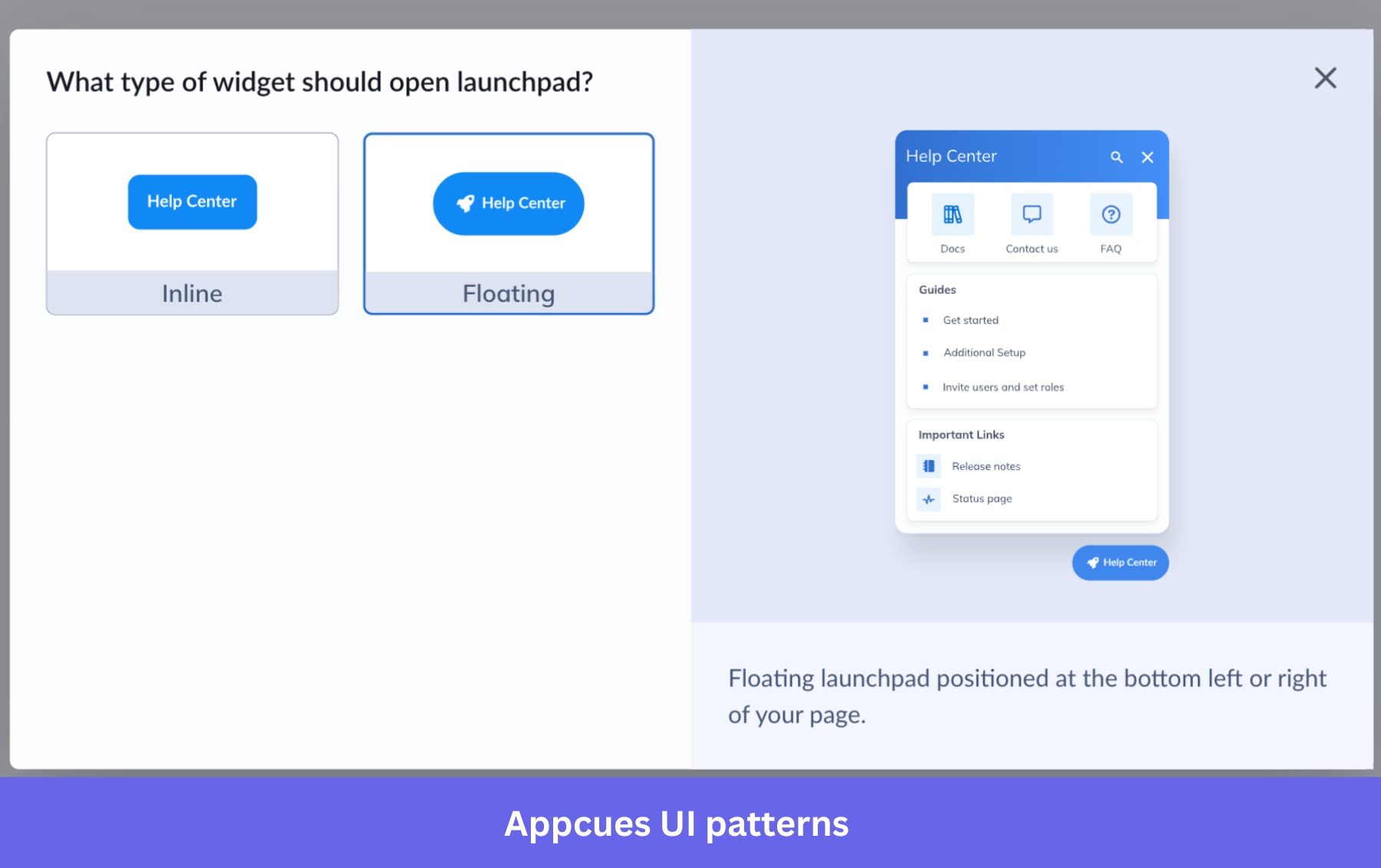
- User onboarding: Targeted walkthroughs and flows that guide users through key actions and improve activation.
- In-app messaging: Deliver announcements and messages inside the app to engage users in the moment.
- Feature adoption: Drive feature adoption with tooltips and guided tours that surface underused features.
AI feature: An AI writing assistant helps teams draft and refine in-app messages and onboarding content faster while keeping tone consistent.
3. Whatfix
| Tool type | Digital adoption platform |
| Value proposition | Improve software adoption and productivity with in-app guidance, analytics, and AI support |
| Best for | Enterprise teams improving onboarding, training, and adoption across complex applications |
| Notable customers | Cisco, Microsoft, Cognizant |
| Starting price | Custom pricing; procurement data points to a median contract around $31,950/year |
| G2 score | 4.5/5 |
Whatfix is a digital adoption platform that layers guidance and analytics over enterprise applications to speed up training and adoption.
Why it matters: The enterprise end of digital adoption, heavier and more services-led than self-serve tools, and priced for large rollouts rather than small teams.
Key features
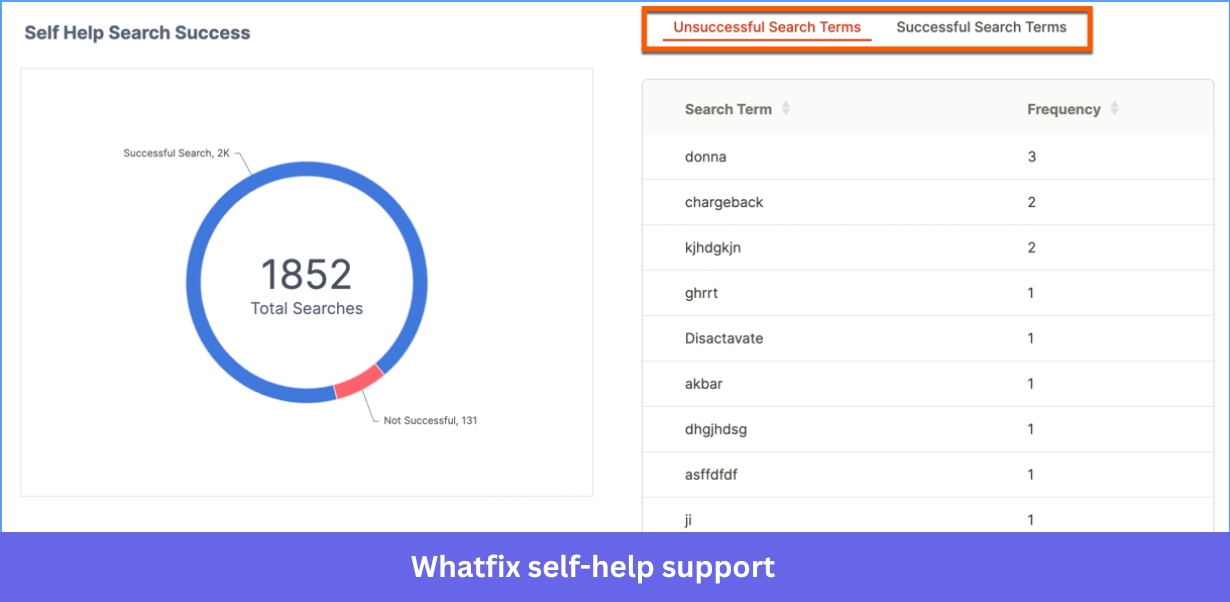
- Self-help support: An in-app help center that surfaces documentation and resources on demand, reducing support load.
- Cross-platform support: Works across web, desktop, and mobile applications so teams manage adoption in one place.
- Product analytics: Tracks behavior and engagement to find friction points and optimize workflows.
AI feature: AI agents deliver contextual guidance, automate content creation, and analyze behavior in real time, which makes personalized support easier to scale.
4. Userpilot
| Tool type | Product growth tool |
| Value proposition | Improve onboarding, engagement, and product adoption without coding |
| Best for | B2B SaaS teams (product, growth, marketing) driving adoption and retention |
| Notable customers | Kontentino, Sked Social, GrowthMentor |
| Starting price | Starts at $299/month (billed annually) |
| G2 score | 4.6/5 |
Userpilot is the product growth platform I work on, combining onboarding, product analytics, and in-app feedback in one place.
Why it matters: The clearest example of onboarding, analytics, and feedback collapsing into one product layer instead of three separate tools you have to stitch together.
Key features
- In-app engagement: Build onboarding experiences that guide and communicate with users inside the product.
- Product analytics: Track behavior with funnels, path analysis, dashboards, and session replays to see where users get stuck.
- Customer feedback: Trigger in-app surveys, analyze responses, and automate collection to keep a pulse on sentiment.
- Integrations: Connect with tools like Salesforce, HubSpot, and Zendesk to keep data in sync.
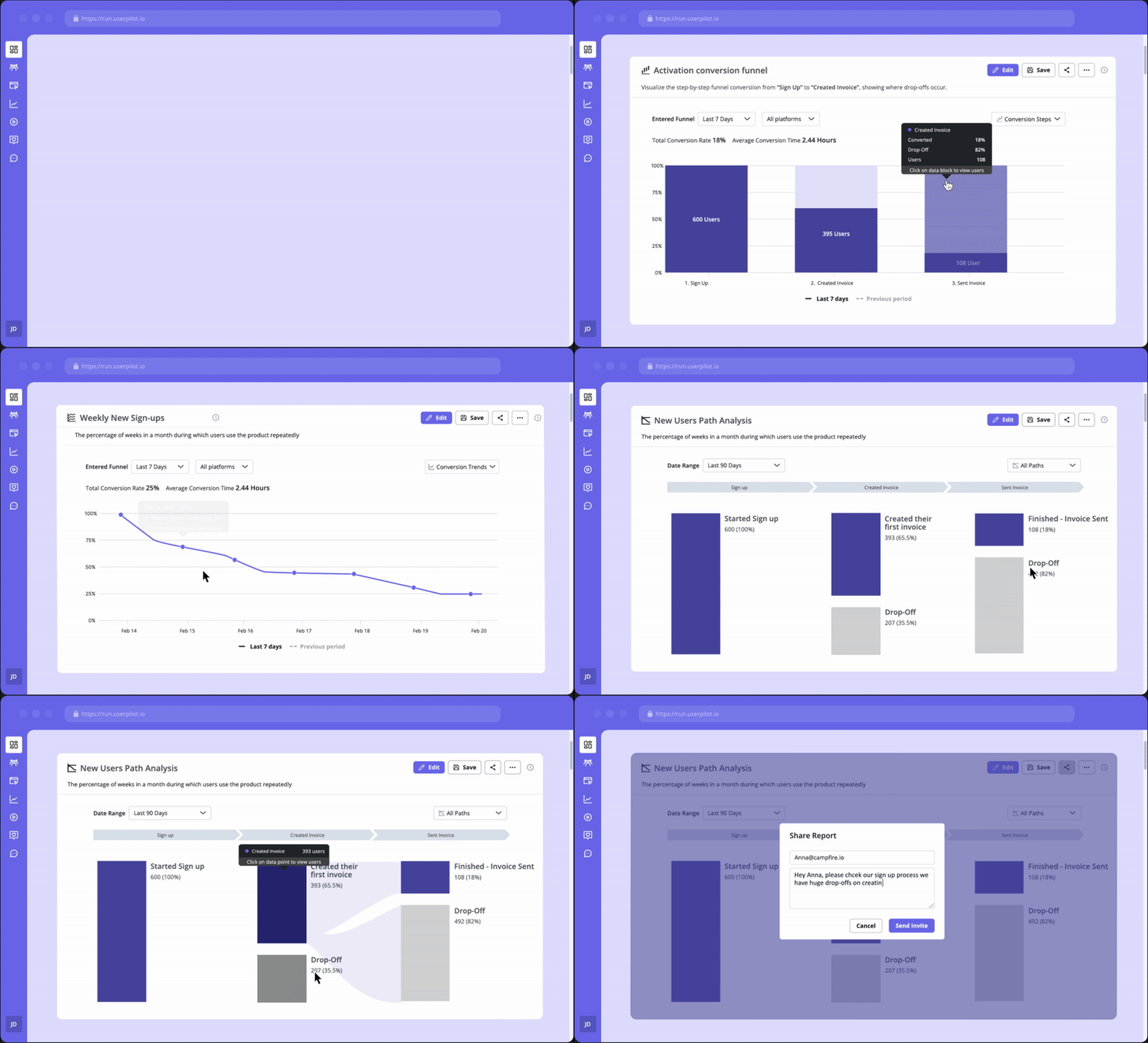
AI feature: Lia, our Userpilot AI product agent, answers product questions, builds reports, surfaces behavioral insights, predicts key outcomes, and can generate in-app flows to help teams act on those insights. Some advanced predictive capabilities are rolling out across Growth and Enterprise plans. Learn more in our product experience breakdown.
5. HubSpot
| Tool type | CRM and marketing automation platform |
| Value proposition | Manage customer relationships, marketing, sales, and support in one platform |
| Best for | B2B and B2C teams that want an all-in-one CRM and growth platform |
| Notable customers | Trello, Suzuki, SoundCloud |
| Starting price | Free plan available; paid plans vary by hub and scale |
| G2 score | 4.4/5 |
HubSpot is a CRM and growth platform that brings marketing, sales, and service into one system for B2B and B2C teams.
Why it matters: The clearest example of content-led growth scaled to enterprise, where the CRM is the entry point, and the app marketplace around it is the moat.
Key features
- CRM platform: Manage contacts, deals, and pipelines in one place, with predictive lead scoring and conversation insights built in.
- Analytics: Track marketing, sales, and service performance with built-in analytics.
- Surveys: Create and send surveys, then review responses without a separate tool.
- Integrations: Connect a wide catalog of tools, including Userpilot.
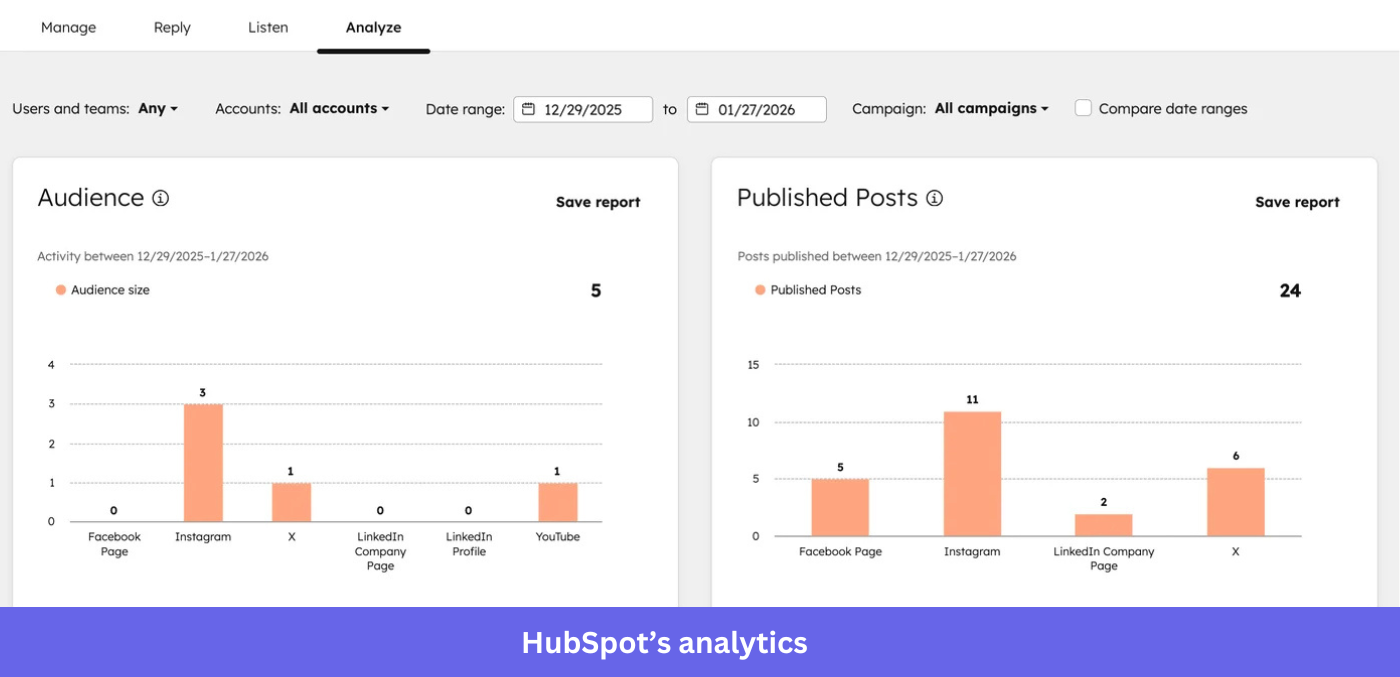
AI feature: HubSpot’s Breeze AI layer handles email content generation, predictive lead scoring, and conversation insights, and it has moved parts of its lineup toward outcome-based pricing.
6. Salesforce
| Tool type | CRM and enterprise platform |
| Value proposition | Manage sales, service, and marketing in one platform with deep customization and AI |
| Best for | Mid-market to enterprise teams that need scalable CRM and heavy customization |
| Notable customers | Spotify, Amazon Web Services, Toyota |
| Starting price | Starts at ~$25/user/month (Starter Suite); advanced plans scale significantly |
| G2 score | 4.4/5 |
Salesforce is the enterprise CRM standard, covering sales, service, and marketing with deep customization for B2B and B2C.
Why it matters: The company that defined SaaS, and now the biggest test of whether per-seat CRM survives the move to AI agents doing the work.
Key features
- Customization and scalability: Shape the CRM to your business inside a flexible cloud environment.
- Integrations: A large catalog of integrations, including native apps and third-party tools like Userpilot.
- Analytics and reporting: Reporting tools for sales trends, customer behavior, and marketing performance.
- Core CRM with AI: Lead, account, and pipeline management in one place.
AI feature: Einstein provides predictive insights and workflow automation across the sales cycle, and Agentforce is now Salesforce’s flagship agentic layer. Agentforce ships with three pricing models: Conversations at $2 per conversation, Flex Credits at $500 per 100,000 credits, and Agentforce 1 Editions at $550 per user per month.
7. Mailchimp
| Tool type | Marketing automation platform |
| Value proposition | Create, automate, and optimize email and marketing campaigns from one platform |
| Best for | Small to mid-sized businesses scaling marketing without a complex setup |
| Notable customers | Accenture, Duolingo, Suntory |
| Starting price | Free plan available; paid plans start at ~$13/month (based on contacts) |
| G2 score | 4.3/5 |
Mailchimp is an email marketing platform that helps small and mid-sized businesses run campaigns and automations without much setup.
Why it matters: The tool that made email marketing approachable for small businesses, and still the default first campaign tool for many of them.
Key features
- Audience segmentation: Segment by behavior, preferences, or demographics to target emails more precisely.
- Automation: Trigger email workflows based on specific user actions.
- Analytics and reports: Track campaign performance with detailed reporting.
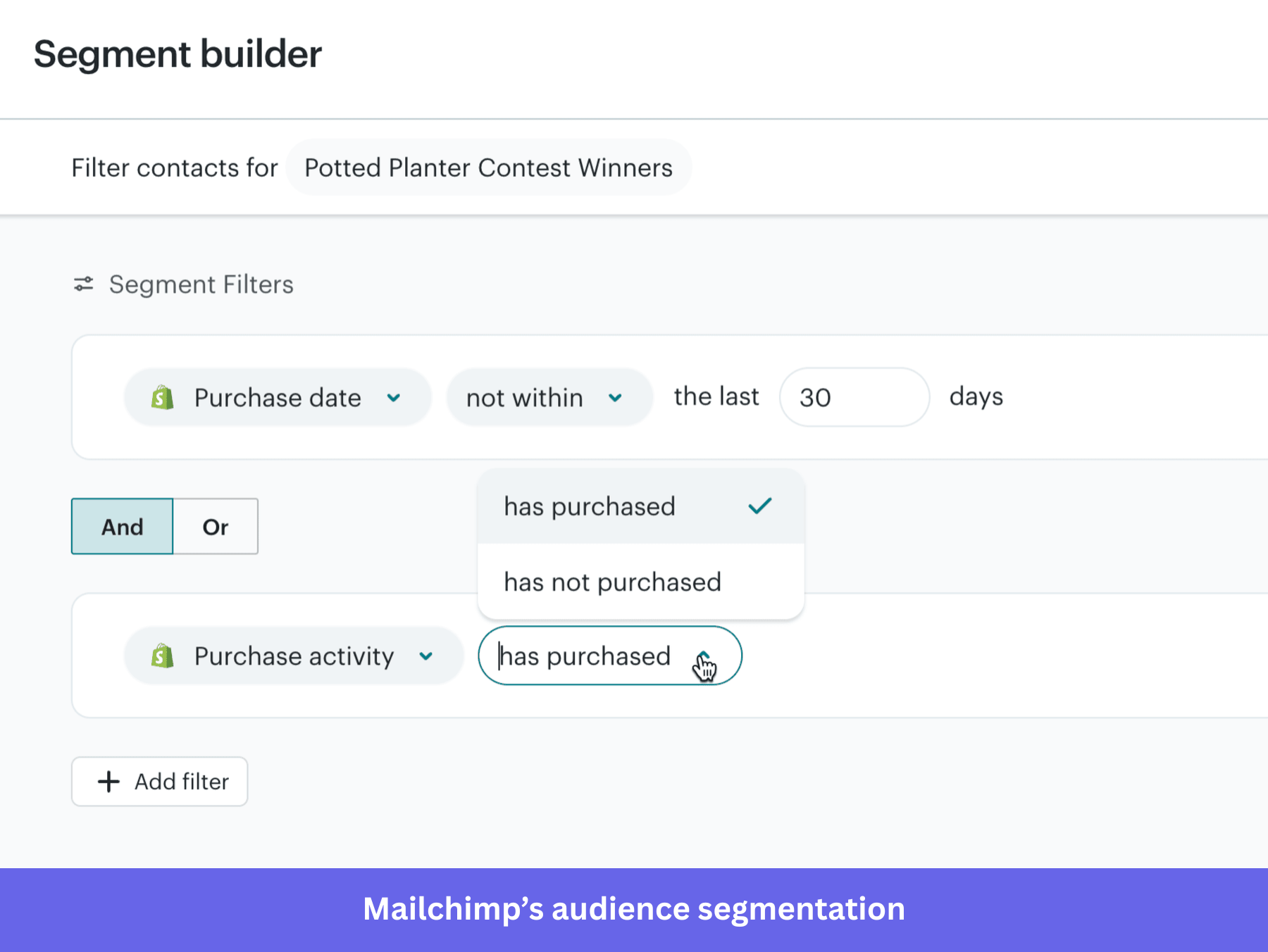
AI feature: AI tools suggest subject lines, optimize send times, and generate content recommendations to lift campaign performance.
8. ActiveCampaign
| Tool type | Marketing automation and CRM platform |
| Value proposition | Automate customer experiences across email, marketing, and sales in one platform |
| Best for | Small to mid-sized businesses scaling personalized marketing and sales workflows |
| Notable customers | Shopify, TicketSocket, Artivive |
| Starting price | Starts at ~$15/month (varies by contacts and features) |
| G2 score | 4.4/5 |
ActiveCampaign combines email marketing, automation, sales automation, and CRM for B2B and B2C teams.
Why it matters: Where small teams graduate when Mailchimp stops being enough, and they need automation and CRM working together.
Key features
- Email marketing: Send targeted campaigns with advanced automation and segmentation.
- Marketing automation: Build workflows that adapt to user actions for more personalized experiences.
- Segmentation and personalization: Segment by behavior, preferences, and lifecycle stage for relevant messaging.
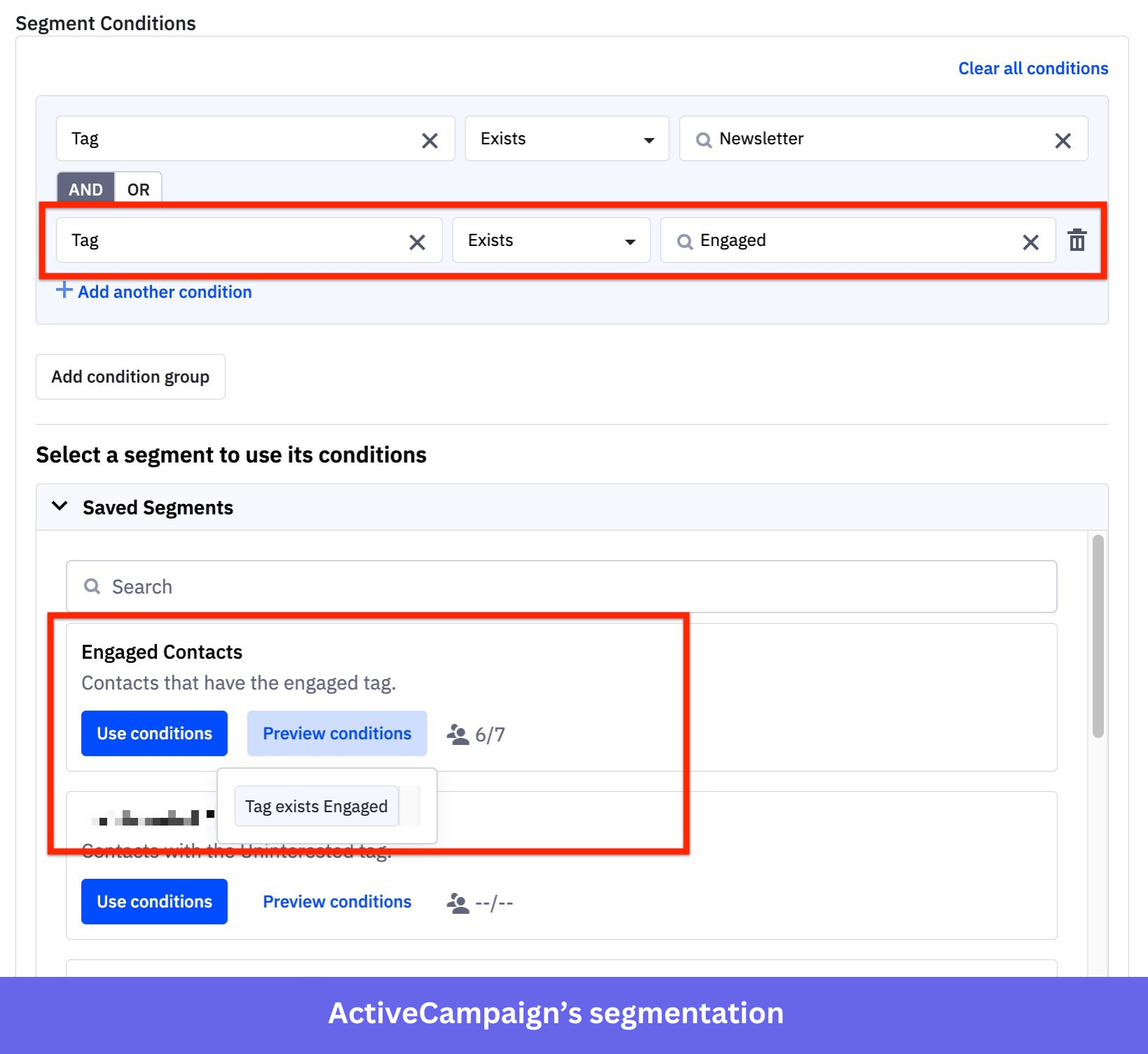
AI feature: Predictive automation uses machine learning to optimize send times, anticipate customer behavior, and recommend content.
9. Omnisend
| Tool type | E-commerce marketing automation platform |
| Value proposition | Run email, SMS, and push campaigns for ecommerce brands from one platform |
| Best for | E-commerce teams that want multi-channel marketing automation |
| Notable customers | Stanley, Allbirds, Squishable |
| Starting price | Free plan available; paid plans start at ~$16/month (based on contacts) |
| G2 score | 4.6/5 |
Omnisend is a marketing automation platform built specifically for ecommerce brands running email, SMS, and push together.
Why it matters: proof that going narrow wins, because it serves only ecommerce and that focus is the entire pitch.
Key features
- Email marketing: Send personalized, targeted email campaigns.
- Automation: Set up welcome, cart-recovery, and post-purchase workflows that support repeat sales.
- Multi-channel messaging: Reach customers by SMS, email, and push from one platform.
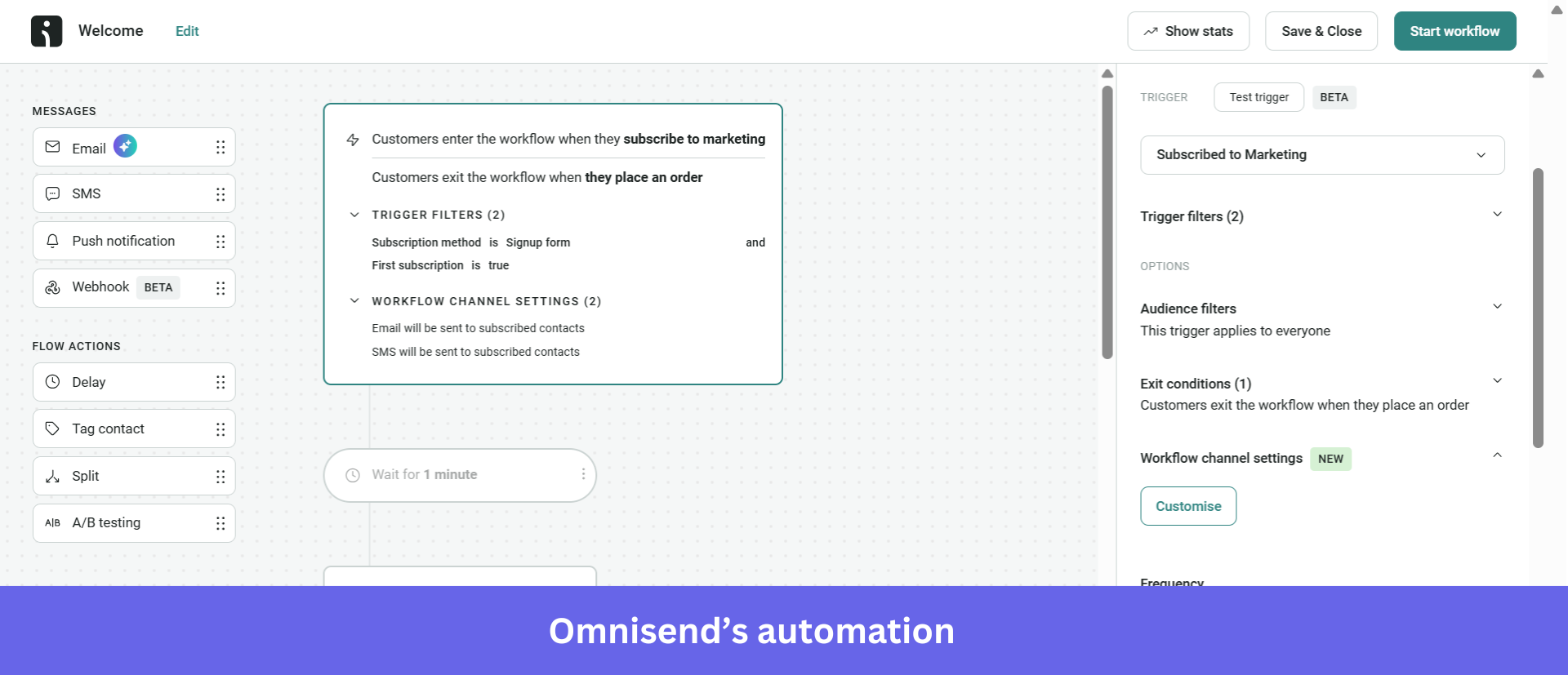
AI feature: Data-driven insights recommend send times and sharpen targeting to improve campaign performance.
10. Brevo
| Tool type | Marketing automation and CRM platform |
| Value proposition | Manage email, SMS, and customer communication from a single platform |
| Best for | Small to mid-sized businesses wanting an affordable multi-channel solution |
| Notable customers | Ebay, L’Oréal, Michelin |
| Starting price | Free plan available; paid plans start at ~$9/month (based on usage) |
| G2 score | 4.5/5 |
Brevo, formerly Sendinblue, pairs email and SMS marketing with a built-in CRM for businesses of different sizes.
Why it matters: The affordable all-in-one for teams that want email, SMS, and CRM together without paying enterprise prices.
Key features
- Email marketing: Build campaigns with templates, a drag-and-drop editor, and A/B testing.
- Marketing automation: Create workflows based on customer behavior for targeted communication.
- SMS marketing: Send promotions, reminders, and updates directly to phones.
- Built-in CRM: Manage contacts and pipelines in the same system.
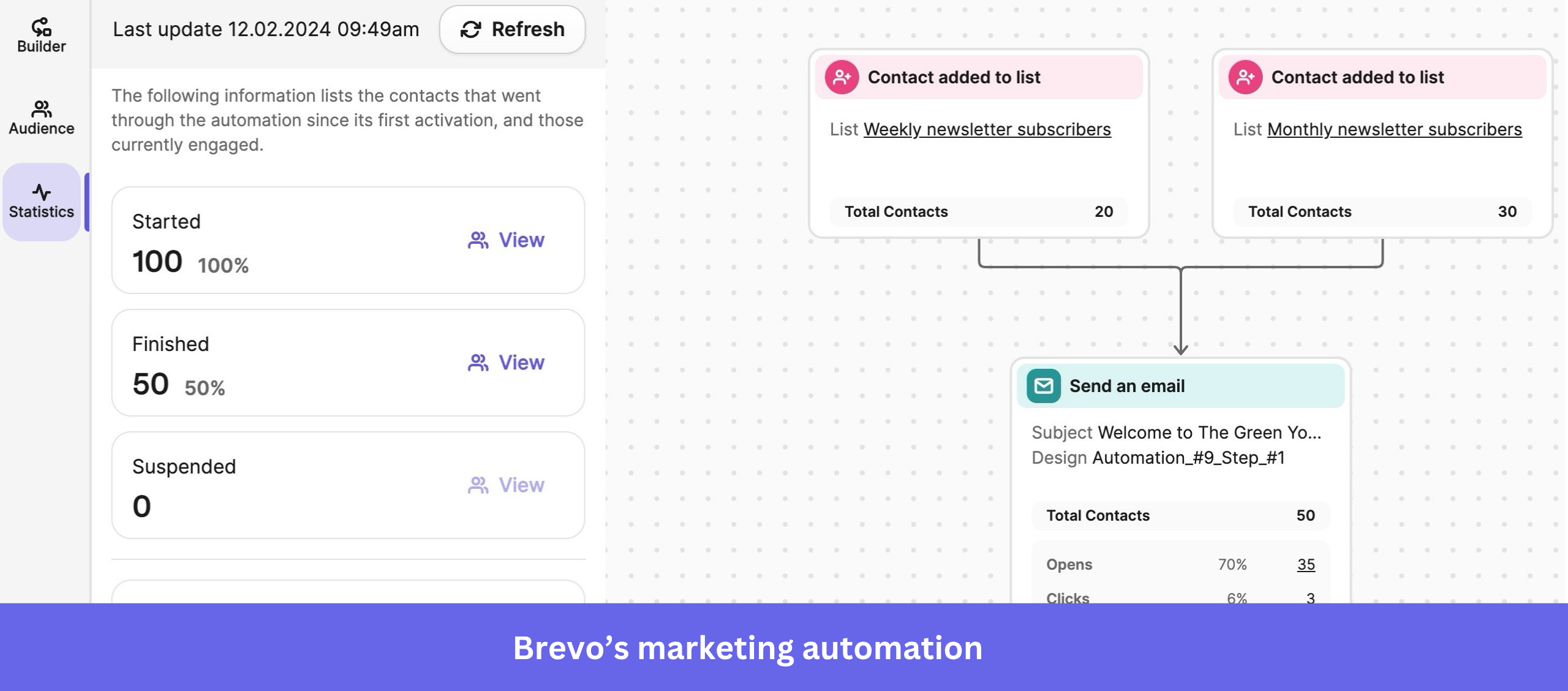
AI feature: AI assists with send-time optimization and content suggestions to improve engagement across channels.
11. Typeform
| Tool type | Survey and form builder |
| Value proposition | Create interactive forms, surveys, and quizzes to collect insights and feedback |
| Best for | Marketing, product, and research teams collecting data through engaging experiences |
| Notable customers | Miro, PayPal, Uber |
| Starting price | Free plan available; paid plans start at ~$29/month (billed annually) |
| G2 score | 4.5/5 |
Typeform builds conversational forms, surveys, and quizzes that feel like a dialogue rather than a spreadsheet.
Why it matters: The tool that made forms feel human, and the reason “conversational” is now a survey design expectation.
Key features
- Interactive forms: A design approach that lifts completion rates versus static forms.
- Customization options: Match forms to your brand style and preferences.
- Logic jumps: Personalize questions based on previous answers.
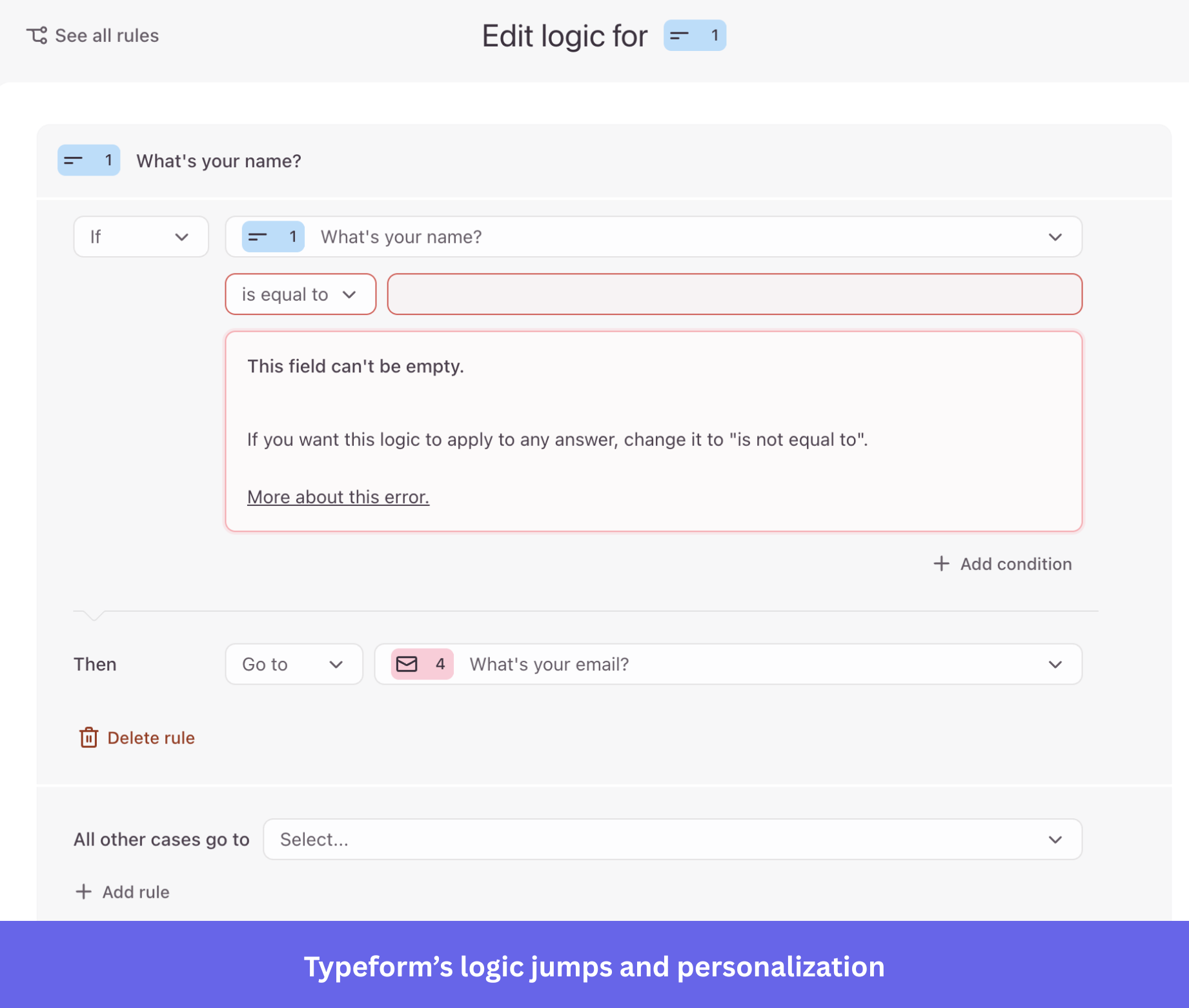
AI feature: Typeform’s AI generates entire forms or surveys from a simple prompt, cutting manual setup time.
12. Survicate
| Tool type | Customer feedback and survey platform |
| Value proposition | Collect feedback across channels to understand behavior and improve the product |
| Best for | Product, marketing, and CX teams gathering insights at scale |
| Notable customers | GetResponse, Fortive, Intergiro |
| Starting price | Free plan available; paid plans start at ~$89/month |
| G2 score | 4.6/5 |
Survicate collects feedback across websites, apps, and email, then pulls it into one place for analysis.
Why it matters: Built for teams that collect feedback everywhere and need it consolidated, not scattered across five tools.
Key features
- Multi-channel surveys: Launch across web, mobile, email, and in-app to catch users at different touchpoints.
- Targeting and segmentation: Show surveys based on behavior, attributes, or actions.
- Survey analytics: Analyze responses in one place with dashboards and filters.
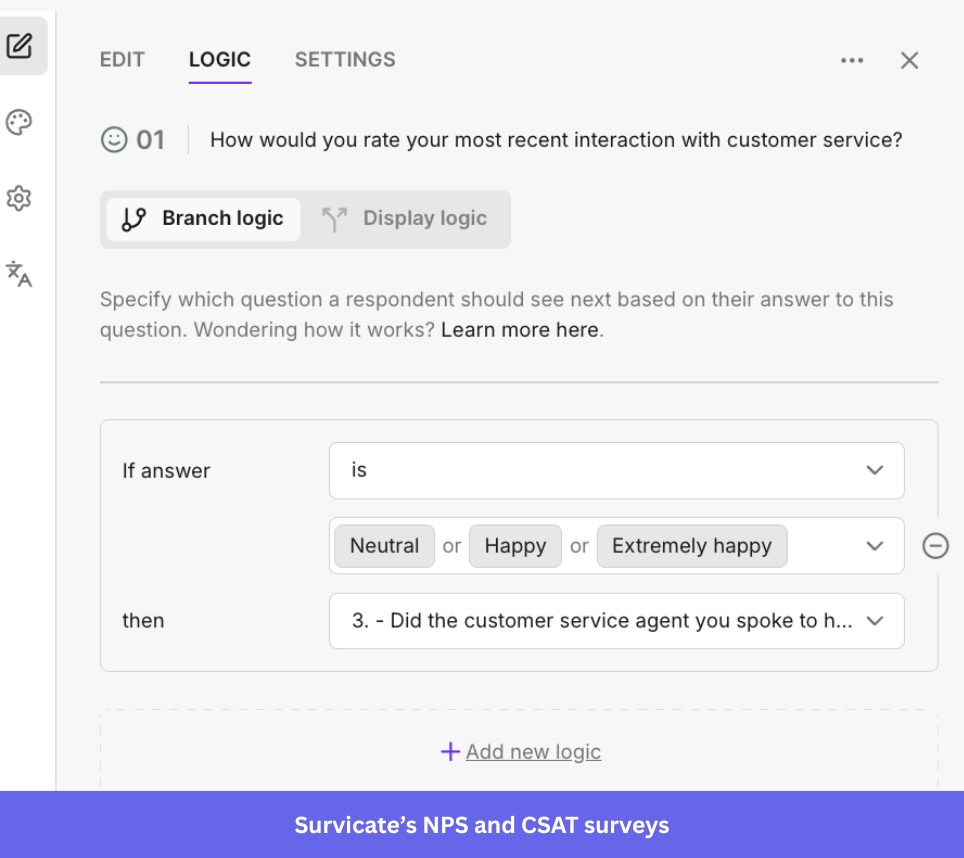
AI feature: AI summarizes responses and surfaces trends, so teams understand feedback without manual tagging.
13. Zendesk
| Tool type | Customer service CRM platform |
| Value proposition | Deliver support across channels with automation, AI, and integrated workflows |
| Best for | Support and CX teams handling high volumes of customer interactions |
| Notable customers | Shopify, Uber, Slack |
| Starting price | Starts at ~$19/agent/month (Suite Team; scales by tier) |
| G2 score | 4.3/5 |
Zendesk is a service-first CRM that runs support across email, chat, phone, and social from one workspace.
Why it matters: The incumbent that bet its whole model on outcomes, charging per resolution instead of per seat.
Key features
- Multi-channel support: Manage conversations across email, chat, phone, and social in one place.
- Integrations: Extend Zendesk with many integrations with other business tools.
- Chatbots and knowledge bases: Automate responses and build self-service resources.
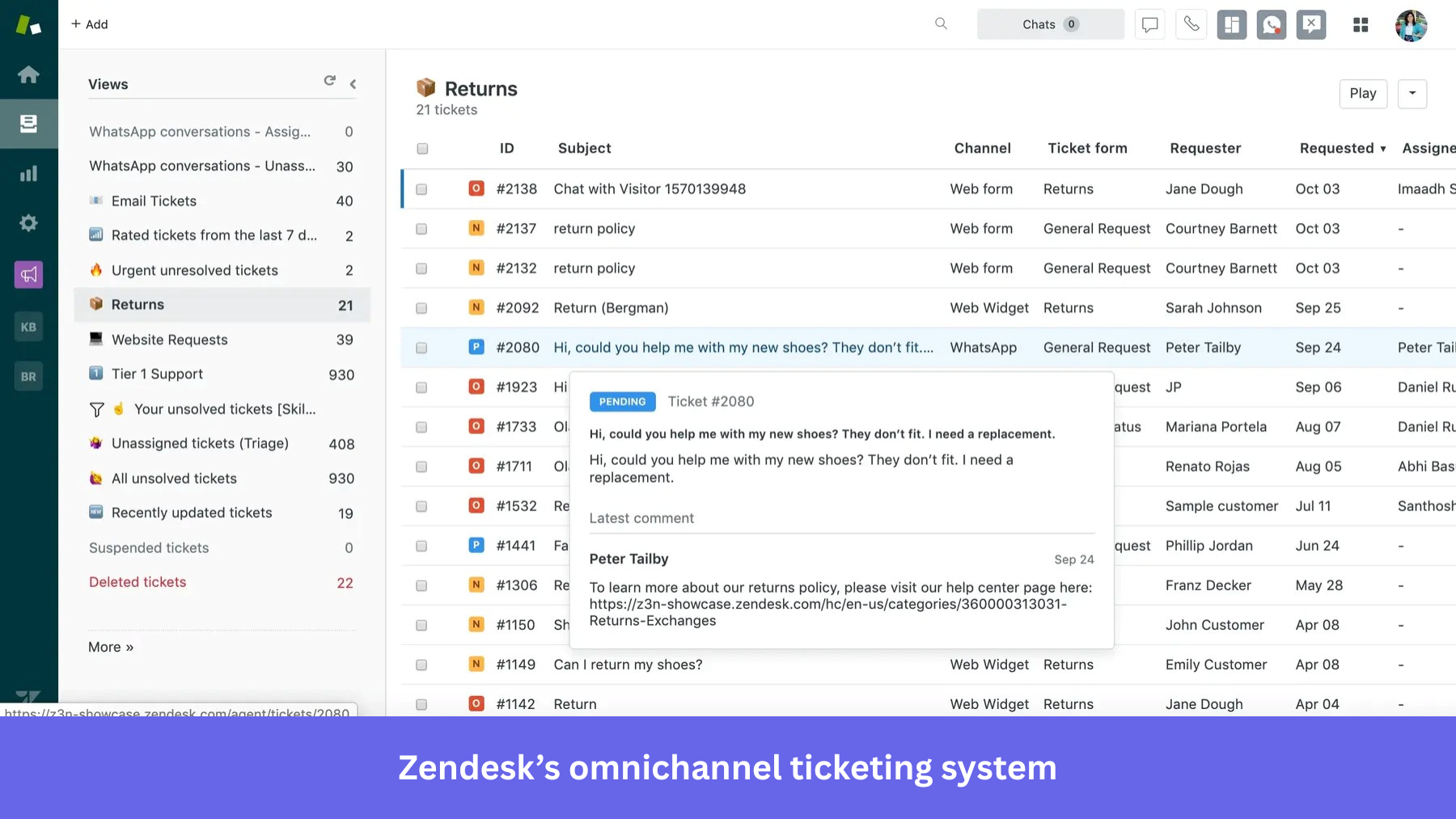
AI feature: Zendesk AI automates ticket routing and suggests replies, but the bigger 2026 move is the Zendesk Resolution Platform, with outcome-based pricing at $1.50 per committed automated resolution.
14. Intercom
| Tool type | Customer messaging and support platform |
| Value proposition | Manage customer conversations across chat, email, and automation from one platform |
| Best for | Support, product, and marketing teams delivering personalized interactions at scale |
| Notable customers | Atlassian, Microsoft Teams, Figma |
| Starting price | Starts at ~$29/month (billed annually) |
| G2 score | 4.5/5 |
Intercom runs customer conversations through a messenger-first experience across chat, email, and automation.
Why it matters: The clearest example of a support tool repositioning entirely around an AI agent, with Fin as its headline product now.
Key features
- In-app messaging: Deliver targeted, personal messages to app and website users.
- Live chat: Handle real-time support and sales conversations.
- Surveys: Gather feedback through targeted in-experience surveys.
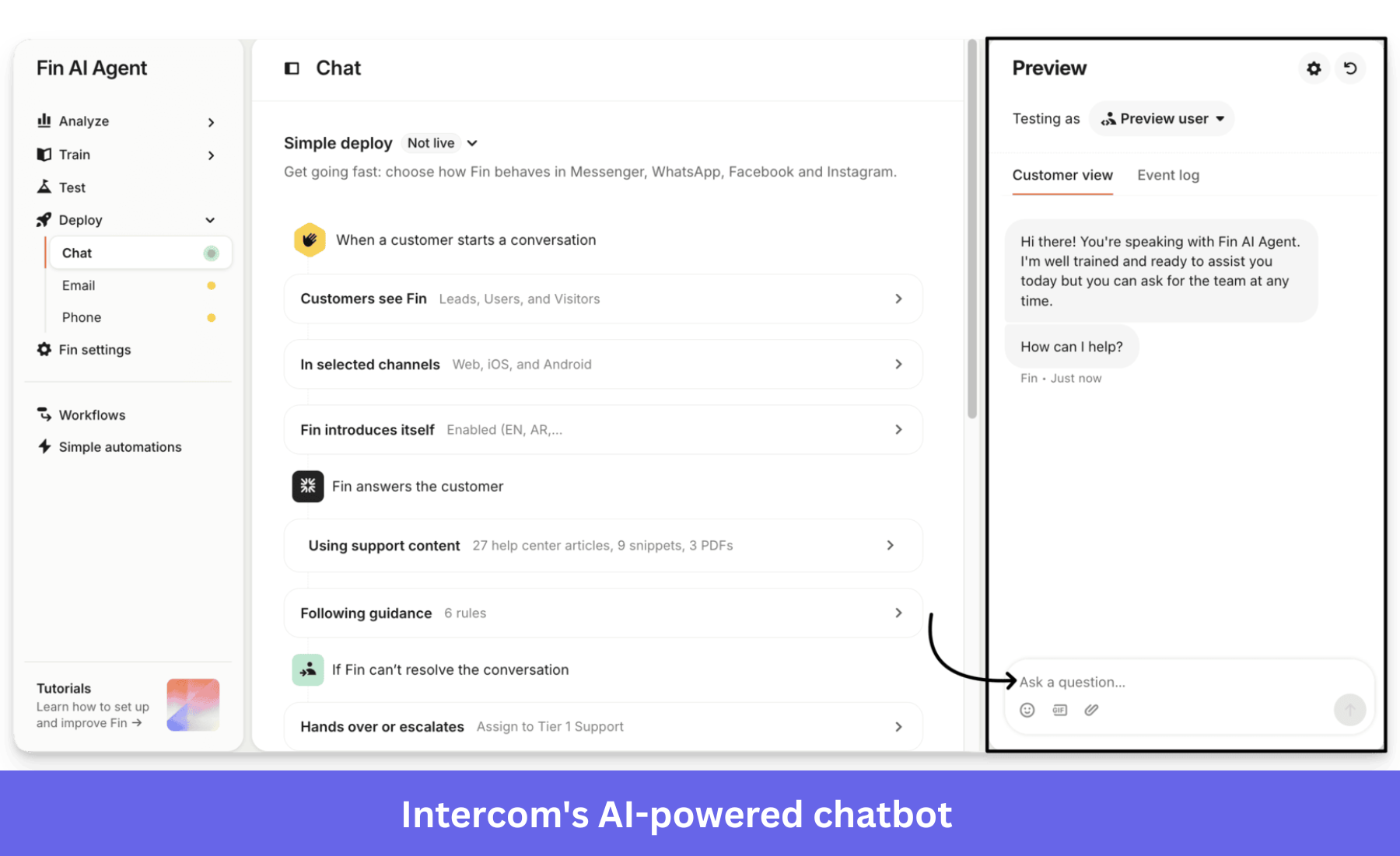
AI feature: Fin answers customer queries from your knowledge base, automating support and cutting response time without relying fully on human agents.
15. Canva
| Tool type | Design and visual content platform |
| Value proposition | Create professional designs and marketing assets without design expertise |
| Best for | Individuals, marketers, and teams creating visual content at scale |
| Notable customers | Zoom, HubSpot, Salesforce |
| Starting price | Free plan available; paid plans start at ~$15/month (Canva Pro) |
| G2 score | 4.7/5 |
Canva puts professional design in the hands of non-designers through templates and a drag-and-drop editor.
Why it matters: The clearest case of design going bottom-up, putting real design power in non-designers’ hands and building an enterprise business on it.
Key features
- Template library: A large set of templates for presentations, social graphics, and print.
- Drag-and-drop editor: Design visuals without technical skills or training.
- Extensive asset library: Millions of images, fonts, icons, and illustrations.
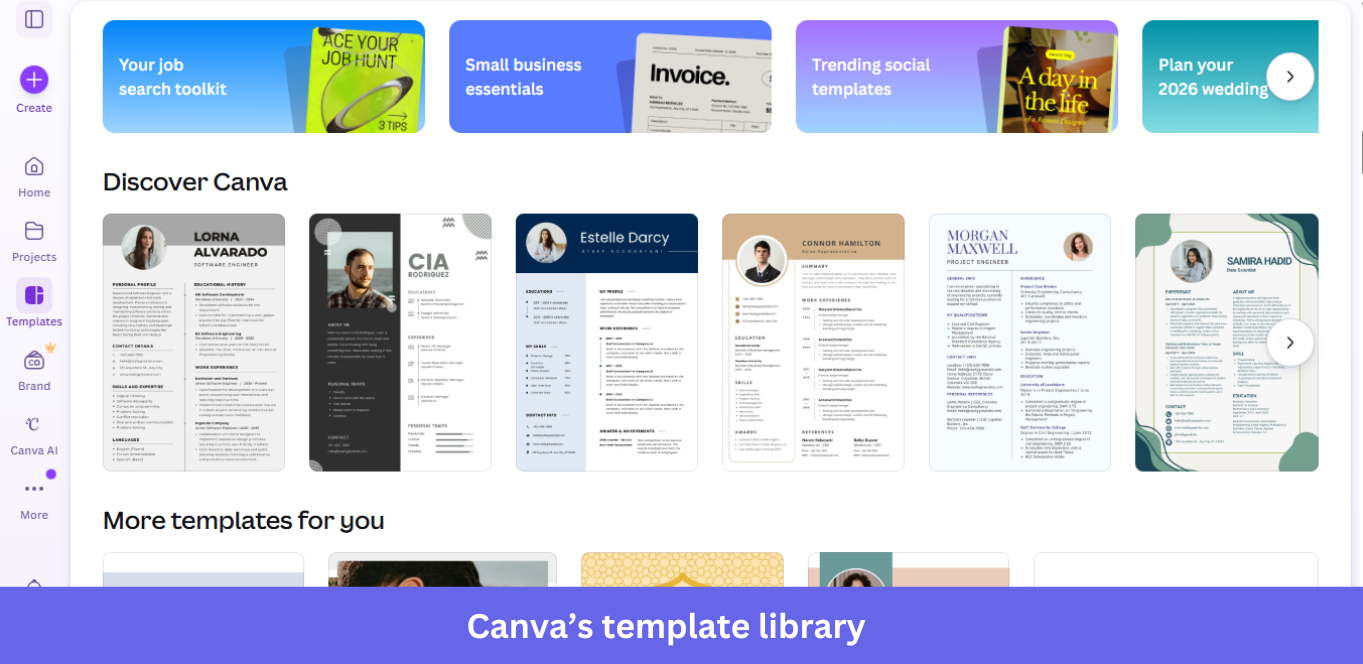
AI feature: Magic Studio bundles Magic Design, Magic Write, and background removal to generate visuals and copy quickly.
16. Figma
| Tool type | Collaborative design and prototyping platform |
| Value proposition | Design, prototype, and collaborate on interfaces in real time from the browser |
| Best for | Product, design, and engineering teams working on UI/UX and design systems |
| Notable customers | Microsoft, Uber, Airbnb |
| Starting price | Free plan available; paid plans start at ~$12/editor/month (billed annually) |
| G2 score | 4.7/5 |
Figma is a browser-based design platform where teams create, prototype, and collaborate on interfaces together in real time.
Why it matters: The product that won design by being collaborative and browser-first, which is why real-time collaboration is now expected everywhere.
Key features
- Real-time collaboration: Multiple people work on the same file at once, without version conflicts.
- Prototyping: Build interactive prototypes to test flows and share with stakeholders.
- Design systems: Manage reusable components to keep products consistent at scale.
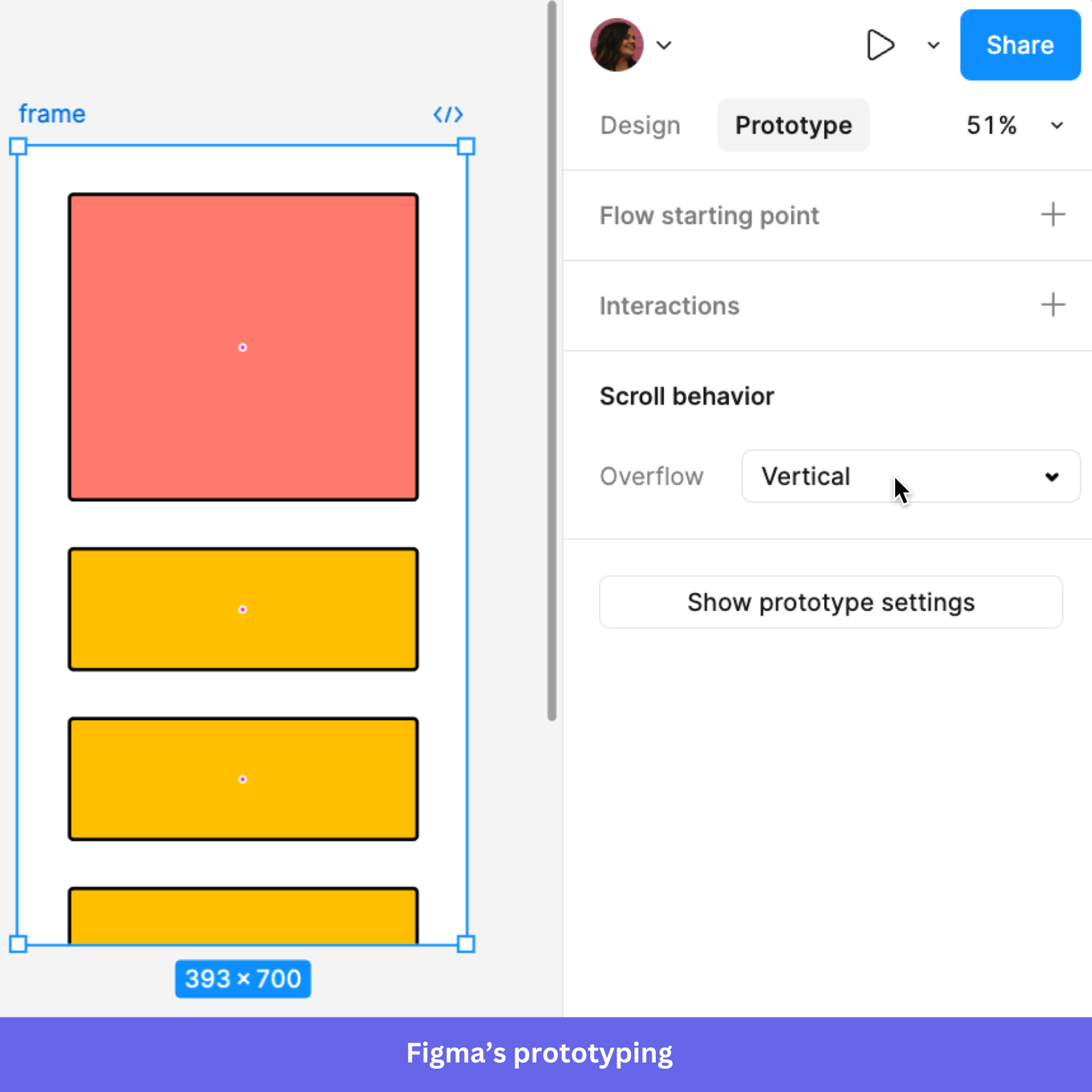
AI feature: Figma is adding AI tools that generate UI layouts, automate repetitive tasks, and speed up the design workflow.
17. Lovable
| Tool type | AI app builder |
| Value proposition | Build full-stack apps from natural language prompts without deep coding expertise |
| Best for | Founders and product teams prototyping and launching apps quickly |
| Notable customers | Klarna, Photoroom, Meltwater |
| Starting price | Free plan available; paid plans start at ~$25/month (usage-based) |
| G2 score | 4.6/5 |
Lovable turns natural language prompts into working full-stack applications, compressing the build cycle.
Why it matters: Part of the new wave where the product is a prompt, so you describe an app, and it builds it instead of you shipping every line.
Key features
- Prompt-based app building: Describe what you want, and Lovable generates the structure, UI, and logic.
- Full-stack generation: Create frontend and backend together to move from idea to product.
- Rapid iteration: Change the app through prompts instead of rewriting code.
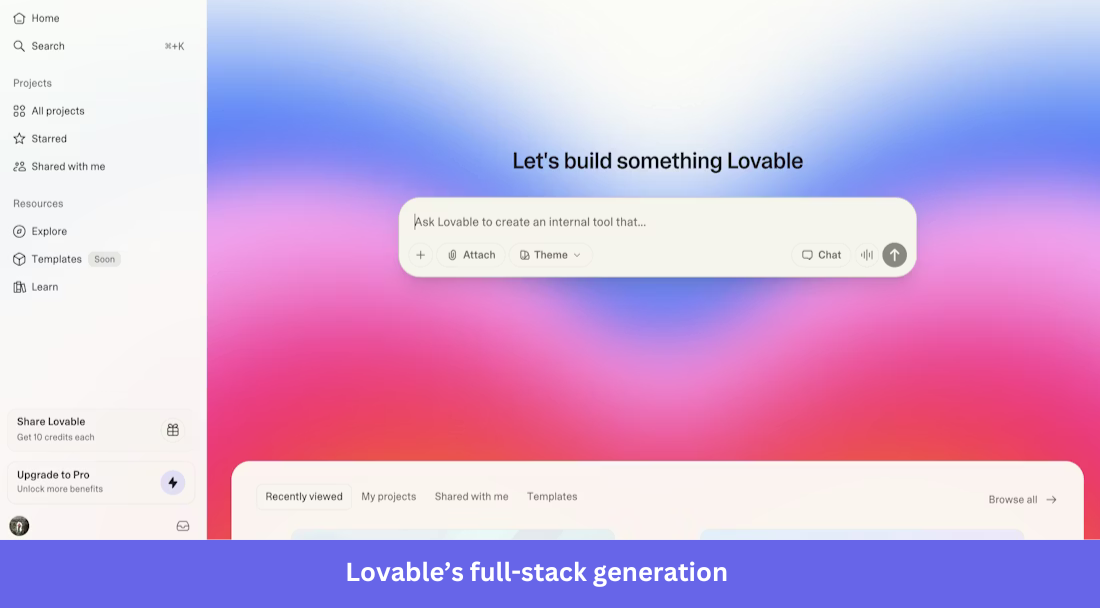
AI feature: AI drives the whole workflow, automating parts of development so non-engineers can prototype and ship faster.
18. Replit
| Tool type | Online coding and development platform |
| Value proposition | Build, run, and deploy applications from the browser with collaboration and hosting |
| Best for | Developers, startups, and teams shipping apps without managing infrastructure |
| Notable customers | Ahrefs, Meta, Google Cloud |
| Starting price | Free plan available; paid plans start at ~$20/month (Replit Core, billed annually) |
| G2 score | 4.5/5 |
Replit lets you write, run, and deploy code from the browser with no local environment to set up.
Why it matters: Where AI-assisted coding went mainstream in the browser, lowering the bar for who can ship working software.
Key features
- Browser-based IDE: Write and run code without installing anything locally.
- Real-time collaboration: Work with teammates in shared environments.
- Deployment and hosting: Deploy straight from Replit with built-in hosting.
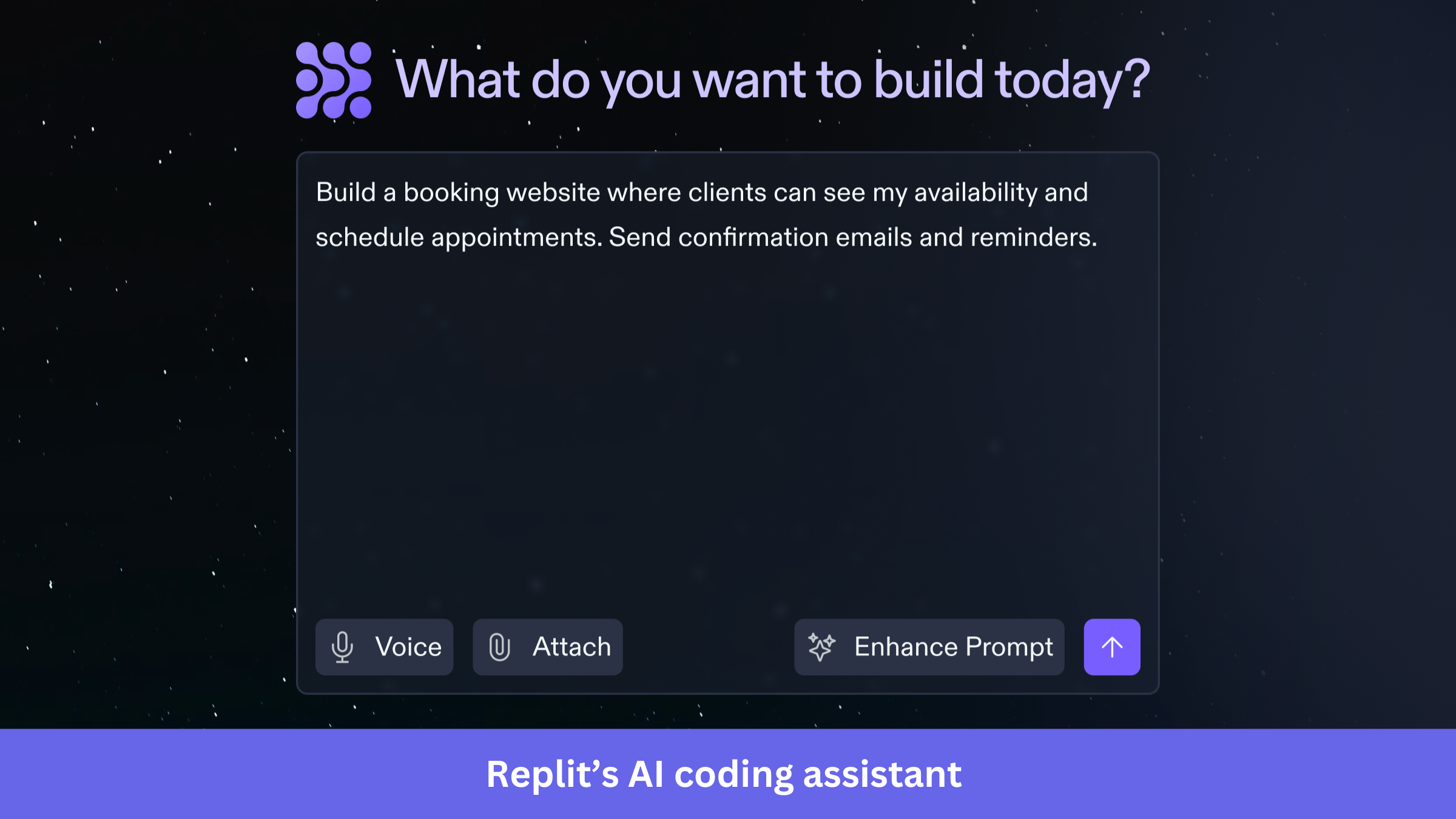
AI feature: Ghostwriter generates code, suggests fixes, and explains logic, which makes development faster and more approachable.
19. Asana
| Tool type | Project management platform |
| Value proposition | Plan, track, and manage work across teams with visibility and collaboration |
| Best for | Teams managing projects, workflows, and cross-functional work |
| Notable customers | Amazon, Accenture, Anthropic |
| Starting price | Free plan available; paid plans start at ~$10.99/user/month (billed annually) |
| G2 score | 4.4/5 |
Asana helps teams organize, track, and manage work across projects and functions.
Why it matters: a mature work-management platform is now competing on how well its AI can summarize and route work.
Key features
- Task management: Create, assign, and prioritize tasks to keep teams aligned.
- Progress reports: Generate reports to track status and keep stakeholders informed.
- Roadmaps: Build project and product roadmaps that align work to goals.
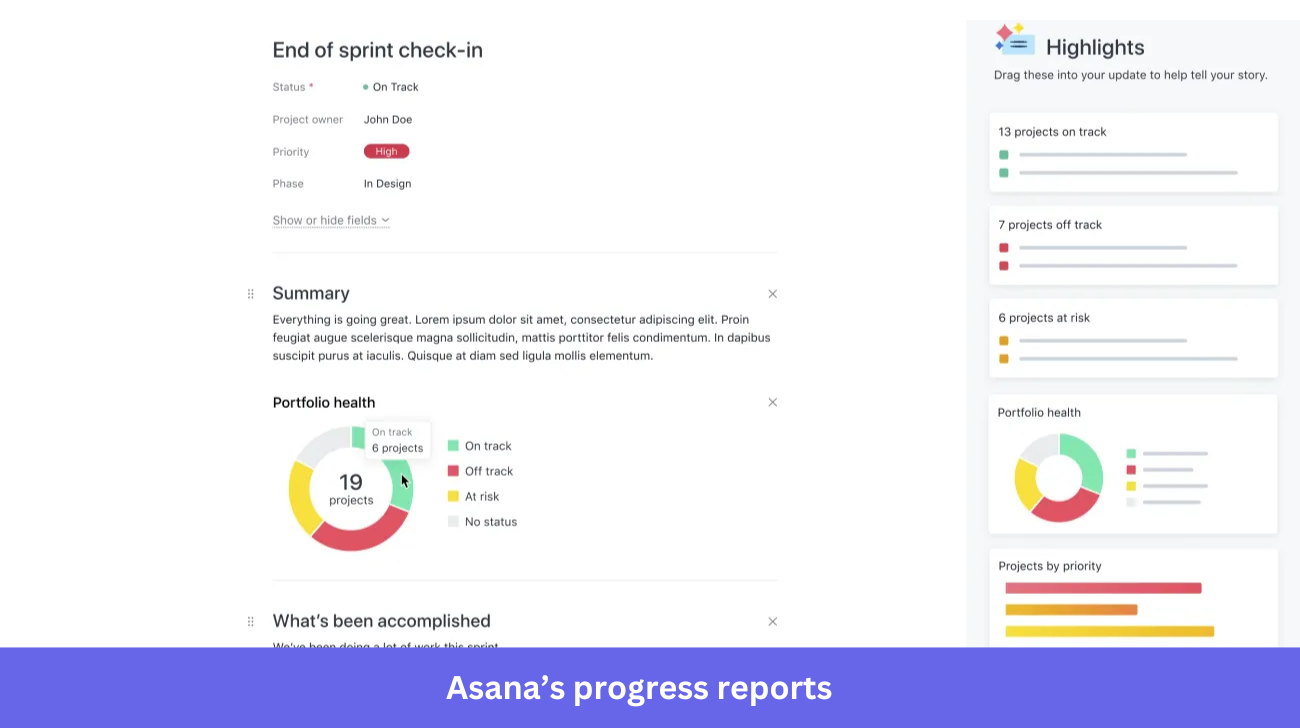
AI feature: Asana AI summarizes tasks, suggests next steps, and automates workflows to reduce manual coordination.
20. Airtable
| Tool type | Work management and database platform |
| Value proposition | Combine spreadsheets and databases to organize and track workflows visually |
| Best for | Teams managing projects, content, and operations with flexible data structures |
| Notable customers | eBay, Netflix, GitHub |
| Starting price | Free plan available; paid plans start at ~$20/user/month (billed annually) |
| G2 score | 4.6/5 |
Airtable blends a spreadsheet’s simplicity with a database’s power to organize work and data flexibly.
Why it matters: The spreadsheet-database hybrid that became the flexible backend for teams that outgrew spreadsheets but don’t want to code.
Key features
- Customizable views: Grid, calendar, kanban, and gallery views for the same data.
- Rich field types: Checkboxes, dropdowns, dates, and links between tables.
- Templates: A library covering everything from content calendars to event planning.
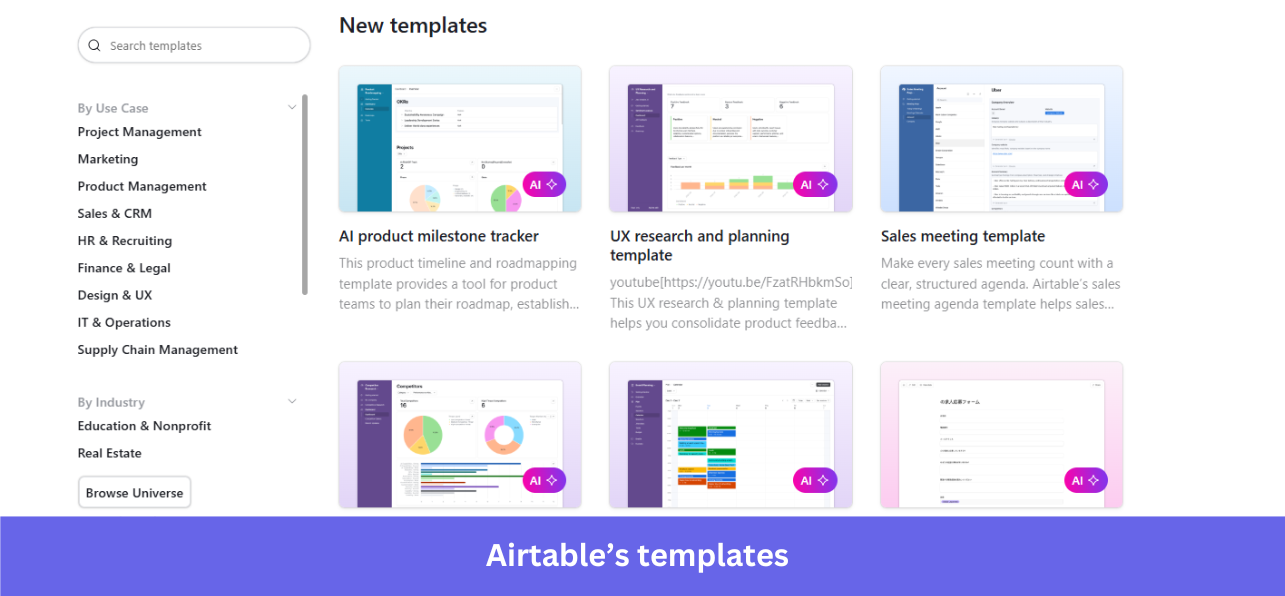
AI feature: Airtable AI generates content, summarizes records, and automates workflows from prompts.
21. Slack
| Tool type | Team collaboration and communication platform |
| Value proposition | Centralize team communication, collaboration, and workflows in one platform |
| Best for | Teams reducing reliance on email and centralizing communication |
| Notable customers | IBM, Airbnb, Target |
| Starting price | Free plan available; paid plans start at ~$7.25/user/month (billed annually) |
| G2 score | 4.5/5 |
Slack centralizes team communication into channels, direct messages, and connected workflows.
Why it matters: The clearest example of viral bottom-up SaaS transitioning to enterprise.
Key features
- Channels: Organize conversations by team, project, or topic.
- Direct messaging: !uick private conversations without crowding channels.
- Integrations: Connect Slack with tools like Google Drive and Salesforce to centralize workflows.
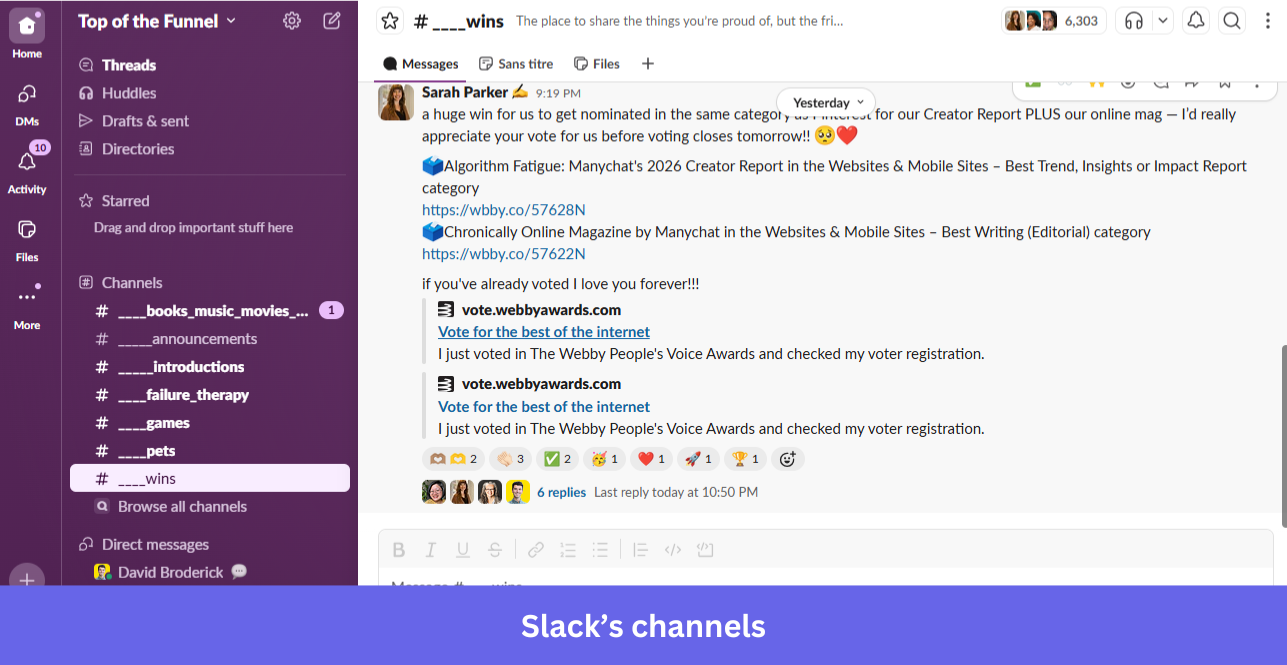
AI feature: Slack AI summarizes conversations, highlights key updates, and improves search across channels, and Slack has shipped an MCP server to connect with AI agents.
22. Loom
| Tool type | Video messaging and recording platform |
| Value proposition | Record and share quick videos to communicate ideas and updates asynchronously |
| Best for | Teams reducing meetings and improving async communication |
| Notable customers | Atlassian, HubSpot, Netflix |
| Starting price | Free plan available; paid plans start at ~$15 (billed annually) |
| G2 score | 4.7/5 |
Loom lets teams communicate through quick screen and camera recordings instead of meetings.
Why it matters: The tool that made async video a normal work habit, and a reminder that one behavior change can build a category.
Key features
- Screen and video recording: Capture screen, camera, or both to explain ideas.
- Instant sharing: Share a link and collaborate without live calls.
- Viewer insights: Track views, engagement, and reactions.
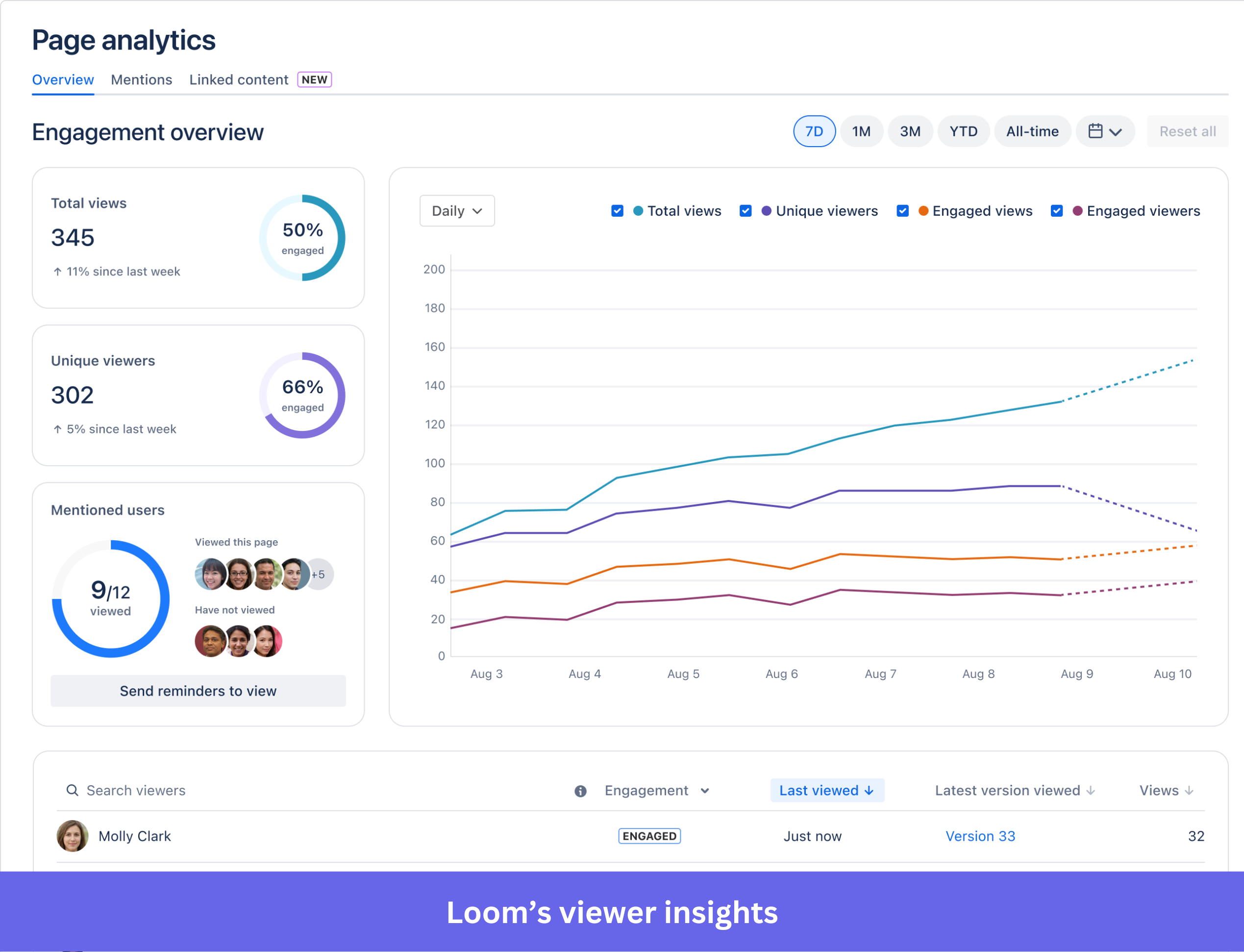
AI feature: Loom AI generates summaries, titles, and transcripts so viewers grasp the key points fast.
23. QuickBooks
| Tool type | Accounting and financial management software |
| Value proposition | Manage accounting, invoicing, and expenses from one platform |
| Best for | Small to mid-sized businesses handling finances and bookkeeping |
| Notable customers | Stamford Public Schools, Coalition Technologies, Moka |
| Starting price | Starts at ~$38/month (QuickBooks Online Simple Start; varies by plan) |
| G2 score | 4.0/5 |
QuickBooks handles accounting, invoicing, and expense tracking for small and mid-sized businesses.
Why it matters: The default books for small business in the US, with switching costs that keep it firmly in place.
Key features
- Invoicing: Create custom invoices, track them, and manage online payments.
- Expense tracking: Categorize and track business expenses automatically.
- Payroll integration: Connect payroll into your accounting process.
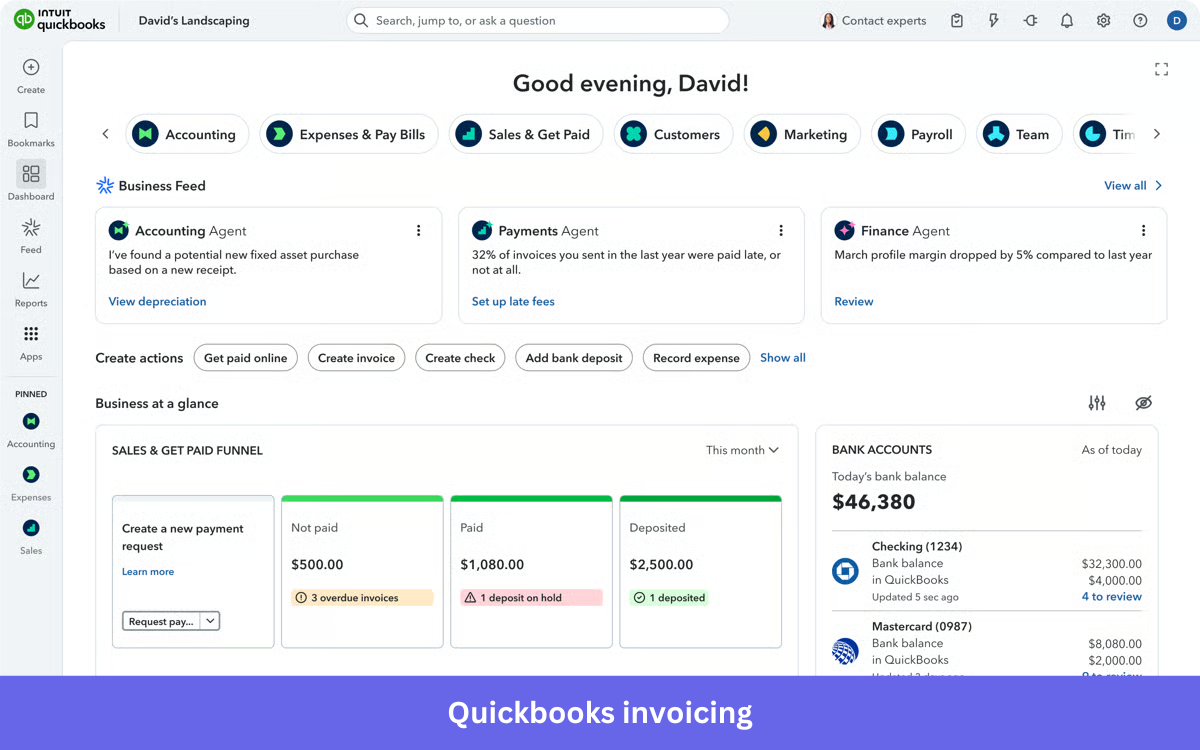
AI feature: QuickBooks uses AI to categorize transactions, flag anomalies, and surface financial insights for better decisions.
24. Xero
| Tool type | Accounting and financial management software |
| Value proposition | Manage accounting, invoicing, and financial data in real time from the cloud |
| Best for | Small to mid-sized businesses and accountants managing finances and reporting |
| Notable customers | GoDaddy, H&R Block, Puma Energy |
| Starting price | Starts at ~$25/month |
| G2 score | 4.4/5 |
Xero is cloud-native accounting for small and mid-sized businesses, with real-time financial data on any device.
Why it matters: The cloud-native accounting challenger that won by being built for the web from day one, not ported to it.
Key features
- Real-time financial data: Access up-to-date numbers from anywhere.
- Automated bank feeds: Connect your bank for automatic updates and reconciliation.
- Online invoicing: Manage and track invoices to keep cash flow steady.
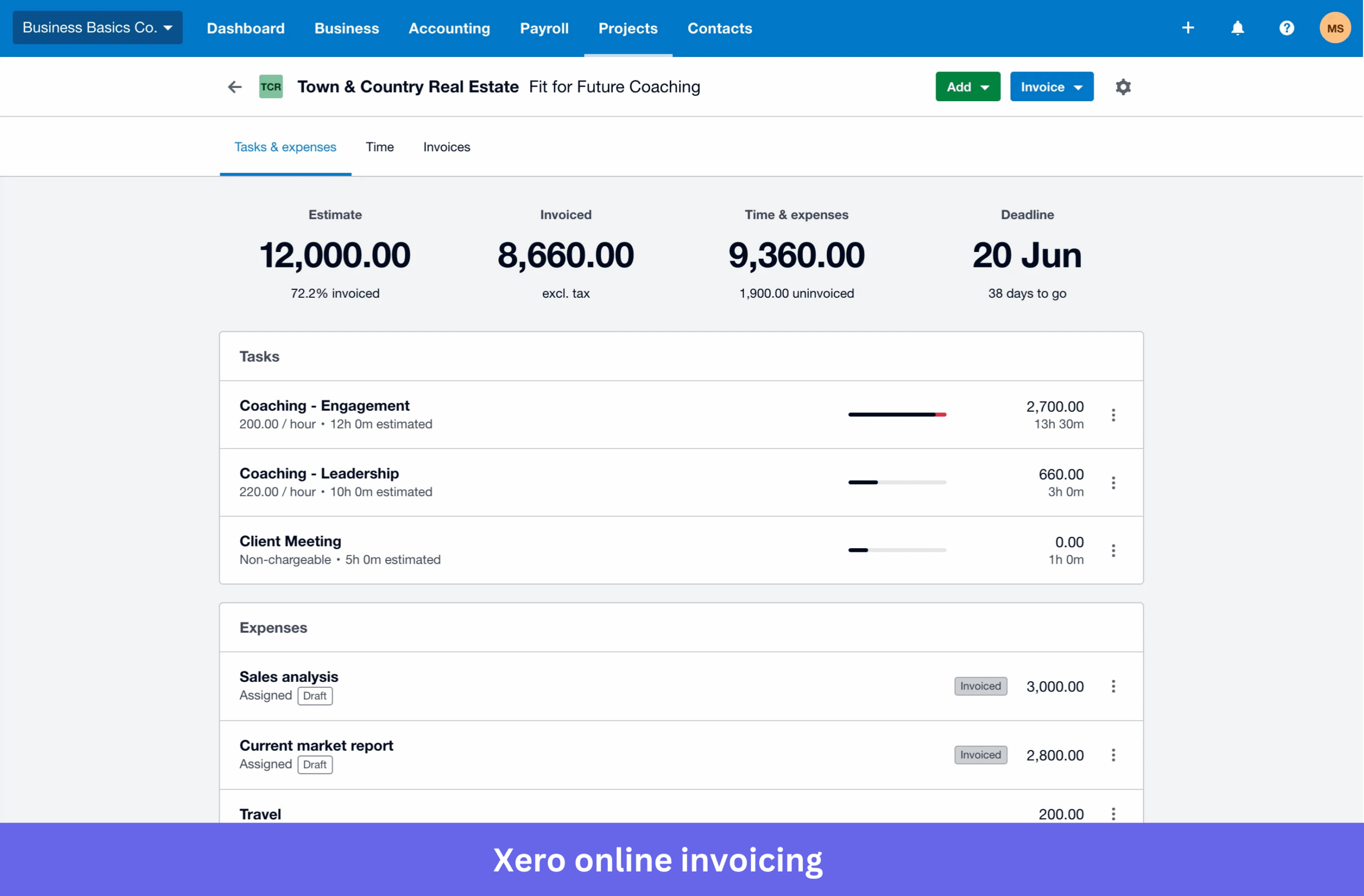
AI feature: Xero automates transaction categorization and surfaces financial insights to make account management more efficient.
25. BambooHR
| Tool type | Human resources management software |
| Value proposition | Manage employee data, hiring, and HR processes in one platform |
| Best for | Small to mid-sized businesses streamlining HR operations |
| Notable customers | SoundCloud, Reddit, Asana |
| Starting price | Starts at ~$10/month/employee |
| G2 score | 4.4/5 |
BambooHR centralizes employee data, hiring, and HR workflows for small and mid-sized businesses.
Why it matters: The HR system most small companies start with, because it makes people ops manageable without a dedicated specialist.
Key features
- Employee data management: Store and organize records in one secure system.
- Applicant tracking (ATS): Manage job postings, candidates, and interviews.
- Time-off and attendance: Track leave and attendance for accurate payroll.
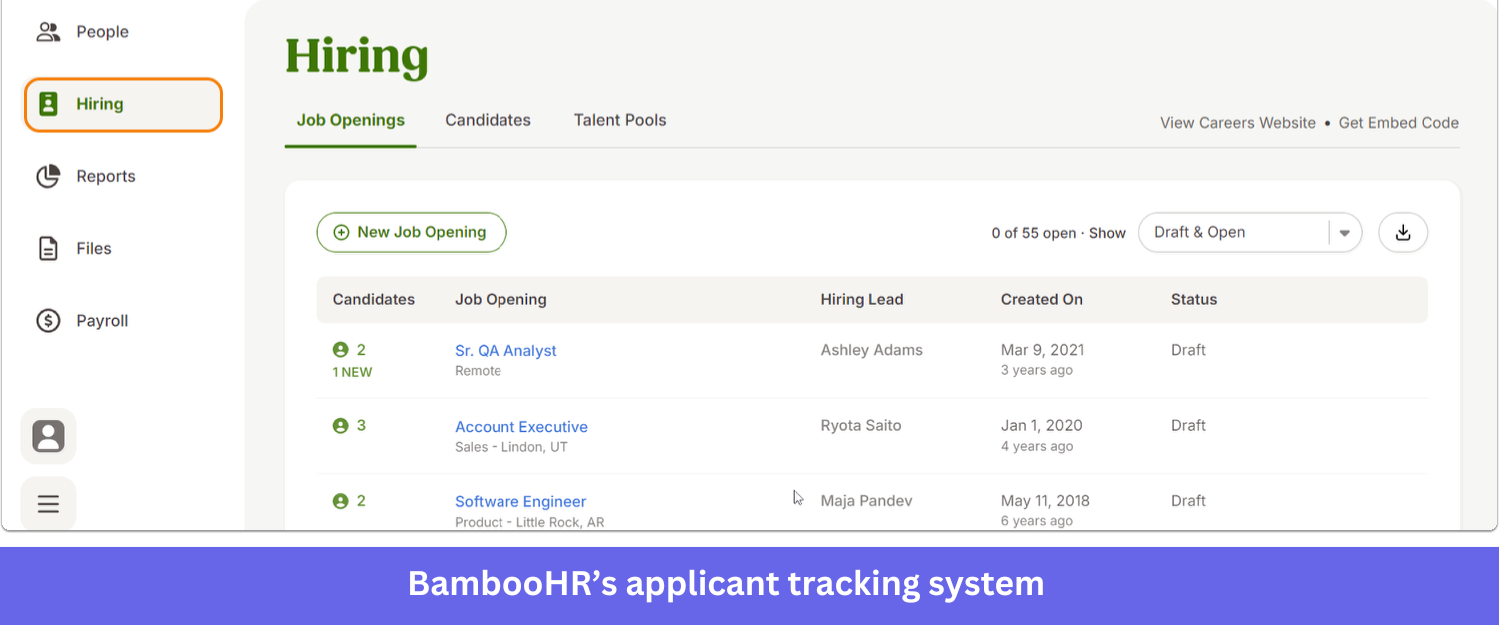
AI feature: BambooHR automates routine HR tasks and generates reports for better visibility into workforce trends.
26. RUN Powered by ADP
| Tool type | Payroll and HR management software |
| Value proposition | Simplify payroll, tax filing, and HR tasks for small businesses |
| Best for | Small businesses managing payroll, compliance, and employee records |
| Notable customers | Vydia, Cohesity, MATTER |
| Starting price | Custom pricing (varies by employees and features) |
| G2 score | 4.6/5 |
RUN Powered by ADP runs payroll, taxes, and employee data for small businesses on a cloud model.
Why it matters: Payroll and compliance handled by the incumbent that small businesses trust not to get taxes wrong.
Key features
- Payroll processing: Run payroll, calculate wages, and handle tax filings automatically.
- Tax compliance: Manage federal, state, and local filings with built-in support.
- Employee management: Store records, manage benefits, and track HR data in one place.
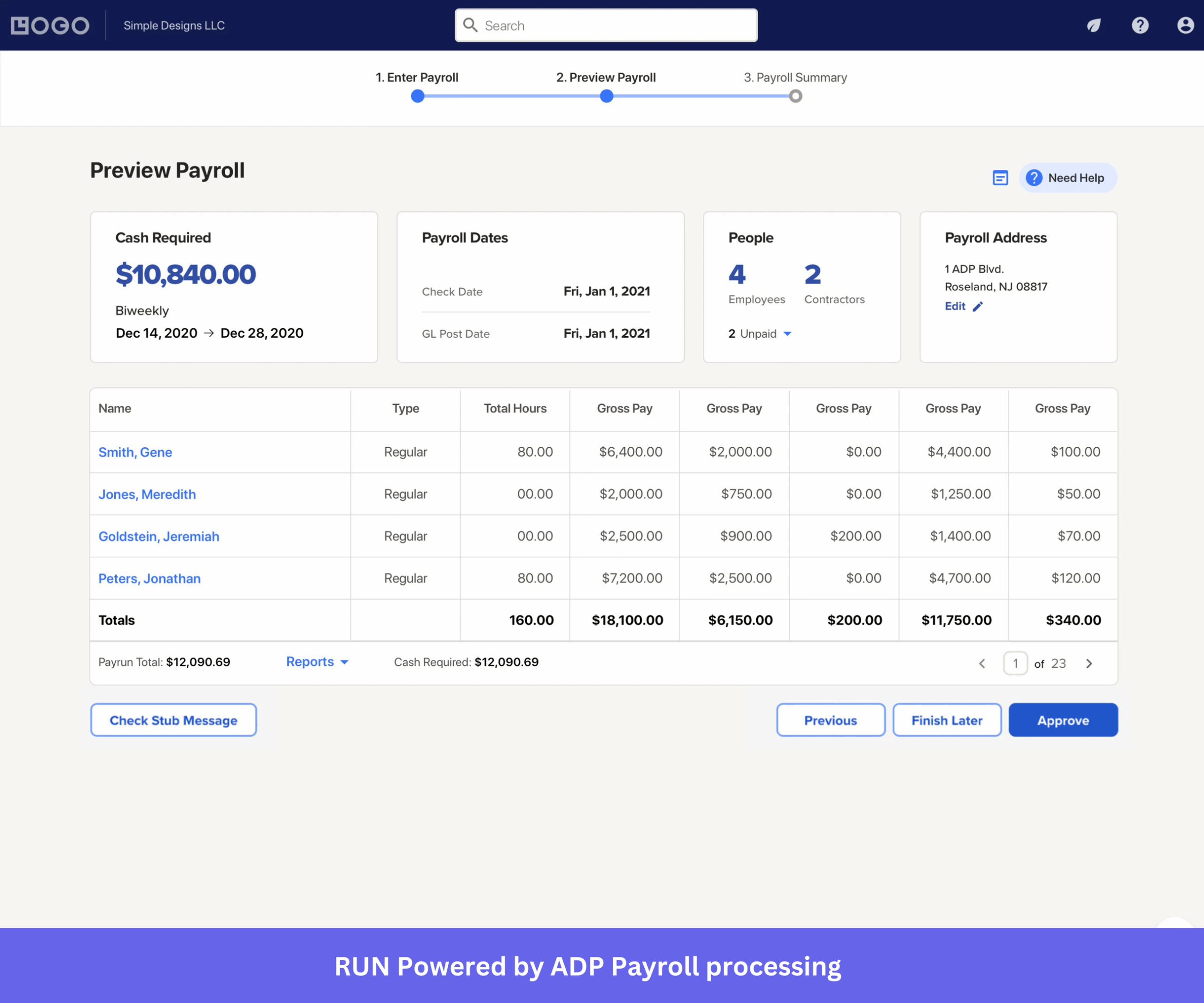
AI feature: Smart payroll insights provide alerts, reminders, and data-driven prompts to keep businesses compliant.
SaaS trends in 2026
SaaS is still growing, but how products are built and monetized keeps changing fast. AI is pushing companies to rethink the model, moving from feature-heavy tools toward systems that solve problems faster.
AI-native solutions
SaaS products are moving from “AI-powered” to “AI-first.” Instead of layering AI on top, companies redesign the software around AI capabilities, which makes products more responsive in how they handle workflows, reporting, and iteration.
The connective tissue for this is MCP (Model Context Protocol), the emerging standard for wiring SaaS tools to AI agents. Zapier, Slack, and others shipped MCP servers in 2026, and it’s quietly becoming the plumbing of AI-augmented SaaS.
Credit-based pricing models on the rise
Pricing is shifting from fixed subscriptions to more flexible structures. Alongside usage-based pricing, many products now use credit-based systems where you pay for actions like running workflows or using AI features.
It fits because AI usage varies from user to user. Credit-based pricing ties cost to actual consumption while still supporting predictable monthly recurring revenue.
Outcome-based pricing
The biggest structural pricing shift of 2026 is outcome-based pricing, where vendors charge for results rather than seats. HubSpot Breeze, Zendesk, Intercom Fin, and Salesforce Agentforce have all moved partly or fully to this model, billing per resolved conversation or per qualified lead instead of per user.
This follows the logic of agentic AI directly. When one person with an agent can do the work of ten, per-seat pricing stops making sense, so vendors price the outcome the agent delivers.
Personalization and verticality
Instead of building for everyone, more teams focus on niche use cases, with compliance and use-case-specific workflows built in from the start. Vertical SaaS is outpacing horizontal tools, which is why so many new entrants pick one industry and go deep.
Products are also getting more personalized as AI adapts them to user behavior, role, and context. For buyers, that means less setup and fewer workarounds, since the product already fits how they work.
No-code and low-code features
More SaaS products add no-code and low-code capabilities so users can build workflows and automate tasks without developer skills. Teams want to move faster without waiting on engineering for every change, and this lets them experiment and adapt on their own.
Choose the right SaaS solutions for your company
The SaaS market isn’t short on options. Looking beyond feature lists and choosing tools that fit your workflow, pricing expectations, and long-term goals will help you build a stack that lasts.
If you’re evaluating product growth platforms, Userpilot combines onboarding, product analytics, user feedback, and AI-powered insights in one place. Book a demo to see how it can help you improve adoption, engagement, and retention.
FAQ
What is a SaaS product?
A SaaS product, short for software as a service, is an application hosted by a provider and used over the internet through a web browser. You don’t install it, maintain it, or update the software locally, because the provider handles all of that on shared cloud infrastructure. Most SaaS runs on a multitenant architecture, where a single instance of the software serves many customers at once, which keeps costs down for everyone on it.
The commercial model is as much a part of the definition as the delivery. SaaS is sold on a subscription, and pricing usually takes one of a few shapes: flat-rate, tiered, usage-based, or feature-based. That recurring revenue is why the model is so attractive to build and to back, with the median SaaS company valued at roughly 5.1x revenue across 2015 to 2026.
SaaS products serve both business-to-business (B2B) and business-to-consumer (B2C) markets, and most software you touch daily fits the definition. Notion, Figma, and Slack are product-led examples that spread team by team, while Salesforce, Google Workspace, and Zoom show the same model at enterprise scale. DocuSign handles electronic signatures, and Shopify runs online stores, both delivered the same way: log in, get to work, no servers of your own.
What's the difference between SaaS, PaaS, and IaaS?
- SaaS (Software as a Service) delivers ready-to-use applications over the internet. The vendor manages everything from the infrastructure to updates, so you simply log in and use the software. Examples include Userpilot, Slack, and Notion.
- PaaS (Platform as a Service) provides developers with a platform to build, test, and deploy applications without managing the underlying infrastructure. Examples include Heroku and Google App Engine.
- IaaS (Infrastructure as a Service) offers virtualized computing resources such as servers, storage, and networking. Customers manage the operating system and applications, while the provider manages the physical infrastructure. Examples include Amazon Web Services (AWS) EC2 and Microsoft Azure Virtual Machines.
In short, SaaS is for using software, PaaS is for building software, and IaaS is for managing the infrastructure that software runs on.
About the author