Contentsquare Pricing for Product Teams: Plans, Features, and Costs


Contentsquare has never been the easiest analytics platform to price. It uses a modular, sales-led pricing model where your final cost depends on the products you choose, your traffic volume, your contract terms, and any implementation or support requirements. While Free and Growth plans are publicly available, Pro and Enterprise pricing requires speaking with sales, making it difficult to estimate costs before requesting a quote.
In this guide, I’ll explain how Contentsquare pricing works, what each plan includes, what businesses typically pay based on available market benchmarks, and the factors that have the biggest impact on your final quote.
I’ll also help you determine whether Contentsquare is the right investment for your team or whether a more product-focused platform offers better value for improving onboarding, feature adoption, and in-app user experiences.

What Contentsquare is (and why it got more complex)
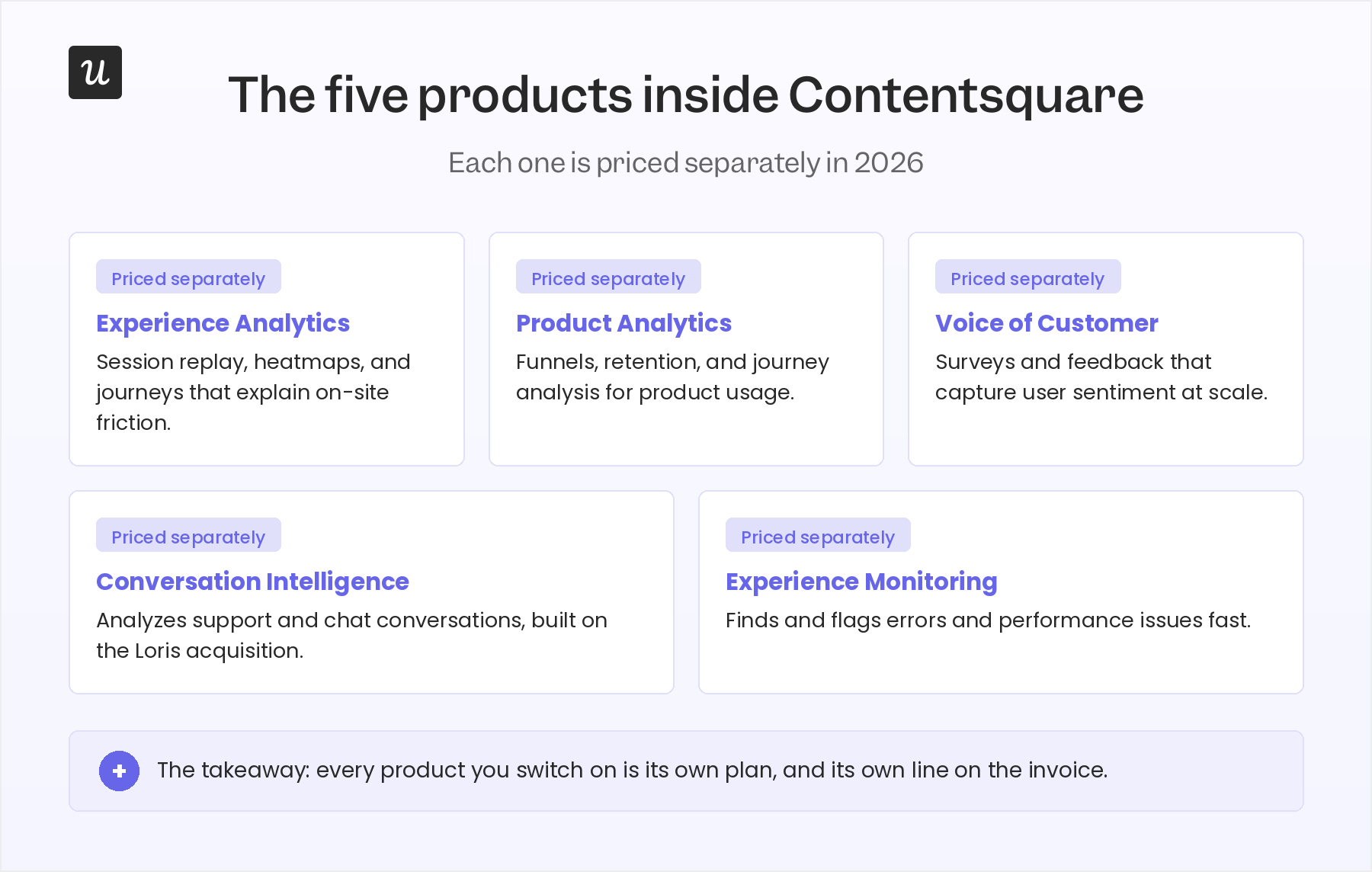
Contentsquare is an AI-powered product analytics platform that helps businesses understand how people interact with their websites and mobile apps. While many teams still associate it with session replay and heatmaps, the platform has expanded to cover a much broader set of capabilities, including Experience Analytics, Product Analytics, Voice of Customer, Conversation Intelligence, and Experience Monitoring. Together, these products help teams understand user behavior, collect customer feedback, analyze conversations, monitor technical performance, and prioritize improvements across the digital experience.
That broader portfolio is one reason Contentsquare pricing has become more complex. Rather than buying a single analytics product, businesses choose the products and capabilities that fit their needs. Some offerings are available across multiple plans, while others are sold as add-ons or are only included with higher-tier subscriptions. As a result, two companies with similar traffic can receive very different quotes even when they’re using the same platform.
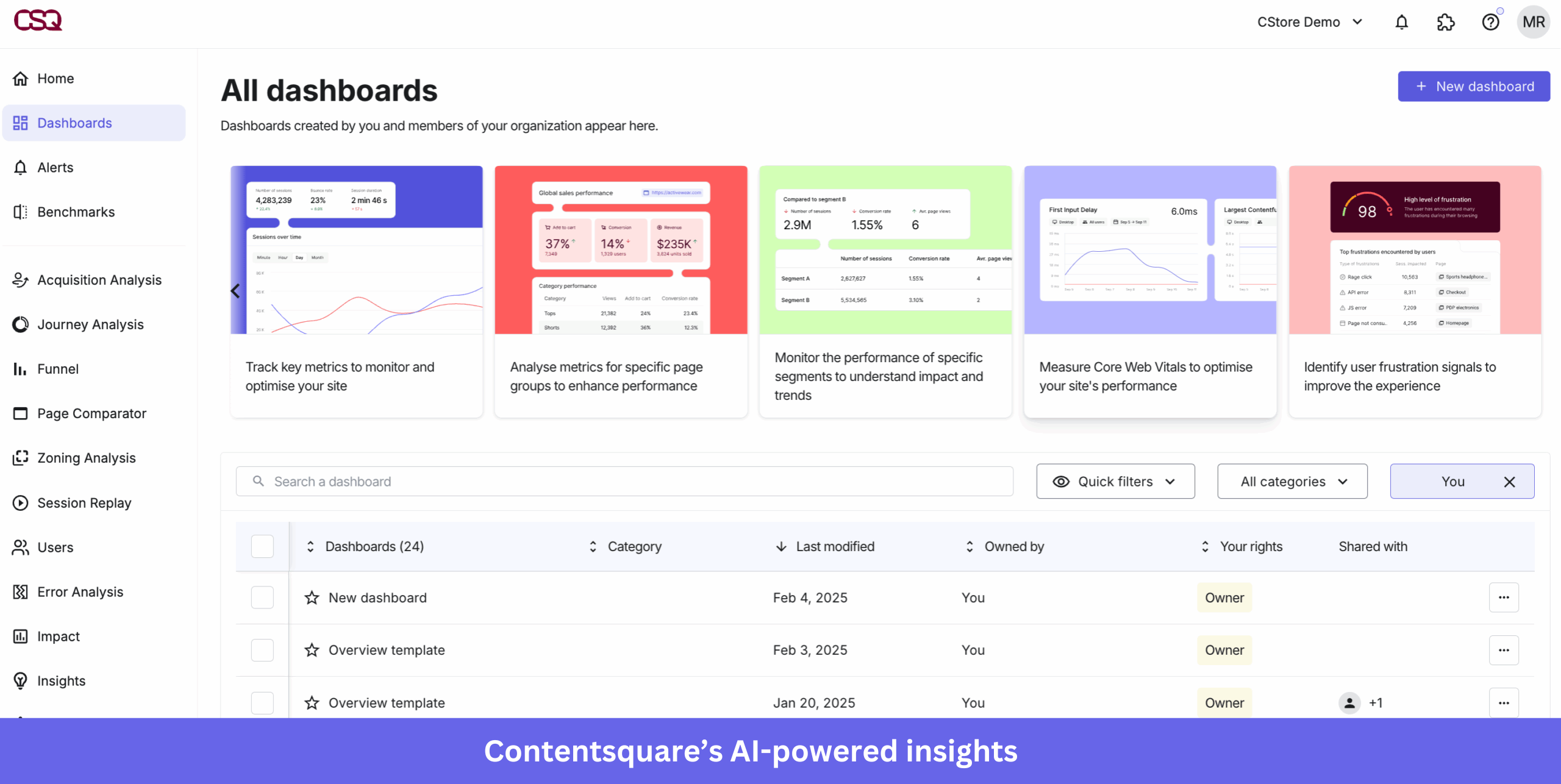
On top of the products sit three AI capabilities that Contentsquare now leads with Sense Analyst, an autonomous AI agent that maps sites, compares journeys, and recommends next actions. It shifts the tool from reporting what happened to proposing what to do about it.
Second is the MCP Server, which lets teams query Contentsquare data in natural language through Claude, ChatGPT, Microsoft Copilot, Cursor, and Dust without logging into the platform. LLM traffic and ChatGPT app analytics round out the set, showing whether a visitor is human or AI-driven and tracking activity inside ChatGPT apps. If you want the full feature picture before the numbers, our breakdown of what Contentsquare is goes deeper on the product side.
How Contentsquare pricing works: Modular, sales-led, per-product
The most common description of Contentsquare pricing is that it offers four plans: Free, Growth, Pro, and Enterprise. While that’s true, it doesn’t tell the whole story. Contentsquare applies those plans to each eligible product individually, so your total cost depends on both the products you license and the plan you choose for each one. For example, a business using Experience Analytics, Product Analytics, and Voice of Customer can select a separate plan for each product, with billing managed at the account level.
The split between self-serve and sales-led is clear. Free and Growth plans are self-serve and can be purchased online. Customers in Europe are billed in euros (EUR), while customers in other regions are billed in U.S. dollars (USD). Pro and Enterprise are sales-led plans, so pricing isn’t publicly available and requires contacting the sales team for a custom quote.
For Pro and Enterprise customers, the final quote depends on several factors, including the products you license, your session volume, implementation requirements, contract length, and any add-on capabilities you choose.
Contentsquare plans at a glance: Free, Growth, Pro, and Enterprise
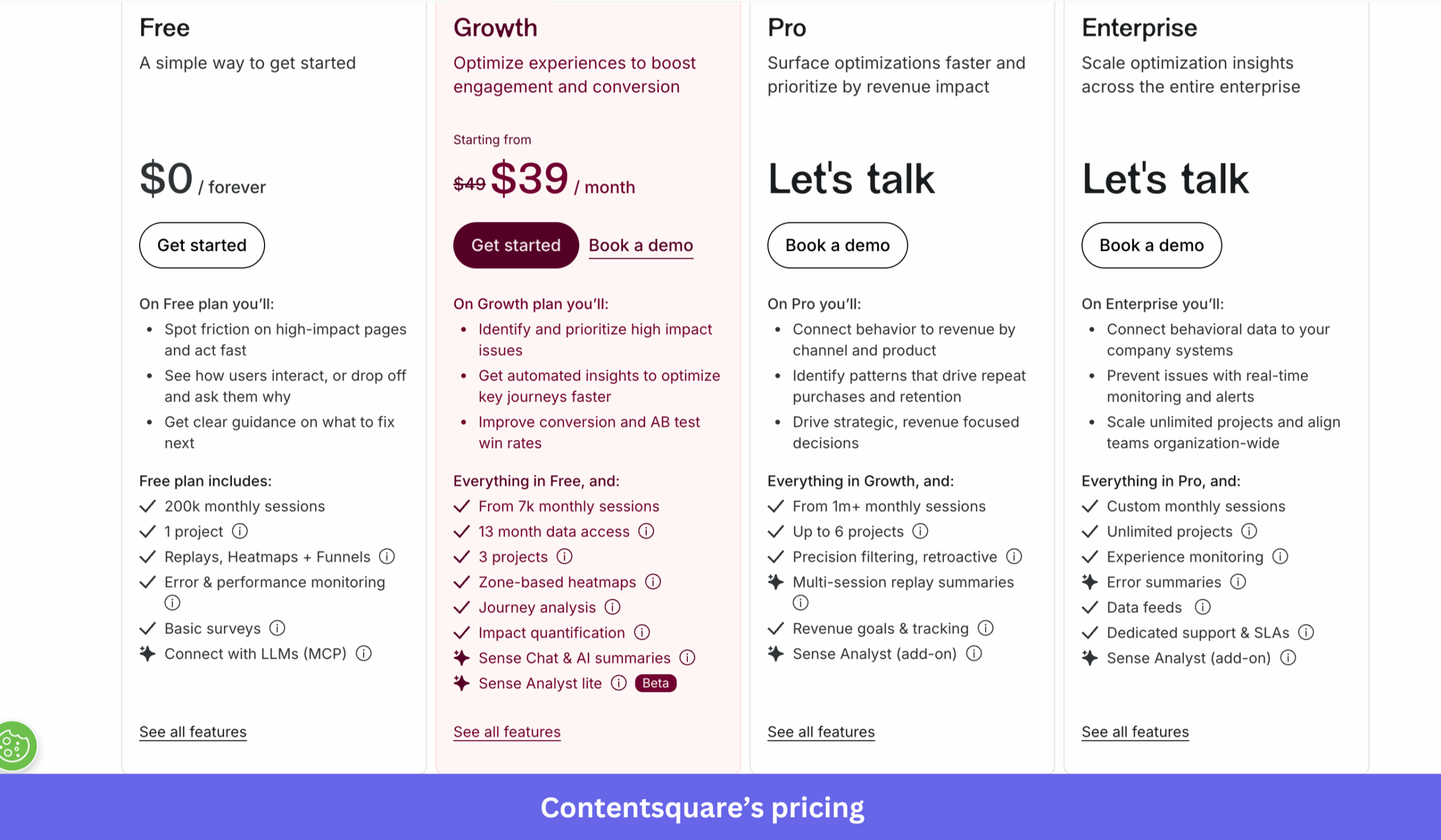
Contentsquare offers four plans for its Experience Analytics product: Free, Growth, Pro, and Enterprise. The Free and Growth plans are self-serve, while Pro and Enterprise require contacting the sales team for a custom quote.
One notable difference compared to many competitors is that AI capabilities aren’t limited to the highest tiers. Even the Growth plan includes Sense Chat, AI-generated summaries, and Sense Analyst Lite (Beta), while more advanced AI capabilities are available as optional add-ons on higher plans.
Free plan
The Free plan costs $0/month and supports up to 200,000 monthly sessions. It’s intended for teams evaluating the platform and includes the core experience analytics features needed to identify usability issues and understand user behavior.
The Free plan includes:
- 200,000 monthly sessions.
- 1 project.
- Replays, heatmaps, and funnels.
- Error and performance monitoring.
- Basic surveys in app.
- MCP integration with up to 300 AI tool calls per month.
Growth plan
Growth starts at $49 per month and is intended for teams that need deeper behavioral analysis without moving to an enterprise contract. Compared to the Free plan, it increases analytics data retention to 13 months, supports more projects, and adds features such as journey analysis, zone-based heatmaps with engagement metrics, impact quantification for evaluating impact, advanced filtering, and frustration score. It also expands the platform’s AI capabilities with Sense Chat, AI summaries, and Sense Analyst Lite (Beta).
Growth includes everything in Free, and:
- From 7,000 monthly sessions.
- 13 months of analytics data.
- 3 projects.
- Journey analysis.
- Zone-based heatmaps (product engagement metrics).
- Impact quantification (Evaluate Impact).
- Advanced filtering.
- Frustration score.
- Sense Chat and AI summaries.
- Sense Analyst Lite (Beta).
- Up to 36,000 MCP tool calls per year.
Pro plan
Pro is designed for organizations with deployments starting at around 1 million monthly sessions and adds revenue-focused analytics, larger deployments, and more advanced segmentation for users. Compared to Growth, it upgrades impact quantification from evaluating engagement to quantifying revenue, adds Revenue Goals & Tracking, precision filtering with retroactive analysis, and multi-session replay summaries. It also introduces Form Analysis, Page Groups, and revenue-based metrics for zone-based heatmaps. Sense Analyst Advanced is available as an optional add-on rather than being included in the plan.
Pro includes everything in Growth, and:
- From 1 million monthly sessions.
- Up to 6 projects.
- Precision filtering with retroactive analysis.
- Multi-session replay summaries.
- Revenue Goals & Tracking.
- Revenue-based impact quantification.
- Zone-based heatmaps (revenue metrics).
- Form Analysis.
- Page Groups.
- Sense Analyst Advanced (optional add-on).
- Up to 72,000 MCP tool calls per year.
Enterprise plan
Enterprise is a custom-priced plan for organizations that require governance, large-scale deployments, and dedicated support. It removes project limits, supports custom traffic volumes, and adds enterprise capabilities such as Experience Monitoring, Data Connect, Data Feeds, and Error Summaries. Enterprise customers also receive dedicated support with SLAs, longer session replay retention, and the highest MCP tool-call allowance. Sense Analyst Advanced remains available as an optional add-on.
Enterprise includes everything in Pro, and:
- Custom monthly sessions.
- Unlimited projects.
- Experience Monitoring.
- Error Summaries.
- Data Connect.
- Data Feeds.
- Dedicated support and SLAs.
- Up to 3 months of session replay retention.
- Up to 108,000 MCP tool calls per year.
- Sense Analyst Advanced (optional add-on).
What Contentsquare costs: Real pricing data
Public pricing stops at the Growth plan, so if you’re evaluating Pro or Enterprise, you’ll need to request a custom quote. The final price depends on factors like monthly session volume, the number of websites or apps you’re tracking, the products you license, and any add-ons you include.
Fortunately, there are two independent benchmarks that provide a realistic picture of what companies pay: Vendr, which analyzes anonymized software purchase data, and SpendHound, which reports customer spend across its procurement platform.
Looking at those datasets together, a few patterns emerge.
Smaller deployments, typically covering 500,000 to 2 million monthly sessions across one or two digital properties, generally land between $30,000 and $80,000 per year. According to Vendr’s benchmarks, these contracts usually include core behavioral analytics, session replay, and reporting, with buyers often negotiating 10-20% below the initial quote through competitive evaluations or multi-year agreements.
As traffic grows, so does the contract. Mid-market organizations tracking roughly 2 to 5 million monthly sessions and using additional capabilities such as heatmaps or AI-powered insights commonly spend $80,000 to $200,000 annually. Vendr also notes that buyers in this segment frequently secure 15-25% discounts by bundling products or committing to longer contract terms.
Enterprise pricing climbs further. Organizations analyzing 5 million or more monthly sessions across multiple websites or mobile apps, while licensing additional products and enterprise capabilities, often sign contracts worth $200,000 to $500,000+ per year. Because these agreements are highly customized, they’re also the most negotiable, with large organizations frequently reducing costs through multi-year commitments, volume discounts, and broader commercial negotiations.
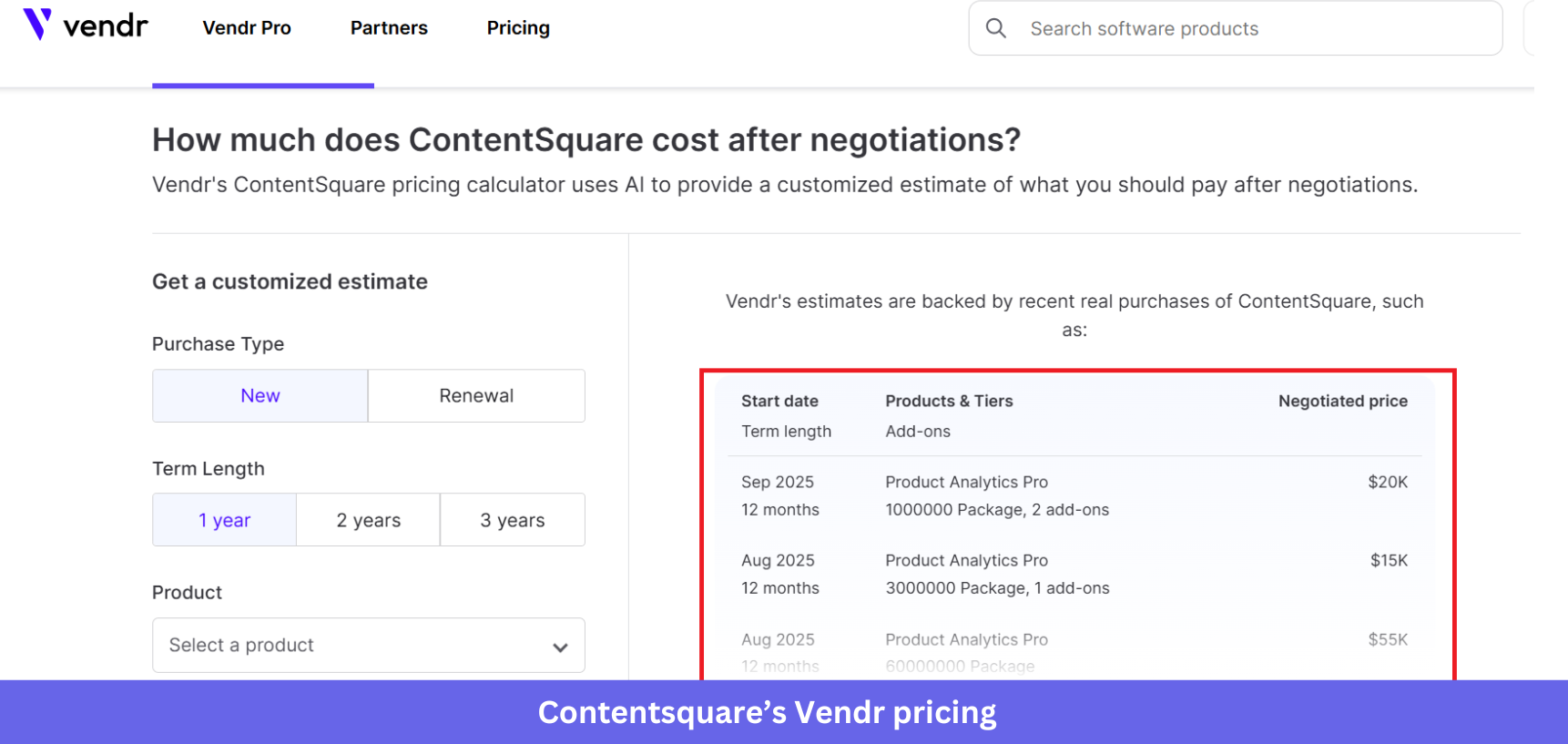
SpendHound’s customer data reinforces the same overall pricing picture. It reports an average annual spend of about $11,400 for SMB customers and roughly $163,000 for enterprise organizations. The averages are lower than Vendr’s deployment benchmarks because SpendHound measures actual customer spending across companies of different sizes and configurations rather than pricing by deployment tier.
So while there’s no single “Contentsquare price,” most companies end up somewhere within these broad ranges:
| Company size | Typical annual spend |
|---|---|
| SMB | ~$11k-$30k |
| Small deployment | $30k-$80k |
| Mid-market | $80k-$200k |
| Enterprise | $200k-$500k+ |
The exact quote will ultimately depend on your traffic volume, product mix depth, number of digital properties, and the discounts you negotiate.
What drives Contentsquare’s price up or down?
Several factors influence Contentsquare’s pricing, with some carrying more weight than others.
- Usage and volume: Pricing scales primarily with the traffic you analyze, counted as page views for web and screen views for mobile apps, and it tends to step up rather than rise smoothly. Tracking multiple domains or both web and mobile app behavior pushes it higher.
- Product scope and add-ons: Revenue-based analysis, experience monitoring, Customer feedback, and data feeds are often bundled into higher tiers or quoted separately, so cost can rise even when traffic stays flat.
- Data retention and governance: Longer retention, historical access, advanced permissions, and compliance features add complexity and cost, and strict governance needs usually land in higher-priced contracts.
- Support and services: Dedicated customer success resources, structured onboarding, and enterprise SLAs all show up in the price.
- Contract terms: Annual and multi-year deals are standard, longer commitments lower the effective rate, and renewals can introduce increases as usage grows.
- AI tool-call allowances: Contentsquare’s Model Context Protocol (MCP) integration lets teams query analytics through AI assistants such as Claude, ChatGPT, Microsoft Copilot, Cursor, and Dust. Each AI query counts as a tool call against the account’s monthly allowance. Pro and Enterprise plans include a baseline allocation, while teams with heavier AI workflows can purchase additional capacity as an add-on. If you expect AI to become your primary way of accessing analytics, ask about tool-call limits during the sales process, as they can affect your overall cost.
If you expect to expand your deployment over time, ask your sales representative how additional products, traffic growth, and AI tool-call usage will affect your contract. These factors are among the biggest drivers of long-term pricing and aren’t always obvious from the public pricing page.
Is Contentsquare worth it?
Whether Contentsquare’s pricing is worth it depends on what you want to achieve. The platform is a strong choice for teams that need end-to-end digital experience analytics across web and mobile. It stands out if you want AI-powered insights, need to track traffic from AI search and LLMs, or prefer querying analytics through AI assistants such as Claude or Microsoft Copilot instead of navigating the platform interface.
That natural-language interface is worth taking seriously, and our CEO Yazan Sehwail has made the same case about why MCP changes how teams reach their data. In his words:
“If you as a marketer wanted to see, using session replay, NPS data, survey data, and product usage data, you’re able to get your answer without having to go to Userpilot, without having to pull data and upload it to someone. So this is why MCP is gonna be a game changer.”
The trade-off gets sharper for product teams, though. Contentsquare’s real strength is aggregate user behavioral analysis across web and mobile experiences, using tools like session replay and zone-based heatmaps to explain friction points at scale. A team whose actual job is optimizing in-app onboarding, feature adoption, or checklists is buying a lot of capability it won’t use, and paying five-product pricing for it.
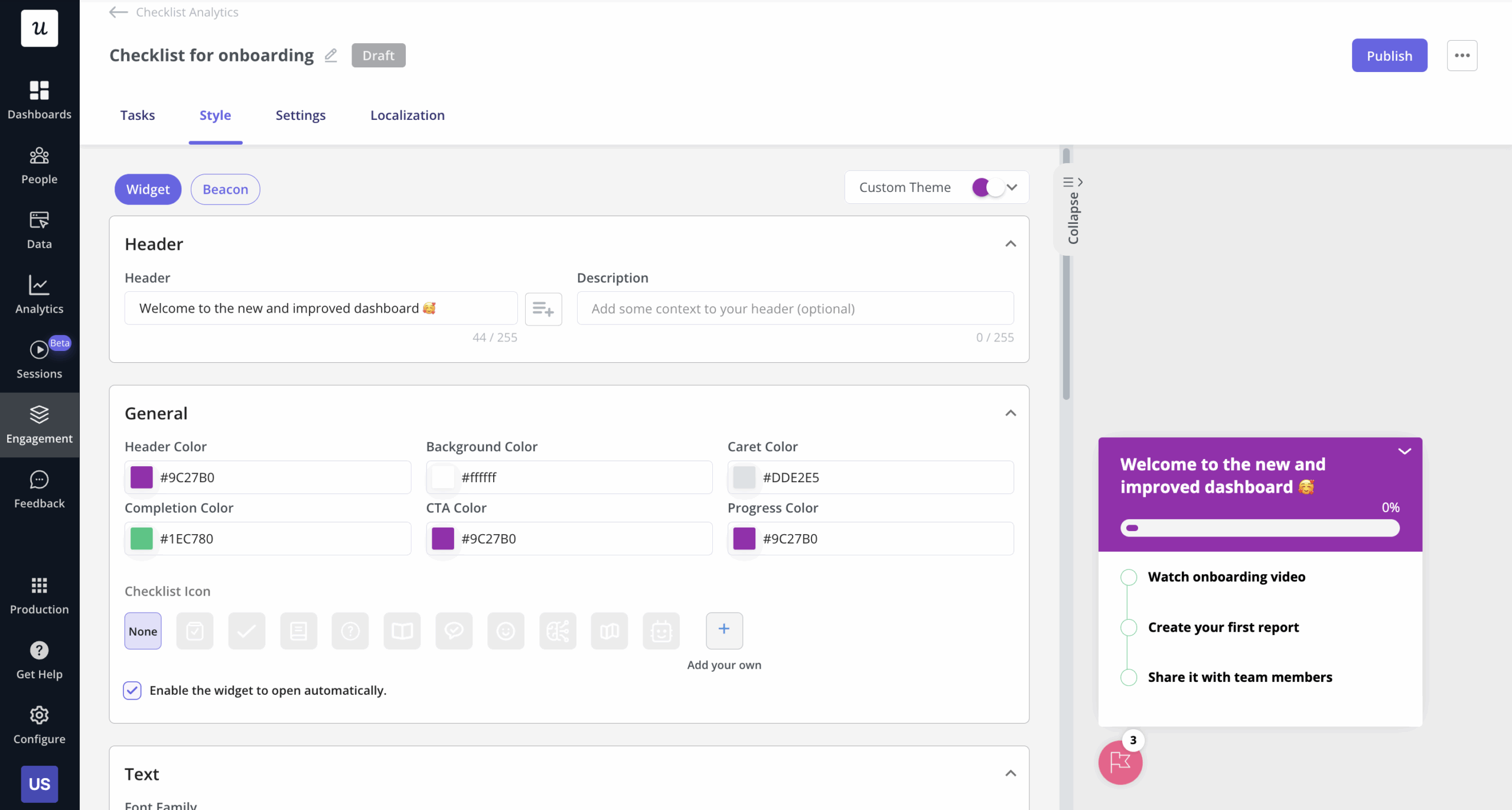
That is the pattern I keep seeing, and it’s why many product teams end up choosing a lighter, product-focused alternative. When the goal is to influence what users do inside the product, a platform built for in-app guidance and onboarding orchestration does the job with less overhead and a far more predictable bill. Userpilot sits in exactly that space, which is why teams focused on driving product adoption often start there instead.
The bottom line on Contentsquare pricing
Contentsquare’s platform is genuinely differentiated for teams that need cross-channel behavioral analytics, including visibility into AI-driven traffic. The catch is the pricing itself: modular products, session-based tiers, MCP tool-call allowances, and sales-led Pro and Enterprise negotiation make costs hard to predict and slow to implement.
If your focus is driving in-app onboarding, feature adoption, and product adoption, a purpose-built platform may be a better fit. Book a Userpilot demo to see how you can achieve those goals with transparent pricing and a platform designed for product teams.
Userpilot strives to provide accurate information to help businesses determine the best solution for their particular needs. Due to the dynamic nature of the industry, the features offered by Userpilot and others often change over time. The statements made in this article are accurate to the best of Userpilot’s knowledge as of its publication/most recent update on July 15, 2026.
About the author