Best Customer Success Tools for Product-Led Growth


Without dedicated tools, a customer success team has to manually collect data, calculate metrics, track health scores, manage support tickets, and still find ways to improve retention and expansion. With so much happening at once, things inevitably fall through the cracks, creating gaps in how customers are managed. That’s where customer success tools come in, helping teams handle these responsibilities more proactively.
I spent several weeks researching dozens of platforms, reviewing G2 feedback, and speaking with practitioners who use them daily. Here’s what actually matters.
Customer success tools covered in this article
- Gainsight: Best customer success platform for enterprise needs.
- ChurnZero: Best for mid-market companies focused on real-time analytics.
- Totango: Best post-sales CSP for tracking customer health scores.
- Vitally: Best for AI-powered customer success.
- Gong: Best for teams that want complete call records and notes.
- Custify: Best for small businesses in the SaaS market.
- ClientSuccess: Best customer success software for startups.
- Userpilot: Best for SaaS companies looking to optimize user onboarding and product engagement.
What is customer success software?
Customer success tools are designed to help businesses proactively manage customer relationships throughout the entire customer journey. These platforms enable teams to anticipate customer needs, identify potential issues before they escalate, and guide customers toward achieving their desired outcomes with your product.
In a product-led growth context, this setup becomes even more important. I can’t have a CSM manually check in with every account when we’re managing hundreds of them. A good CS platform picks up signals from product usage and acts on them automatically.
Why do businesses need customer success tools?
Customer success tools give teams a structured way to track account health, catch churn risks early, and identify expansion opportunities before they go cold. They also centralize data from your CRM, product analytics, support, and billing systems, so teams can act on insights instead of piecing them together manually.
The business case is strong: expanding existing customers costs about half as much as acquiring new ones, and well-run CS programs can deliver up to 91% ROI and significantly higher net revenue retention. These tools also improve efficiency by surfacing early churn signals, especially in the critical first 90 days, and enable teams to scale personalized engagement through automation without increasing headcount.
Beyond the numbers, CS tools solve a specific operational problem: centralizing customer data from your CRM, product analytics, support system, and billing platform into a single platform to help your team act on signals they’d otherwise miss.
How to evaluate customer success tools
Picking the right CS tool comes down to three stages:
Stage 1: Assess Your Needs: Start by identifying your biggest friction points, like communication gaps, data silos, and manual tasks, and their real impact on productivity. Then set specific goals. “Reduce time to identify at-risk accounts from four days to same-day” is something you can evaluate against; “better visibility” is not. Finally, audit your data quality before demos. Messy CRM data and untagged product events will result in poor health scores on any platform, no matter how good it is.
Stage 2: Compare Your Options: Build a simple comparison matrix: critical features down one side, platforms across the top. Beyond features, evaluate security and compliance requirements, native integrations with your current stack, pricing model (per user vs. per account vs. per MAU), implementation costs, and realistic onboarding timelines. Vendor support quality matters more than most buyers realize, until something breaks.
Stage 3: Make an Informed Decision: Run a two-to-four-week pilot on a real subset of accounts. Collect feedback from the CSMs daily, not just from the budget approvers. Score each platform against your weighted criteria, then negotiate hard on pricing, implementation timeline, and support terms. Prioritize a tool that scales with you, one that can handle new segments, added automation, and an evolving tech stack as your strategy matures.
Customer success tools requirements based on lifecycle stage
The features you prioritize should map to where most of your accounts are in the customer lifecycle.
- Acquisition: You need tools that capture sales context and surface it to CS without manual effort.
- Onboarding: Getting customers to their first meaningful product moment fast determines whether they stay. You need in-app guides, onboarding checklists, milestone tracking, and behavior-triggered messaging.
- Adoption: Feature adoption tracking, product analytics dashboards, and usage-triggered playbooks matter most here.
- Growth: CS becomes a revenue function at this stage. You need expansion signals, CSQL tracking, and account-level reporting that surfaces upsell opportunities automatically.
- Renewal: Renewal management requires a dedicated workspace: pipeline view, forecasting, risk flagging, and automated outreach for at-risk accounts.
- Advocacy: Systematically identify candidates for case studies, referrals, and reviews. You will need NPS/CSAT tools, community management features, and advocacy tracking.
Common features of customer success tools
Here’s the core feature set worth evaluating across any platform you consider:
- User onboarding: Behavior-based triggers, interactive product tours, and onboarding emails for a seamless onboarding experience from initial setup through early customer education.
- Journey mapping and management: The ability to visualize the customer journey and identify critical touchpoints lets you optimize your CS strategy and deliver a more personalized experience.
- Flow automation: If/then logic triggered by product events, usage thresholds, or lifecycle changes helps to automate task creation, email sends, Slack notifications, and segment routing without code.
- Health scoring system: Configurable, weighted scoring is what lets you identify at-risk accounts early enough to actually do something about them.
1. Gainsight: Best customer success platform for enterprise needs
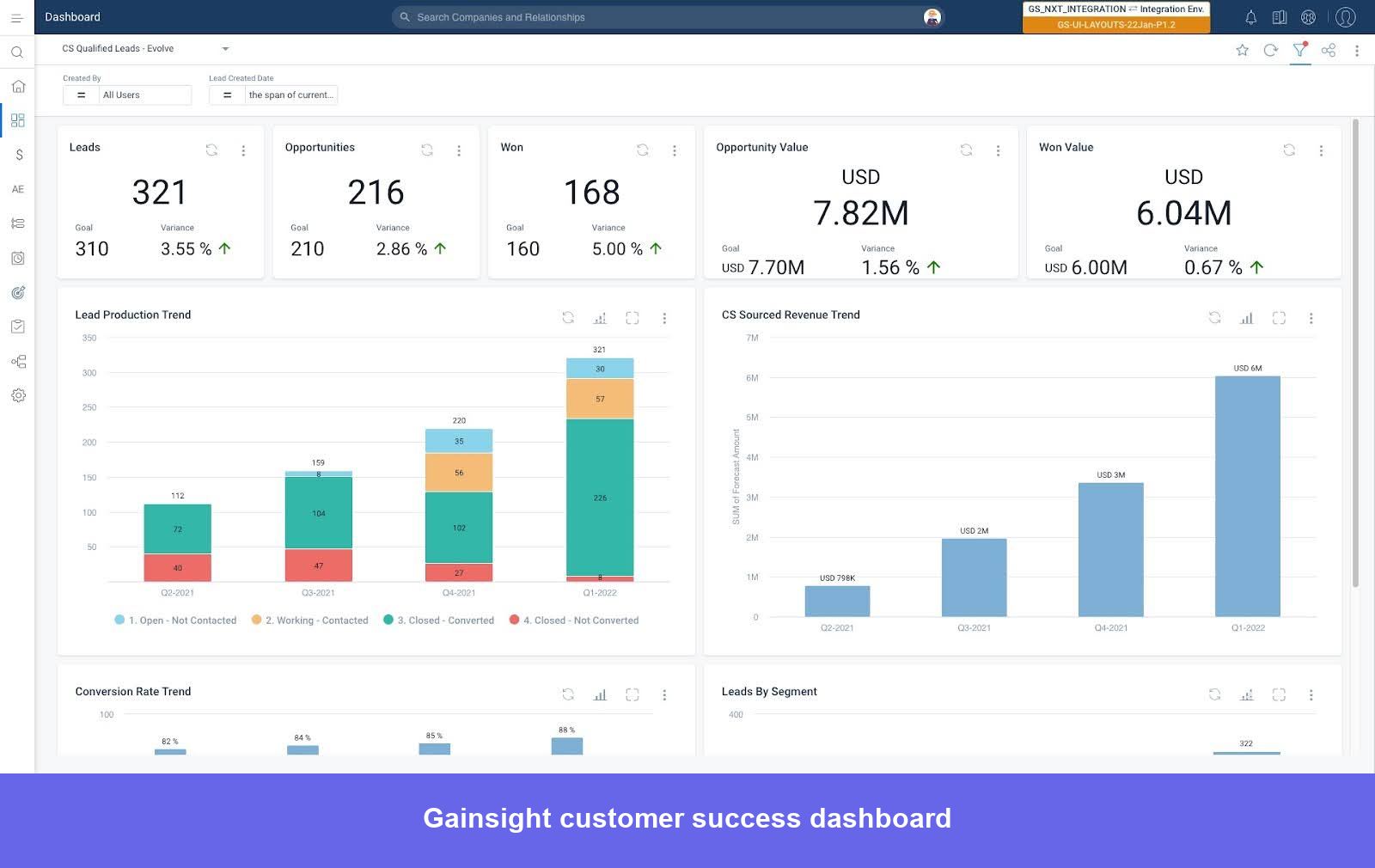
Gainsight is built for CS teams that have outgrown reactive account management and need to run CS as a revenue function. The platform’s core strength is its data model with a multi-signal approach, which means you’re catching churn risk from patterns that single-metric tools miss entirely.
Gainsight’s best features
- Customer health scores: Multi-signal scorecards combine product adoption, support ticket trends, billing status, NPS/CSAT, and Staircase AI sentiment analysis into a single health indicator per account. AI Scorecards analyze historical renewal and churn data to recommend which signals to weight, removing the guesswork from initial configuration.
- Journey Orchestrator: Builds multi-step, multi-channel customer journeys triggered by health score changes, usage thresholds, survey responses, or lifecycle events.
- Renewal center: Dedicated pipeline view of upcoming renewals with health-based risk flags and forecasting built in. The CSQL framework surfaces expansion opportunities from usage signals automatically, so CSMs aren’t manually hunting for upsell candidates.
- Gainsight Copilot: Free AI assistant across all plans that answers account questions, drafts emails, prepares meeting notes, and pulls account summaries before calls. Backed by Staircase AI’s real-time sentiment analysis across emails, support tickets, and meeting transcripts.
- 360° customer view (C360): Consolidates data from your CRM, product analytics, support tool, and billing system into a single account dashboard, so CSMs aren’t piecing together account context from multiple tabs before every interaction.
- Salesforce integration: Deep, native bi-directional sync with Lightning Web Components support, meaning CRM activity logging and CS workflows stay in one motion rather than two separate tools.
Gainsight pros and cons
Pros:
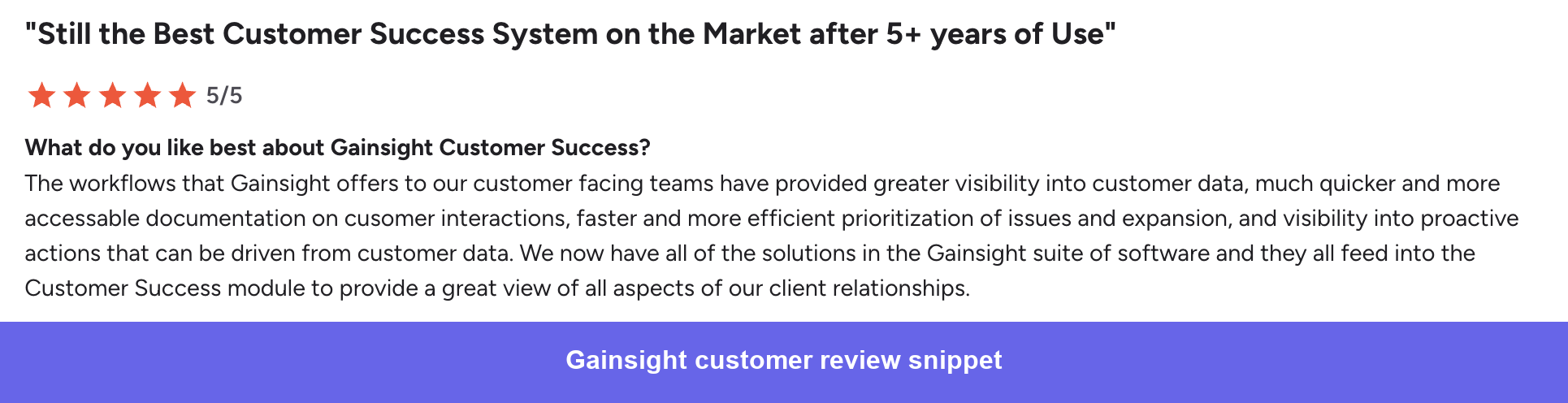
- ✅ Workflow automation: Automates repetitive admin tasks like logging activities, routing CTAs, and triggering playbooks, so CSMs spend more time on actual customer conversations.
- ✅ Centralized customer view: Consolidates customer data from across your tech stack into a single dashboard.
- ✅ Executive visibility: Dashboards and reporting make it straightforward to show leadership the state of the portfolio, including renewal risk, expansion potential, and overall account health.
Cons:
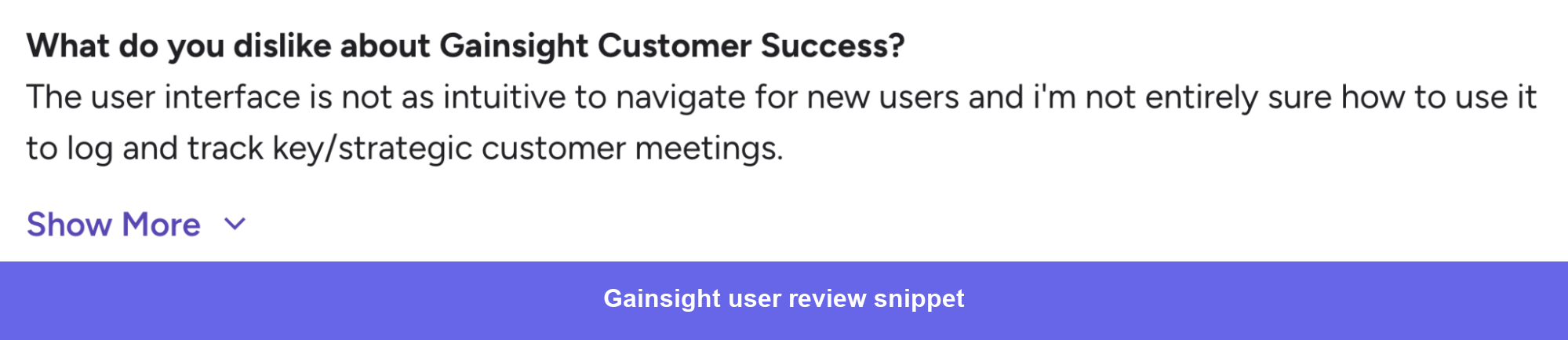
- ❌ Steep learning curve: The platform requires meaningful upfront investment in setup, internal alignment, and training before teams get real value from it. Adoption often takes months, not weeks.
- ❌ Integration setup friction: Connecting Gainsight to your full tech stack requires proper permissions and configuration. Teams that underestimate this tend to end up with incomplete data flowing in.
Gainsight pricing
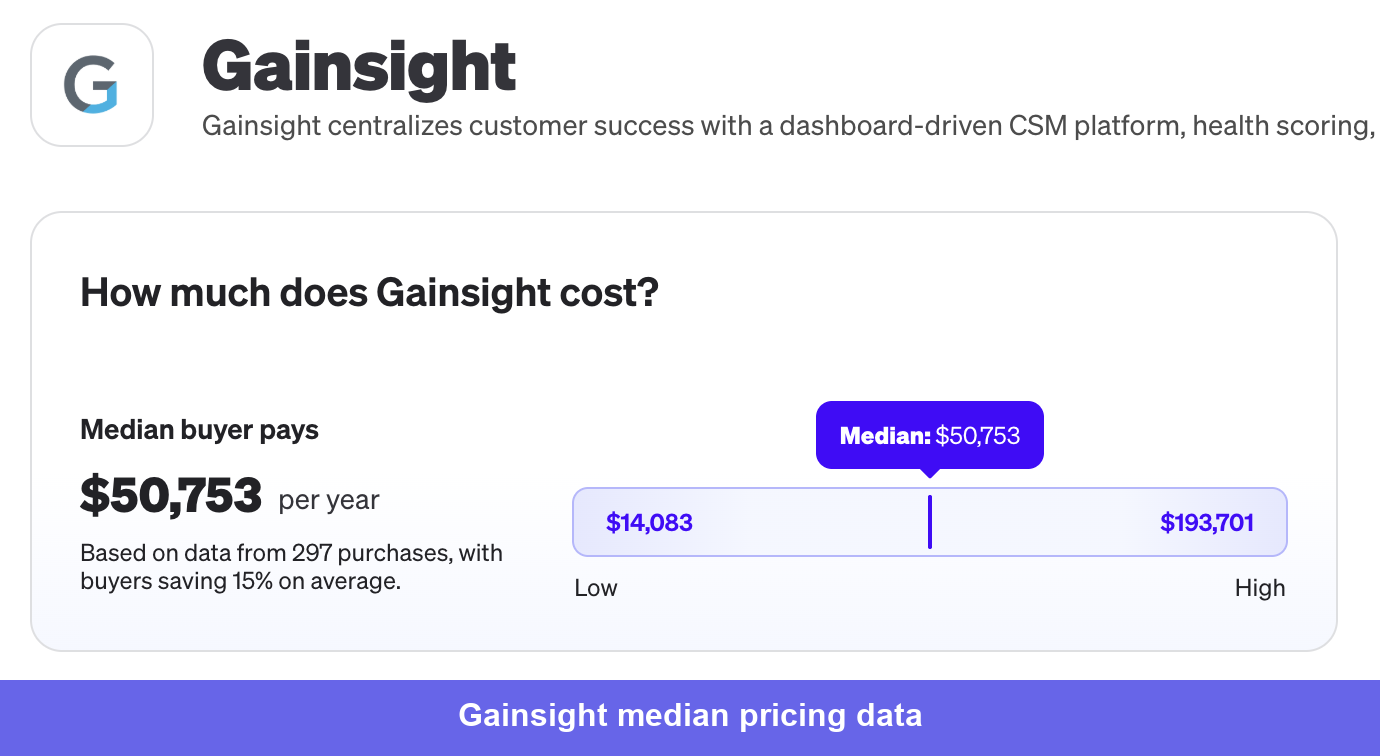
Gainsight does not publish pricing. However, based on Vendr’s procurement data across 297 purchases, the median annual contract is $50,125 with a range of $14,083 – $193,701.
2. ChurnZero: Best CSS for mid-market companies looking for real-time analytics capabilities
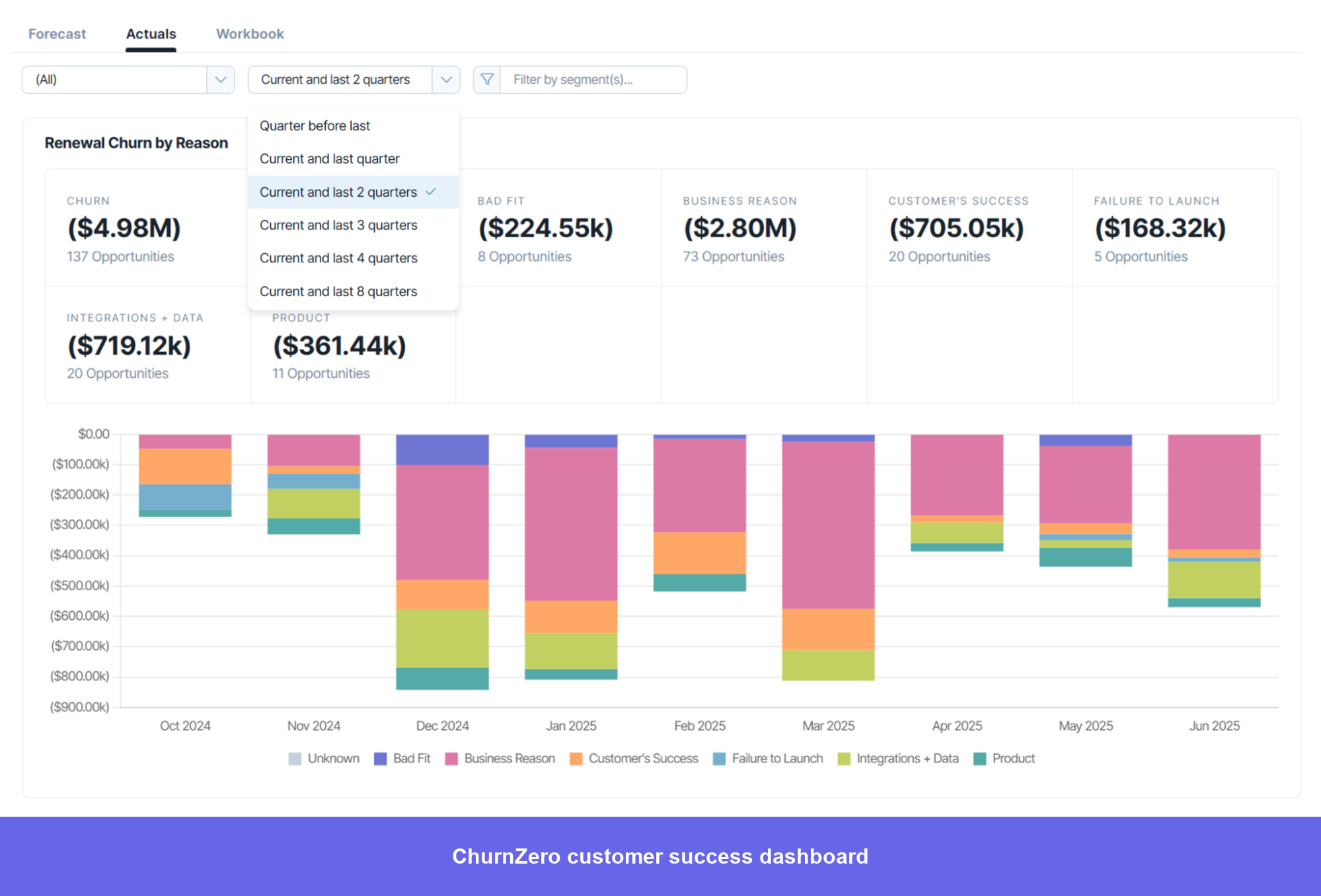
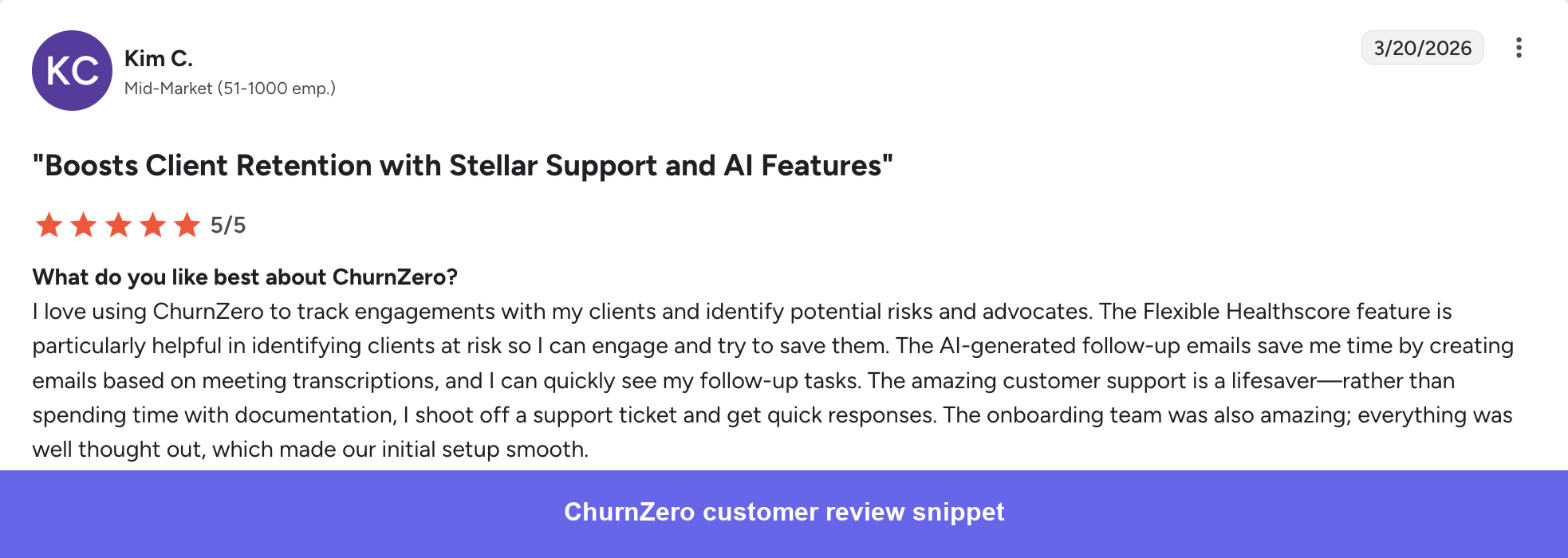
Most CS platforms sync usage data from a third-party source on a delayed schedule. ChurnZero’s analytics are built natively, so usage drops and engagement changes appear in real time. For a CSM managing 150 accounts, the difference between seeing a churn signal today and seeing it in three days is often the difference between saving the account and writing a loss report.
The platform is designed for subscription businesses, so features like Success Plans, Journeys, and Plays align well with how these companies operate instead of forcing a generic setup. However, it struggles with complex account structures, and its reporting limitations often become an issue for mid-market teams needing deeper analysis within a few months.
ChurnZero’s best features
- ChurnScore: Configurable, weighted health scoring that combines product usage, billing status, support tickets, and engagement data. Supports hierarchical scoring for parent/child account structures.
- Plays (automation): If/then rule chains triggered by behavioral events, lifecycle changes, or data thresholds. Automates task creation, email sends, health score updates, and Slack notifications without code. Consistently the most-praised feature across the review base.
- AI Marketplace: Launched October 2025 with 14 purpose-built AI agents covering sentiment analysis, churn prediction, meeting follow-ups, and engagement scoring. A credit-based model means teams can adopt individual agents incrementally rather than committing to a full workflow overhaul at once.
- In-app communications: Personalized in-app messaging, walkthroughs, and guided tours let CS teams run low-touch engagement directly inside the product without relying on email alone.
- Success Plans and Journeys: A structured framework for organizing daily CS activities across a large portfolio.
ChurnZero pros and cons
Pros:
- ✅ Unified customer view: Consolidates health scores, usage data, and engagement activity in one place, replacing the fragmented experience of checking multiple systems to understand account status.
- ✅ Segmentation and targeting: Powerful filtering and customization make it straightforward to identify the right customer segments and deliver targeted, personalized outreach at scale.
- ✅ Portfolio management: Success Plans, Journeys, and Tasks work together to keep daily activities organized across a large book of business without things slipping through the cracks.
- ✅ Customer support quality: The support team and onboarding process are consistently highlighted as a differentiator, particularly when navigating complex configuration questions.
Cons:
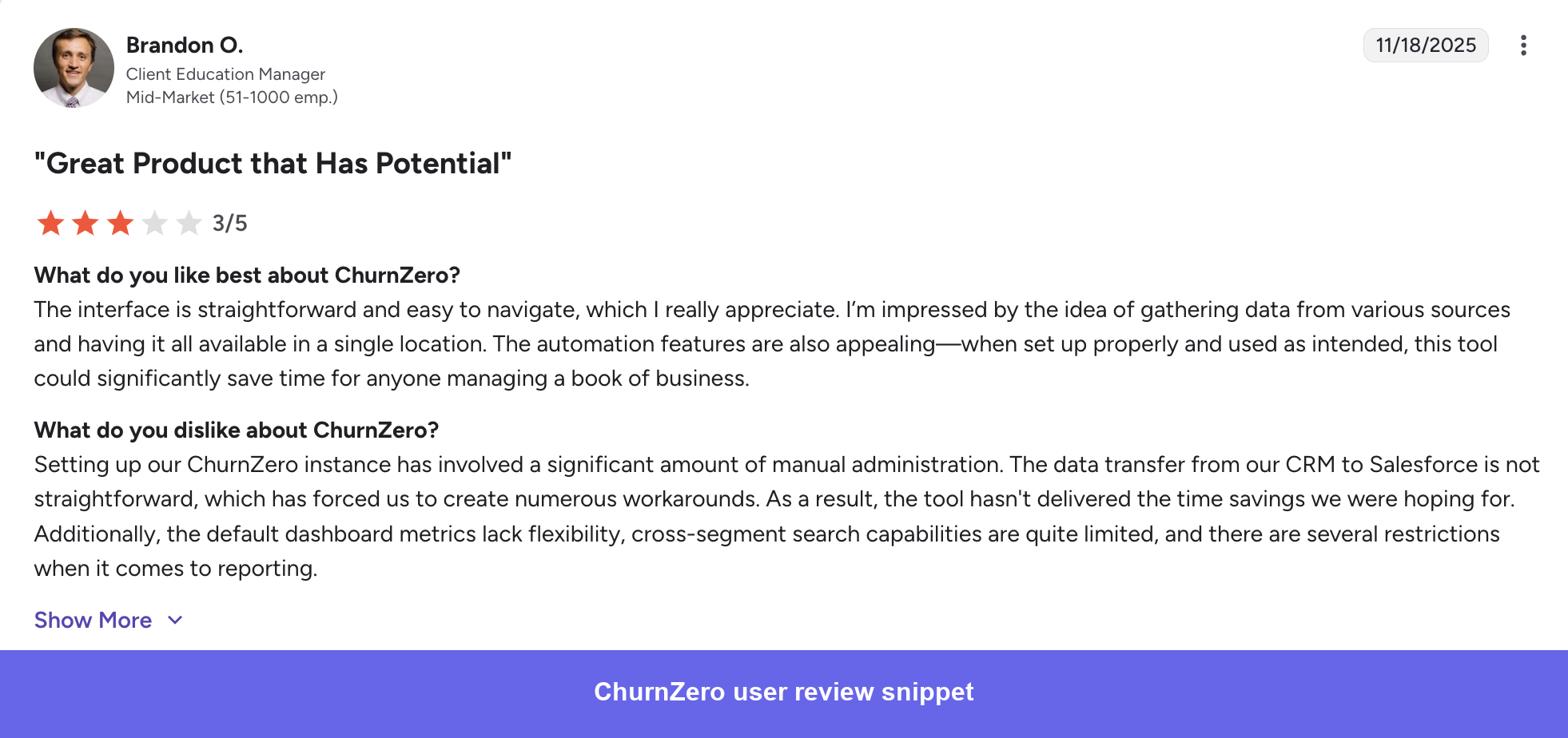
- ❌ Steep learning curve: The platform’s depth means it takes meaningful time to get fully configured and actually useful. Getting health scores and playbooks to a point where they drive real action requires more effort than most teams anticipate upfront.
- ❌ Complex segment building: Creating more advanced or nuanced segments can get tricky and often requires support involvement rather than being something CSMs can self-serve easily.
- ❌ Search and navigation friction: The search bar is not as intuitive as it should be, making it harder than expected to quickly locate specific accounts or information during live customer interactions.
- ❌ Parent/child account management: Managing tasks and account hierarchies across parent and child accounts is cumbersome and adds manual overhead for teams with complex account structures.
ChurnZero pricing
ChurnZero doesn’t publish pricing publicly and requires a sales conversation to get a quote. Annual contracts are mandatory with no free trial.
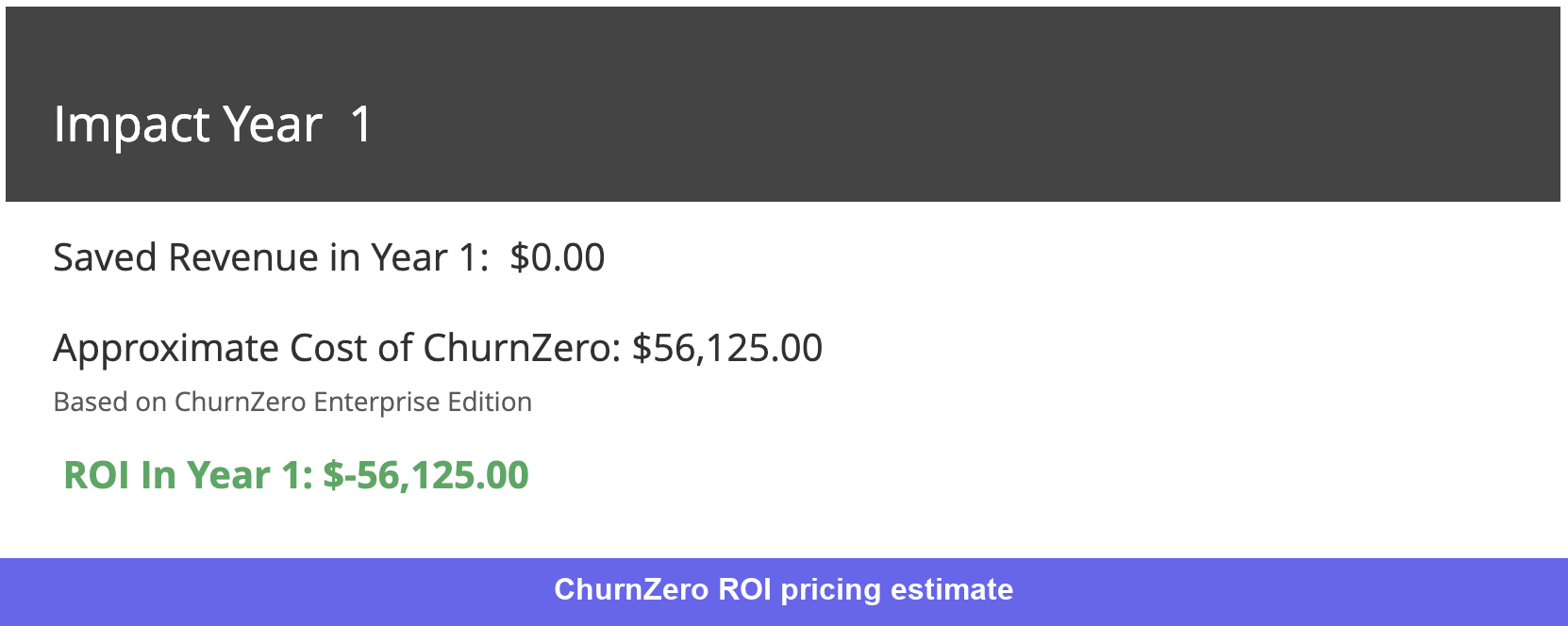
The clearest public signal on cost comes from ChurnZero’s own ROI calculator, which puts the Enterprise Edition at approximately $56,125/year for a team of 5 CSMs. That’s the most reliable starting point for a mid-market team running a standard CS motion.
3. Totango: Best post-sales teams CSP for tracking customer health scores
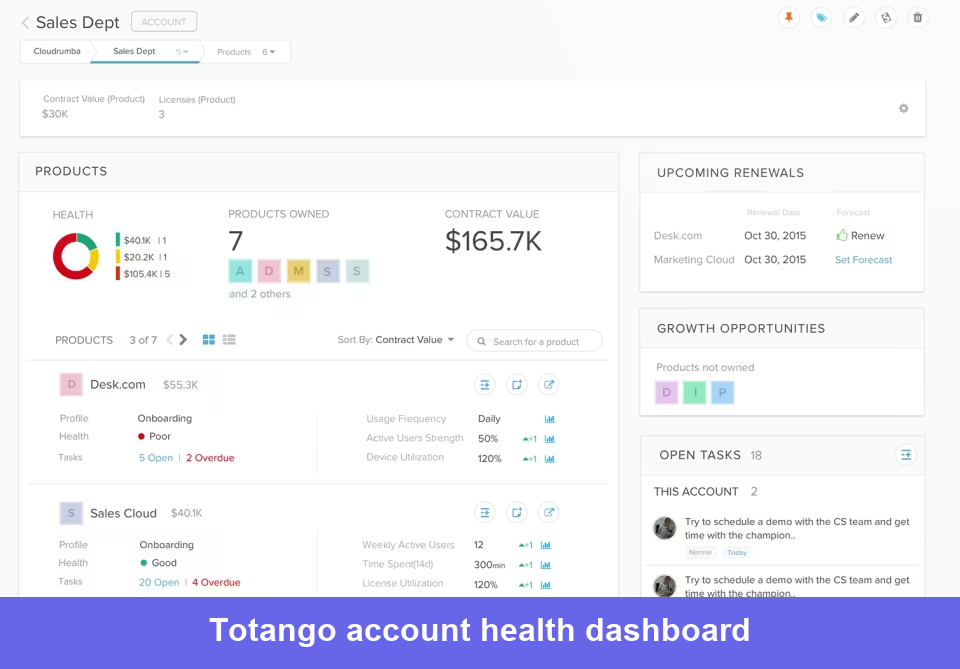
Totango’s main selling point is speed of implementation. The modular SuccessBLOCs approach means you don’t have to deploy a full CS program upfront. You activate the modules relevant to your team now and add more as your CS motion matures.
Totango’s best features
- SuccessBLOCs: Pre-built, modular program templates for onboarding, adoption, renewal, and expansion. Teams activate the modules they need and leave the rest, which is what makes Totango’s implementation faster than most alternatives. Ranked #1 for enterprise implementation speed on G2.
- Customer health scoring: Real-time, multi-dimensional scoring pulling from product usage, support data, billing, and engagement. Because it updates dynamically rather than in batches, health indicators reflect the current state of an account rather than last week’s snapshot.
- Salesforce integration: Bidirectional, real-time sync that updates automatically when changes are made in either system. Consistently the most praised feature in recent reviews.
- SuccessPlays: Automated playbook workflows triggered by account changes and lifecycle events, handling task creation, email sends, field updates, and segment routing.
- Unison AI: Post-merger AI churn intelligence layer. Standard models deliver health scores within one to two days; custom models provide analysis tailored to your specific product and customer profile.
Totango pros and cons
Pros:
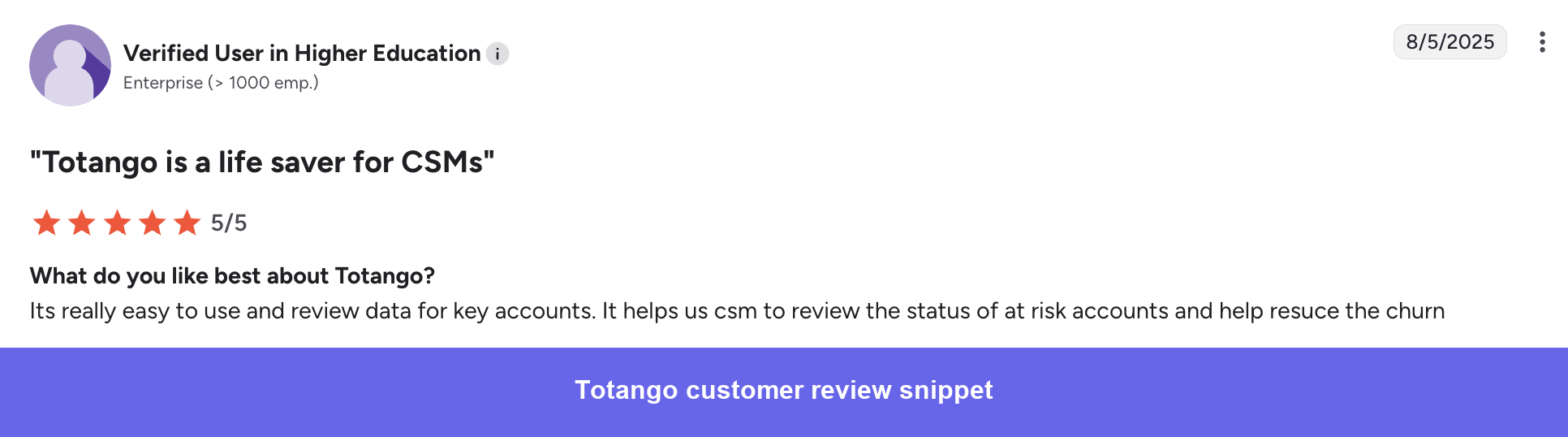
- ✅ Ease of use: The interface is genuinely simpler than Gainsight or ChurnZero. CSMs can get up to speed on daily workflows without extended training, which reduces the adoption friction that kills implementations at other platforms.
- ✅ Modular implementation: SuccessBLOCs let teams go live faster by activating only the modules they need, rather than configuring everything before getting any value.
- ✅ Task and reminder management: Structured task tracking with automated reminders reduces the reliance on CSMs to remember what needs to happen for each account.
Cons:
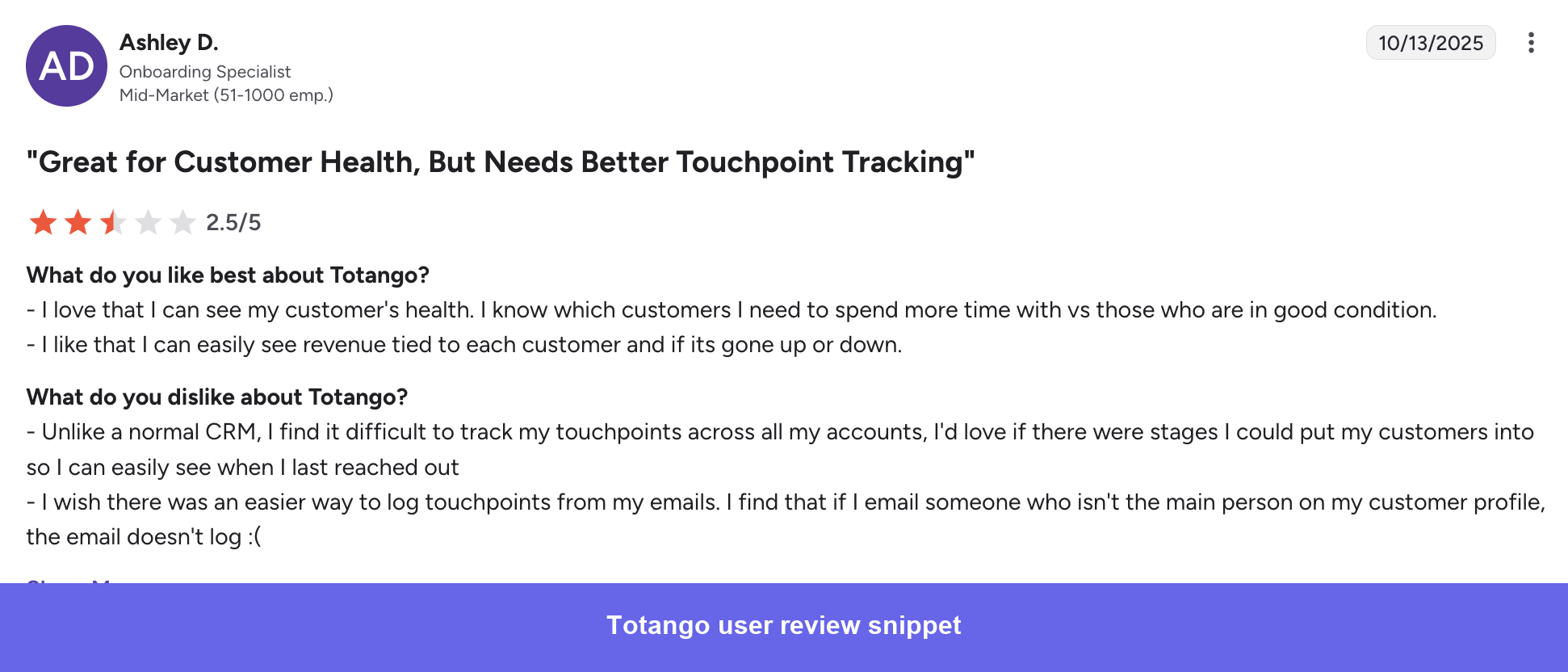
- ❌ Support quality has declined post-merger: Slow response times and bugs that take weeks to resolve appear consistently in recent reviews. Not an isolated complaint.
- ❌ Navigation inconsistencies: Fields that appear in some filters don’t appear in the main account view, forcing manual searching and updates across multiple places in the platform.
- ❌ Not built for complex business models: If your product has multiple SKUs or your customer structure doesn’t fit a standard SaaS model, Totango’s data structure gets difficult to work with quickly.
- ❌ Performance issues at scale: The platform slows down when loading large datasets, which becomes a daily friction point for teams with large account volumes.
- ❌ AI capabilities still catching up: Advanced analysis and automation through AI are limited compared to ChurnZero and Gainsight, with reviewers noting gaps they expect to be filled eventually but haven’t been yet.
Totango pricing
Totango doesn’t publish pricing publicly. Based on Vendr’s procurement data, recent 12-month contracts have closed between $71K and $114K, depending on the tier and number of add-ons.
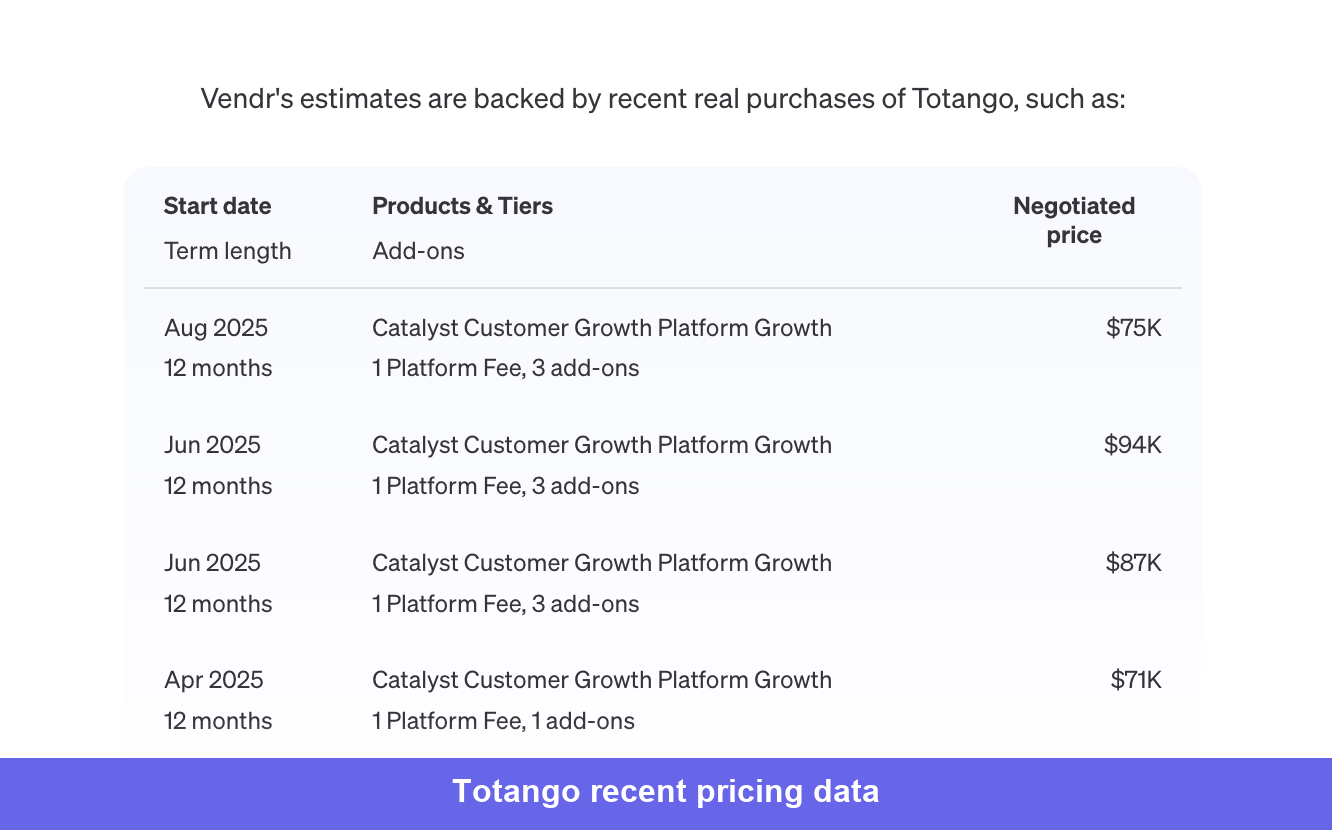
The growth tier with a platform fee and a small number of add-ons typically lands in the $71K–$94K range. The AI intelligence tier with custom models and more extensive add-ons pushes toward $114K.
4. Vitally: Best for AI-powered customer success
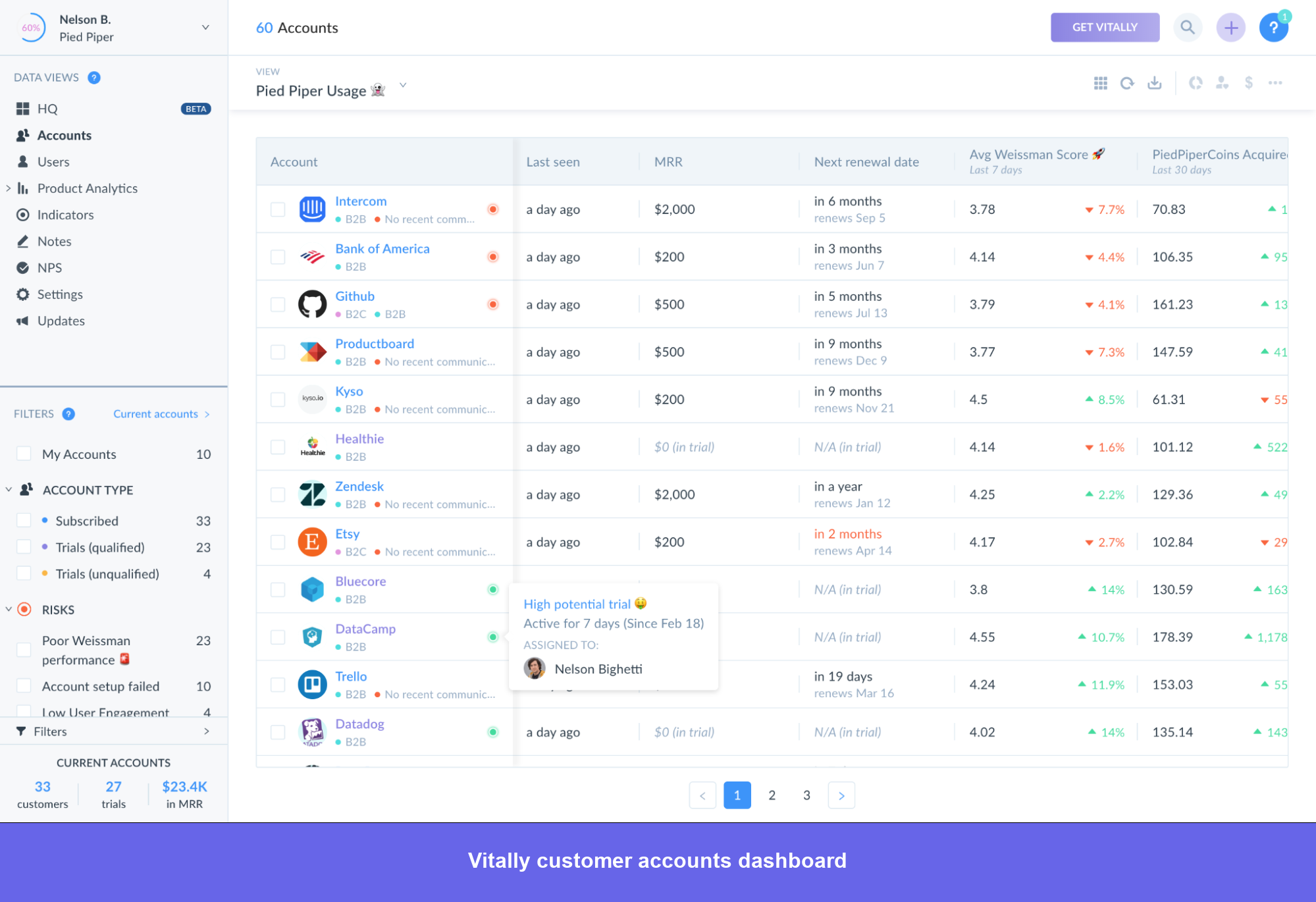
Vitally is the platform mid-market CS teams land on when they want modern tooling without a multi-month implementation project. It combines project management and CS workflows in one place. Vitally’s Hubs, Docs, and task management are strong enough that CS teams no longer have to patch things together with Notion and shared Google Docs.
However, the analytics layer is less robust than Gainsight or ChurnZero for teams that need complex data calculations or want to pull in highly granular signals from multiple sources.
Vitally’s best features
- Vitally AI Copilot: Surfaces risks and key insights across the full customer account from unstructured data. The Meeting Recorder automatically joins, transcribes, and summarizes Zoom calls, and generates post-meeting follow-ups. Reviewers consistently flag this as the single biggest time-saver on the platform.
- Customizable dashboards and views: Highly flexible filtering and view creation that lets each CSM organize their book of business the way they actually think about it, rather than conforming to a fixed layout. Supports custom Hubs for different account segments or workflow types.
- Playbooks and email analytics: Automated playbook workflows with analytics on individual email templates, so teams can see what messaging is actually driving engagement rather than guessing.
- Blueprints: Pre-built process and workflow templates that compress initial setup time significantly.
- Health scores: Dynamic scoring with account-level history tracking so you can see how health has trended over time, not just the current state.
- Hubs and Collaborative Docs: Customer-facing portals for mutual success plans and real-time collaborative workspaces that replace the ad hoc Google Docs setups most CS teams are currently using.
Vitally pros and cons
Pros:
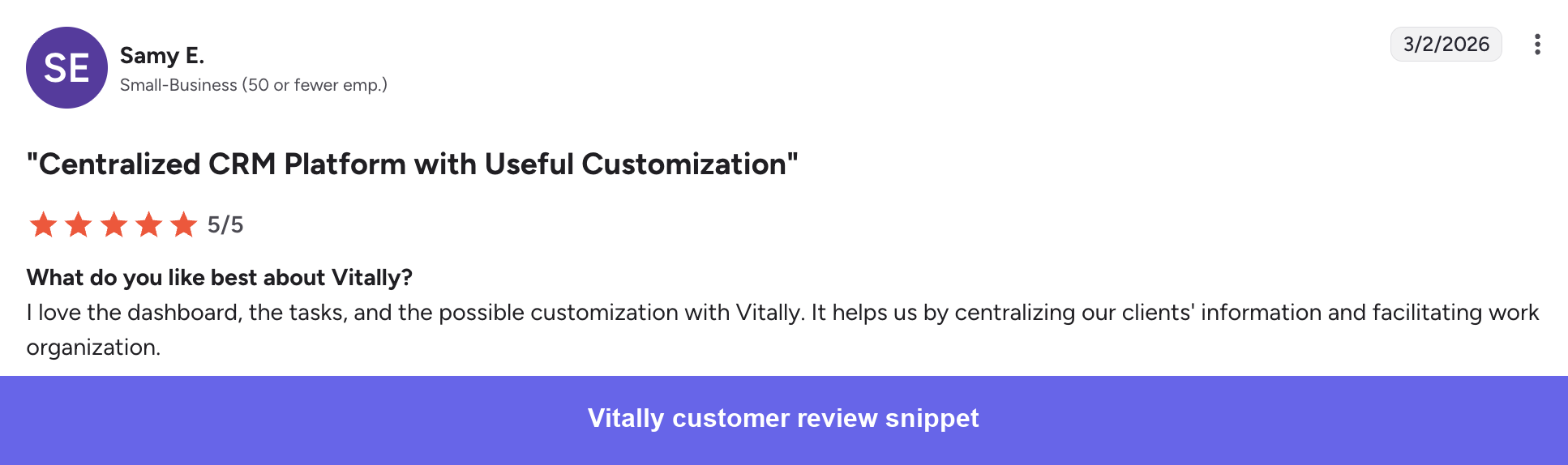
- ✅ Fast setup with low adoption friction: Blueprints and an intuitive initial setup mean teams go from onboarding to productive use in days, not months. CSMs don’t need training to get started with daily workflows.
- ✅ Customization depth: Nearly every view, dashboard, hub, and workflow can be configured to match how your team actually works, not how the platform assumes you work.
- ✅ Responsive customer support: Fast response times and hands-on support are called out consistently across recent reviews as a genuine differentiator.
Cons:
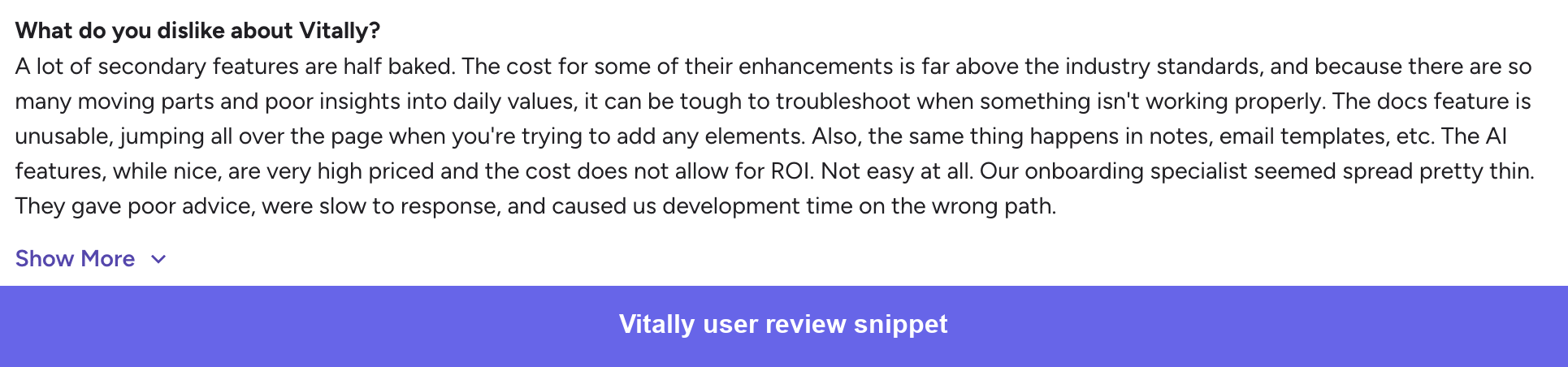
- ❌ Analytics depth has limits: Not as robust as competing tools for complex data calculations or advanced engagement tracking.
- ❌ Performance with large datasets: The platform can feel slow and clunky when loading large volumes of account data, which becomes a daily friction point as your account list grows.
- ❌ Health score transparency: When an account moves to red, it isn’t always immediately clear which signal triggered the change, making it harder for CSMs to know what to act on.
- ❌ Navigation learning curve: The interface packs a lot of information on screen and isn’t immediately intuitive for new users despite the ease of initial setup.
- ❌ Access controls are blunt: Limited granularity in permission settings means giving someone partial access is harder than it should be.
Vitally pricing
Vitally offers three tiers:
- Tech-Touch: One-to-many, PLG teams.
- Hybrid-Touch: Balanced automation and personalization.
- High-Touch: Full platform including Collaborative Docs, Unified Inbox, advanced analytics, and priority support.
Pricing is custom and quote-based across all three.
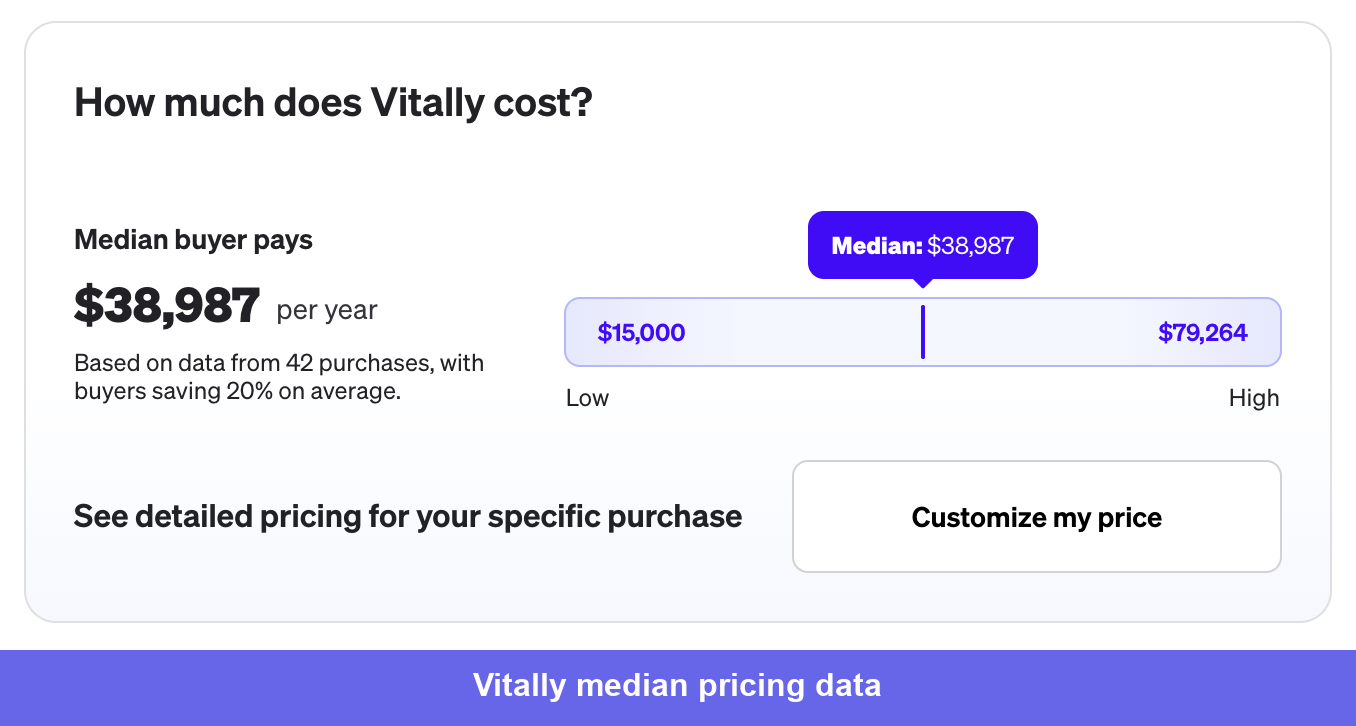
Based on Vendr data across 42 purchases, the median annual contract lands at $38,987, with a range of $15,000–$79,264. Buyers save 20% on average through negotiation, which means the list price has room to move.
5. Gong: Best for any business seeking perfect call records and notes
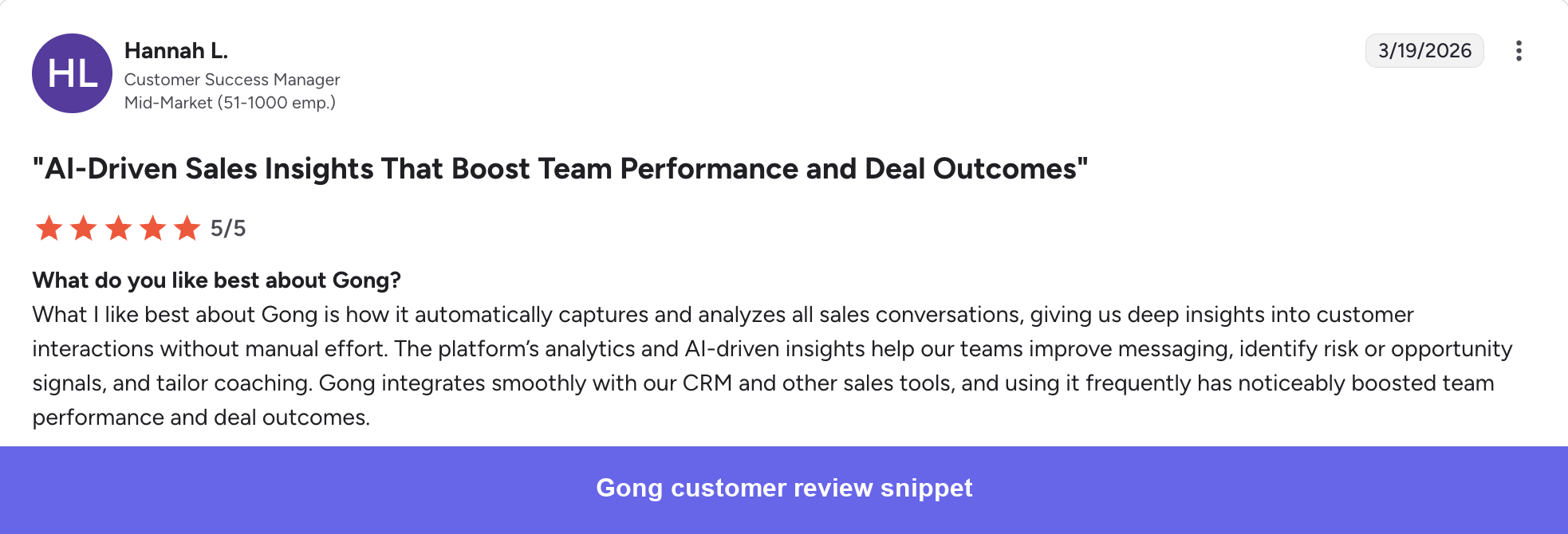
Gong is a conversation intelligence tool that records, transcribes, and analyzes every customer interaction across calls, emails, and meetings.
It proves its value in a CS stack by making renewal prep faster, keeping sales-to-CS handoffs consistent, and capturing risk signals from customer conversations instead of losing them in notes. That said, these benefits come second to its sales-first design, which users often point out.
Gong’s best features
- Call recording and transcription: Automatically records and transcribes calls across Zoom, Google Meet, Teams, phone, and email. The searchable transcript library means any conversation, commitment, or competitor mention from the past year can be found in seconds without rewatching recordings.
- AI Ask Anything: Natural language search across all customer conversations. CSMs can ask which accounts mentioned pricing concerns in the last 30 days and get a filtered list with relevant call clips rather than manually reviewing hours of recordings.
- Smart Trackers: Identify complex patterns across conversations, including competitive mentions, at-risk language, and expansion signals, without relying on keyword matching alone.
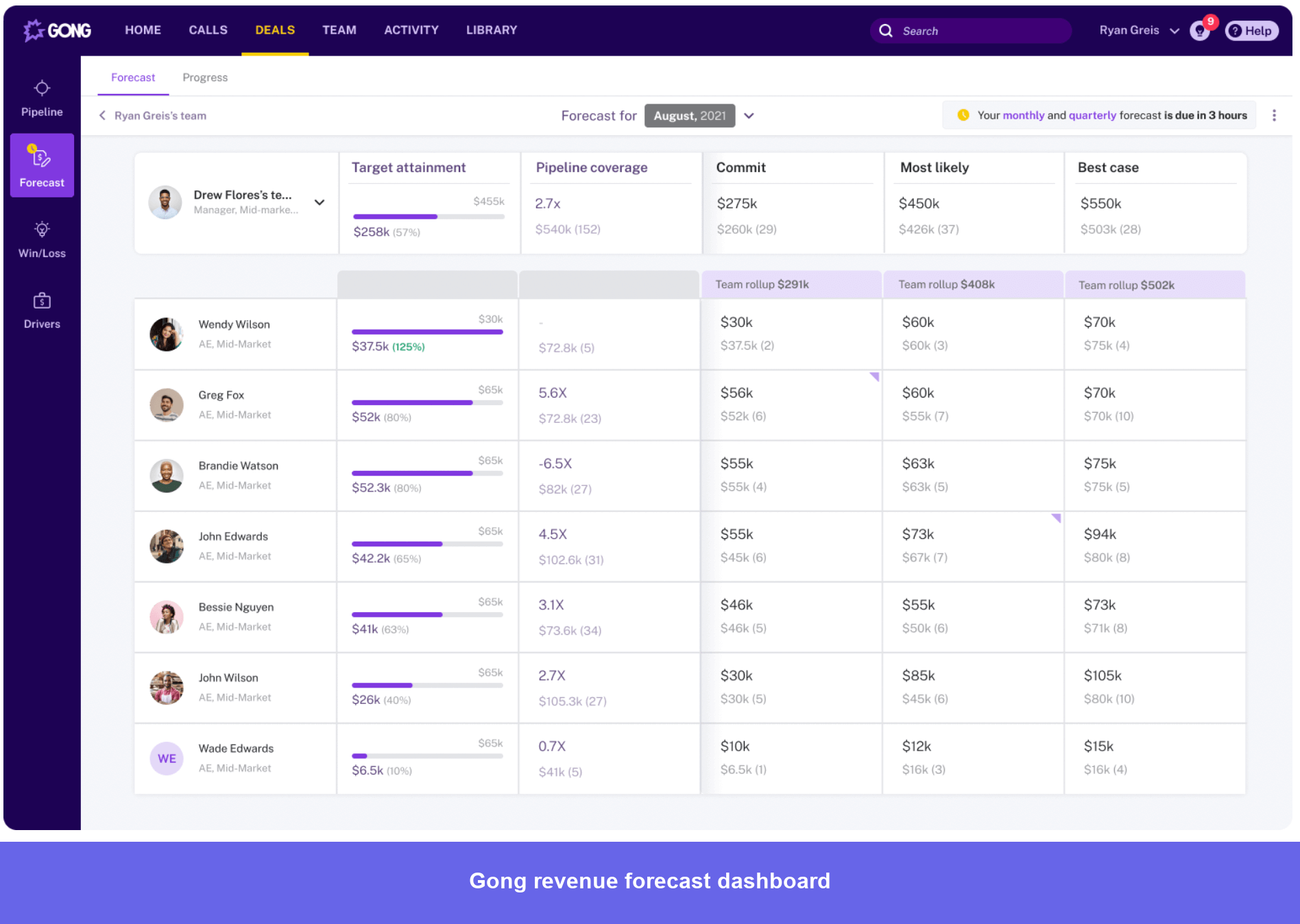
- Activity timeline and deal visibility: A visual map of all touchpoints per account that shows at a glance whether engagement is increasing or cooling off, without attending every call.
- Coaching and call libraries: Call snippets can be shared internally for deal collaboration or team learning. New hires can listen to top performers handle specific scenarios rather than relying on role-play or written guides.
- Account summaries: AI-generated summaries across all interactions with an account over a defined time period, useful for QBR prep and account handoffs without starting from scratch.
Gong pros and cons
Pros:
- ✅ Team coaching at scale: Call libraries and snippet sharing make it practical to coach CSMs using real examples from actual customer conversations rather than simulated scenarios.
- ✅ Pipeline and account visibility for managers: Leaders get a full picture of account engagement across the team without needing to be on every call.
- ✅ Strong CRM integration: Smooth sync with Salesforce and other sales tools means conversation data connects directly to account and deal records without manual logging.

Gong pricing
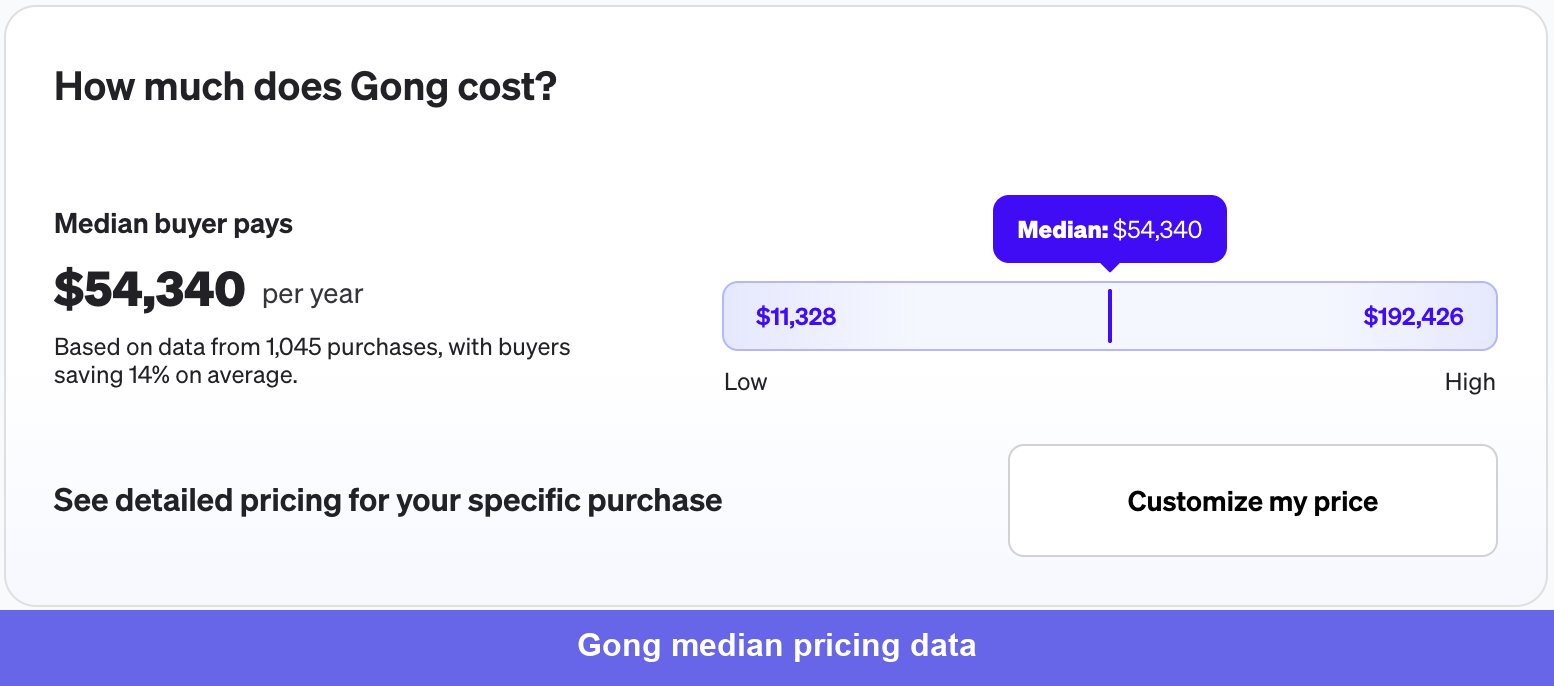
Based on Vendr’s data, the median annual contract is $54,340, with a range of $11,328–$192,426.
Pricing is driven by seat count, which add-ons you include (Engage, Forecast), and contract length. With that, the per-user costs run $1,300–$1,600/year on a standard one-year contract, plus a platform fee of $5,000–$50,000/year depending on org size. Multi-year contracts unlock 15–30% savings, and volume discounts kick in meaningfully at 100+ seats.
The number worth planning for that doesn’t show up in the initial quote is onboarding, which runs $7,500–$30,000 as a one-time cost depending on the size and complexity of your setup.
6. Custify: Best for small businesses in the SaaS market
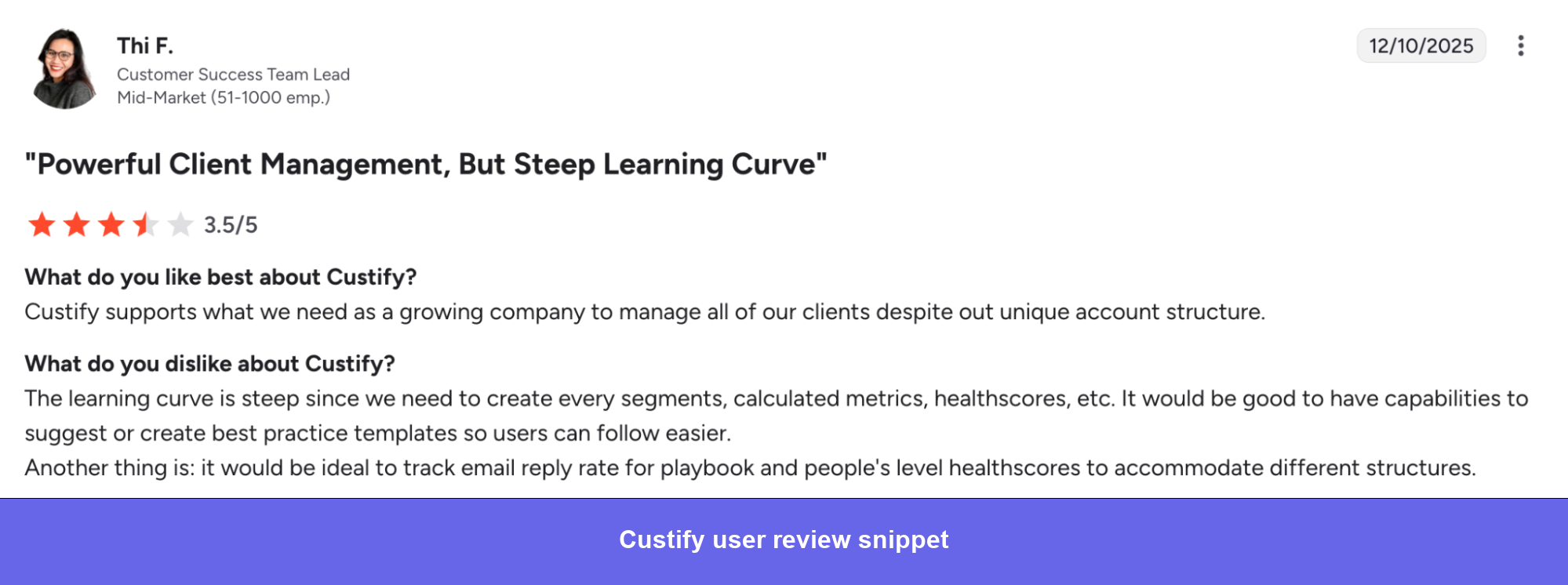
Custify is a CS platform for small-to-mid-market SaaS teams that pulls product usage, support tickets, CRM data, billing, and communication history into a single account view. The core problem it solves is reactive account management: instead of responding to whoever is loudest, CSMs start each day from a prioritized list based on actual account health signals.
It fills the gap between simple tools you quickly outgrow and complex enterprise platforms that need dedicated admins. You can fully customize health scoring and use playbook automation to consistently manage many accounts. The downside is that it requires clean data and clear goals upfront, otherwise teams often spend the first few months fixing their setup.
Custify is best for small-to-mid-market B2B SaaS teams of 2–10 CSMs who are ready to move off spreadsheets and disconnected tools but don’t need the complexity or cost of an enterprise platform.
Custify’s best features
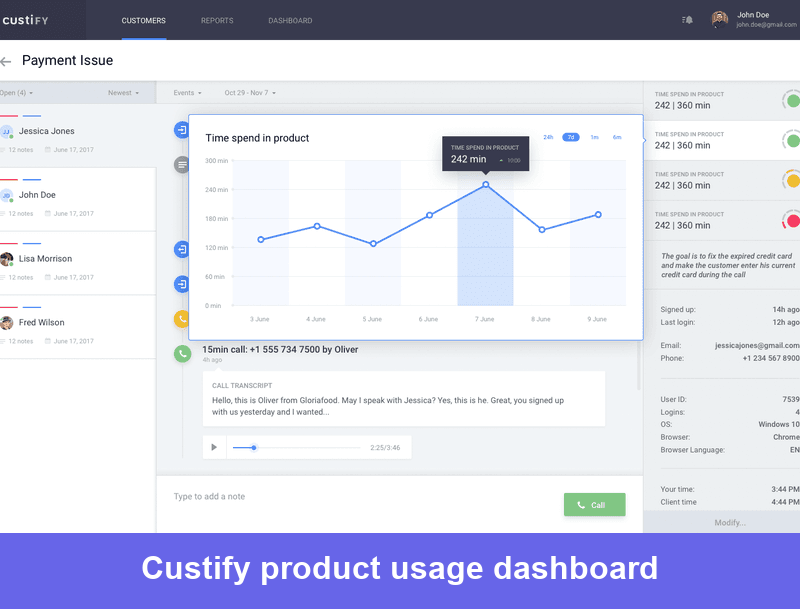
- Customer 360° view: Pulls data from your CRM, support tool, billing system, and product analytics into a single account dashboard. Covers health scores, product usage, support activity, renewal exposure, and team interaction history without switching between tools.
- Customizable health scoring: A configurable model that you align to the specific signals that drive retention in your business. Supports calculated metrics and historical trend tracking so you can see how an account has been moving, not just where it sits today.
- Playbooks: Visual automation builder for low-touch workflows, including automated communication triggers, task creation, and upsell opportunity alerts. Reviewers specifically call out upsell triggers as a standout use case.
- Integrations: Connects with Gmail, Help Scout, Slack, Stripe, Mixpanel, Segment, Chargebee, Zendesk, Pipedrive, and HubSpot, plus API access for custom backend integrations.
- CustifyAI: AI-generated account summaries, follow-up tasks, and conversation summaries. All AI features are opt-in.
- Custify Sidekick: Chrome extension for logging notes and updating account data directly from the browser without switching into the platform.
Custify pros and cons
Pros:
- ✅ Consolidates account context in one view: Replaces the daily habit of opening five tools before a customer call. Health, usage, support history, and renewal data are all visible from a single dashboard.
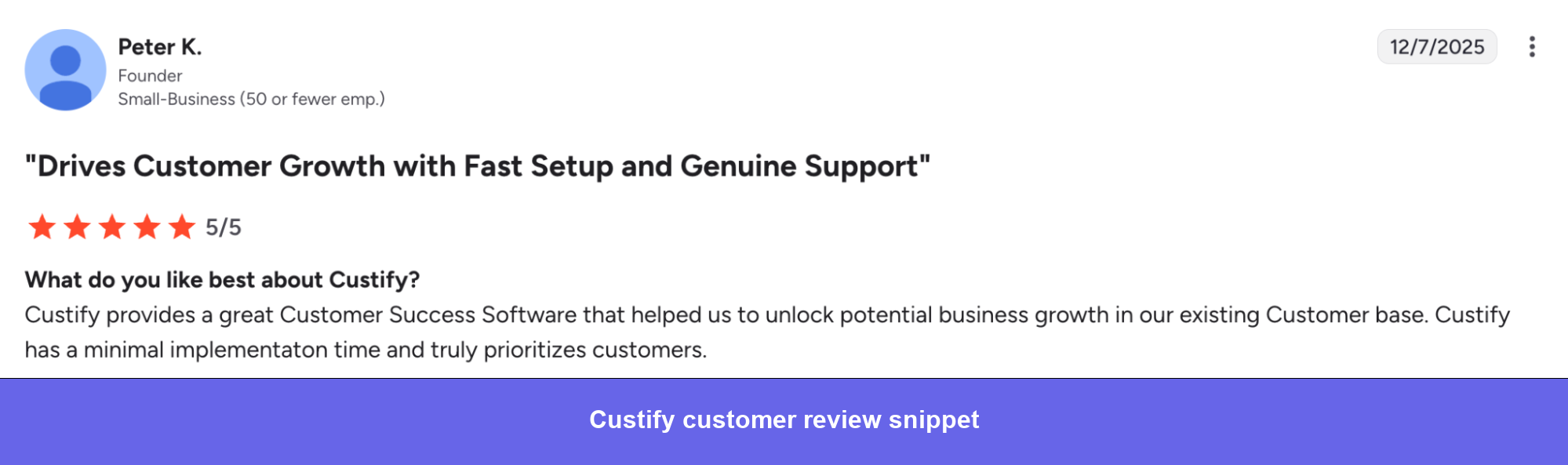
- ✅ Changes how CSMs prioritize: Reviewers consistently describe moving from responding to whoever is loudest to proactively prioritizing based on health signals. That shift in working pattern is the real value.
- ✅ Onboarding and implementation support: The vendor’s onboarding process is hands-on enough that teams with non-standard CS processes can get set up correctly rather than forcing their workflow into a default template.
- ✅ Fast and responsive support team: Consistently flagged in reviews as a genuine differentiator, particularly when troubleshooting configuration or integration questions.
Cons:
- ❌ Setup is heavier than it looks: Implementation requires clean data, planned health score logic, and developer time for integrations. Teams that underestimate this spend weeks reworking their configuration.
- ❌ Reporting depth has limits: Built-in reporting covers operational views well, but falls short for management-level analysis. Several teams end up supplementing with external tools or spreadsheets for deeper reporting.
- ❌ AI capabilities lag behind larger platforms: AI-driven insights are still evolving compared to ChurnZero and Gainsight. Adequate for summaries and follow-ups, but not yet a differentiator.
- ❌ Pricing: Positioned at a higher price point than some alternatives in the small-business segment, which comes up consistently in reviews from smaller teams evaluating cost against value.
Custify pricing
Custify’s pricing is not publicly available, nor could I find a range from third-party sources.
However, based on G2 reviews, it seems that the pricing is quite affordable or at least not very significant.
7. ClientSuccess: Best customer success software for startups
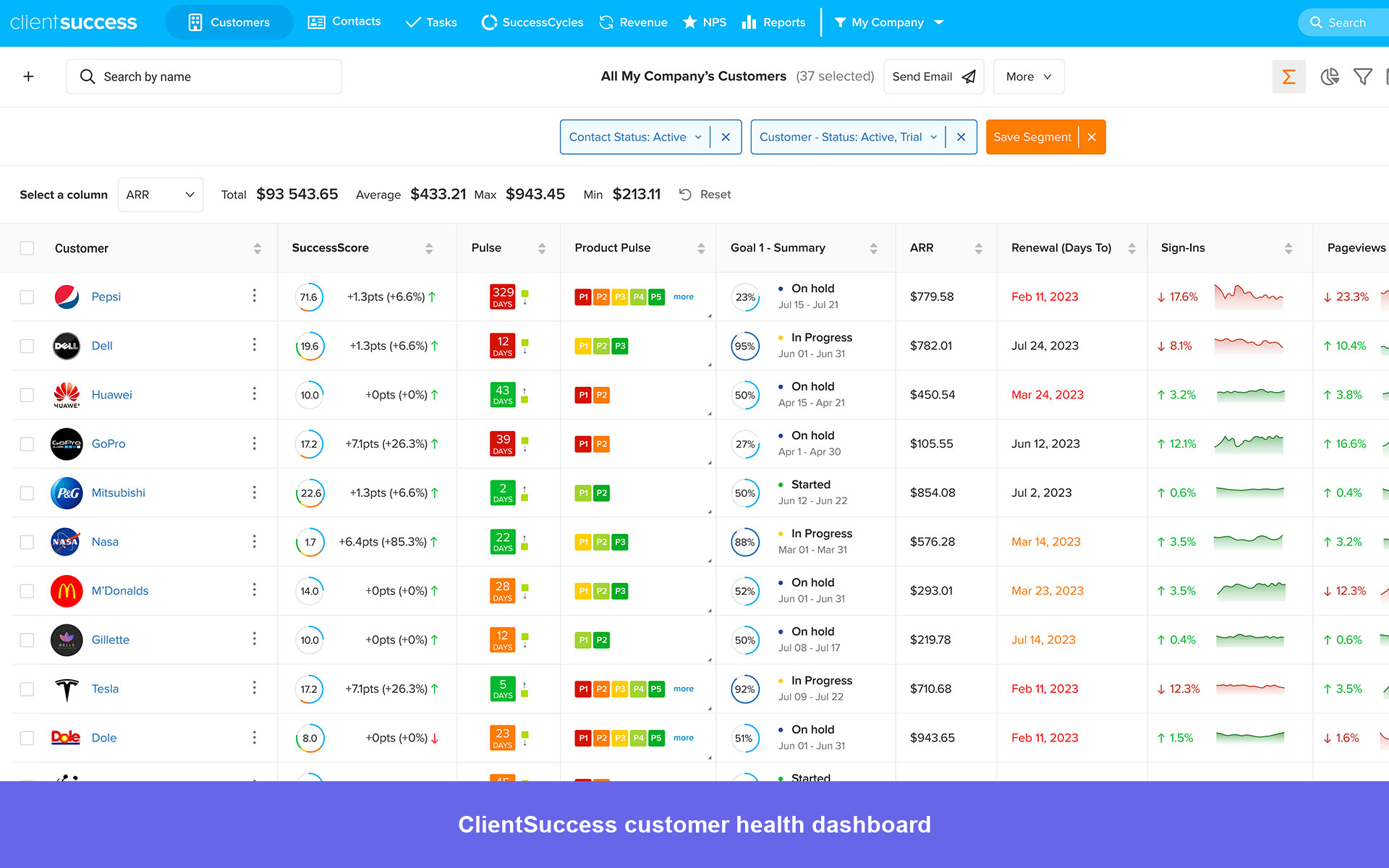
ClientSuccess is designed for CS teams that want to get up and running quickly without a dedicated ops hire or long implementation. It’s easy for CSMs to adopt from day one, organizing work around health scores, success cycles, and synced email activity instead of requiring heavy setup. It stands out by making account context easy to access through a client 360 view, custom fields, and email integrations, so teams have full visibility into customer history.
However, it works best for teams that already understand their customers and processes, while those still figuring things out may spend more time refining their setup before seeing value.
ClientSuccess best features
- Client 360 Dashboard: Single view of contacts, support tickets, ARR/MRR, health score, and product usage across all customer accounts.
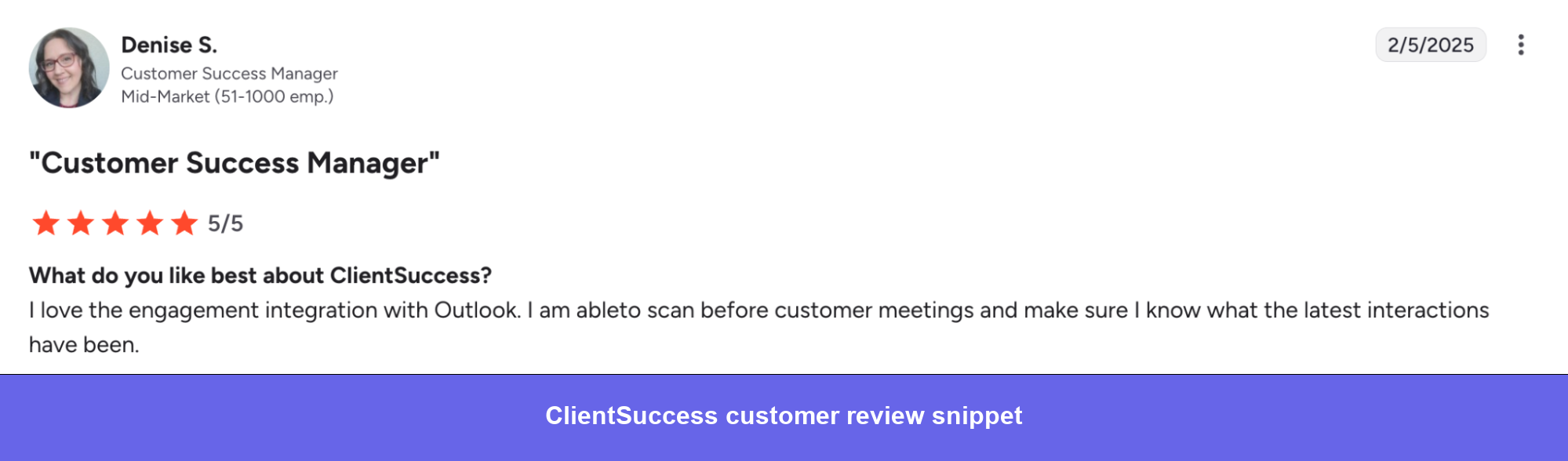
- Email sync (Outlook and Gmail): Customer correspondence is automatically captured regardless of which team member sent it, giving every CSM full visibility into account communication history before meetings or handoffs.
- Custom fields and reporting: Flexible custom field creation with the ability to report directly off those fields. Captures the qualitative signals, gut feelings, relationship health, and stakeholder risk that usage data alone doesn’t surface.
- SuccessScores: Automated health scoring incorporating product usage, adoption rate, feedback, engagement, and sentiment. Scores update automatically rather than requiring manual input after each interaction.
- SuccessCycles: Structured playbook workflows for onboarding, renewals, and at-risk accounts that define what needs to happen at each stage and keep the team aligned on process without relying on individual memory.
- Customer onboarding portals: Standardized onboarding workflows with task-level reporting and customer-facing portals where clients track their own onboarding progress.
- Product feedback: Feature request management with AI-enhanced insights for product roadmap decisions, integrated with Slack and Jira so CS-sourced feedback reaches product teams without manual handoffs.
ClientSuccess Pros and Cons
Pros:
- ✅ Low adoption friction: CSMs pick it up quickly without formal training. The interface is organized around daily CS workflows rather than requiring users to adapt their process to the platform.
- ✅ Custom field flexibility: Teams can track and report on the metrics that actually matter to their business rather than being constrained by the platform’s default data model.
- ✅ Responsive product and support team: Reviewers consistently flag the ClientSuccess team as genuinely collaborative, open to feedback, and actively incorporating it into the product roadmap.
- ✅ Fast time to value: Configuration is straightforward enough that teams can get running and useful within days rather than weeks.
Cons:
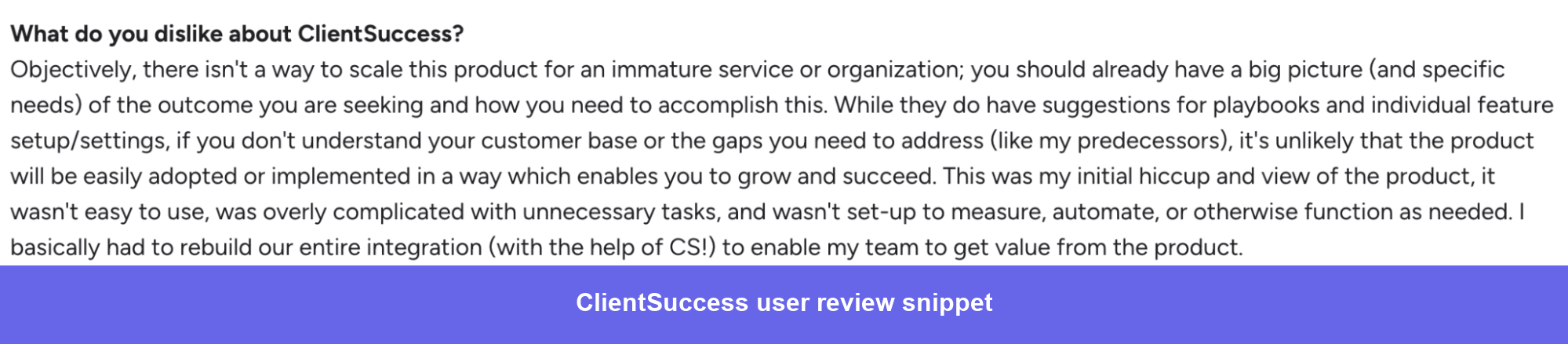
- ❌ Requires CS maturity upfront: Teams that don’t already have a clear understanding of their customer base and success processes will spend time rebuilding their integration rather than using the platform productively.
- ❌ Reporting has a ceiling: Advanced analytics and custom reporting require work outside the platform for teams that need management-level views beyond operational dashboards.
- ❌ SuccessCycles are linear: Each cycle must be fully completed before the next begins, which creates friction for accounts that don’t move through a clean sequential process.
- ❌ Active limits on certain features: Caps on things like the number of active goals per client come up as friction points for teams managing complex accounts.
ClientSuccess pricing
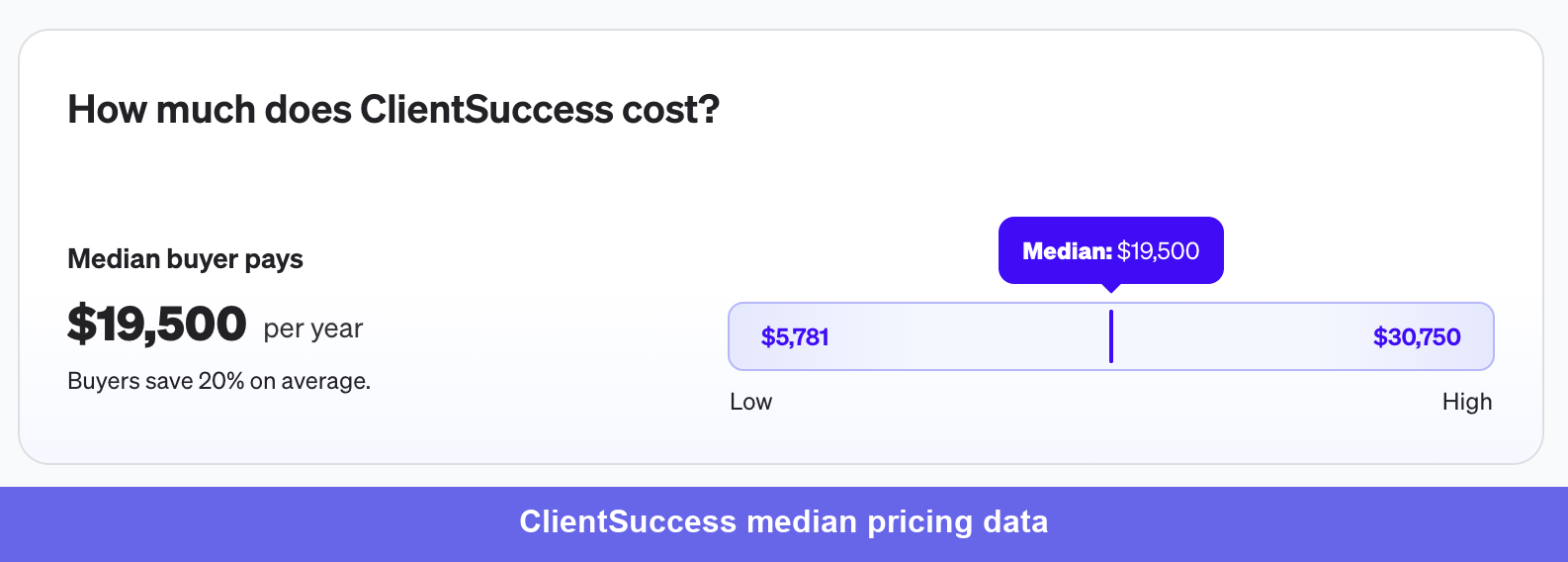
Based on Vendr data, the median annual ClientSuccess contract is $19,500, with a range of $5,781–$30,750. Buyers save an average of 20% through negotiation.
Pricing is based on two dimensions: per user seat and per customer account managed in the platform. Implementation fees add $5,000–$20,000 to first-year costs, depending on complexity and data migration needs.
As a rough guide by team size:
- Small teams (3–7 users, 100–300 accounts): $20,000 – $45,000/year
- Mid-market (8–15 users, 300–800 accounts): $45,000 – $90,000/year
- Enterprise (15+ users, 800+ accounts): $90,000 – $200,000+/year
ClientSuccess is best for mid-market B2B SaaS teams with an established CS process that need a clean, low-friction platform their CSMs will actually use without a change management campaign.
8. Userpilot: Best for SaaS companies looking to optimize user onboarding and improve product engagement
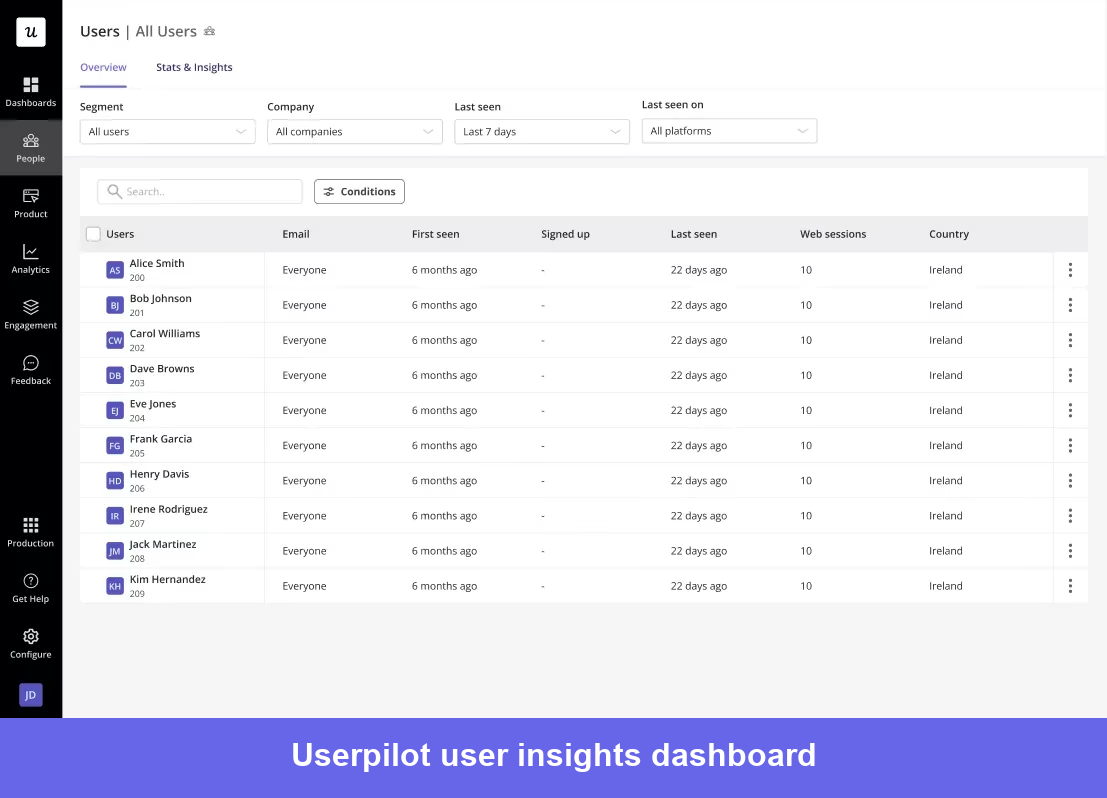
Userpilot is a product growth platform that helps CS and product teams create in-app experiences, track feature adoption, and collect user feedback without coding. Instead of relying on emails, teams can engage users directly inside the product with tooltips, checklists, and guided flows at the right moment. This removes the need to wait on engineering, allowing onboarding updates to be made much faster. Its built-in analytics also cover funnels, retention, and user behavior, giving teams a clear view of product usage without needing a separate tool for basic insights.
Userpilot’s best features
- No-code builder: Chrome extension WYSIWYG editor builds tooltips, modals, slideouts, banners, hotspots, checklists, and driven actions directly on your product without involving engineering. All UI patterns are available on every plan.
- Product analytics: Autocapture records user interactions without code instrumentation. Dashboards cover funnels, retention cohorts, feature stickiness (DAU/WAU/MAU), and user paths. Feature-level tracking feeds directly into CS health scoring models.
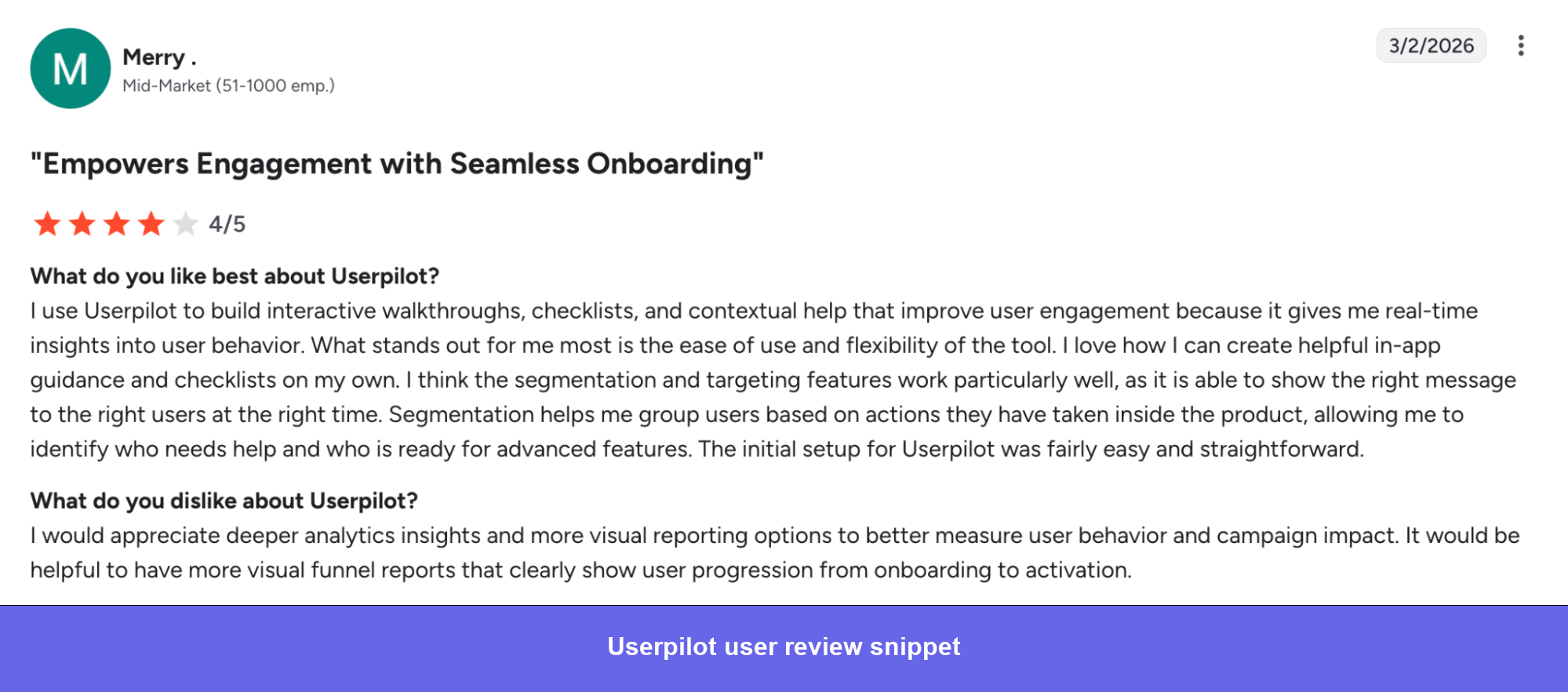
- User segmentation and targeting: Advanced customer segmentation by user attributes, behaviors, and custom events. The right message reaches the right user at the right moment in their lifecycle rather than going to everyone.
- In-app surveys: NPS, CSAT, CES, PMF, and custom surveys with 30+ pre-built templates that can be triggered by specific user behaviors, so feedback is collected in context rather than through a generic email blast.
- Session replay: GDPR-compliant replay with event-based filtering. Useful for identifying exactly where users drop off in onboarding and why, without guessing from aggregate data alone.
- Resource center: Branded in-app self-service hub with support flows, help docs, video tutorials, and chatbot integrations. Search term analytics show what users are looking for and not finding, which feeds directly into CS and product decisions.
Userpilot pros and cons
Pros:
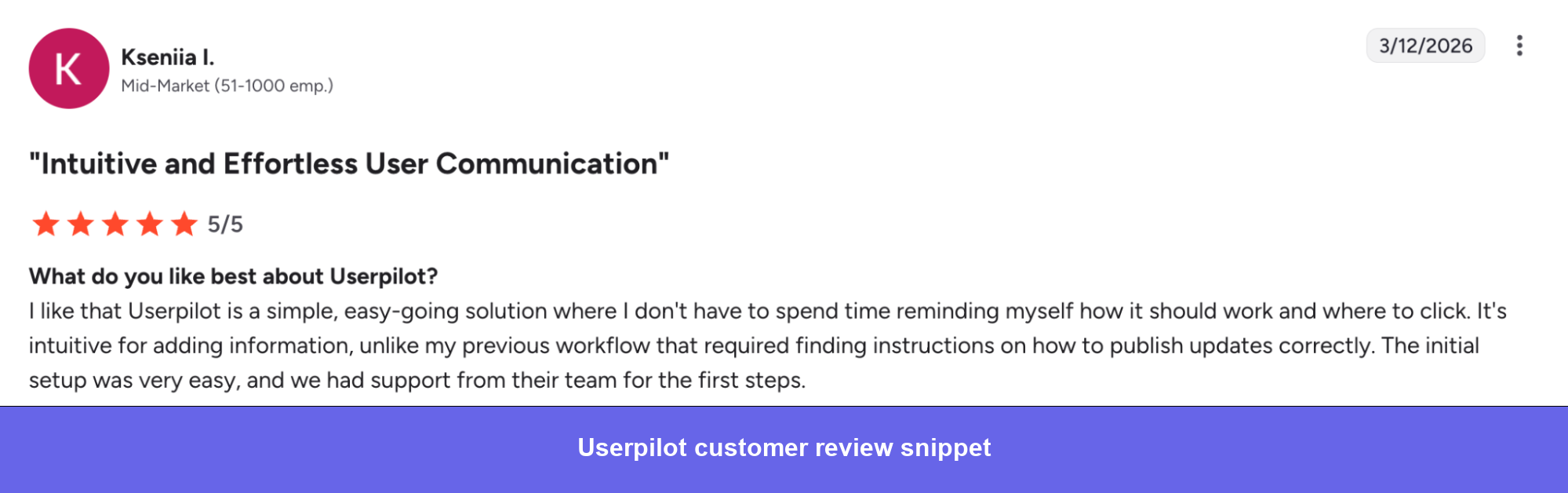
- ✅ Removes engineering dependency: CS and product teams build, update, and launch in-app experiences without filing a development ticket. Reviewers consistently describe this as the primary reason they chose it over alternatives.
- ✅ Fast and responsive support: Flagged consistently across recent reviews as genuinely helpful and technically knowledgeable rather than routing tickets through generic documentation.
- ✅ Ramps up progressively: Teams get value quickly from basic flows and analytics, then unlock more depth as they mature their usage. The learning curve is front-loaded rather than ongoing.
Cons:
- ❌ Analytics depth has limits: Reporting customization and data export are recurring friction points. Exporting survey data in particular requires a cumbersome multi-step process that several reviewers flag explicitly. Heatmaps are not yet available.
- ❌ Advanced customization requires higher plans: Some styling options and complex flow configurations are restricted to Growth and Enterprise tiers, which catches teams on Starter plans off guard.
- ❌ Pricing for early-stage teams: At $299/month minimum, it’s positioned above lighter onboarding tools, which makes it a harder call for very early-stage companies evaluating cost against value.
Userpilot pricing
Userpilot publishes its pricing openly, which already puts it right at the top in terms of transparency.
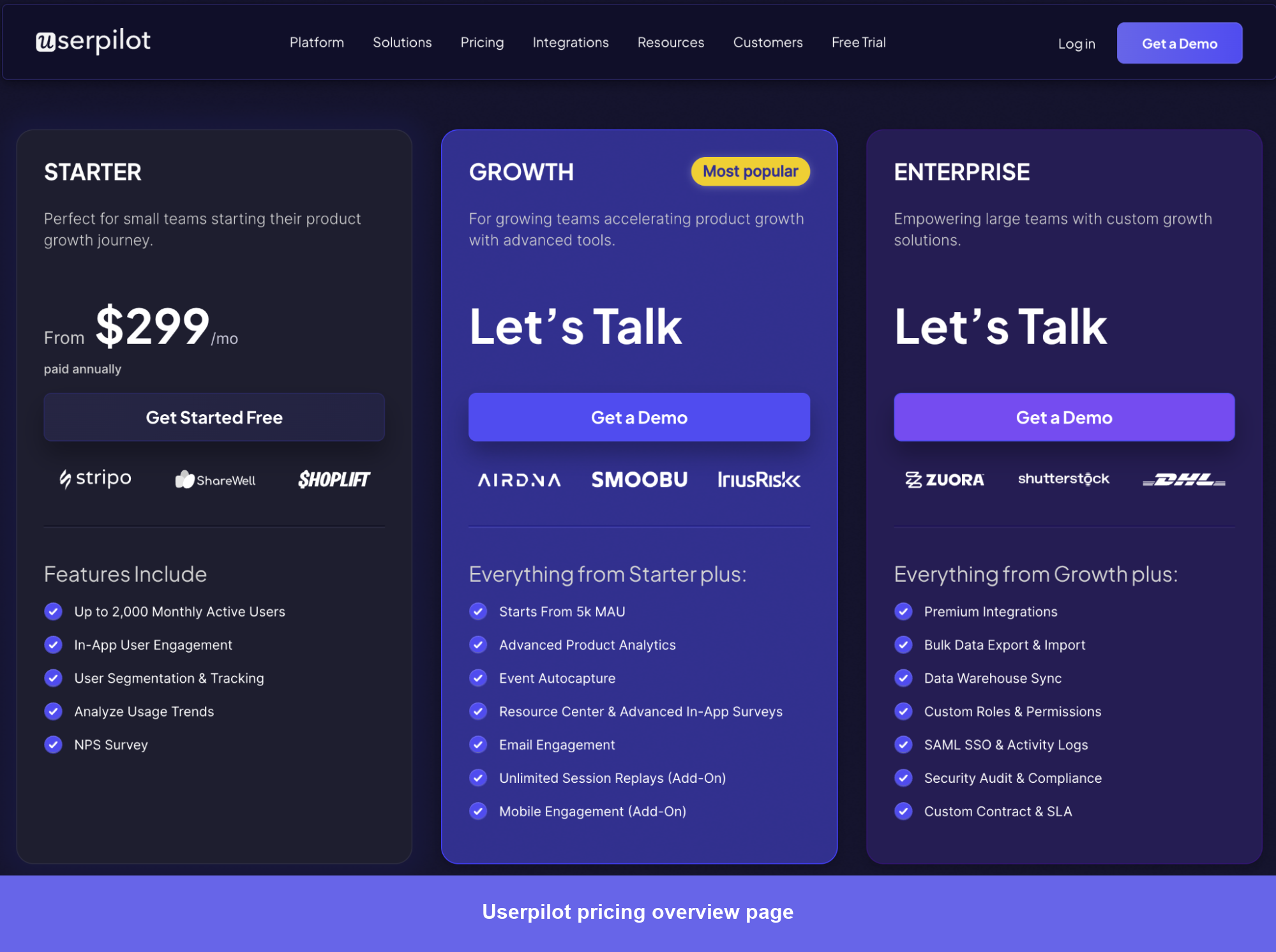
- Starter: Includes in-app engagement (flows, spotlights, banners, checklists), NPS surveys, basic segmentation (up to 10 segments), and 3 seats.
- Growth: Adds advanced analytics, autocapture, resource center, in-app surveys, A/B testing, email engagement, and 15 seats.
- Enterprise: Adds data warehouse sync, bulk export, SAML SSO, custom roles and permissions, dedicated CSM, and SLA.
Session replay, mobile engagement, HubSpot, Salesforce, and bulk data import/export are available as add-ons on Growth and Enterprise plans rather than included by default.
Userpilot is perfect for B2B SaaS products and CS teams whose primary growth lever is improving in-app adoption and onboarding, and who want to act on product data without routing every change through engineering.
Other essential tools in a CS tech stack
A CS platform manages account workflows, but it depends on clean data coming in from several other systems.
One thing worth flagging before diving in: don’t buy any of these tools before you’ve established baseline processes. Run on spreadsheets and basic tools for two to three months first. You’ll learn exactly what you need and avoid paying for features that don’t map to how your team actually works.
CRM: Salesforce and HubSpot
- Salesforce Service Cloud is the enterprise default with Customer 360, Einstein AI, omnichannel support, and advanced reporting.
- HubSpot Service Hub combines CRM, ticketing, and customer communication in one place.
Helpdesk/support: Zendesk and Intercom
- Zendesk handles omnichannel ticketing, AI agents, a help center, and analytics.
- Intercom is the stronger fit for PLG companies. Business Messenger, Product Tours, Fin AI agent ($0.99/resolution), and workflow automation let CS teams engage customers proactively inside the product rather than waiting for inbound support requests.
Product analytics: Mixpanel and Amplitude
- Mixpanel is event-based analytics with funnel analysis, cohort analysis, segmentation, and Group Analytics for B2B account-level views.
- Amplitude goes deeper on behavioral analysis with journey paths, feature analytics, and built-in A/B testing.
Communication: Loom
- Loom (Atlassian) is async video messaging with screen recordings, viewer analytics, AI-generated summaries, and team video libraries.
Userpilot strives to provide accurate information to help businesses determine the best solution for their particular needs. Due to the dynamic nature of the industry, the features offered by Userpilot and others often change over time. The statements made in this article are accurate to the best of Userpilot’s knowledge as of its publication/most recent update on March 24th, 2026.
FAQ
What is the difference between a CSM, CRM, and CMS?
A CSM (Customer Success Manager) is a person responsible for managing customer relationships, driving product adoption, and reducing churn. A CRM (Customer Relationship Management) is software used to manage sales pipelines and contact data, while a CMS (Content Management System) is used to create and manage website content. In practice, a CSM typically works within a customer success platform that integrates with a CRM and pulls in product usage data from analytics tools.
What's the difference between customer success software and customer support software?
Support software (Zendesk, Intercom) is reactive: it manages incoming tickets. Customer success software is proactive: it monitors health signals, tracks adoption, and triggers interventions before customers have a problem worth filing a ticket about. In mature CS teams, both coexist: support data feeds into health scores, and CS automation handles proactive outreach that prevents tickets in the first place.
How much does customer success software typically cost?
Costs vary by platform and company size. Custify starts at $899/month; ClientSuccess is priced comparably. Mid-market tools like ChurnZero and Vitally typically run $12K–$50K/year for a 10–15 person CS team. Enterprise platforms like Gainsight commonly land between $50K–$200K/year, including implementation. Userpilot starts at $299/month, priced per MAU rather than per CSM seat, which makes it a fundamentally different model for PLG teams.
What customer success tools work best for product-led growth companies?
PLG companies need CS tooling that integrates deeply with product analytics, since usage is the primary health signal. Userpilot is the strongest option for in-app engagement and adoption, letting CS teams act at the product layer without engineering involvement. ChurnZero and Vitally handle PLG well at the CS platform layer, with real-time product data integration and behavior-triggered automation.
Can customer success software reduce churn?
Yes, but the relationship is more nuanced than vendors suggest. 70% of B2B SaaS churn happens in the first 90 days, so tools that improve early onboarding and time-to-first-value have the most direct impact. For established accounts, churn prevention comes from health score-based early warning, proactive playbooks, and renewal management, areas where Gainsight, ChurnZero, and Vitally all deliver meaningful results when configured well.
About the author