How to Avoid the Trap of Buying Too Many Tools: Key Product Growth Tools You Need
Product growth tools help teams speed up activation, adoption, retention, and expansion without heavy engineering resources. All these tools align customer experience, product analytics, and in-app guidance to drive measurable product-led growth. You can use them to observe user behavior and take immediate action within a single platform.
But companies run an average of 275 SaaS applications, many of which overlap in features. You’ll usually see product growth teams use separate tools for session replays, surveys, feedback portals, and analytics, even if they already have other required features built in.
To help simplify your stack and avoid overpaying for features, I evaluated over 30 platforms based on their core capabilities, user reviews, integration depth, and pricing models to compile this list of product growth tools.
Key features of modern product growth tools
Modern product growth tools rely on four core capabilities:
-
No-code in-app experience builders let non-engineers deploy onboarding flows, tooltips, and modals without opening a pull request, so PMs can run experiments on their own timeline.
-
Event-based analytics capture feature usage to calculate activation rates and time-to-value, the two metrics most directly tied to revenue in product-led companies.
-
Embedded feedback collection captures NPS, CSAT, and contextual comments inside the product, where users respond at the moment of maximum relevance rather than in a follow-up email three days later.
-
Behavioral segmentation and targeting help personalize experiences based on user actions. A trial user who has not hit their activation moment should not see the same tooltip as a power user exploring advanced features.
Product growth tools by key use case
Teams usually buy tools because another popular company or a competitor uses them. But you cannot buy growth. You need an established product-led growth strategy, and the right tools only make that strategy work faster.
If you want to build a modern PLG tech stack, you need to understand the five main categories of growth software. There are five categories of product growth tools.
-
Onboarding and engagement tools deploy in-app flows, tooltips, and checklists without engineering resources. You use them to close the gap between signup and first value. If users are not reaching their activation moment, this is where you start.
-
Product analytics tools capture what users do inside your product. They give you funnel drop-offs, retention curves, and feature adoption rates. Without this layer, every product decision is a guess.
-
Behavior analytics tools show you why users do what they do. Session replays, heatmaps, and dead click tracking give you the qualitative context that event data alone cannot provide. Numbers tell you where users drop off. Recordings tell you what caused it.
-
Customer feedback tools collect what users tell you directly. NPS, CSAT, and open-ended surveys capture the signal that behavioral data misses, specifically the intent and frustration behind an action.
-
Marketing and attribution tools connect acquisition channels to product outcomes. You need to know which campaigns bring in users who actually activate and stay, not just users who sign up.
Here’s a list of the product growth tools you actually need, and how to use them without wasting your money.
|
Tool |
Category |
Primary use case |
Best for |
Starting price |
G2 rating |
|---|---|---|---|---|---|
|
Product analytics |
Event-based behavioral analytics |
Startups and mid-market PLG teams with a technical resource to own event taxonomy |
Free (1M events) |
||
|
Heap |
Product analytics |
Autocapture with retroactive event definition |
Product and marketing teams who need historical data without dev instrumentation |
Free (10K sessions) |
|
|
Mobile analytics |
Qualitative and quantitative mobile insights |
Mobile app PMs and UX designers needing session replays and heatmaps |
Free (10K sessions) |
||
|
Hotjar |
Visual analytics + feedback |
Heatmaps, session recordings, and on-page surveys |
Startups and mid-market teams optimizing website UX without developer help |
Free tier available |
|
|
Onboarding + analytics + feedback |
All-in-one product growth |
Teams that need to consolidate multiple tools into one contract |
$299/mo |
||
|
Onboarding |
No-code in-app adoption |
SMBs needing fast, budget-friendly onboarding without a developer |
$174/mo |
||
|
Typeform |
Customer feedback |
High-completion conversational surveys |
Product and marketing teams needing qualitative research and lead-gen forms |
$28/mo |
|
|
Privacy-first website and campaign attribution |
Privacy-conscious marketers needing cookieless attribution without enterprise complexity |
$71/mo |
|||
|
Marketing analytics |
Traffic analysis and channel attribution |
Digital marketers and sales teams tied into the Google Ads ecosystem |
Free |
||
|
LogRocket |
Customer support + debugging |
Session replay with frontend performance diagnostics |
Engineering and support teams debugging complex frontend errors |
Free (1K sessions) |
|
|
Customer support + analytics |
Session replay linked to technical backend data |
Teams resolving user friction fast with combined visual and diagnostic context |
Custom (from ~$10K/yr) |
||
|
PostHog |
Product management |
Analytics, feature flags, and session replay in one stack |
Developer-centric teams wanting a self-serve, customizable analytics stack |
Free (1M events) |
Best product growth tools for user behavior analytics
You cannot improve a process you do not understand. Product analytics tools tell you exactly what users do inside your app. They replace your guesses with hard numbers.
1. Mixpanel: Advanced event analytics platform
Mixpanel is the analytics tool you can use when your team needs to understand exactly what users do inside a product without setting up a data warehouse first. You can build funnels, retention curves, and cohort comparisons in the UI and slice results by user properties without writing a SQL query.
Best for: Startups to mid-market product-led and B2C companies that need fast, interactive behavioral analytics and have at least one technical resource to own the event taxonomy.
Key features of Mixpanel:
-
Funnel and retention reports: Define a multi-step conversion funnel and see the exact step where users drop off, broken down by user property or cohort. Retention curves show which activation behaviors predict user return.
-
Real-time dashboards: Pin funnel reports, retention curves, and event breakdowns to a shared dashboard that updates as events come in. No export required for your weekly review.
-
Event tracking across web, mobile, and backend services: Send events from your web app, mobile SDK, or backend services into a single user timeline. A signup that starts on mobile and converts on desktop appears as one continuous journey rather than two disconnected sessions.
-
User-level flow inspection: Pull up any individual user’s complete event history in chronological order. When a customer reports a bug, you see exactly what they clicked, in what sequence, before it happened.
Pros of Mixpanel:
-
Non-technical team members can build reports, funnels, and flow charts independently, so they gather insights without waiting. (G2 review by Kelsey Rose W., Sr. Creative Operations Manager)
-
You can pull up exact step-by-step user flows to reproduce reported bugs accurately, which cuts debugging time significantly. (G2 review by Manu Y., a full stack developer)
-
Stable funnel views load quickly when switching between conversion rates and individual steps, so exploratory analysis feels effortless. (G2 review by Tobias S., Sr. BI Manager)
Cons of Mixpanel:
-
Data becomes messy quickly without a strict naming convention, and you cannot fix the event taxonomy retroactively once tracking is live. (G2 review by Sanket P.)
-
Pricing scales aggressively alongside event volume, so high-traffic products face expensive tradeoffs deciding which actions to track. (G2 review by Radhika R., Full Stack developer)
-
Advanced A/B testing and experimentation features require an Enterprise plan upgrade, creating a sudden paywall when your analytical needs mature. (G2 review by Tobias S., Sr. BI Manager)
Mixpanel bases its pricing on event volume instead of user seats, starting with a generous free plan that covers one million tracked actions per month.
Once you cross 1 million events, you pay approximately $0.28 per 1,000 additional events. That works out to roughly $5,250/year at 5M events and $10,080/year at 10M events.
Watch out for capability limits, because advanced analysis features like cross-platform tracking require upgrading to a custom Enterprise contract regardless of your budget.
2. Heap: Digital analytics platform with auto-capture
Heap analytics automatically records every click, swipe, and form submission on your website without requiring manual event tags. Your team can retroactively define events to analyze feature usage that existed before anyone thought to plan for it, which means no historical data gaps, even for features shipped long before tracking was set up.
Best for: Product and marketing teams wanting immediate historical data without relying on developers to instrument tracking code.
Key features:
-
Autocapture tracking: Records every click, form submission, and page view from installation without manual event tags. When a feature ships before tracking is planned, the interaction data already exists and can be defined retroactively.
-
Visual event definer: Point and click on any element in your live product to define it as a tracked event. PMs create and modify events without touching the codebase or waiting on an engineering sprint.
-
AI Copilot: Ask questions about your product data in plain language and get funnel breakdowns or cohort comparisons without building the report manually. Useful when you need a quick answer between sprints and don’t want to set up a full analysis.
-
Live events data feed: Monitor incoming events in real time immediately after a feature ships. Filter by event type to confirm tracking is firing correctly before your team commits to the data in a sprint review.
Pros of Heap:
-
Autocapture significantly reduces the need for manual instrumentation, which saves time for product and design teams. (G2 review by Mark K., Executive Director in Engineering)
-
You can check how new features perform right after release without requiring additional development configuration. (G2 review by Joanna J., Product Manager)
-
The fully customized events structure and live events data feed allow you to look at interactions in real time. (G2 review by an anonymous user)
Cons of Heap:
-
Heap collects a lot of data, and sifting through events to find the insights that actually matter becomes difficult at scale. (G2 review by Tori S., Senior Product Manager)
-
Setting up the visual analyzer tool requires extra steps that are tedious, and it is hard to detect when you have done them incorrectly. (G2 review by Tyler J., Senior Staff Software Engineer)
-
Web sessions and users often look very different than what appears in Google Analytics, which causes difficulties with determining the source of truth. (G2 review by an anonymous user)
Heap pricing:
Heap offers a free tier covering up to 10,000 monthly sessions so teams can evaluate the autocapture engine before buying.
Paid plans like the Growth tier scale based on your monthly tracked users rather than individual user seats. Vendr procurement data indicates annual contract values range from $13,000 to over $124,248. Teams pay only for the behavioral data they process.
3. UXCam: Qualitative and quantitative data analytics platform for mobile apps
UXCam is a product analytics platform built specifically for mobile applications. It gives product and design teams qualitative and quantitative behavioral data and shows exactly how users navigate their interfaces and where drop-offs happen.
Best for: Mobile app product managers, UX designers, and developers who need see exactly how users move through their app, where they get stuck, and what triggers crashes.
Key features:
-
Session replays: Records video-like playbacks of real user sessions from app open to backgrounding. You can observe exact navigation paths, see the context behind technical errors, and identify the specific UI elements where your users get stuck.
-
Interactive heatmaps: Aggregates user interaction data visually on individual screens. Helps you see exact tap and swipe locations, reveal ignored elements, and pinpoint areas of UI frustration like rage taps or unresponsive gestures.
-
Autocapture engine: Logs front-end interactions, UI freezes, and technical crashes automatically upon SDK installation. It captures gestures and screen visits by default, eliminating the need for your developers to manually tag every new button or page.
-
Funnel and journey analytics: Enables you to create customized funnels with custom events to measure conversion rates. You can track non-linear navigation paths to see exact friction points, analyze user drop-offs, and monitor feature adoption.
Pros of UXCam:
-
The simple integration process and qualitative data from user sessions make it easy to generate quick, insightful dashboards. (G2 review by Carlos T., UX/UI Lead)
-
Startup-friendly pricing and seamless onboarding let early-stage teams understand user behavior quickly without needing extensive resources. (G2 review by Akshay A., Founder / Product Manager)
-
Teams debugging random app crashes can trace the exact sequence of actions that triggered them, which cuts time-to-resolution significantly. (G2 review by Nagaraj M., Quality Analyst Engineer)
Cons of UXCam:
-
The dashboard interface presents a massive amount of data, which can feel overwhelming when you first start using the tool. (G2 review by Vijay S., Customer Success Manager)
-
Finding specific screens and events can be difficult due to tagging flaws, and the platform lacks a built-in solution to categorize and store research insights. (G2 review by Aline S., UX Researcher Lead)
UXCam offers a free plan covering basic features, including 12 months of session data retention and up to 10,000 tracked monthly sessions.
The Growth plan scales based on your app’s monthly tracked sessions and includes more advanced features like custom segmentation, A/B testing, and localization.
According to Vendr procurement data, the median annual contract value for UXCam is around $20,991, but final pricing is custom and requires speaking with their sales team.
4. Hotjar: Visual analytics platform for product and marketing teams
Hotjar is a user behavior analytics platform that combines heatmaps, session recordings, and direct feedback tools in one place. When traditional analytics show a drop-off, you can watch real screen recordings or deploy an on-page survey to understand exactly why visitors are leaving without guessing.
Best for: Startups to mid-market companies (up to 1,000 employees) looking for an accessible, all-in-one visual analytics and feedback platform to optimize their website’s user experience.
Key features:
-
Heatmaps: Visually track where users click, move, and scroll on your pages, allowing you to see which elements attract attention and which get ignored.
-
Session recordings: Watch playbacks of individual user journeys across your site to identify bugs, confusing navigation, or broken elements in real time.
-
Feedback widgets: Place a persistent suggestion box on your website so users can share immediate visual feedback or rate their experience on specific pages.
-
On-page surveys: Trigger targeted micro-surveys based on user behavior or specific URLs to ask visitors why they are abandoning a cart or what content they want to see next.
-
User interviews: Recruit and schedule one-on-one live interviews with your actual users from within the platform to conduct deep qualitative research.
Pros of Hotjar:
-
You can easily combine quantitative behavior (like scrolling and clicks) with qualitative feedback in one accessible platform, allowing your team to gather insights quickly without relying on developers. (G2 review by Zonja S., Senior CRO specialist)
-
Heatmaps and session recordings clearly highlight where visitors pause or drop off, while the on-page survey widgets capture real user sentiment without disturbing the browsing experience. (G2 review by Kalinda N., Product and Growth Manager)
-
The visual data helps you quickly spot where people get stuck on your pages, providing qualitative context that numbers-only analytics cannot provide. (G2 review by Gabor F., Marketing Manager)
Cons of Hotjar:
-
Session recordings are heavily restricted on the free tier, and sifting through large volumes of recorded data can become overwhelming and extremely time-consuming. (G2 review by Kalini L., Operations Head)
-
The heatmap overlays can sometimes be inaccurate, occasionally suffering from scrolling glitches where the heatmap doesn’t align properly with the screen as you navigate. (G2 review by Manish B., UX Research and Design Specialist)
-
Strict privacy regulations mean sensitive data is masked by default, which can hide necessary input fields in your recordings and require you to add custom code to make them visible. (G2 review by Priya M., an executive)
Hotjar pricing
Since the Contentsquare acquisition, Hotjar operates on a modular pricing model across three products: Experience Analytics, Voice of Customer, and Product Analytics. Experience Analytics has a free plan covering up to 200,000 monthly sessions.
The Growth plan starts at $39 per month (billed annually) and adds journey analysis, zone-based heatmaps, and 13 months of data retention. Voice of Customer starts at $79 per month on Growth. Pro and Enterprise tiers across all modules are custom-priced.
Best product growth tools for user onboarding and engagement
A user who signs up and churns away usually leaves without generating the behavioral data you need to improve conversion for the next user.
Onboarding tools let you step in before that happens. The window between signup and Aha! moment is where product adoption is won or lost, and contextual guidance at the right moment is what determines which way it goes.
5. Userpilot: All-in-one product onboarding and growth platform for web and mobile
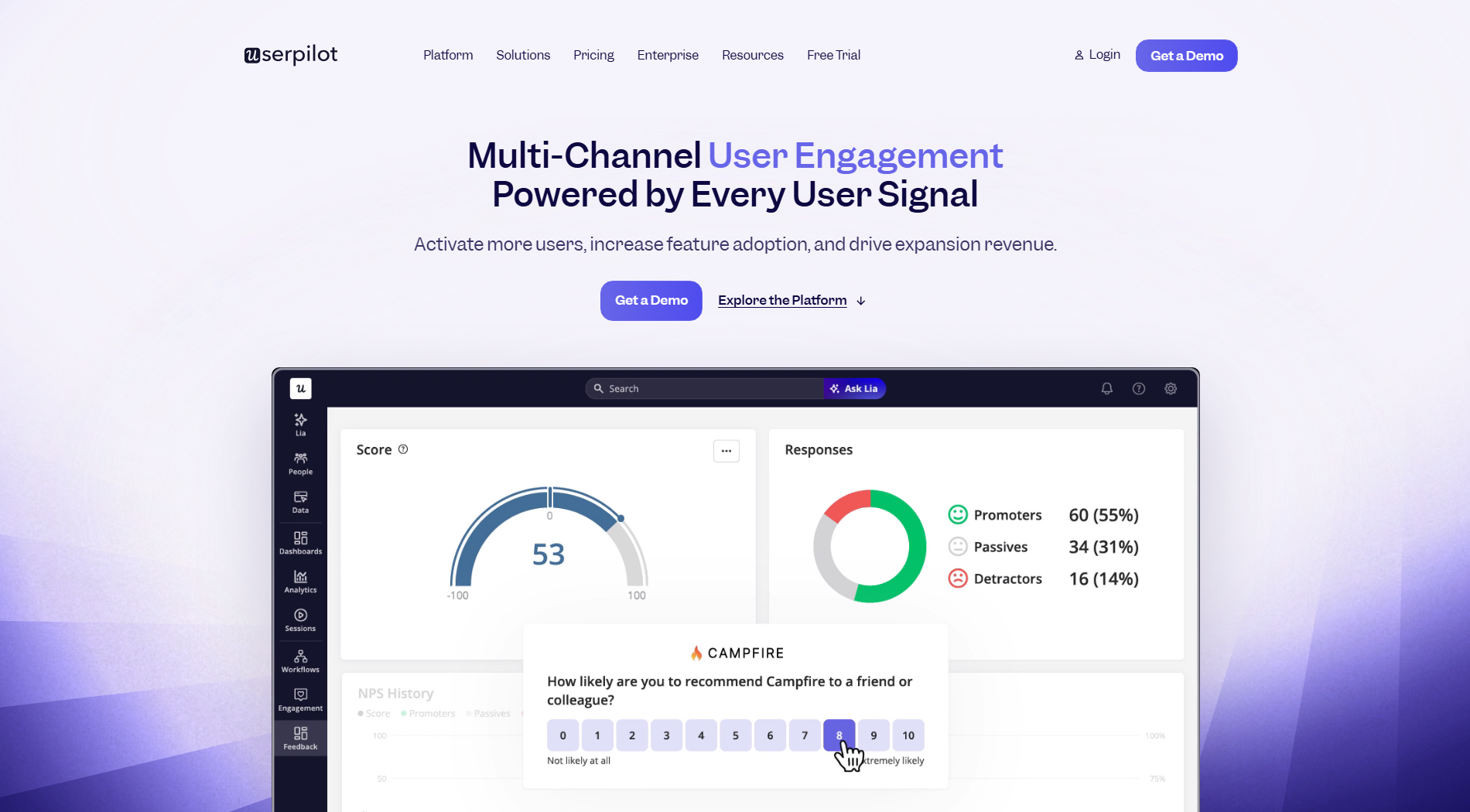
Userpilot is the product growth platform that combines behavioral analytics, in-app engagement, and feedback collection under one roof. When your analytics show a drop-off, you can deploy an in-app flow, launch a targeted survey, or trigger a checklist from the same interface, without writing code or switching tools.
Best for: Enterprise teams wanting analytics, onboarding, and feedback under one contract without developer dependency.
Key features:
-
Session replay: Filter and replay user sessions by attributes, company data, or events to see exactly where users hit friction. Save filter combinations as playlists so you can revisit key sessions without rebuilding queries.
-
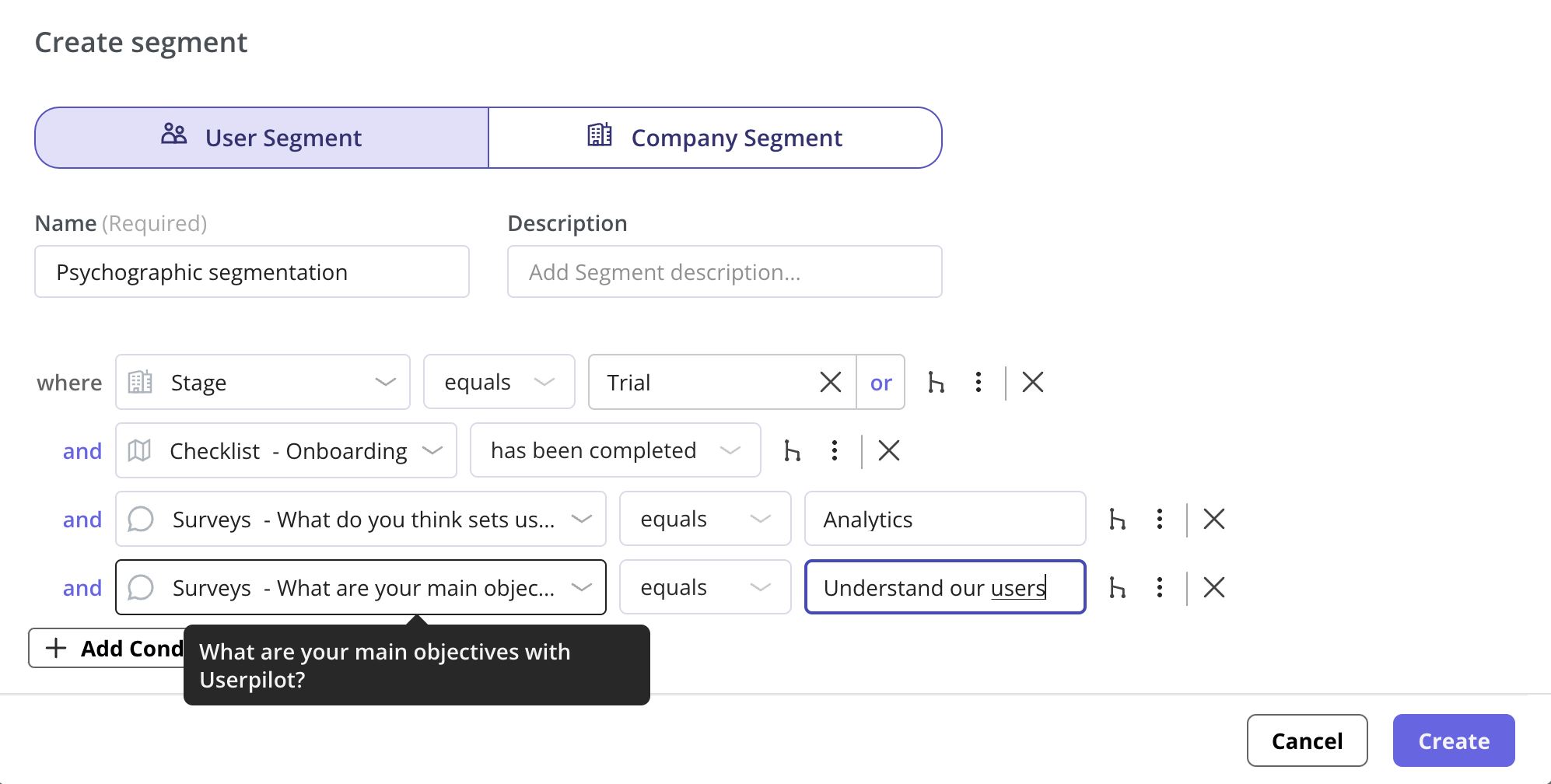
Behavioral targeting: Trigger in-app guidance, flows, surveys, and resource center content based on user attributes, segments, and real-time events like page visits. A free trial user on day two sees a different flow than a paid user exploring an advanced feature, so each user gets guidance relevant to where they are in the product.
-
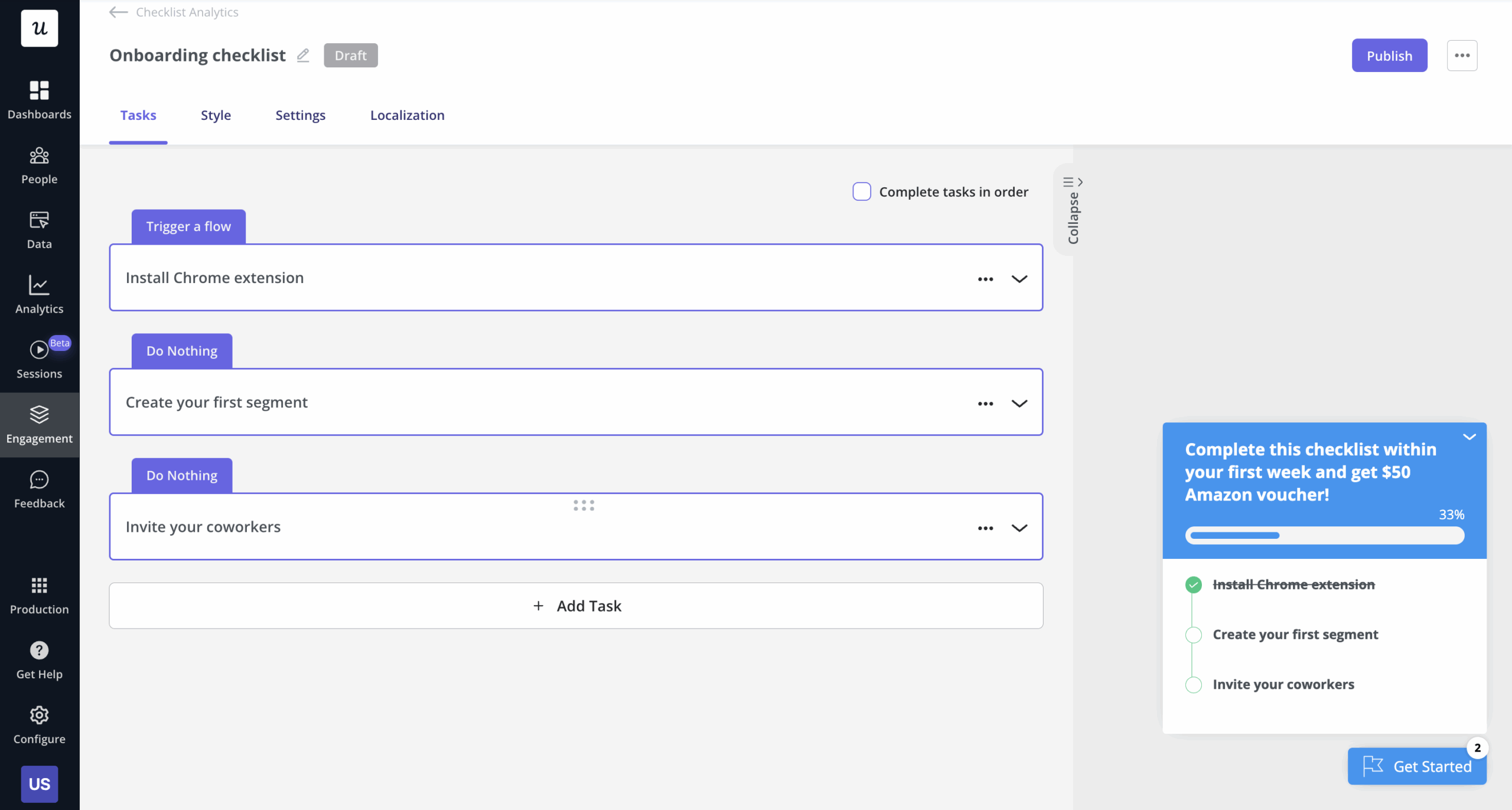
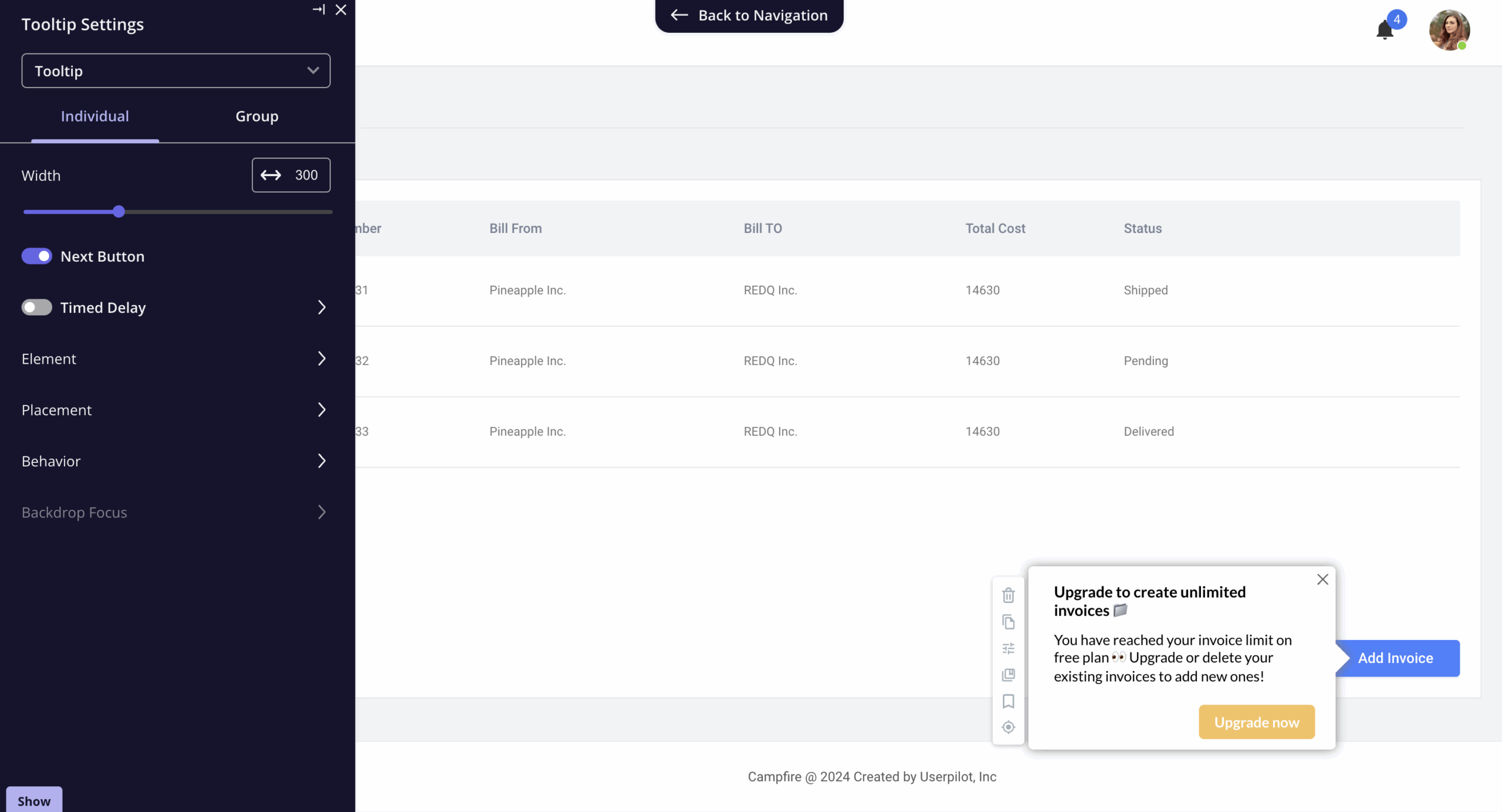
No-code builder: Build tooltips, modals, slideouts, banners, checklists, and multi-step flows using the Chrome Extension without writing code. Target each element to specific segments and pages so, for instance, new users get step-by-step guidance while returning users see feature announcements relevant to where they are in the product.
-
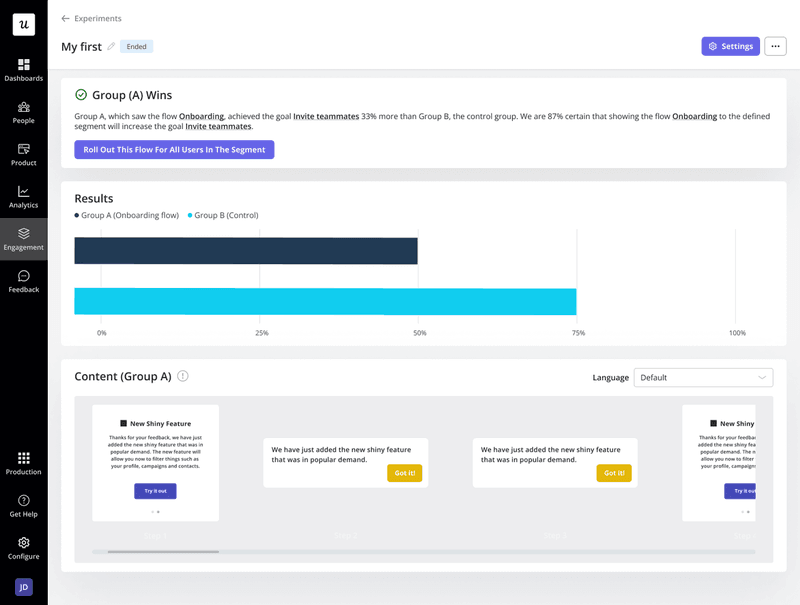
A/B testing and experiments: Run controlled, head-to-head, or multivariate experiments to measure how different flows impact adoption goals. Each variant targets the same segment under the same conditions, so you optimize guidance based on real user behavior rather than assumptions.
-
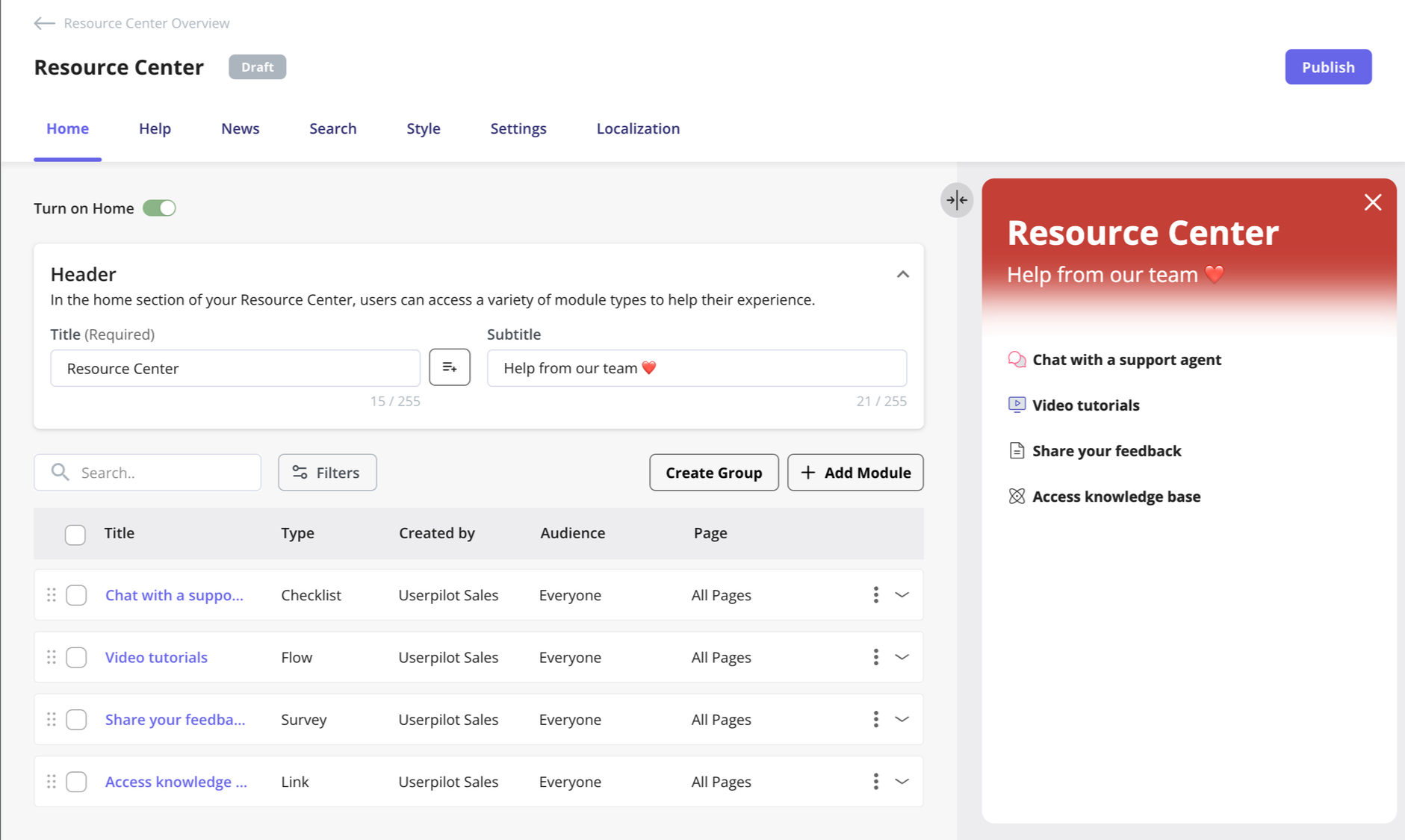
In-app resource center: Give users a searchable widget inside your app that surfaces flows, checklists, videos, knowledge base articles, and product news. You control which modules appear for which users, reducing support load for questions your product already answers.
-
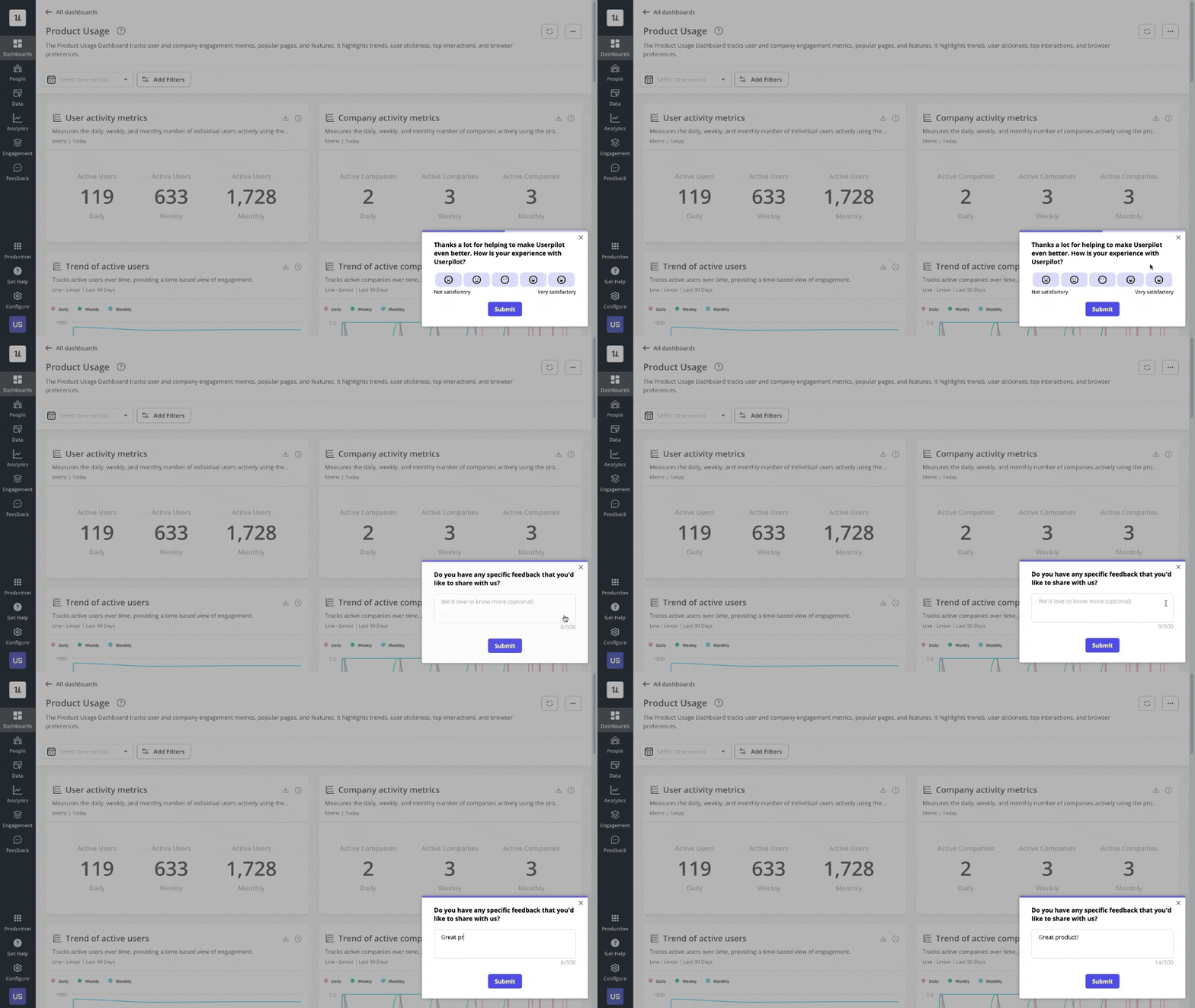
Contextual surveys: Trigger NPS, CSAT, or open-ended surveys based on specific user actions or milestones. Responses are tied to user and company data, so you can segment feedback by plan, role, or activation status rather than analyzing it in aggregate.
-
Integrations: Connect Userpilot with tools like Salesforce, HubSpot, Segment, Amplitude, Mixpanel, Slack, Intercom, and Google Analytics. Data flows both ways, so user attributes and events stay in sync across your stack without manual exports or custom pipelines.
Pros of Userpilot:
-
You can build onboarding flows, modals, NPS surveys, and feature announcements without writing code or opening a developer ticket, so your product and marketing teams move at their own pace. (Review on G2 by Daleny H., Customer Marketing Manager)
-
Analytics, in-app engagement, and feedback sit in one platform, so you can monitor feature adoption and onboarding performance without buying and connecting three separate tools. (Review on G2 by Lorena S., working in Customer Experience)
-
Product behavioral data flows directly into HubSpot, so sales and CS teams can act on what users are doing inside the product without manually pulling exports. (Review on G2 by Thies H., RevOps Lead)
-
Support staff understand the product deeply to solve technical issues on first contact, so you are not losing hours to back-and-forth email chains. (G2 review by Motasem A., Onboarding Specialist)
Cons of Userpilot:
-
Getting the initial setup right, particularly event naming and analytics configuration, takes time, and you likely will not see full value until those foundations are in place. (Review on G2 by Dylan C.)
-
Mobile support is limited, so if your product is primarily a mobile app, Userpilot will not cover your core use cases without significant workarounds. (G2 review by Marweez O., Customer engagement manager)
-
CSV files either fail to arrive or arrive in a format that requires cleanup before you can use the numbers, adding unnecessary steps to routine reporting. (G2 review by Laura Catherine T.)
Userpilot structures paid plans around monthly active users, launching its Starter package at $299 per month for up to 2,000 users.
All plans come with a 14-day free trial where you can test Userpilot before committing to a long-term contract.
6. UserGuiding: No-code user adoption and self-service platform
UserGuiding is a digital adoption platform designed to help teams ship interactive walkthroughs, tooltips, and checklists without engineering resources. It focuses on reducing support volume by providing self-service help directly within the application interface, allowing non-technical members to manage the onboarding experience.
Best for: SMBs and mid-market product teams that need a fast, budget-friendly way to build in-app training and announcements without a developer.
Key features:
-
Interactive walkthroughs and guides: Build step-by-step product tours that walk users through core workflows at signup. Each guide targets specific user segments, so different roles or plan types get a path relevant to their use case.
-
Onboarding checklists: Give users a visible list of setup milestones they can track themselves. Completion rates tell you which steps users skip and where your activation flow breaks down.
-
NPS and satisfaction surveys: Trigger rating surveys at specific points in the user journey and collect responses directly inside the product. Results feed into a dashboard where you can segment scores by user attribute or company plan to identify which segments are at risk.
-
Hotspots and tooltips: Add pulsing hotspots or contextual tooltips to specific UI elements to announce new features or explain functionality at the moment a user encounters it. Hotspots dismiss once clicked, so they don’t repeat for users who have already seen them.
Pros of UserGuiding:
-
The platform is intuitive to configure, making it simple to create and manage surveys or engagements without sending out emails. (Review on G2 by Yigal G., Product Manager)
-
Teams can quickly test and adjust guides without relying on the development team, which speeds up the iteration process for new features. (Review on G2 by Jessica A., Analista de Marketing)
-
Segmenting users based on behavior allows for tailored experiences, which helps in delivering personalized onboarding to different customer groups. (Review on G2 by Madgda M., HR Manager)
Cons of UserGuiding:
-
The publishing system lacks granular control, meaning the “publish” button pushes all pending changes at once. This makes it impossible to release a single finished guide if other drafts are still in progress. (Review on G2 by Vishnu R., Software Engineer)
-
There are no native environment options for separating development and production. This forces teams to maintain duplicate guides to test changes before they go live for the entire user base. (G2 review by Vishnu R., Software Engineer)
UserGuiding structures its pricing into three tiers based on monthly active users and feature sets. It starts free with limited features and scales as the MAU grows.
The Starter plan begins at $174 per month (billed annually) for up to 2,500 users, offering basic onboarding tools. Scaling to the Growth or Enterprise tiers adds more user seats, removes the UserGuiding branding, and provides advanced customization options like custom CSS and multiple themes.
Best product growth tools for customer feedback
You can guess what users want, or you can just ask them. Customer feedback tools help you collect the qualitative signal that behavioral data cannot give you.
7. Typeform: High-completion qualitative surveys
Typeform replaces static, multi-field forms with a conversational interface that shows one question at a time, which prevents form fatigue and makes data collection feel less like a chore. The respondent experience comes first, and that design decision is what the completion rate numbers reflect.
Best for: Product and marketing teams running user research surveys, NPS collection, or lead generation forms where a wall of questions would kill the response rate.
Key features:
-
Conditional logic jumps: Use branching logic to route respondents through different paths based on their answers. This keeps surveys short and relevant by hiding questions that do not apply to a specific user.
-
AI-powered form generation: Describe your research goal in plain text and get a complete survey structure back. Goes from brief to live without any manual question drafting.
-
Hidden fields and custom variables: Pass data from your database or CRM into the form via the URL. You can correlate responses with specific leads or customers without asking for their contact information again.
-
Localization support: Manage surveys in multiple languages within the same form structure. This centralizes your data and makes it easier to analyze feedback from global user bases.
Pros of Typeform:
-
The conversational, one-question-at-a-time format prevents users from feeling overwhelmed by a “wall of fields,” leading to higher submission rates for lead-gen and research. (Review on G2 by Nitin M., Product Manager)
-
Setting up complex branching logic is intuitive enough for non-technical team members to build personalized user paths without writing code. (Review on G2 by Maisie F., CRM Manager)
-
Robust integration support allows teams to automatically sync responses to Google Sheets, HubSpot, or Slack, enabling immediate follow-up on high-priority feedback. (G2 review by Tiffany S., Head of Product)
Cons of Typeform:
-
Mobile pop-up surveys lack granular customization, often taking up the entire screen and making it difficult to set precise triggers or custom events without developer intervention. (Review on G2 by Tiffany S., Head of Product)
-
Advanced reporting and internal data visualization are limited and often requiring users to export large volumes of data to external tools for detailed analysis. (Review on G2 by Maisie F., CRM Manager)
-
Achieving a polished, professional look requires significant time with manual customization (branding, logos, and colors), as default templates can feel generic to external clients. (Review on G2 by Lauren B.)
Typeform pricing:
Typeform bases its pricing on a combination of monthly response limits and user seats, starting with a restricted free tier.
Paid annual contracts begin at $28 per month for the Basic plan, but scaling teams quickly need the Plus ($56/mo) or Business ($91/mo) tiers to access branding removal, conversion tracking, and higher response volumes (up to 10,000).
Best product growth tools for sales and marketing teams
Sales and marketing teams need to know which channels bring in users who actually activate and stay, because signups without activation won’t help improve what’s working. The tools below are built for teams that need accurate acquisition data without sacrificing compliance or adding development overhead.
8. Usermaven: Privacy-focused website analytics tool
Usermaven delivers marketing campaign and website tracking data without relying on third-party cookies. Marketing specialists use the platform to understand where conversions actually come from while staying GDPR and CCPA compliant.
Best for: Privacy-conscious digital marketers and small business owners needing accurate attribution models without the complexity of enterprise analytics.
Key features:
-
Cookieless tracking: Capture site traffic and acquisition data using localized storage methods. Teams bypass ad-blockers and maintain privacy compliance without deploying intrusive cookie banners.
-
White-labeled tracking pixels: Map the tracking pixel directly to a custom domain. Data scientists gather data accurately by preventing browser-level tracking prevention mechanisms from blocking the script.
-
No-code event tracking: Track specific customer interactions automatically without engineering intervention. Relevant team members measure button clicks and form submissions directly from the visual interface.
-
Unified dashboard interface: Access a clean, pre-built reporting layout covering essential traffic metrics. Marketers review core performance indicators without needing advanced SQL knowledge to interpret the data.
Pros of Usermaven:
-
Marketers navigate the clean, highly organized interface without a steep learning curve or technical data science background. (Review on G2 by Charlie D., Owner)
-
Implementation requires minimal configuration, allowing teams to bypass complex JavaScript setups and start collecting first-party data immediately. (G2 review by Sergio P., Business Owner)
-
Granular attribution models provide actionable insights that directly improve how marketers optimize customer acquisition channels. (G2 review by Michael S., Founder)
Cons of Usermaven:
-
Essential analytical tools like trend tracking are only available on higher-tier plans, which limits what teams can do without upgrading. (G2 review by an anonymous user)
-
The platform occasionally fails to filter out sudden spikes in bot traffic, which artificially inflates reported visitor numbers. (G2 review by Thomas K., Co-Founder)
-
Integrating the tool effectively with complex e-commerce platforms requires significant manual effort and workarounds. (G2 review by Charlie D., Owner)
Usermaven relies on a tiered monthly subscription model based on tracked event volume. The base Growth tier starts at $71 per month when billed annually.
Scaling businesses would need the $169 per month Scale plan for advanced capabilities like paid ads attribution and retention analysis. Agencies handling multiple clients can purchase a white-label reporting add-on to remove all Usermaven branding.
9. Google Analytics: Web analytics platform
Google Analytics 4 tracks how visitors find your site and what they do after they land. I use it as a foundational product analytics tool to monitor the top of our funnel. You can see which marketing campaigns bring in qualified leads and where your customer journey breaks before users sign up.
Best for: Digital marketers and sales teams needing comprehensive traffic analysis, channel attribution, and direct advertising integration.
Key features:
-
Event-based tracking: Monitor specific customer interactions like button clicks and page scroll depth. Marketing teams can use granular engagement metrics to refine landing page layouts.
-
Native ecosystem integration: Connect traffic data directly with Google Ads and Search Console. You can push audience segments into advertising platforms to target new users efficiently.
-
Customizable explorations: Build tailored reports detailing exact traffic sources and user tracking metrics. Analysts use these deep insights to attribute revenue to specific campaigns.
-
Real-time traffic monitoring: Observe website visitors and live page views instantly. Teams verify campaign launches immediately to ensure tracking tags function properly before spending advertising budgets.
Pros of Google Analytics:
-
Marketers use clear traffic data to make data-driven decisions about content optimization and customer behavior. (G2 review by Katrina T., Digital Marketing Specialist)
-
Native connections to the broader Google ecosystem make traffic and conversion analysis smooth without requiring third-party plugins. (G2 review by Giuseppe P., IT DevOps)
-
Granular reporting accurately attributes revenue to specific marketing channels to provide a neutral source of truth for conversions. (G2 review by Livia P., Marketing Coordinator)
Cons of Google Analytics:
-
The updated GA4 interface has a steep learning curve for beginners attempting to locate basic metrics. (G2 review by Bairon P., Creative Editor Lead)
-
Report generation occasionally suffers from heavy data sampling and processing delays of up to 24 hours. (G2 review by Shruthi R., Senior QA Engineer)
-
Building advanced explorations requires complex manual configuration before teams can extract meaningful business insights. (G2 review by Lokesh G., Engineer)
Google Analytics pricing:
Google Analytics provides its standard platform completely free. Enterprise organizations negotiate custom contracts for Google Analytics 360 to access unsampled reporting, extended data retention, and dedicated support.
Best product growth tools for customer support
Support tickets cost money, and every bug that goes unreported, every error that requires a five-email thread to reproduce, and every frustrated user who churns without explaining why represents a compounding cost. The tools in this category give support and engineering teams the recorded context they need to resolve issues faster, without asking customers to walk through every step again.
10. LogRocket: Product performance analytics tool
LogRocket records user sessions while simultaneously capturing frontend performance metrics like network calls and console logs. Where most analytics tools show you that something went wrong, LogRocket shows you the complete sequence of events that caused it.
Best for: Technical support and engineering teams that need to debug complex frontend application errors.
Key features:
-
Session replay: Watch the exact sequence of clicks, inputs, and scrolls a user performed before a bug occurred, synchronized with the network request and console log timeline. Engineers reproduce issues from the recording alone without asking the user to walk through it again.
-
Technical diagnostics timeline: Every session replay includes a synchronized feed of console errors, failed network requests, and Redux state changes. You see the exact API call that failed and the frontend state at the moment it happened.
-
Galileo AI and Timeseries analytics: Surface widespread product issues automatically and track their frequency over time. You analyze data to uncover hidden user pain points rather than relying on guesswork.
-
Funnel mapping: Build funnels up to ten steps and click directly into the sessions of users who dropped off at each step. Support teams distinguish between an isolated user error and a systematic product failure without pulling a separate report.
Pros of LogRocket:
-
Customer support teams stop asking users for detailed bug replication steps because the session replay shows exactly what went wrong. (G2 review by Marija, Operations Manager)
-
Installing the tracking code is highly straightforward and well documented. (G2 review by Darragh K., Senior Software Engineer)
-
Watching how people interact with the product often surfaces patterns that support teams can escalate to product, turning reactive ticket resolution into proactive roadmap input. (G2 review by Chris P., Full Stack Engineer)
Cons of LogRocket:
-
Applying advanced event filters like “element not visible” does not scan historical sessions retroactively. (G2 review by Prajwal S., Systems Engineer)
-
Heavy data volumes cause the session replay interface to lag or load very slowly during complex investigations. (G2 review by Rupak B., SDET)
-
Locating specific sessions remains difficult because the search filters are scattered across multiple different interface panels. (G2 review by Noah P., Full Stack Software Engineer)
LogRocket pricing:
LogRocket offers a free tier covering 1,000 monthly sessions.
Paid plans begin at $69 per month for the Team package which offer up to 10k sessions per month. They also offer a professional plan starting at $295/month which offers AI features and MCP and product analytics.
11. FullStory: Customer behavioral analytics platform
FullStory logs user sessions alongside backend technical data to reconstruct the customer experience. Support agents can review these combined visual replays to troubleshoot tickets immediately, with full technical context already attached.
Best for: Teams needing visual session replays linked to technical diagnostics to resolve user friction rapidly.
Key features:
-
Session replay and visual troubleshooting: Replay any user session with backend technical data attached, including network requests and error codes. Support reps resolve tickets during the first call because the context they need is already in the recording.
-
Advanced journey search: Isolate specific user segments or problematic paths using custom event tags. Product designers apply these precise filters to reproduce reported bugs and validate new feature releases.
-
Friction and dead click tracking: FullStory automatically flags rage clicks, dead clicks, and error clicks across all sessions without requiring manual event setup. A cluster of dead clicks on a static element tells you users expect it to be interactive, which is a conversion fix waiting to happen.
-
Customer feedback integration: Connect written user feedback directly to the corresponding session recording. Agents view the exact sequence of events leading up to a complaint to capture complete technical context.
Pros of FullStory:
-
Customer service representatives resolve technical tickets faster by reviewing the recorded session instead of asking buyers to replicate the problem. (G2 review by Jarom G., Director Product Management)
-
Deep filtering capabilities allow engineering teams to determine quickly whether a software bug is an isolated incident or a widespread system failure. (G2 review by Stephen V., Technology Operations Manager)
-
Dedicated success managers provide highly responsive technical guidance to help teams configure custom events correctly prior to launch. (G2 review by Edward F., Digital Analytics Manager)
Cons of FullStory:
-
Exporting dashboards to external formats like PDF strips away critical interactivity and truncates vital data visualizations. (G2 review by Hope B., Senior Business Analyst)
-
User journey modules force managers to locate pages manually by name instead of allowing direct URL inputs for quick flow building. (G2 review by Ryan S., Digital Marketing Director)
-
Analysts cannot filter data by specific daily time windows across a month to evaluate off-hour feature usage patterns. (G2 review by Brittany M.)
FullStory employs a quote-based enterprise pricing model scaled around session volume and data retention requirements.
According to Vendr, the median contract value is $27,493 per year. Annual costs range from a $10,000 baseline up to $106,319 for high-volume enterprise deployments. Teams negotiate contracts directly with sales representatives based on specific analytical needs.
Best product management tools for SaaS companies
Product management at a technical company means shipping decisions backed by data, not instinct. The tools in this category give engineering and product teams everything they need to test hypotheses, track feature impact, and iterate without waiting on a separate analytics team to pull reports.
12. PostHog: Startup-friendly product analytics software
PostHog consolidates product analytics, session replay, and feature flags into a single platform built around a developer-first architecture. Instead of stitching together multiple tools to track events, observe user sessions, and run product experiments, engineering and product teams can manage the entire telemetry stack from one interface.
Best for: Developer-centric product teams and technical founders who want an all-in-one, customizable analytics and feature flag stack without paying for enterprise SaaS bloat.`
Key features:
-
Feature flags and experimentation: Tie feature flags directly to your product analytics. You can safely roll out new features to specific user segments and immediately measure the statistical impact on activation or retention.
-
Custom event pipelines: Define events at any granularity and pipe them directly into your data warehouse or downstream tools. Your event taxonomy is yours to own, with no platform-imposed naming conventions or category limits.
-
Integrated session replay: Watch user sessions natively tied to specific funnel drop-offs. If a user abandons a workflow at step three, you can instantly load the recording of that exact session to diagnose the friction.
-
B2B group analytics: Aggregate individual user events up to the account or company level. You calculate daily active companies, feature adoption by organization, and account-level churn risk without writing a custom SQL query to join user and company tables.
Pros of PostHog:
-
Consolidating event tracking, funnels, and feature flags removes the dependency on multiple disparate tools, streamlining workflows for developers. (Review on G2 by Juan O., Analyst)
-
The feature flag management allows product teams to quickly iterate and test implementation paths by seamlessly modifying user groups and conditional rollouts. (Review on G2 by Michael C.)
-
The platform’s dynamic dashboards and robust data pipelines provide enough technical flexibility to handle highly complex, custom data flows. (Review on G2 by Daniel M., CTO)
Cons of PostHog:
-
The initial setup and dashboard configuration are highly complex; completing the integration and ensuring data accuracy can take teams several months to finalize. (Review on G2 by Kylie M., Product Designer)
-
Strict masking labels applied to session replays can obscure important on-screen elements, making it difficult to extract deeper behavioral insights from recordings. (Review on G2 by Ramji D., Software Engineer)
PostHog pricing is usage-based and modular, anchored by a generous free tier. Every month, users get 1 million product analytics events, 5,000 session recordings, and 1 million feature flag requests completely free.
Once you exceed these limits, you pay only for what you consume (starting at $0.00005 per anonymous event). To prevent runaway costs, the platform supports strict, hard billing limits on individual products as your traffic scales.
How to build your product growth tool stack
Do not buy all these tools at once. If you do, you will spend your entire quarter configuring software instead of building your product.
Start with the largest leak in your funnel:
-
If users sign up but never return, you have an activation problem that can be fixed by integrating onboarding flows and personalized guidance.
-
If you cannot explain why users leave, you have a visibility problem. You need to see what is happening, and you can use another tool to create flows and fix the leak.
-
If your mobile app has retention problems you cannot diagnose, session replays and heatmaps can help find the issues without setting up a full analytics stack.
-
If you know users are dropping off but not why they do so, capture the qualitative side that behavioral data alone cannot tell you.
Stack by company stage
-
At the early stage, keep it lean: Userpilot covers analytics, user onboarding, and feedback in one contract, which removes the integration overhead of running three separate tools. Pair it with Mixpanel if your team has the technical resource to own a proper event taxonomy and needs deeper funnel analysis.
-
At the growth stage, layer in attribution: Usermaven or Google Analytics tells you which acquisition channels bring in users who actually activate and stay. PostHog becomes worth the setup cost once you need to track feature adoption through feature flags tied directly to your product analytics, giving your team the data to make informed product roadmap decisions.
-
At the enterprise stage, you need session intelligence: FullStory links behavioral data to technical diagnostics, which is what large support and engineering teams need to resolve issues at scale without drowning in tickets.
Stack by use case
-
A minimal stack for most early-stage teams: Userpilot for analytics, onboarding, and feedback. Add Hotjar if you need visual heatmap data on top of what Userpilot’s session replay already gives you.
-
A scalable product-led growth stack: Userpilot plus Mixpanel for deep behavioral modeling, PostHog for feature flag management and experimentation, and Typeform for structured qualitative research when you need to go beyond in-app surveys.
-
A mobile-first stack: UXCam for session replays and heatmaps, Mixpanel for event analytics, and Typeform for user feedback collection outside the app.
Build the stack around the problem, not the product
Before committing to any subscription, write down the metric you are trying to move, the user behavior causing the problem, and the intervention you want to test. Then find the tool that makes that intervention possible with the least friction, cost, and integration overhead.
Your stack should shrink every year as platforms consolidate capabilities, not grow. Book a demo with the Userpilot team and see how it helps you consolidate product growth under a single intuitive interface.
FAQ
What are product growth tools, and why do you need them?
Plain and simple, product growth tools are software solutions that help you execute your PLG strategy.
These technologies position your product at the center of your growth strategy, focusing on delivering an exceptional user experience that drives customer acquisition, retention, and expansion.