
Pendo Reviews: What You Should Consider About Its Features and Pricing Model

Pendo is a well-known DAP in the market. But what do Pendo reviews say about its features, usability, and prices?
Turns out Pendo is not for everyone. It’s an enterprise-grade platform for engagement and product analytics. Thus, its price is not accessible for product teams on a budget.
So after checking G2 reviews, I’ll go over what Pendo is, its features, and pricing. Then compare it with Userpilot as an alternative all-in-one platform for product growth.
What is Pendo?
Pendo describes itself as a product experience platform. It combines product analytics, in-app guidance, and user feedback into one suite. You can track clicks, build walkthroughs, and gather Net Promoter Score (NPS).
It’s excellent for a massive enterprise with a dedicated data team. But for a nimble SaaS company trying to move fast, the reality is often different.
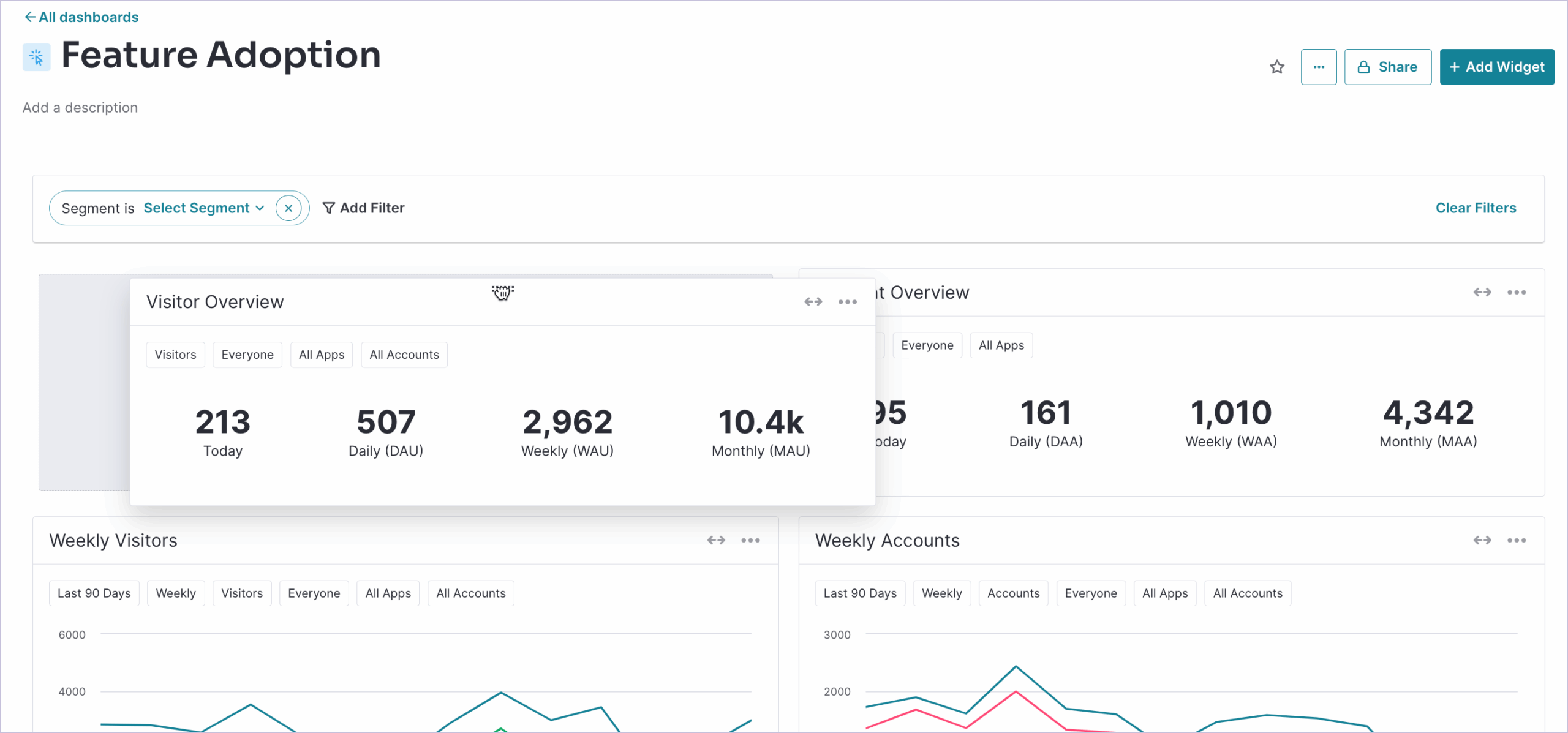
What you can do with Pendo
Let’s break down Pendo’s main use cases and explore its key features:
Pendo features for product adoption
One of Pendo’s main use cases is to onboard and guide users into a software product to increase adoption.
Although the Pendo Guides module has a visual builder for “no-code” deployment, customizing the look and feel of the guides often requires CSS knowledge. This is because Pendo’s default templates are too generic, and to make a guide look “native,” you must use Custom CSS.
“No true templating ability. Templates are more like starting points. If you ever change your brand identity or UI, you need to manually change every step of every guide. A real problem when you have a hundred guides.” — G2 reviewer
Besides this, here’s what Pendo offers for product adoption:
- Diverse UI patterns: Pendo allows you to build in-app guides-tooltips, modals, banners, and walkthroughs to guide users. You can create interactive walkthroughs that span across different pages, publish lightboxes for new feature announcements, or trigger tooltips for contextual help.
- Resource center: Create a self-serve hub within your product where users can easily access documentation, video tutorials, trigger interactive walkthroughs, or contact chat support. Pendo can also show onboarding checklists and announcements via the resource center.
- Multi-channel communication: If you have a native mobile app (iOS or Android), Pendo lets you integrate messaging across web, mobile, and email. You can visualize how a user’s journey jumps from a desktop SaaS dashboard to a mobile app.
- Personalize customer experiences: Pendo lets you target guides based on the user’s attributes and in-app interactions. This, coupled with autocapture, makes it easier to personalize the product experience in one platform.
- AI assistant: Use Google’s Vertex LLM to instantly generate multi-step in-app guides from a simple prompt, starting URL, and tone preferences.
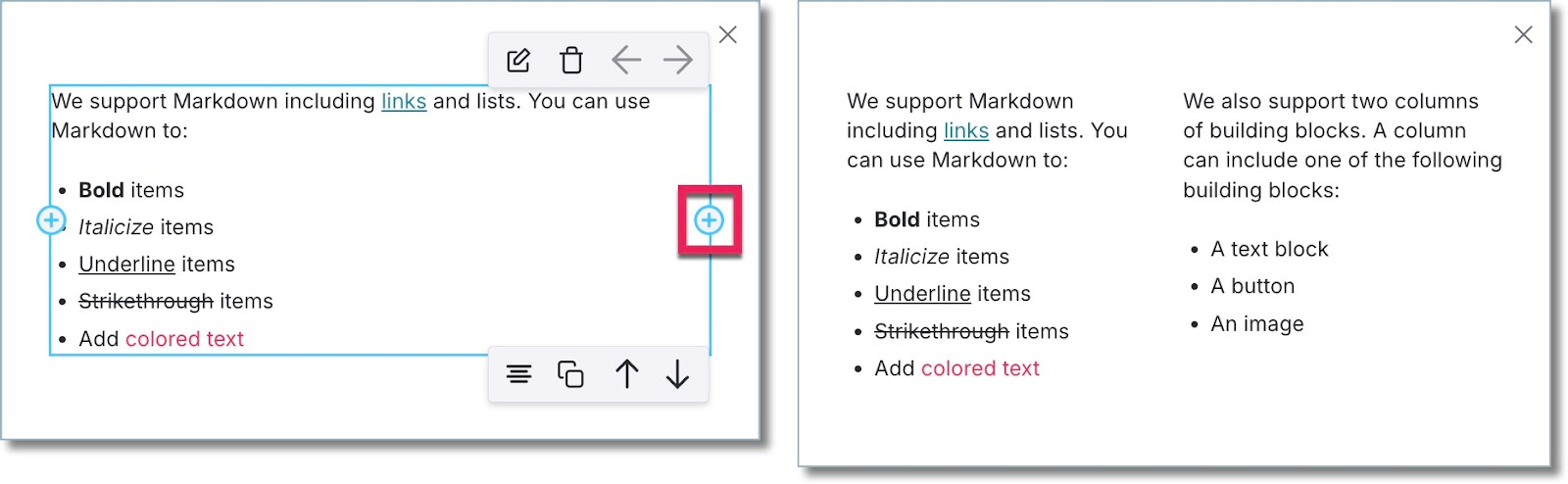
Note: Triggering these guides can be tricky because there’s a 1-hour delay to update data. This means you cannot easily trigger a guide immediately after an action. Also, if your app uses dynamic CSS IDs (common in React or Angular apps), Pendo’s element selector might break your guides whenever you update your app (thus, you have to manually adjust CSS selectors to ensure stability).
“Tagging features can be complicated when using dynamic CSS, so some work is needed to set up static attributes in the applications to utilize it effectively.” — G2 reviewer
Pendo features for product analytics
Pendo’s strongest selling point is its analytics capability. It can track pages, capture in-app events automatically, and analyze product usage via dashboards/reports. However, you might find that you’ll need the development team’s help to instrument events. Plus, the data sync delay might confuse the data’s accuracy.
“The interface may seem somewhat complicated for newcomers. Configuring advanced analytics or creating segments often necessitates some technical assistance. There are also occasional delays with data syncing and generating reports.” — G2 reviewer
Here’s what it offers exactly:
- Retroactive analytics: Pendo captures every click and page load automatically. You can define an event today, and Pendo will show you historical data for it from the moment you installed the script.
- Paths: The paths analysis section of your Pendo account shows you which paths users take when coming from a specific page or which path they took to get to a particular page.
- Retention: Pendo’s retention analytics dashboard lets you see cohort retention data from month to month.
- Funnels: Pendo’s funnel analytics can tell you how many unique visitors have seen your funnels, how many attempts have been made to get through them, and the average time it takes to complete the funnel.
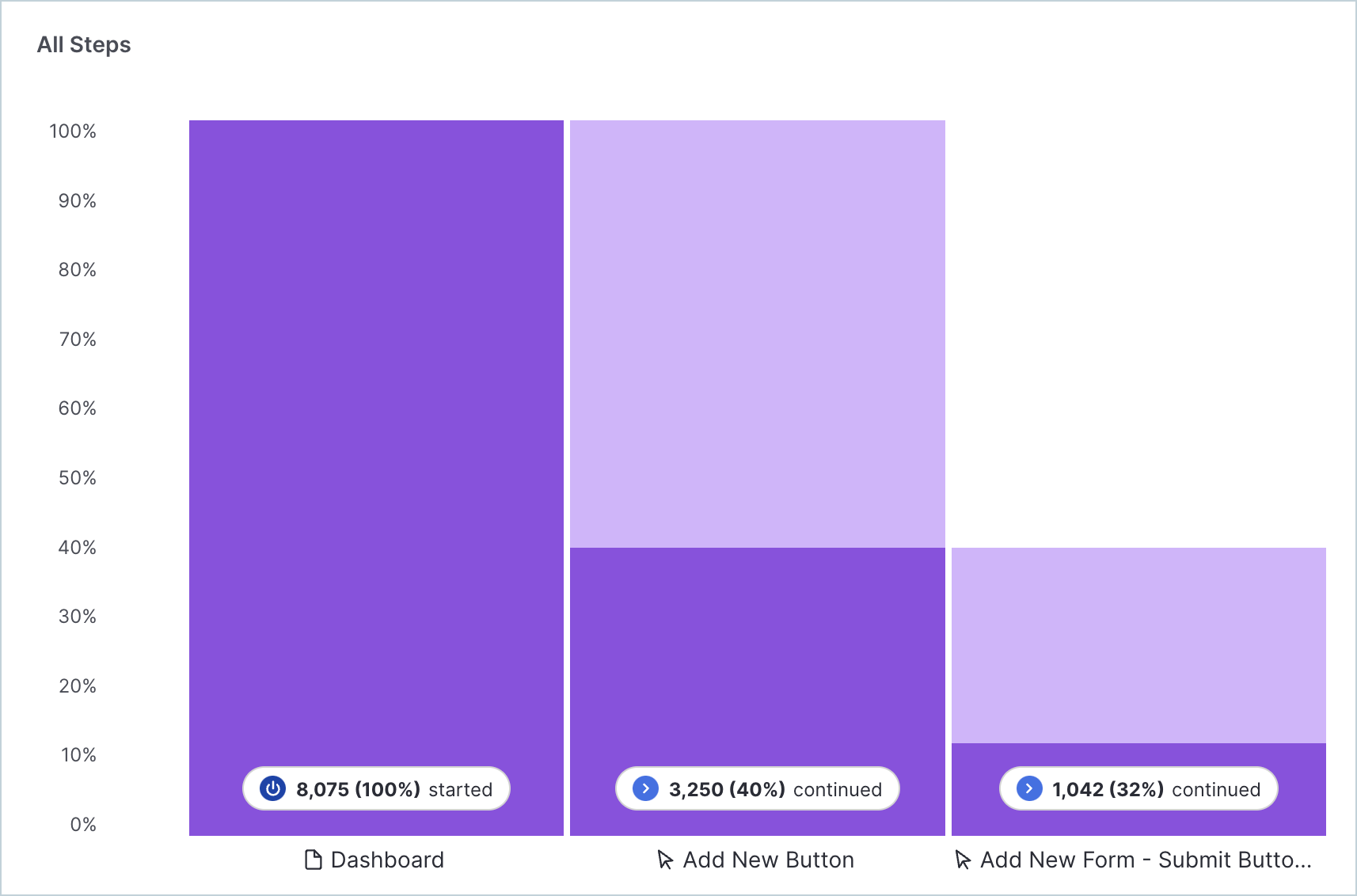
- Data explorer: Data explorer provides user insights by querying app data and visualizing trends. You can filter by metadata and event properties, compare specific segments, or add formulas.
- Workflows: You can analyze which users complete specific workflows based on their JTBDs.
- Product engagement score (PES): Assesses your product’s overall performance and health based on three behavioral metrics: Adoption, Stickiness, and Growth.
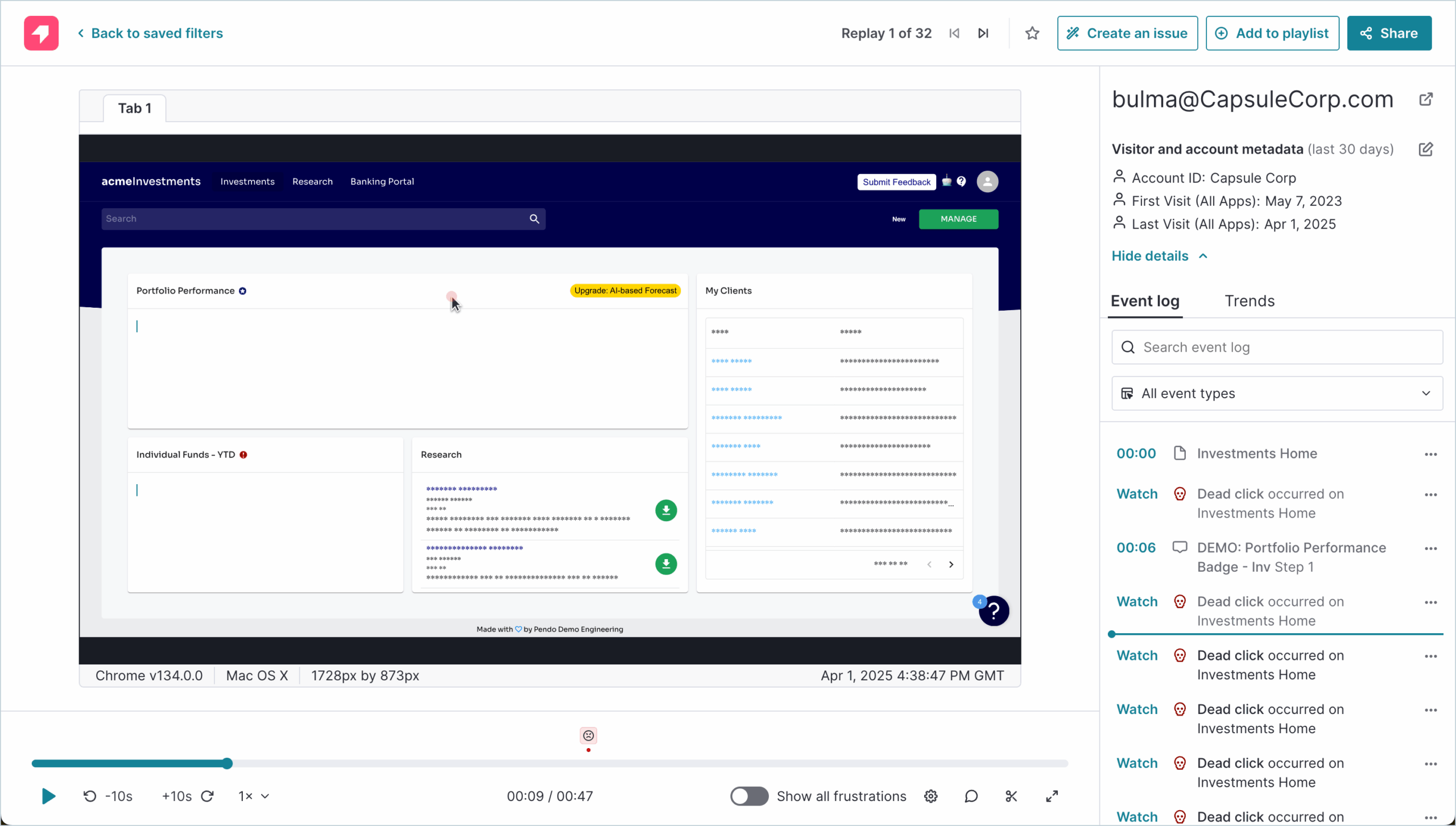
- Session replays: With Pendo’s session replay module, you can watch user sessions to spot sources of friction in the product experience.
Pendo for customer feedback collection
Besides measuring quantitative data, Pendo also provides tools for gathering qualitative data. These include feature requests, satisfaction surveys, NPS, public roadmaps, and so on.
Pendo allows you to:
- Collect user feedback via polls: It’s possible to trigger micro-surveys (called “Polls”) with Pendo Guides to track user satisfaction. You can also add feedback forms inside the resource center to collect passive feedback.
- Gather feature requests: Pendo’s feedback module gathers feature requests effectively, acting as a repository for user votes. It works well for high-level roadmap planning but feels separate from the rest of the app. It lacks the granular targeting capabilities found in dedicated feedback tools or agile adoption platforms.
- Run NPS surveys: The NPS module in Pendo is separate from the polls. You can slice your NPS data by user behavior (e.g., seeing if your “power users” are actually happier than your casual users). This helps you understand customer sentiment beyond just raw numbers.
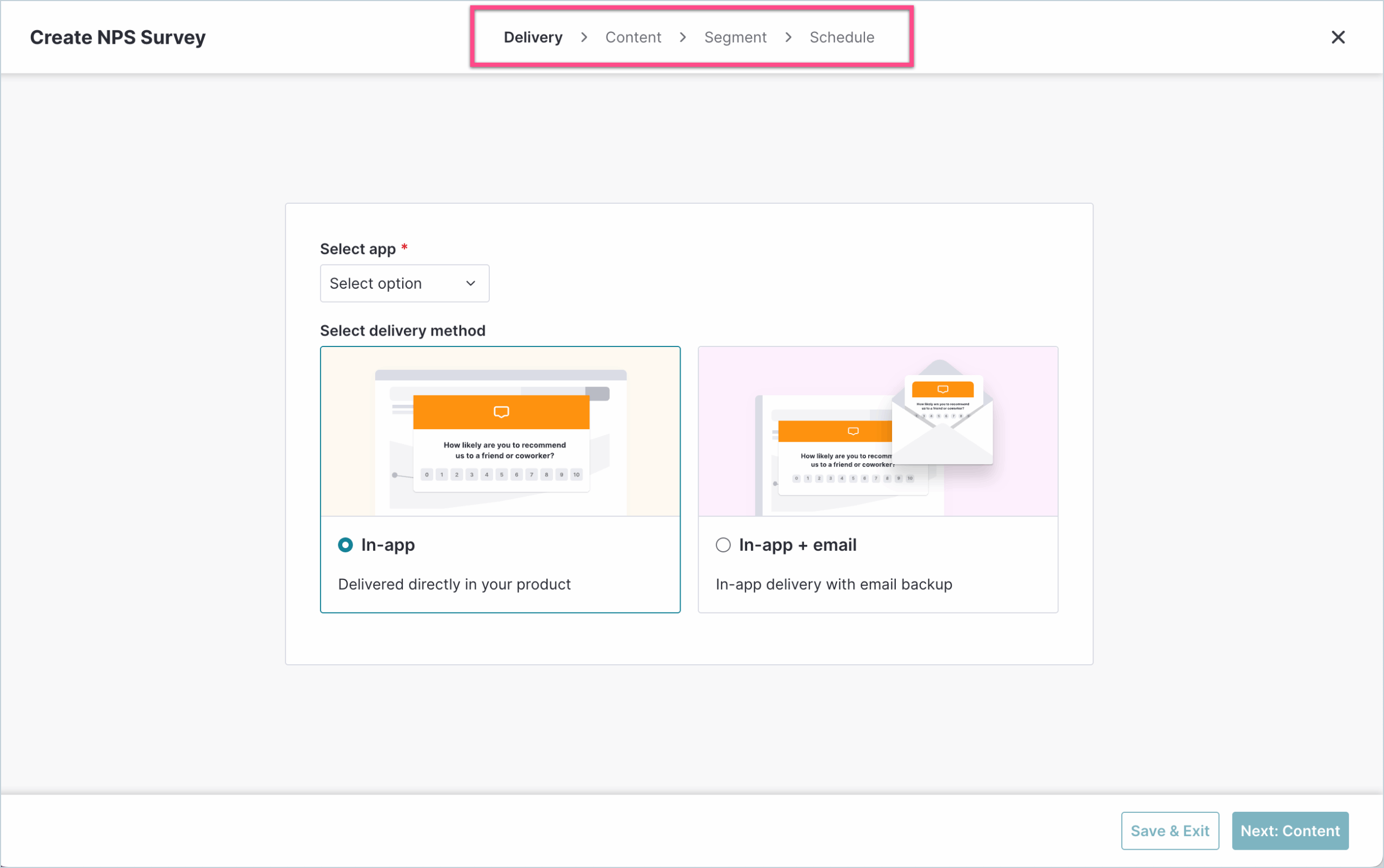
- AI-powered sentiment analysis: As part of Pendo Feedback, the platform uses AI-powered tagging and trend detection to group qualitative feedback into themes. And as a result, spot recurring issues, surface emerging needs, and streamline decision-making.
- Pendo roadmaps: As part of Pendo Listen, it centralizes feature requests and lets users submit/vote on ideas directly from your app. You can then link customer feedback directly to product initiatives and share your data-driven roadmap with internal stakeholders.
Note: According to users, the feedback module often feels like a separate product that was glued onto the main platform (because it was, since Pendo acquired Receptive to build this feature). Plus, it’s not easy to export feedback data to a data warehouse for deeper analysis (which might require expensive third-party integrations).
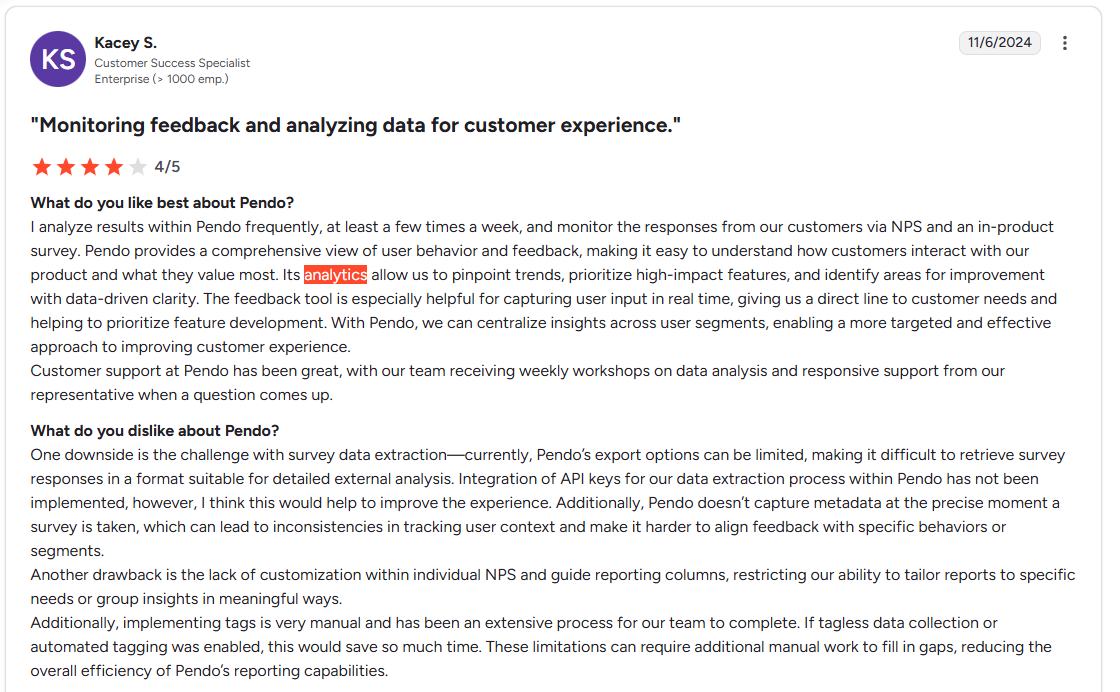
“One downside is the challenge with survey data extraction. Currently, Pendo’s export options can be limited, making it difficult to retrieve survey responses in a format suitable for detailed external analysis. Additionally, Pendo doesn’t capture metadata at the precise moment a survey is taken, which can lead to inconsistencies in tracking user context and make it harder to align feedback with specific behaviors or segments.” — G2 reviewer
Pendo for employee onboarding
Pendo excels at internal employee training (e.g., teaching Salesforce to sales reps) and helps you see how employee users interact with your company tools.
Here are the key features offered:
- Step-by-step in-app walkthroughs: For training employees on tools like Salesforce or Workday.
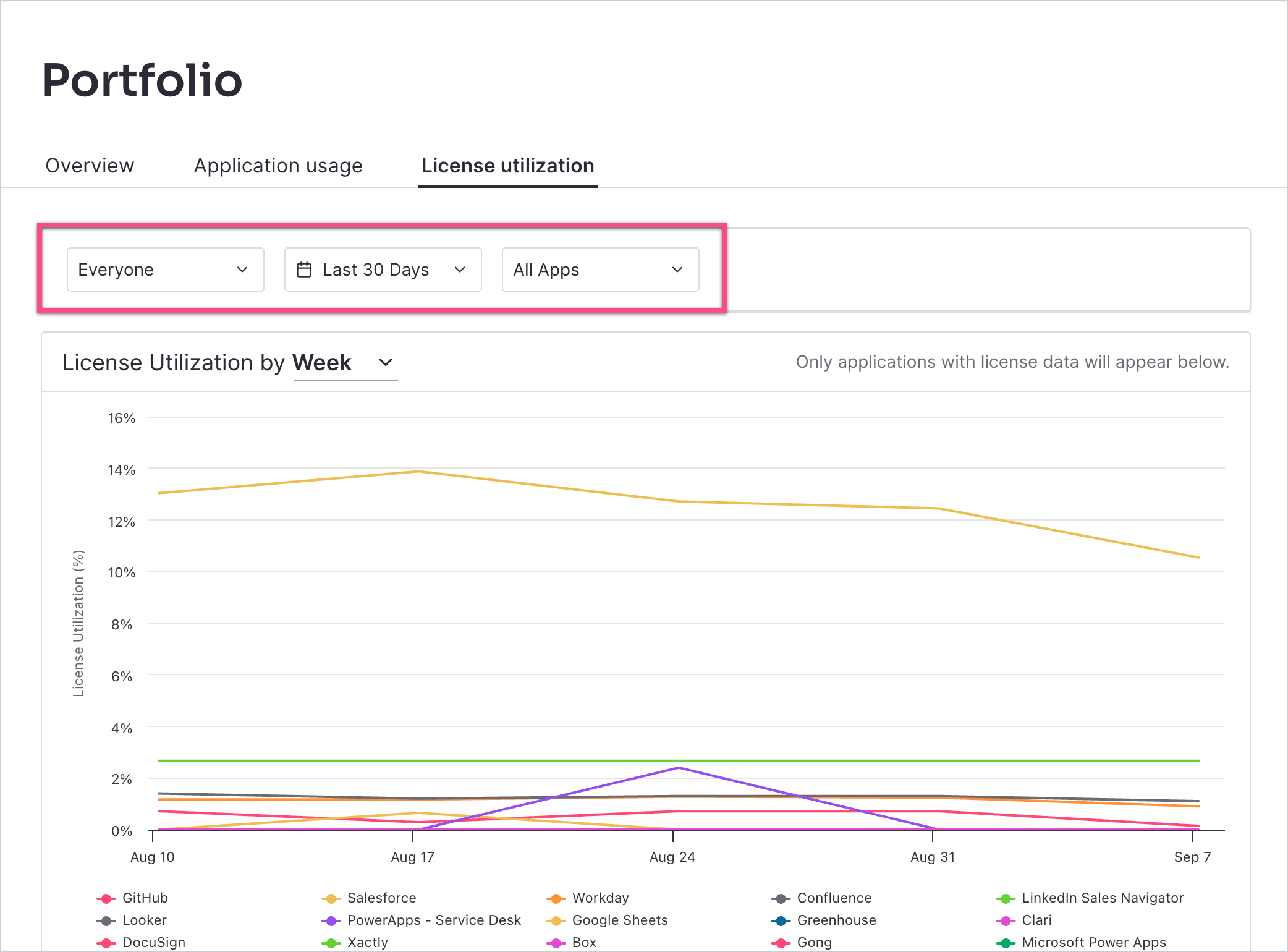
- SaaS portfolio insights: Gives visibility into app usage data/license activity to reduce software waste and ensure tool adoption.
- Process analytics tools: Tracks how employees navigate workflows across apps to uncover bottlenecks and improve operational efficiency.
Pendo pricing: Is it worth it?
Pendo’s pricing page doesn’t show any figures and is also very famous for being expensive.
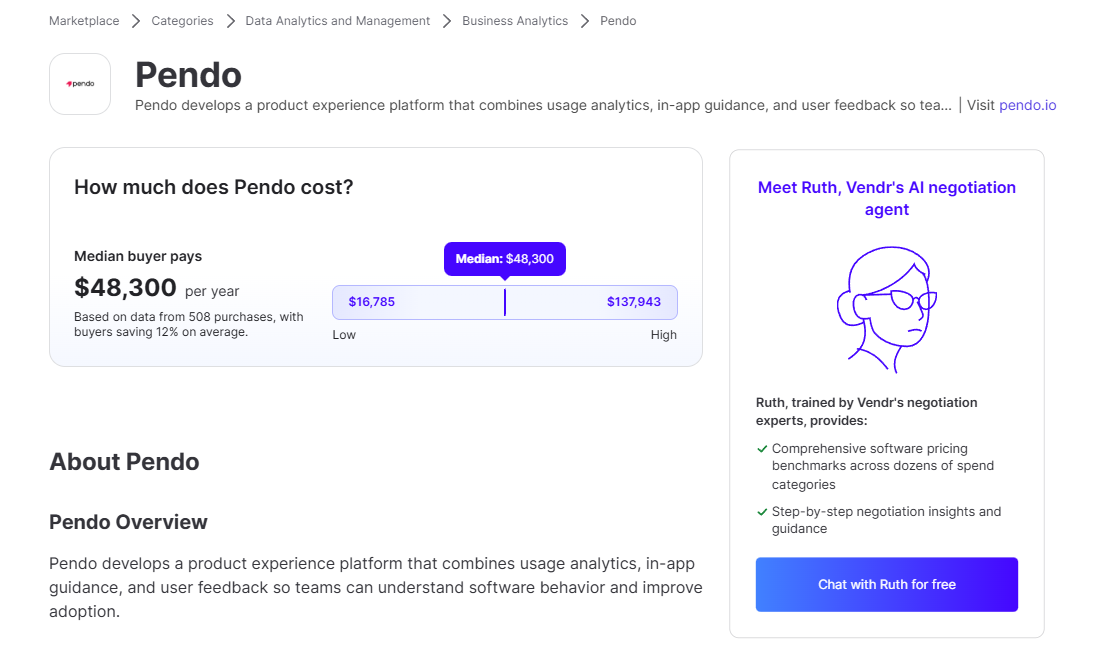
In fact, third-party data from Vendr shows that the median ACV for Pendo is $48,300, ranging from $16,785 to $137,943. This turns it into an enterprise-grade product that only bigger corporations can access.
Additionally, while a “Freemium” plan exists, it’s capped at 500 MAU. Which means it’s essentially a glorified free trial for growing companies. This restrictive tier acts primarily as a lead magnet for their sales team rather than a revenue driver for you. Once you hit the limit, you lose guide creation access and data integrity, forcing you into a sales call to negotiate a five-figure contract.
“The basic capabilities offered by Pendo do not seem to justify the cost of the plan I am on. For example, features like heat maps and session replay are not included in the basic plan, whereas competitors offer these capabilities for free or at a lower price.” — G2 reviewer
Pendo’s advantages (the good)
Pendo has strengths. It has been around for a long time, and it has built a robust engine for collecting data. These are some of its best traits according to user reviews:
- Deeper analytics than many competitors: Pendo’s strongest selling point is its analytics for product, marketing, and customer success teams. It allows you to tag features, track usage retroactively, and create behavioral reports (paths, funnels, retention reports, etc.). All of this helps you see where users navigate after they land on your dashboard, and more.
- Multi-channel engagement: Pendo lets you communicate with users on web, mobile, and email. If you have a native mobile app (iOS or Android), you can build guides for mobile just like you do for web apps.
- All-in-one solution: Combines product analytics, in-app guidance, feedback, roadmap, and employee onboarding in one platform.
Pendo’s disadvantages (the bad and the ugly)
Despite the strong analytics, Pendo receives consistent complaints. The issues usually boil down to these:
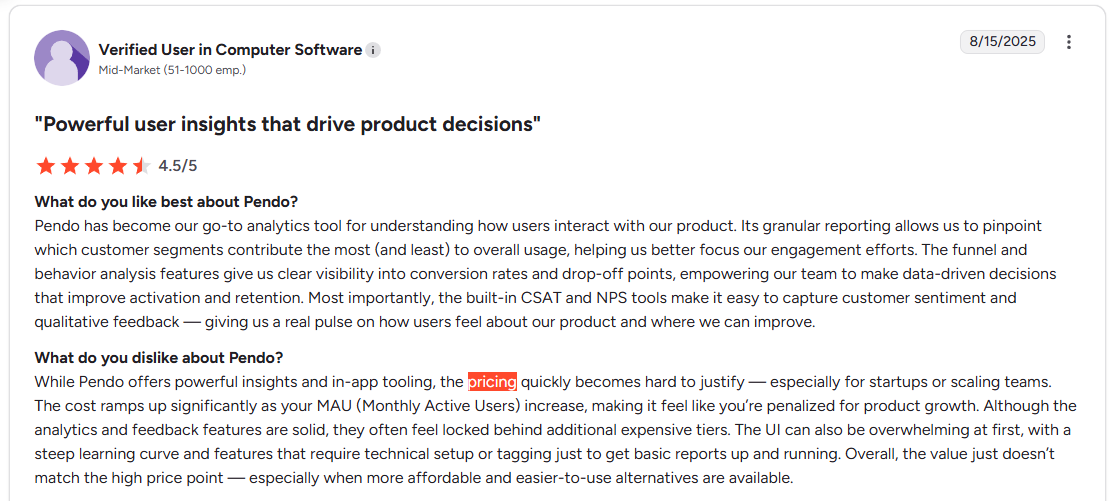
- Too expensive to unlock all the features: Annual contracts typically start in the lower five-figure range and increase as your needs keep growing. Features like Pendo Feedback, mobile support, and advanced analytics are often paid add-ons. You might buy the base plan and realize you need to pay extra for NPS surveys or advanced feedback tools.
- Data lag: Pendo processes data in batches, resulting in a 1-hour delay between a user action and that data becoming available for triggering.
- Steep learning curve: Pendo is hard to use and not entirely no-code. You must tag features manually to track usage (which is very time-consuming at scale). Modules like Feedback (formerly Receptive) and Guides often feel like separate tools logged into via a single portal. Plus, customizing your guides requires CSS knowledge to make them look native.
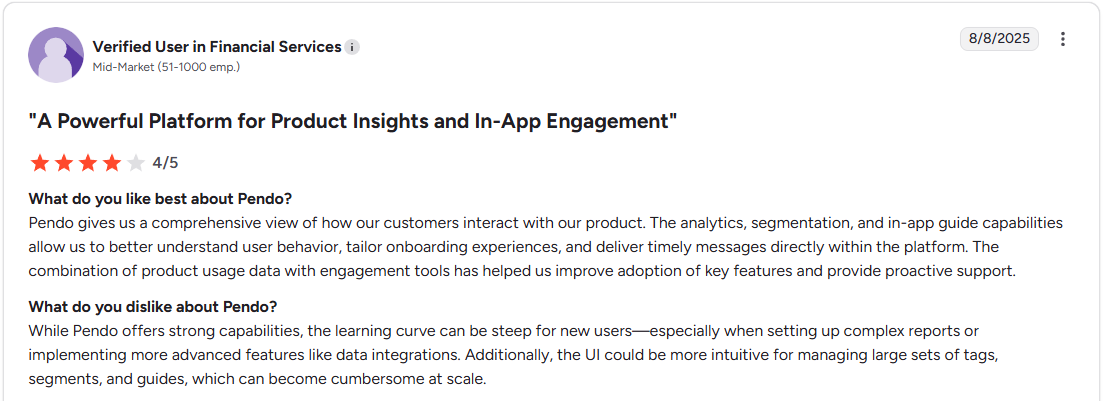
- Does requires coding: While marketed as “no-code,” Pendo is effectively “low-code” with a high technical ceiling. Setting up paths correctly often demands engineering resources to manage CSS selectors and stable data structures. If your application uses dynamic classes (common in React, Angular, or other modern frameworks), Pendo’s auto-tagging often breaks.
Who’s Pendo actually for?
Pendo is built for enterprise companies. If you are a Fortune 500 company with a dedicated product operations team, a massive budget, and a requirement to track users across complex web and mobile suites, Pendo is a safe bet. You have the resources to handle the setup, the CSS customization, and the annual contract negotiations.
But if you are a growth-stage SaaS or a product team that needs to move fast? Pendo might be overkill and outside your budget.
Why Userpilot is better for agile PLG companies
Compared to Pendo, Userpilot offers the same depth of analytics, but with better engagement tools that require zero coding skills.
Here is what you get with Userpilot:
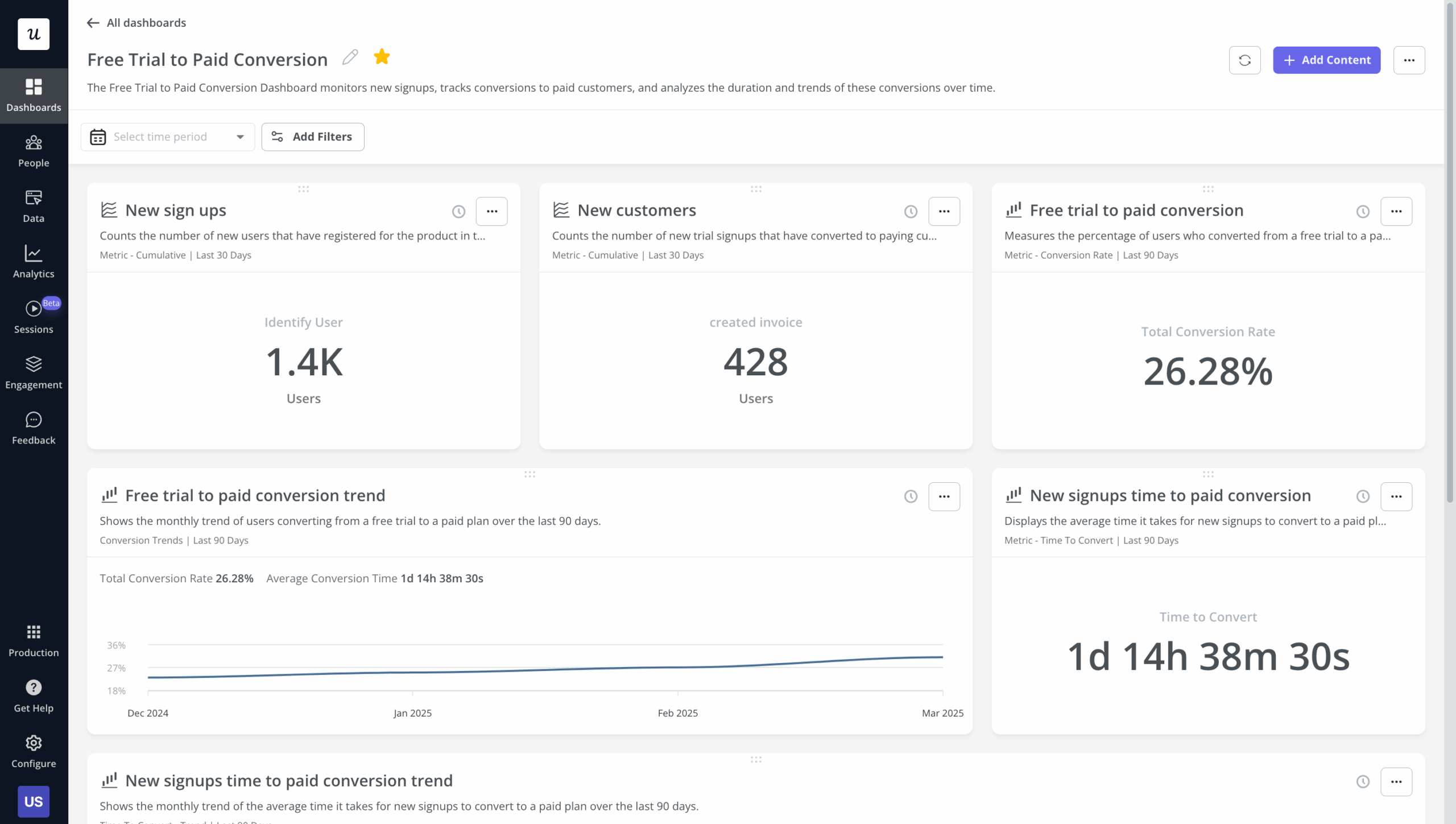
- Real-time data: Userpilot data is real-time. When a user clicks a button, you see it. This allows for contextual onboarding that actually makes sense to the user.
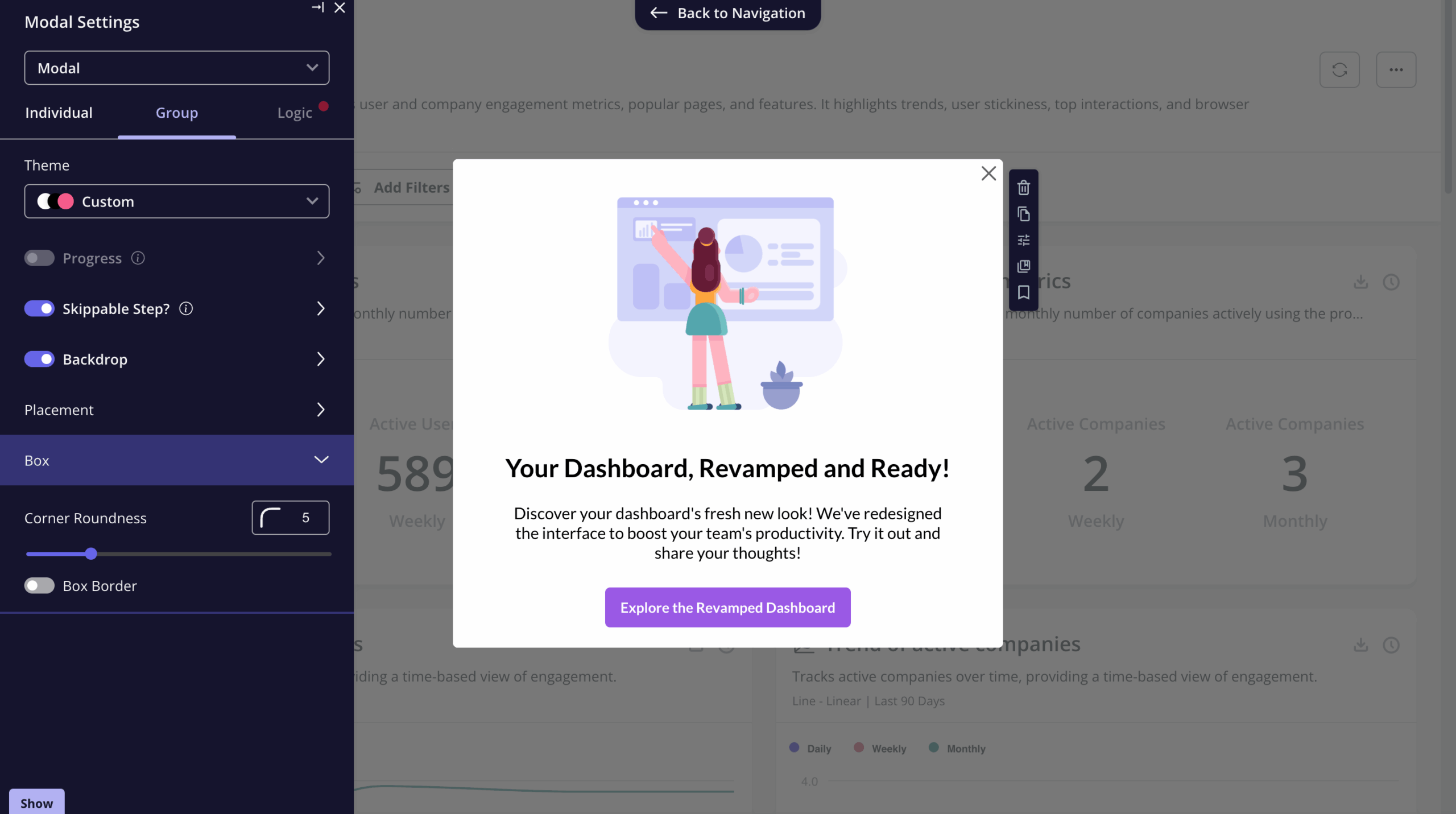
- Ease of use: Unlike Pendo, you can build native-like flows without writing code, and set up a resource center in minutes. Userpilot doesn’t require you to spend months implementing the software.
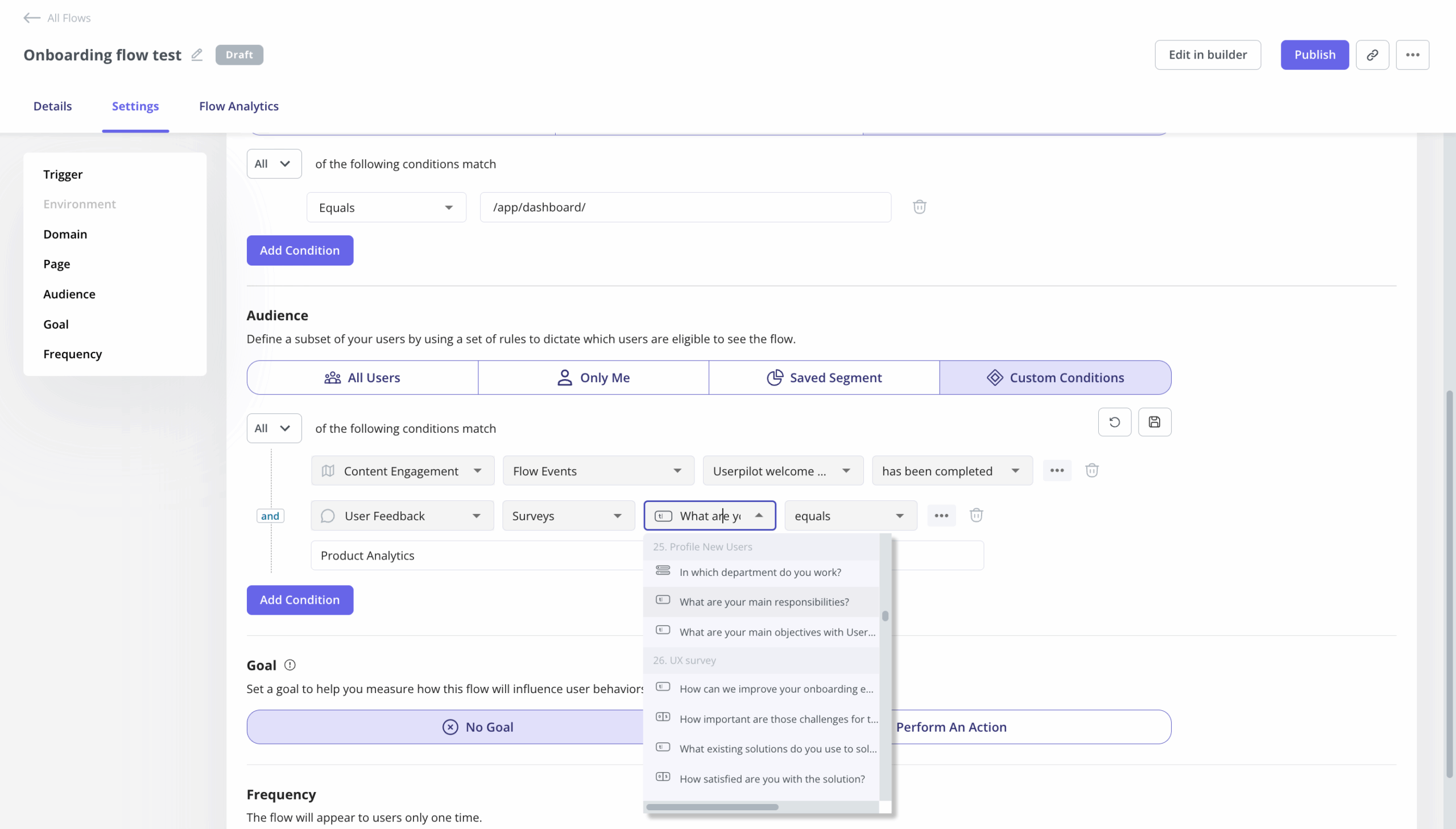
- Stronger personalization: Target users based on complex mixes of attributes and real-time behaviors. For example, create a segment for “Users who signed up 7 days ago AND have low NPS,” then trigger a specific help flow.
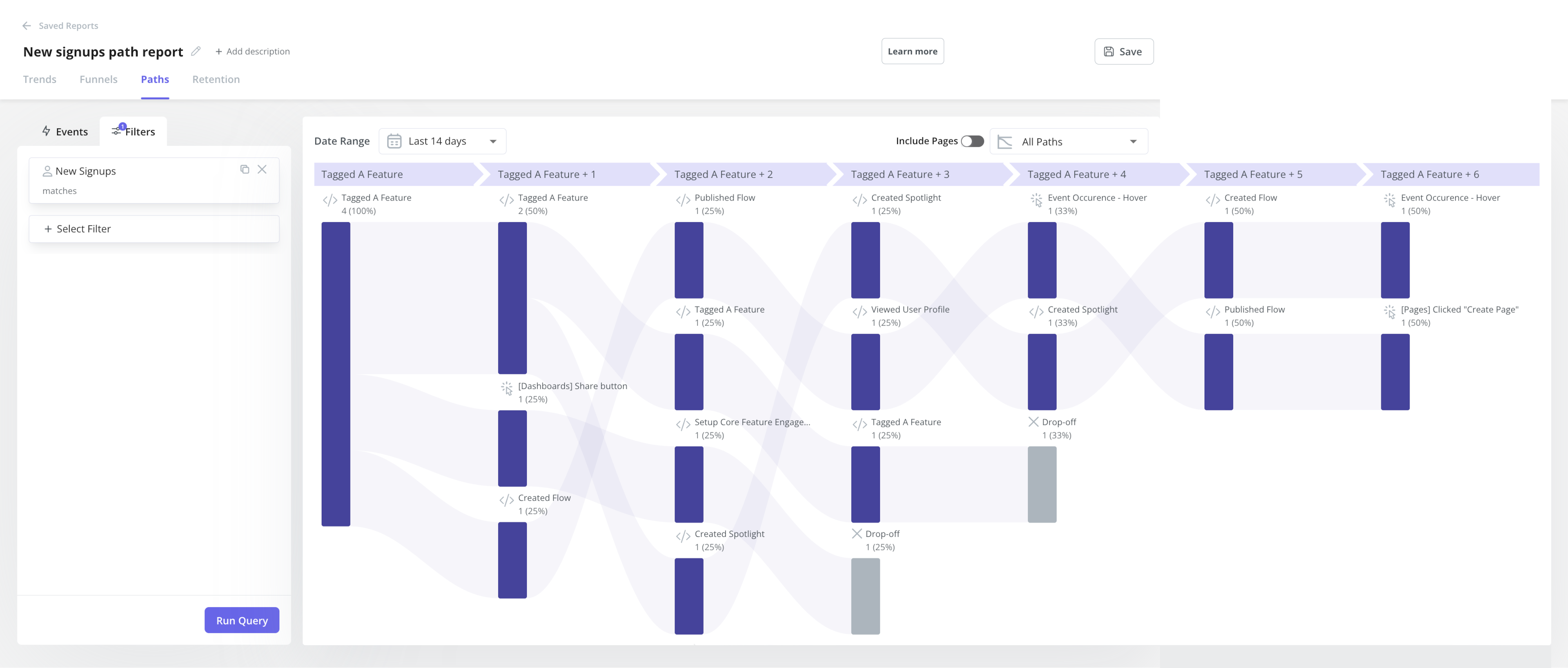
- Potent product analytics: Beyond creating custom dashboards, Userpilot also offers behavioral reports like funnels, paths, trends, and retention cohorts. The data is also autocaptured and doesn’t require any instrumentation in order to use it.
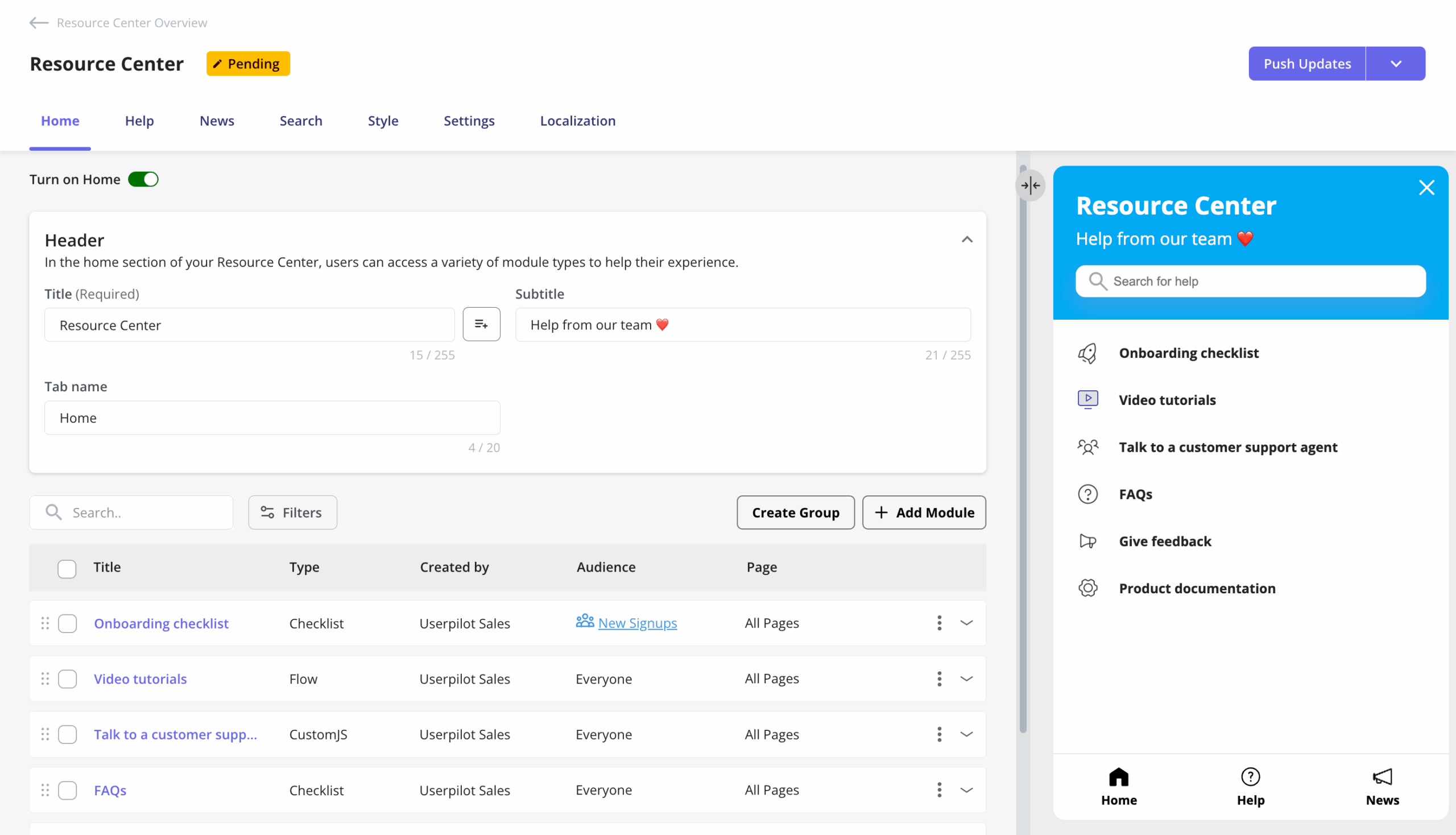
- The resource center: Userpilot’s resource center lets you embed knowledge bases and video tutorials directly in the app. It’s highly customizable and deploys without developer assistance.
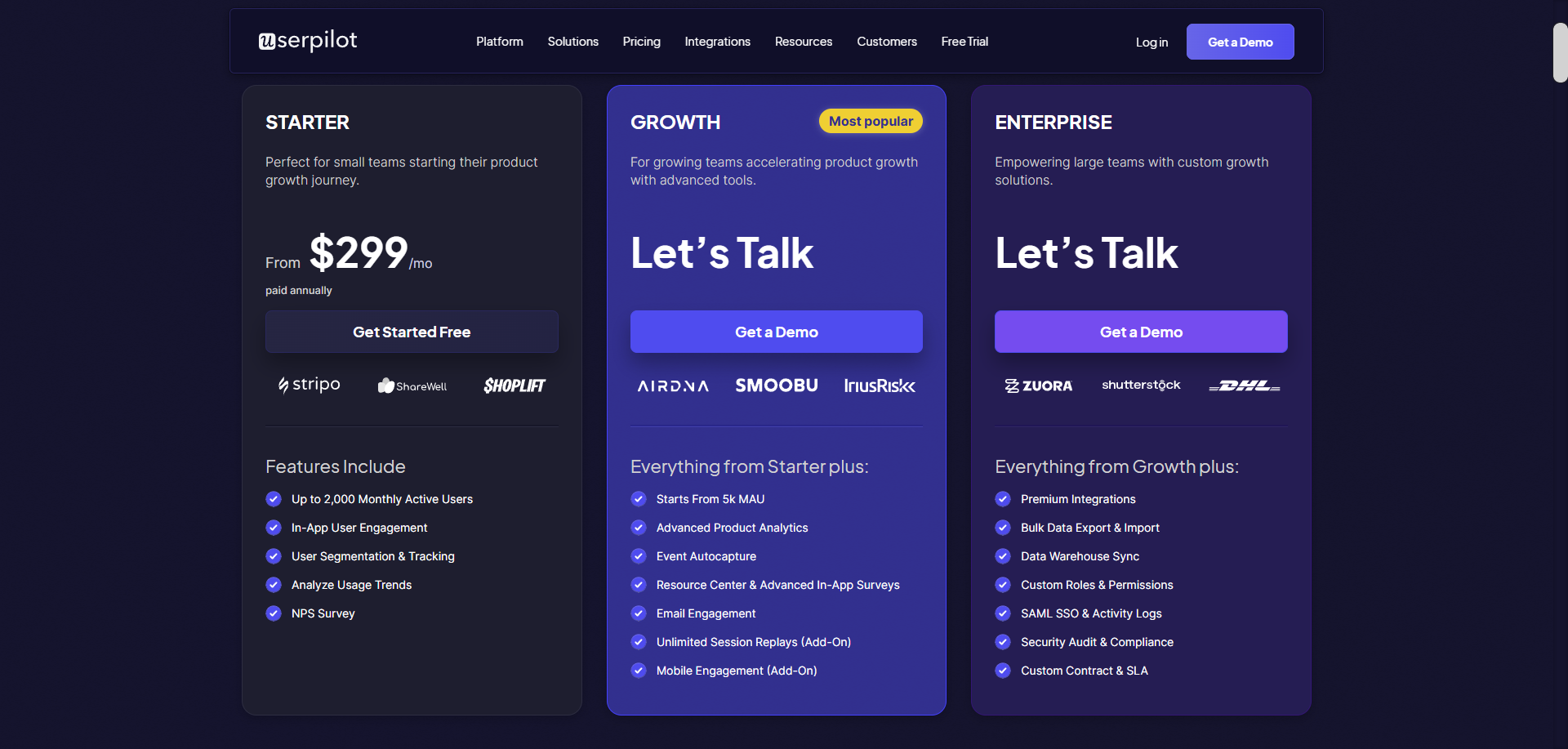
- Price-to-Value: Userpilot offers a more transparent MAU-based pricing model where you won’t need to upgrade to the enterprise plan to access all features. It starts at $299/month.
| Buy Pendo if: | Buy Userpilot if: |
|
|
|
|
|
|
|
Choose Userpilot to drive product growth without coding!
While Pendo is an incredibly solid product, it doesn’t fit all teams. With many companies, like Shelterluv, it often sits unused because it is too complex.
“One of the biggest feedback the team had about Pendo was like, we just don’t know how to use it. And it’s hard to figure out.” — Matthew Brown, Senior Customer Solutions Manager at Shelterluv
Ultimately, the best tool is the one your team actually uses. If you want a tool that your product team can use without opening engineering tickets, give Userpilot a try. Book a free demo and see the difference immediately.
Userpilot strives to provide accurate information to help businesses determine the best solution for their particular needs. Due to the dynamic nature of the industry, the features offered by Userpilot and others often change over time. The statements made in this article are accurate to the best of Userpilot’s knowledge as of its publication/most recent update on December 16, 2025.
About the author