​If you write release notes that nobody reads, you’re wasting the engineering hours spent building those features. You’re letting users churn because they think you aren’t innovating. Essentially, you’re missing the easiest opportunity to drive feature adoption.

Release notes aren’t just documentation; they’re a retention engine. Most teams treat them as administrative chores, burying their hard work in technical jargon that end users ignore.

I’ve seen the result countless times. New features launch into the void, adoption metrics flatline, and product management teams wonder why their roadmap execution doesn’t translate to user engagement.

This guide shifts release notes from “compliance” to “growth lever.” You’ll learn to write value-driven updates, distribute them contextually to avoid user annoyance, and drive feature adoption metrics.

What are release notes?

A release note is a document distributed via email, blog, or in-app widgets that explains corrections, changes, or enhancements to your software’s functionality. It helps us agree on what we are building before we fix your process.

However, many product teams confuse release notes with a changelog. They are not the same thing.

A changelog is for developers. It is a technical ledger of every commit, bug smash, and refactor. It’s exhaustive and dry. It looks like this:

[Fix] API endpoint /v1/users/ returning 500 error on null input.
[Chore] Updated React dependency to v18.

If you send that to a marketing manager who uses your tool, their eyes will glaze over.

Release notes are for users. They are curated summaries of value that translate the technical “what” into a user-centric “why” for end users. They look like this:

  • No more errors when adding users: We fixed a glitch that stopped you from adding team members with incomplete profiles.
  • Faster loading: The dashboard now loads 2x faster, so you can get to your data immediately.

See the difference? One describes the code; the other describes the customer experience improvement.

This clarity is essential, as 44% of consumers cite accurate product descriptions as a top factor in preventing returns, highlighting the need for clear, jargon-free updates to reduce churn.

Who should write release notes

I often find a common friction point in SaaS organizations: ownership. Who is responsible for drafting these updates? In my experience, if you leave it solely to engineers, you’ll get a changelog. If you leave it solely to marketing, you may miss the necessary technical nuance. The most effective approach is a collaborative product marketing (PMM) ownership model:

  1. The product manager (PM) provides the raw “facts” (what changed, what limitations exist).
  2. The developer provides the technical context (breaking changes, API updates).
  3. The product marketer serves as editor-in-chief. They translate the PM’s facts and the developer’s context into user benefits.

This structure ensures accuracy while prioritizing the narrative. The PMM’s job is to answer the user’s subconscious question: “Does this make my life easier, or can I ignore it?”

Try Userpilot and Take Your Product Experience to the Next Level

Why you can’t ignore release notes

You might think, “My product is intuitive. Users will find the new features.” But I can tell you from experience: they won’t.

Most users are “feature blind.” They develop muscle memory for the parts of your tool they use daily and ignore everything else. Release notes are your tool to break that pattern. They serve three critical functions in a product-led growth strategy.

Product release notes drive feature adoption

We know that new features don’t exist until users know about them. If you launch a new reporting module but don’t tell anyone, your adoption metrics will flatline.

Release notes act as the primary trigger to get users to try something new. By linking directly to the latest feature from the note, you reduce friction and increase the rate of feature discovery.

Example of product release notes announcing new features.

Ideally, core features should achieve 75-95% user adoption within 1-2 months. If you release a feature and adoption stays flat, it is rarely a code problem; it is a distribution problem. A well-placed release note deep-linked to the feature is the most effective way to bridge that gap.

Release notes build retention and trust

If you haven’t announced an update in three months, users assume the product is dead. Regular notes prove the product is alive. Consequently, they build user trust and create a psychological safety net.

Even if an update is just “maintenance,” communicating it tells the user: “We are still working for you. We are improving security. We are fixing bugs.”

This is urgent, given that 39% of subscribers cancel services because they “no longer need the product.” It underscores the need to showcase new value continually.

Release notes trigger upsells and re-engage dormant users

Sometimes, a user stops logging in because your product lacks a specific capability. A well-timed release note email or push notification about that exact capability can be the hook that brings them back. It is a powerful tool for re-engaging churned customers who left due to feature gaps.

Example of using release notes to re-engage users.

Even a 5% reduction in churn can increase profits by 25% to 95%, reinforcing the high ROI of using release notes to drive retention.

How to distribute release notes

I’ve found that writing the note is only half the battle. You have to put it where users will see it. Relying on a blog post buried in your footer is a guaranteed way to get zero engagement.

1. In-app resource center (the best option)

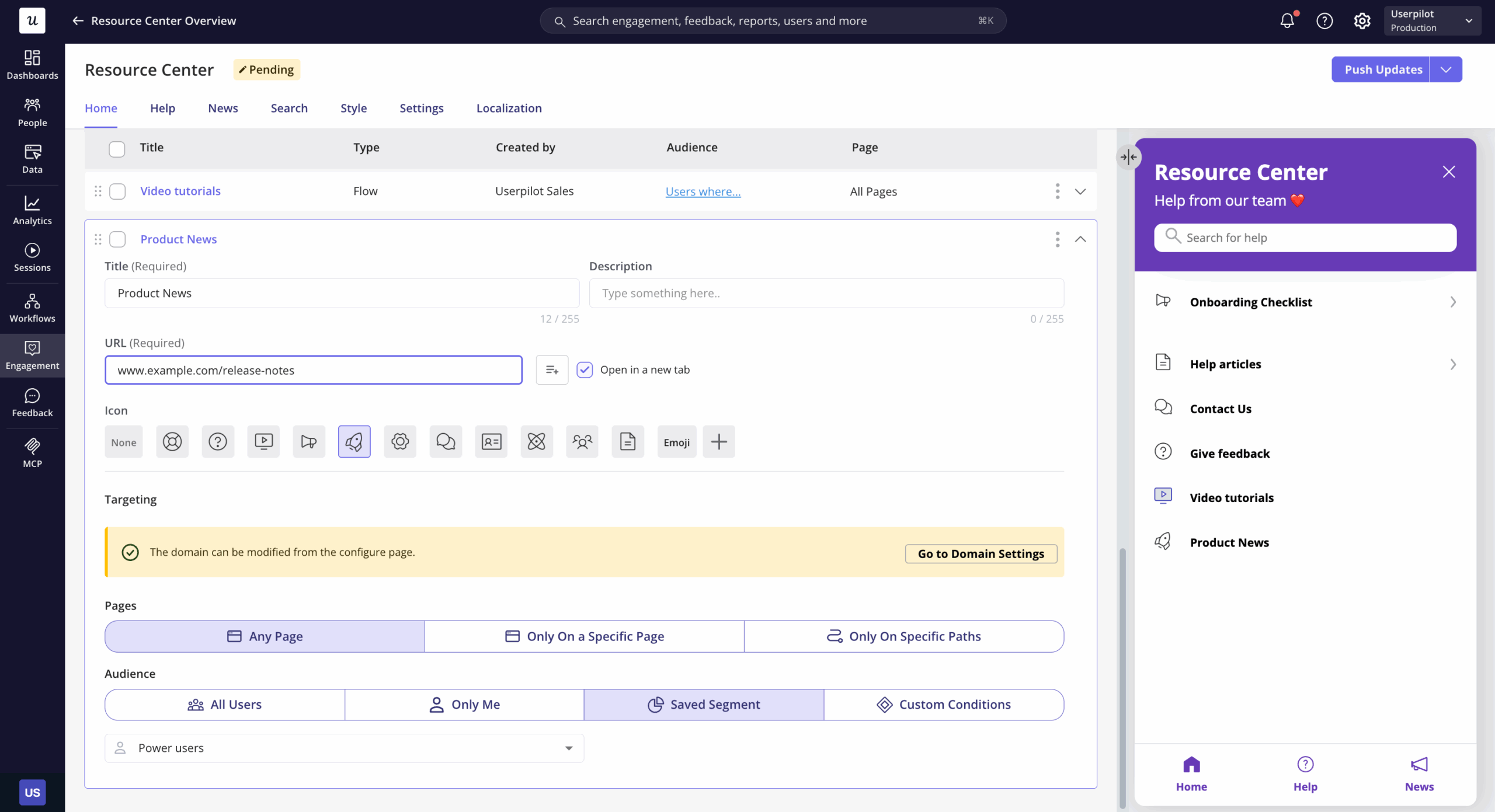
The best time to inform a user about a change is when they are using your product. I recommend using an in-app resource center. This is a widget that sits in your app (usually a small icon in the corner) that users can click to see “What’s New.” This gives users more control over when they consume updates, allowing them to manage their learning at their own pace.

Userpilot's in-app resource center with a dedicated 'What's New' module for release notes.
Userpilot‘s in-app resource center with a dedicated ‘What’s New’ module for release notes.

Why is this superior? Because it is contextual. It doesn’t clutter their inbox. It is there when they need it. With Userpilot, you can build a Resource Center that includes a dedicated “News” or “Updates” module. You can also display a small notification badge (a red dot) on the widget when there is a new update, prompting them to check.

The resource center consolidates all the information users need in one place. Instead of searching through emails or documentation sites, they click one icon and see your latest release notes alongside contextual help. This way, users can easily access a library of updated features and learn how to use them.

2. Modals and slideouts for major releases

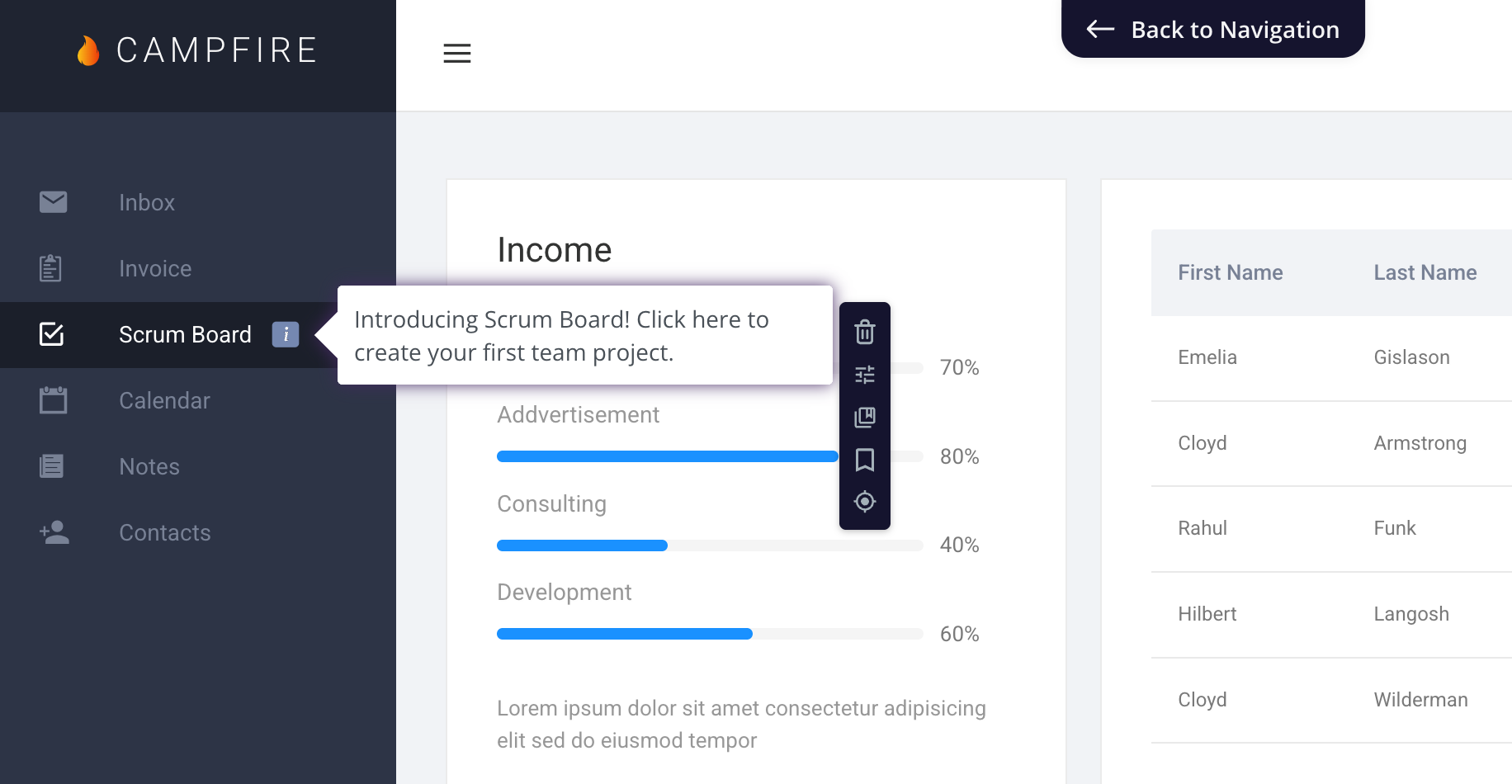
For significant updates, such as a complete product redesign or a flagship feature, a passive note in the resource center might not be enough. You need to interrupt the user (politely).

Use a UI modal or a slideout to announce the change the moment they log in. Keep it visual, focused on value, and include a call to action like “Try it now.” Just be careful not to overuse this; if everything is a major announcement, nothing is.

Miro slideout modal announcing board interface update with tutorial and help center links.

​Miro uses slideouts effectively to announce major features. For example, when they refreshed their board interface, a modal appeared in the bottom-right corner with the headline “Our board interface just got an update” and reassurance that the changes benefit both newcomers and power users. Two clear CTAs (“Watch tutorial” and “Visit help center”) give users immediate paths to learn more.

3. Dedicated standalone page

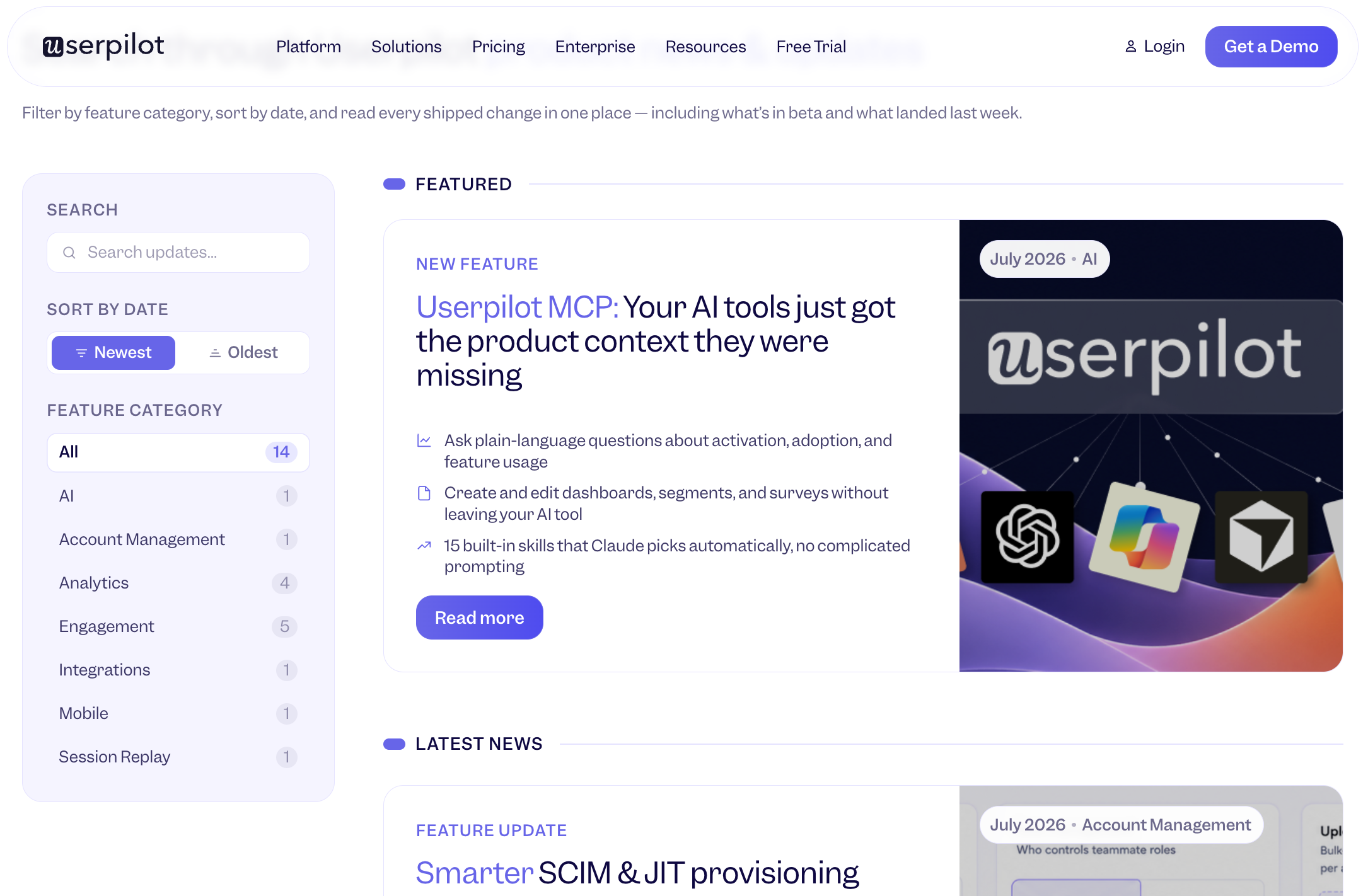
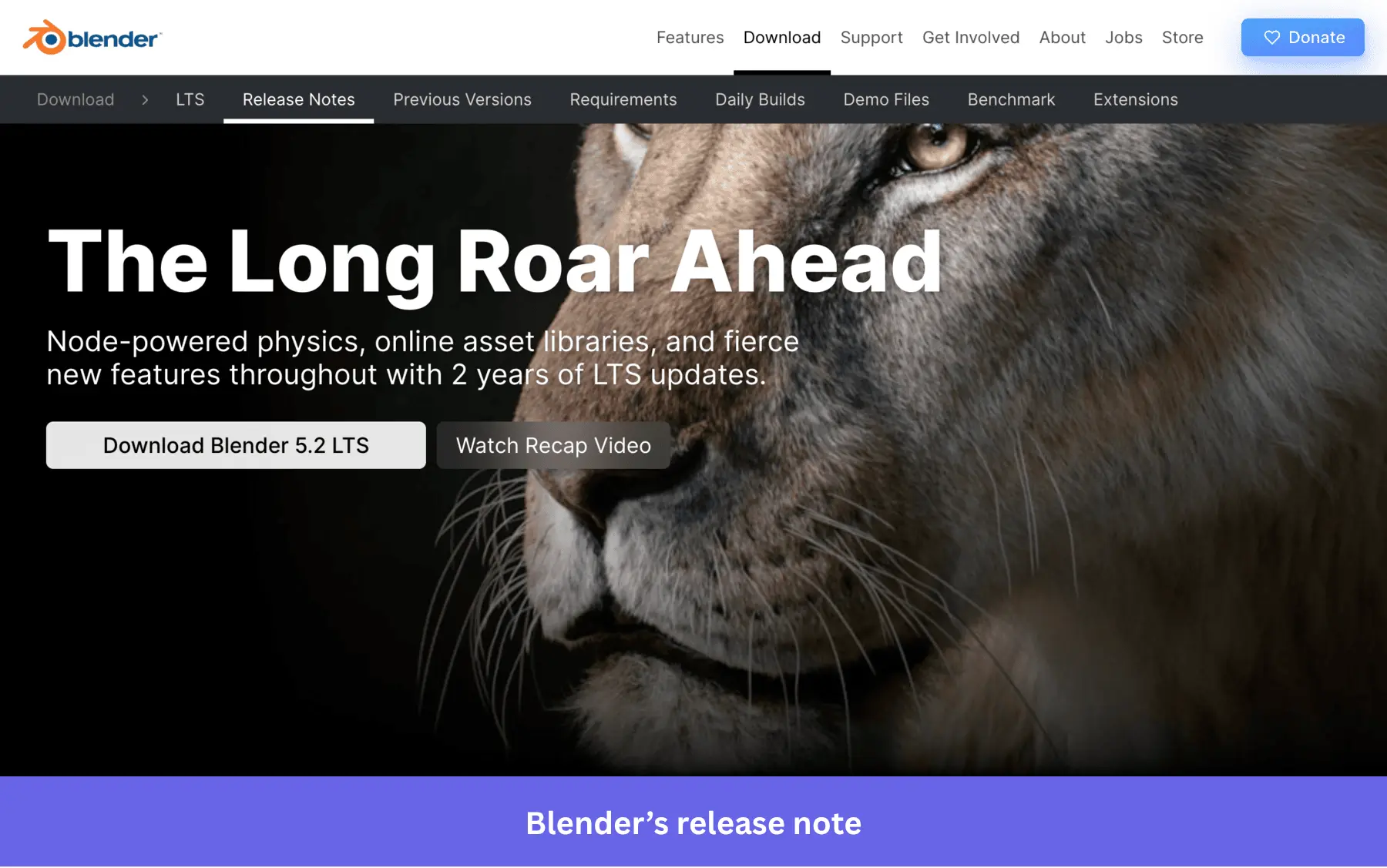
You still need a permanent home for your history. I recommend a standalone changelog page; it’s great for SEO and for prospective customers who want to see your development velocity. It acts as a historical record. Always include a clear release date for every entry to help users track velocity. This transparency is a hallmark of good release notes. Ensure this page is easy to navigate.

ClickUp's dedicated release notes page.
ClickUp’s dedicated release notes page.

ClickUp maintains a comprehensive release notes section, with each update getting its own page. Version 2.108, for example, details speed and performance improvements, with clear categories and bullet points that explain each enhancement.

A good standalone page is searchable, chronologically organized, and easy to navigate. Include filters by category (features, fixes, improvements) and dates. This page becomes your source of truth:

  • Your support team references it when answering questions.
  • Your sales team uses it to showcase momentum.
  • Power users check it regularly to see how the latest version differs from the last release.

4. Email

Email works best as a monthly or quarterly digest, not for individual updates. Most users don’t want their inbox cluttered with every minor improvement, but they do appreciate a curated roundup of what’s changed.

Userpilot's feature announcement email for User Path Analysis with use cases and product screenshot.
Userpilot’s feature announcement email for User Path Analysis with use cases and product screenshot.

Userpilot’s approach to announcing our Paths feature demonstrates this perfectly. The email opens with “Hey folks!” and immediately explains what the feature does and why it matters. Instead of listing technical specs, it presents five specific questions product managers can now answer. Then, it includes a screenshot of the actual feature interface.

Start with the outcome, not the feature name. For example, “You can now track user paths” is developer-speak. “See exactly where users drop off after signup” is the problem you’re solving.

Segment your list. Power users might want detailed monthly roundups, while casual users only need quarterly highlights of major features. Also, developers may require more details regarding API changes. Your enterprise customers need different information than self-serve users.

Product release notes best practices

Here’s how to write ones that users actually read and act on.

Avoid using jargon

Your end users do not care about your database schema or your refactoring efforts. They care about their problems.

It’s easy for us to fall into this trap because we are too close to the work.. You spent three weeks implementing OAuth 2.0, so naturally, you want to tell users about OAuth 2.0. But your users don’t know what OAuth is, and they don’t need to.

  • Bad: “Implemented OAuth 2.0 protocol for improved authentication latency.”
  • Good: “Log in instantly: We’ve upgraded our security so you can sign in with Google in one click. No more passwords to remember.”

Use the active voice. Keep sentences short. If you find yourself using words like “backend,” “latency,” or “framework,” stop. Ask yourself: “How does this help the user do their job?” Write that instead.

Categorize updates logically for faster scanning

Do not force your users to hunt for the good stuff. Group your notes into clear categories so users can immediately jump to what matters to them. The standard structure that works best is:

  • 🚀 New (Large): Major features, modules, or integrations. These are revenue drivers that encourage users to upgrade their plans or convince prospects to convert.
  • ✨ Improved (Medium): Workflow enhancements, UI refreshes, or speed boosts. These retention drivers keep existing users satisfied and reduce churn.
  • 🐛 Fixed (Small): Bug smashes and stability updates. These are trust drivers that prove you’re listening and maintaining quality.

This three-tier approach allows different users to consume release notes in various ways. Your most engaged users will read everything top to bottom. Casual users will skim the “New” section and move on. Support teams will jump to “Fixed” when a customer reports an issue. Ensure quick access so users can browse categories and switch between sections easily.

Use visuals

A wall of text is the enemy of engagement. Anchor abstract concepts in reality using media. If you changed the UI, display it. If you altered a workflow, show the steps.

Visuals prove the feature exists and show precisely where to find it, making it easier for users to adopt the change. When you write “We’ve redesigned the dashboard,” users have no idea what that means until they log in and hunt around. When you show a screenshot of the new product dashboard with an arrow pointing to the key change, they understand immediately.

In Userpilot, you can embed Loom videos or GIFs directly into the widget. Follow these media rules:

  • GIFs: Use for UI changes or interactions under 10 seconds. For example, if you added a voice button that activates on a long press, show a GIF of that interaction.
  • Micro-videos (Loom): Use for multi-step workflows or complex logic (30-90 seconds).
  • Screenshots: Use for static changes, such as new buttons or menu items. Annotate them with arrows.

Segment your audience correctly

This is where most companies fail. They send every update to every user.

Your enterprise users do not care about changes to the “Free Trial” onboarding flow. Your marketing users do not care about API rate limit changes. When you spam users with irrelevant updates, they train themselves to ignore you.

You should usecustomer segmentation tools to target your release notes.

In Userpilot, I can set specific audience targeting for my release notes modules. I ensure that API updates go to only users identified as “Developers,” and billing updates to “Account Admins.”

Use Userpilot to segment your audience.

Release notes templates

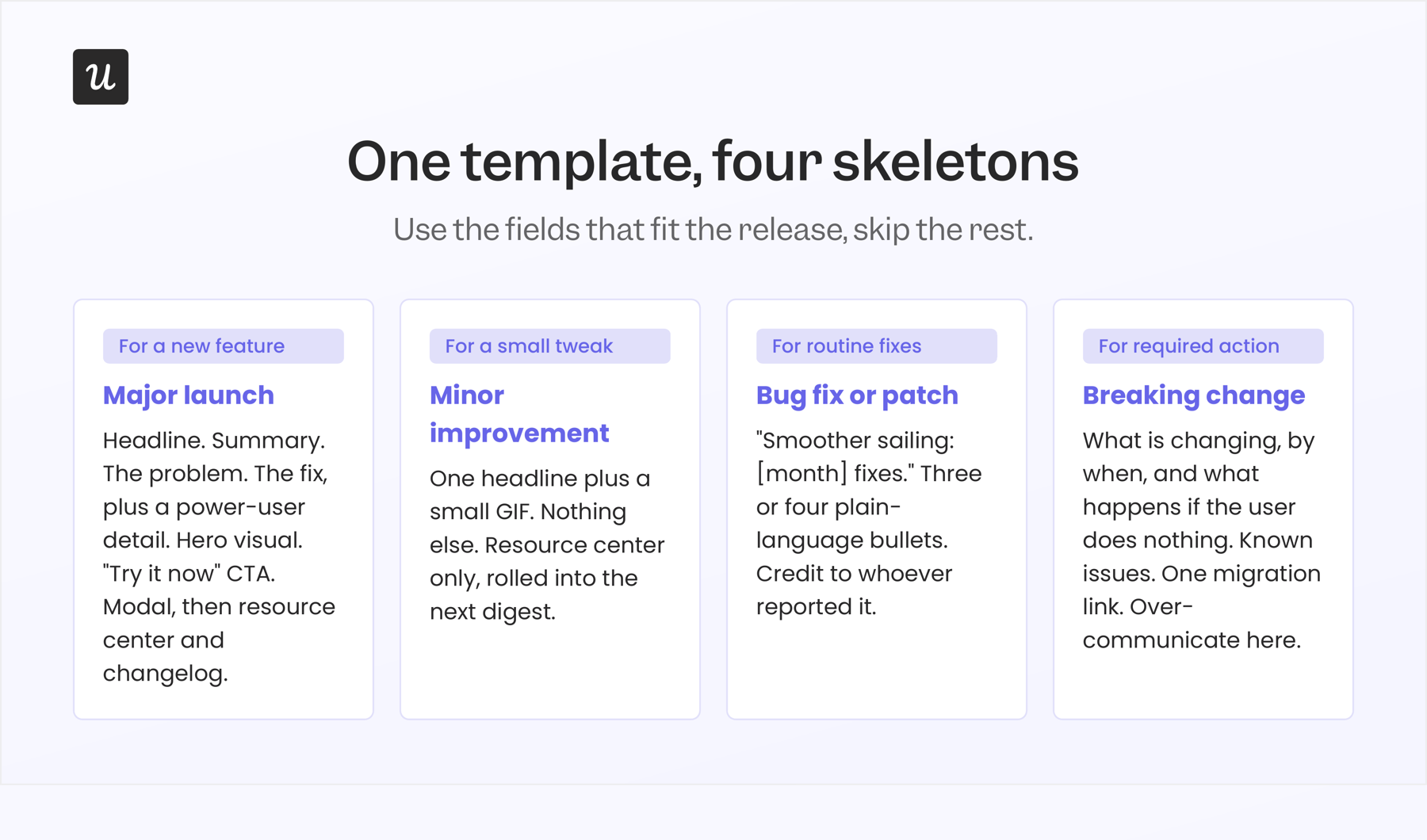
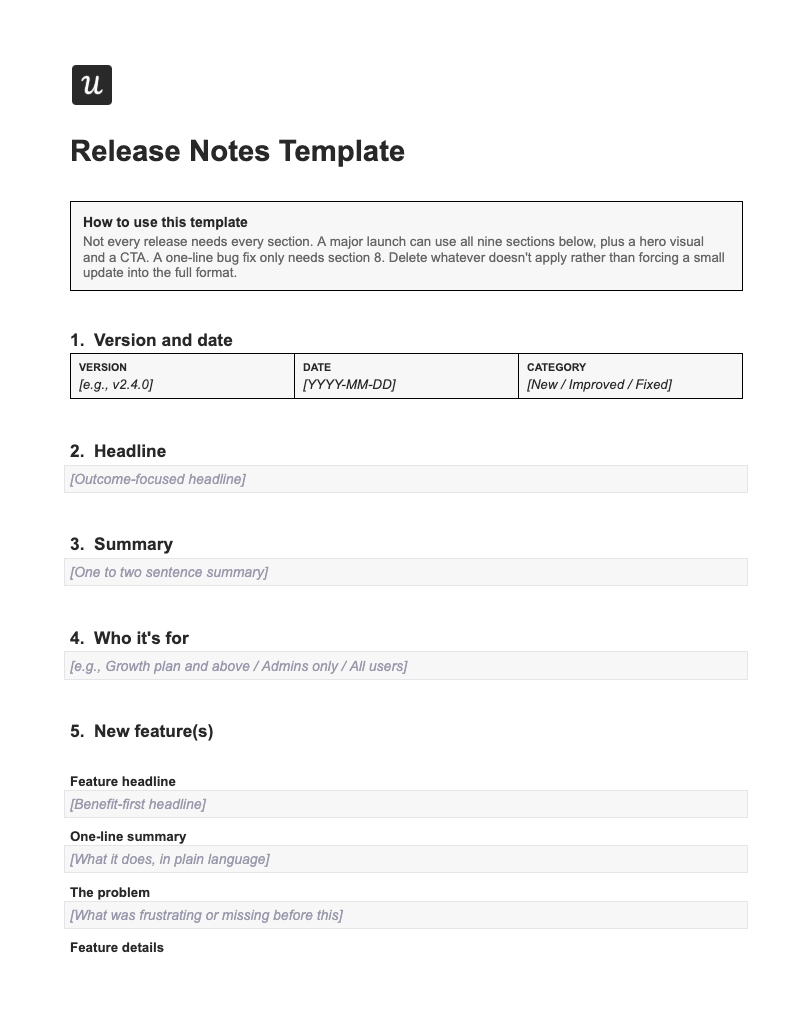
Stop starting from scratch every week. Consistency helps users process information faster. Additionally, a templated system is a more efficient way to save time. Below is a versatile release note template structure you can adapt for your resource center or email updates. Using this skeleton ensures you produce high-quality notes in under 10 minutes.

The “Feature Launch” Template

Use this for major updates.

Headline: [Action-Oriented Benefit] (e.g., Generate Reports in Half the Time)

TL;DR: [A brief overview of the value for skimmers]

Visual: [GIF or Screenshot of the feature in action]

The Problem: [Briefly state the pain point, e.g., “We heard that exporting data took too many clicks…”]

The Solution: [Bullet points on how this new project provides the ability to solve the problem, including additional options for power users]

  • Benefit 1
  • Benefit 2

Call to Action: [Try it now / Read the Docs] (Deep Link directly to feature)

The “Bug Smash” Template

Use this for maintenance updates.

Headline: Smoother Sailing: [Month] Fixes

Summary: We’ve been polishing the platform to make your workflow faster. Here is what we fixed:

  • 🐛 Fixed: [Description of bug] – [Benefit of fix, e.g., “Improved handling of the legacy model in South Korea servers.”]
  • 🐛 Fixed: [Description of bug] – [Benefit of fix, e.g., “Faster loading time in iOS app]

Note: Thank you to [User Name] for reporting the dashboard issue!

3 Examples of great release notes

To understand what constitutes a great update, we can look at industry leaders who have mastered this art. Here are three archetypes of release note examples you can emulate:

The “Slack Style” (playful & brief)

Slack is famous for turning mundane bug fixes into entertainment. They often use humor to soften the blow of errors.

Release note example: Slack.

Why it’s good: It respects the user’s time while creating brand personality. Most companies would write “Fixed: Users unable to unstar channels on mobile.” Slack turns that into a narrative that acknowledges that the bug annoyed people, credits the team who fixed it, and makes you smile.

The “Intercom Style” (educational)

Intercom treats release notes as mini-blog posts. They don’t just say “New Inbox Features”; they explain the philosophy behind the change. This gives users a deeper understanding of the product vision.

Release note example: Intercom
Release note example: Intercom.

Why it’s good: It educates users on how to improve their job performance with the tool, rather than just listing features. The educational approach works best for complex features, where understanding the “why” is essential to successful adoption.

If you’re announcing a new analytics dashboard, a new pricing model, or changes to how your algorithm works, follow Intercom’s lead: Write a proper article. Explain the thinking. Show before-and-after examples. Link to documentation.

The “Notion Style” (visual & dense)

Notion’s “What’s New” page is heavy on GIFs and screenshots. They assume users won’t read, so they show. They lead with visuals first, then layer in detailed context below. Their release notes are structured like this: a big headline, a screenshot of the feature in action, and a comprehensive explanation.

Release note example: Notion.

Why it’s good: It reduces cognitive load. Users can instantly see the “before and after” without analyzing complex sentences. This approach is perfect for visual products where showing is more effective than telling. If you’re announcing UI changes, new layouts, or workflow improvements, follow Notion’s lead: Visual first, explanation second.

How to create release notes in Userpilot

Here’s how I use Userpilot to maintain complete control over my release notes without touching the codebase.

  1. Set up the Resource Center: I navigate to the Engagement Layer in Userpilot and select Resource Center. I add a dedicated “News” or “What’s New” module for product updates.
  2. Create the release note post: Then, I click “Create Post” within the News module to open the rich text editor. I write my headline (remember: benefit-driven!), add body text, and embed images or GIFs. Userpilot’s AI writing assistant also helps me to generate polished drafts I can refine.
  3. Add deep links to drive action: I highlight text like “Try it now” and link to the feature in my app. Better yet, I trigger a Userpilot flow that walks users through the new feature after they read about it.
  4. Target the right audience segments: I use audience segmentation to show release notes only to relevant users. I filter by plan type, user role, feature access, or behaviors such as recent login activity.
  5. Publish instantly: I hit publish, and my release note goes live immediately. No code deployment, no waiting for the next sprint cycle.

Follow these best practices to drive adoption after publishing your release notes:

  • Track feature usage spikes: Adoption rates falling between 0-24% are classified as poor. Use your product usage dashboard to compare adoption between users who saw the note versus those who didn’t. Then iterate where necessary. This real-time feedback loop allows you to verify whether the update improves user engagement.
  • Monitor widget clicks: Low engagement signals “badge blindness.” Adjust the beacon color, or reserve these widgets for major updates only.
  • Add microsurveys: To gauge immediate user sentiment on major releases. This focus on qualitative data allows you to review how users feel about recent changes. By turning a static document into an interactive experience, you build a stronger community
  • Personalize notes: Customers are 21% more likely to answer future in-app surveys if a brand actively announces improvements based on user feedback. Personalize notes for users who requested specific features to close the feedback loop.

Release notes are your retention engine, not documentation

Your release notes prove you’re listening, iterating, and investing in the product they depend on. Every update is an opportunity to reinforce why they chose you, or to remind them why they should stay.

Ready to transform how you communicate product updates? Book a demo and see how easy it is to create, target, and distribute release notes that drive feature adoption without writing a single line of code.

Try Userpilot and Take Your Product Experience to the Next Level

About the author
Aakash Gupta

Aakash Gupta

Chief Product Officer

All posts Connect