Data Instrumentation Is Now a Job for AI: What We Learned Building AI Tagging


AI can only analyze what’s been tracked properly. That makes tracking the first job for AI, not the last
When we started building Lia, Userpilot’s AI agent, we went after the obvious problem first: answering product questions with dashboards and reports. That’s what most product managers come to Userpilot to do.
But we quickly ran into what was underneath. Every report Lia built depended on the events a team had tracked, and a lot of that tracking was inconsistent or broken.
Your reports are only going to be as good as that foundation is
The beta made it obvious that our customers weren’t only asking Lia for reports. They were asking it to review their raw events and explain CSS selectors they didn’t understand themselves.
So we pivoted, and making tracking reliable became a top priority.
Tracking breaks quietly
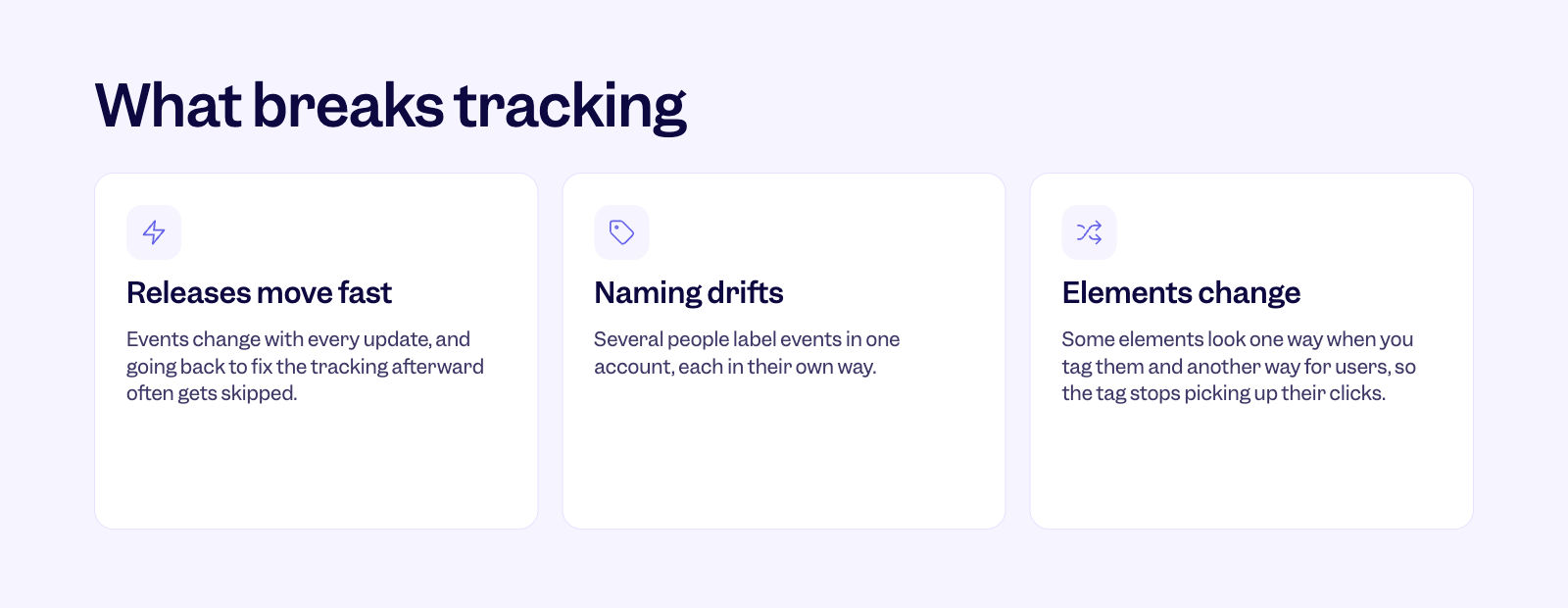
Product teams release features and updates fast, and tracking is always the afterthought. Going back to reselect an event after a release doesn’t always happen.
Naming drifts when several people label events in one account. And elements change; a button can look one way when you label it and show up differently for another user, so the label stops matching.
It’s one of the biggest problems we hear from customers. They label what they believe are the right events, then come back the next week to find no occurrences at all.
Is our app down, or is it because the tracking is broken?
Very often, it’s the tracking. And everything built on it inherits the problem. A funnel shows a drop-off because an event stopped firing. A report says a feature isn’t used when people are using it just fine. Teams end up making decisions on data that isn’t true without knowing it.
One product manager told us they spent 10 hours tagging features after a big release, and still didn’t believe the data they had.
The things that break tracking are the things AI is good at
AI likes things that are consistent and standardized, which tracking usually isn’t. So alongside reading the data, Lia now takes on the tracking underneath it.
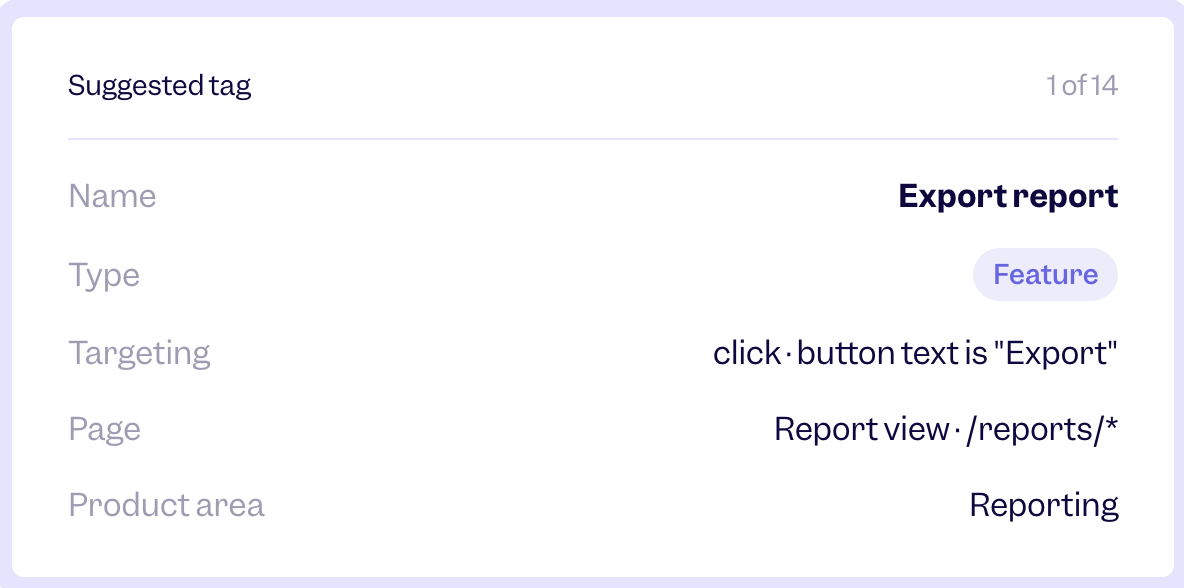
Looking at the problems that break tracking: naming drifts because different people label events their own way. When Lia drafts tags, every one gets a name and a product area following the same logic, so the account reads as if one person set it up.
Elements change, and most people labeling events were never trained to write selectors. Lia writes the targeting rule for you. You still decide what goes live. Lia drafts, you review and accept.
Lia also explains, in plain language, which events it found and why they matter. That explanation is just as important as the task getting done, because it teaches your team what good tracking looks like.
It also opens tracking up to the rest of the team. Product managers, product marketers and customer success teams shouldn’t need to learn CSS selectors to trust what they’re measuring.
Catch broken tags before your reports do
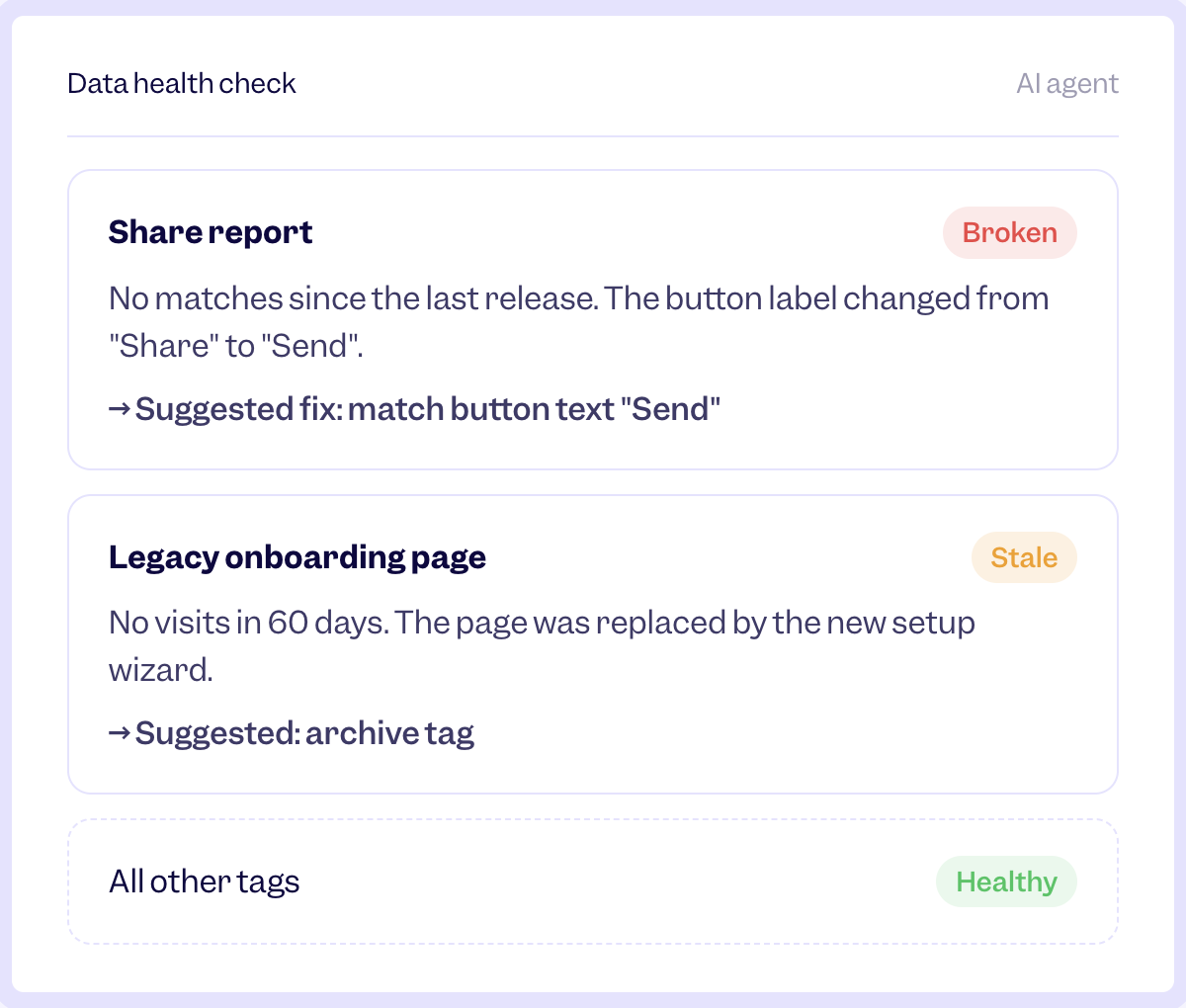
Lia’s data health check also looks at the tags you already have. When a tag has had no matches since a release, it flags it, shows what changed, like a button label going from “Share” to “Send,” and suggests a fix for you to review. It also spots pages and events that went quiet, like a page with no visits in 60 days, and suggests archiving the tag.
We’re also bringing console errors from session replay into Lia’s suggestions. We’re all releasing so fast that nobody can keep on top of every change in the UI, so Lia uses those errors when suggesting what to label or relabel.
Not every important event is a frequent one
Not every click deserves a label. Today, Lia starts with frequency. It looks at your raw events and recommends the most common ones from the last 30 days. It’s a useful starting point, but frequency alone doesn’t tell you which events matter most. So we’re adding more signals:
- New events: A brand-new feature has very few occurrences at first, but it’s exactly what a product manager wants to track. We saw this with our own Agent Analytics release. Autocapture means no data is lost in the meantime, but right after a launch is when the team has time to set up tracking before moving on.
- Sudden changes: If an event jumps or drops 10x from its usual baseline, something changed, and it’s worth labeling and investigating.
- Broad reach: Events that many different users or companies trigger.
- Clusters: The smaller events around a page’s main call to action that together make up the path to it.
Lia suggests, and you decide. Sometimes a team wants to keep things simple and track only the main button. That’s their call.
AI does the labeling, people stay in control
I can see product managers being hesitant at first about bulk labeling. Will they understand the events Lia created? Will the names and descriptions make sense to everyone on the team? That’s why we’ve kept a person in the loop, reviewing anything before it’s labeled.
You can check each tag visually in the builder, edit it, or leave it out. Anything Lia labels can be unlabeled. And Lia can only ever do what the person asking has permission to do themselves.
When someone on my team has just released their feature, they’re responsible for tracking it, but I will always double-check the events as well
It’s the same with Lia. Whoever asks it to label events is responsible for what it does, and should be able to speak to every event it labeled. I think we’ll also need a way to show that a person made a change through Lia, so there’s traceability.
Once you get past that initial hesitation, handing tracking over to Lia makes things a lot more standard, and for the better.
What’s next: AI that tracks back-end events
Everything so far is about what users click and see on the front end. But a click usually triggers something on the back end, a call that pulls or pushes data. Knowing a user clicked a button means little if nothing fired behind it, and tracking those back-end events still needs engineering today.
That’s where we’re headed. Soon, you’ll be able to ask Lia to install Userpilot from a chat, and it will send the install snippet straight to your coding agent, with no dev ticket.
Beyond that, we’re prioritizing giving Lia access to the codebase, so it can create back-end events too. As trust grows, we also expect teams to give Lia more room, letting it label significant events on its own while they check in on how things are performing.
The critical piece will be teams feeling confident enough to give that access, because it’s going to be incredibly powerful.
For now, start with the half most teams already have. If you’re on Userpilot, ask Lia what you’re not tracking yet. If you’re not, book a demo with our team and we’ll show you how Lia finds and tags what’s worth tracking in your product.
About the author