How to Choose the Right Free Trial Length for Your SaaS



Most SaaS teams spend weeks debating free trial length. 7 days or 14? 14 or 30? Meanwhile, their trial users are churning on day two because nobody thought hard enough about what happens during those days.
Most trial users churn before they see what the product can do.
ChartMogul’s 2025 GTM report found that most trial-to-paid conversions happen within the first week, regardless of how long the trial runs. The number of days you offer is a product decision. How you use those days is a user onboarding one.
The right trial strategy starts with knowing which of those levers you’re actually pulling.
What is a free trial in SaaS?
A free trial gives potential customers access to your product before they pay, so they can evaluate fit without financial risk. Unlike a sales demo, which is guided and controlled, a free trial is self-serve. Users explore on their own terms.
The best free trials offer full access to the product rather than a watered-down version. The more value users experience during the trial period, the more likely they are to become paying customers.
Types of free trial models
Not all free trials work the same way. Here are the six main models and when each one makes sense for your SaaS business.
- Opt-in free trial (no credit card required): Users sign up and get access without entering payment details. Friction is low, so signup volume is high. The tradeoff is that conversion rates tend to be lower since users have to actively choose to upgrade when the trial ends.
- Opt-out free trial (credit card required): Payment details are collected upfront and billing starts automatically when the trial ends. Conversion rates are higher, but the credit card requirement puts off some users before they even start.
- Freemium: Users get a permanent free plan with limited features or usage, and upgrade when they hit the ceiling. The plan runs indefinitely, so urgency has to come from the product itself.
- Usage-based or reverse trial: Users get full access to the product from day one, then drop to a limited free plan when the trial ends. The downgrade is the conversion trigger. It works best for PLG products where users build something inside the product during the trial.
- Time-limited demo or sandbox: Users explore a pre-configured version of the product without touching live data. Common for complex or enterprise tools where a full trial requires too much setup to be useful.
- Sales-qualified trial (gated trial): Trial access is granted only after a discovery call or qualification step. It filters out low-intent users and works well for high-touch B2B products with longer sales cycles.
What’s the difference between free trial vs freemium?
Before we go further, free trial and freemium are not the same thing.
A freemium model gives users a basic version of the product for free indefinitely, with the premium version locked behind a paywall. A free trial typically offers complete functionality, but only for a limited period.
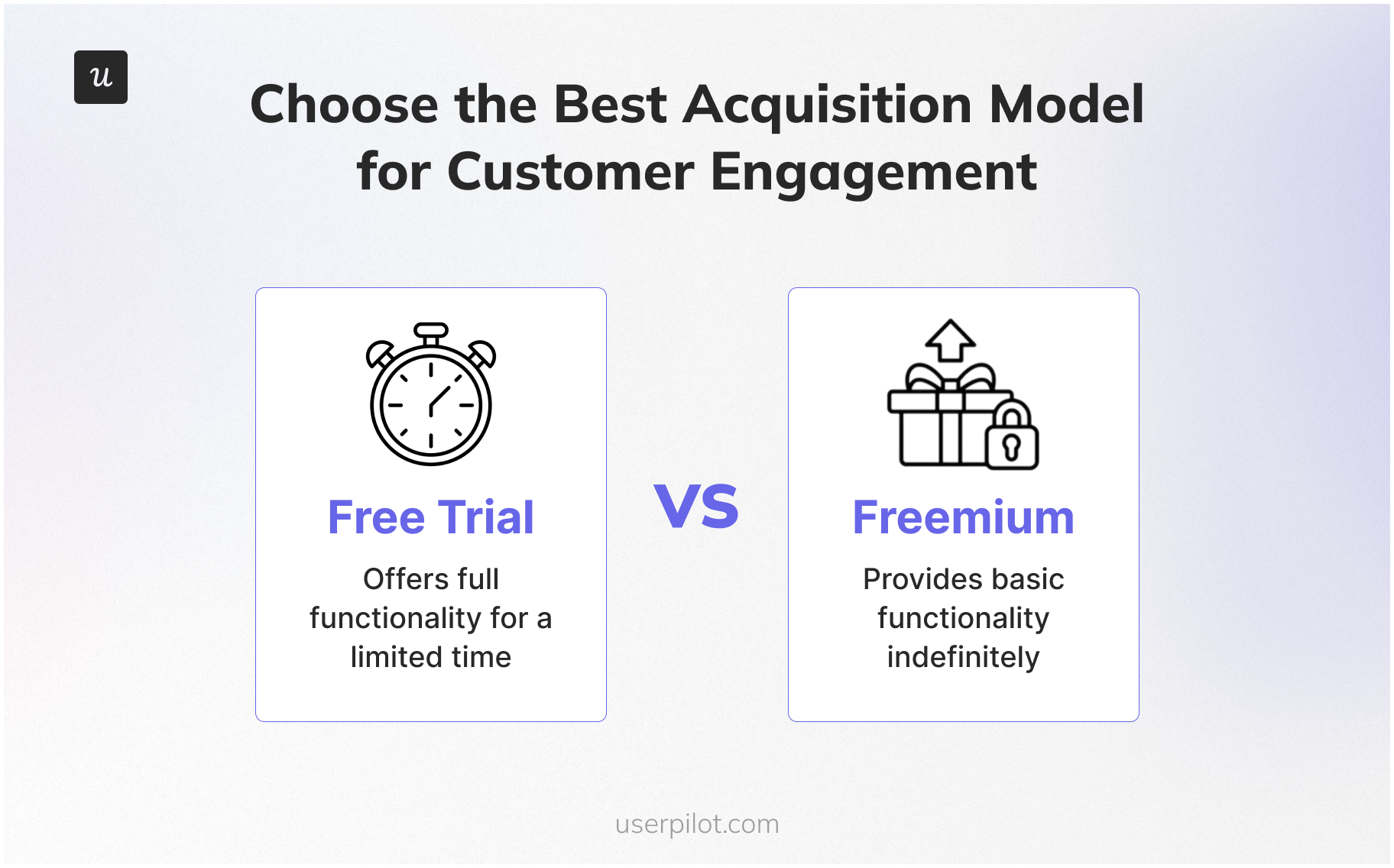
The distinction matters for how you design your acquisition strategy. Freemium bets on habit formation over time. A free trial creates urgency. Before you settle on an optimal trial length, know which model fits your product.
Why free trial length matters
The length of your trial period directly impacts user behavior, engagement, and conversion rates.
- Shortens time-to-value: A well-structured trial, supported by strong onboarding, helps users solve their first problem fast. According to 1Capture’s 2025 benchmark report, every 10-minute delay in reaching first value costs 8% in conversion rate.
- Guides users to the Aha! moment: The trial period is your opportunity to guide users to the point where they realize the product works for them. Users who activate during a trial convert at up to 5x the rate of those who skip the Aha! moment entirely.
- Drives product activation: Activation occurs when a user performs core actions. A thoughtfully timed trial encourages these actions, making free trial users significantly more likely to convert.
- Collects valuable customer data: Every free trial sign-up is a valuable lead. It allows you to collect customer data and learn from product usage patterns, which is valuable data for refining your marketing campaigns and product strategy.
What are the three standard free trial lengths (and who they actually work for)?
57% of products have a free trial as their primary landing point for new customers, and the default length is almost always 7, 14, or 30 days. Each free trial length works, just not for every product. Here’s what determines the best free trial length for yours.
7-Day trials: Best for simple, high-clarity products
Some products don’t need two weeks to prove their value. A user opens the product, completes a core action, and immediately understands what they’re paying for. That’s when 7 days is enough.
A randomized study of 337,724 users found that 7-day trials produced a 15.44% subscription rate versus 14.63% for 30-day trials. Shorter trials keep users focused. Longer ones give them room to forget about you.
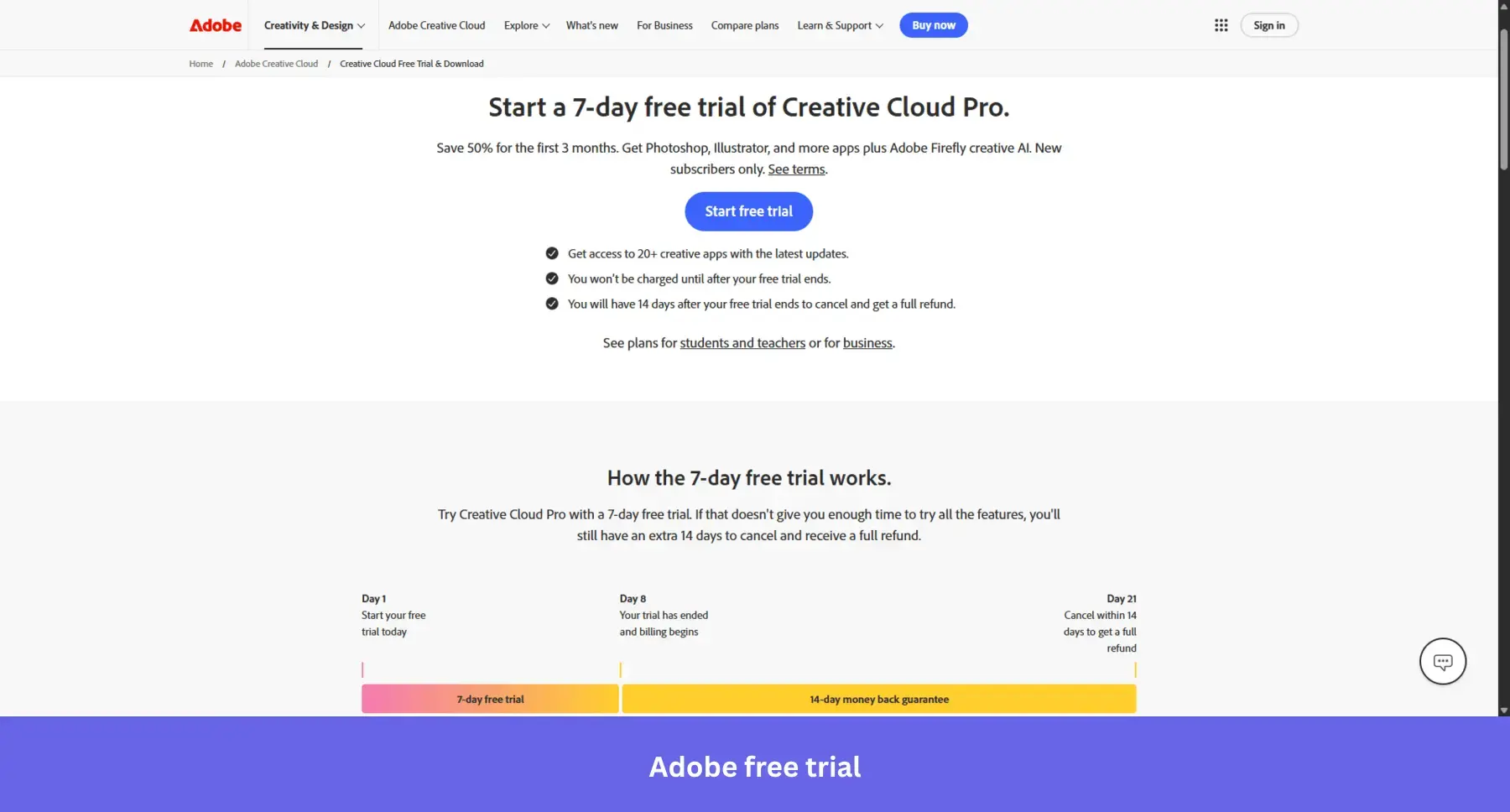
Adobe Creative Cloud offers a 7-day free trial across its entire suite of apps. Most users aren’t evaluating all 20 of them. They come for one tool, usually Photoshop, download it, open a file, and know within hours whether it does what they need. When a product is that familiar before signup, seven days is more than enough time to make the call.
14-Day trials: The default for most B2B SaaS companies
Most B2B SaaS products need a few days just to get set up. You install the SDK, connect your data, invite your team, and only then does the product start doing anything useful. Fourteen days covers that setup window and still leaves enough time to evaluate.
For sales-led teams, it fits cleanly inside a calendar month. A trial that starts on the 1st can close by the 15th. That compression matters for sales velocity.
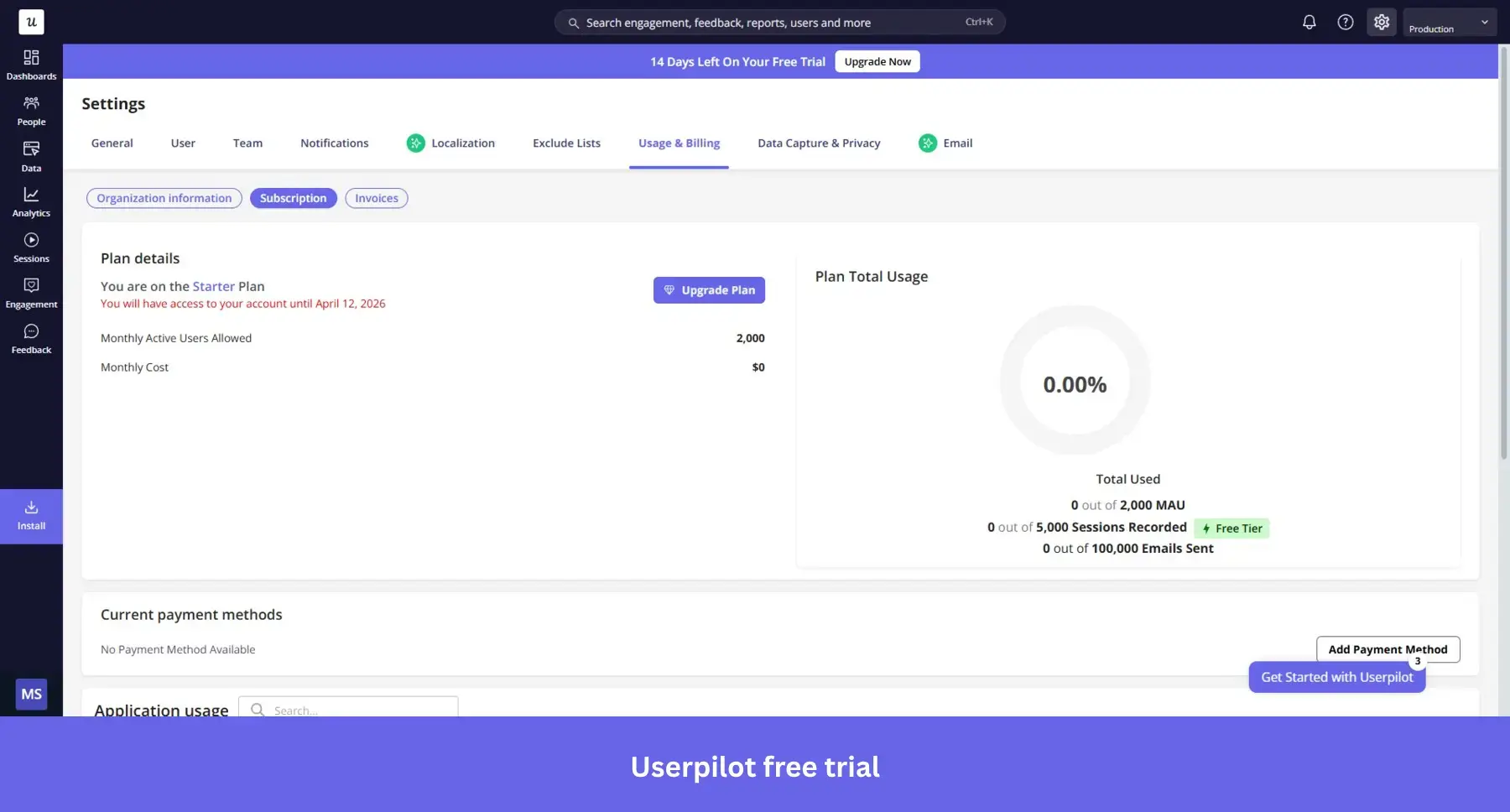
Userpilot runs a 14-day trial for exactly this reason. A product team can install the SDK, build their first onboarding flow, and see it live inside their product within that window.
30-Day trials: Best for complex products and longer evaluation cycles
Some products need real usage data before they show value. The more people use them, the more useful they get. Those products need 30 days.
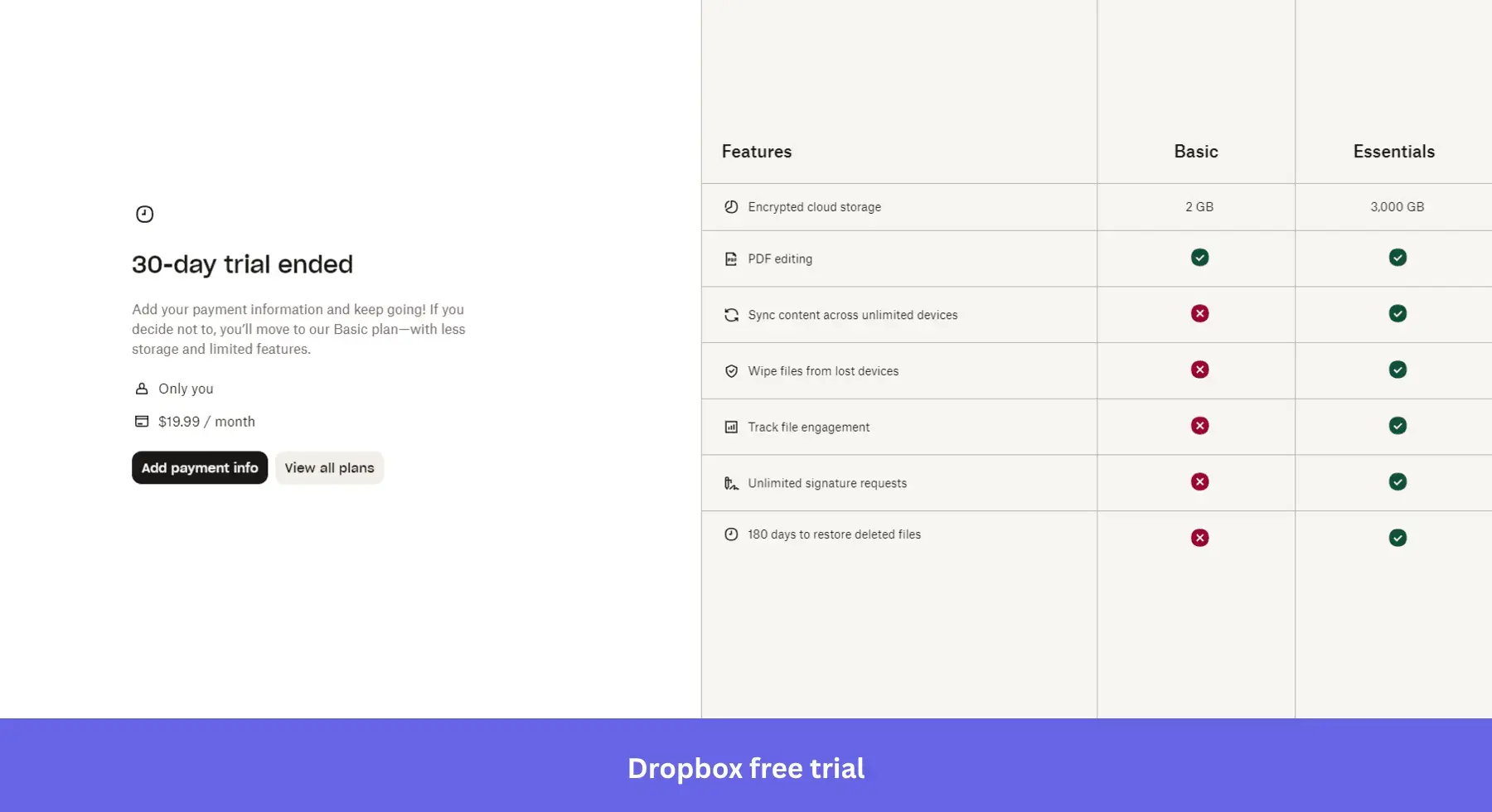
Dropbox is a good example. A team can’t evaluate it in a week. They need to migrate files, build the habit of reaching for it first, and feel what it’s like when it’s actually embedded in their workflow. That takes time.
The risk with 30-day trials is that users go dormant. The same study found dormancy in 30-day trials averaged 21 days. More runway only works if your onboarding keeps users moving through it.
What should actually determine your free trial length
Several factors should shape your optimal trial length. The factors below should help you determine which trial period is worth investing in.
- Product complexity and time-to-value: The more complex your product, the longer the trial period required for a user to experience its value. A simple tool may only need seven days, while a sophisticated platform may need 30. The right question is: how long does it realistically take a new user to reach their first meaningful outcome? That number is your floor. Shorter trials outperform 30-day ones by 71% when users hit their Aha! moment in time, which means the floor matters more than the ceiling.
- B2B vs. B2C buying behavior: B2C decisions are fast. Shorter trials work better there. B2B sales cycles are longer, often requiring a longer trial for internal evaluation. Your target audience in B2B rarely makes solo decisions, which means the person who signed up is rarely the person who approves the purchase. B2B SaaS trials convert at a median of 18.5% compared to 10 to 20% for B2C, and that gap exists because B2B buying involves more people, more scrutiny, and more time.
- Sales-led vs. product-led motion: A shorter trial accelerates the sales cycle but demands more from your team. A longer free trial allows for more nurturing but increases costs. The trial length should match who is doing the selling. Get this wrong, and it kills your sales velocity.
- Your pricing tier: Price and trial length move together. Products under $500 a month convert at a median of 22%. Products at $100K+ ACV drop to 5%. The higher the price, the more the buyer needs to justify the decision internally, and a 7-day window rarely gives them enough time to do that.
- What your competitors offer: Trial length shapes user expectations across an entire category. If every tool in your space offers 30 days and you offer 7, prospects will perceive your trial as inferior before they even sign up.
- Cost to serve a trial user: Longer trials cost more, especially for products with high compute or storage costs. If your cost to serve a trial user is high, a 30-day default is a financial decision as much as a product one.
Should you offer a free trial at all?
Not every product should offer a free trial. Here’s when to skip it.
- Your product needs weeks of setup before it shows value. A free trial on an empty, unconfigured product doesn’t convert. It just confirms the product does nothing.
- Your sales cycle is too complex for self-serve evaluation. Enterprise products with multiple stakeholders and custom pricing don’t close through a free trial. A structured pilot or sales-led demo works better.
- Your cost to serve is too high. If supporting a trial user costs significant infrastructure or support resources, a product demo or interactive walkthrough filters intent without the cost.
If none of those apply, offer the trial. For most SaaS businesses, potential customers who experience value before paying convert better, retain longer, and refer more.
How to optimize your free trial for conversion
Picking the right trial length gets users in the door. Your onboarding process is what converts them. These optimization tips will help you boost conversions regardless of how many days your trial runs.
Personalize onboarding from signup
Now that you have collected customer data from your welcome screens, you can use it to personalize the user journey according to user JTBDs.
Effective personalization is possible through user segments.
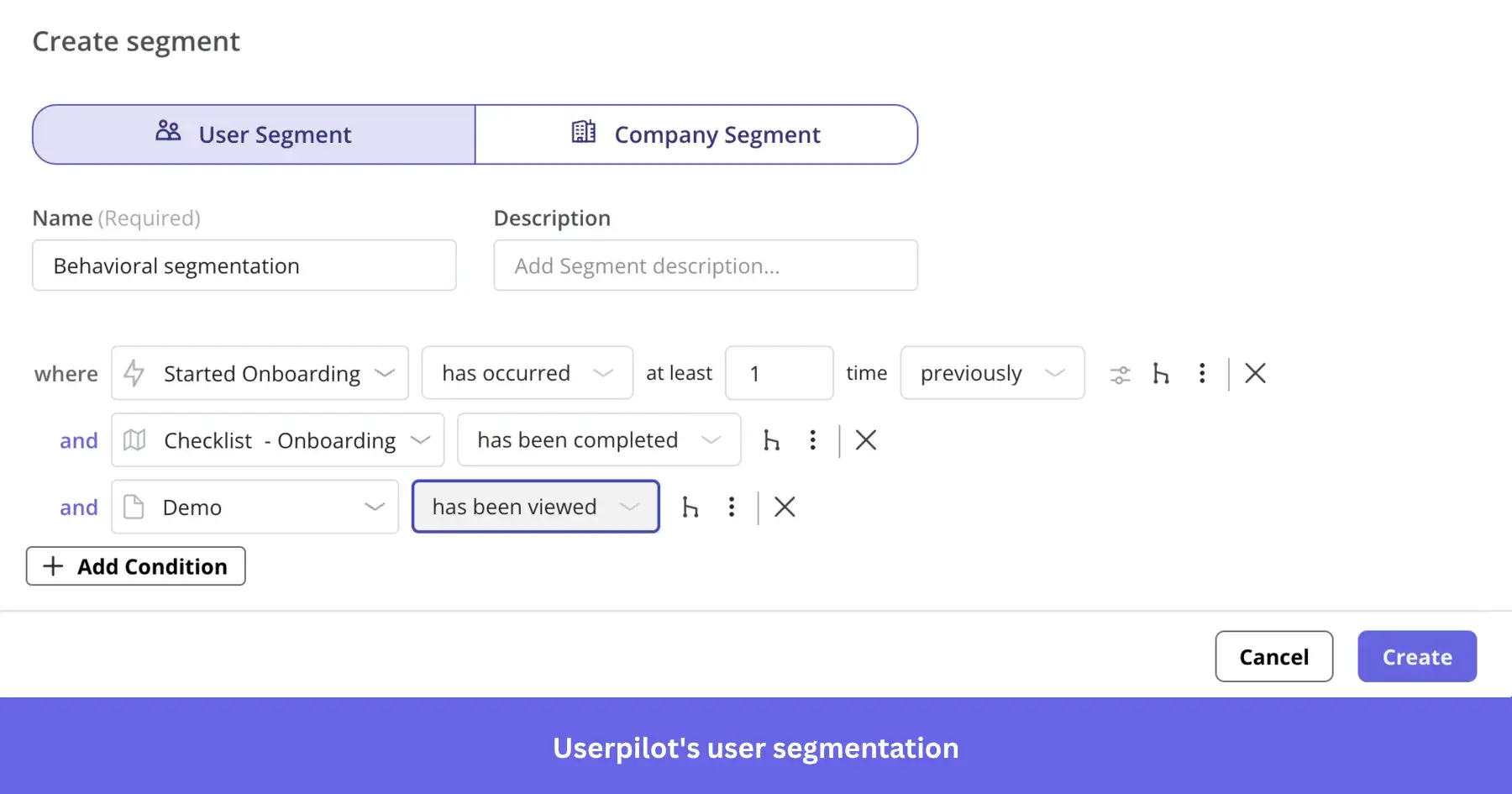
A prime example of this strategy in action is Kontentino, a social media management tool. Kontentino faced the challenge of onboarding different types of users, from agency marketers to brand managers, each with unique goals.
To solve this, they implemented a welcome survey that asked new users about their role and what they wanted to accomplish.
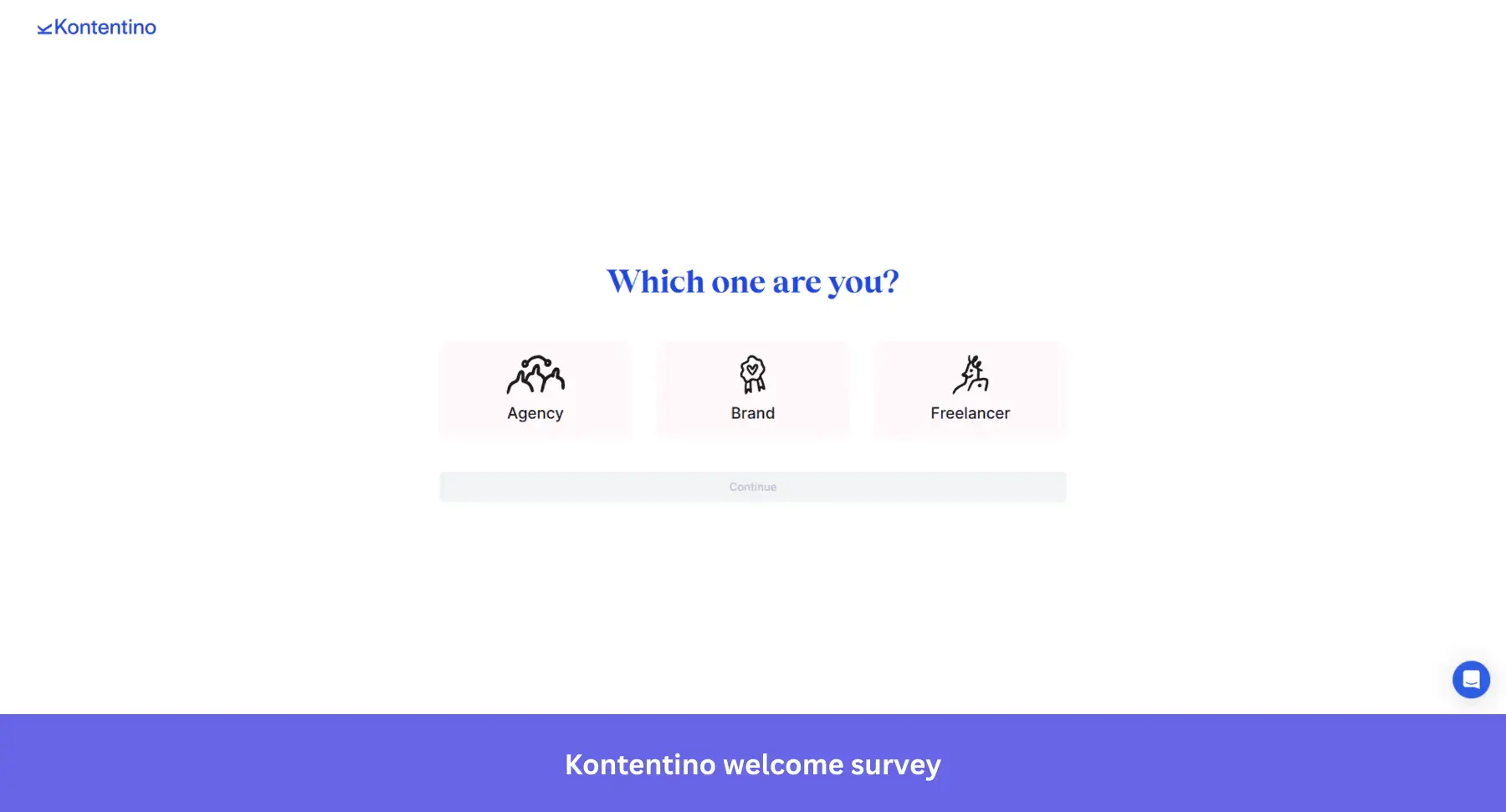
Based on these answers, Kontentino triggered a personalized onboarding flow for each user persona.
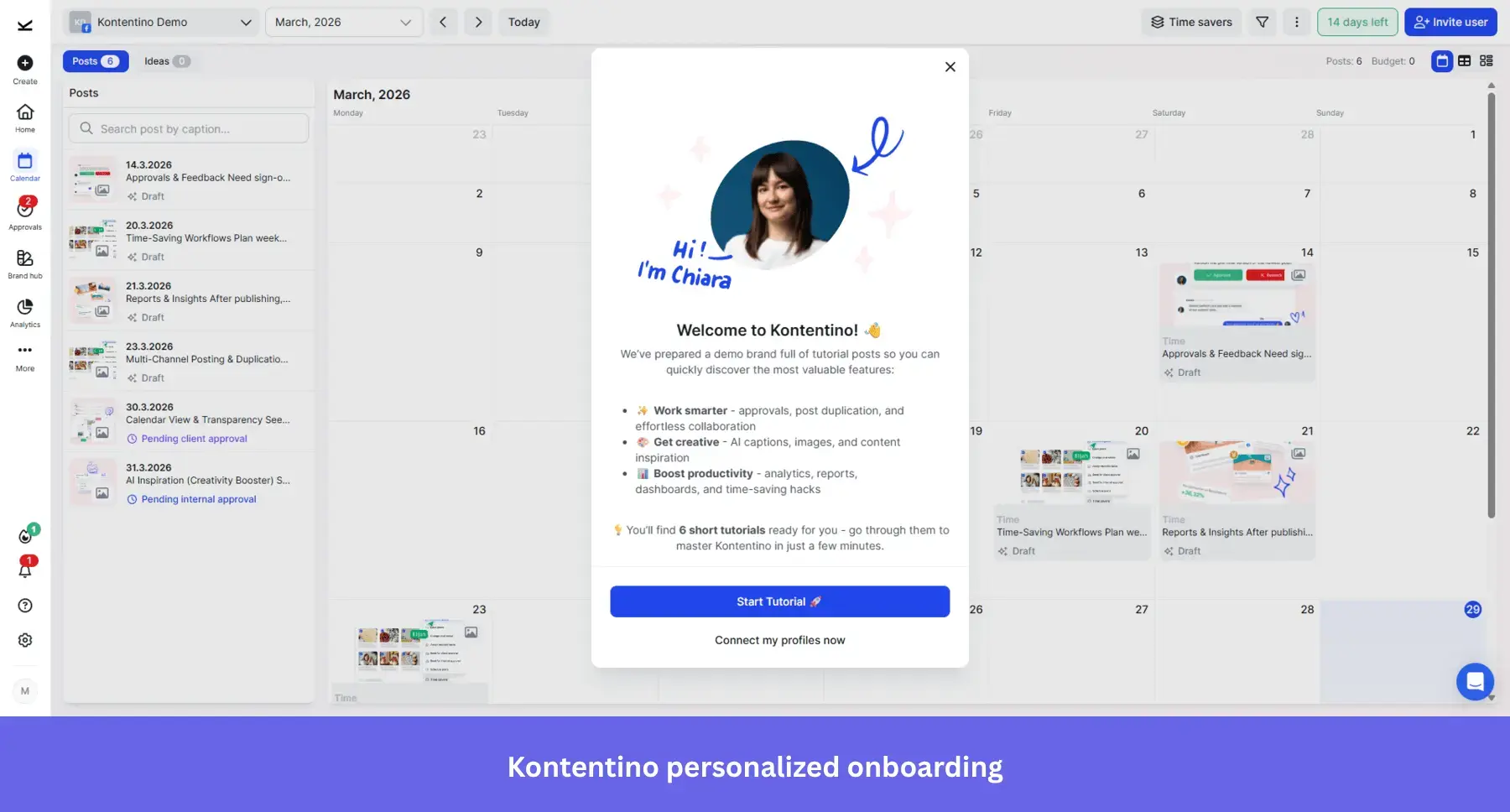
Instead of a generic tour, users were guided through an interactive walkthrough and checklist tailored to their specific JTBD, such as connecting a social account or scheduling their first post.
The result was a nearly 10% increase in new user activation within the first month. By personalizing the journey, Kontentino ensured that users immediately saw the features most relevant to them, dramatically shortening their time-to-value and boosting engagement.
Use onboarding checklists to drive activation
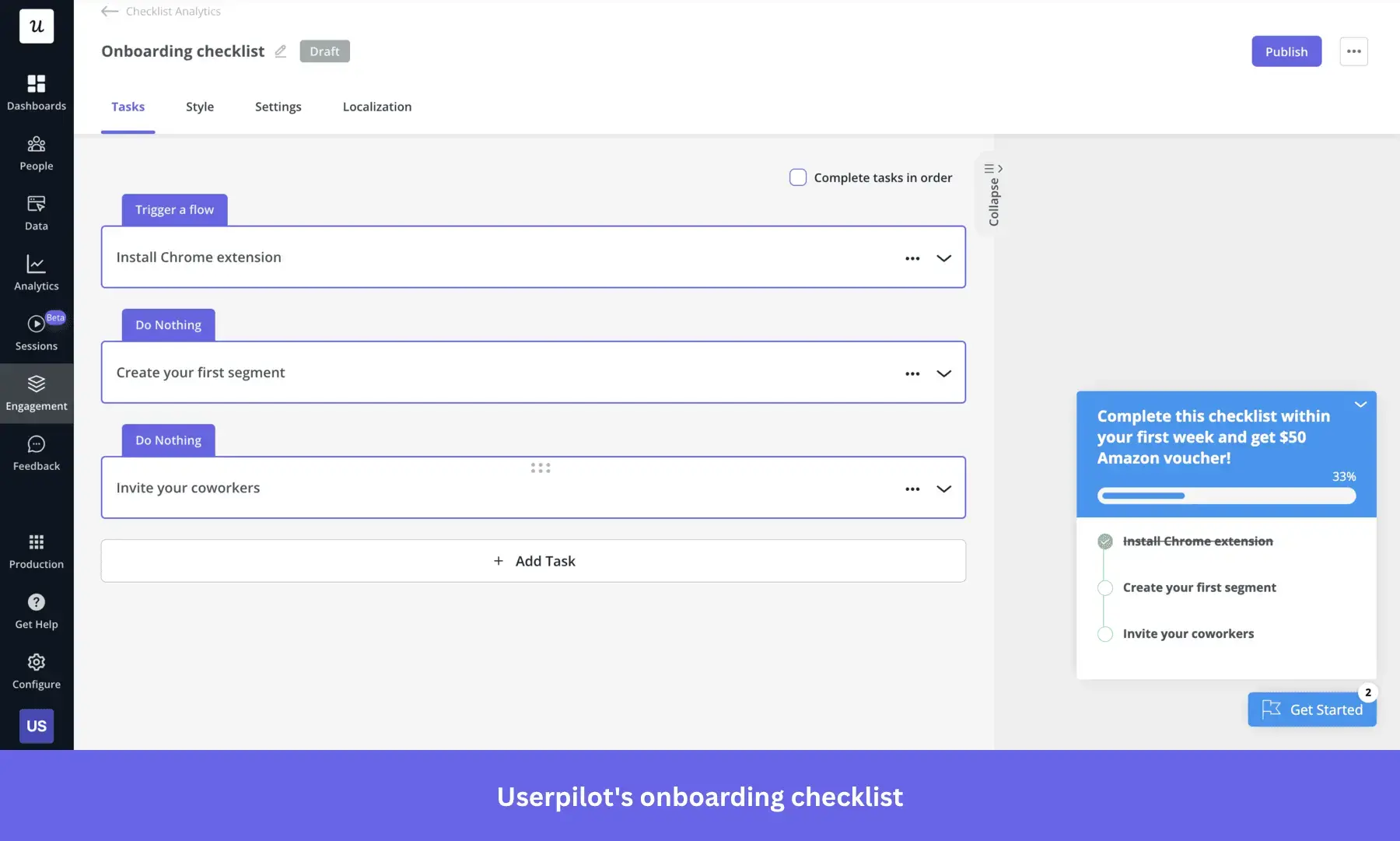
Onboarding checklists are a great way to show your users the main features of your product without boring them.
Moreover, you can tailor a checklist that matches their use case but still leads directly to your “Aha! moment.”
This helps new users get familiar with your product’s main functionality and will motivate them to complete the checklist.
For better results, keep your checklist simple and up to 5 tasks.
A prime example of this strategy in action is Sked Social, a social media management platform. Sked Social faced the challenge of ensuring new users actively engaged with their platform’s essential features, which was critical for their long-term retention and conversion.
To address this, Sked Social implemented a concise onboarding checklist. This checklist was designed with simplicity in mind, containing just four key tasks. These tasks were strategically chosen to guide users through the most vital actions in the platform, such as connecting their social media accounts and scheduling their first post.
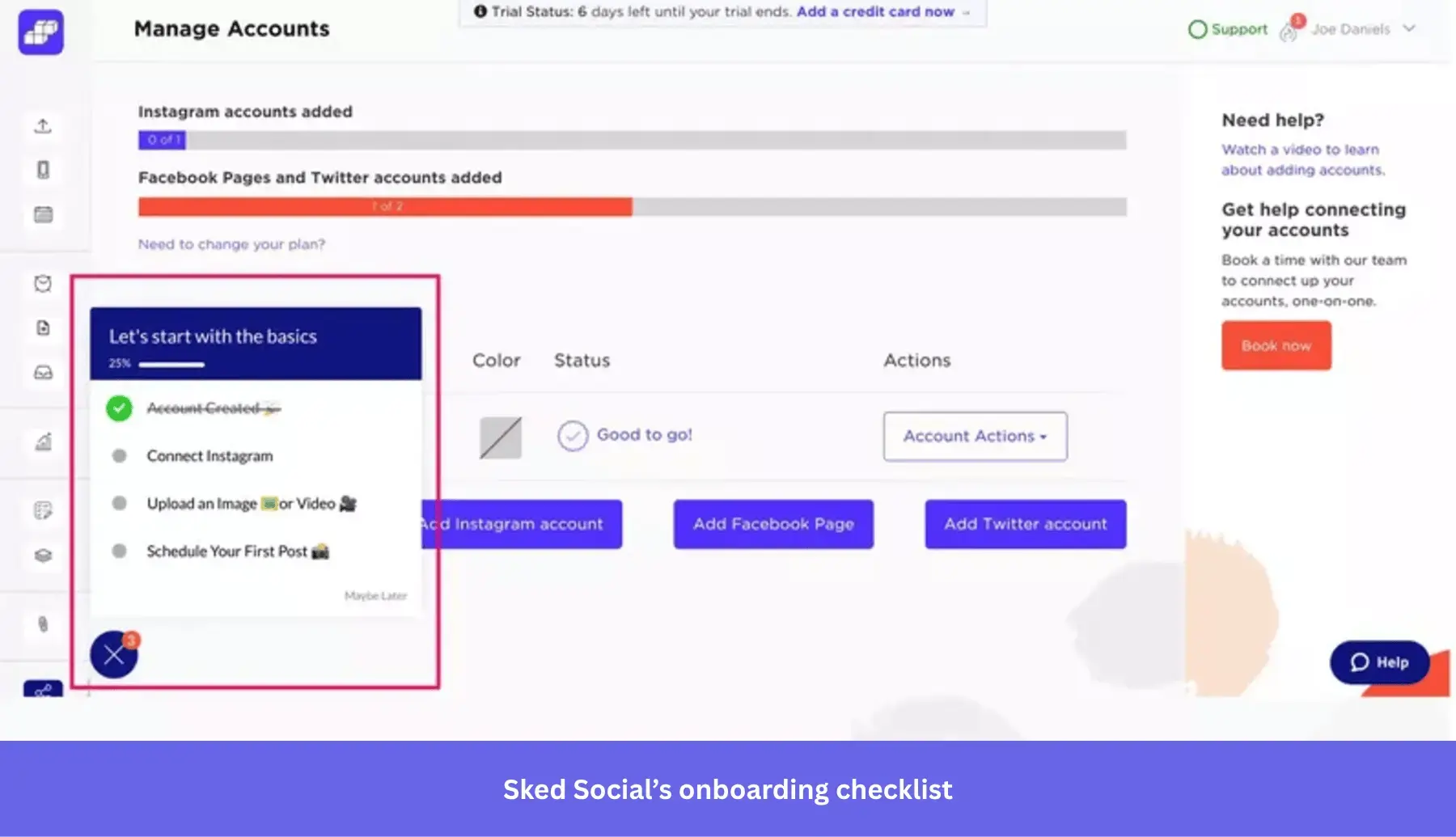
The result was a remarkable success: Sked Social saw 3x higher conversion rates from users who completed their checklist. By breaking down the initial learning curve into manageable, rewarding steps, Sked Social effectively helped users explore and utilize their key features, driving them to their “Aha! moment” much faster and significantly boosting activation.
Reduce friction at signup
Email confirmations are necessary for security reasons. You need to make sure your users are real.
However, it doesn’t mean you have to demand it immediately when users sign up. And you definitely shouldn’t make it mandatory when users sign up for the free trial.
Moreover, it creates friction and delays the moment when users start engaging with the product. If you make it compulsory at the beginning of the free trial, the moment may never come. The users will simply not bother.
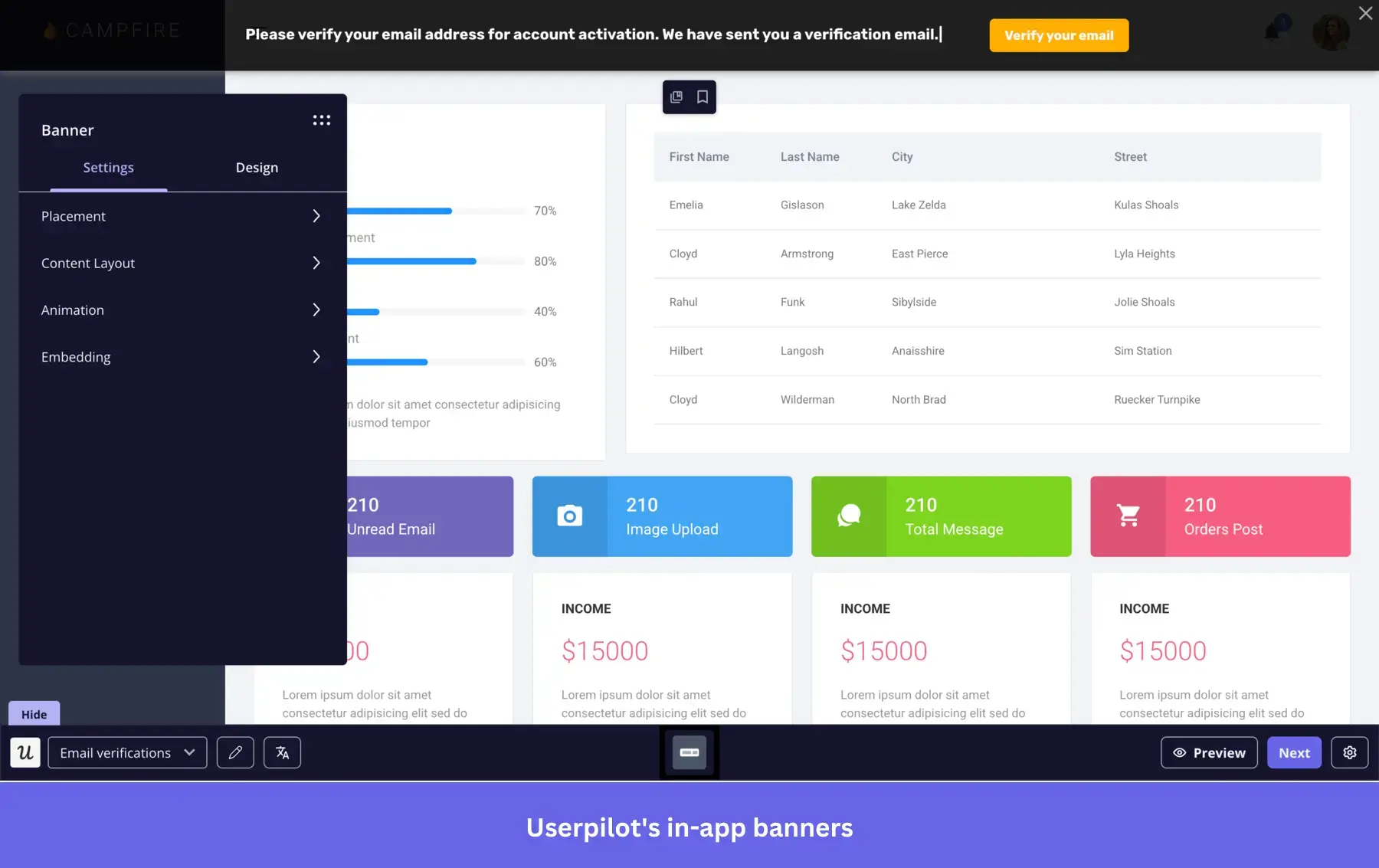
To avoid it, first, let the users inside the product and get them to start engaging. Only then, use a small banner to give them a gentle nudge to confirm their email.
Trigger contextual guidance at drop-off points
User behavior data tells you where trial users get stuck. If users consistently drop off after a specific step, that’s your friction point.
A tooltip, a walkthrough, or a slideout triggered at that moment can recover users who would have otherwise churned silently. The guidance has to be contextual, though. A generic “need help?” prompt does nothing. A tooltip that appears when a user hovers over a feature they haven’t activated yet does.
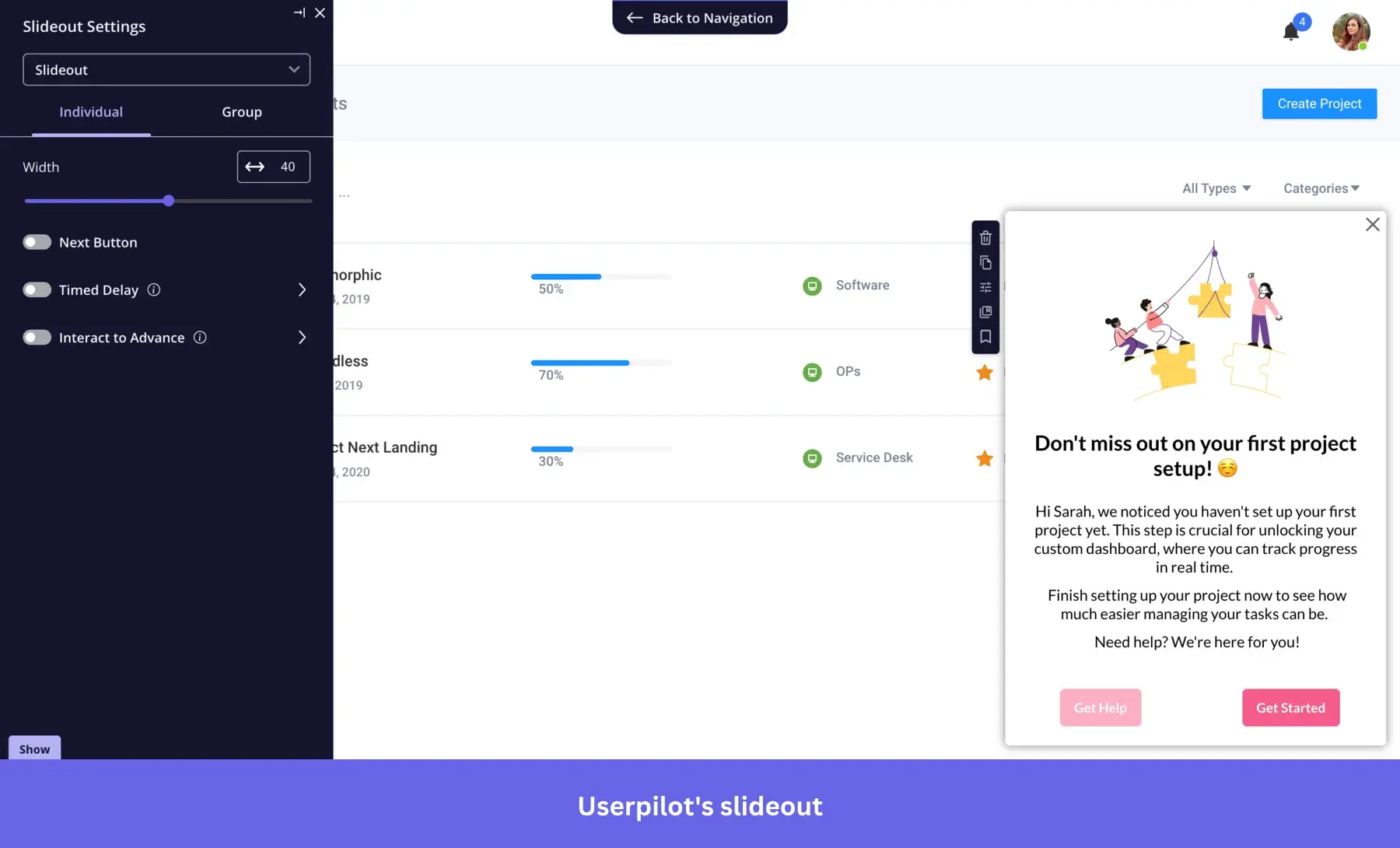
With Userpilot, you can track where trial users abandon key flows and deploy in-app guidance at those moments without any code changes. If users drop off before completing a core action, trigger a tooltip that nudges them forward. If a key feature sits untouched by day three, surface a checklist that gets them there.
Send behavior-based emails during the trial
Use onboarding emails, in-app reminders, and offer incentives to keep trial users engaged throughout the free trial period. These communications should be personalized and timely to maintain user interest and encourage exploration of your product’s core features.
If a user becomes inactive or shows signs of disengagement, implement a nurturing campaign designed to re-engage them. This could include targeted emails highlighting features they haven’t tried yet, special offers, or helpful tips to get more value from the product.
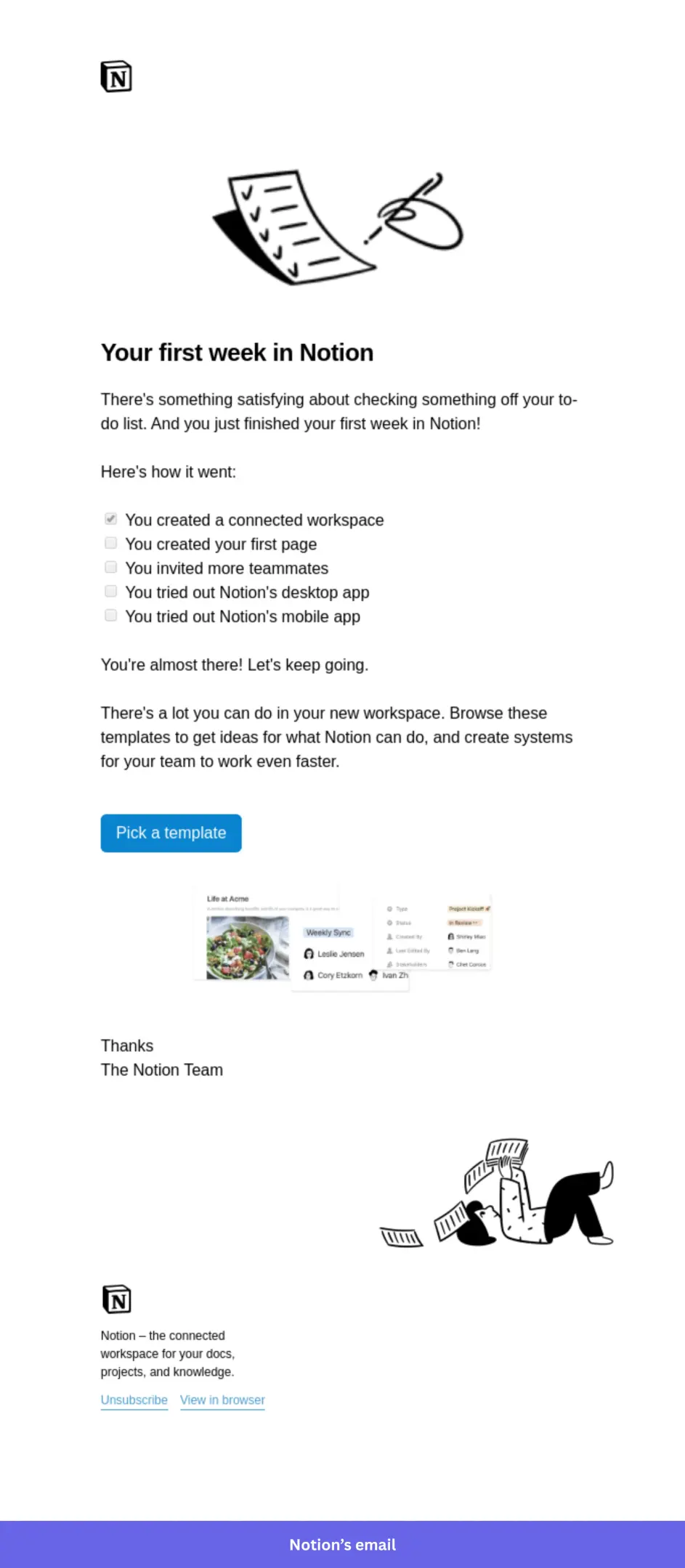
Additionally, consider leveraging behavioral triggers to automate engagement efforts and improve conversion rates. For example, if a trial user hasn’t logged in for several days, automatically send a reminder with a call-to-action to return and continue their trial experience. You can also provide incentives such as extended trial periods, discounts on the paid subscription, or exclusive content to move users toward becoming paying customers.
Use in-app prompts to push conversion before expiry
Most teams rely on email to push conversion as the trial ends. By that point, the user has already left the product.
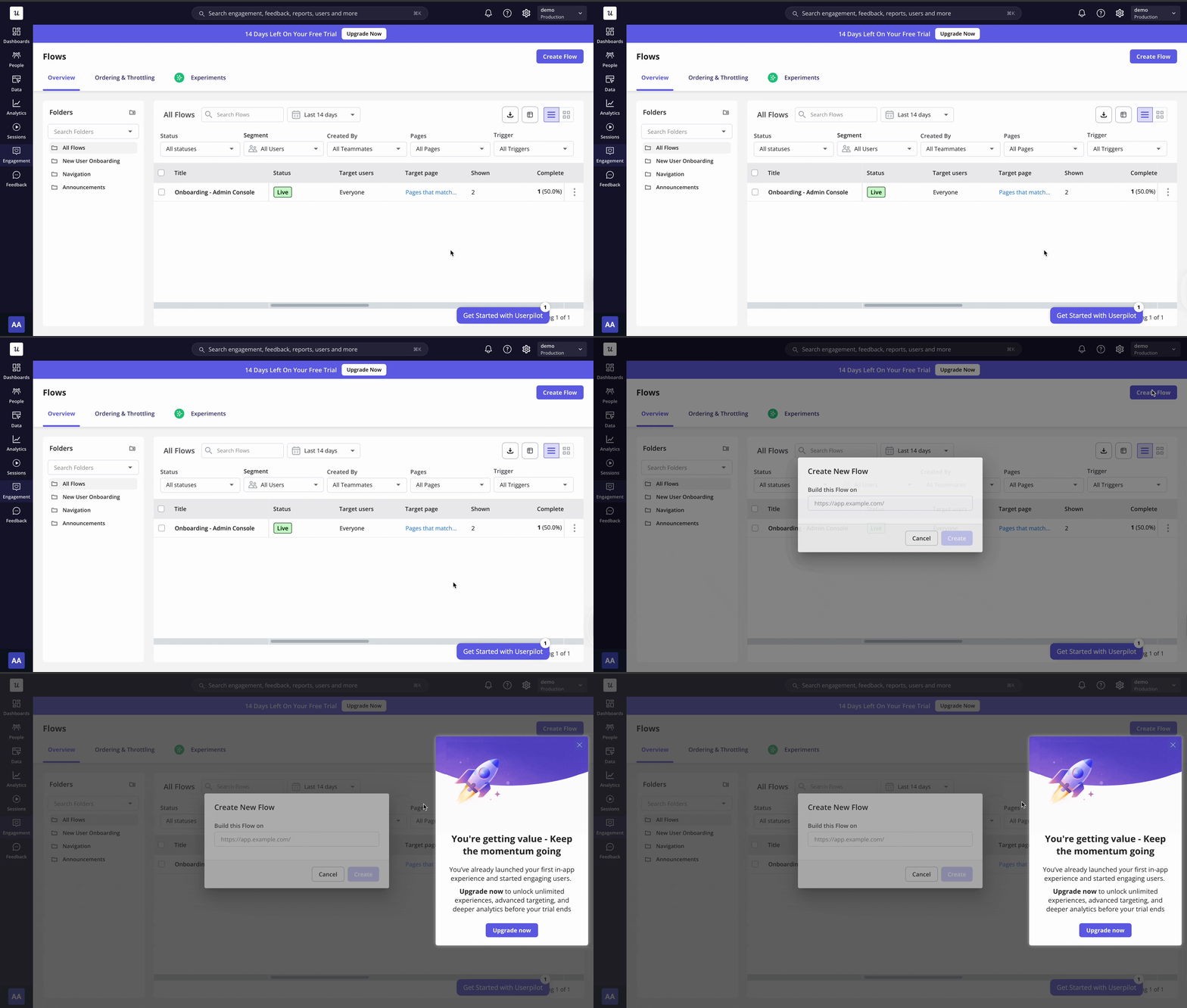
The better move is to surface upgrade prompts inside the product; at the moment, users are getting value. A user who just completed a core action is more likely to become a paying user than one who gets a “your trial expires in 2 days” email while checking their inbox.
With Userpilot, you can trigger in-app upgrade prompts based on user behavior. When a trial user hits a usage limit, completes a key activation step, or reaches their aha moment, that’s the right time to surface a contextual prompt. Not a banner that appears on every page. A targeted message that shows up when the user is already sold on the value proposition.
When to extend a free trial and how to do it?
Extensions work best as a selective tool. Offering everyone a longer trial period devalues the urgency you built in the first place.
The users worth extending are the ones showing high engagement but haven’t converted yet. They’ve logged in, completed key actions, and shown intent. They just need more time. Dormant users since day two won’t convert with an extra week either.
With Userpilot, you can identify which trial users are active and which have gone quiet. For engaged users approaching expiry, trigger an in-app prompt offering an extension. For dormant users, a sales rep reaching out directly creates a natural conversation and a reason to come back.
What’s the optimal free trial length for your SaaS?
For most B2B SaaS products, 14 days is the sweet spot. It covers setup, giving users enough time to reach their Aha! moment, and compresses the sales cycle into a single calendar month.
Users who don’t reach value in the first week rarely convert. Get your onboarding right, and the number of days becomes a detail. That’s how organic growth from free trials actually compounds. See how Userpilot helps trial users reach their aha moment faster. Get a demo here.
About the author