SaaS Product Management: Definition, Process & Best Practices


What is SaaS product management?
SaaS product management is the end-to-end process of creating, launching, and continuously improving SaaS products for product growth.
The SaaS product manager is responsible for overseeing the entire product lifecycle, from product strategy to product development and decline. Some SaaS companies can have multiple PMs, with a separate product management expert for different aspects of the tool.
Step-by-step guide for the product management process
So, how do you perform effective SaaS product management? Follow these steps.
1. Identify user needs with market research
Every product revolves around its users. No matter how brilliant your idea seems, it will fail if it doesn’t address user problems or fulfill their desires.
Here’s a simple process for identifying the needs of your target audience:
- Monitor industry trends: Regularly review industry reports, attend relevant trade shows, and subscribe to leading industry publications and newsletters to stay ahead of emerging trends that can inform product development and marketing strategies.
- Track competitor products: Implement a competitor analysis framework to systematically review and compare competitors’ offerings, marketing strategies, and customer feedback across multiple channels to identify areas for innovation and differentiation.
- Conduct user interviews or focus groups: Understand how users feel about the challenges they face or the solution you offer to access hidden customer insights. Ask open-ended questions to explore user needs, experiences, and feedback on your product and service.
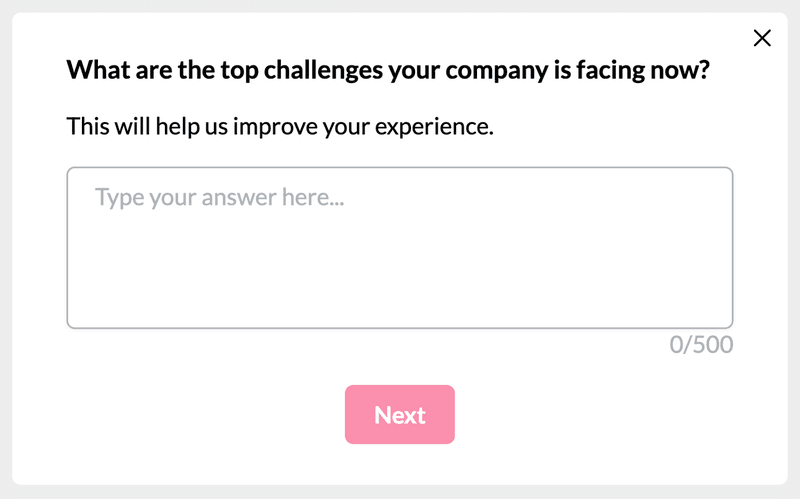
- Use in-app user surveys and questionnaires: Trigger contextual user surveys to gain on-the-spot feedback on your product experiences. Analyze the responses and note improvement areas.
2. Perform feature ideation
Generate ideas for features that uniquely and valuably address identified user needs. Collaborate with the product management team for a brainstorming session to develop these new feature concepts.
Bring all the ideas together and prioritize them based on your business objectives. For example, let’s say you’re a tool to streamline the SaaS product management process for small, agile teams. You’ll want to prioritize features like Kanban boards and real-time chat within tasks over deep analytics (less critical for small teams).
3. Develop the product roadmap
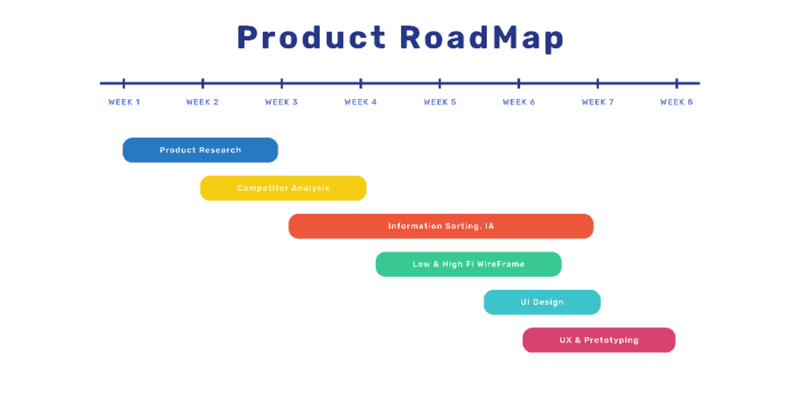
A product roadmap is a strategic planning tool that outlines the vision, direction, priorities, and progress of your product over time. When filling out your roadmap, rank features based on effort, resources, and resulting impact.
It’s also important to clearly outline the product development process, assign responsibilities, and define a timeline for when you’ll develop and release key features. But don’t be rigid; maintain some flexibility for adjustments based on feedback and changes in priorities.
4. Design UX and push for development
It’s time to design your user experience and flow. Begin by building simple wireframes so the development team knows what you want.
Next, collaborate with the engineering teams to develop a functional prototype of the product. Share it with stakeholders and a select group of users to gather quick feedback.
Implement the feedback from prototype testing and move to the development phase. However, your job is not done here—you need to oversee the development process to ensure everything aligns with your established UX design and product vision.
5. Build in-app flows to help users discover features
Once the feature has been developed and added, take intentional steps to ensure users discover and learn to use it.
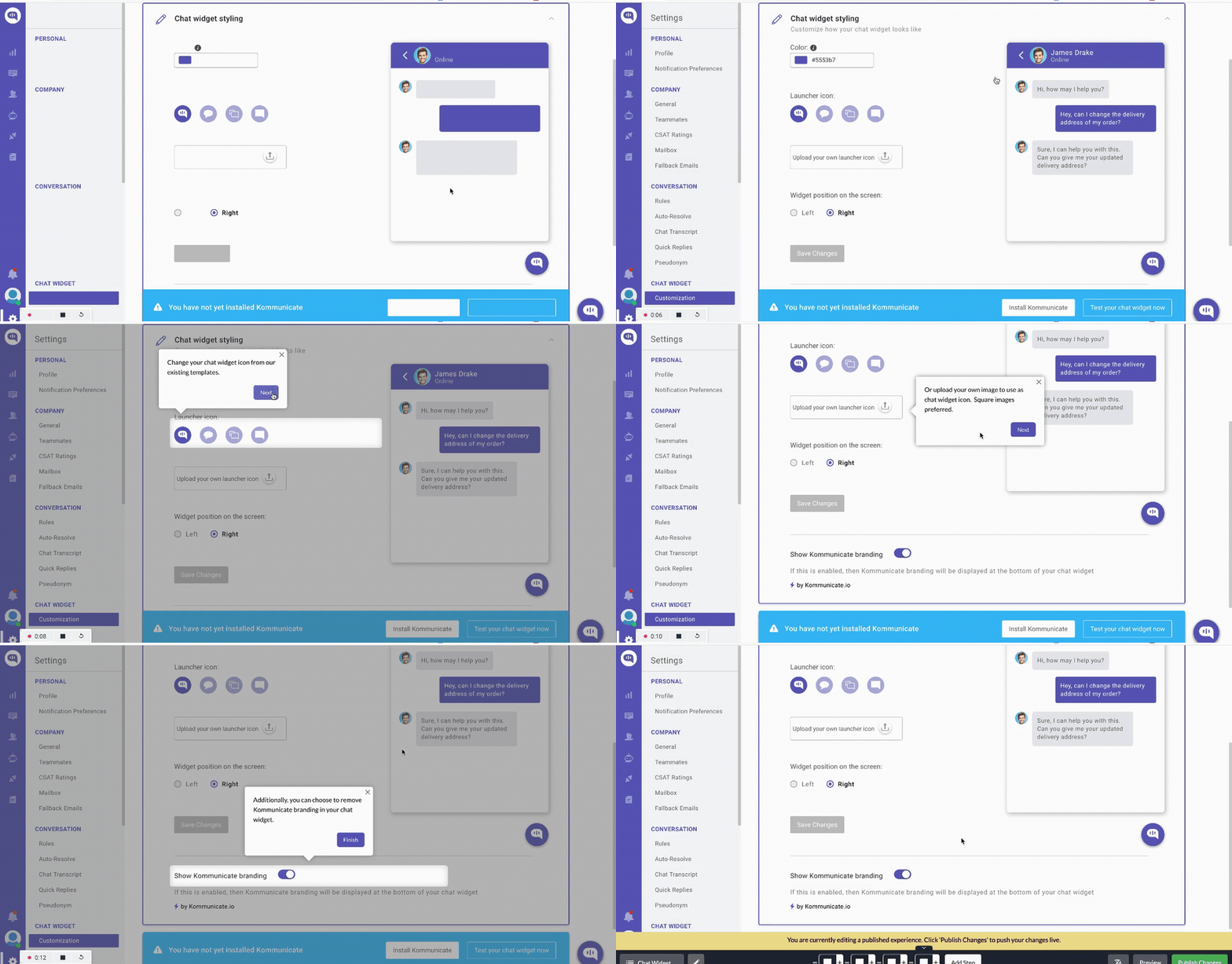
First, trigger in-app announcements using a modal, banner, or slideout. Then, implement interactive walkthroughs to guide users step-by-step through using the feature. Walkthroughs are effective for in-app guidance because they help users to learn by taking action—once the guide is over, your users will be fully equipped to begin using the feature on their own.
6. Monitor performance with data analysis
Measure KPIs that align with your goals, focusing on metrics such as:
- User engagement: Track the number of users interacting with the feature, how often they use it, and their average time spent engaging with it.
- Feature discovery: Analyze how easily users find the new feature and understand its purpose.
- Conversion rates: If the feature aims to drive specific actions (e.g., sign-ups, upgrades), monitor how it influences those conversion rates.
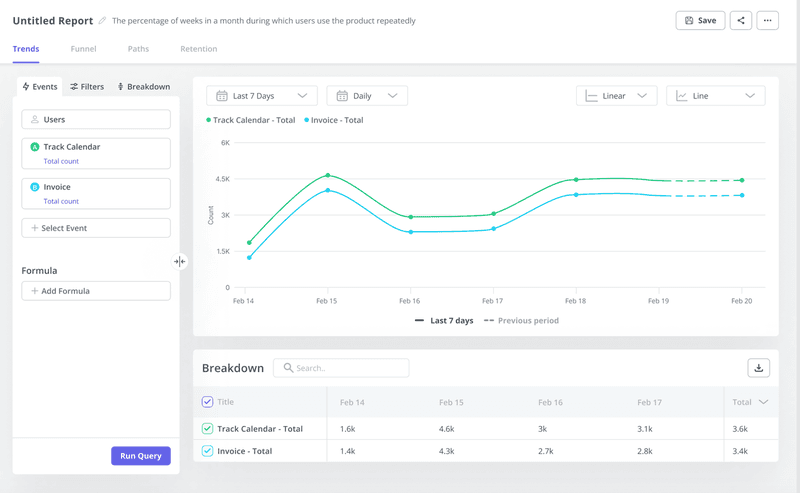
Utilize data analysis reports to reveal deeper insights into feature performance. For example, with trends analysis, you can examine how your KPIs change over time and note patterns in feature popularity, adoption rates, and any potential declines.
7. Gather user feedback and identify improvements
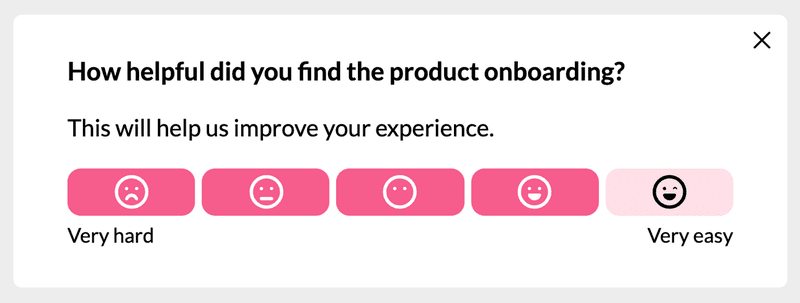
Trigger feedback surveys to gauge the user experience and understand how easy-to-use and valuable they find your product. Through this feedback, you can understand the friction points associated with the new feature and decide how best to fix them.
To make the most of feedback surveys, it’s often best to combine closed-ended questions and open-ended questions.
For example, after asking, “How helpful did you find the product onboarding?” follow up with an open-ended question like this for richer data: “Describe how you felt the first time using the new feature. What, if anything, did you find difficult to understand?”
8. Iterate product enhancements with A/B testing
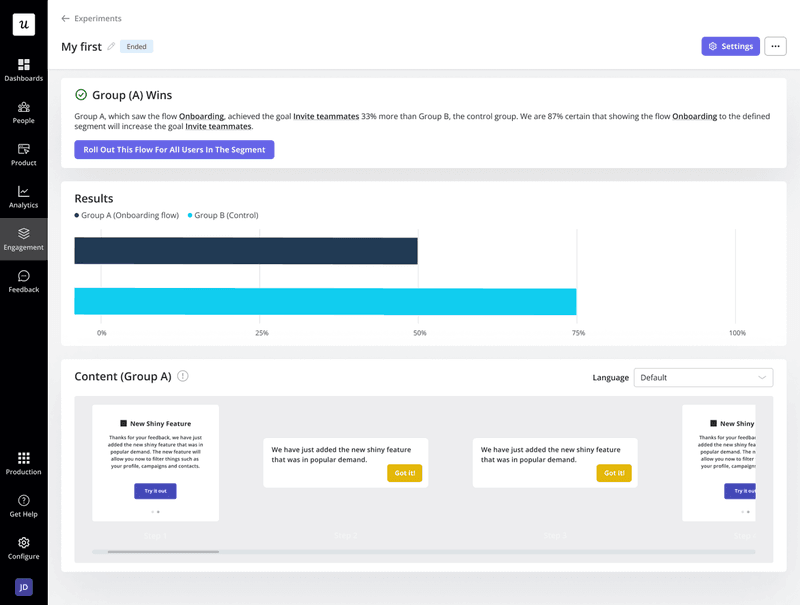
SaaS product management involves continuous experimentation and iteration to ensure you remain valuable to users. A/B testing offers a structured way to evaluate these potential enhancements, confidently refining your feature (and overall product) for a competitive edge. There are three main types:
- Controlled A/B Test: The simplest form, comparing the original version (control) against a single variation with one change.
- Head-to-Head: Compares two new UX variations to see which performs better.
- Multivariate Testing: Tests multiple changes to different elements on a page simultaneously, identifying the best combination.
SaaS product management vs. non-SaaS product management
SaaS products differ from traditional software in pricing, delivery, and customer relations. These differences necessitate distinct product management practices.
Here’s how it plays out:
- Development cycle: Traditional products are offered on a one-time purchase basis, so product managers prioritize shipping the perfect product. On the other hand, the agile nature of SaaS allows for quick development cycles since managers know they can make changes/additions as required.
- Customer options: Renewing their subscriptions monthly or annually means customers are constantly rethinking their options. This puts SaaS product managers on edge to constantly update the app and ensure users don’t see any need to switch vendors.
- Feedback and analysis: SaaS product management can leverage direct customer feedback and usage data more effectively and rapidly than non-SaaS, influencing product refinement and development.
- Ongoing support: Post-launch support for traditional tools often focuses on maintenance and troubleshooting, as opposed to the proactive customer success strategies offered in SaaS.
Responsibilities of a SaaS product manager
We’ve highlighted that SaaS product managers are responsible for overseeing the development, launch, and growth of SaaS solutions.
Here’s a breakdown of the key responsibilities and how they collaborate with cross-functional teams:
Perform market and user research
The heart of successful product development is knowing your target audience. To achieve this, SaaS product managers perform in-depth user and market research to identify user needs and how to best meet them.
While conducting user research, the PM doesn’t just want to address existing needs. They find gaps in the market to fill with their product. Generally, the more market gap a product can cover, the faster its adoption rate will be.
Specify product vision and create the product strategy
A product vision is the long-term, overarching goal of what the product aims to achieve. SaaS product managers define this vision, ensuring it aligns with the company’s mission and addresses the customer needs they’ve uncovered.
After nailing the vision, the next step is to create a solid product strategy. This plan outlines how to execute the product vision, including milestones, resource allocation, and the steps required to bring the product from concept to launch.
Specify feature prioritization
With infinite ideas and limited resources, deciding which features to build first is crucial. SaaS product managers weigh factors like user feedback, market demands, technical feasibility, and business impact to create a prioritized feature roadmap.
The roadmap should outline which features get built and when. However, prioritization isn’t set in stone. Continuous data analysis, shifting market needs, and user feedback may necessitate adjustments to the roadmap, something product managers skillfully manage.
Oversee product development and design
SaaS product managers don’t directly code or design, but they’re highly involved in the development process.
They collaborate with engineers to ensure technical feasibility and guide product design teams to create user-centric, intuitive interfaces based on their research. It’s also the responsibility of the SaaS product manager to ensure features get released on time.
Collaborate with the product marketing team to devise the go-to-market strategy
A go-to-market (GTM) strategy is a comprehensive plan that outlines how a product will be introduced to the market and reach its target customers. It encompasses aspects like defining the ideal customer profile, value proposition, messaging, distribution channels, and promotional tactics.
Product managers provide crucial input into the GTM strategy due to their in-depth knowledge of the product and its target market. They work closely with marketing to develop a product marketing framework that increases awareness and boosts adoption.
Collect and analyze customer feedback
SaaS product management isn’t complete without a feedback loop.
Product managers use surveys to understand how users feel about new features. They analyze the responses, note experience gaps, and find ways to improve.
In-app surveys aren’t the only channels for collecting feedback. PMs also analyze support tickets and have interactions with key customers to gauge overall customer sentiment.
Track key metrics for performance analysis
Product managers rely on data to make informed decisions. They define and track KPIs to understand how the product performs against business goals and identify areas for improvement.
Examples of relevant metrics:
- Customer acquisition cost: Measures the cost of acquiring a new paying customer. Understanding CAC helps assess marketing and sales efficiency.
- Feature discovery: Tracks how customers interact with specific features and the frequency of those interactions. The feature discovery metric reveals which features are valuable and which might need promotion or redesign.
- Product adoption rate: Measures the percentage of users actively using the product over time. The adoption rate is an excellent indicator of the product’s value and ease of use.
- Product stickiness: Indicates how often users return to the product. High product stickiness is critical for long-term success, especially for SaaS tools.
- Customer lifetime value: Estimates the total revenue generated by a customer over their relationship with your SaaS company. Optimizing CLV is important for revenue growth.
- Monthly recurring revenue: A vital SaaS metric that measures predictable revenue each month. Tracking MRR is essential for understanding growth and forecasting.
Skills a product manager needs
Every successful SaaS product manager has a good blend of technical and soft skills.
Some of these skills include:
- Project management: A good PM should be able to plan product sprints and manage them to ensure execution.
- Problem-solving mindset: The path to product success is filled with hurdles. PMs should be skilled at identifying and solving these.
- Ability to perform research: Product managers rely on thorough market research and user insights to ground their decision-making process.
- Strategic thinking: A good PM should master the art of formulating long-term product plans that align with the overall company’s objectives and market trends.
- Technical expertise: Even if they don’t code, SaaS product managers should understand the logic behind codes so they can communicate better with technical teams.
- Communication skills: Success hinges on clear communication with teams across engineering, marketing, sales, and executives—a PM should know how to share their ideas effectively.
- User empathy: There’s no product success without user empathy. PMs must deeply understand user problems and create effective solutions.
Best practices to help SaaS companies improve their product management
Both veteran and aspiring SaaS product managers constantly need to improve their management skills.
This section shows you some best practices to get better.
Directly speak with your users regularly
Go beyond user surveys and conduct one-on-one customer interviews. This approach helps you become more user-centric, equipping you to deploy solutions users will love.
During your interviews, aim to discover the following:
- User pain points: Identify where users face trouble and how you can make their experience better.
- The language they use: Ask the right customer discovery questions and listen aptly to understand how users speak. The insights from this will guide your marketing efforts.
- Experience gaps: Understand what users expect and the changes you can make to improve their engagement rates.
Collaborate closely with other teams
SaaS product managers constantly need to work closely with different SaaS roles, including marketing, engineering, sales, and customer success teams.
Each collaboration is vital to effective product management and overall company success. Here why:
- Marketing: Aligning market research, customer personas, messaging, and go-to-market strategies increases the chance of successful product launches and adoption.
- Engineering: Streamlining communication between product and engineering ensures technical feasibility, timely development, and clear feature prioritization.
- Sales: The sales team provides valuable front-line customer insights. Product management teams equip sales with the tools and knowledge they need to sell effectively.
- Customer success: This collaboration deepens understanding of customer needs, challenges, and how the product is actually used. Working closely with the customer success team makes it easier to gain insights for product enhancements and roadmap prioritization.
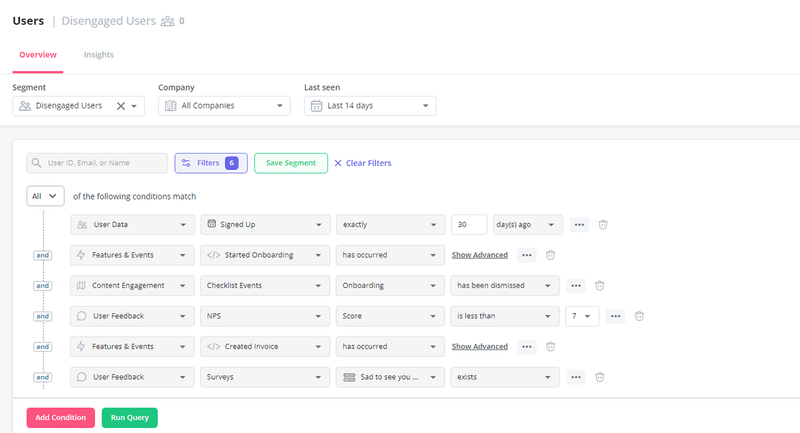
Use segmentation to improve customer experience
Your customers have unique needs, preferences, and behaviors, so a general product experience won’t cut it.
Segmentation moves away from a one-size-fits-all approach. It allows you to tailor product features, messaging, and entire experiences to specific customer groups. Taking this approach to product management helps improve satisfaction and retention for each customer segment.
Provide self-service support with a resource center
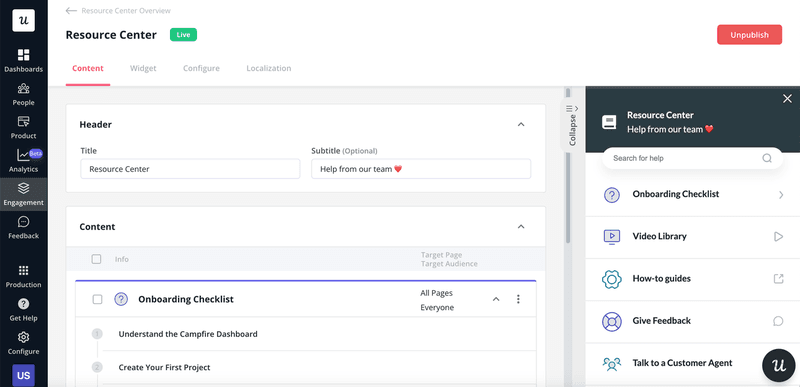
Go beyond just developing fantastic features. Think of how you can improve the user experience by making your product easier to use
A robust resource center is one vital way to ensure users understand and use your features properly. When creating your support portal, include FAQs, help docs, video tutorials, and chat support to enable users to find answers independently.
Create a data-driven product management process
From feature prioritization to product development and enhancements, ensure you’re data-driven in every decision you make.
Determine the key performance indicators tied to your business growth. Then, implement in-app analytics to regularly track these metrics and understand how well you’re performing.
This data-driven approach allows you to present compelling evidence of product growth to stakeholders. The fact that everything is measurable also makes it easier to secure executive buy-ins for tools and strategies you want to use—once the software ROI is clear, approvals become much easier.
Best SaaS products to facilitate product management
The right product management tools make it easy to juggle the many hats SaaS PMs wear. We’ve compiled some of the best tools and how they help streamline your processes.
Miro – Best for user journey tracking
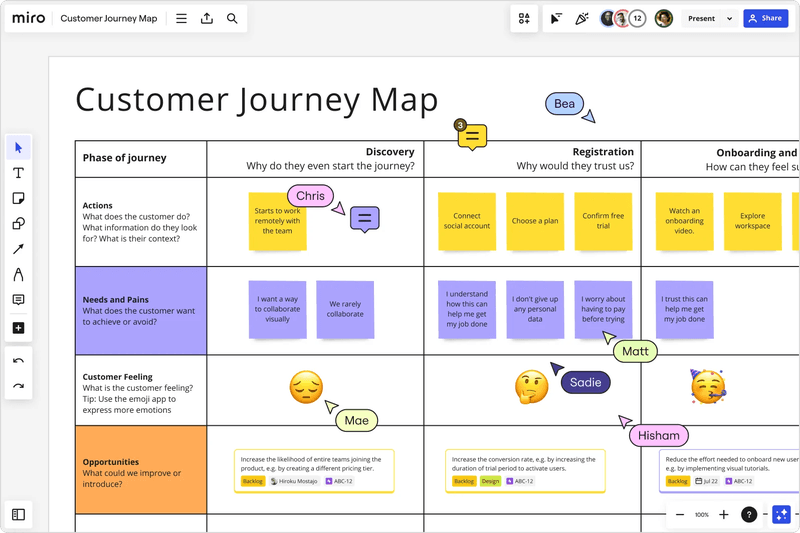
Miro is designed to enhance collaboration and streamline project management processes across teams, regardless of their location. It offers a variety of features aimed at improving project visualization, planning, and execution.
How Miro improves product management:
- User journey maps: Access pre-built templates to create user journey maps that outline steps users go through when engaging with your product. This enables you to better understand and cater to customer needs.
- Wireframing: Create low-fidelity wireframes that allow you to share the basic ideas of features you’re working on.
- Collaboration tools: Miro has features like an infinite canvas, sticky notes, and integrations with other tools. These features are useful when working with other team members in real time.
- Project tracker: Track project progress to ensure that all tasks are completed on time and within scope.
Figma – Best for UX design
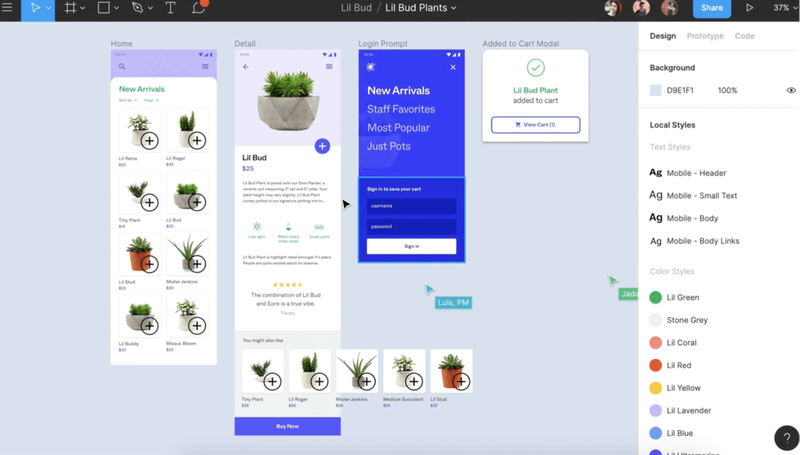
Figma is a cloud-based design tool that stands out for its emphasis on collaboration, allowing teams to work together on interface design projects, prototyping, and creating design systems.
Features that help with the design aspect of product management:
- Vector graphics editor: Figma operates primarily as a vector graphics editor, enabling designers to create high-fidelity interface designs and illustrations. Its intuitive tools and flexible canvas cater to both simple designs and complex projects involving numerous layers and elements.
- Prototyping: Beyond static designs, Figma allows users to turn their designs into interactive prototypes without code. This feature can help product managers test user flows and interactions, making it easier to iterate based on feedback.
- Design systems & components: Figma enables teams to create and maintain design systems with reusable components and styles. This ensures consistency across projects and makes it easy for product managers to make updates during and after the software development process.
- Cloud-based and cross-platform: Being cloud-based, Figma is accessible from any web browser, regardless of the operating system. This accessibility facilitates seamless sharing and feedback with the cross-functional product team.
Trello – Best for project management
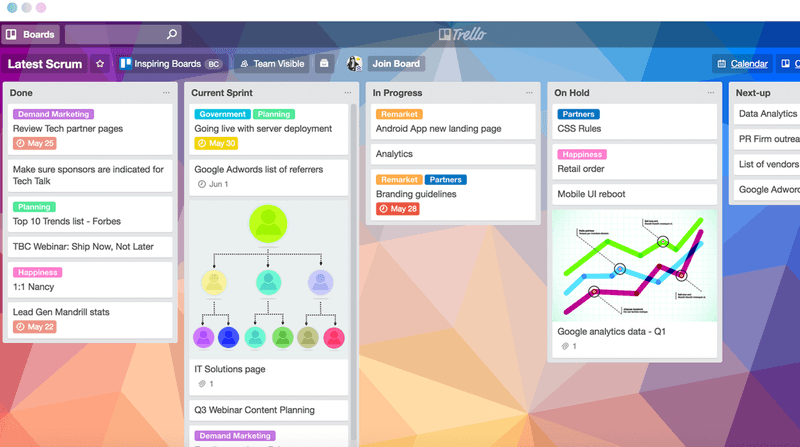
Trello is a visual and intuitive project management tool that utilizes the Kanban methodology. It’s perfect for organizing tasks, projects, and workflows in a simple, flexible way.
How Trello helps SaaS product managers:
- Boards, lists, and cards: Trello’s core functionality is its boards, which represent projects or workflows. Within each board, you can organize tasks and create cards representing different aspects of your workflow. This allows you a clear overview of project progress and task management.
- Automation with Butler: Trello has a built-in automation tool called Butler that can automate common tasks, such as moving cards between lists or scheduling reminders based on rules set by the user. This reduces manual work and increases efficiency.
- Customization and flexibility: Trello allows you to customize cards with attachments, links, checklists, and labels for priority and categorization. This flexibility makes Trello adaptable to a wide range of projects and workflows.
Jira – Best for tracking development and bugs
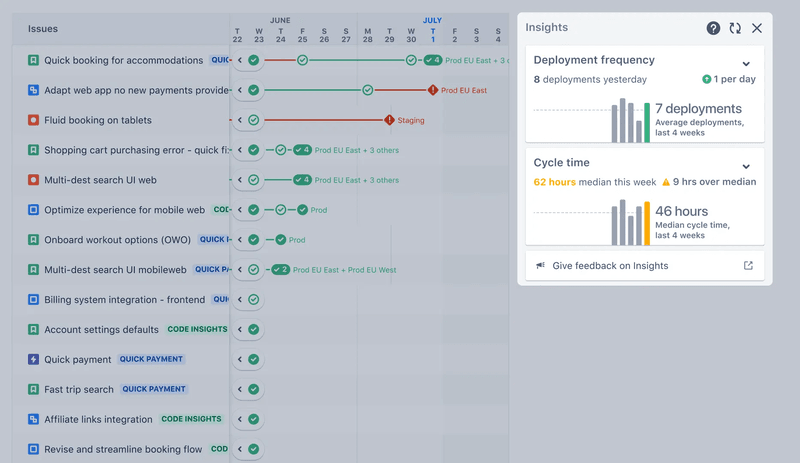
Jira is a work management tool primarily popular with software development teams. It’s highly customizable and caters to various project management methodologies, particularly Agile frameworks like Scrum and Kanban. However, Jira’s flexibility makes it useful for many teams beyond software development.
Key features:
- Issue tracking: Jira’s core function is tracking issues. An issue can be a bug, task, feature request, or any work item needing resolution. The platform provides rich fields to capture issue details, set priorities, and assign work.
- Customizable workflows: Jira’s workflows are highly customizable, allowing teams to define stages of issue resolution, from initial reporting to verification and closure. Each step in the workflow can have its own set of rules, ensuring that the process aligns with the team’s needs.
- Reporting and analytics: Jira offers comprehensive reporting tools that provide insights into project progress, team performance, and potential bottlenecks. These reports include burndown charts, velocity charts, and cumulative flow diagrams, among others, which are essential for agile teams to monitor their efficiency and adjust strategies accordingly.
Slack – Best for team collaboration
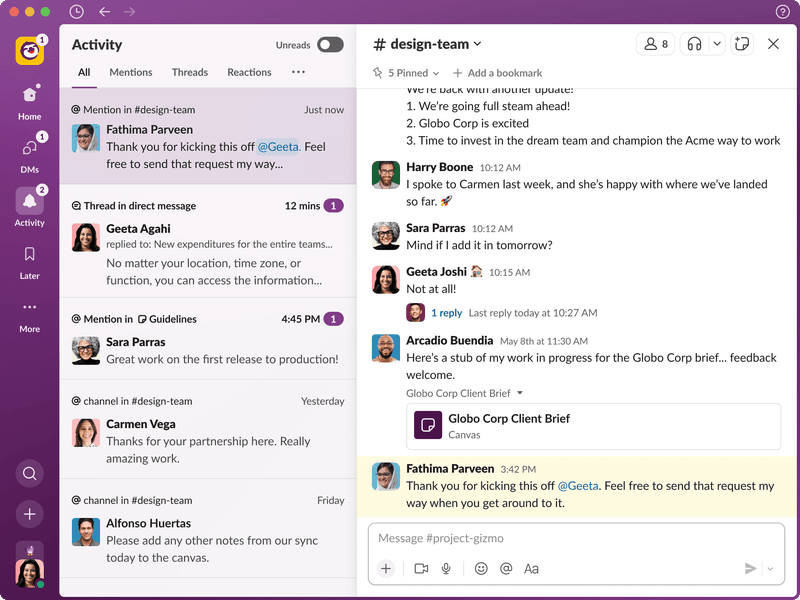
Slack is designed to replace email as the primary method of communication among team members, providing a more organized and efficient way of managing tasks, discussions, and information sharing.
Here’s how Slack makes life easier for the SaaS product manager:
- Channels: Organize conversations in dedicated spaces called channels. These can be public for anyone to join or private for selected team members, facilitating focused discussions on specific topics or projects. For example, you can have separate channels for feature ideation, product design, GTM strategy, and so on.
- File sharing: Easily share files by dragging and dropping into the Slack interface, with support for comments and reactions, streamlining review and collaboration processes.
- Searchable history: Slack archives all messages and files, making it easy to search for specific information from the past. This feature is particularly useful for tracking decisions, such as your conclusions on UX improvements and user engagement strategies.
- Integration: Slack integrates with a wide range of apps and services, enabling you to automate notifications and tasks. For example, you can integrate with Figma and easily share prototypes with your team on Slack to obtain quick feedback.
Conclusion
To thrive as a SaaS product manager, you need to embrace data analysis, stay attuned to market trends, and communicate effectively with your team and other critical stakeholders.
Userpilot simplifies the SaaS product management process. It allows you to measure user data, conduct feedback surveys, and deploy in-app experiences to boost engagement. Book a demo now to begin.
About the author