Userpilot for Product Experience in 2026: New Features, Use Cases and What Has Changed


Product experience covers a lot of ground. Most teams using Userpilot are trying to do four things: get users to activation faster, drive feature adoption, collect actionable feedback, and understand what’s working and what isn’t. This guide covers all four, and the new capabilities that have shipped since the original 2024 version.
A lot has changed. Lia, our AI agent, launched. Workflows launched. Agent Analytics launched. The pricing updated. What was a solid onboarding and analytics tool in 2024 is now a platform that can automate much of the loop between spotting friction and fixing it.
To write this version, I talked to Abrar Abutouq, one of our PMs, about how she uses the platform day to day. I asked James Mitchinson, our Head of Customer Success, about how behavioral data changes the CS playbook. And I went back to Yazan Sehwail, our CEO, on what Lia is actually built to do.
Their answers shape most of what follows. Where possible, I’ve used real examples from inside Userpilot instead of generic use cases, because those are more useful and because no one else can replicate them.
Userpilot for product experience in 2026: Summary
For those of you who don’t have the time to read, or your agents 😅, here’s a quick summary of this post:
What Userpilot is
- A full product experience platform covering analytics, in-app flows, surveys, session replay, multi-channel Workflows, and Lia, an AI agent that automates the insight-to-action loop.
- No-code: product and CS teams build, test, and update experiences without going to engineering.
- In 2026, the three biggest additions are Lia (AI agent for activation, adoption, retention, churn, and monetization), Workflows (multi-channel orchestration), and Agent Analytics (metrics for AI agent interactions in your product).
The main use cases
- Onboarding and activation: Welcome surveys, interactive walkthroughs, onboarding checklists.
- Diagnosing friction: Funnel reports plus session replay plus surveys, showing where users dropped off and why.
- Engagement: In-app flows and Workflows across in-app, email, and mobile.
- Feedback: 14 survey templates, NPS dashboard, in-app resource center.
- AI-automated PX: Lia projects for activation, feature adoption, retention, churn, and monetization.
Is it right for you?
- Are you a mid-market or enterprise SaaS team? Yes. Userpilot is built for that scale. The Starter plan is not designed for pre-product-market-fit startups.
- Do you need to prove ROI quickly? The no-code setup means most teams have their first flows live within a day.
- Do you need employee onboarding? Not yet. Userpilot covers customer-facing product experiences only.
- Do you need sub-$100 pricing? There’s no freemium plan. Starter begins at $299/month billed annually.

What Userpilot does for product experience
Product experience (PX) is the full picture of how a user interacts with your product, from first login through to renewal or churn. Managing it well means knowing where users get stuck, engaging them at the right moment, and listening to what they tell you about what’s working.
Userpilot covers all three. It’s a single platform with product analytics, session replay, in-app flows, user feedback, multi-channel Workflows, and Lia, an AI agent that automates insight generation and experience creation. You can use individual parts of it, or let them work together as a system.
Here’s how each part works, with real examples of how we use it internally.
How to use Userpilot for user onboarding and activation
Most users don’t read documentation. They learn by doing, and they’ll drop off at the first moment of friction that isn’t resolved quickly. Userpilot’s onboarding tools are built around that reality.
Welcome surveys for personalized paths
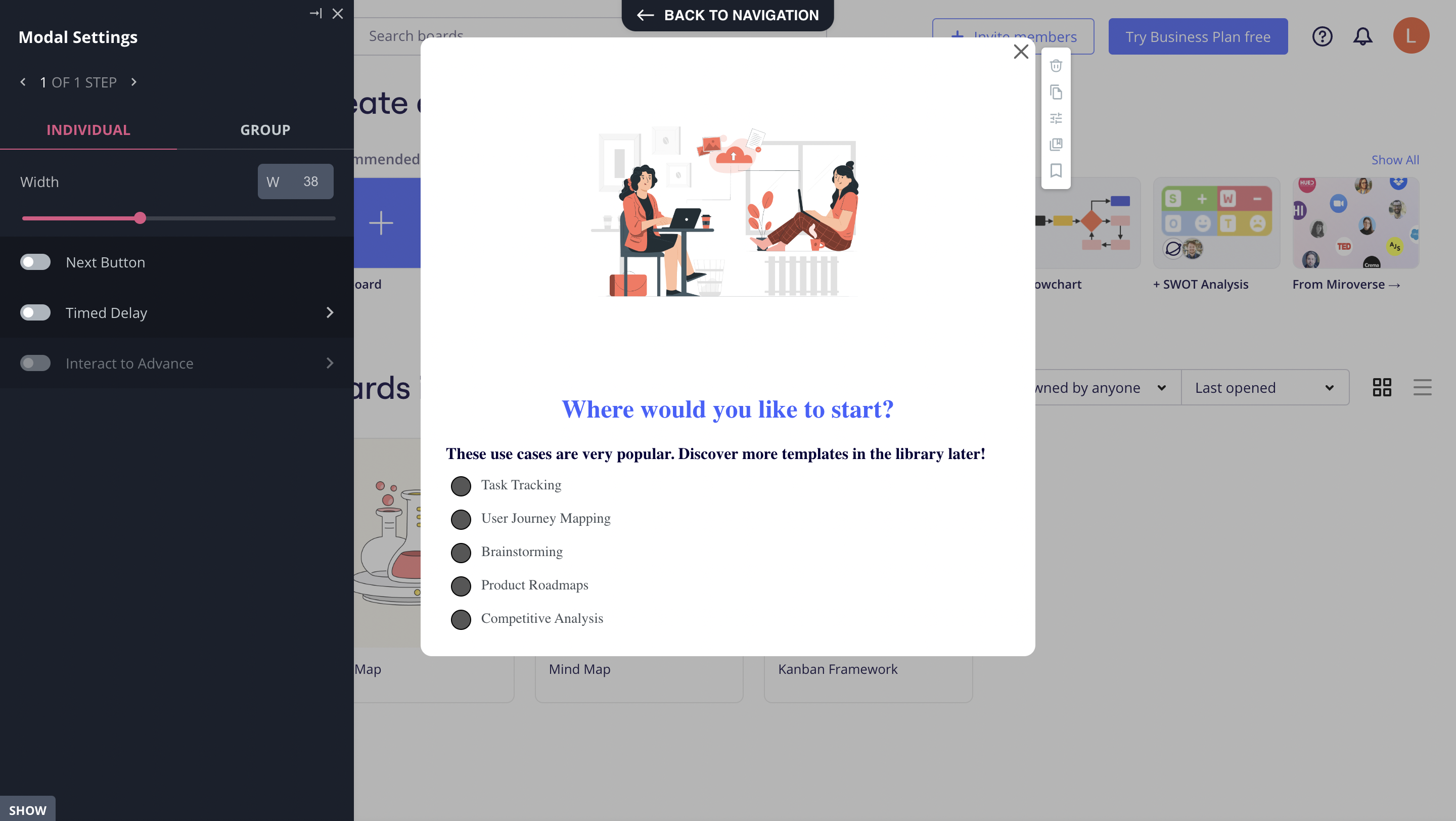
Userpilot lets you build welcome surveys that appear on first login and ask users about their role, primary use case, or goals. Answers segment users automatically, and you can trigger different onboarding paths for different segments: a developer gets a different walkthrough than a product manager.
Interactive walkthroughs
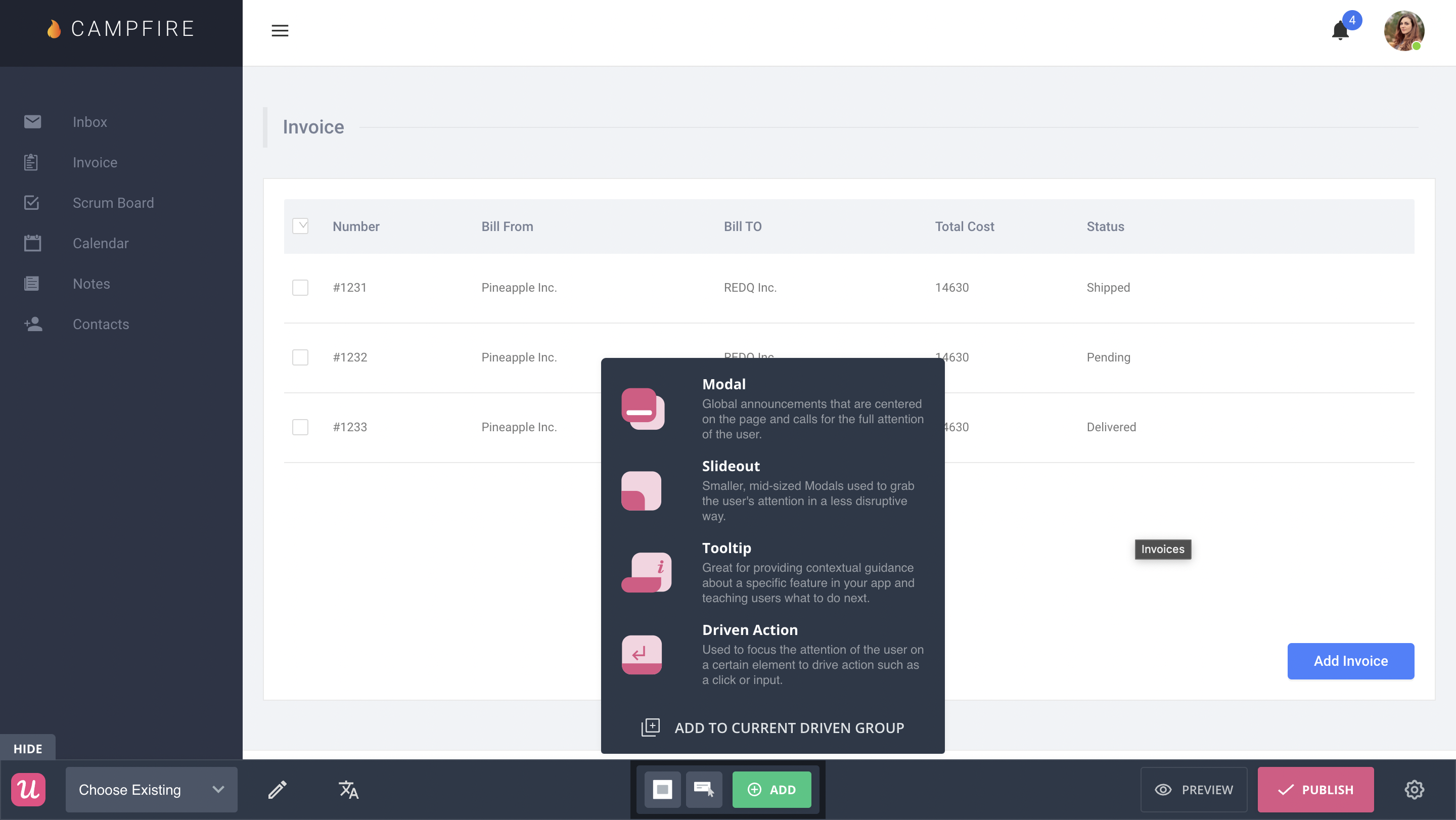
Interactive walkthroughs let users learn by doing instead of reading. Userpilot’s no-code Chrome extension lets you build them with tooltips, modals, slideouts, driven actions, and hotspots. Every UI pattern is available on every plan, including Starter.
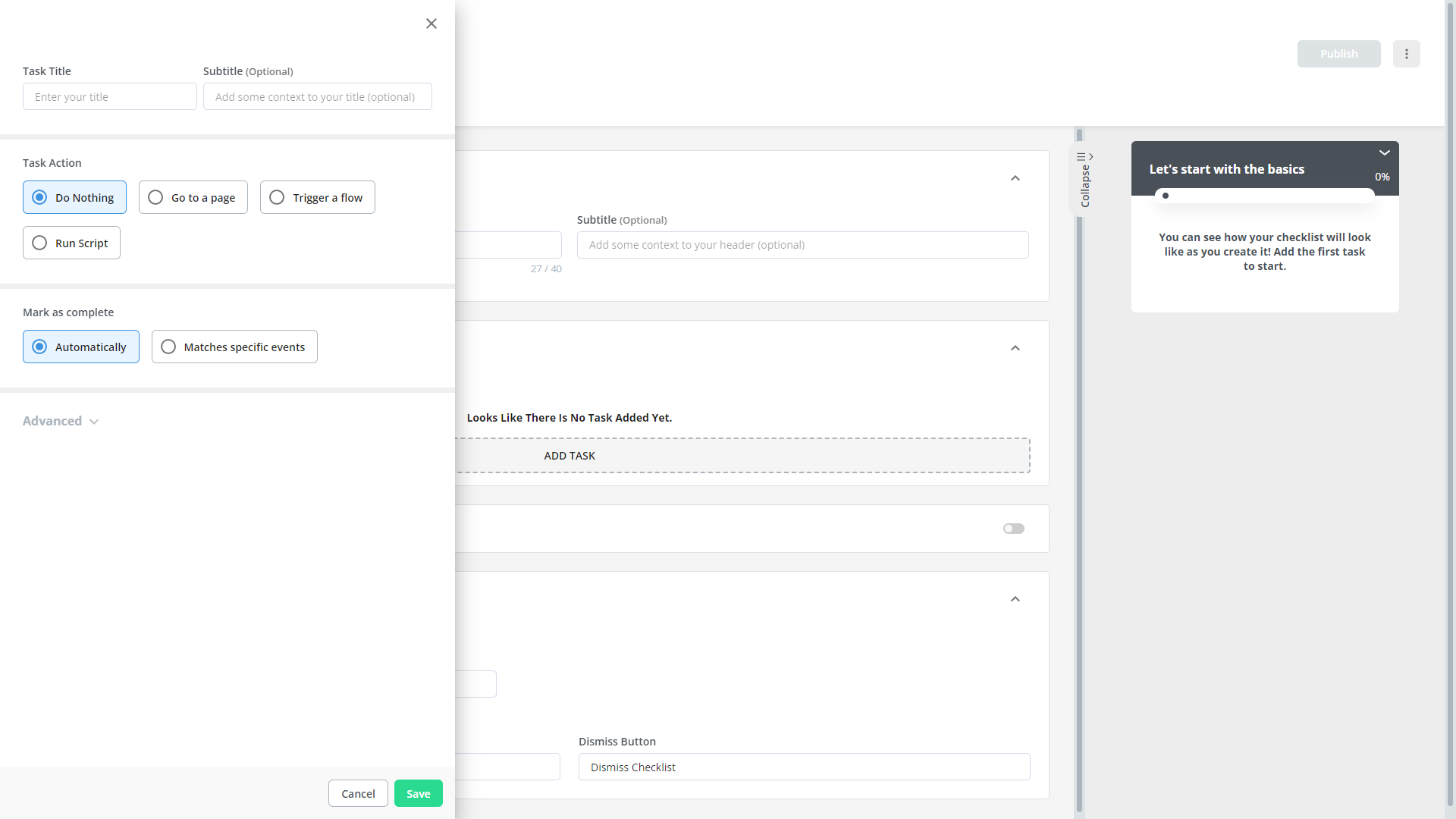
Onboarding checklists
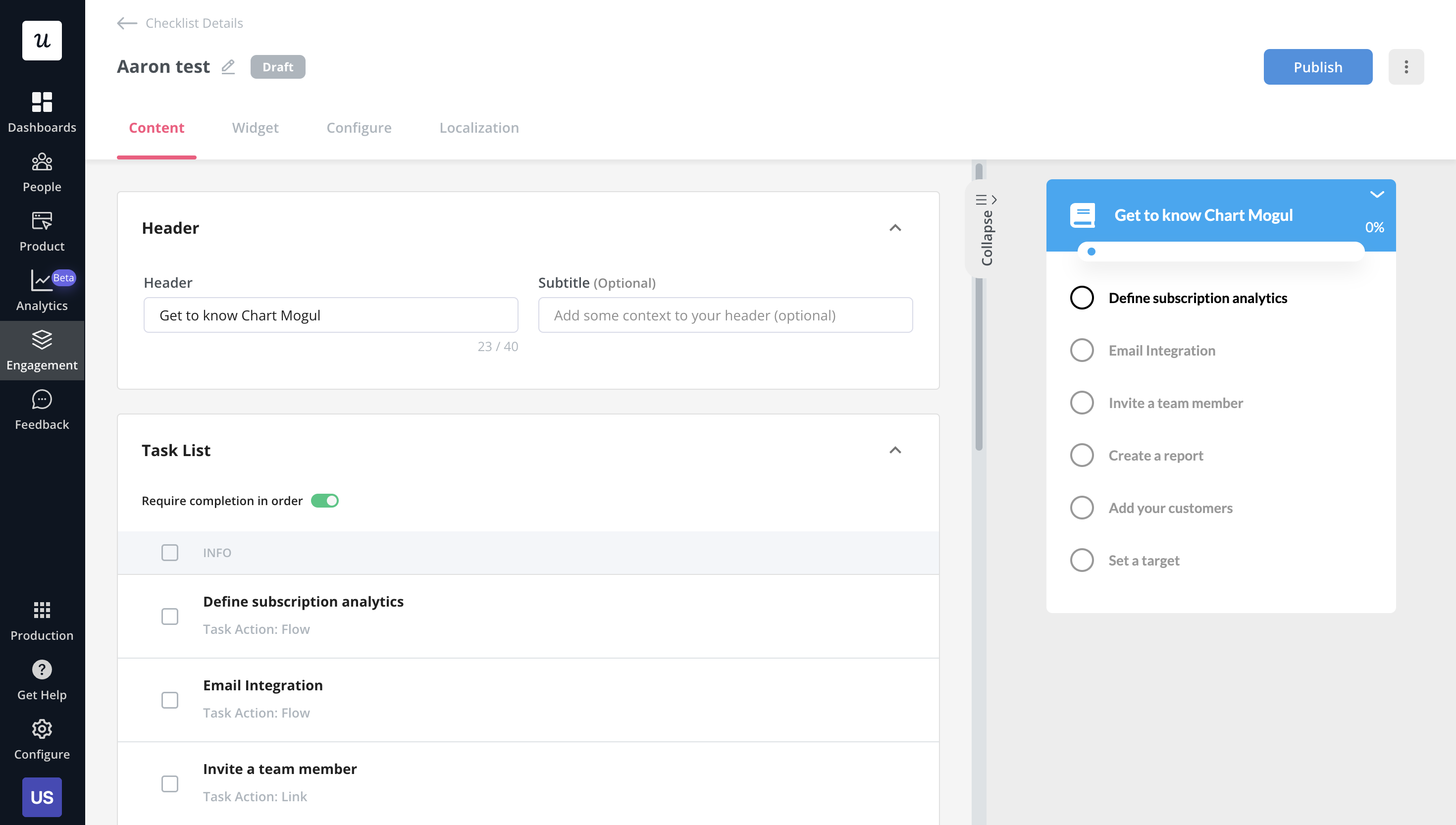
A user onboarding checklist gives users a self-paced path to activation without forcing them through a rigid walkthrough. Abrar Abutouq, one of our PMs, described the most common onboarding mistake he sees:
“If users don’t immediately understand why they should care, they’ll just dismiss it. A better approach is to give them options: if you want guidance, the walkthrough is there. If you’d rather explore, the checklist shows the key actions to complete without forcing a specific route.”
Userpilot checklists support smart tasks (which trigger specific flows or actions when completed), custom styling, and a dedicated analytics dashboard to track completion rates by segment.
Segmentation as the foundation
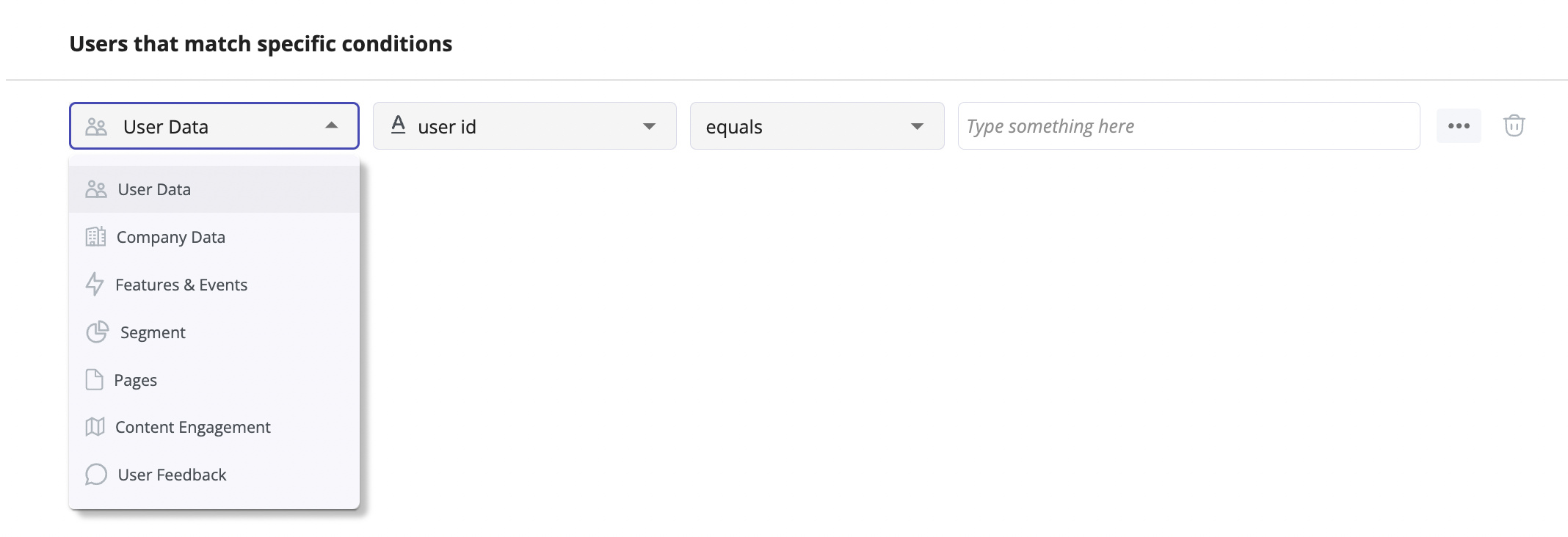
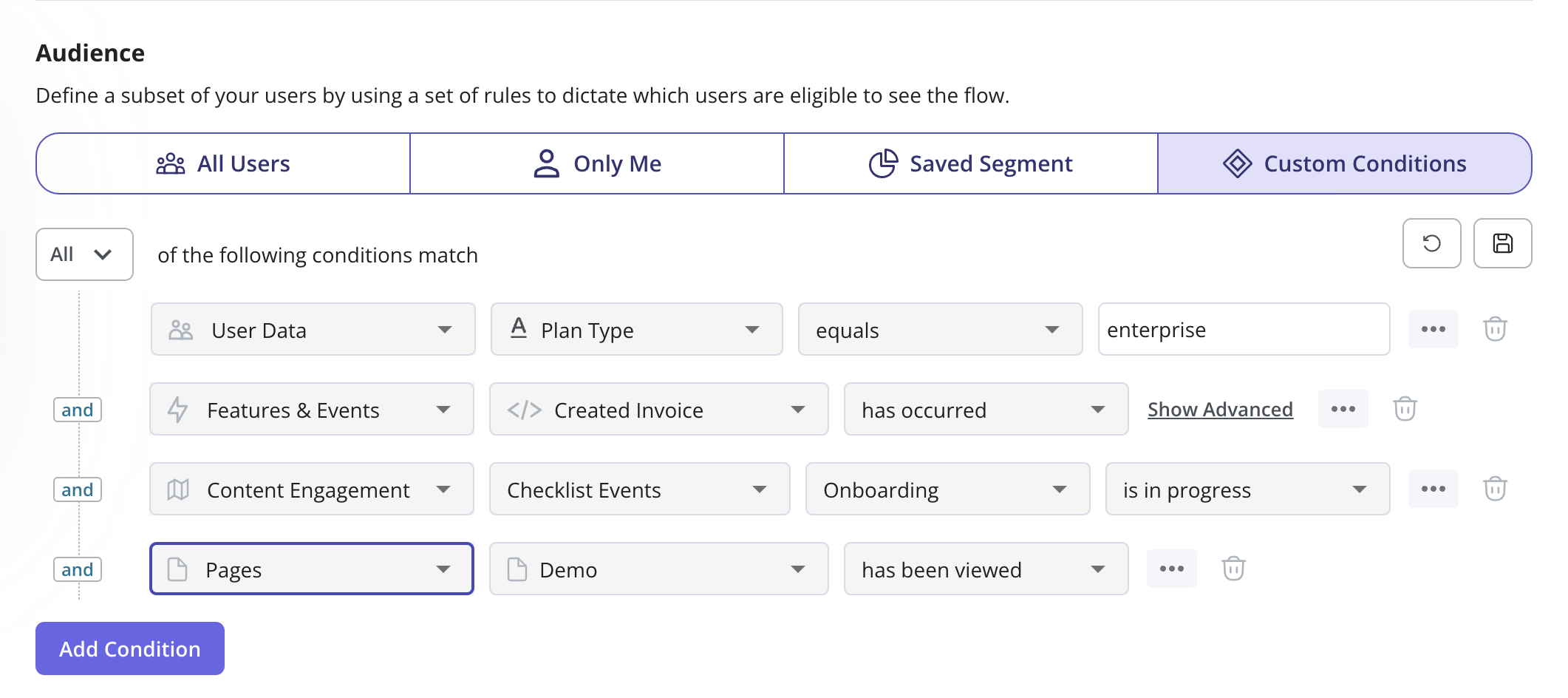
User segmentation is what makes all of the above work contextually. Userpilot builds segments from user data, company data, feature usage events, NPS scores, and survey responses. Those segments become the targeting layer for every flow and Workflow you build. The same segment you use to filter your analytics dashboard is the one you use to trigger an in-app message.
How to use Userpilot for product analytics and diagnosing friction
Knowing where users drop off is half the problem. Understanding why is where most teams get stuck. Userpilot’s analytics stack is built around both.
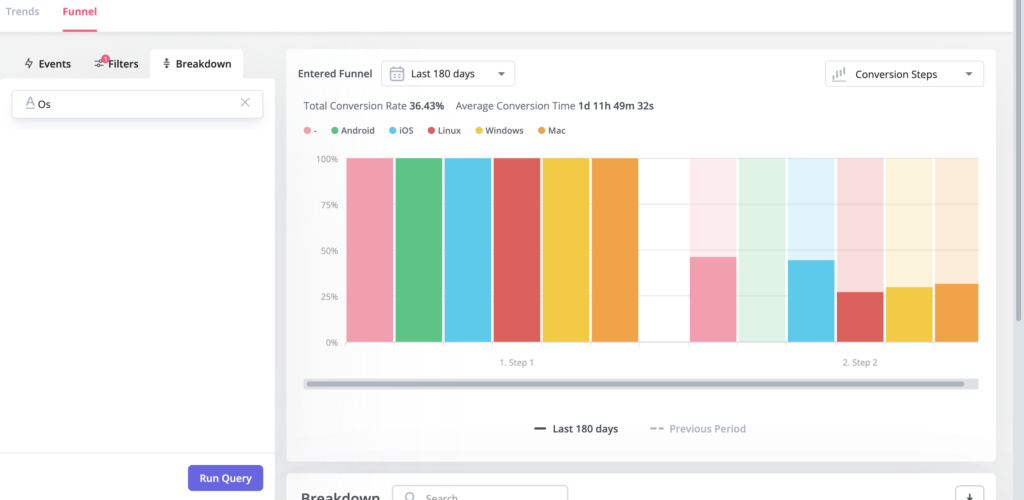
Funnel reports: Finding the drop-off
Funnel reports show you conversion between steps in any workflow: sign-up to activation, free to paid, feature discovery to feature use. Filter by segment, time period, or company to isolate where specific cohorts are getting stuck. You can then set contextual in-app messaging to fire when a user stalls at a specific step.
Session replay: Finding out why
Once you’ve found the drop-off in a funnel, session replay lets you watch exactly what users did at that step: where they clicked, where they hesitated, where they gave up.
Abrar used this combination to fix a problem with Userpilot’s own email feature. Users had access to it but weren’t activating; the funnel showed a large drop-off at the domain verification step. He watched session replays to confirm what was happening, then built an in-app checklist to walk users through setup step by step.
“Within a few hours, I had a targeted in-app message highlighting the correct steps. That reduced friction without involving the dev team at all,” he said. His estimate for the same fix going through engineering: at least a week.
That’s the triage pattern. Funnels tell you where the problem is. Session replay shows what’s causing it. Userpilot’s no-code tools let you fix it the same day.
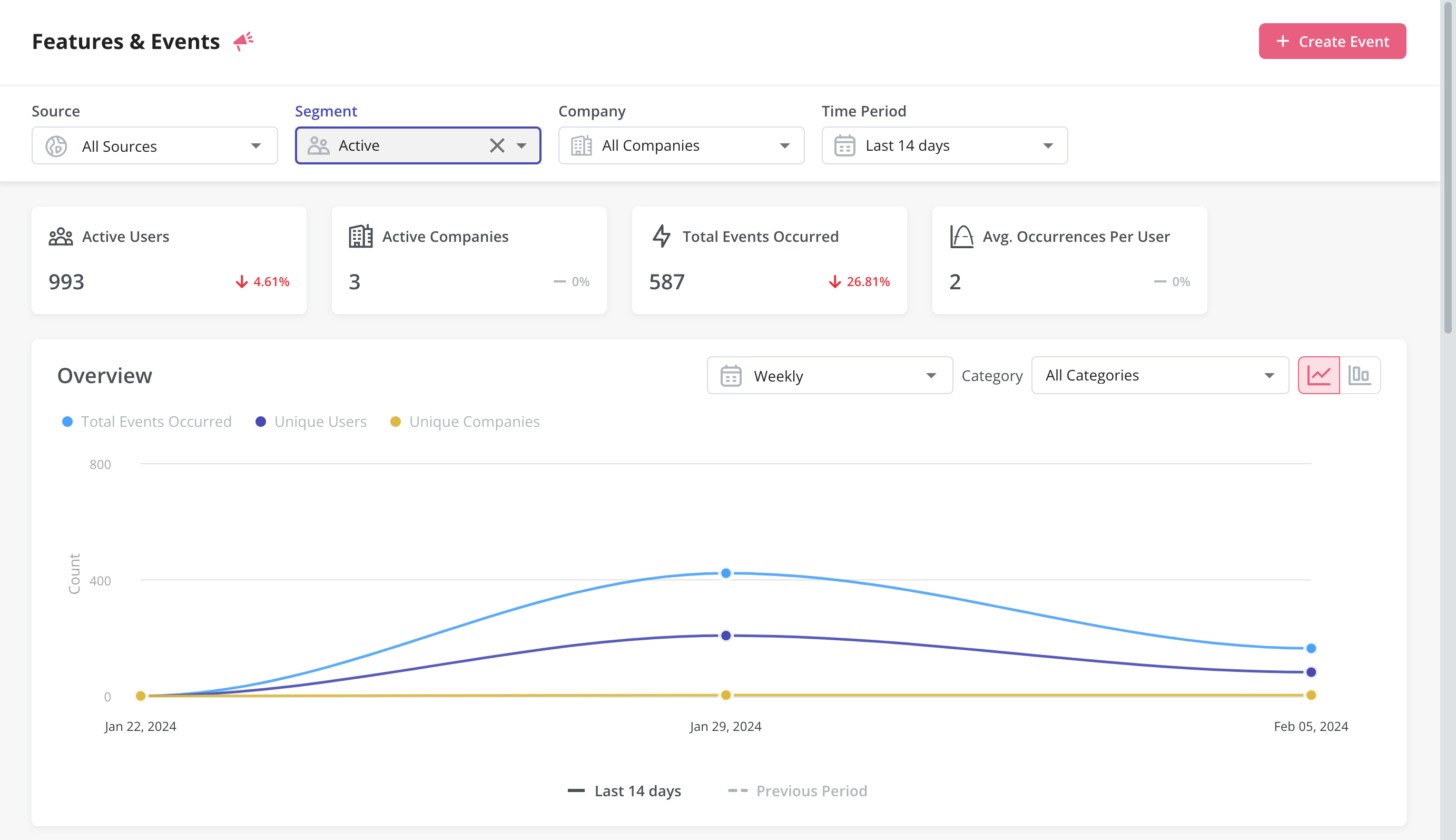
Event tracking
Userpilot’s no-code event tracking lets you tag UI interactions (clicks, hovers, form fills) and group them into custom events that represent feature usage. No code, no engineering ticket. Tag the interaction directly in the Chrome extension, give it a name, and it starts showing up in your analytics immediately.
Mobile analytics
With the Userpilot mobile SDK, analytics extend to your mobile app without extra code. Abrar learned this the hard way when mobile feature adoption looked low, until a one-question in-app survey revealed the real picture.
He had been reading mobile adoption as “only 10% of all customers.” After asking users whether their company had a mobile app, he could reframe it: “25% of customers who have a mobile app are using the feature.” Same data, completely different conclusion, leading to a much more targeted customer reactivation strategy.
How to use Userpilot for in-app engagement and workflows
Identifying friction is only useful if you can act on it quickly. Userpilot’s engagement tools, in-app flows and Workflows, are how you close the gap between insight and intervention.
In-app flows and UI patterns
Userpilot’s UI patterns include modals, slideouts, tooltips, driven actions, hotspots, and announcement banners. You can trigger them based on user behavior, segment membership, page URL, or event occurrence, and combine triggers to show the right message to the right person at the right moment. A/B testing is built in, so you can run experiments and iterate on the best-performing variants without extra tooling.
Workflows: Multi-channel orchestration
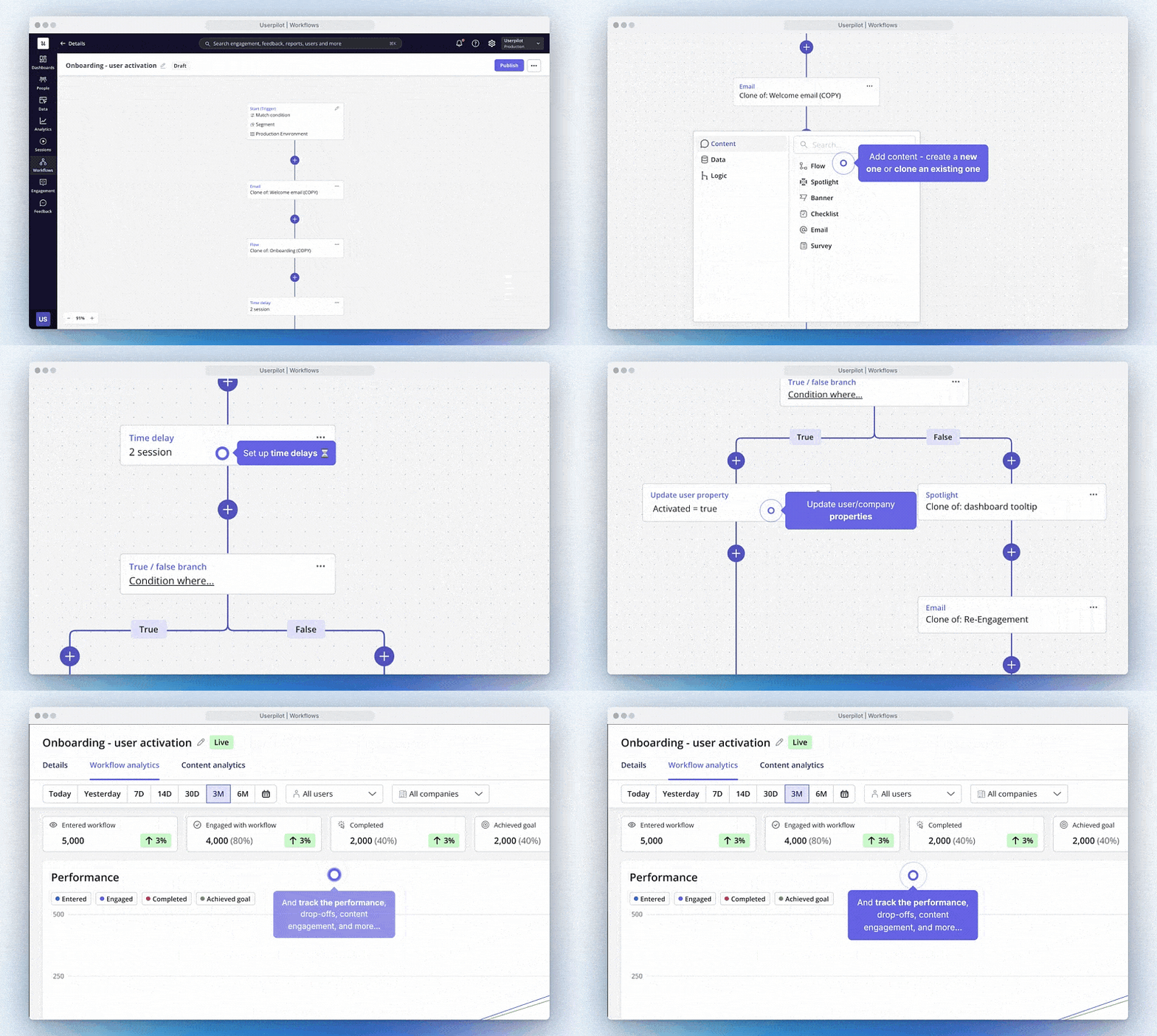
Workflows is one of the biggest additions since 2024. Where in-app flows operate in a single channel, Workflows orchestrate experiences across in-app, email, and mobile, triggered by user behavior and structured with branching logic.
A typical Workflow might send an in-app message when a user completes a key activation step, follow it with a targeted email if they haven’t logged back in within 48 hours, and then surface a push notification if they’re active on mobile. The whole sequence runs automatically, based on what the user actually does, not a fixed calendar schedule.
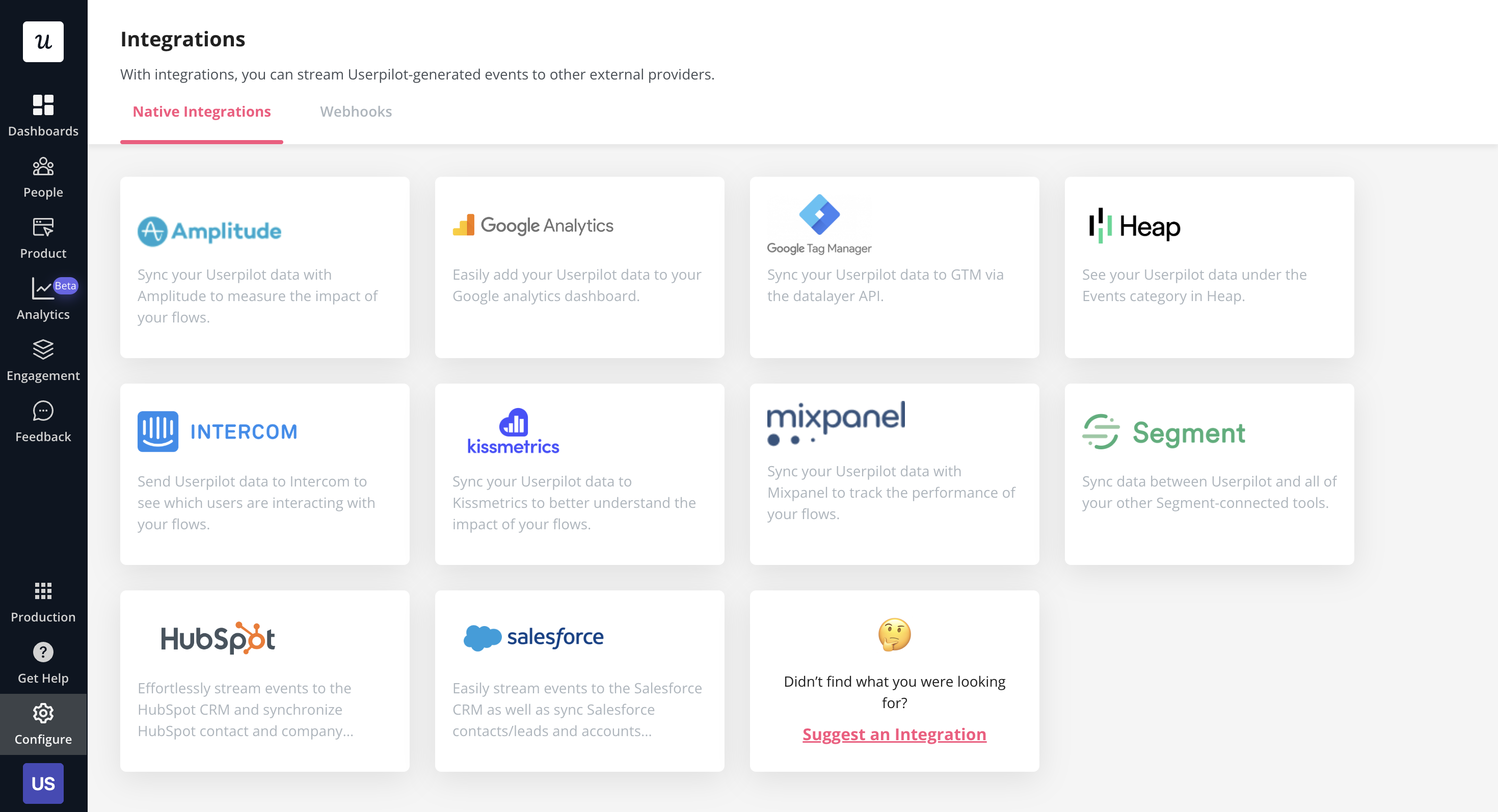
Integrations
Userpilot integrates with Amplitude, Mixpanel, Segment, HubSpot, Intercom, Google Analytics, Google Tag Manager, Kissmetrics, and Heap. One-way integrations let you use external data inside Userpilot to build segments and trigger flows. The two-way integration with HubSpot lets you send and receive data, so behavioral signals in Userpilot can update contact properties in your CRM.
How to use Userpilot for user feedback
Product analytics tells you what users are doing. User feedback tells you why, or why they stopped. Userpilot’s feedback tools cover structured surveys and passive, always-on collection.
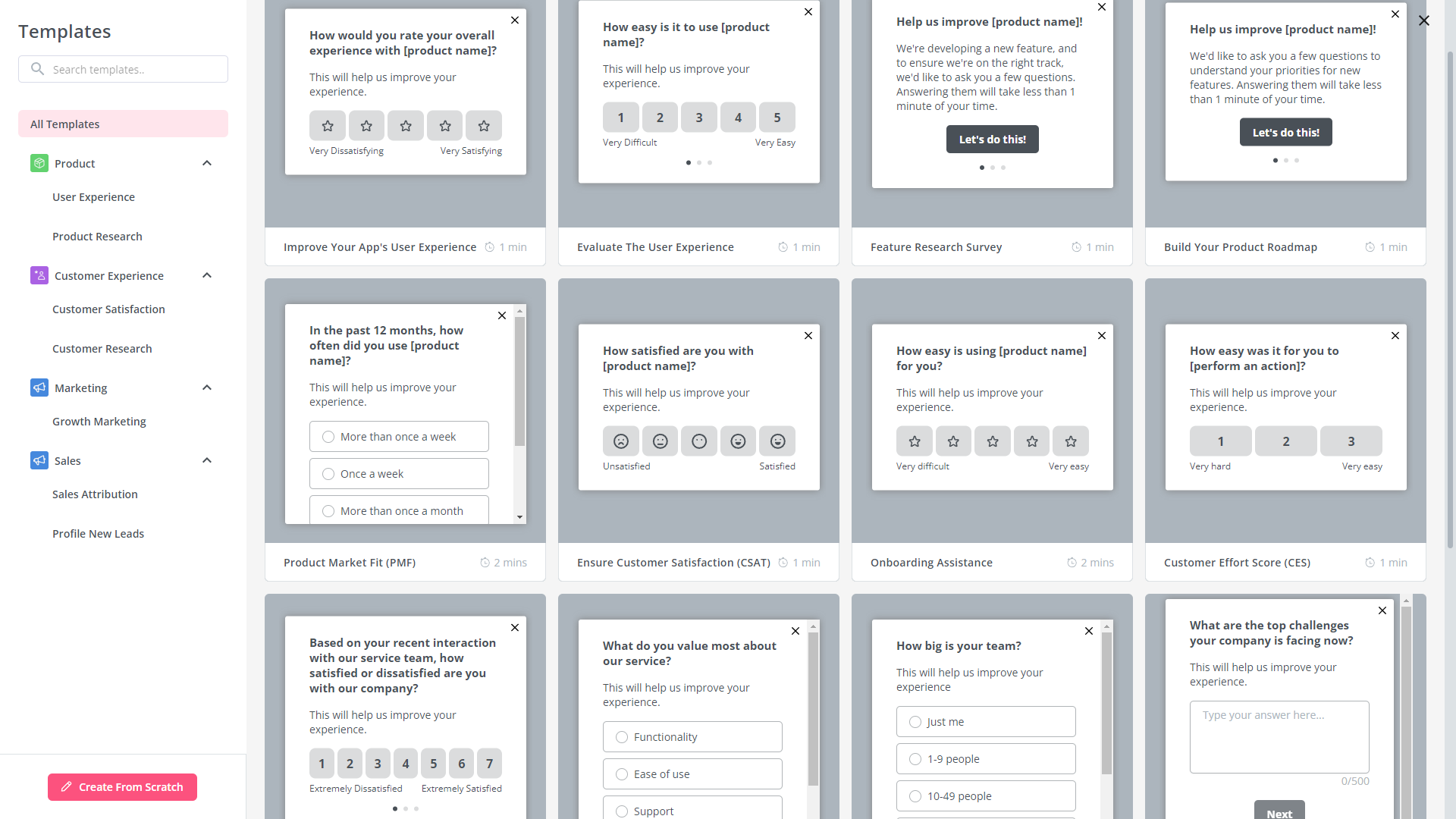
In-app surveys
There are 14 survey templates to choose from, including NPS, CSAT, CES, and open-ended questions about specific features or use cases. Surveys can fire contextually: after a user completes a key action, at a specific milestone, or when they visit a particular page. You can also target surveys to specific segments, so detractors see a different follow-up than promoters.
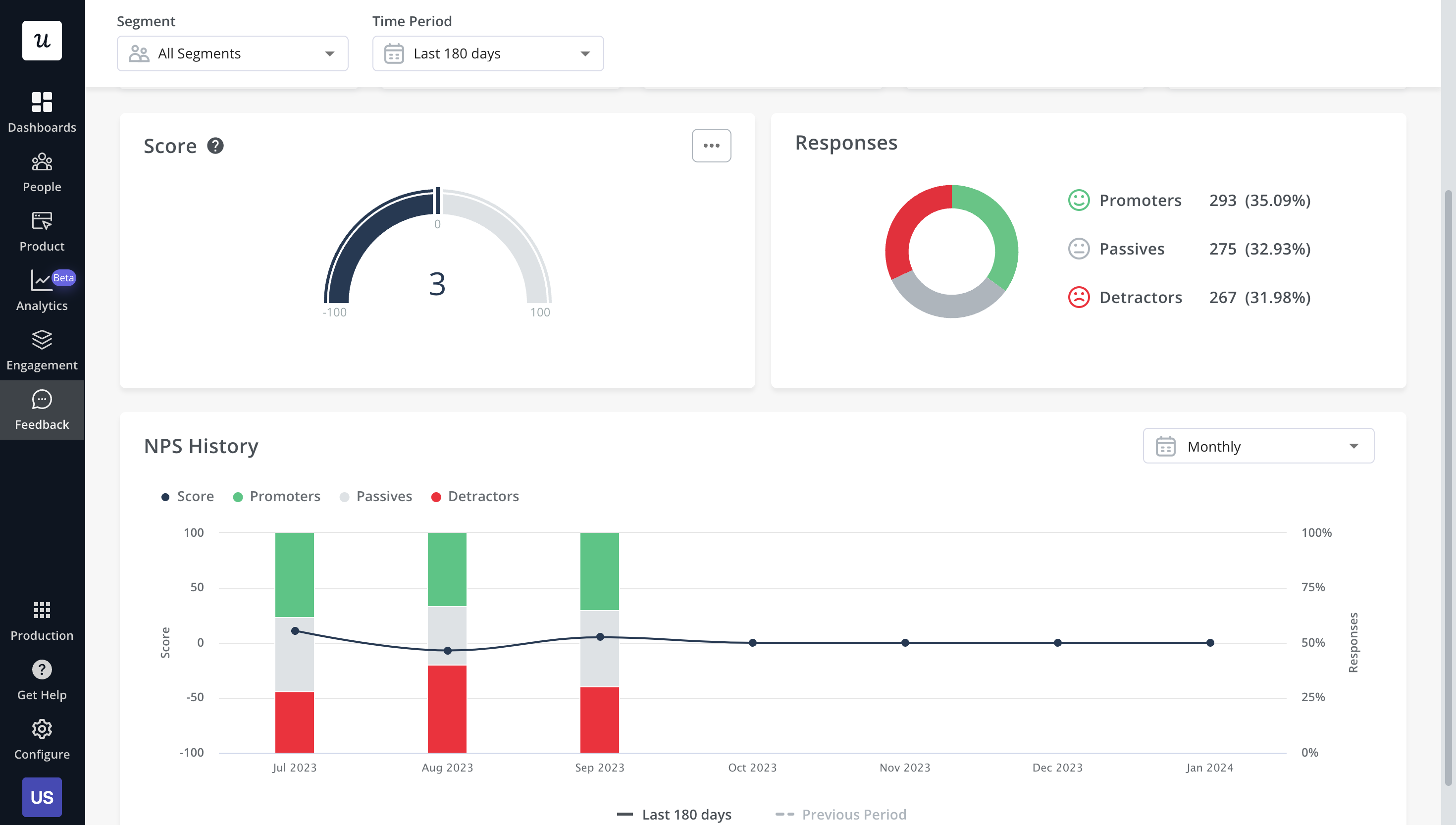
NPS dashboard
All NPS responses flow into a dedicated dashboard that shows response rates, promoter/passive/detractor ratios, and individual responses. Filter by segment or time period, tag responses by theme, and use NPS scores as a segmentation condition to retarget detractors with specific in-app messages.
In-app resource center
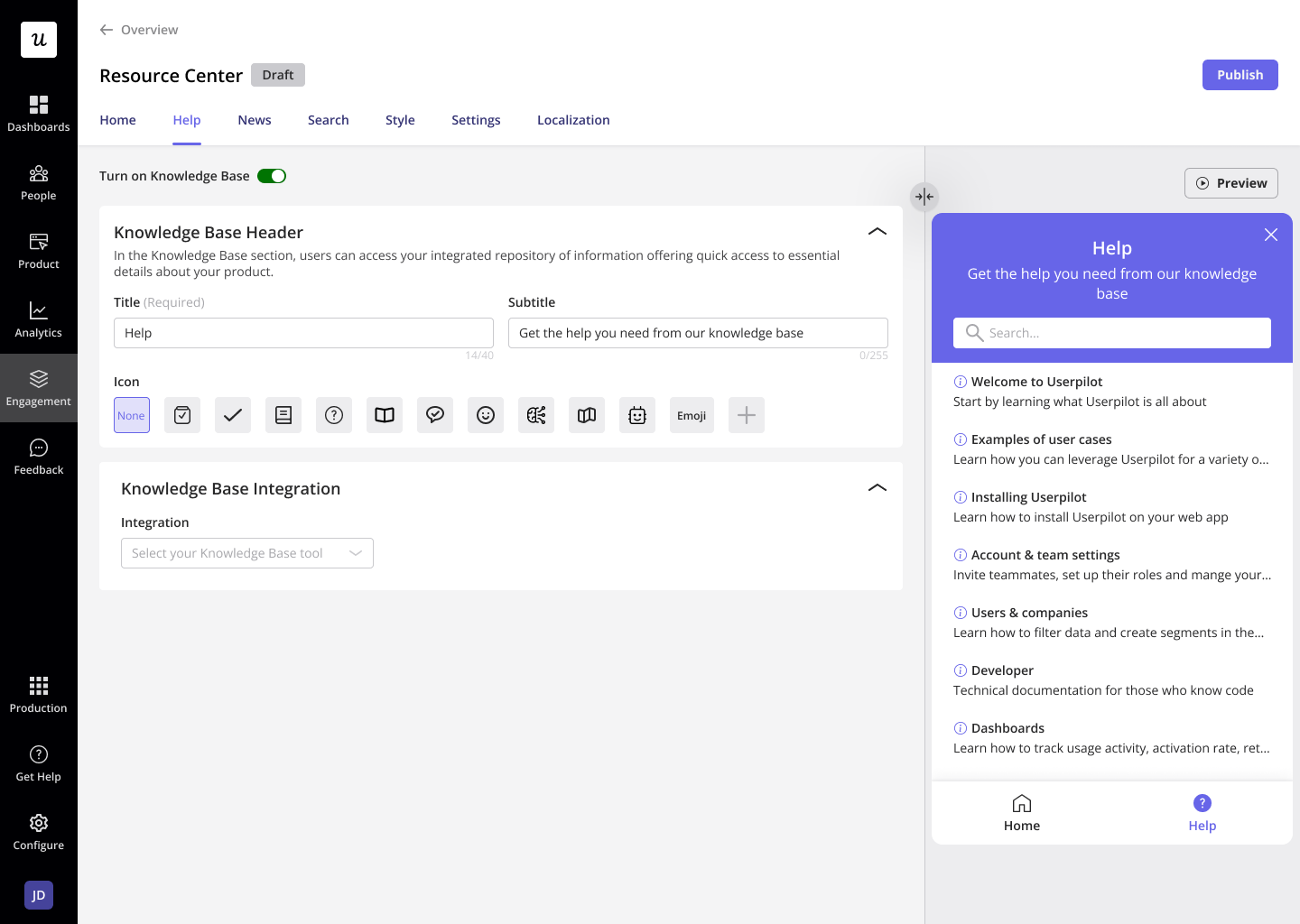
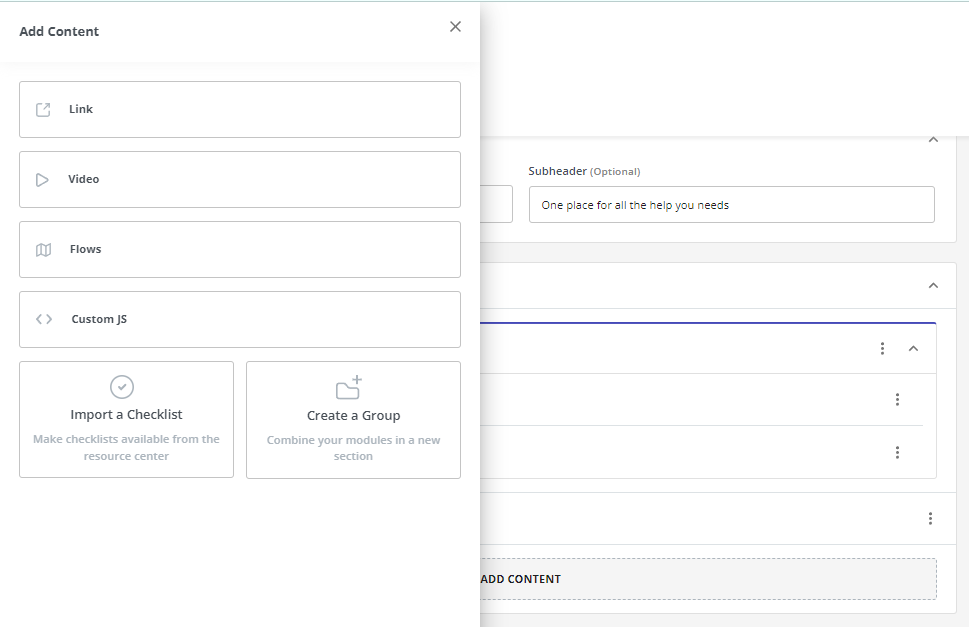
The resource center is an in-product help hub users can open any time they’re stuck. You can add knowledge base articles, tutorial videos, in-app flows, and checklists, all segmented to show the most relevant content for each user type. No code required to build or update it.
James Mitchinson, our Head of Customer Success, runs the same playbook he coaches customers on: “You want users to navigate and explore on their own. Too many guardrails work against you. But if a user gets stuck, they need to get unstuck fast. If they have to Google to find your knowledge base, that’s high friction, and for products with a free trial, you really can’t afford that.”
His team has seen a clear reduction in support tickets for specific friction areas, particularly around features where they’ve added targeted tooltips and resource center content at the points where users historically got stuck.
Lia: Userpilot’s AI agent for product experience
This is the biggest change since the 2024 version of this guide.
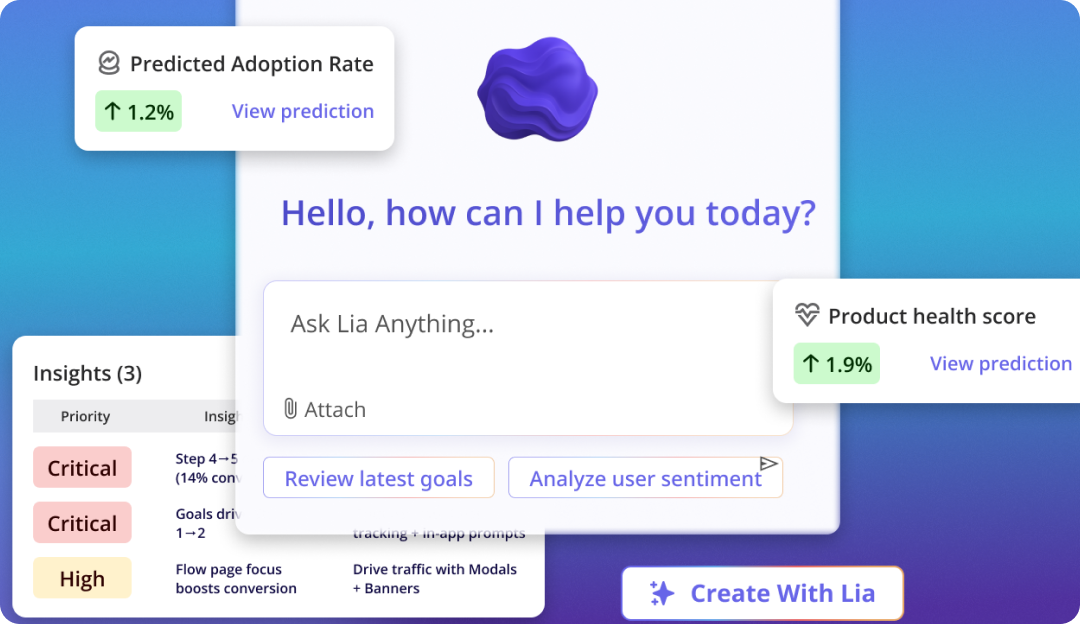
Lia is Userpilot’s AI agent. When I asked Yazan Sehwail, our CEO, how to explain what Lia does, he described the before-and-after clearly: “Right now, you’re using a million tools. You go to reports, create a dashboard, create a flow. The future doesn’t look like that. You create a project, you tell Lia what you want, and it does the rest. You go from operating the tools to monitoring the outcomes.”
That’s not aspirational product positioning. That’s the actual design decision Yazan made when rebuilding Lia from scratch in late 2024. The original version was an assistant you chatted with while working. He scrapped it. The new version is organized around five outcome-based projects that Lia runs for you.
The five Lia projects
You open a project, set your goal, and Lia builds the reports, analyzes the data by segment, runs predictive modeling, and surfaces what to do next.
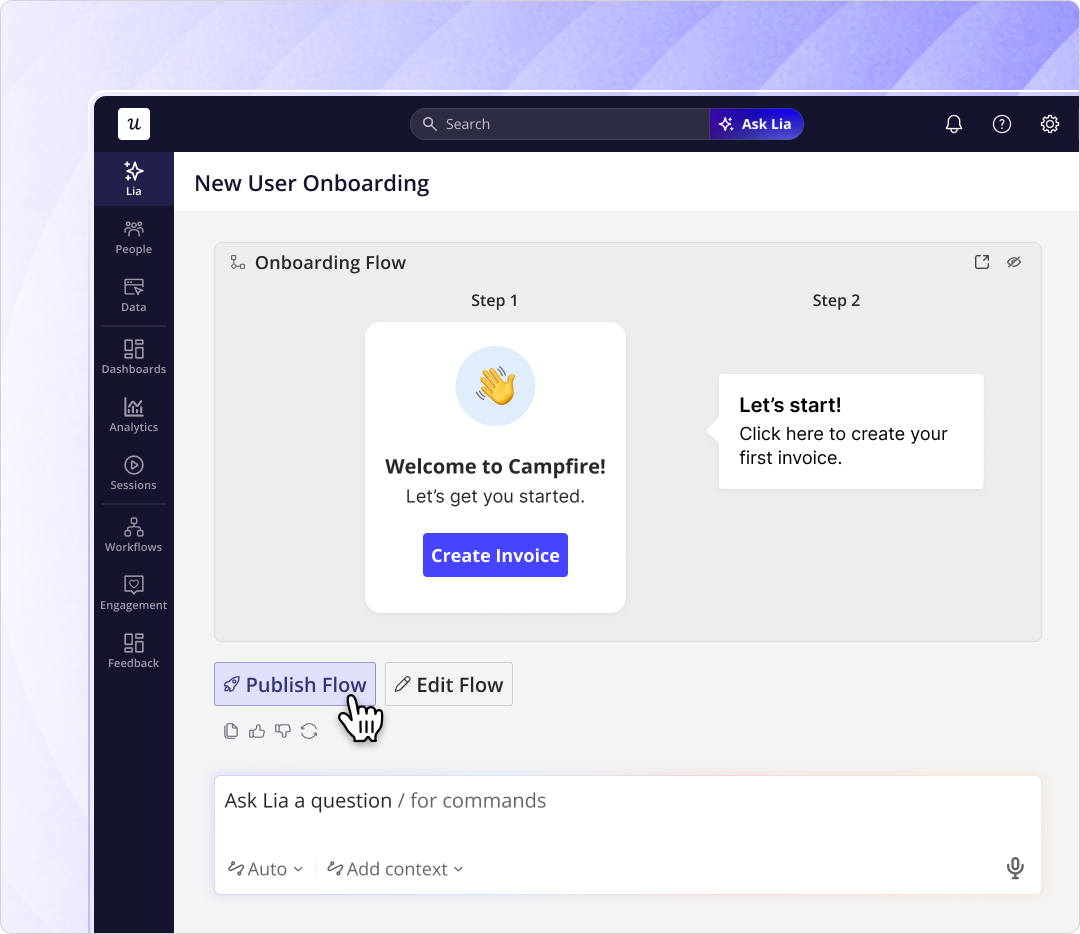
Lia builds onboarding flows autonomously
Lia can create in-app onboarding experiences on its own. You describe what you want users to do, and Lia builds the flow. This is particularly useful for teams shipping features faster than they can manually build onboarding for each one.
Yazan’s framing on why this matters: “As you release more features faster, because AI is helping engineers build things in two or three weeks instead of three months. That makes it harder for product teams to manually track adoption for each one and come up with hypotheses. You need to automate a lot of this.”
Predictive modeling for churn and activation
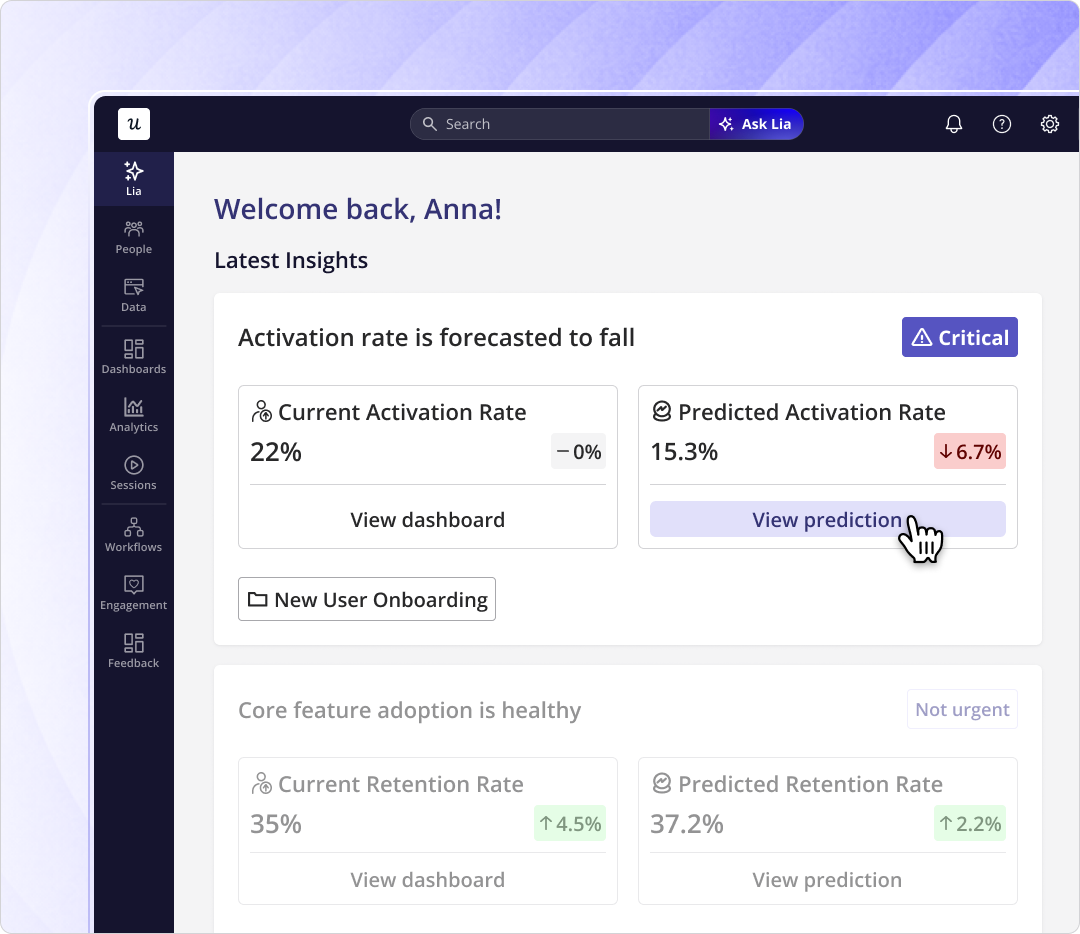
The churn project combines quantitative usage data, NPS responses, survey signals, and session replay behavior to predict who’s likely to churn, before they say anything about it. Lia flags those accounts proactively, so CS can intervene while the customer is still motivated to succeed.
James put the timing point plainly: “If a customer is coming to you saying they don’t want to continue with the product, it’s already too late. Churn prevention has to come from earlier intervention, when they’re still engaged and motivated. The only way to do that at scale is with signals that tell you when to reach out before the customer decides to go.”
With Lia’s churn prediction, his team can see risk signals months before renewal, not after a customer goes quiet. That changes the CS playbook from reactive to proactive.
A note on where Lia is right now
Lia is in active development and features are rolling out progressively. The project-based interface is live. Some of the deeper predictive features are available on Growth and Enterprise plans. If you’re evaluating Userpilot specifically for Lia’s capabilities, book a demo to confirm exactly what’s available on your plan and timeline.
Agent Analytics: Tracking a different kind of user
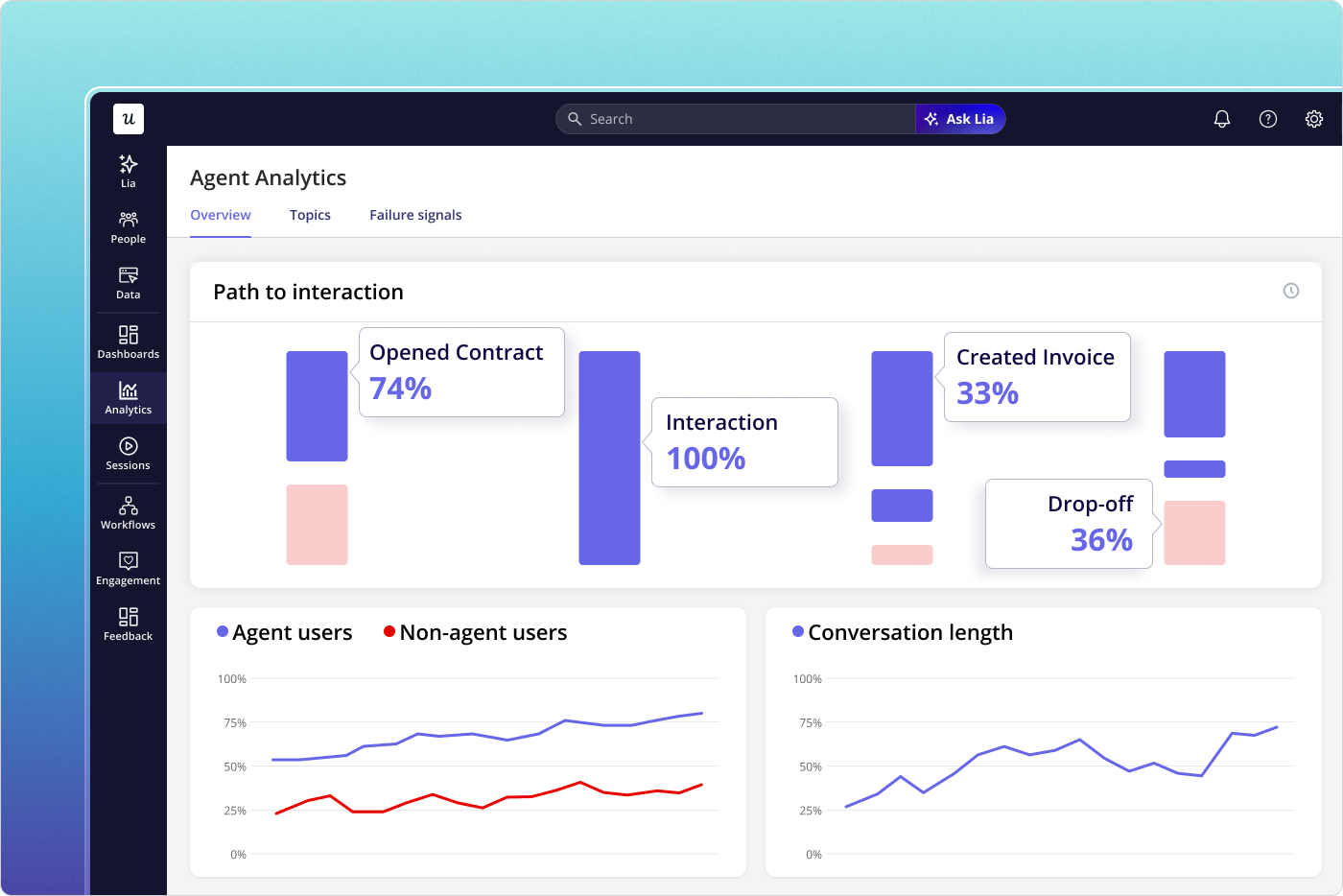
One thing the 2024 version of this guide didn’t account for: some of the users in your product are now AI agents. If you’ve launched an AI feature, added MCP integrations, or have customers using AI tools to interact with your product, those agents generate usage data, but they don’t click, scroll, or trigger the same events your human users do.
Agent Analytics is Userpilot’s answer to that. It’s a separate analytics stream that captures conversation logs, task completion rates, failure signals, and satisfaction metrics specifically for AI agent interactions, so you’re not misreading agent activity as human usage or missing it entirely.
Most teams won’t need Agent Analytics immediately. But if your product has an AI-powered component, or you’re planning to add one, this is already live in the platform.
Userpilot pros and cons
Pros
- Full-suite, no-code: Analytics, session replay, surveys, in-app flows, Workflows, and Lia, one platform, no engineering required for most tasks.
- Strong segmentation: Behavioral, demographic, company-level, and feedback-based segments work across every feature. The segment you build for analytics is the same one you use to trigger a flow.
- Fast fixes without dev tickets: Abrar’s email feature fix: funnel report to in-app checklist, in-product, same day. The alternative through engineering was a week.
- Lia: The only platform in this category with a project-based AI agent that automates the full insight-to-action loop for activation, adoption, retention, churn, and monetization.
- Good support: Consistently the most praised element in G2 reviews. Responsive, knowledgeable, and willing to get into the weeds with implementation questions.
- Mobile: Mobile onboarding, push notifications, and analytics via SDK, without additional code.
- All UI patterns on all plans: You don’t need to upgrade to access tooltips, hotspots, driven actions, or modals. They’re all available on Starter.
Cons
- No employee onboarding: Userpilot is built for customer-facing products. Internal tools onboarding requires a different solution.
- No freemium plan: Starter starts at $299/month billed annually. Teams on tight budgets will find tools like UserGuiding or Product Fruits more accessible at the low end.
- Lia is still rolling out: Some advanced predictive features are progressively available. If you’re evaluating primarily for AI capabilities, confirm what’s live on your plan before committing.
- Advanced analytics has a learning curve: Some users flag that custom event properties and data configuration take time to set up correctly. The platform rewards investment but isn’t instant-results out of the box.
What users say about Userpilot
The praise in G2 reviews clusters around three areas: the breadth of features, the ability to ship without engineering, and the support team.
“I recently had the pleasure of using Userpilot, and I must say it exceeded all my expectations. As a product manager, I’m always on the lookout for tools that can enhance user onboarding and improve overall user experience. Userpilot not only delivered on these fronts but also went above and beyond with its impressive new features, unparalleled ease of use, and truly exceptional customer support.”
Source: G2.
Constructive feedback tends to focus on advanced configuration:
“The filtration while analyzing specific events is a little confusing. Understanding of custom properties and data management configuration could have been more organised.”
Source: G2.
Userpilot pricing in 2026
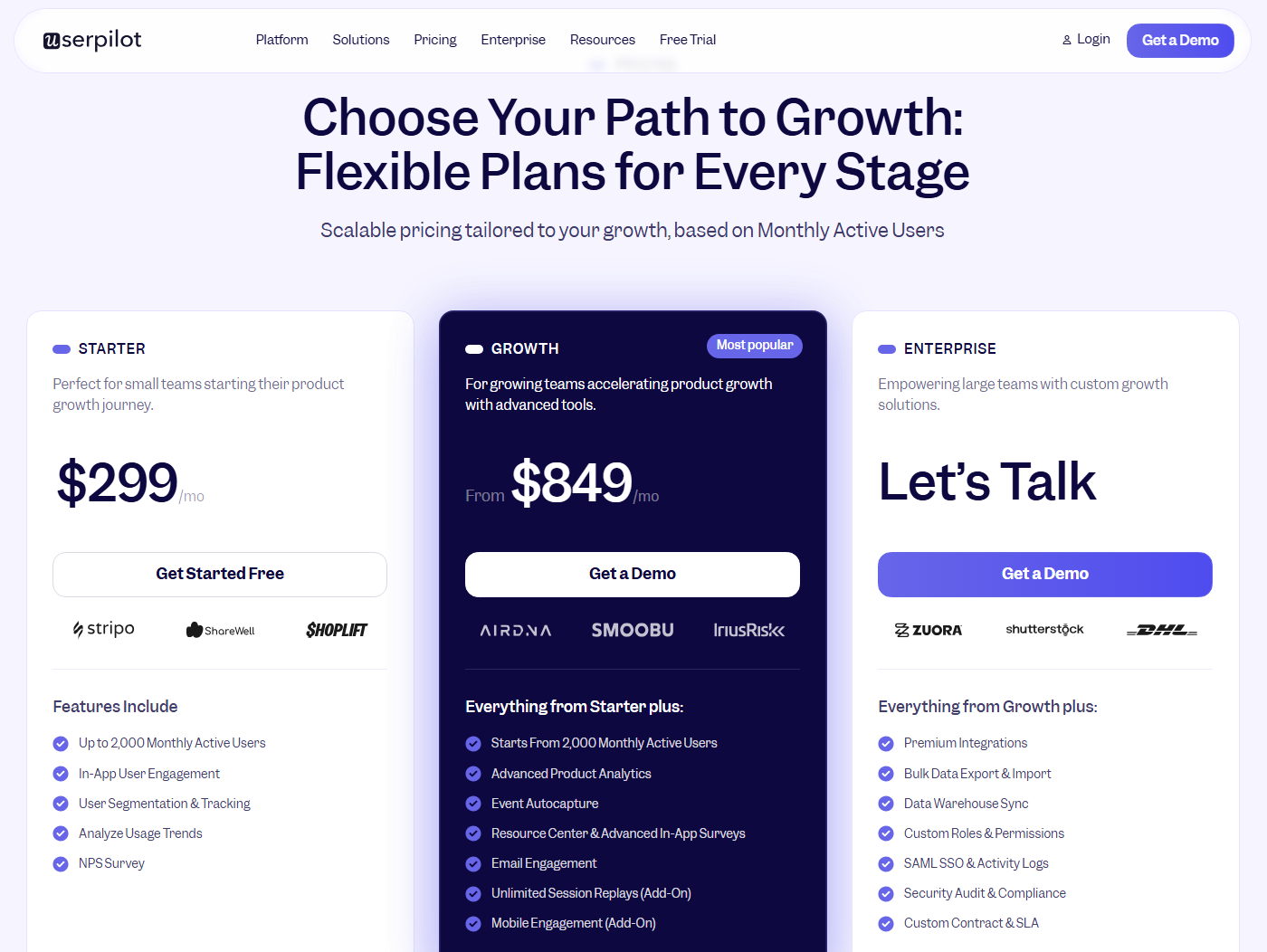
Userpilot’s pricing is based on monthly active users. There are three plans:
- Starter starts at $299/month (billed annually) for up to 2,000 MAUs. Includes in-app engagement with all UI patterns, NPS surveys, usage trend analysis, and core product analytics.
- Growth starts at $849/month (billed annually). Adds advanced analytics, retroactive event auto-capture, in-app surveys, Workflows, and session replay as an add-on. The most common plan for teams scaling their product experience work.
- Enterprise is custom pricing. Adds bulk data handling, custom roles and permissions, SOC 2 Type 2 compliance, and enterprise support. Lia’s full predictive capabilities are on this tier.
Check userpilot.com/pricing for current details; the feature split between Growth and Enterprise shifts as Lia rolls out.
Is Userpilot right for you?
Userpilot fits best when you need a single platform to manage onboarding, in-app engagement, feedback, and analytics, without engineering involvement for most of it without engineering involvement for most of it.
It’s a strong fit for mid-market SaaS teams that are growing their product and CS functions. The Starter plan gives access to all UI patterns and core analytics immediately. Lia adds real automation for teams ready to move from manually managing the insight-to-action loop to letting the platform run more of it.
It’s not the right choice if you need employee onboarding, sub-$100 pricing, or a freemium option to start. For those needs, lighter tools are a better fit.
Book a Userpilot demo to see it in action and walk through your specific use cases with the team.
About the author