5 Best Apty Alternatives in 2026: Complete Pricing & Feature Comparison

Looking for Apty alternatives that better align with your budget and needs? You’re not alone. While Apty promises comprehensive digital transformation capabilities, many teams end up searching for other options after discovering its complexity issues, enterprise pricing, or missing features.
Whether you’re a startup seeking affordable onboarding tools, an enterprise requiring enhanced employee training, or a SaaS looking for growth-focused product analytics, this guide breaks down your best options with honest comparisons.
Try Userpilot Now
See Why 1,000+ Teams Choose Userpilot
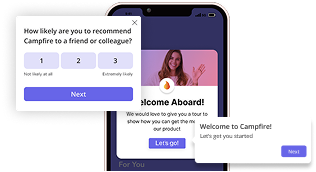
Overview of Apty
Apty is a digital adoption platform that sits on top of your existing business applications (think Salesforce, Workday, SAP, Oracle, and other enterprise software) and helps people use them effectively.
Here are the key Apty features that help drive software adoption:
- Smart in-app guidance: Deliver targeted help using tooltips, beacons, pop-ups, and step-by-step walkthroughs, helping users complete tasks correctly without switching tabs or searching documentation.
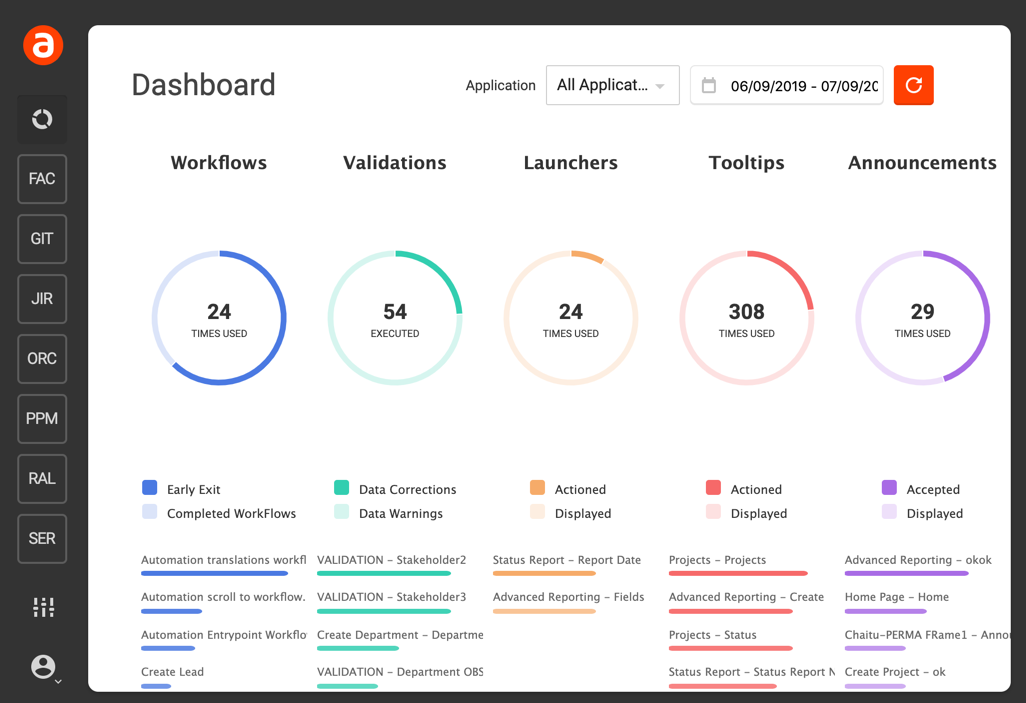
- Content analytics: Track how users interact with your guidance content, showing views, completion rates, and drop-offs so you can continuously improve clarity and effectiveness.
- Self-serve knowledge base: Centralizes walkthroughs and documentation, making it easy for users to find accurate, up-to-date guidance without leaving the app.
- Software usage analytics: Get visibility into your organization’s entire tech stack, its adoption trends, and usage patterns to identify underutilized tools and areas for process improvement.
- Data compliance: Validate inputs as users work, helping prevent errors and maintaining data quality across critical systems.
How much does Apty cost?
Apty utilizes a custom pricing model, with a starting price of $9,500 per app.
Your final cost depends on factors like the number of employees/apps you want to support, industry-specific compliance requirements, and integration needs.
Why look for Apty alternatives?
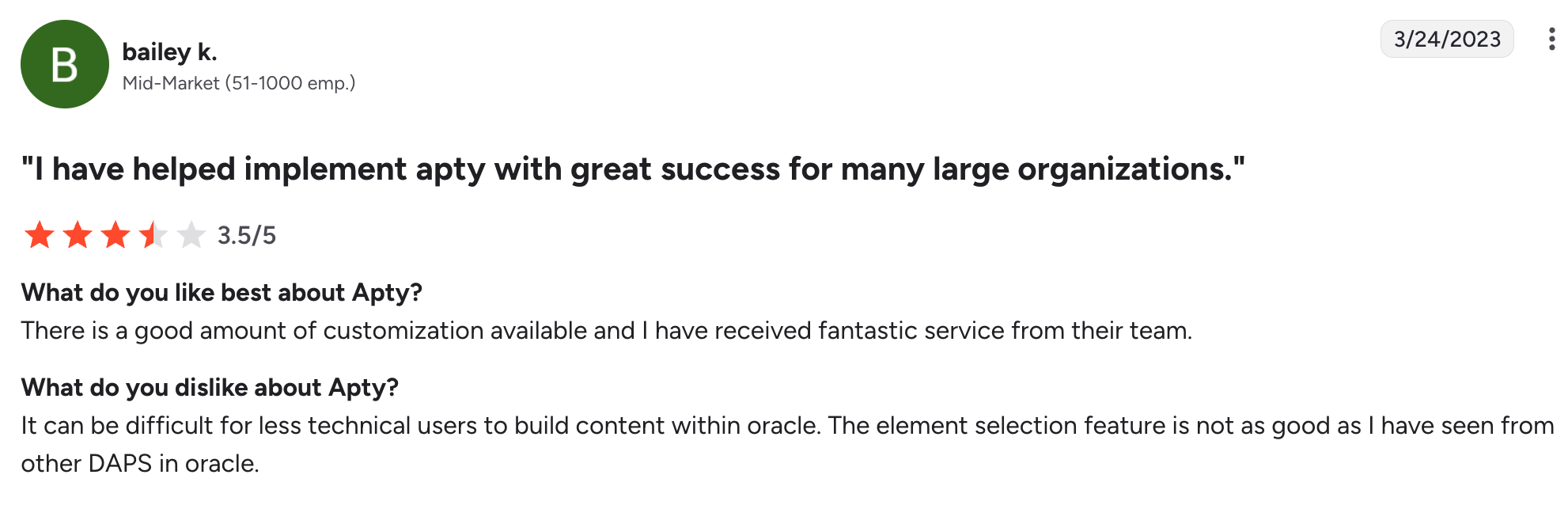
Apty is a robust enterprise platform well-regarded by many teams, but it has trade-offs like any tool. Here’s what I often see users mentioning on G2 that prompts them to look elsewhere:
- Limited features for user onboarding: Apty lacks some classic UI patterns, such as hotspots, banners, and slideouts, limiting your ability to deliver contextual onboarding. You also can’t run A/B tests and product-led experiments for onboarding optimization. Additionally, Apty doesn’t support native mobile apps, so you can’t launch guidance for users on Android and iOS devices.
- Lack of product analytics: In terms of behavioral analytics, Apty only offers surface-level guide engagement insights. There are no funnel or cohort reports to track core PLG metrics like retention and customer lifetime value. This means SaaS product managers can’t connect onboarding experiences to retention outcomes or identify which features drive conversions most. Apty also lacks session replays for uncovering reasons behind user behavior. To answer basic PLG questions, you’ll need to invest in additional analytics platforms like Mixpanel or Amplitude.
- Steep and opaque pricing: Apty operates with a legacy enterprise model: you need to sit through multiple demo calls, negotiate sales quotes, and sign multi-year contracts, often in the mid-to-high five-figure range. This is restrictive for agile teams with changing needs.
- Complex implementation and clunky interface: While Apty markets itself as a no-code tool, users often mention that it’s not intuitive and hard to navigate. As a result, non-technical users find themselves stuck or having to rely on engineers for simple tasks.
Top 5 Apty alternatives in 2026
Apty alternatives can be split into two camps: those engineered for internal employee training and those built for SaaS user onboarding. Let’s break down exactly where these two paths diverge so you can choose the right lane.
- Compliance-driven vs. contextual guidance: Internal training tools often force linear learning paths, assuming every user must follow the same curriculum, blocking progress until prescribed steps are completed. While this works for regulated employee workflows, it introduces unnecessary friction for SaaS users, who want to explore at their own pace. On the other hand, product onboarding platforms adapt guidance in real-time, giving users greater control over their experiences.
- Training completion metrics vs revenue metrics: Internal tools are optimized to reduce support tickets and training costs. In contrast, SaaS onboarding platforms focus on optimizing retention by tracking how guidance drives upgrades, usage depth, and long-term revenue, not just whether a tour was finished.
In this guide, we’ll explore tools from both categories, plus all unified platforms that combine both user and client-facing features.
| Tool | Best For | Key Strength | Biggest Limitation | G2 rating |
|---|---|---|---|---|
| Userpilot | SaaS teams interested in product growth | Unified product with PLG analytics and omnichannel user engagement | Customer-facing only (no internal apps) | ⭐ 4.6/5 |
| Pendo | Product teams needing deep usage analytics | Powerful analytics reports linked with roadmapping | Basic resource center and clunky interface | ⭐ 4.4/5 |
| Whatfix | HR and L&D teams that value multi-format content outputs | SCORM compliance and LMS integrations | Basic analytics | ⭐ 4.6/5 |
| Walkme | Enterprises focusing on digital transformation at scale | Cross-platform workflow automation | Complex implementation, high price | ⭐ 4.5/5 |
| Userlance | SMBs primarily focusing on employee productivity | Quick setup and no-code product tours | Lacks product analytics | ⭐ 4.5/5 |
1. Userpilot: The all-in-one SaaS growth platform
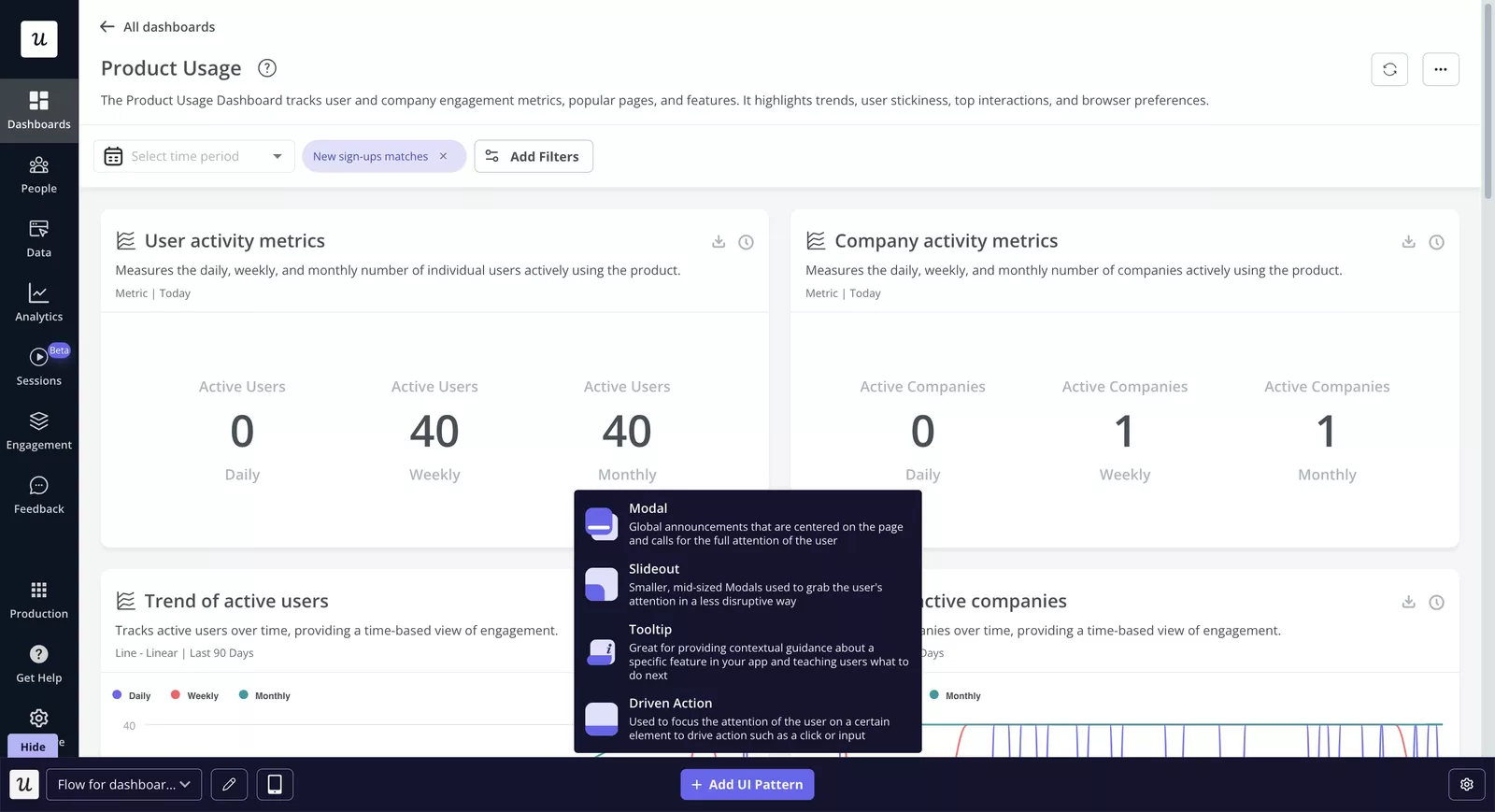
Userpilot is an all-in-one product growth platform that bundles product analytics, feedback, and omnichannel user engagement into one dashboard.
Our target customers are product teams at growing mid-market to enterprise SaaS companies focused on creating delightful experiences for end-users.
Key features
- Rich suite of UI patterns for in-app guidance: On top of the checklists, modals, and tooltips Apty offers, Userpilot also adds hotspots, banners, and slideouts, allowing you to create more contextual experiences.
- A/B testing: We enable teams to run onboarding experiments, test UI patterns, copy, or targeting rules to understand what drives higher conversions.
- Lifecycle marketing: Stay connected with your customers wherever they are by sending targeted push notifications or lifecycle emails based on behavior and preferences. For example, you can send re-engagement emails to users who abandoned the product tour to bring them back into the product.
- Mobile support: Guide Android and iOS users with mobile-first UI patterns like swipeable carousels and slideouts, ensuring a consistent user experience across devices.
- In-app resource center: Similar to Apty’s help widgets, we provide a self-serve resource center, but with deeper personalization, surfacing guides and content dynamically based on where users are in their journey.
- User feedback surveys and NPS polls: Collect actionable feedback directly inside your product using targeted micro-surveys and NPS polls. Moreover, you can tag NPS responses to identify common patterns or monitor score trends across time with a dashboard.
- Event autocapture: We automatically record user interactions from day one without manual tagging. This also helps you avoid data blind spots and analyze behavior retroactively for events you didn’t predefine.
- Funnel and path analysis reports: We adds product analytics depth that Apty lacks, helping teams visualize how users move through key workflows, identify drop-off points, or unexpected paths so you can optimize navigation.
- Cohort tables: Measure user retention over time to understand how product changes, onboarding improvements, or new features impact long-term engagement and revenue.
- Session replays: Watch real user sessions to see how users interact with your product. This allows you to diagnose usability issues and validate hypotheses from analytics data, capabilities typically outside Apty’s core scope.
Pricing: Userpilot offers three plans: Starter, Growth, and Enterprise. The Starter plan is around $299/month (billed annually) for up to 2000 MAUs. This entry tier includes core engagement features and basic analytics, while advanced features (like funnels, paths, cohorts, advanced targeting, Resource Center, etc.) are unlocked in the higher Growth/Enterprise (quote-based) tiers.
| Userpilot Pros | Userpilot Cons |
|---|---|
| ✅ Fast implementation with most teams are up and running the same day. | ❌ Focused exclusively on customer-facing SaaS products, won’t work on internal tools for employee onboarding or change management. |
| ✅ Predictable and scalable MAU-based pricing that grows with your revenue. | ❌ Learning curve in places, as Userpilot is a feature-rich platform, so it can feel a bit overwhelming at first. |
| ✅ Combines qualitative analytics data (reports, dashboards) and quantitative insights( session replays, surveys) for a complete picture of user behavior. | ❌ Smaller integrations ecosystem; lacks the breadth found in some enterprise DAPs. |
| ✅ Best in-class engagement tools ranging from diverse UI patterns to mobile push notifications and email, all created inside one dashboard. | ≈ Expensive for small startups. |
Apty alternatives: Choose Userpilot over Apty if:
- Your budget and technical resources are limited: Our no-code editor and auto-captured events allow product teams to launch and iterate without engineering support. Apty typically requires a heavier setup and ongoing technical maintenance.
- You are a PLG company focused on driving continuous engagement: We go beyond basic walkthroughs with omnichannel engagement features, which let you influence user behavior throughout the entire journey.
- You have both web and mobile apps: We supports both environments, whereas Apty doesn’t work on mobile.
- You need built-in product analytics to inform growth decisions: We are an analytics powerhouse with several native analytics reports, session replays, and A/B testing. Meanwhile, Apty relies on external analytics tools for this level of insight.

Try Userpilot Over Other Apty Alternatives for Superior Built-In Product Analytics

2. Pendo: The analytics heavyweight
Pendo is a software experience management platform that enables companies to understand and enhance user interactions with their products.
The company initially focused on usage analytics, then later expanded into in-app user onboarding, feedback, and product intelligence. Recently, it also launched employee guidance tools, becoming a full-stack digital adoption platform.
Key features of Pendo
- Pendo guides: Create on-screen walkthroughs, tooltips, banners, and lightboxes to guide users inside your product. Pendo offers a bit more variety than Apty, but still lacks in this area and doesn’t offer slideouts.
- Pendo session replays: Observe exactly how users navigate your app with video-like recordings to understand the “why” behind user behavior.
- Product engagement score (PES): This is Pendo’s own metric that combines adoption, stickiness, and growth into one score reflected on a custom dashboard, which gives you a quick read on overall product health without digging through multiple reports.
- User feedback and roadmapping: Uniquely, Pendo’s platform integrates the feedback data with a simple roadmapping tool. Pendo offers a Feedback portal, where users can submit feature requests and upvote ideas. Teams can then create data-informed roadmaps by linking feature requests and usage data to planned features.
- SaaS portfolio insights: Similar to Apty’s visibility into app usage data and license activity to reduce software waste and ensure tool adoption.
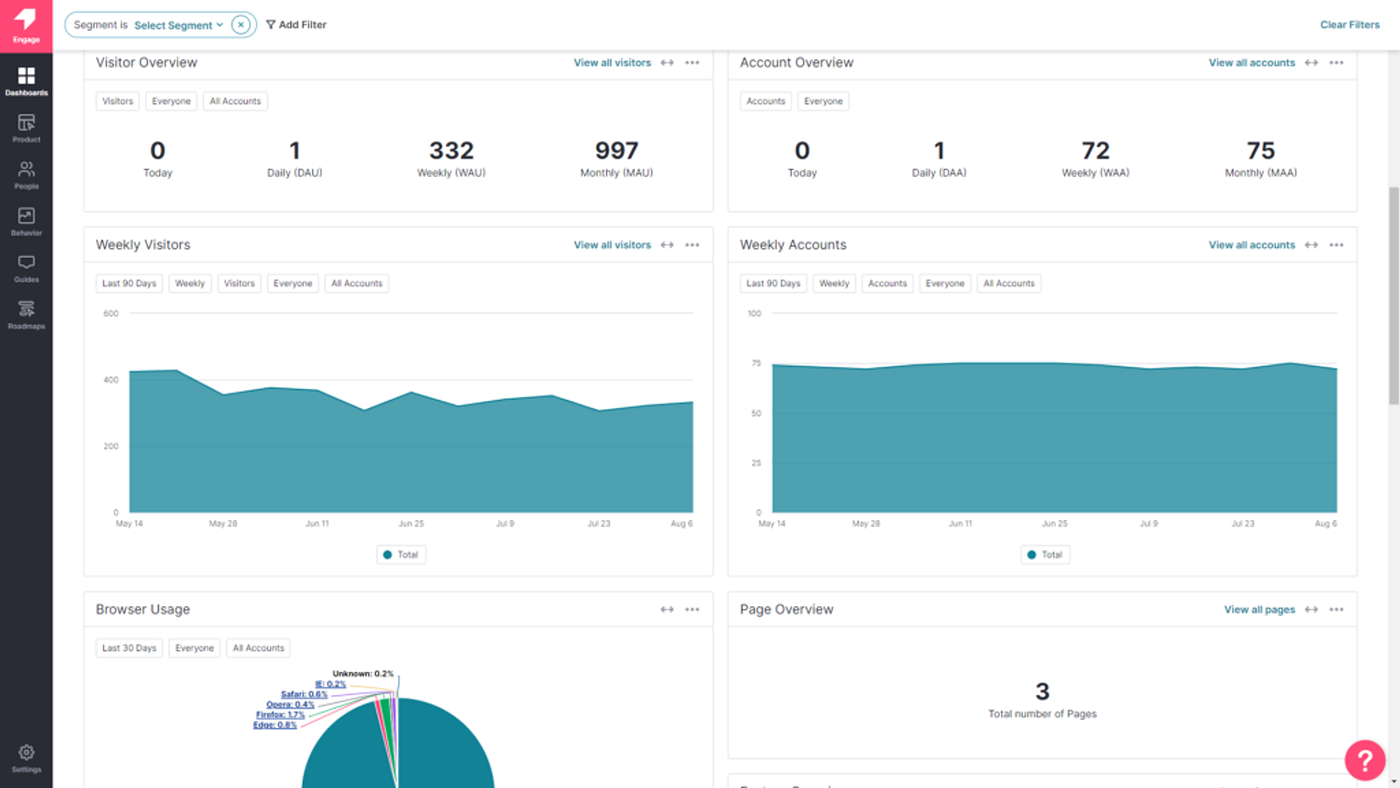
Pricing: Pendo pricing isn’t shared publicly; you get a custom quote based on MAUs and the features you choose. I checked a few third-party sources, and according to Vendr, the median annual cost companies pay for Pendo is about $48,400 per year.
| Pendo Pros | Pendo Cons |
|---|---|
| ✅ Wide array of features suitable for both internal and client-facing product use cases. | ❌ Implementation is complex; full deployment takes 2-3 months. You’ll need engineering support for maintenance, from tagging elements to passing metadata for segmentation. |
| ✅ Powerful analytics: from customizable dashboards and reports to session replays and heatmaps to deeply understand user behavior. | ❌ UX is disjointed. To apply a theme, you have to leave the Guides section and switch to the Themes panel, which opens Visual Studio in a separate tab. Changes don’t auto-apply to existing guides; you’ll need to reapply the theme and republish each guide separately. |
| ✅ AI assistant surfaces meaningful patterns in user behavior and summarizes qualitative feedback to help speed up action. | ❌ Help center is basic, can’t play linked videos directly inside the app, and there is no general search functionality or search term analytics. |
Apty alternatives: Choose Pendo over Apty if:
- You are a PLG team that primarily wants a customer-facing tool with some employee training features.
- You need advanced analytics like session replays, funnels, retention, and path analysis to inform product strategy.
- Your team values in-app feedback collection and roadmapping alongside usage data.
3. WalkMe: The enterprise legacy
WalkMe is arguably the most direct “feature-for-feature” Apty competitor for internal use cases in our list. It’s the oldest player with the deepest feature set for on-premise support.
WalkMe is best suited for massive internal deployments of 50,000+ employees on legacy systems like Oracle.
Key features:
- Tooltips, launchers, checklists, and shoutouts: You can add different contextual hints and UI pointers that proactively assist users in-app. Compared to Apty, WalkMe offers more customization and targeting flexibility for in-app flows.
- Workflow automation: Intelligent automation that executes repetitive or complex sequences on the user’s behalf (such as navigating screens, populating fields, or submitting forms), reducing manual effort, eliminating errors, and speeding up task completion across systems.
- WalkMe analytics: Track product usage with funnel reports, custom dashboards, and flow analytics, then zoom in with session replays.
- ActionBot: An AI-powered chatbot that your employees can use to ask questions and automate certain tasks faster: asking for time off, filling forms, or opening support tickets. Plus, it integrates with Gmail, HR platforms, CRMs, calendars, and more.
- License and usage optimization: WalkMe’s Discovery module can help you identify unused software licenses, track application usage, and optimize spend across your tech stack.
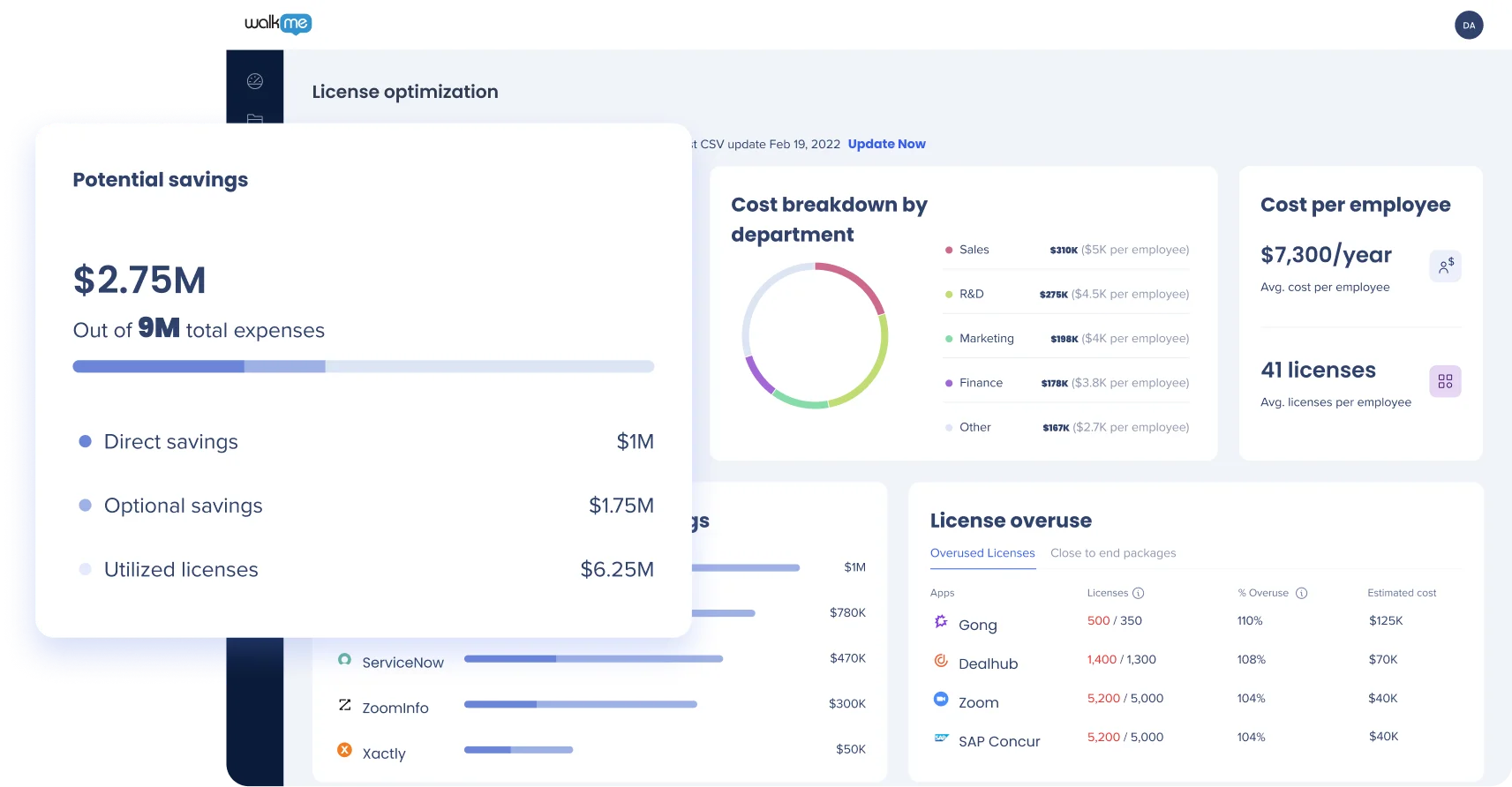
Pricing: WalkMe pricing isn’t public, so again, I checked with Vendr, and the data there suggests an average price of $43,975 per annum.
| Pros | Cons |
|---|---|
| ✅ Robust automation features for complex workflows spanning web, third-party, and desktop applications (rare for DAPs). | ❌ Lacks important analytics features for agile PLG teams (e.g., autocapture, retention analytics). |
| ✅ Strong enterprise analytics for tracking both internal (license usage) and external (funnels, session replays, dashboards) application usage. | ❌ High cost of ownership, often involving six-figure contracts, user license fees, and multi-year commitments. |
| ✅ Mature ecosystem with extensive documentation, pre-built project templates, certifications, and professional services to accelerate enterprise adoption. | ❌ Setup requires significant time and technical skills; often needs certified professionals for implementation and ongoing maintenance. |
Apty alternatives: Choose Walkme over Apty if:
- Your primary goal is employee training across many legacy systems (where things like workflow automation and desktop app support are critical).
- You have a big technical team and time for ongoing maintenance.
- You want integrated qualitative analytics tools like session replays and surveys for investigating reasons behind metrics.
4. Whatfix: The modern digital adoption tool
Whatfix is often seen as a more agile alternative to older tools like WalkMe, offering greater flexibility (cloud or on-prem deployment), multi-format content creation abilities, and LMS integration.
It serves enterprises for both customer onboarding and employee training use cases.
Key features
- Tooltips, smart tips, pop-ups, and walkthroughs: Contextual in-app cues that explain product features and help users complete tasks. These guides can also be auto-translated to over 70 languages for global users.
- Multi-format content output: Automatically repurpose your in-app guides into multiple formats. With the click of a button, a single flow can be exported as a slideshow, PDF document, video, and Strong SCORM compliance for LMS integrations.
- Whatfix Mirror: A sandbox training environment that replicates live applications, allowing users to practice workflows and tasks without impacting production data.
- Application usage tracking: Monitor how internal tools are being used across teams and departments to optimize the software stack.
- Guidance analytics: Usage tracking, flow engagement metrics, autocapture of events/URLs, and session replays help you understand how users interact with your software.
- Self-help widgets: Provide on-demand support through a centralized help hub that aggregates content from multiple systems such as SharePoint, Confluence, Zendesk, or ServiceNow. It also has the AI QuickRead feature that summarises results and gives users concise answers, saving time.
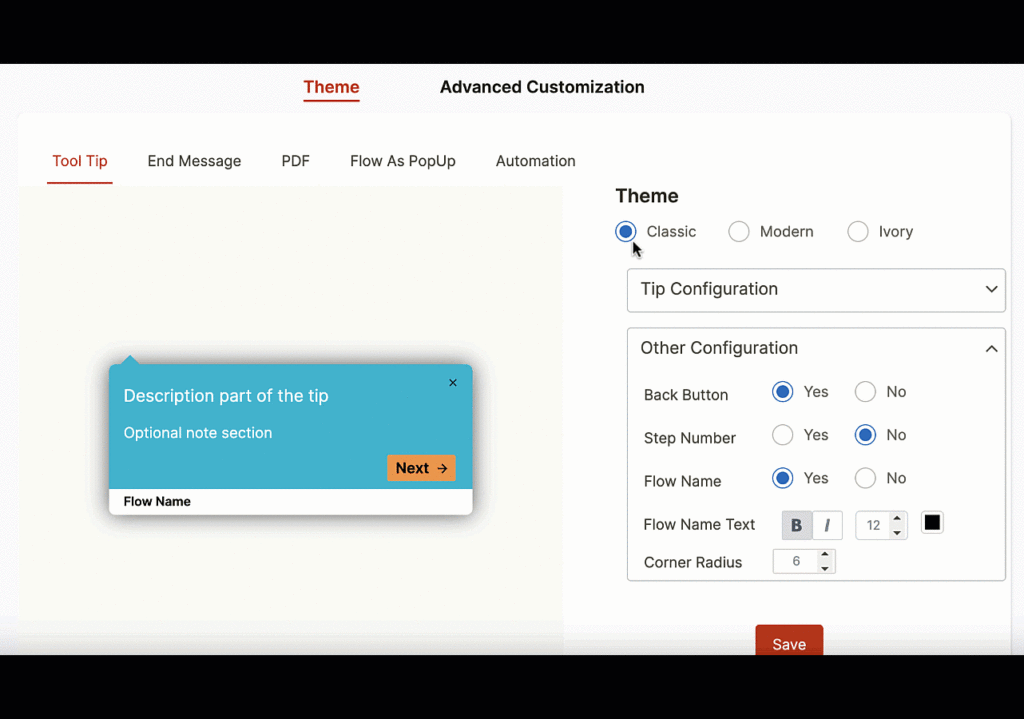
Pricing: Whatfix offers custom enterprise plans. Data from Vendr suggests an average price of $32,000.
| Pros | Cons |
|---|---|
| ✅ Works across web, desktop, mobile applications, and virtualized environments (e.g., Citrix/VDI). | ❌ Lacks PLG-focused features like company-level segmentation, retention cohorts, and A/B testing. |
| ✅ Unparalleled flexibility in how you deploy it. You can use it as a cloud service or opt for an on-premises/self-hosted deployment. | ❌ Whatfix’s checklists cannot be embedded into the Self Help widget. Also, you can’t target individual modules inside the widget with different rules. |
| ✅ Robust integrations network across help centers, CRMs, analytics, and other platforms. | ❌ Setup and maintenance are complex and require developer resources. |
Apty alternatives: Choose Whatfix over Apty if:
- Your organization has strict security and data residency requirements, so open-source deployment is needed.
- You mainly need the tool for HR and L&D teams to support formal training programs with tools like sandbox environments, multi-format content repurposing, and deep LMS integration.
- You have the internal resources to manage a more complex setup and ongoing maintenance in exchange for flexibility and control.
5. Userlane: The internal DAP for small businesses
Userlane is a DAP focused on simplicity and usability, making it a strong choice for startups and lean teams.
It’s often used for employee onboarding and training on internal software, as well as basic customer onboarding for simple SaaS products.
Key Features
- Interactive walkthroughs: Like others, Userlane allows you to create on-screen interactive guides to walk users through software processes. These guides are completely no-code, created via a browser extension that lets you point-and-click on the interface to define steps.
- Personalization and localization: Create guidance in multiple languages for global users or target flows to specific groups of users (e.g., show one flow to new employees in the Sales department, another to users of a certain customer tier).
- On-demand support assistant: Userlane provides an in-app help menu that users can open anytime, search and launch available guides, or access additional resources.
- Userlane App Discovery and HEART analytics: Track every tool your employees use, so you can optimize software spend and align adoption efforts with your transformation goals.
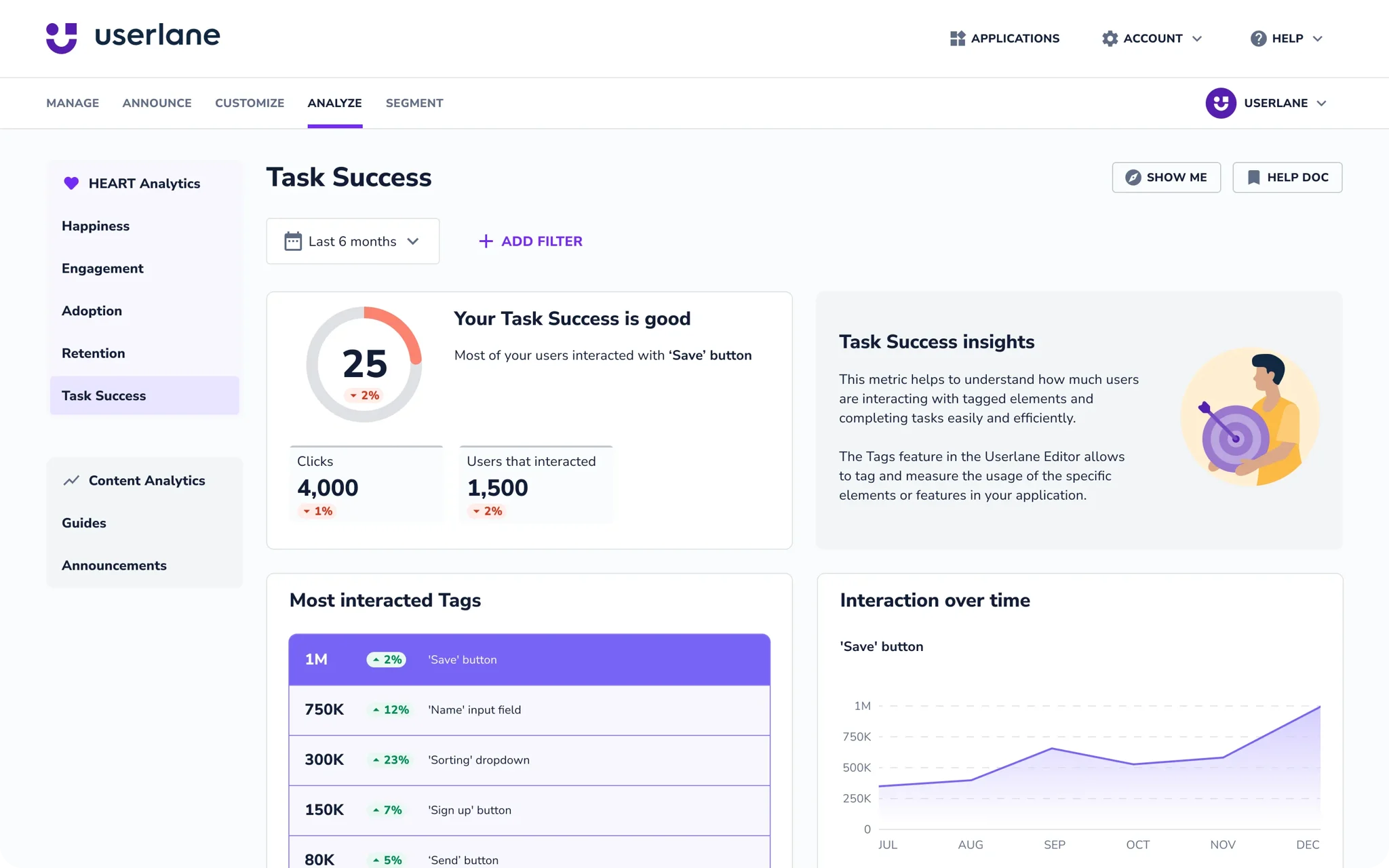
Pricing: There’s no public price sheet, but independent data suggests Userlane’s cost is significantly lower than enterprise DAPs. On Vendr, I see that the average Userlane contract is around $18,000 per year.
| Pros | Cons |
|---|---|
| ✅ The interface is clean and geared towards first-time creators. Even without any technical skill, you can install the browser plugin and start creating guides intuitively. | ❌ Analytics are very basic, especially for external-user-facing products. No funnels, no paths, no retention reports, only guide engagement metrics and license usage. |
| ✅ The support team is quick, helpful, and offers personalized solutions to any problems | ❌ If having pixel-perfect, on-brand guide design is important, Userlane might disappoint. The visual styling customization is quite limited, and so is IF/THEN branching on multi-step guides. |
| ✅ Affordable for SMBs and flexible pricing without massive contracts. | ❌ No cross-application guidance, Userlance doesn’t support mobile or desktop apps, and only works on the web. |
Apty alternatives: Choose Userlane over Apty if:
- You value simplicity and speed over versatility.
- You find Apty too expensive. Userlane offers similar features to Apty for both employee and user adoption, while being more affordable and easier to use.
- Your team isn’t technical, and you don’t have the resources to maintain complex DAPs.
Choosing the best Apty competitor for your use case
- For internal training and IT compliance: Choose WalkMe or stick with Apty. These handle the rigidity of enterprise ERPs best.
- For bootstrapped MVPs and small startups: Choose Userlane. It handles basic walkthroughs until you have the budget to upgrade.
- For product-led SaaS growth: Choose Userpilot. You need the ability to run A/B tests and analyze retention cohorts for driving adoption.
Want to get started with your digital adoption strategy? Book a demo with our team, and we will show you how.
We strive to provide accurate information to help businesses determine the best solution for their particular needs. Due to the dynamic nature of the industry, the features offered by us and others often change over time. The statements made in this article are accurate to the best of our knowledge as of its publication/most recent update on February 2, 2026.
About the author