What is Usetiful?
Usetiful is a digital adoption platform that adds in-app guides, tooltips, and onboarding flows to help users learn and use software effectively.
It’s designed for SaaS product teams, customer success teams, and companies training users or employees on software.
Key Usetiful features
In the sections below, I’ll go in-depth into Usetiful’s main use cases and real-life applications.
Product tours
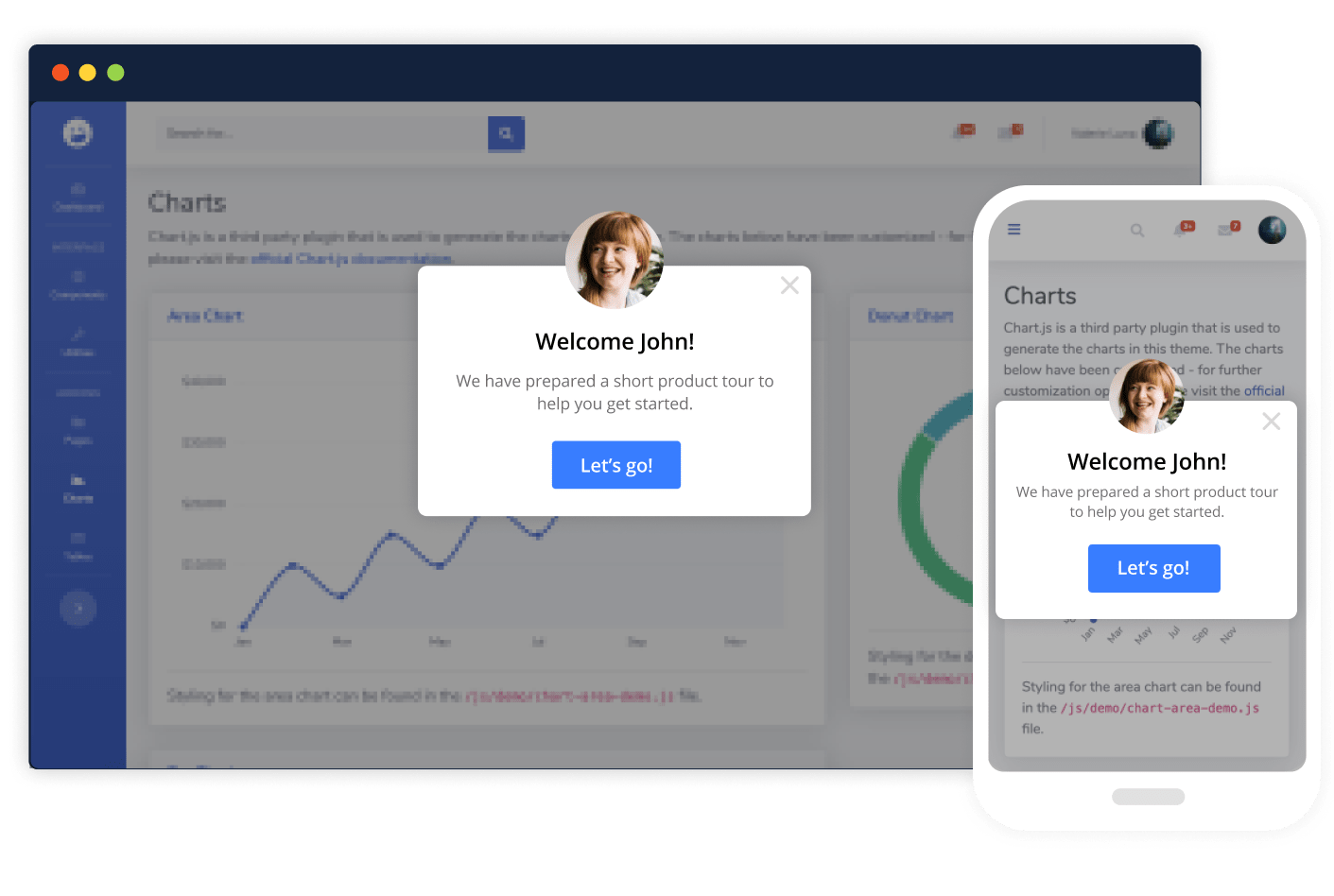
Product tours are in-app guided walkthroughs that introduce users to your software step by step. They are especially useful for SaaS products with many features or complex workflows, helping users learn by doing rather than reading passive content.
You can trigger tours automatically at first login, when a user reaches a specific page, or after a new release to ensure product changes are adopted.
Smart tips
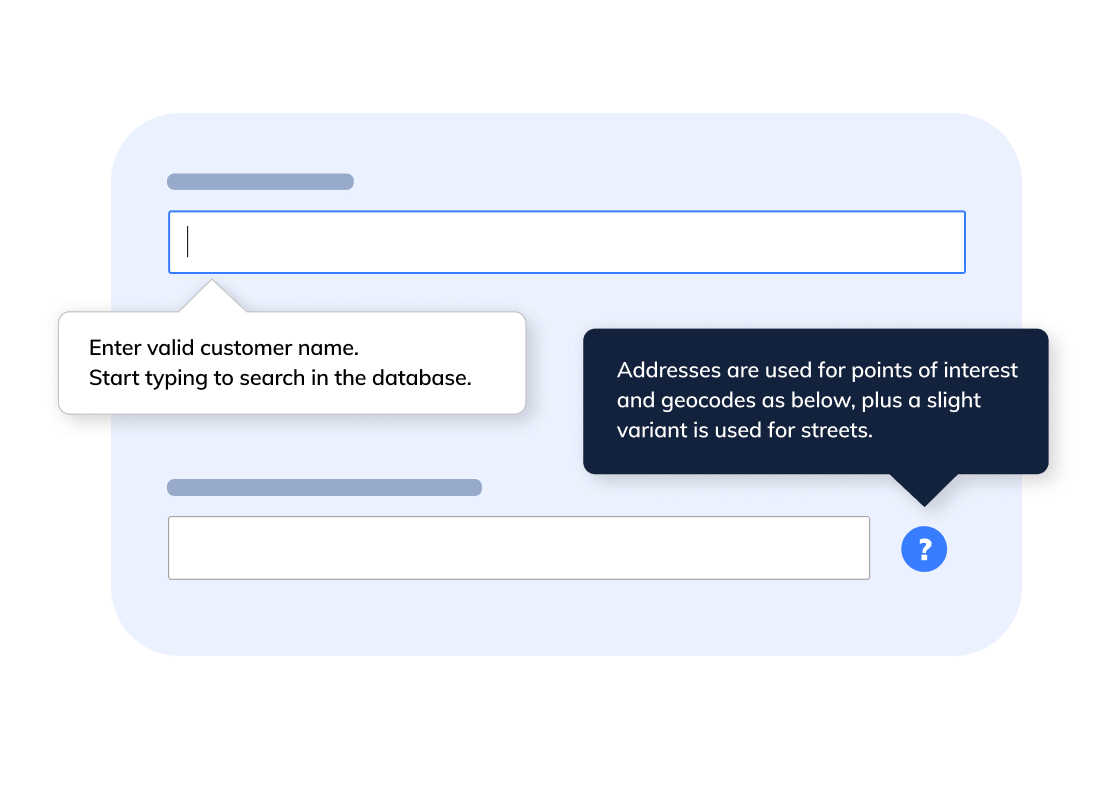
Smart tips (tooltips) provide lightweight, contextual guidance exactly where users need it. These are focused messages that explain features, clarify actions, or suggest next steps without interrupting the user’s flow.
Smart tips appear when users hover over an element, answering questions before users even ask them. They prevent mistakes, eliminate guesswork, and help users move forward with confidence.
Onboarding checklists
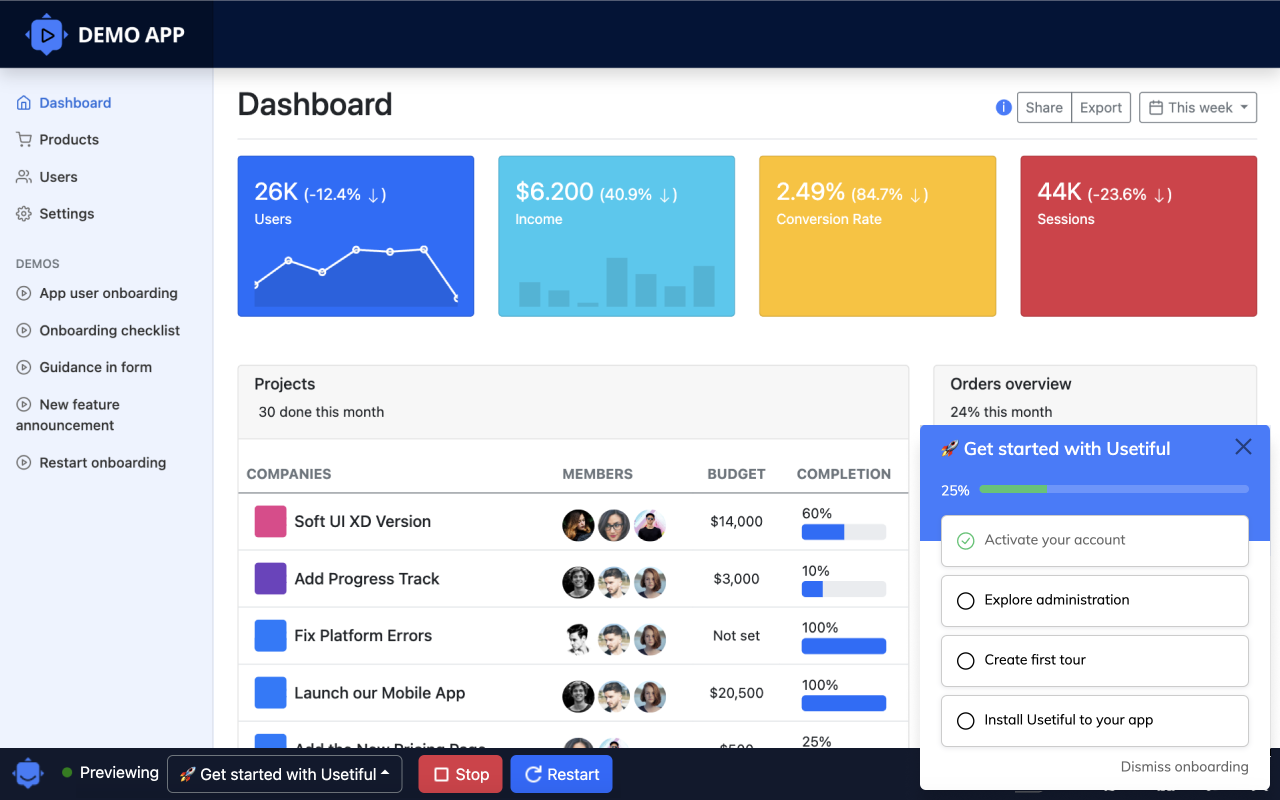
Onboarding checklists turn complex setup processes into clear, achievable steps. Instead of leaving users wondering what to do next, Usetiful checklists provide a structured path that guides users toward activation.
Each checklist item represents a meaningful action, such as completing a profile, connecting integrations, or launching a first workflow. Items can link directly to product tours, smart tips, or help articles, making checklists actionable rather than purely informational.
Checklists tap into progress psychology: users can see how far they’ve come and what remains. This sense of momentum increases completion rates.
Banners
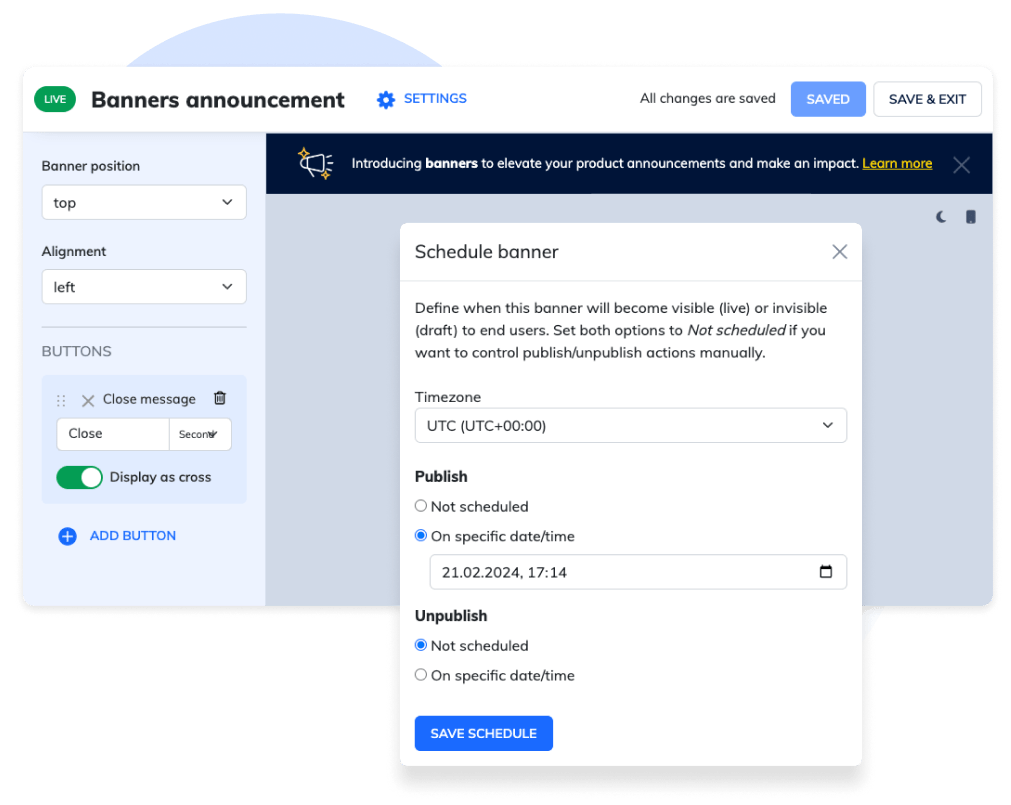
Banners are a simple but effective way to communicate important messages inside your product. Displayed at the top or bottom of the interface, Usetiful banners catch attention without blocking the user’s workflow.
They’re ideal for announcements like new feature releases, product updates, maintenance notices, or promotional messages. Banners can also act as calls to action, for example, inviting users to start a product tour, read a help article, or explore a new capability.
Interactive demos
Instead of static screenshots or video walkthroughs, interactive demos allow prospects to click through your software’s UI, explore key workflows, and understand value in minutes.
For sales and marketing teams, this means shorter sales cycles, higher conversion rates, and fewer repetitive demo calls.
Interactive demos can be embedded on your website or gated with lead capture to qualify interest.
Knowledge base
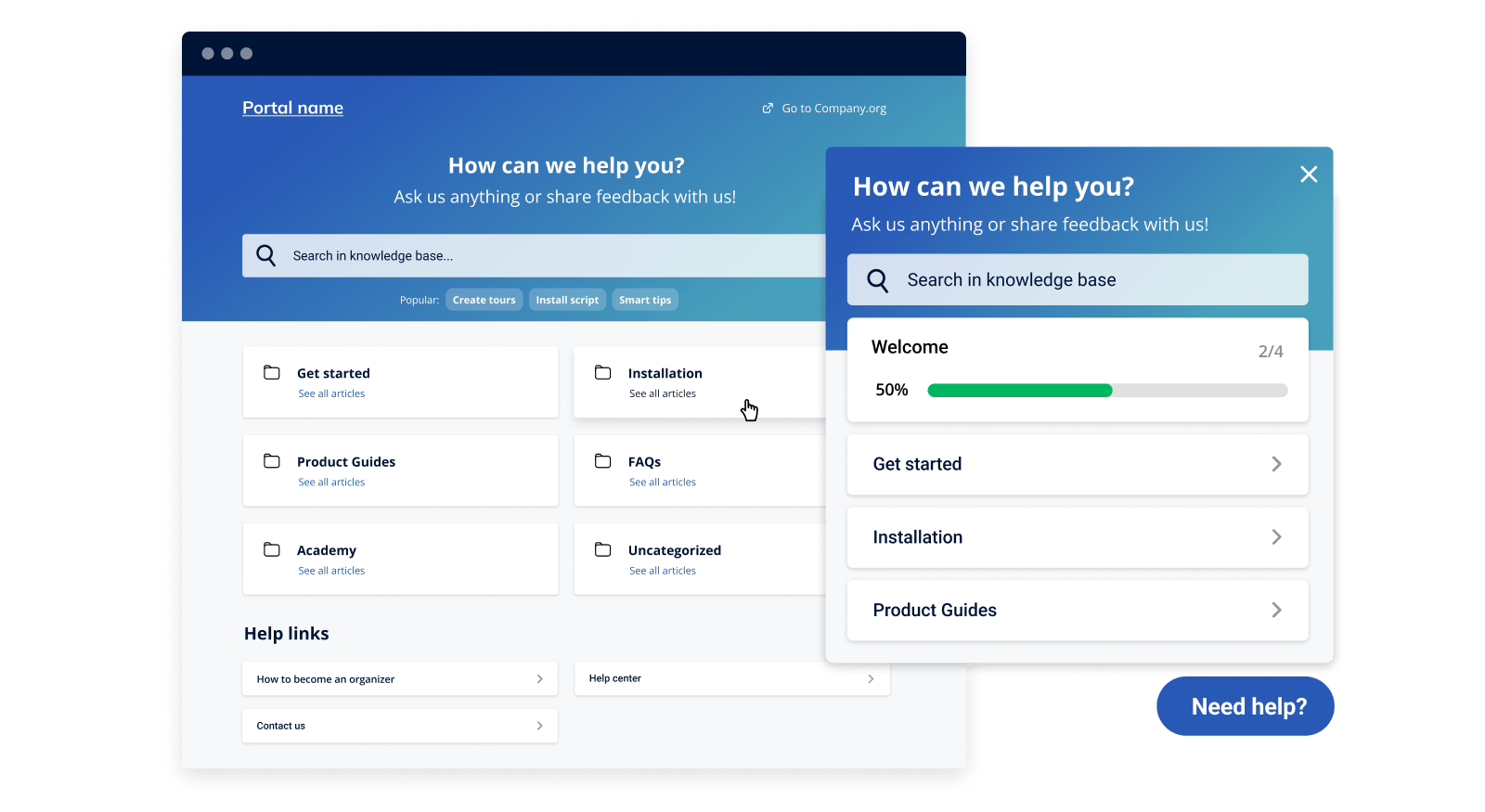
The Knowledge Base in Usetiful is a centralized self-service help portal where users can find articles, FAQs, tutorials, and other support content without contacting support.
A well-structured knowledge base helps users self-solve, reducing support volume and empowering them with on-demand answers. It typically includes searchable help content, embedded how-tos, and context-aware suggestions (e.g., linking relevant articles from tips or tours).
Surveys and NPS polls
In-app surveys let you gather user feedback at critical moments, like after completing a tour.
Collecting feedback within context boosts response rates because users can respond when their experience is fresh. That insight helps you identify friction points, understand satisfaction drivers, and iterate your onboarding flows or product design more effectively.

Usage analytics
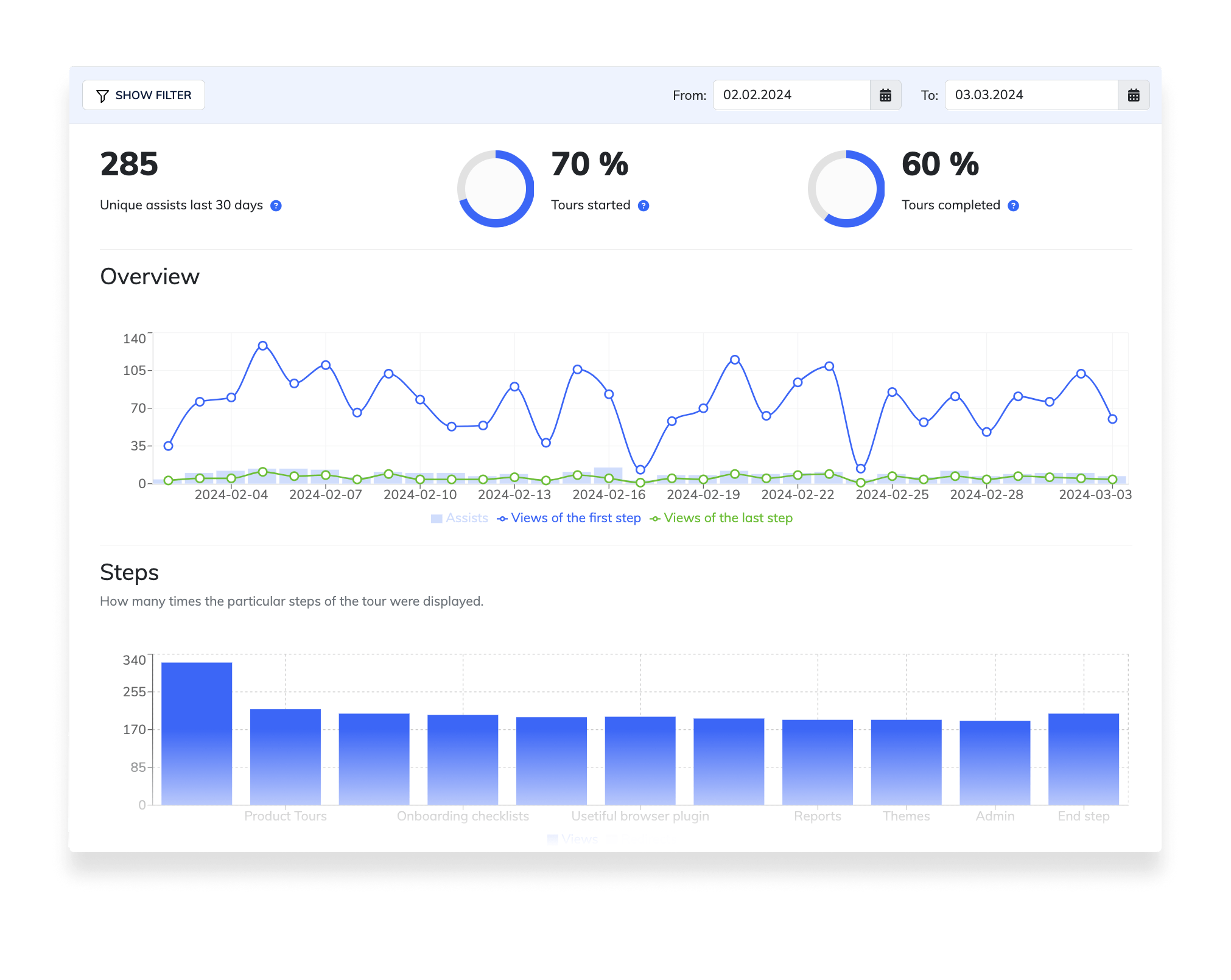
Usage analytics show you how users interact with your content, giving you visibility into what works and what doesn’t. Usetiful tracks engagement with tours, demos, checklists, and tips, including starts, completions, and drop-off points.
These insights help you refine onboarding flows and improve effectiveness over time. If users abandon a tour early, you can identify confusing steps. If a checklist item is rarely completed, you can rethink its placement or messaging.
How much does Usetiful cost?
Usetiful offers four pricing tiers:
- Free
- Plus
- Premium
- Enterprise
Here’s a detailed breakdown of limits and capabilities of each plan:
| Plan | Starting price | Best for | Key limits | Key features included |
|---|---|---|---|---|
| Free | €0 | Small teams exploring onboarding | • 2,000 assists / mo
• 500 MAUs |
• Unlimited product tours, smart tips & hotspots, checklists & banners • Basic surveys & feedback • Knowledge widget access |
| Plus | ~€49 / month | Early SaaS teams improving onboarding | • ~5,000 assists / mo
• ~2,000 MAUs |
• Usage analytics & basic insights
• Localization |
| Premium | ~€69 / month | Scaling product teams | • ~10k–50k assists / mo • ~1.5k–35k MAUs • 7 team members |
• Custom branding / white-labeling
• Advanced segmentation & targeting |
| Enterprise | Custom quote | Large / regulated orgs | Quote-based | • Advanced security & compliance • On-prem / offline options • Dedicated support & custom SLAs |
Usetiful reviews from real users
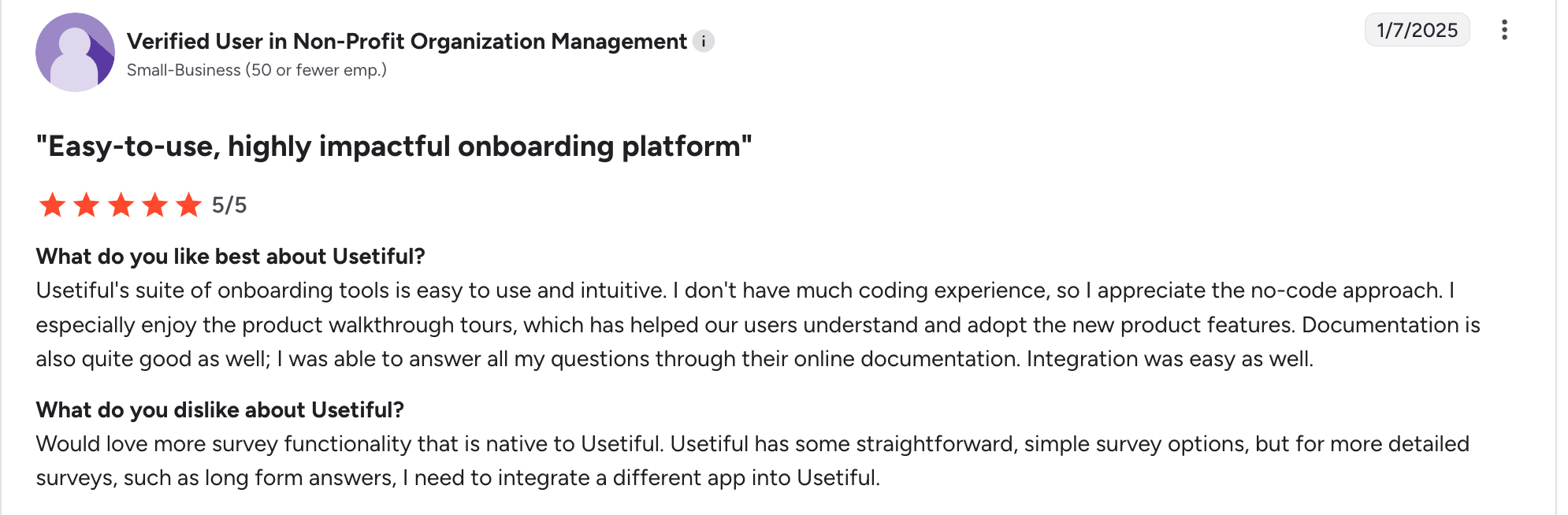
After analyzing over 50 G2 reviews, here are the most common patterns I notcied in feedback:
What users like
- Easy setup and fast onboarding: Many users say they were able to launch tours, tooltips, and checklists quickly without heavy technical work.
- Clear, focused feature set: Users like that Usetiful sticks to core onboarding features instead of trying to be an all-in-one platform with feature bloat.
- Good value for money: Frequently mentioned as more affordable than competitors like Appcues or WalkMe, especially for small SaaS teams.
- Helpful customer support: Support is often described as responsive and willing to help with setup or edge cases.

What users dislike
- Limited advanced analytics: Users looking for deep behavioral analytics or complex segmentation sometimes find Usetiful a bit basic.
- UI customization constraints: Some reviewers mention they’d like more control over styling and animations to perfectly match their brand.
- Fewer integrations than competitors: Compared to bigger product adoption tools, the integration ecosystem is smaller.
Userpilot: A better alternative for action-driven SaaS teams
Userpilot is a product growth platform that combines session replays, analytics, and an engagement layer.
You don’t have to take my word for it, but the G2 reviews show why we are the best product growth platform.

Actionable product analytics
Unlike Usetiful, Userpilot goes far beyond basic guide engagement metrics by offering robust, native product analytics built for product-led growth teams. Instead of just tracking whether a tooltip was seen or a flow was completed, Userpilot helps you understand how users actually interact with your product, what drives activation, and where they get stuck.
- Autocapture of user interactions: Automatically captures key user actions, such as clicks, page views, and feature interactions, without heavy manual setup. This gives teams fast, reliable visibility into real product usage from day one.
- Custom dashboards: Create role-specific dashboards for product, growth, and customer success teams to track key KPIs at a glance.
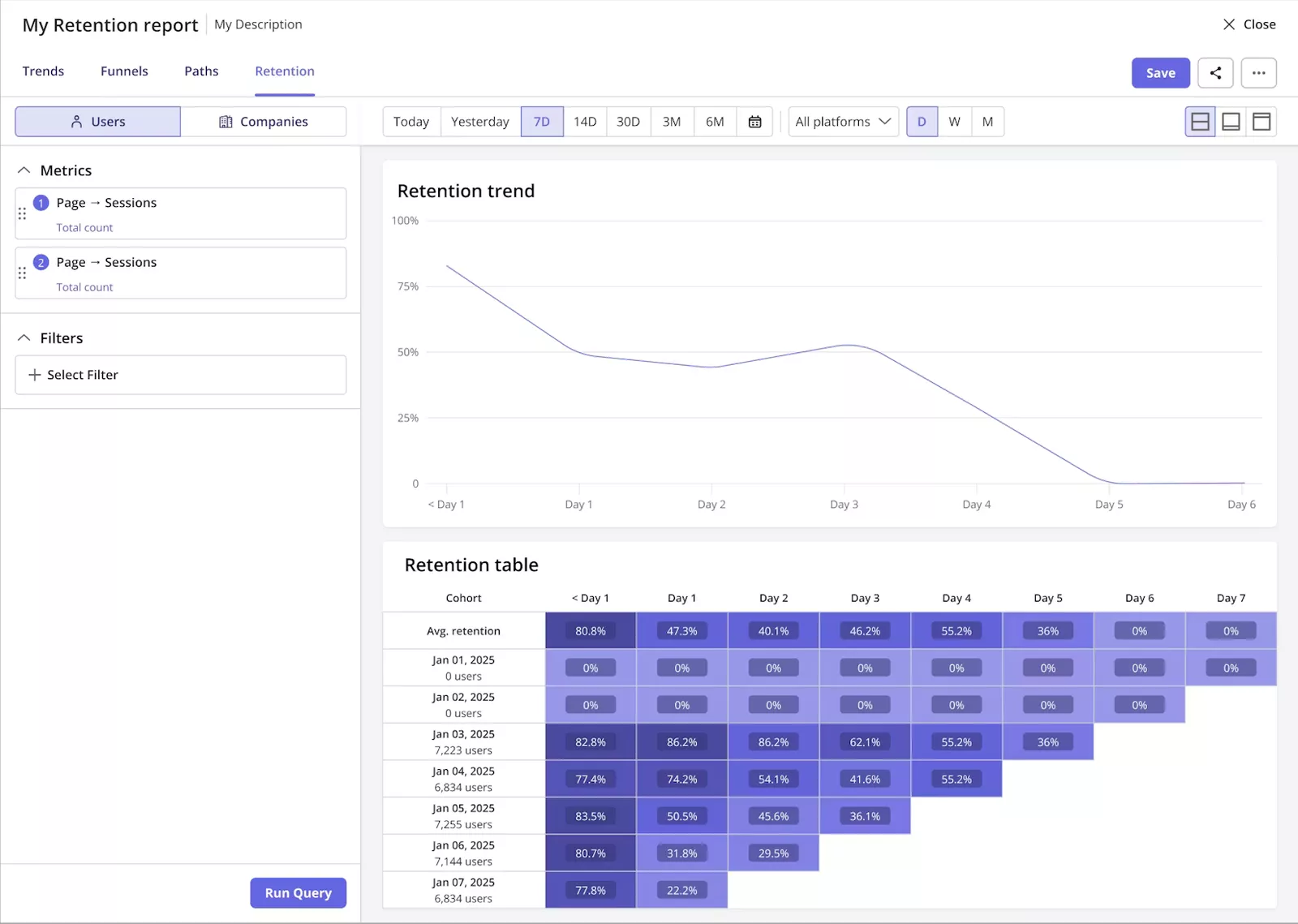
- Cohort analysis: Analyze how different user groups behave over time based on signup date, feature usage, plan type, or lifecycle stage. This helps teams understand long-term adoption patterns and the impact of product changes.
- Path analysis: Explore the most common paths users take before or after key actions. This reveals unexpected behaviors, alternative journeys, and friction points that traditional analytics often miss.
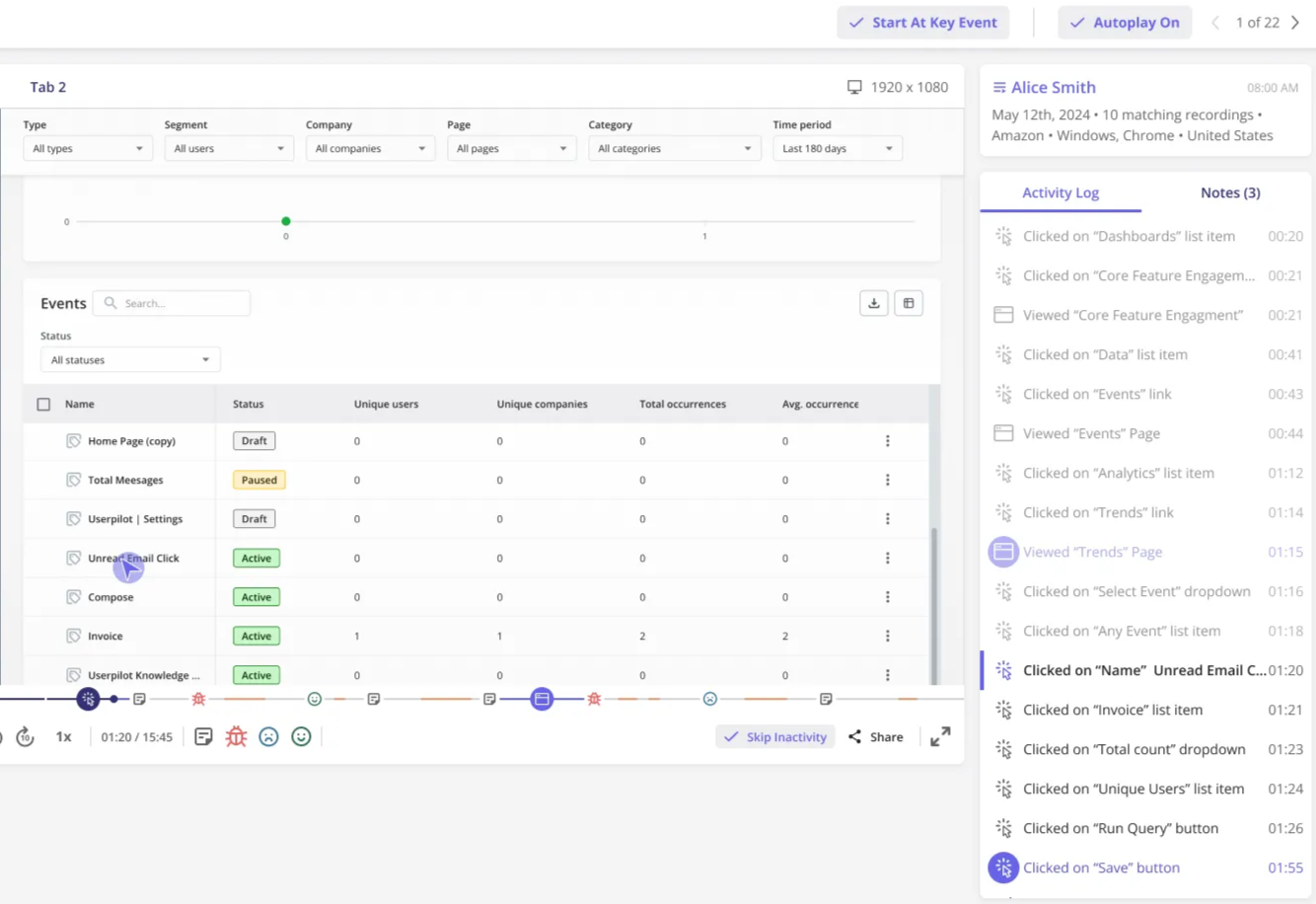
- Session replays: Watch real user sessions to see how users navigate your product, where they hesitate, and what causes confusion. Ideal for validating hypotheses, debugging UX issues, and improving usability faster.
Integrated lifecycle marketing and engagement tools
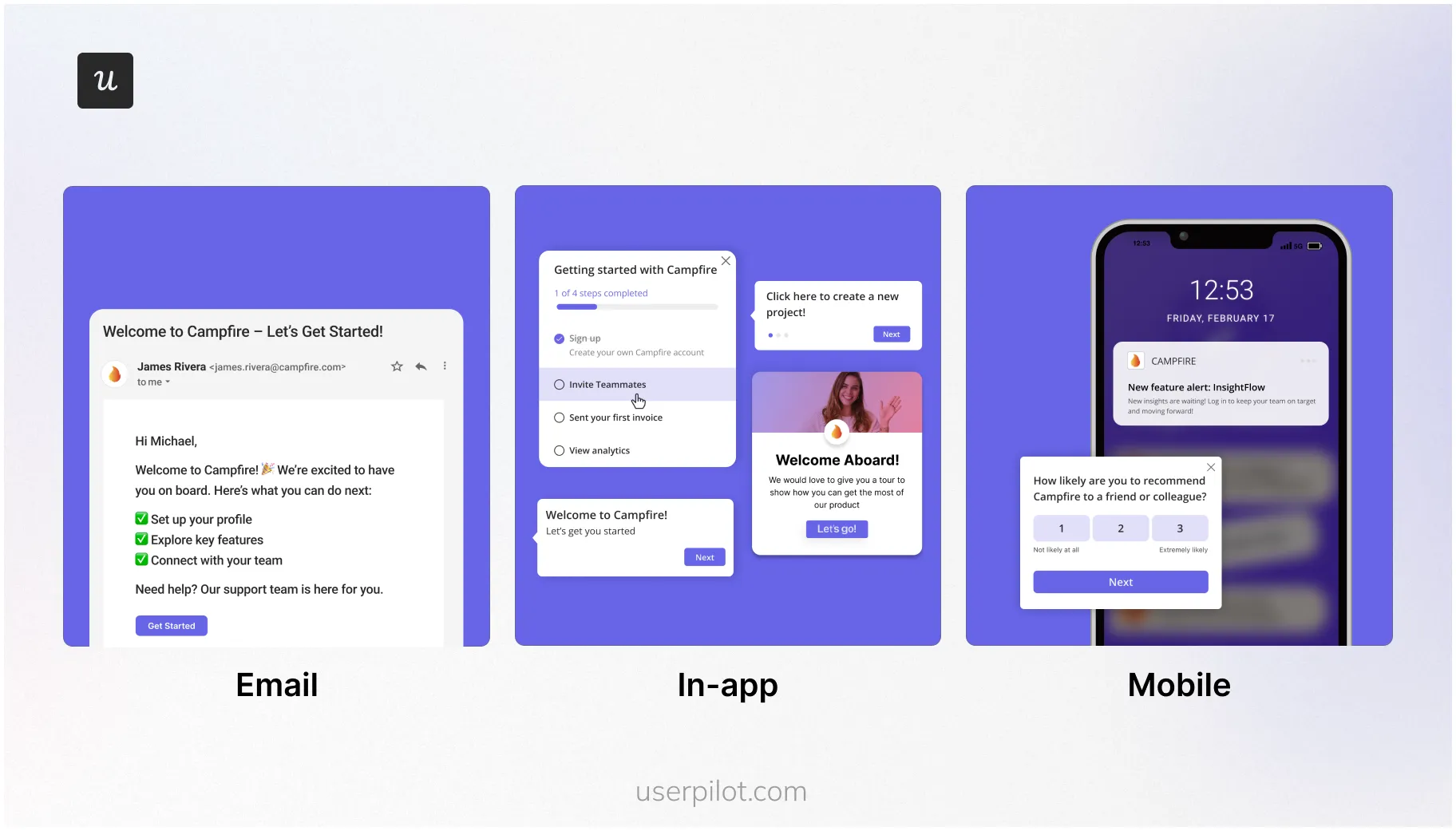
Userpilot has a wide array of onboarding patterns. For web, it offers checklists, modals, tooltips, hotspots, banners, and slideouts, which is more than Usetiful’s stack. You also get mobile-specific patterns like carousels and mobile slideouts.
But Userpilot goes even beyond that and offers tools for omnichannel engagement, wherever your users are. You can orchestrate in-app experiences, push notifications, and emails from one platform, so your messaging stays consistent across the entire user journey.
For example, once a user stops logging into your app, as a Usetiful customer, there isn’t much you can do. But with Userpilot, you can segment and send re-engagement emails to bring back dormant users.
How much does Userpilot cost?
Userpilot pricing is transparent and scales with your active user base. It starts at $299/month, but this includes a suite of tools that replaces multiple subscriptions (analytics, session replay, onboarding software, survey tools).
When you compare the total cost of ownership, Userpilot often comes out ahead because it consolidates your stack. Instead of paying for Usetiful(onboarding) + Amplitude (analytics) + Typeform (surveys), you get it all in one platform.
Final verdict: Should you buy or pass on Usetiful?
Usetiful is an affordable option for startups that need simple product tours. Its polished UI and smooth builder make it easy to get started for small, non-technical teams.
That said, as a SaaS company enters the scaling phase, Usertiful can quickly become a bottleneck. The lack of actionable analytics makes it difficult to measure impact and drive growth.
Userpilot, by contrast, is built to drive product adoption at scale. It supports onboarding across web, mobile, and email, and offers powerful no-code analytics to help you continuously improve the customer experience.
If you’re ready to elevate your onboarding and unlock deeper insights, book a demo and tell us about your needs.
Userpilot strives to provide accurate information to help businesses determine the best solution for their particular needs. Due to the dynamic nature of the industry, the features offered by Userpilot and others often change over time. The statements made in this article are accurate to the best of Userpilot’s knowledge as of its publication/most recent update on December 28, 2025.
About the author