18 User Adoption Strategies to Close the Feature Gap in 2026


User adoption strategies have always been critical, seeing as product adoption is arguably the hardest part of SaaS growth. What’s changed is the rate at which new features are added to products. The 2025 Stack Overflow Developer Survey found that 85% of professional developers now use AI tools daily, with shipping cadences accelerating accordingly. Faster development only widens the adoption gap because every new feature competes with other features already in the product. Converting feature velocity into user retention is only possible with a deliberate user adoption strategy that runs after every release (not just once during onboarding).
The 18 actionable strategies in this guide will show you how to keep up with the rate at which features are added to products nowadays so you can keep adoption rates high!

18 Actionable user adoption strategies to drive user engagement
To improve user adoption, you need to build contextual in-app guidance across the entire onboarding process (and beyond). Keep your goals in mind, track product usage to understand where users need help, and deploy different engagement tactics for specific user segments. When the number of features grows faster than a user base’s capacity to adopt them, these three cornerstones (goal-setting, in-app guidance, and product analytics) become all the more important to keeping churn rates under control.
Yazan Sehwail, Userpilot’s CEO, put it plainly:
“As producing and building features becomes a lot cheaper, instead of every quarter releasing one or two features, you’re releasing 7, 8, 9. It becomes even harder for product teams to manually track each one and understand usage for each one.”
1. Personalize the customer journey from the start
Use a welcome screen survey to collect customer data that you can use to trigger an onboarding flow that’s relevant to each segment automatically. For instance, Airtable asks new users what team they’re on to better understand their jobs to be done (JTBD) and then tailors the onboarding experience to fit the use case.

2. Shorten time to value with interactive walkthroughs
Shorten the learning path and deliver value faster with step-by-step guides that walk users through their first-time experience of specific product features. Interactive software walkthroughs use a series of tooltips and driven actions to prompt users on how to navigate the UI and adopt a feature.
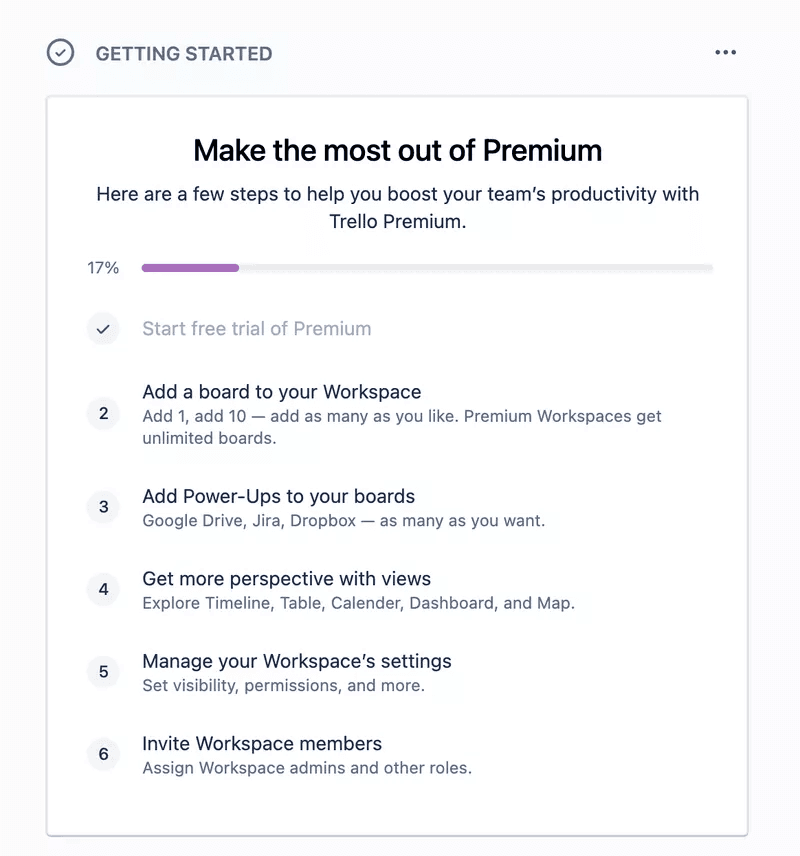
3. Encourage customers to explore your product with an onboarding checklist
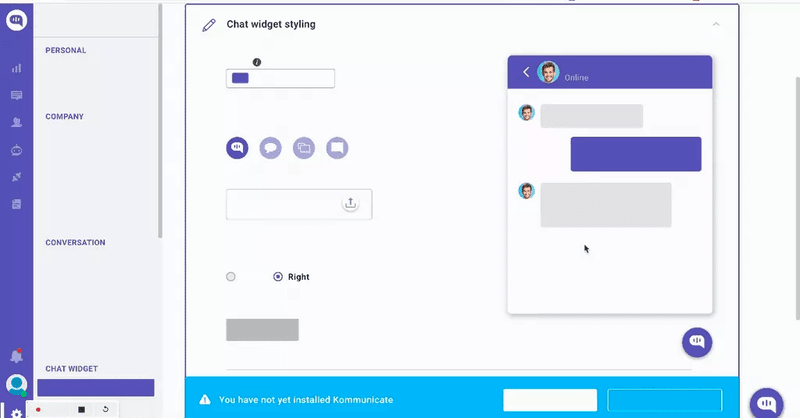
Onboarding checklists prompt users to discover and try relevant features for their particular use case and stage in the user journey. An user onboarding checklist should drive users to engage with core product features that get them to the activation point. Focus on building short checklists that drive users toward a specific activation milestone and only include relevant tasks for that goal.
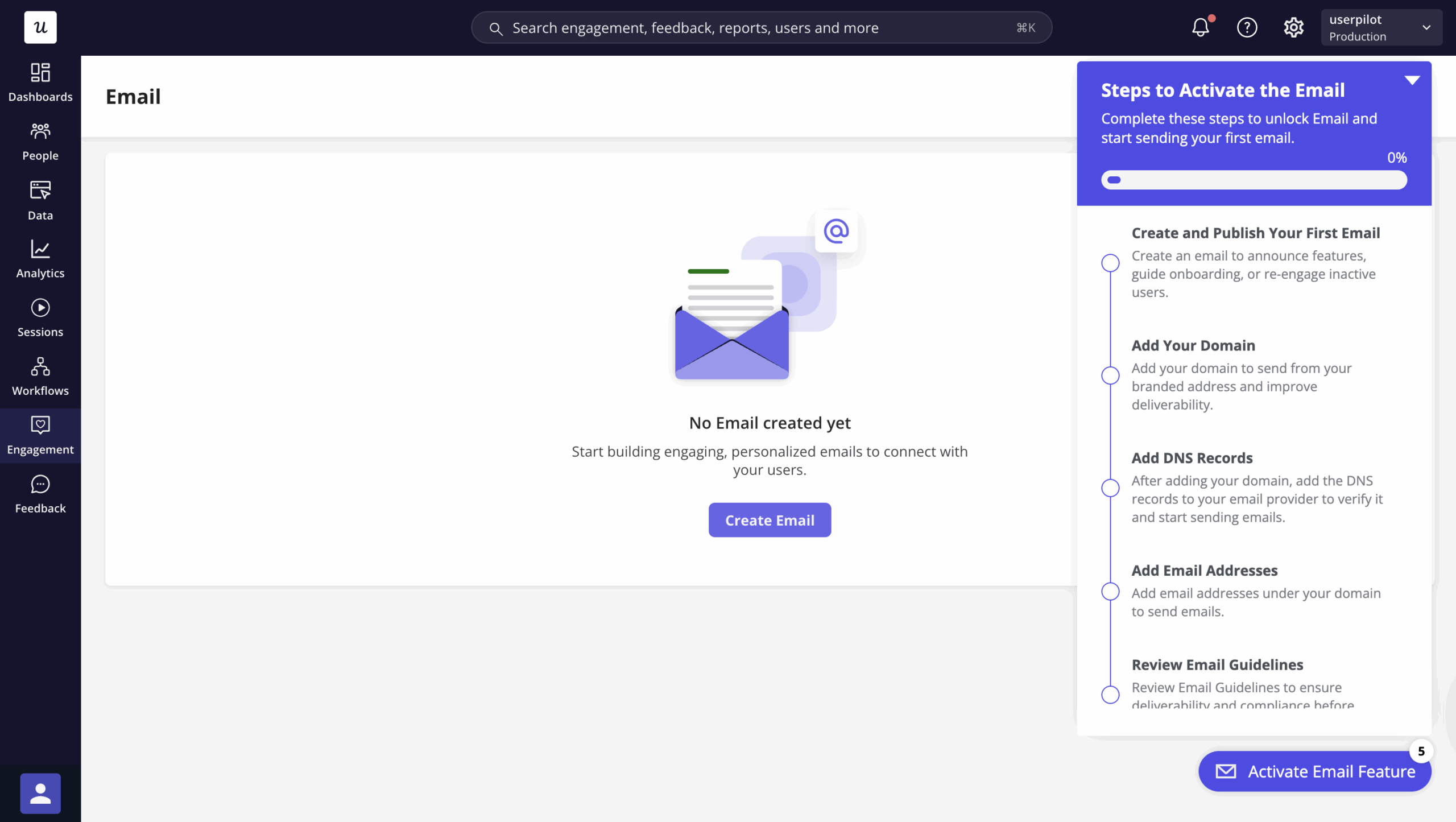
4. Celebrate customer success with gamification
Gamification uses game elements (progress bars, badges, leaderboards, etc.) to enhance user engagement through psychological rewards. Asana’s flying unicorn (which appears when you mark a task complete) gives users a dopamine hit, encouraging them to repeat the steps that earned the reward. This drives product adoption while making the product more fun to use.

5. Analyze feature usage to understand the reasons behind low user adoption rates
Product usage analytics help you spot adoption trends and identify which features drive customer success. Track feature usage for different segments to understand what’s generating value. Whenever you find a valuable feature with a low user adoption rate, build in-app guidance to help users discover it.
With faster release cycles, feature usage analysis needs to run on every significant release rather than merely on a periodic schedule. Teams that are shipping weekly can’t afford to wait for quarterly reviews to find out that a new feature has a 2% adoption rate because the window for an in-product intervention will have already closed by then.
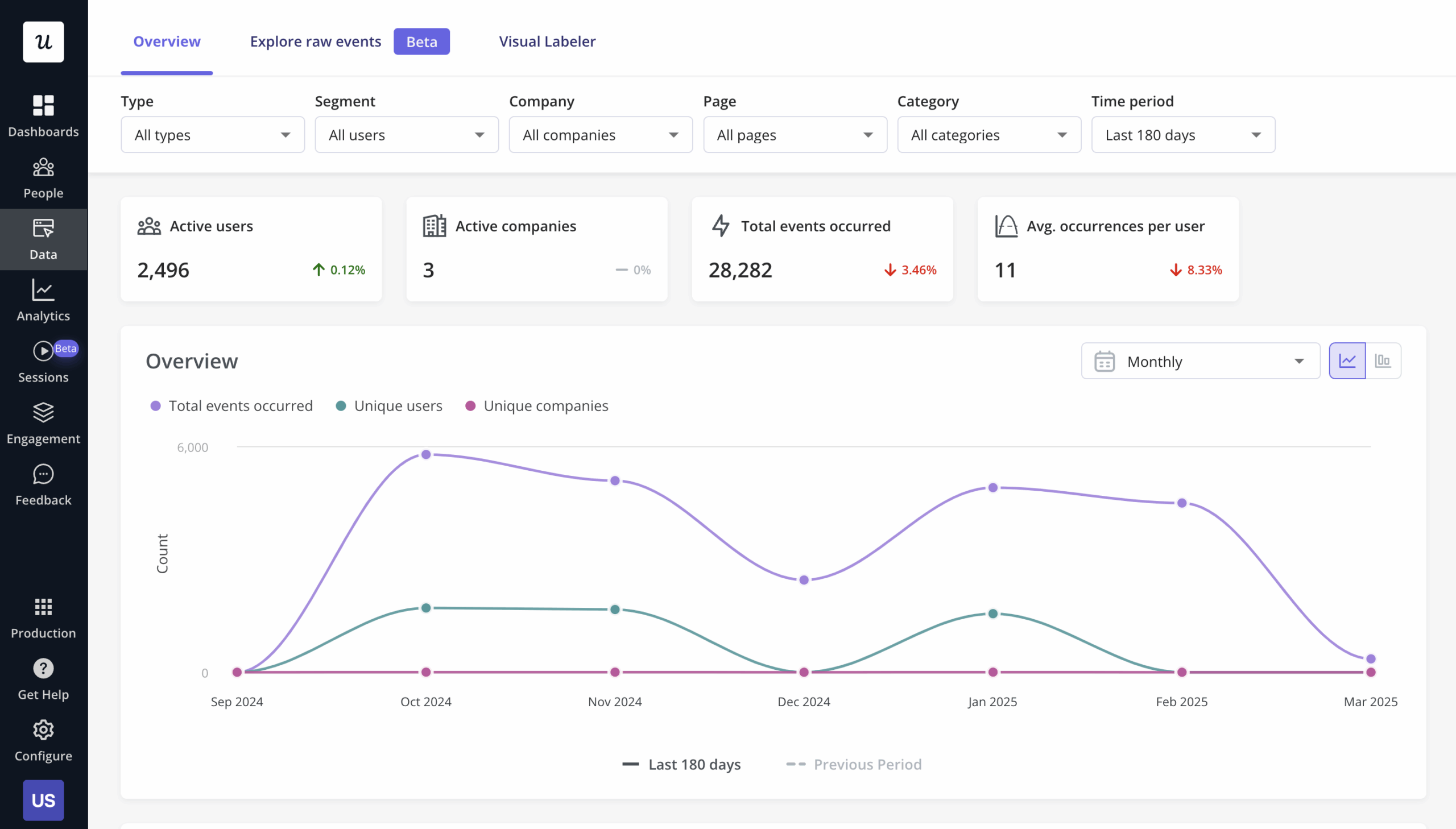
Abrar Abutouq, Product Manager at Userpilot, saw this firsthand when one of our features launched:
“Within a few hours, I just created a targeting tooltip and showed it to users and highlighted the correct steps. That helped a lot in reducing friction and supporting users in real time without involving our dev team.”
6. Understand and replicate power user behavior for new users
Product analytics also uncovers what power users are doing right when they use the product. These users are engaged, loyal, and have fully adopted the product. Identify the most-used features among this cohort and create a secondary onboarding checklist to drive activated users toward those same high-value features so they can become power users themselves.
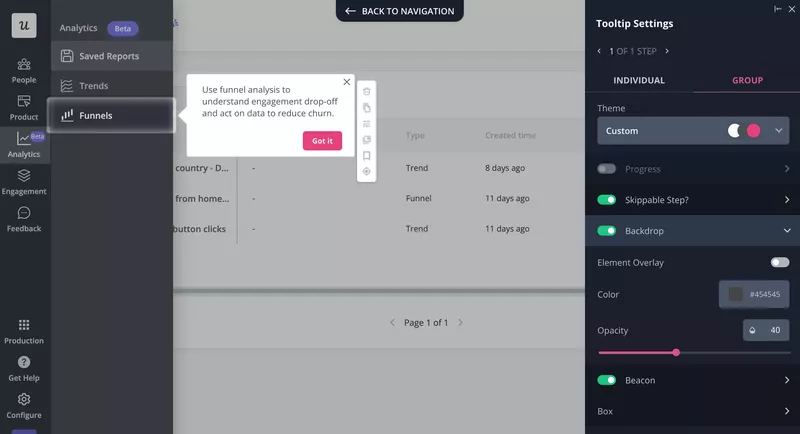
7. Drive feature discovery with contextual tooltips
The key to keeping users engaged long-term is continuously helping them experience value. Tooltips are great for driving discovery because they direct users’ attention to relevant features for their use case at the exact moment when those features are most relevant. Use tooltips to highlight specific UI elements when launching new features to make it easier for users to spot changes.
8. Organize webinars to educate new and existing users on how to use your product
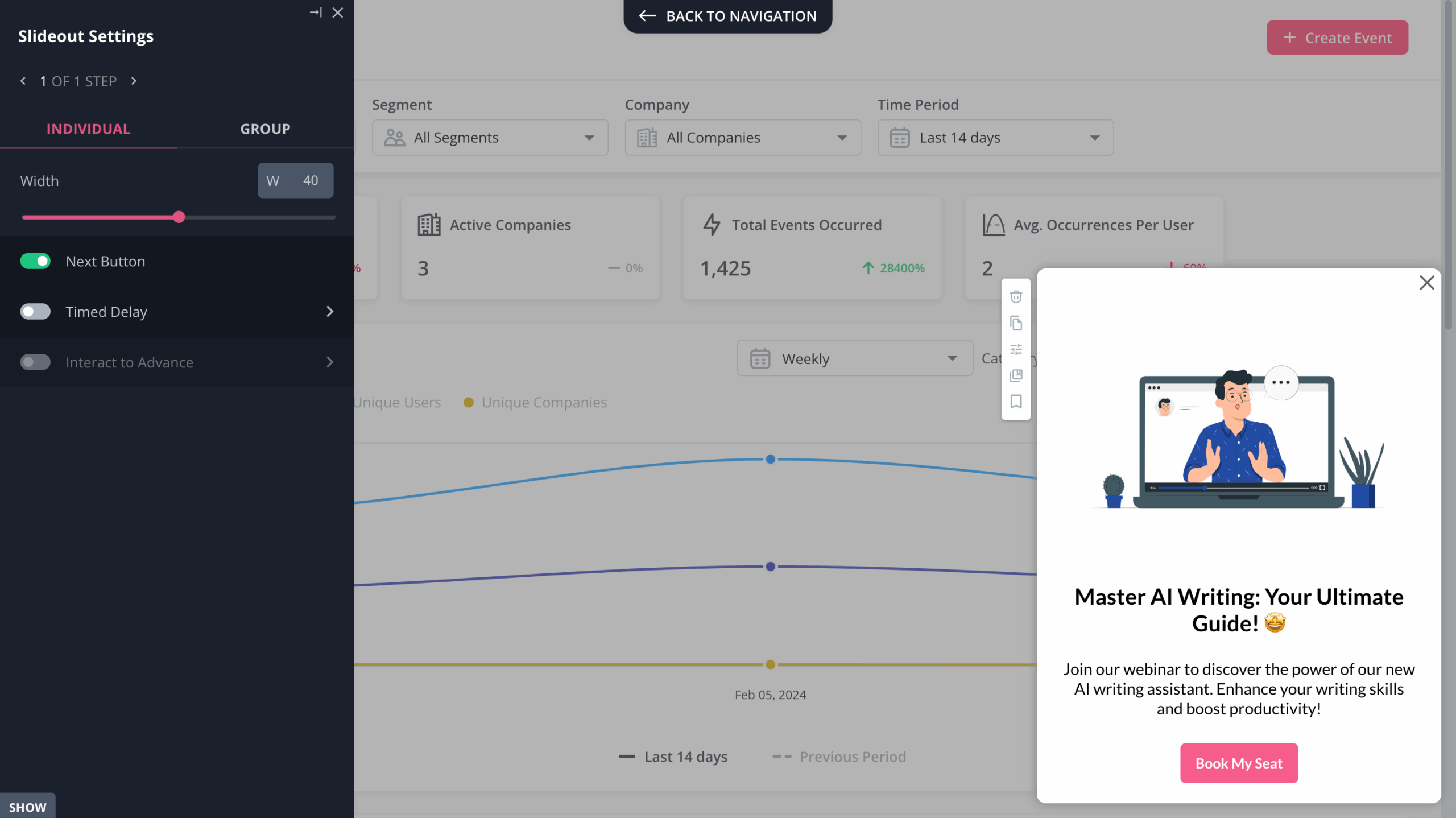
For more advanced features where tooltips alone won’t cut it, webinars provide depth that in-app guidance can’t. Promote upcoming webinars with in-app slideouts and target them to relevant user segments. The goal is to use different forms of in-app communication contextually, so existing customers can get value without friction being added to their user experience.
9. Use in-app messages to help users adopt new features contextually
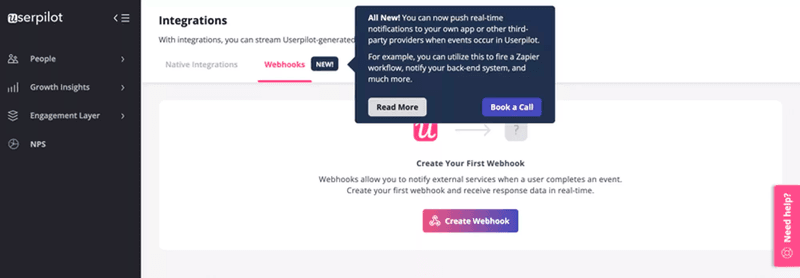
In-app messages like modals, tooltips, and interactive walkthroughs guide users on how to use new features at exactly the moment they’re most likely to engage. Whenever you announce a new feature using a banner or a modal, be sure to follow it up with a series of tooltips that walk the user through how to actually use it. Exposure alone doesn’t drive adoption but contextual guidance can.
10. Provide in-app self-service support
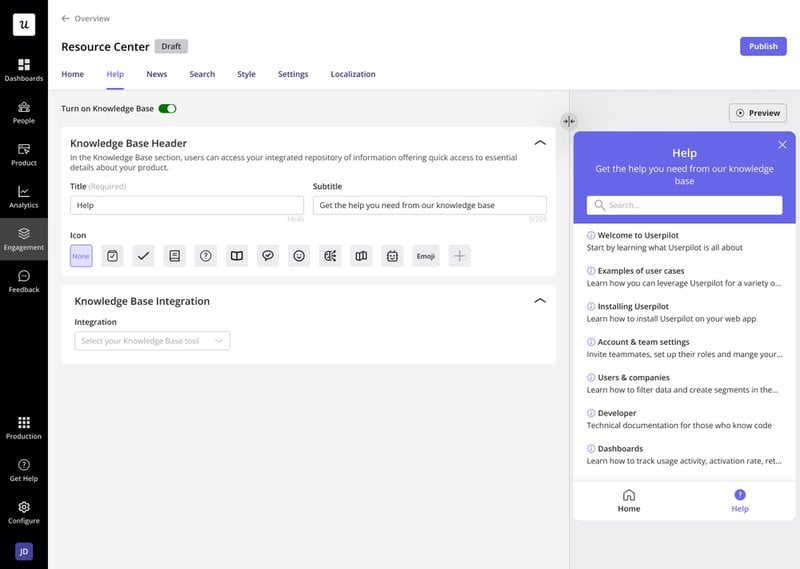
Users expect immediate assistance whenever they encounter friction points. An in-app resource center reduces that friction (without requiring your team to intervene every time) by enabling self-service. You want to give users the freedom to navigate and explore on their own, but anyone who gets stuck needs a way to find solutions fast. Asking them to leave the product and search for help can end up costing you if they never come back. In contrast, letting users search your knowledge base for guides without leaving the app helps them solve problems faster by creating a single source of truth with on-demand access.
11. Collect feedback and act on it
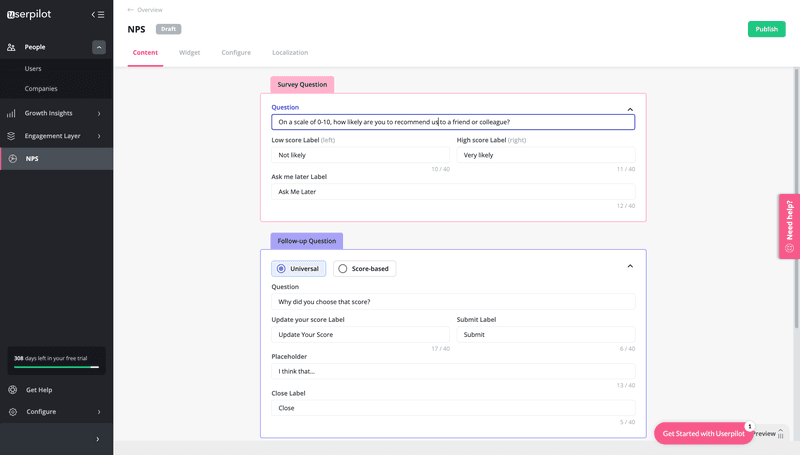
Collecting customer feedback at different touchpoints in the user journey helps you understand overall sentiment and spot friction points. Start with an NPS survey to monitor loyalty then ask follow-up questions to gather qualitative data that provides enough context for you to understand the reasoning behind scores. That said, collecting feedback creates an obligation to reach out to detractors or let users know when a friction point they reported has been removed or a feature they requested gets added in.
12. A/B test different onboarding flows to understand what drives adoption
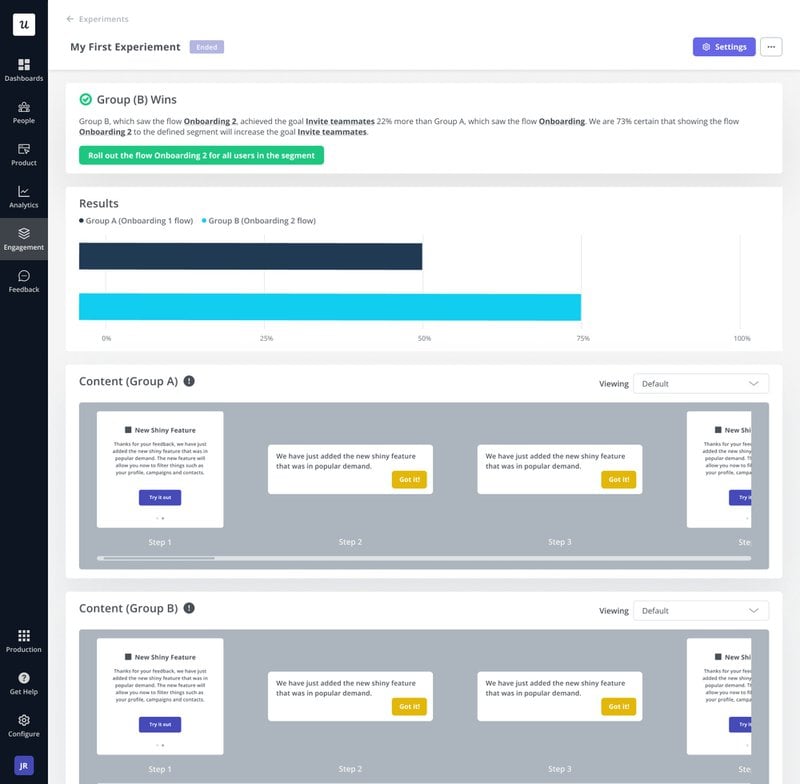
A/B test your onboarding processes to understand what drives adoption goals higher and iterate accordingly. Product adoption isn’t a set-and-forget effort because both the product and its user base are constantly changing. With digital adoption platforms like Userpilot, you can test whether in-app guidance helps users reach a specific product milestone (e.g., whether a tooltip helps users engage with a new feature) and make data-driven decisions based on the results.
13. Re-engage inactive users with personalized emails
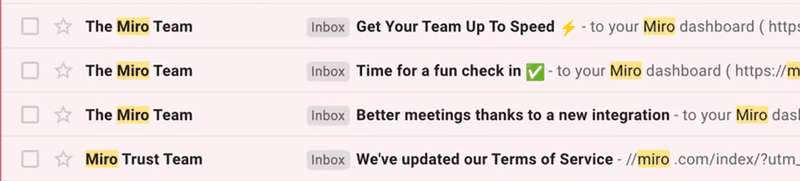
The only time it’s too late to re-engage inactive users is if they’ve canceled their account (and even then there are still winback measures to try reengage inactive users). Everything before that is fair game, so send personalized emails that give them a reason to come back and then quickly follow that up with in-app guidance when they log back in. Miro uses re-engagement emails to keep dormant users updated with product changes and get them to come back.
14. Measure user adoption success with goals
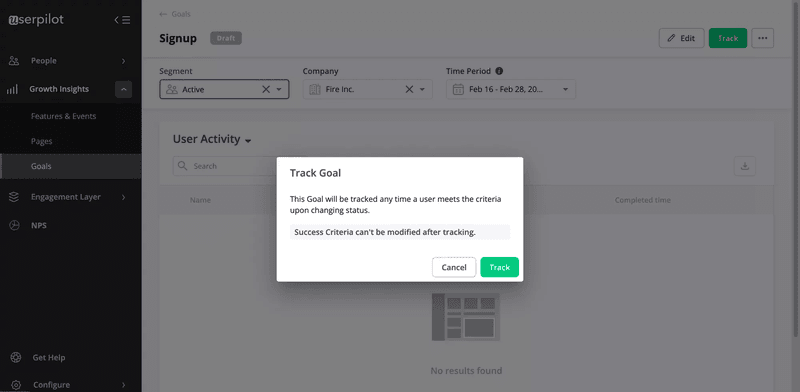
In order to make data-driven decisions, you must first start by setting goals based on specific user milestones like reaching the activation point or adopting a secondary feature. Understand where users are getting stuck and trigger in-app guidance to help them move to the next stage. In faster-shipping environments, goals need to be set per release rather than for the product as a whole. Each feature launch should have an adoption milestone that tells you whether the release needed more guidance, better positioning, or a different target segment.
15. Treat every feature release as a deliberate adoption campaign
AI-accelerated development means teams can ship weekly or even daily, but without a per-release adoption plan, each new feature just adds to the pile of unused capabilities. Worse yet, this growing mass of unused additions contributes to feature bloat that just makes the product harder to navigate for everyone.
Abrar Abutouq, Userpilot’s Product Manager, described this haphazard feature-building pitfall:
“Product decisions were sometimes a drive-by, simply following what competitors were doing, without always validating whether this feature would solve their real problems.”
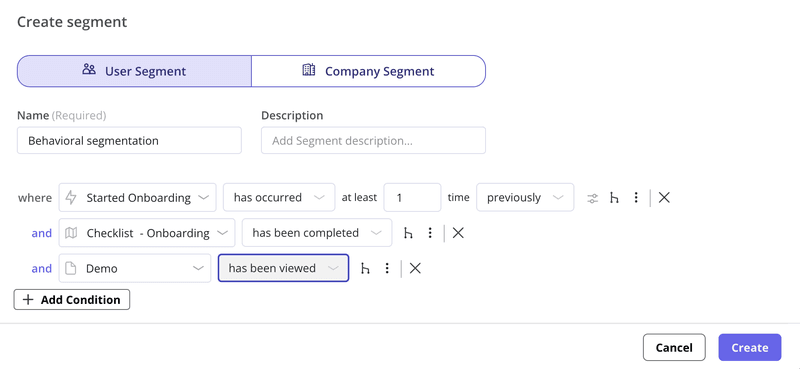
The minimum viable adoption campaign for any significant release is to identify the user segments most likely to benefit, trigger targeted in-app announcements to those segments specifically, follow up with contextual guidance when users encounter the feature, and track adoption metrics specific to that release.
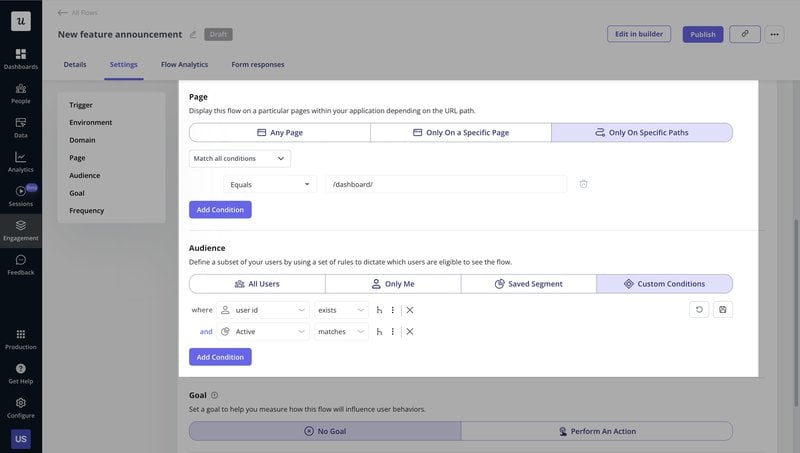
Userpilot’s behavioral segmentation and feature event tracking make all three of these steps executable without engineering work.
16. Close the feedback loop when requested features ship
As mentioned above, users who submit feature requests or bug reports are high-intent adoption targets whenever updates that address their feedback are released. They already understand the problem the feature solves and have been actively waiting for it to come out, both of which make them a prime candidate for early adoption. Notifying them specifically when that feature ships (instead of sending a generic changelog that no one reads) will immediately drive adoption because it provides confirmation that their input shaped your product for the better. This also encourages respondents to submit more feedback in the future.
Userpilot’s feedback segmentation and targeted in-app announcements make it possible to reach these high-intent groups whenever a new feature goes live.
17. Connect your adoption data layers
Behavioral data (what users do), user feedback (what they say), and support context (where they get stuck) are often separated in product analytics, survey responses, and support tickets when they should really be analyzed in the aggregate to get the full picture. A user might open a support ticket that explains why they dropped off on a particular stage of the funnel or left a low score on satisfaction surveys.
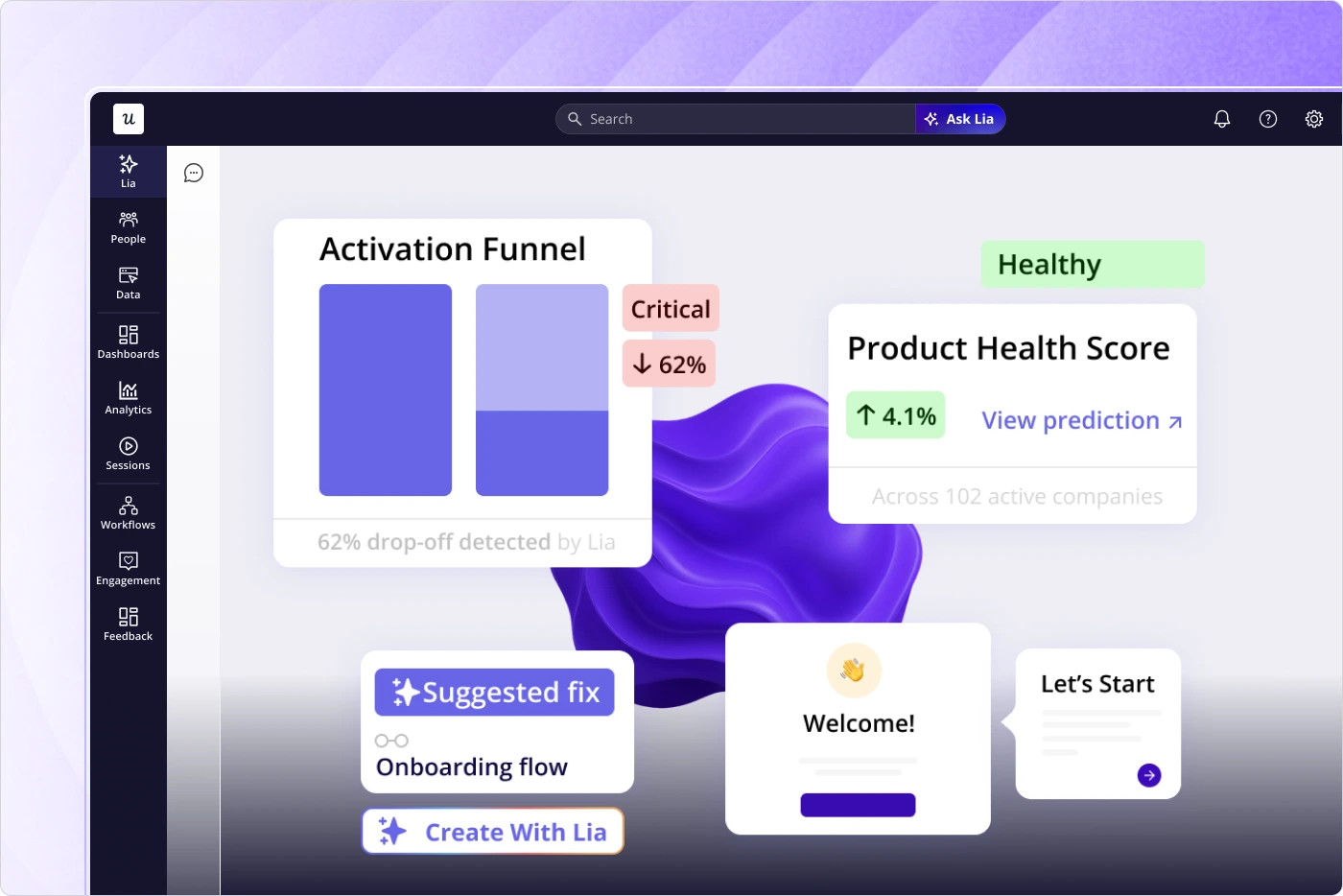
Lia, Userpilot’s AI agent, lets you query across analytics, feedback, and tickets using natural language prompts to surface these insights without needing to pull reports from three separate tools.
18. Apply the right amount of friction
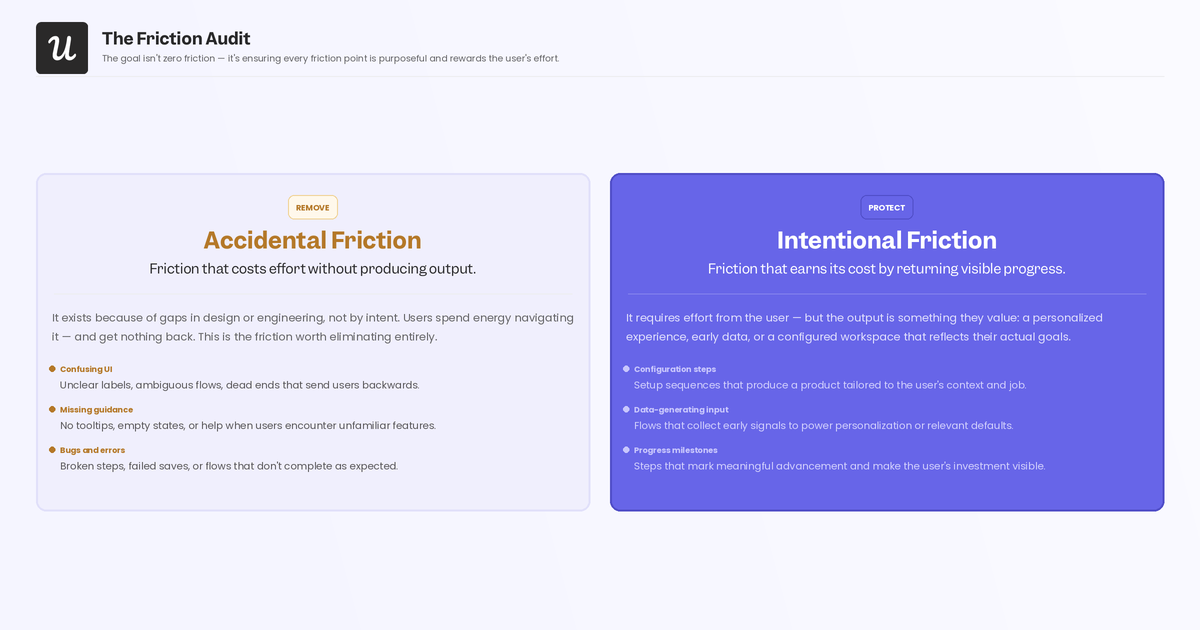
Not all friction hurts adoption. When users invest real effort in configuring a feature, importing their data, or completing a setup sequence, they develop a sense of ownership over the outcome. Psychologists call this the IKEA effect where things we build ourselves feel more valuable than those handed to us fully formed. This is why completely frictionless customer onboarding can actually reduce long-term adoption. The goal isn’t zero friction but rather ensuring every friction point is purposeful and rewards the user’s effort with visible progress toward a goal they care about.
Audit your onboarding for accidental friction (bugs, unclear UX, missing guidance) to remove and intentional friction (configuration steps that produce personalized output, setup sequences that generate early data) to protect.
How to measure the success of your user adoption strategy
Six metrics measure the success of your user adoption strategies:
- User adoption rate: The percentage of new users who engage and use a feature.
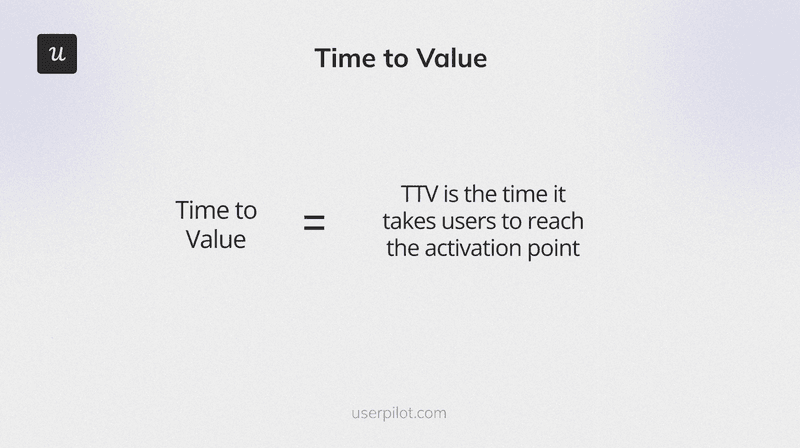
- Time to value: How long it takes for a user to reach the AHA moment and experience the value of your product.
- Onboarding completion rate: The percentage of users who complete each stage in your onboarding process.
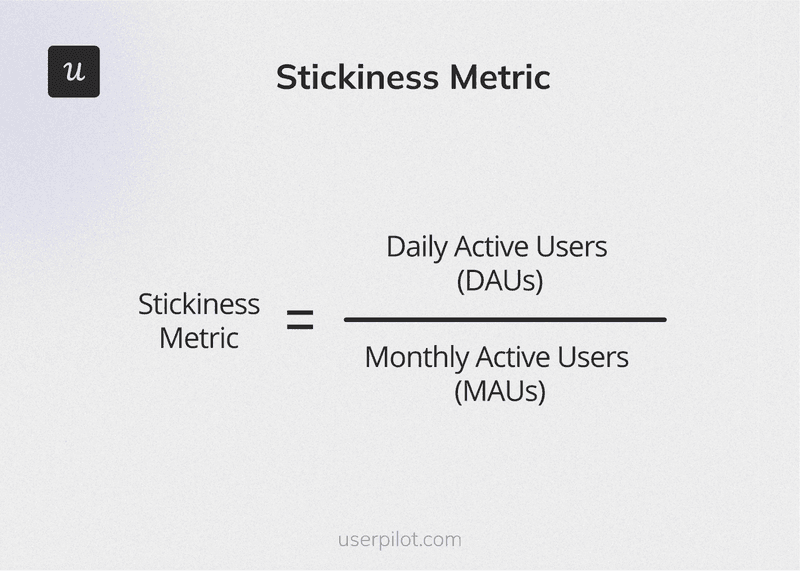
- Daily and monthly active users: The total number of users active on a daily or monthly basis. Note that active means something different for each tool; it’s connected to how users get value, not just whether they log in.
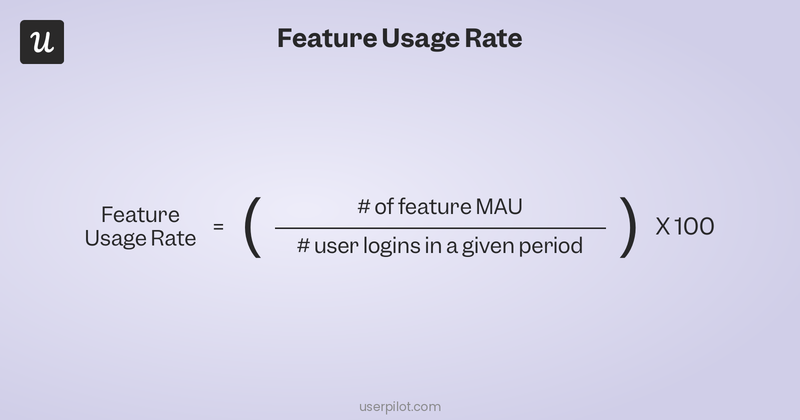
- Feature usage: The percentage of users actively engaging with a specific feature.
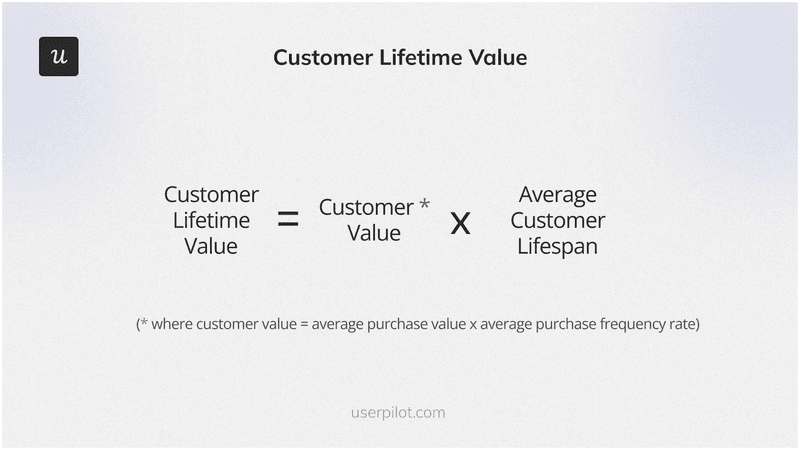
- Customer lifetime value (CLV): Average total revenue generated by one customer. Track this alongside feature adoption to understand which capabilities drive expansion revenue, not just retention.
Beyond these metrics that you should be tracking constantly, teams with rapid shipping environments should also measure new feature success 30-day adoption milestones for every new feature being launched and check back in before the next release ships. This helps you catch signals while they’re fresh and enact in-app interventions before recent additions get buried under newer features.
Turn user adoption into compounding retention
AI has removed the bottleneck that used to constrain feature output and has shifted the point of constraint towards adoption. The 18 strategies above cover the entire user journey from initial onboarding for new signups to re-engagement campaigns for inactive users. The teams that see the compounding returns of higher retention are the ones treating adoption as a continuous process rather than a one-time investment. Want to see how Userpilot can help you track adoption metrics and build product experiences that improve them? Get a Userpilot demo!
About the author