Meet Userpilot AI Agent Lia: From Product Insight to Action



As a product marketer, I always want to know what happens after we launch something. Did users actually find it? Did they try it? And did it make any difference?
Getting those answers usually means piecing together data from different places.
Lia changes that. It’s Userpilot’s AI agent for product adoption, built to help you understand what’s happening in your product and decide what to do next.
Why did we build Lia?
Lia came from a problem I kept seeing in my own work. We were getting much faster at launching things, but not necessarily better at making sure they landed.
When releases pile up, the post-launch work is often the first thing to suffer. You announce the feature, add it to the changelog, maybe send an email, and then everyone moves on to the next release. Properly tracking who discovered it, who adopted it, and where people got stuck takes time most teams simply don’t have.
And the process itself is still surprisingly manual. You need to instrument the feature, decide which reports to build, remember to check them, make sense of what changed, and then figure out what action to take.
We built Lia to take more of that work off your plate. Lia can keep an eye on how a feature is performing, surface where adoption is falling short, and help you turn that insight into the next action.
How does Lia work inside Userpilot?
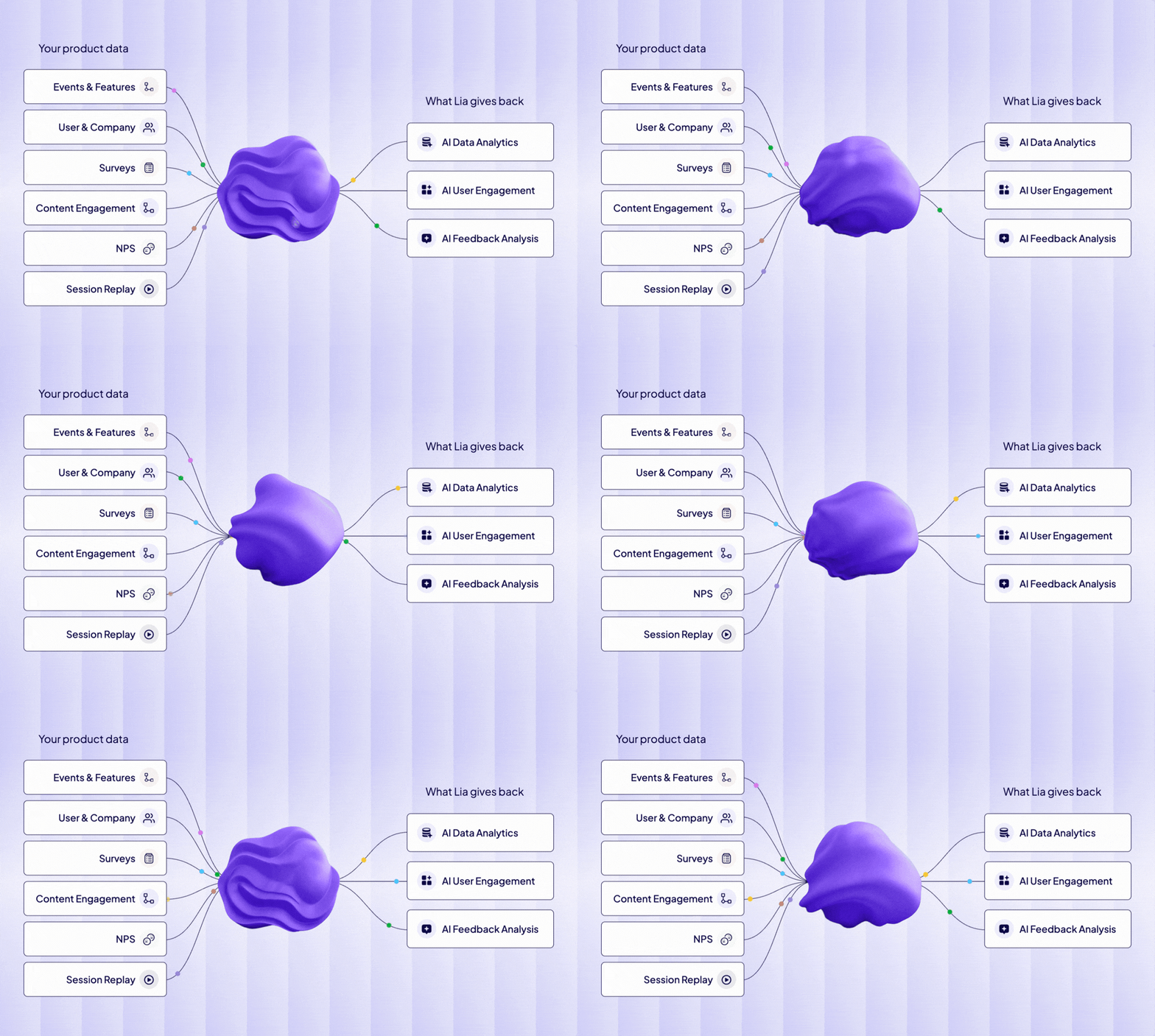
Lia works with the product data you already have in Userpilot, so you don’t have to start by telling it where to look.
It can pull together usage data, user and company profiles, surveys, NPS responses, session replay, and engagement data, then look for the patterns connecting them.
From there, you can ask a question in plain language and let Lia work out what it needs to do. It can build the report, analyze the results, and bring the important findings back without you having to decide which chart or report to create first.
That’s the same flow we showed in the webinar when Lia moved from feature usage into correlation analysis and surfaced the drivers and detractors behind adoption.
It doesn’t stop at insight. If Lia finds an adoption problem, it can help you act on it by creating the relevant segment, survey, or in-app experience for the users affected.
Instrument and understand a newly released feature
After a launch, I want to start measuring usage without spending the next hour deciding which clicks and actions need to become events.
Userpilot already autocaptures interactions like clicks, page views, form submissions, and text inputs.
Lia can work through that raw data, identify the interactions that matter, and label the meaningful events for you. For example, it can review recent raw activity in bulk instead of making you label every event one by one.
That means a newly released feature can become measurable much faster. Once the important actions are instrumented, I can move straight into understanding who discovered the feature, who tried it, and whether usage is starting to stick.
Understand whether users are adopting it
As the tracking is in place, I can simply ask Lia in natural language to build the dashboard I need, for example, to show how a new feature is performing.
It can build the analysis for me, look at how product usage changes over time, and show whether the launch spike is turning into repeated behavior.
Lia can even run correlation analysis to show which behaviors and user segments are most closely associated with adoption. You can use such insights to better understand what makes adoption more likely, which users are getting value faster, and what they are doing differently from everyone else.
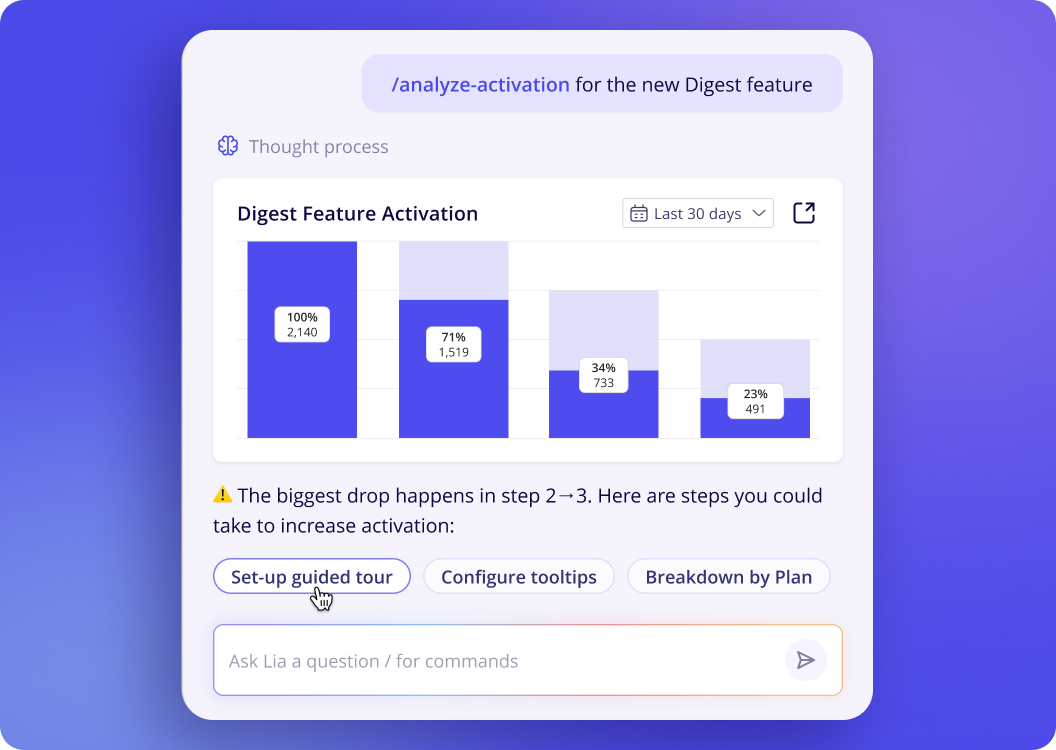
You also have the option to save that work as a report or dashboard in Userpilot and keep coming back to it as adoption develops.
Turn the insight into an action
For me, the point of finding these patterns is to use them to change what happens next in the product. Rather than leaving the insight in a report, I can ask Lia to build the next step around it.
For example, if a certain behavior or segment is strongly correlated with adoption, Lia can help me build a targeted in-app experience around that finding. It can scan the page, identify the right element, anchor the experience, and draft the copy for me.
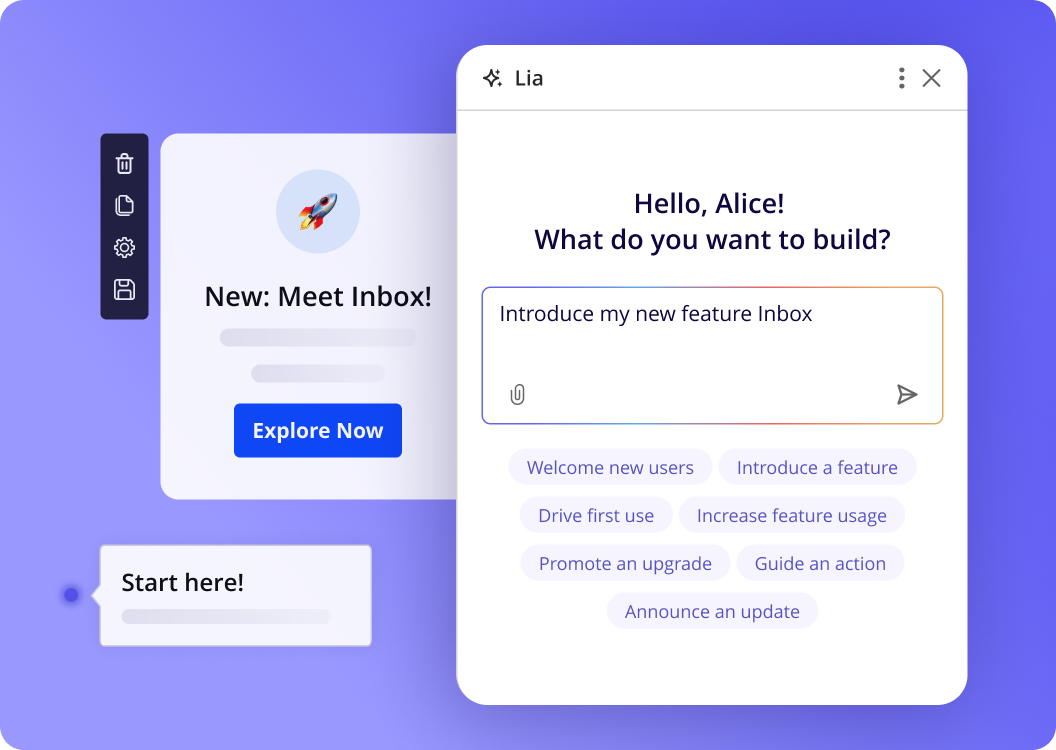
I still keep control over the final result. I can edit the content or design, preview the experience, and decide when it is ready to publish.
Ask users when behavioral data cannot explain why
Sometimes the data shows me where adoption drops, but not why.
In that case, Lia can create a segment of the affected users and build an in-app survey specifically for them. That makes the feedback much more relevant than sending the same survey to everyone.
Once responses start coming in, Lia can also analyze the open text, group recurring themes, and summarize sentiment, so I can connect what users did with what they told us.
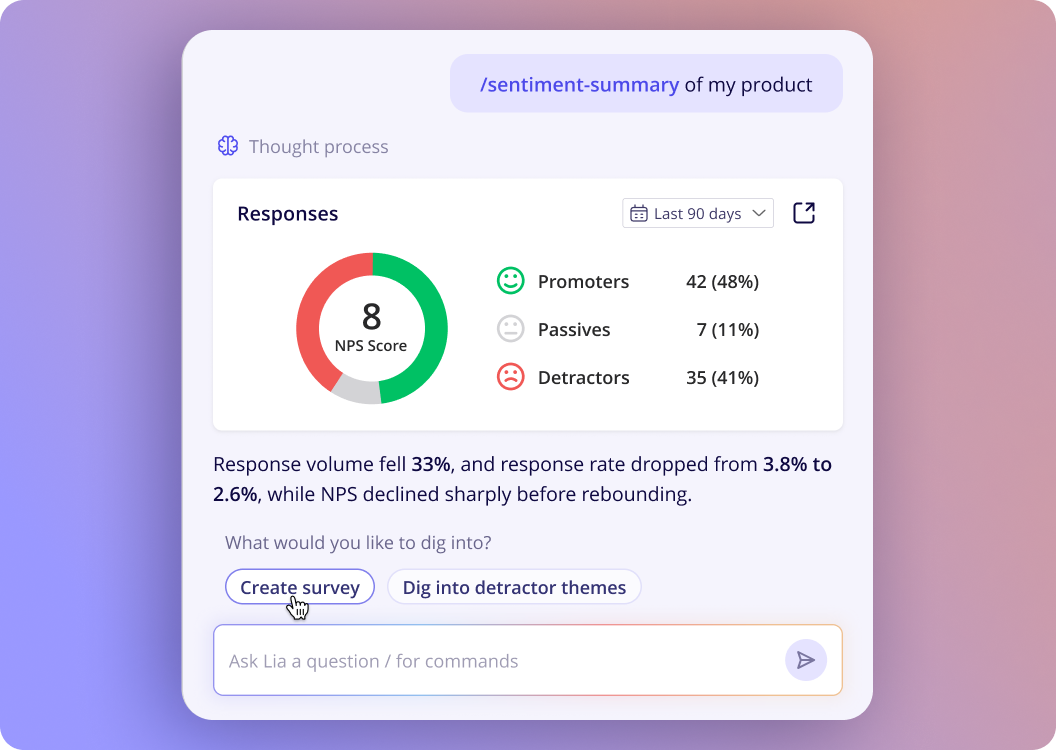
Why Lia is different from another AI analytics assistant
If you’ve used an AI analytics assistant before, you probably know the pattern. You ask a question, get an answer, and then the work moves back to you.
You still need to decide what to do next, find the right audience, build the segment, create the survey, or set up the in-app experience.
With Lia, you can keep that same thread going. Once you understand what is happening, you can ask it to help you act on it inside Userpilot.
The built-in skills make that flow much smoother. One skill can use several Userpilot tools behind the scenes, so a single request can turn into a full workflow rather than a series of disconnected tasks.
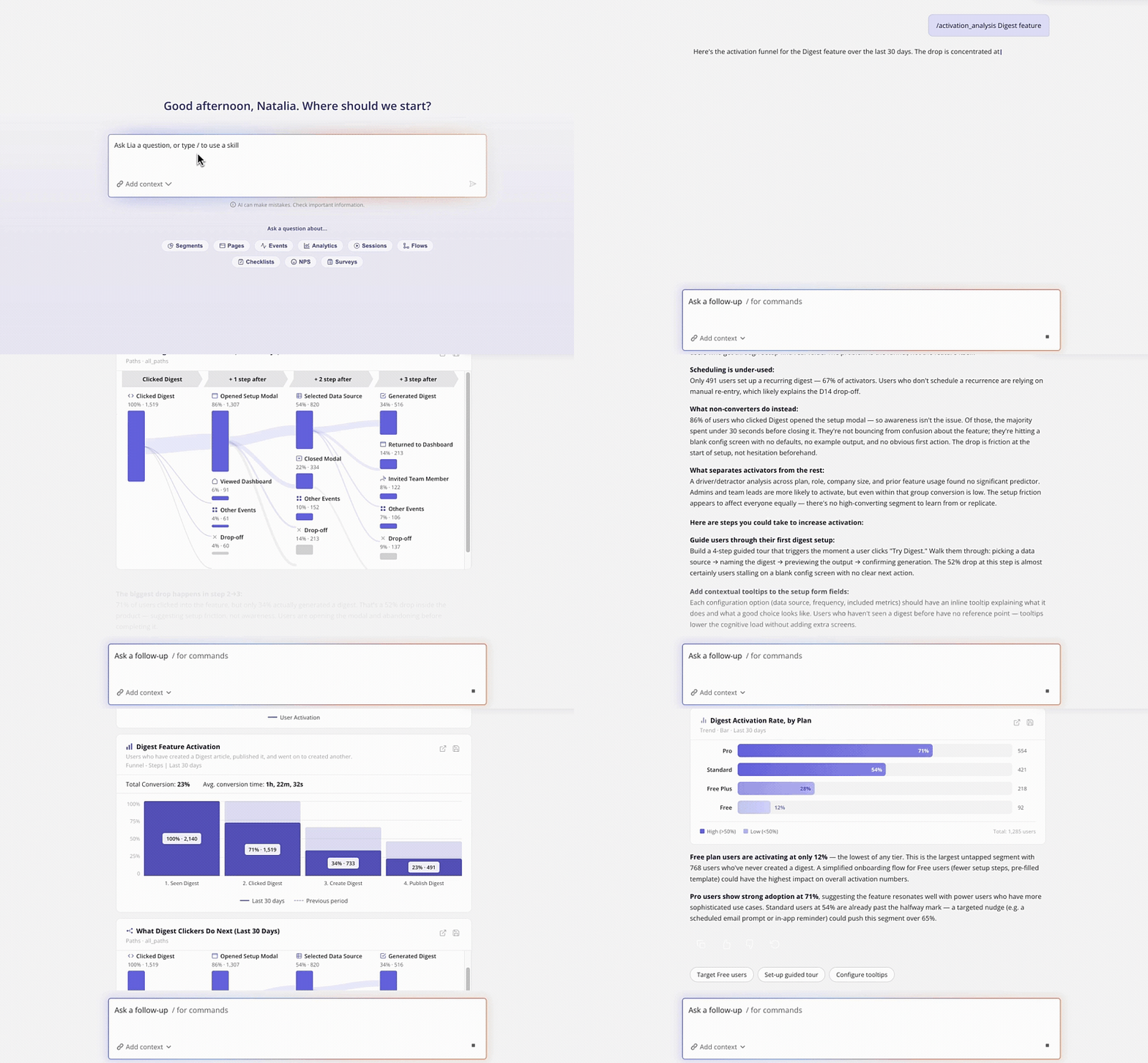
That’s the real difference for me. You’re working through the problem until you get to the next action.
When should you use Lia vs. Userpilot MCP?
I’d think about the difference in terms of where you want the work to happen.
If I’m already inside Userpilot and want to go from an insight straight into a segment, survey, or in-app experience, I’d use Lia. It has the product context already there and can keep working with me until I get to the next action.
Userpilot MCP is more useful when I want that same Userpilot context somewhere else. I can bring product data into Claude, Cursor, Copilot, or another AI tool and let my own agent work with it there.
So the choice is less about what data you can access and more about which agent you want doing the work. Lia is Userpilot’s agent. MCP makes Userpilot available to yours.
How much control do you keep?
A lot. Lia can do more of the work for you, but that doesn’t mean it publishes changes in the background without your permission.
When it creates something like a report, dashboard, segment, survey, or in-app experience, you can review what it built before anything goes live. In the Chrome extension, you can also jump in at any point, change the copy or design yourself, and then continue working with Lia from there.
That’s especially important for anything customer-facing. I want Lia to get me most of the way there, but I still want the final say on what we publish and who sees it.
The same applies to analysis. You can see the reports, segments, and conditions Lia creates, so you’re not getting a black-box recommendation with no way to check how it got there.
Close the gap between shipping and adoption. Try Lia today!
Shipping faster only matters if users find value in what you release.
Lia helps you stay on top of that post-launch work without turning every feature into another analytics project. You can understand what is happening, see where adoption is slowing down, and move straight into the next action.
If you want to see what that looks like with your own product data, book a Userpilot demo and we’ll walk you through it.
About the author