Pendo API: What It Does, and Why Most Teams Don’t Need It



The Pendo API gets pitched as the escape hatch. Pendo’s UI doesn’t show you what you need, so you “use the API” to pull your data, build your dashboards, and push your metadata in. It’s powerful on paper.
However, it’s different in practice. The API does a lot of useful things, but each of those things ends up being work for someone on your team, usually an engineer. Before you decide whether you need it, it’s worth being clear about what it does.

What the Pendo API is
Pendo is an AI-powered product experience and digital adoption platform that helps teams understand and improve how people use their software. It combines behavioral analytics, in-app messaging, and customer feedback collection in a no-code environment, with the API underlying all three.
Pendo ships three APIs:
- Engage API: The main REST endpoint for reading and writing Pendo data.
- Web SDK: The client-side JavaScript running inside your app that collects behavior and renders guides (previously the Agent API, a name Pendo itself has moved away from).
- Feedback API: A separate surface for the Pendo Feedback module.
Most Pendo API conversations are really about the Engage API. It’s RESTful, JSON with a content type of application/json on every request, authed with a single integration key passed in the x-pendo-integration-key header, and documented through a Postman collection of example calls rather than a written spec.
That key is created from Pendo Settings > Integrations, where admins manage and generate keys for the subscription. Treat it like a password because it’s the unique identifier Pendo uses to securely access and update information about your visitors and accounts, and it’s displayed exactly once when you create it. Capture and store it outside Pendo before you navigate away, because you can’t recover it if you lose it.
Getting that key isn’t automatic, either. According to Pendo’s documentation, access to the API depends on your Pendo service level, and if you’re unsure whether you have it, you’re told to check with your admin or a Pendo representative. The real first step on a Pendo API project is that conversation.
💡 Did you know?
With Userpilot, getting API access isn’t a conversation you have to schedule. Our API uses a token you generate, view, and rotate yourself from the Environment page in your Userpilot dashboard, so there’s no service-level gate to clear and no one-time secret that’s gone for good if you navigate away. It’s self-serve from the start.
The Feedback API is the narrowest of the three. It can generate a list of accounts based on parameters such as limit, start, order direction (true or false), and order by, and its main job is to connect user suggestions and feature requests to internal tools so they show up in product roadmap planning rather than living only in a support inbox.
There’s a fourth layer that’s not part of the Engage API. Pendo’s Mobile SDK is published in a publicly accessible GitHub repository, with setup instructions and API references for native applications. It has its
ordering rule as the setup call has to run before the startSession call, or the SDK won’t track anything. It’s the kind of detail a Postman collection doesn’t tell you either.
The five real use cases
These are use cases where you can implement the Pendo API:
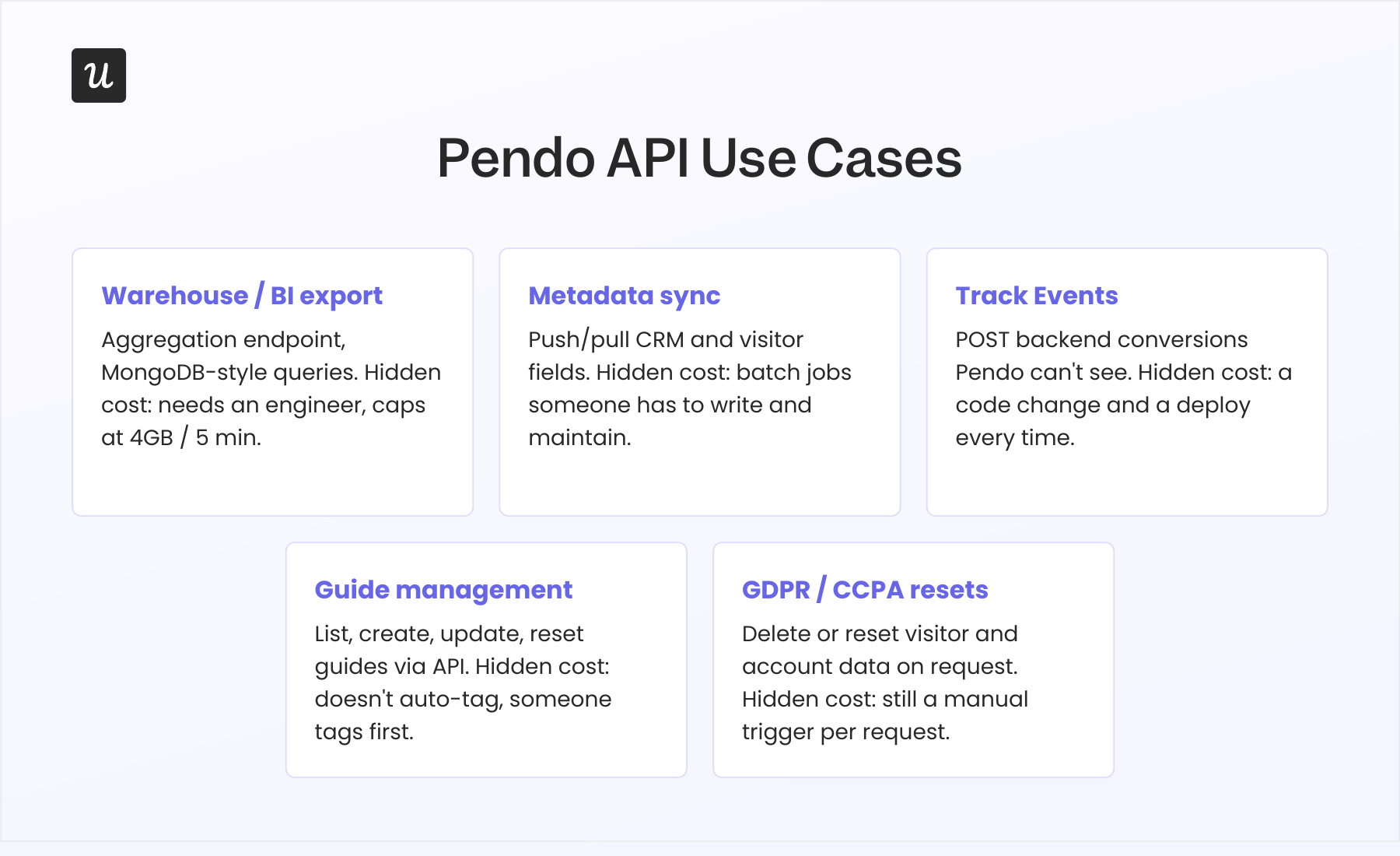
- Pulling product analytics into a warehouse or BI tool: The Engage API exposes Pendo’s Aggregation endpoint, a MongoDB-style query language that reads directly from Pendo’s account and visitor objects and powers every chart in Pendo’s UI. You can use it to push page views, feature clicks, and guide engagement into Snowflake, BigQuery, Looker, or Tableau when Pendo’s dashboards aren’t flexible enough.
- Syncing visitor data and account metadata: You can push CRM fields like plan tier, ARR, lifecycle stage, and owner into Pendo so guides and segments can target them, or pull Pendo-side metadata back out into your CDP. Most Pendo plus Salesforce or Pendo plus HubSpot integrations are done through the API, and the maintenance burden shows up in reviews. As one G2 reviewer described: “Right now I have to ask a TAM to run an audit of our metadata.“
- Recording events Pendo can’t see: Pendo’s agent captures only client-side events in the browser. The Track Events endpoint enables server-side calls for POST backend conversions, payment completions, mobile actions, or anything else you want correlated with in-app behavior, capped at 5,000 named events per app, with a 25KB payload limit per event.
- Managing guides programmatically: List, create, update, and reset guides through the API instead of clicking through the UI. Useful when you maintain a lot of guides, want to template them across environments, or want CI/CD for in-app content.
- GDPR and CCPA data resets: Delete or reset visitors, accounts, or guide state to satisfy deletion requests. You can use the same endpoints to clear out test data.
There are smaller jobs around the edges too, such as pulling in-app NPS survey responses, archiving data past Pendo’s retention window, and powering CS-team dashboards. They all collapse back into one of the five above.
What does each of those use cases cost?
The interesting thing is that the use cases I listed above are outside a product manager’s scope. For example, aggregation queries need an engineer. Response sizes cap out around 4GB or five minutes of query time, whichever hits first, and Pendo steers teams toward a dedicated data pipeline product the moment the dataset gets serious. Another caveat is that rate limits beyond that point aren’t published, so you hit a 429 HTTP status code (too many requests) and find out.
Metadata syncs are batch jobs, as there’s no native real-time connector that just works. Someone on your team writes the sync, handles retries, and maintains it going forward. Plus, track events are code changes, and every off-browser event you want inside Pendo means a backend deploy.
Now, programmatic guide management exists, but the Pendo API doesn’t auto-tag features. An admin or engineer has to tag the pages and features Pendo should track before the API has anything useful to operate on. The API works only on the data Pendo has because someone did that front-door work first.
As if that isn’t enough, the data isn’t live. Pendo’s documentation notes that:
- Freshly tracked events are usually queryable within about 15 minutes of being captured.
- The UI itself updates on an hourly cycle.
- Segment recalculation can lag another 5 minutes on top of that.
If the reason you wanted the API was stale dashboards, the API is also stale.
Why does the API look this way?
Pendo was built for enterprise digital adoption deployments where a dev team sits on the other end. The five use cases above are real work, and Pendo’s contracts assume that you have engineers to do it. Vendr’s transaction data puts the median annual Pendo contract at $49,015, with deals ranging from $17,945 to $150,124 depending on company size and MAU volume, and API access isn’t included on every tier.
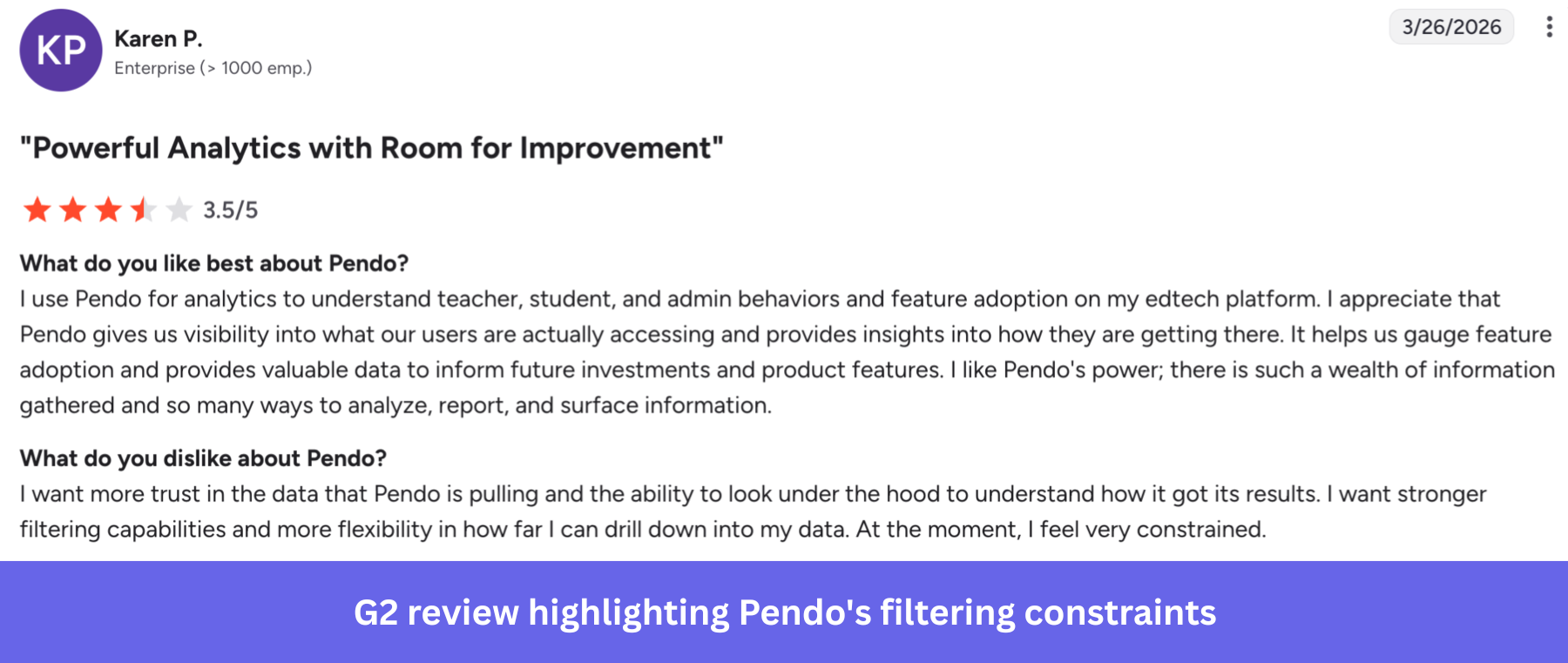
One G2 reviewer wrote that she feels very constrained in her trust in the platform’s data and filtering capabilities required to get useful analytics.
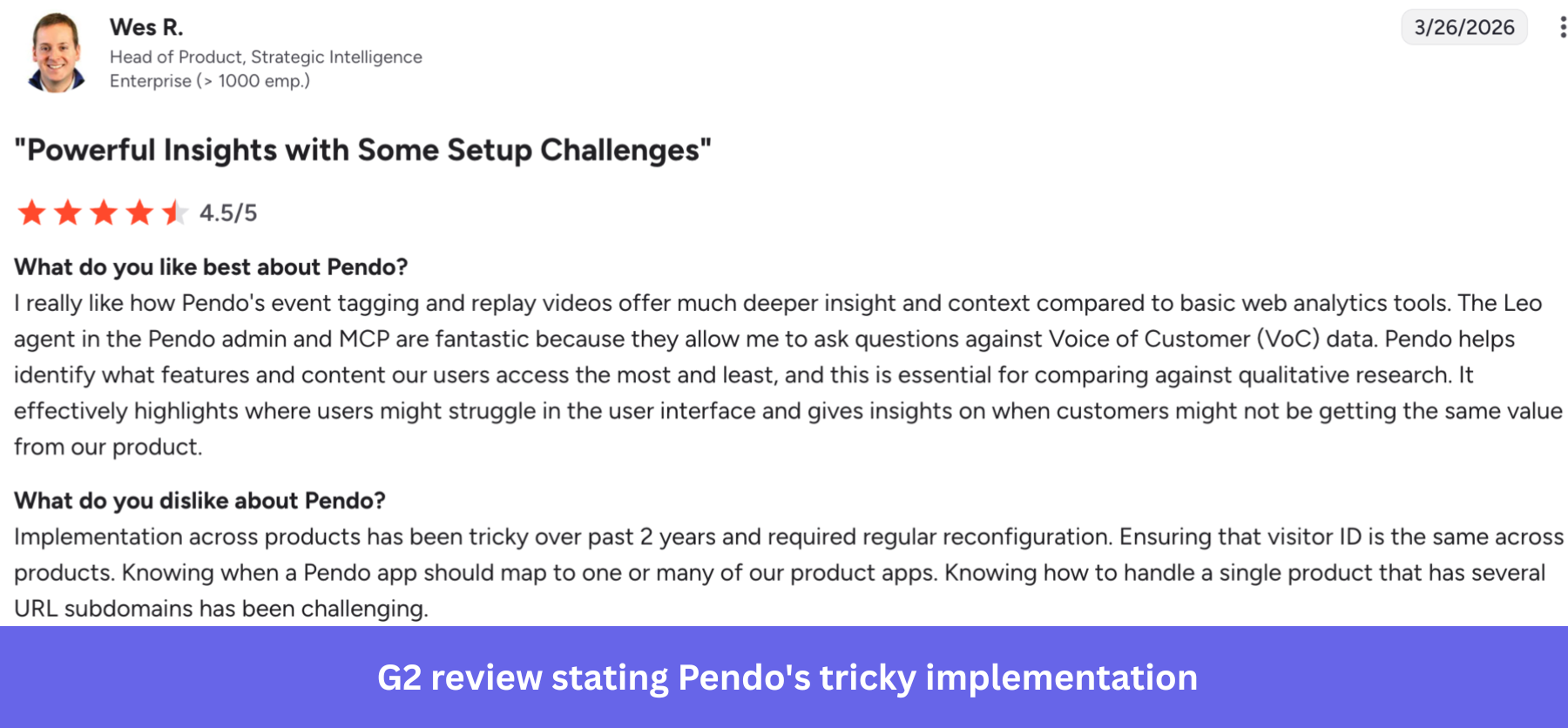
An enterprise reviewer also reported that implementation across products has been tricky and has required regular reconfiguration, a pattern that aligns with a known pitfall in the API itself, where multi-app setups require the correct app ID to be passed on every aggregation request.
💡 Did you know?
Running more than one app is where Pendo gets heavier, since every aggregation call has to carry the correct app ID. On our side, multiple apps live in the Admin Console, and you can clone a flow, checklist, or survey across them from the UI, so a multi-app setup is something you click through rather than something your engineers wire into each request.
It’s a mismatch with how most teams evaluating Pendo today actually operate, and it’s also why Pendo’s newest access path, a 2026 MCP server that gives AI clients governed, mostly read-only access to Pendo data, follows the same logic: convenient access still sits behind the same service-tier gate, just for a different kind of client.
The version of this that doesn’t need an API
I work at Userpilot, and this Pendo vs Userpilot comparison matters because all five Pendo use cases above are things you should be able to do without writing code.
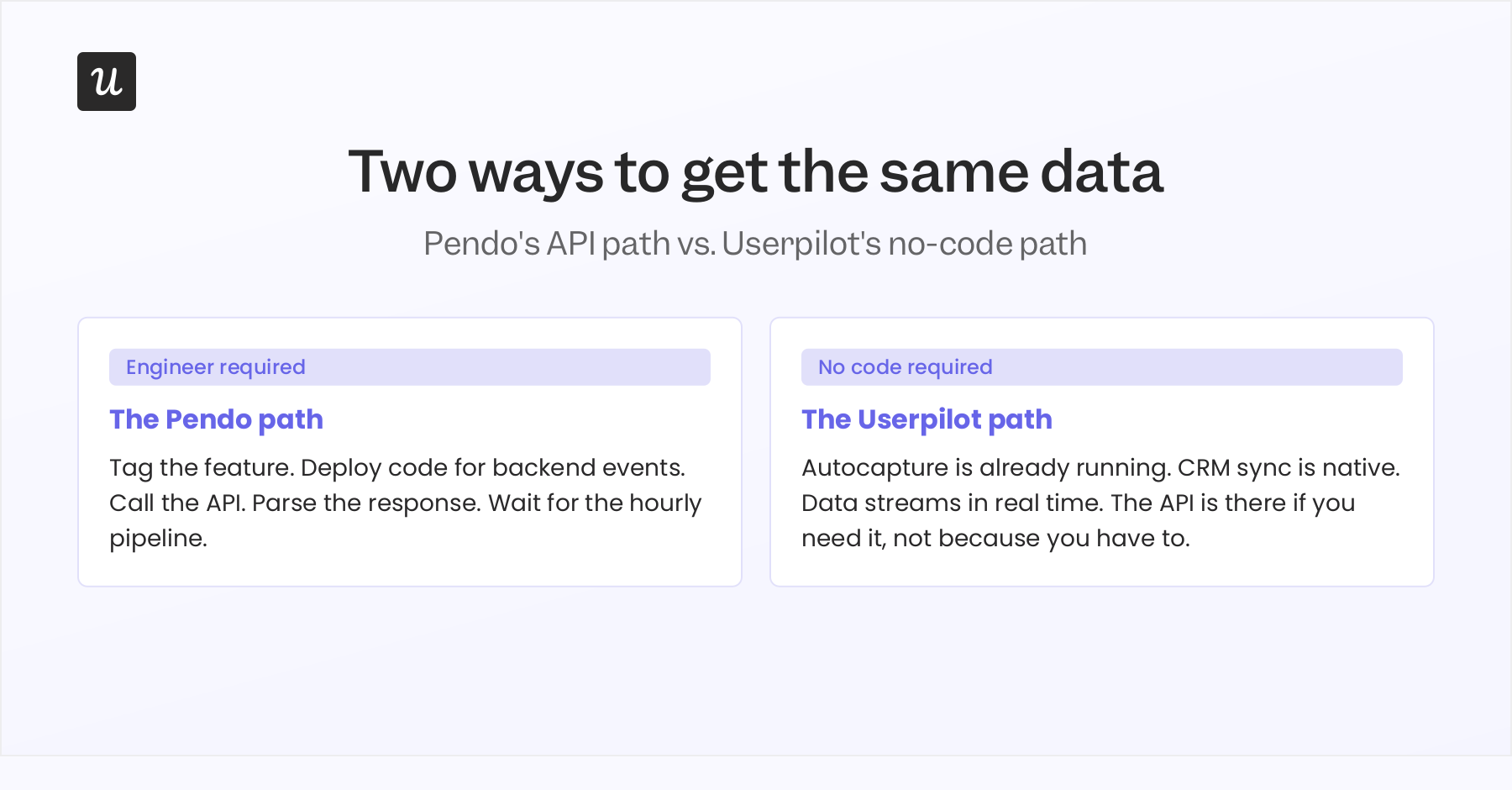
Autocapture replaces the tagging sprint. It captures every click, text input, and form submission automatically the moment you turn it on. Events appear in a list, and you label them visually so they’re immediately usable in segments, flows, and analytics. The thing Pendo asks you to plan around before its API can do anything useful, Userpilot does on page load.
Then, the data is real-time, with events streaming as users trigger them, so segments and dashboards reflect what’s happening now instead of waiting on an hourly pipeline. The two-way CRM sync is native, as Userpilot’s HubSpot integration runs bidirectionally on a 5-minute cycle, configured in the UI, rather than a custom API job your team owns.
Our API is there for the edge cases. Userpilot still has a:
- Bulk identify-and-update API.
- Bulk import API for historical data.
- Data Sync add-on that exports raw events to your warehouse.
You can use them even if you don’t need them to get value, and the full API overview is there if you eventually do.
Is Pendo API still the right tool for you?
If you have a dedicated data engineer, a clean tagging discipline already in place, and use cases that genuinely need MongoDB-style aggregations across years of events, Pendo’s API will do things Userpilot’s API won’t. That’s a real use case that’s narrower than the marketing suggests.
The honest question to ask before signing the renewal is which version of your team you’re buying for. If your team needing answers is the engineering team, Pendo’s API is built for them. If it’s product, growth, CS, or marketing, the platform you want is the one where the API is optional. See what that looks like with Userpilot.
Disclaimer: Userpilot strives to provide accurate information to help businesses determine the best solution for their particular needs. Due to the dynamic nature of the industry, the features offered by Userpilot and others often change over time. The statements made in this article are accurate to the best of Userpilot’s knowledge as of its publication/most recent update on June 24, 2026.
FAQ
Is Pendo API access included on every plan?
No. Access depends on your level of service with Pendo, and Pendo’s documentation advises confirming with your admin or a Pendo representative rather than assuming it’s bundled with your subscription.
What's the difference between the Aggregation API and Pendo's data pipeline product?
The Aggregation API is built for small, targeted queries with hard caps on response size and query time. Pendo’s dedicated pipeline product is built for continuous, large-volume export and doesn’t carry those same limits.
Do I need to write code to use the Pendo API?
Yes, for anything beyond a one-off GET request tested in Postman. Track Events, scheduled guide resets, and metadata sync all require code that someone maintains over time.
Where do I create a Pendo integration key, and what happens if I lose it?
Integration keys are created in Pendo Settings > Integrations, and admins manage them from there. Keep the key secret, since it’s used to securely access and update information about users and accounts, and capture it somewhere safe immediately. It’s only displayed at the moment of creation and can’t be recovered afterward.
About the author