NPS Survey Template: Questions, Examples, and How to Use Them


Every product manager wants to build a sticky product with a loyal user base. But how do you know if you’re actually delivering an experience customers would recommend? That’s where a Net Promoter Score (NPS) survey comes in. Creating a clear, well-structured NPS survey template is the first step to collecting meaningful feedback.
In this guide, we’ll walk you through exactly how to build effective NPS surveys, from the core question to follow-ups and analysis. You’ll also find a free, practical 5-step NPS survey template you can copy and start using right away.
What is an NPS survey template?
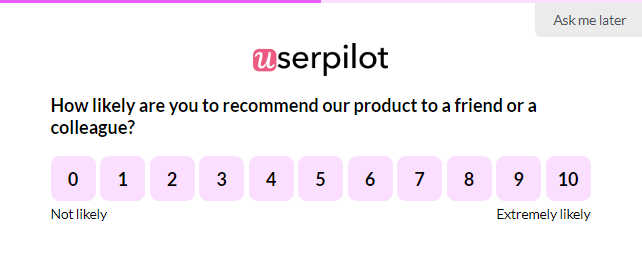
An NPS survey template is a standardized set of questions used to measure customer loyalty by asking how likely users are to recommend your product or service. The main question an NPS survey asks is: “How likely are you to recommend [Your Company/Product/Service] to a friend or colleague?”
The core NPS question uses an 11-point scale from 0 (not at all likely) to 10 (extremely likely) and is typically paired with follow-up questions to understand the reasons behind each score.
NPS survey responses fall into three groups, each telling a distinct story about your customer base:
- Promoters respond with scores 9-10: These are your loyal enthusiasts. These happy customers love your product and will actively recommend it to others. These are the customers who become your best source of word-of-mouth marketing and drive organic business growth. When we analyze customer data, Promoters typically show higher lifetime value and lower churn rates.
- Passives respond with scores 7-8: Represent users who are generally satisfied but not quite thrilled with your product value. They might continue using your product but remain open to competitors. Identifying them provides a good opportunity, as you can convert Passives into Promoters with targeted engagement strategies.
- Detractors respond with scores 0-6: Are your unhappy customers who are likely to spread negative word-of-mouth and carry high churn risk. Their feedback becomes crucial for discovering customer pain points that need immediate attention. Analyzing and acting on such responses helps you convert Detractors into Promoters and increase customer satisfaction.
You can ask the NPS question in two main ways, and each type of survey affects the quality of insights you’ll gather:
- Relational NPS: Measures your customers’ overall feeling about your company or product. We typically send these NPS surveys regularly (quarterly or annually) to gauge the health of long-term customer relationships. This is the primary use case I find most valuable because it captures the overall customer sentiment rather than isolated moments.
- Transactional NPS (tNPS): Asks the “recommend” question after a key interaction, such as completing a support ticket or making a purchase. While this sounds useful for pinpointing issues, it often distorts the reality of genuine loyalty because it focuses on a single event rather than the entire customer journey. We generally advise against relying on transactional NPS for valuable insights.
Relational NPS surveys better align with broader UX and product strategy goals. You want to understand overall customer relationships, not just fleeting reactions to individual touchpoints.
NPS measures the number of loyal customers by assessing the likelihood of them recommending your product. However, other types of user feedback surveys use different ways to help you gain valuable customer insights and provide a better user experience.
- Customer Satisfaction (CSAT): Asks directly about satisfaction levels with your product or service, usually on a 1-5 scale. CSAT tells you how customers feel right now, but it doesn’t predict future behavior or customer loyalty, unlike Net Promoter Score surveys.
- Customer Effort Score (CES): Measures how easy or difficult it was for customers to use your product or resolve an issue. This metric excels at identifying friction points in user flows but doesn’t capture emotional attachment to your brand.
The Net Promoter Score(NPS) survey stands out because it measures customer satisfaction in a way that forecasts future behavior. When satisfied customers say they’d recommend you to a friend or colleague, they’re putting their own reputation on the line: making it a more reliable predictor of retention and growth than satisfaction scores alone.
How to create an effective NPS survey?
The core NPS question is essential, but it only gives you “what.” To understand “why,” you need practical follow-up questions. This is where a well-designed NPS survey template becomes truly powerful.
Here’s how I approach building an effective NPS survey:
1. The main question
Keep it simple and clear.
“How likely are you to recommend [Your Product] to a friend or colleague?” is usually all you need.
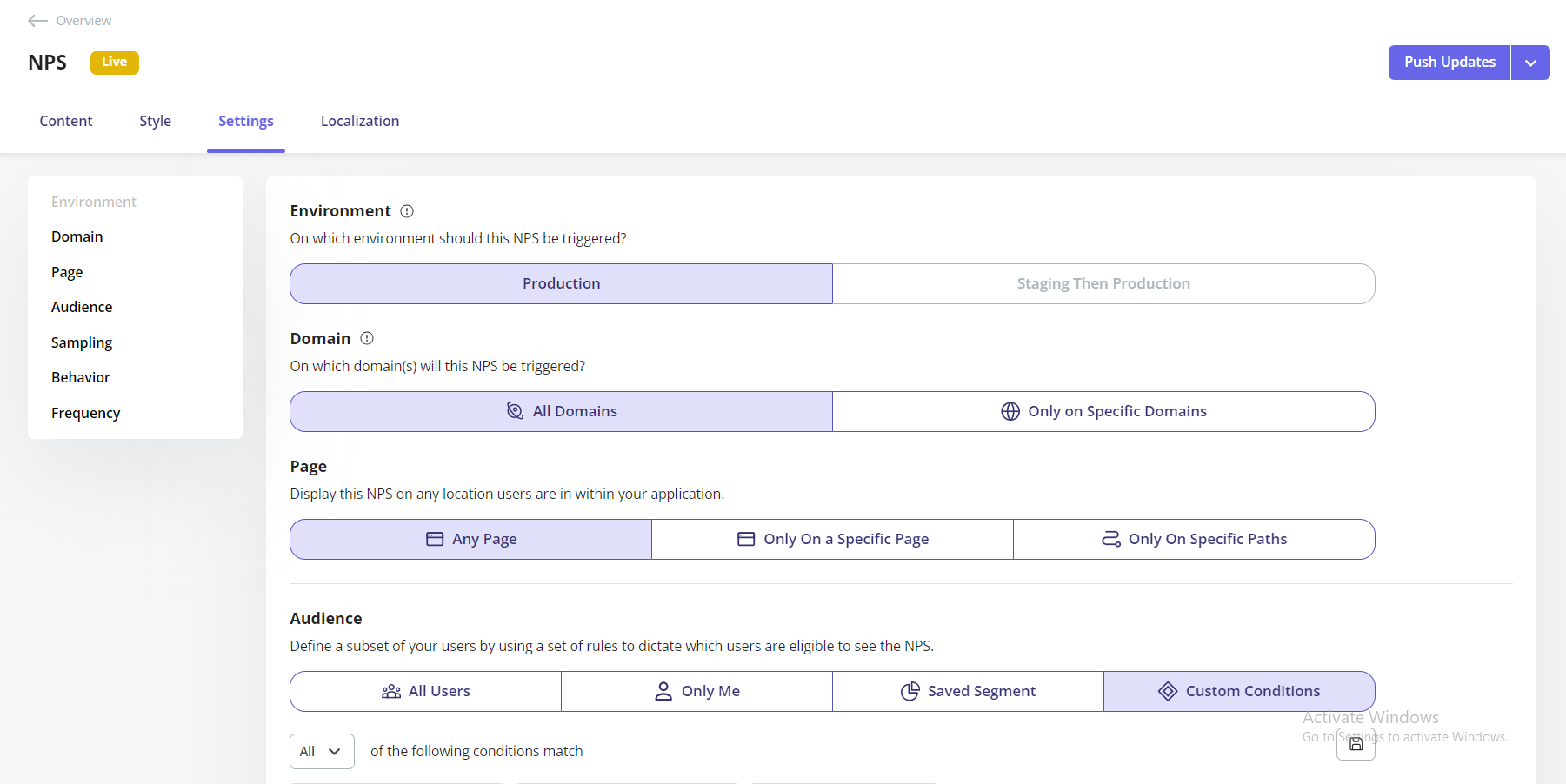
You can personalize the content by inserting the user’s name or company name to make it feel more direct. With Userpilot, you can personalize this survey question by inserting dynamic variables such as the user’s name or company to increase engagement. You can also target NPS surveys based on user behaviour.
2. The “why” question:
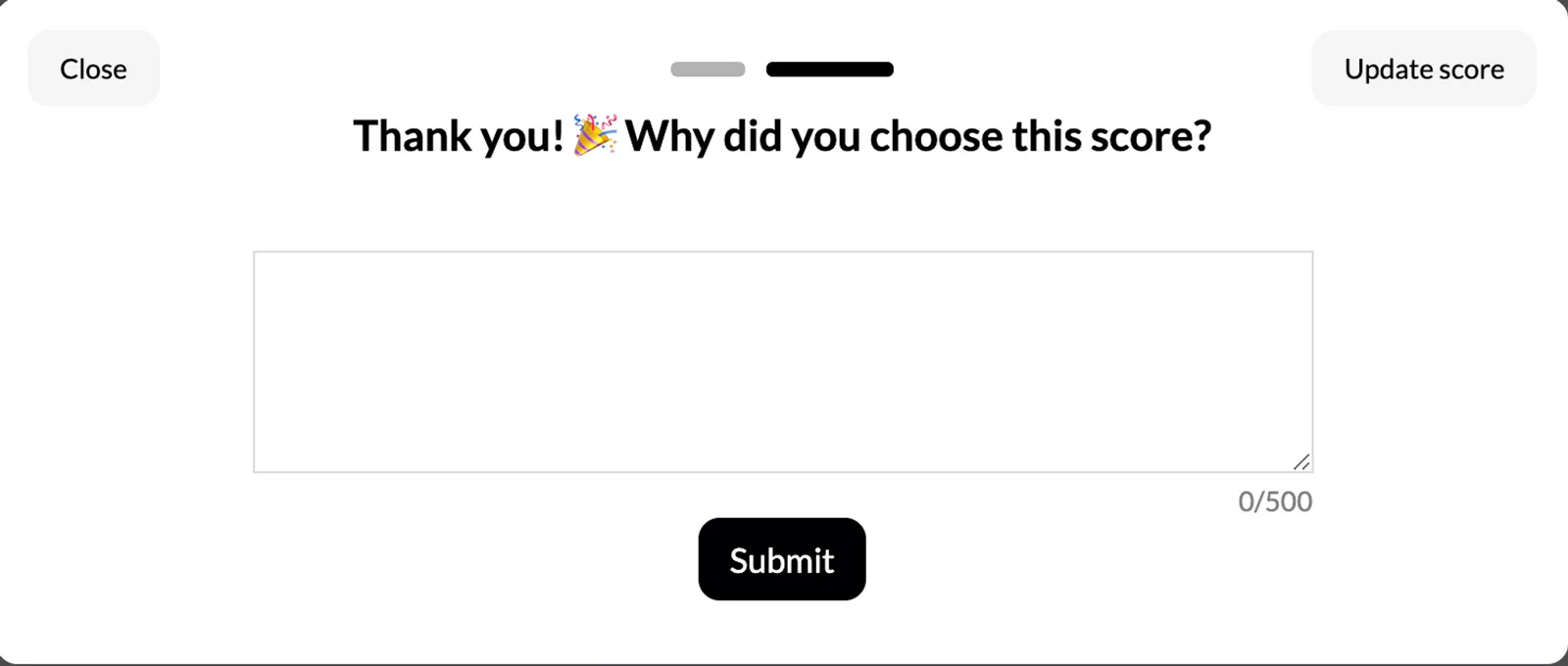
Immediately after the score, ask an open-ended question like, “What is the primary reason for your score?” or “How can we improve your experience?”
The responses here contain gold. They tell you directly what drives customer satisfaction or frustration.
3. Optional improvement questions
For passives and detractors, I recommend adding targeted questions like, “What’s the one thing we could do to make you happier?” or “Which features do you value the most?”
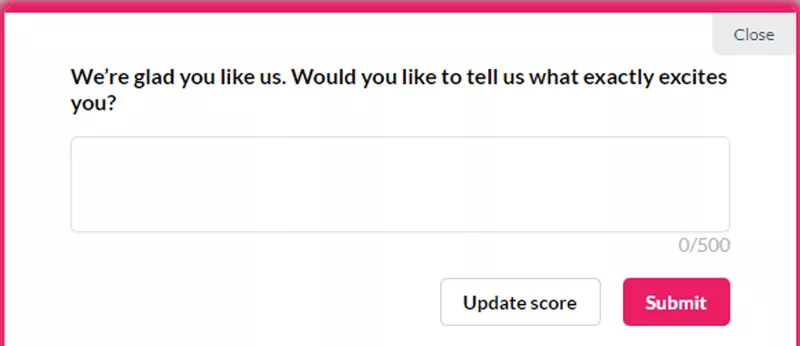
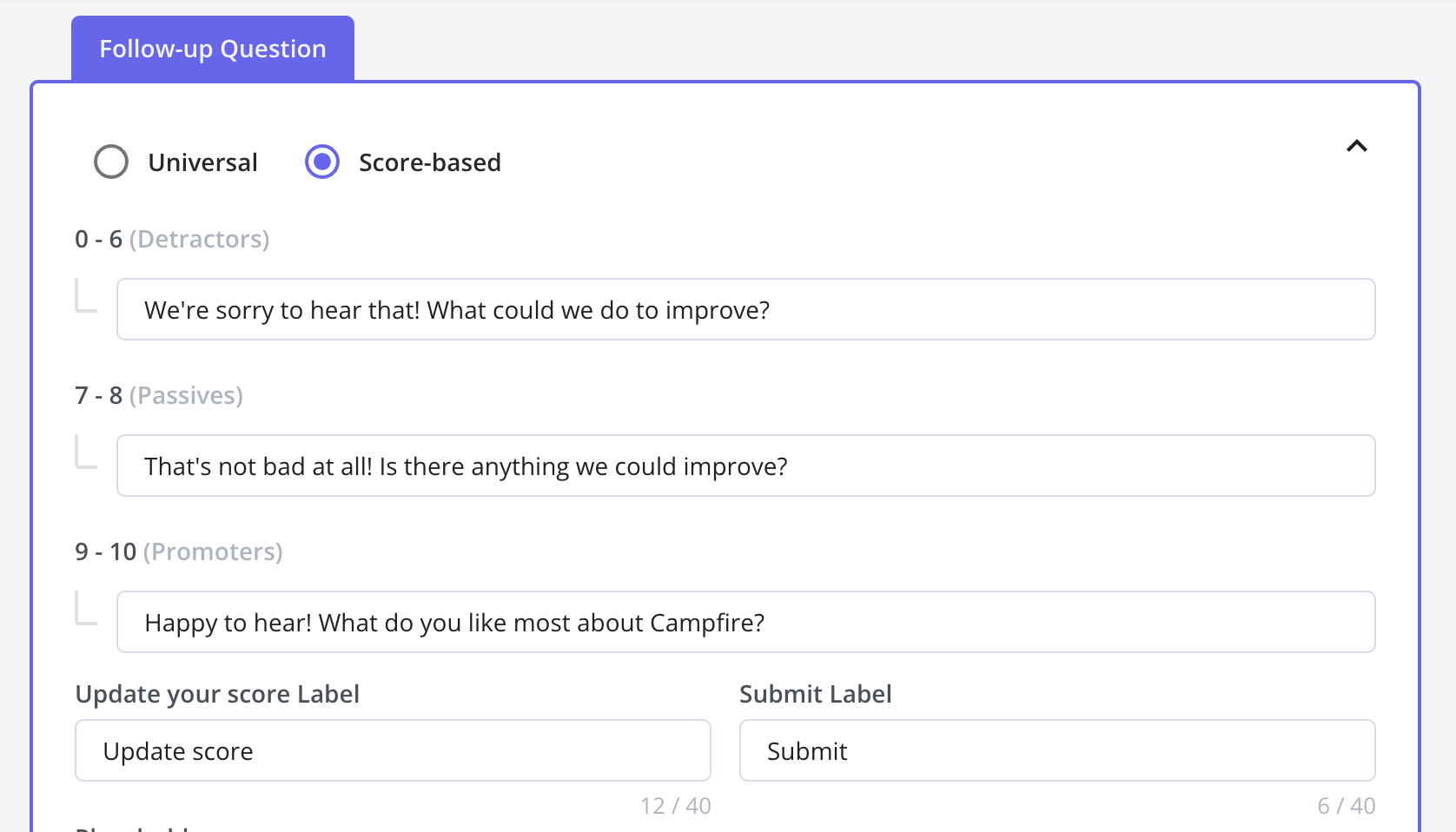
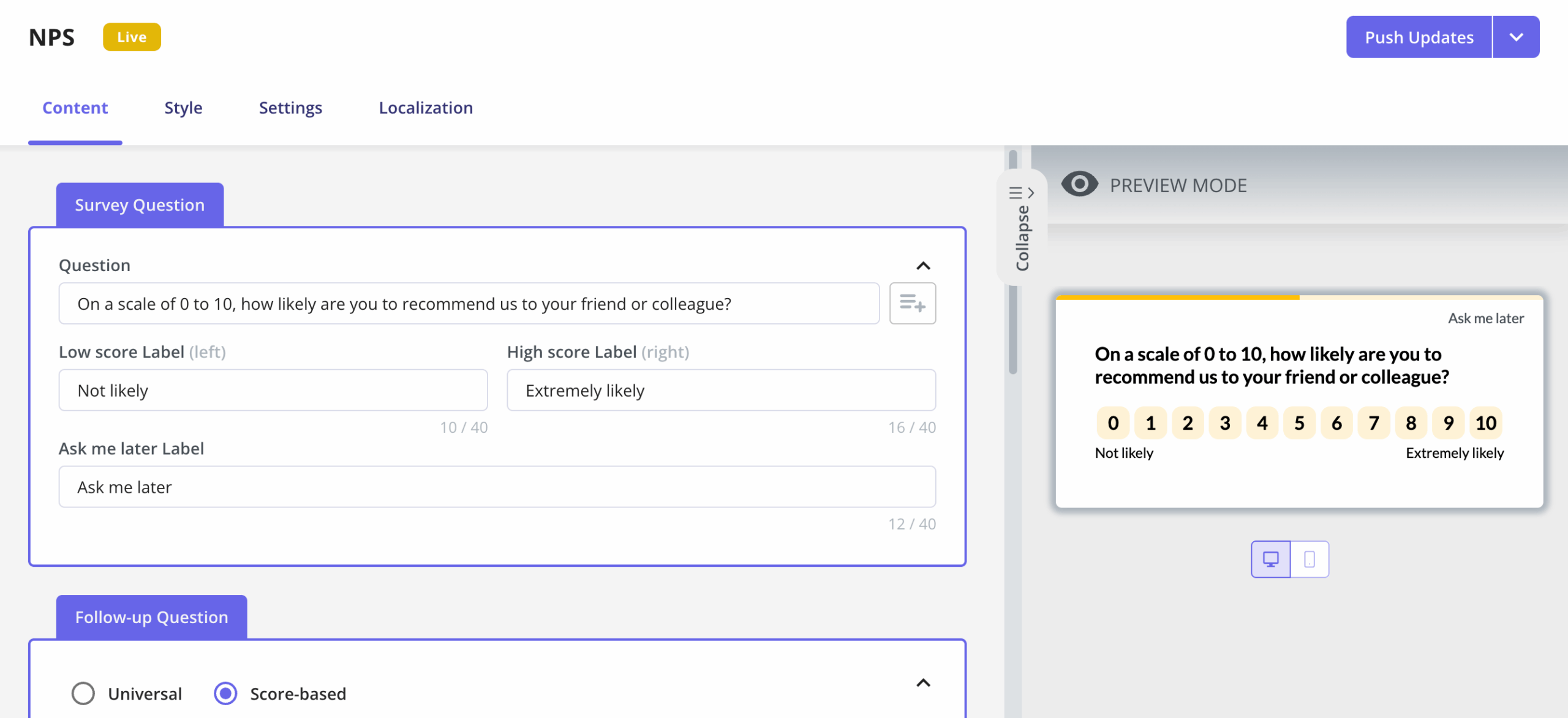
In Userpilot, you can customize different follow-up questions based on the score using universal or score-based options. This approach helps identify specific areas for product improvement while showing unhappy customers that their feedback matters.
4. Permission to follow up:
Always include an option asking if you can contact them for more details.
Some of the richest customer insights come from direct conversations with survey respondents who are willing to share deeper thoughts about their experience.
5. A thank you message:
A simple, sincere thank you for their time shows you value their valuable feedback. This personal touch reinforces that their opinion contributes to your company’s growth.
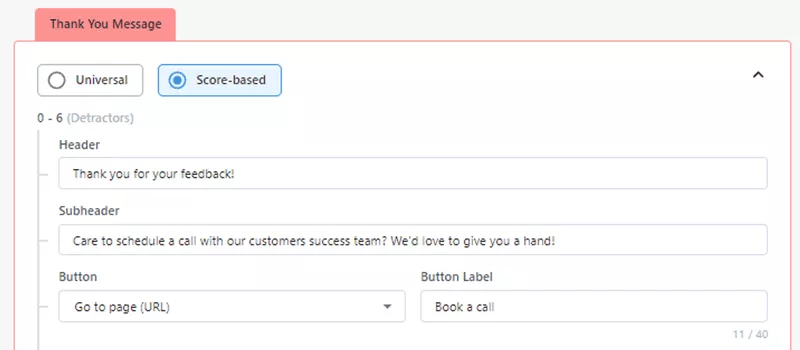
Deploying these in-app NPS surveys at the right moment is key. Tools like Userpilot allow you to trigger surveys contextually, based on user behavior or specific customer journey stages.
This means you ask for feedback when it’s most relevant to the user’s current experience, leading to higher response rates and more actionable insights.
Free NPS survey template (The 5-step flow)
Use this step-by-step template, grounded in the steps above and proven NPS survey best practices, to build an effective NPS survey of your own.
Step 1: Ask the core NPS question
What this step answers: How loyal is this customer overall?
Show this question to all users.
How likely are you to recommend [Your Product/Company] to a friend or colleague?
Scale: 0 (Not at all likely) – 10 (Extremely likely)
This single question establishes your Net Promoter Score and segments respondents into Promoters, Passives, and Detractors.
Step 2: Capture the reason behind the score
What this step answers: Why does the customer feel this way?
Immediately after the user selects a score, show an open-ended follow-up.
What is the primary reason for your score?
[Open-ended text field]
This question provides the qualitative context needed to understand what is driving satisfaction or frustration.
Step 3: Add a conditional deep-dive question
What this step answers: What should we do next for this user?
Show one additional follow-up based on the score category. This step helps turn feedback into action without over-surveying.
-
Detractors (0–6):
What’s the one thing we could do to improve your experience?
-
Passives (7–8):
What could we do to make your experience better?
-
Promoters (9–10):
Which features or aspects of the product do you find most valuable?
Each variation is designed to surface the most actionable insight for that segment.
Step 4: Ask for permission to follow up
What this step answers: Can we continue the conversation?
End the survey with a simple opt-in.
☐ Is it okay if we contact you to follow up on your feedback?
This enables deeper conversations with customers who are willing to share more, especially valuable for detractors and high-value promoters.
Step 5: Close the loop with a tailored thank-you
What this step answers: How do we acknowledge the feedback appropriately?
Show a closing message based on the user’s score.
-
Detractors and Passives (0–8):
Thank you for your feedback. Your input helps us identify where we can improve.
-
Promoters (9–10):
Thank you for your feedback. We’re glad to hear you’re having a great experience.
This reinforces that the feedback was received and sets expectations for future action.
How to turn NPS responses into insights?
Once you’ve collected responses using your NPS survey template, the score itself is just a starting point. Net Promoter Score is calculated by subtracting the percentage of detractors from promoters, but the real value comes from understanding why users gave their scores and what they do next.
When conducting user research, I advocate for a systematic approach that transforms customers’ feedback into insights that help you improve product experience.
1. Analyze responses deeply
Don’t just look at the NPS score. Dive into the qualitative feedback and look for common themes among Promoters, Passives, and Detractors.
Userpilot’s NPS dashboard lets me filter and analyze these responses. This way, I can easily spot trends and pinpoint specific issues or delights.
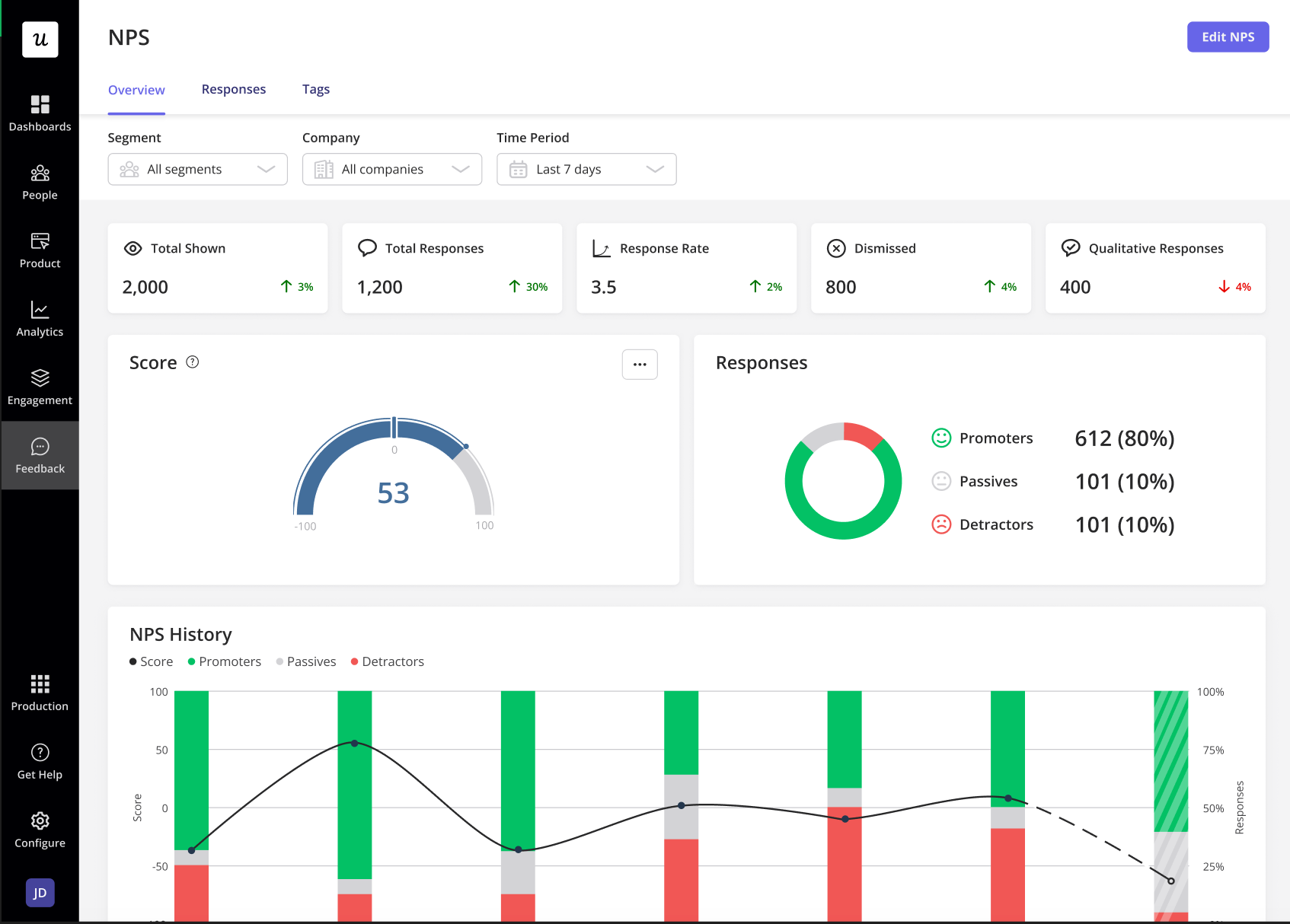
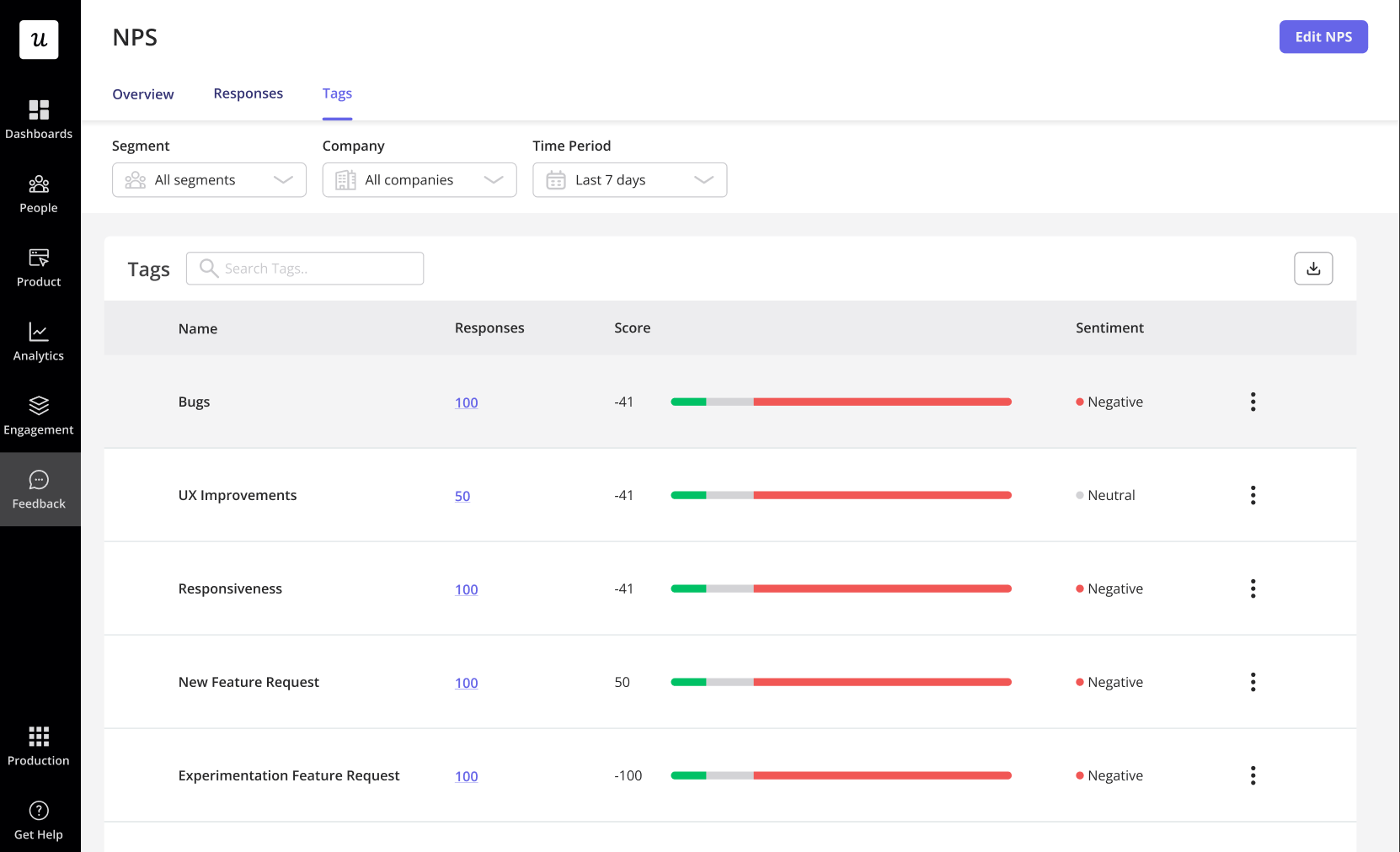
Our platform’s tagging feature allows you to categorize feedback themes like pricing concerns, feature requests, or customer support issues. This tagging makes it easier to identify what drives customer sentiment across different segments.
2. Segment users
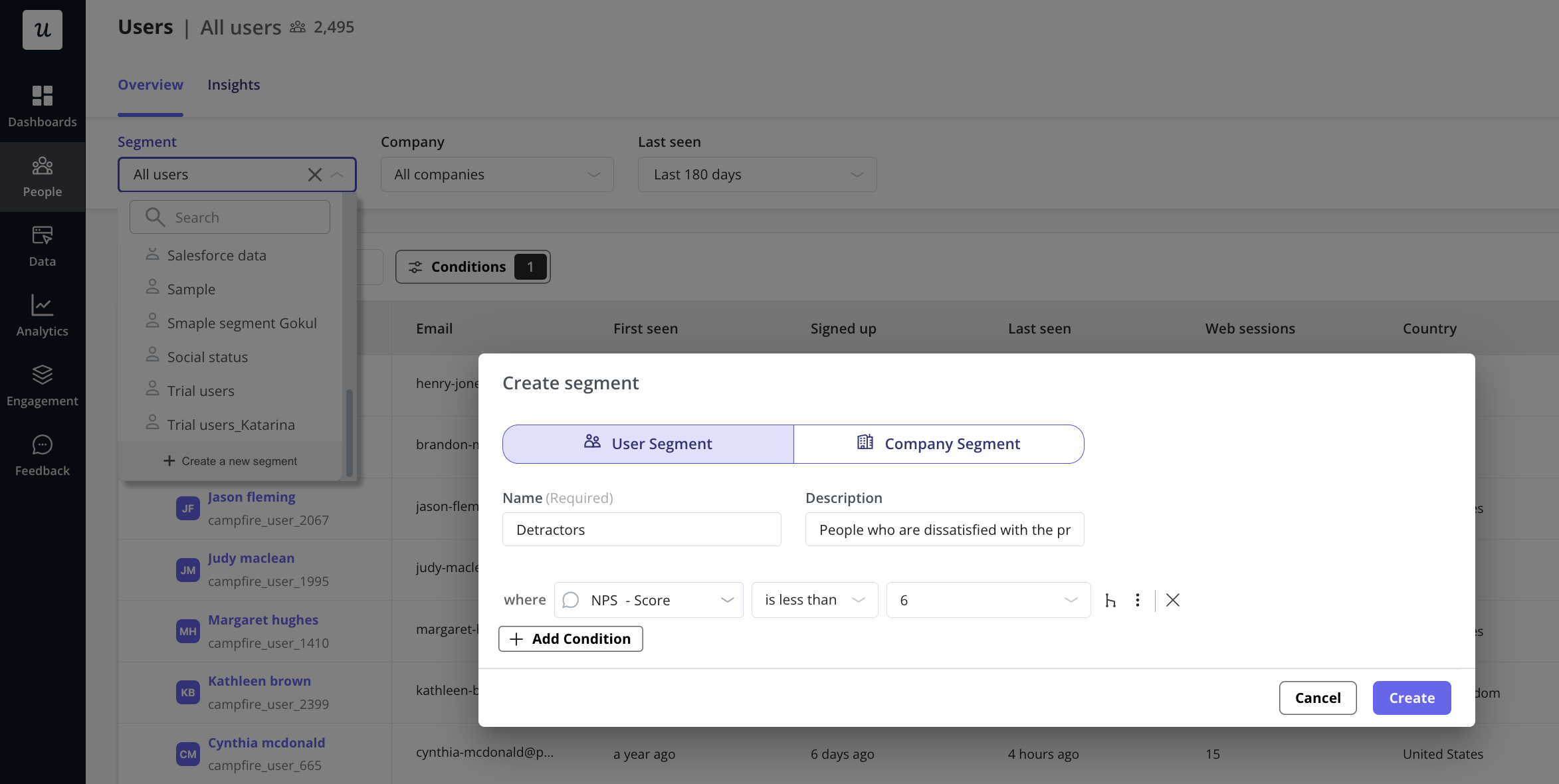
Use the NPS categories to create actionable customer segments. This lets you tailor your customer experiences and interactions based on loyalty levels.
For instance, you might send a special “thank you” message and invite to a beta program for Promoters, while offering targeted in-app guidance to help Passives discover more value.
On the other hand, Detractors need another treatment. You can implement priority customer support or specific feature demonstrations that address their pain points.
3. Close the feedback loop
Still on detractors, don’t let their negative experience go unheard. Reach out, understand their issues, and work actively to resolve them. Turning a detractor into a promoter becomes incredibly powerful for customer retention.
This approach means following up with personalized emails, scheduling calls with customer success teams, or even having product managers directly engage with frustrated users. It’s crucial to show that their feedback leads to real action, not just data collection.
4. Connect with behavioral data
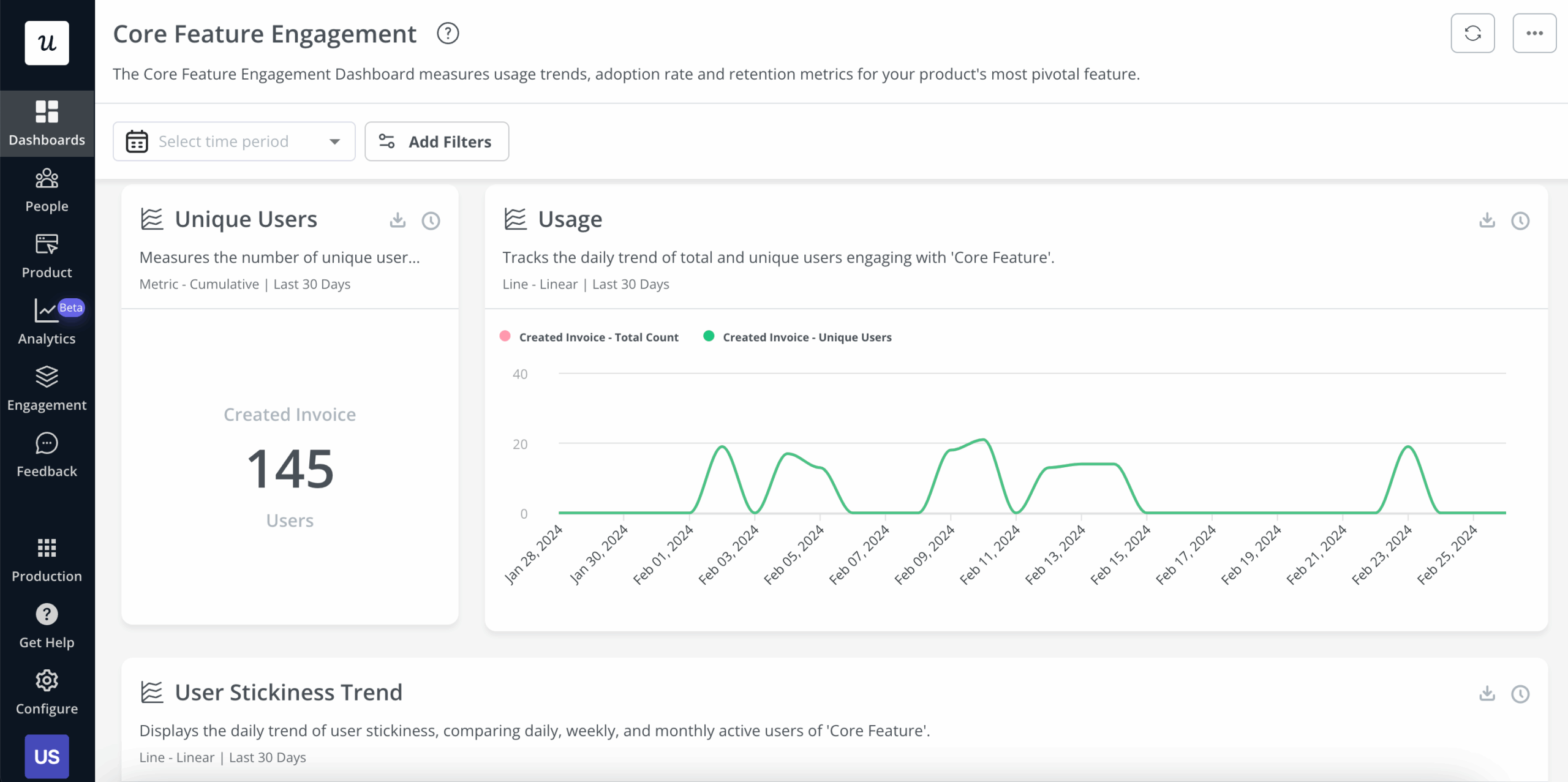
Pairing feedback from NPS surveys with what users actually do helps you get the complete picture of how they engage with your product. Use product analytics to map customer journeys (Userpilot Paths), identify where users hit friction (session replay), or drop off from a flow (funnel analysis).
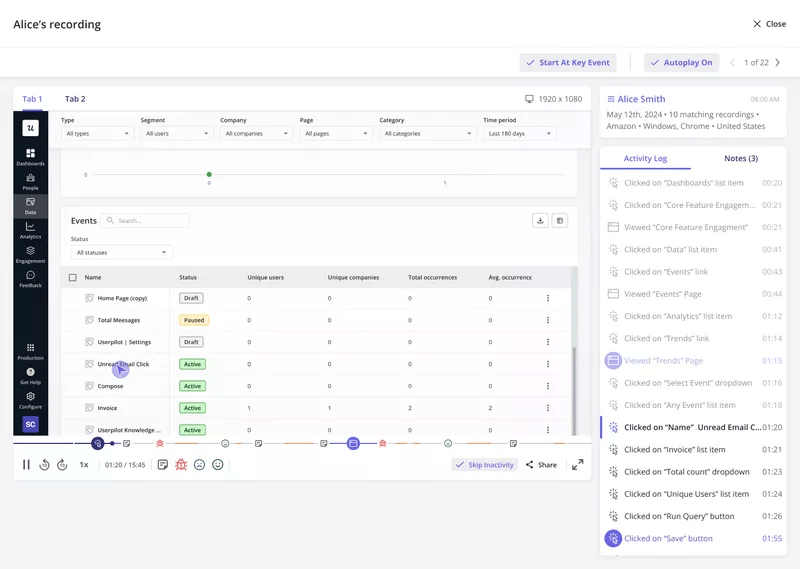
If detractors complain about a specific feature, check session replays to see their exact struggles. Userpilot offers robust, customizable dashboards to combine these insights, providing a holistic view for NPS analysis.
5. Iterate and improve
Use these customer insights to make concrete product improvements.
By measuring the impact of these changes, you can identify ways to improve NPS scores over time. This continuous cycle of feedback, analysis, and improvement drives sustainable business growth, ensuring your product genuinely meets customer expectations.
Track how specific product changes affect different customer segments. Ask questions like:
- Did that new onboarding flow improve Passive conversion rates?
- Did fixing that bug reduce Detractor complaints?
Document these connections so you can replicate successful improvements and avoid changes that negatively impact customer sentiment.
Making NPS work for your product with Userpilot
Userpilot makes the entire process of collecting feedback and transforming it into actions that improve customer relationships seamless. You can build and launch NPS surveys using a drag-and-drop editor, personalize them by setting conditions based on user behaviors, and get real-time insights into responses.
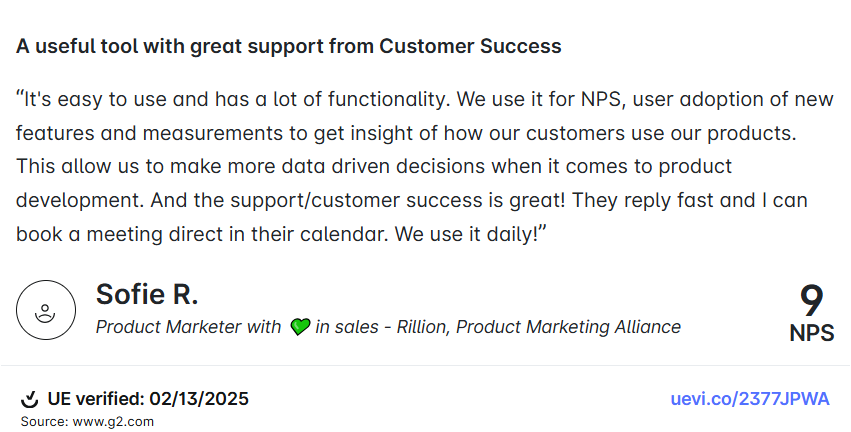
The results speak for themselves. As Sofie R., Product Marketer at Rillion, puts it: “We use it for NPS, user adoption of new features and measurements to get insight of how our customers use our products. This allows us to make more data driven decisions when it comes to product development.”
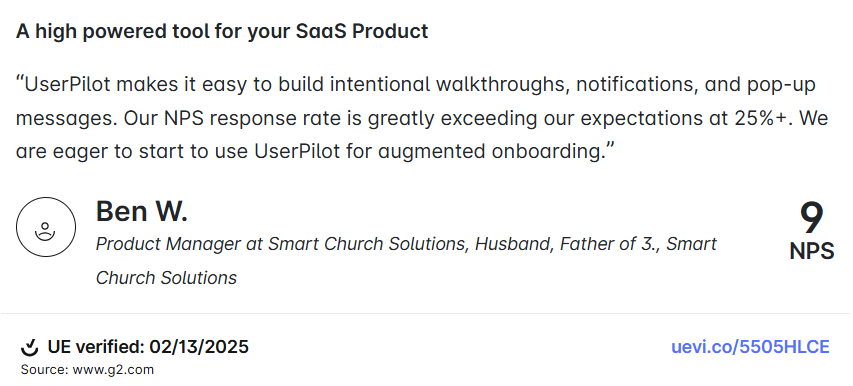
Ben W., Product Manager at Smart Church Solutions, highlights the results: “Our NPS response rate is greatly exceeding our expectations at 25%+.”
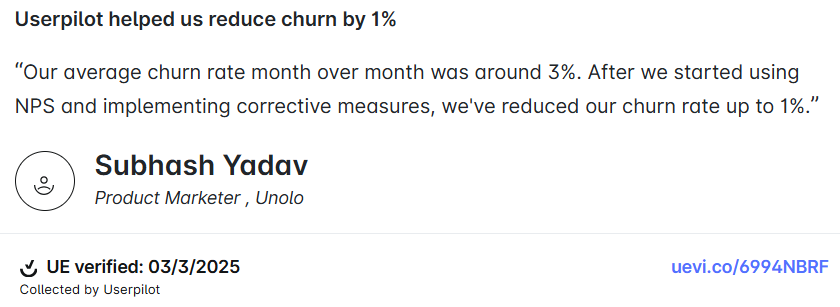
Another user, Subhash Yadav from Unolo, shares the business impact: “Our average churn rate month over month was around 3%. After we started using NPS and implementing corrective measures, we’ve reduced our churn rate up to 1%.”
Ready to convert your customer feedback into growth? Book a demo and see how you can use NPS insights to drive retention, reduce churn, and build products customers genuinely love.
About the author