Userpilot AI Agent

Meet Lia: Your AI Agent That
Analyzes, Advises, and Acts

Ask Lia anything about your product. She finds the insight, tells you what to do, and builds the solution.

Your product data
Events & features clicks · usage · paths
User & company segments · attributes
Surveys feedback · sentiment
Content engagement guides · flows · tooltips
NPS scores · responses
Session replay recordings · heatmaps
What Lia gives back
AI Data Analytics Trends, drop-offs, correlations
AI User Engagement Flows, tooltips, checklists
AI Feedback Analysis Themes from NPS & surveys
Step 1 Step 2 Step 3 Step 4

Analyzes all your data points

Lia reads product usage, feedback, replays, and segments to find correlations that matter.

Uncovers insights and correlations

She surfaces what changed, which cohorts are affected, and what's driving those changes.

Gives advice and recommendations

Every insight comes with a suggested fix built around the metrics you need to improve.

Builds and tests the
solution

Approve it and Lia builds the flow, tooltip, or survey herself before reporting on performance.

Join 1,200 Companies Accelerating
Product Growth with Userpilot.

How Lia Helps

Lia answers your questions, surfaces insights, and builds the solution

AI Data Analysis & Correlation

Learn what needs attention without data diving

Why did feature adoption drop this month?

Which accounts are most active, and which need my attention?

Which events correlate with trial-to-paid conversion?

AI Data Analysis & Correlation
AI Feedback Analysis

Know what users think, without reading responses

What do users think of my product?

What predicts low-NPS sentiment?

What do promoters do that detractors don't?

AI Feedback Analysis
AI USER ENGAGEMENT

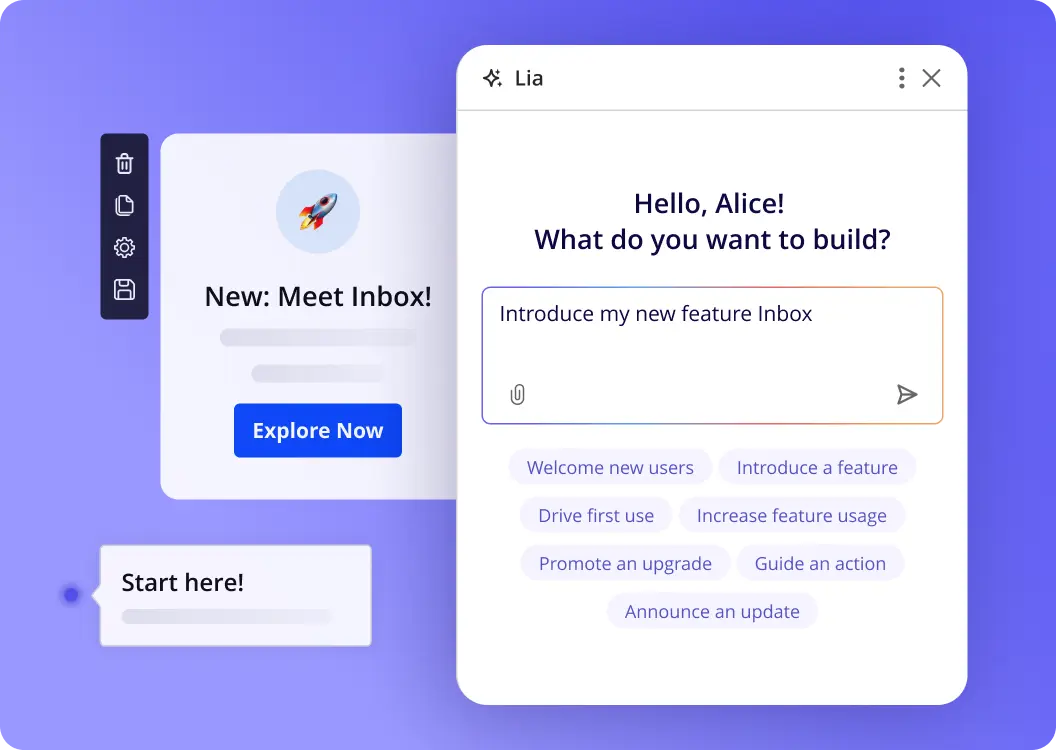
Build the solution without leaving the chat

Optimize onboarding to increase activation

Build the feature launch in-app guide

Build a survey for at-risk accounts

AI User Engagement
Skills

Ready-to-use skills for every product challenge

Call a skill with a slash command and Lia runs the whole analysis for you.

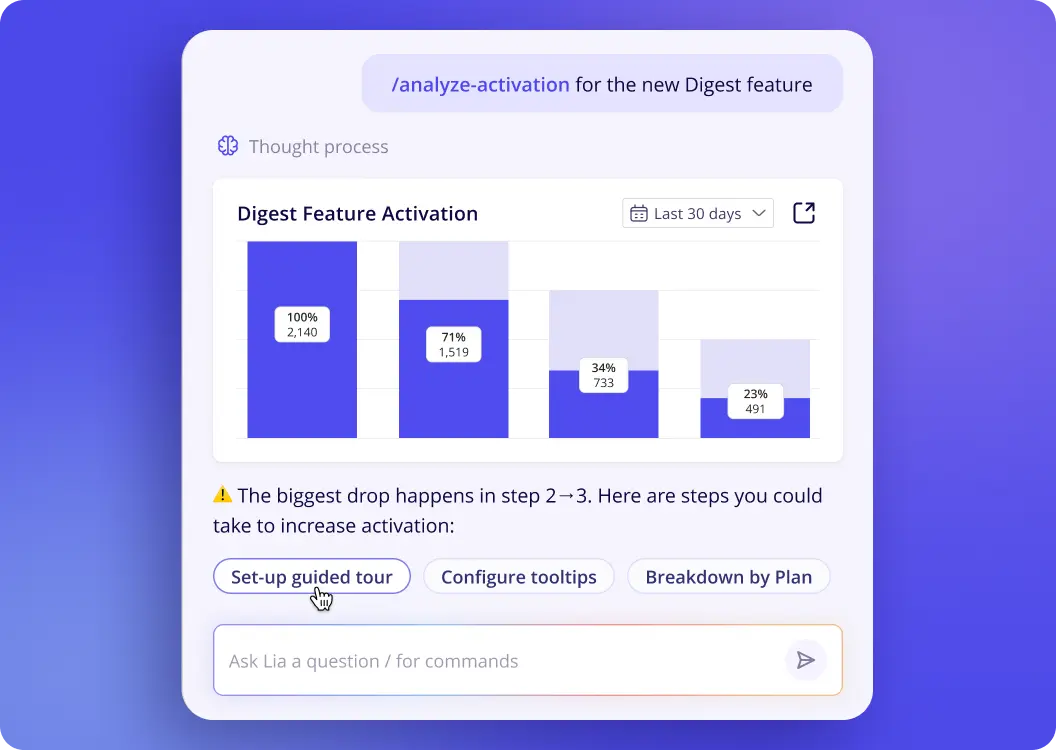
/analyze-activation

Analyze activation

Diagnose where users stall toward activation and surface the biggest drop-off.

/analyze-feature-adoption

Analyze feature adoption

Measure adoption rate, stickiness, and who adopts vs. ignores a feature.

/analyze-feature-launch

Analyze feature launch

Track adoption curve and early stickiness in the weeks after launch.

/analyze-segment

Analyze segment

Full behavioral portrait: activation, usage, retention, and sentiment for a segment.

/analyze-account-health

Analyze account health

A full health picture of any account: usage, engagement gaps, and risk signals.

/analyze-activation

Analyze activation

Diagnose where users stall toward activation and surface the biggest drop-off.

/analyze-feature-adoption

Analyze feature adoption

Measure adoption rate, stickiness, and who adopts vs. ignores a feature.

/analyze-feature-launch

Analyze feature launch

Track adoption curve and early stickiness in the weeks after launch.

/analyze-segment

Analyze segment

Full behavioral portrait: activation, usage, retention, and sentiment for a segment.

/analyze-account-health

Analyze account health

A full health picture of any account: usage, engagement gaps, and risk signals.

/analyze-retention

Analyze retention

Cohort retention curves and the behaviors that separate retained from churned users.

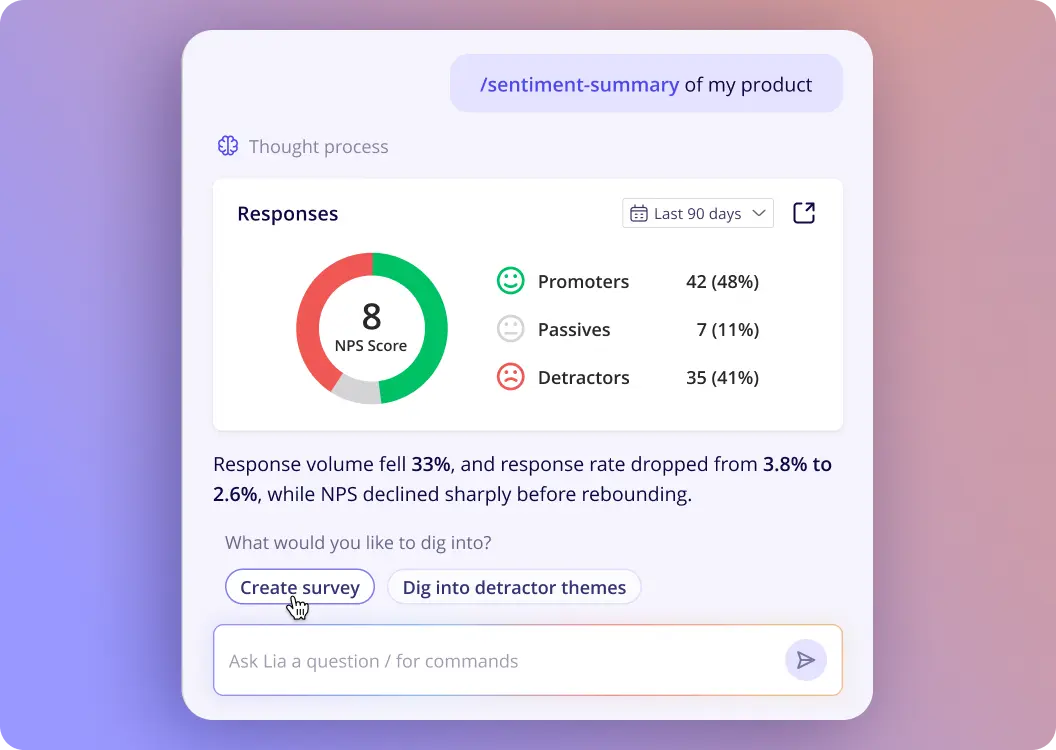
/summarize-sentiment

Summarize user sentiment

Aggregate NPS, CSAT, and open-text feedback into a clear sentiment summary with themes.

/analyze-survey

Analyze a survey

Completion rate, score, question-level drop-off, open-text themes, and comparison to prior runs.

/analyze-dashboard

Analyze dashboard

Surface the key signals from any dashboard and get a plain-language summary of what's changed.

/analyze-retention

Analyze retention

Cohort retention curves and the behaviors that separate retained from churned users.

/summarize-sentiment

Summarize user sentiment

Aggregate NPS, CSAT, and open-text feedback into a clear sentiment summary with themes.

/analyze-survey

Analyze a survey

Completion rate, score, question-level drop-off, open-text themes, and comparison to prior runs.

/analyze-dashboard

Analyze dashboard

Surface the key signals from any dashboard and get a plain-language summary of what's changed.

Built For Your Entire Team

Lia is your single source of truth - no data science degree needed.

Make the product decisions that matter with always-on AI product intelligence

Know what's working, what isn't, and what to do next. Without pulling a single report.

  • Always-on feature adoption tracking
  • Activation moment identification
  • Declining & trending account detection
  • Retention drivers correlation
Lia for Product teams

See where your interface loses people, in their own sessions

Behavioral evidence for every design decision, without waiting on a research cycle.

  • Friction points surfaced from session replays
  • Drop-off analysis on any flow
  • Usability themes from open-text feedback
  • Before-and-after impact of redesigns
Lia for UX Design teams

Spot at-risk accounts early and act before renewal is at stake

Every account's health, engagement gaps, and next best action in one answer.

  • Account health scoring and risk signals
  • Usage gaps by account and seat
  • Sentiment from surveys and tickets
  • Auto-drafted re-engagement outreach
Lia for Customer Success teams

Turn product signals into campaigns that convert

Find the behavior that predicts conversion, then let Lia build the in-app play.

  • Trial-to-paid conversion drivers
  • Segment building from real behavior
  • In-app campaign copy, drafted for you
  • Expansion and upsell signal detection
Lia for Marketing teams

Enterprise-grade AI, built on trust & security

We designed Userpilot AI with one principle: your data is yours. We are committed to an architecture of trust where your business data is protected, isolated, and used exclusively to generate insights for you.

  • Protected, isolated, and never shared.
  • Built to meet SOC 2 and GDPR standards.
  • Continuously monitored to stay ahead of threats.
GDPR, HIPAA, SOC 2 compliance badges

MCP Server

Bring your Userpilot data into any AI tool you use.

Learn More

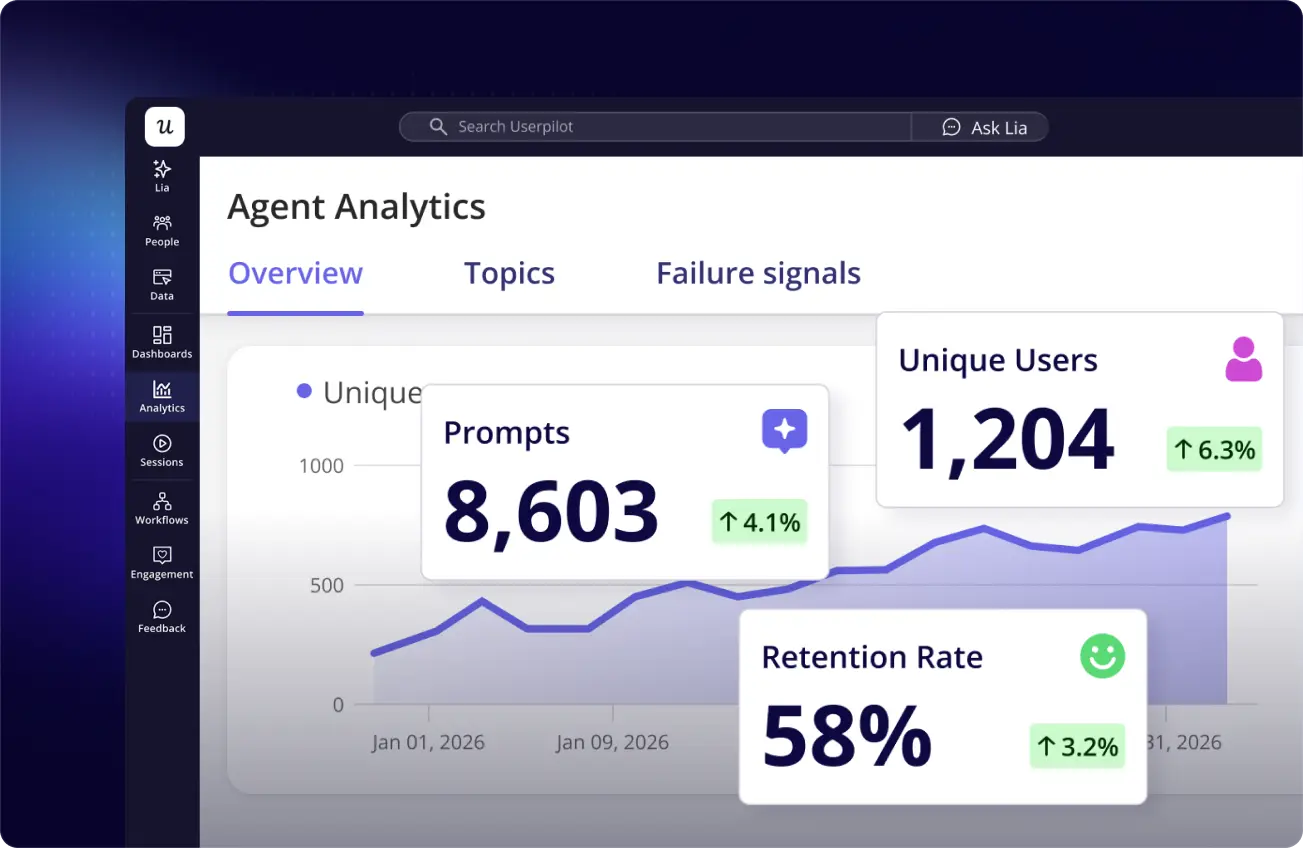
Agent Analytics

Analyzes your product data, generates content, and executes actions.

Learn More
FAQ

Frequently asked questions

What is Lia?

Lia is Userpilot's AI product agent. It connects to a company's product data, analyzes it, and answers questions about what's happening in the product — then recommends or builds the next step, from a report to an in-app flow.

How does Lia work?

Lia pulls together a company's product signals — usage events, feature data, user and company profiles, NPS, surveys, session replays, and content engagement — into one connected data layer. A user asks Lia a question or runs a skill, Lia analyzes the relevant data, surfaces the insight, explains what it means, and proposes or takes the next action.
How does Lia monitor product metrics?

Lia runs continuous, 24/7 monitoring across a company's key product metrics once data sources are connected. Instead of someone checking a dashboard, Lia watches metrics in the background and flags opportunities, risks, and patterns as they happen, so teams learn about a metric change without having to go looking for it.

How does Lia act on insights?

After surfacing an insight, Lia gives a clear, plain-language answer and next steps, then can turn that insight directly into a deliverable — for example a report, survey, or checklist — rather than leaving the user to build it separately. This "analyze → advise → act" loop is Lia's core workflow.

What are Lia's skills?

Skills are pre-built, ready-to-run analyses for common product questions. Instead of writing a prompt from scratch, a user picks a skill (or Lia auto-triggers one based on what's asked) and Lia runs that specific analysis against the connected data.

What skills does Lia come with?

Examples shown on the product page include: analyze activation, analyze feature adoption, analyze feature launch, analyze segment, analyze account health, analyze retention, summarize user sentiment, analyze a survey, and analyze dashboard. Userpilot's AI agent ships with 15 built-in skills in total, and skills auto-trigger based on the intent of a user's question (for example, mentioning "activation" calls the activation skill automatically).

Can I ask Lia custom questions, or only use pre-built skills?

Both. Users can ask Lia anything about their product in natural language, or run one of the pre-made skills for a faster, structured answer to a common question.
What data sources does Lia connect to?

Lia is built to unify signals from events and feature data, user and company data, session replays, NPS, surveys, and content engagement into a single connected view, so insights are based on the full picture rather than one isolated data source.

Is Lia part of Userpilot, or a separate product?

Lia is Userpilot's built-in AI agent — it runs on top of a company's existing Userpilot data and account rather than requiring a separate product or login.

Does Lia require manual setup or configuration?

Skills work out of the box with no manual setup required. Lia connects to data sources a company already has in Userpilot (10+ sources typically connected) and starts monitoring from there.

How is Lia different from a regular analytics dashboard?

A dashboard shows data; Lia interprets it. Rather than someone building and reading a dashboard, Lia monitors metrics continuously, explains what changed and why in plain language, and can act on the finding — which is why the product highlights "0 dashboards manually created."

Is Lia secure? How is customer data protected?

Userpilot AI is built on enterprise-grade security principles: customer data is protected, isolated from other customers, and used exclusively to generate insights relevant to that customer. Data handling is continuously monitored to stay ahead of threats.

What compliance standards does Userpilot AI meet?

Userpilot AI is built to meet SOC 2 and GDPR standards, and is also designed with HIPAA in mind, as shown by its GDPR, HIPAA, and SOC compliance badges.

Who is Lia built for?

Lia is designed for an entire cross-functional team — Product, UX Design, Customer Success, and Marketing & Growth — so each team can get answers without needing a data science background.

Does Lia replace the need for a data analyst?

Lia is designed to remove routine reporting work — pulling reports, checking dashboards, building checklists — so teams can make faster product decisions themselves. It's positioned as always-on product intelligence for the whole team, not a like-for-like replacement for a dedicated analytics function.