Userpilot Product News

Hot Off the Build

The latest features, fixes, and improvements shipping from the Userpilot team — every week, in plain language.

Workflows
New Feature
Shipped · April 2026
Mobile Screens
Feature Update
Shipped · May 2026
Product Analytics
Feature Update
Shipped · March 2026

Join 1,200 Companies Accelerating
Product Growth with Userpilot.

Search through Userpilot product news & updates

Filter by feature category, sort by date, and read every shipped change in one place — including what’s in beta and what landed last week.

Featured
Latest news
July 2026 Account Management
Feature Update

Smarter SCIM & JIT provisioning

  • Create accounts automatically with JIT
  • Access Userpilot directly from your identity provider
  • Choose where roles are managed and invite teammates in bulk with CSV

Faster, more flexible teammate management in Userpilot

We've introduced new ways to help admins add teammates, manage roles, and review provisioning changes with less manual work.

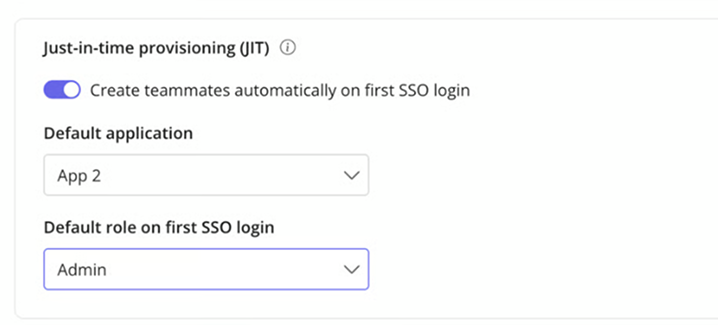
Create accounts automatically with JIT

Admins no longer need to invite every teammate manually.

When Single Sign-On (SSO) and Just-in-Time (JIT) provisioning are enabled, eligible teammates can sign in through your identity provider. Userpilot creates their account during their first login; no manual invitation or prior SCIM sync is required.

Access Userpilot directly from your identity provider

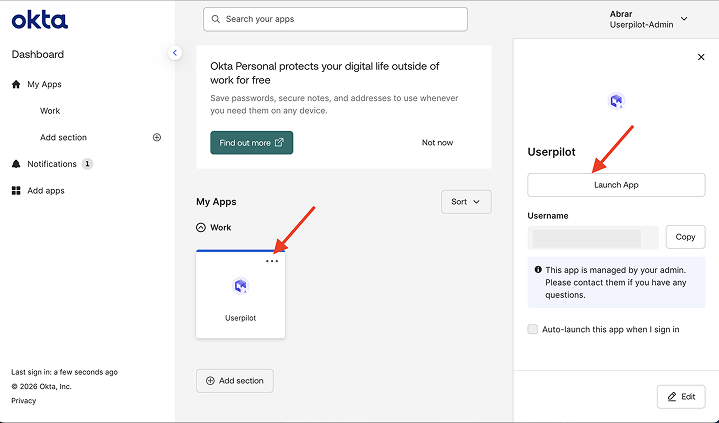
JIT also supports IdP-initiated SSO, allowing teammates to open Userpilot directly from the application tile in their identity provider.

With the standard SSO flow, the teammate starts in Userpilot:
Userpilot → Identity provider → Userpilot

With IdP-initiated SSO, they start from their identity provider:
Identity provider → Userpilot

After selecting the Userpilot tile, they are redirected to Userpilot, where JIT creates their account and completes the sign-in process.

Choose where roles are managed

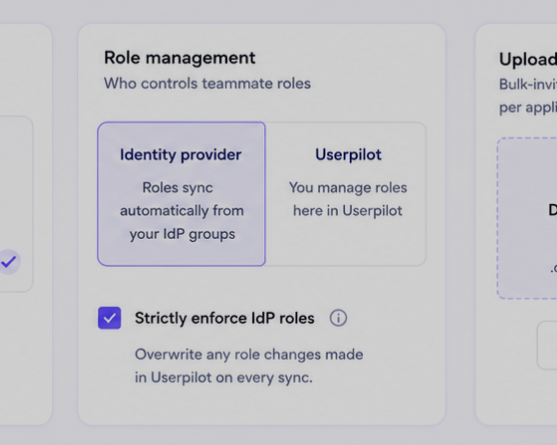
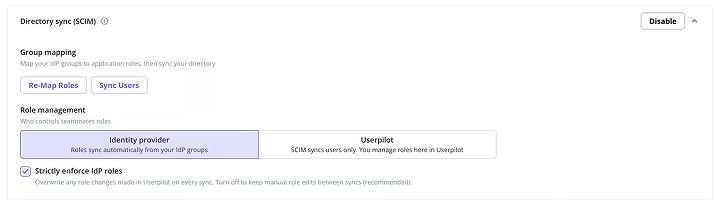
SCIM now gives admins more control over role management.

After mapping IdP users and groups to Userpilot applications and roles, you can choose where future role changes are managed:

Manage roles from your IdP — Your identity provider remains the source of truth. Changes to mapped groups or roles are reflected in Userpilot.

Manage roles in Userpilot — Userpilot admins can update roles without those changes being overwritten by the IdP. For example, a teammate can remain an Admin in Userpilot even if their IdP group is mapped to a different role.

Preview changes before applying them

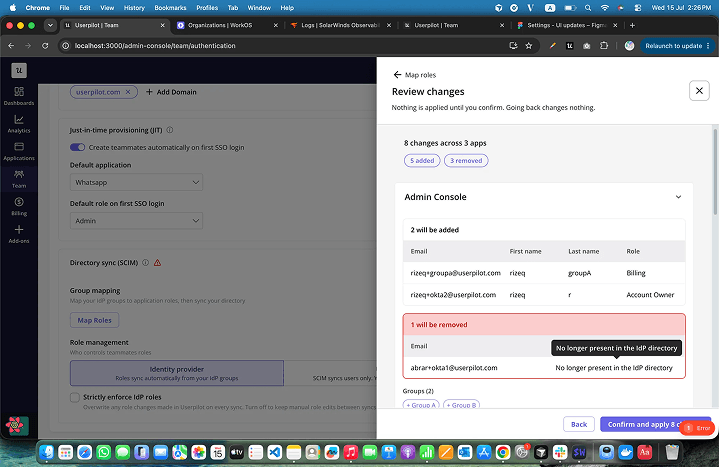
Before applying a mapping or sync, Userpilot now shows a preview of what will happen, grouped by application.

You can review teammates who will be added, role changes, memberships that will remain unchanged, and users who were not found in your IdP.

You can also use Sync Users from the Authentication page to re-sync mapped groups. A manual sync does not remove teammates. Removals only happen when mappings are changed and are shown before confirmation.

Invite teammates in bulk with CSV

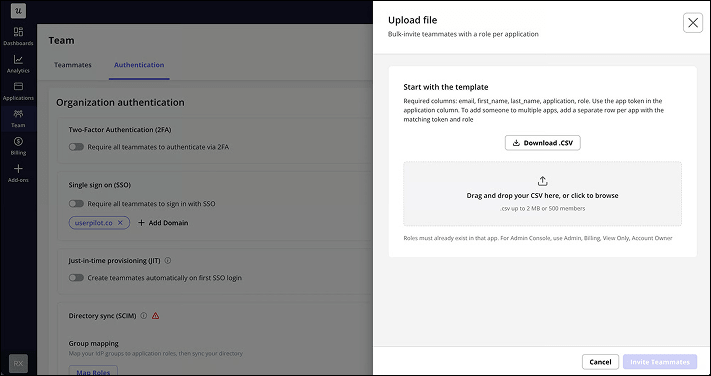
Enterprise customers can now upload a CSV file to invite multiple teammates at once instead of adding them manually.

The number of teammates you can invite depends on your plan. Upgrade to Enterprise to access bulk CSV invitations and higher teammate limits.

July 2026 Session Replay
Feature Update

Session Replay: Automatic Friction & Error Detection

  • Instantly spot sessions where users hit friction — rage clicks, dead clicks, and abandoned forms
  • Catch technical issues automatically — console and network errors
  • Open a built-in console & network log panel to debug without engineering

Session Replay Updates — Automatic Friction & Error Detection 🎉

Session Replay just leveled up — from a recording tool to a full diagnostic layer. The moment a user rage clicks, abandons a form, hits a console error, or bounces off a page just as fast as they landed on it, Userpilot catches it automatically and lines it up against the console and network activity happening at that exact moment. You can now get straight to the sessions that matter, with the full picture of why, instead of watching every recording end to end.

Smarter Session Replay will allow you to…

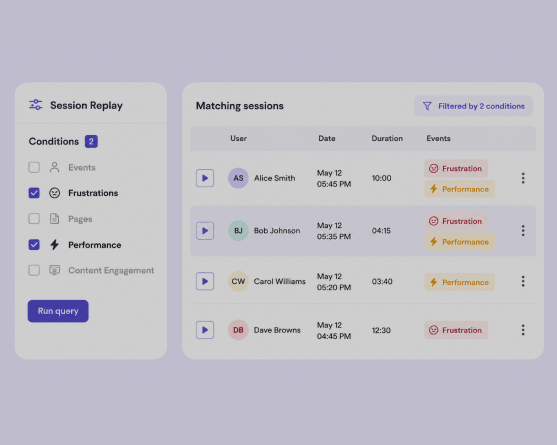
  • Instantly spot sessions where users hit friction — rage clicks, dead clicks, error clicks, u-turns, or abandoned forms
  • Catch technical issues automatically — console errors, network errors and uncaught exceptions
  • Filter sessions by any frustration or performance signal, right from the Key Event Filters
  • Jump straight to the moment a signal occurred inside a session's activity log
  • Open a built-in console & network log panel to debug errors without pulling in engineering
  • Mark expected interactions as ignored so one noisy button doesn't skew your frustration counts

Key Highlights

  • Frustration Indicators: Automatically detects six signals: rage click, dead click, error click, u-turn, thrashing, and form abandonment.
  • Performance Indicators: Flags console errors, network errors, and uncaught exceptions as they happen.
  • Developer Tools: A console & network log drawer built into the session player, synced to the replay timeline.
  • Smarter Filtering: Surface sessions with a specific frustration or performance signal directly from Key Event Filters.
  • Ignore as Expected: Suppress known, non-problematic interactions so your signal counts stay meaningful.

Availability

These updates are applicable to all accounts with Sessions enabled.

June 2026 Analytics
Feature Update

Product Analytics Update 5

  • Evaluate properties at times of event
  • Breakdown User properties by Company and Segment data
  • Password-protected public sharing
  • Extended data retention period

Analytics Update 5

We're excited to share our latest round of product updates—bringing you more accurate historical analysis, smarter funnel insights, more flexible breakdowns, and tighter control over how you share your data.

📊 Reporting Improvements

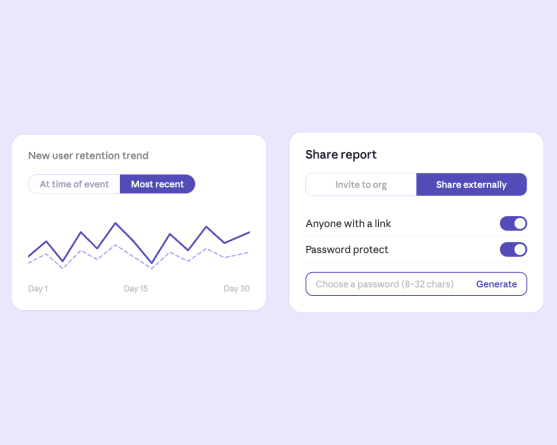
  • Evaluate Properties at Time of Event: When adding a breakdown or filter in any report, you'll now see the option to switch between Most recent (the user's current property value) and At time of event (the value that existed when the event happened). This is especially powerful for properties that change over time—plan tier, lifecycle stage, integrations enabled—giving you a true historical view.
  • Avg & Median Time to Convert in Funnels: You can now toggle between average and median conversion time in Funnel reports. Median is particularly useful for filtering out outliers and getting a more realistic benchmark for how long it actually takes users to convert.
  • Break Down User Analysis by Company Properties & Segments: Running a Users-based Trend or Funnel? You can now break down results by company properties or company segments—not just user-level ones. Slice feature adoption by account plan, industry, or any company segment without switching your analysis type.

🔒 Sharing Improvements

  • Password-Protected Public Sharing: Add an optional password to any publicly shared Dashboard, Report, or Session Replay. Recipients must enter the correct password before accessing the content—keeping your data shareable but controlled.

🗄️ Data Retention

  • Extended Retention Period — Up to 3 Years: Growth and Enterprise customers can now retain data for up to 3 years, up from 1 year. More history means richer longitudinal analysis and a clearer long-term picture of how your product and users evolve. This can be configured further for individual contracts.
June 2026 Mobile
Feature Update

Mobile Events Auto-Capture

  • Capture interactions inside your mobile app through the SDK
  • Review and label the events that matter to your team
  • Build reports and trigger mobile experiences based on real-time behavior

Mobile Event Auto-Capture

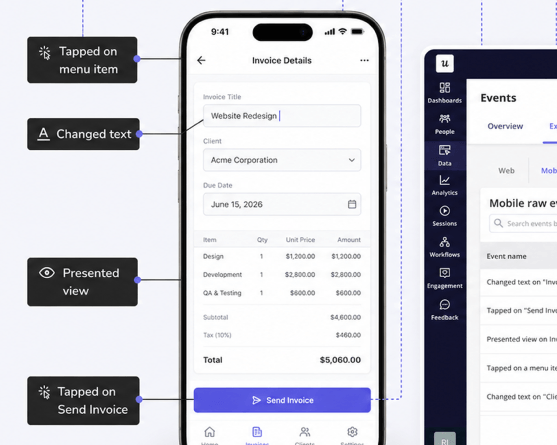
You can now automatically capture supported mobile interactions in Userpilot using Mobile Event Auto-Capture.

Here's what's new

Userpilot can now automatically capture supported interactions inside your mobile app through the SDK, reducing the need for developers to manually instrument every event.

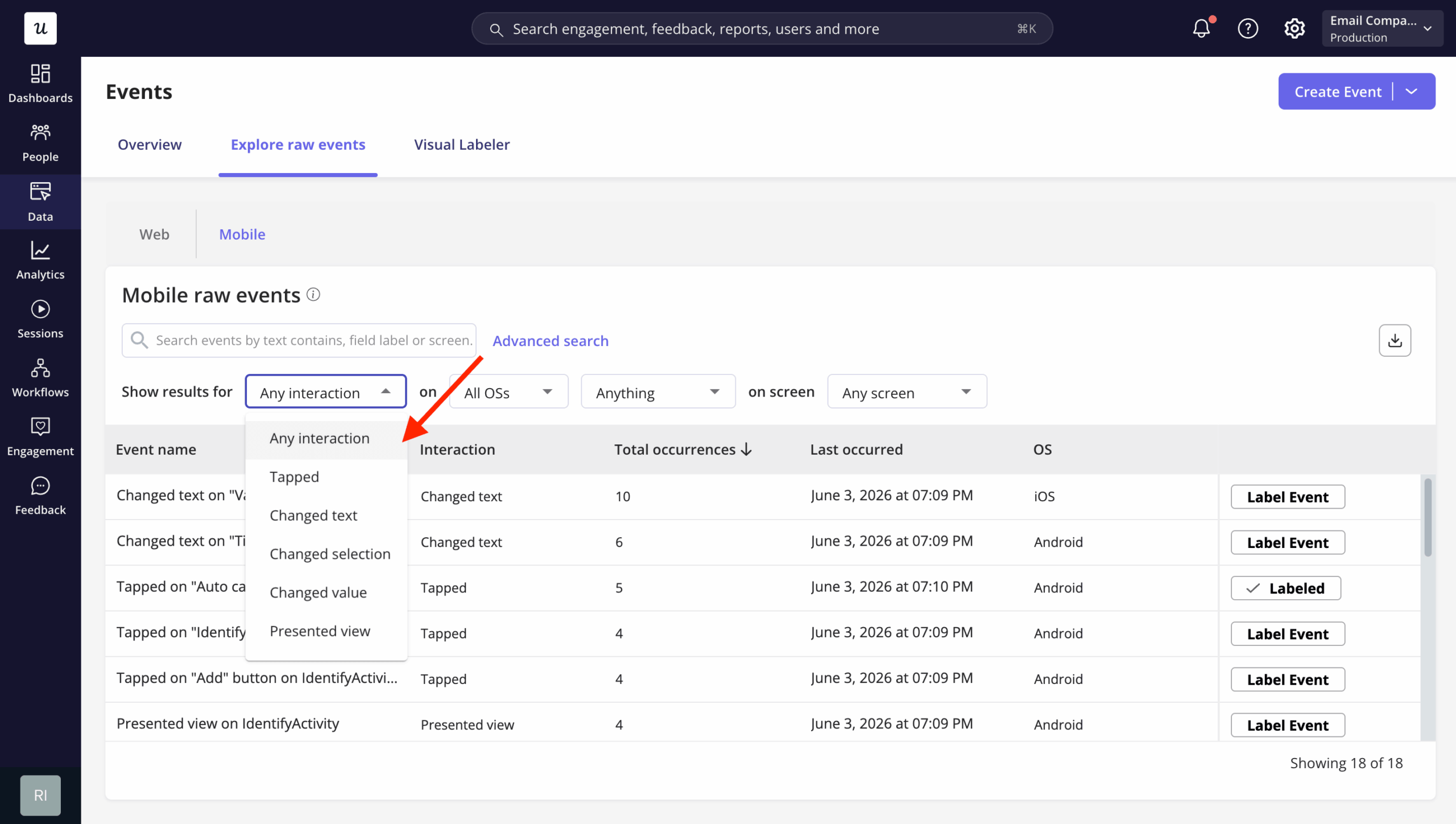
Once enabled by your engineering team, captured interactions will appear under Data → Explore raw events → Mobile, where you can review and label the events that matter to your team.

Mobile Event Auto-Capture can capture common interactions such as

  • Taps, like tapping a button, menu item, or link
  • Text changes, like typing in an input field
  • Selection changes, like selecting a tab, list item, dropdown, or menu option
  • Value changes, like toggling a switch, checkbox, slider, date picker, or time picker
  • Presented views, like opening a screen, modal, dialog, or bottom sheet

To enable auto-capture, your engineering team needs to install or update the Userpilot mobile SDK and turn on screen and interaction auto-capture for iOS and/or Android.

With labeled mobile events, you can build reports, create segments, and trigger mobile experiences based on real user behavior in your app.

Use the technical setup guides below to enable Mobile Event Auto-Capture in your app: iOS and Android.

June 2026 Analytics
New Feature

Dashboard Templates

  • Start from prebuilt dashboards for Feature Engagement, Retention, Activation, and more
  • Customize any template by adding, editing, or removing reports to fit your goals
  • New Retention Metric report type to track Day 1, Week 1, or Month 1 KPIs at a glance

Introducing: Dashboard Templates 📊

We're excited to announce the latest revamp to <strong>Userpilot Dashboard Templates</strong>, designed to help teams build meaningful dashboards faster, customize insights more easily, and get a clearer view of performance in one place. With this update, we're improving how users discover, create, and customize dashboards, making it easier to move from scattered insights to actionable reporting.

What's new?

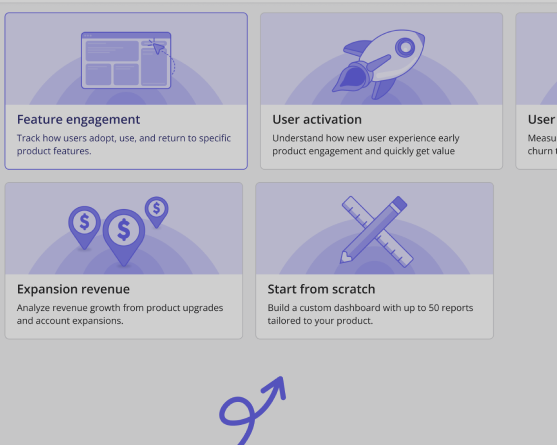
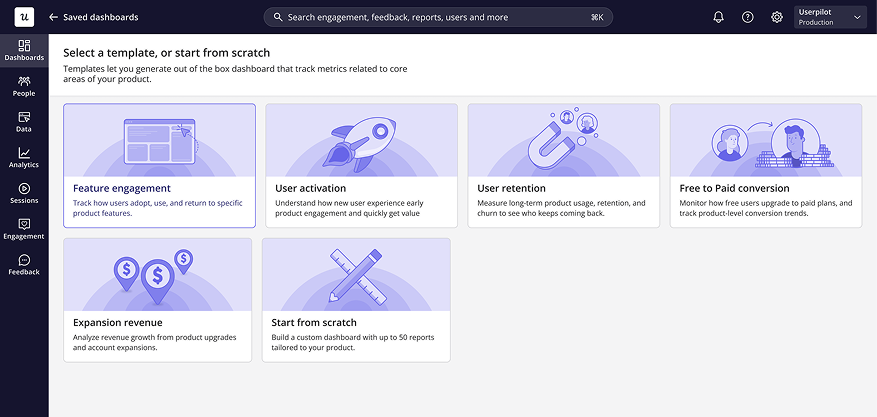
Dashboard templates are now easier to discover and apply, helping you start from guided, prebuilt dashboards instead of building everything from scratch. You can use templates built around common product and customer goals, such as: Feature engagement, User activation, User retention, Free-to-paid conversion, and Expansion revenue.

More flexibility for reporting

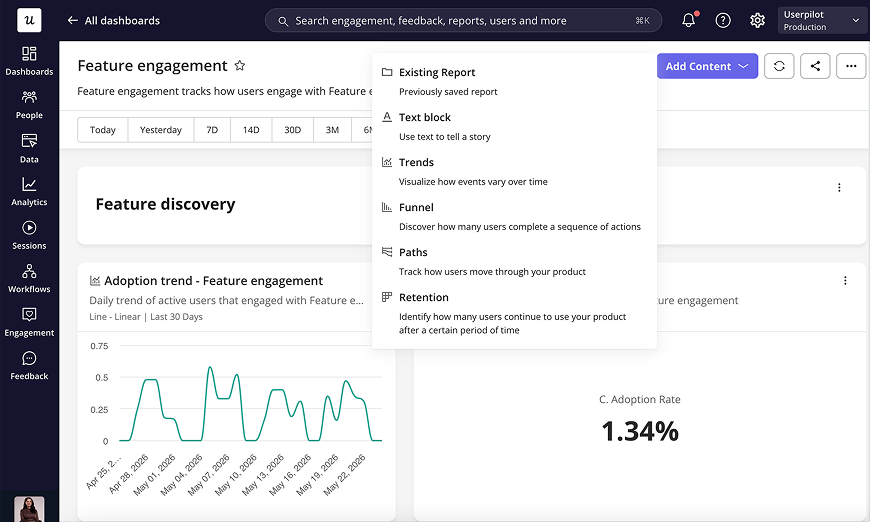
Now, you can use system dashboards, such as Feature Engagement, User Retention, and User Activation, as templates. After creating a dashboard from a template, you can customize it to fit your needs by adding new content, removing reports, or editing the default reports.
This change gives teams a faster starting point while still keeping the flexibility to tailor dashboards around their own goals. Instead of building everything from scratch, you can start with a recommended dashboard structure and then adjust it based on the metrics, reports, and insights that matter most to your team.

New retention metric report type

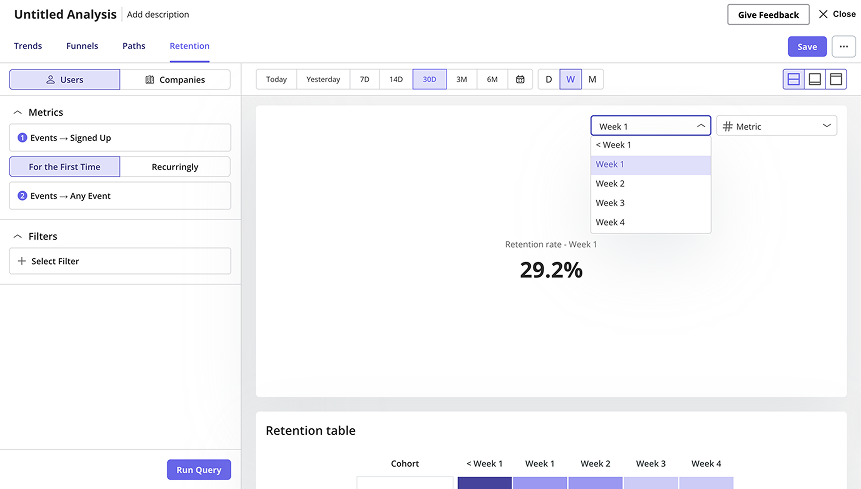
We're also introducing a new Retention Metric report type. This allows you to track retention as a single metric for a specific period, such as Day 1, Week 1, or Month 1 retention. It gives teams a faster way to monitor key retention KPIs without needing to analyze the full retention trend or table every time.

May 2026 Engagement
Feature Update

Mobile Screen Auto-Capture

  • Automatically detect screens in your mobile app through the SDK
  • Review, tag and organize captured screens before use
  • Reduce engineering dependency for mobile screen tracking

Mobile Screen Auto-Capture

We've made it easier to track mobile screens in Userpilot with <strong>Mobile Screen Auto-Capture</strong>.

Here's what's new

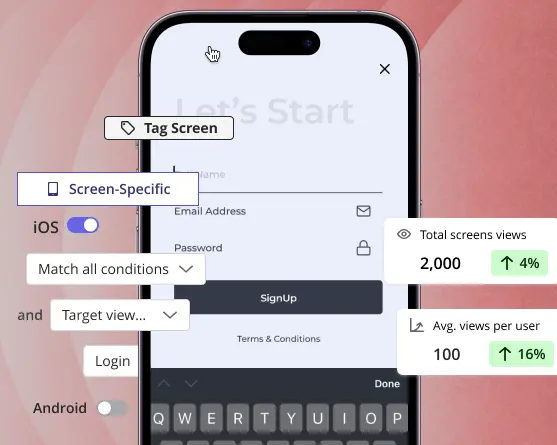
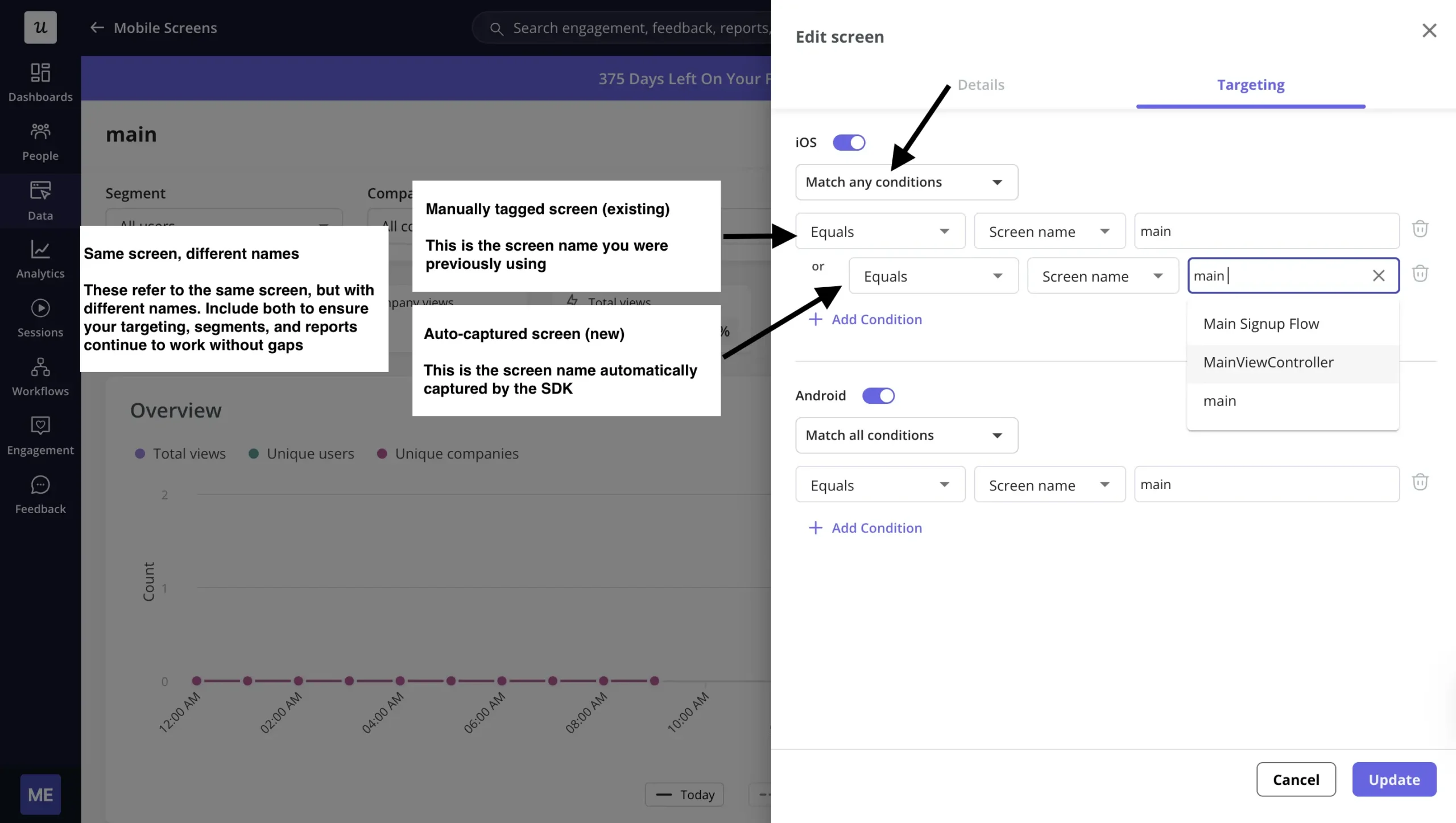
Userpilot can now automatically detect screens in your mobile app through the SDK, reducing the need to manually track each screen through code. Once enabled by your engineering team, captured screens will appear under Data → Mobile Screens → Untagged Screens, where you can review, tag, and organize them before using them across Userpilot.

With tagged mobile screens, you can

  • Trigger mobile experiences on specific screens
  • Target users based on where they are in your app
  • Analyze screen-level performance
  • Build more accurate reports and segments

Important note

This is especially helpful if your mobile app has many screens, frequent screen changes, or if you want to reduce engineering dependency when setting up mobile screen tracking.

If you're currently tracking mobile screens manually and want to switch to auto-capture, your existing screen names may not match the new auto-captured names. To avoid targeting or reporting issues, check the detailed migration guidance in this article before switching.

What's next

A detailed article is also available if you'd like to learn more about setup, tagging, and best practices. We're also working on Mobile Event Auto-Capture 🔥, coming soon to help you capture mobile user interactions with less manual tracking.

April 2026 Engagement
New Feature

Cards: New in-page content pattern for Embeds

  • In-page content blocks that appear directly within your UI
  • Up to 4 Cards in a single Embed
  • Banners and Cards now managed together inside Embeds

Introducing: New UI pattern – Cards ✨

We have updated how Banners are organized in the product and introduced a new content type, Cards.

Here's what's new:

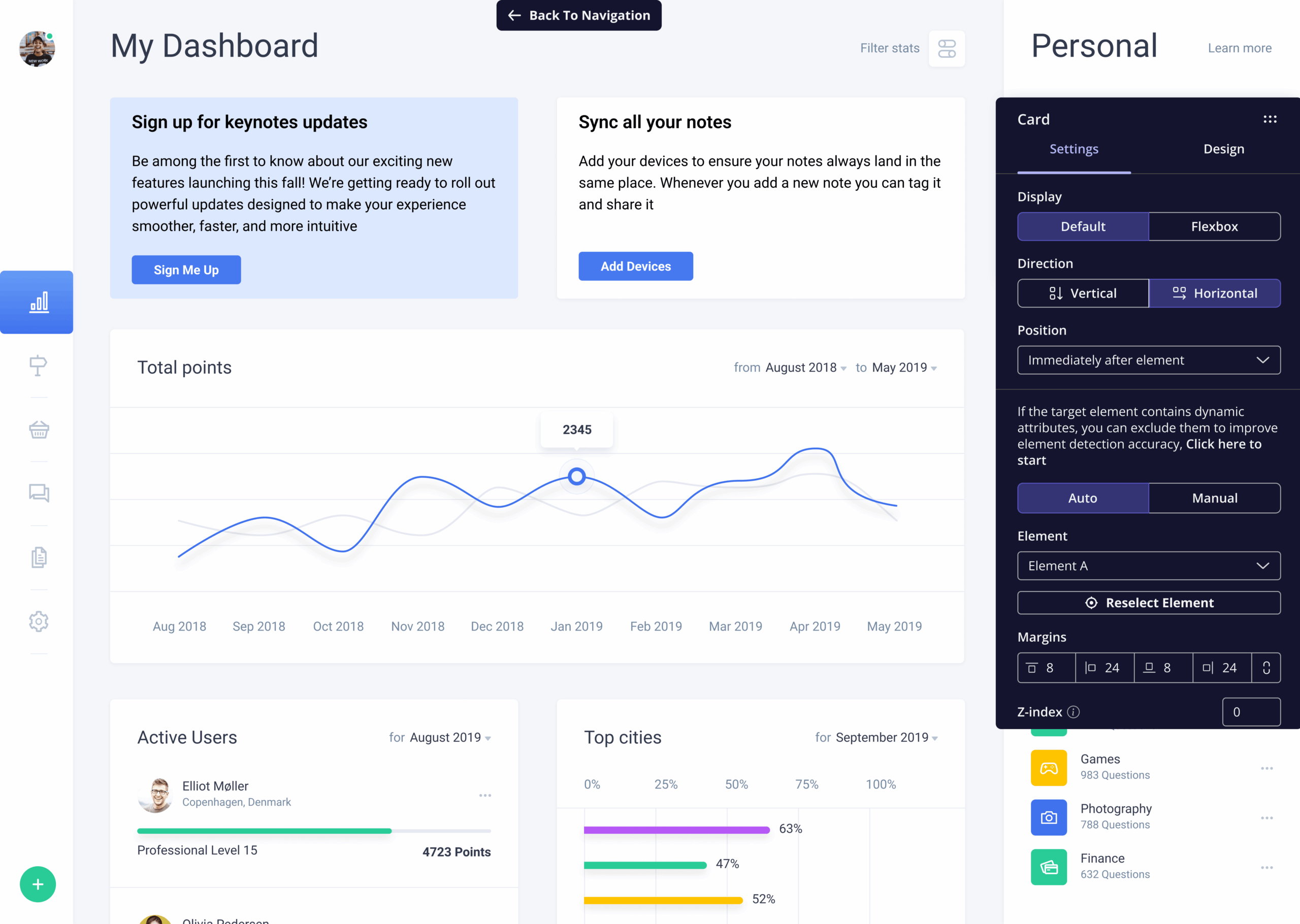
  • Banners are now part of <strong>Embeds</strong>, bringing everything into one unified place.
  • You can now create and manage <strong>Cards and Banners together</strong>, making it easier to build content that fits directly within your product experience.

What are Cards?

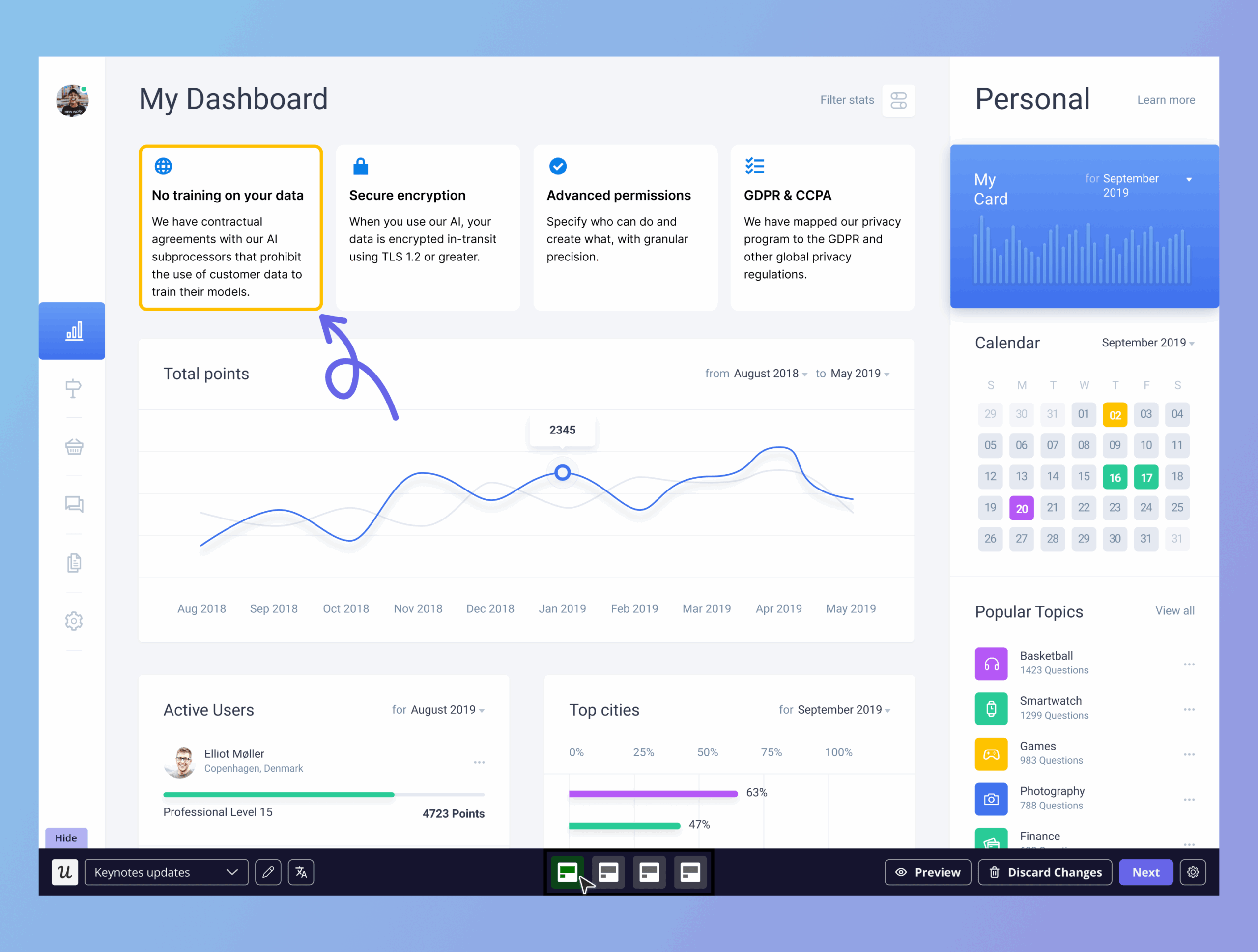
Embeds introduce Cards — in-page content blocks that appear directly within your UI to guide users, highlight actions, and organize information. You can create up to 4 Cards in a single Embed, helping you structure content within the same UI area.

Where to find it

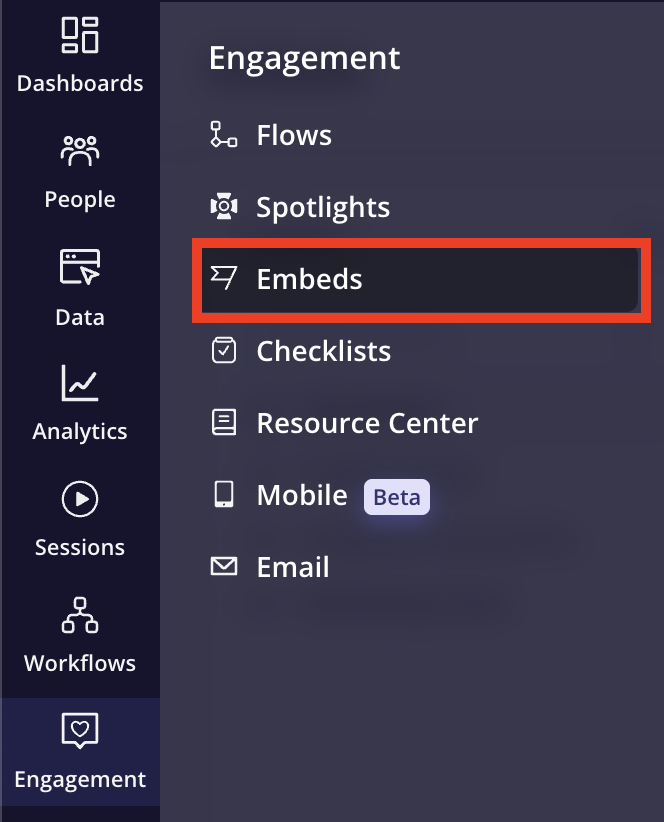
From the navbar, go to Engagement → Embed to start creating Cards or Banners. There is also a detailed article available if you would like to learn more.

April 2026 Engagement
New Feature

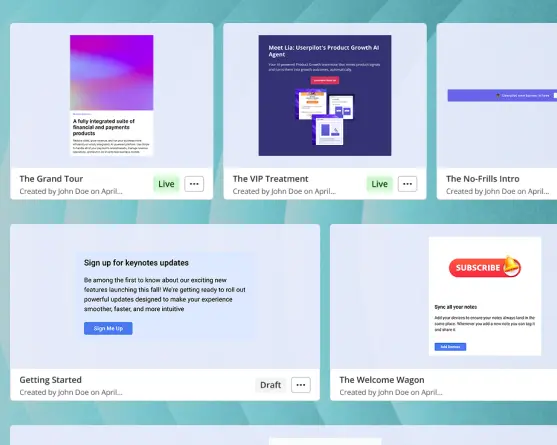
Workflows: Orchestrate multi-channel user engagement from one place

  • Branch flows on True/False conditions and event triggers
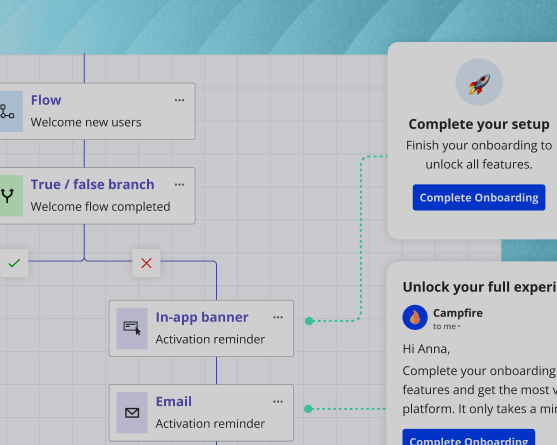
  • Coordinate in-app banners, modals, emails and push from one canvas
  • Activation reminders that fire only when a user actually stalls

Introducing: Workflows 🎉

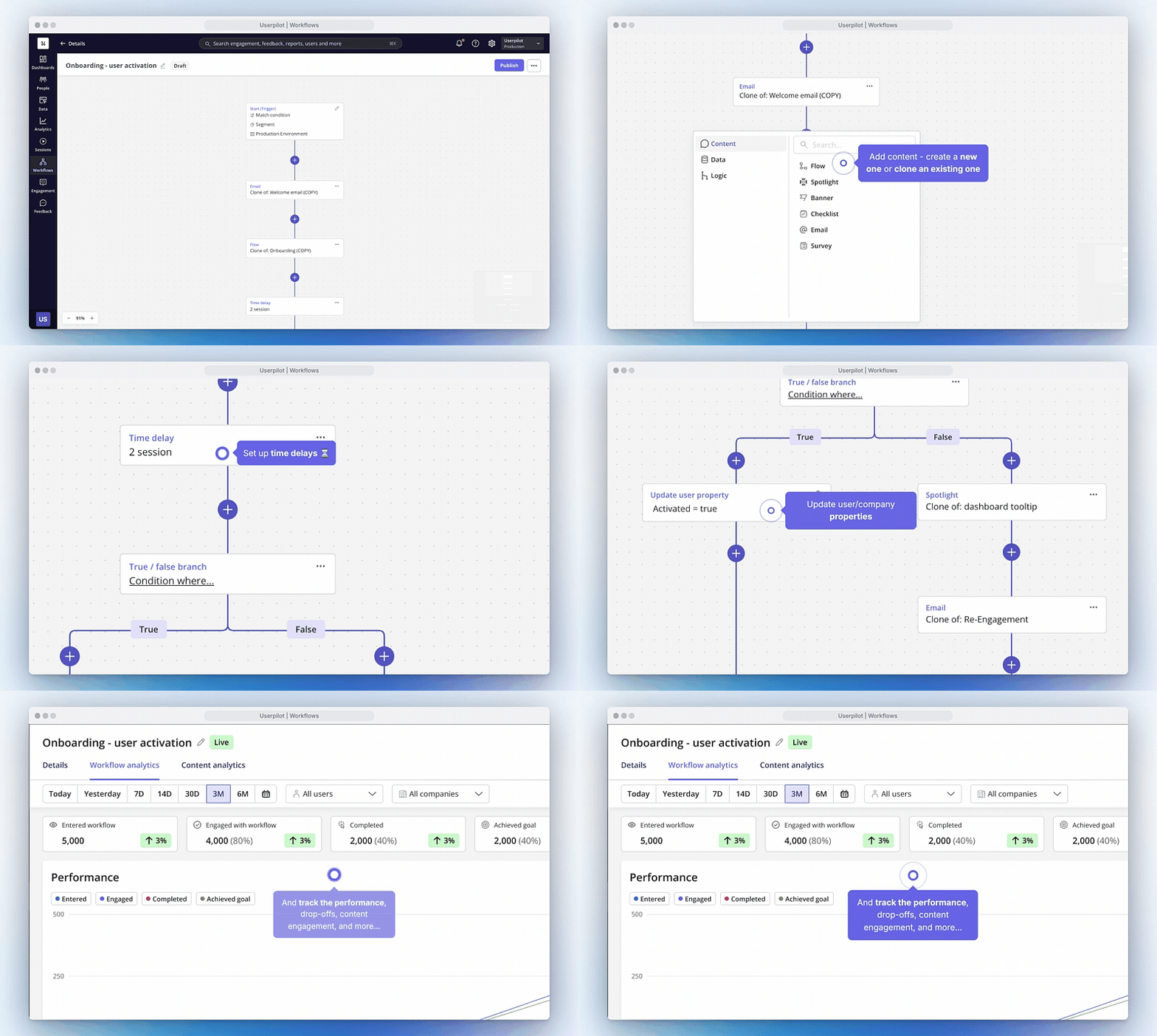
We're excited to announce the launch of Workflows. With this new feature, you'll be able to design and automate multi-step user journeys across your product — all from a single, visual builder.

Workflows will allow you to …

  • Design multi-step user journeys that adapt based on behavior, attributes, or engagement
  • Trigger in-app content, emails, surveys, and other experiences at the right moment
  • Automate lifecycle campaigns such as onboarding, adoption, and re-engagement
  • Personalize paths dynamically using user and company data
  • Coordinate cross-channel experiences from a single workflow
  • Track progress and keep user data up to date automatically

Key Highlights

  • Visual journey builder: Create and manage complex workflows with an intuitive drag-and-drop canvas
  • Branching and logic controls: Guide users down different paths based on conditions and actions
  • Flexible timing: Add delays based on time, sessions, or specific dates to control pacing
  • Content + data orchestration: Combine user-facing experiences with backend updates in one flow
  • Automation at scale: Deliver personalized experiences without engineering effort
  • Testing and optimization: Configure environments, re-enrollment, and goals to continuously improve outcomes

Availability

Workflows is available on Growth and Enterprise plans for no extra cost.

March 2026 Engagement
Feature Updates

User Engagement Updates

  • Images in Design Library
  • Exclude specific users / companies from seeing Userpilot content
  • Mobile content throttling to prevent message fatigue

User Engagement Updates — March 2026

Excited to share a few new updates now live in Content Engagement:

What shipped

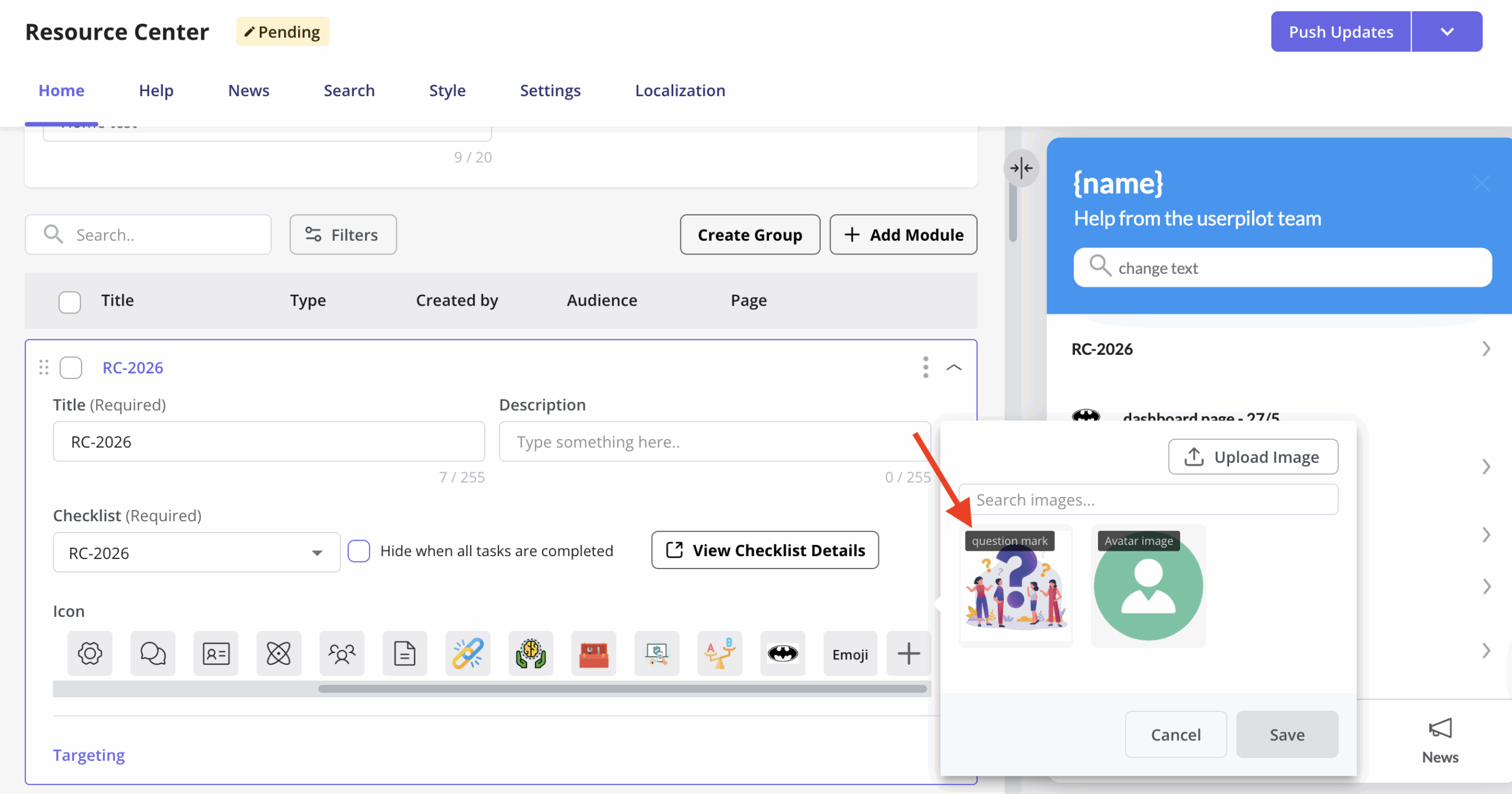
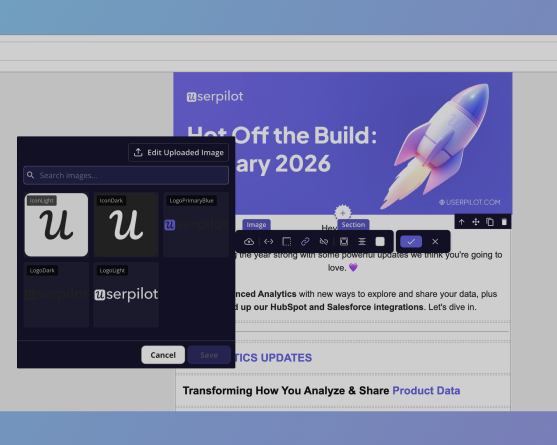
  • Design Library images everywhere: You can now use uploaded images from the Design Library across all Userpilot features, including Mobile, Resource Center, and Checklist icons. This makes it much easier to keep branding and visuals consistent across experiences.
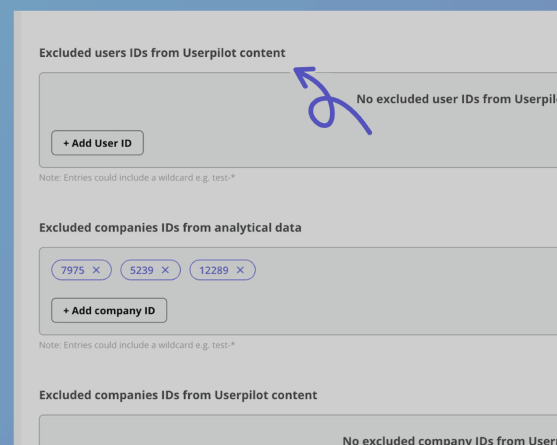
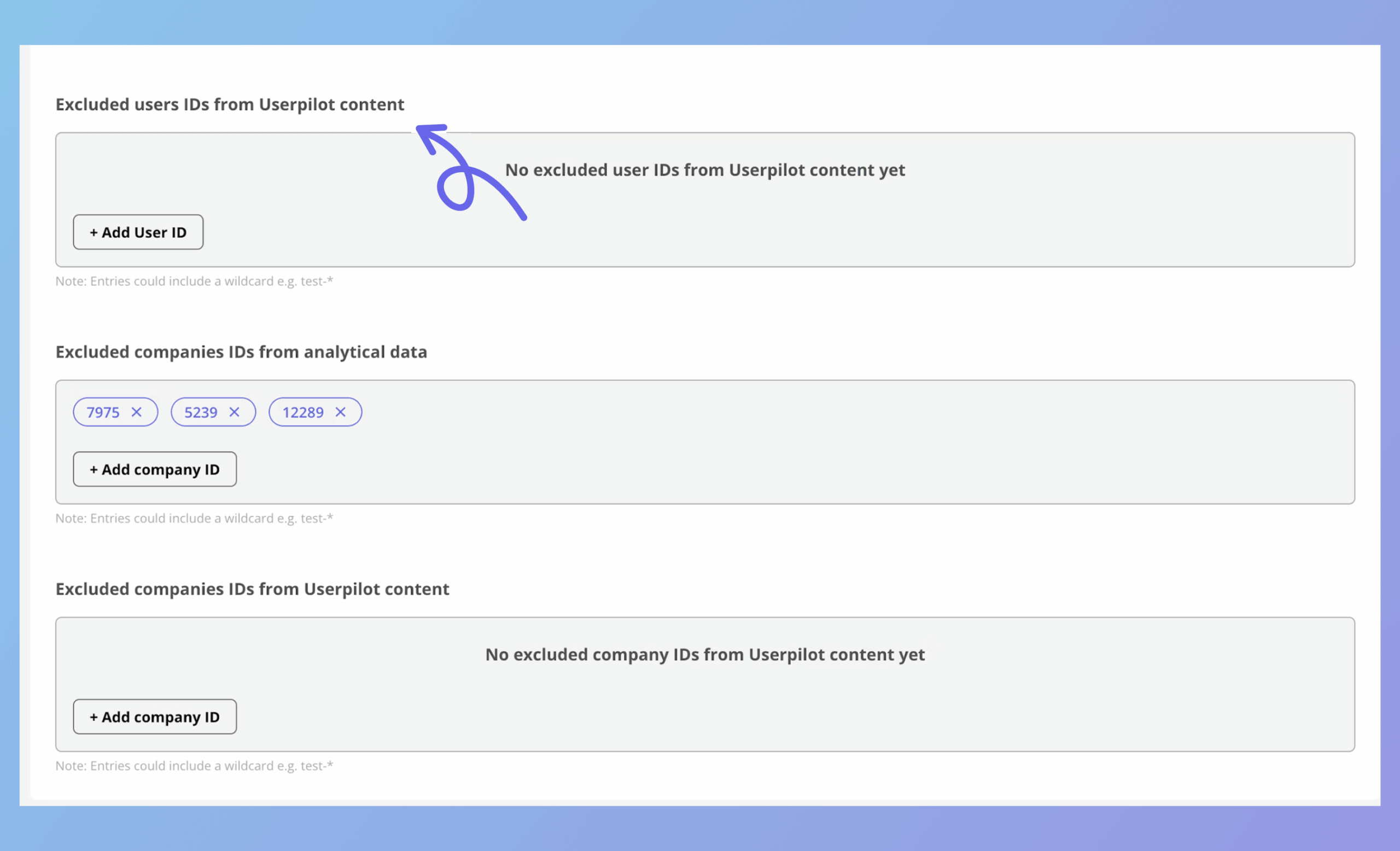
  • Exclude specific users or companies: You can now exclude selected users or companies from seeing Userpilot content. Perfect for use cases like hiding experiences from internal or test accounts, running targeted experiments, and preventing beta content from showing to specific customers.
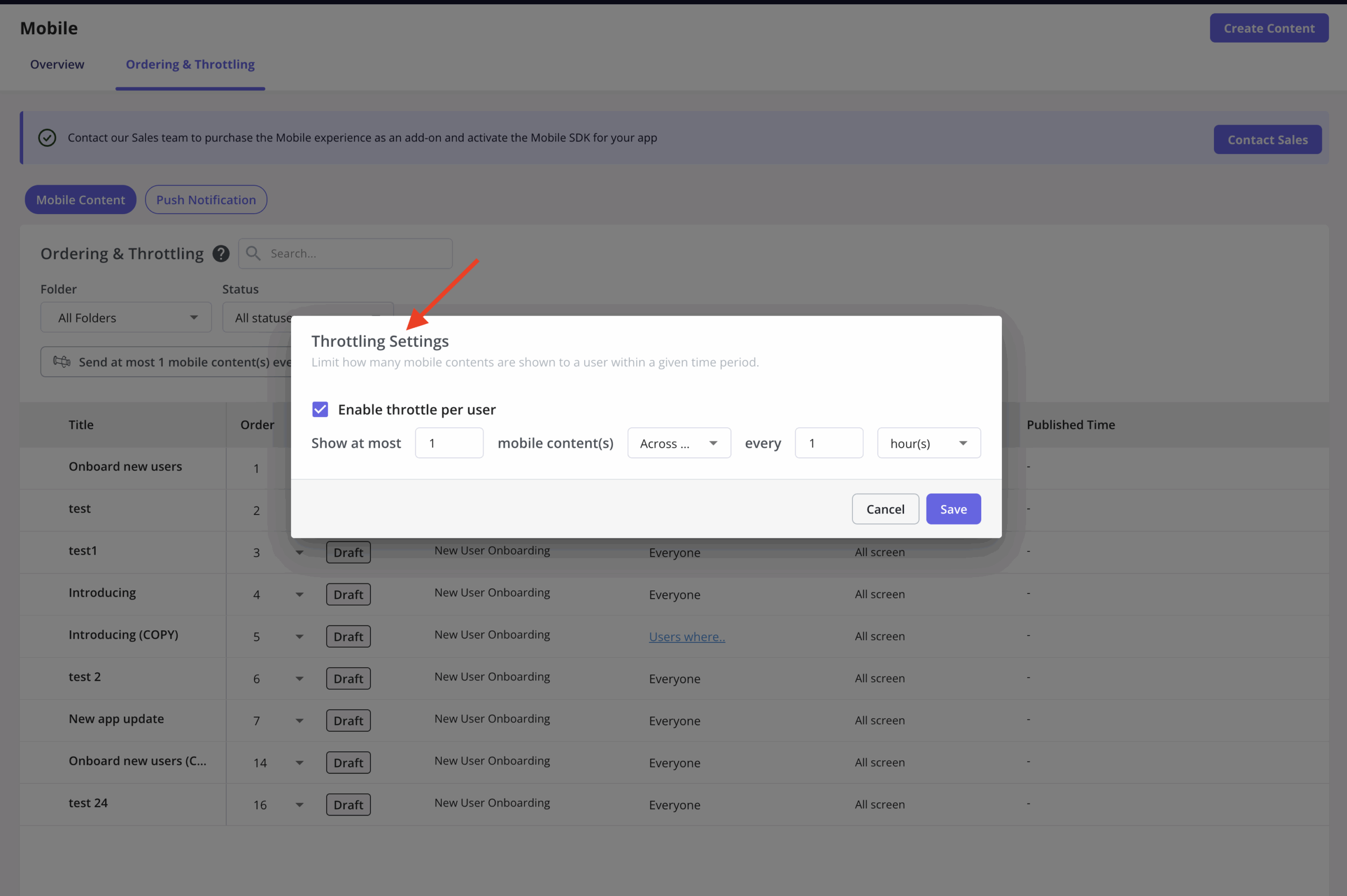
  • Mobile content throttling is here: Slideouts and carousels now support their own throttling settings, separate from push notifications. This gives teams more flexibility and better control across mobile channels, making it easier to fine-tune frequency without impacting push campaigns.
March 2026 Analytics
Feature Updates

Product Analytics Update 4

  • Deeper breakdown analysis across any user property
  • More powerful Path analysis with up to 12 steps
  • External sharing of Sessions with read-only links
  • Trends improvements: smoothing, projections, anomaly markers

Product Analytics Update 4

We're excited to introduce our latest round of Analytics enhancements—bringing you deeper flexibility, smarter breakdowns, and more powerful path analysis.

Paths Improvements

  • Hide Metrics from a Path Report: You can now hide specific events that are irrelevant to the journey you're investigating—removing the noise so you can surface the next most common steps in your users' paths and zero in on meaningful interactions.
  • View Breakdown of 'Other Events': The "Other events" category is no longer a blind spot. You can now drill into exactly which events make up that group at any step in your Path report—giving you a complete, accurate picture of everything your users are doing, even when it falls outside the primary flow.
  • Support Mobile Screens in Path Reports: Alongside web events, you can see exactly where mobile screens appear in your users' journeys—giving you a complete, cross-platform view of how users navigate through your product.

Breakdown Improvements

  • Multiple Breakdowns (Stack Two at Once): You can now layer two breakdowns on top of each other within a single report. For example, break down feature adoption by user segment to see who's engaging—then add a second breakdown by Country or Plan Type to understand why usage patterns differ.
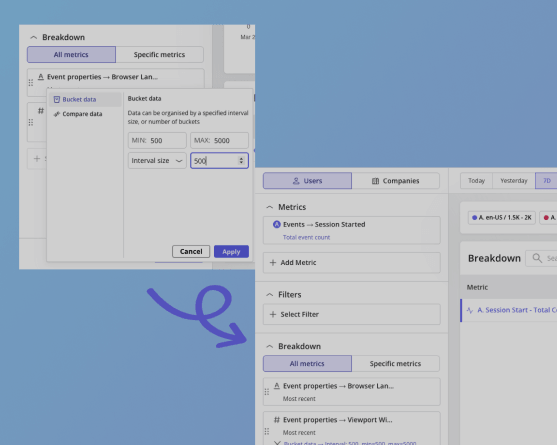
  • Bucketing in Breakdowns: Group similar property numeric values into buckets. For example, instead of seeing 50+ individual screen height values when analyzing device usage, group them into meaningful ranges, instantly revealing which screen sizes the majority of your users are on, without having to wade through a wall of raw numbers.
  • Baseline Comparative in Breakdowns: Put your breakdown data in context with two new comparison modes: <strong>Compare to a baseline</strong> — pin your best-performing property value as a reference point and see how all other values stack up; or <strong>Compare to Overall</strong> — view each property value as a percentage of the total, giving you a clear picture of relative contribution across the board.

Trend Improvements

  • Frequency Filters: Get precise about how often users are doing something, not just whether they did it. Add inline frequency filters to any metric—for example, isolate users who started fewer than 3 sessions per month (churn risk) or more than 10 (power users)—and compare them side by side in the same report.
  • Comparative View of Total Value Charts: Overlay a comparison of the same metric from the previous time period directly on your total value charts—making it easy to see at a glance whether performance is trending up, down, or holding steady over time.

Sessions Improvements

  • External Sharing of Sessions: Session replays can now be shared externally—generate a link and send it to teammates or stakeholders outside your Userpilot workspace, no login needed.

What's next

✨ This release continues our commitment to making Userpilot Analytics more flexible, more powerful, and more collaborative. There's plenty more in the pipeline—stay tuned for what's coming next!

February 2026 Engagement
Feature Updates

Content Engagement - Latest Improvements

  • Smarter Mobile Push testing
  • Design Library in Email
  • Email CTA breakdowns by audience
  • Expanded Signals coverage

Content Engagement Features - Latest Improvements 📣

We're kicking off the year with powerful upgrades to content engagement across mobile, email, and signals, all designed to give you better control, cleaner testing, and deeper insight into how users interact with your content.

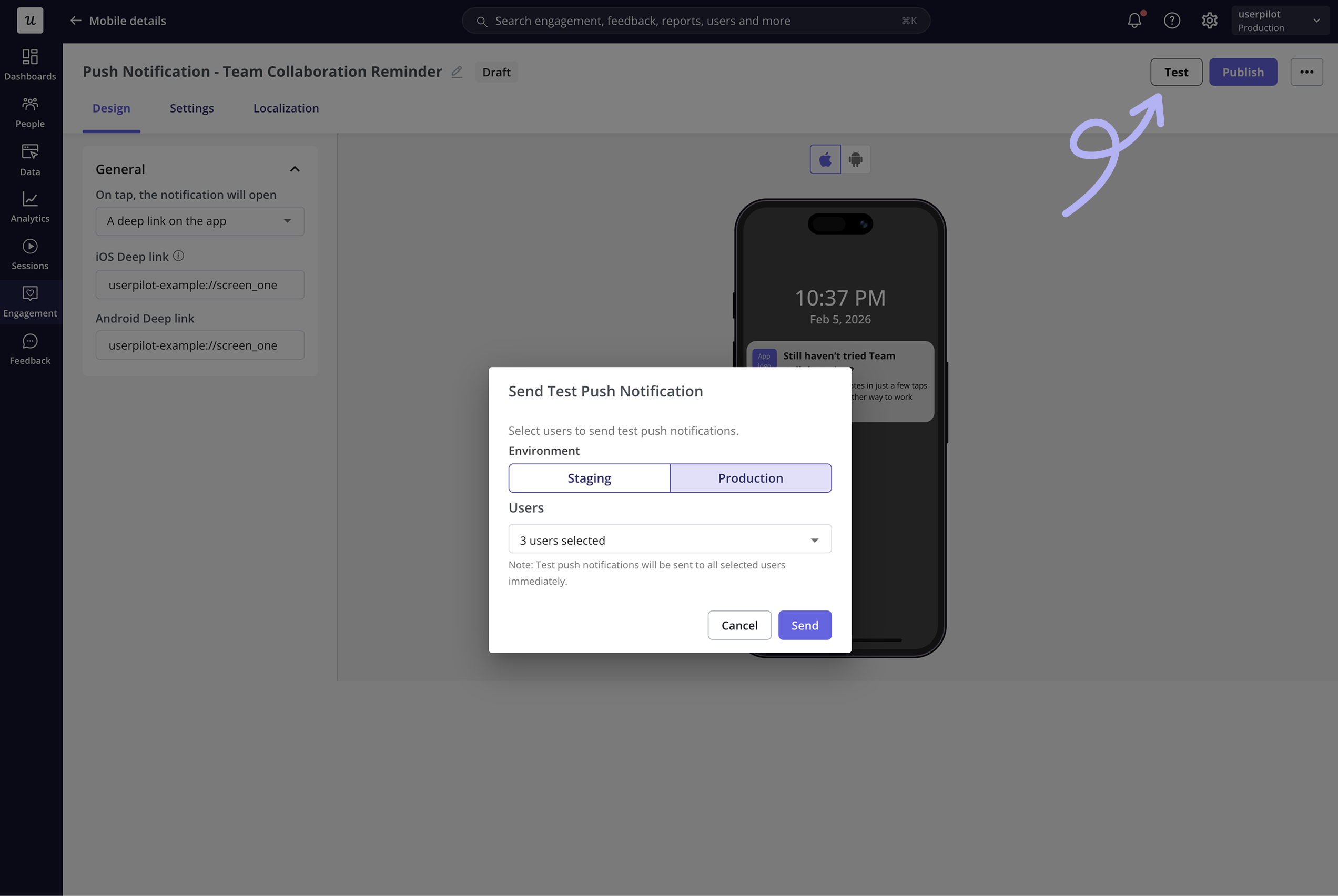
Smarter Mobile Push Testing

  • Test to specific users: You can now send test push notifications to a specific user by selecting them directly. This makes it easy to validate content on real devices without impacting your full audience.
  • Staging & Production separation: We also separated Staging and Production mobile app setups, so each environment can be configured independently, reducing risk and setup errors.

Design Library Now Available in Email

Your design library is now fully supported inside the Email feature. Use your predefined colors, button styles, and uploaded images directly in emails to keep everything perfectly on-brand, with much faster styling and setup.

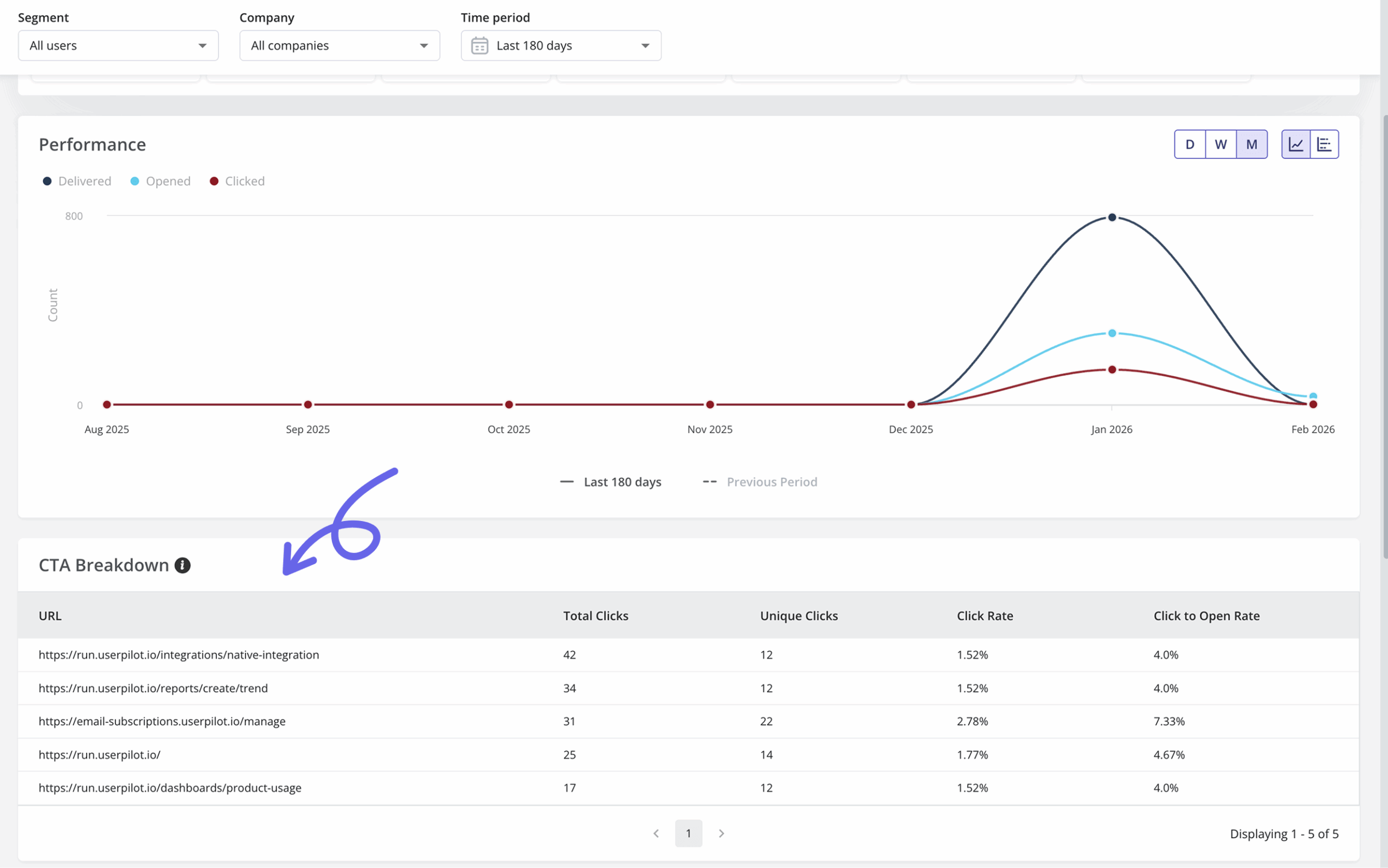
Email CTA Breakdown

Get deeper visibility into email performance with CTA Breakdown. You can now see exactly which links users clicked and the engagement metrics for each one.

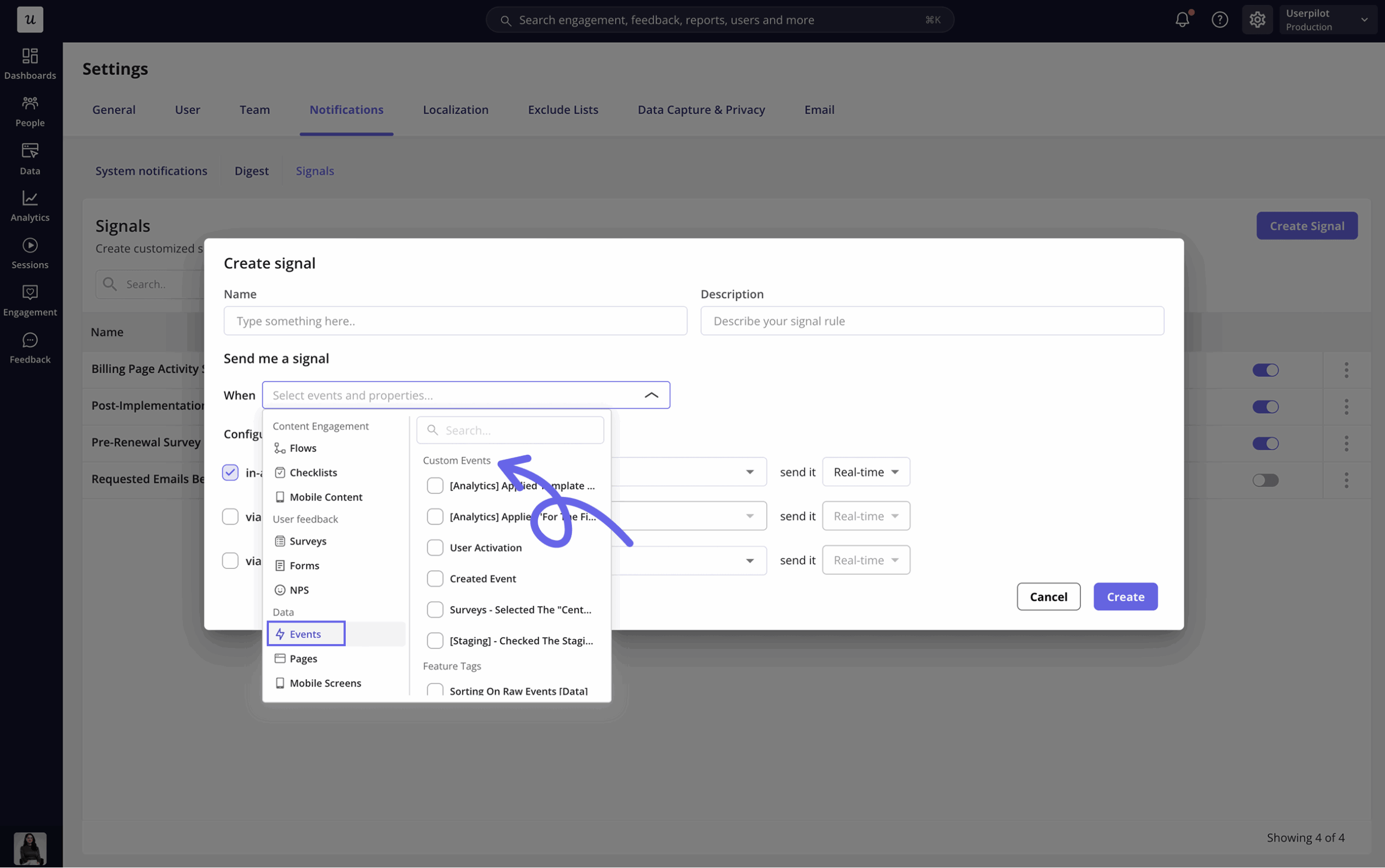
Expanded Signals Coverage

Signals now support all event types, including custom events, feature tags, and labeled events, giving you broader and more flexible tracking across your user activity.

More control, more insight, and faster workflows, more updates coming soon. Stay tuned ✨

February 2026 Analytics
Feature Updates

Product Analytics Update 3

  • External sharing of Dashboards and Reports
  • Trends Templates for common SaaS metrics
  • Scatterplots for correlation analysis
  • New Page & Path event property & more

Analytics Update 3 [& External Sharing 🎉]

We're excited to introduce the third update in our Analytics enhancements series—bringing your insights even further beyond the Userpilot workspace. This release is all about <strong>sharing, flexibility, and richer data exploration</strong>. Here's what's new:

External Sharing With Public Links

With external sharing, you can now generate public links for Dashboards and Reports, or choose the specific emails that should be able to access — making it easy to share insights with teammates who don't have a Userpilot account. Navigate to Settings to enable this functionality.

Trend Templates for Faster Reporting

Getting started is now quicker than ever with predefined Trend templates that can then be manipulated using filters and breakdowns. Templates include: Top 10 Users, Top 10 Companies, Top 10 Events, and Top 10 Pages.

Scatterplots for Deeper Pattern Discovery

We've introduced Scatterplots when using numerical breakdown properties—unlocking a clearer view of ranges, distributions, and outliers. Scatterplots show the actual numeric values, helping you identify trends that were previously hidden.

Sortable Tables in Events & Pages

You can now sort tables by any numeric or date column, making it easy to surface most or least triggered events, highest or lowest occurrences per user, and recent vs. historical activity.

Custom Date Ranges on Dashboards

Dashboards now support Custom Date selections, giving you precise control over the time periods you analyze.

Break Down Different Metrics by Different Properties

You're no longer limited to using the same breakdown logic across metrics. You can now break down different metrics by different properties within the same report, opening the door to more nuanced, multi-dimensional analysis.

New Event Property: Page & Path

We've added Page and Path as event properties, making it easier to analyze behavior based on where users are in your product. This gives you more flexibility when filtering, breaking down, and understanding in-context user actions.

✨ Update 3 continues our mission to make Userpilot Analytics more collaborative, flexible, and insight-rich. And we're not stopping here—more enhancements are already on the way. Stay tuned!


January 2026 Integrations
New Feature

HubSpot & Salesforce Advanced Integrations

  • Map CRM fields directly to Userpilot user and company properties
  • Sync custom events to HubSpot for richer behavioural data (HubSpot only)
  • Run syncs on a schedule to keep your CRM data automatically up to date

Introducing: HubSpot & Salesforce Advanced Integrations 🎉

We're excited to announce the launch of Advanced Integrations with HubSpot & Salesforce 🎉 — giving you even greater control over how in-app product data flows into your CRM and unlocking richer insights into your users.

What's New

  • CRM field mapping: Map any Userpilot user or company property directly to a CRM field in HubSpot or Salesforce.
  • Custom event sync (HubSpot): Push Userpilot custom events into HubSpot as contact activity, giving sales full visibility into in-app behaviour.
  • Scheduled sync: Configure automated syncs to run on a set schedule so your CRM data is always fresh — no manual exports needed.
  • Segment-to-CRM list sync: Send Userpilot segments to HubSpot lists or Salesforce campaigns to power targeted outreach.
  • Bi-directional property sync: Receive CRM contact and account data back into Userpilot to enrich user profiles and targeting.
  • Sync history & status logs: Review a full log of sync runs, see what was sent, and quickly diagnose any issues.

Availability & Pricing

Enterprise plan: Advanced Integrations are included at no extra cost. Growth plan: Available as a paid add-on — reach out to your account manager or our support team to get access.

How to find out more

Head to Integrations → HubSpot or Integrations → Salesforce inside Userpilot to get started. Full setup documentation is available in our Help Center, and our team is on hand if you need any help configuring the integration.

Nothing matches your filters yet

Try a broader search term, or reset the category filter.