How Whale Lifted First-Time Activation With No-Code Flows and Precise Targeting


Whale is an AI-powered knowledge-sharing platform that helps teams capture their standard operating procedures (SOPs). A user records a process once, and Whale’s AI turns it into a step-by-step guide.
Whale’s customers range from public schools and universities to manufacturers and finance teams. Based in Ghent, Belgium, the roughly 20-person company helps organizations cut onboarding time and reduce repetitive internal questions.
| ⚙️ Challenges | An inconsistent in-app tool couldn’t target Whale’s different views, so the team had to tighten its onboarding sequence. Email announcements pulled only 20 to 30 webinar sign-ups, and generic checklists didn’t fit how Whale’s free users behaved. Whale needed a stable, no-code solution to guide thousands of weekly free-trial users to activation. |
| 🏆 Solutions | ✅ Whale replaced an unstable tool with Userpilot flows and tooltips that work reliably for thousands of weekly free users, including views where the URL doesn’t change. ✅ Moving webinar promotion from email to in-app announcements grew sign-ups from 20 to 30, up to more than 200. ✅ Segmentation by role, plan, and lifecycle, plus page-specific tooltips, replaced generic checklists and lifted first-time content creation. ✅ With Goals, the team ties flow to activation moments without exporting data to a separate BI tool. |
Challenges: An unstable engagement tool and low email engagement
Whale’s PLG team wanted to move more free trial users to paid plans by guiding them to value as quickly as possible. Thomas Laureys, Whale’s Senior Customer Experience Manager, went looking for an in-app engagement and analytics tool that could help with the following challenges:
An unreliable in-app engagement tool. Before Userpilot, Whale used a different in-app tool that fired inconsistently. A tooltip would show for one user and not the next, and the tool couldn’t target Whale’s different views, where the URL stays the same. The team couldn’t rely on it, and eventually stopped using it altogether.
Onboarding that didn’t fit the users. A couple of thousand free users sign up every week, and Whale needed to guide them to their first activation moment. Generic checklists didn’t match how Whale’s users actually behaved, so the team needed a more flexible onboarding approach.
Low engagement from email. Whale leaned on email for announcements such as webinars, and those invites pulled only 20 to 30 sign-ups. The team needed a channel that reached users inside the product, where they were already engaged.
Solutions: Stable no-code flows, in-app announcements, and precise targeting
When choosing a tool, Thomas put reliability first. A competing vendor had even told him that at Whale’s size, Userpilot was the better fit, so he booked a demo and tested it.
“We had a conversation and a demo, we tested Userpilot out, and it worked. After that, I couldn’t care less about any other tool.”
Stable no-code flows and tooltips that work at scale
The feature Thomas values most is the one that sounds least exciting: stability. Across thousands of weekly free users, flows appear consistently with all the chosen conditions, with no need to re-tweak them. Userpilot also handles Whale’s different views.
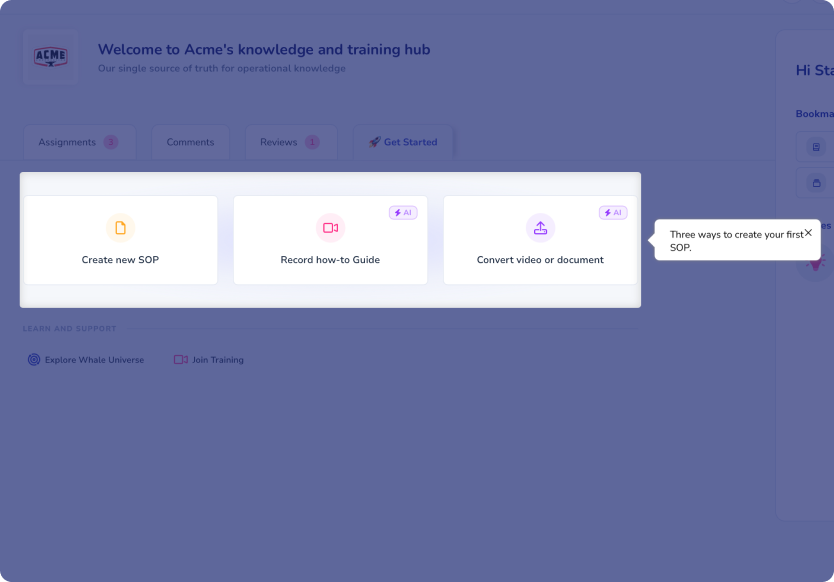
Flows range from a single highlighted step to a multi-step walkthrough. A typical Whale flow opens with a short GIF showing what a feature does before branching to a help article or a guided tour.
Progressive, page-specific onboarding instead of checklists
Whale started with checklists, but analytics data showed that users were completing the underlying tasks but ignoring the checklist itself. The team switched to page-specific guidance.
Now, a tooltip appears when a user lands on the relevant page, rather than sitting in a checklist that they have to open. Engagement rose once the guidance met users where they already were.
Segmentation by role, plan, and lifecycle stage
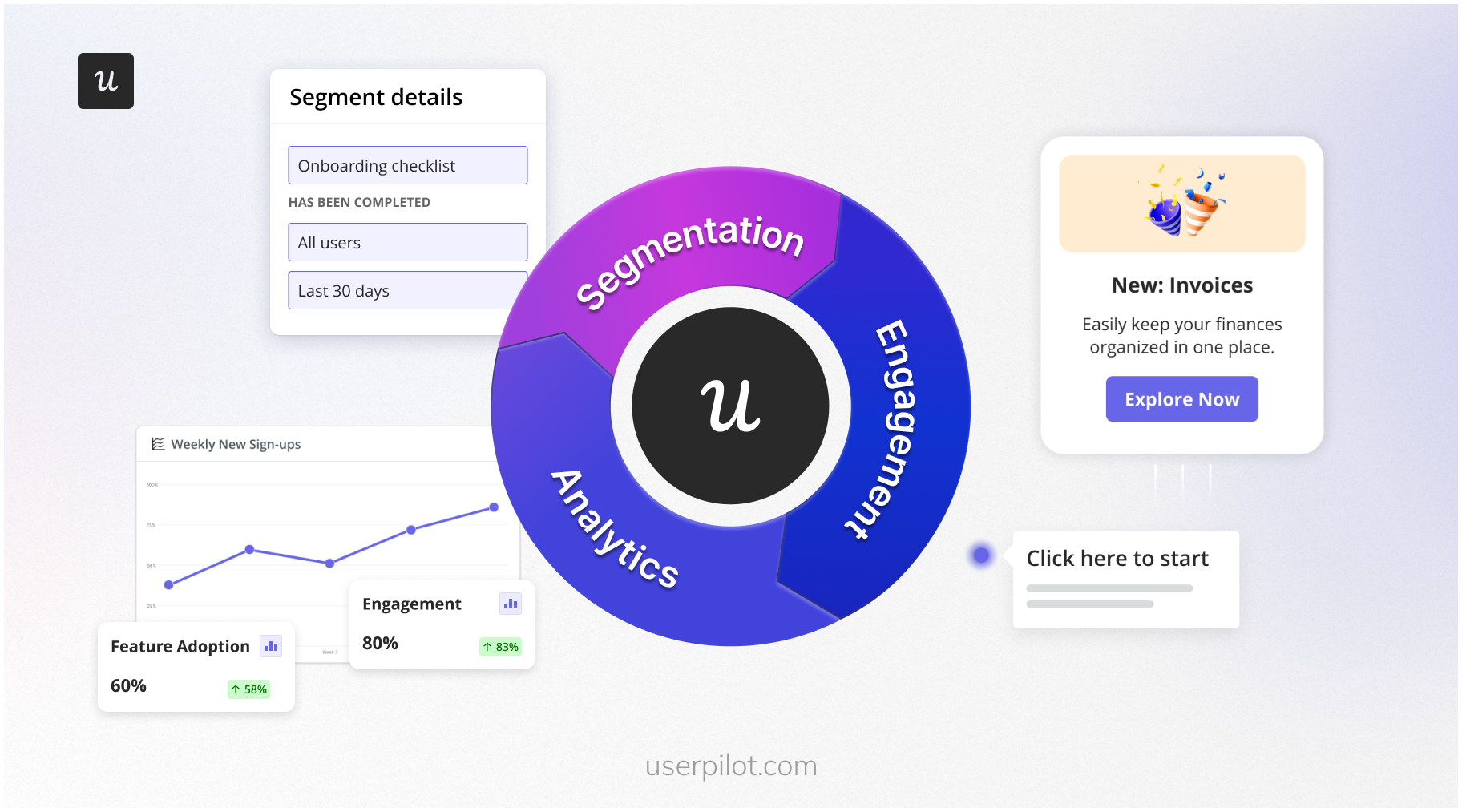
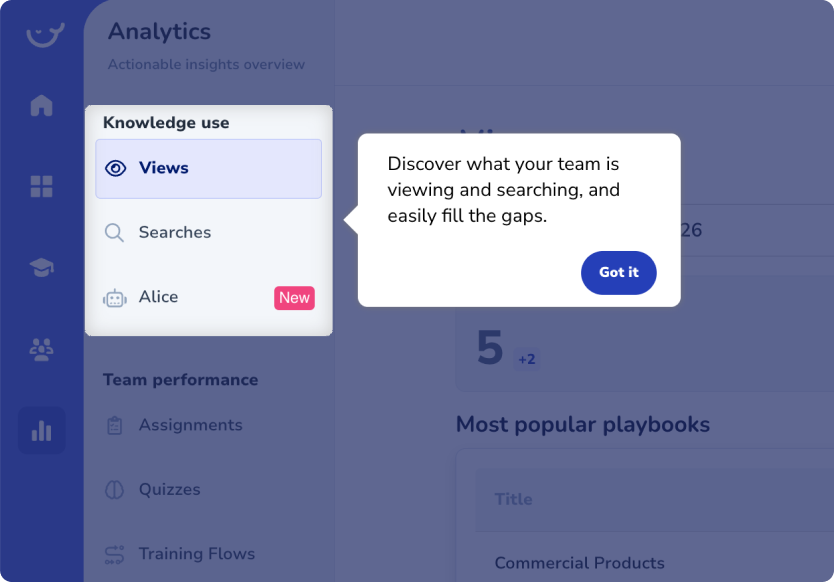
Whale serves forever-free users and enterprise accounts side by side, so one message rarely fits everyone. The team segments in-app messages by plan, user role inside the platform, and the lifecycle stage.
For example, Whale shows a clear “Click here” tooltip to new users in order to walk them through the shortest path to activation. But for long-term enterprise users, onboarding doesn’t have to prove the tool’s value, just demonstrate how to use the platform well. Similarly, the webinar announcements can only be shown to users who have access to the discussed features or are interested in the topic.
Goals analytics to connect guidance to activation
The feature that surprised Thomas was goals analytics, which lets Whale tie a sequence of flows to a real activation moment without exporting data to a separate BI tool. Whale defines its own activation moments: a user creates content, then shares it.
“All-in-one tool for guidance and analytics is a game-changer, because you don’t need to take that information out of Userpilot into Looker and run a query. You just set a goal, and track it on an automated dashboard.”
Results: More webinar sign-ups, higher first-time activation, and fewer support tickets
Whale has used Userpilot for over a year. The clearest wins so far show up in engagement, activation, and support load.
10x more webinar sign-ups
Switching webinar promotion from email to in-app announcements took sign-ups up from 20 to 30 to more than 200. All it took was a simple message distribution channel change.
“Before, we were sending out emails, and you would get maybe 20 or 30 sign-ups for a webinar. Now we easily go over 200, because we can show it nicely in-app.”
Higher first-time activation
After Whale restricted their onboarding flow so new users can only click the button that starts a screen recording, the number of people creating content during their first session increased. Since this action is Whale’s first activation moment, that uptick feeds directly into the trial-to-paid motion.
“After analyzing onboarding data, we set our flow so that users can only click on one button to start recording. Doing that, we definitely see an uptick in first-time users creating content.”
Whale’s in-app flows also reach completion rates around 80%. The team’s 2026 focus is to connect those completion rates to paid conversion using Goals and the activation dashboard.
Fewer support tickets
Support tickets have dropped as Whale answers common questions proactively inside the product. The team optimizes their tooltips and guides based on the most common user questions to avoid initial confusion.
Faster iteration with no developer dependency
The reliability that drew Thomas in has held up across thousands of weekly free users. Because building is fast, experimentation stays cheap, and the team can test an idea and move on if it doesn’t work.
“I can create a checklist in under an hour, so it’s not a huge thing for me to test something, see what happens, and try something else if it doesn’t work.”
Build a free trial onboarding engine with Userpilot
Whale’s year with Userpilot shows how a small PLG team can guide free-trial users toward activation without heavy developer involvement. A few lessons stand out for any product-led team:
- Match your tactics to your users. Whale dropped checklists once the data showed its users ignored them, and page-specific tooltips drove more engagement.
- Treat stability as a feature. With a couple of thousand free users a week, even a small percentage of failed flows means hundreds of lost accounts. A stable tool can help mitigate this issue.
- Move announcements in-app. For SaaS, catching the users at their most engaged usually works better than email messages that are likely to stay ignored.
- Segment by role, plan, and lifecycle. Each message should be tailor-made to a specific user. Set up complex segments that combine different user attributes and behaviors.
- Narrow the path to one action when you want activation. Restricting users to a single button works well for tools with a single specific activation point.
- Connect guidance to a goal. Whale uses Goals to check whether its flows actually push users toward activation, without exporting to a separate BI tool.
- Pick a tool you can iterate on quickly. Thomas can build a checklist in under an hour, which keeps testing low-cost and frequent.
As Thomas stated:
“If you consider moving to Userpilot, just do it. Have a look at how well it works for you, how many options you have, and how easy it is to use. The possibilities are endless for anyone with a website, not only SaaS tools.
About the author