The Two Kinds Of Product Communication Every PM Owns In 2026


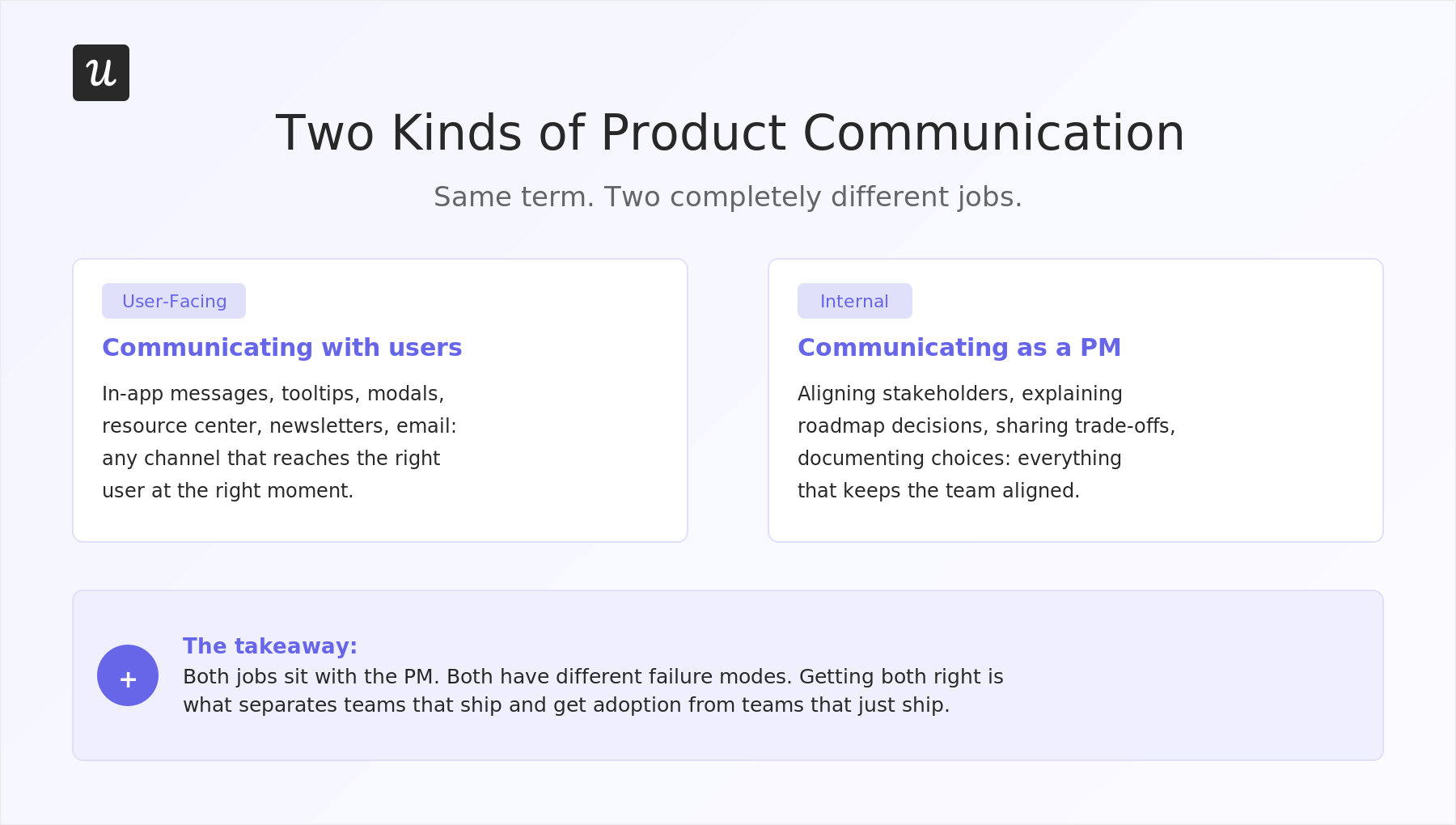
Product communication is one of those terms that sounds specific but means almost nothing until you ask two different product managers to define it. Search for it, and you will get two completely different bodies of advice: one about communicating with users through the product, the other about how PMs communicate decisions, roadmaps, and trade-offs to the people they work with. The same term, two completely different jobs, and both sit with the PM.
In 2026, both halves have gotten more difficult for related reasons. AI-assisted development has compressed release cycles, so more features are competing for the same user attention, and AI agents acting on behalf of users mean some of that audience is no longer reachable through the product UI at all. Faster shipping also means more internal decisions to align on, more roadmap changes to explain, and more stakeholders who feel out of the loop.
This product communication guide covers both. I will explain what each kind is, the common issues with each one, and what getting them right looks like in practice, starting with the user-facing layer and then moving to the internal one.

Why is “product communication” such a confusing term?
Most product terms have a settled meaning, but product communication does not.
Depending on who you ask, it refers either to the layer of in-app guidance and product messaging that helps users get value from the product or to the communication skills a product manager needs to align stakeholders, explain trade-offs, and keep cross-functional teams moving toward shared business goals. These are different enough jobs that treating them as the same concept is what causes teams to underinvest in both.
You will find well-researched guides about in-app messaging and user segmentation sitting next to career-advice posts about communicating roadmap decisions without losing stakeholder trust, and neither body of work mentions the other.
When “product communication” means different things to different people on the same team, the user-facing layer ends up owned by whoever happens to care about it, and the internal layer gets treated as a soft skill rather than a process that can be designed.
How should you communicate with users?
The most common answer to this question is “in-app messages.” I’d say in-app messages are a significant part of it, but treating them as the default causes teams to overlook channels that are often better suited to specific communication jobs.
The question worth starting with is not “what in-app pattern should I use?” It is “what does this user need to know, when do they need to know it, and where are they most likely to receive it?”
When you start with purpose rather than channel, the options multiply. A feature walkthrough running the first time a user reaches a new part of the product counts as user communication. A product newsletter, a public roadmap in the resource center, and an email that goes out when a user hits a milestone: all of these are legitimate, and the right choice depends entirely on what the user needs to know and where they are most likely to act.
In-product channels
In-product communication is everything users see while they’re using your product, whether that’s a tooltip, banner, modal, onboarding flow, or resource center.
That’s why I don’t spend much time thinking about which pattern to use. I start with the user and the action I want them to take. If the message is important enough to interrupt their work, I’ll use a modal. If it’s a small piece of in-app guidance, a tooltip is usually enough. When every message gets the same treatment, users stop paying attention.
Not every message needs to be pushed to users, either. Many people would rather find information when they need it than be interrupted while they’re working. That’s when you should turn to release notes, help centers, and product updates.
For example, rather than pushing every piece of content through active messages, a well-built resource center gives users a place to pull information when they need it: release notes, how-to guides, video walkthroughs, and even a visible product roadmap. This works particularly well for users who have moved past onboarding and want self-serve access to what is new without being interrupted during active work.
I’ve also found that users rarely care about what’s new. They care about whether it helps them do something better, faster, or easier.
We saw this when we launched our email feature at Userpilot. Users were dropping off at the domain verification. The problem wasn’t the feature. The problem was that users didn’t know what to do next. I added a tooltip that appeared only for users who reached that step and hadn’t completed it. The drop-off disappeared within days.
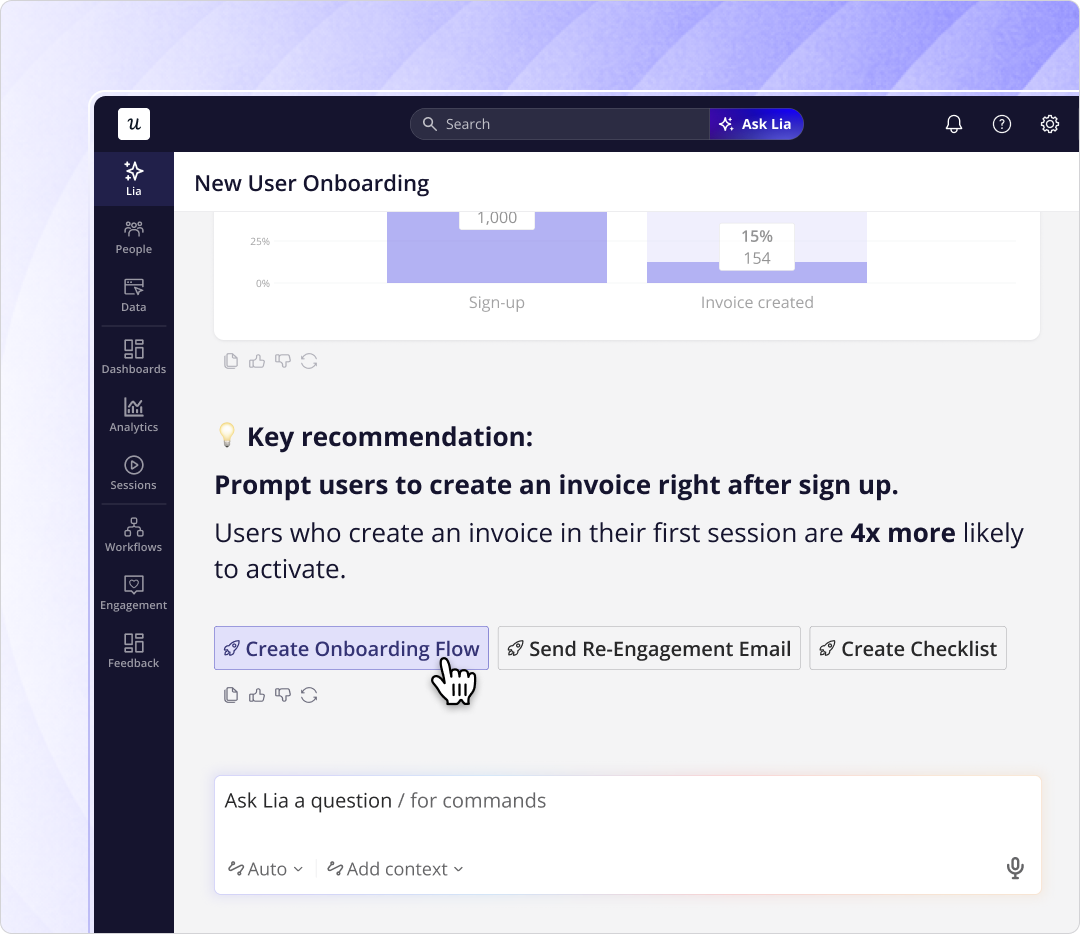
That’s why I’m excited about where this is heading. Today, we still spend time creating segments, triggers, and flows by hand. With our newly released AI agent Lia, much of that work should happen through a chat interface, making in-product communication less about configuring campaigns and more about helping users get what they need when they need it.
Beyond the product UI
Sometimes, communication happens outside the product, too. I don’t really favor any specific channel over the other, as long as it helps me effectively communicate with our customers.
For example, a well-timed email sent to users who are likely to benefit from a new feature will usually outperform an in-app announcement shown to everyone. The same goes for product newsletters. They help users stay up to date without interrupting them while they’re trying to get work done.
The problem is that many teams treat each channel separately. Marketing sends an email. Product launches a modal. Customer success shares an update. From the company’s perspective, these are different activities. From the user’s perspective, it’s the same message repeated three times.
Users don’t care whether a message came from an email campaign, a tooltip, or a modal. They experience it as one product.
That’s why I think about communication as a journey rather than a channel. Maybe a user sees an in-app prompt the first time they encounter a feature. If they don’t engage, they receive an email a few days later with more context. If they still need help, a tooltip can guide them when they return to the product.
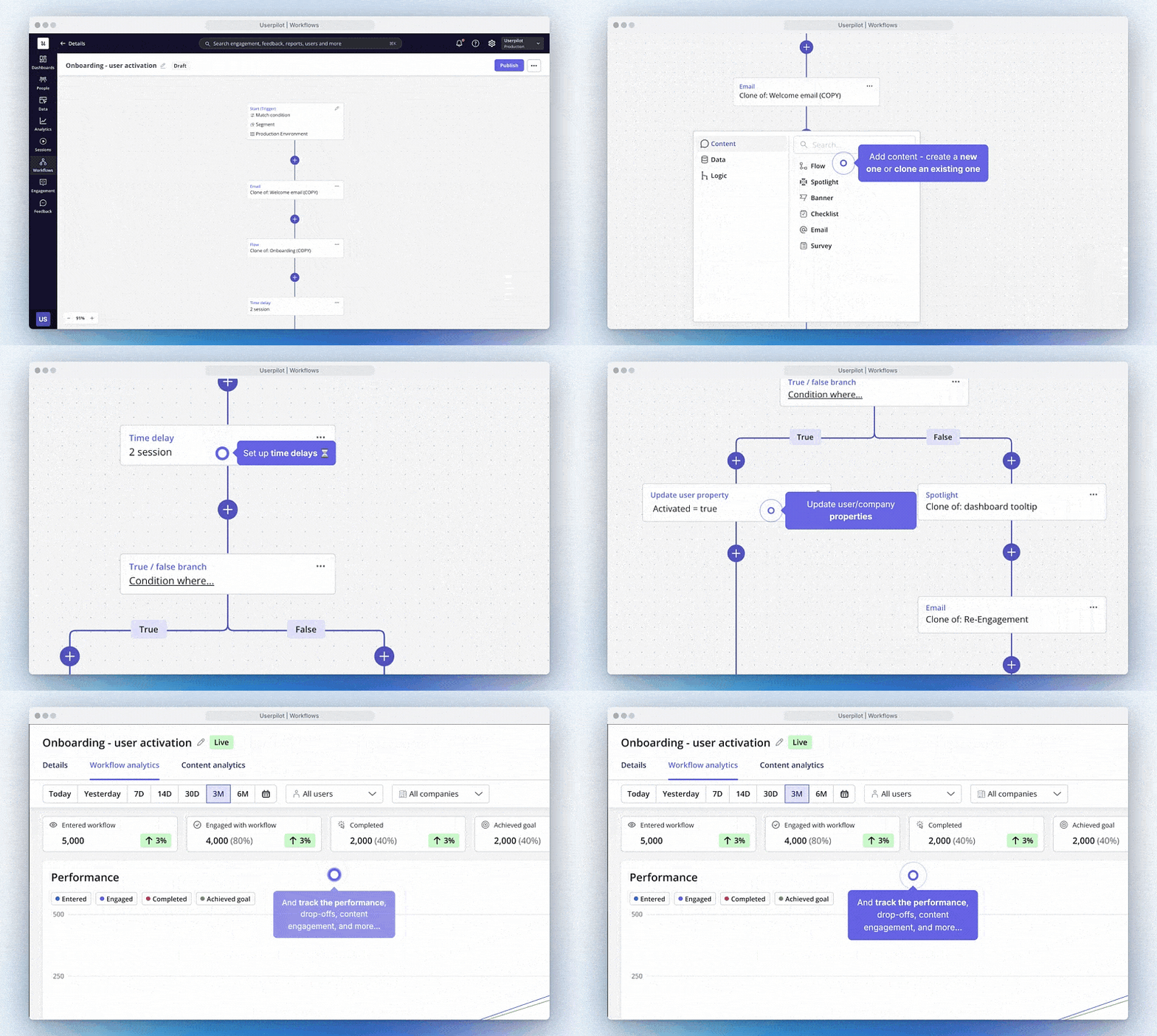
At Userpilot, that’s exactly what workflows help teams do. Instead of managing emails and in-app messages separately, you can build a single flow that spans both. The result is a more coherent experience for users and much less manual coordination for your team.
Why is it difficult to communicate with users in 2026?
I’d say the main reason is that shipping has become much faster. AI-assisted development has compressed release cycles, so teams that used to ship one or two features per quarter are now shipping far more frequently, putting more announcements into competition for the same user attention. Yazan Sehwail, Userpilot’s CEO, described the challenge directly:
“As producing and building features becomes a lot cheaper, instead of every quarter, you’re releasing one or two features, now you’re releasing 7, 8, 9. It becomes even harder for product teams to track each one and understand usage for each one manually.”
Most teams solve this the wrong way. They announce every feature to every user because it’s the fastest option. But the more messages you send, the less attention each one gets. Before long, users start ignoring all of them.
Recently, I came across a post from Joe Martin at PostHog where he shared their onboarding email flow. In some versions, they had dozens of branches and more than 50 emails in the flow. Users were filtered based on their role, the products they were interested in, what actions they had taken, and where they were in their journey. The flow became more complex, but unsubscribe rates stayed remarkably low because people received emails that were relevant to them. So I guess that’s the point.
At the same time, not every user is spending as much time in your product as they used to. AI agents are beginning to handle parts of the workflow on their own behalf, whether that’s scheduling meetings, processing data, or completing routine tasks. If users spend less time in the UI, relying only on in-app messages becomes less effective.
That’s why I don’t think the answer is more communication. The answer is better communication.
Instead of announcing everything to everyone, teams need to understand which features matter to which users, reach them through the channels they’re already using, and measure whether those messages actually change behavior. Ultimately, the goal is to help the right users discover the right features at the right time.
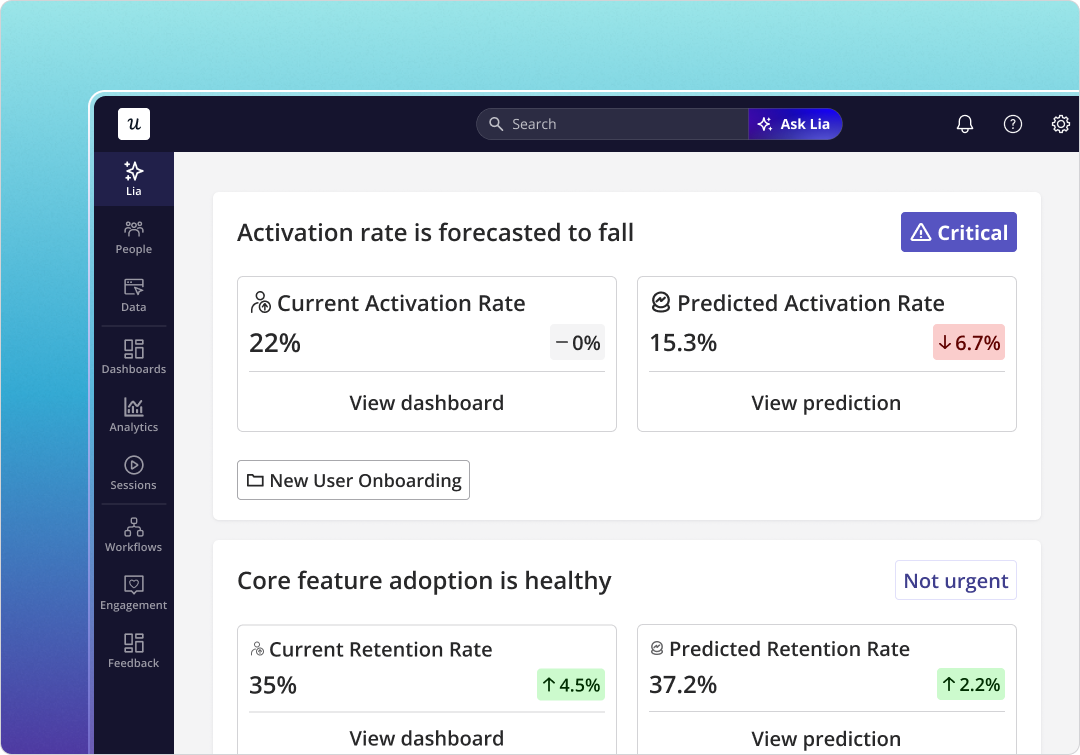
This is also why we’re investing so heavily in AI at Userpilot. As the number of features grows, manually tracking adoption, identifying drop-offs, and deciding who should see what message becomes increasingly difficult.
Lia, our AI agent, helps with that by continuously monitoring product usage and surfacing the signals that matter, whether that’s a feature struggling to gain adoption, a segment dropping off, or a point in the journey where users are getting stuck.
Teams still decide what to do with those insights, but they no longer have to spend hours finding them.
What about communicating product decisions to internal stakeholders?
From my experience, most stakeholder conflicts aren’t actually about the decision but communication.
The mistake I see most often is communicating decisions too late. By the time stakeholders hear about them, the team has already made up its mind.
So few things that help:
- Share the reasoning before the decision is finalized.
- Explain the trade-offs, not just the outcome.
- Write important decisions down so everyone can refer back to them later.
The same principle applies to feature requests. A direct “no” rarely helps. Instead, give requests a place to live, whether that’s a Jira epic, an ideas board, or a dedicated backlog. People are much more accepting of a decision when they know their input was considered.
This becomes even more important when strategy enters the picture. If people don’t understand the strategy, every roadmap decision feels random. If they do understand it, many decisions explain themselves.
That’s why written communication matters so much in product. A good document answers the obvious questions, explains the trade-offs, and creates a shared source of truth. It saves you from having the same alignment conversation over and over again.
Get product communication right!
Both kinds of product communication fail the same way: they get deprioritized because neither has a natural owner nor an obvious deadline. In-app messages get filed behind the next feature. Stakeholder communication is treated as something that happens in meetings, not as something you design, and both end up being reactive as a result.
An effective product communication strategy treats both as first-class parts of the product work. On the user side, decide what channel serves each communication job before you build the message, and account for the fact that not all your users are in the product UI when you need to reach them. On the internal side, establish how your team will share decisions and surface requests before a difficult situation forces the conversation.
If you want to build the user-facing communication layer without filing engineering tickets, Userpilot gives you the tooling to create in-app flows, coordinate across channels with Workflows, and track whether your messages are actually changing user behavior. Book a demo to see how it works in practice.
FAQ
What is a product communication strategy?
A product communication strategy is a plan that defines how a company communicates the value of its product to both users and internal stakeholders. It sets the target audience for each message, the channels to use, the timing, and the metrics that determine success. An effective strategy aligns each communication with business goals rather than treating messages as one-off tasks disconnected from broader outcomes.
What is the difference between product communication and marketing communications?
Marketing communications typically target potential customers before purchase, using marketing messages on landing pages, ads, and campaigns to convey a product’s value proposition to a broad customer base. Product communication begins after purchase, focusing on helping existing users understand features, adopt new functionality, and derive ongoing value from the product. In practice, the boundary blurs during a product launch, when feature announcements are relevant to both existing users and new prospects simultaneously.
What should a product communication strategy include?
A complete product communication strategy should identify specific user segments, define the key benefit each segment needs to understand at each stage, select the channels that fit each communication goal, and set measurable objectives tied to adoption or retention outcomes. Many teams find it useful to map this using a product communication strategy matrix that separates potential, new, and mature users, since each group needs different information. Conducting user research (including focus groups to gain qualitative insight into how users process your product messaging) strengthens segmentation before committing to a plan.
How should product messaging change as users move through the lifecycle?
Early-stage users need product messaging that orients them: what the product does, what benefits they can expect, and what the next step is. As users become more familiar with the product, messaging should shift toward advanced features, integrations, and the value of increased usage. The mistake most teams make is sending the same messages to all users, regardless of where they are in the relationship, resulting in irrelevant communications at both ends of the spectrum.
About the author