If you’ve searched for a SaaS learning management system recently, you’ve probably noticed how messy the category has become. Customer education platforms, employee training tools, and in-app onboarding software all compete for the same search terms, even though they solve completely different problems.

That confusion leads many SaaS teams to the wrong purchase. In many cases, the issue isn’t the platform itself. It’s that the team didn’t actually need a traditional LMS in the first place. A customer education portal solves a very different problem from an in-app onboarding tool, and treating them as interchangeable usually creates more friction than it removes.

This guide breaks down the three categories, explains where each one fits, and highlights the strongest platforms for 2026. It also looks at how LMS platforms and product adoption tools work together, since growing SaaS companies often need both.

Before picking a platform, decide what you’re trying to solve

Some teams need a system for employee onboarding and compliance training. Others are trying to educate customers, certify partners, or reduce support volume. And in many SaaS companies, the bigger challenge is helping users adopt the product itself.

Those use cases may sound similar on the surface, but they require different types of platforms.

If you’re training employees, a traditional LMS is usually the right fit. These platforms are designed for structured learning programs, compliance tracking, onboarding, and skills development. Features like certifications, reporting, and HR integrations matter most here.

Customer education is a different category altogether. You’re helping customers, partners, or resellers learn your product through onboarding courses, certifications, and self-serve academies. Platforms like Skilljar and LearnUpon are designed specifically for those external training experiences.

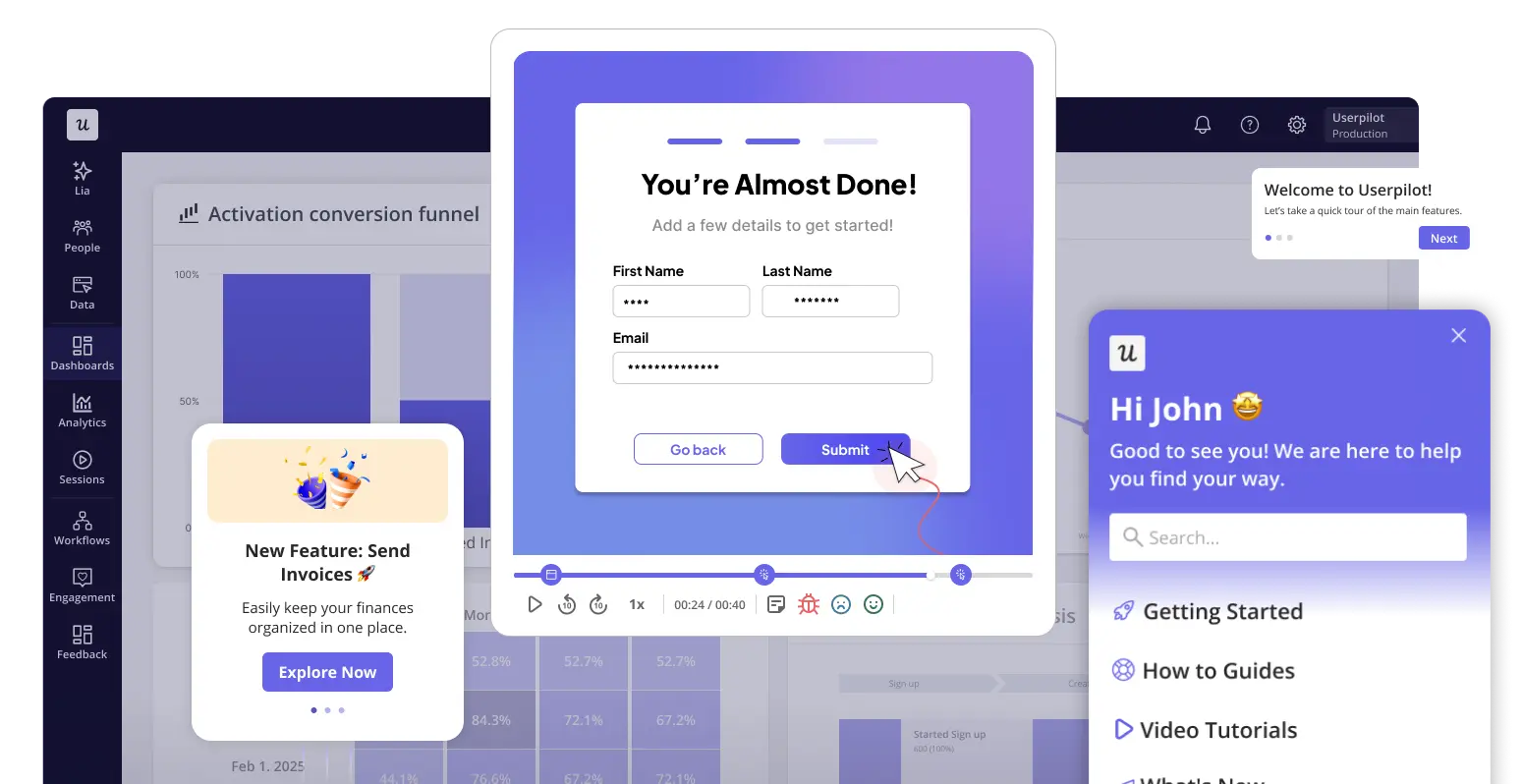
In-app product adoption solves yet another problem. If your goal is to help users discover features, complete workflows, and get value from the product faster, a traditional LMS won’t help much. Digital adoption platforms guide users directly inside the product through interactive walkthroughs, tooltips, and contextual support.

Use case Tool type What you need Platforms
Employee training and compliance LMS Course builder, completion tracking, compliance reporting, HR integrations Docebo, Litmos, iSpring Learn, Canvas, Blackboard
Customer education and partner training Customer education platform (or LMS with customer portals) Branded portals, product certification, CS/CRM integrations, self-serve learning Skilljar, LearnUpon, 360Learning, TalentLMS, SkyPrep, Paradiso
In-app onboarding and product adoption DAP In-app guidance, walkthroughs, tooltips, resource center, feature adoption analytics Userpilot, Userlane

How are LMS platforms evolving in 2026?

The LMS category has changed more in the past two years than in the decade before. A few shifts are worth understanding before you evaluate any specific platform.

AI-generated course content is quickly becoming a standard feature in modern LMS platforms. Tools from platforms like Docebo, 360Learning, and Paradiso can now turn documents, videos, or slide decks into structured training courses in minutes. That makes it much easier for SaaS teams to keep training content updated as products evolve.

Personalized learning paths are also becoming more practical and widely used. Instead of giving every learner the same experience, newer LMS platforms adapt training based on role, experience level, and progress. That’s especially useful in customer education, where first-time users and enterprise admins often need very different onboarding experiences.

Customer education is becoming a major growth investment for SaaS companies. LMS platforms that once focused mainly on employee training now support customer academies, partner enablement, certifications, and paid learning programs. According to Josh Bersin, more B2B SaaS teams are shifting their investment toward customer education and skill development instead of compliance-heavy training. AI is helping accelerate that shift by making course creation much faster and easier to manage.

Analytics are becoming more actionable. Modern LMS platforms can now show where learners disengage, which content improves product adoption, and which user groups struggle most during onboarding or training. That’s a much more useful signal than simple course completion data.

Best LMS platforms for employee training

These platforms are designed around internal employee training programs: new hire onboarding, compliance, and skills development.

Each can handle certain external use cases, but their core strengths are HR integrations, compliance reporting, and structured learning workflows that meet internal training demands.

1. Docebo

Docebo learning management system

Docebo is the enterprise pick for organizations with a dedicated L&D function that needs AI to do some of the heavy lifting on content creation. Its Shape module generates course content from uploaded source material, which is useful when you’re refreshing a large training library without the resources to rebuild it manually.

The platform integrates natively with Workday, SAP, and Salesforce, and its learner analytics go deeper than most on skill gap identification and business impact tracking.

Key features:

  • AI-powered course generation (Shape module).
  • Skills-based learning paths.
  • Multi-tenant portal support for multiple audiences.
  • Enterprise HR integrations (Workday, SAP, Salesforce).
  • Learner impact analytics tied to business outcomes.

Pricing: Custom. Typically 20–30% higher than comparable platforms, but negotiable with competitive alternatives in the conversation.

Best for: Enterprise L&D teams running large-scale training programs with a need for AI-driven content creation.

2. Litmos

Litmos learning management system

Litmos, now part of SAP, handles both internal and customer-facing training programs from one platform. Its main advantage over Docebo for many teams is its off-the-shelf content library: if you need compliance training to run quickly without building it in-house, Litmos covers most standard categories.

The platform also supports instructor-led training scheduling, video assessments, and gamification features.

  • Off-the-shelf compliance and skills content library.
  • Instructor-led training (virtual and in-person scheduling).
  • Video assessments and gamification.
  • Analytics across all training content types.

Pricing: Custom across three plans: LMS only, content library, or both.

Best for: Organizations that need a cloud LMS and a ready-made compliance content library without having to build from scratch.

3. iSpring Learn

iSpring Learn learning management system

iSpring Learn is the best starting point for SMBs building their first formal employee training program. It pairs well with iSpring Suite, the company’s PowerPoint-based authoring tool, so trainers without instructional design experience can build solid interactive courses.

Per-user pricing keeps costs predictable as the team grows, which is a real advantage over flat-fee platforms when headcount fluctuates.

Key features:

  • Content authoring and management tools.
  • Custom learning paths and certifications.
  • Collaborative learning and group management.
  • Progress tracking and reporting.

Pricing: Charged per active user, billed annually. Pricing scales down with volume: $6.91 per user per month for 100 users, $4.46 for 300 users, and $3.58 per user per month for 1,000 users.

Best for: SMBs building their first employee training program with limited L&D resources or budget.

4. Canvas LMS

Canvas LMS learning management system

Canvas is better known as an academic platform, but its corporate adoption has grown as organizations look for a flexible, open-source foundation for blended learning programs. It combines self-paced online content with instructor-led components and supports gamification and social learning out of the box.

The configuration overhead is higher than that of more opinionated SaaS alternatives, so it suits teams with internal IT resources to manage the setup.

Key features:

  • Multi-format content creation tools.
  • Assessment, feedback, and video assignments.
  • Gamification and social learning features.
  • Custom learning pathways.

Pricing: Free for educators on the open-source version; custom pricing for corporate deployments.

Best for: Educational institutions and organizations that want open-source flexibility and have IT resources to configure and maintain it.

5. Blackboard

Blackboard learning management system

Blackboard was acquired by Anthology in 2021, and the combined platform now serves higher education institutions and enterprise learning programs under the Anthology brand. If you’re evaluating Blackboard in 2026, it’s worth noting that the product roadmap and support structure now fall within Anthology’s broader education technology suite, which is a meaningful factor in any long-term platform decision.

The renewed focus on AI and accessibility features signals some genuine investment after a period of organizational distraction.

Key features:

  • Course creation and management.
  • Assessments, assignments, and Gradebook.
  • Collaboration tools and analytics reporting.
  • Renewed AI investment post-restructuring.

Pricing: Custom. Reportedly among the more expensive options in the market.

Best for: Large educational institutions and enterprise organizations with existing Blackboard infrastructure.

Best platforms for customer education and certification

If you’re training customers, partners, or resellers on your product, the priorities shift. You need branded learning experiences that customers can access without a corporate login, product certification that gives them something to aspire to, and integration with customer success and CRM tools where retention decisions are made.

These platforms are built for that context.

6. Skilljar

Skilljar learning management system

Skilljar is purpose-built for customer education, and that focus shows across every part of the product. Customer-facing portals, product certification programs, and native integration with Gainsight, Salesforce, and HubSpot are core to what it does, not add-ons.

If you’re building a serious customer academy where training completion needs to flow into account health and renewal conversations, Skilljar is the platform most often cited by SaaS teams that have gotten this right.

Key features:

  • Branded customer-facing learning portals.
  • Product certification and live training support.
  • CS and CRM integrations (Gainsight, Salesforce, HubSpot).
  • Course reporting and learner analytics.

Pricing: Custom (enterprise-priced; most contracts start around $25,000–$30,000 annually). Best suited for teams where customer education is a core business function with dedicated headcount.

Best for: SaaS teams running formal customer education programs or partner certification at scale.

7. LearnUpon

LearnUpon learning management system

LearnUpon handles multiple training audiences from a single platform without requiring separate tools or admin accounts. Its portal system creates separate, branded experiences for employees, customers, and partners from a single interface.

It’s been adding AI-powered learning path recommendations, which makes it more competitive with enterprise alternatives at a more accessible price point.

Key features:

  • Multi-audience portals with separate branding and content libraries.
  • AI-powered learning path recommendations.
  • Salesforce, HubSpot, and HR platform integrations.
  • Analytics tied to learner progress and business outcomes.

Pricing: Custom pricing, quote-based.

Best for: Mid-market companies that need to train employees, customers, and partners through one platform without enterprise-level overhead.

8. 360Learning

360Learning learning management system

360Learning’s distinguishing feature is collaborative authoring: instead of an L&D team producing all content from the top down, subject matter experts across the organization contribute directly. This works particularly well for SaaS teams where product knowledge evolves quickly and waiting for an instructional designer to update every course after a new release isn’t realistic.

Its AI capabilities generate personalized learning paths from learner behavior and knowledge gaps, which keep training relevant without constant manual curation.

  • Collaborative course authoring (peer-generated content).
  • AI-powered personalized learning paths.
  • Branching scenarios and interactive training content.
  • Engagement feedback loops and completion analytics.

Pricing: Team plan from $8/user/month; enterprise custom.

Best for: SaaS teams where training content needs to keep pace with frequent product updates and can’t wait on an L&D production cycle.

9. TalentLMS

TalentLMS dashboard

TalentLMS is one of the most widely used cloud LMS platforms for SMBs, and its setup speed is a genuine differentiator. The drag-and-drop course builder, blended-learning support, and localization features cover most of what growing teams need without the complexity of enterprise systems.

Plus, it handles both employee training and external customer-facing courses without requiring significant technical setup.

  • Drag-and-drop course builder.
  • Blended learning support (online and instructor-led).
  • Localization for multilingual teams.
  • Tests, quizzes, and certifications with in-depth analytics.

Pricing: Free tier (up to 5 users, 10 courses); paid plans from approximately $119/month billed annually.

Best for: SMBs and mid-market teams that need a flexible, fast-to-deploy platform for both employee and customer training at a predictable price.

10. SkyPrep

SkyPrep learning management system

SkyPrep earns consistently strong marks for ease of use and customer support, which matters when your training team isn’t made up of LMS specialists. It covers the core requirements without enterprise overhead: a customizable course builder, learning paths, assessment tools, gamification, and collaboration features.

It’s a particularly clean choice for customer and partner training programs that don’t need complex certification workflows or deep CS platform integrations.

  • Customizable course builder and UI.
  • Learning paths and collaborative learning tools.
  • Assessment, grading, and certification.
  • Gamification (badges and leaderboards).

Pricing: Custom across Lite, Professional, and Enterprise plans.

Best for: SMB and mid-market teams that want a clean, easy-to-manage platform for customer and employee training.

11. Paradiso LMS

Paradiso LMS learning management system

Paradiso covers more ground than most platforms on this list: AI-powered course generation, virtual classrooms, video conferencing, social learning, and a broad integration library are all included. The Paradiso Composer authoring tool and AI course generator make it worth evaluating when you need to produce training content at volume across multiple audiences.

It handles everything from basic content delivery to complex multi-step learning paths with certification.

  • AI-powered course generator and Paradiso Composer authoring tool.
  • Virtual classrooms and video conferencing.
  • Social learning and gamification features.
  • Performance tracking and certifications.

Pricing: Custom based on required feature set.

Best for: Organizations training multiple audiences that need a broad, AI-assisted feature set without managing multiple platforms.

For in-app onboarding and product adoption: Use a DAP

DAPs don’t replace an LMS. They solve a different problem: getting users to engage with your product, discover features, and reach activation faster by delivering guidance inside the product itself, at the moment friction happens. Where an LMS delivers structured learning before or between sessions, a DAP delivers contextual help during the session, without pulling the user out of what they were doing.

The practical difference matters when you think about what users do when they’re stuck. Most won’t open a separate training platform. They’ll click around until something works, raise a support ticket, or quietly churn. A well-placed tooltip or walkthrough cuts that loop short without requiring engineering resources or a course refresh every time the UI changes.

12. Userpilot

Userpilot is built around in-app product adoption: the guidance, analytics, and AI tooling that turns a new signup into an activated user without relying on external training content. The no-code builder means product and CS teams can launch and iterate on onboarding flows without engineering involvement, which matters a lot when you’re shipping frequently.

I ran into exactly this after we launched Userpilot’s email feature. The funnel showed a sharp drop-off at the domain verification step, and the fix required no engineering resources at all. Within a few hours, I just created a targeting tooltip and showed it to users, and highlighted the correct steps for them to make it clear what to do next. That helped in reducing friction and supporting users in real time without involving our dev team.

Creating a resource center in Userpilot.

The Userpilot features most relevant for in-app onboarding and adoption are:

  • Resource center: A customizable in-app widget that surfaces help articles, video walkthroughs, onboarding checklists, and surveys without pulling users out of the product. You can target it by user segment, page, or behavioral trigger.
  • Interactive walkthroughs: Step-by-step sequences of tooltips and modals that guide users through specific workflows, built without code and updated without an engineering ticket.
  • Lia: Userpilot’s AI agent that builds in-app onboarding experiences autonomously based on your product goals. You describe the outcome, and Lia handles the build.
  • Analytics: Feature adoption tracking, funnel analysis, and resource center engagement data that shows exactly where users get stuck and which content is working.

Pricing: Userpilot pricing starts at $299/month (Starter plan, billed annually). Growth and Enterprise plans are available on custom pricing.

Best for: SaaS products and CS teams that need no-code in-app onboarding, feature adoption tracking, and AI-assisted guidance without engineering involvement.

13. Userlane

Userlane dashboard

Userlane focuses on employee-facing digital adoption: helping enterprise teams get new hires and existing staff to actually use internal software. Its HEART analytics framework (Happiness, Engagement, Adoption, Retention, Task completion) gives L&D and IT teams a structured way to measure whether training is landing beyond completion rates.

It’s particularly well-suited for organizations rolling out new enterprise software or managing adoption across a large, distributed workforce.

  • No-code in-app guidance and step-by-step walkthroughs.
  • HEART analytics framework for measuring software adoption.
  • Employee onboarding and change management workflows.
  • Supports both web-based and desktop enterprise applications.

Pricing: Custom. Userlane quotes are based on the number of applications and active users covered.

Best for: Enterprise IT and L&D teams managing software adoption across large internal user bases, especially during rollouts or system migrations.

When you need both an LMS and a DAP

Most SaaS companies don’t have a learning problem. They have an adoption problem.

An LMS helps when users need structured education, certifications, or formal training programs. A DAP helps when users are already inside the product and need guidance in the moment.

That’s why more SaaS teams now use both. The LMS handles courses and customer education. Userpilot handles the in-product experience that drives activation, feature adoption, and faster time-to-value.

If you want to see how Userpilot handles the in-product layer, book a demo, and we’ll walk through what that looks like for your specific product and use case.

About the author
Abrar Abutouq

Abrar Abutouq

Product Manager

Product Manager at Userpilot – Building products, product adoption, User Onboarding. I'm passionate about building products that serve user needs and solve real problems. With a strong foundation in product thinking and a willingness to constantly challenge myself, I thrive at the intersection of user experience, technology, and business impact. I’m always eager to learn, adapt, and turn ideas into meaningful solutions that create value for both users and the business.

All posts