What is Smartlook? Overview, Features, Pricing & Alternatives (2026)



Cisco acquired Smartlook in 2023. No price disclosed, but the networking giant is folding the Czech startup’s session recording tech into AppDynamics.
For product teams evaluating session replay tools, this raises an obvious question: What happens when a nimble product analytics tool gets absorbed into an enterprise infrastructure suite?
I’ve watched plenty of acquisitions reshape product roadmaps. Sometimes for the better, sometimes not. Smartlook built its reputation on mobile-first session recording, which was unusual in a space where most tools treated mobile as an afterthought. Now it’s part of Cisco’s full-stack observability play.
In this guide, I will break down exactly what Smartlook is, how its unique mobile-first approach differentiates it, and whether it is the right tool for your stack.
Is Smartlook the right session recording tool for your stack?
Many product teams asking what is Smartlook discover it is primarily a qualitative analytics tool. Let’s see if it fits your specific needs.
What is your primary goal with session replays?
Smartlook excels at passive observation, but is that enough for your growth goals?
When a user gets stuck, what do you want to do?
This determines if you need an analytics tool or a product growth platform.
Don’t Just Watch Friction. Fix It.
While Smartlook is great for observing what went wrong, Userpilot lets you act on those insights. Combine session replays with powerful engagement tools to drive adoption instantly.
- ✅ Advanced Session Replays: See exactly where users drop off.
- ✅ Actionable UI Patterns: Trigger tooltips & checklists when users struggle.
- ✅ Integrated Feedback: Ask users “Why?” with micro-surveys at the moment of friction.
No credit card required
What is Smartlook?
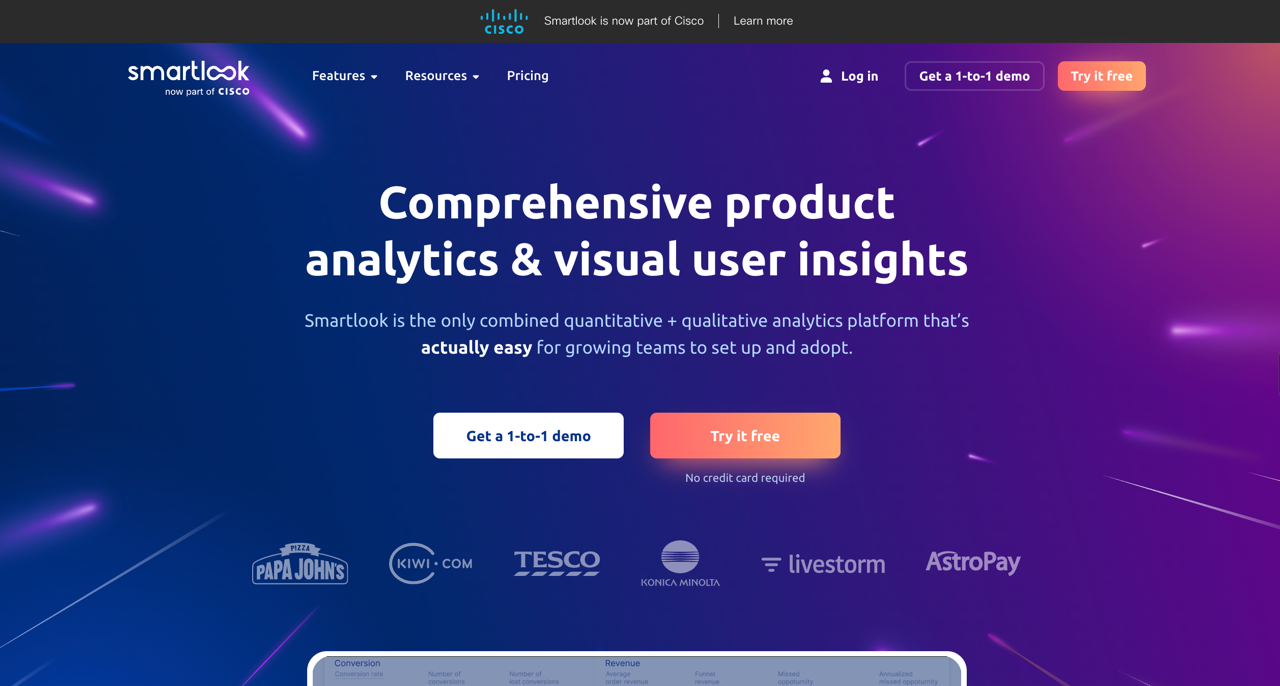
Smartlook is a qualitative analytics solution for websites and native mobile apps. While traditional analytics tools tell you what is happening (e.g., “50% of users dropped off”), Smartlook shows you why by providing visual context.
It performs screen recording while users navigate your app and offers heatmaps to visualize click patterns. You can watch these replays to see exactly where users get confused, where they encounter friction, or where your user interface fails to communicate effectively.
Key features of Smartlook
Smartlook offers an easy-to-use suite of tools designed to visualize user behavior, like most session recording tools. Smartlook’s mobile support is what makes it different.
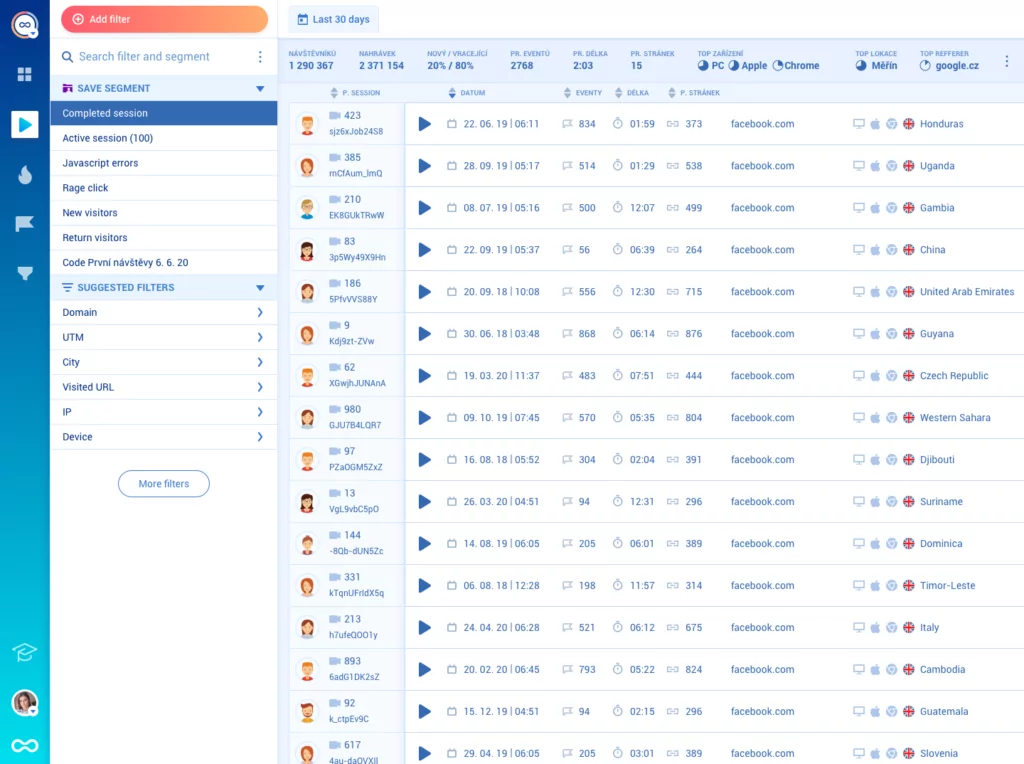
Session recordings
Smartlook records user sessions automatically, capturing mouse movements, clicks, and mobile taps. However, watching thousands of hours of video is impossible. The real utility lies in indexing and filtering to find problems faster than expected.
Smartlook indexes every recording. This allows you to filter specifically for “Rage Clicks” or “JavaScript Errors.” This filtering capability is similar to how we handle session replay at Userpilot, ensuring you spend time analyzing relevant friction.
Heatmaps
If session recordings are for micro-analysis, heatmaps are for macro-analysis. They aggregate data from thousands of visitor sessions to show you trends in user attention.
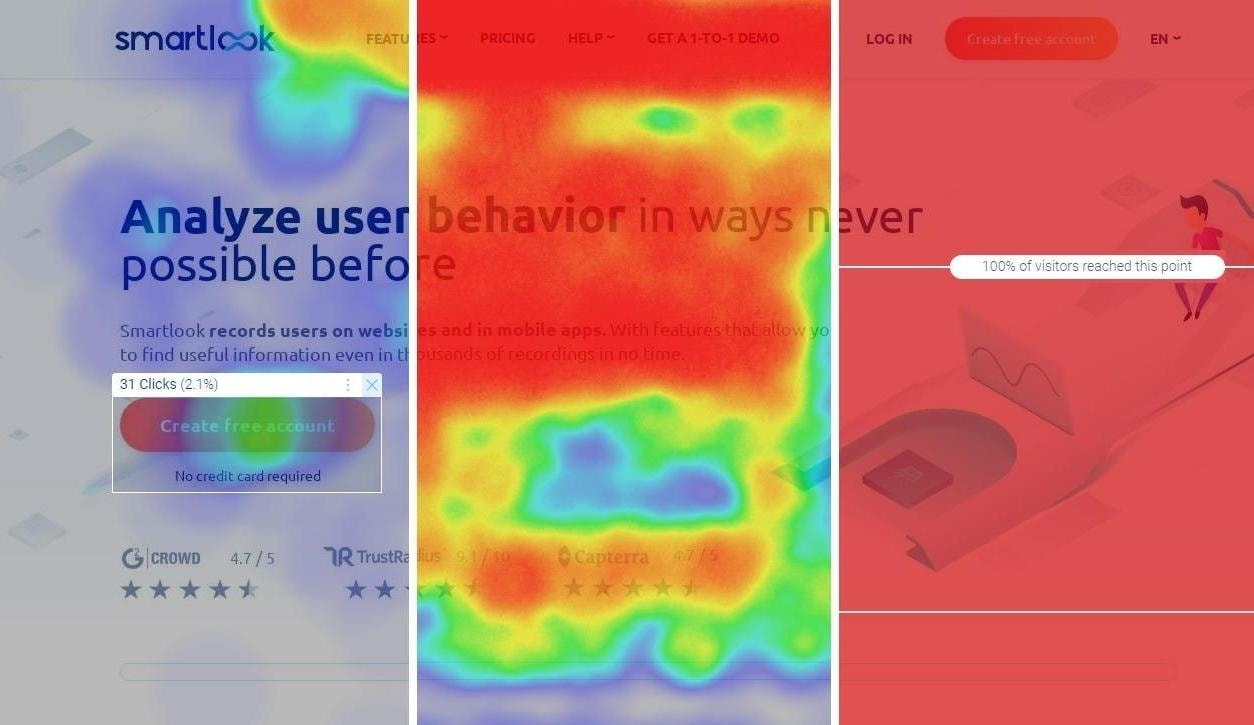
Smartlook provides three main types of heatmaps:
- Click maps: Show where most people click or tap, revealing where people click most frequently on your interface.
- Move maps: Track mouse movement on the desktop, which often correlates with eye-tracking and attention.
- Scroll maps: Show how far down the page visitors typically scroll. This is critical for performing a heat map analysis to ensure your key value proposition isn’t buried in the “cold” zone of the footer.
Automatic event tracking
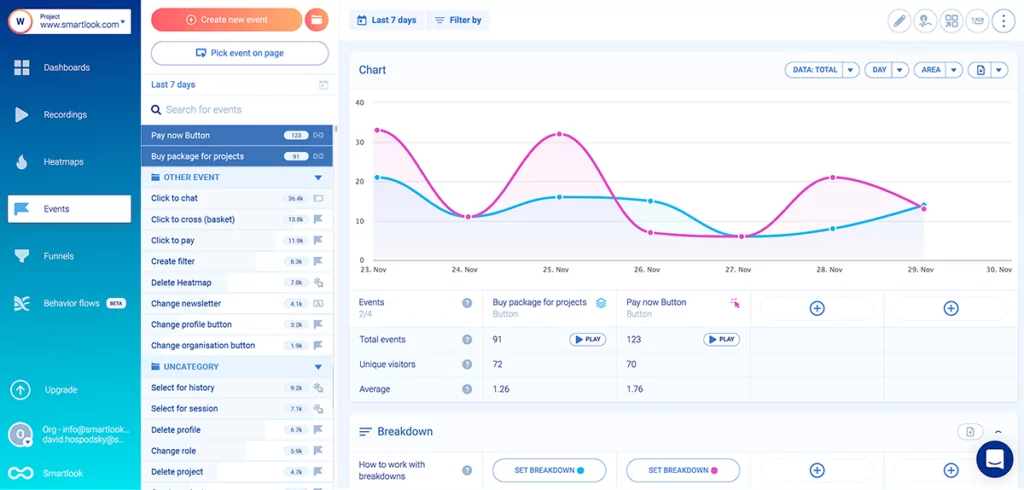
Smartlook offers “codeless” event tracking. It attempts to track every button click and text input automatically. This means you can often define an event retroactively.
For example, if you forgot to track the “Submit” button last month, you can define it today, and Smartlook will populate the chart with historical data it has already captured.
Conversion funnels
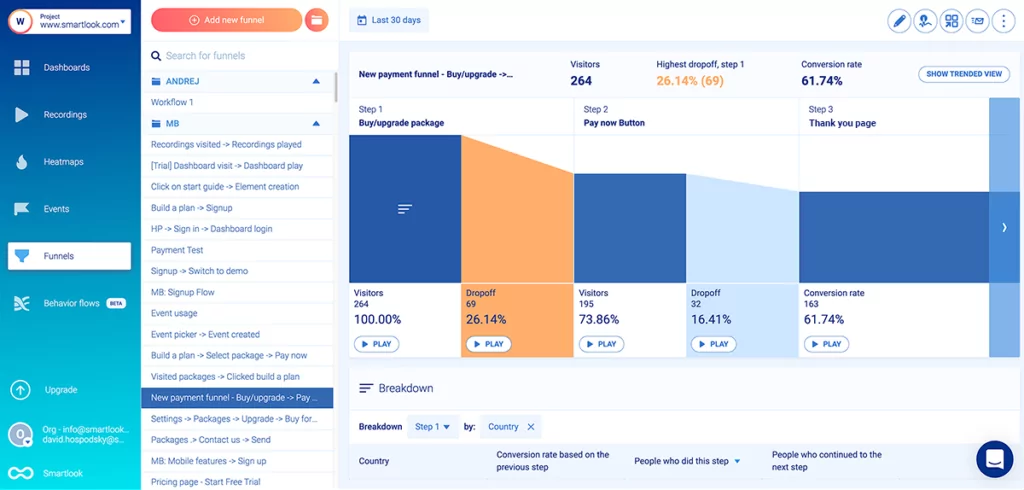
Funnels allow you to map out a specific user journey (e.g., Landing Page -> Sign Up -> Email Confirmation). Smartlook calculates the conversion rate between each step.
What makes this useful is the integration between funnels and recordings. When you see a 40% drop-off between Step 2 and Step 3, you can click into the drop-off section and watch the actual sessions of users who left. This makes performing a detailed funnel analysis actionable rather than theoretical.
Crash reports (Mobile focused)
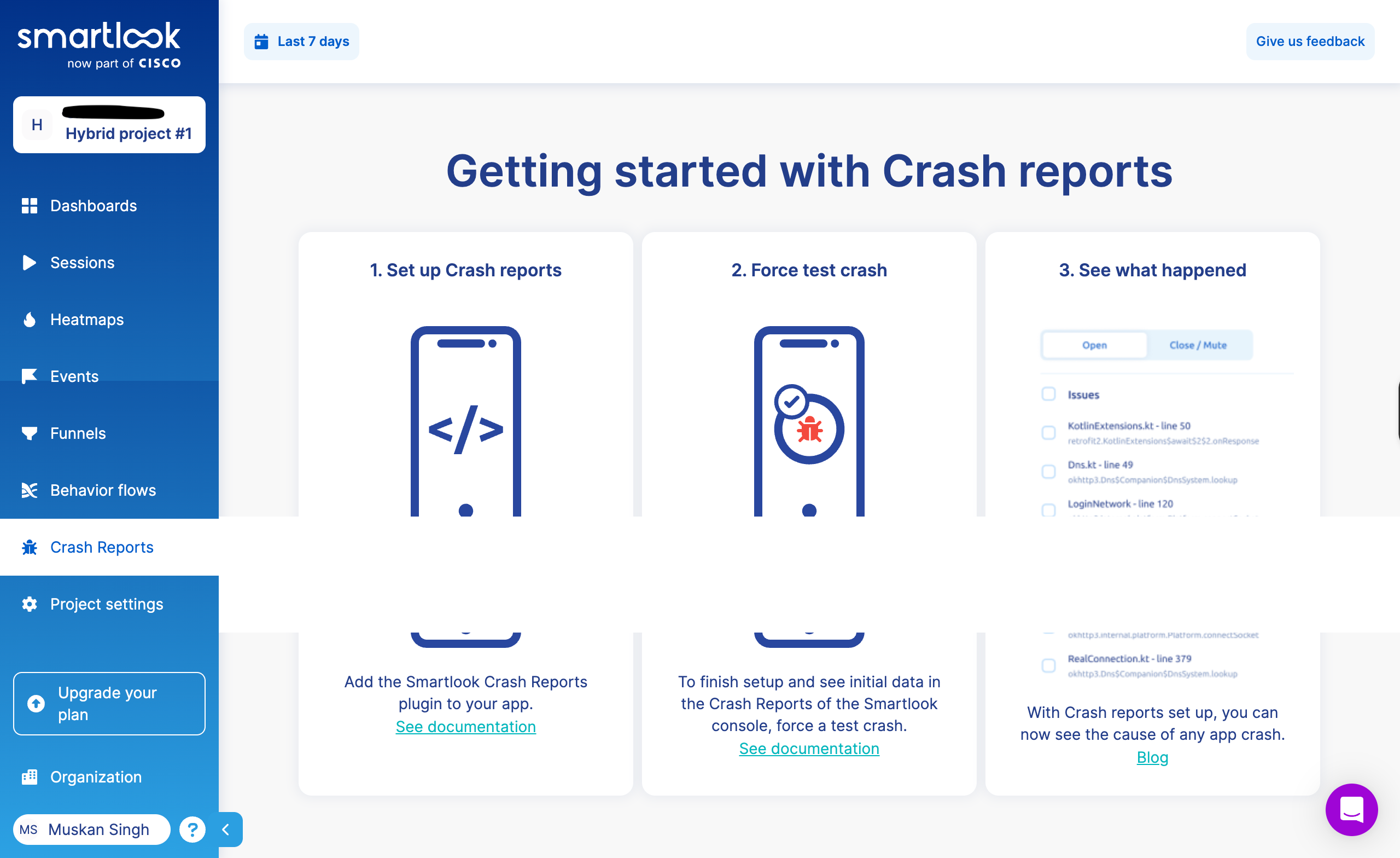
For mobile developers, Smartlook connects crash logs with video. When an app crashes, you get the code stack trace and a recording of what the user did immediately before the crash. This context is often the missing link in reproducing complex bugs.
Top Smartlook use cases for product teams
Why do product managers actually buy Smartlook? It usually comes down to three specific use cases.
1. Mobile app optimization
This is the primary reason teams choose Smartlook over Hotjar or Microsoft Clarity. If you have a native iOS or Android app, web-based recorders won’t work.
Smartlook visualizes native gestures (swipes, pinches, double taps) and renders the mobile interface accurately. If your goal is mobile app optimization, viewing the session from the user’s device perspective is non-negotiable.
2. QA & bug reproduction
Engineers often find that the bug cannot be reproduced. Smartlook comes to the rescue here. When users click elements that don’t behave as expected, Smartlook captures the exact sequence.
Support can attach the session recording to the Jira ticket. The developer can understand what happened and fix it.
3. Quantitative usability testing
Traditional usability testing is expensive and slow. You recruit five people, put them in a room, and watch them use the app.
Smartlook allows you to do this at scale with thousands of users. By setting up funnels and watching drop-offs, you are essentially conducting continuous usability testing on your live product. I’ve noticed teams can spot UI confusion within hours instead of weeks.
Smartlook pricing breakdown
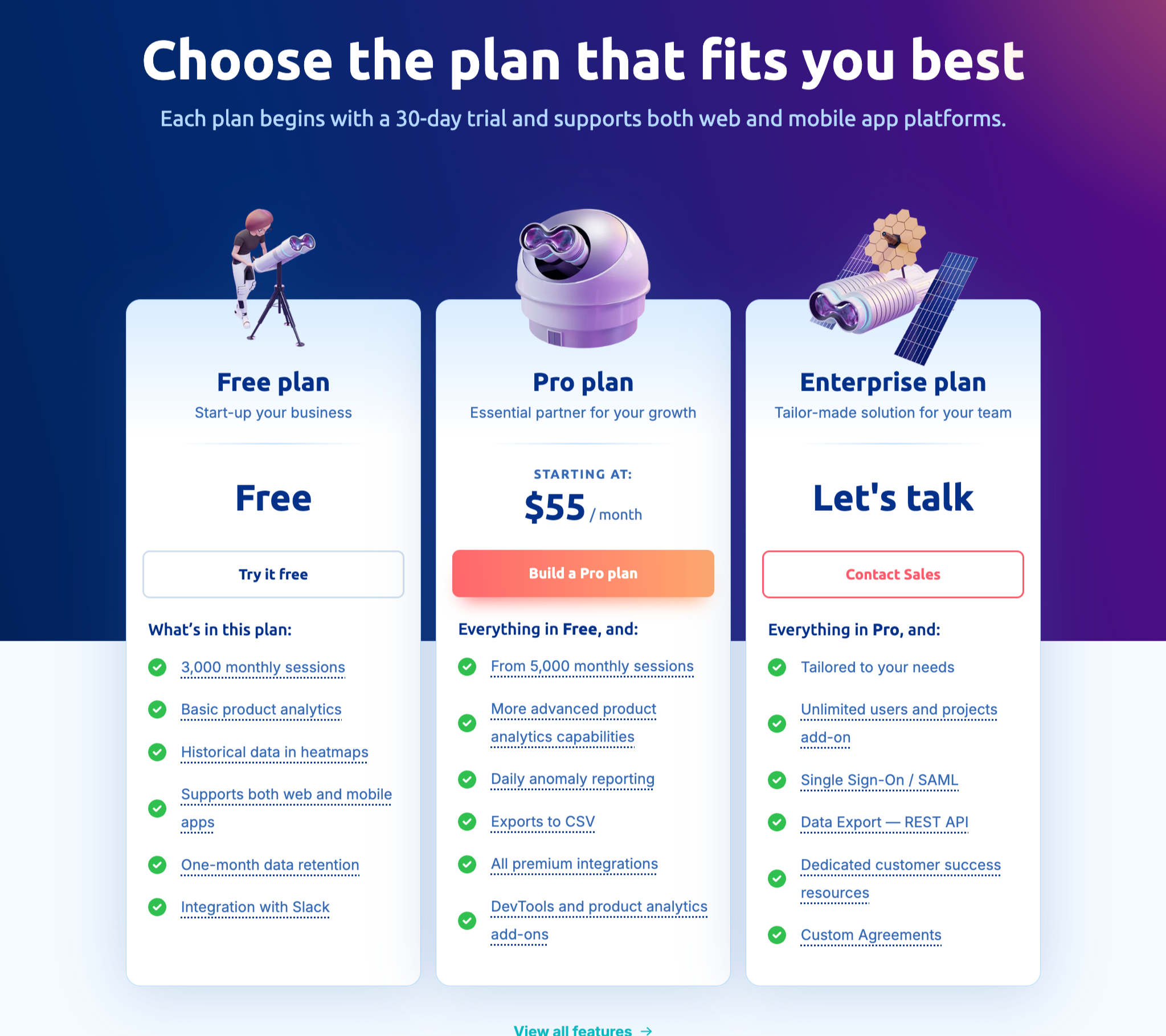
Smartlook uses a tiered pricing structure based primarily on the number of sessions you record per month. It is worth noting that they often bill Web sessions and Mobile sessions separately or count them toward different limits.
Free plan
The free tier is suitable for personal projects or pre-revenue startups. It typically includes:
- Approx. 3,000 monthly sessions.
- 1-month data retention: This is the major limitation. You cannot look back at last quarter’s data to see trends.
- Basic event tracking.
Pro plan
Starting around $55/month, the Pro plan is designed for growing SaaS and Mobile apps. It unlocks:
- Higher session limits (customizable up to ~100k).
- 3-month data retention: Essential for quarterly reporting.
- “Always-on” recording: Ensures you don’t miss intermittent bugs.
- Integrations with Slack, Google Analytics, and customer service platforms like Zendesk.
This tier is where most SMBs land to monitor product usage analytics effectively.
Enterprise plan
For large organizations, the Enterprise plan offers:
- Millions of sessions per month.
- Single Sign-On (SSO) and advanced security compliance.
- REST API access for programmatic data export.
- Priority support service and dedicated Customer Success Manager.
Session limits matter more than you’d expect. I’ve seen teams hit their session limit mid-month, and Smartlook stops recording until the next billing cycle. You’re blind for the rest of the month unless you upgrade or enable sampling.
Pros & cons of Smartlook
After using Smartlook in various product roles, here is my honest assessment of where it shines and where it struggles.
Pros
- Mobile parity: Mobile support is genuinely good. The Flutter and React Native SDKs actually work, unlike competitors who added mobile support later, and it shows. It improves customer experience by helping you spot UX issues faster.
- Retroactive analytics: The ability to create a funnel today and see data from last month (because the events were auto-captured) is a lifesaver for fast-moving teams.
- Dev-friendly: The crash reporting, performance tracking, and API access make it a tool that both developers and marketing teams want to use.
Cons
- Retention limits: On non-enterprise plans, data retention is short. Doing a Year-Over-Year retention analysis is impossible without exporting data manually.
- No user feedback loop: Smartlook shows you the user is angry (rage clicks), but it doesn’t let you ask them why via a survey or feedback widget.
- Passive nature: This is the critical flaw. Smartlook is strictly an observation tool. It shows you that users are failing to onboard, but it offers no mechanism to fix that onboarding in real-time. You have to go back to code to change the UI.
When to seek a Smartlook alternative?
Smartlook shows you what went wrong, but it doesn’t help you fix it.
Consider an alternative when passive observation isn’t enough. When you spot users struggling with a complex feature, your only option is filing a ticket and waiting for a redesign.
Tools that combine analytics with engagement let you fix issues in real time: launch a tooltip, trigger a walkthrough, or show a checklist when users get stuck. Smartlook also doesn’t let you collect in-app feedback or survey users where they’re actually stuck.
Top Smartlook alternatives
Depending on your needs, here are alternative solutions for session recording and user analytics.
1. Userpilot
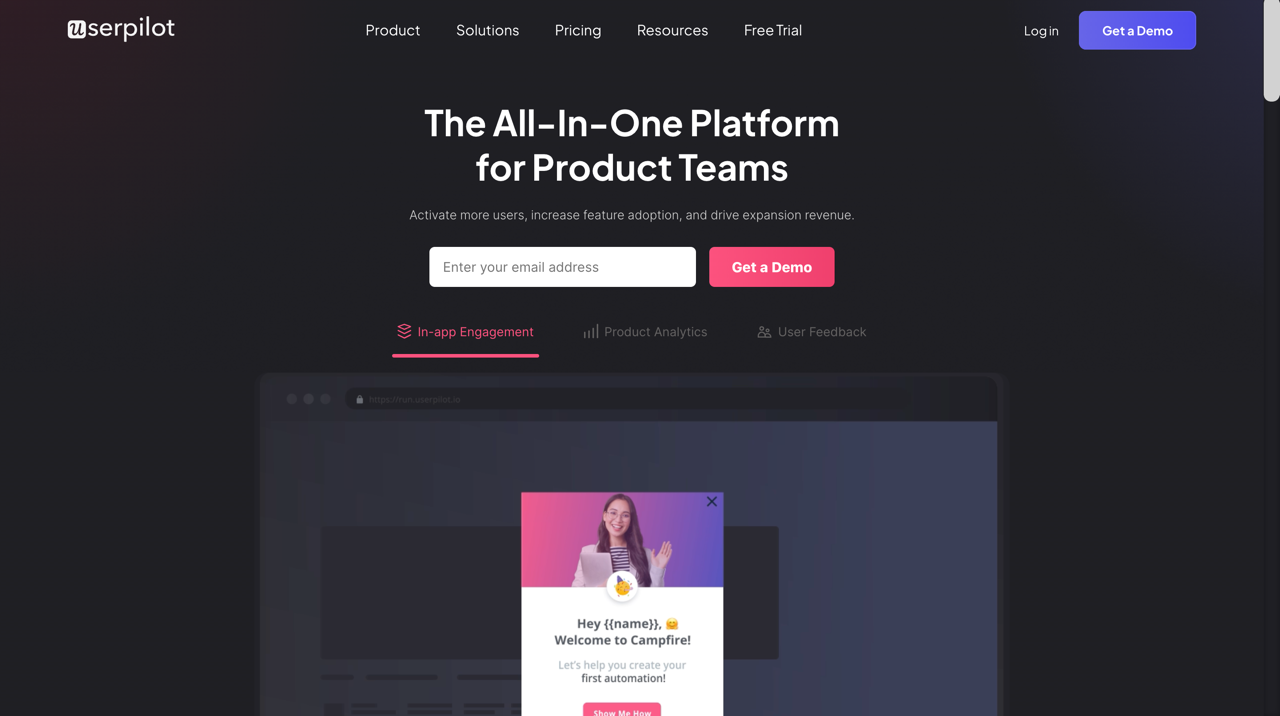
Userpilot is the comprehensive choice for product growth teams. While Smartlook focuses on watching the struggle, Userpilot helps you watch AND fix it. Userpilot includes robust session replays and analytics to diagnose friction, but it pairs them with a powerful engagement layer.
If you see users failing to adopt a feature, you can build an in-app flow to guide them without writing a single line of code.
- Analyze: Use product growth platform features like trend analysis, funnels, and session replays.
- Engage: Trigger modals, tooltips, and checklists based on the user behavior.
- Feedback: Launch in-app surveys (NPS, CSAT) to get qualitative context behind the clicks.
If your goal is to drive product adoption actively rather than just reporting on churn, Userpilot closes the loop.
2. Hotjar
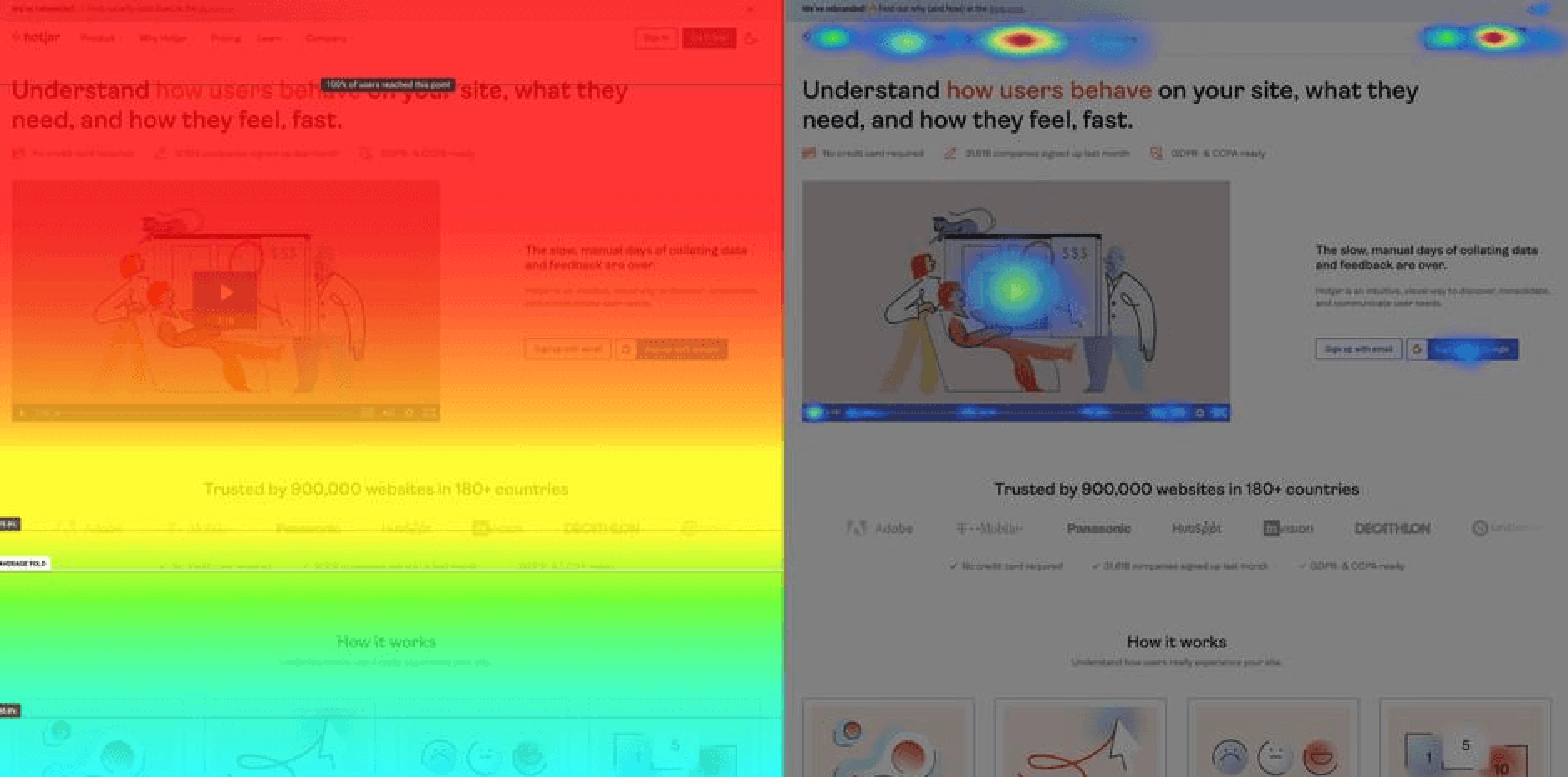
Hotjar is the direct competitor for web-only products. It is famous for its ease of use and beautiful heatmaps. Unlike Smartlook, Hotjar includes built-in survey and feedback widgets, making it a better “Voice of Customer” tool.
However, Hotjar lacks the deep mobile app analytics support that Smartlook offers. If you are building a web-based SaaS or e-commerce site, Hotjar is excellent. For native apps, it falls short. Check out this comparison of Hotjar alternatives for more.
3. Fullstory
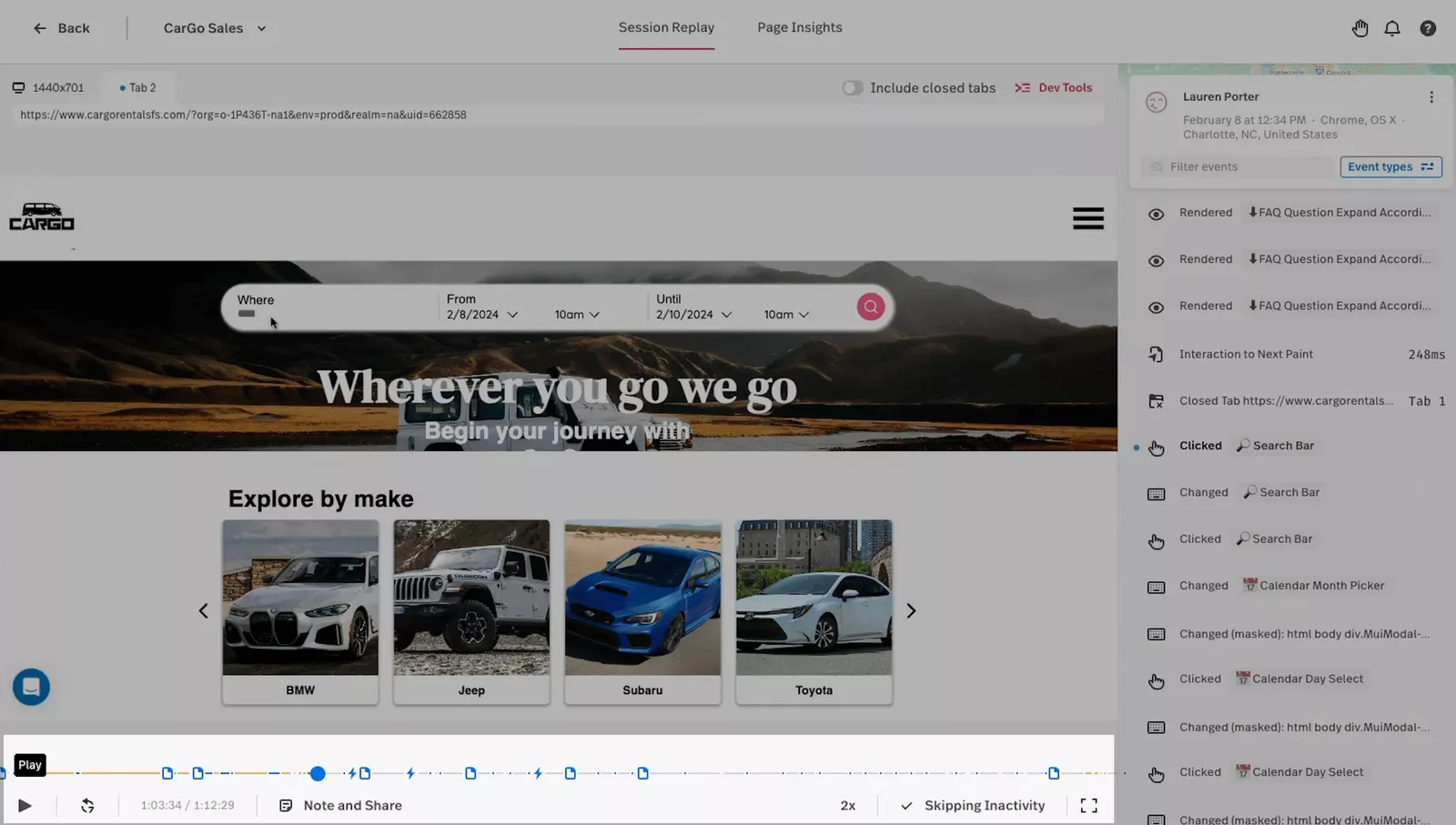
Fullstory is the premium option. It offers “Deep Search” capabilities that allow you to search for sessions based on incredibly specific DOM elements or browser console errors. It is a forensics tool for engineering-heavy teams.
The downside is the price tag. Fullstory session replay technology is top-tier, but it is often overkill (and over-budget) for small to mid-sized product teams.
4. Mixpanel
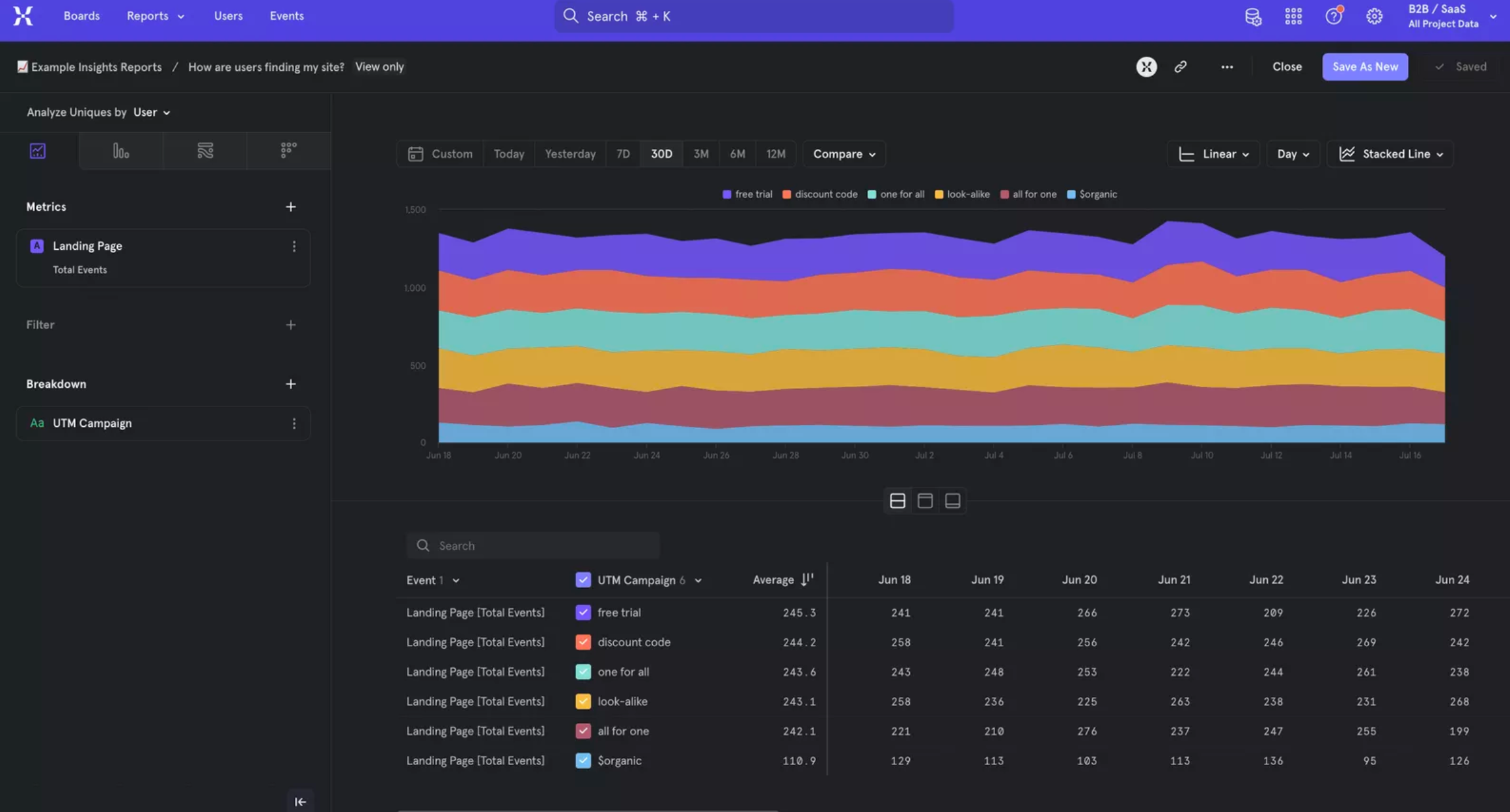
Mixpanel is not a session recording tool; it is a quantitative analytics powerhouse. It is best for deep data segmentation and complex queries.
Most teams use Mixpanel alongside tools like Userpilot or Smartlook. Smartlook tells you “why,” while Mixpanel tells you “how many.” If you are looking for pure data number-crunching, look at Mixpanel alternatives, but know that you will likely miss the visual context of video.
Which tool should you choose?
When comparing session recording tools, your choice depends on what you need to do with the data. Here’s the quick overview:
| Tool | Best for | Main reason to choose |
|---|---|---|
| Userpilot | Actionable growth | You want to analyze user behavior AND build in-app experiences (onboarding, tooltips) to fix issues immediately. |
| Smartlook | Mobile & web observation | You have a native mobile app and need session recordings specifically for iOS/Android. |
| Hotjar | Web visuals | You want simple heatmaps and surveys for a traditional website. |
| FullStory | Deep forensics | You are an enterprise team needing to debug complex technical errors. |
Turn insights into action
Smartlook is a solid tool if your primary need is passive observation, specifically for native mobile applications. It answers the question, “What happened?” very well, and its crash reporting integration is a favorite among mobile developers.
Knowing what happened is only the first step. You need to fix the problem and drive growth. If you want to analyze behavior and fix issues directly in the app (with onboarding flows, tooltips, and feedback surveys), session recordings aren’t enough.
If you want a better way to fix user friction beyond session recordings, book your demo with Userpilot today!
Userpilot strives to provide accurate information to help businesses determine the best solution for their particular needs. Due to the dynamic nature of the industry, the features offered by Userpilot and others often change over time. The statements made in this article are accurate to the best of Userpilot’s knowledge as of its publication/most recent update on December 22, 2025.
About the author