I Investigated 7 Mixpanel Alternatives Worth Your Time



Working in SaaS, I’ve been part of enough product and growth conversations to notice a pattern. Whenever someone brings up Mixpanel, the same set of “alternatives” keeps coming up.
But there’s no such thing as a single “best” Mixpanel alternative.
What I’ve seen (and what a lot of teams eventually realize) is that these product analytics tools aren’t interchangeable. They solve slightly different problems depending on your setup, your data maturity, and what you’re trying to achieve.
So rather than saying “this is the best alternative,” I’ll break these options down by use case.
Executive summary
- Deep product analytics: Amplitude stands out for experimentation and data governance, while Heap offers autocapture and retroactive event analysis.
- UX research: FullStory helps investigate friction through session replays, while Hotjar focuses on heatmaps, recordings, and feedback.
- Technical control: PostHog suits developer-led teams, while Matomo prioritizes privacy and data ownership.
- Turning insights into action: Userpilot combines product analytics with in-app engagement, helping teams identify problems, make improvements, and measure results.

The best Mixpanel alternatives at a glance
| Tool | Best use case | Where it beats Mixpanel | Pricing range |
|---|---|---|---|
| Amplitude | Deep product analytics at scale | Integrated experimentation workflows, predictive analytics, and data governance | Starts at $0 (usage-based); ~$64.7K ACV/year |
| Userpilot | Act on insights inside the product | In-app engagement, surveys, and no-code targeting | $299/month starting; $18K ACV/year |
| Heap (acquired by Contentsquare) | Flexible analytics without manual tracking | True autocapture and retroactive analysis across all events | ~$41.2K ACV/year |
| Fullstory | Visual UX debugging and friction analysis | High-fidelity session replay and frustration signals | ~$28.2K ACV/year |
| Hotjar (acquired by Contentsquare) | Quick UX insights for websites | Simple heatmaps and a lightweight setup | $39/month starting; $20K ACV/year |
| PostHog | Open-source, dev-friendly analytics | Self-hosting, feature flags, and experimentation | $58K ACV/year |
| Matomo | Privacy-first analytics (GDPR-focused) | Full data ownership and on-prem deployment | €22/month starting |
When should you consider an alternative to Mixpanel?
Mixpanel is widely used and has a good rating (4.5/5 across 1,300+ G2 reviews). However, it doesn’t fit every team or workflow. These are the most common scenarios when an alternative makes sense:
- You want to act on user data: Userpilot’s 2025 SaaS Product Metrics Benchmark Report found an average activation rate of 37.5% across 62 B2B SaaS companies. For teams trying to improve that number, identifying where users drop off is only part of the job. They also need a way to address that friction and measure whether their changes work.
- You need a deeper behavioral context: Mixpanel shows what users do through events, funnels, and cohorts. And even though Mixpanel has session replays, that’s not their core strength. It lacks built-in user feedback (surveys, polls), and visual behavior analysis. If you need such capabilities, tools like Hotjar or Fullstory are a better fit.
- You’re consolidating your tech stack: Costs add up fast when juggling analytics, engagement, and feedback tools. Separate tools can also create reporting inconsistencies. Userpilot product manager Natália Kimličková recalls using Heap for analytics and Userpilot for in-app messaging at a previous company, where differences in event definitions and segmentation led to conflicting results. “We were also constantly debating the data,” she says.
- You’re optimizing for cost or flexibility: Mixpanel’s event-based pricing can make costs less predictable with a range of custom plans based on usage. This is why teams revert to tools like PostHog or Matomo that offer more flexible (and sometimes cheaper) options, with trade-offs in ease of use.
#1 Amplitude: Closest Mixpanel alternative with native experimentation
If you need a like-for-like replacement for Mixpanel but with more advanced analytics, long-term data structure, and built-in experimentation, Amplitude is a good fit. Their features (event model, funnels, and cohorts) work almost the same, so the transition is smooth.
Where Amplitude really stands out in comparison to Mixpanel is in experimentation and data governance. You can analyze behavior and run A/B tests in Amplitude, while its data controls help prevent messy tracking setups over time.
Amplitude is also positioning itself around “self-improving products,” using AI agents to analyze user behavior, identify opportunities, and help teams test and implement improvements with less manual work.
Key features
- Event-based analytics: Track user actions and build funnels, retention charts, and cohorts (similar to Mixpanel, but more efficient at scale).
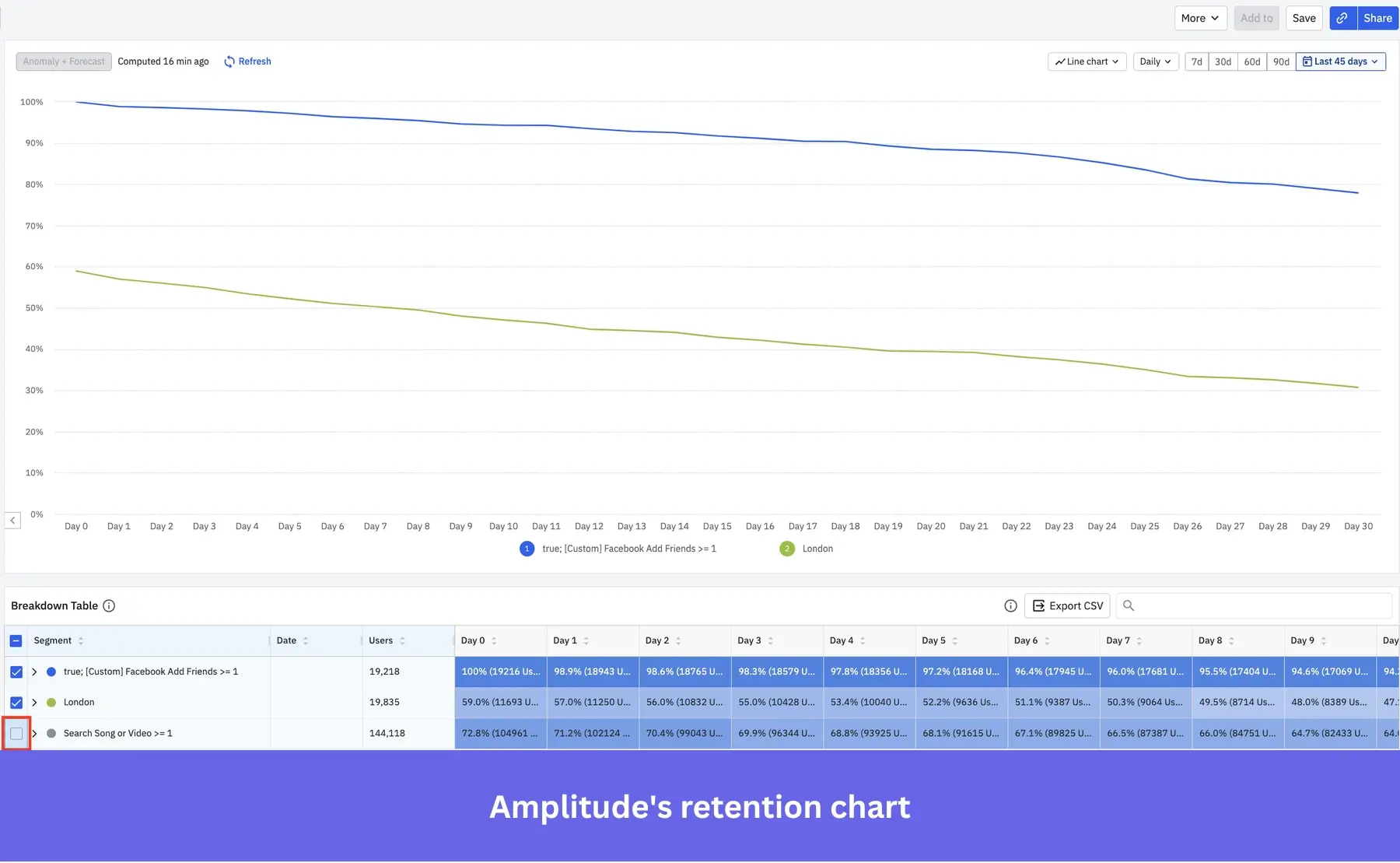
- Journeys: Path analysis and user journey maps in one chart.
- Built-in experimentation: Run A/B tests on features without needing a separate tool.
- Data governance: Prevent event sprawl and maintain clean tracking over time.
- Predictive insights: Identify churn risks or high-value behaviors using AI models.
- AI agents and Amplitude Wave: Use AI agents to investigate changes in product metrics, analyze session replays, build dashboards, and recommend experiments.
Regarding Amplitude’s pricing, paid plans start from $0/month, with usage-based pricing as you scale.
However, based on Vendr data, the ACV is approximately $64K/year. Overall, I’d recommend Amplitude for quick transition and because its analytics are more reliable and trackable. However, “the dashboard may become a bit daunting after some time,” meaning that finding specific sessions or data can be difficult.
#2 Heap (owned by Contentsquare): Best Mixpanel alternative for web and mobile autocapture
I’d pick Heap over Mixpanel when:
- You don’t yet know which events or what event data will matter.
- You need to analyze behavior you didn’t think to track upfront.
- Or your team doesn’t have engineering cycles to maintain a clean taxonomy.
I know Mixpanel has added autocapture now, but Heap has been built around post-capture event definition for years, so PMs can define events themselves without looping in engineering.
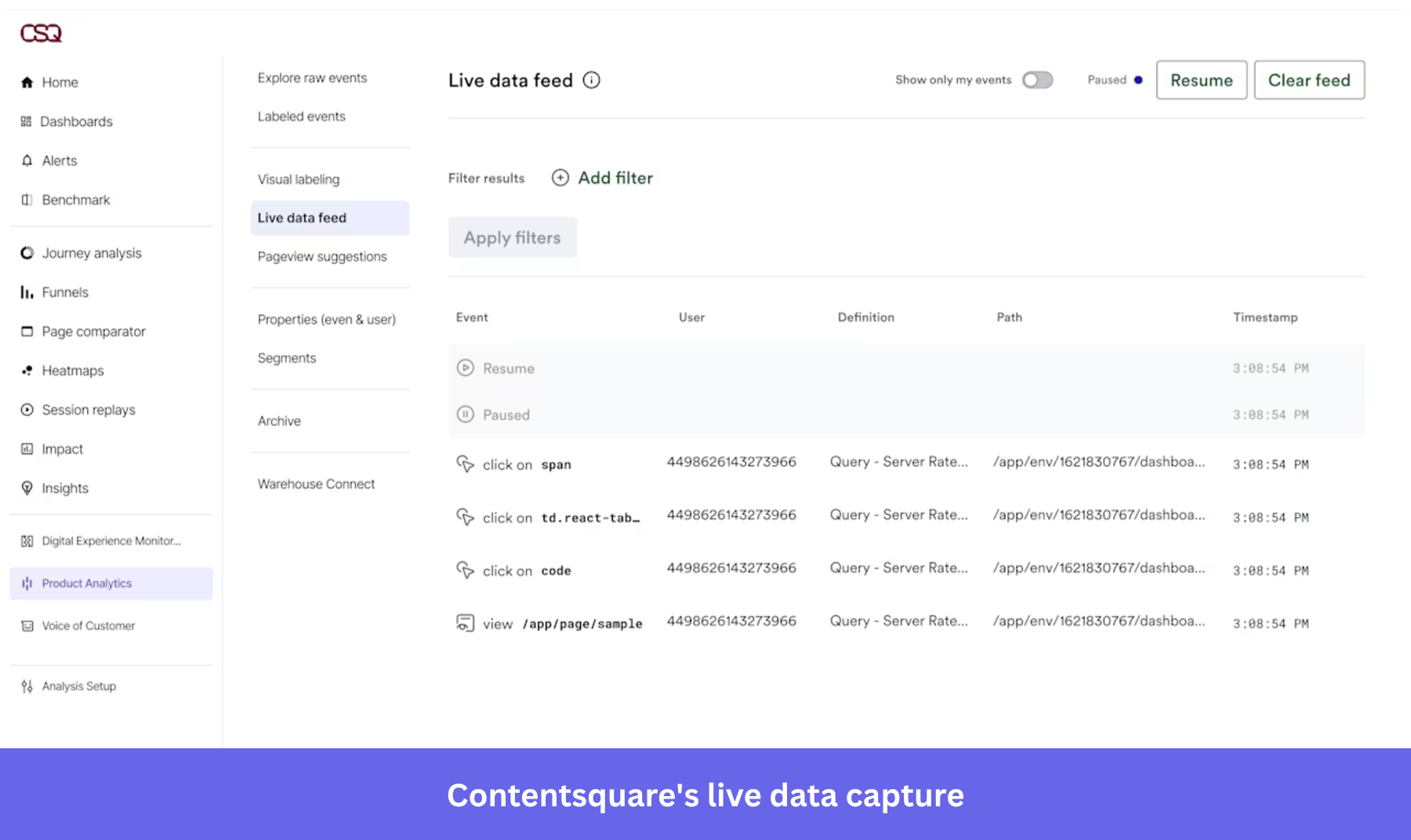
Heap auto-captures interactions such as clicks, taps, swipes, and page views without manual setup for each event. This lets you define events later and access historical data to analyze behavior you didn’t initially plan to track. Its autocapture extends to web and mobile applications, making it one of the few tools that offer this consistently.
Since its acquisition by Contentsquare, Heap’s analytics capabilities have also become part of a broader platform that connects product behavior with session replays, heatmaps, and frustration signals. That could be useful if you want to investigate why users struggle at a particular step, although access to these additional tools depends on your plan.
Key features
- Autocapture (web + mobile): Tracks all user interactions automatically, and it’s no-code.
- Behavioral analytics: Funnels, retention, and journey analysis to understand user flows.
- User segmentation: Group users by behavior or attributes to compare cohorts.
- Session replay and heatmaps: Add visual context to understand user actions.
- Retroactive analysis: Define events anytime and analyze past customer data instantly.
Heap’s core functionality can still be purchased separately within Contentsquare and doesn’t publish pricing publicly, but according to Vendr, the median contract value is $41K/year. In summary, Heap is easy to use and a huge time-saver, especially for manual event tracking. However, the data can be unreliable sometimes, as reported by a G2 reviewer: “Web sessions and users are very different than what we see in Google Analytics.”
#3 Fullstory: Behavioral analytics platform with session replay focus
Honestly, Fullstory and Mixpanel solve different problems. While it’s often mentioned in discussions for Mixpanel alternatives, it’s not really a like-for-like replacement.
I’d go for Fullstory when I need to watch what happened. Think support pulling up a session replay behind a customer complaint, or a designer trying to figure out why users bail on a flow when the funnel data alone isn’t telling them anything.
Fullstory also extends beyond customer-facing products. Its Workforce offering helps companies analyze how employees use internal applications, including adoption, engagement, performance, and frustration signals. So it’s worth considering if you need to investigate friction in both customer and employee experiences.
Key features
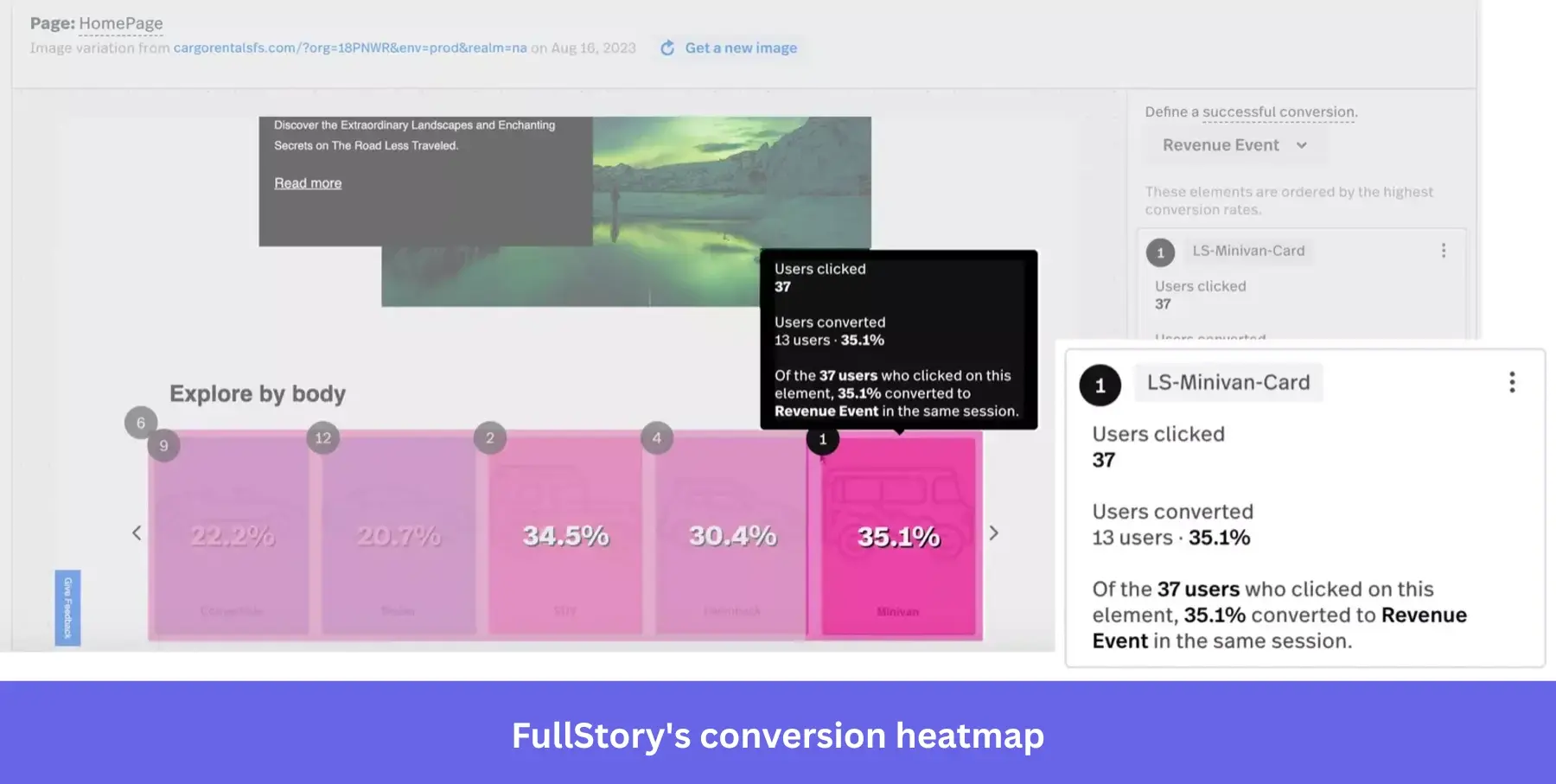
- Session replay: Watch user sessions to see exactly how users navigate and where they struggle.
- Autocapture: Track all interactions without manual event setup.
- StoryAI: Ask questions about behavioral data, summarize sessions, and identify user experience issues with AI.
- StoryAI Agents: Investigate product issues, monitor releases, and flag conversion problems automatically.
- Fullstory MCP and Workflow Intelligence: Connect behavioral data to AI assistants and analyze employee workflows across applications to find inefficiencies.
If you’re curious about Fullstory pricing, the company has a free plan and uses custom, quote-based pricing. And the ACV is $28K/year, according to Vendr.
In all, I’d recommend it if you want to see how users interact with your products in production. However, the pricing is a bit too much, especially if you don’t use the full feature set. Besides, it sometimes shows duplicate metrics once you scale to about 100 active users.
#4 Hotjar (part of Contentsquare): Behavioral analytics solution with heatmaps and recordings
Hotjar is the one I’d point a CRO or marketing team toward when Mixpanel feels like overkill.
It’s suitable for a handful of situations:
- A growth marketer trying to figure out why a checkout flow or lead form isn’t converting.
- Teams that want heatmaps and session recordings without engineering setting up event tracking.
- CRO work where on-page surveys and feedback widgets matter as much as the behavior data itself.
- Early-stage UX diagnosis before you commit to a heavier analytics setup.
Hotjar is now part of Contentsquare, which also acquired Heap. That means teams can access Hotjar’s heatmaps, recordings, and feedback tools alongside Heap’s deeper product analytics within the Contentsquare ecosystem. However, these capabilities are offered through separate product plans, so don’t assume they’re all included in one subscription.
Key features
- Session recordings: Replay user sessions to uncover confusion, bugs, or drop-offs.
- On-site surveys: Ask targeted questions to understand user intent or objections.
- Feedback widgets: Collect user feedback/sentiment directly on your pages.
- Sense AI and MCP: Summarize heatmaps and recordings, ask questions about user behavior, and access Contentsquare data through AI assistants like ChatGPT and Claude.
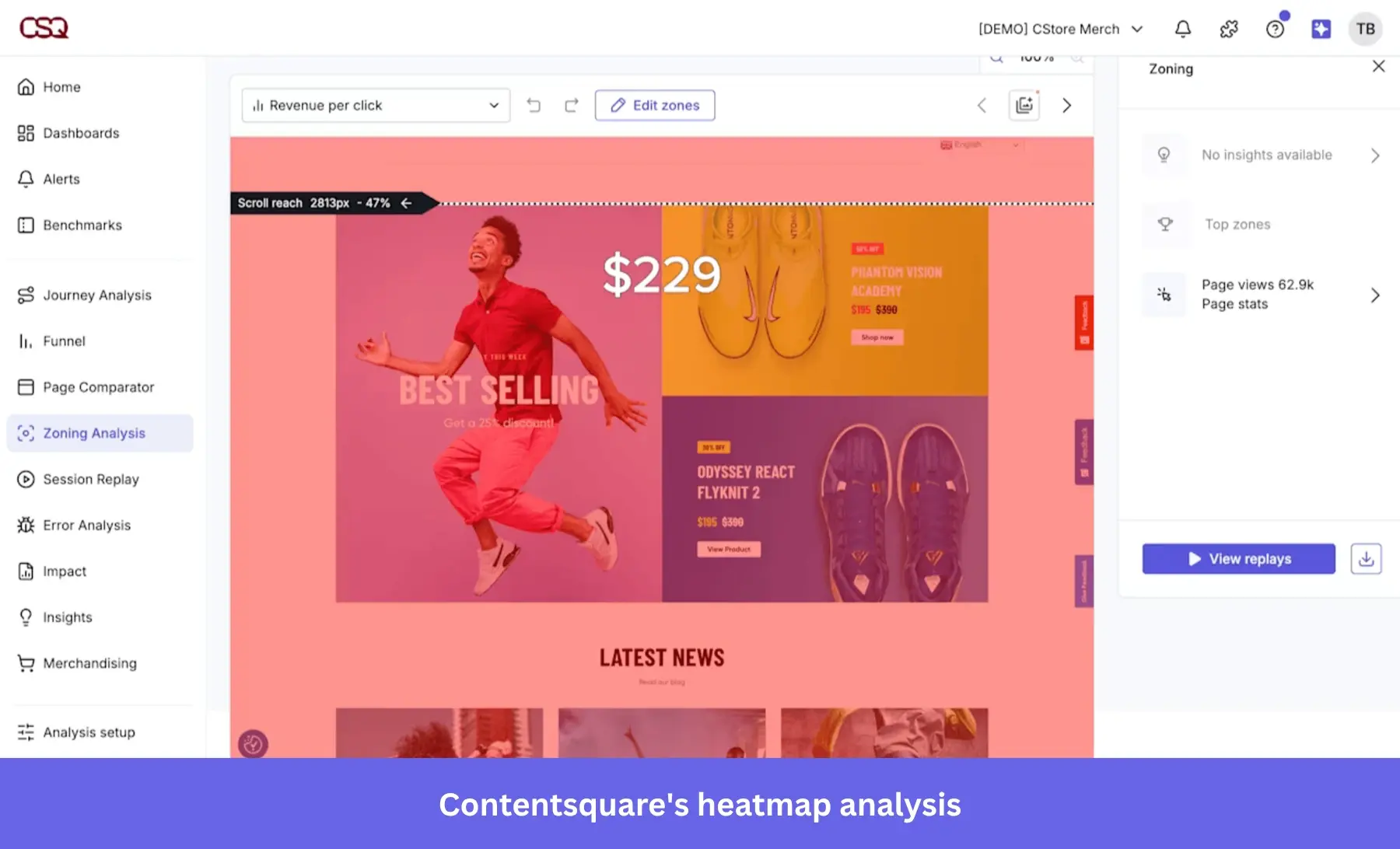
- Heatmaps: See where users click, move, and scroll to identify ignored sections or friction points.
As Hotjar is now fully part of Contentsquare, their pricing applies. Vendr’s data shows the average Hotjar pricing at $20K/year.
Overall, Hotjar is fast and provides clear UX insights that help improve conversion. However, its “data depth is limited at scale,” which can slow down your analysis.
#5 Userpilot: AI-powered product analytics and in-app engagement platform
Userpilot is the Mixpanel alternative for product teams that want to find where users stall and fix it in the same tool. You spot the drop-off in a funnel, launch a checklist for that segment, then watch the same funnel to see if it worked.
With Mixpanel, you may need separate tools for onboarding or surveys, depending on your workflow. That means managing additional integrations and keeping data consistent across platforms. Userpilot combines analytics and in-app engagement, so you can investigate user behavior and act on what you find in one place.
Key features
- Dashboards and trend reports: Track activation, retention, and feature adoption/usage patterns in real time. For example, you can monitor how a new onboarding flow impacts activation week over week.
- Funnels and path analysis: See where users drop off and what paths lead to conversion. If users abandon a key step, you can identify the exact point of friction and fix it quickly.
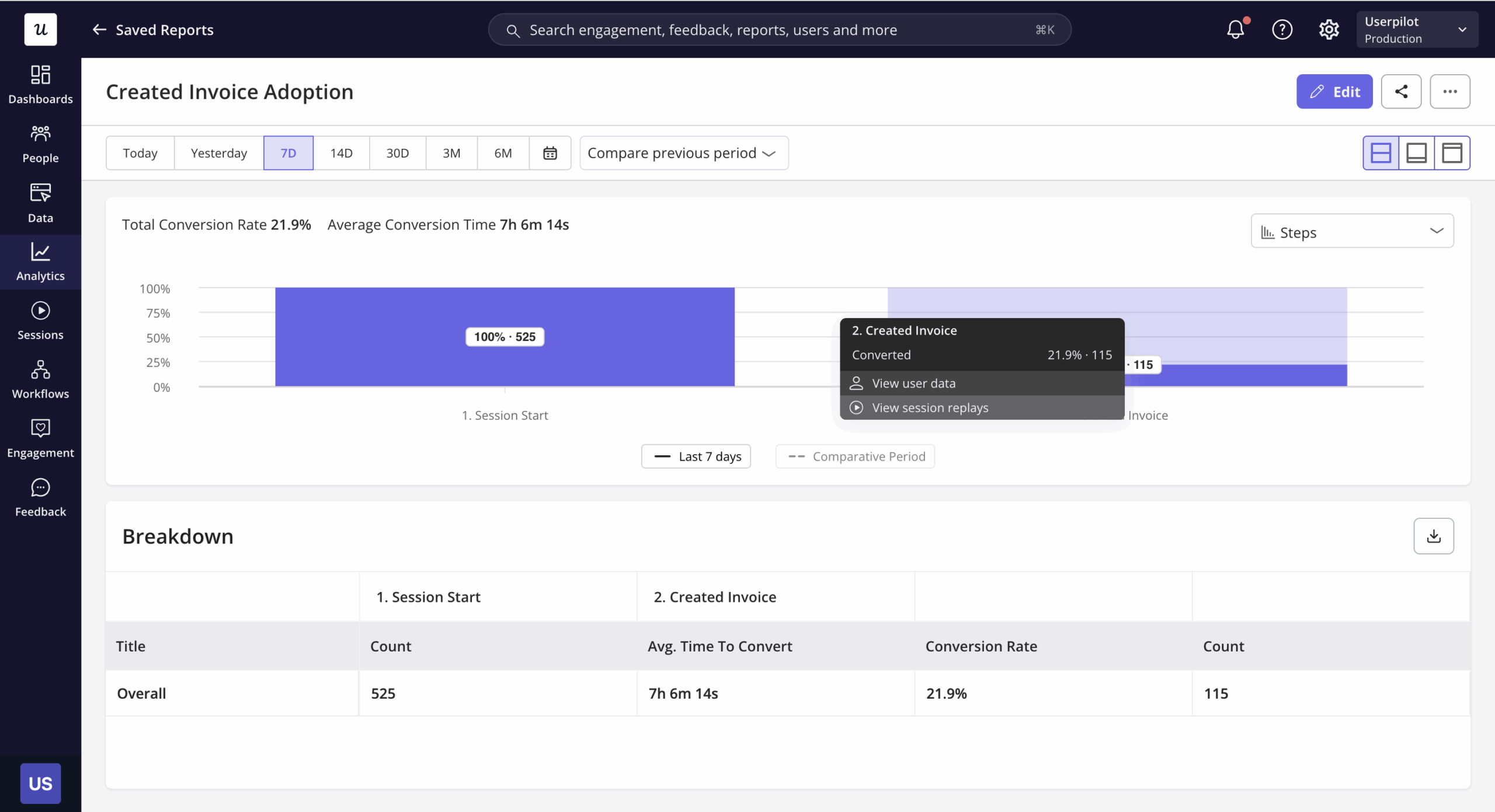
- Feature and custom event tracking (with autocapture): Track clicks, feature usage, and custom events without engineering help. You can retroactively define events and start analyzing them immediately.
- Session replay for qualitative insights: Watch real user sessions to understand confusion, rage clicks, or unexpected customer behavior that numbers alone won’t explain.
- Segmentation and cohort analysis: Group users by behavior, lifecycle stage, or plan. For instance, you can isolate “power users” vs. “at-risk users” and tailor experiences for each group.
- Lia AI agent: Ask questions about product data, uncover trends and friction points, and get recommendations. Lia can also build in-app flows and surveys to act on those insights.
- MCP and Agent Analytics: Access Userpilot data through AI tools like ChatGPT and Claude, and track how customers use your own AI agents.
If Mixpanel is built as a highly flexible, data-first analytics tool (often requiring instrumentation, schema planning, and ongoing maintenance), Userpilot takes a no-code, product-led approach.
You can track events, build funnels, analyze paths, and launch in-app surveys or in-app experiences without engineering support.
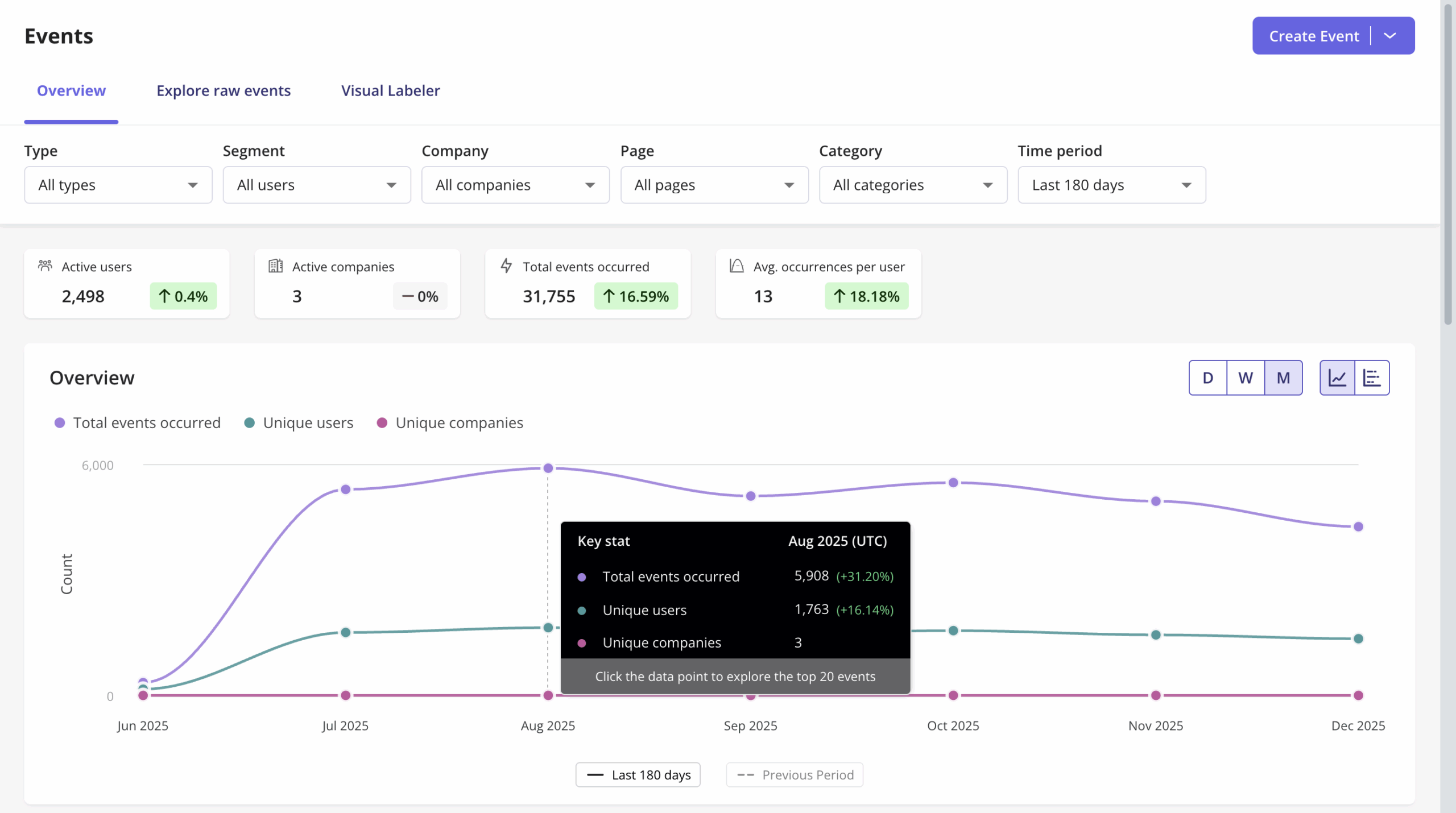
In summary, the key difference between the tools is that the insights in Userpilot are immediately actionable.
Instead of exporting data or syncing with other tools, you can trigger tooltips, modals, checklists, or emails directly based on user behavior, even as a non-technical user. And because your analytics and engagement tools share the same data, you can measure whether those interventions improve the behavior you’re targeting.
Nevertheless, the tradeoff comes from that same simplicity. Because Userpilot is no-code and opinionated, it’s less granular than Mixpanel in a few areas:
- Less flexibility in event modeling: Limitations around modifying custom events and composing them.
- No SQL-level or advanced querying layer supported.
Userpilot uses MAU-based pricing, starting at $299/month (~ $3.6K/year) for smaller teams. Even at scale, typical costs ($18K ACV) remain significantly lower than tools like Mixpanel or Amplitude. In terms of capabilities, Userpilot gets surprisingly close to Mixpanel on core analytics needs.
#6 PostHog: Developer analytics platform with open-source options
PostHog’s features are a mix of both Mixpanel and Hotjar, but with a stronger focus on developers.
The platform’s core strength is consolidation. It combines analytics, session replay, feature flags, and surveys into one tool. This makes it easier for engineering teams to identify issues, investigate what went wrong, ship fixes, and measure their impact. Product and growth teams can use it too, but much of the experience is built around developer workflows.
Similar to Amplitude, PostHog is pushing what it calls “self-driving products,” where AI agents use product data to spot issues and propose code changes for developers to review. It’s an interesting direction if you want to move from analyzing product behavior to fixing problems within your development workflow.
Key features
- Product analytics (event-based): Analyze funnels, retention, and user behavior with flexible event capture
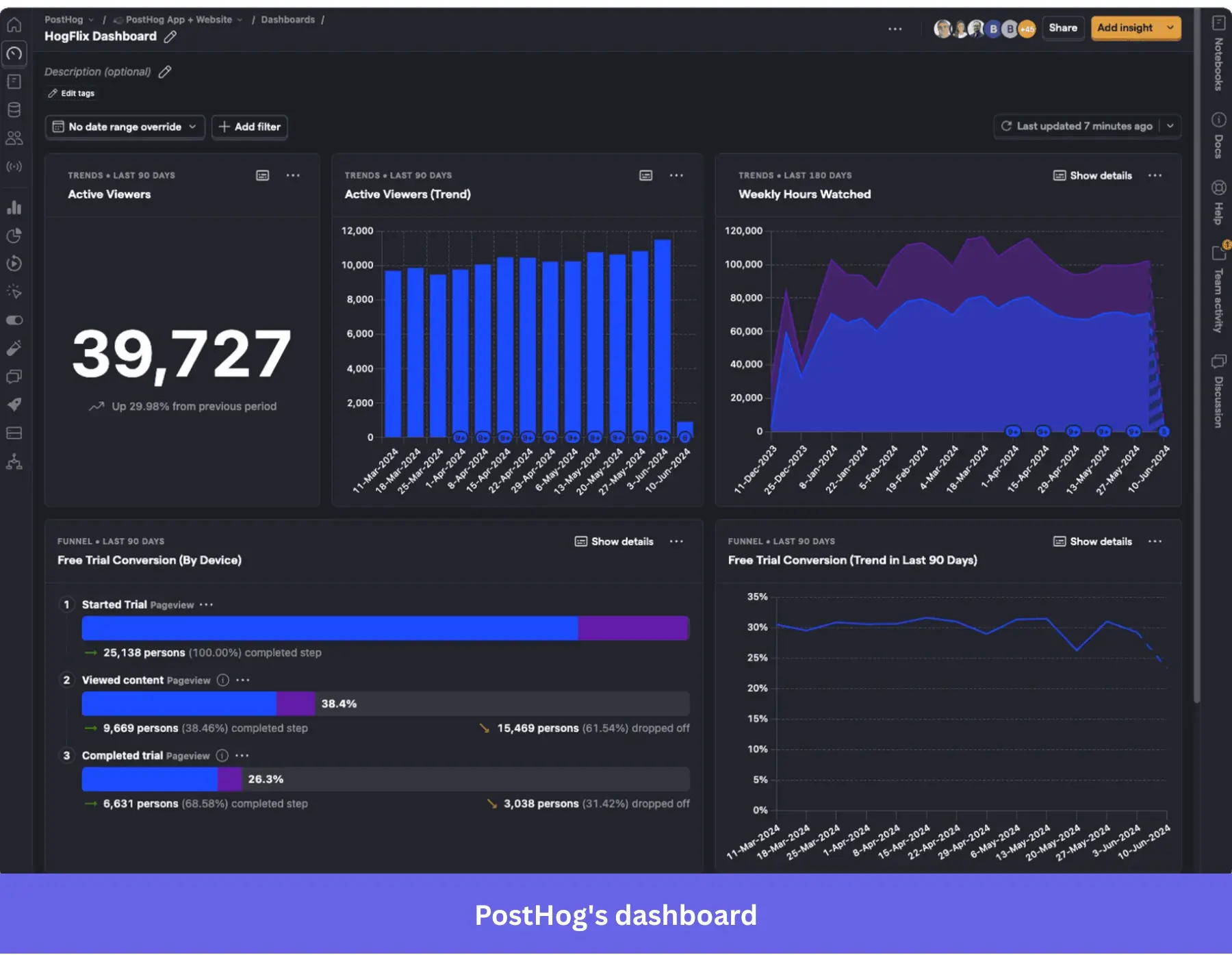
- Session replay: Watch user sessions to debug issues and understand behavior.
- Feature flags & experimentation: Roll out features and run A/B tests without separate tools.
- SQL querying & data pipelines: Analyze and visualize data using SQL, and connect PostHog with your data warehouse and other tools.
- Open-source & self-hosting: Deploy on your own infrastructure for full data control.
PostHog pricing offers a generous free tier (e.g., up to 1M events/month). Then, a usage-based tier (pay-as-you-go) is available if you choose to upgrade. However, based on Vendr data, the ACV is about $58K/year.
Bottomline: PostHog is ideal for “flexible event tracking and cost-effective analytics.” But its downside is that it may be difficult to understand or master for quantitative and qualitative data without a technical team.
#7 Matomo: Privacy-first analytics solution with self-hosted tracking
Unlike other analytics tools on this list, Matomo’s strength is data ownership and privacy. Other solutions, including Userpilot, support GDPR compliance, but Matomo gives you more control over where your analytics data is stored and managed.
When you self-host, your data stays on infrastructure you control rather than Matomo’s cloud servers. Across websites and mobile apps, Matomo helps you track user behavior and conversions, while its website and marketing analytics capabilities help you understand traffic sources and campaign performance. Its privacy controls also support GDPR compliance.
You can install Matomo on your own servers or use a hosting provider like Hostinger, which offers a one-click Matomo setup on its VPS hosting.
Key features
- Self-hosted analytics: Store and manage all data on your infrastructure for full ownership.
- Event tracking & goals: Track how users interact and measure conversions across journeys.
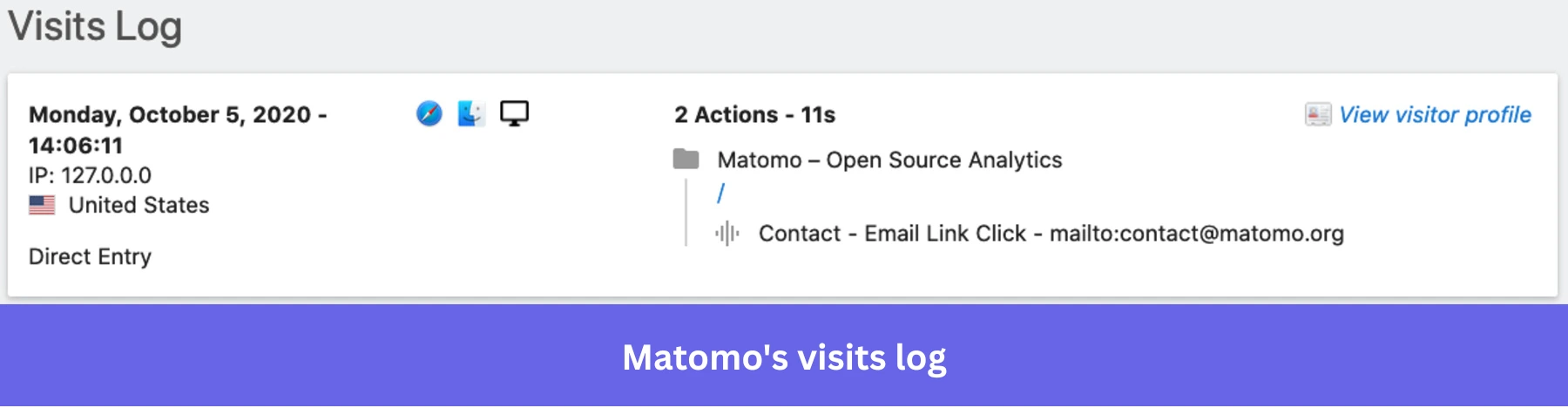
- Heatmaps & session recordings: Understand user behavior with visual insights.
- Custom reports & dashboards: Build tailored views for specific KPIs and marketing teams.
- No data sampling: Get precise, complete data instead of estimates, regardless of the event volume.
You can try Matomo for free, but their paid plans start at 22EUR/month, depending on traffic and features.
I recommend Matomo if you’re looking for a Google Analytics look-alike tool for advanced web analytics that “allows you to analyze your site while respecting users’ privacy.” However, the configuration is not as intuitive as GA.
Turn Mixpanel-style analysis into in-app action with Userpilot
If Mixpanel’s complexity or pricing isn’t working out for you, it’s worth considering alternatives. Look at Heap if you want to analyze user behavior retroactively; Hotjar for quick UX and conversion insights; Matomo for data ownership and privacy; or PostHog if you have an engineering-led team that wants analytics and developer tools in one place.
For a more complete solution that combines no-code analytics, autocapture, and in-app engagement, Userpilot might be the right choice. You can investigate user behavior, act on what you find, and measure the results without switching between tools. If you’re ready to migrate, Userpilot’s bulk import API lets you bring historical user and event data from Mixpanel into Userpilot, so you can retain useful context as you make the transition.
Schedule a Userpilot demo to see how you can move your analytics to Userpilot and turn the insights into improvements inside your product.
FAQ
What Is Mixpanel?
Mixpanel is an AI-powered product intelligence platform that helps teams understand how users interact with their products and make data-driven decisions. It combines product analytics, session replays, heatmaps, and experimentation tools with AI capabilities, making it easy to investigate user behavior and identify opportunities for improvement.
What are the main competitors of Mixpanel?
Mixpanel’s main competitors include Amplitude, Heap, Fullstory, Hotjar, Userpilot, PostHog, and Matomo. Amplitude and Heap focus on product analytics; Fullstory and Hotjar on UX insights; PostHog and Matomo on technical control and data ownership; and Userpilot on combining analytics with in-app engagement.
For a closer look at tools competing with Hotjar, see our comparison of Hotjar alternatives.
Is Userpilot better than Mixpanel for product-led growth?
Userpilot is a better fit if you want to analyze user behavior and act on insights without switching tools. It combines autocapture, session replay, in-app surveys, and in-app guidance to support activation and adoption.
Can I use Userpilot and Mixpanel together?
Yes. Userpilot’s Mixpanel integration lets you send Userpilot events, such as flow completions and survey submissions, to Mixpanel. This allows you to analyze engagement data alongside other product events while continuing to use Userpilot for in-app experiences.
About the author