Best SaaS Product Walkthrough Examples + How to Build One
According to ABBYY’s State of Automation Report, 9 in 10 companies experience up to 40% abandonment during onboarding. That’s a massive leak in the customer journey, and one that a detailed product walkthrough is designed to fix.
Proper in-app guidance helps users discover value faster and stay more engaged with your product.
So, how do you begin? Whether you’re new to walkthroughs or just looking for inspiration, I’ve got you covered in this guide.
We’ll explore:
- The differences between product walkthroughs and product tours.
- The best points in the user journey to trigger walkthroughs.
- Steps to build effective walkthroughs (with real-world examples).
What is a product walkthrough?
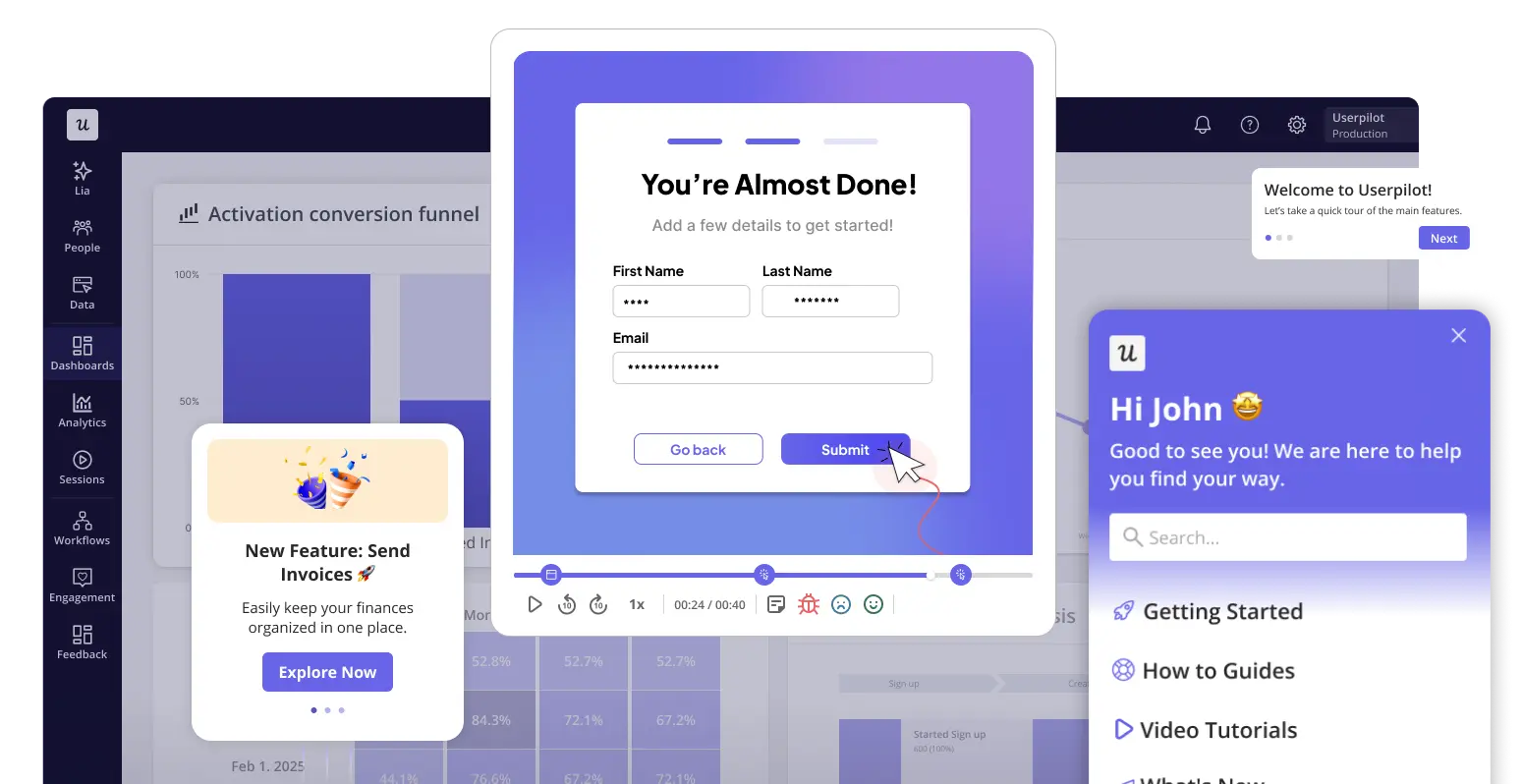
A product walkthrough is an interactive experience that helps users navigate the key steps needed to complete tasks within a product.
When done right, walkthroughs empower product teams, customer success managers, and even sales teams to reduce friction and help users succeed faster.
Benefits of using a product walkthrough
Walkthroughs reduce repetitive questions, empower users to self-serve, and lighten the workload for your support team.
Let me break down the key benefits.
Improve user onboarding and reduce time to value
New users come to your product with expectations informed by marketing messages or what their colleagues told them about you. A clear and intuitive user onboarding flow is your opportunity to meet and surpass those expectations, and product walkthroughs help us do just that.
Pairing walkthroughs with other onboarding strategies like checklists, welcome modals, or onboarding tooltips can accelerate user activation. These interactive walkthroughs guide users toward key actions, help users experience value faster, and improve early user activation.
Reduce friction and help users adopt new features faster
Product updates and new releases are often met with resistance from users accustomed to the existing interface. Walkthroughs can ease this transition.
Interactive walkthroughs introduce new features, explain the benefits, and show users how to incorporate them into their workflows. This reduces hesitation and makes them more likely to explore and adapt to your new releases.
Higher customer retention and lifetime value
Users who understand and use your product are more satisfied and engaged, which helps reduce churn.
As engagement continues and they become more proficient with your tool, they’re also more likely to explore advanced features and even spread positive word-of-mouth about your product.
This increased engagement, account expansion, and free word-of-mouth all contribute to a more robust user base and better lifetime value.
7 Best product walkthrough examples from SaaS
Ready for some inspiration? I’ve compiled five examples of SaaS companies that are killing it with intuitive product walkthroughs:
1. Asana
Asana is a project management tool that helps teams organize, track, and manage work.
Its product walkthrough simplifies a complex product with a clear, personalized approach. Instead of overwhelming users, it asks for key details during setup and even previews how the workspace will look, so users can start completing tasks right away.
The first step in the process is to guide users in creating tasks. For a project management tool, that’s a major use case, so it makes sense to see why it comes first in the onboarding sequence.
Asana uses hotspots to draw attention to key features. In my opinion, instead of assuming users will see where “due date” was written, they use a hotspot to ensure they don’t miss it. Accompanying the hotspot is a small text explaining what happens after the user sets a due date.
Lastly, Asana proactively created video tutorials and help articles with product screenshots for users who will still need extra help. Using a tooltip, they show users how to access the tutorials on demand.
Lessons from Asana’s product walkthrough
- Start with a core action that drives value. Early task creation speeds up activation.
- Highlight key features with contextual prompts. Tooltips and hotspots guide attention without adding noise.
- Support onboarding with self-serve help. In-app resources and tutorials extend learning beyond the walkthrough.
2. Grammarly
Grammarly is a writing assistant that helps users improve grammar, clarity, and tone in real time.
Its product walkthrough works well because it keeps setup minimal and quickly moves new users into an interactive product experience where they can see the value instantly.
The onboarding process starts with a short setup where users select their role and field. This helps tailor the experience without slowing users down.
From there, instead of traditional product tours or static tutorials, Grammarly drops users into an interactive demo inside a sample document. As users type or review the text, suggestions appear in real time, showing exactly how the product works.
This makes the product walkthrough feel natural. Users interact with key features like grammar corrections and clarity suggestions as part of the flow, rather than being told what to do.
The walkthrough relies on lightweight prompts and interactive elements to guide users, so they can explore at their own pace while still understanding the product’s capabilities within minutes.
Lessons from Grammarly’s product walkthrough
- Move users to action quickly. A short setup followed by an interactive walkthrough helps them see value right away.
- Use interactive demos instead of static tutorials. Let users experience key features in real time.
- Keep onboarding lightweight for intuitive products. Avoid over-explaining and focus on quick engagement.
3. Loom
Loom is a video messaging tool that lets users record and share quick videos for communication and collaboration.
Its interactive product tours focus on action from the start. Users are prompted to record a video right away, so they experience value before completing setup.
The flow begins with a short setup where users choose how they plan to use Loom. This adds context without slowing them down.
Next, Loom highlights its core feature with a clear “Record a Loom” CTA placed front and center. There’s no guesswork about what to do next.
Instead of long tours, Loom uses a simple checklist and lightweight prompts to guide a few key steps, like installing the extension or creating the first video. The experience stays flexible without feeling directionless.
It also introduces new features through in-app messages and modals, so users discover more without feeling overwhelmed.
Lessons from Loom’s product walkthrough
- Drive users to the core action immediately. Early video recording helps them experience value before onboarding is complete.
- Combine checklists with flexible guidance. A simple checklist shows key steps without forcing a rigid flow.
- Introduce new features without disrupting onboarding. In-app messages and modals highlight updates while keeping the experience focused.
4. Demio
Demio is a webinar platform that helps businesses host, manage, and analyze online events.
I like this example because it’s a great case study of how to combine tours and walkthroughs to engage both prospective customers and new users.
Demio’s customers are primarily interested in hosting high-performing webinars. To show prospects that the tool is worth it, the company has an interactive product demo on its website that walks prospects through its core features.
After the demo, visitors who sign up for a free trial will receive step-by-step guidance on how to host a webinar. This part is interactive and encourages users to learn by doing.
Demio uses a simulated webinar to provide a hands-on guide on how to host events and use other platform features like event and demo analytics.
Lessons from Demio’s product walkthrough
- Use interactive demos to engage potential customers early. Showing core features before signup helps users understand the value.
- Combine product tours with hands-on walkthroughs. A demo for prospects and step-by-step guidance for new users creates a smoother start.
- Simulate real use cases to teach faster. A mock webinar helps users complete key actions without real setup.
5. Kommunicate
Kommunicate is a customer support tool that helps companies boost their support without hiring additional human agents.
Instead of long product tours, Kommunicate focuses on step-by-step in-app guidance tied to real actions. Users complete tasks as they go, which makes the onboarding process feel practical and easy to follow.
The walkthrough starts with a quick setup form to understand the user’s role, industry, and goals.
Once inside, users see a checklist with clear steps like building an AI agent, customizing the chat widget, and connecting channels. Each step opens an interactive guide that walks users through the setup directly inside the product interface.
Lessons from Kommunicate’s product walkthrough
- Start with the core use case. Guide users to create something valuable early to speed up activation.
- Use progressive disclosure to reduce friction. Introduce features step by step instead of showing everything at once.
- Tie onboarding to real actions. Interactive walkthroughs work better when users complete tasks instead of reading instructions.
6. Salesflare
Salesflare is a CRM tool designed for SMBs. The platform has an interesting onboarding sequence that begins with a warm welcome page.
Its walkthrough lets users decide whether they want to be guided or not. Salesflare also supports this with short videos and in-app prompts, so users can learn in different ways without feeling restricted.
Salesflare mainly uses tooltips and modals for its walkthrough.
In the example below, the text lets users know that the platform is intelligent enough to detect important contacts. Users are then shown a few contacts and given the option to accept or reject them.
Again, this is an interactive walkthrough. You can’t move forward without completing the steps.
The onboarding experience continues after the initial flows: A sidebar appears, asking users to complete 11 additional tasks to extend the length of their trial period.
Each task is designed to deepen user understanding of the platform, which helps drive higher adoption rates.
Lessons from Salesflare’s product walkthroughs
- Give users control over the experience. Let them choose between guided steps and free exploration.
- Use multiple formats to guide users. Tooltips, modals, and videos support different ways of learning.
- Extend onboarding beyond the first flow. A checklist with follow-up tasks keeps users progressing and improves adoption.
7. Remote: Empty states as part of the onboarding strategy
Remote is a global HR platform that helps companies hire, manage, and pay employees across different countries.
What stands out here is how Remote uses empty states as part of its product walkthrough. Instead of leaving the dashboard blank, it guides users from the moment they log in. Empty states are screens that appear when there’s no data yet. Remote uses them to show users what to do next.
As soon as users log in, they see a “Things to do” section with clear steps like finishing account setup, adding a company admin, or getting started with hiring. This helps users explore the product without needing separate product tours.
Before this, Remote also asks users which products they’re interested in. This helps personalize the onboarding process and ensures users only see relevant steps.
Lessons from Remote’s product walkthrough
- Use empty states to guide users. Show clear next steps instead of leaving screens blank.
- Personalize the onboarding flow early. Ask about user needs to tailor the experience.
- Replace long product tours with contextual guidance. Use dashboards and checklists to help users navigate naturally.
How to create interactive product walkthroughs? Steps and best practices
You’ve seen how powerful walkthroughs can be. Now I’m going to break down exactly how SaaS businesses can create walkthroughs that reduce time to value and drive retention.
1. Decide on a specific goal for your product walkthrough
Clearly define the purpose of your walkthrough. Is it to improve user adoption, reduce time to value, support new feature launches, or drive a specific action?
Once your goal is clear, identify the key metrics you’ll use to measure success. Document these early because they’ll guide your walkthrough design and post-launch analysis.
For example, if your goal is to drive adoption of a new feature, you might track:
- The number of users who interact with that feature after completing the walkthrough.
- Task completion rates for any key actions within the flow.
- Follow-up engagement metrics like feature usage frequency or time spent.
2. Define the Aha! moment and the steps leading to it
The “Aha!” moment is the point where users clearly understand the value of your product. It’s when things click, and they realize how the product helps them solve a problem.
This should be the goal of your walkthrough. Once you know what that moment looks like, you can work backward and map out the steps users need to take to get there.
Start by identifying the key user actions that lead to that outcome. Then break them down into a simple sequence that’s easy to follow.
This approach helps you design a walkthrough that focuses on what matters most, instead of trying to show everything at once.
3. Personalize your walkthroughs
Most SaaS products don’t have one type of user. Walthroughs should be personalized to different roles, goals, and expectations. A product manager might want to set up workflows, while a marketer might want to track campaigns. Showing both the same steps slows them down.
That’s why personalization should be part of how you create interactive walkthroughs, not something you add later.
The screen from Airtable is a good example. It asks, “What team are you on?” and uses that answer to shape what comes next.
You can do the same by grouping users into user segments based on:
- Their role and company details.
- Their main use case for using the product.
Collect the relevant information by adding the questions to your signup flow.
Once you have that context, you can trigger different onboarding sequences for each group. This keeps the experience focused and avoids showing steps that don’t apply.
The result is simple: users move faster, stay engaged, and reach value without unnecessary friction.

4. Create the shortest possible path to value
A walkthrough should bring users straight to activation. If it takes too many detours, people drop off.
Keep the flow tight and easy to follow. Each step should be clear on its own and move the user closer to a meaningful outcome. For onboarding, aim for around 3 to 7 steps. For feature adoption, keep it even shorter, around 2 to 4 steps. If you find yourself adding more, it’s a sign the flow needs to be split into smaller parts.
This is where checklists help. They show users what’s left, what’s done, and what matters next. Instead of guessing their way through the product, users can move step by step with a clear sense of progress.
5. A/B test different product walkthroughs to drive better results
Create multiple versions of your product walkthrough to find out what resonates best with your users. You can A/B test variations in:
- UI elements (e.g., tooltips vs modals).
- Timing (when the walkthrough appears).
- Visuals (layout and color schemes).
- In-app messaging (tone and copy).

6. Measure the performance of your walkthroughs
Once your walkthrough is live, you need to track how it performs. This helps you understand what’s working and what needs improvement.
Start with flow-level analytics. These show how many users complete the walkthrough and where they drop off. A sudden drop at a specific step usually means something is unclear or unnecessary.
Use funnels to track the “happy path.” This helps you see how many users move from one key action to the next and where the journey breaks.

Path analysis gives you another layer of insight. It shows how users move through the product, so you can see how users actually engage with different steps.
Together, these methods help you understand real user behavior and gather valuable insights to improve your walkthroughs over time.
When to use a product walkthrough
Product walkthroughs can be used at various stages of the user journey, but I’ll explore where they are most effective.
Guide users after they sign up for your product
New users are often eager to get started, but they may feel overwhelmed if your product’s interface and features are unfamiliar.
A product walkthrough can ease that anxiety by offering clear, step-by-step guidance that gives users the confidence to take their first meaningful actions. This creates a positive first impression and drives continuous engagement.
Drive new feature discovery and adoption
Interactive walkthroughs are also useful when you launch new updates and notice that most users aren’t engaging enough.
For example, imagine you rolled out a new session replay feature for your analytics tool. Despite the release announcement, adoption remains low because users aren’t aware of the feature or don’t know how it fits into their workflow.
To fix this, you could create an in-app message asking users to try out the feature. Then, deploy a walkthrough to spotlight the new functionality and guide users through how to activate and use it effectively.
This targeted approach helps increase feature adoption and boost general user engagement.
Prompt upsells and increase expansion revenue
For SaaS companies, driving expansion revenue from advanced users is a key growth strategy. Product walkthroughs play a powerful role here—not just for product teams, but also for sales and marketing teams looking to surface the right upgrade opportunities at the right time.
How do you do it? Use product analytics to identify when users are most likely to convert, then build an interactive flow that highlights the benefits of upgrading and prompts users to take action.
When building your own upgrade experience, consider following up with a post-upgrade walkthrough that shows users how to get the most out of the advanced features.
Create interactive walkthroughs that stick
SaaS users crave intuitive experiences and won’t stick around for long if they perceive your product as too difficult to use.
Interactive walkthroughs address this issue by simplifying the learning curve, delivering ‘Aha!’ moments early, and creating moments of delight that keep users motivated.
But shipping SaaS walkthroughs that stick isn’t a one-time task; it’s a continuous process. Regularly track user behavior to uncover friction and drop-off points, then consider where a walkthrough can smooth the path. When unsure, use A/B or multivariate testing to see what works best for your users.
Ready to begin? Book a demo with our team to see how our platform can help you track in-app behavior, spotlight key features, and deliver a product walkthrough that drives real results.
FAQ
What is the SaaS onboarding process?
The SaaS onboarding process is the experience new users go through to get started with a software product. It includes everything from account creation and welcome screens to product tours, walkthroughs, tooltips, and help centers.
The goal is to help users reach their first “Aha!” moment as quickly as possible so they understand the product’s value and are motivated to keep using it.
What is an interactive walkthrough?
An interactive walkthrough is an in-app guide that shows users how to complete specific actions inside your product. These interactive guides are effective for streamlining onboarding, driving feature discovery, and boosting expansion revenue.
Product walkthroughs vs product tours: What's the difference?
Walkthroughs and product tours are both user onboarding strategies designed to introduce users to a digital product. However, they differ in purpose, execution, and length.
Purpose: A product walkthrough is primarily focused on guiding users through specific features or functionalities of a product. It aims to provide a step-by-step explanation of how to use the product effectively.
Product tours, on the other hand, are broader in scope and focus on providing users with just an overview of the entire product.
Execution: I like to think of a walkthrough as an ‘interactive product tour’. It requires user input, like clicking a button, filling a form, or navigating to a feature, before progressing to the next step.
By contrast, product tours are linear and passive, often only needing the user to click “Next” to continue.
Length: Product walkthroughs tend to be shorter than product tours. This makes them more targeted and versatile: perfect for onboarding users to specific features, introducing a new dashboard, or guiding someone through your resource center.
What are the most common mistakes when creating product tours?
- Ignoring different user needs: Showing the same flow to everyone reduces relevance. Use user personas to tailor walkthroughs to different goals and use cases.
- Treating onboarding as a one-time experience: Many teams focus only on new users and overlook existing users. Walkthroughs should also support feature discovery and continued usage.
- Overloading users with too many steps: Long flows reduce completion rates. Keep steps focused and split flows when needed.
- Skipping real user input: Without user feedback and customer feedback, it’s difficult to identify friction points. Regular input helps improve clarity and usability.
- Making walkthroughs hard to update: If the setup requires technical skills, teams may delay updates. This leads to outdated guidance. Keeping changes simple makes it easier to iterate.
- Not aligning with support workflows: When walkthroughs don’t match what the customer support team communicates, users can get inconsistent guidance. Alignment improves clarity.