The 19 Best AI Tools for Product Managers by Use Case


AI tools for Product Managers (PMs) have already sped up many essential tasks. New features and products are whipped up in days rather than weeks, creating an entirely different landscape to adapt to.
Userpilot’s CEO Yazan Sehwail shares his perspective on the situation, writing “As development cycles ramp up, product teams will have more and more features to monitor and even more work to do to understand how those are performing in production. It makes no sense for the current manual workflow to stay as it is today.”
What should PMs do in response? Keeping up the speed of work fueled by AI tools requires using them intelligently. That use begins with understanding what you’re trying to achieve with them. I’ve organized this guide around six common PM use cases, so you can compare the tools best suited to each one and jump straight to the part of your workflow where you need help.
Executive summary
- Product analysis and user behavior is where Userpilot stands out. Lia AI investigates why users struggle, recommends improvements, and builds targeted in-app experiences. Amplitude and Mixpanel offer deeper analytics, while Pendo suits enterprise-wide adoption.
- Customer research and feedback analysis gets easier with Granola handling interview notes and Claude identifying patterns across larger volumes of feedback.
- Research and planning is where I’d turn to Perplexity for external research or ChatPRD for product requirements. Notion AI and Confluence Rovo are useful for teams already working in those platforms.
- Prototyping and product development need different tools depending on the goal. Figma Make helps explore designs, Lovable builds working Minimum Viable Products (MVPs), and Builder.io supports changes to existing products.
- Product management needs vary by team. Aha! suits strategic roadmapping while Productboard supports feedback-driven prioritization. Linear is better for delivery.
- Workflow automation is a good fit for Zapier when tasks follow predictable triggers. Claude Cowork is better suited to complex work that requires reasoning.

Best AI tools for product analysis and user behavior
Once a feature goes live, I want to know how people are using it. AI-powered tools dig into user behavior without me spending hours building reports or investigating every drop-off manually. The four tools I’ve picked approach this differently. Amplitude and Mixpanel focus on understanding user behavior through analytics, while Userpilot and Pendo let you act on those insights with in-app experiences.
| Userpilot | Amplitude | Mixpanel | Pendo | |
|---|---|---|---|---|
| What it is | All-in-one: product analytics, in-app engagement, surveys and session replay | Digital analytics platform (analytics, experiments, replay, guides) | Event-based product analytics | Digital adoption platform (analytics, in-app guides, feedback) |
| Best for | B2B SaaS PMs who want analysis and action without code | Data-mature teams that need deep analysis and experimentation | Teams that want fast, flexible self-serve analytics at a low starting price | Enterprises managing product adoption across many apps |
| AI analyst | Lia AI agent: analyzes activation, conversion, retention, feature adoption, segments, account health, and declining or trending users | AI Agents and AI Data Assistant (all plans) | Mixpanel Agent and Mixpanel AI | Leo: answers questions about usage data |
| Other AI | AI builders for guides, surveys and user segmentation; AI feedback summaries and sentiment analysis; MCP | AI feedback analysis; AI session replay summaries (add-on); AI Visibility; MCP | AI session replay summaries; MCP; Mixpanel Headless; Metric Trees (Enterprise) | Predict (churn and upsell forecasting, add-on); MCP; Listen (feedback, Ultimate plan) |
| Agent and AI-feature analytics | Agent Analytics and MCP Analytics (add on for Growth and Enterprise with 5,000 free AI session analyses) | Agent Analytics (5k-20k sessions/mo, depending on plan) | Not prominent | Agent Analytics (free allowance; paid tiers) |
| Analytics depth | Strong: funnels, trends, paths, cohorts, retention; no-code feature tagging | Deepest: advanced behavioral analysis, cohorts, experiments | Very deep and fast; flexible event analysis | Good, with retroactive no-code tagging; less flexible than Amplitude or Mixpanel |
| Acting on insights in-app | Native and strongest: flows, checklists, banners, spotlights, resource center for Growth and up | Guides & Surveys on all plans; limited free usage | None (needs a separate tool) | Strong: in-app guides, Orchestrate (Ultimate) |
| Surveys and feedback | Net Promoter Scores (NPS) on Starter; advanced in-app surveys on Growth | AI Feedback (2,000 records/mo); surveys are limited | None native | Branded NPS on Free; broader surveys and Listen on Ultimate |
| Session replays | Growth plan and up (5k/mo free) | Included (10k-50k/mo) | Included (10k+/mo) | Core and Ultimate |
| Experimentation | A/B testing of in-app content on Growth and up | Strongest: experiments and feature flags | Experiments and feature flags | Guide testing only |
| Weak spots | Less suited to very high-volume, warehouse-scale analysis | Engagement and surveys are limited on lower plans; costs rise with volume | No in-app engagement or surveys | Pricing isn’t public; expensive at scale; AI features are often paid add-ons |
| Pricing | Starter $299/mo (up to 2k Monthly Active Users MAUs); Growth from $849/mo; Enterprise custom; Lia and MCP on all plans | Free (2M events); Plus from $0 (pay as you go); Growth and Enterprise custom (Vendr reports median contract value of $64,000) | Free (1M events/mo); Growth (first 1M events free, then usage based); Enterprise custom (average contract value reported by Vendr is $40,307) | Free (500 MAU); Base, Core and Ultimate on request. (Vendr reports an average contract value of $48,500) |
1. Userpilot
For PMs who want to understand user behavior and make improvements without switching between several tools, Userpilot’s AI features make it a strong all-round choice. It combines product analytics with in-app engagement, so you can investigate where users are struggling and take steps to improve their experience.
We use Userpilot ourselves to track how people interact with the features we ship, drawing on product analytics, session replays, and user feedback. And while that gives us plenty of information to work with, investigating a problem can still take time. Our native AI agent Lia helps with that.
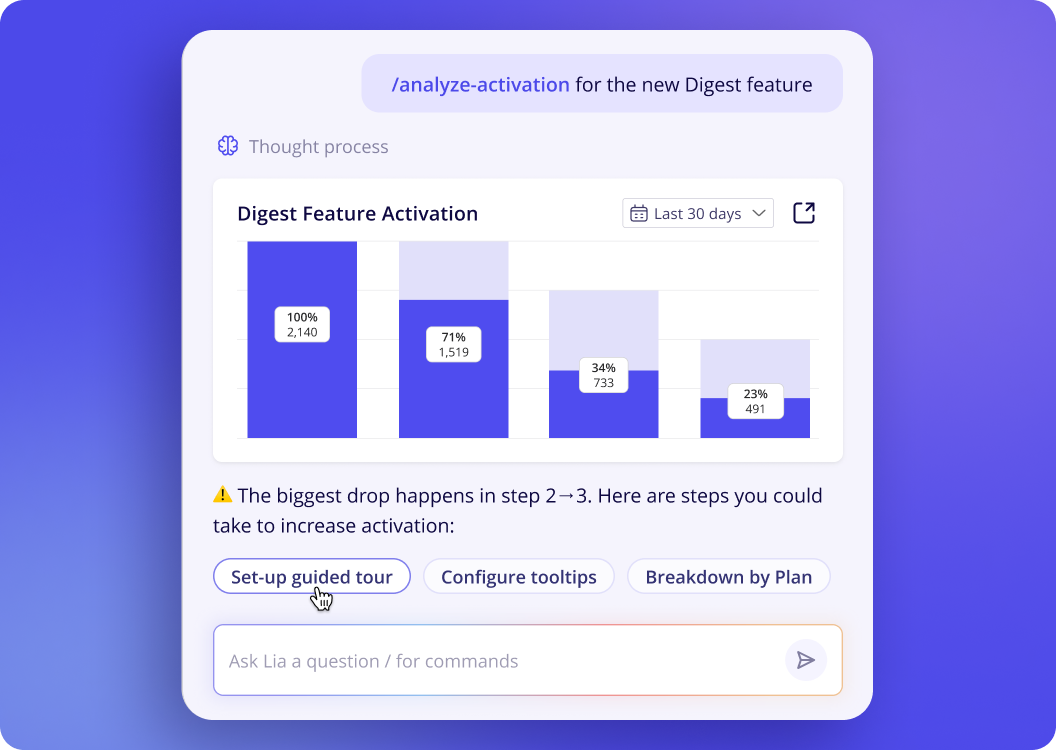
I can ask Lia why activation rates are dropping or which users are struggling to adopt a feature. It can investigate the data, draw on relevant feedback and session replays, and recommend what to do next. From there, I can ask Lia to build a targeted in-app flow or survey and review it before publishing. I can also track whether the changes improve adoption.
If you want AI to help you identify problems and fix them directly in your product, Userpilot offers a complete workflow without needing a separate engagement platform. Theodore L., a business analyst reports their positive experience of Userpilot AI: “The new AI features make it even faster for us to derive information and it even helps find items we were not currently observing.”
2. Amplitude AI
Amplitude also digs deep into user behavior and is a good fit if you’re working with large amounts of data.
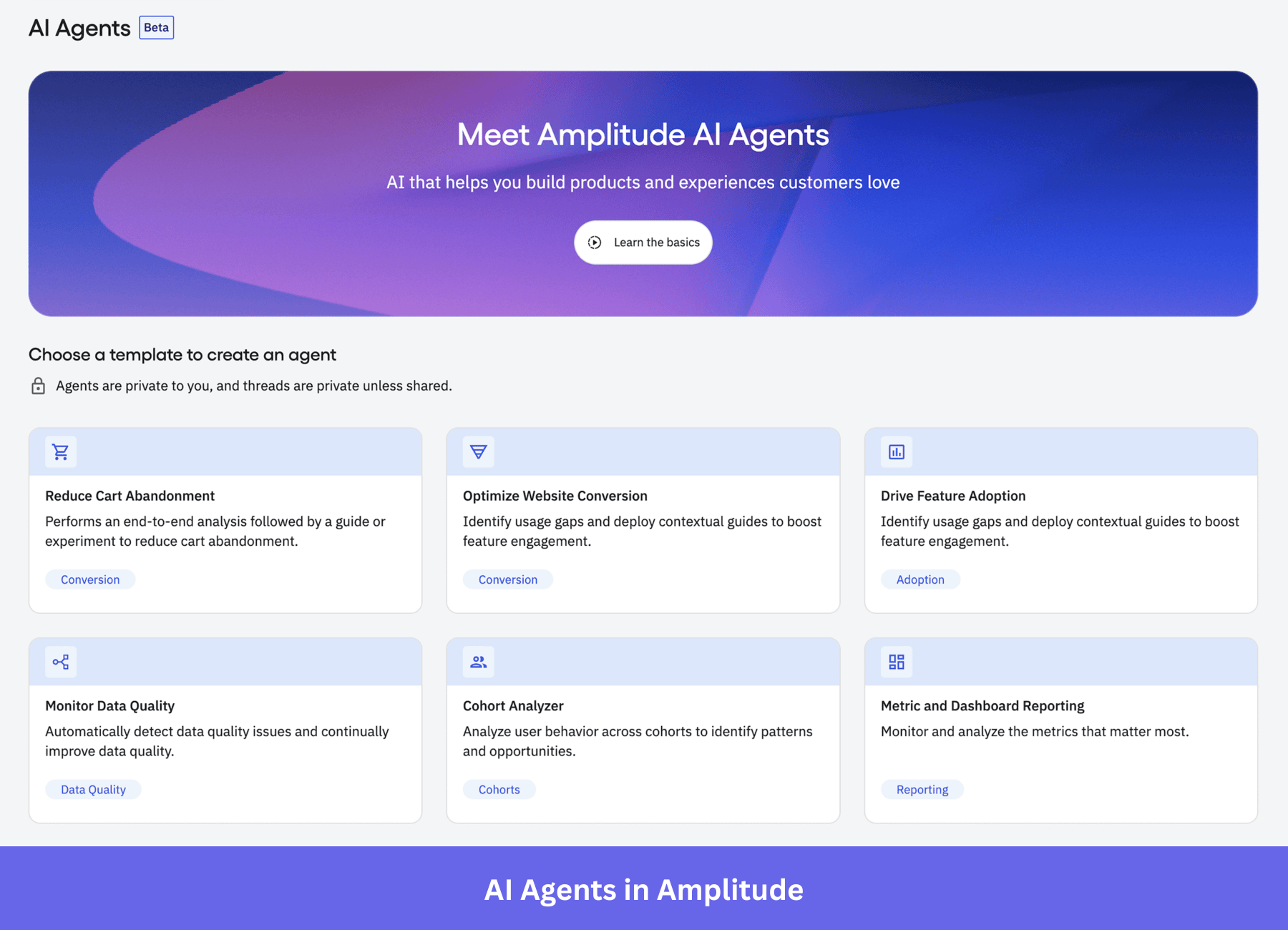
Its AI Agents can investigate changes in product usage metrics and uncover what’s driving them. And if retention suddenly drops, AI looks for patterns across different user segments rather than spending hours building reports myself.
3. Mixpanel
Mixpanel is a product analytics tool with a more affordable starting price than Amplitude.
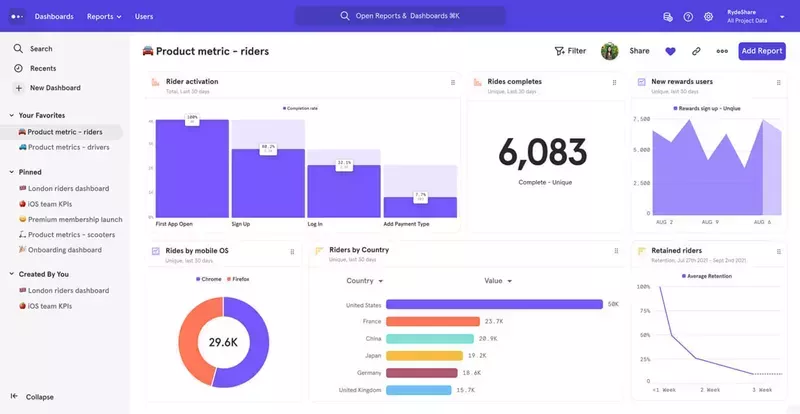
Its AI agent answers simple questions about user behavior, such as how engagement differs between customer segments. For smaller teams, it’s easy to get useful answers from product data without a complicated analytics setup or the need to build reports from scratch.
4. Pendo
Pendo is most valuable for product teams managing customer adoption across multiple products. Pendo’s Leo AI assistant lets me ask questions about usage data to identify which applications or features people are struggling with.
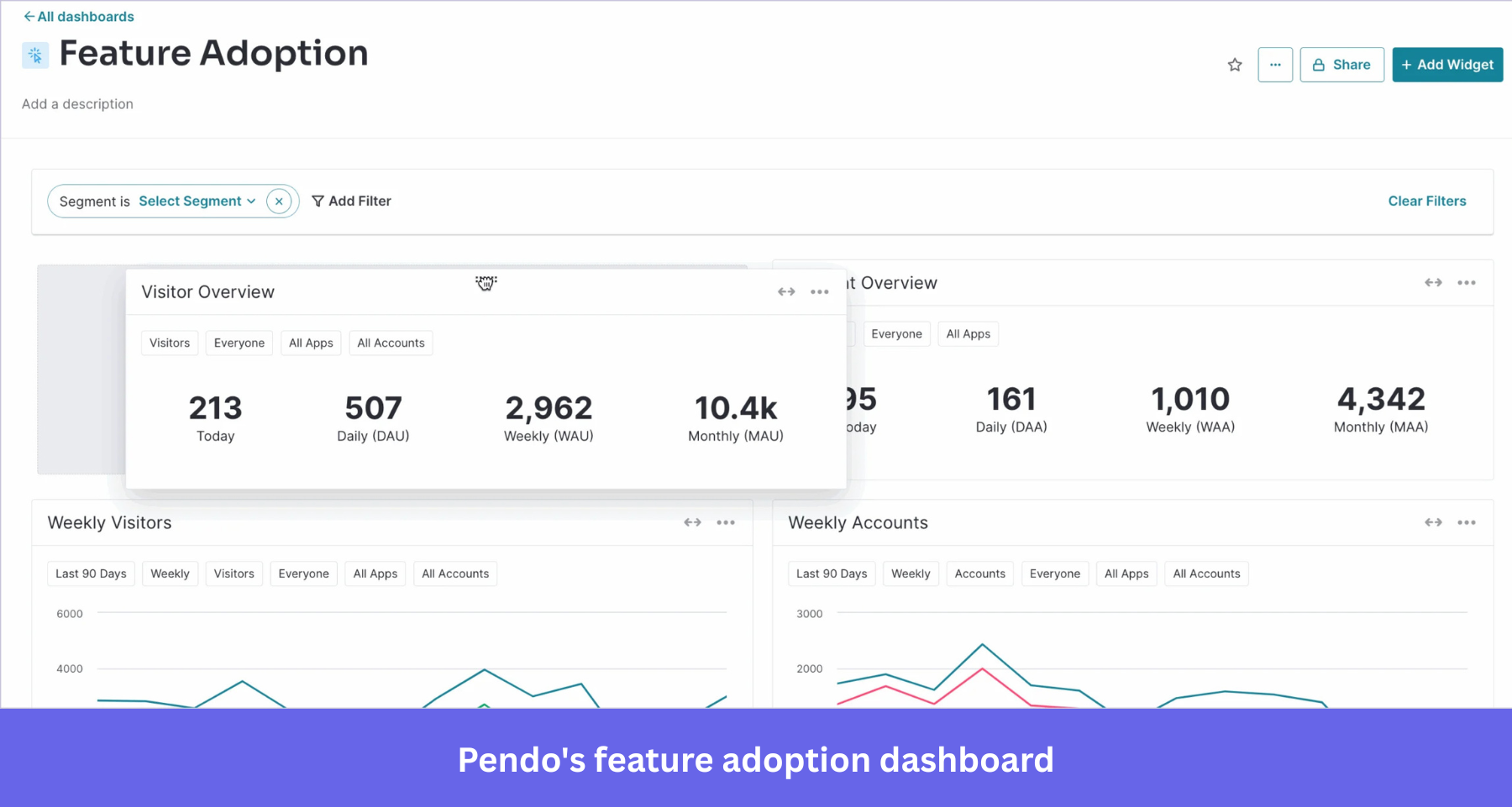
I can also use Predict for churn prediction and to spot potential upsell opportunities. From there, I can use its in-app guides to help users get more value from the software they’re already using.
Best AI tools for customer research and feedback analysis
As a product manager, I want to understand the problems mentioned in customer feedback and look for patterns across customer conversations. AI helps me do that without spending hours reviewing recordings or sorting through notes. Depending on the volume of feedback, I might use the following tools individually or combine them to learn what customers need.
| Granola | Claude | |
|---|---|---|
| What it is | AI meeting notepad | General-purpose AI assistant |
| Best for | Capturing customer interviews and calls | Deep analysis of interviews, surveys and feedback dumps |
| How feedback gets in | Records device audio on your computer, with no bot joining the call | You upload files, paste text or connect sources |
| AI analysis | Notes enhanced by AI, plus chat across all your meetings | Theme synthesis, coding and quote extraction across long documents, plus custom frameworks |
| Analysis across many sources | Only within meetings recorded in Granola | Data analysis is strong across single or multiple sources; nothing builds up automatically |
| Analysis across customer contexts | No | Only if you provide the data |
| Turns into action | Exports to Notion, HubSpot, Zapier and others (paid plans) | Drafts Product Requirements Documents (PRDs), personas, reports and research briefs |
| Weak spots | Doesn’t analyze surveys, tickets or reviews; free plan keeps only 30 days of history | No native feedback repository; analysis is only as good as what you feed it |
| Pricing | Free (30-day history), Business $14/user/mo, Enterprise $35/user/mo | Free, Pro about $20/mo, Max $100-200/mo, Team and Enterprise plans |
5. Granola
Granola is a simple AI meeting notepad that transcribes customer conversations and discovery calls, then turns them into useful notes. For customer interviews, I’d much rather focus on what someone is telling me than worry about capturing every detail.
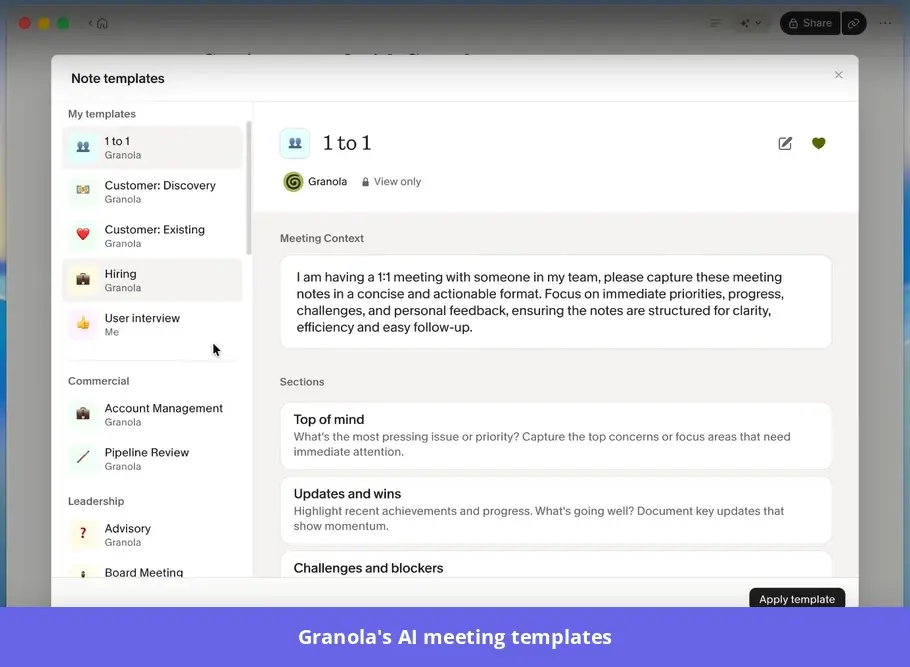
With Granola, I can give the conversation my full attention, knowing there’s an AI-generated summary of the feedback to swing back to later.
6. Claude
When I’ve got more data than I know what to do with, Claude is my go-to AI assistant. I give it hundreds of survey responses and ask it to find patterns I might have missed. Or I can ask follow-up questions, such as whether several different feature requests point to the same underlying problem.
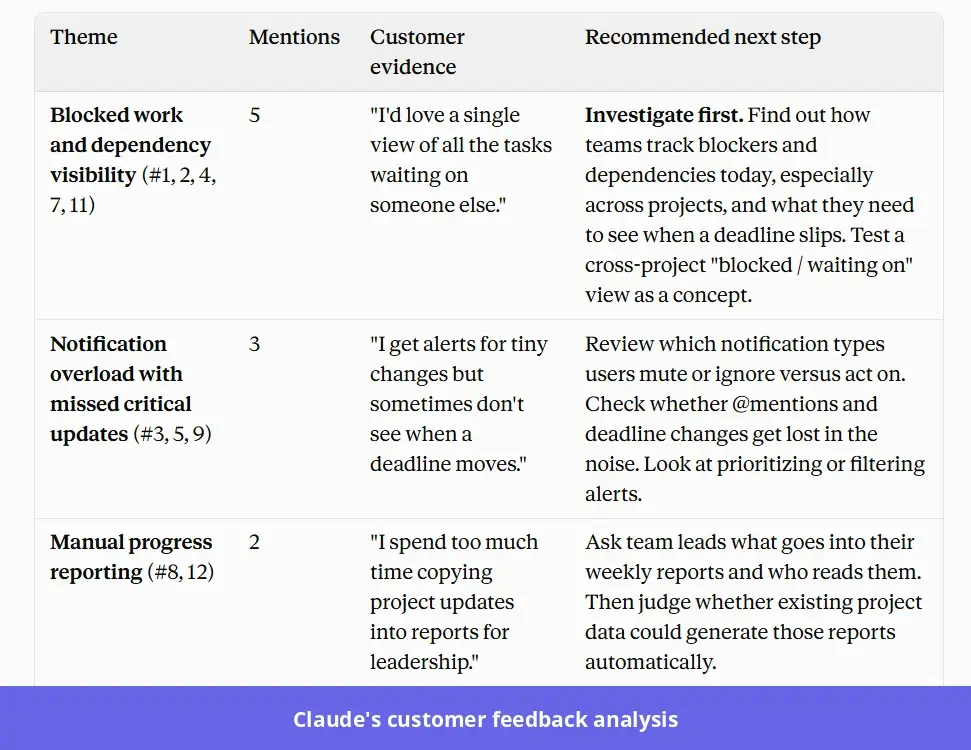
Claude can pull out the original customer quotes, too, so I’ve got something concrete to work with when discussing priorities with my team.
Best AI tools for research and planning
Research can send me down a rabbit hole and it’s easy to spend hours gathering information without getting close to a decision. As a PM, I need to know when I’ve got enough research to turn findings into requirements my team can work with. The following AI tools help me with research and what comes next.
| Claude | Perplexity | ChatPRD | Notion AI | Confluence (Rovo) | |
|---|---|---|---|---|---|
| What it is | General AI assistant | AI answer and research engine | AI copilot built for PMs | AI built into the Notion workspace | AI built into the Atlassian wiki and Jira |
| Best for | Deep analysis, strategy and long documents | Fast external research with citations | Drafting and reviewing PRDs and specs | Planning inside an existing Notion wiki | Planning in teams that run on Jira |
| External research | Web search and deep research with sources | Deep Research, cited answers | Limited competitor tracking (1 on Pro, unlimited on Teams) | Agent and Research mode (beta) can search the web | Mainly internal; Rovo Chat and Deep Research can include web results on request |
| Internal knowledge | Through uploads, projects and connectors (Drive, Slack, Jira and others) | File uploads and Spaces; internal search on Enterprise | Projects with saved knowledge; Atlassian, Drive and SharePoint search on Teams | Your workspace plus Slack, GitHub and Teams search (Business+) | Confluence and Jira, plus Rovo connectors |
| Synthesis and reasoning | Handles long context, strategy and trade-off analysis | Good for summaries; less suited to deep reasoning | Limited to PM documents | Solid within your workspace | Solid within your workspace |
| Planning output | PRDs, roadmaps, strategy memos, decks and docs | Research briefs | PRDs, user stories, specs, document scorecards | Docs, databases and product roadmaps in Notion; meeting notes and follow-ups | Pages, plus Jira epics and tickets created from pages |
| Weak spots | Not where team docs live by default | Shallow on internal context without upgrading; not a planning tool | Narrow scope; needs context fed in | The research mode is still in beta | AI tied to the Atlassian ecosystem; monthly AI credit limits |
| Pricing | Free; Pro $20/mo; Max $100-200; Team and Enterprise | Free; Pro about $20; Max about $200; Enterprise Pro at $40/seat Enterprise Max at $235/seat | Free (3 chats); Pro $15; Teams $29/seat/mo both billed annually; Enterprise custom | Full AI on Business $20 billed annually (limited trial on Free and Plus); Enterprise custom pricing | Rovo included on paid plans: Standard about $5 (25 credits), Premium about $10 (70 credits), Enterprise custom (150 credits) per user per month |
7. Claude
Claude is also my pick when research requires some serious thinking. I can give it a lengthy market report and ask it to challenge the assumptions behind a proposed product strategy, rather than simply summarize the findings.
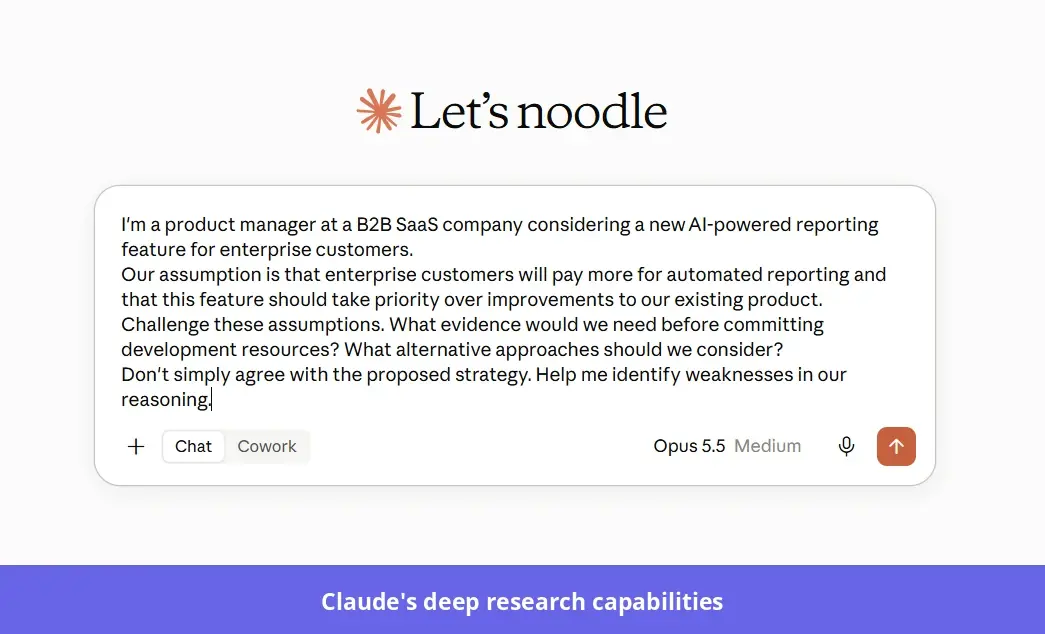
Claude also lets me bounce ideas around when I’m torn between different approaches and want to think through the pros and cons before making a decision.
8. Perplexity
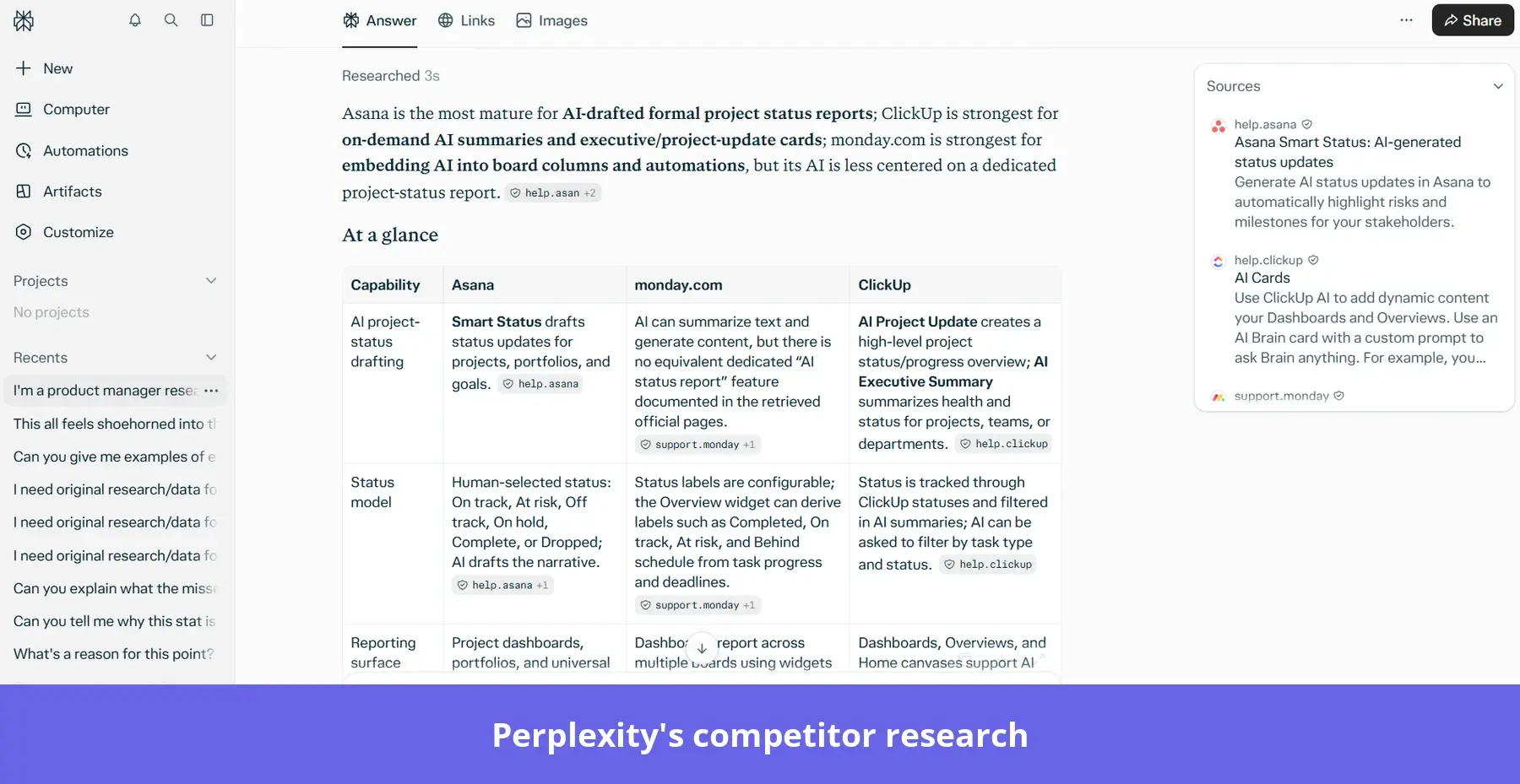
Perplexity is an AI-powered research engine that pulls out gems of intel across the web and gives you source-backed answers. Its Deep Research feature takes on the digging for me, and I can follow the citations whenever I want to investigate a finding further. It’s handy when I’m researching an unfamiliar market or checking what competitors are up to.
9. ChatPRD
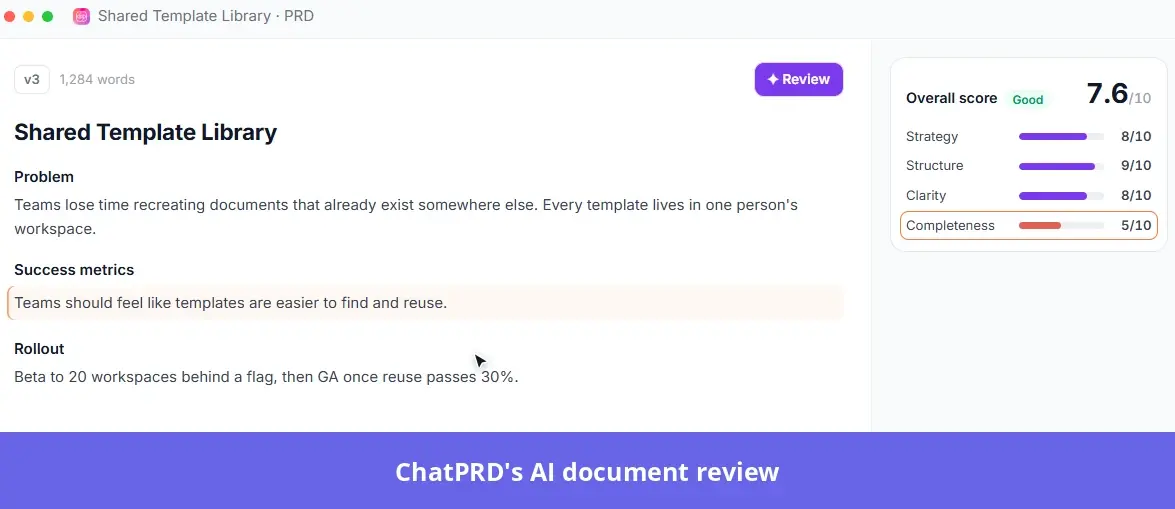
ChatPRD is an AI copilot built specifically for product managers, with templates for writing PRDs and other product documents. If I have a rough feature idea but can’t figure out where to take it, ChatPRD can transform it into something worth the engineering team’s time. It’s great at reviewing a draft and spotting any missing requirements before they create problems during development.
10. Notion AI
AI is baked right into the Notion workspace, making it a natural choice for teams keeping their existing product wiki there. I can ask it questions about existing specs or get help drafting a new planning document using information from the workspace.
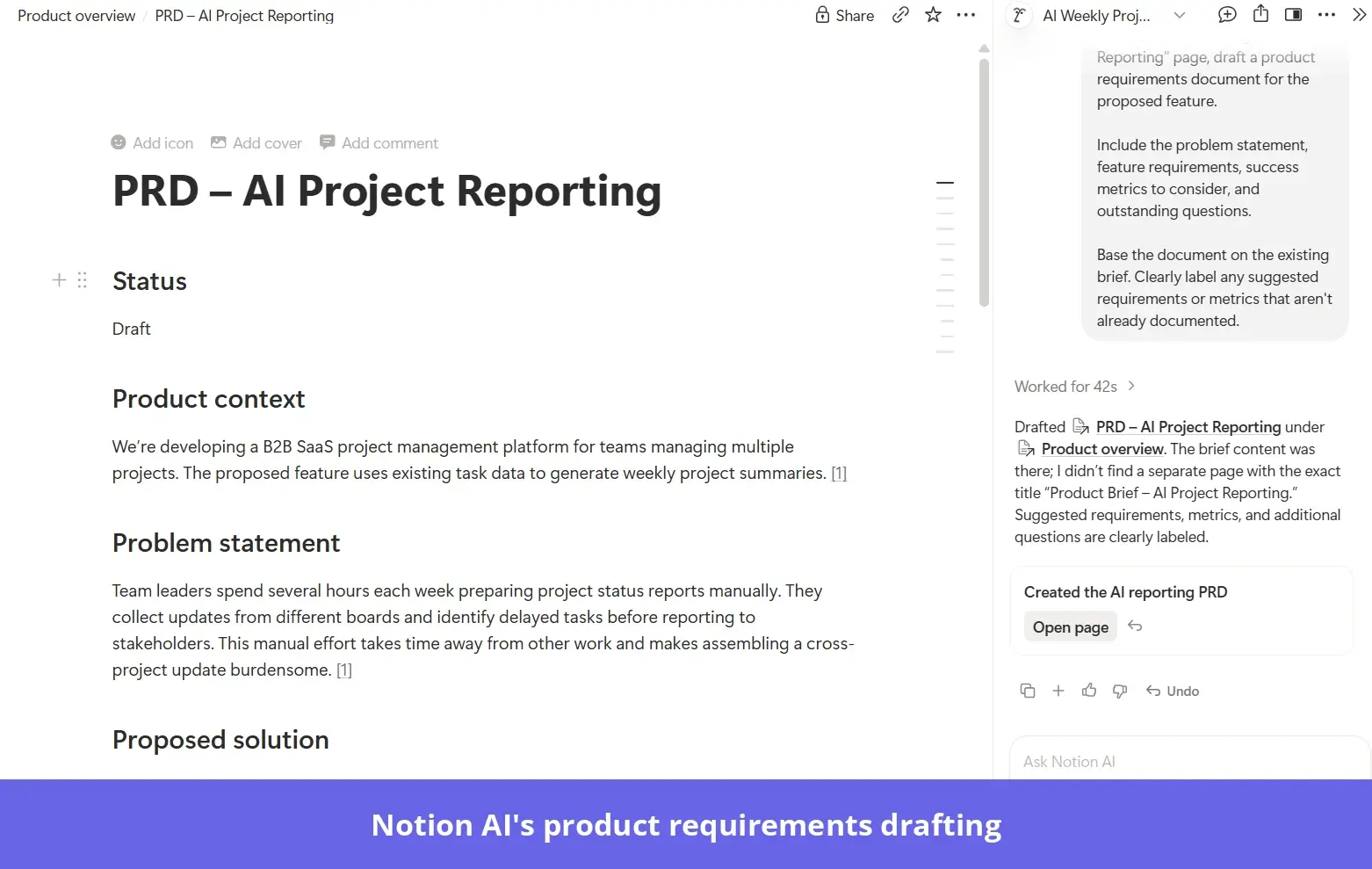
There’s less tool hopping, which is appealing when I’m already deep into a research project.
11. Confluence
Rovo is Atlassian’s AI assistant, built into tools like Confluence and Jira.
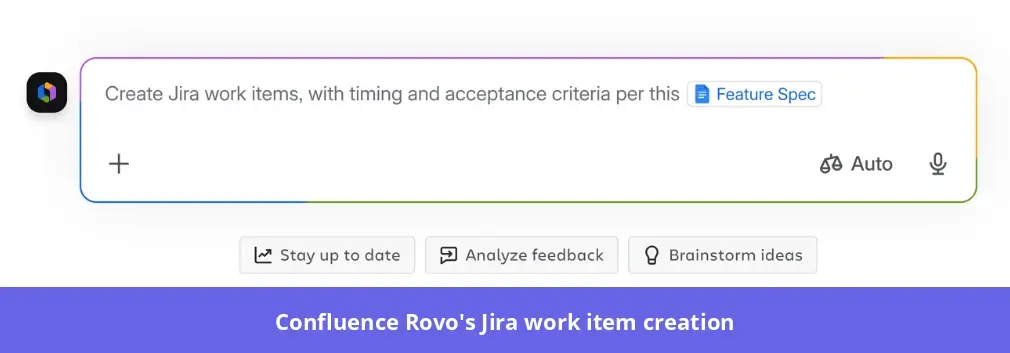
For teams already using those platforms, it can find relevant information buried in old project documentation. It’s also an expert at turning planning discussions in Confluence into Jira work items, so the engineering team has something concrete to pick up.
Best AI tools for prototyping and product development
It’s much easier to discuss a product feature when people can see how it might work, rather than trying to visualize it from a written description.
AI prototyping tools let you test ideas before you commit development resources. And the great thing about the tools I’ve picked below is you don’t necessarily have to choose between them. Each serves a different purpose, and there’s room for them all in your toolkit.
| Builder.io | Lovable | Figma Make | |
|---|---|---|---|
| What it is | AI visual development platform that works in your existing repo | Prompt-to-full-stack app builder | Prompt-to-prototype tool inside Figma |
| Best for | Prototyping or shipping product changes | Building a working MVP or validating an idea fast | Turning ideas or designs into clickable, interactive prototypes |
| Starting point | Your existing codebase (GitHub, GitLab, Bitbucket) and design system | A blank prompt, a screenshot or a template | A prompt, or existing Figma frames and libraries |
| Output | Real code in your stack, delivered as Product Reviews (PRs) for your engineers | Full-stack web app (React frontend, plus backend, database and auth through Lovable Cloud or Supabase) | Interactive prototype or lightweight web app; code can be exported |
| Product fidelity | Highest, because it uses your real components and design system | Generic unless you guide it; becomes its own new codebase | High visually, especially with your Figma libraries |
| Path to production | Changes go through code review and merge into the real app | Can publish and host apps, sync to GitHub, and use custom domains; usually a separate app from your product | Built mainly for prototypes; direct codebase workflows in beta |
| Collaboration | Roles (Admin, Developer, Designer, Editor), comments and peer reviews, Slack and Jira agent (Team plan) | Shared workspaces; governance on Business plan | Native Figma collaboration and comments, alongside designers |
| Engineering buy-in | Easy, because work arrives as normal PRs | Harder: engineers often rebuild it | Medium: prototypes support handoff; codebase workflows in beta |
| Weak spots | Needs a codebase and engineering involvement to set up; credit-based | Code drifts from your real product; costs can rise with many prompt revisions | Not a production build tool; uses Figma AI credits |
| Pricing | Free (60 credits); Pro $24/user (500 credits); Team $40/user; Enterprise custom | Free (limited daily & monthly credits); Pro starts at $21 with 100 monthly credits; Business about $50; Enterprise custom pricing (Vendr reports average contract value of $48,000) | Free on Starter (500 AI credits/mo); full use with a Full seat: Professional $16–20, Organization $55, Enterprise $90 (3,000–4,250 AI credits/mo) |
12. Builder.io
Builder.io is an AI-powered development platform that’s useful for shipping product changes. Its Fusion AI can prototype new features or fix small bugs by generating code that works with our codebase. This helps me work alongside engineers, who review the AI-generated changes through pull requests before they go live.
13. Lovable
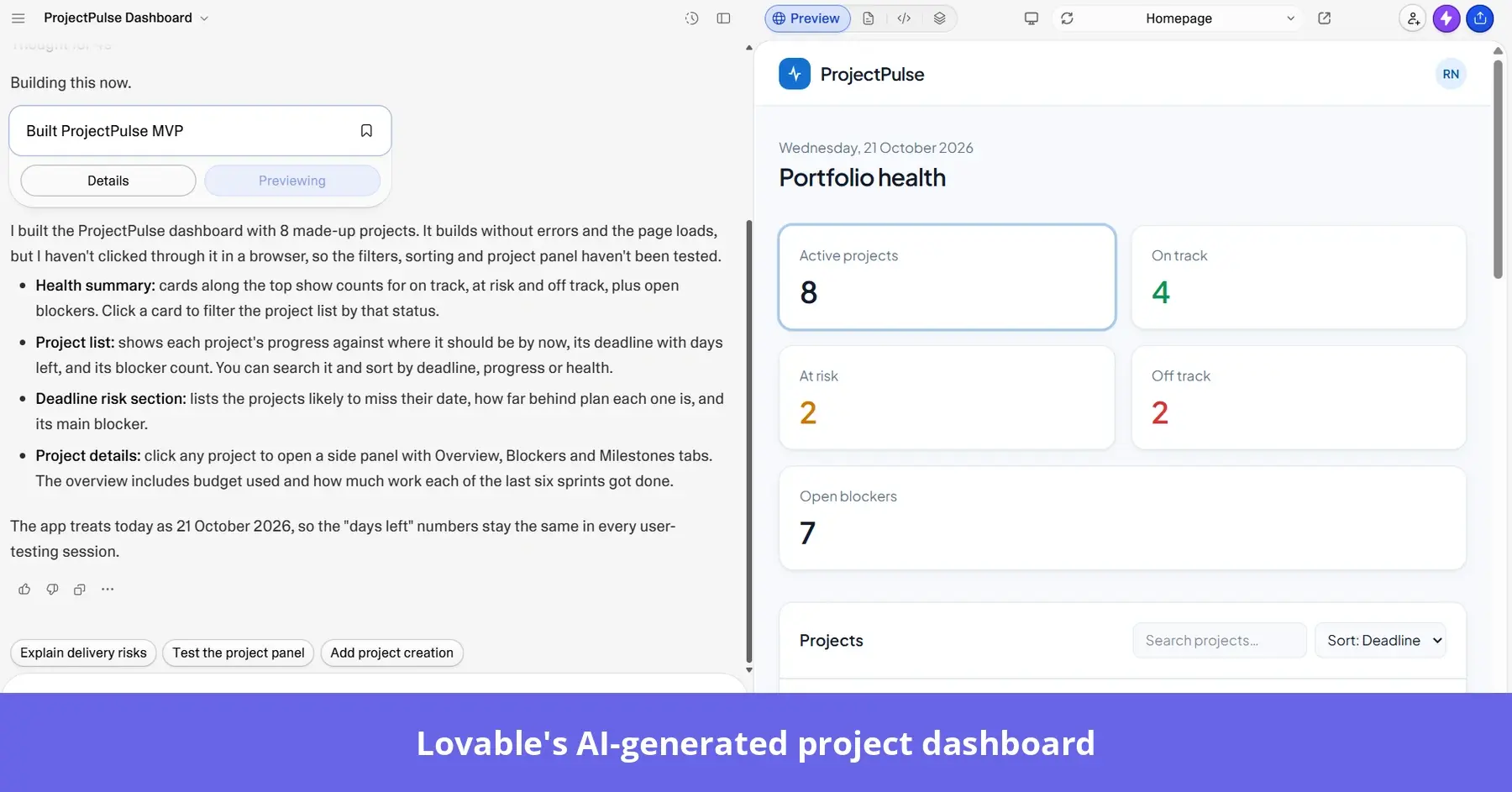
Lovable lets me test if a new product has legs. It’s an AI app builder that generates working applications from written prompts, complete with the functionality needed for a standalone MVP. Rather than asking users to imagine how an idea might work, I can put something functional in front of them and see how they respond.
14. Figma Make
Figma Make appeals when I’ve already got designs to work with. Its AI can use existing Figma frames and design libraries to generate interactive prototypes that look and feel like the product we’re building.
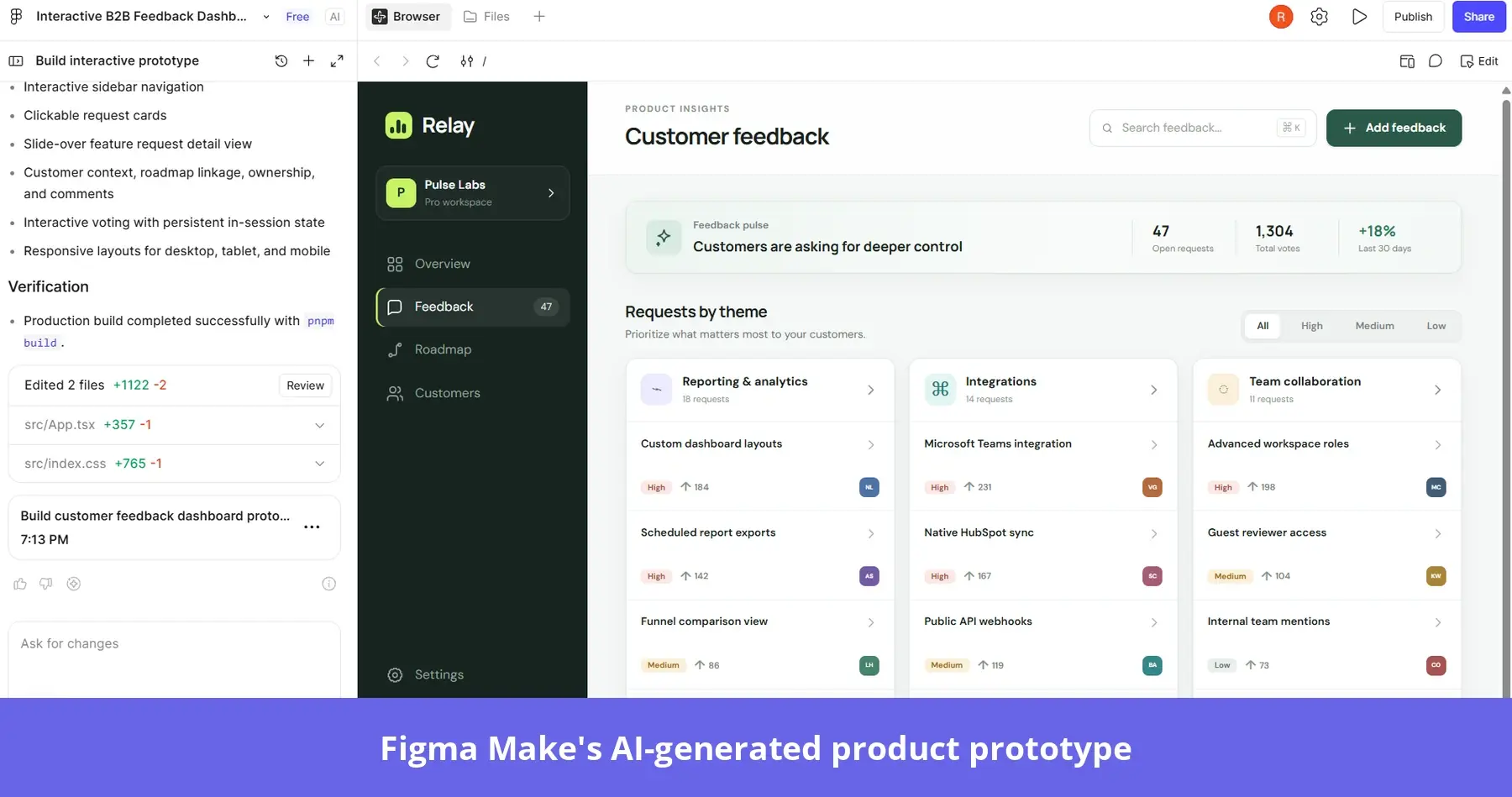
For me, that’s the advantage. I can explore how a feature might work while keeping the experience consistent with the designs my team has already agreed on.
Best AI tools for product management
I’ve seen plenty of product management tools that promise to handle everything, but the three AI-powered platforms I’ve picked tackle different parts of the job. Productboard and Linear mesh together well, while Aha! makes more sense as a standalone solution.
| Productboard | Aha! | Linear | |
|---|---|---|---|
| What it is | Customer-centric product management platform | Full product development suite (strategy to roadmap to delivery) | Issue tracking and project planning for product and engineering teams |
| Best for | Feedback-driven prioritization | Strategy-heavy, multi-product organizations that need formal roadmaps | Fast-moving teams where PMs and engineers plan together |
| AI layer | Spark AI: chat, feedback summaries, AI Findings and Opportunities, feedback reports, skills and automations; AI Themes on Enterprise | Aha! AI (Elle) in every product: drafts docs, analyzes feedback themes and meeting transcripts, writes user stories, generates wireframes, and builds apps in Aha! Builder | Linear Agent and agent platform (all plans); Triage Intelligence, Code Intelligence and Linear Insights on Business; MCP; coding agents |
| Customer feedback | Strongest: insights repository, portal, Gong, Zendesk and Slack ingestion | Strong: Aha! Ideas portal, AI theme analysis, Aha! Discovery for interviews | Light: Customer Requests and Linear Asks (Slack intake), triage |
| Strategy and prioritization | Prioritization linked to customer evidence and frameworks | Strongest: goals, initiatives, scoring and capacity planning | Initiatives and projects; prioritization is lighter |
| Roadmaps | Unlimited roadmaps, timeline and column views, release planning | Most powerful and configurable; presentation-ready for executives | Project timelines and initiatives; focused on delivery |
| Link to engineering | Syncs with Jira and Azure DevOps (limits on Business) | Syncs with Jira, or use Aha! Develop | It is the engineering tool, so there’s no sync gap |
| Weak spots | AI credit limits; paid top-ups | Complex and expensive when you stack products | Not built for discovery, feedback synthesis or executive roadmaps |
| Pricing | Free; Plus $19; Business $59 (2-maker min); Enterprise custom (5-maker min). Per maker/mo, billed annually. 50-800 AI credits/maker/mo. Vendr reports median average contract value of $24,280 | Roadmaps $59; Ideas/Discovery $39; Knowledge $18; Develop/Whiteboards $9; Builder $59 (from, per user/mo) | Free; Basic $10; Business $16 (most AI features); Enterprise custom pricing (Vendr reports $23,136 average contract value) |
15. Aha!
Aha! has enough built-in functionality to work as standalone product management software. It suits larger organizations juggling multiple products and trying to keep their roadmaps aligned with business goals.
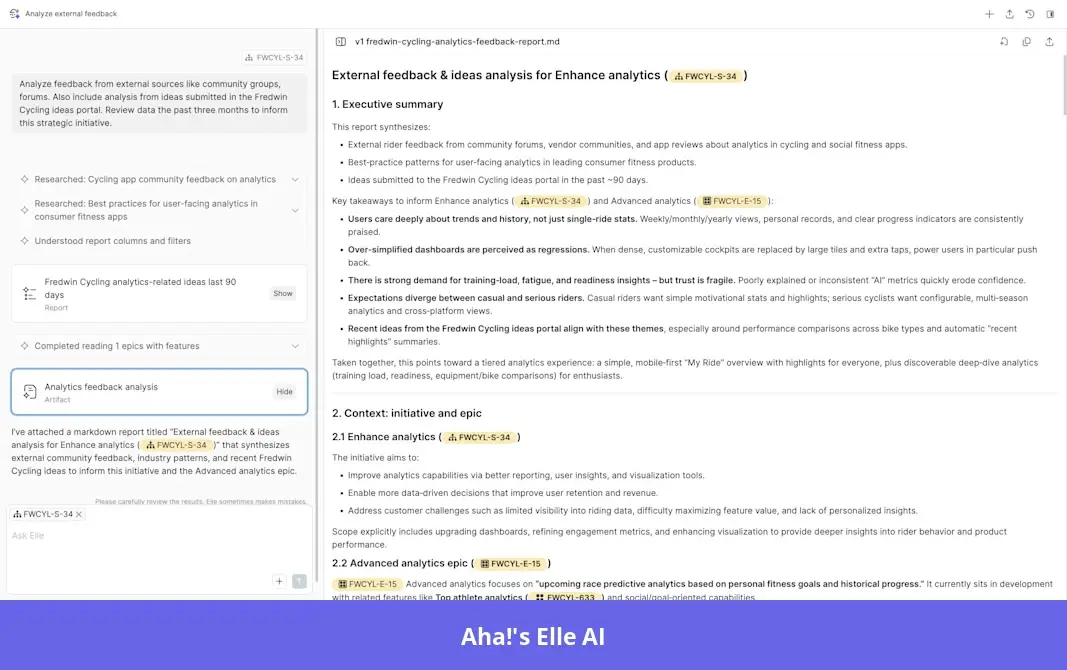
Elle, the AI assistant, turns rough ideas into user stories and drafts planning documents, saving a ton of groundwork. But the real appeal is connecting the product team’s work to the bigger picture, especially when I need to explain our plans to leadership.
16. Productboard
When I’ve got a heap of feedback to work through, Productboard figures out what customers want and why.
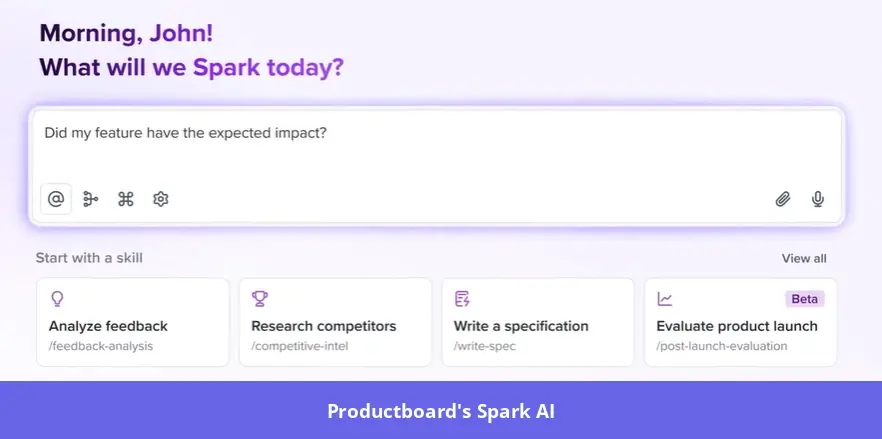
Its Spark AI can summarize feedback and identify recurring requests, helping me connect customer evidence to product opportunities. Those findings steer me toward what to focus on next.
17. Linear
Linear is built around getting features shipped, with its AI capabilities massively reducing the admin. Its Triage Intelligence categorizes incoming issues and identifies any duplicates, while agents support the development workflows.
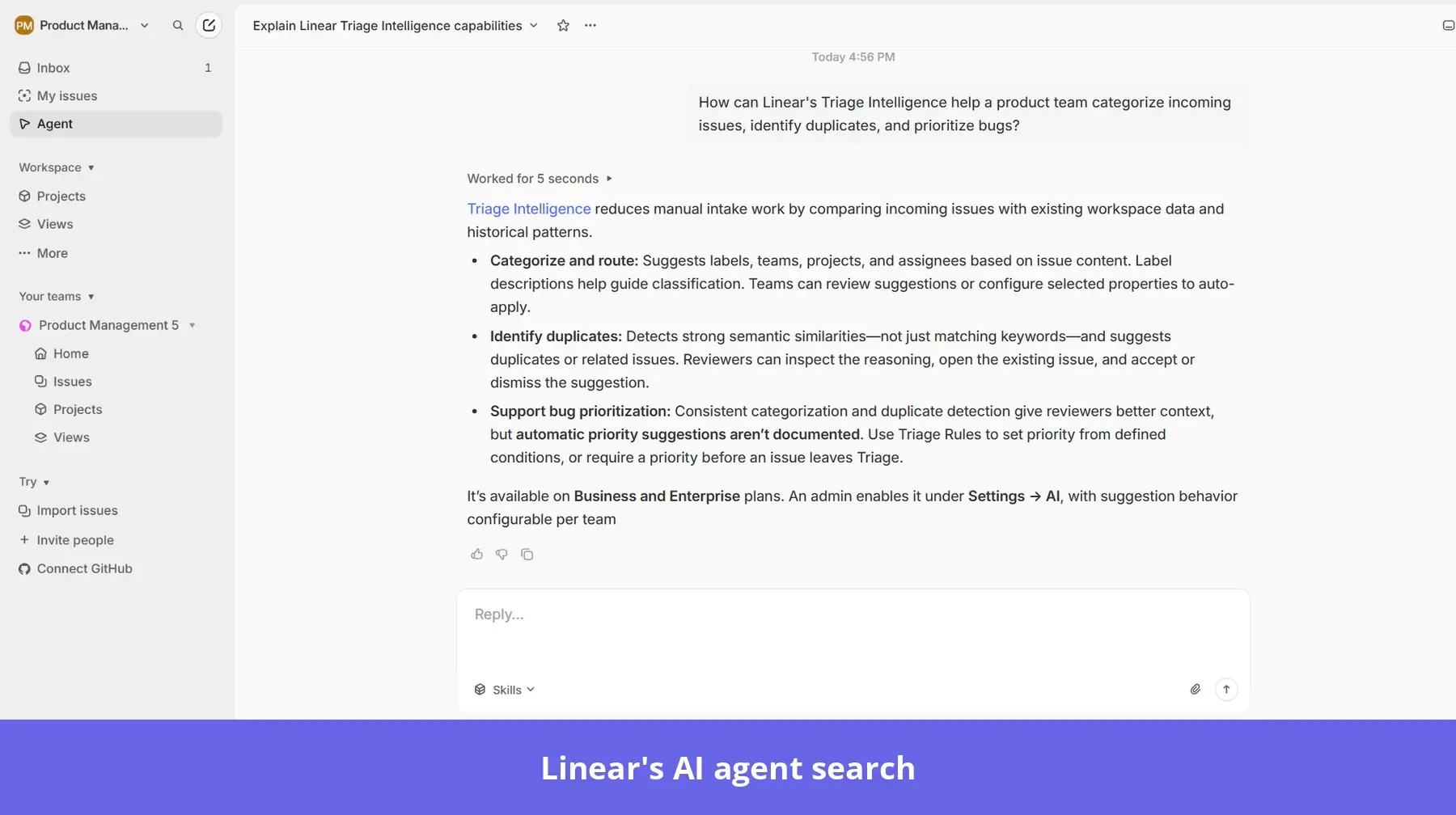
The platform pairs well with Productboard: use Productboard to work out what needs building, then Linear to help the team deliver it without getting bogged down in issue management.
Best AI tools for workflow automation
There are plenty of tasks I’d happily hand over to AI, but some are easier to automate than others. The challenge is knowing how much of a workflow I can delegate and where I still need to be involved. The tools below give me different ways to approach that.
| Zapier AI | Claude Cowork | |
|---|---|---|
| What it is | Workflow automation platform (Zaps) with AI added: Agents, Copilot, AI steps, Chatbots, Canvas | Claude’s agent mode for multi-step knowledge work, on desktop, web, and mobile |
| How you set it up | Build trigger/action workflows; Copilot can draft them from plain language | Describe the task; Claude plans and runs it |
| Best for | Move data between tools automatically and reliably | Get finished work done: research, analysis and deliverables |
| Typical PM workflows | Send new Intercom or Zendesk feedback to Productboard; post a Slack alert for NPS detractors; create Jira tickets from forms; build a weekly metrics digest | Weekly product reports from survey analytics data; synthesizing interviews; competitor research; drafting PRDs; turning spreadsheets into decks; triaging feedback files |
| Integrations | Largest library: 9,000+ apps; MCP on all accounts (each tool call uses 2 tasks) | Connectors and MCPs (Slack, Drive, Jira, analytics tools and more), local files, browser control, web search |
| Reasoning and judgment | Limited: AI steps handle single tasks such as summarize or classify; Agents add some autonomy | Strongest: plans, reasons across sources, uses sub-agents in parallel |
| Outputs | Records and messages pushed into other apps; Tables; Interfaces | Files and artifacts: Excel with working formulas, slide decks, docs, dashboards |
| Scheduling and triggers | Event-driven triggers in real time plus schedules; runs 24/7 in the cloud | On demand or scheduled; scheduled tasks run in the cloud. Tasks using local files on your browser need the desktop app open |
| Reliability at volume | Deterministic and built for thousands of runs | Better for fewer, high-value tasks; output can vary between runs |
| Customization | Multi-step Zaps, paths, code steps, Tables | Plugins and skills that package repeatable workflows for a role or team |
| Governance | Mature: shared workspaces, admin, Enterprise controls | Team and Enterprise admin controls; sessions captured in the compliance API; OpenTelemetry monitoring |
| Pricing | Free (100 tasks/mo); Professional from $19.99/mo (billed annually); Team from $69/mo (billed annually); Agents Pro $33/mo (billed annually); Enterprise custom (average contract value is $15,000 reported by Vendr) | Included with paid Claude plans: Pro about $20/mo, Max $100-200/mo, Team and Enterprise; uses more of your plan’s usage than chat |
18. Zapier AI
Zapier is a good choice for those “when X happens, do Y” repetitive workflows I want running in the background.
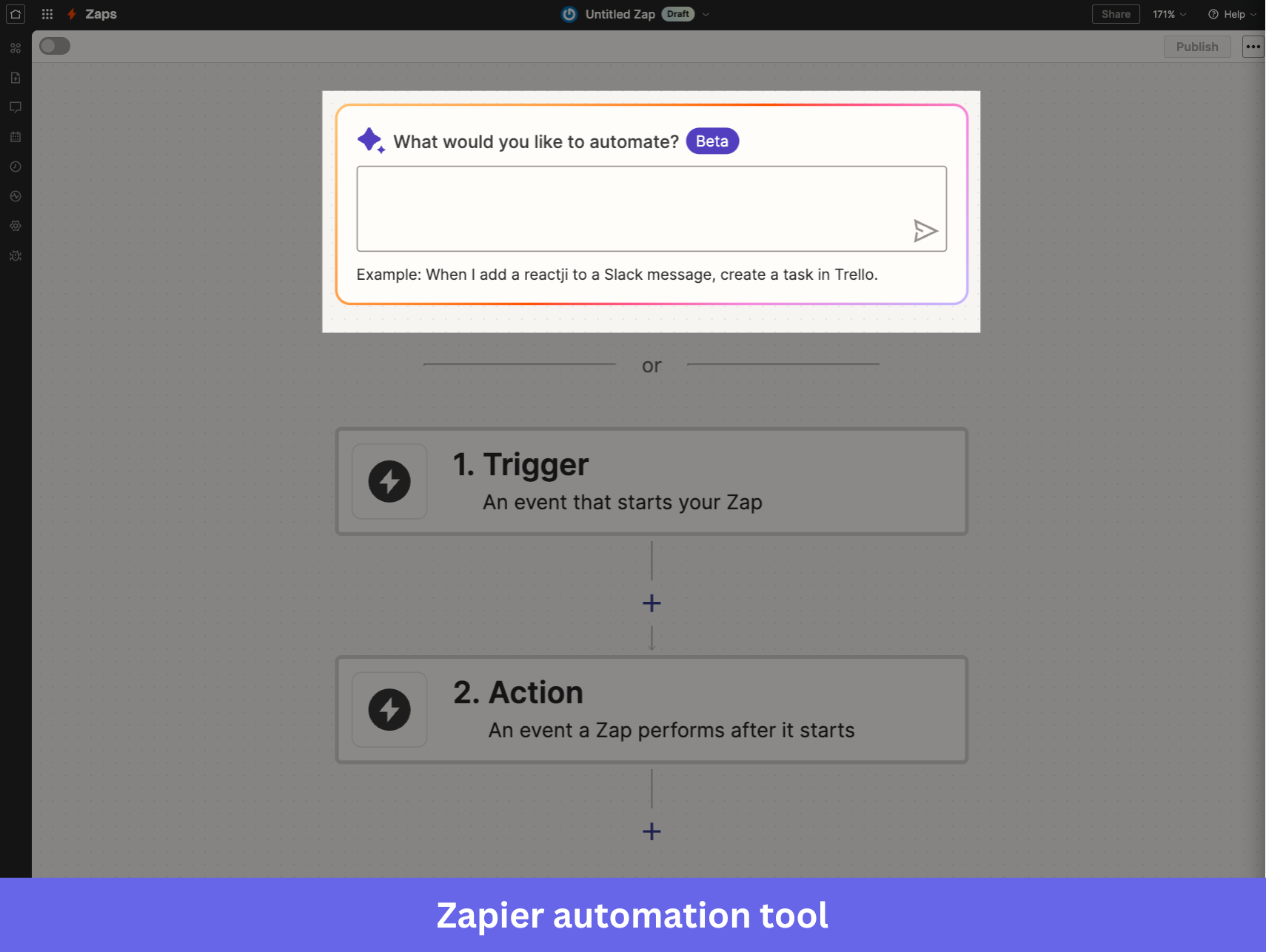
Its AI Copilot lets me describe the workflow I want to automate, then helps me build the Zap to run it. For example, I can automatically connect customer feedback from Zendesk to Productboard or alert our Slack channel whenever someone leaves a low NPS score. Once the workflow is set up, Zapier takes care of it whenever the trigger fires, so I’m not constantly moving information between tools myself.
19. Claude Cowork
Claude Cowork is better suited to the tasks I’d normally need to sit down and work through myself. Rather than setting up a fixed sequence of actions, I can describe what I need and let Claude plan how to tackle it. I could give it a folder of customer interview notes and ask for a report highlighting the main findings, or have it turn product data into a presentation for stakeholders.
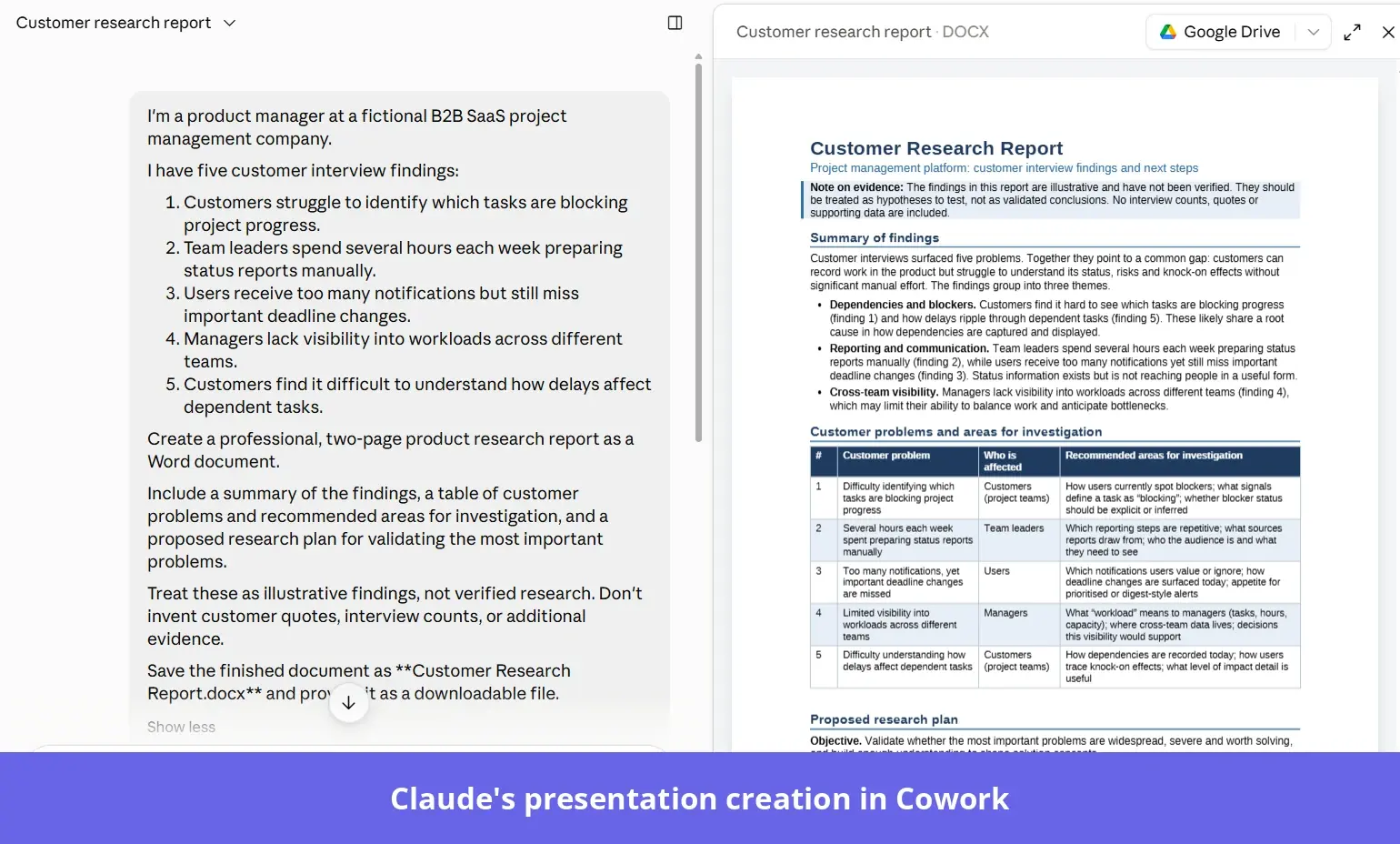
And if there’s a particular way I want that work done, I can create reusable Claude Skills to give it instructions for future tasks.
Turn product insights into action with Userpilot AI
Building your own AI toolkit means you can choose the tools that work best for each part of your job. And you’ll get more from them when they can work with your product data.
With Userpilot MCP, you can bring customer feedback and product analytics into AI assistants like Claude, giving them the context to help your decision making.
And when it’s time to act, Lia helps you investigate problems and build solutions in-app, while Agent Analytics lets you understand how customers use the AI agents you’ve shipped.
Book a Userpilot demo to see how AI can help you understand your users and improve their experience.
Disclaimer: Userpilot strives to provide accurate information to help businesses determine the best solution for their particular needs. Due to the dynamic nature of the industry, the features offered by Userpilot and others often change over time. The statements made in this article are accurate to the best of Userpilot’s knowledge as of its publication/most recent update on October 19, 2026.
FAQ
Which AI is best for product managers?
The best AI tool for product managers depends on the particular workflow you need help with. Claude is useful for research and analyzing feedback, while Productboard helps to prioritize customer requests. For understanding user behavior and improving the in-app experience, Userpilot is the best overall choice.
How can AI help a product manager?
AI can help product managers spend less time on manual work and more time making decisions. It can analyze customer feedback, identify patterns in user behavior, draft product requirements, and automate repetitive processes. AI prototyping tools also make it easier to test ideas before committing development resources.
Can AI replace a product manager?
No, AI can’t fully replace a product manager. It can take over repetitive tasks and support research, but product decisions still require human judgment. PMs need to understand customer problems and weigh competing priorities. They also work closely with stakeholders to decide what to build. AI can help to inform each of these decisions, but it shouldn’t make them independently.
About the author