In the healthcare industry, the performance of your marketing strategy directly depends on whether you adopt HIPAA-compliant analytics tools or not.

While other industries can freely collect web analytics data for marketing use, this simple task comes with additional challenges for healthcare companies. Failing to implement HIPAA’s data security and privacy regulations equals data breaches, unauthorized disclosures, and the hefty fines that come with them.

This article will help you avoid all HIPAA-violation penalties by covering key topics like:

  • Understanding what HIPAA is.
  • How does HIPAA impact web analytics?
  • Features all HIPAA-compliant tools should have.
  • Top 6 HIPAA-compliant analytics tools to consider.

What is HIPAA and how does it affect web analytics?

The Health Insurance Portability and Accountability Act (HIPAA) is a U.S. federal law created to protect sensitive patient data from unauthorized disclosure and use. The law sets privacy and security standards for how healthcare organizations should handle and share protected health information (PHI).

PHI includes any information that could identify a patient and their past, current, or future health status. This includes patient health data, such as medical records or treatment reports, or any personally identifiable information, like the patient’s name, address, gender, birthday, etc.

HIPAA also protects digital data (ePHI), such as:

  • IP addresses
  • Page URLs
  • Email addresses
  • Device identifiers and serial numbers
  • Phone numbers
  • Biometric identifiers

Such data is tracked using web analytics tools and is instrumental for marketing in all industries. It helps improve campaign targeting and tailor messages to specific user needs, thereby refining the overall experience.

However, when it comes to healthcare, marketing is different. Since the field is heavily shaped by data security and privacy regulations, healthcare providers can’t freely utilize web analytics data for marketing. This is because the data might contain ePHI protected by HIPAA.

If you share this sensitive data with analytics platforms that aren’t HIPAA-compliant, you risk fines of up to $25,000 (per violation class). Not to mention the potential loss of reputation. Therefore, you need to ensure HIPAA compliance within your tech stack to avoid any penalties.

Features of HIPAA-compliant analytics tools

There are two ways to ensure HIPAA compliance with analytics platforms. The first option is to self-host your analytics so that protected health information stays entirely within your control.

Or, you can sign a Business Associate Agreement (BAA) with third-party analytics tool vendors. The BAA includes several terms and conditions for the business associate, along with compliance assurances that the associate:

  • Will not use or disclose PHI except as permitted by the agreement or by law.
  • Will take appropriate measures to prevent unauthorized use or disclosure of PHI.
  • Guarantee that any subcontractors handling PHI uphold the same conditions as the business associate.
  • Will report any unauthorized use or disclosure of PHI once they become aware of it.

Apart from offering BAAs, HIPAA-compliant analytics tools should also include key features like:

  • Data encryption: Convert patient data into encrypted code for protection against unauthorized access during transmission and storage.
  • Access controls: Provide methods for limiting access through tools like multi-factor authentication or role-based access control (RBAC).
  • Regular compliance updates: Routinely track and review access to PHI to detect any security incidents and report accordingly.
  • De-identification of data: Remove or obscure identifiers from PHI so that the remaining marketing data cannot be reasonably used to identify a patient.

Top 7 HIPAA-compliant analytics tools in 2026

To speed up your search, we’ve compiled a list of the 6 best HIPAA-compliant analytics tools your healthcare organization should consider. These platforms will help improve your marketing efforts and ensure you avoid any HIPAA violation penalties.

1. Userpilot

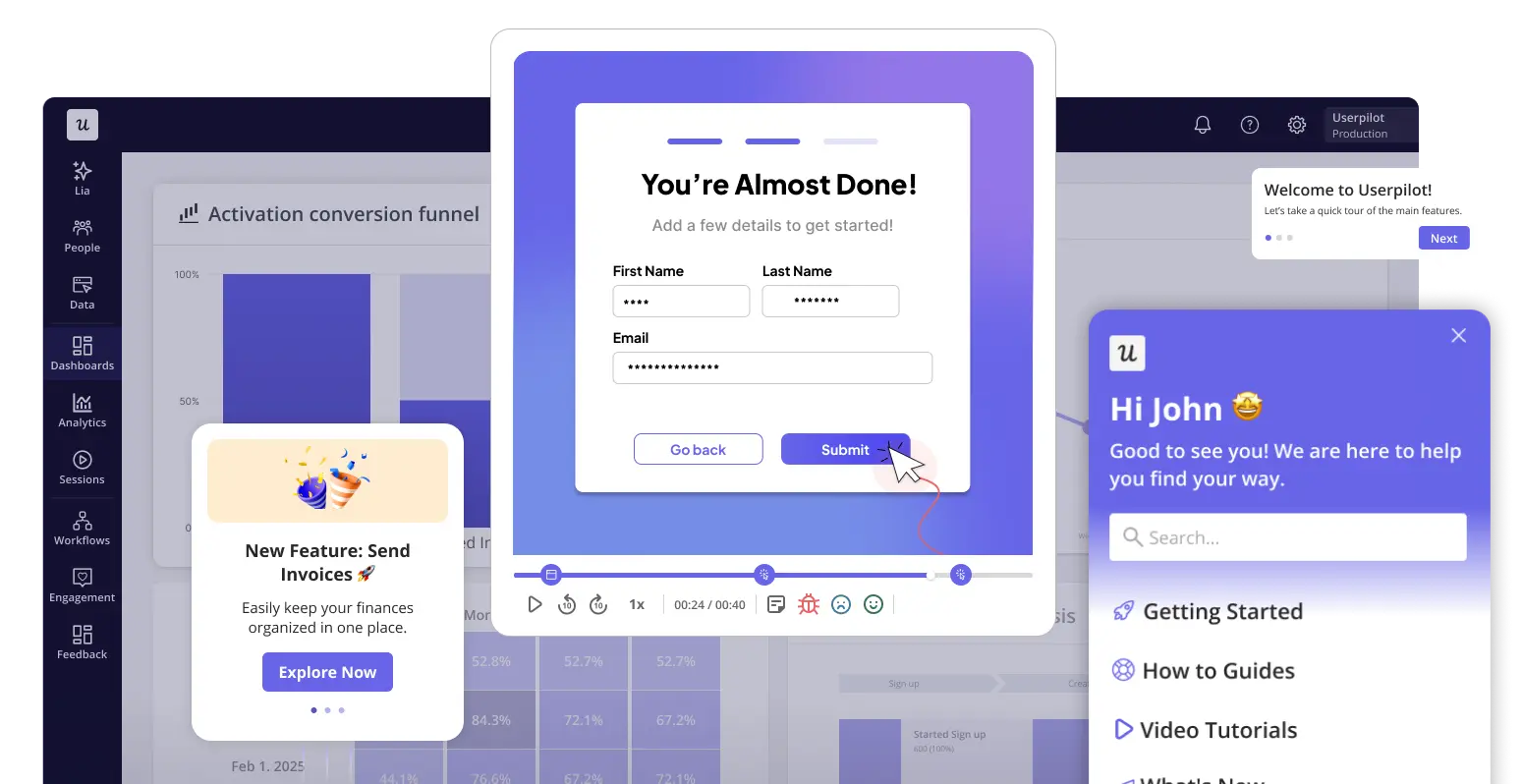
Userpilot is an all-in-one product growth platform that provides a 360-degree view of the user experience by combining analytics, session replay, and feedback collection.

Key analytics features include:

  • Autocapture: Automatically tracks user interactions within your digital product, like clicks, form submissions, and page views. Saves you time from manually setting up event tracking each time, making it accessible for non-technical teams and allowing for real-time event tracking.
  • Segmentation: Userpilot’s advanced segmentation lets you filter through reports more effectively.
  • Funnel reports: With funnel analytics, visualize the steps users take within your product to identify where they run into friction areas and end up dropping off.
  • Path reports: Track how users flow through your website or app, what actions they take, and any bottlenecks they run into, gaining deeper insights into user behavior.
  • Session replays: Understand how users interact with your app or website with a step-by-step recreation of their behavior, capturing each action from mouse movements to page views.
  • Retention reports: Using cohort analytics, analyze user data to understand why customers churn, which segments are more likely to churn, and what you can do to improve retention.
  • Feedback surveys: Design questionnaires to collect data about the user experience with your app, website, specific feature, or interactive element. Choose from various survey types like NPS, CSAT, CES, churn surveys, and more.
userpilot analytics
Connect data sources and uncover insights with Userpilot’s custom data analytics dashboards.

How does Userpilot handle HIPAA compliance?

  • Data encryption: Userpilot fully encrypts all data processed during transit and storage.
  • Data masking: In our session replay feature, you can mask specific elements (like input fields containing health data) so they are never recorded.
  • Element exclusion: You can configure the exclude list to ensure specific text or dynamic attributes on your page are ignored by our data collection engine.
  • Access controls: Only authorized Userpilot personnel can access sensitive data, with strict authentication protocols in place. Access reviews are conducted during onboarding, offboarding, and quarterly to maintain security.
  • Audit trails: Userpilot maintains detailed logs of data access and activities, enabling monitoring for compliance and detection of any suspicious behavior.
  • Business associate agreements (BAAs): Userpilot offers BAAs to clients, acknowledging their responsibility for handling protected health information securely.
  • Compliance certifications: Lastly, Userpilot holds certifications such as SOC 2 Type II, demonstrating adherence to high-security standards.

Looking for HIPAA-Compliant Analytics Tools? Try Userpilot

2. PostHog

PostHog is an open-source product analytics platform built to help developers test, deploy, analyze, and perfect new features.

Key analytics features include:

  • Session replays: Capture and rewatch user sessions to diagnose issues in your website or product and understand user experiences.
  • Feature flags: Enable or disable features for specific user segments with a single click instead of writing lines of code. Useful for testing changes with smaller groups before deploying for all.
  • A/B testing: Test which version of your new feature performs better and iterate as needed based on real-time usage data.
  • User surveys: Build multi-step surveys to collect feedback about anything. Define display conditions to narrow down the users you want to hear back from.
posthog analytics
Analytics dashboard via PostHog.

How does PostHog handle HIPAA compliance?

  • Business associate agreements (BAAs): PostHog provides BAAs for customers on the Teams or Enterprise plan. This assures healthcare organizations that all PHI is handled securely.
  • Self-hostable analytics: PostHog also offers the option to host the platform on your infrastructure. However, it is worth mentioning that self-hosting comes with several limitations. For example, it is only suitable for smaller event volumes and lacks premium features.

3. Freshpaint

Freshpaint is a healthcare privacy platform built for marketers to ensure PHI is never shared with third-party destinations that aren’t HIPAA compliant. As such, the tool is great if you want to continue using non-HIPAA-compliant tools like Google Analytics.

Key analytics features include:

  • Customer data platform: Collect and unify user data from multiple sources, enabling personalized marketing and better data integration.
  • Event tagging: Define events with a simple click using the visual tagger, without having to write any code.
Freshpaint configuration options for collecting data
Integration options via Freshpaint.

How does Freshpaint handle HIPAA compliance?

  • Business associate agreements (BAAs): Freshpaint’s BAAs go beyond just the contract. They are combined with its Healthcare Privacy Platform to prevent PHI collected from your website from being sent to any non-HIPAA-compliant platforms.
  • Enforced allowlists: To avoid sending personal information identifiers, Freshpaint requires users to create allowlists. These are lists of properties that do not contain PHI. Any property outside these lists is automatically removed before sending the data to non-HIPAA-compliant tools.
  • ID masking: Through hashing, Freshpaint anonymizes user identifiers before sending data to non-HIPAA-compliant destinations. This keeps the relevant events associated with a specific user while maintaining user privacy.
  • Destination controls: You get to choose what sensitive data to send and define where to send it.
  • Server-side connections: Lastly, Freshpaint replaces website tracking technologies with server-side connections that keep sensitive information hidden from the client side. This reduces the risk of unauthorized disclosures, giving you greater, centralized control over first-party data.

4. CallRail

CallRail is a call tracking and marketing analytics platform that helps marketers refine their campaigns and see which ones bring in better quality leads.

Key analytics features include:

  • Call analytics: Automatically analyze each call for spoken keywords, sentiment analysis, identifying pain points, frequently asked questions, and more.
  • Call and form tracking: Understand which marketing keywords or ads made a user call or submit a form. Together, these features provide deeper insights into your lead’s activity and complete visitor journey.
  • Call reporting: Choose from pre-built reports for calculating ROI or your cost per lead to help refine campaigns based on data-driven insights. Or built custom reports for deep diving into calls from various angles.
callrail call log
Call tracking dashboard via CallRail.

How does CallRail handle HIPAA compliance?

  • Business associate agreement (BAA): Ensuring HIPAA-compliant call tracking to keep patient data secure, CallRail offers BAAs to all clients on its health plan.
  • Data encryption: All data is encoded for security purposes both at rest and in transit. This includes all call records, call routing data, and web visitor sessions.
  • Access controls: All users are provided unique login details for authorized data access. An administrator also centrally controls all user access. Plus, CallRail automatically logs off users after a period of inactivity to avoid any unapproved access.
  • Audit history: Lastly, all data access is tracked and reported. This includes any call recording playbacks, along with changes to calls, tags, or configurations. So you have an easy avenue to review any unauthorized actions and maintain transparency.

5. Countly

Countly is an analytics platform for measuring product performance by understanding the customer journey with it through product experiments, feedback surveys, and error reports.

Key analytics features include:

  • A/B testing: Test multiple variations of your remote configuration variables to find the best-performing one based on real usage data. Countly also offers codeless design variants, making experimentation easier without coding.
  • Funnel reporting: Dig into the user journey and identify any drop-off points with funnel reports offering actionable insights into user behavior data and their progression at each step.
  • Surveys: Lastly, customize surveys to collect feedback about specific features or the product experience. Useful for uncovering user pain points and highlighting the voice of the customer.
Countly dashboard
Analytics dashboard via Countly.

How does Countly handle HIPAA compliance?

  • Self-hosting: Healthcare organizations in need of greater security and data control can choose to install Countly on-premise. This ensures that no third-party vendor, including Countly, can access your data (unless permitted).
  • Data control: Countly enables its customers to customize and choose what data to collect. Capturing only the required information reduces any unnecessary privacy risks.
  • Data encryption: Countly encodes data during storage and transmission. This emphasizes that data privacy is not just a feature but a core responsibility Countly takes seriously.
  • Login security: There are several methods available to ensure authorized data access. These include requiring strong passwords, only permitting logins via HTTPS, and banning users from logging in if there is any suspicious activity.
  • Audit logs: Over 30 different system activity logs are collected, so you know what’s happening inside the server at all times.

Note: Unlike all the tools listed so far, Countly does not offer any BAAs.

6. Amplitude

Finally, there’s Amplitude: a user behavior and product analytics tool for tracking user behavior with digital products. Great for providing detailed insights into the user journey, engagement, and retention.

Key analytics features include:

  • Session replays: Visualize and capture how users interact with your product so you can rewatch when needed to better understand their behavior, needs, and pain points.
  • Feature flags: Enable or disable a feature for specific user groups or segments without having to deploy new code each time.
  • A/B testing: Experiment with variations to drive feature innovations and improve personalization throughout your product. Plus, target experiments to users with relevant characteristics or behaviors for better results.
  • Customer data platform: Unify and analyze customer data across your tech ecosystem, removing silos and improving user engagement data quality. Also, govern which data gets passed between your data platform to analytics.
HIPAA-compliant tool: Amplitude's dashboard
Product analytics dashboard via Amplitude.

How does Amplitude handle HIPAA compliance?

  • Business associate agreements (BAAs): Recognizing the need to protect sensitive data, including PHI, Amplitude does offer BAAs to maintain compliance.
  • Certifications: Amplitude’s ISO 27001 and ISO 27018 certifications highlight their commitment to protecting personal data and prioritizing risk management.
  • Access controls: Administrators can manage who sees what data, maintaining transparency in data access.
  • IP address governance: Amplitude enables users to avoid storing IP addresses, thereby reducing the risk of exposing sensitive PHI.

7. Piwik PRO

Piwik PRO is a data analytics platform for marketers and analysts, focusing heavily on privacy and compliance. It covers GDPR and HIPAA and has a built-in compliance manager.

Key analytics features include:

  • Real-time dashboards: Access user data through customizable dashboards that aggregate all data from healthcare websites, with a 10-second refresh.
  • Tag manager: You can build tags from scratch and optimize them to set up targeting and personalization.
  • Consent manager: Categorize data so that it always stays compliant with the appropriate consent. You can customize the consent form, manage consent changes and withdrawals, or apply a zero cookie load.
piwik pro web analytics
Web analytics dashboard via Piwik PRO.

How does Piwik PRO pro handle HIPAA compliance?

  • Flexible hosting options: These include private cloud and on-premise hosting.
  • Certifications: Piwik Pro is ISO 27001 and SOC 2-certified and meets the requirements of GDPR, HIPAA, and 140+ data privacy and data protection laws.
  • Different permission level: You can control which user groups get access to which user data.
  • Strict compliance with regional requirements: Consent manager lets you abide by granular consent regulations, which is especially useful for EU-based companies.

Which tools to choose to ensure HIPAA compliance?

Throughout this article, we’ve mentioned HIPAA-compliant analytics tools that either offer BAAs, self-hosting capabilities, or both. But that begs the question, which of the two is better?

There isn’t one right answer here. Generally, self-hosting is more secure since you don’t have to share data with third parties, including business associates. However, this also means greater risk. You’re entirely liable for ensuring a secure analytics infrastructure, which isn’t easy unless you have the expertise and certifications.

For this reason, most health and human services organizations opt for BAAs because it’s easier, safer, and quicker to rely on established HIPAA-compliant platforms than to start from scratch.

Looking for a HIPAA-compliant analytics tool that offers BAAs? Book a free Userpilot demo today and see how your PHI stays secured, following all of HIPAA’s data protection and privacy regulations.

Looking for HIPAA-Compliant Analytics Tools? Try Userpilot

FAQ

Is Google Analytics HIPAA compliant?

The short answer is: No, Google Analytics is not HIPAA compliant.

Since Google Analytics collects and stores user data, including PHI, the web analytics tool is subject to HIPAA regulations. However, Google Analytics does not offer any business associate agreements.

Instead, the tool states in its Help Center that customers must avoid using Google Analytics “in any way that may create obligations under HIPAA for Google.” This means it does not satisfy HIPAA requirements. Therefore, Google Analytics is not recommended for the healthcare industry.

Is Tableau HIPAA compliant?

The Tableau Cloud is HIPAA compliant. Therefore, healthcare organizations can leverage the tool while knowing it upholds the necessary data security and privacy standards.

The Tableau Server also provides several security features for maintaining HIPAA compliance. These include:

  • Hiding sensitive dimensions.
  • Disabling access to underlying data.
  • Restricting workbook downloads.
  • Regularly monitoring user activity.

Is self-hosting better than cloud solutions to remain HIPAA-compliant?

Self-hosted pros:

  • Data sovereignty and full data ownership.
  • No need for a BAA (usually) because you aren’t sharing data.

Self-hosted cons:

  • High technical overhead.
  • Manual upgrades are challenging: they’re time-consuming, and you have to individually ensure your infrastructure’s data handling follows all security protocols.
  • You miss out on modern features like AI-driven insights or advanced user segmentation that rely on cloud processing power.

Cloud pros:

  • Fast implementation.
  • Third party is responsible for the security measures
  • Continuous updates.
  • Better UI/UX and advanced features like funnel analysis are ready out of the box.

Cloud cons:

  • Requires a BAA.
  • Requires strict vendor vetting (SOC 2 reports, penetration testing).

Even after the risk assessment, for most modern SaaS companies, cloud-based third-party tools are the only scalable option. The overhead of self-hosting usually slows down the product team too much. Choose a behavioral analytics platform that guarantees secure hosting, patient privacy, and strict following of all compliance requirements.

About the author
Abrar Abutouq

Abrar Abutouq

Product Manager

Product Manager at Userpilot – Building products, product adoption, User Onboarding. I'm passionate about building products that serve user needs and solve real problems. With a strong foundation in product thinking and a willingness to constantly challenge myself, I thrive at the intersection of user experience, technology, and business impact. I’m always eager to learn, adapt, and turn ideas into meaningful solutions that create value for both users and the business.

All posts Connect