9 Transactional Email Software Platforms for SaaS Teams


Transactional email software plays an important role in the overall user experience of your product or service. A missed OTP, payment confirmation, or delivery notification can lead to unsatisfied customers and churn.
And that’s why it’s essential to find the right one for your business.
To simplify the decision-making process, I looked at nine transactional email software tools and platforms, and determined which SaaS use case they serve best. Other factors include standout features, limitations, and pricing.
Here’s my breakdown, tool by tool. Further down, you can also find the criteria for evaluating these tools with your team.

9 Transactional email services for SaaS use cases
Here’s the shortlist, side by side, before I go into detail on each tool.
| Tool | Best for | Standout capability | Starting price |
|---|---|---|---|
| Postmark | Fastest transactional delivery | Dedicated message streams keep transactional traffic separate from bulk | $15 per mo |
| Userpilot | Email as one channel in a bigger onboarding/activation motion | Same event triggers drive both email and in-app flows | $299 per mo |
| Mailchimp | Teams already on Mailchimp Marketing | Bundled into the Marketing plan you’re already paying for | $20 per 25K emails |
| Amazon SES | Low-cost, high-volume sending | Pay-as-you-go pricing, no fixed fee on entry tier | $0.16 per 1,000 emails |
| SendGrid | APIs plus light marketing email | Transactional and marketing from one account, on separate IPs | $19.95 per mo |
| Mailgun | High-volume, developer-run sending | Event-level logging with dedicated IP reputation management | $15 per mo |
| HubSpot | CRM-linked transactional and marketing email | Messages tied to the same CRM contact record, with revenue attribution | $600 per mo add-on |
| Mailtrap | AI-first delivery logs and testing | Hosted testing inbox paired with a broad MCP toolset | $15 per mo |
| Brevo | Transactional and marketing with built-in AI | Aura AI assistant | $9 per mo |
1. Postmark: Best for fast, developer-first transactional email delivery
Postmark does one job: send transactional email fast and reliably. It separates transactional messages from bulk sends into different message streams, which protects deliverability and sender reputation. This is useful for time-sensitive sends like login codes.
This transactional email platform comes with an MCP server that lets you send emails, diagnose deliverability, manage bounces, and track your performance metrics from an AI assistant of your choice.
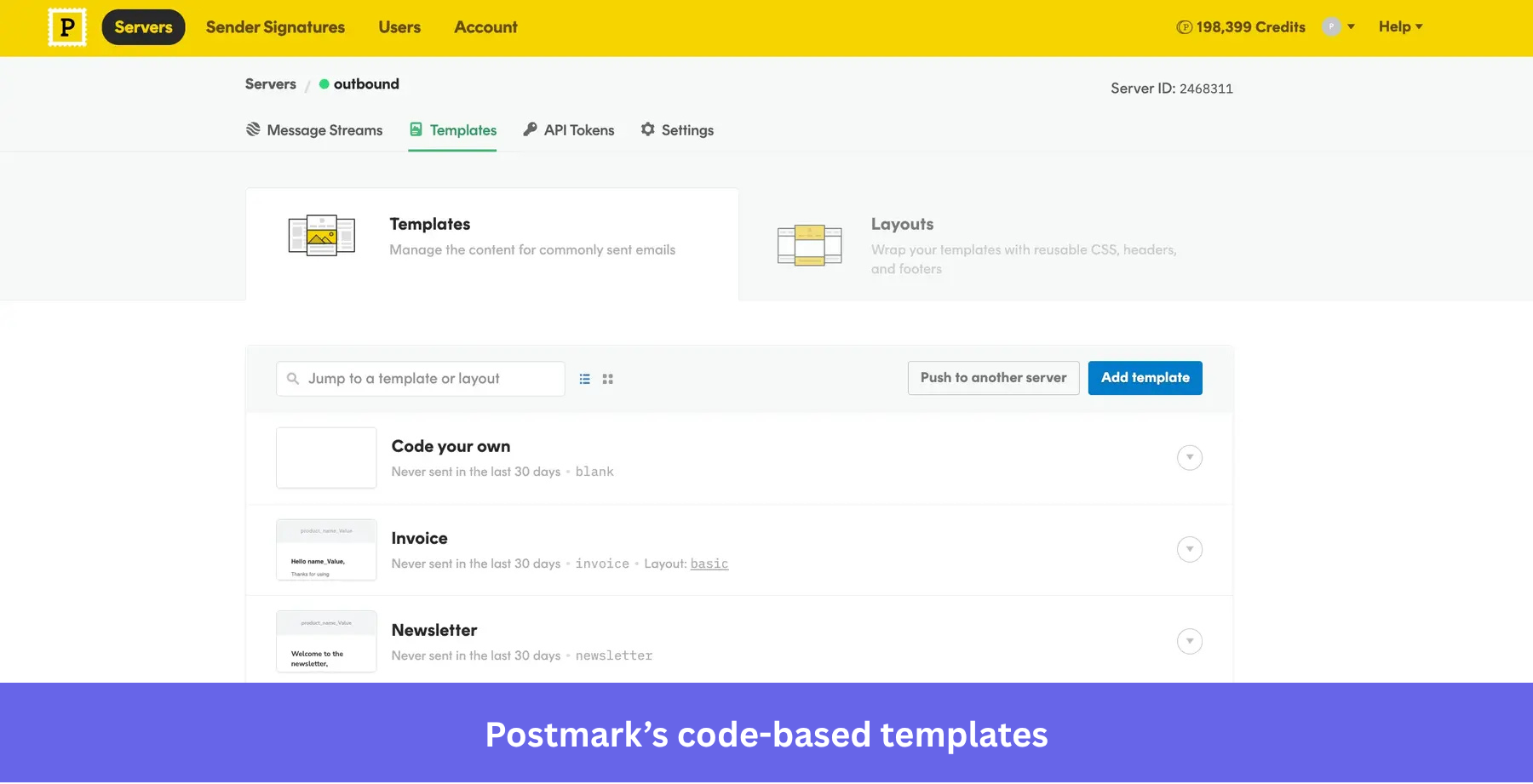
However, you won’t find a drag-and-drop builder, a scheduler, or any bulk-send segmentation here. The lack of a visual editor means using HTML and CSS for every template change. Great for developers who want fast, reliable delivery, especially with easy access to clear, developer-friendly documentation. Not so for product and marketing teams without coding expertise that need to run lifecycle email marketing campaigns.
Standout features:
- Message streams that keep transactional and bulk traffic separate.
- SMTP and REST API integration with official language libraries.
- Prebuilt templates for common flows like password resets and invoices, though customizing them still requires HTML.
- Detailed message tracking with 45-day activity retention.
How much does Postmark cost? Basic starts at $15 per month for 10,000 emails, with Pro ($16.50 per month) adding inbound email and Platform ($18 per month) adding unlimited users and servers, all at the same 10,000-email volume. Overage ranges from $1.20 to $1.80 per 1,000 depending on tier.
2. Userpilot: Best for PLG teams running omnichannel campaigns
Most of the tools on this list treat transactional email as a standalone channel: something you set up once and let run. Userpilot’s email platform‘s premise is different. Email is one channel inside a bigger in-app engagement motion, coordinated with the same flows, checklists, and surveys your product team already builds.
That shows up directly in how you trigger sends.
You can fire an email not only when a password resets or payment fails but also when a user finishes onboarding or drops off mid-workflow, the same event-based triggers that drive an in-app flow. Userpilot’s Workflows turns that single trigger into a full sequence: an email the moment a user stalls at checkout, a survey a few days later if they still haven’t returned, then an in-app nudge weeks after that.
Each step reuses the same event triggers and timing controls, so the follow-up is one coordinated journey instead of a one-off send.
Standout features:
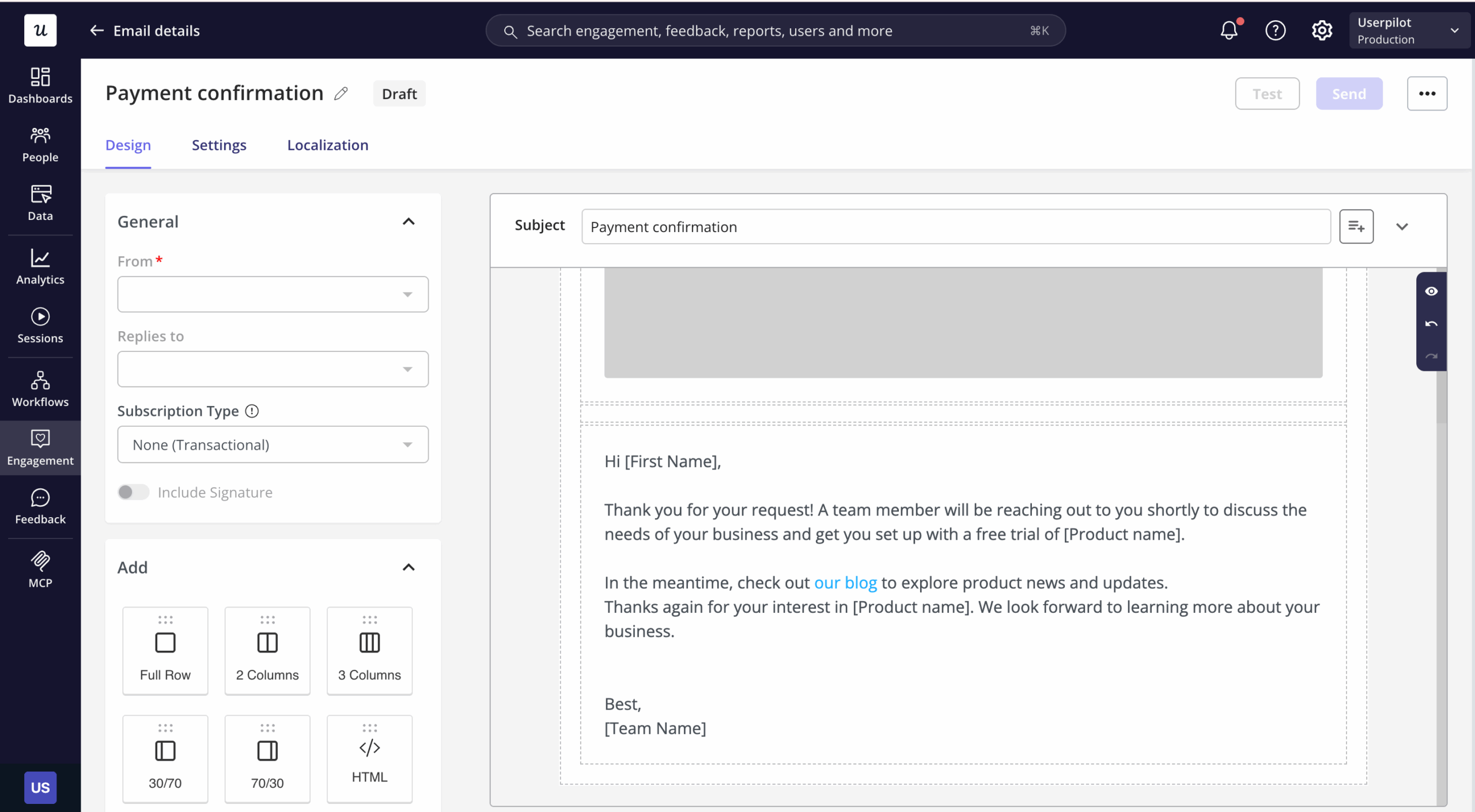
- Drag-and-drop builder: Full control over layout, fonts, colors, and width, with sections for buttons, images, video, HTML, and dividers, no code required.
- Dynamic personalization: Insert user-specific attributes like first name, plan type, or company name into the subject line or body.
- Email localization: Create language-specific versions of the same email, matched automatically to each recipient’s locale, with the default version sent to anyone without a translated version.
- Flexible send timing: Trigger immediately on an event, or schedule recurring sends with stop conditions like “until the goal is met” or “until the email is opened.”
- Performance metrics: Sends, delivery rate, opens, clicks, unsubscribes, and bounce rate, updated in real time.
Growth and Enterprise plan users get 100,000 emails per month for free. The entry price is a real consideration for early-stage teams with a small budget. Userpilot is ideal for mid-market and enterprise SaaS teams looking to combine transactional and behavioral email and in-app into one automated journey. Here’s what that looks like for us, in the words of Natália Kimličková, Userpilot’s Senior Product Marketing Manager:
After the new sign-up, we know why they’re coming to Userpilot, and then very easily based on that data, we can trigger personalized emails plus in-app onboarding.
3. Mailchimp: Best for teams already using Mailchimp Marketing
Mailchimp’s transactional email only works if you’re already paying for Mailchimp Marketing. It’s not available as a standalone feature. For existing Mailchimp users, that’s convenient. But for anyone starting from scratch, it’s a reason to look elsewhere first.
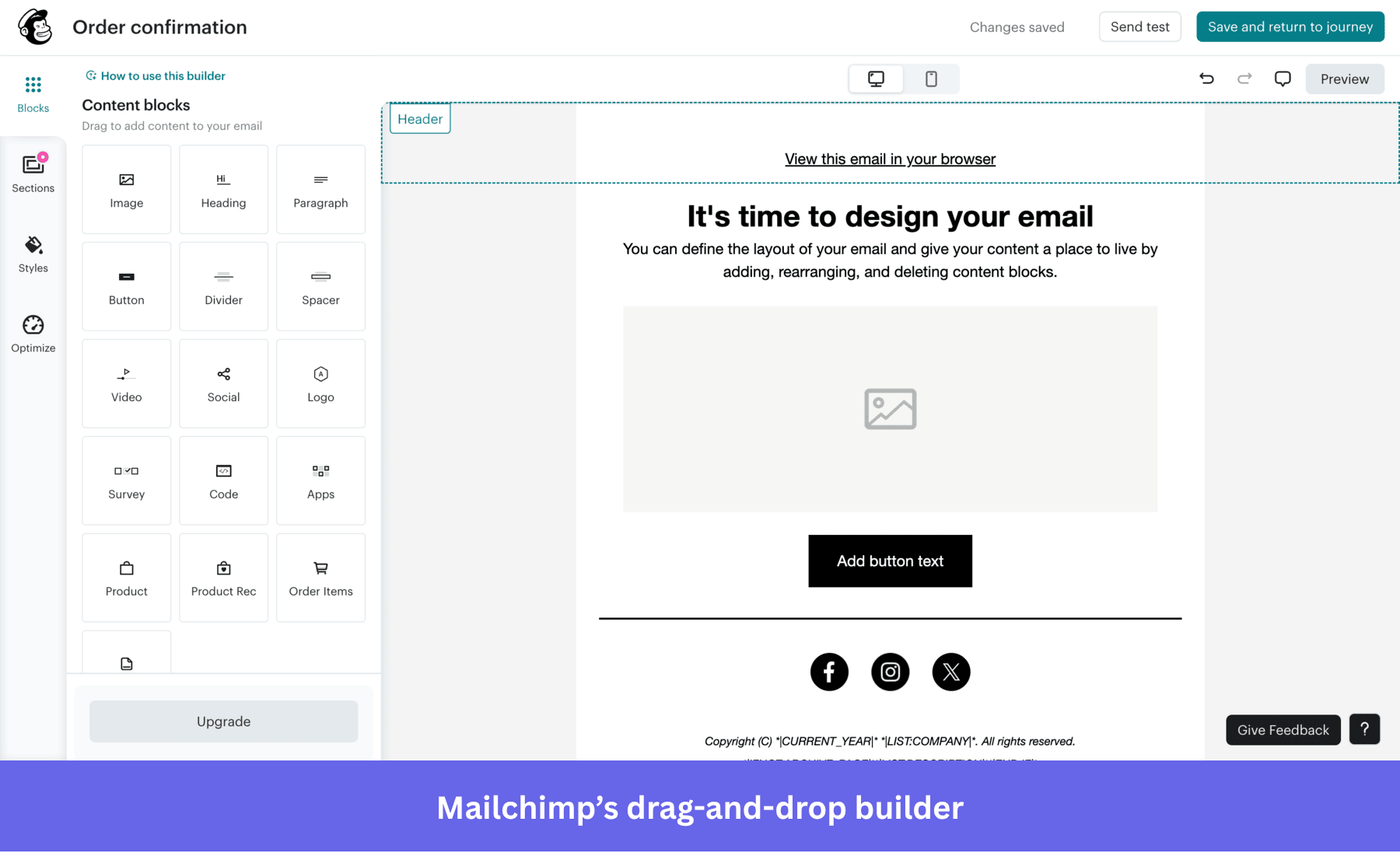
The platform offers a drag-and-drop builder for transactional templates, alongside raw HTML and API management for teams that want that level of control.
Standout features:
- SMTP and REST API support, with message tagging, metadata, and advanced scheduling.
- Webhooks for tracking delivery, bounces, opens, and spam placement.
- Built-in deliverability tools: custom tracking domains and suppression list handling.
- Advanced AI assistant for email generation and optimization.
Transactional email capabilities are sold as a credit-based add-on to a Mailchimp Marketing plan, from $20 for a 25,000-email block. Credits expire at the end of the month they’re purchased in and don’t roll over.
4. Amazon SES: best for low-cost, high-volume transactional email delivery
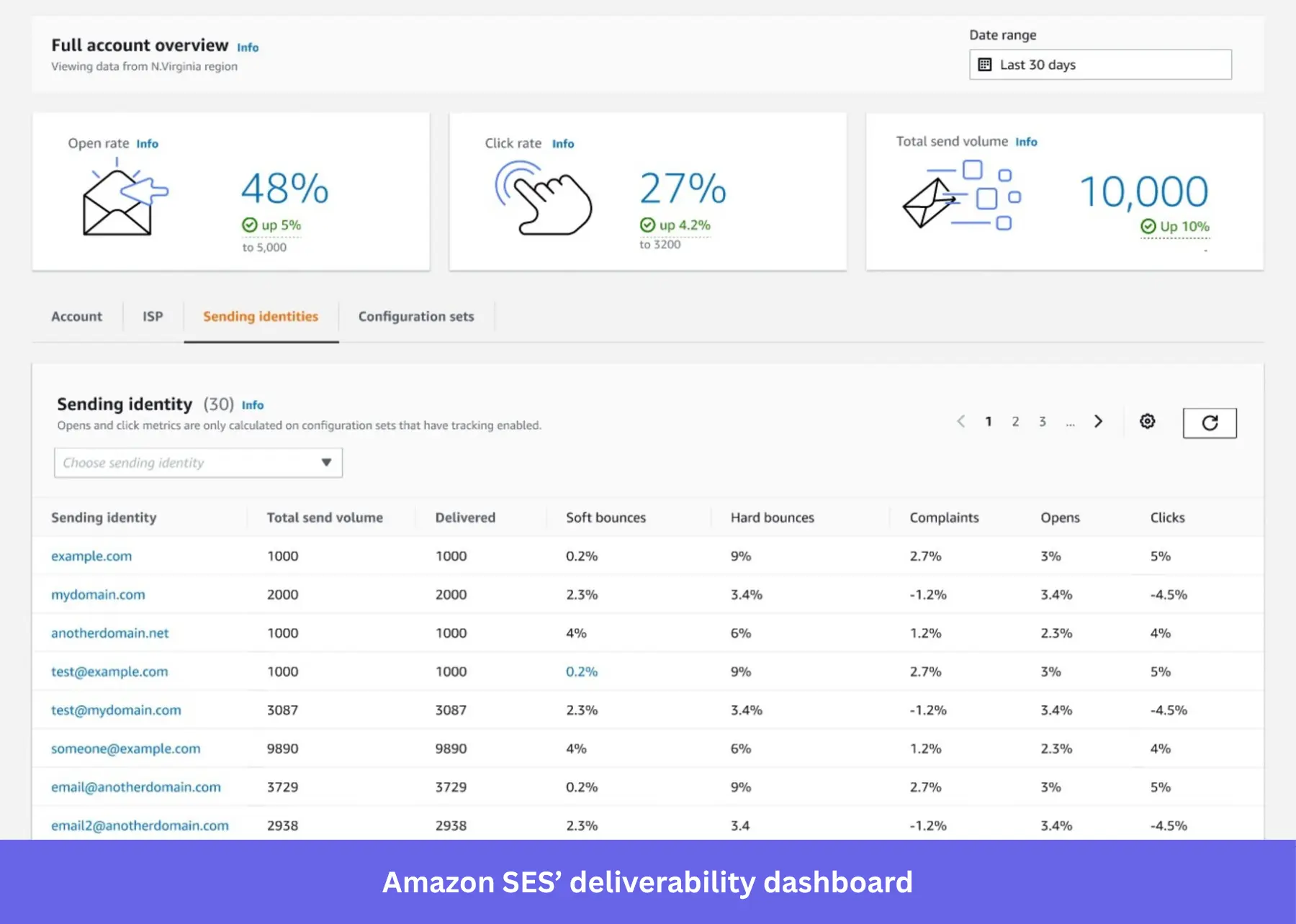
Amazon SES is built for scale and cost, not convenience. Think technical teams and e-commerce companies sending high volumes of outbound email. There are no visual editor and prebuilt templates. Setting it up also takes time: configuring IAM roles, verifying domains, and editing DNS records. It’s not beginner-friendly, but once it’s running, deliverability is excellent, and CloudWatch gives you real-time visibility into bounces and complaints.
It also offers Amazon SES Agent Skills, an open-source package that gives AI coding agents like Claude Code the correct patterns for building SES integrations: the right API version, the required setup order, and production-ready patterns for bounce handling and tenant isolation.
This is a developer-workflow tool that helps AI agents write correct SES integration code. However, it’s not an analytics assistant where you ask questions about your sending performance.
Standout features:
- SMTP and REST API support with official SDKs.
- Dynamic templates managed through the API.
- CloudWatch and SNS integration for bounce and complaint tracking.
- Custom sending limits and rate control.
Existing SES accounts can run on legacy pay-as-you-go pricing at $0.10 per 1,000 emails, but AWS introduced new tiered pricing plans in July 2026 that now apply by default to new signups.
5. SendGrid (now Twilio): Best for teams that need a balance of APIs and email marketing features
SendGrid can send both transactional and bulk email from the same account, keeping them on separate IPs via IP Pools on a dedicated-IP plan, to protect sender reputation. This makes it ideal for SaaS and product-led growth teams that need reliable transactional delivery alongside marketing email flexibility.
One thing worth flagging is that as of February 2026, Twilio consolidated SendGrid under its unified platform. The product hasn’t changed, but it’s part of the Twilio feature set now.
Standout features:
- REST API and SMTP relay for transactional sending.
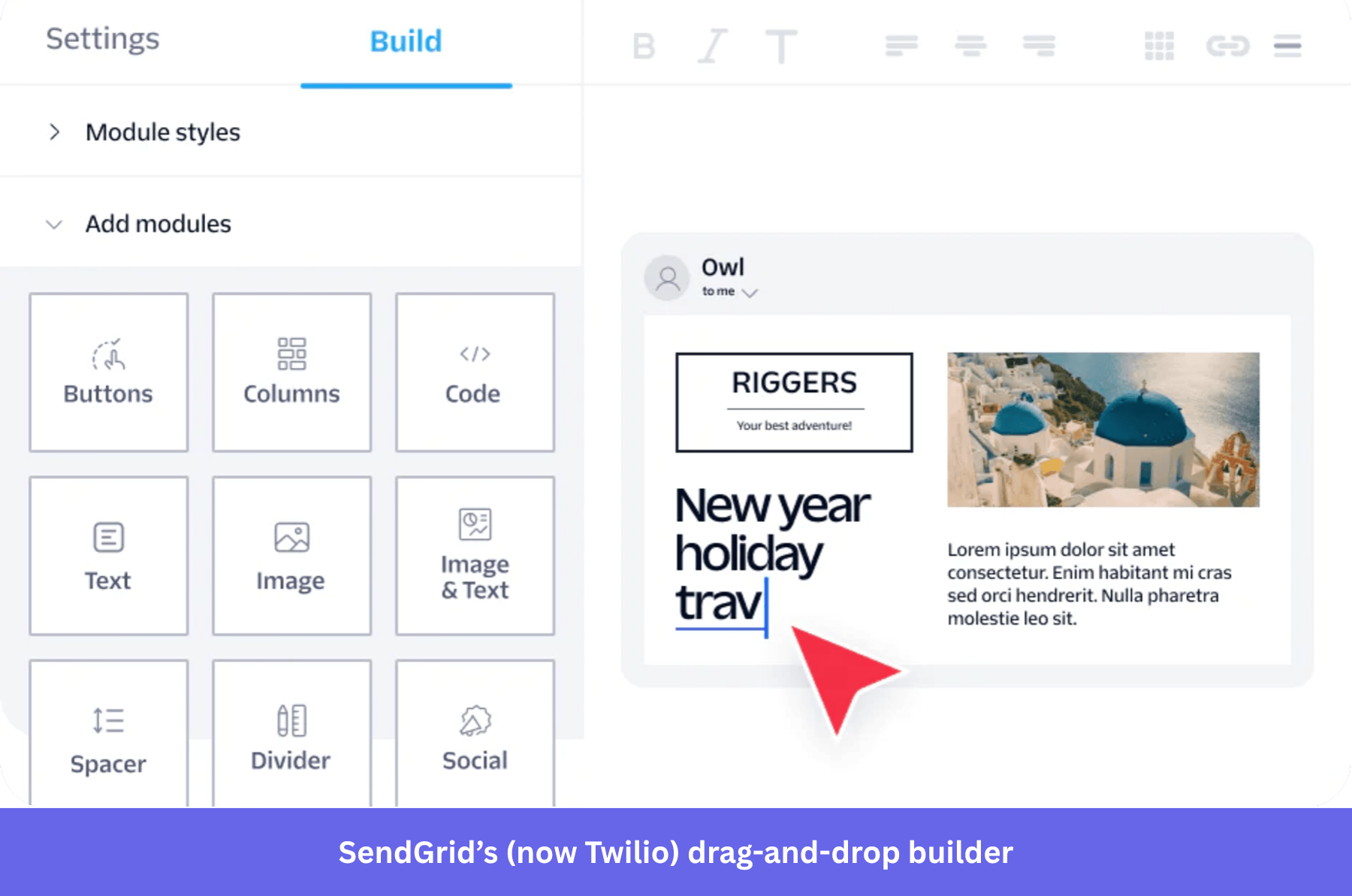
- Drag-and-drop editor with responsive templates, including prebuilt flows for password resets and receipts.
- Event webhooks for delivery, bounces, opens, and spam tracking.
- Built-in segmentation and light marketing automation.
You can start with a free trial with 100 emails per day. But if you’re sending more than that, consider Essentials, which starts at $19.95 per month for 50,000 emails. Pro starts at $89.95 per month with a dedicated IP and sub-user management. Higher tiers get lower per-email rates.
6. Mailgun: Best for dev teams sending high-volume emails with deep analytics
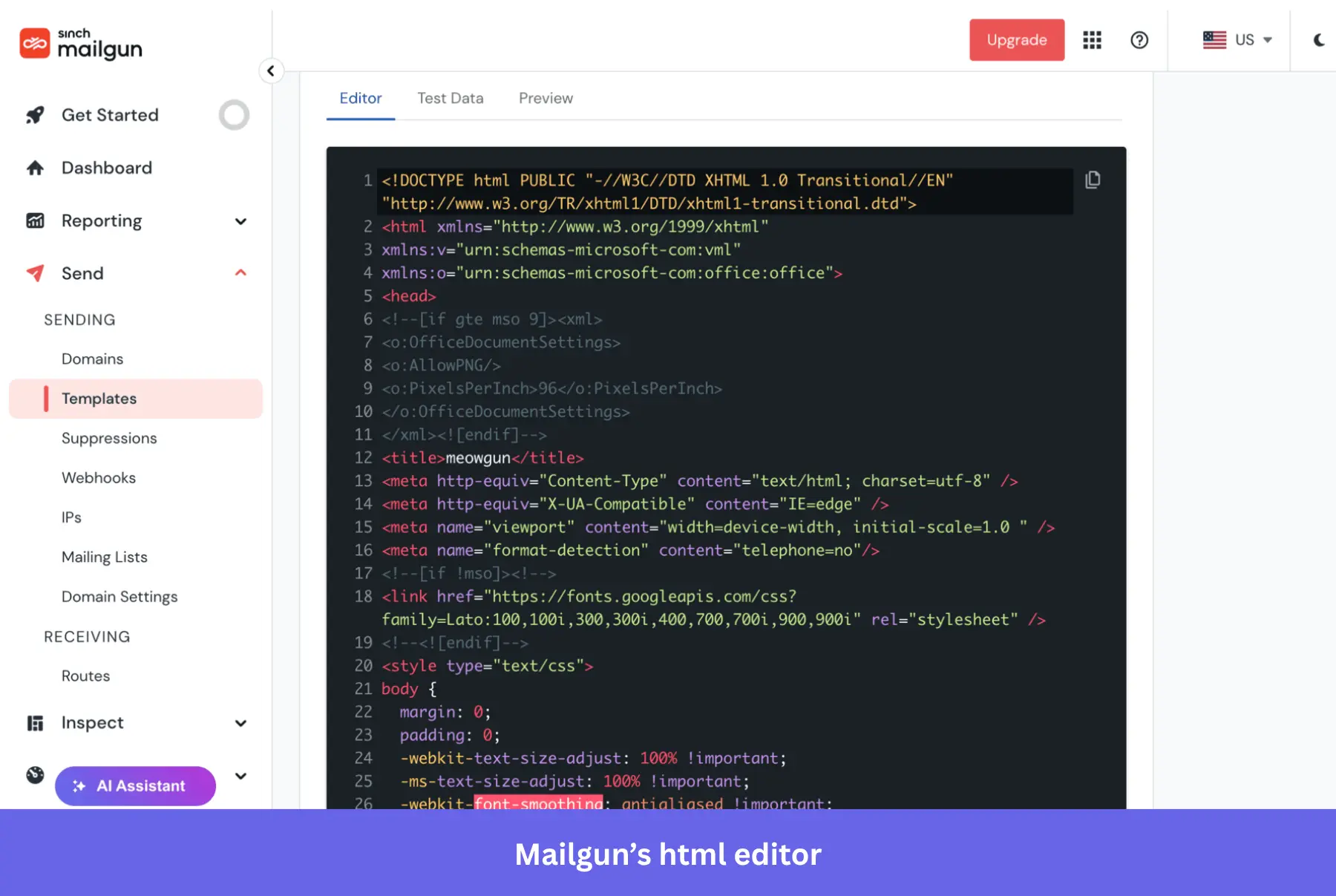
Mailgun is built for technical teams sending high volumes through backend systems, with a well-documented, flexible API. It does have a responsive drag-and-drop editor alongside raw HTML editing. Underneath that, it facilitates send-time optimization, inbox placement testing, and chat and phone support, though response times vary by plan.
It has a Virtual Email Assistant that helps with onboarding your team and answers technical questions (e.g., API integration and troubleshooting). You can also get an MCP server through which you can use AI assistants like Claude, ChatGPT, and Perplexity to query email metrics. Finally, its Mailgun Inspect is designed to provide automated code adjustments and QA checks.
Standout features:
- RESTful API plus SMTP integration.
- Event-level logging for delivery, opens, clicks, and bounces.
- Webhook support for real-time processing and inbox-placement testing.
- Dedicated IP and reputation management tools.
- An open-source MCP server that lets AI assistants query sending metrics, logs, and domain or deliverability status in plain language. It’s read-focused: sending an email is the one write action it supports, everything else is query and inspect.
Mailgun has a free plan that lets you send 100 emails per day. Paid tiers start at $15 per month for 10,000 emails, $35 per month for 50,000, and $90 per month for 100,000. Higher tiers add longer log retention, advanced routing, and phone support.
7. HubSpot: Best for HubSpot CRM users wanting both transactional and marketing emails
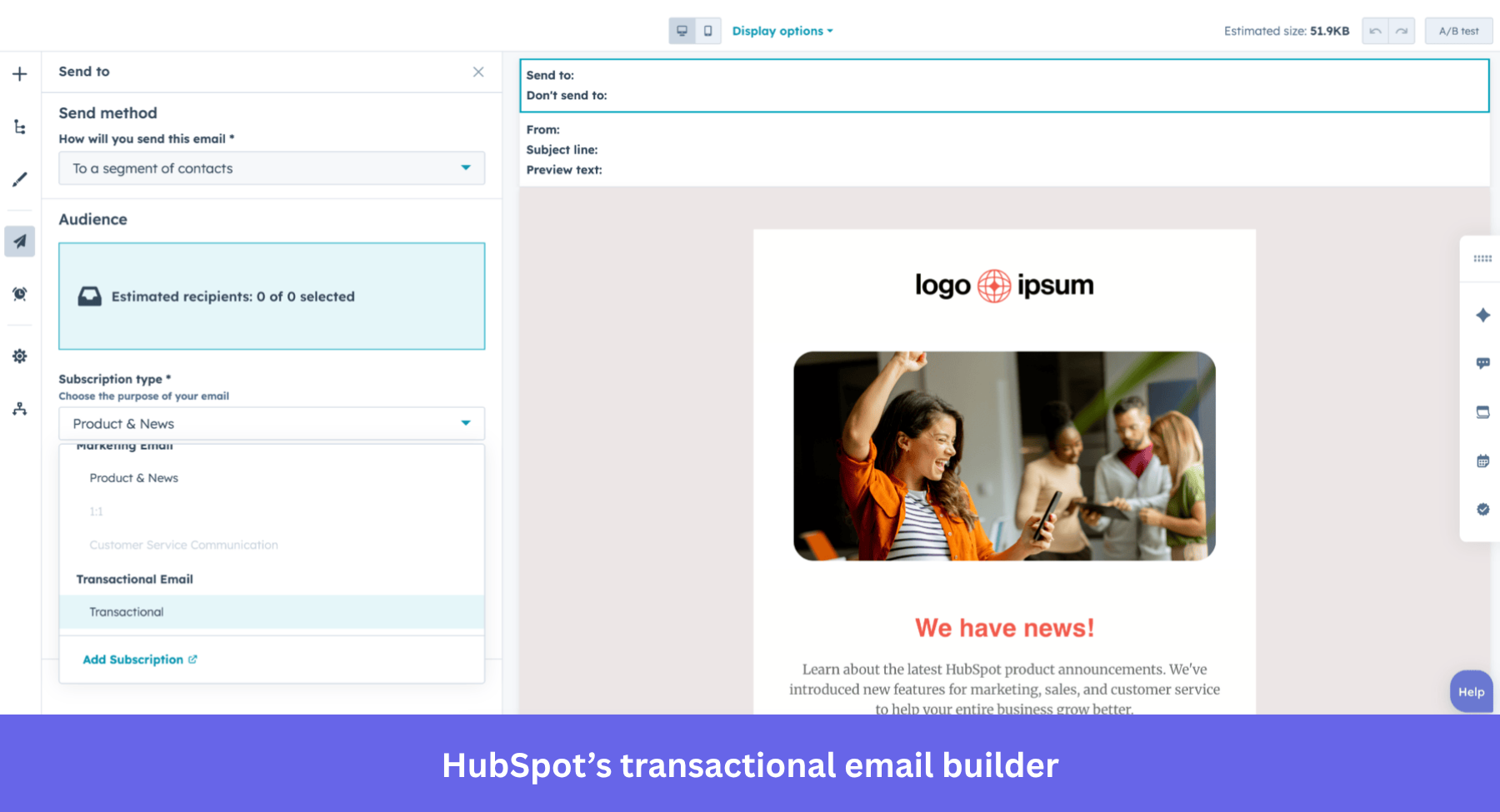
HubSpot’s transactional email makes the most sense if your team already runs on its CRM. You can send system messages like password resets or order confirmations through SMTP or the API while keeping everything tied to the same contact record.
Setting up SPF, DKIM, and IP authentication was straightforward, and HubSpot lets you tag messages as transactional, which skips opt-in checks that apply to promotional email. Without leaving the platform, you can view your deliverability data across bounce rates, opens, and key metrics via a centralized dashboard.
Standout features:
- Real-time dashboards for opens, clicks, bounces, and revenue attribution.
- Transactional API and SMTP support.
- The same drag-and-drop builder used across the rest of the platform, so non-technical users can build templates without learning a second tool.
- Built-in deliverability analytics.
- Breeze, HubSpot’s suite of AI agents, running autonomous multi-step workflows on top of the same CRM-linked messaging described above rather than requiring a separate tool.
Again, this transactional email feature is available as an add-on to Marketing Hub Professional ($890 per month) or Enterprise ($3,600 per month), with the transactional email add-on costing an additional $600 per month.
8. Mailtrap: Best for teams that want delivery logs and an AI-first workflow
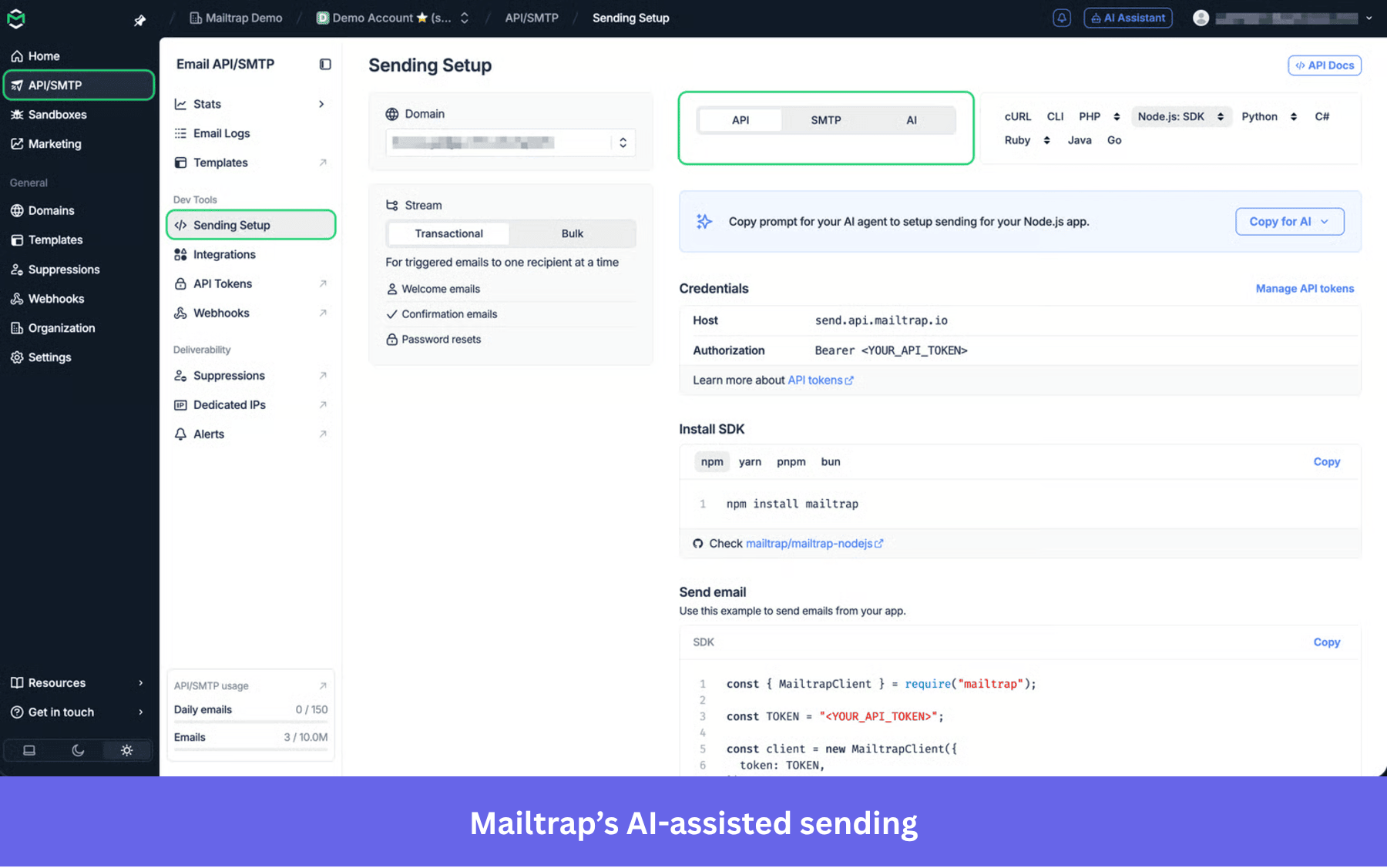
Mailtrap is built most explicitly around AI workflows from the ground up rather than adding them later.
Alongside a hosted testing inbox, it ships an official MCP server with 70+ tools spanning sending, sandbox testing, logs, analytics, templates, domains, and account management.
It also offers Skills files that give coding agents like Claude Code and Cursor ready-made context on setup and sending, so an AI agent can configure and send through Mailtrap with far less trial and error than working from raw API docs.
Standout features:
- Hosted testing inbox that spins up instantly and returns structured JSON, keeping the context window lean for agent use.
- Official MCP server with broad coverage: sending, logs, analytics, templates, and domains.
- Official SDKs for Node.js, PHP, Ruby, Python, Elixir, and Java.
- A marketed 99.99% historical uptime figure, and email log retention that scales from 3 days on the free tier up to 30 days on Enterprise.
Free tier is available to teams sending 150 emails a day. Paid plans start at $15 per month for the Email API/SMTP Basic tier (10,000 emails), with Business at $85 per month and Enterprise at $750 per month.
9. Brevo: Best for combining transactional and marketing email with built-in AI
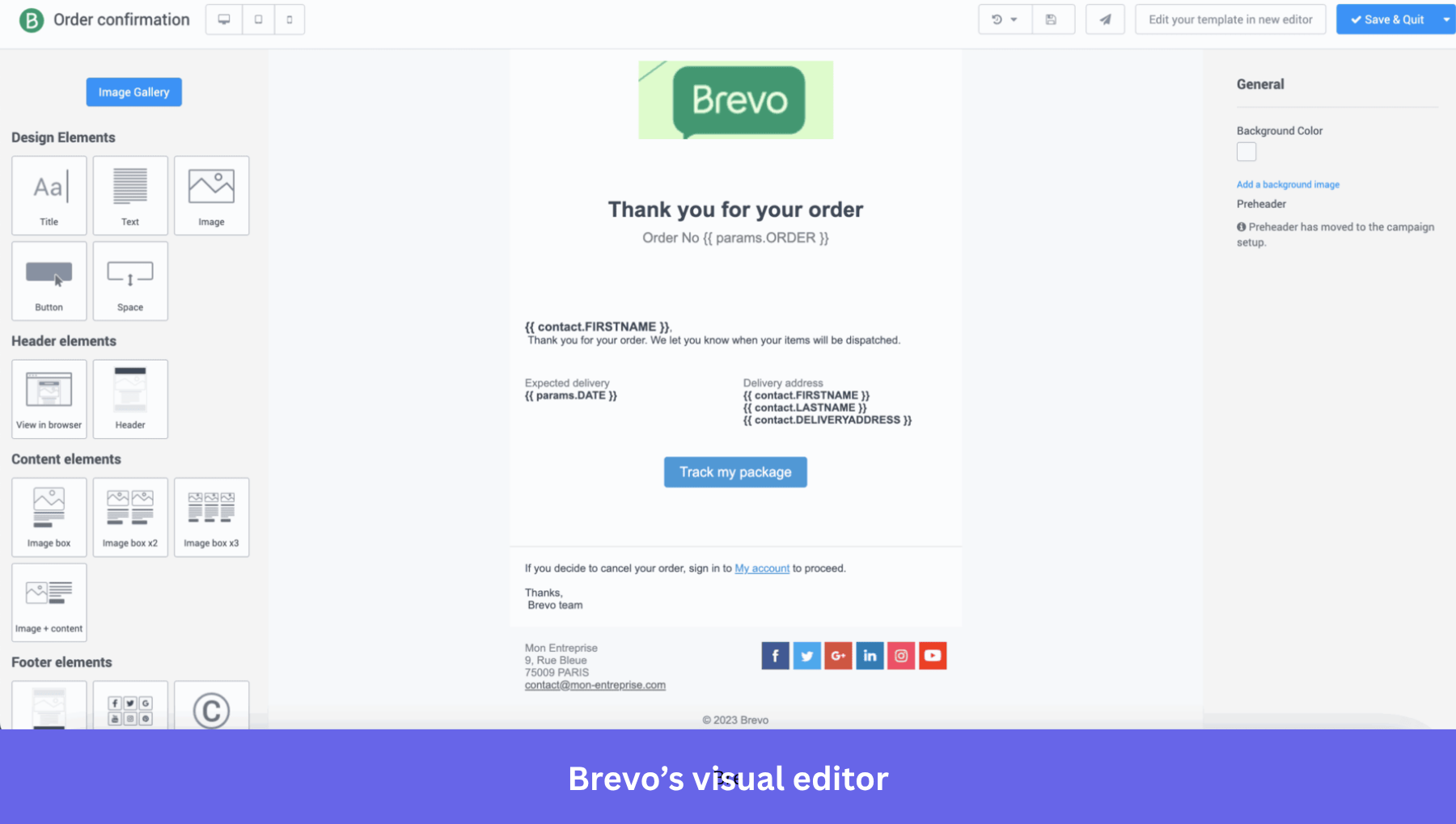
Brevo (formerly Sendinblue) earns a spot here for the same reason Mailtrap does: real, current AI capability rather than a bolted-on feature. Its AI assistant, Aura, works across the platform, not just on marketing email, generating content, drafting automations, and answering natural-language reporting questions about your account.
Standout features:
- Transactional and marketing email from a single account, with a visual automation builder.
- Aura, Brevo’s AI assistant, which drafts subject lines, email copy, and translations, and includes an AI Data Analyst for natural-language reporting queries: asking a question about campaign performance instead of building a report to answer it.
- Predictive send-time optimization, calculated per contact.
- A pay-per-email pricing model rather than per-contact pricing, which suits teams with large but infrequently emailed lists.
Free plan is available. Starter begins at $9 per month for 5,000 emails. Standard starts at $18 per month and adds landing pages and priority support. Professional starts at $499 per month.
What should you look for in transactional email software?
In selecting transactional email software, you must go through its features and verify whether they contain all the solutions you need. Also, it’s necessary to read customer reviews to understand whether the tool delivers what it promises to do.
Here’s what I weighed for each of the nine transactional email software platforms:
- Deliverability: If the email doesn’t reach the inbox, nothing else about the tool matters. Look at sender reputation management, bounce handling, and built-in tools each platform gives you to protect deliverability.
- Ease of use: If it takes days to set up, or needs an engineer for every change, your team will stop using it. Check how intuitive the interface is and whether a product or marketing person can build and test a message without looping in a developer every time.
- Customization and personalization: Dynamic content, user-specific variables, and personalization rules that make each message feel like it was written for the recipient, not blasted to a list.
- Performance and analytics: Without visibility into delivery, opens, and clicks, you can’t tell what’s working or fix what isn’t.
- Price and value: The cheapest option isn’t automatically the best value, and the most expensive one isn’t automatically the most capable. I weighed cost against what you actually get.
- Scalability: Your sending volume and workflow complexity will grow. A platform that holds up at 10x your current volume saves you a migration later.
- Customer support: Transactional email is infrastructure. When deliverability drops or an integration breaks, you need an answer fast, not a support ticket that sits for two days.
- AI and agent readiness: Does the platform give you, or the AI tools your team already uses, a way to query performance or trigger actions without opening the dashboard? Six months ago this was a nice-to-have; now it’s close to table stakes. Almost every tool has incorporated AI in some way, reflecting the broader user demand.
- Security and compliance. What certifications the platform holds, what it documents (versus implies) about SPF, DKIM, and DMARC support, and where your data is actually stored. Also, whether the compliance extends to AI-powered features.
Choosing the right transactional email service for your SaaS business
Most of the decision comes down to matching what you already run: an existing CRM, an engineering team comfortable with raw APIs, a marketing stack you don’t want to duplicate.
Nearly every tool on this list now has some kind of AI layer, but they’re not solving the same problem with it. Most of them automate the email itself by writing it faster, sending it smarter, or reporting on it in plain language.
Fewer of them connect that email to what the user actually did in the product afterward. That’s the gap you keep running into if your product and email platforms are separate. This is the reason transactional email lives inside Userpilot instead of next to it. A password reset or a re-engagement send isn’t treated as an isolated message but is triggered by the same onboarding and activation events your product team is already tracking, and it shows up in the same analytics as everything else a user does.
If that’s closer to the problem you’re actually solving, book a demo to learn how you can send transactional emails within the context of your users’ product experience.
About the author