Email Marketing Automation Examples That Work in 2026 (and the Behavior Logic Behind Them)


Most SaaS teams still schedule email marketing automations on a calendar instead of triggering them based on user behavior. This leads to welcome emails firing three days after signup (whether the user opened the product once or ten times) and a winback sequences that go out 30 days after the last login (regardless of what the reason for inactivity is). This leaves an incredible amount of revenue on the table.
After all, automated emails drove 30% of revenue despite only accounting for 2% of sends in 2025 and earned 16x more per send than scheduled emails. This isn’t a copywriting gap but rather the impact driven by timing and relevance. The teams that are reaping the benefits of email marketing automation are those with behavioral triggers and automated personalization. The examples we’ve curated below will help you see how some of the most successful SaaS products are automating their email marketing.

9 Email marketing automation examples for SaaS in 2026
All nine examples below fire based on product usage rather than arbitrary dates picked during an internal meeting.
1. Miro’s welcome series
First contact sets the behavioral expectation for everything that follows. Miro’s welcome email mirrors the whiteboard interface, offers three clear starting paths, and routes users to in-app tutorials instead of an external help center.
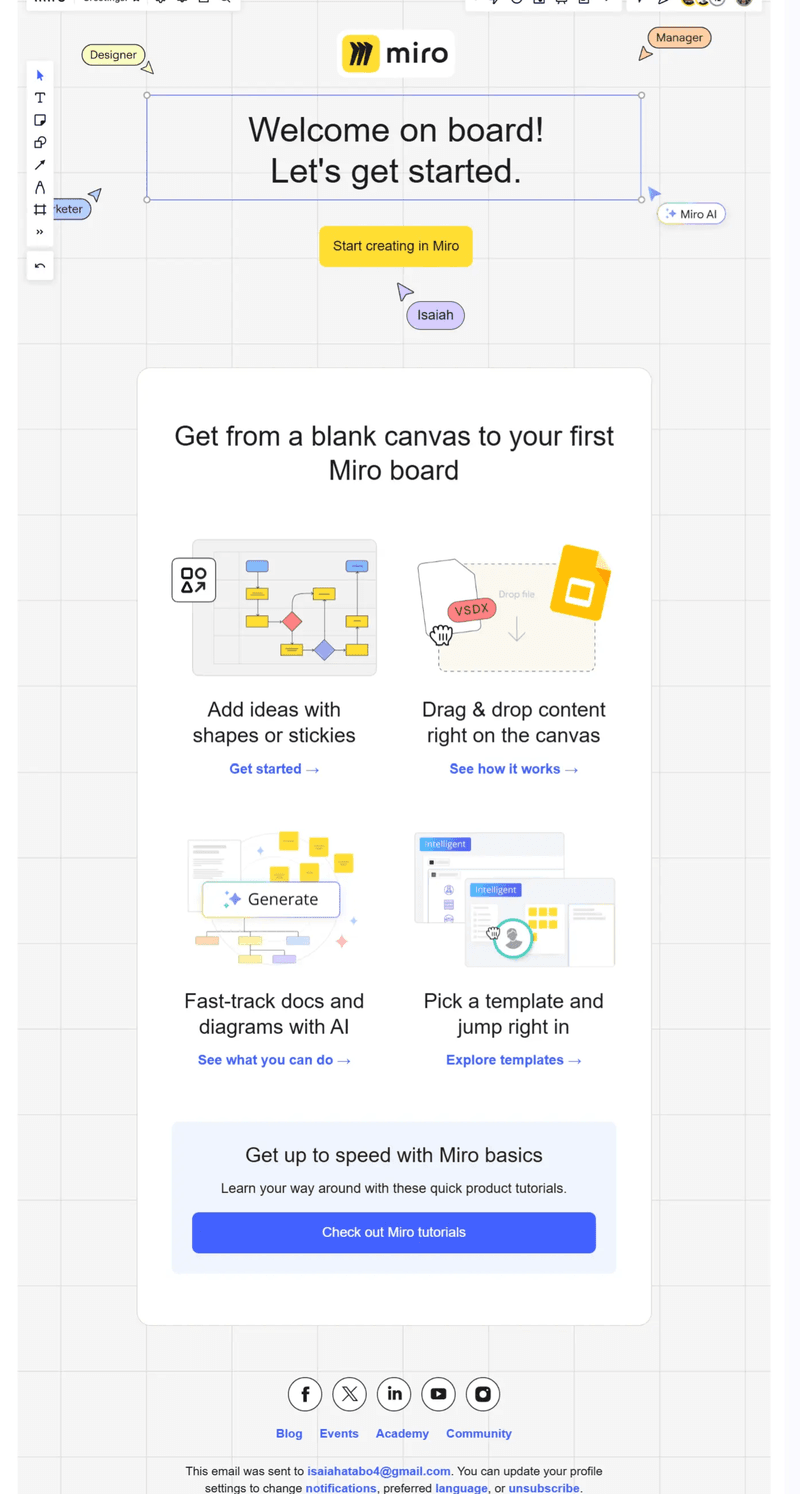
This email works because it uses a similar design to the in-app UI, creating a more cohesive brand across all touchpoints of the customer journey. It also helps reactivate users who have stalled during onboarding or gone inactive by directing them to in-app tutorials rather than relying exclusively on help center documentation.
2. Fullstory’s onboarding and activation sequence
Most activation failures happen due to a lack of clarity rather than the absence of motivation. Fullstory’s activation email isolates one action (copying a snippet), headlines the value that unlocks once setup is complete, and puts the brightly-colored CTA in a spot where users will immediately spot it.
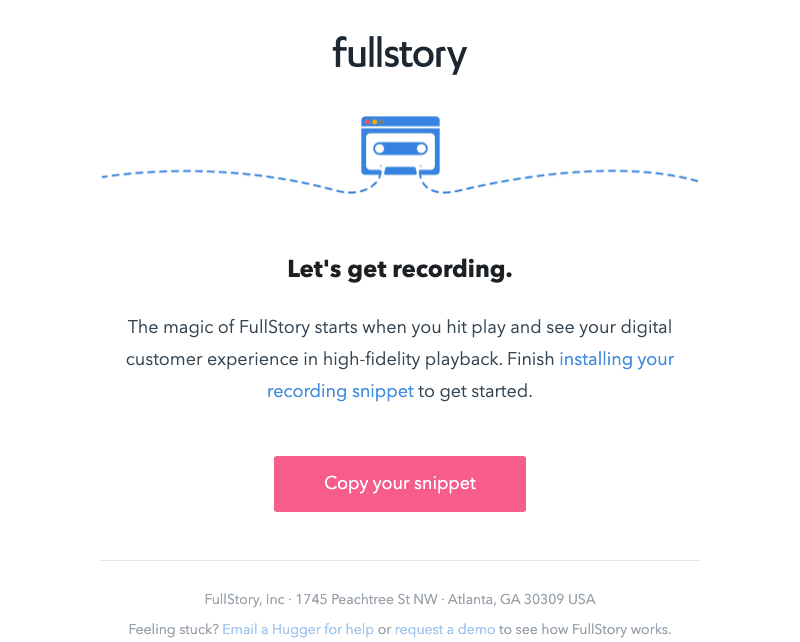
While this onboarding email takes a more minimalist approach than some of the other examples on this list, its simplicity ensures that recipients can focus on the primary CTA that will drive them towards their Aha moment (as opposed to overwhelming them with multiple different secondary CTAs).
3. Headspace’s trial recovery and setup abandonment
Recovery emails work when they handle onboarding interruptions in a non-accusatory manner. Headspace’s “squirrel!” joke frames the distraction as a funny and justifiable occurrence while giving users a clear path back and easy access to FAQs or support representatives.
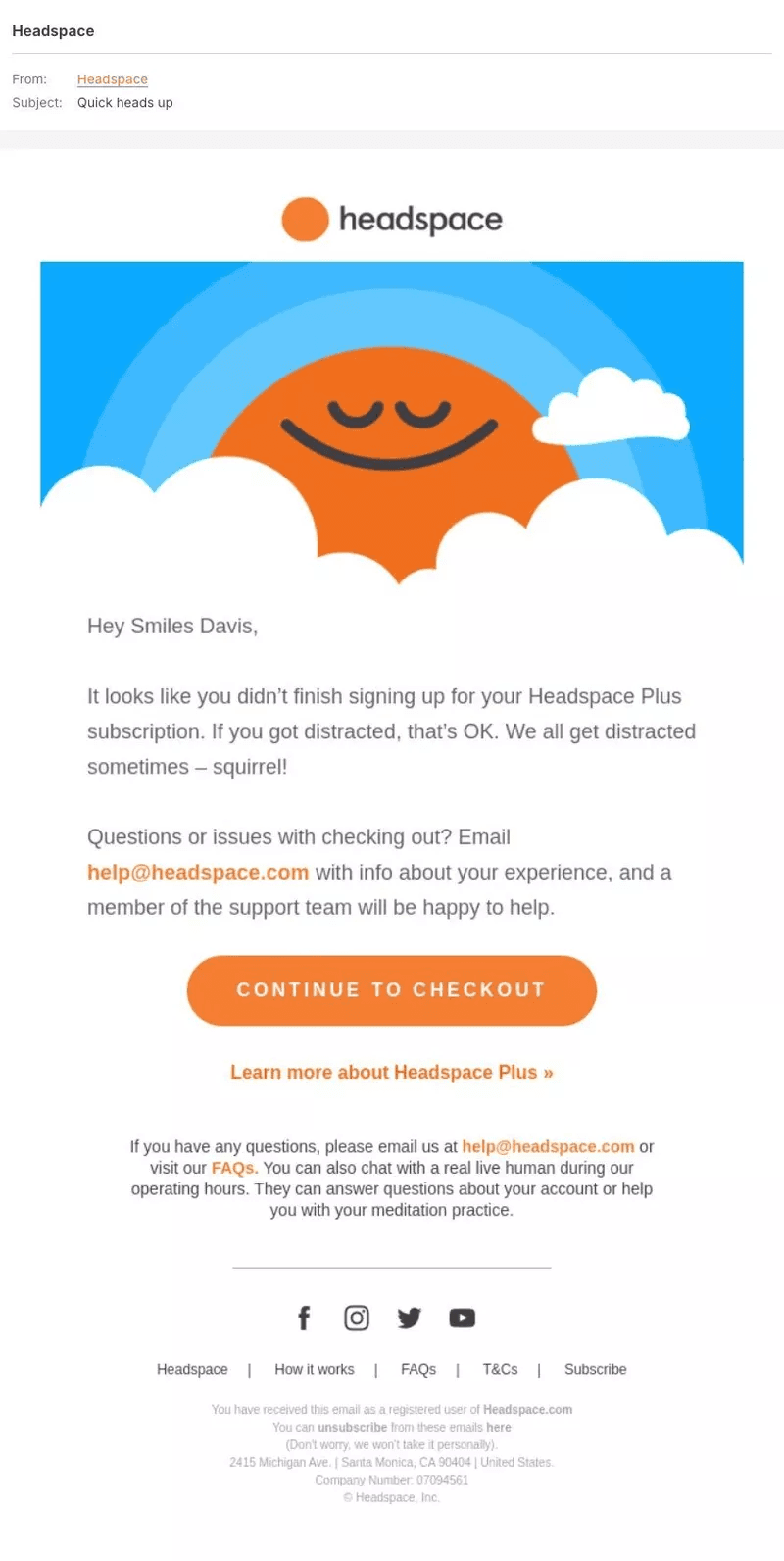
The key nuance here is that Headspace’s emails manage to find the right balance between personality and functionality. While it does incorporate humor, it still keeps the focus on the next step so users have a clear path forward in the form of continuing to checkout (instead of getting distracted by the joke and forgetting to respond to the CTA itself).
4. Asana’s re-engagement and win-back
Re-engagement sequences can recover up to 20% of inactive subscribers, with deliverability further increasing as you gradually suppress non-responders. Asana rengages inactive users by keeping email copy minimal and leads with proof of improvement rather than guilt-tripping the dormant user into returning.
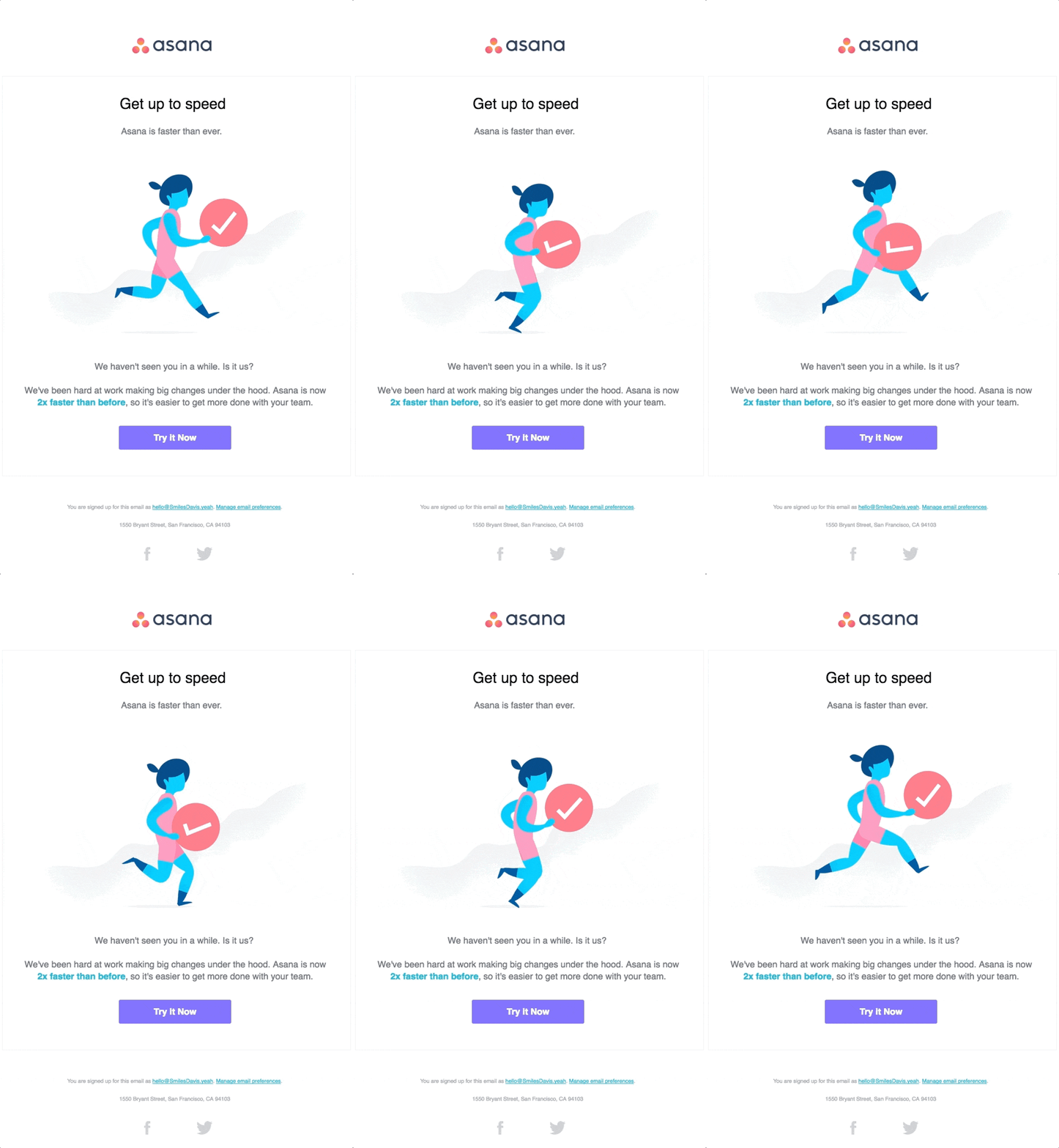
While incorporating multimedia elements into product update emails can help them feel more interactive, this example is particularly effective because the GIF it uses is directly related to the product update, using a running animation to represent the performance gains that have been made in the latest version of Asana.
5. Grammarly’s post-purchase and post-trial nurture
With customer acquisition costs continuously rising, letting converted users drift away is one of the most expensive mistakes a subscription-based product can make. Grammarly’s weekly writing report is automated, personalized, and gamifies retention by surfacing user analytics.
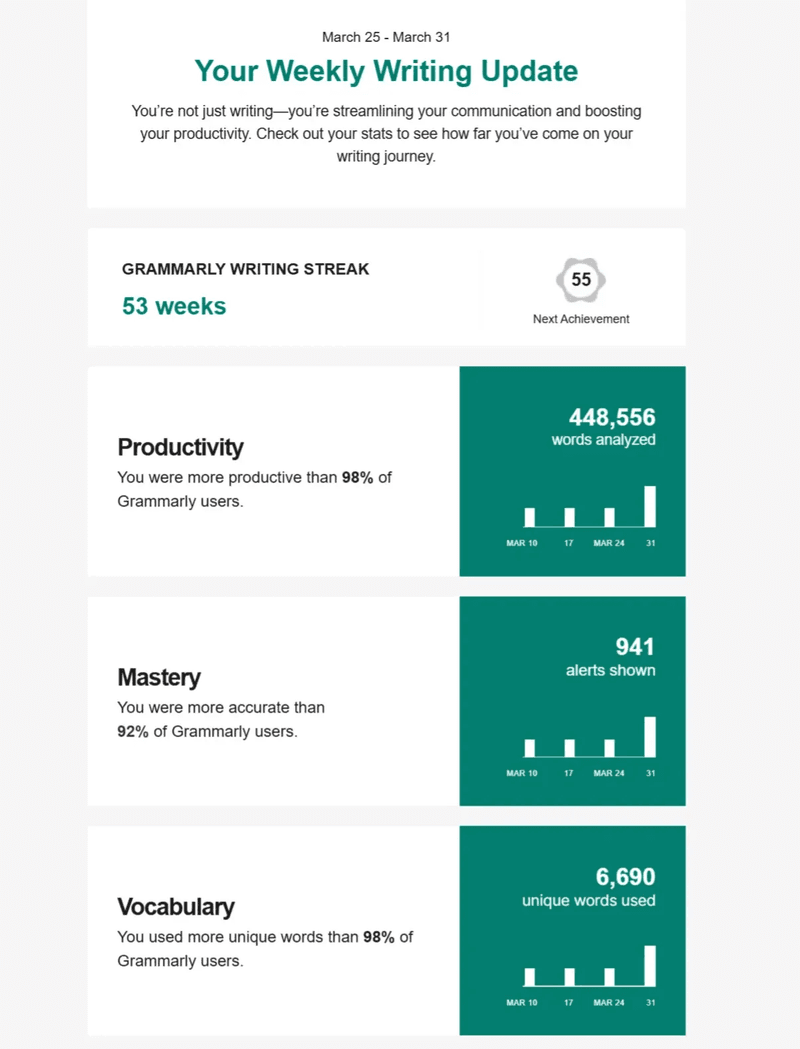
Despite leveraging gamification to make writing feel more like a quest than a chore, it still maintains a professional and parsable layout with dashboard-style widgets so users can easily skim their product usage metrics at a glance.
6. Canva’s milestone celebration
Milestone emails need to reward completion and redirect users toward the next action. Canva does both by highlighting an existing achievement (creating 10 designs) while previewing the next trophy (for creating 20 designs) within the same email. Pairing the two together turns a one-off congratulations email into a roadmap forward instead of a dead end. The built-in social sharing buttons also encourage users to publicly celebrate milestones, increasing their sense of pride and accomplishment while also driving word-of-mouth marketing for the product.

While there’s no questioning the viral potential of integrated social sharing CTAs, an alternative approach could have been to lead users back into the product by encouraging them to create more designs in order to acquire the next trophy or even offering a limited-time incentive that would unlock if they completed the quest by a certain date.
7. Userpilot’s review request
Automated review requests earn higher response rates when triggered at moments of peak satisfaction such as when users hit a milestone, renew their subscription, or have a support ticket solved. You can also target your review requests to customers of a certain plan tier or Net Promoter Score so that the request only reaches customers likely to leave a substantive and positive review.
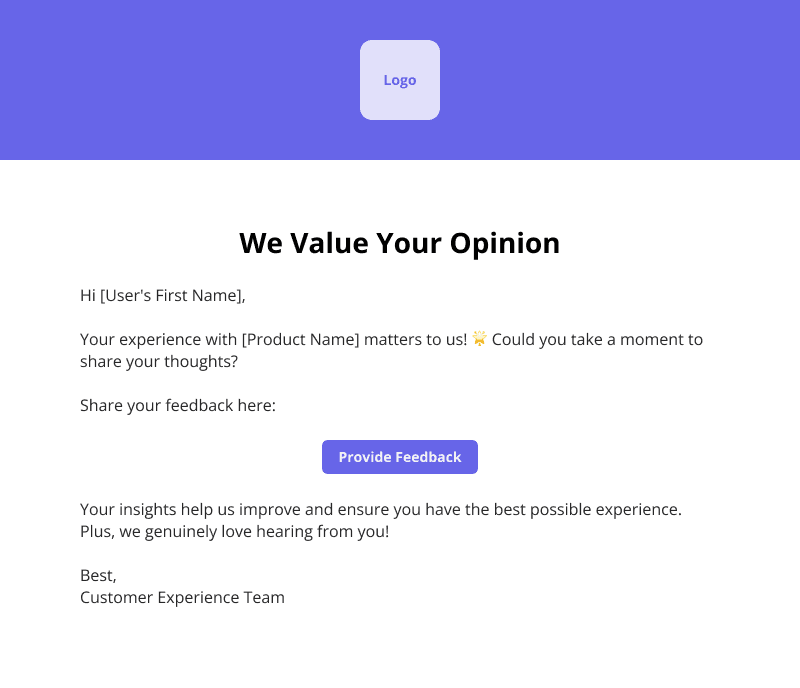
This template may seem too short, but concise is exactly what you need to be when requesting feedback from users. After all, the goal is to hear what customers have to say about your product rather than rambling on before you let them share their opinions with you.
8. Zapier’s upgrade and expansion sequence
Expansion ARR now represents 40% of total new ARR for SaaS products, making upgrade emails more crucial than ever. Zapier’s upgrade email earns the ask by proving its value straight out of the gate (citing the 229 tasks already automated) before explaining what the user would lose by not upgrading to a paid plan. The formula of highlighting realized value, agitating an impending limit, and providing a clear upgrade path works because it’s triggered by product usage instead of billing schedules.
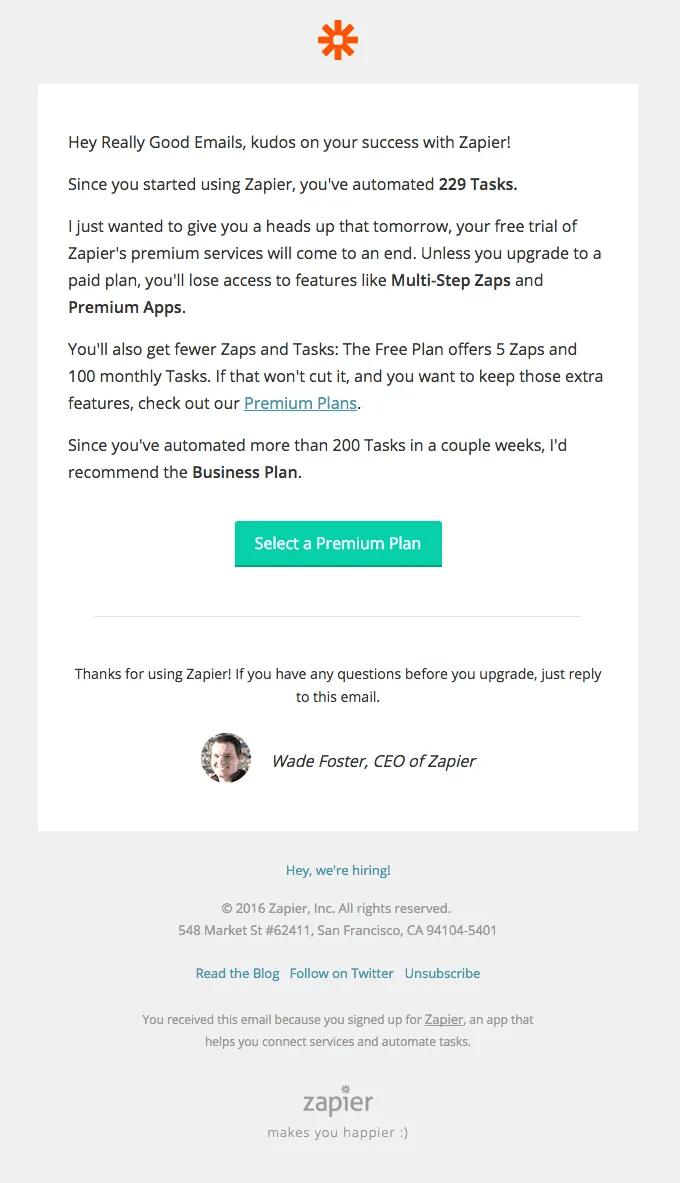
This upsell email excels in crafting a usage-based argument for upgrading plans. However, it would have benefited from a few more details around what the Business Plan includes (aside from higher usage limits) and perhaps even Grammarly-style dashboard widgets to represent the tasks automated as opposed to plain text.
9. HelpScout’s event-based and announcement emails
Event promotion emails may seem low-impact, but they’re actually responsible for nurturing prospects and educating users through webinars. HelpScout names the topic, guests, and value that attendees will walk away with by registering for the event.
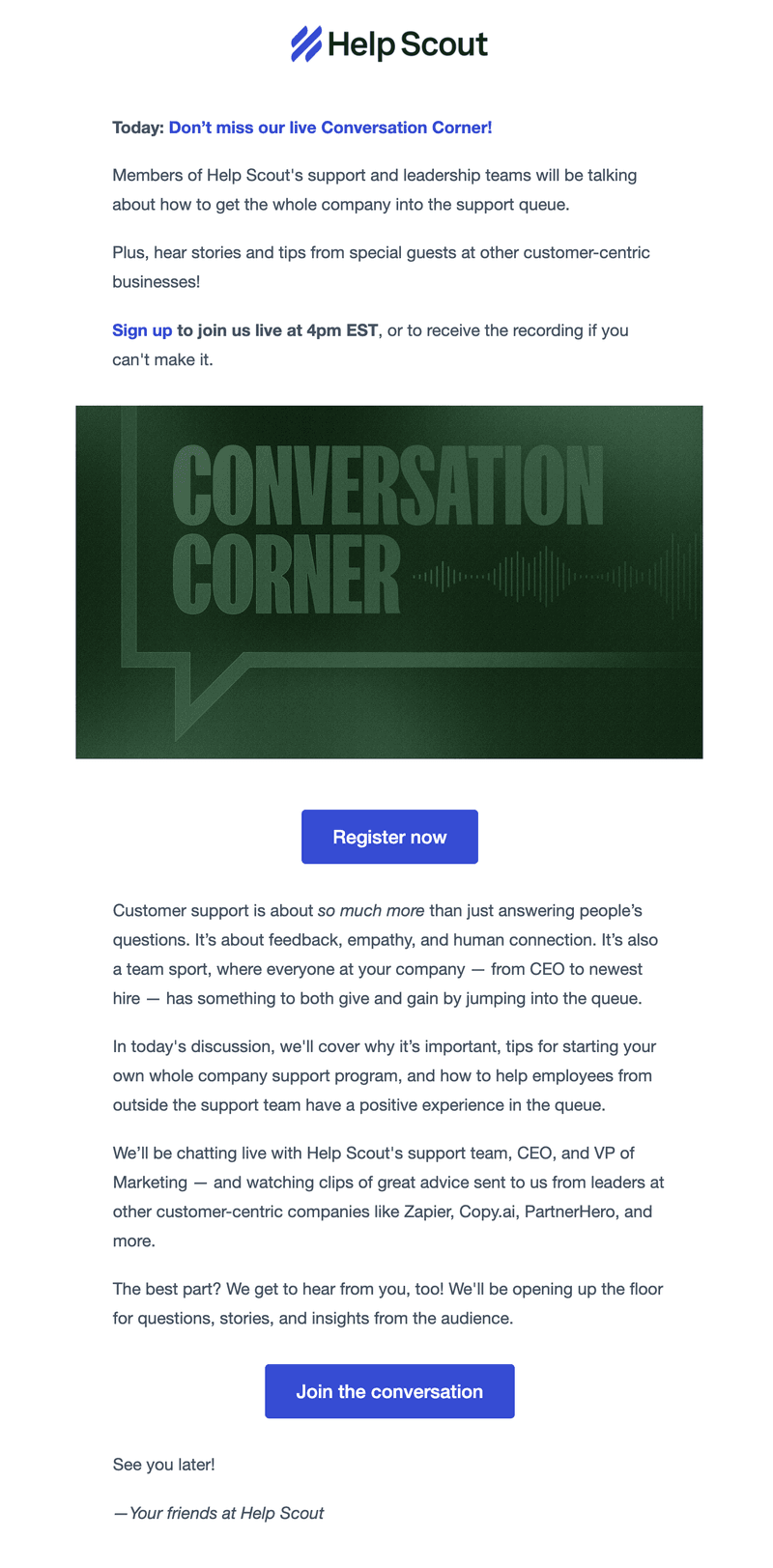
Offering to send registrants a copy of the webinar recording is a subtle but powerful incentive that most invitation emails gloss over. It’s impossible to predict whether your recipients will be available at 4 PM EST (or any other time slot), but promising to send them the recording after the fact increases the odds that they’ll sign up for the event, even if they aren’t sure whether they can make it to the live session.
How AI is changing email marketing automation
The nine examples of SaaS email marketing above still work, but what AI has changed is how precisely each trigger can fire and how much of the segmentation work needs humans to manually build lists.
1. Segmentation has shifted from demographics to signals
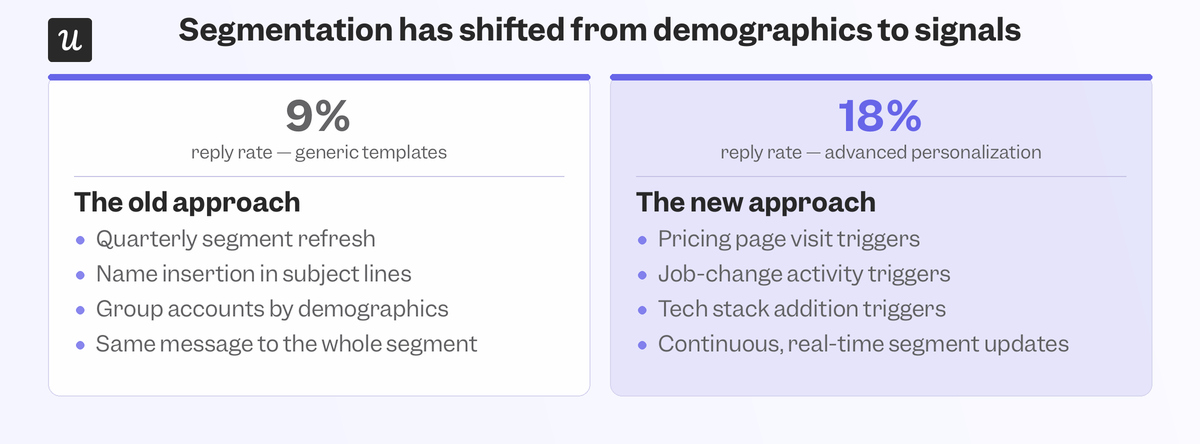
Personalized emails generate roughly 32% higher response rates, and campaigns with advanced personalization see reply rates up to 18%, versus just 9% for generic templates. Inserting names into subject lines is personalization theater that doesn’t change anything. Building triggers around pricing page visits, job-change activity, and tech stack additions is what actually works. The gain compounds when user segmentation stops refreshing quarterly and starts updating continuously, ensuring the right message reaches the right account before the buying window closes.
2. Behavior-triggered workflows beat time-based drips
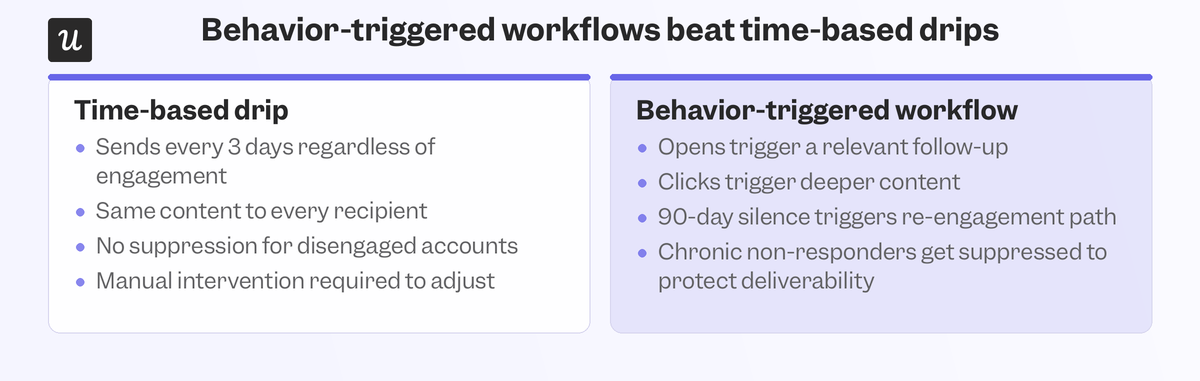
The right mental model isn’t to simply email every three days. Tracking open rates, sending relevant follow-ups, and providing deeper content for recipients who click through are what move the needle. Suppressing chronic non-responders is also crucial to keep deliverability high, with total silence triggering a 90-day re-engagement path and users who ghost you receiving soft nudges before being archived. None of this even requires manual intervention beyond the initial configuration process and condition logic.
3. Predictive triggers are replacing reactive ones
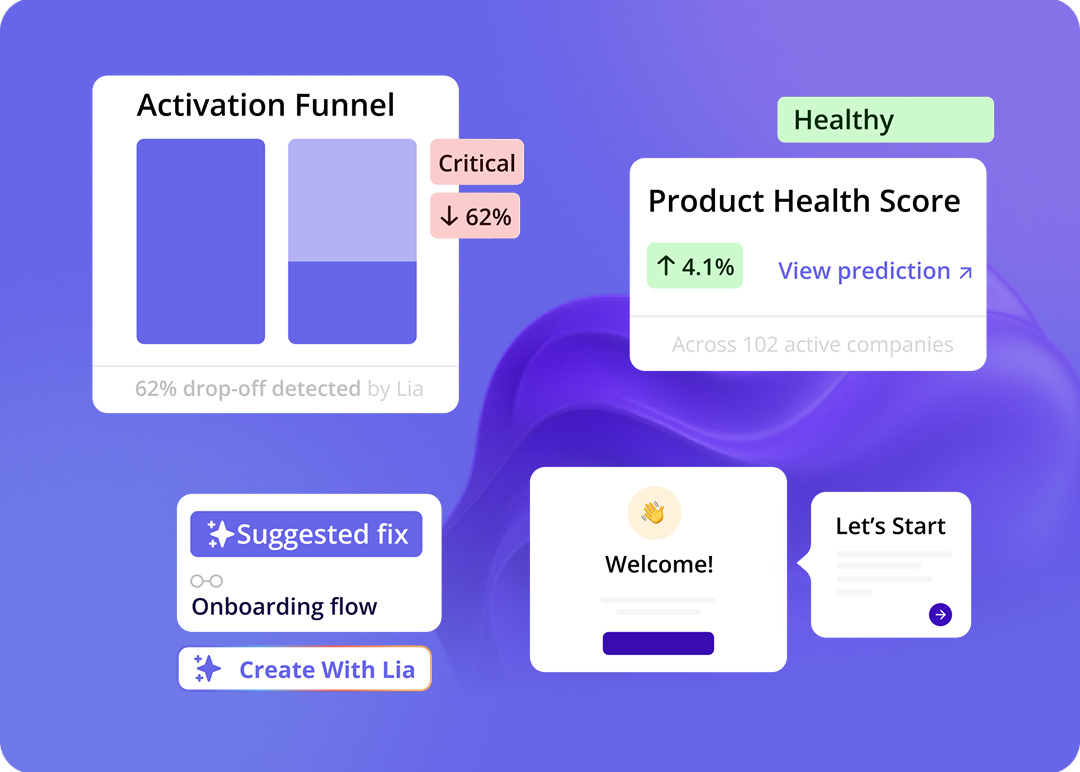
AI models trained on behavioral data, subscription history, event data, and churn reasons can now predict upsell potential or flag churn risks before retention rates start falling. This shift from reactive campaigns that send win-back emails to users who have already gone inactive to predictive emails that can intervene before they go inactive changes the calculus of retention sequences across the board. Lia, Userpilot’s AI agent, is built to surface behavioral patterns and map product signals before humans notice something is wrong.
4. Automation that can’t iterate stalls before it compounds
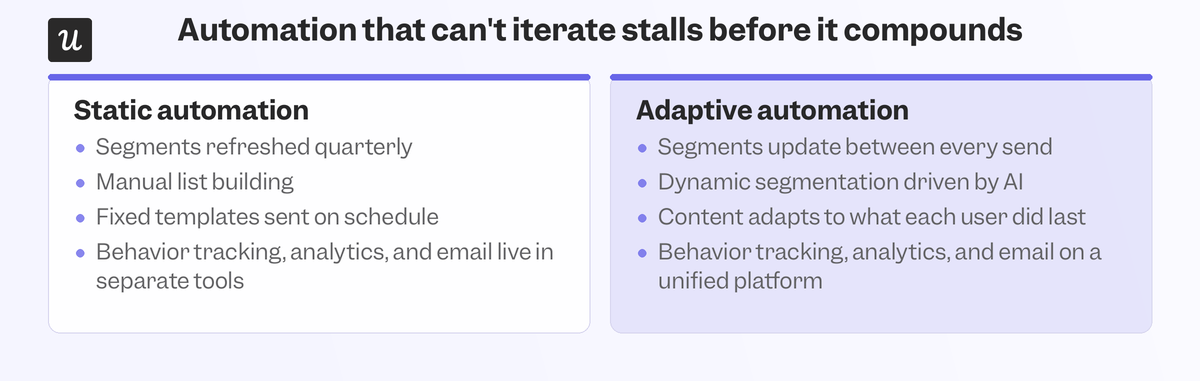
Personalized customer experiences are a starting point, not the finish line. AI enables dynamic segmentation and real-time analytics that update between sends instead of being refreshed quarterly. The gap between static and adaptive automation is where most of the revenue difference lives. Continuous improvement requires a short feedback loop between what a user does and what they receive next. Creating the feedback loop is much faster when behavior tracking, product analytics, and email automation all live together on a unified platform instead of being fragmented across multiple tools stitched together.
Proven examples, relevant triggers, and new technology
The nine examples above have already stood the test of time; all that’s left is to combine them with the behavioral triggers that make the most sense for your user base and incorporate the technological advancements brought by AI to further improve the proven formula with real-time personalization. Combining the past successes with current behaviors and futuristic automation is how you get the most out of automated emails instead of falling behind the competition.
Userpilot connects in-app behavioral data directly to your email triggers, so the signals users generate become your automation logic without requiring assistance from data analysts or software engineers. Book a demo to see how Userpilot can unify your automation efforts onto a single platform!
About the author