9 Transactional Email Software Platforms for SaaS Teams


Transactional email software sends automated messages tied to what users do in your product, such as verifying an account or completing a payment. When those emails arrive late or land in the spam folder, users can get stuck waiting to continue.
As a product manager at Userpilot, I’ve worked on adoption of our email feature, including helping customers get past domain verification so they could start sending. That experience shapes what I look for beyond the sending price: how easily a team can get set up and manage the tool afterward.
For this article, I’ve combined that firsthand Userpilot experience with research into the other providers’ official documentation and pricing. I compared sending capabilities, setup requirements, reporting, and costs to explain where each tool fits and what might rule it out for your team.
Executive Summary
- Before considering any tool, check your sending volume, technical resources, and existing tools. This puts you in a better position to pick one that fits your team.
- I’d recommend Postmark for delivering time-sensitive messages.
- Amazon SES makes sense when lower sending costs justify more engineering work.
- Platforms like Mailchimp, HubSpot, and Brevo are worth considering when you need both transactional and marketing email.
- Consider Userpilot when you need to pair behavioral emails with contextual in-app guidance without having to stitch multiple tools together.
Best Transactional Email Software Tools at a Glance
| Tool | Best for | Standout capability | Starting price |
|---|---|---|---|
| Postmark | Faster transactional delivery | Dedicated message streams keep transactional traffic separate from bulk | Free to test, $15 per month |
| Userpilot | Email as one channel in a bigger onboarding/activation motion | Same event triggers drive both email and in-app flows | $849 per month (Growth plan) |
| Mailchimp | Teams already on Mailchimp Marketing | Transactional sending available as an add-on | Add-on for Standard and Premium plans at $20 per 25k emails on top of Standard plan |
| Amazon SES | Low-cost, high-volume sending | Pay-as-you-go pricing | $0.10 per 1,000 emails (a la carte); new accounts start on Essentials at $0.16. |
| Twilio SendGrid | APIs plus light marketing email | Transactional and marketing email from one account, on separate dedicated IPs (from $119.95/month: $89.95 Pro + $30 for an additional IP) | $19.95 per month |
| Mailgun | High-volume, developer-run sending | Event-level logging with dedicated IP reputation management (event-level logs on all plans; dedicated IPs from Foundation 100k up) | $15 per month |
| HubSpot | Customer Relationship Management (CRM)-linked transactional and marketing email | Messages tied to the same CRM contact record, with revenue attribution (only available on Enterprise plans) | $600 per month add-on for Marketing Hub Pro or Enterprise plans (total minimum of $1,400 per month billed annually) |
| Mailtrap | AI-first delivery logs and testing | Hosted testing inbox ($14 per month billed annually) paired with a broad MCP toolset | $15 per month |
| Brevo | Transactional and marketing with built-in AI | Aura AI assistant (features like AI segmentation and data analyst on Professional only) | $8.08 per month when you pay annually |

1. Postmark: Best for fast, developer-first transactional email delivery
Postmark is built around sending transactional email fast and reliably. It separates transactional messages from bulk sends into different message streams, which protects deliverability and sender reputation. This is useful for time-sensitive sends like login codes.
The platform comes with an MCP server that lets you send emails, diagnose deliverability, manage bounces, and track your performance metrics from an AI assistant of your choice.
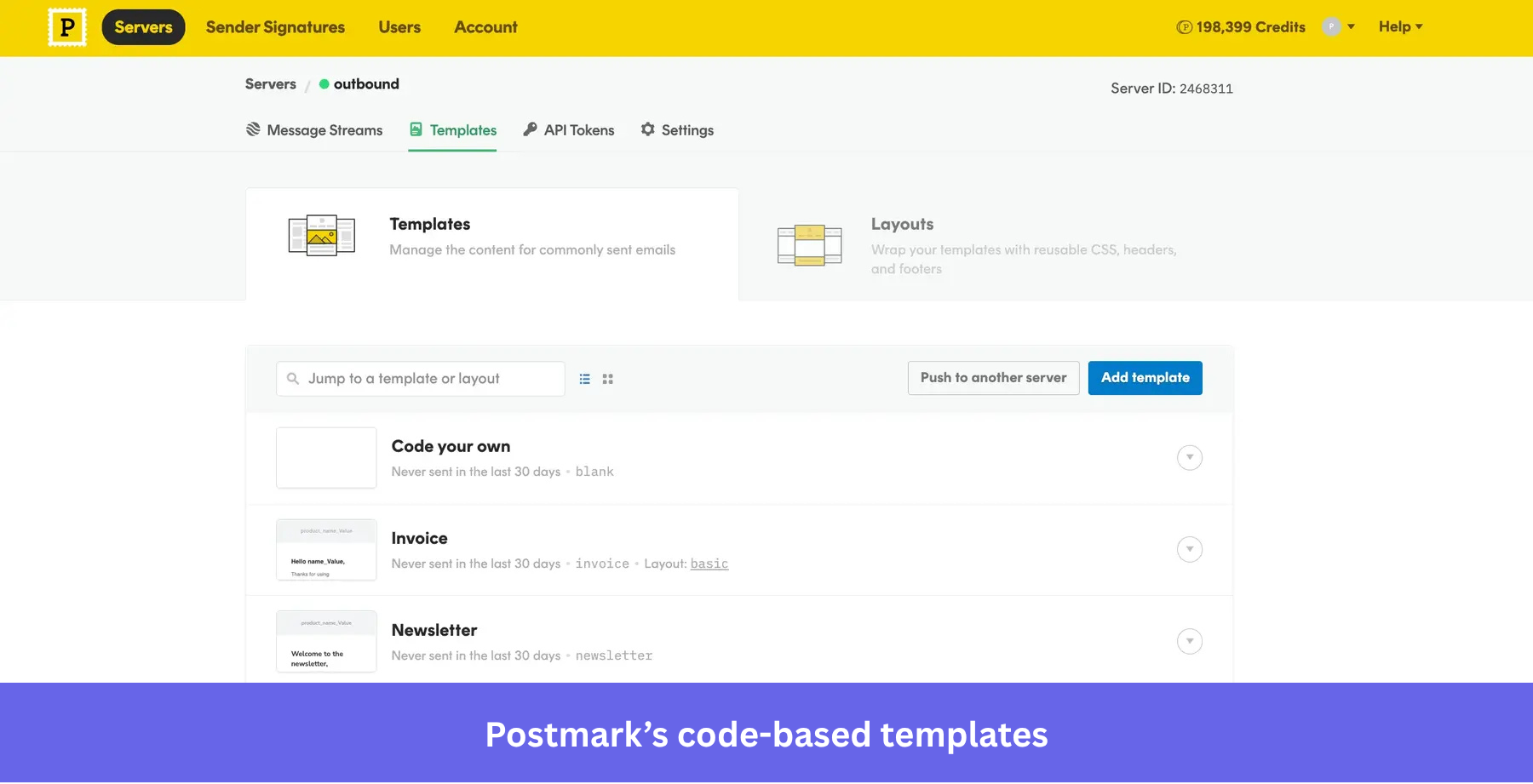
Its Layouts feature lets you reuse styles, headers, and footers across templates. You can also design emails visually in Stripo, a third-party email builder that integrates with Postmark, and export them to Postmark.
Overall, Postmark is great for developers who want fast delivery, especially with easy access to clear, developer-friendly documentation.
Standout features:
- SMTP and REST API integration with official language libraries.
- Prebuilt templates for common flows like password resets and invoices, though customizing them requires editing HTML in Postmark’s code editor.
- Detailed message tracking with 45-day activity retention on all plans, extendable up to 365 days with a paid add-on on Pro and Platform.
- Open-source Agent Skills that give coding agents like Claude Code and Cursor instructions and code examples for sending emails, managing templates, and setting up webhooks with Postmark.
What to watch out for: You won’t find a built-in drag-and-drop builder, a scheduler, or bulk-send segmentation here. Editing templates and layouts in Postmark requires code, while using Stripo means adding a separate tool. That makes it less suited to product and marketing teams without coding expertise that need to run lifecycle email marketing campaigns.
Postmark pricing
Postmark offers a free tier capped at 100 emails per month. Its paid plans all start at 10,000 emails per month, but the pricing differs depending on what else you want.
Basic costs $15 per month. Pro costs $16.50 per month and adds inbound email, while Platform costs $18 per month and adds unlimited users and servers.
If you go over your monthly allowance, you’ll pay an extra $1.20–$1.80 per 1,000 emails, depending on your plan.
What users say
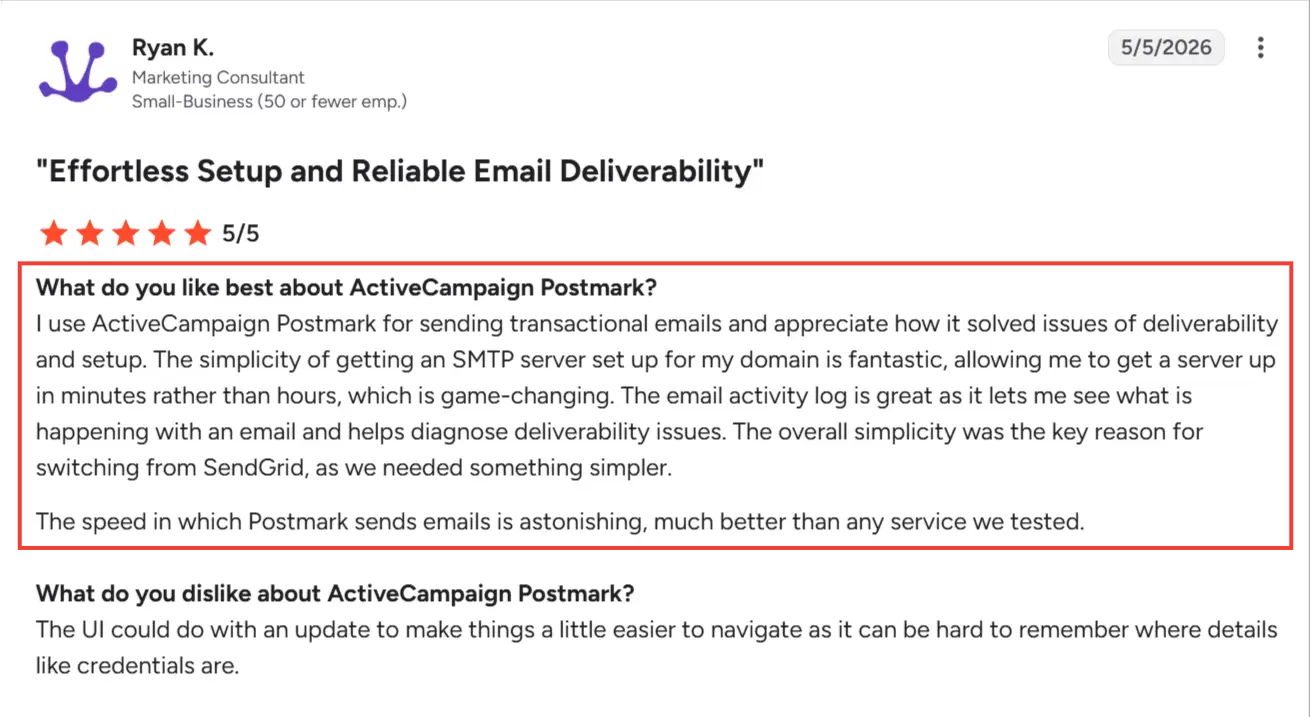
Fast delivery and straightforward setup come up repeatedly in recent Postmark reviews. Ryan on G2 says he switched from SendGrid because he needed something simpler. He got sending set up in minutes, and the activity log helped him investigate delivery issues.
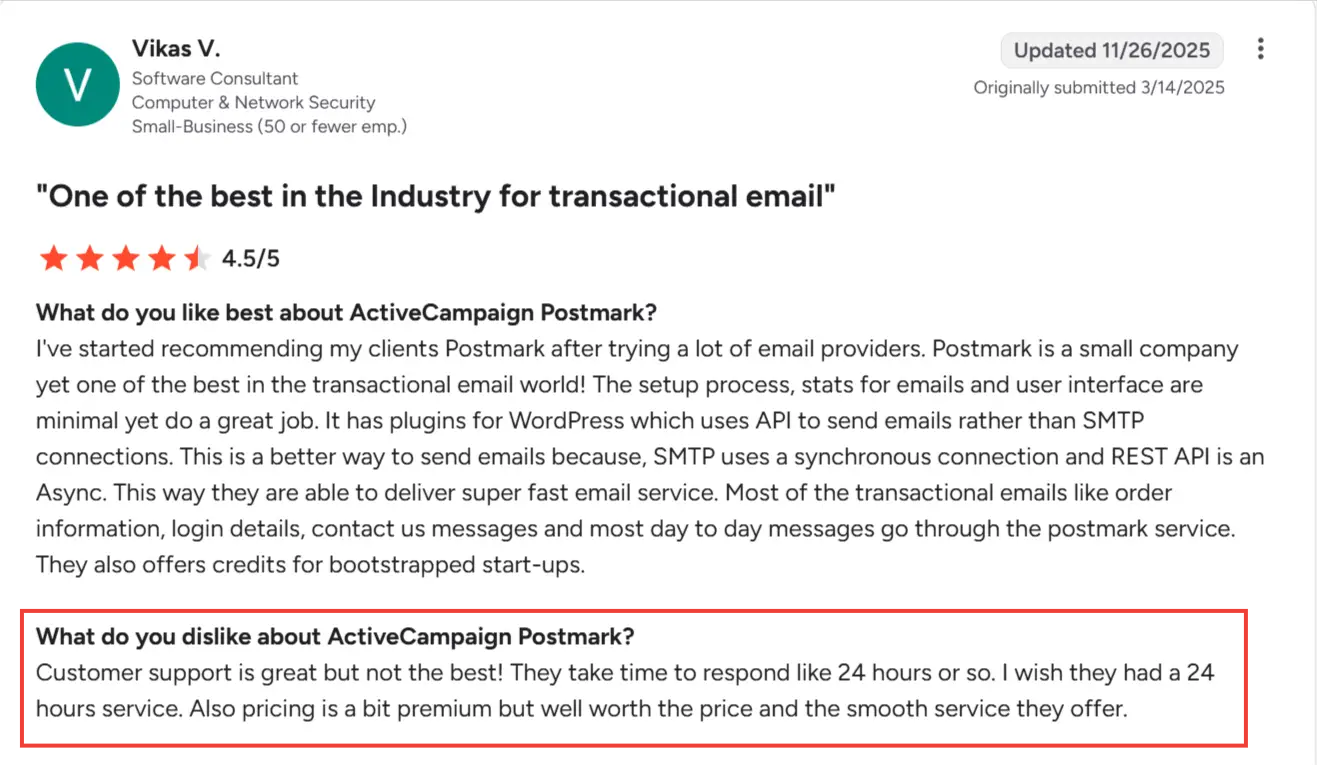
That ease of setup doesn’t mean every part of the experience gets the same praise. Vikas reports support responses taking around 24 hours and considers the pricing premium, though he still feels the service is worth the cost.
2. Userpilot: Best for product teams pairing behavioral email with in-app guidance
Userpilot isn’t a transactional email service, so I wouldn’t use it to replace dedicated email platforms for actions like password resets or payment failure alerts.
Where Userpilot’s email platform comes in is when you need to send emails that help users get more value from your product, such as onboarding reminders, trial expiration emails, feature announcements, or re-engagement campaigns.
Transactional email tools only send when your app tells them to. They don’t see what users do in the product afterward. For example, you might use Postmark to send a verification email that helps a new user complete signup. But what happens when they get into the product and don’t engage with a core feature for several days?
Depending on how your tools are connected, you could end up in one of these situations:
- You won’t know about it because you aren’t tracking that behavior.
- Your separate analytics tool will flag it, but your team still needs to create the audience and set up a campaign in your email platform.
- An existing onboarding sequence will keep sending generic reminders because it doesn’t know which steps the user has already completed.
When putting together our product metrics report, we found that the average core feature adoption rate across the SaaS companies we analyzed was 24.5%, with a median of 16.5%. A user can receive every onboarding email you send and still never try a key feature, so getting the message into their inbox is only part of the job.
To help close that adoption gap, Userpilot combines email, in-app analytics, and user onboarding in a single platform.
This feature breadth helped me when users weren’t engaging with our email feature. Users had access but were dropping off around domain verification, which they needed to complete before they could send.
After spotting this in our analytics, I built a checklist to walk them through setup and added targeted in-app guidance around the steps where they got stuck. Userpilot made it easy to get that guidance in front of users within a few hours, without involving our developers.
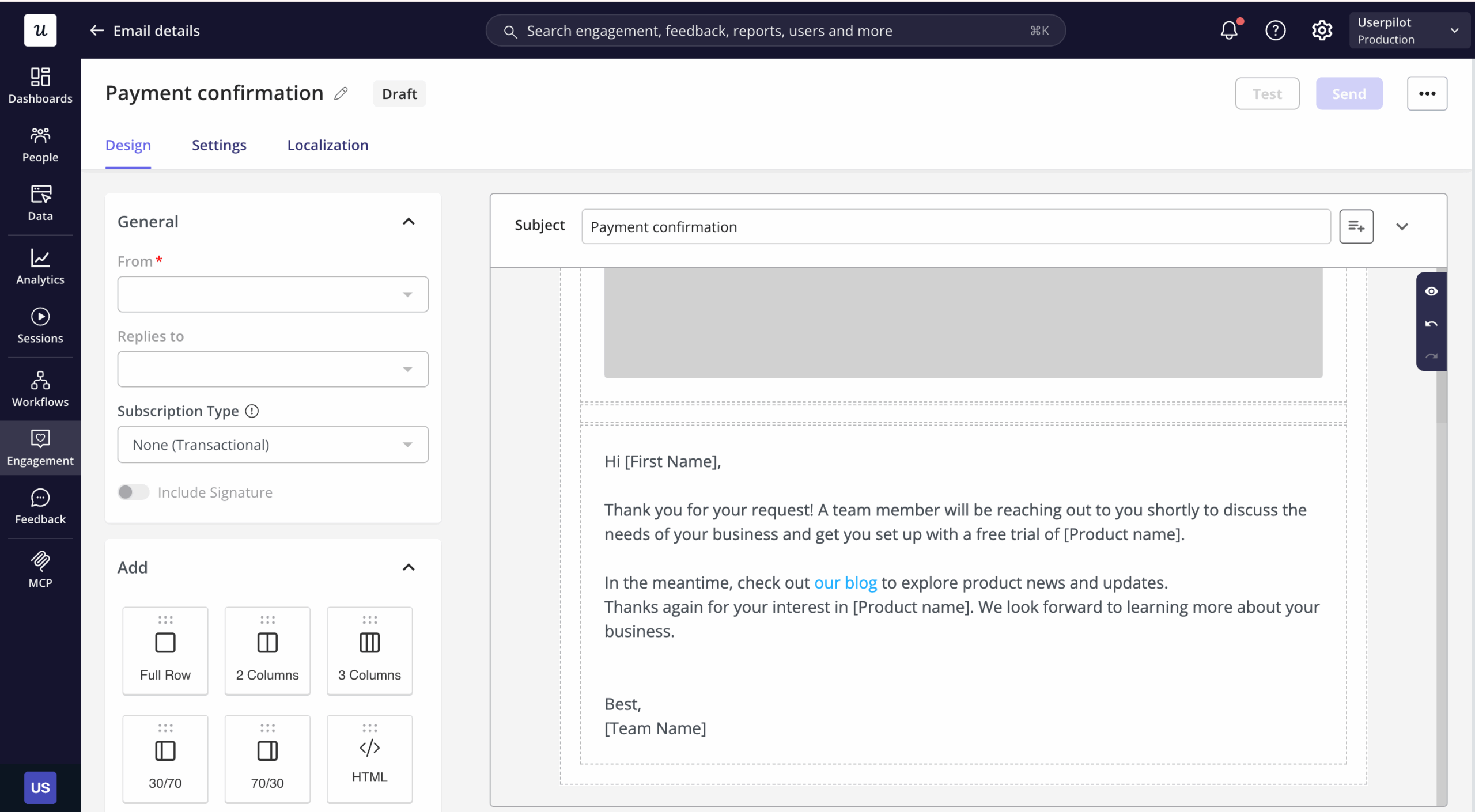
Building and targeting emails is simple with our WYSIWYG editor:
Standout features:
- Drag-and-drop builder: Full control over layout, fonts, colors, and width, with sections for buttons, images, video, HTML, and dividers, no code required.
- Dynamic personalization: Insert user-specific attributes like first name, plan type, or company name into the subject line or body.
- Email localization: Create language-specific versions of the same email, matched automatically to each recipient’s language attribute, with the default version sent to anyone without a translated version.
- Flexible send timing: Trigger immediately on an event, or schedule recurring sends with stop conditions like “until the goal is met” or “until the email is opened.”
- MCP server: Connect Userpilot to Claude, ChatGPT, or Cursor to ask questions about your product data in plain language, such as where users drop off during onboarding, before deciding who needs a follow-up email.
- Performance metrics: Sends, delivery rate, opens, clicks, unsubscribes, and bounce rate, updated in real time.
What to watch out for: If you only need email sending, you’d be paying for more than you need. Userpilot makes more sense when your team will also use its product analytics and in-app guidance to improve adoption.
Userpilot pricing
Growth and Enterprise plan users get 100,000 emails per month included in their subscription. Growth starts at $849 per month.
What users say
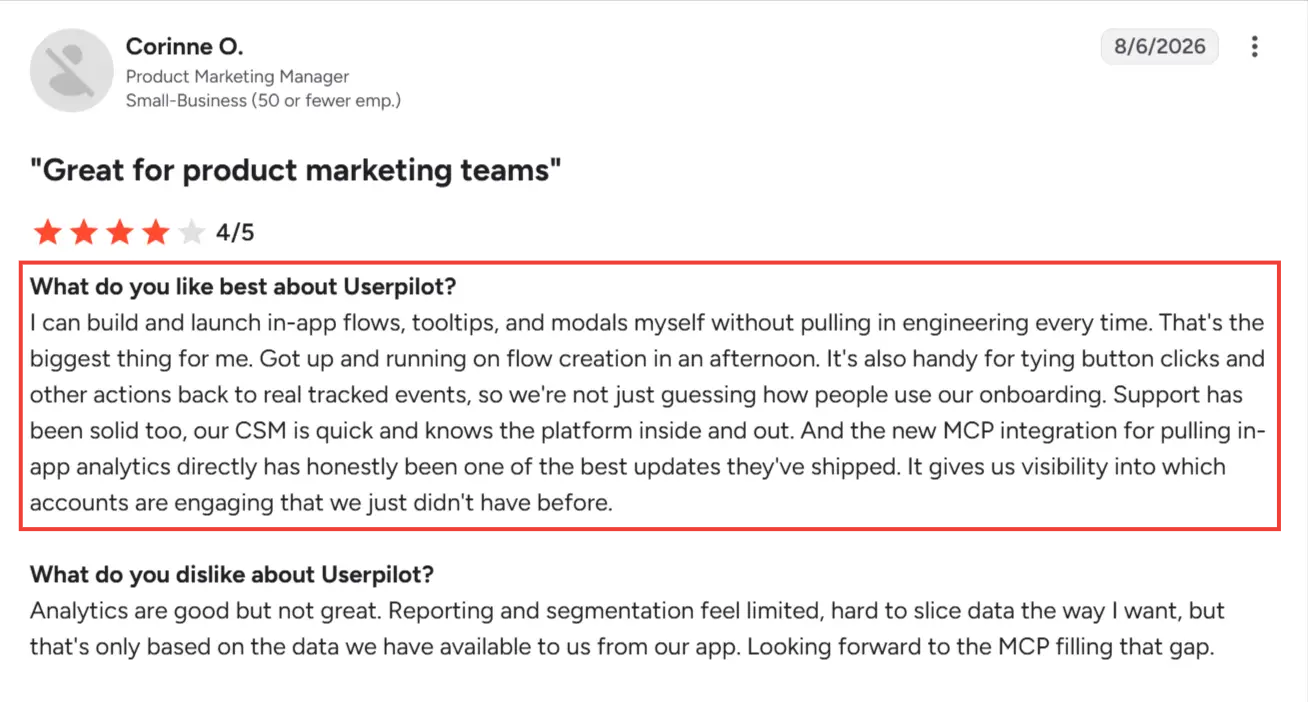
Being able to launch in-app guidance without waiting for engineering is a clear benefit for product and marketing teams. Product Marketing Manager Corinne says she started creating flows in an afternoon and could tie user actions to tracked events to understand how people used her onboarding.
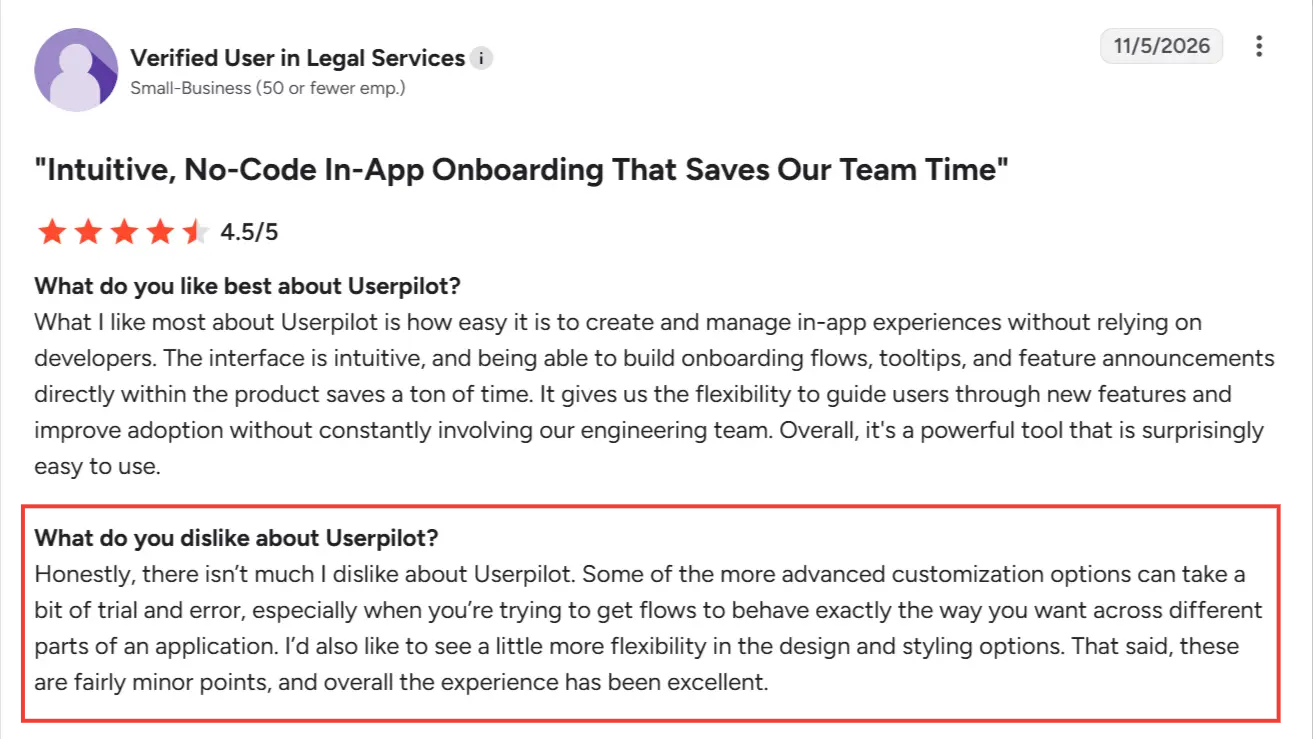
More advanced customization can take some patience, though. A G2 reviewer mentioned trial and error when configuring flows across different parts of their application and would like more design flexibility. They describe these as minor issues alongside an otherwise excellent experience.
3. Mailchimp: Best for teams already using Mailchimp Marketing
Mailchimp’s transactional email is a paid add-on to its Standard and Premium Marketing plans. For existing Mailchimp users, that’s convenient.
The platform offers a way for marketers to handle email design while developers connect the messages to your app.
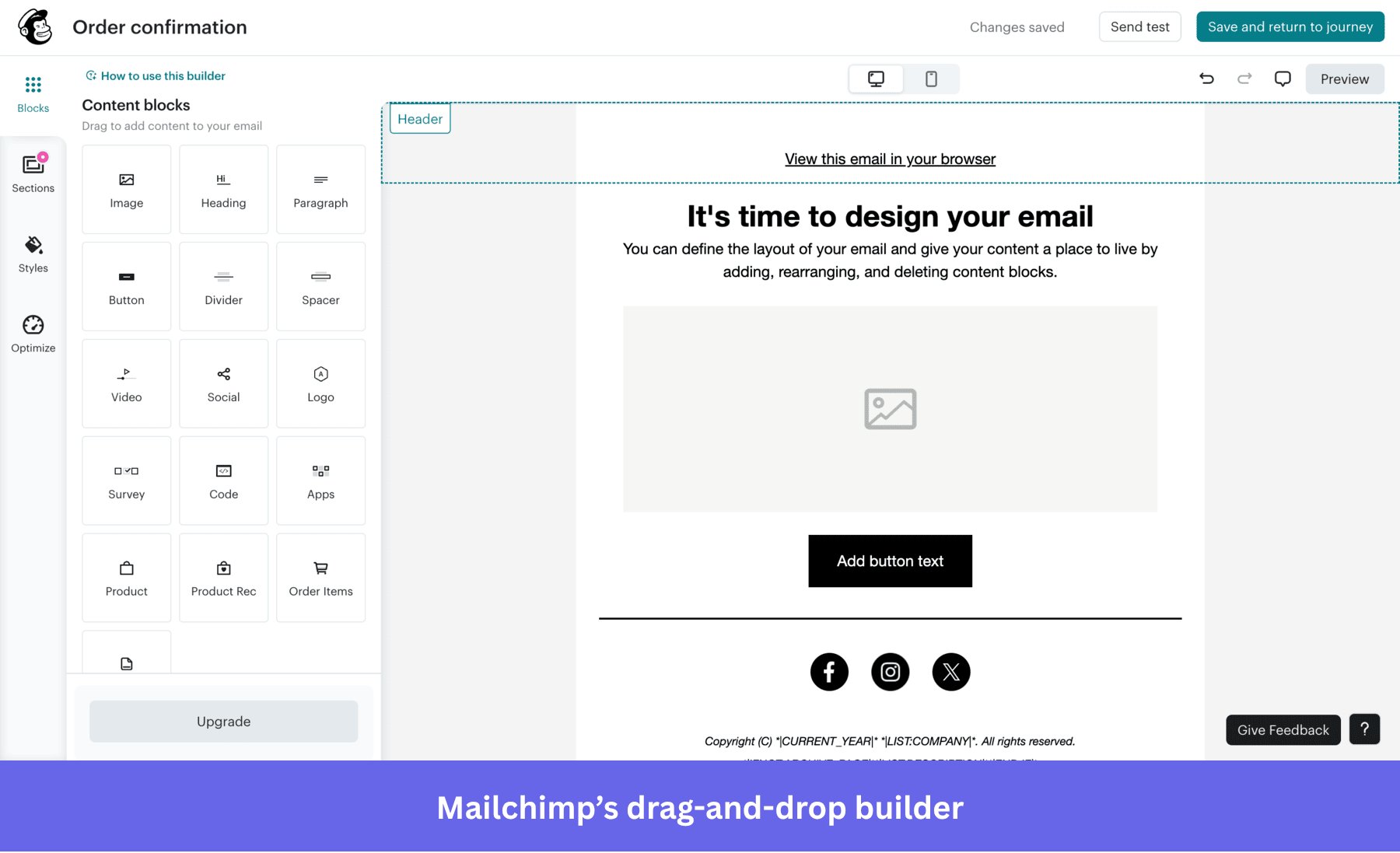
Its drag-and-drop builder lets you design email templates in Mailchimp Marketing, then export them to Mailchimp Transactional, which handles sending them. There’s also raw HTML editing and API management for teams that want that level of control.
Standout features:
- SMTP and REST API support, with message tagging, metadata, and scheduling.
- Webhooks for tracking delivery, bounces, opens, and spam complaints.
- Built-in deliverability tools: custom tracking domains and suppression list handling.
What to watch out for: If you’re starting from scratch, you’ll need to pay for a Standard or Premium Marketing plan plus the transactional email add-on, even if you don’t need the marketing tools. That’s a reason to look at standalone services first. Template changes also don’t sync automatically, so you’ll need to export updated templates to Transactional each time.
Mailchimp pricing
Transactional email capabilities are sold as a credit-based add-on to a Mailchimp Marketing plan, from $20 for a 25,000-email block. Credits expire at the end of the billing cycle they’re purchased in and don’t roll over.
What users say
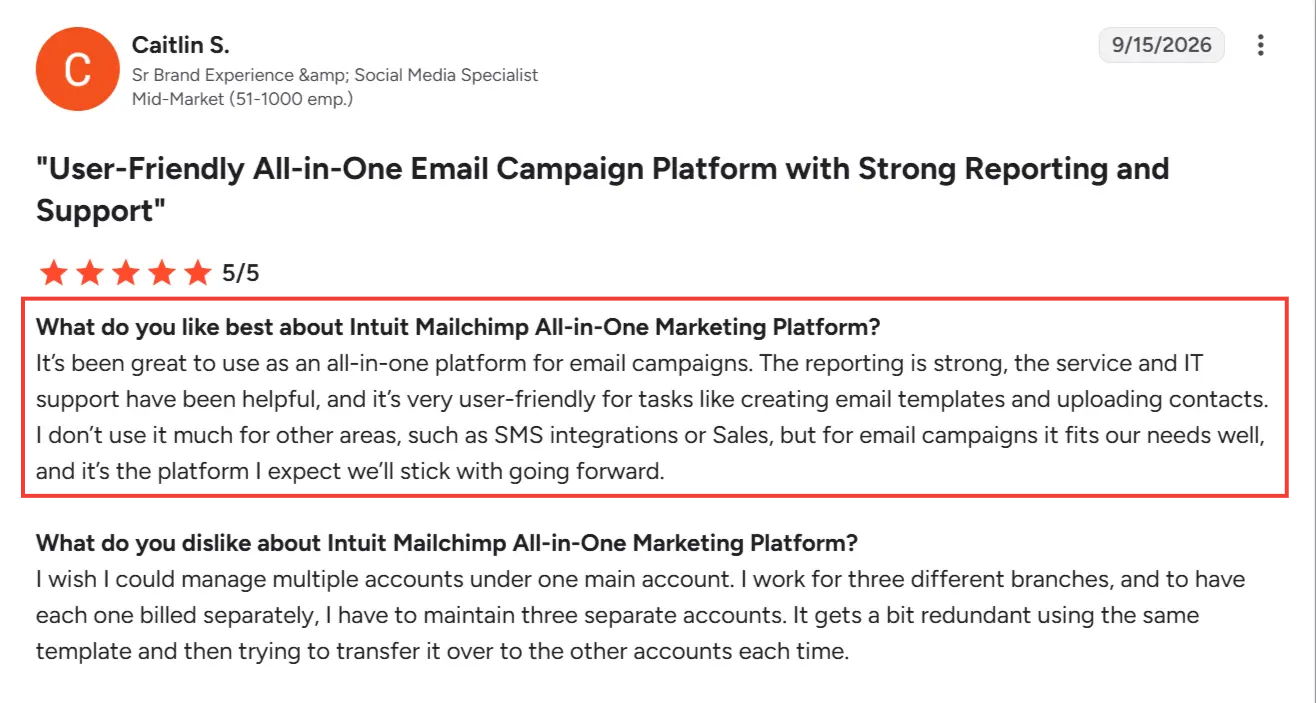
On G2, feedback on Mailchimp’s broader marketing platform highlights how approachable its email design tools are. Caitlin finds creating templates and uploading contacts user-friendly and says support has been helpful.
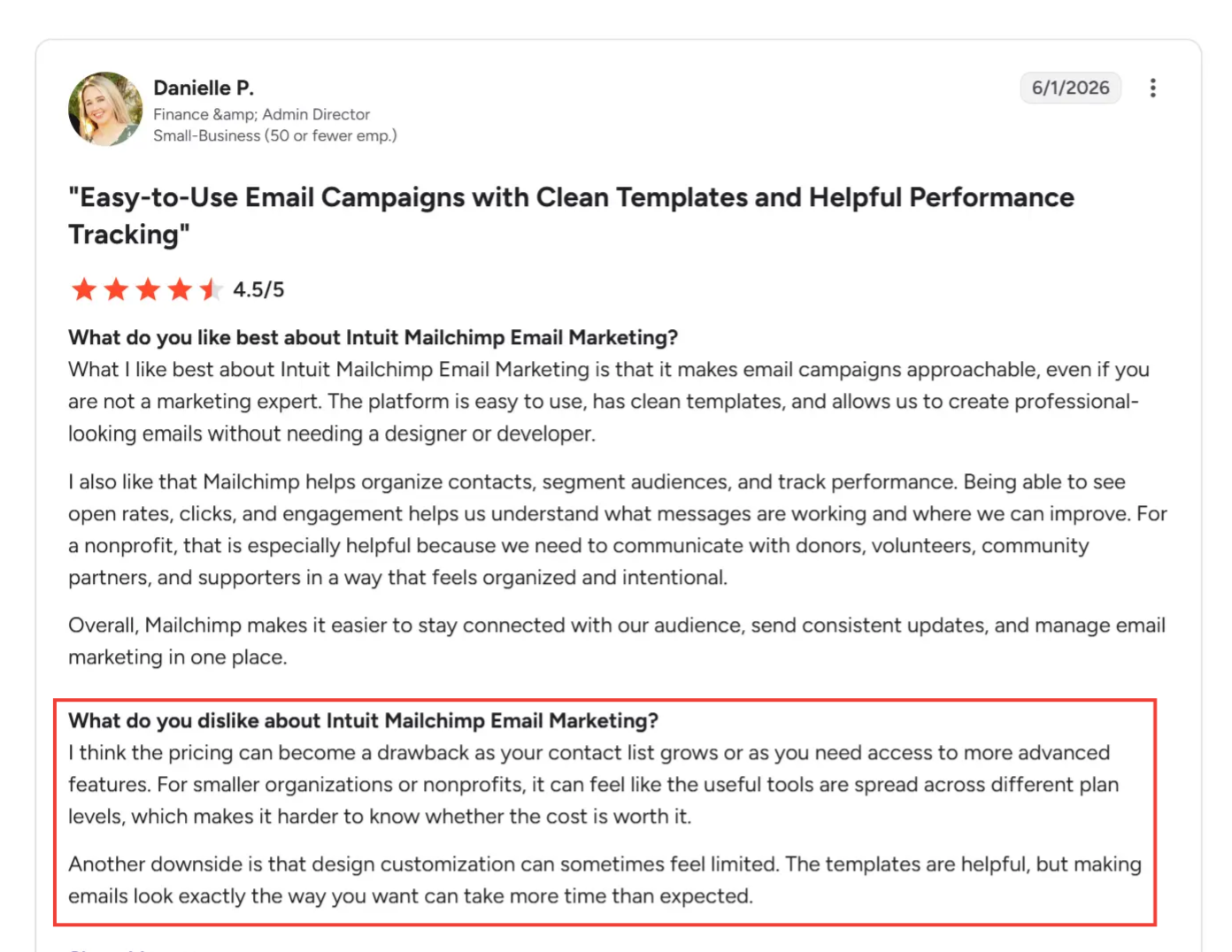
But the templates don’t give everyone all the control they want. Danielle says getting emails to look exactly right can take longer than expected. She also flags rising costs as contact lists grow or teams need features spread across different plans.
4. Amazon SES: Best for low-cost, high-volume transactional email delivery
Amazon Simple Email Service (Amazon SES) is built for scalability and cost-effectiveness. Think technical teams and e-commerce companies sending high volumes of outbound email.
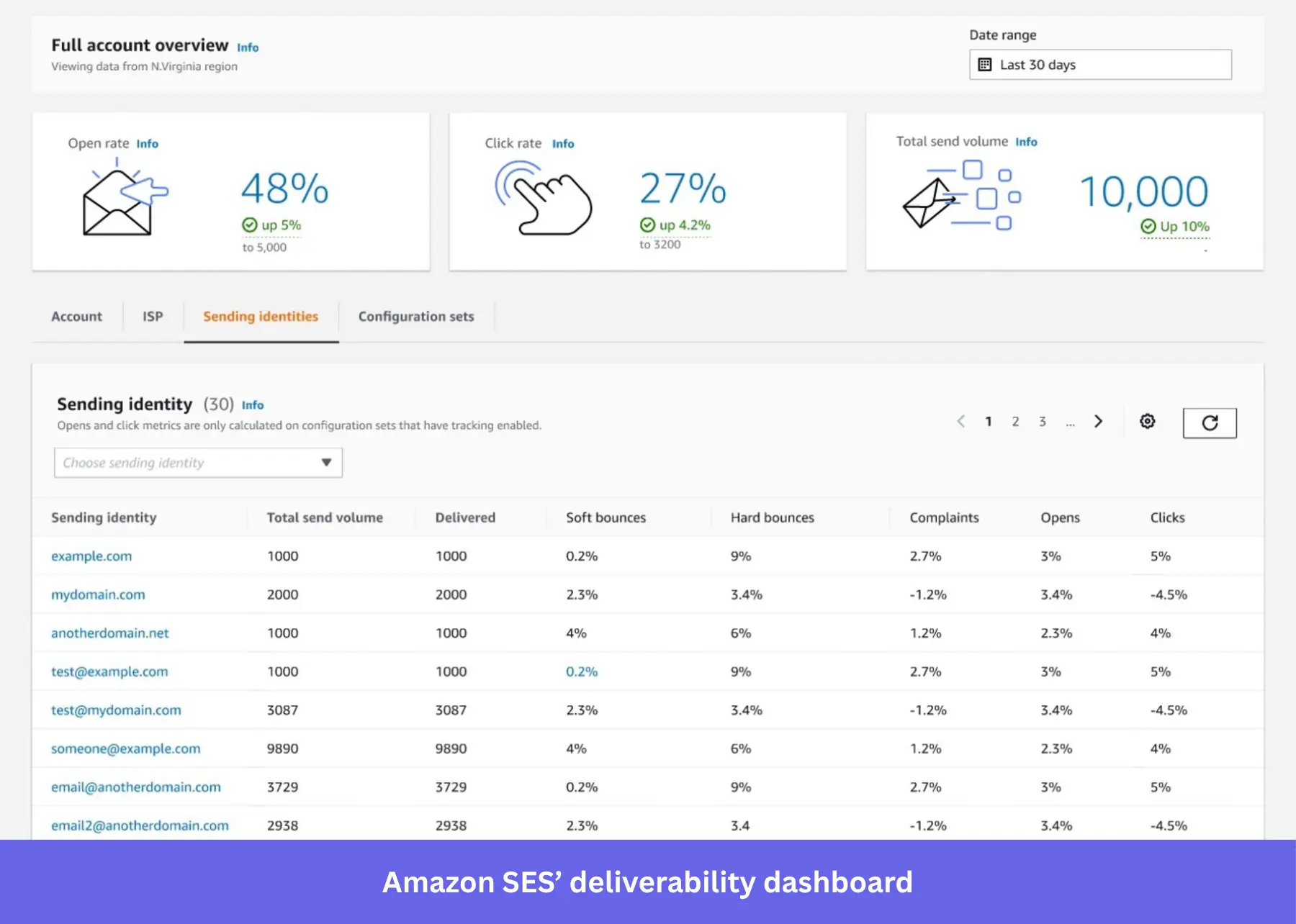
Its integration with Amazon CloudWatch gives you real-time visibility into bounces and complaints. Customers also get access to Amazon SES Agent Skills, an open-source package that gives AI coding agents like Claude Code the correct patterns for building SES integrations: the right API version, the required setup order, and production-ready patterns for bounce handling and tenant isolation.
Additionally, you can connect your own AI agent via its MCP server to ask questions about your sending performance.
Standout features:
- SMTP and REST API support with official SDKs.
- Templates with variable substitution, managed through the API.
- CloudWatch and SNS integration for bounce and complaint tracking.
What to watch out for: There’s no visual editor or prebuilt templates, and setup takes technical work. You also start in a sandbox and need to request production access before sending to unverified recipients. Overall, I don’t see the platform as beginner-friendly, especially because inbox placement depends heavily on your authentication, list hygiene, and bounce handling.
If your team needs something it can manage without much engineering help, SES may not be the best fit.
Amazon SES pricing
SES offers a la carte (pay-as-you-go) pricing at $0.10 per 1,000 outbound emails.
However, Amazon Web Services (AWS) updated its pricing on July 21, 2026: new accounts, and any account and region combinations with no metered SES activity since June 1, 2025, default to the Essentials plan, starting at $0.16 per 1,000 emails.
The plan comes with deliverability monitoring through Virtual Deliverability Manager, but you can switch to pay-as-you-go if you don’t need the bundled features.
What users say
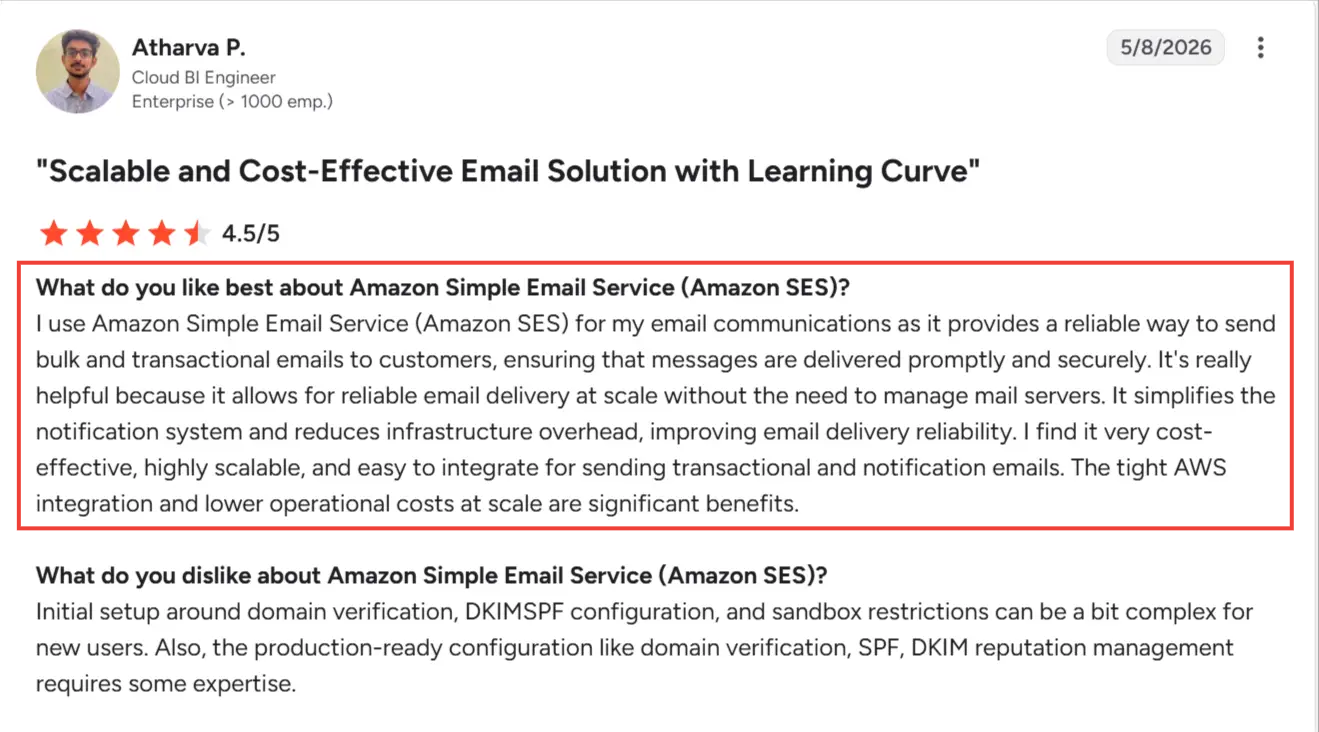
For teams sending at scale, the savings also come from having fewer systems to maintain. Atharva on G2 says SES lets his team send transactional emails and notifications without managing mail servers, reducing infrastructure overhead and operating costs.
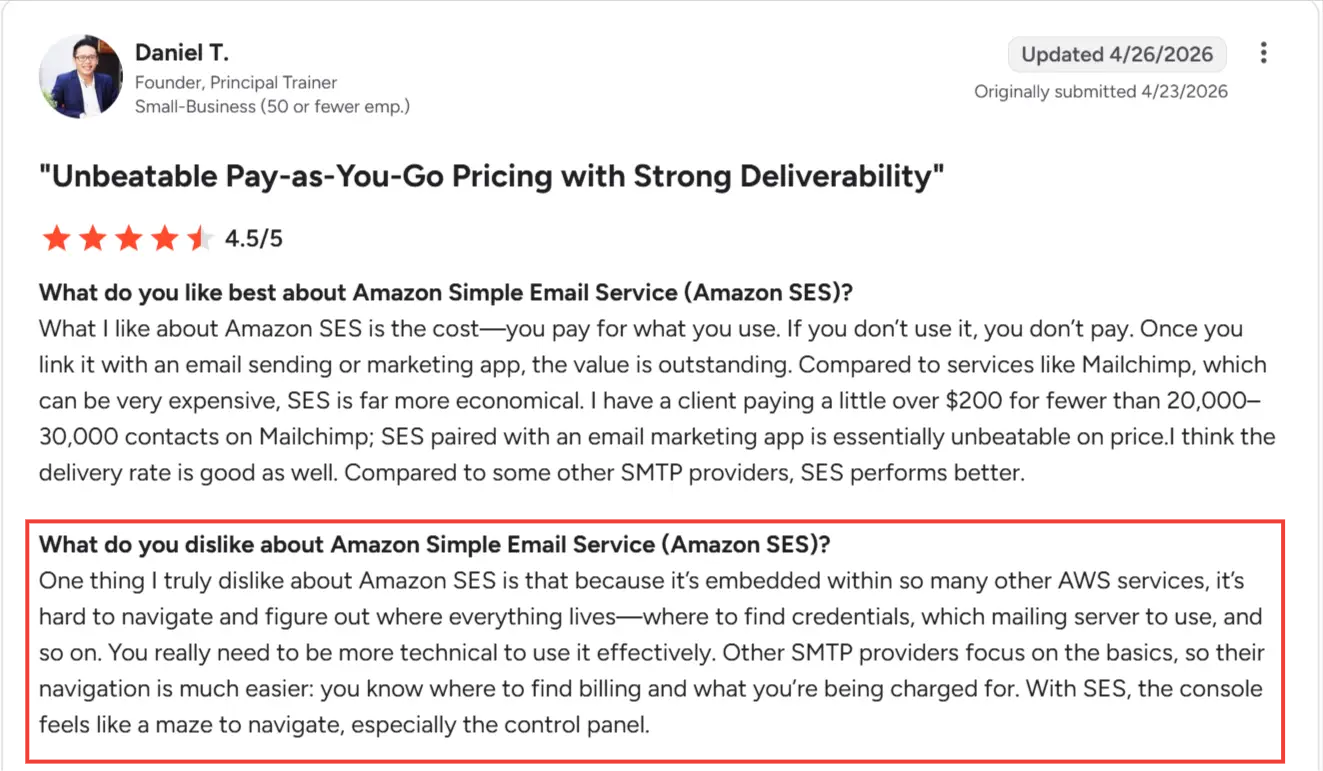
You still need someone comfortable navigating AWS, though. Daniel describes the console as difficult to navigate, especially when looking for credentials, server details, and billing information.
5. Twilio SendGrid: Best for transactional and marketing email from one account
Twilio SendGrid can send both transactional and bulk email from the same account, keeping them on separate IPs via IP Pools on a dedicated-IP plan, to protect sender reputation. This makes it ideal for SaaS and product-led growth teams that need reliable transactional delivery alongside marketing email flexibility.
In February 2026, Twilio merged the SendGrid website into Twilio. The products themselves are unchanged.
Standout features:
- REST API and SMTP relay for transactional sending.
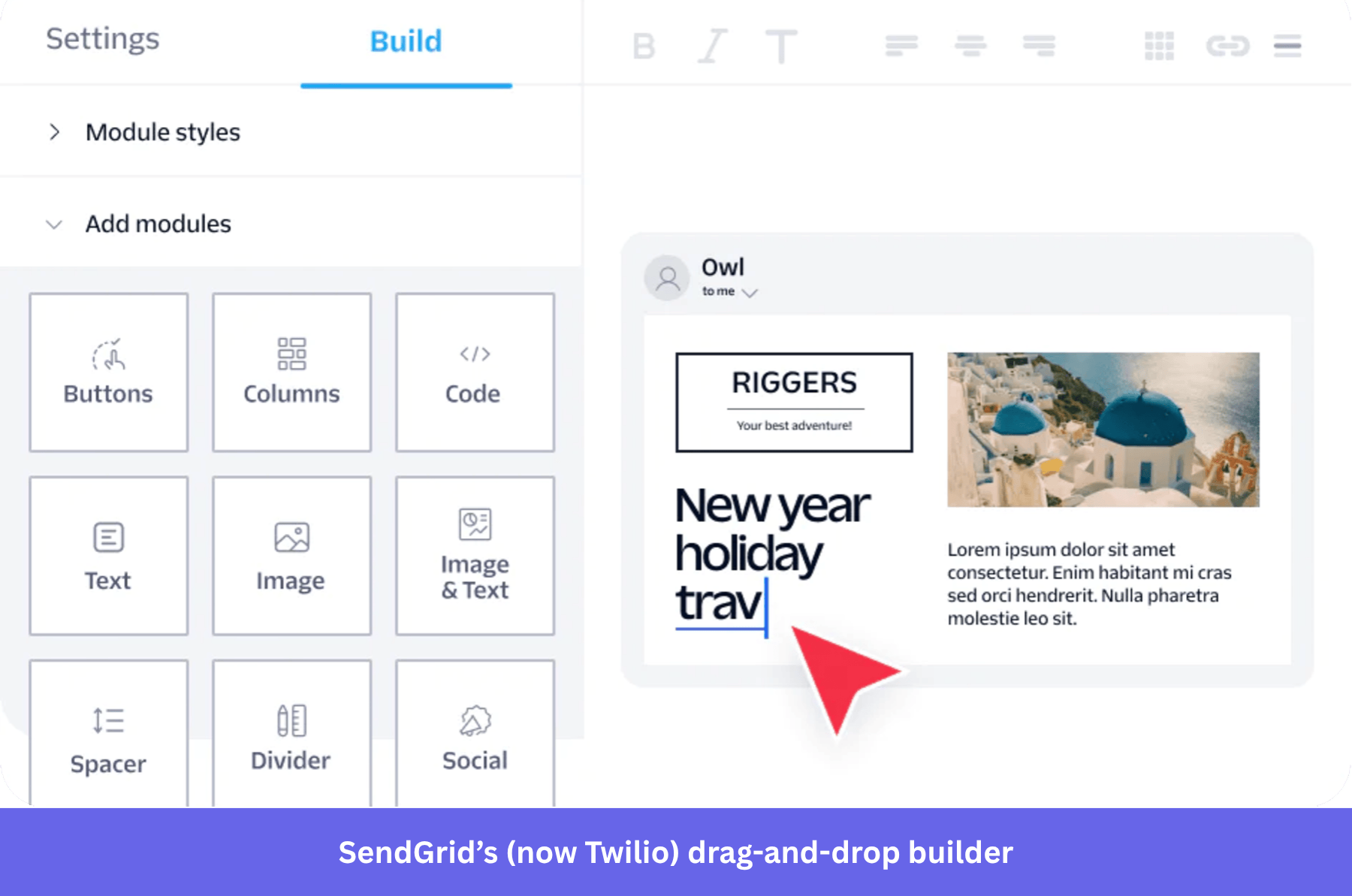
- Drag-and-drop editor with responsive templates.
- Event webhooks for delivery, bounces, opens, and spam complaints.
- Built-in segmentation on all Marketing Campaigns plans, with light automation from the Advanced plan ($60/month), priced separately from the Email API.
What to watch out for: One account doesn’t mean one subscription. Marketing Campaigns is priced separately from the Email API, so budget for both if you need transactional sending and marketing campaigns. Keeping those sends on separate IPs also requires a dedicated-IP plan.
Twilio SendGrid pricing
You can start with a 60-day free trial capped at 100 emails per day. But if you’re sending more than that, consider Essentials, which starts at $19.95 per month for 50,000 emails. Pro starts at $89.95 per month with a dedicated IP address and sub-user management. Note that per-email costs drop as you buy higher volume bands; moving to Pro buys features, not cheaper sending.
💡 Read related blog post: Email Marketing Automation Examples That Work in 2026
What users say
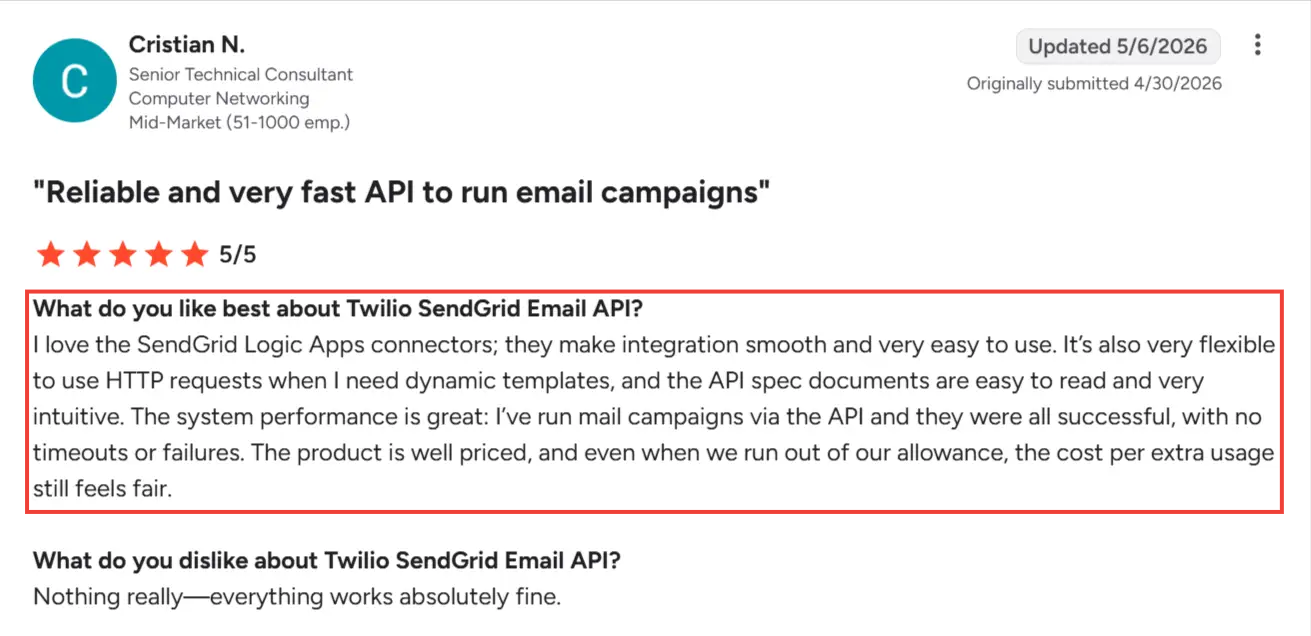
Connecting SendGrid to an existing workflow works well for most users. Cristian on G2 uses its Logic Apps connectors to trigger campaigns and says his API sends ran without timeouts or failures.
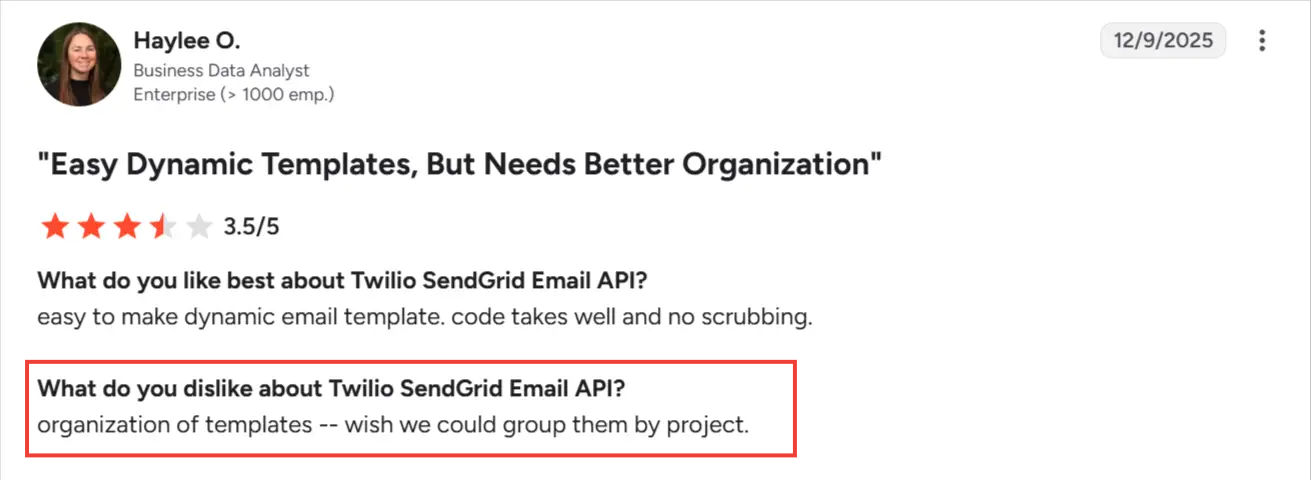
Once your campaigns involve more templates, keeping them organized can become a challenge. Haylee on G2 finds dynamic templates easy to create but wishes she could group them by project.
6. Mailgun: Best for dev teams sending high-volume emails with deep analytics
Mailgun is built for technical teams sending high volumes through backend systems, with a well-documented, flexible API. It has a responsive drag-and-drop editor alongside raw HTML editing and offers send-time optimization.
The platform also comes with a Virtual Email Assistant that helps with onboarding your team and answers technical questions (e.g., API integration and troubleshooting).
In addition to these, Mailgun offers two separate products for testing emails and improving deliverability: Inspect and Optimize. Inspect runs pre-send QA checks, including rendering previews, link and image validation, accessibility checks, and code analysis. Optimize offers inbox placement testing, email validation, and deliverability monitoring.
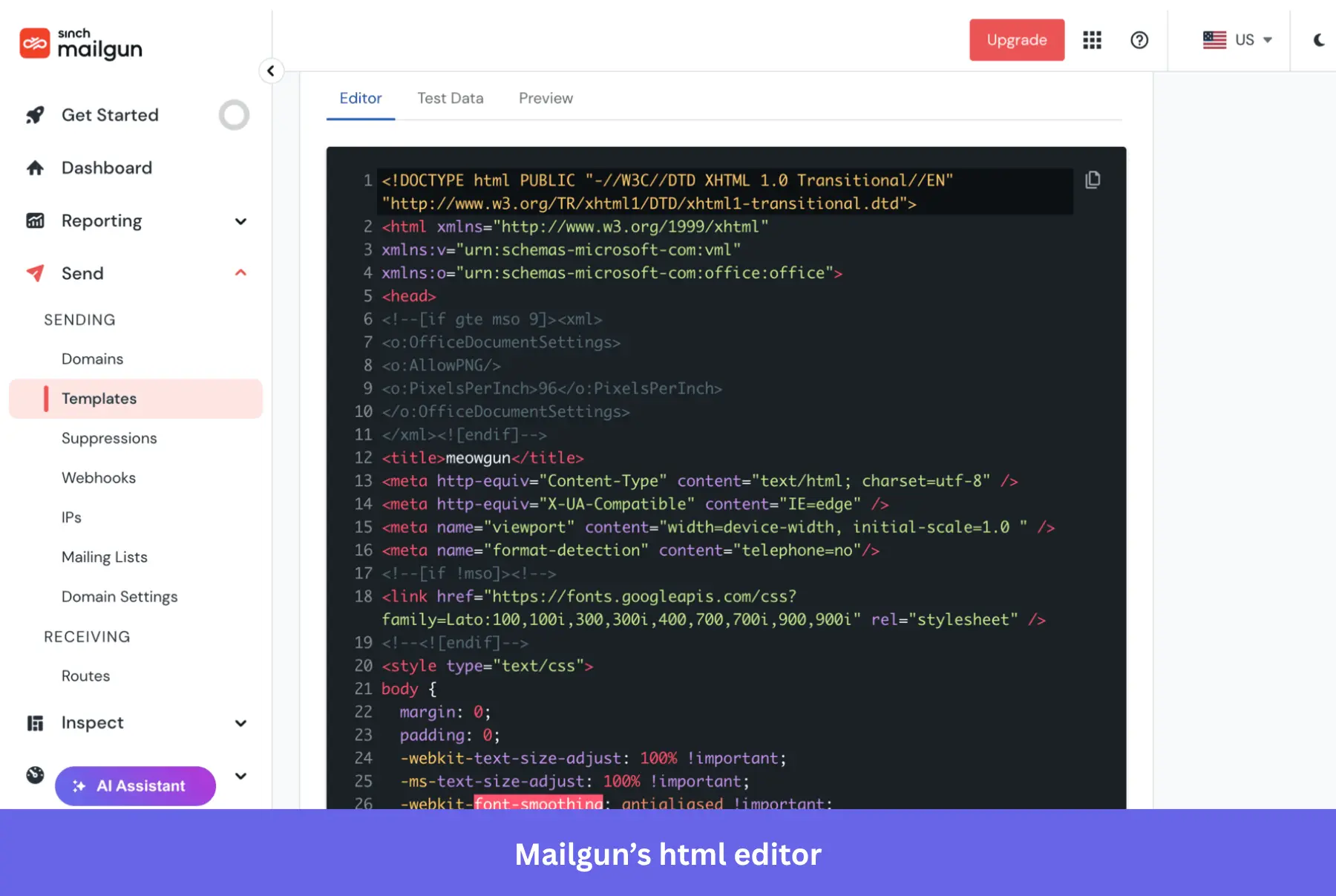
Standout features:
- RESTful API plus SMTP integration.
- Event-level logging for delivery, opens, clicks, and bounces.
- Webhook support for real-time processing.
- Dedicated IP and reputation management tools.
- An open-source MCP server that lets AI assistants send email, query metrics and logs, diagnose deliverability, and manage templates, routes, and webhooks. It supports read and update operations but no deletes.
What to watch out for: Inspect and Optimize are sold separately, so your sending plan alone won’t cover all the testing tools mentioned here. If you need rendering previews and inbox placement testing alongside sending, factor those extra subscriptions into your budget.
Mailgun pricing
Mailgun has a free plan that lets you send 100 emails per day. Paid tiers start at $15 per month for 10,000 emails, $35 per month for 50,000, and $90 per month for 100,000. Higher tiers add longer log retention, advanced routing, and chat and phone support, while lower plans get ticket support.
What users say
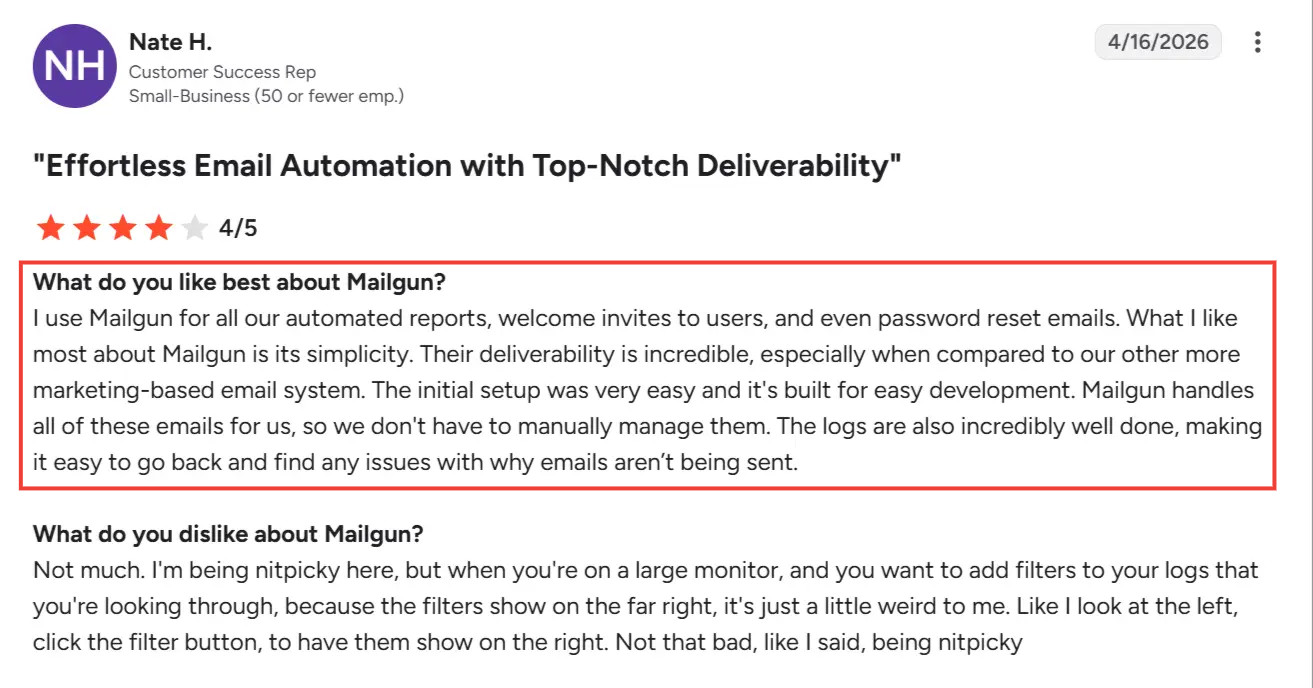
Mailgun’s logs can help teams investigate delivery problems without building their own tracking system. Nate uses Mailgun for automated reports and user notifications and finds it easy to look back through the logs to understand why an email wasn’t sent.
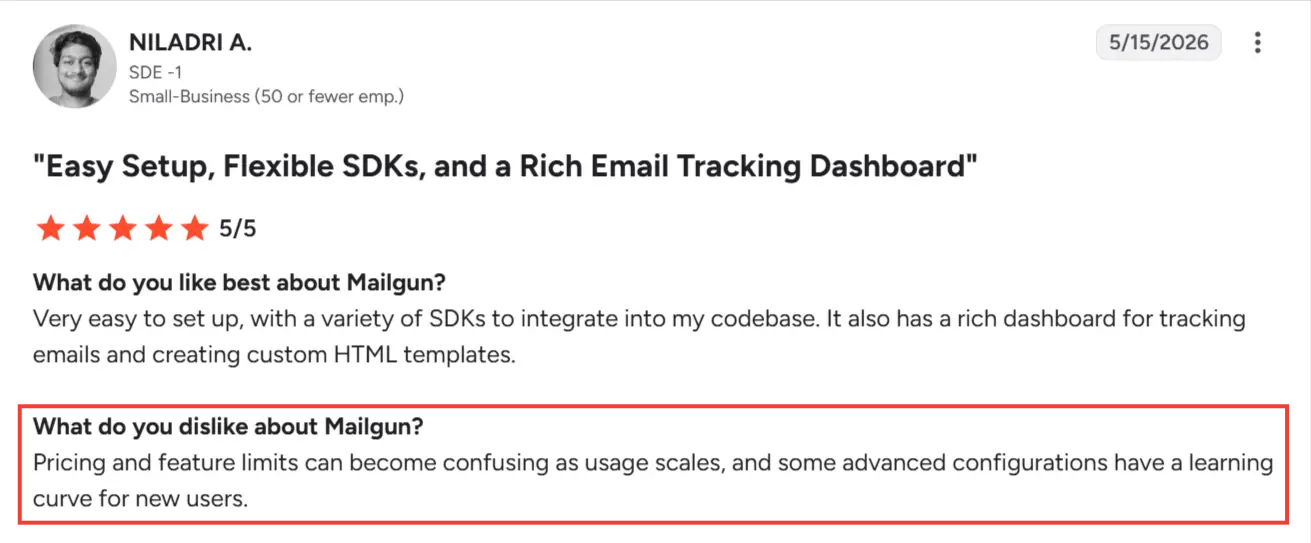
Some users find it harder to work out what they’ll pay as their sending volume grows. Here’s how Niladri puts it:
7. HubSpot: Best for HubSpot CRM users wanting both transactional and marketing emails
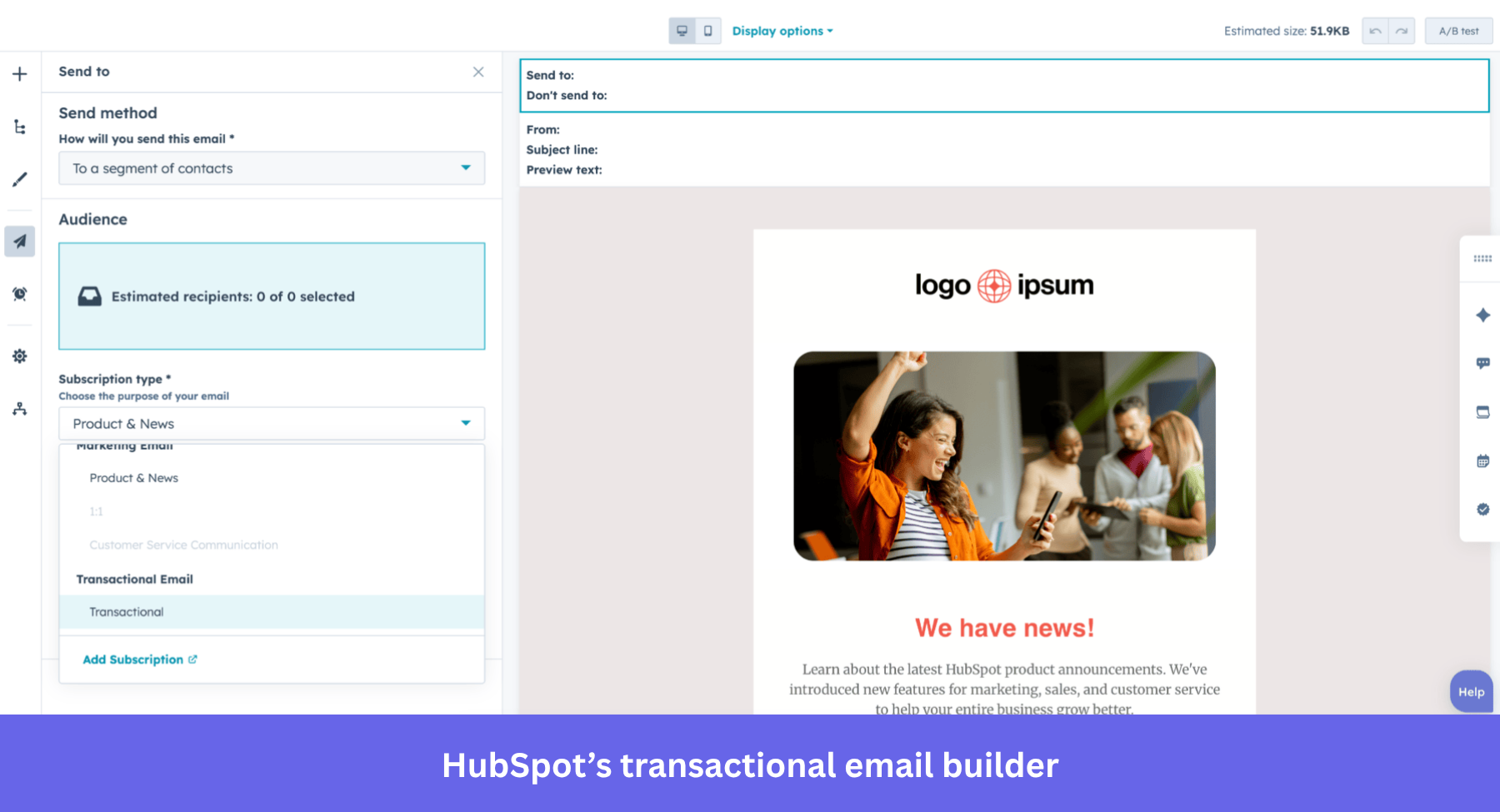
HubSpot’s transactional email makes the most sense if your team already runs on its CRM. You can send system messages like password resets or order confirmations through SMTP or the API while keeping messages on the contact record (automatic with the Single-Send API, optional over SMTP).
Setting up SPF, DKIM, and IP authentication is straightforward, and HubSpot lets you tag messages as transactional, which skips opt-in checks that apply to promotional email. Without leaving the platform, you can view your deliverability data across bounce rates, opens, and key metrics via a centralized dashboard.
Standout features:
- Real-time dashboards for opens, clicks, bounces.
- Transactional API and SMTP support.
- The same drag-and-drop builder used across the rest of the platform, so non-technical users can build templates without learning a second tool.
- Built-in deliverability analytics.
What to watch out for: Using HubSpot’s CRM alone doesn’t give you access to transactional email. You need Marketing Hub Professional or Enterprise plus the paid add-on, which makes it hard to justify if transactional sending is all you need.
HubSpot pricing
Again, the transactional email feature is available as an add-on to Marketing Hub Professional ($800 per month, billed annually) or Enterprise ($3,600 per month, annual only). The transactional email add-on costs an additional $600 per month.
That puts the minimum recurring cost at $1,400 per month, billed annually. If you’re starting with Marketing Hub Professional, there’s also a required one-time onboarding fee of $3,000.
What users say
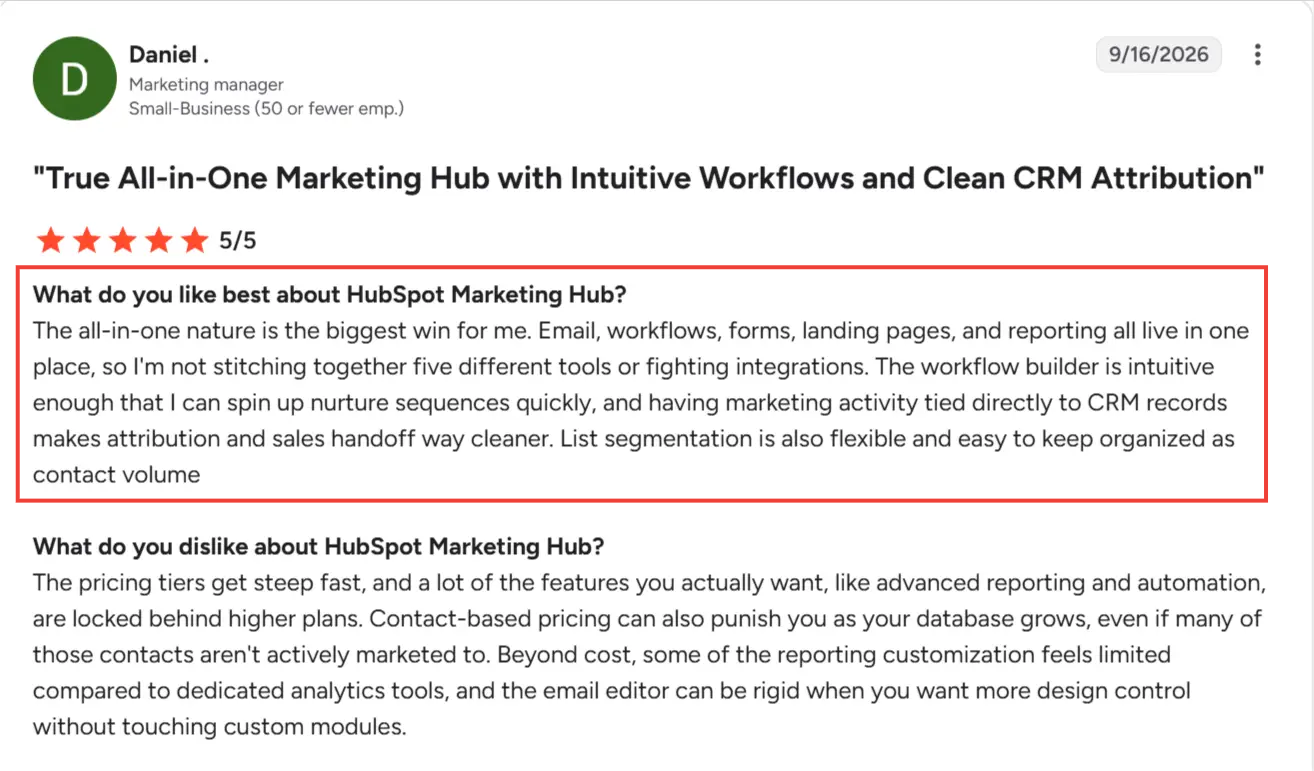
Feedback on Marketing Hub shows the appeal of keeping email activity connected to the CRM. Daniel says having email, workflows, and reporting together saves him from managing separate tools.
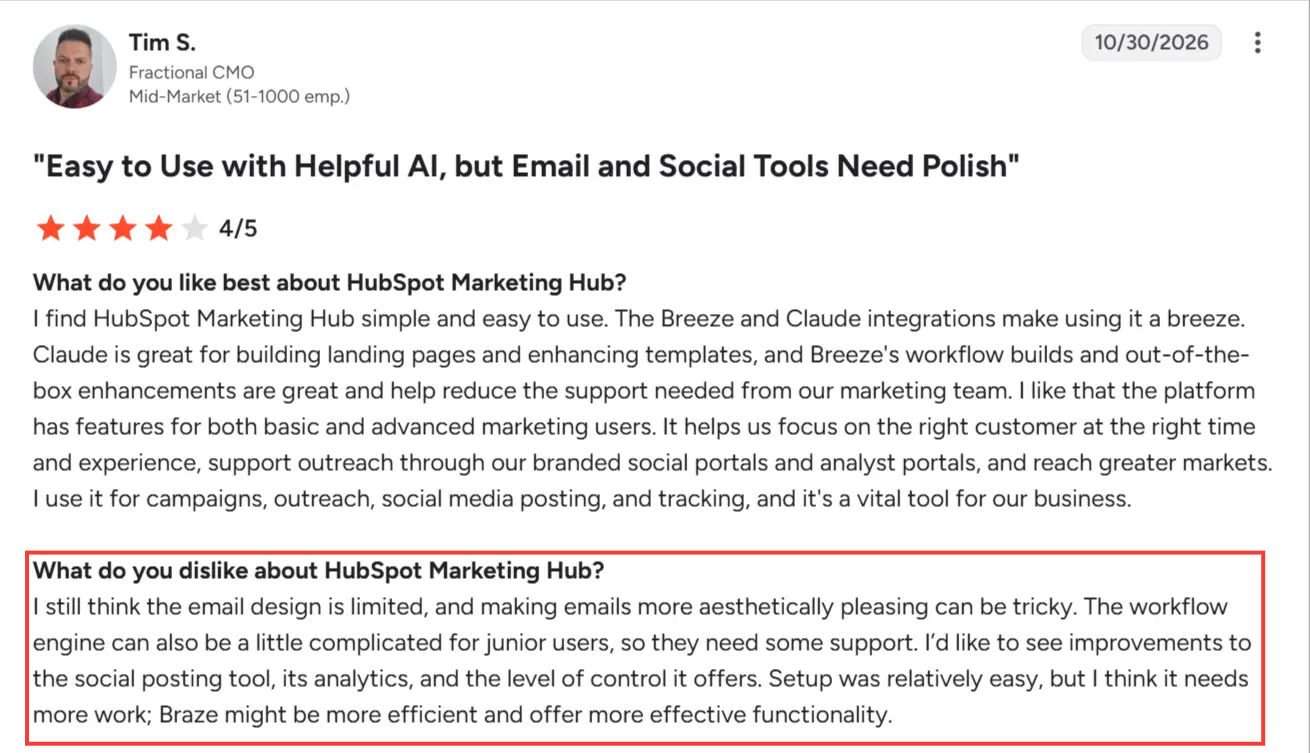
Having those tools together doesn’t remove the learning curve. For example, Tim says junior users need help with the workflow engine. He also finds the email design options limited when he wants to improve how messages look.
8. Mailtrap: Best for teams that want delivery logs and an AI-first workflow
Mailtrap started as an email testing tool and has since expanded into sending and supporting AI workflows.
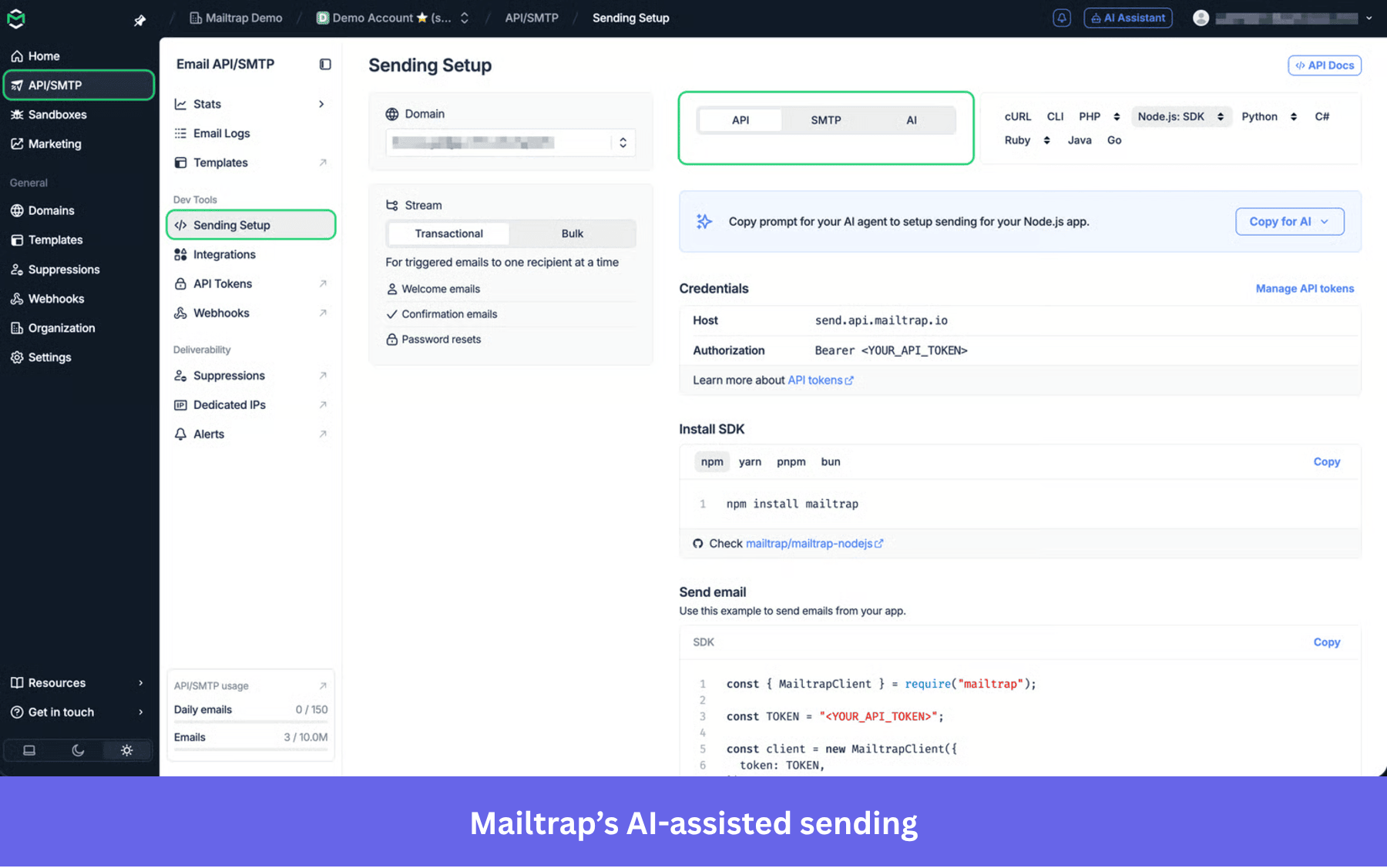
Alongside a hosted testing inbox, it ships an official MCP server with tools spanning sending, sandbox testing, logs, analytics, templates, domains, and account management.
It also offers Skills files that give coding agents like Claude Code and Cursor ready-made context on setup and sending, so an AI agent can configure and send through Mailtrap with far less trial and error than working from raw API docs.
Standout features:
- Hosted testing inbox that spins up instantly and returns structured JSON, keeping the context window lean for agent use.
- MCP server with broad coverage: sending, logs, analytics, templates, and domains.
- Official, actively maintained SDKs for Node.js, PHP, Ruby, Python, Elixir, and Java.
What to watch out for: Email Testing and Email Sending have separate plans. Paying for production sending doesn’t include a paid testing plan, so check both sets of limits and budget for two subscriptions if you need more than the free testing allowance.
Mailtrap pricing
A free tier is available for up to 4,000 emails per month, capped at 150 emails a day. Paid plans start at $15 per month for the Email API/SMTP Basic tier (10,000 emails), with Business at $85 per month for 100,000 emails and Enterprise at $750 per month for 1.5 million emails.
What users say
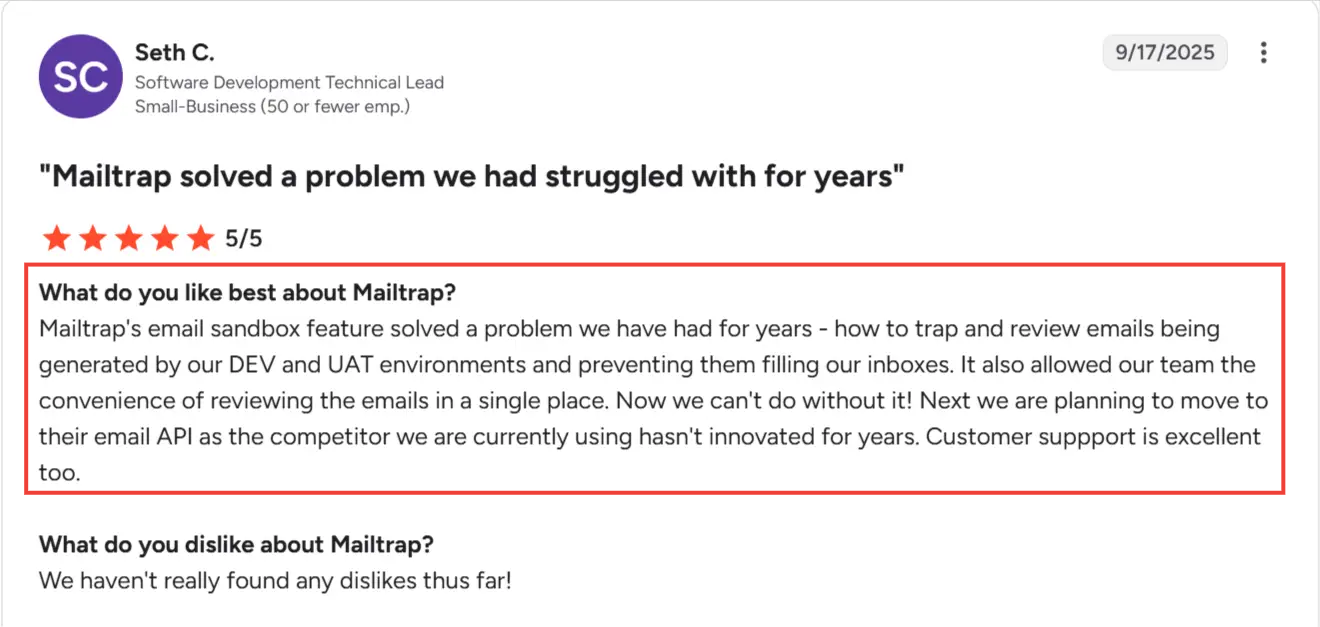
Mailtrap’s testing inbox gives teams a place to review emails before real users receive them. Seth on G2 says it solved a longstanding problem: capturing emails from development and testing environments without filling the team’s inboxes.
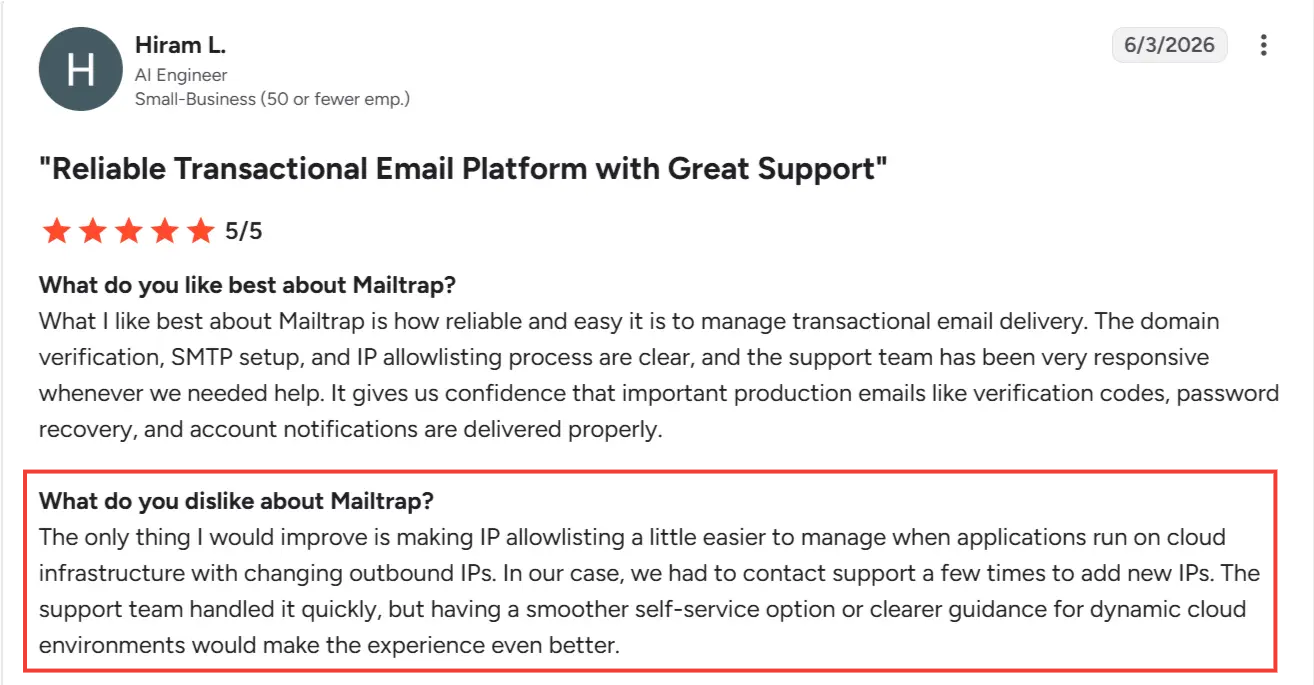
Moving into production can bring other configuration needs. For example, Hiram had to contact support several times to approve new sending IP addresses as his cloud infrastructure’s outbound IPs changed.
9. Brevo: Best for combining transactional and marketing email with built-in AI
Brevo (formerly Sendinblue) includes transactional email on every plan, including Free. That makes it worth considering if you want transactional and marketing email without paying for a separate transactional add-on.
Its AI assistant, Aura, works across the platform, not just on marketing email. It helps you generate content, choose send times, build audience segments, and answer natural-language reporting questions about your account.
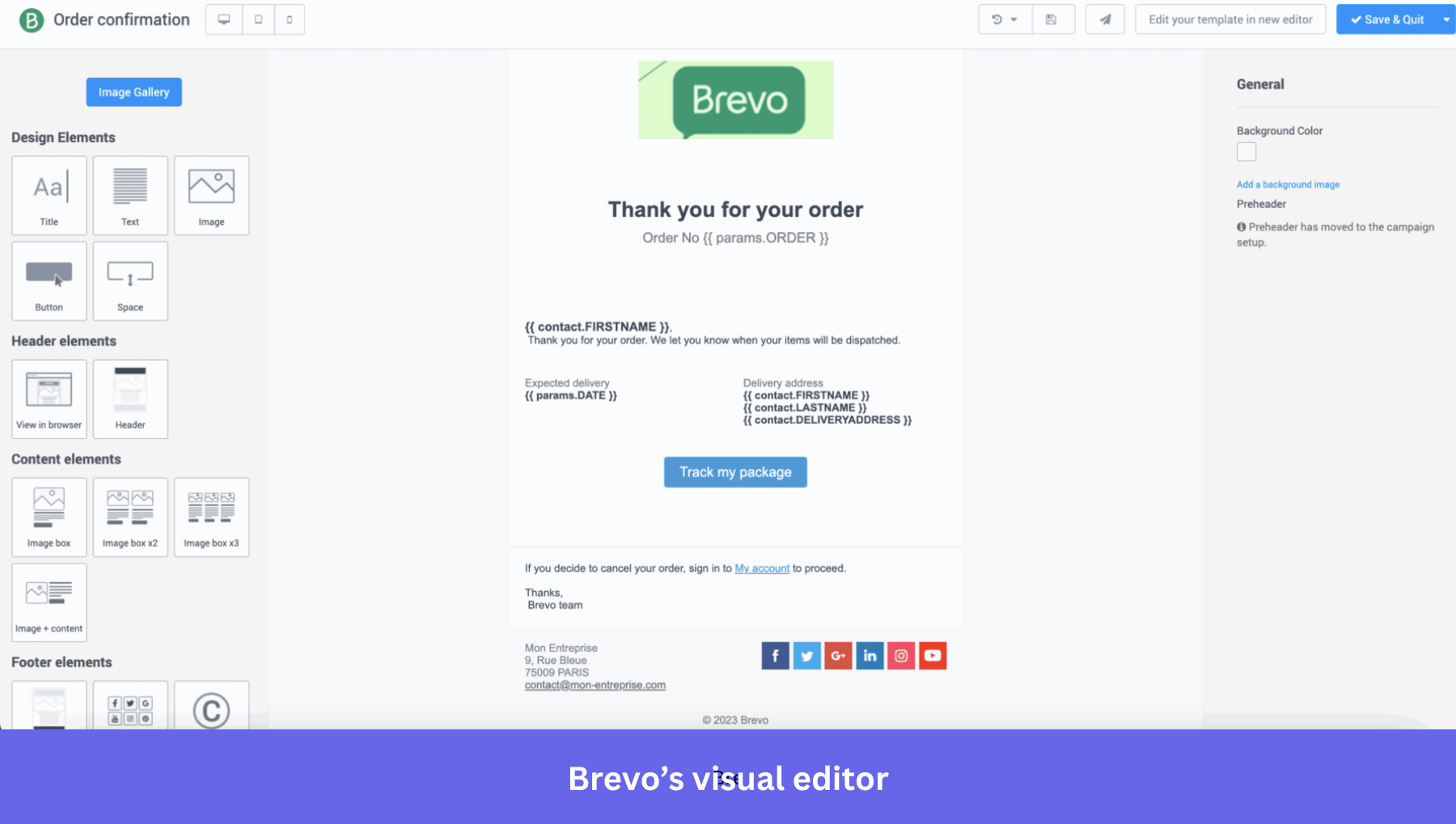
Standout features:
- Transactional and marketing email from a single account, with a visual automation builder.
- Aura, Brevo’s AI assistant, which drafts subject lines and email copy, translates email templates, and includes an AI Data Analyst for natural-language reporting queries: asking a question about campaign performance instead of building a report to answer it.
- Predictive send-time optimization, calculated per contact.
What to watch out for: The AI features mentioned here aren’t all available on the entry plans. Send-time optimization starts on Standard, while AI segmentation and the AI Data Analyst require Professional. Paid tiers also cap stored contacts, so check that your tier covers both your sending volume and the size of your contact list.
Brevo pricing
A free plan is available. Starter begins at $9 per month for 5,000 emails. Standard starts at $18 per month and includes landing pages and priority email support; Professional begins at $499 per month.
What users say
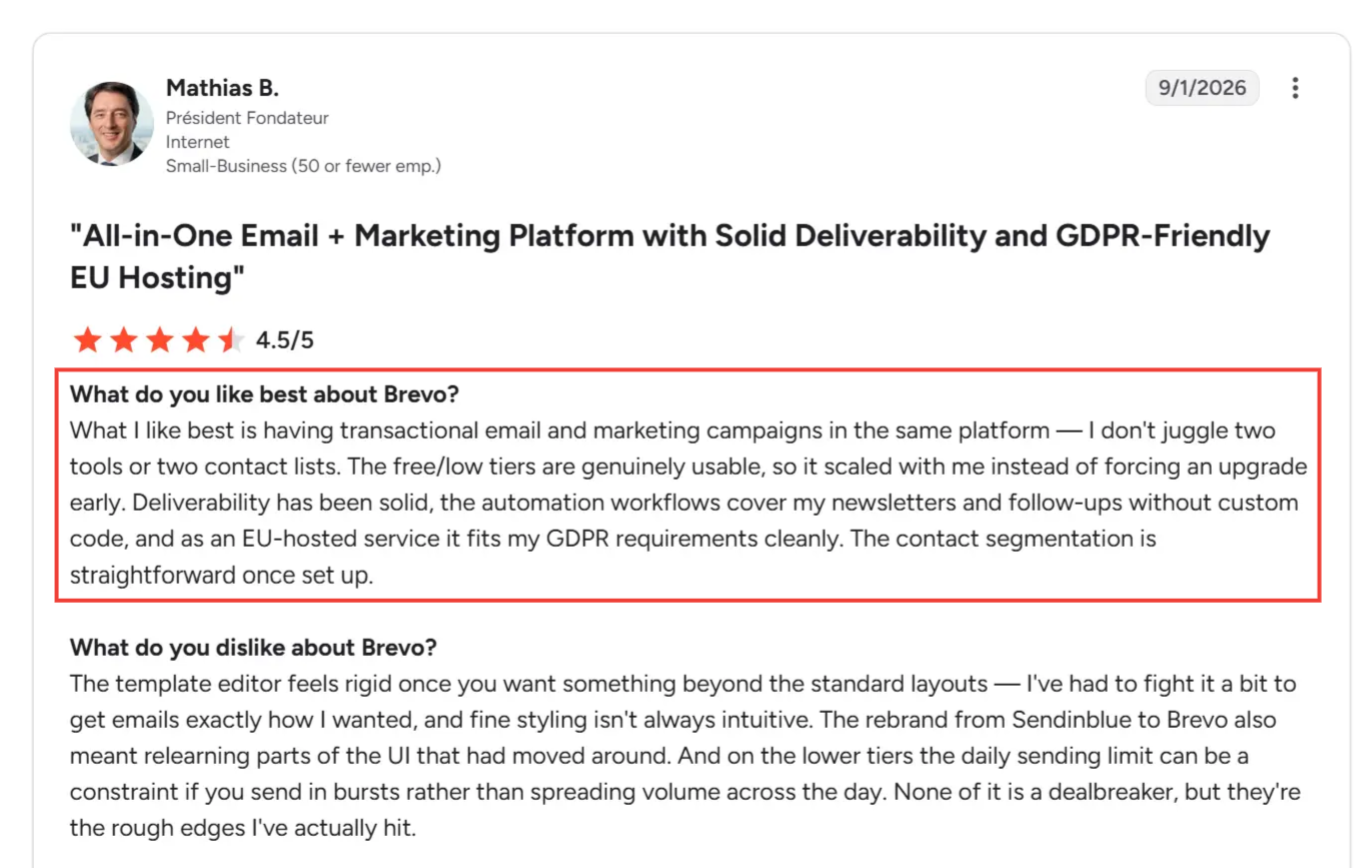
Having transactional and marketing email together is a practical benefit for many users. Here’s what Mathias says:
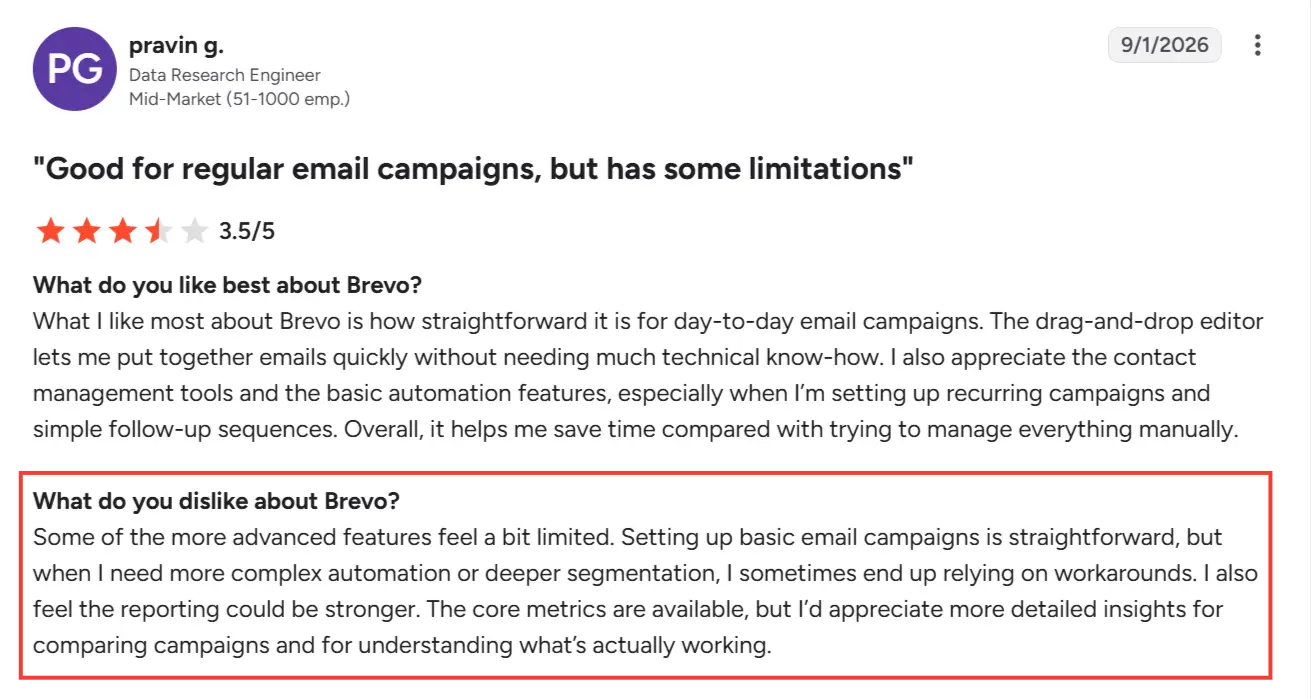
For more complex campaigns, that convenience has its limits. For example, Pravin says advanced automation and deeper segmentation sometimes require workarounds.
How to choose the right transactional email software
The best software for your team depends on factors like your budget, technical resources, and the types of emails you need to send. Here’s what I’d consider before choosing one:
- Your current tech stack: Do you currently use a service that provides transactional emails? For example, tools like HubSpot and Mailchimp offer transactional email as a paid add-on alongside their marketing tools. This gives their customers a way to send both types of emails without bringing another vendor into the mix. Compare the add-on cost with a standalone service, though, because using an existing tool won’t always be cheaper. Also check how your product data gets into the email tool.
Natália Kimličková, our Senior Product Marketing Manager, described having to ask engineering to transfer campaign audiences into a separate email platform:
“It was just a stale segment of people. … It was not based on real time user behavior.”
You don’t want something like that, especially when your company sends time-sensitive emails.
- Volume and scalability: Most transactional email tools are priced based on volume, so you want to check that the pricing structure works for how many emails you send. Some tools are more favorable for small senders, while others are built primarily for high sending volumes, with pricing that doesn’t make sense for smaller senders.
- Feature breadth: What does your team need beyond sending automated messages? Some teams want a visual editor so marketers can update templates without a developer, while others need detailed delivery logs to investigate why an email didn’t arrive. Knowing your exact goal makes it easier to filter out tools.
- Usability: If a tool takes days to set up, or needs an engineer for every change, it can slow your team down. Check how intuitive the interface is and whether a nontechnical team member can build and test a message without looping in a developer every time.
- Deliverability: How well does the software get your emails into inboxes? A high delivery rate only means the recipient’s mail server accepted the message, so emails that land in spam can still count as delivered. Validity’s 2026 Email Delivery Benchmark Report found an average global inbox placement rate of 87.2% for 2025, though this isn’t a transactional-email-specific benchmark. Check each tool’s inbox placement testing, bounce handling, and delivery logs, and test with your own emails before committing.
- Pricing: Beyond the dollar amount, check for predictability and how the cost might change as you grow. For example, you don’t want a tool that pushes you into a much more expensive plan as soon as you go slightly over your sending limit.
- Support: If you need help, can you get it? Check what type of support comes with your plan and when it’s available. A tool might advertise phone support but reserve it for higher-paying customers. It’s also worth checking recent customer reviews (on platforms like G2 and Reddit) to see how quickly the team responds and whether they help resolve the problem.
- Compliance: Does the service meet your company’s privacy and security requirements? For example, if you need to comply with the General Data Protection Regulation (GDPR), check how the provider stores and processes customer data and whether it offers a data processing agreement.
Turn behavioral emails into product adoption with Userpilot
Most of the decision comes down to matching what you already run: an existing CRM, an engineering team comfortable with raw APIs, or a marketing stack you don’t want to duplicate.
The transactional email tools we’ve covered can help you send messages reliably and track their performance. But when your goal is product adoption, you also need to know what users did after receiving the message.
That’s where Userpilot fits. Its behavioral emails use the same product data that powers your in-app guidance, so you can follow up when someone leaves onboarding unfinished and help them complete it when they return. Because those interactions sit alongside your product analytics, you can check whether users took the action you wanted them to take.
If that’s closer to the problem you’re solving, book a demo to see how you can connect email and in-app guidance to help users get more value from your product.
FAQ
Which email service is best for transactional emails?
I’d go with Postmark for time-sensitive transactional messages, Amazon SES for low-cost sending at scale, and Brevo if you also need marketing email. For onboarding and re-engagement emails paired with in-app guidance, consider Userpilot alongside your transactional email service.
What is a transactional email service?
A transactional email service sends automated messages tied to a user’s action or account activity, such as a payment confirmation or security alert. It connects to your app or website and handles delivery, with logs to help you investigate failed sends.
Which transactional email service is free?
Some of the best transactional email services offer free plans. Brevo offers 300 emails a day. Mailtrap includes 4,000 per month, capped at 150 a day, while Postmark offers 100 per month. Check both daily and monthly limits against your sending volume.
What is an example of a transactional email?
An account verification email is one example. When someone signs up, your app sends them a link to confirm their email address. Other examples include shipping updates, payment confirmations, and security alerts.
About the author