Launch Messages: In-App and Email Examples for SaaS Teams Shipping in the AI Era

Launch messages are supposed to be the easy part of shipping software, but writing them is becoming increasingly harder for SaaS teams. Every product update worth announcing needs a message that tells someone it shipped, but the number of product updates has been growing while the amount of time between them continues to contract. Since adopting AI, 63% of organizations are shipping code to production faster, which has accelerated feature velocity across the entire industry to a pace never before seen at this scale.
Greg Coquillo, Lead Product Manager of AI Platforms at Microsoft, described this sudden shift in shipping builds.
“Building software today doesn’t look the same as 2 years ago! Some teams write every line by hand. Some build alongside AI. Others ship products without touching code at all. What changed isn’t technology – it’s how fast ideas move from thought to product.”
Stanislas Niox-Chateau, CEO of Doctolib, has observed similar trends with instant prototypes and rapid coding:
“AI is changing how we think about building software like nothing before. Specs turn into working prototypes instantly. Design systems and architecture principles are continuously reinforced by the tooling itself. Writing production-ready code from scratch is no longer our bottleneck.”
To help you keep up with the flood of product updates, this guide will show you the five types of launch messages, 26 curated examples, and the best practices to follow.

Types of launch messages in SaaS
Not every update deserves the same message. Using the same format for every launch message will read as lazy boilerplate that isn’t relevant to the users. Here are the five types worth knowing before you write anything.
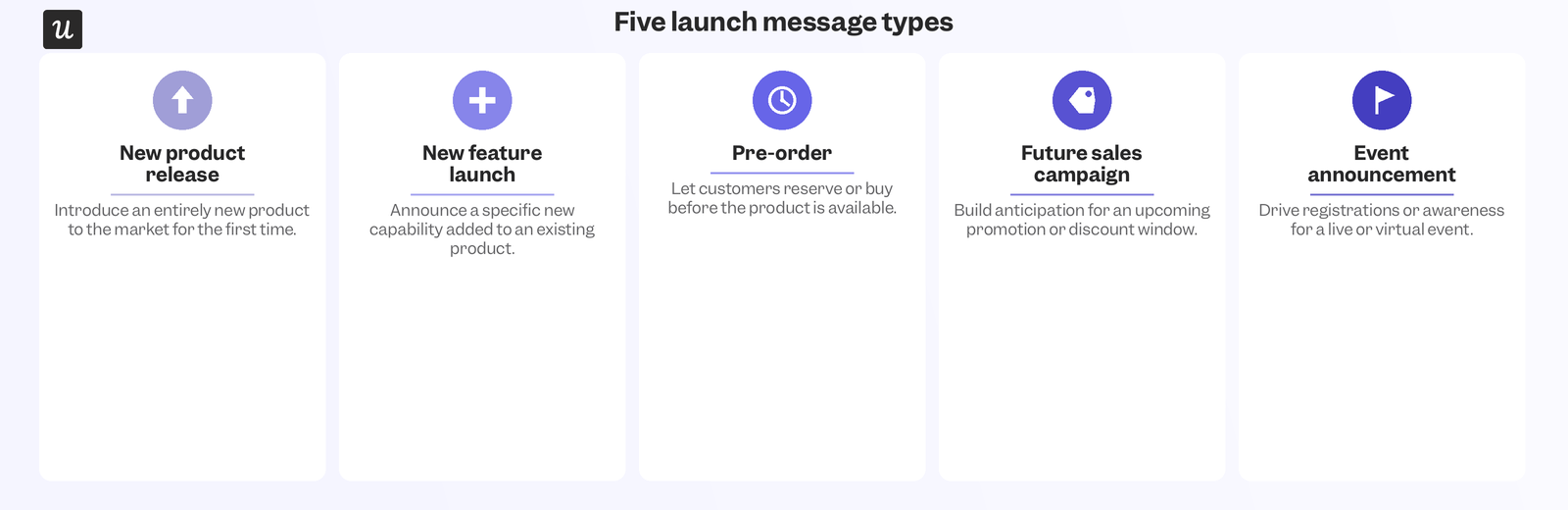
All five launch message types serve a different purpose:
- New product release messages: Announce a new product version or an upcoming product to your existing base and to new markets.
- New feature launch messages: New feature launch messages: Introduce what’s new to current users, drive feature adoption, and build trust by showing you’re acting on their feedback.
- Pre-order messages: Build anticipation before a product or feature set is available.
- Future sales campaign messages: Promote a limited-time offer and create urgency around a launch date.
- Event announcement messages: Announce webinars, podcasts, workshops, and other events.
26 Launch message examples for SaaS
The curated examples below show you launch messages from SaaS teams and the best practices they got right.
1. Slack new feature announcement
Slack announced a new feature with a small but eye-catching slideout. It’s fast, simple, and tells the user what they can achieve with it.
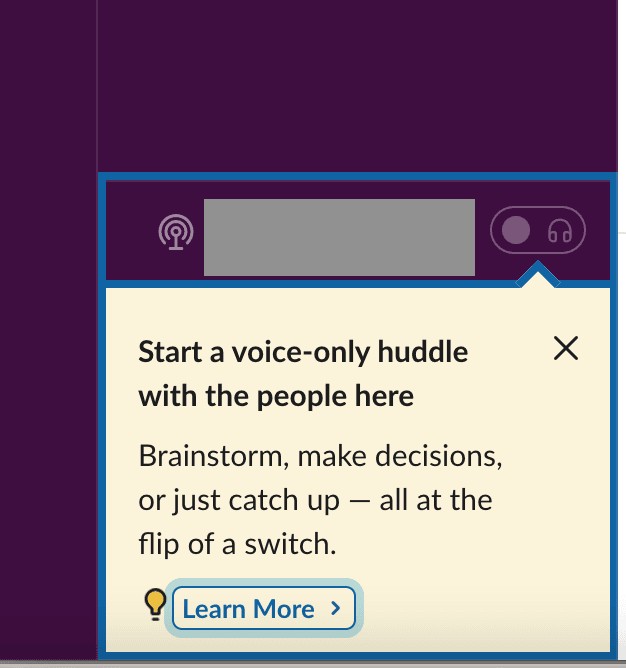
Clicking “learn more” opens a modal explaining the feature in more detail, including who can use it and what to expect.
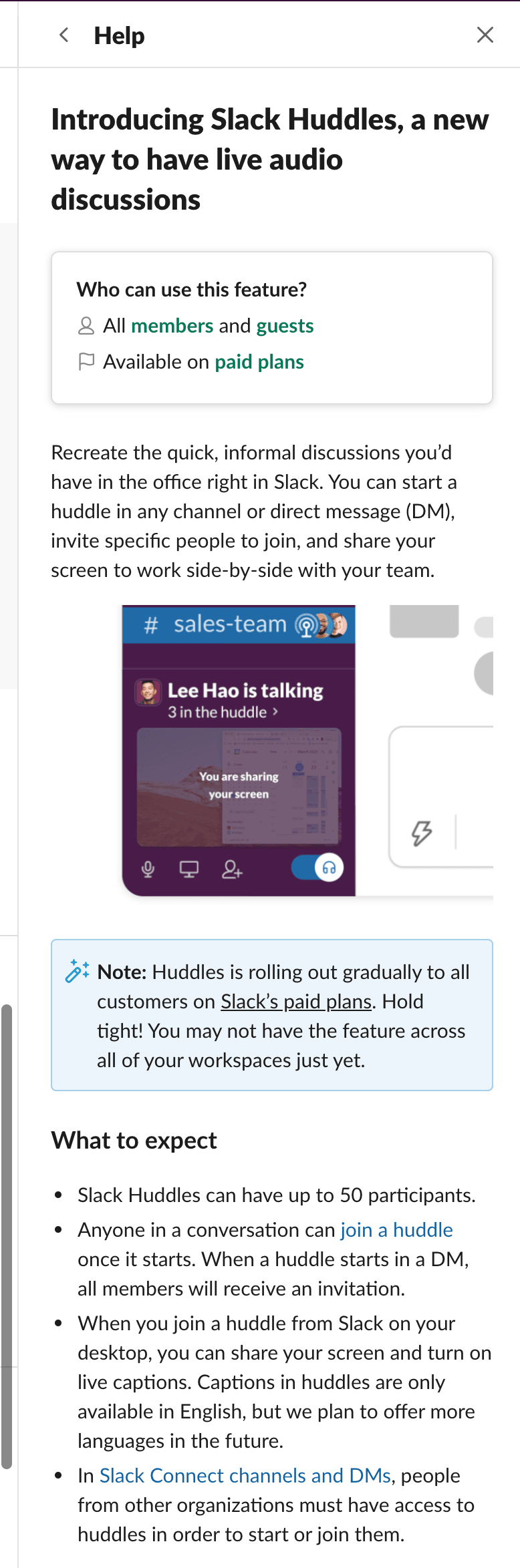
The expanded version also directs users to further resources if needed. This is a good example of combining message types to support one launch in increasing levels of depth.
2. Slack feature update in-app message
Sometimes a short embedded video is all a feature enhancement needs. Slack introduced a new way to format messages through a GIF tooltip showing users exactly how to use it.
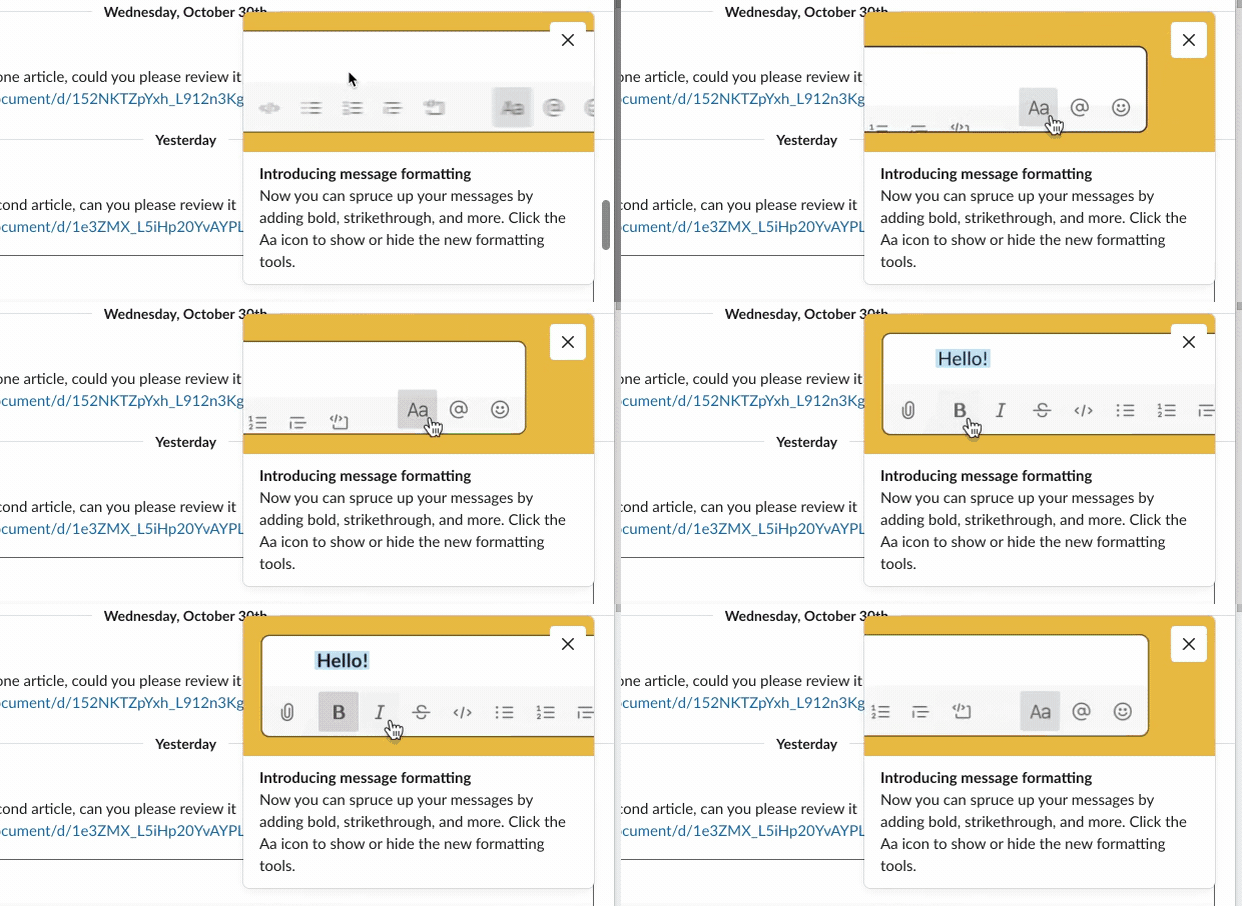
Many users are visual learners who prefer watching a video or GIF to see how easy an updated feature is to use instead of having to read about it in release notes.
3. Asana in-app new feature modal announcement
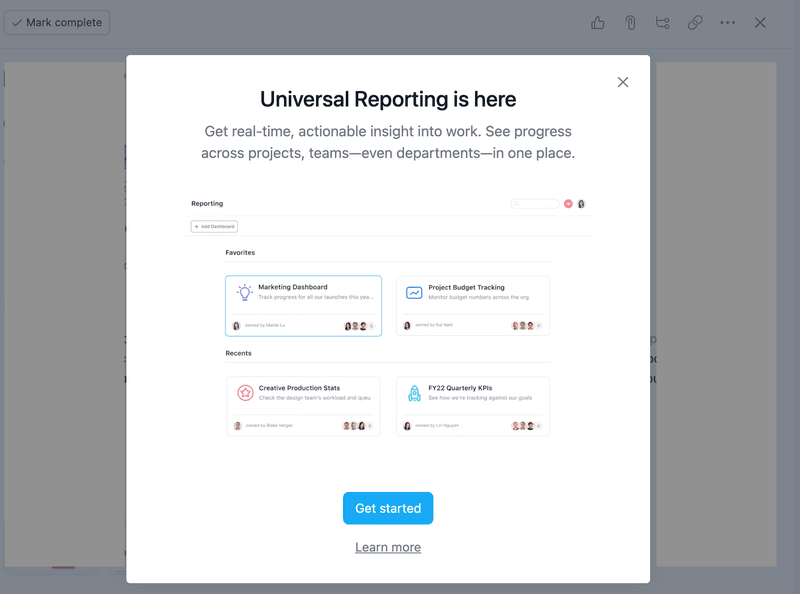
Triggering a modal on sign-in is a great way to announce a new feature because it immediately grabs the user’s attention and sets expectations from the start of their session. Asana uses short, benefit-led copy like “get real-time, actionable insight into work” to appeal directly to the user and prompt them to get started.
4. Miro’s “what’s new” in-app pop-up
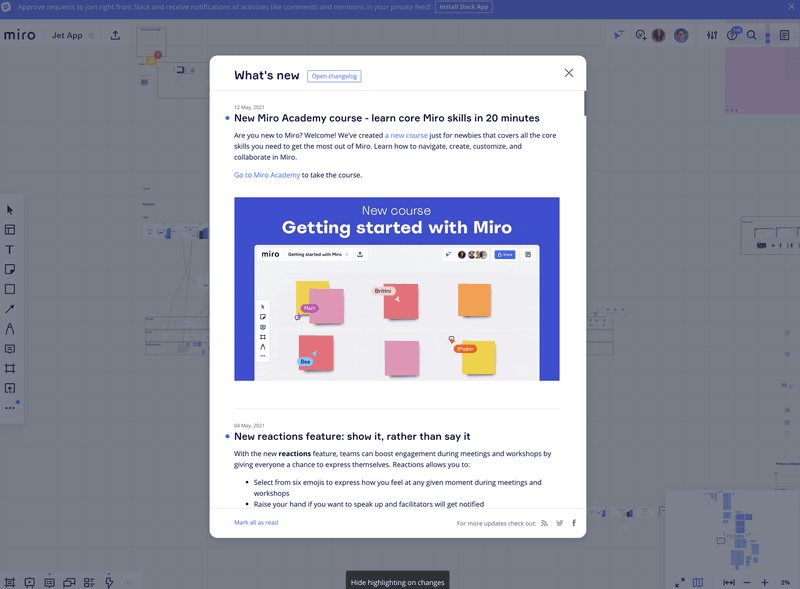
Miro keeps a feed with this in-app pop-up available inside the product. This means even after closing the login modal, the latest updates stay one click away. It’s common practice for teams rolling out enhancements continuously who want to avoid cluttering the UI with a million different tooltips.
5. InVision product landing page
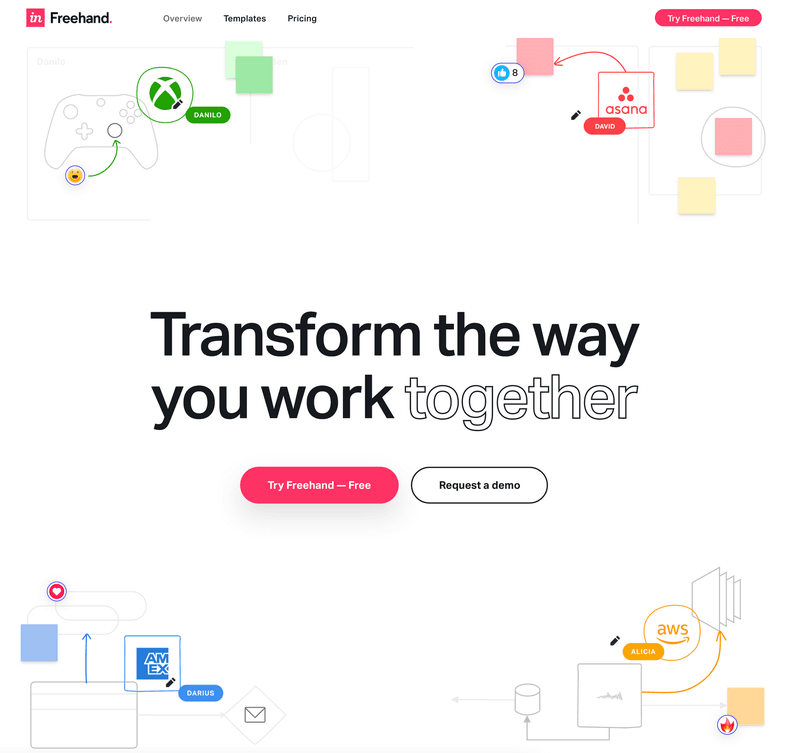
Similar to Slack’s slideout, InVision uses a dedicated landing page to promote its Freehand product, linking to a dedicated website and appealing directly to the user by emphasizing the collaboration that matters to them most.
6. InVision feature improvement in-app message
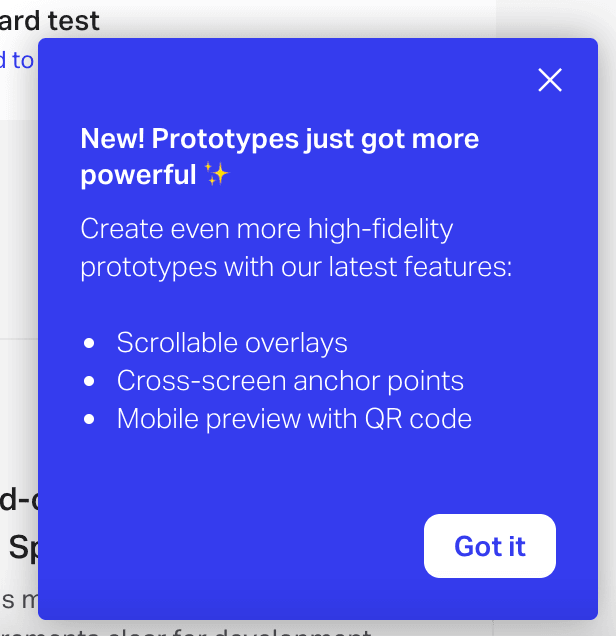
Product enhancements can be communicated in-app with short messages. InVision uses a colorful pop-up to inform users of feature improvements. The star emoji makes it feel informal and exciting, as if the user is there on the ground floor with the developers working on the product.
7. Mural customer education launch banner and form
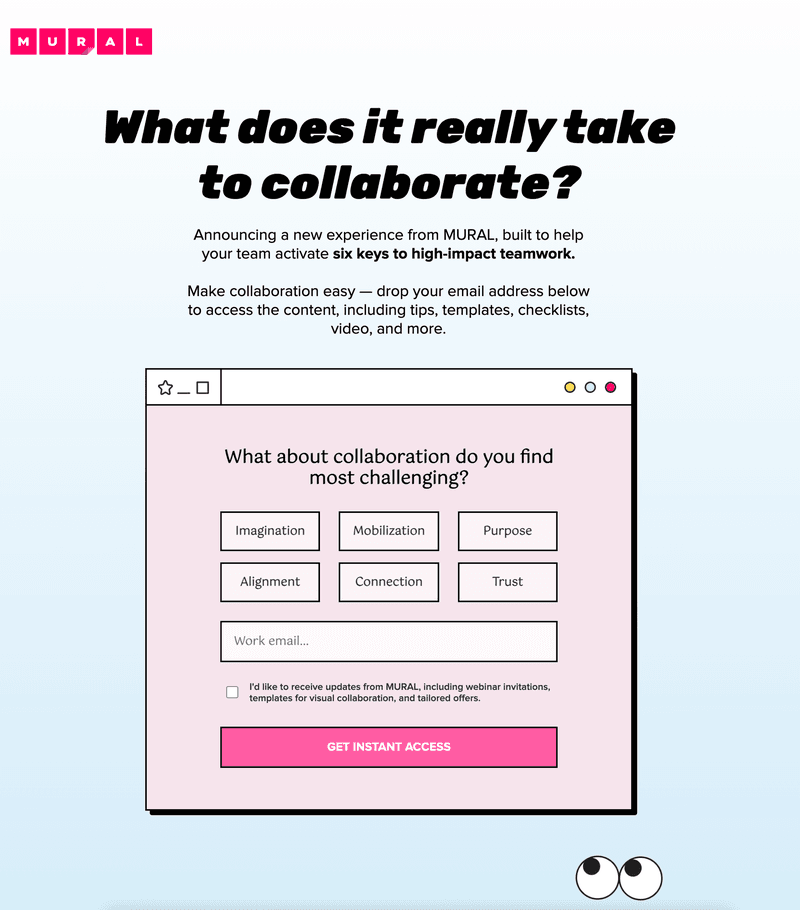
Using the same technique as InVision, Mural drives traffic to a new educational resource using an announcement banner aimed at attracting new users through new templates.

The banner above takes you to a landing page with content personalized based on your answers to their microsurvey.
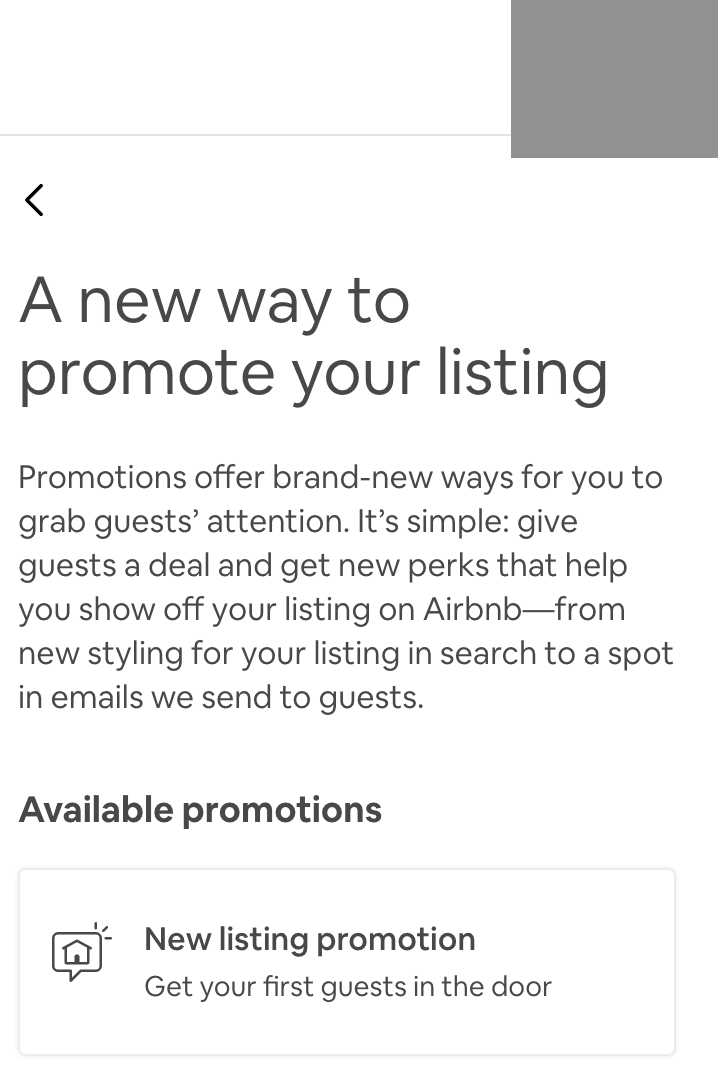
8. Airbnb using tooltips and modals in-app
Airbnb shows how in-app messages can combine formats, alternating between tooltips and modals of varying sizes to tailor visibility to user interest.
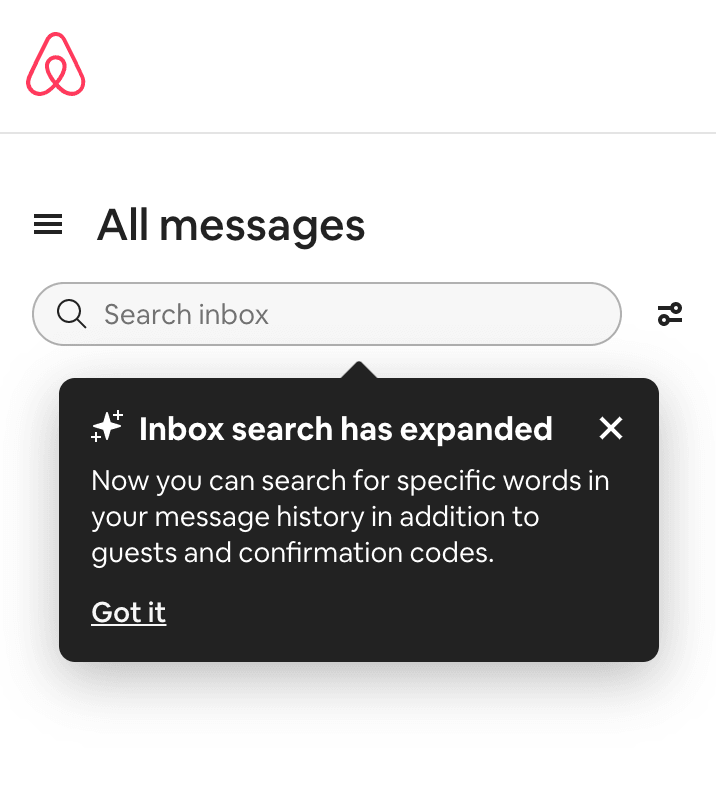
Airbnb uses a small modal to highlight a new feature, offering a more in-depth description only if the user chooses to interact. This protects user choice instead of forcing updates on them.
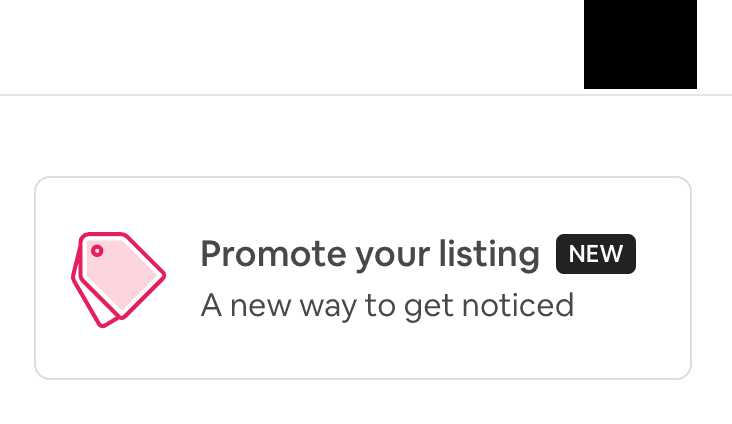
The full details are only revealed once users click to expand the full-sized modal.
9. Revolut launching new features and products in-app
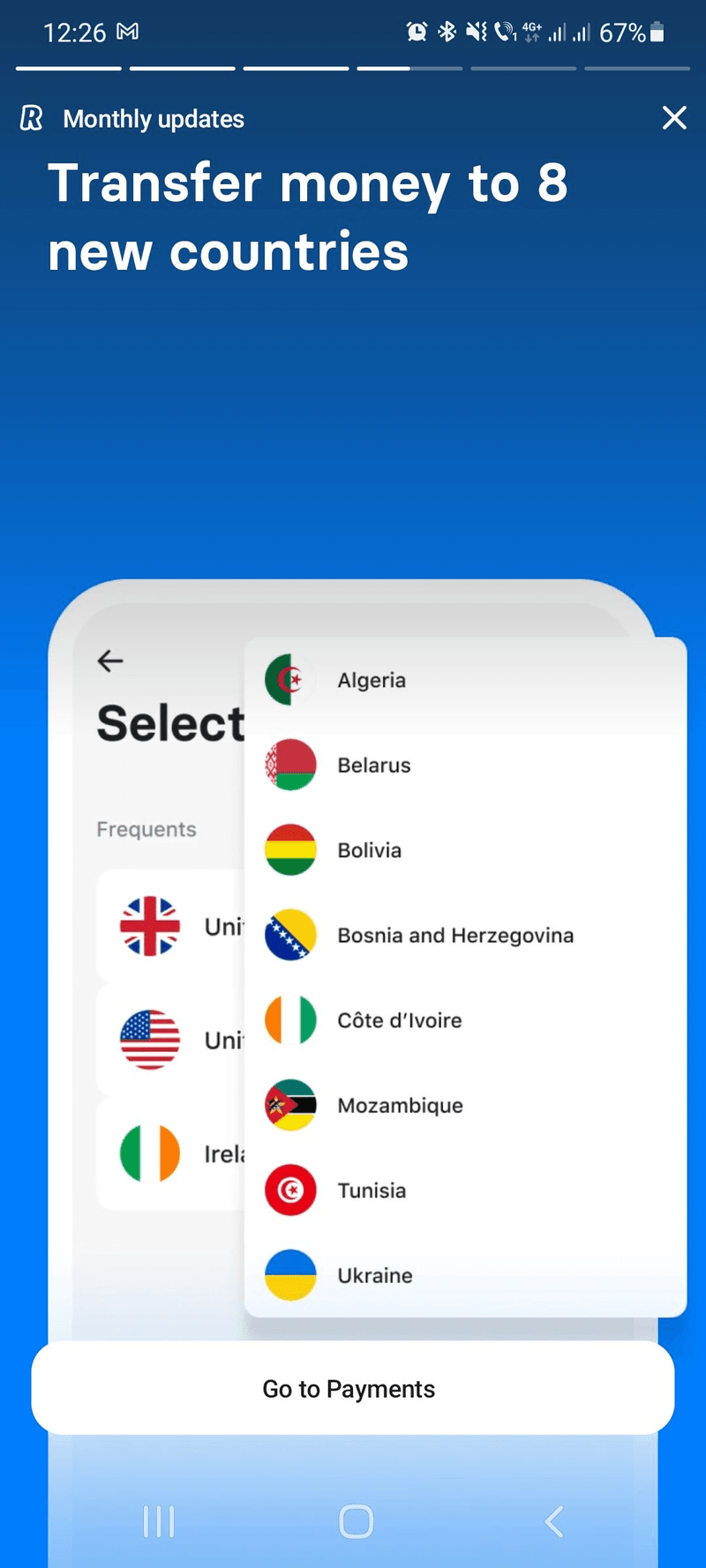
Similar to a “what’s new” launch, Revolut runs monthly updates that showcase a series of short in-app modals introducing new features and enhancements. Engaging with either message takes the user to the relevant part of the app for more detail.
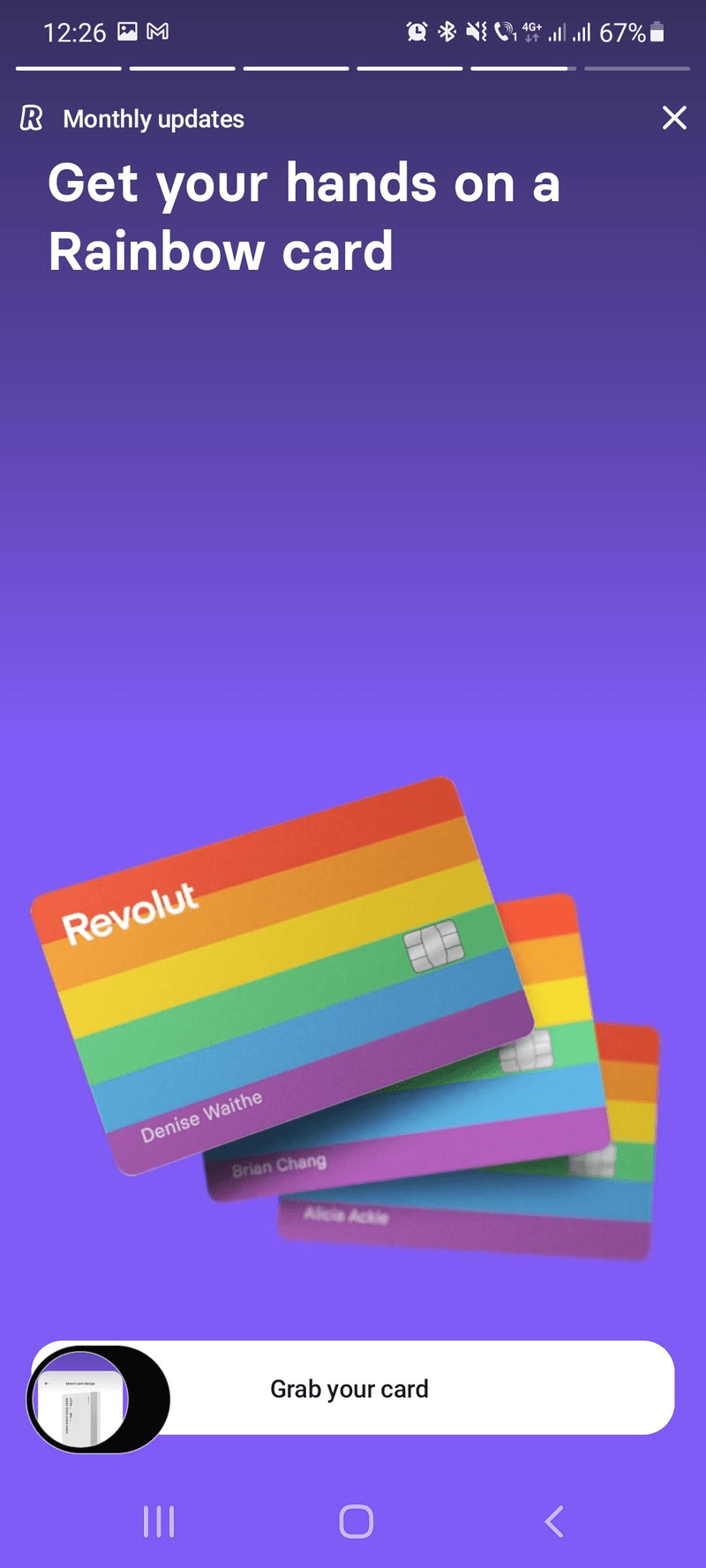
Short, on-point text paired with large visuals delivers the message fast while the empty space in the layout draws the eye toward the accompanying image.
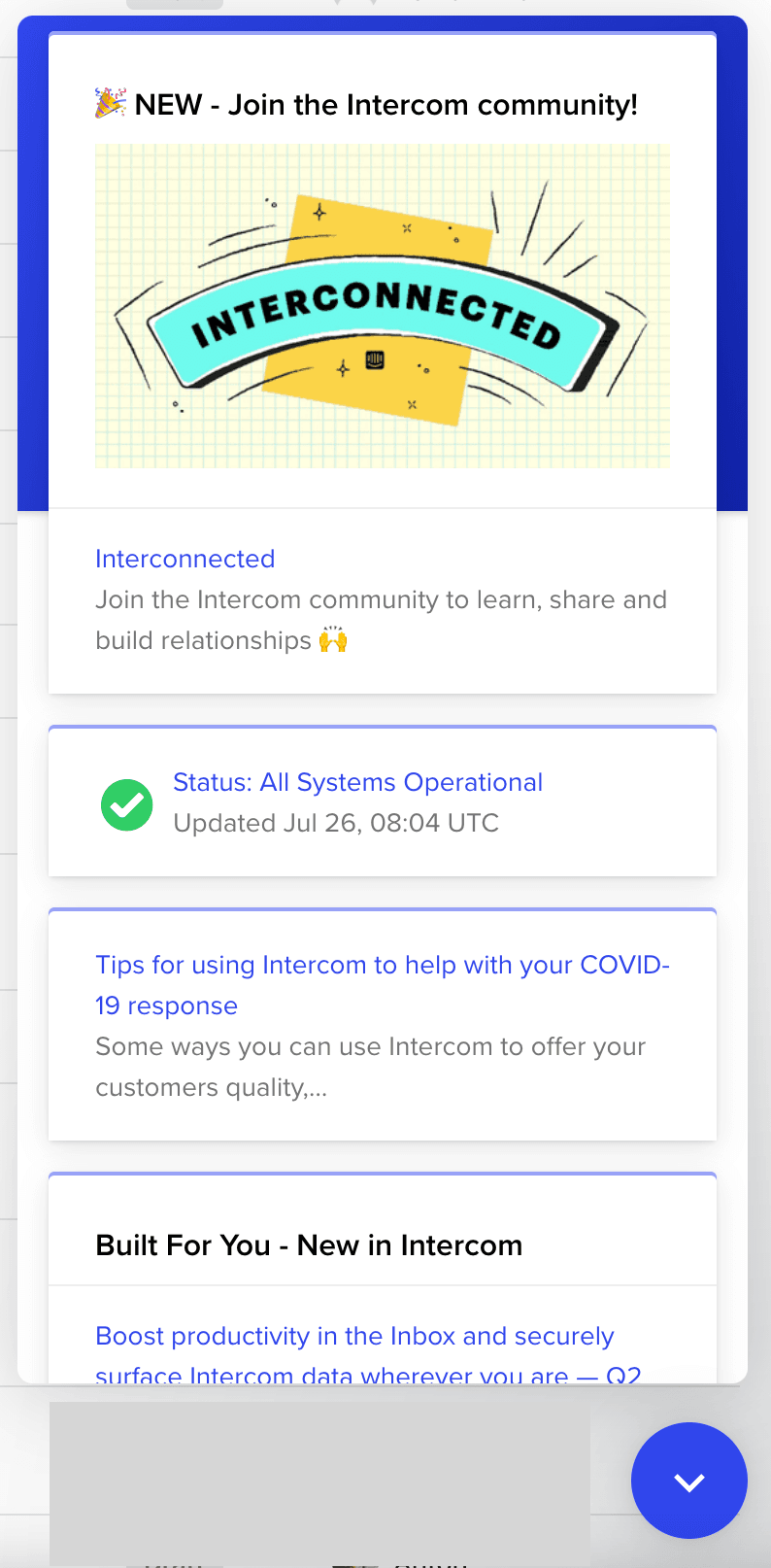
10. Intercom uses in-app chat for a community launch campaign
Intercom’s chatbot is probably what it’s best known for, and the company uses it to announce things too. Paired with other messages like a launch email, it shows that a chatbox can be used for more than in-app support.
11. Figma product enhancements in-app modal notification
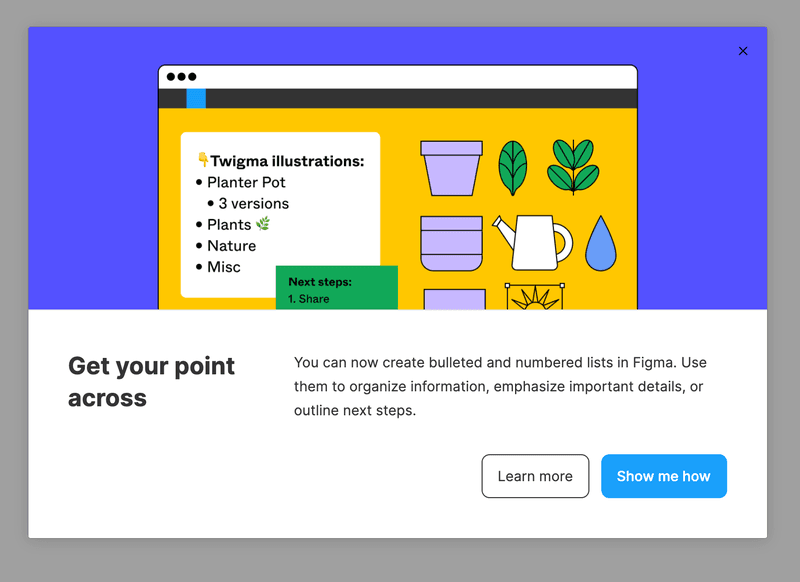
Figma’s modal pairs image and text to showcase a new enhancement. It offers two CTAs with a”show me how” that launches an interactive walkthrough guiding users through the change, and an alternative “learn more” for users not ready to use the feature just yet.
12. Userpilot’s email newsletter for educational resources
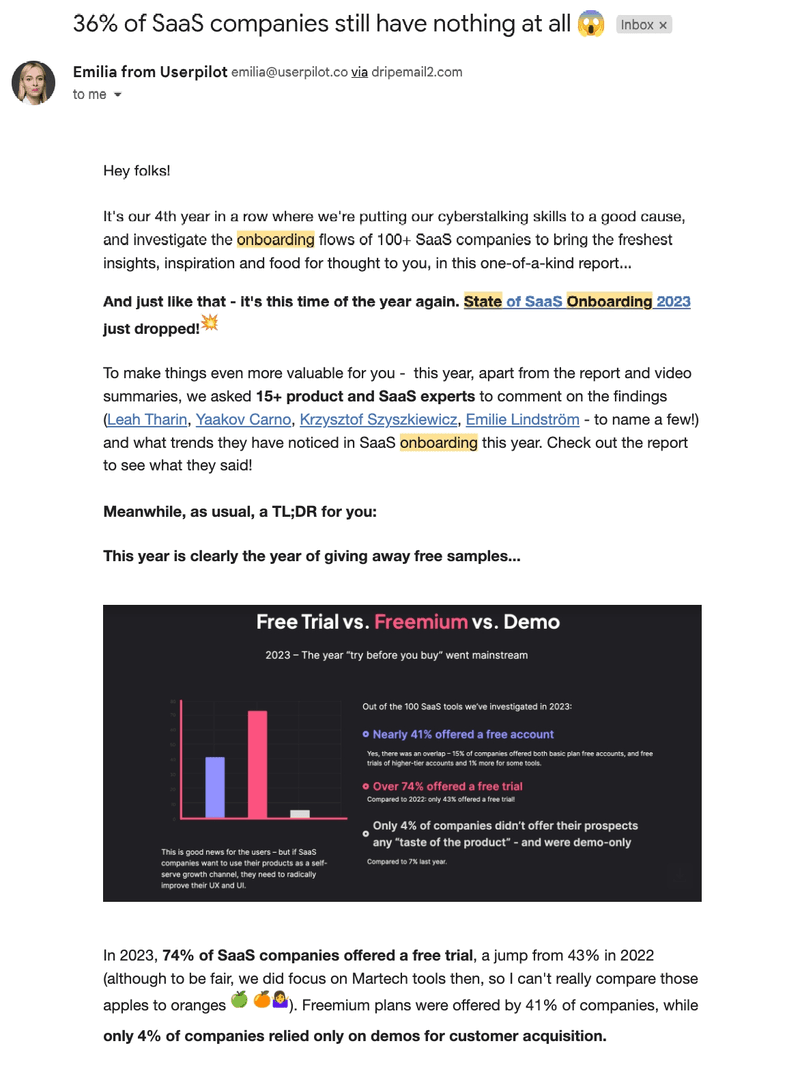
Userpilot’s weekly newsletter keeps our audience engaged with product tips, launch messages, and industry news. The subject line does double duty of setting the expectation of what’s inside while also building excitement.
13. Miro and Zoom integration email announcement
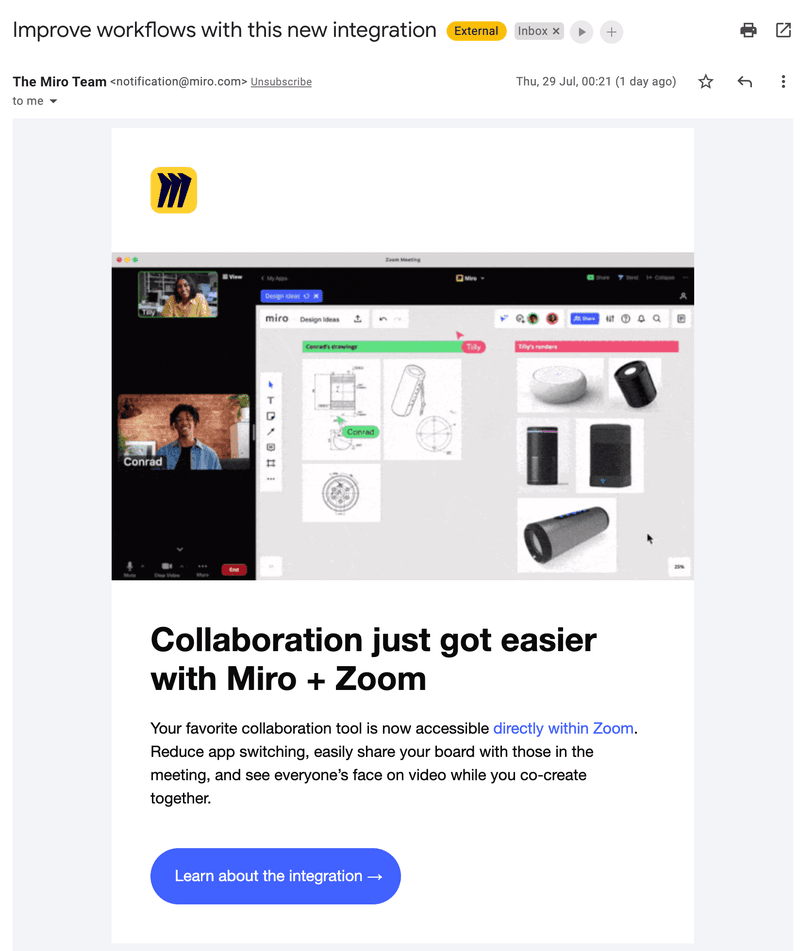
Miro’s new feature announcement email for its Zoom integration shows that one short message is rarely enough. In most cases, you need omnichannel customer engagement with a sequence across channels. The subject line is short and direct about the benefits of using the integration.
14. Miro product updates email
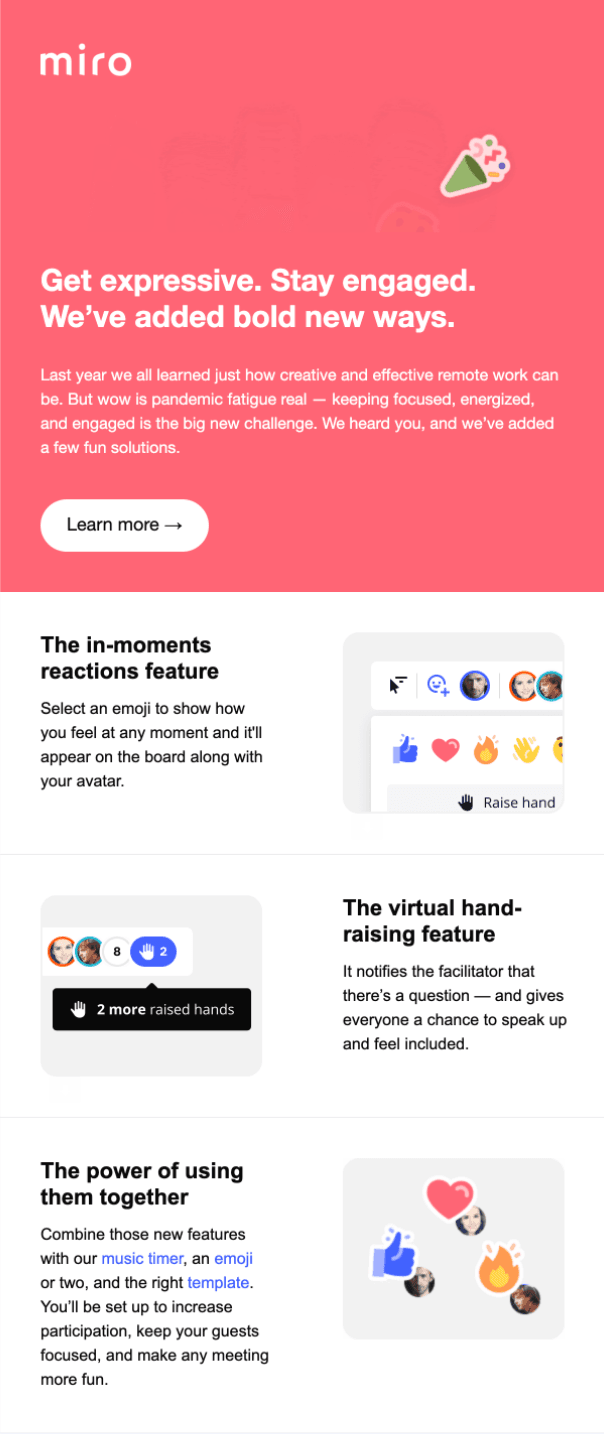
Miro also runs the email version of its in-app “what’s new” modal, packing several enhancements into one message. The subject line “What’s new in Miro” is about as direct as a product update email can get.
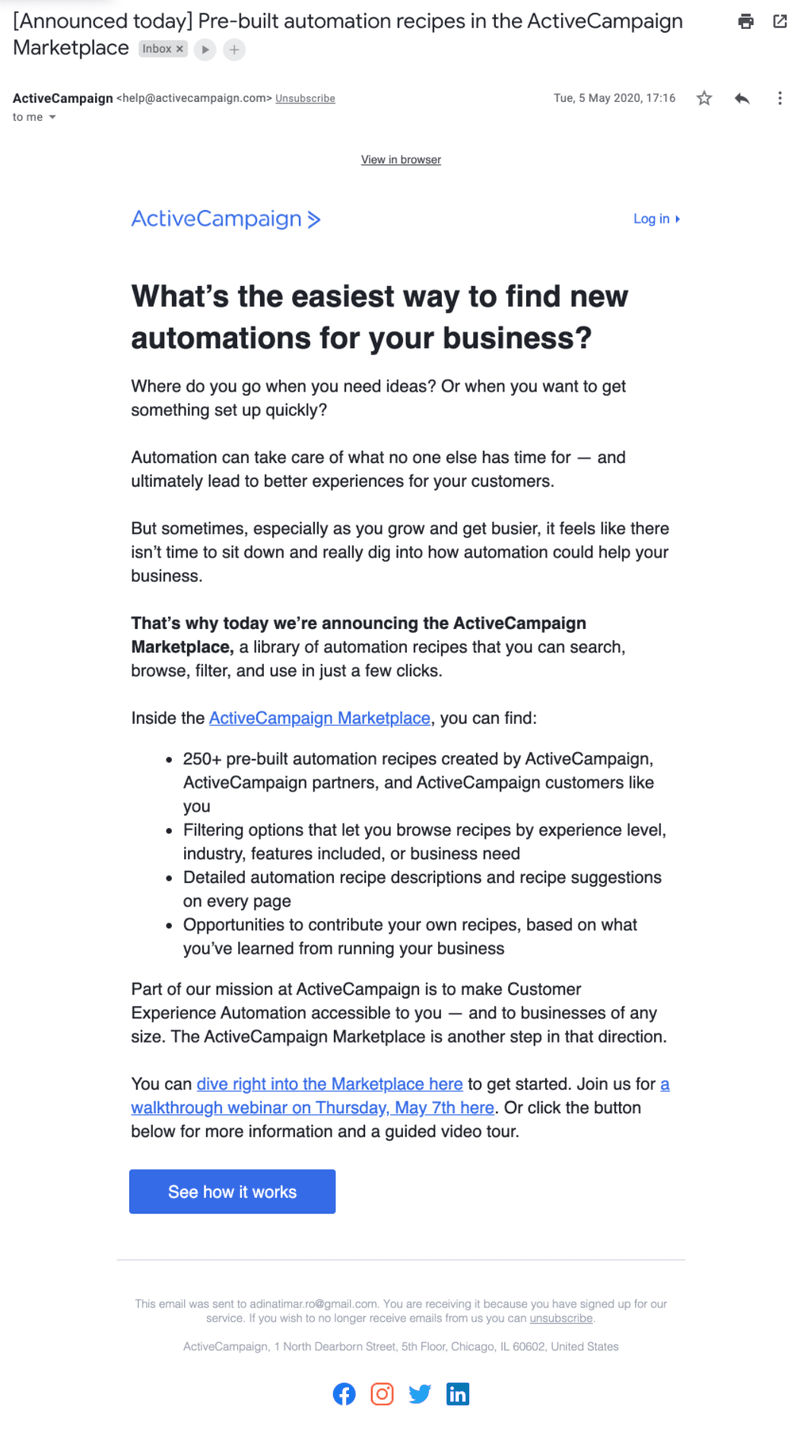
15. ActiveCampaign Marketplace email campaign
ActiveCampaign’s product is email campaigns, so its own launch emails should be held to a higher standard due to the team’s first-hand expertise. What stands out in their email sequences is the text-only approach, compared to the image-heavy examples above. Whether text-only or a text-image combo wins is worth testing against your own audience rather than copying blindly, since different audiences will have varying media preferences.
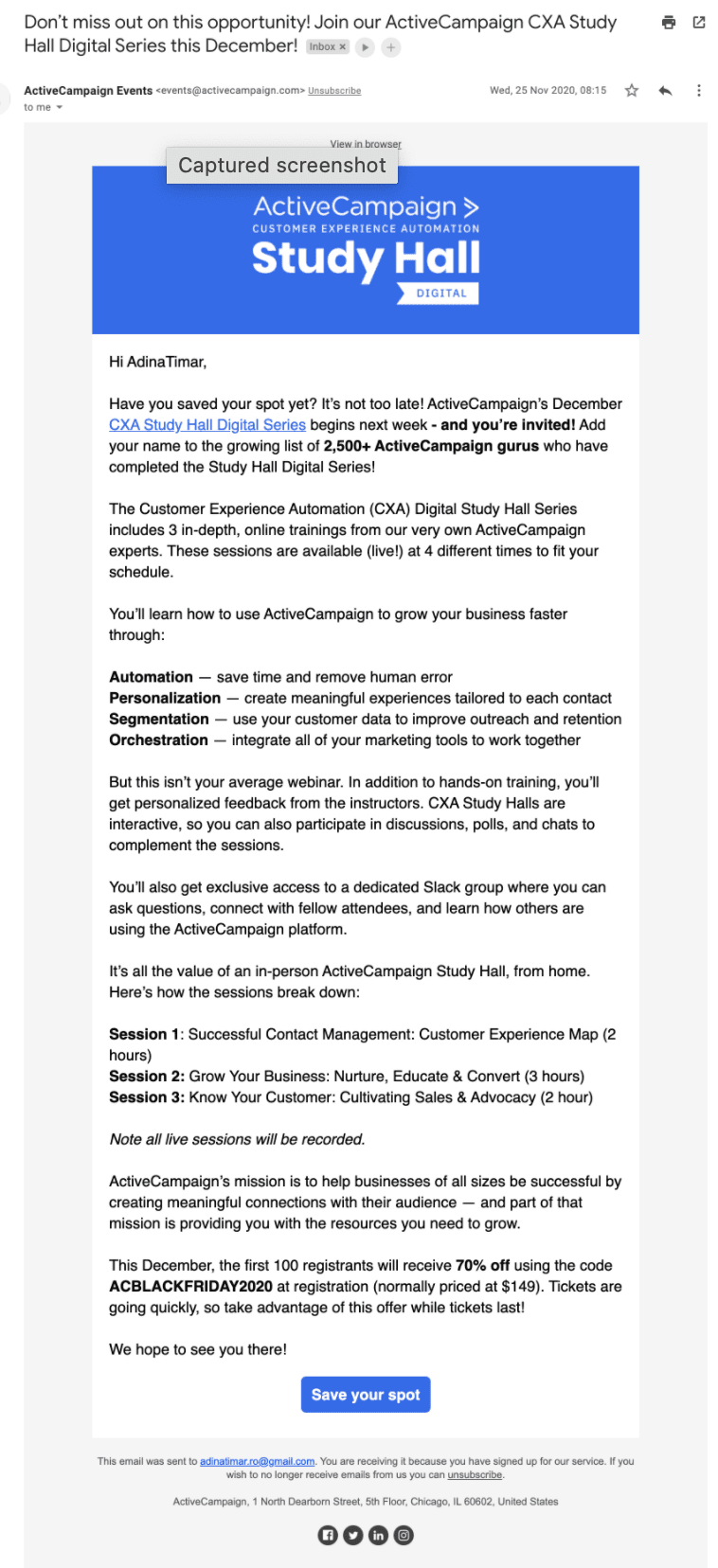
16. ActiveCampaign conference promotion email
This email promotes an ActiveCampaign conference as part of a series, showing how even text-heavy messages can work so long as the design stays consistent with the rest of the brand’s emails.
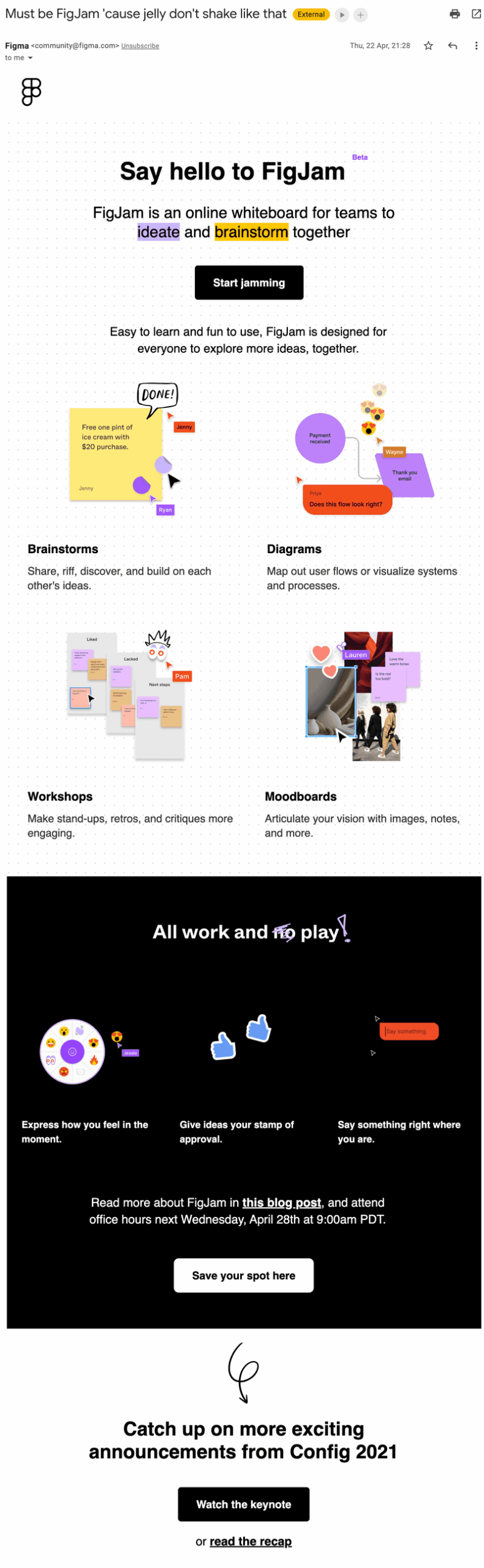
17. Figma’s FigJam launch email
Figma announced its FigJam beta by building the email design around the product itself. It highlighted the sticky notes, diagrams, and emoticons that are the same features included in the whiteboard tool being launched. It also gives readers options to start jamming, watch the keynote, or read the recap so they can choose how they’d like to proceed.
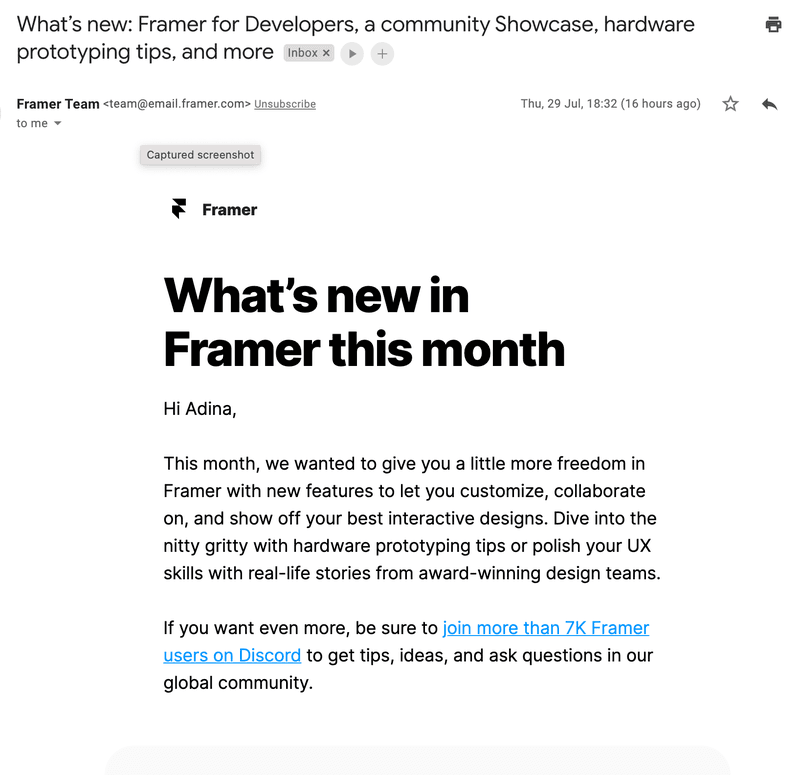
18. Framer’s “what’s new” email newsletter
Framer’s text-only newsletter is packed with information despite being much shorter than ActiveCampaign’s, all leading to a CTA that gets readers to join Framer’s Discord community.
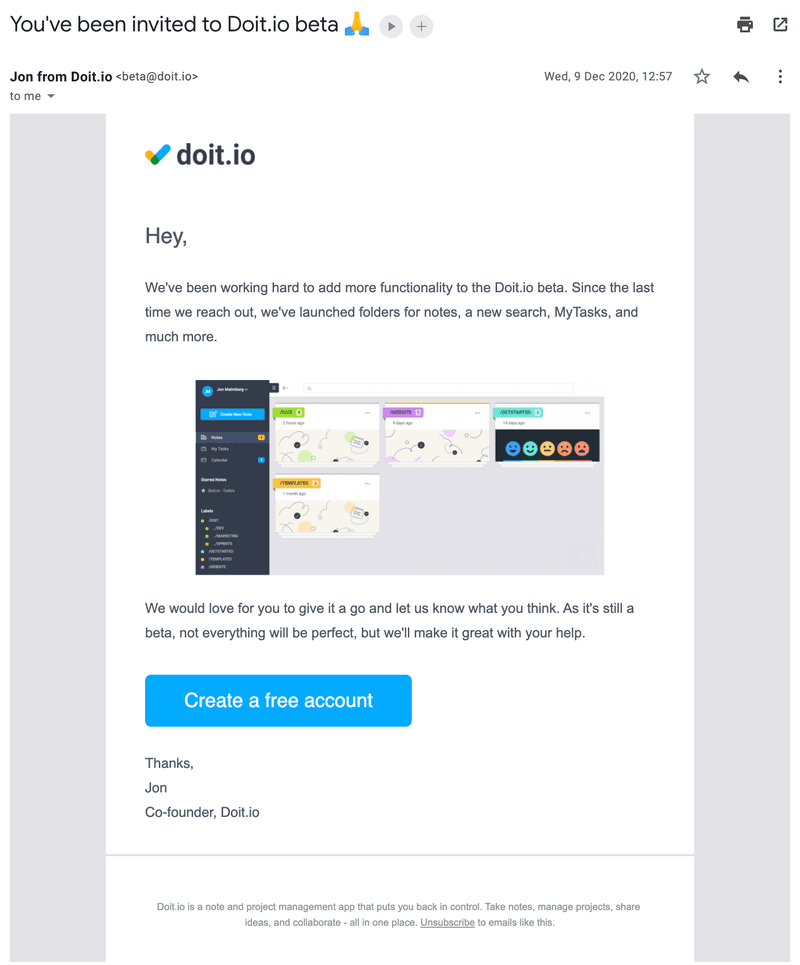
19. Doit’s follow-up product improvement email
Doit’s follow-up message matters just as much as the initial launch because it tells users what’s progressed since launch and reminds them to check it out. It’s also a good way to ask for user feedback, especially for beta products.
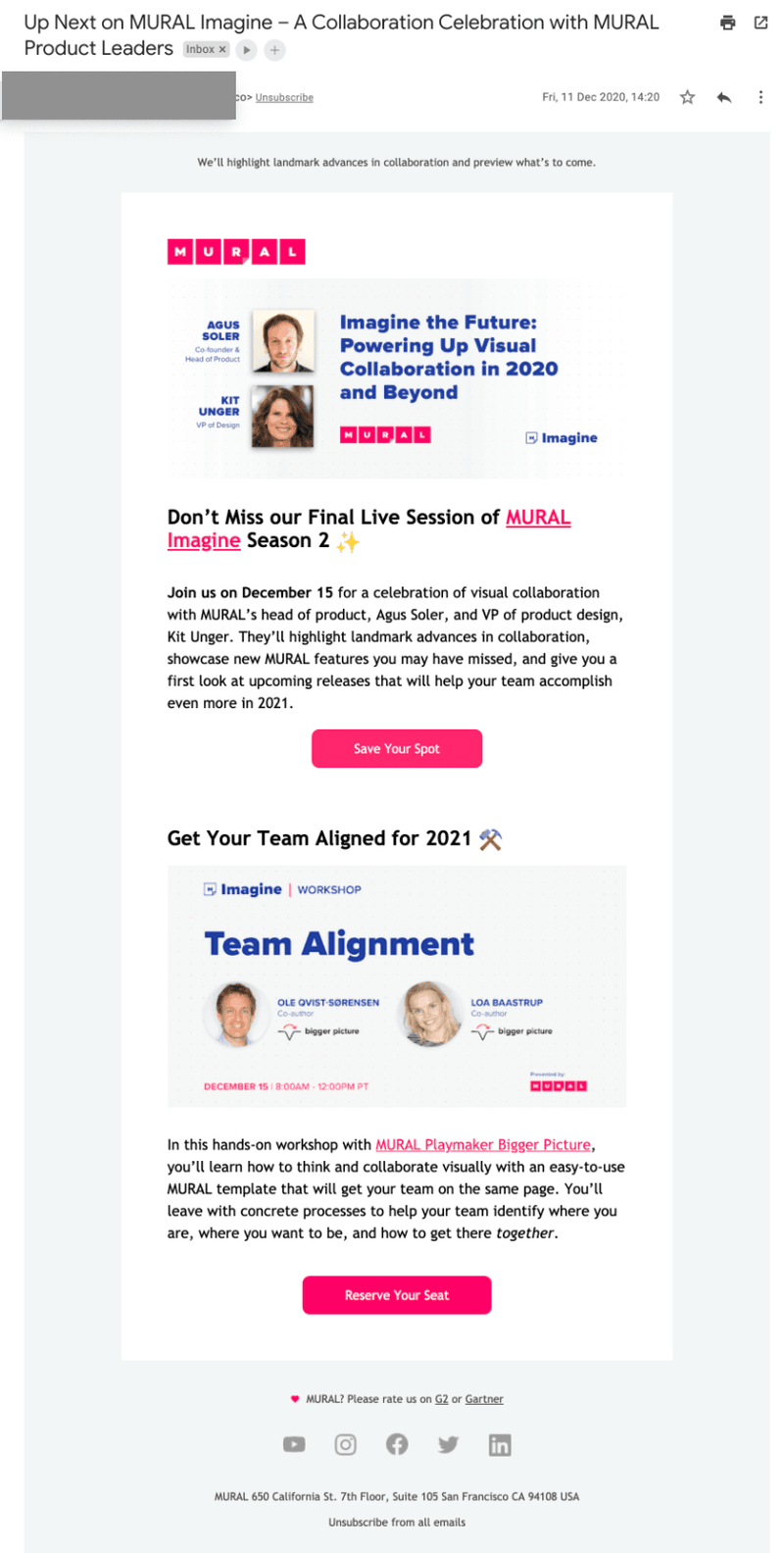
20. Mural’s educational events email
Mural uses customer education as a marketing growth strategy, and email is its main channel for promoting upcoming events. An attention-grabbing subject line reaches its existing user base and could even be forwarded to others in their network who’d be interested in the same topics.
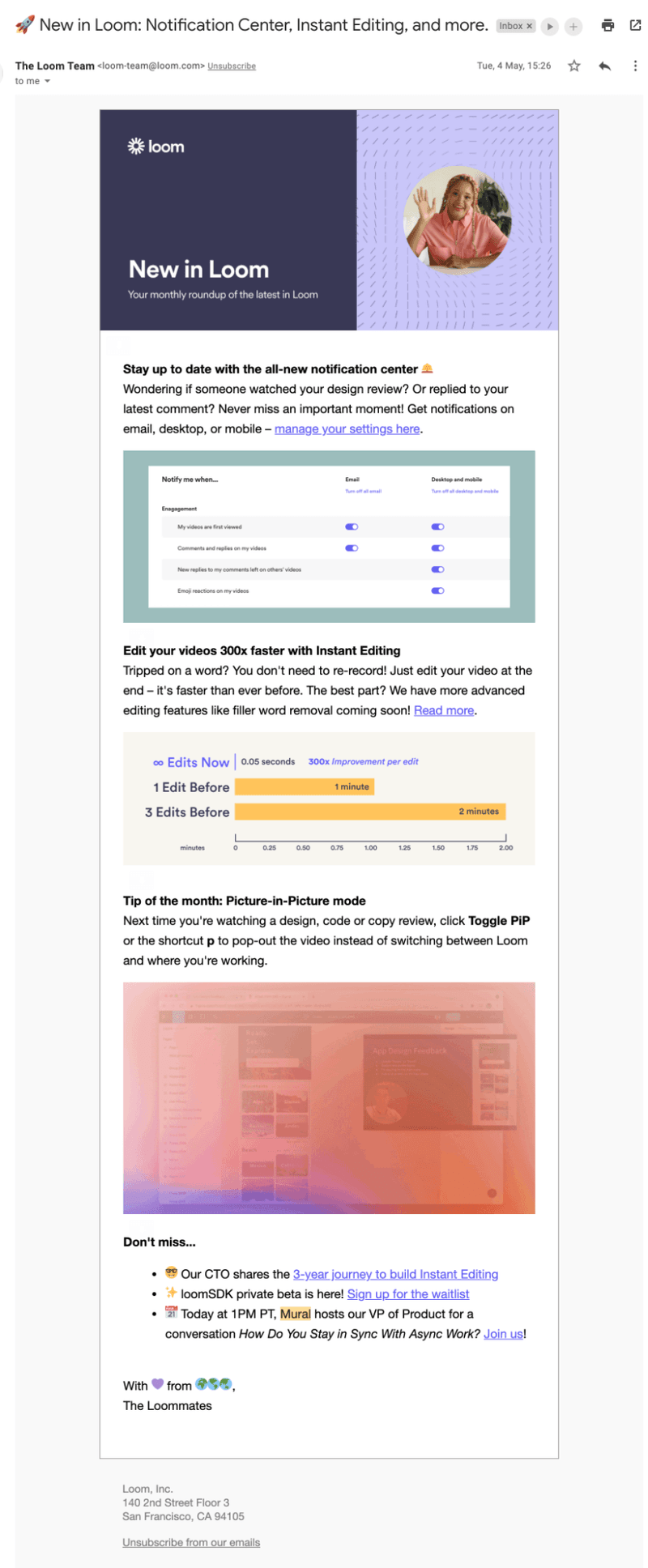
21. Loom product updates announcement email
“New in [brand name]” is a recurring product launch email format across SaaS. Loom runs it as a monthly newsletter, rounding up everything that shipped in the past month.
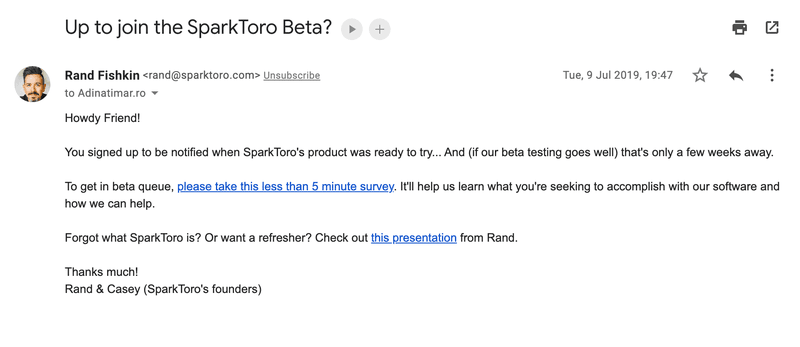
22. SparkToro beta launch email invitation
SparkToro’s beta launch invitation is automated but reads as personal, written like Rand himself is inviting the reader. This makes it harder to ignore than a generic broadcast announcement.
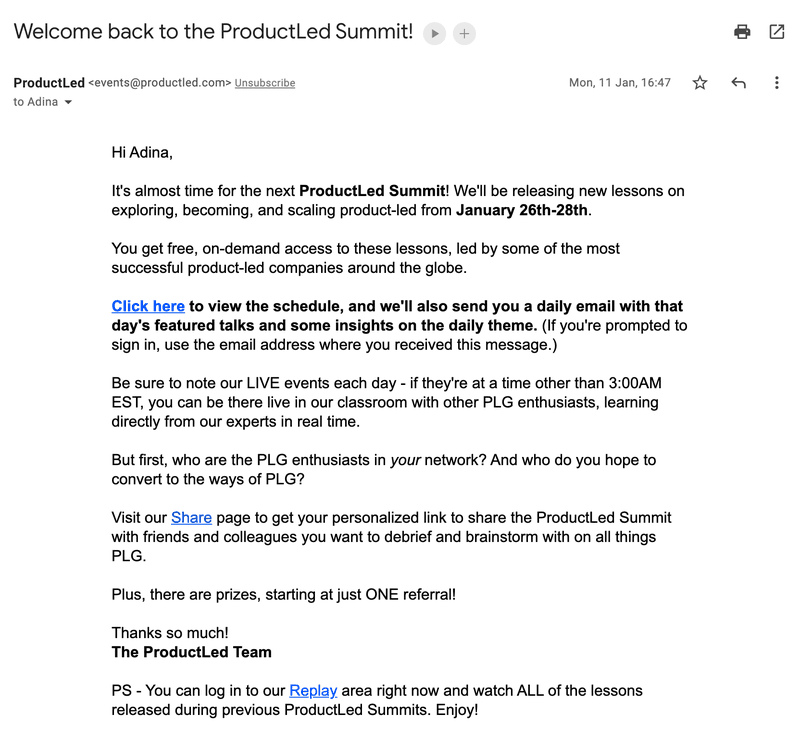
23. ProductLed Summit promotion email
ProductLed uses an event announcement email to promote its summit to past attendees, creating a personalized customer experience by optimizing content based on who received it. Someone who has attended before gets an early access reminder with an incentive to share the news.
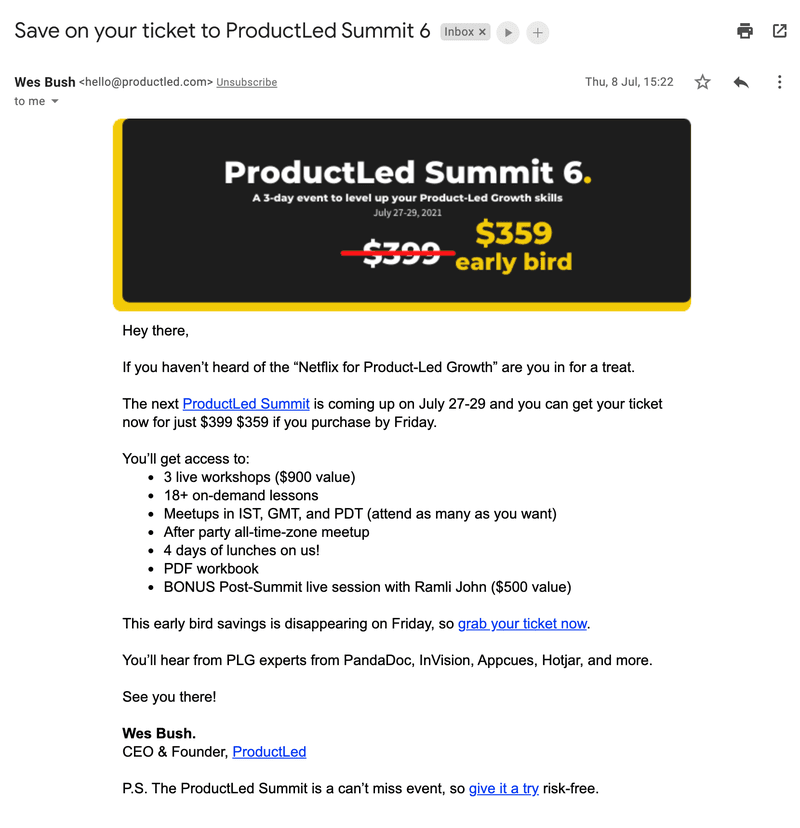
24. ProductLed Summit discount email
A completely different email promoting the same event leads with a limited discount instead, giving users a sense of exclusivity around the early bird offer.
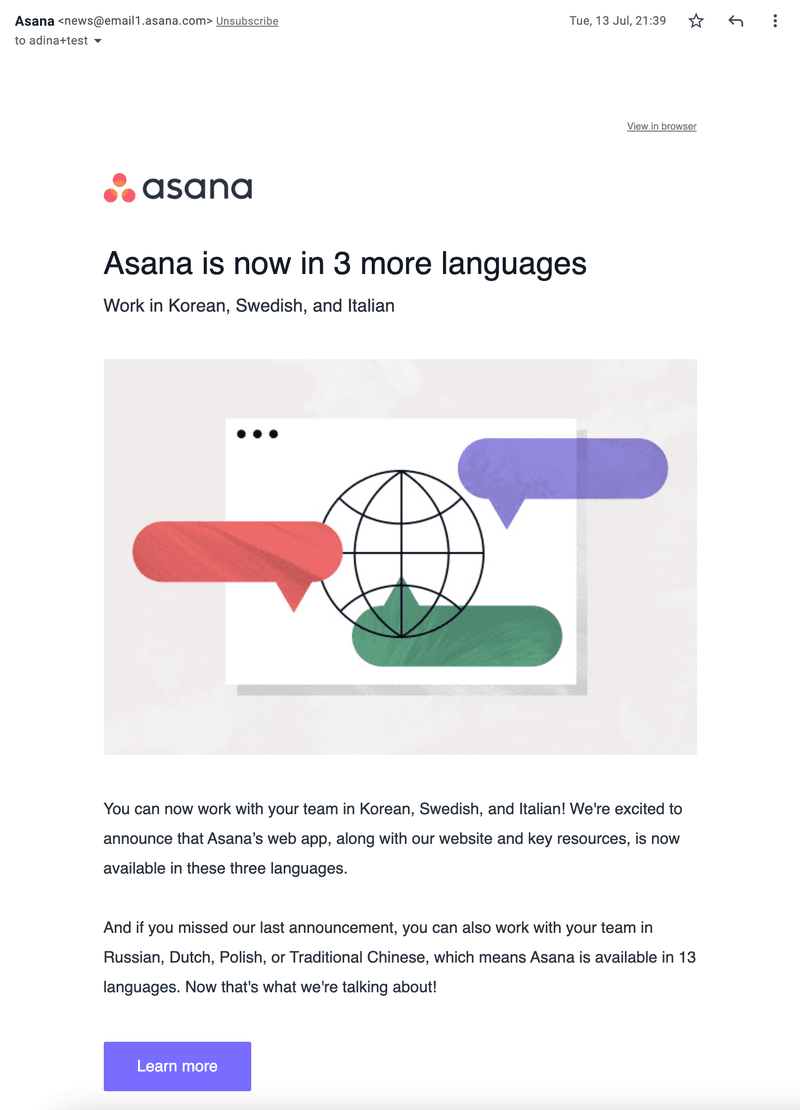
25. Asana’s new product enhancement email
Asana’s enhancement email references a previous announcement to sharpen the impact of this one. Three more languages might not sound like much until you find out it’s on top of four other languages launched earlier, signaling that Asana is continuously expanding its reach through localization.
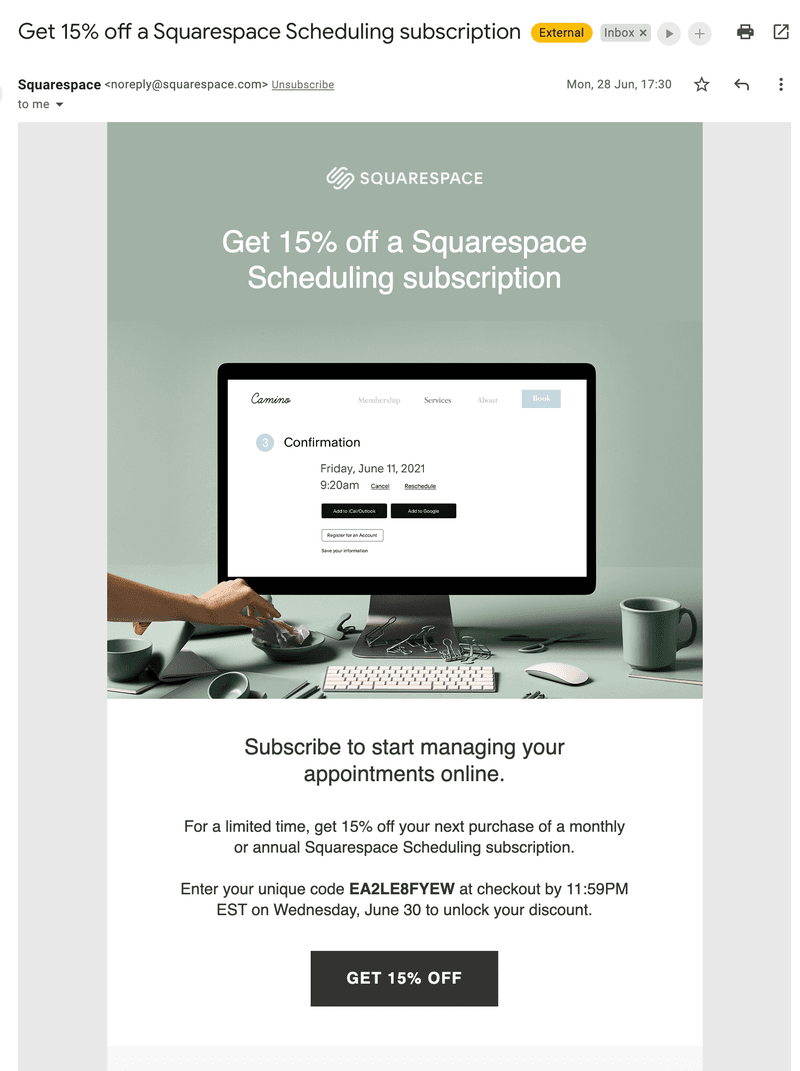
26. Squarespace add-on promotion email
Squarespace’s add-on promotion email is a strong example of sharing a limited-time offer with existing customers, using early access to build loyalty. A personalized discount code for each user (e.g., JAKEFIFTEEN) further reinforces that sense of exclusivity by including the user’s name.
Best practices for launch messages in SaaS
Now that you’ve seen what strong launch messages look like in practice, here are the principles that separate those that drive engagement from the ones that get dismissed.
One message is never enough: Build a sequence
I don’t think of a launch as a single broadcast you send once and move on from. Your launch messages should reach users at different stages. Send launch messages before launch to build anticipation, at launch to announce what’s available, and as a follow-up to remind users who haven’t tried it yet or to collect customer feedback from those who have.
Write copy that earns attention before the user dismisses it
Whether it’s a subject line, email copy, or an in-app message, I’ve found that the way you phrase a launch message shapes whether someone acts on it. Be contextual, don’t disrupt users, use a teaser to entice them, and give them a reason to read. Your title needs to make the message’s relevance immediately obvious before you lose their attention or interest. Keep the tone conversational, tell users what’s in it for them, and test different copy or formats against each other since different users respond to different formats.
Give each message one job and one CTA
Asking someone to do multiple things in the same message confuses them and causes inaction by way of analysis paralysis. Build each message around a single ask. Want them to subscribe to a webinar? Ask them to do that and only that! Conversely, if you want them to try a new feature right now, then make that the only CTA in the message.
In-app vs. email: Choosing the right channel for each launch
In-app messages are contextual, timely, and highly visible. They’re triggered based on where users are in their journey, personalized by segment, and more likely to catch the eye because the message appears within the product that they’re already using. As such, you should use in-app for immediate feature discovery and onboarding nudges. Email supports in-app messages by reaching users who aren’t currently in the product and keeps people updated without cluttering the UI. That said, it depends heavily on the strength of your subject lines since you can’t control when someone opens it. Use email for pre-launch, follow-ups, and customer reactivation.
The best approach is to use both, but with intentional sequencing rather than sending them simultaneously or picking between the two.
The bottleneck has shifted: Launch messages are how you keep up
AI has removed the production bottleneck and allows for faster updates, leaving adoption as the only constraint. Features that ship without a communication plan get buried under the next releases on the horizon. The 26 examples above show what it looks like when product and marketing teams treat launch messages as high-priority deliverables instead of bare-minimum afterthoughts. As such, they send launch messages personalized to each audience, sequenced across channels, written with a clear goal, and contextually triggered based on user behavior.
Building those in-app modals, slideouts, tooltips, banners, and behavior-triggered emails without waiting for engineering support is where Userpilot comes in. Book a demo to see how you can create and distribute launch messages using Userpilot without writing a single line of code!
About the author