Mobile App Engagement Strategies to Improve User Retention


Mobile app engagement is the metric I obsess over as a product manager, but I’ve stopped trusting the version that most teams optimize for. Most re-engagement programs, push sequences, winback emails, and loyalty points are built for users who have already left, instead of proactively retaining them. Google Play Console tracks first opens as a separate metric from raw installs. Engagement used to mean simply getting someone to open the app again, but achieving real outcomes is far more important in 2026.
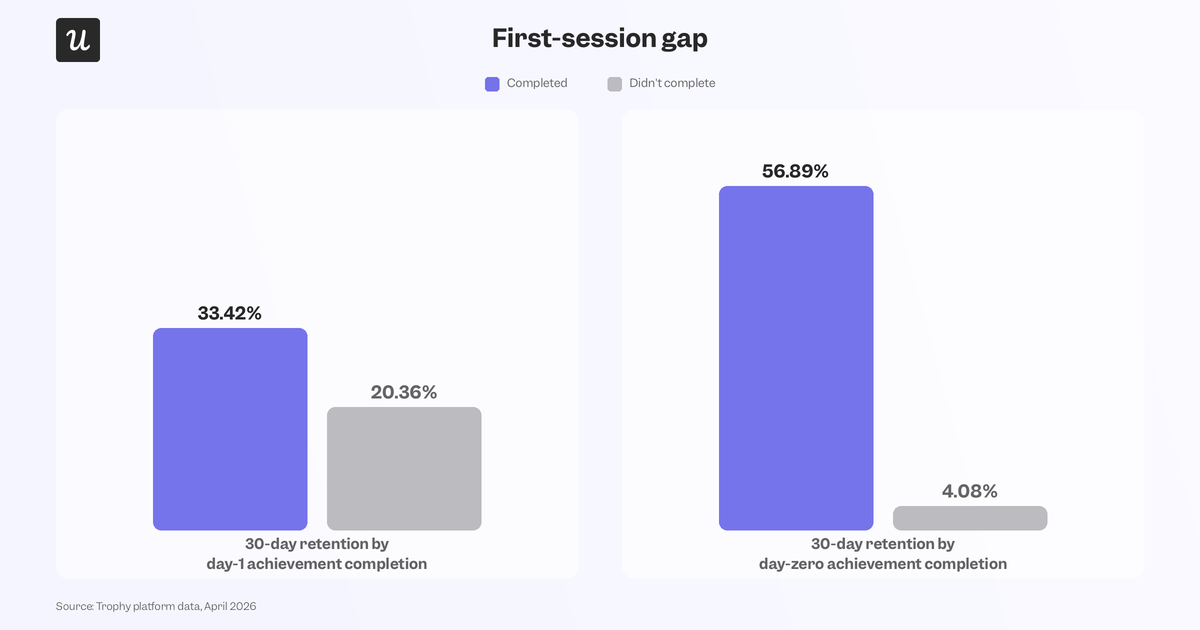
Trophy’s platform data shows that users who complete an achievement on their first day retain at 33.42% by day 30, compared to just 20.36% for users who don’t get their first-day achievement. That means the gap is created in the first session, not closed by the tenth push notification. The users you’re able to re-engage are a much smaller group than the users who never activated in the first place, so catering to the latter is even more important than trying to win back the former.
This guide will provide mobile app engagement strategies for optimizing the first session, building habits, re-engaging inactive users, and tracking engagement metrics.

First-session engagement strategies
The same study by Trophy showed users who completed an achievement on day zero retaining at 56.89%, whereas users who hadn’t completed one by day 30 retained at just 4.08%. Optimizing first-session engagement to get users to their ‘Aha’ moment as early as possible is the highest-leverage starting point.
Optimize onboarding for speed to first value
The goal of onboarding isn’t to explain the app but rather to get users at least one meaningful outcome before they close it. YNAB asks new users to set a rough spending target in the first session (without requiring exact numbers), which is enough to start personalizing a budget immediately.

Wise does the same with task cards instead of a single flow. New users see a short list of onboarding tasks that can be tackled in any order, with plain-language reasons for why each one matters. Each task also has two CTAs to either get started now or learn more first.

Personalize from the first screen users see
Calendly asks one question during onboarding to determine whether users are scheduling solo or with a team. That single answer reshapes the entire app experience, with solo users seeing personal booking links and team accounts seeing workspace setup instead.

You should really only be asking one or two critical questions during the welcome survey, then filtering what a user sees first based on their answer. Asking costs a few seconds, but guessing wrong could cost you the entire first session.
Use interactive walkthroughs, not product tours
Product tours use static tooltips to explain features in a linear order. Interactive walkthroughs make someone use the application to learn by doing. Craft’s iOS onboarding has new users experiment with formatting tools in real time instead of watching a pre-recorded demo video.

You don’t even need custom engineering to build this. Userpilot’s mobile carousels create swipeable setup flows that walk new users through key steps and adapt based on their answers.
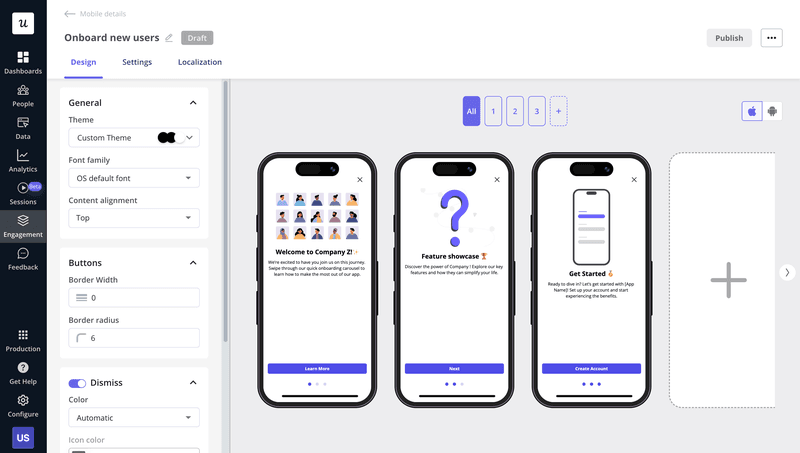
I saw this play out firsthand when Userpilot’s email feature shipped. Our activation funnel showed a sharp drop at domain verification, the exact kind of first-session cliff this whole section is about. Instead of filing an engineering ticket, I built a targeting tooltip and checklist directly inside the product, highlighting the steps users needed to take next. Drop-off rate closed within days. That’s the version of “interactive walkthrough” that matters most, not nice-to-have onboarding polish, but rapid fixes for funnels that bleed users before they reach their activation point.
Ask for permissions progressively
Permission prompts that fire before a user understands why your app needs access to their microphone or contacts create friction while signaling that the app might be invasive. Most people tap “don’t allow” because they haven’t seen any value yet and don’t know why that information is required. Google Translate waits until you tap the audio icon before requesting microphone access, offering a clear explanation for why it needs access. Ask for what you need, exactly when you need it, and skip the upfront “just in case” requests entirely.

Habit-building engagement strategies
Once a user survives the first session, the next question is whether the app will become part of their routine.
Dr. Silvanus Alt, CEO of UXCam, watched this play out with a fitness app whose re-engagement campaign lifted opens but had no impact on day-30 retention:
“Most engagement problems are measurement problems dressed up as tactic problems. Teams stare at a flat retention curve, assume they need more re-engagement channels, and skip the question that matters most, which is what users are actually doing between ‘opened the app’ and ‘closed the app.'”
That’s the approach you must take for habit-building engagement strategies, prioritizing consistent usage over activity spikes.
Introduce features progressively, based on behavior
Subpar feature discovery is usually a timing problem, not a design one. LINE introduces its Keep Memo feature exactly when a user is already interacting with the Keep section, when it’s most relevant and least intrusive.

Userpilot’s behavioral triggers let you fire in-app messages when a specific condition is met, a goal is reached, an action is taken, or a screen is visited, instead of broadcasting it immediately.

Building habit loops with streaks
Duolingo’s streak mechanic is the canonical habit loop because five minutes a day is easy to commit to, but missing one resets the count. That loss aversion does more for retention than the actual language lessons.

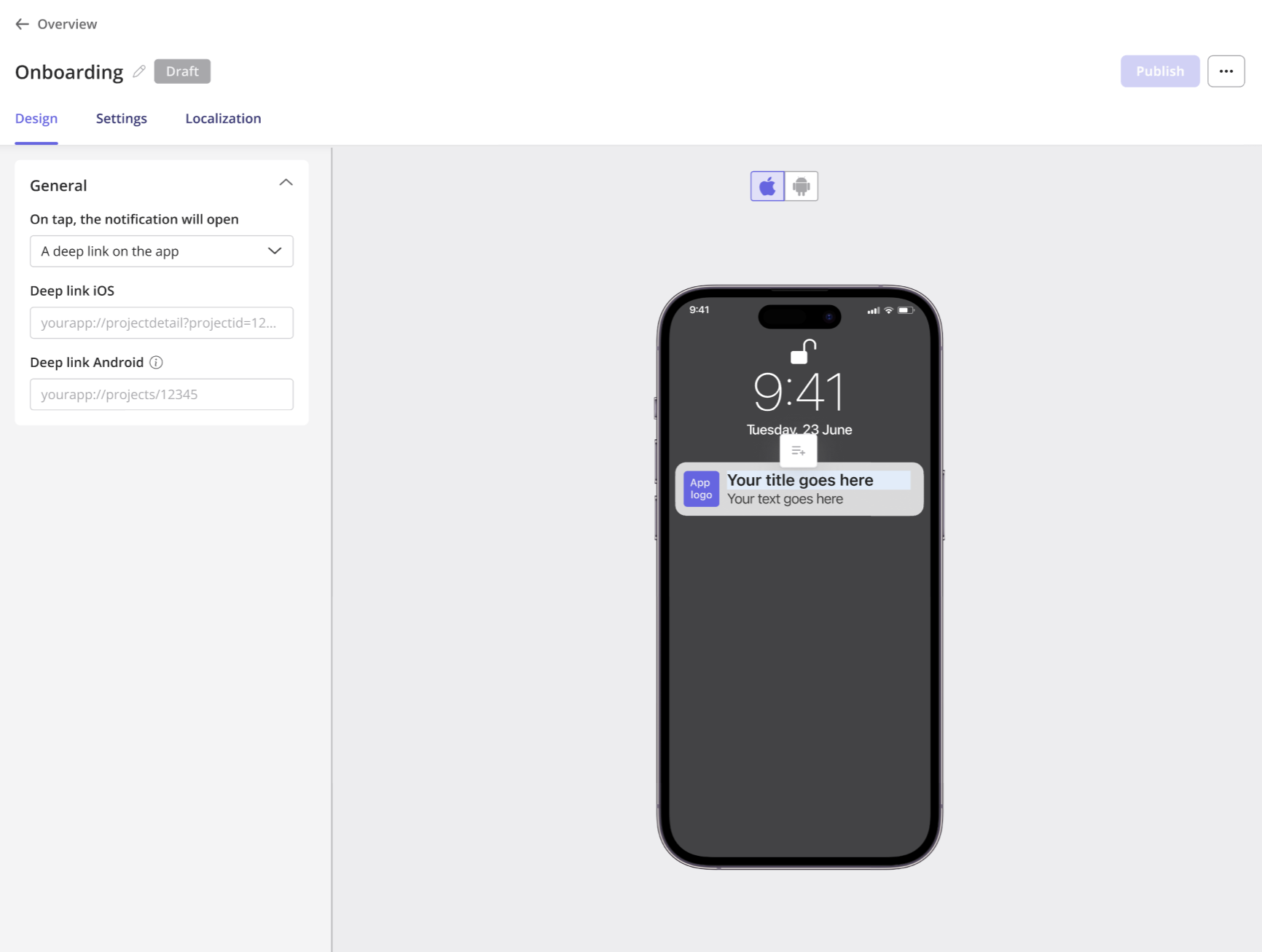
Trophy’s earlier study found that apps with social streak features recorded an average streak length of 5.69 days compared to just 4.25 days for apps without them. That uptick comes from the accountability a streak creates and the cognitive dissonance that would come from breaking it. Userpilot lets you send push notifications that remind users to open your mobile app daily and keep their streak from ending.
Create socially shareable moments
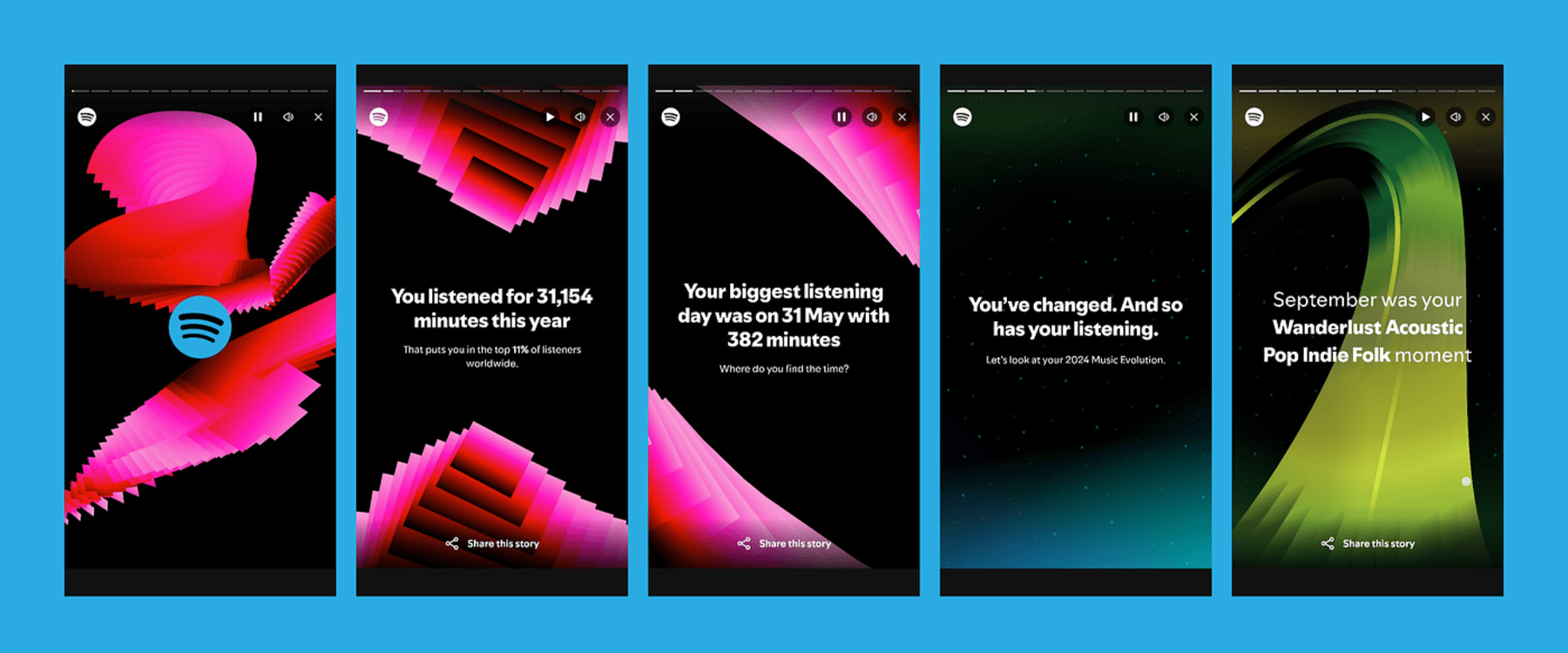
Spotify Wrapped is still the best-executed engagement ritual in the industry. It’s personalized, visual, built to share, and arrives just once a year to ensure it never loses novelty.
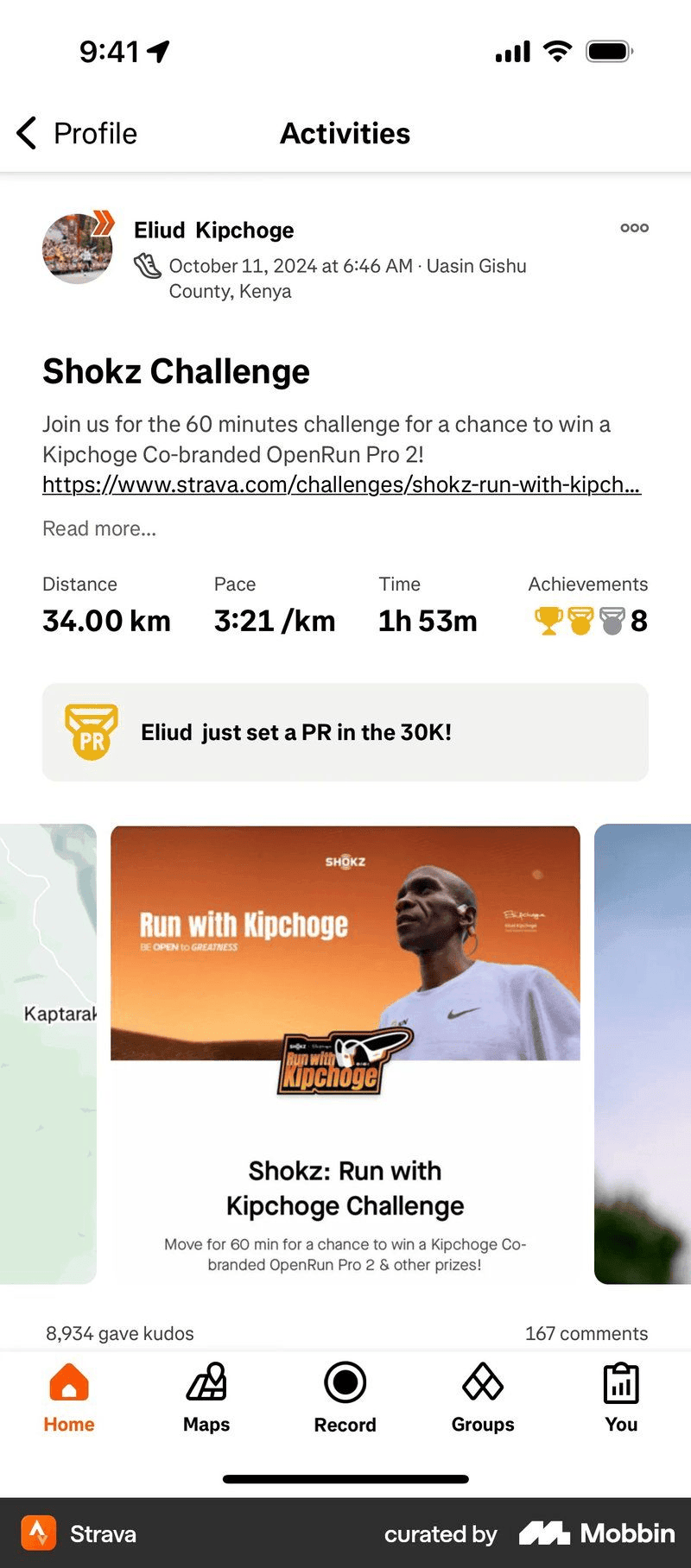
Strava’s community challenges do the same thing at a different cadence, turning completed runs into social milestones instead of private entries.
Anchor loyalty programs to behaviors users already have
Most customer loyalty programs fail by trying to reward actions that users won’t take. Revolut’s RevPoints program does the opposite by letting users earn points for currency exchanges, card payments, and referral actions that they’re already performing. This matches the rewards to what users actually want to do.

Re-engagement strategies
Re-engagement campaigns are usually where teams start, despite being the last line of defense against engagement problems that have gone unresolved for weeks or months. Use them once the first session and habit loops above are already working, not as a replacement for them.
Use contextual win-back flows, not generic re-engagement
Duolingo’s winback sequence does several things most re-engagement campaigns skip. Emails arrive in the afternoon (timed to the user’s local timezone) and reference the specific lessons that went inactive. The tone shifts gradually from a light nudge towards something more self-aware, before the sequence stops entirely.

The final email in that sequence, admitting the reminders “don’t seem to be working,” functions as a last call for users to return. When a winback message is contextual, it reads like a continuation of what the user was already doing rather than a generic marketing blast.

Use push notifications strategically, not enthusiastically
Airship’s analysis of 63 million app users showed that users who receive at least one push notification in their first 90 days retain at nearly three times the rate of users who receive none, while 95% of opted-in users who are never messaged churn within that same window. Userpilot’s mobile push notifications let you schedule messages ahead of time so they appear at the right moment, instead of arriving too early or late.
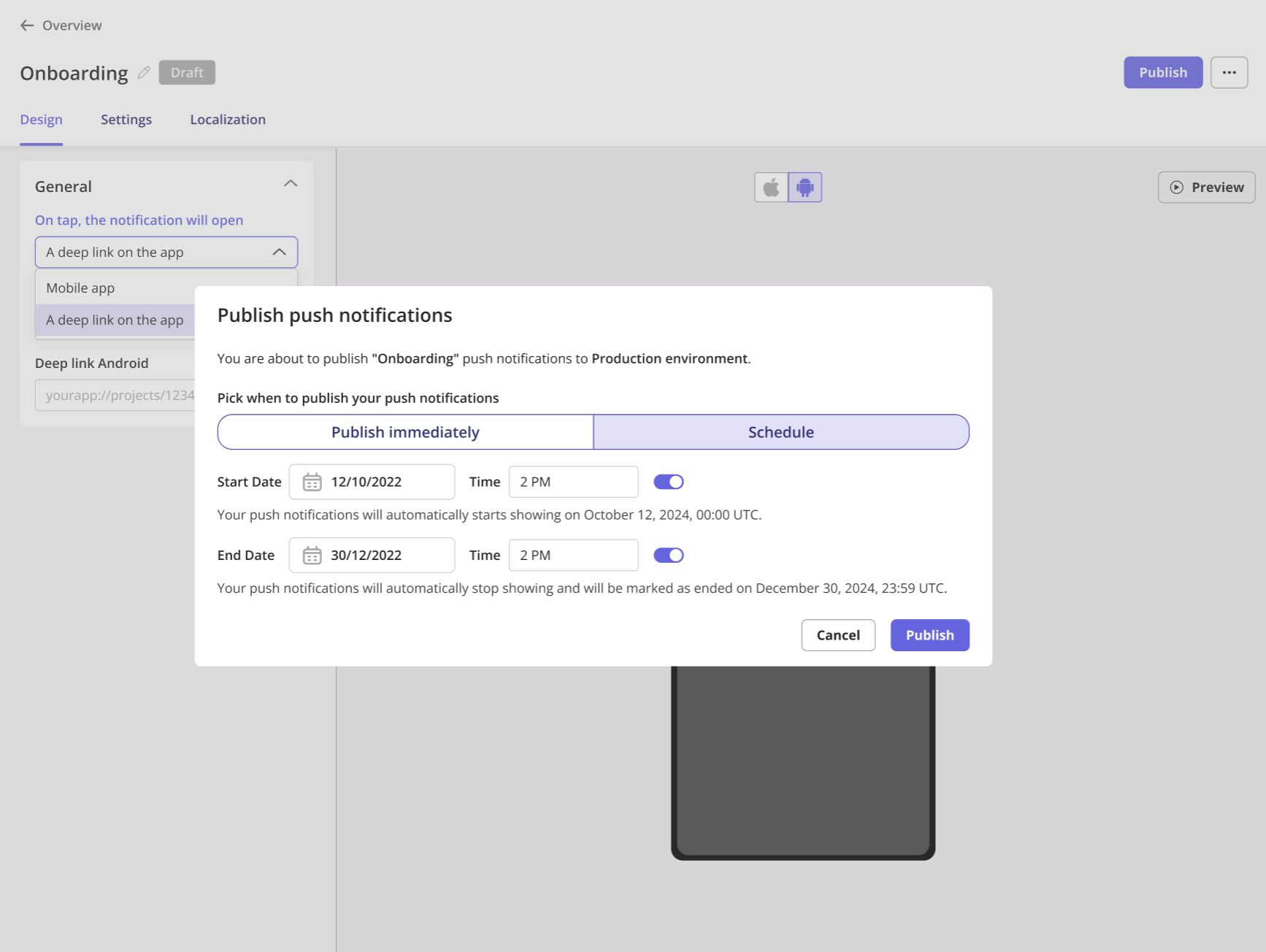
CleverTap’s Push Notification report showed that contextual push notifications outperform generic push notification campaigns, achieving an average push notification open rate of 16.3%, compared to just 4.7% for generic campaigns. In addition to context, frequency is another aspect to optimize since sending more than three push notifications per week can lead users to mute your mobile app altogether.
Create an emotional hook tied to identity
Strava assigns users to an athlete category then reinforces that identity through badges, public milestones, and a visible community feed. Headspace does the same by framing daily meditation as a keystone habit of being a mindful person rather than a feature you use.
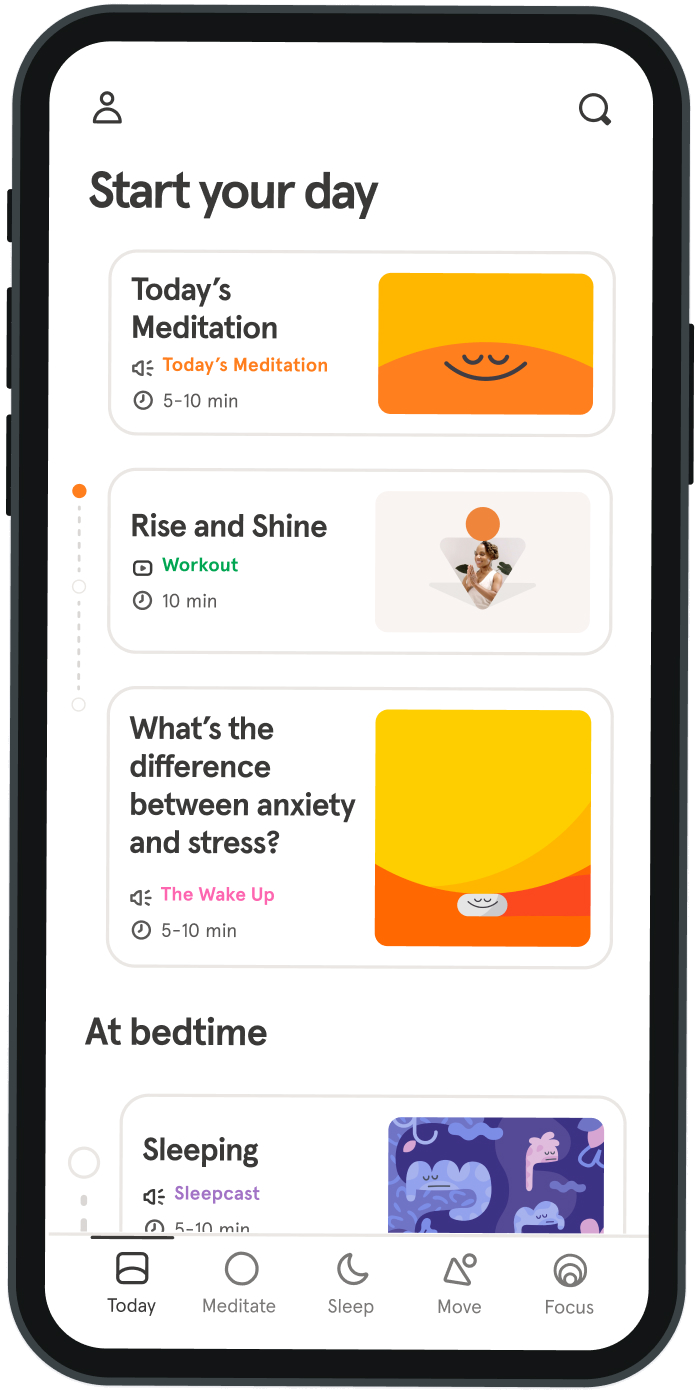
The question worth asking isn’t just what your app does but who your app helps someone become (and whether the interface reflects that back to them). Apps that answer this correctly retain users far better by becoming a part of their identity.
How to measure mobile app engagement
Most teams track the mobile app metrics that are easiest to see, but the KPIs that actually predict outcomes take more work to extract.
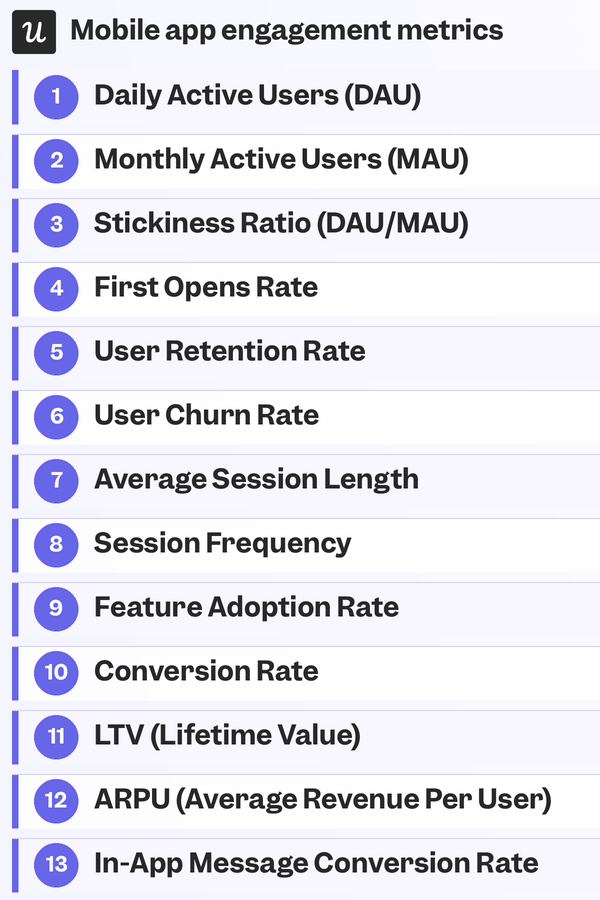
These metrics provide a complete set of metrics to track whether the mobile app engagement strategies above are yielding the results you need:
- Daily active users (DAU): Unique users who open the app within a 24-hour window.
- Monthly active users (MAU): Unique users who open the app within a 30-day window.
- Stickiness ratio (DAU/MAU): Share of monthly users who also return daily; compare against category benchmarks to see if usage is occasional or consistent.
- First opens rate: Tracks devices where the app was actually launched post-install, distinct from raw install counts. Fewer installs with more opens beat more installs with fewer opens.
- User retention rate: Measured across Day 1, Day 7, and Day 30 cohorts. Weak Day-1 retention signals broken onboarding, not a need for more re-engagement spend.
- User churn rate: Percentage of users who stop using the app in a given period. Rising churn is a signal to investigate further via in-app surveys, not a standalone diagnosis.
- Average session length: Longer sessions aren’t automatically better, as they could indicate engagement or confusion. Best interpreted alongside task completion rates, not on its own.
- Session frequency: How often and how regularly users return. A widening gap between sessions is an early cue for targeted re-engagement messaging, not a generic reminder.
- Feature adoption rate: Low adoption often means poor discoverability rather than a bad feature, fixable with in-app messaging.
- Conversion rate: Percentage of users completing a specific goal (upgrading, inviting a teammate, finishing setup). Low rates usually stem from unclear CTAs or too many steps.
- LTV (lifetime value): Most meaningful when measured against acquisition cost; a 3:1 LTV:CAC ratio is the typical target.
- ARPU (average revenue per user): Tracks which users and cohorts are most valuable, helping identify patterns behind high-value customers.
- In-app message conversion rate: Measures how often users act after seeing a message. Low rates usually trace to poor timing or placement, not weak copy; contextual tooltips right after a relevant action tend to perform best.
Where to go from here
The low day-30 retention benchmarks for mobile apps aren’t caused by a lack of investment in re-engagement campaigns, but by the reactive approach that most teams take. The mobile app engagement strategies above help you engage users from the very first session so they don’t drift away from the application or uninstall it altogether. Userpilot’s mobile carousels, behavioral triggers, and in-app guidance exist to close that first-session gap so users keep coming back for more.
Get a demo to see how Userpilot increases retention rates on your mobile app!
FAQ
How to increase engagement in an app?
To increase engagement in an app, focus on personalized onboarding, behavior-based triggers, timely push notifications, and in-app messaging that reminds users. Use mobile app analytics tools to track user behavior, then build engagement strategies around key actions like daily use, feature adoption, and content interaction.
Do mobile apps increase customer engagement?
Yes, mobile apps can significantly increase customer engagement when designed around user needs. Features like personalized push notifications, in-app guidance, and behavior-triggered content help keep users active. Mobile-first apps also allow brands to stay connected with users in real time.
What is the engagement rate of an app?
An app’s engagement rate measures how often users interact with it over a set period. Common mobile app engagement metrics include daily active users (DAU), average session length, and feature usage. A high engagement rate suggests users find ongoing value in the app experience.
About the author