App Retention Strategies in 2026: The New Benchmark and How to Meet It



A founder shared a story on Reddit about an AI-powered note-taking app they’d just launched. It had 100 downloads and 70 registrations in its first month. The problem? Almost nobody came back after installing it.
One commenter offered the sharpest diagnosis: “For a note-taking app, users need to create and save their first AI-assisted note within 60 seconds of opening the app. Skip the feature tours and long explanations. Get them doing, not reading.”
And I agree with that because it’s what I’ve seen repeatedly: Most apps don’t have a Day 30 customer churn problem. They lose users during the first session because those users never experience the product’s core value. In this guide, I discuss the exact strategies to solve this problem and how AI helps.
But first, what benchmark should you be targeting?

Is your app retention good?
It depends on when you’re measuring mobile app retention and what type of app you’ve built.
According to UXCam’s Mobile App Retention Benchmarks, here’s where retention rates land across all app categories:
- Day 1 retention: 25% median, 30–40% for strong performers (75th percentile).
- Day 7 retention: 8% median, 10–15% for strong performers.
- Day 30 retention: 4% median, 5–8% for strong performers.
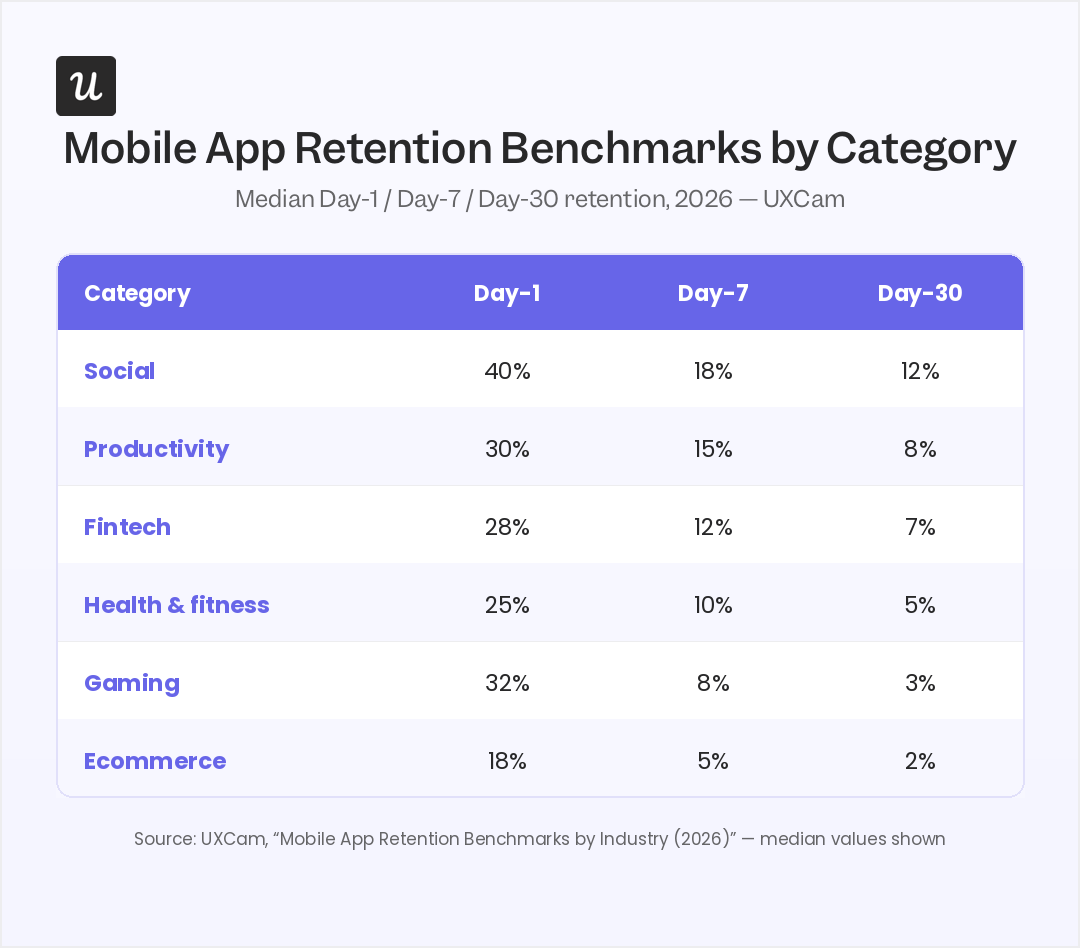
The numbers vary by app category and usage.
- Social apps tend to retain users longer (Day-30 at 12%): They become part of users’ networks or daily workflows.
- Gaming apps usually see steeper drop-offs (Day-30 at 3%): Users often leave after completing the chapters or get bored and churn.
The bigger takeaway from the report, however, is what drives the benchmarks. UXCam found that users who complete a meaningful action in their first session are 2–3 times more likely to still be active on Day 30. This further proves what I said earlier, and why the strategies below are very crucial.
5 App retention strategies to meet the 2026 benchmark
Think of these strategies as action points, so you can act on them right away.
1. Get users to their first win in session one
Like the comment in the Reddit thread advised, “skip the feature tour; get users doing something.” In short, do contextual onboarding, i.e., show users the shortest path to their first meaningful outcome, based on the goal they told you they have.
For example, if your app serves multiple use cases, ask users about their goal before starting the onboarding flow. Lifesum is a real-life example of this strategy done well.
Immediately after sign-up, Lifesum runs a welcome survey asking about their health goal. It then generates a personalized daily plan. In the final screen, users see a personalized homepage with daily goals and clear next steps.
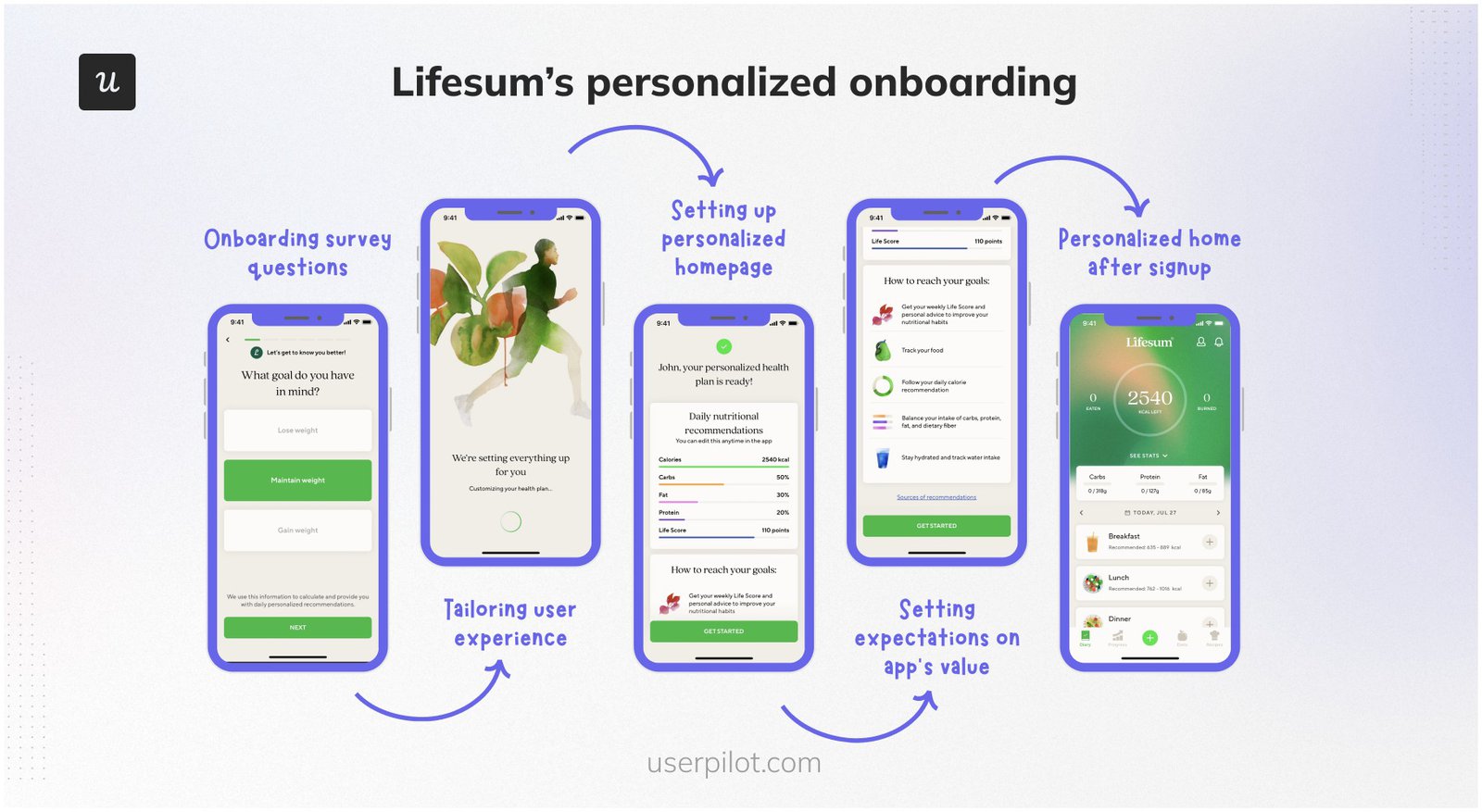
In essence, users see the app’s value immediately, improving retention from day one.
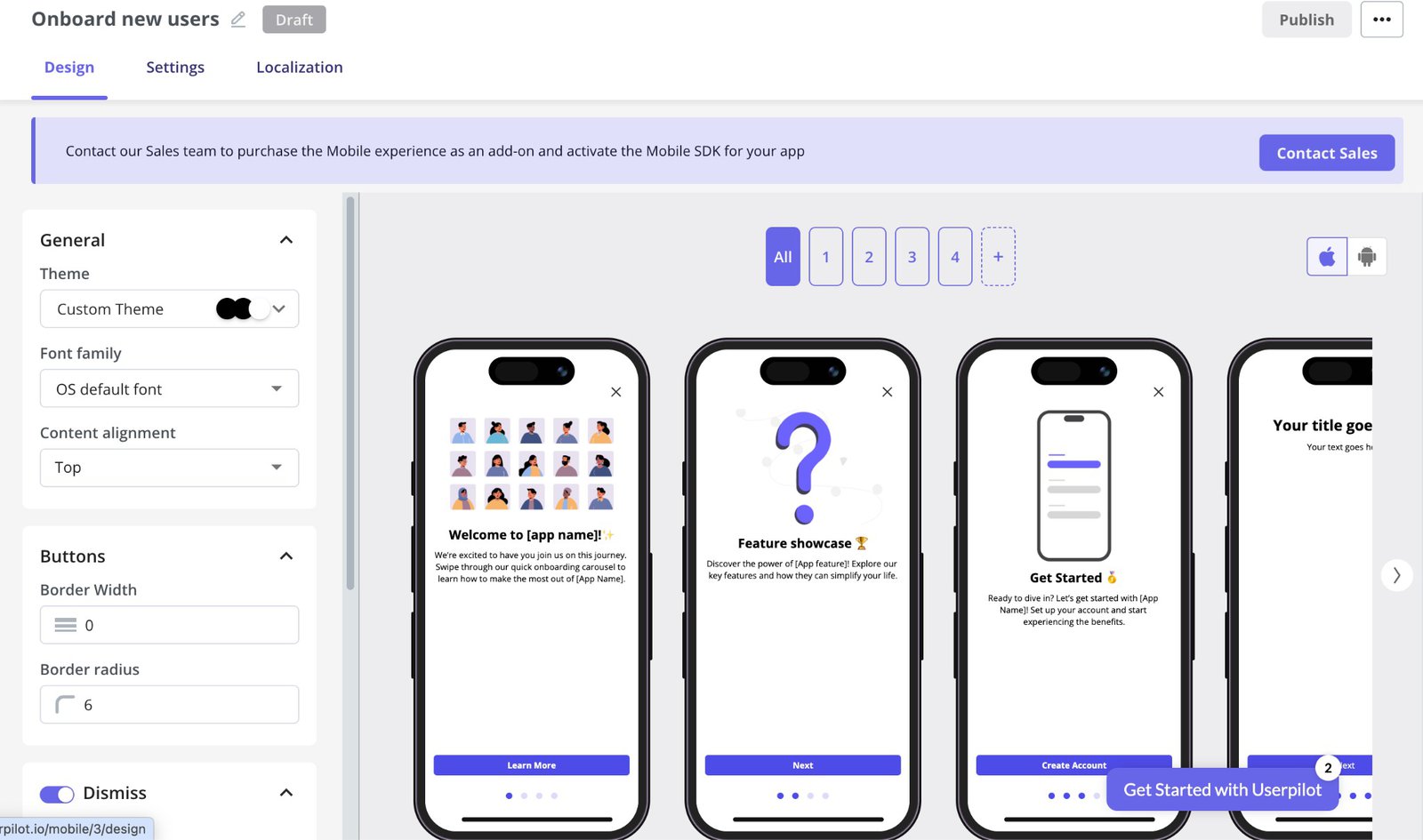
You can recreate this in your app using Userpilot. Its Mobile Carousels let you create guided, goal-based onboarding flows with zero coding. Alternatively, you can create them with a simple goal prompt using Lia, Userpilot’s AI agent.
2. Give users a reason to come back within 24 hours
Users who don’t come back after their first experience are far less likely to become long-term customers. To prevent this, use push notifications to nudge them back.
However, push notifications only work when they’re timely and relevant. In essence, trigger them around actions the user actually performed in their first session.
Agoda is a practical example of this done well. After you search for a hotel, it sends a price-drop alert for that exact property. The notification is relevant because it’s tied to a specific action.
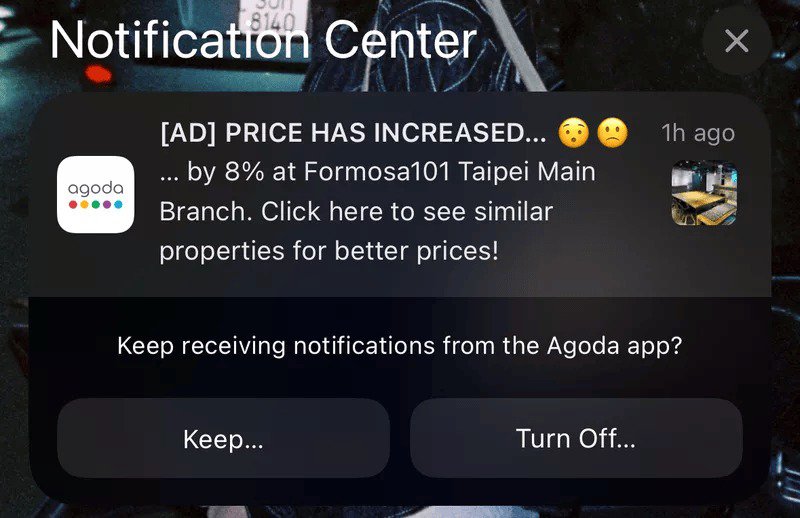
And while at it, treat Day 1, Day 3, and Day 7 as separate checkpoints on your retention curve. Each should reinforce where the user left off.
For example, a “You’re on a streak!” notification means little to someone who opened the app once. On the other hand, a reminder to finish an unfinished task gives such a user a clear reason to return.
Userpilot also helps here. It lets you create push notifications. You decide who and when the push shows, and triggers too. You can also monitor performance, such as views and completion rates.

3. Turn a return visit into a routine
Getting users to come back once is the first challenge. Turning that return into a habit is how to increase user retention for the long term. For that to happen, users need to repeat a loop: a cue triggers an action, and a reward reinforces that action.
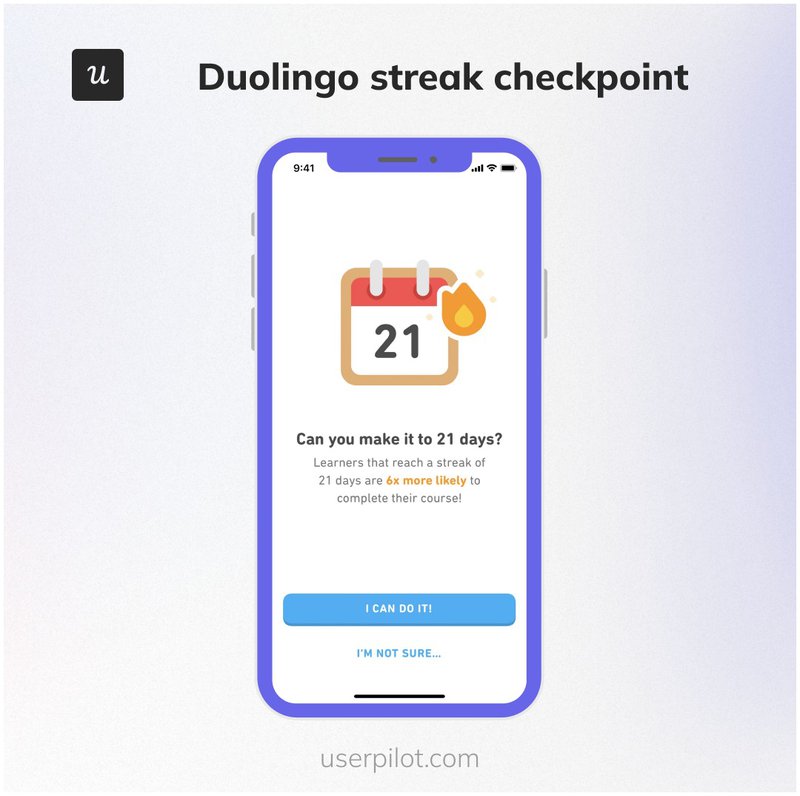
Duolingo does that so well. Its streak mechanic works because users don’t want to lose the progress they’ve built. Spending a few minutes on a lesson feels easier than breaking a 23-day streak.
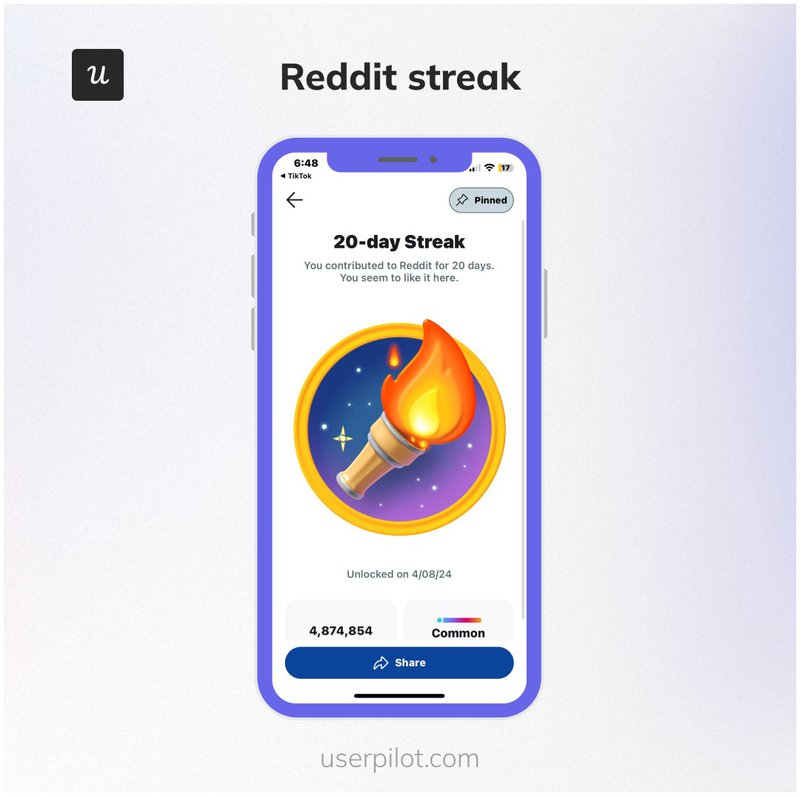
Reddit also uses the same principle with contribution streaks. The reward isn’t the badge itself but the visible record of consistency.
This approach works anywhere repeated behavior creates value. But the key is making progress visible:
- A generic “Great job!” message is easy to ignore.
- Show users they’ve completed a tangible milestone, e.g., “You’ve completed seven consecutive workouts!”
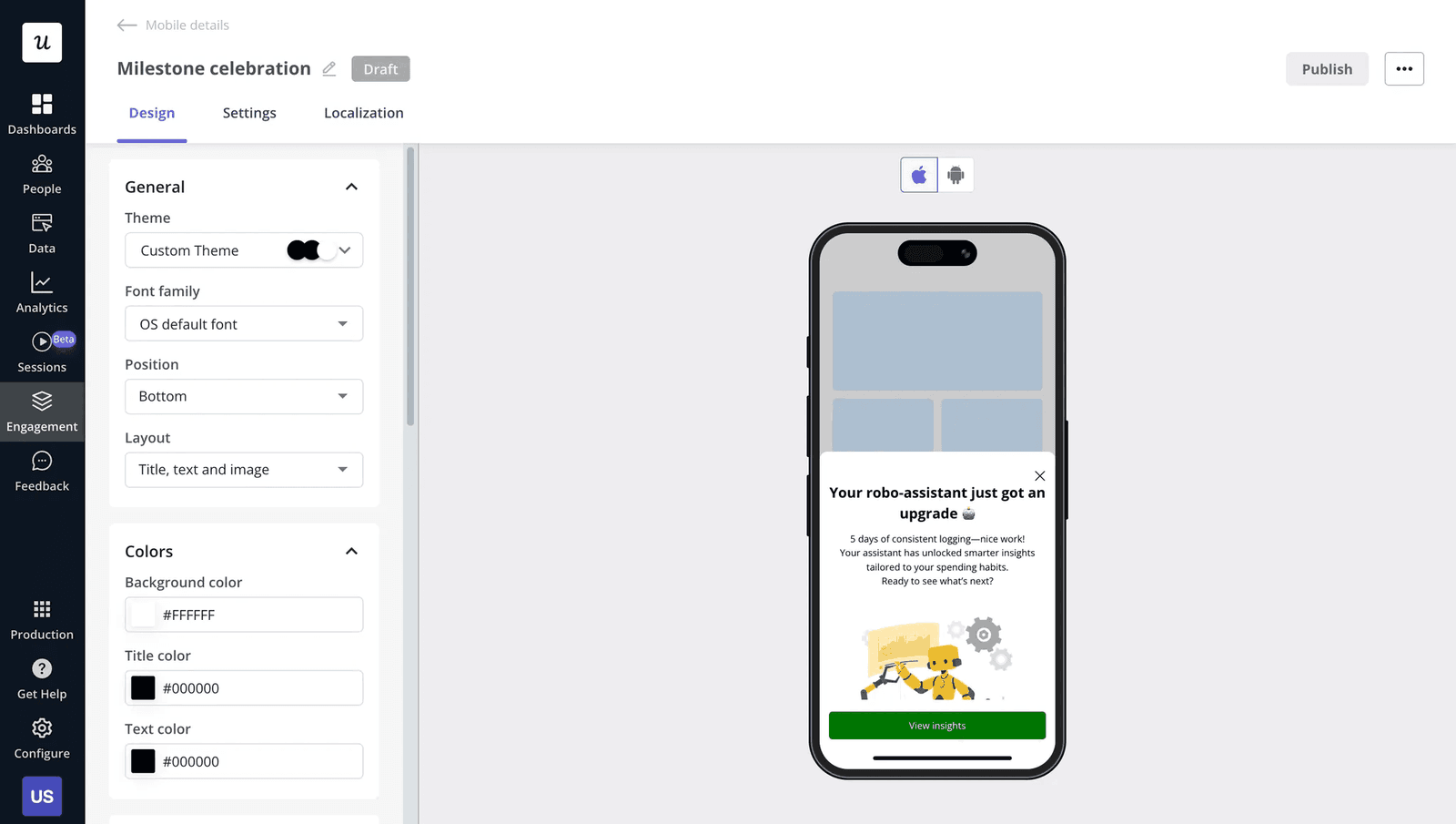
Using Userpilot’s mobile slideouts, you can implement similar nudges. Use it to create meaningful milestones triggered by user achievements. It also lets you localize the content, so the nudge feels personal to the users.
4. Remove the friction users haven’t noticed yet
The biggest retention gains often come from fixing problems users never complain about. Think saved preferences, auto-filled forms, and smart defaults. They don’t feel like standout features, but they remove the small frustrations that push users away.
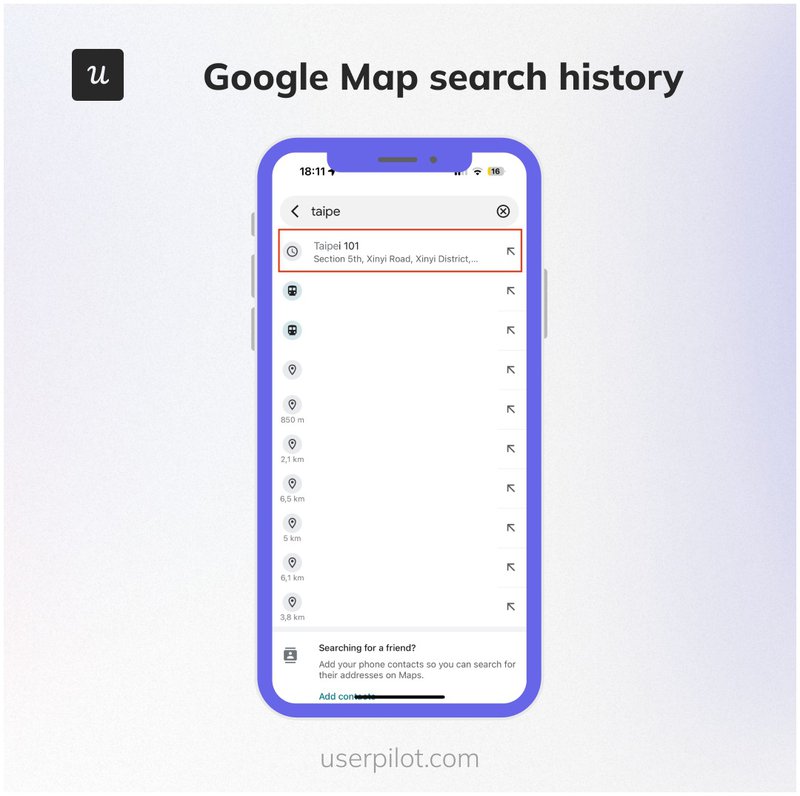
Google Maps, for example, remembers your recent searches so you don’t have to enter the same destinations every time. Users may not notice it’s happening, but they immediately notice when it’s missing.
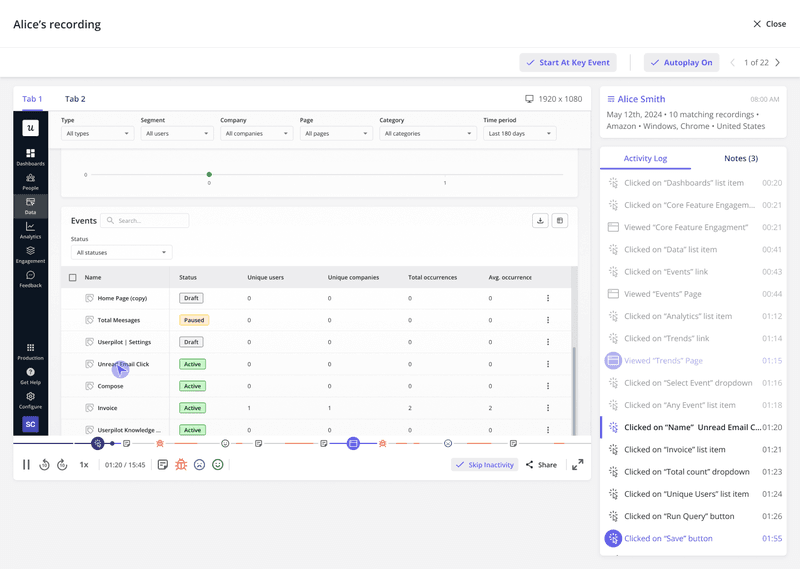
To uncover this kind of friction, review session recordings from users who churned in their first week. Then, look for moments where they repeat a step, hesitate before taking action, or backtrack through a flow.
Userpilot also helps here. Its behavior-based targeting lets you deliver a personalized customer experience based on users’ actions. When paired with its session recording, you’ll see where users hesitate or abandon tasks.
5. Catch the signal before users decide to leave
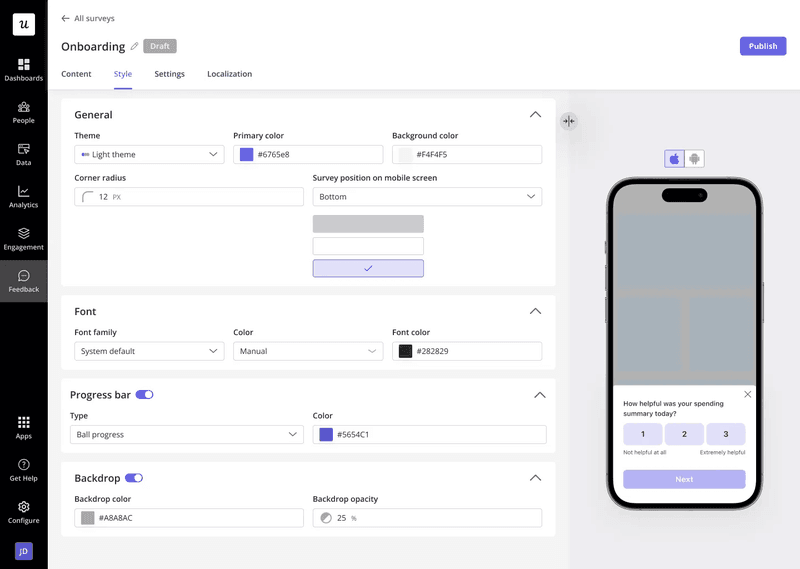
Waiting until Day 90 to ask for feedback is often too late. By then, many dissatisfied users have already left. Instead, collect customer feedback when users experience friction.
Trigger a short microsurvey after a meaningful event, such as abandoning a task, exiting a screen within seconds, or using a feature for the first time. Uber Eats does this well. It asks users to rate their delivery immediately after an order arrives, while the experience is still fresh.

However, the question is just as important as the timing, e.g.,
- “What stopped you from completing this task?” gives you a specific problem to fix.
- “How would you rate your experience?” gives you a score without much context.
Use both to identify patterns. For example, if users consistently mention the same onboarding step or a feature, you’ve found your retention issue.
Userpilot helps here. It lets you launch in-app mobile surveys and trigger them after specific events. You can then combine the responses with session replay to understand users’ experiences.
Where does AI come in?
AI makes the strategies discussed faster to execute. Take Lia, for example:
- It helps drive feature adoption: Lia’s Analyze Feature Adoption skill measures adoption, stickiness, and engagement. This shows you which features build habits and which ones users ignore.
- It uncovers friction automatically: Lia continuously analyzes session replays and behavioral patterns. This helps you detect repeated drop-offs and other friction points before they escalate.
- It helps you understand why users leave: Lia’s Analyze Survey and Summarize User Sentiment skills combine NPS, CSAT, survey responses, and qualitative feedback into a clear explanation, replacing multiple reports.
In the end, you get a proactive retention workflow.
Ready to improve your app retention?
Don’t try to improve every retention metric at once. Start by identifying where users drop off, then apply the strategy that matches that stage of the journey.
Follow this simple guide:
- Low Day 1 retention? Help users reach their first win faster.
- Low Day 7 retention? Give them a reason to come back and build a habit.
- Losing users later in the lifecycle? Remove friction and collect feedback before they decide to leave.
Userpilot brings those strategies together in one platform. Use it to build personalized onboarding, trigger in-app messaging and surveys, and analyze session replays. Even better, let Lia continuously monitor retention, so your team can spot issues and act before more users churn.
Book a demo today to see how it works!
FAQ
What is a good mobile app retention rate in 2026?
It depends on your category. For productivity apps, Day-30 retention above 12% is strong. For ecommerce, anything above 3% puts you ahead of the median. Across all categories, strong performers hit 5–8% at Day-30.
What is the formula for app retention?
Day-N retention = (users who returned on day N from a specific install cohort) / (total users in that cohort) x 100. Track this cohort by cohort, not as a rolling average, so you can see whether each new wave of users is retaining better or worse than the last. A rising overall retention number can hide worsening per-cohort retention if install volume is growing.
What are the four levels of retention?
The four stages are:
- Day-1 retention (session-one quality and time-to-value)
- Day-7 retention (habit formation and return mechanics)
- Day-30 retention (routine use and durable product fit)
- Long-term retention (expansion and advocacy)
Each stage requires a different intervention; the strategies in this post are organized around that sequence.
About the author